

For Web
Developers/Designers
SEO GUIDE
Presented by Sampath Liyanage, Internet Marketing Strategist
Twitter: @sampaliyanage Linkedin : linkedin.com/in/ssampathliyanage
OVERVIEW
• Where are people searching?
• How are people searching online?
• How do search engines find & rank websites?
• What is SEO?
• Common SEO mistake
• Resources
• Q&A
SEO Guide for Web Developers/Designers
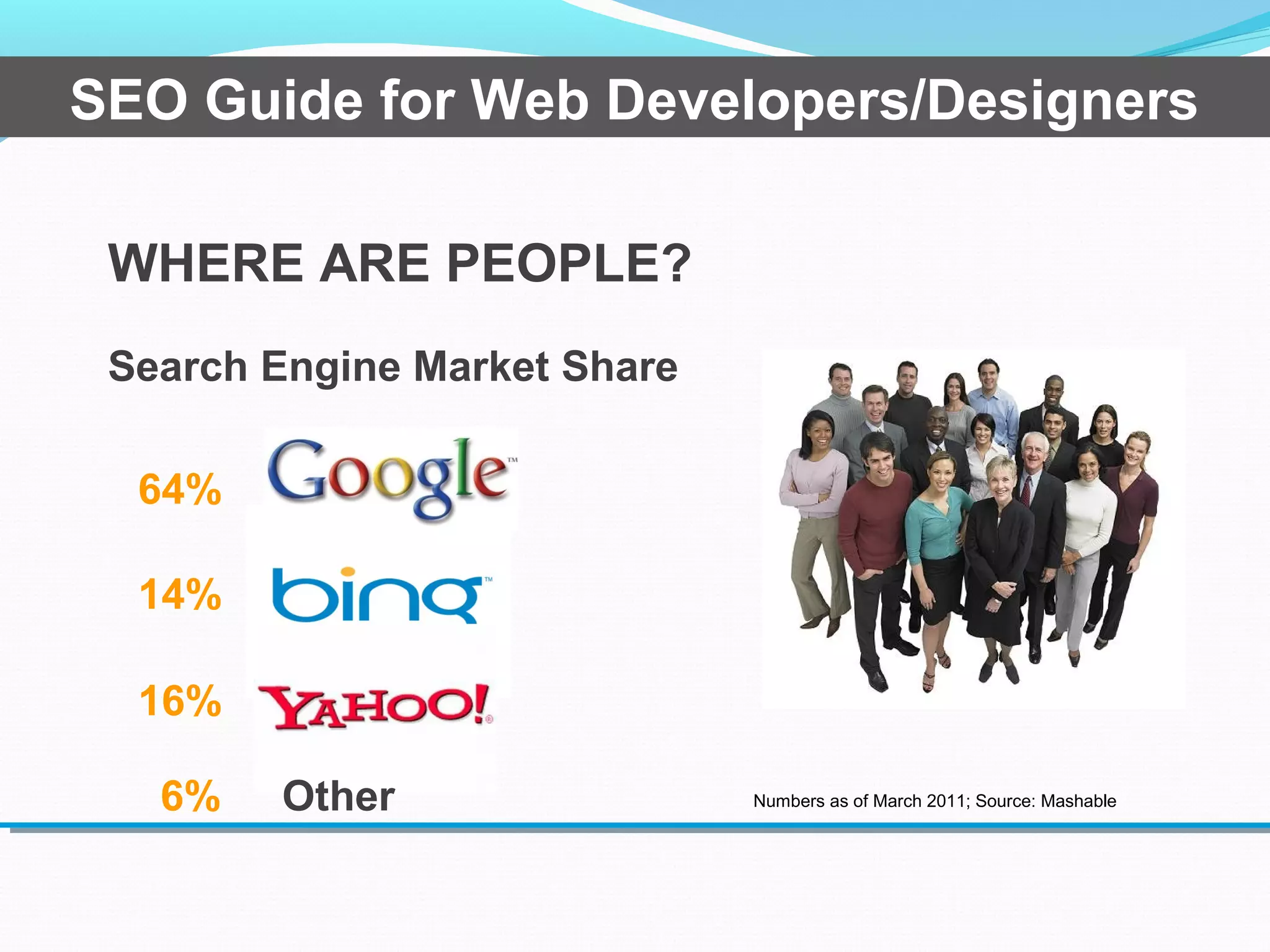
WHERE ARE PEOPLE?
Search Engine Market Share
14%
64%
16%
Numbers as of March 2011; Source: Mashable6% Other
SEO Guide for Web Developers/Designers
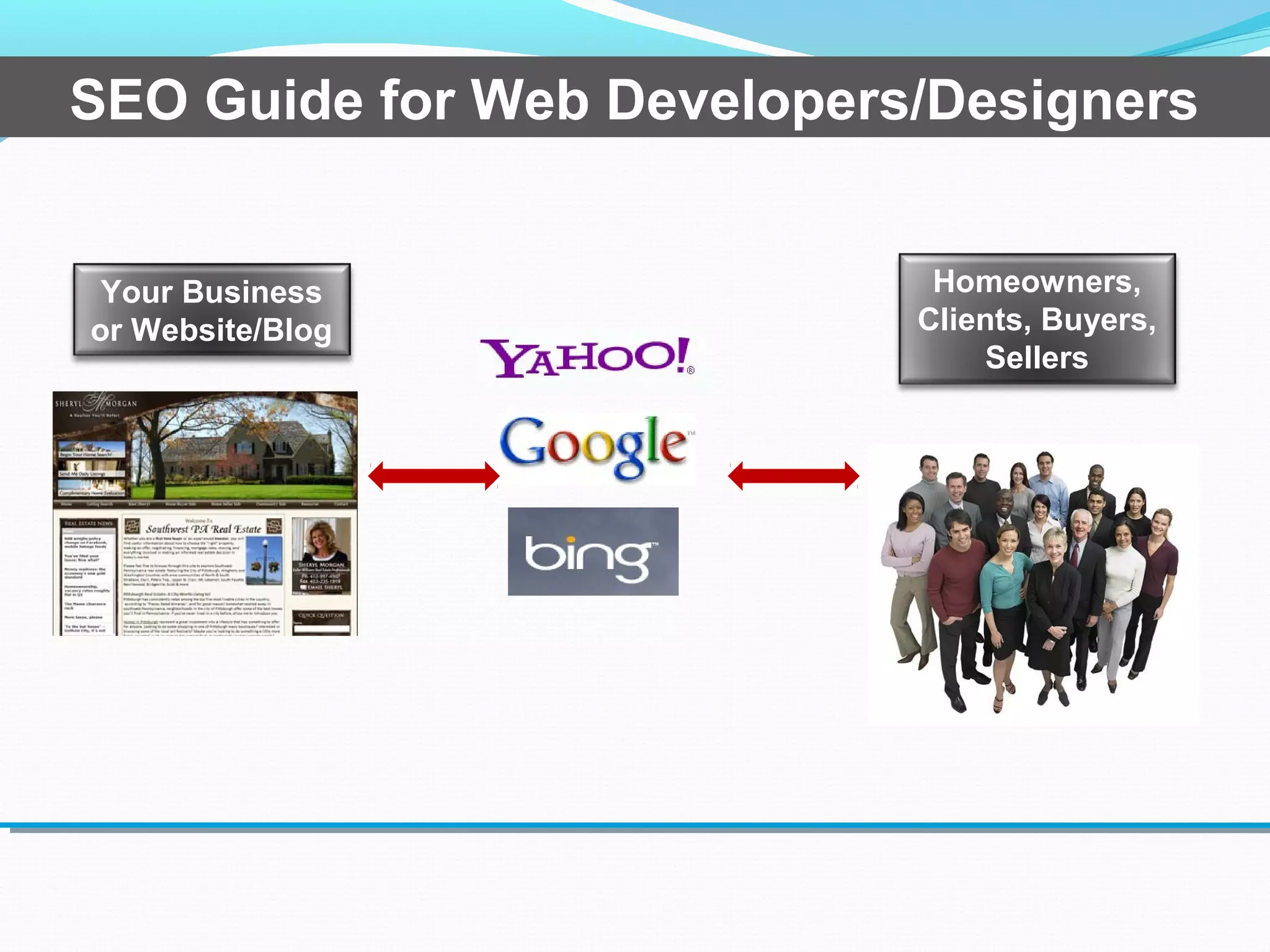
Homeowners,
Clients, Buyers,
Sellers
Your Business
or Website/Blog
SEO Guide for Web Developers/Designers
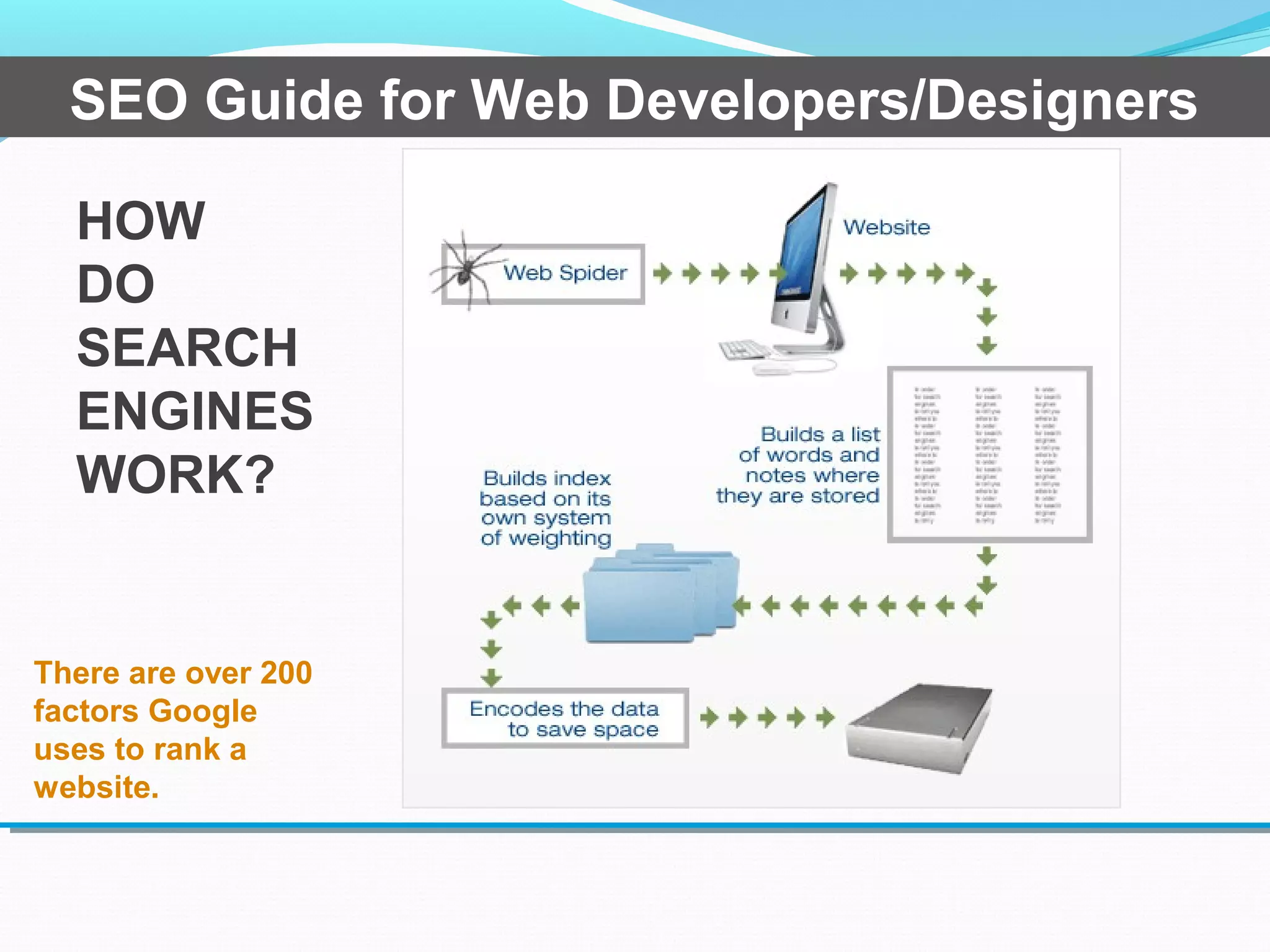
HOW
DO
SEARCH
ENGINES
WORK?
There are over 200
factors Google
uses to rank a
website.
SEO Guide for Web Developers/Designers
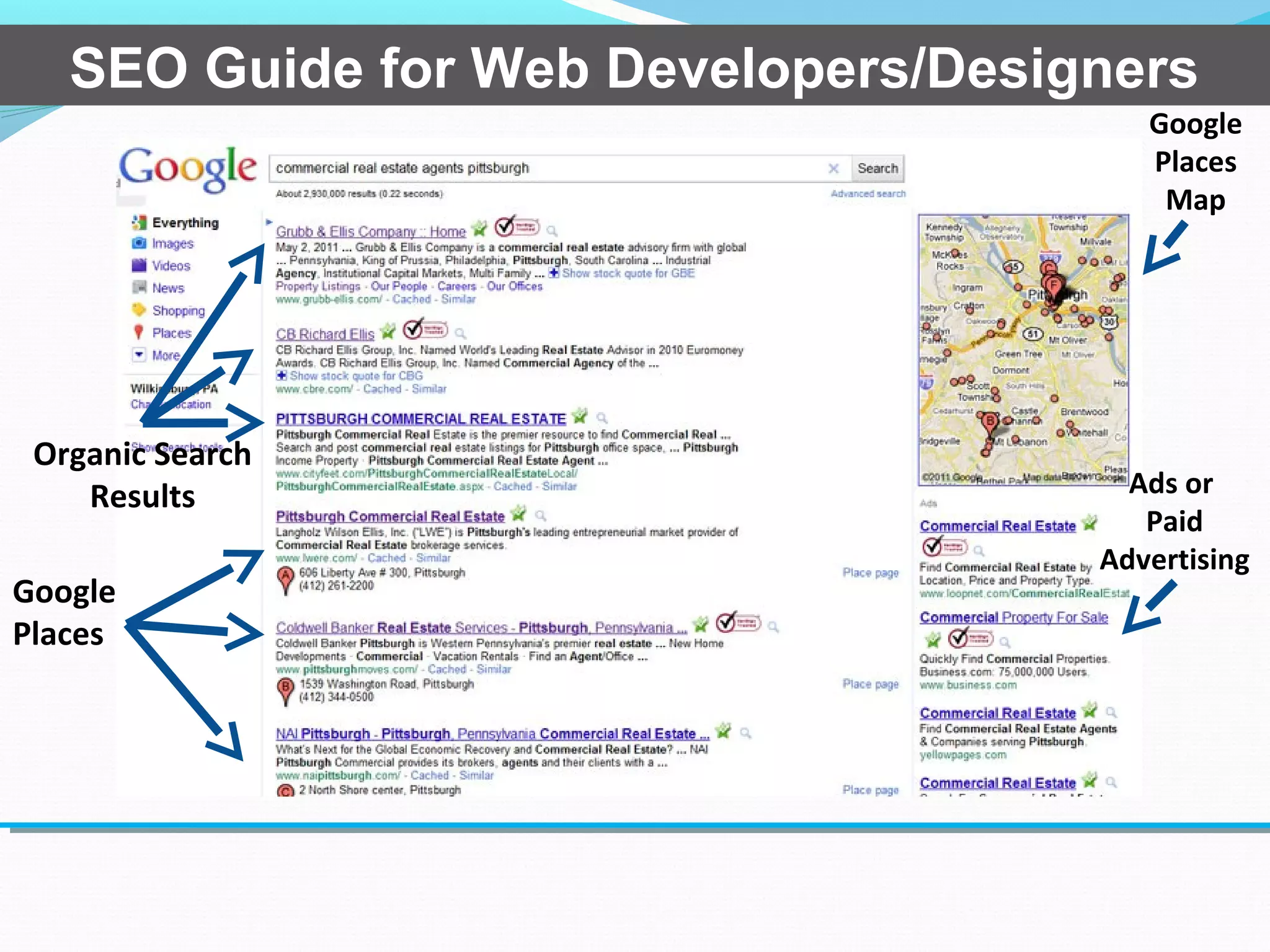
Google
Places
Map
Google
Places
Organic Search
Results Ads or
Paid
Advertising
SEO Guide for Web Developers/Designers
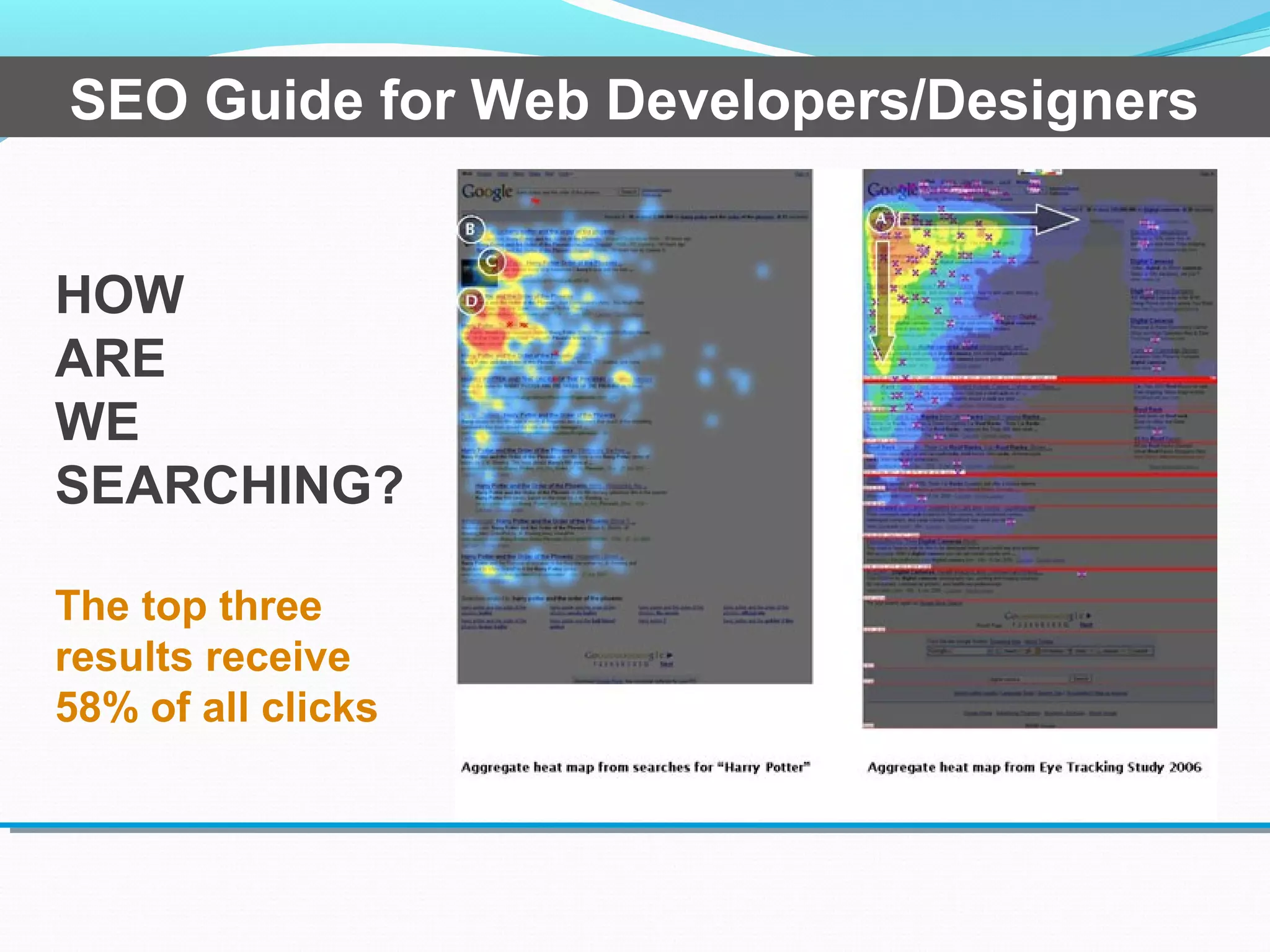
HOW
ARE
WE
SEARCHING?
The top three
results receive
58% of all clicks
SEO Guide for Web Developers/Designers
Search Engine Optimization – SEO
Search engine optimization (SEO) is the
process of improving the volume and quality of
traffic to a website from search engines via
natural (”organic” or “algorithmic”) search
results.*
*http://en.wikipedia.org/wiki/Search_engine_optimization
SEO Guide for Web Developers/Designers
SEO
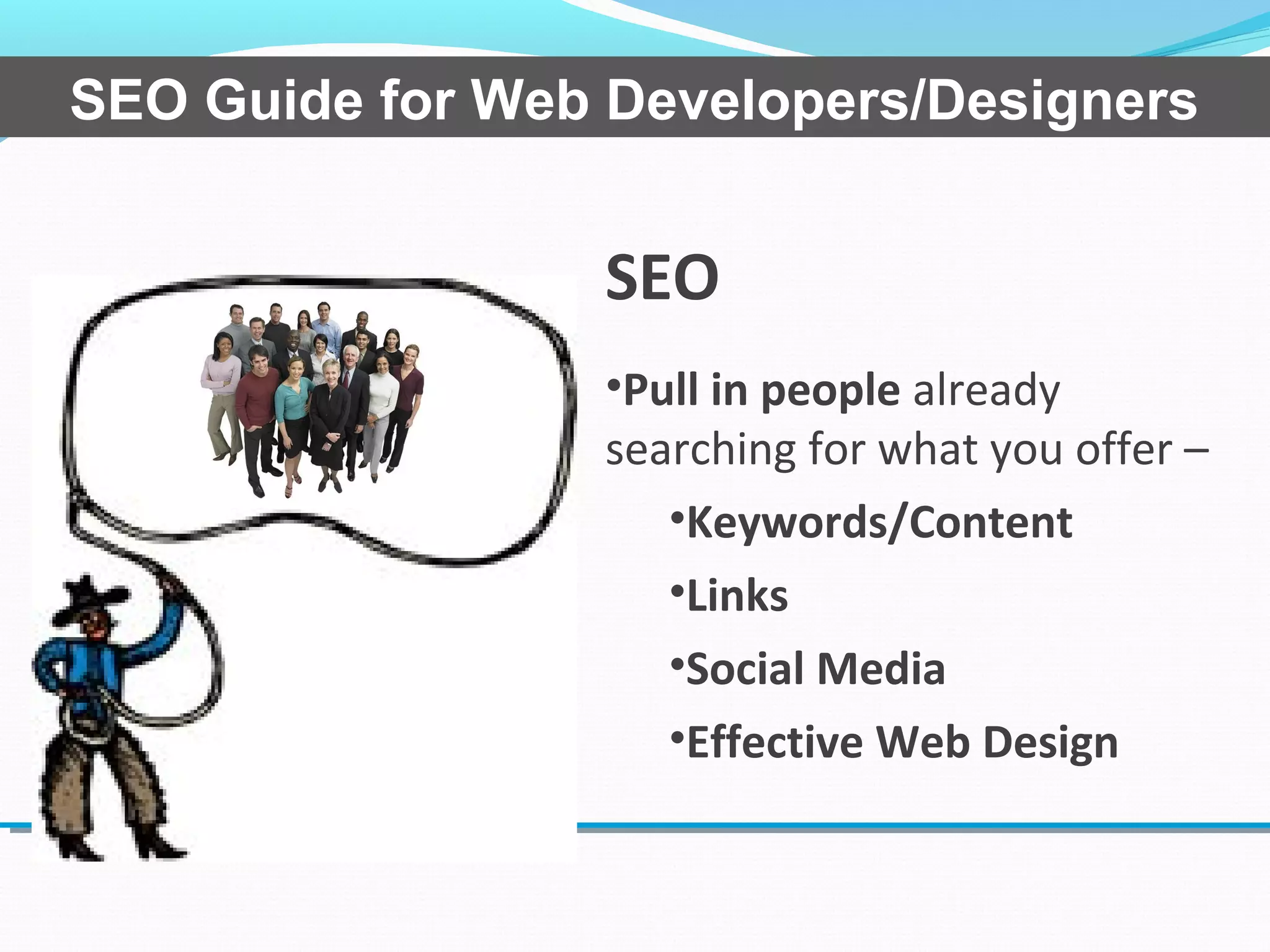
•Pull in people already
searching for what you offer –
•Keywords/Content
•Links
•Social Media
•Effective Web Design
SEO Guide for Web Developers/Designers
Common SEO Mistakes Made by Designers
and Developers
•Ignoring the Impact of site speed
•Title tag usage
•Meta tag usage
•Header tag usage
•Converting text to images
SEO Guide for Web Developers/Designers
Common SEO Mistakes Made by Designers
and Developers
•Broken links and sitemaps
•Bad URL’s
•Flash only sites
•No alt text for images
•java script/CSS usage
•The use of tobots.txt
SEO Guide for Web Developers/Designers
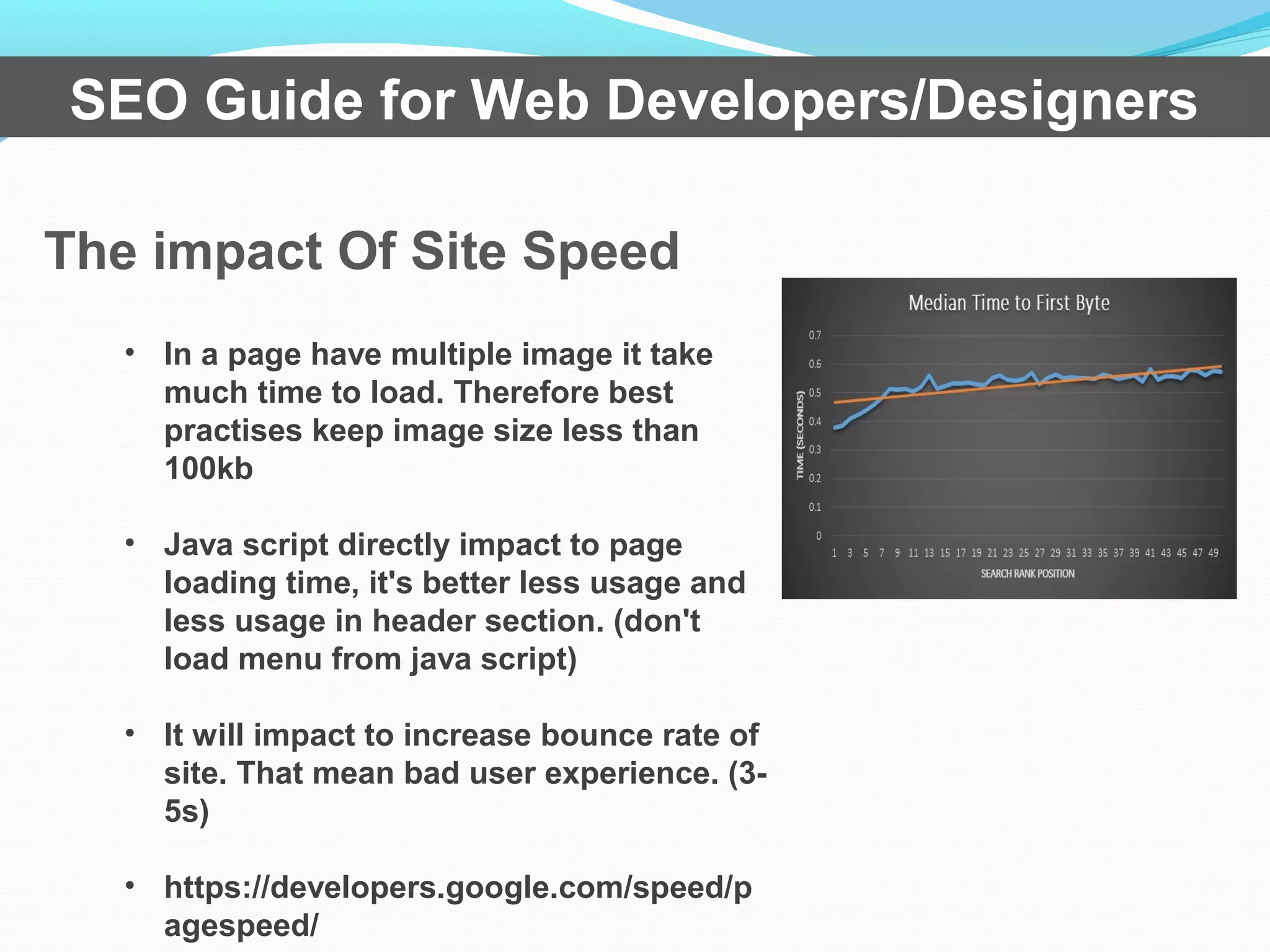
The impact Of Site Speed
SEO Guide for Web Developers/Designers
• In a page have multiple image it take
much time to load. Therefore best
practises keep image size less than
100kb
• Java script directly impact to page
loading time, it's better less usage and
less usage in header section. (don't
load menu from java script)
• It will impact to increase bounce rate of
site. That mean bad user experience. (3-
5s)
• https://developers.google.com/speed/p
agespeed/
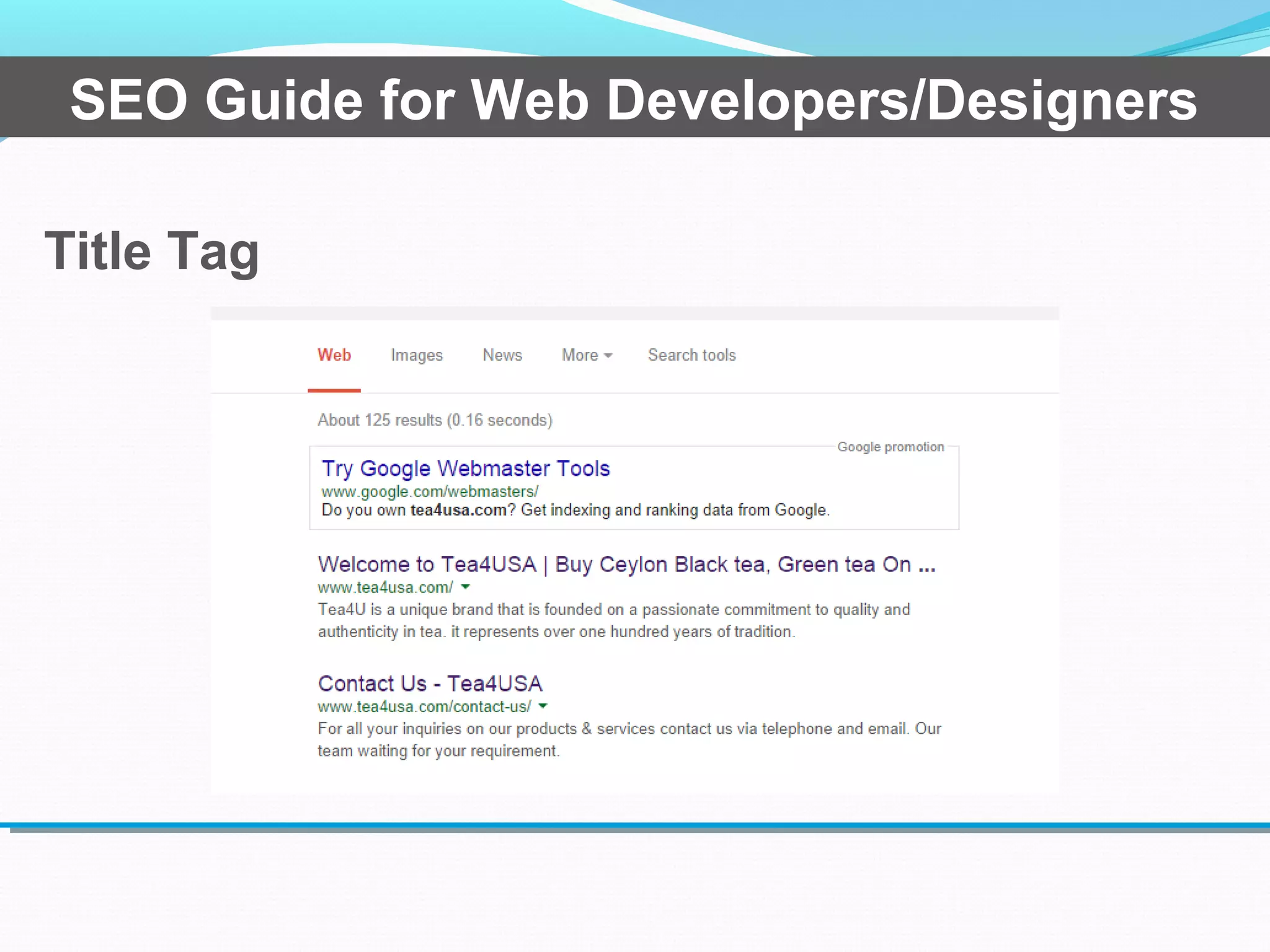
Title Tag
SEO Guide for Web Developers/Designers
• Essential element
• Title Length 30 and 65 characters. that the length search
engine display on each search result
• Each page should have unique title tag (title tag essential)
That mean can't duplicate each title tag with different URL
Title Tag
SEO Guide for Web Developers/Designers
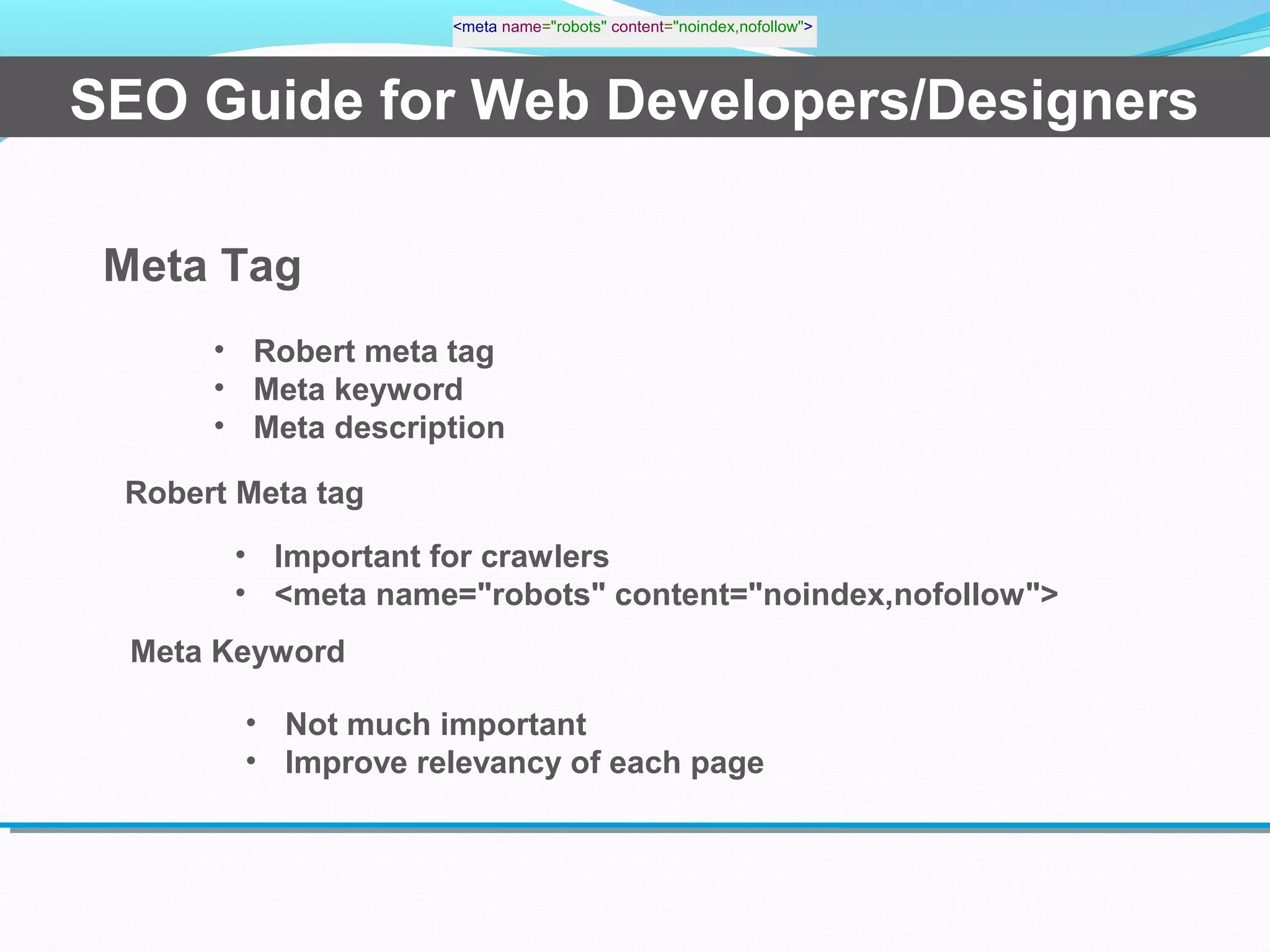
Meta Tag
• Robert meta tag
• Meta keyword
• Meta description
Robert Meta tag
<meta name="robots" content="noindex,nofollow">
• Important for crawlers
• <meta name="robots" content="noindex,nofollow">
Meta Keyword
• Not much important
• Improve relevancy of each page
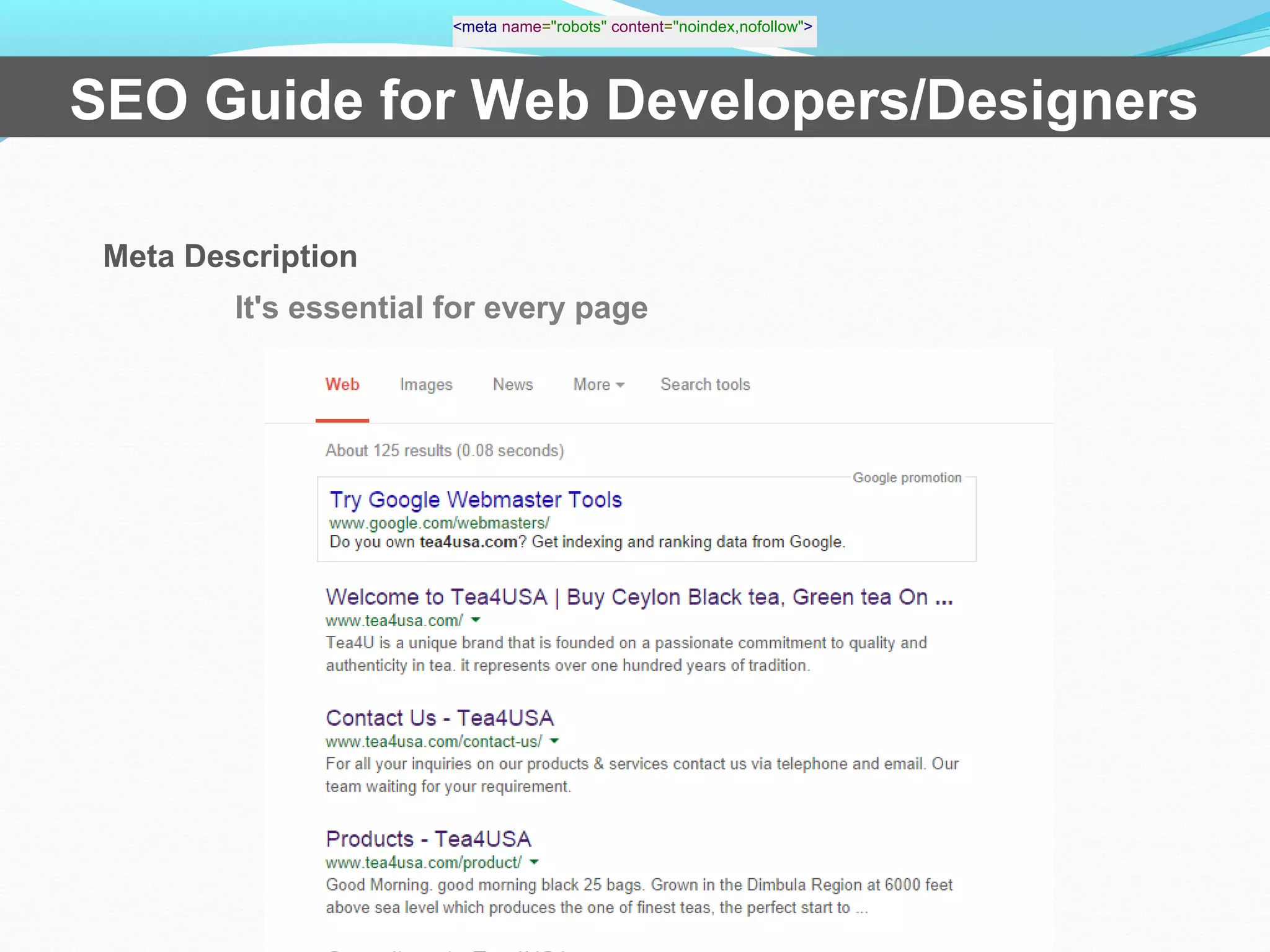
It's essential for every page
SEO Guide for Web Developers/Designers
Meta Description
<meta name="robots" content="noindex,nofollow">
Header Tag
SEO Guide for Web Developers/Designers
• Header tags are using h1 to h6
• If you use header tag on page it's better to start with h1 on
each page, only one h1 tag on each page
• There order should begin with h1 to h6
• If you use logo as h1, it will duplicate on entire site, SEO best
practises is use h1 on each page.
URL Structure
SEO Guide for Web Developers/Designers
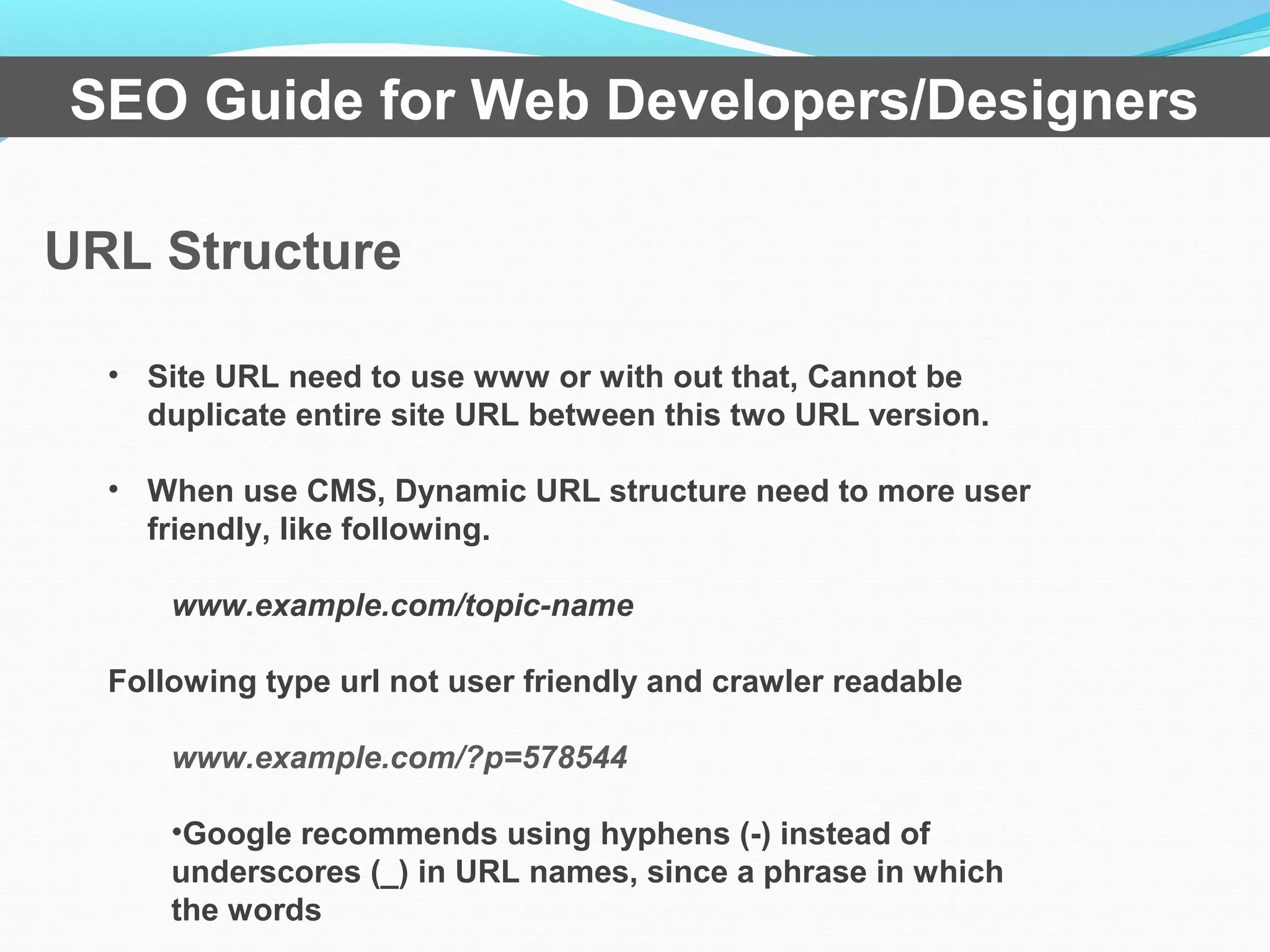
• Site URL need to use www or with out that, Cannot be
duplicate entire site URL between this two URL version.
• When use CMS, Dynamic URL structure need to more user
friendly, like following.
www.example.com/topic-name
Following type url not user friendly and crawler readable
www.example.com/?p=578544
•Google recommends using hyphens (-) instead of
underscores (_) in URL names, since a phrase in which
the words
URL Structure
SEO Guide for Web Developers/Designers
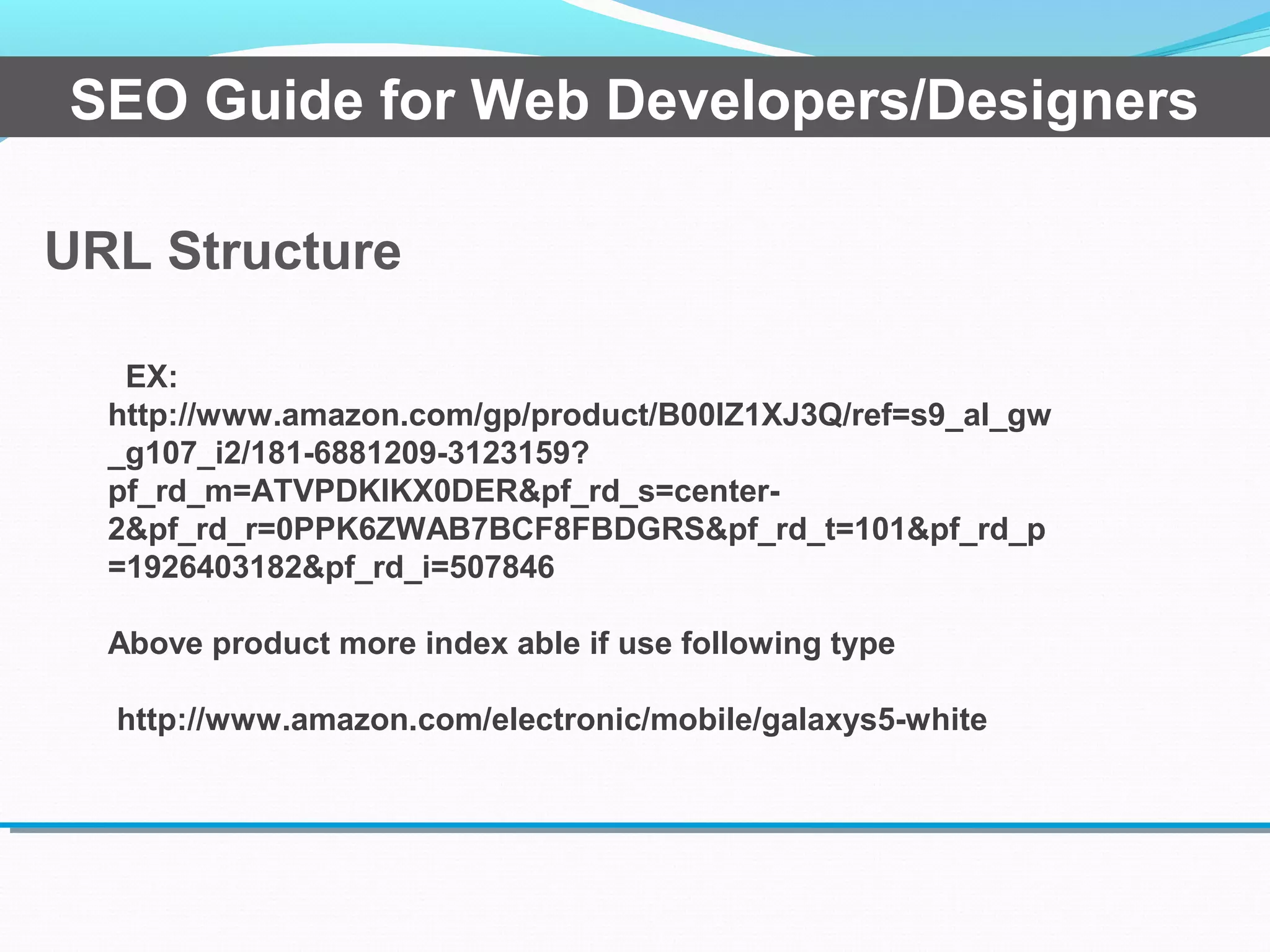
EX:
http://www.amazon.com/gp/product/B00IZ1XJ3Q/ref=s9_al_gw
_g107_i2/181-6881209-3123159?
pf_rd_m=ATVPDKIKX0DER&pf_rd_s=center-
2&pf_rd_r=0PPK6ZWAB7BCF8FBDGRS&pf_rd_t=101&pf_rd_p
=1926403182&pf_rd_i=507846
Above product more index able if use following type
http://www.amazon.com/electronic/mobile/galaxys5-white
Converting Text to Images
SEO Guide for Web Developers/Designers
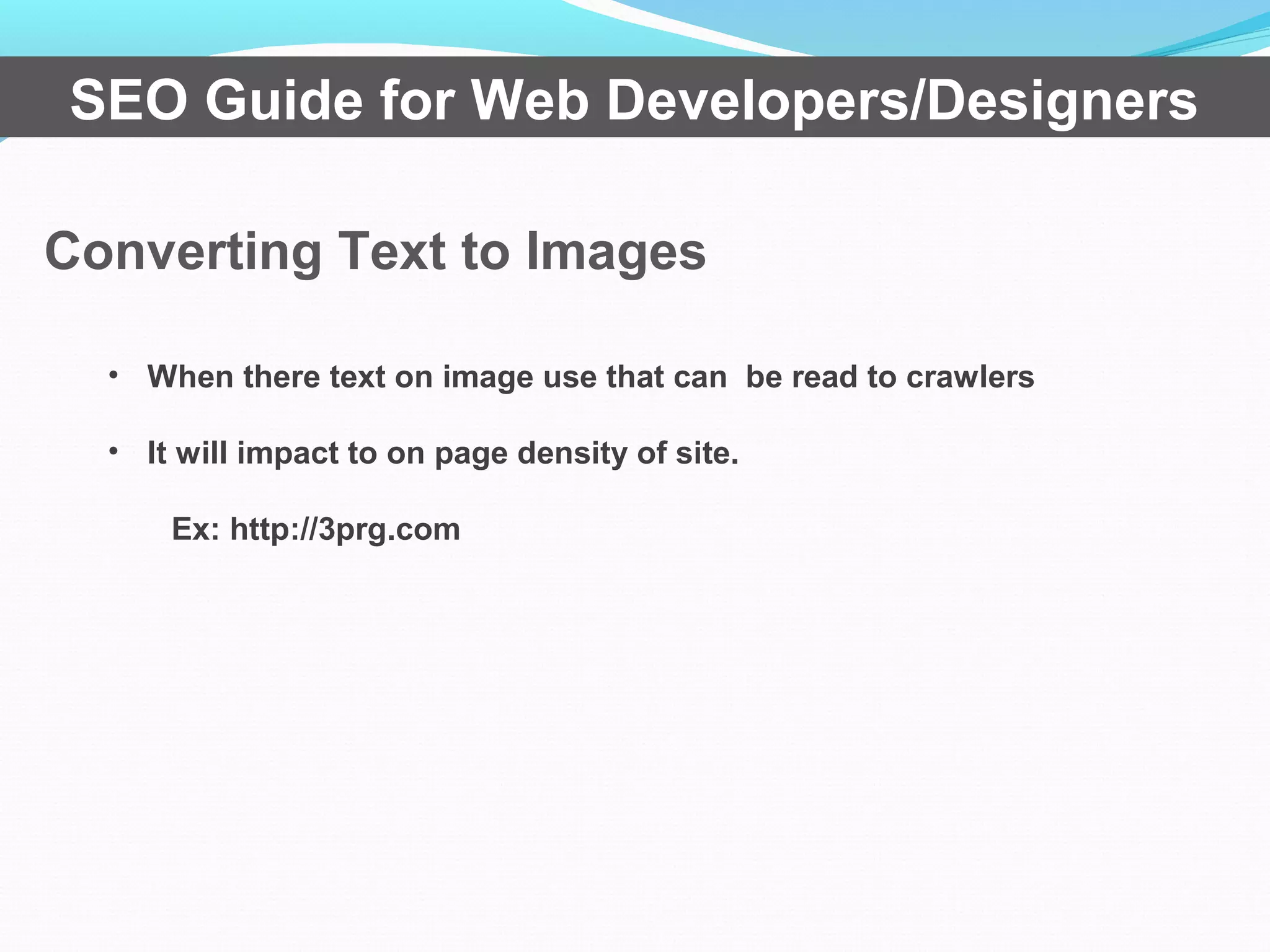
• When there text on image use that can be read to crawlers
• It will impact to on page density of site.
Ex: http://3prg.com
Broken Links and Sitemaps
SEO Guide for Web Developers/Designers
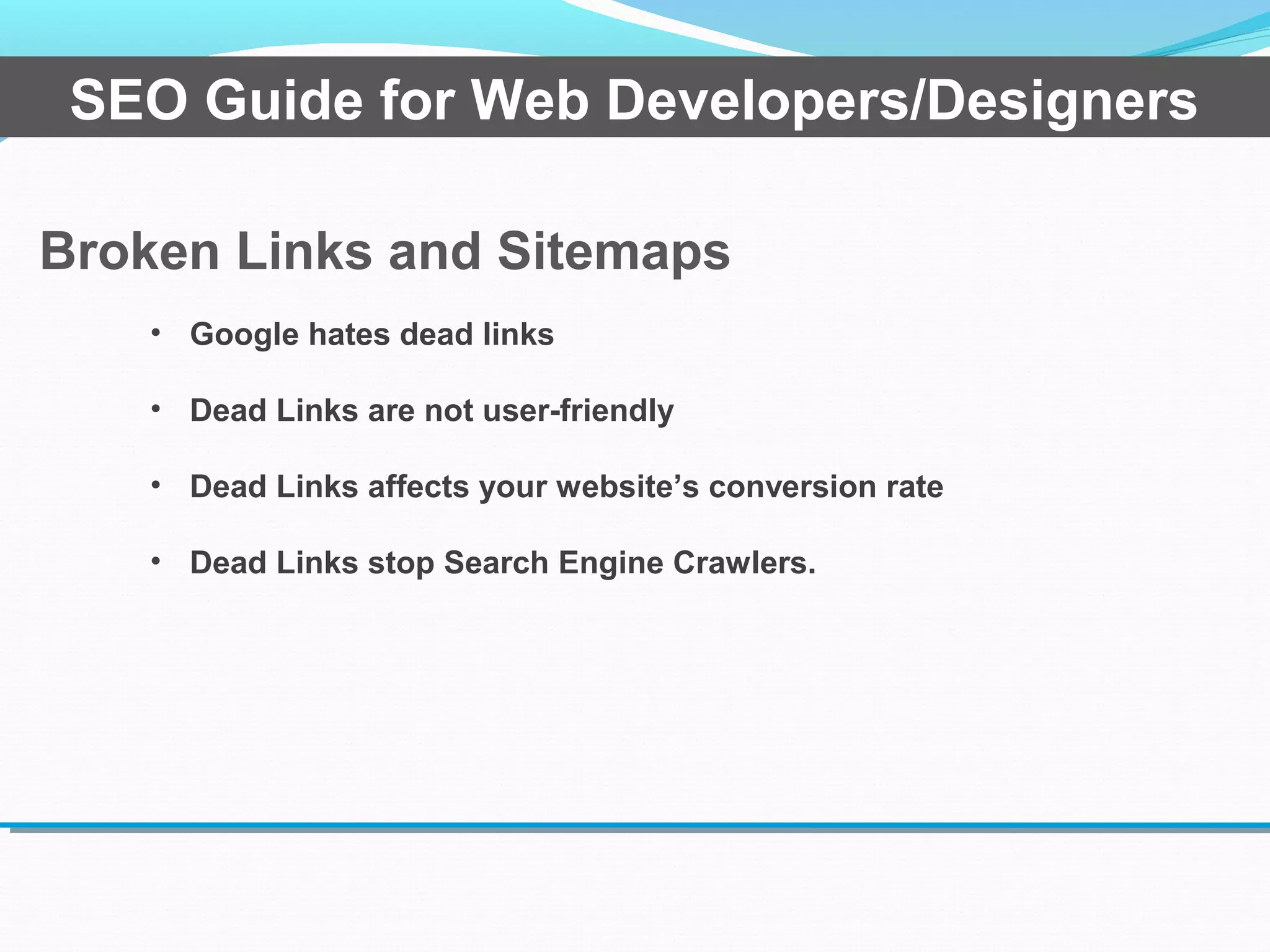
• Google hates dead links
• Dead Links are not user-friendly
• Dead Links affects your website’s conversion rate
• Dead Links stop Search Engine Crawlers.
Flash Sites
SEO Guide for Web Developers/Designers
• Crawlers cant read flash sites
• Take much time to load compare with html sites
Alt Text For Images
SEO Guide for Web Developers/Designers
• Crawlers cant read images, therefore alt tag is the way
to give information about picture,
• Image description improve on page density
.
Make JavaScript/CSS External
SEO Guide for Web Developers/Designers
• Normally do not block to JavaScript and css to
crawlers, Therefore make sure site follow on w3
standard.
• Best practises, when you use javascript or css to
design web page call from external javascript and css
files.
.
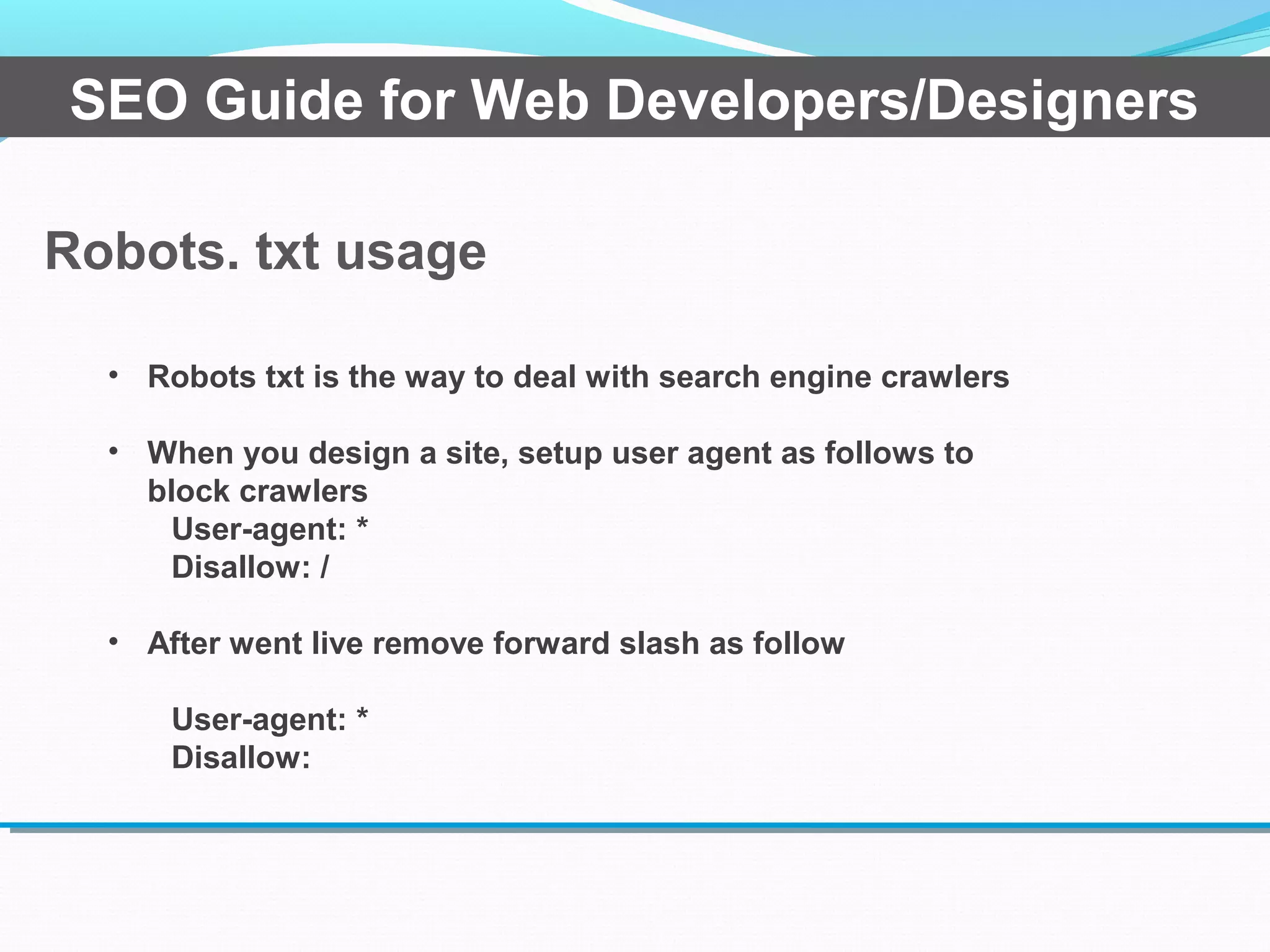
Robots. txt usage
SEO Guide for Web Developers/Designers
• Robots txt is the way to deal with search engine crawlers
• When you design a site, setup user agent as follows to
block crawlers
User-agent: *
Disallow: /
• After went live remove forward slash as follow
User-agent: *
Disallow:
Redirection
SEO Guide for Web Developers/Designers
• Three type
• 301 redirection
• 302 redirection
• Meta redirection
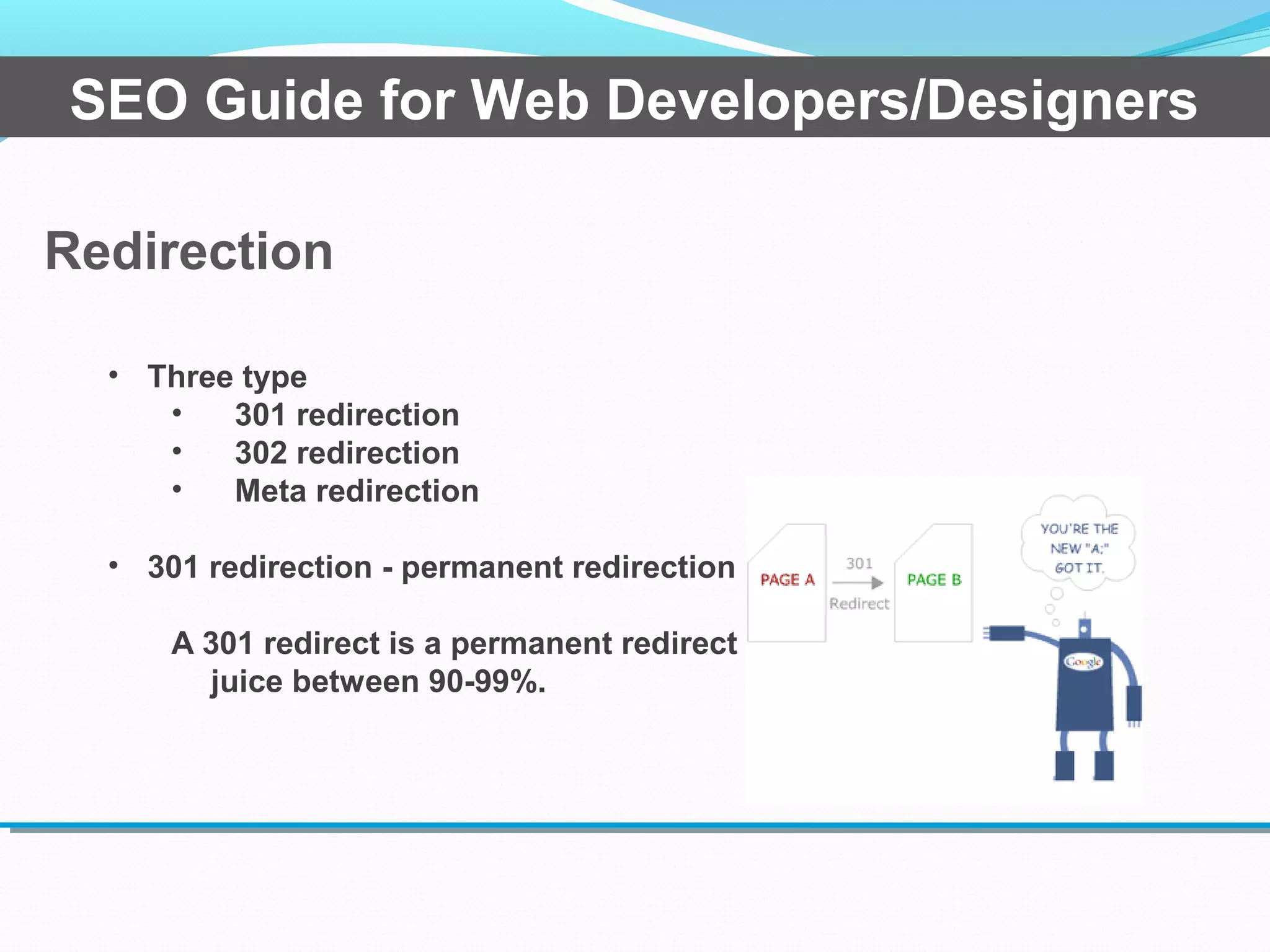
• 301 redirection - permanent redirection
A 301 redirect is a permanent redirect which passes link
juice between 90-99%.
Redirection
SEO Guide for Web Developers/Designers
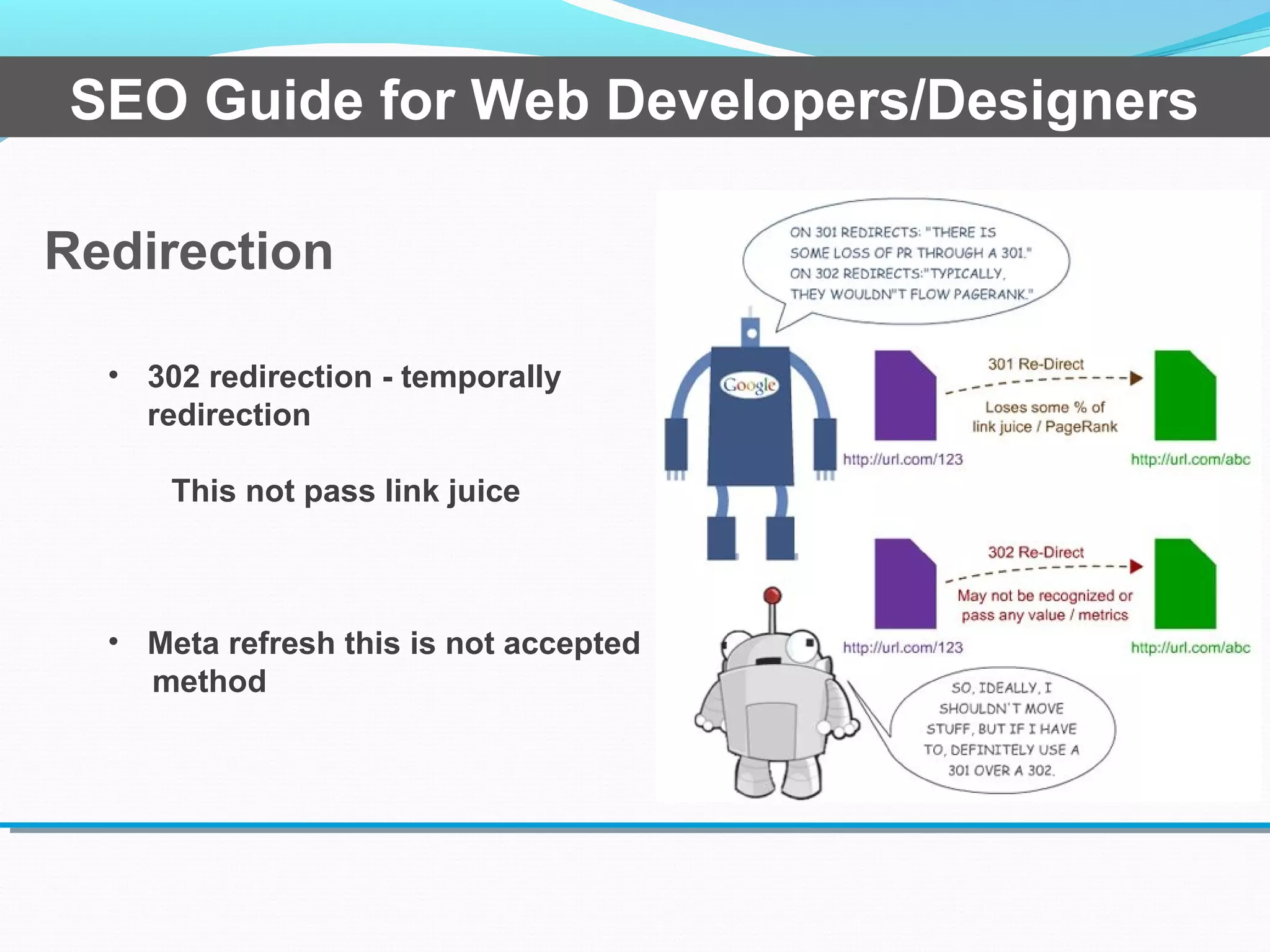
• 302 redirection - temporally
redirection
This not pass link juice
• Meta refresh this is not accepted
method
WHY SHOULD I
CARE?
•Be Found
•Make Sales
•Build a Client Base
•Build a Community
SEO Guide for Web Developers/Designers
RESOURCES:
•SEO Book - www.seobook.com
•SEOMoz - www.seomoz.com
•SearchEnginejournal –
http://www.searchenginejournal.com/
SEO Guide for Web Developers/Designers
Questions?
SEO Guide for Web Developers/Designers
Presented by Sampath Liyanage, Internet Marketing Strategist
Twitter: @sampaliyanage Linkedin : linkedin.com/in/ssampathliyanage
Thank You
SEO Guide for Web Developers/Designers
Presented by Sampath Liyanage, Internet Marketing Strategist
Twitter: @sampaliyanage Linkedin : linkedin.com/in/ssampathliyanage

Seo guide for web designers and developers

  • 1.
    For Web Developers/Designers SEO GUIDE Presentedby Sampath Liyanage, Internet Marketing Strategist Twitter: @sampaliyanage Linkedin : linkedin.com/in/ssampathliyanage
  • 2.
    OVERVIEW • Where arepeople searching? • How are people searching online? • How do search engines find & rank websites? • What is SEO? • Common SEO mistake • Resources • Q&A SEO Guide for Web Developers/Designers
  • 3.
    WHERE ARE PEOPLE? SearchEngine Market Share 14% 64% 16% Numbers as of March 2011; Source: Mashable6% Other SEO Guide for Web Developers/Designers
  • 4.
    Homeowners, Clients, Buyers, Sellers Your Business orWebsite/Blog SEO Guide for Web Developers/Designers
  • 5.
    HOW DO SEARCH ENGINES WORK? There are over200 factors Google uses to rank a website. SEO Guide for Web Developers/Designers
  • 6.
    Google Places Map Google Places Organic Search Results Adsor Paid Advertising SEO Guide for Web Developers/Designers
  • 7.
    HOW ARE WE SEARCHING? The top three resultsreceive 58% of all clicks SEO Guide for Web Developers/Designers
  • 8.
    Search Engine Optimization– SEO Search engine optimization (SEO) is the process of improving the volume and quality of traffic to a website from search engines via natural (”organic” or “algorithmic”) search results.* *http://en.wikipedia.org/wiki/Search_engine_optimization SEO Guide for Web Developers/Designers
  • 9.
    SEO •Pull in peoplealready searching for what you offer – •Keywords/Content •Links •Social Media •Effective Web Design SEO Guide for Web Developers/Designers
  • 10.
    Common SEO MistakesMade by Designers and Developers •Ignoring the Impact of site speed •Title tag usage •Meta tag usage •Header tag usage •Converting text to images SEO Guide for Web Developers/Designers
  • 11.
    Common SEO MistakesMade by Designers and Developers •Broken links and sitemaps •Bad URL’s •Flash only sites •No alt text for images •java script/CSS usage •The use of tobots.txt SEO Guide for Web Developers/Designers
  • 12.
    The impact OfSite Speed SEO Guide for Web Developers/Designers • In a page have multiple image it take much time to load. Therefore best practises keep image size less than 100kb • Java script directly impact to page loading time, it's better less usage and less usage in header section. (don't load menu from java script) • It will impact to increase bounce rate of site. That mean bad user experience. (3- 5s) • https://developers.google.com/speed/p agespeed/
  • 13.
    Title Tag SEO Guidefor Web Developers/Designers • Essential element • Title Length 30 and 65 characters. that the length search engine display on each search result • Each page should have unique title tag (title tag essential) That mean can't duplicate each title tag with different URL
  • 14.
    Title Tag SEO Guidefor Web Developers/Designers
  • 15.
    SEO Guide forWeb Developers/Designers Meta Tag • Robert meta tag • Meta keyword • Meta description Robert Meta tag <meta name="robots" content="noindex,nofollow"> • Important for crawlers • <meta name="robots" content="noindex,nofollow"> Meta Keyword • Not much important • Improve relevancy of each page
  • 16.
    It's essential forevery page SEO Guide for Web Developers/Designers Meta Description <meta name="robots" content="noindex,nofollow">
  • 17.
    Header Tag SEO Guidefor Web Developers/Designers • Header tags are using h1 to h6 • If you use header tag on page it's better to start with h1 on each page, only one h1 tag on each page • There order should begin with h1 to h6 • If you use logo as h1, it will duplicate on entire site, SEO best practises is use h1 on each page.
  • 18.
    URL Structure SEO Guidefor Web Developers/Designers • Site URL need to use www or with out that, Cannot be duplicate entire site URL between this two URL version. • When use CMS, Dynamic URL structure need to more user friendly, like following. www.example.com/topic-name Following type url not user friendly and crawler readable www.example.com/?p=578544 •Google recommends using hyphens (-) instead of underscores (_) in URL names, since a phrase in which the words
  • 19.
    URL Structure SEO Guidefor Web Developers/Designers EX: http://www.amazon.com/gp/product/B00IZ1XJ3Q/ref=s9_al_gw _g107_i2/181-6881209-3123159? pf_rd_m=ATVPDKIKX0DER&pf_rd_s=center- 2&pf_rd_r=0PPK6ZWAB7BCF8FBDGRS&pf_rd_t=101&pf_rd_p =1926403182&pf_rd_i=507846 Above product more index able if use following type http://www.amazon.com/electronic/mobile/galaxys5-white
  • 20.
    Converting Text toImages SEO Guide for Web Developers/Designers • When there text on image use that can be read to crawlers • It will impact to on page density of site. Ex: http://3prg.com
  • 21.
    Broken Links andSitemaps SEO Guide for Web Developers/Designers • Google hates dead links • Dead Links are not user-friendly • Dead Links affects your website’s conversion rate • Dead Links stop Search Engine Crawlers.
  • 22.
    Flash Sites SEO Guidefor Web Developers/Designers • Crawlers cant read flash sites • Take much time to load compare with html sites
  • 23.
    Alt Text ForImages SEO Guide for Web Developers/Designers • Crawlers cant read images, therefore alt tag is the way to give information about picture, • Image description improve on page density .
  • 24.
    Make JavaScript/CSS External SEOGuide for Web Developers/Designers • Normally do not block to JavaScript and css to crawlers, Therefore make sure site follow on w3 standard. • Best practises, when you use javascript or css to design web page call from external javascript and css files. .
  • 25.
    Robots. txt usage SEOGuide for Web Developers/Designers • Robots txt is the way to deal with search engine crawlers • When you design a site, setup user agent as follows to block crawlers User-agent: * Disallow: / • After went live remove forward slash as follow User-agent: * Disallow:
  • 26.
    Redirection SEO Guide forWeb Developers/Designers • Three type • 301 redirection • 302 redirection • Meta redirection • 301 redirection - permanent redirection A 301 redirect is a permanent redirect which passes link juice between 90-99%.
  • 27.
    Redirection SEO Guide forWeb Developers/Designers • 302 redirection - temporally redirection This not pass link juice • Meta refresh this is not accepted method
  • 28.
    WHY SHOULD I CARE? •BeFound •Make Sales •Build a Client Base •Build a Community SEO Guide for Web Developers/Designers
  • 29.
    RESOURCES: •SEO Book -www.seobook.com •SEOMoz - www.seomoz.com •SearchEnginejournal – http://www.searchenginejournal.com/ SEO Guide for Web Developers/Designers
  • 30.
    Questions? SEO Guide forWeb Developers/Designers Presented by Sampath Liyanage, Internet Marketing Strategist Twitter: @sampaliyanage Linkedin : linkedin.com/in/ssampathliyanage
  • 31.
    Thank You SEO Guidefor Web Developers/Designers Presented by Sampath Liyanage, Internet Marketing Strategist Twitter: @sampaliyanage Linkedin : linkedin.com/in/ssampathliyanage