COMPONENT AND 
DEPLOYMENT 
DIAGRAM 
Presented by Rajiv Kumar V, 13M510, NITH.
INTRODUCTION 
• UML diagram classification: 
• Static 
• Use case diagram, Class diagram 
• Dynamic 
• State diagram, Activity diagram, Sequence diagram, Collaboration 
diagram 
• Implementation 
• Component diagram, Deployment diagram 
• Implementation diagrams describe the different elements 
required for implementing a system
COMPONENT DIAGRAM 
• Models the physical implementation of the software (file 
resources) 
• Models the high-level software components, and their interfaces 
• Dependencies are designed such that they can be treated as 
independently as possible 
• Components to use with Component Diagram are: 
• Components required to run the system(library file, etc.) 
• Source code file, and data file 
• Executable file (.exe)
COMPONENT DIAGRAM 
(contd…) 
• Component is an Autonomous unit 
• Modular 
• Encapsulated 
• Hidden internals and inaccessible 
• One or more interfaces 
• Well defined interface lets to access the component’s 
operations 
• Component and subsystems can be flexibly reused and 
replaced
Elements of Component 
Diagram 
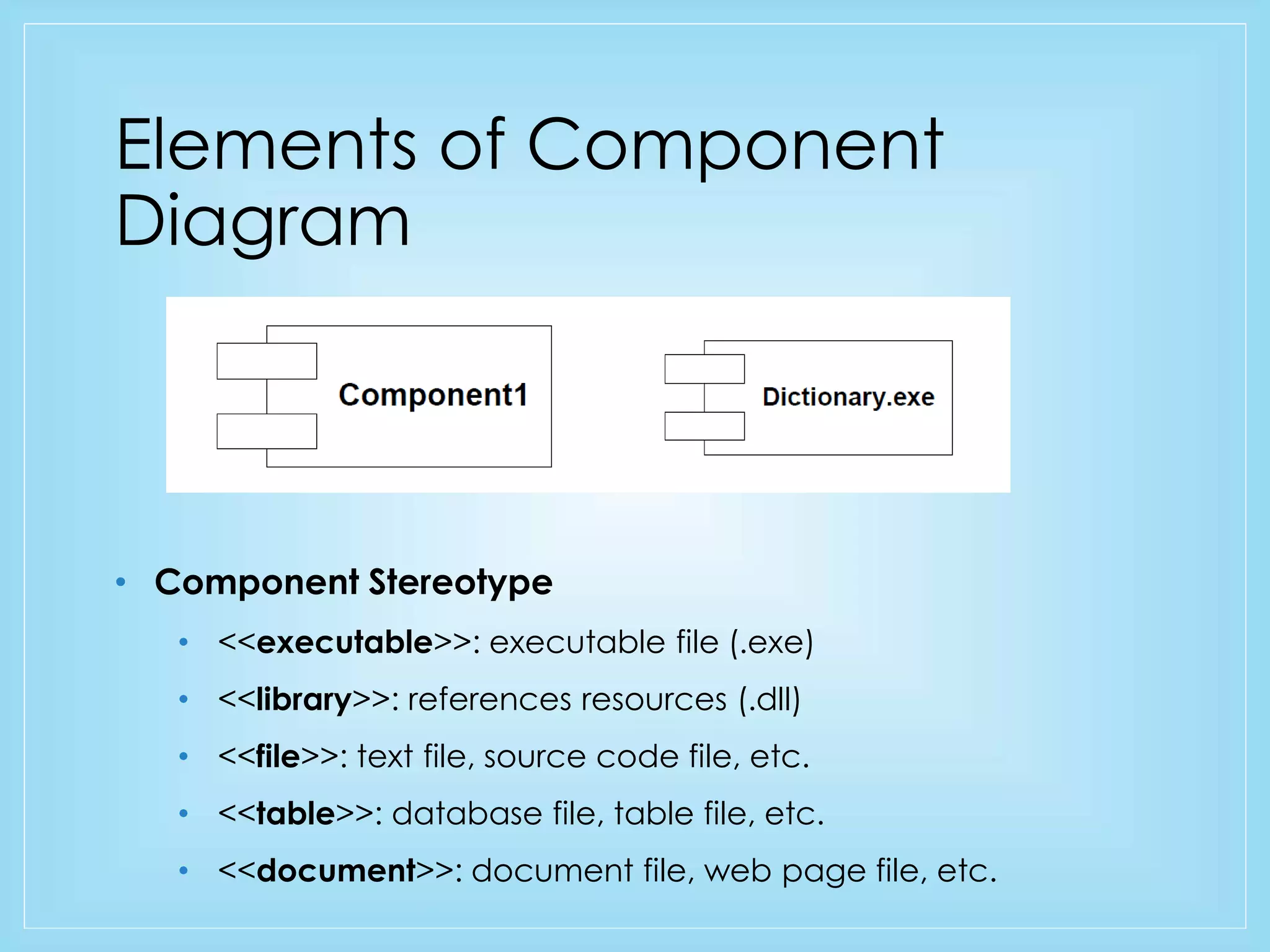
• Component Stereotype 
• <<executable>>: executable file (.exe) 
• <<library>>: references resources (.dll) 
• <<file>>: text file, source code file, etc. 
• <<table>>: database file, table file, etc. 
• <<document>>: document file, web page file, etc.
Elements of Component 
Component Interface 
Component dependencies
Elements(contd…) 
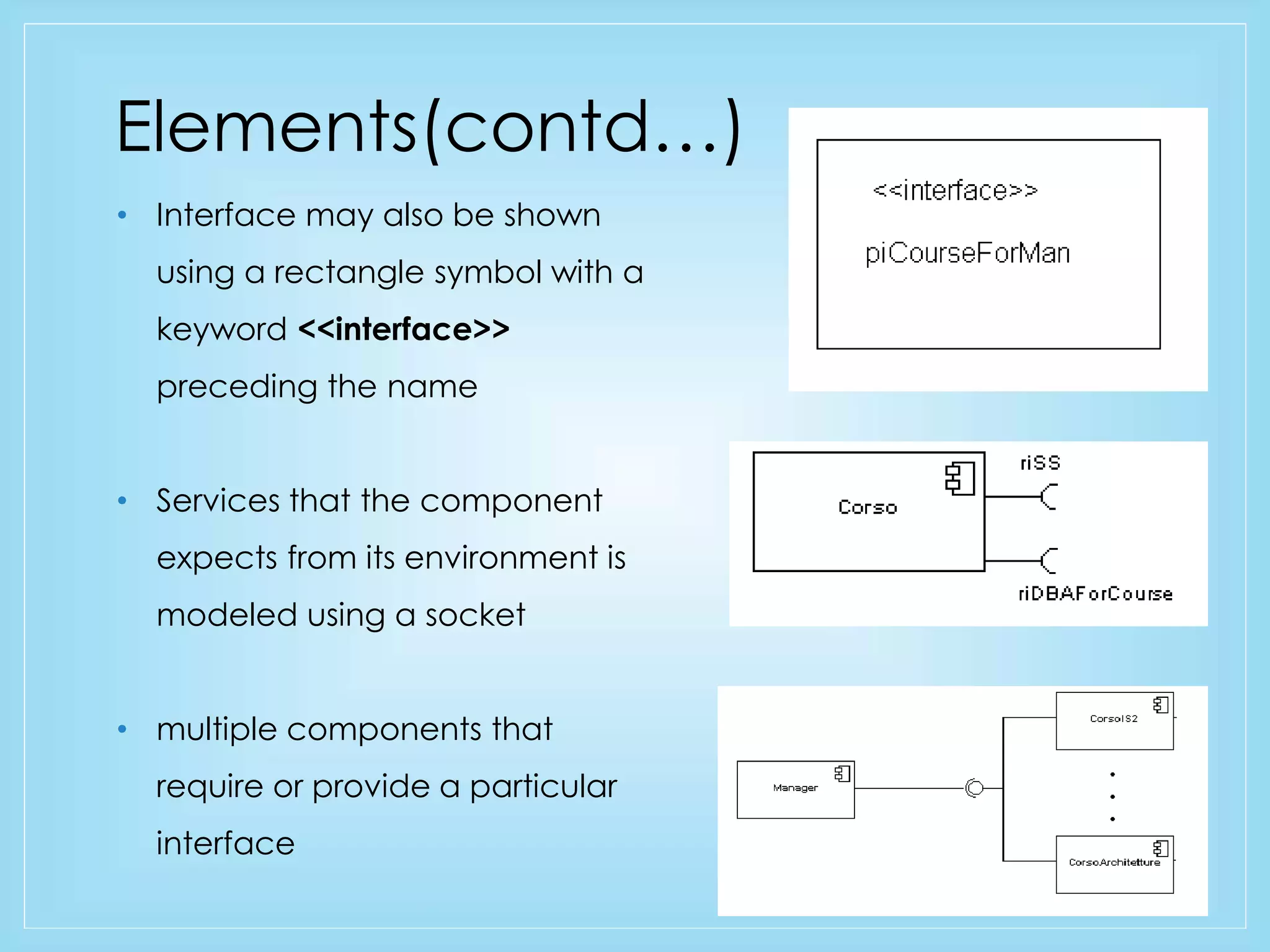
• Interface may also be shown 
using a rectangle symbol with a 
keyword <<interface>> 
preceding the name 
• Services that the component 
expects from its environment is 
modeled using a socket 
• multiple components that 
require or provide a particular 
interface
Component Diagram 
(An example)
Deployment Diagram 
• Describes the physical resources of the system (hardware). 
• Software runs on nodes 
• Nodes can be PC Client, Storage device, Server. etc. 
• Shows physical arrangement of run-time computational 
resources such as computer and its interconnections.
Elements of Deployment 
diagram 
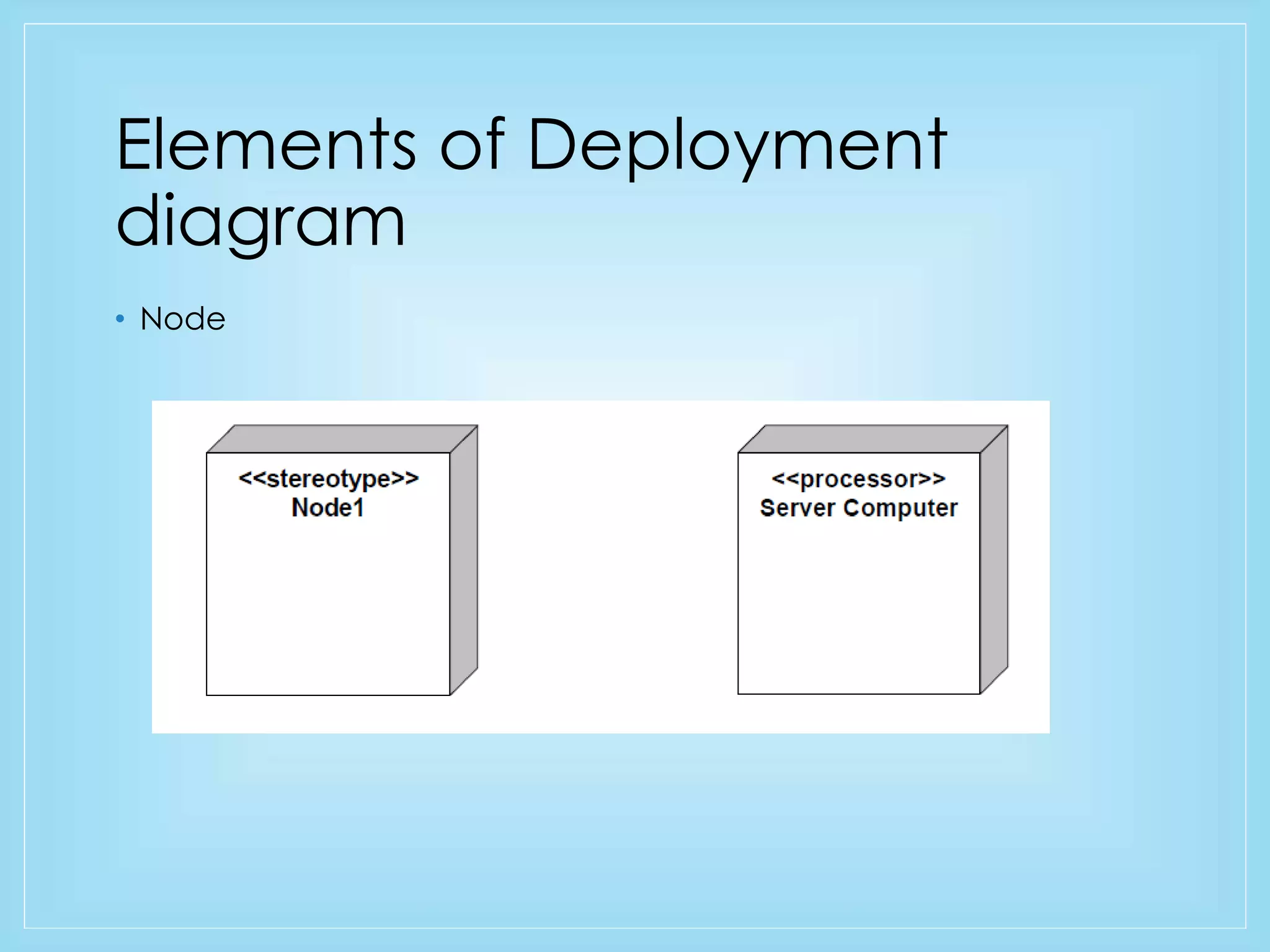
• Node
Elements of Deployment 
diagram 
Association 
Component and nodes
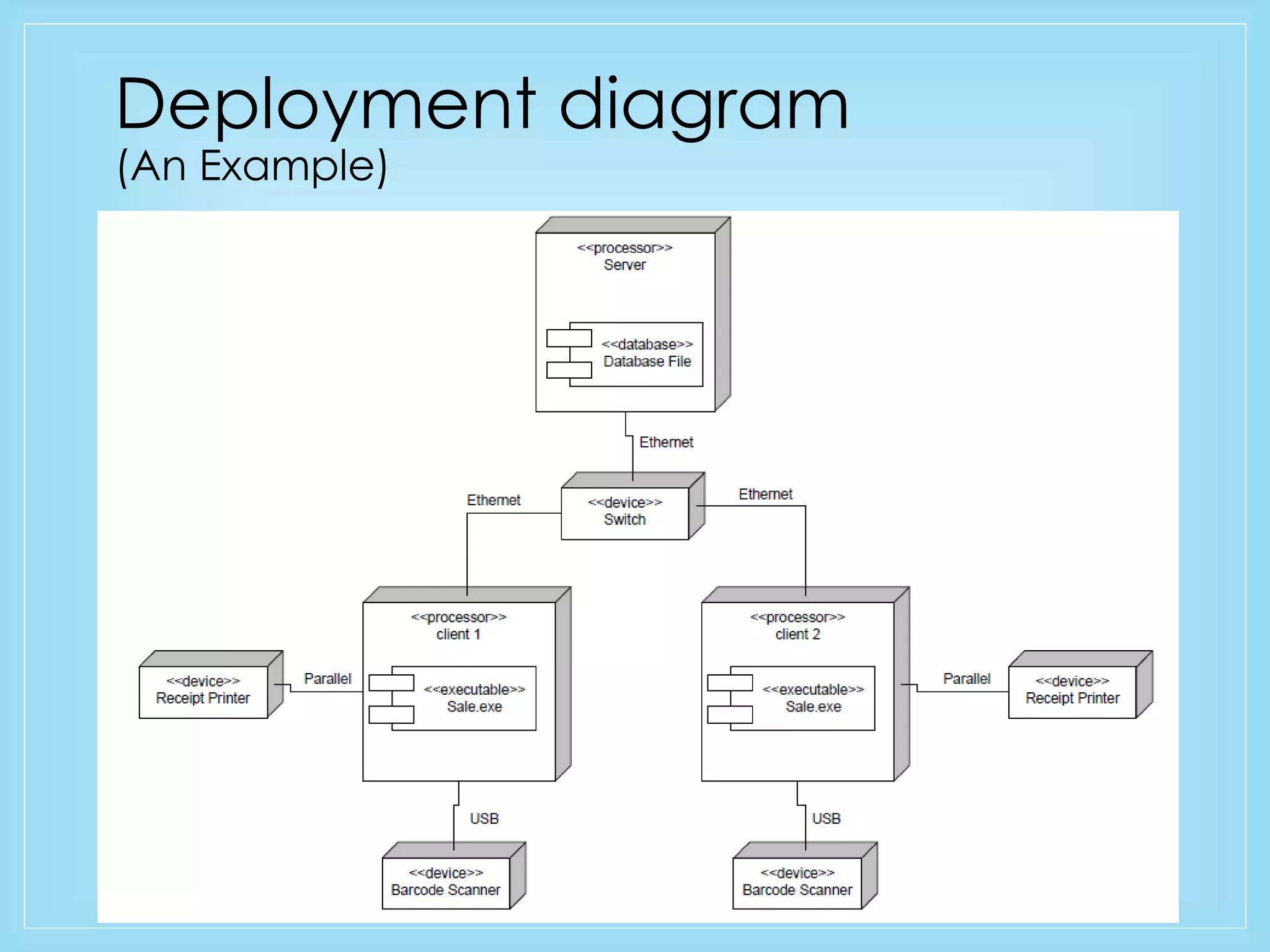
Deployment diagram 
(An Example)
CONCLUSION 
• Components 
• Physical and replaceable part of the system that 
conforms to and provides the realization of a set of 
interfaces 
e.g.: 
• COM+ components, Java Beans, … 
• source code files 
• Documents 
• Nodes 
• Describes the physical resources and the components it 
hold
THANK YOU 
•QUESTIONS?

Component and Deployment Diagram - Brief Overview

  • 1.
    COMPONENT AND DEPLOYMENT DIAGRAM Presented by Rajiv Kumar V, 13M510, NITH.
  • 2.
    INTRODUCTION • UMLdiagram classification: • Static • Use case diagram, Class diagram • Dynamic • State diagram, Activity diagram, Sequence diagram, Collaboration diagram • Implementation • Component diagram, Deployment diagram • Implementation diagrams describe the different elements required for implementing a system
  • 3.
    COMPONENT DIAGRAM •Models the physical implementation of the software (file resources) • Models the high-level software components, and their interfaces • Dependencies are designed such that they can be treated as independently as possible • Components to use with Component Diagram are: • Components required to run the system(library file, etc.) • Source code file, and data file • Executable file (.exe)
  • 4.
    COMPONENT DIAGRAM (contd…) • Component is an Autonomous unit • Modular • Encapsulated • Hidden internals and inaccessible • One or more interfaces • Well defined interface lets to access the component’s operations • Component and subsystems can be flexibly reused and replaced
  • 5.
    Elements of Component Diagram • Component Stereotype • <<executable>>: executable file (.exe) • <<library>>: references resources (.dll) • <<file>>: text file, source code file, etc. • <<table>>: database file, table file, etc. • <<document>>: document file, web page file, etc.
  • 6.
    Elements of Component Component Interface Component dependencies
  • 7.
    Elements(contd…) • Interfacemay also be shown using a rectangle symbol with a keyword <<interface>> preceding the name • Services that the component expects from its environment is modeled using a socket • multiple components that require or provide a particular interface
  • 8.
  • 9.
    Deployment Diagram •Describes the physical resources of the system (hardware). • Software runs on nodes • Nodes can be PC Client, Storage device, Server. etc. • Shows physical arrangement of run-time computational resources such as computer and its interconnections.
  • 10.
    Elements of Deployment diagram • Node
  • 11.
    Elements of Deployment diagram Association Component and nodes
  • 12.
  • 13.
    CONCLUSION • Components • Physical and replaceable part of the system that conforms to and provides the realization of a set of interfaces e.g.: • COM+ components, Java Beans, … • source code files • Documents • Nodes • Describes the physical resources and the components it hold
  • 14.