


© 2015 Phase2
Performance Profiling Tools
& Tricks
19 October 2015
All Things Open 2015
© 2015 Phase2
About Me
● Brad Blake
● Software Architect
● bblake@phase2technology.com
● www.phase2technology.com
© 2015 Phase2
Profiling
© 2015 Phase2
Profiling is not
● Benchmarking
● Debugging
● A dark art
© 2015 Phase2
Profiling is
● Gathering data on performance of a system
○ CPU/Memory usage
○ Function calls/times
○ Many other metrics
● Find where system is spending its time
● Refactoring, not changing functionality
© 2015 Phase2
Profiling is
© 2015 Phase2
Types of Profiling
● Event-based
○ Triggered by specific events
○ Generally slower
○ More data and more accurate
● Statistical ( sampling )
○ Record data at specific intervals
○ Less accurate and specific
○ Less intrusive
© 2015 Phase2
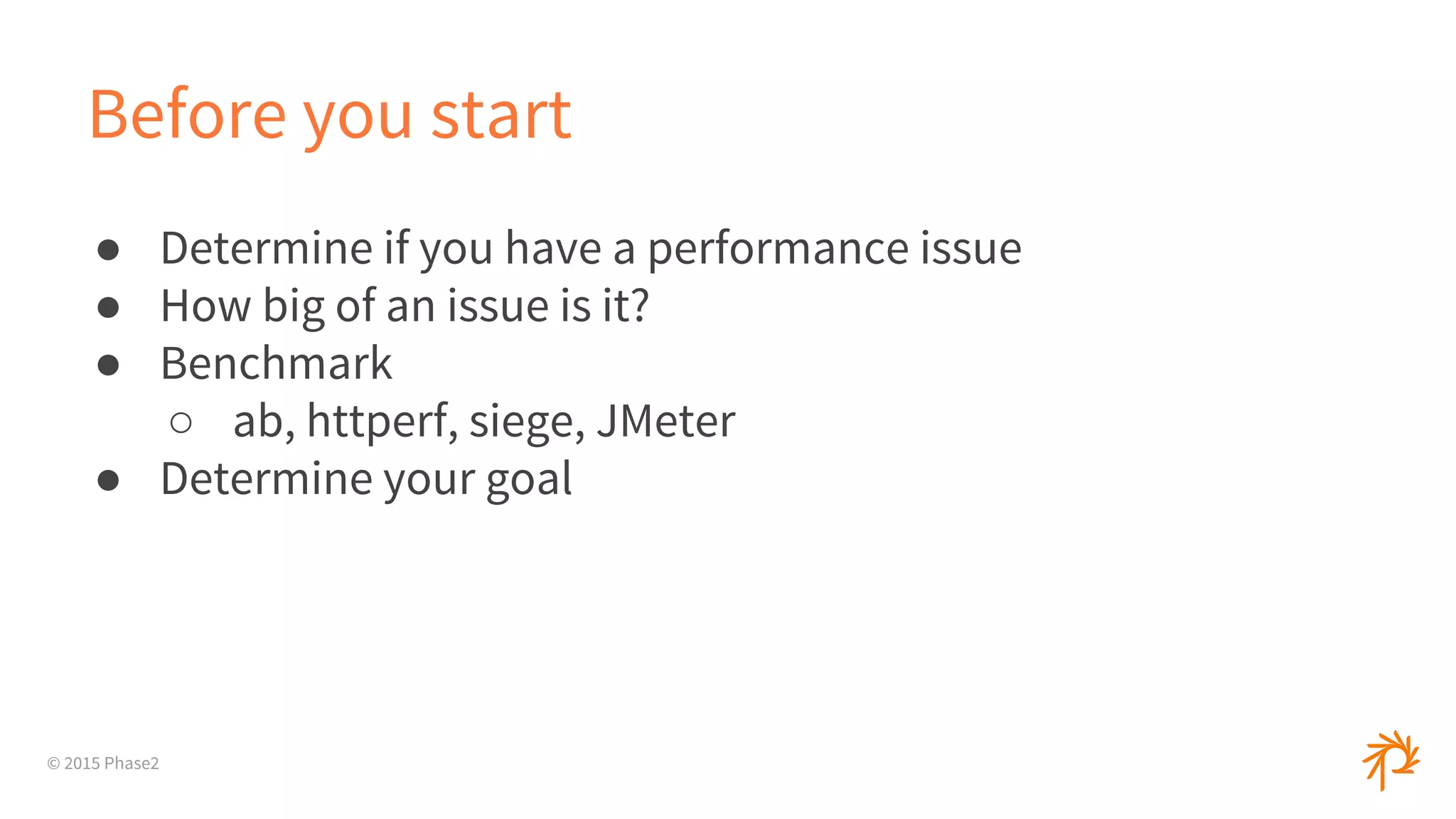
Before you start
● Determine if you have a performance issue
● How big of an issue is it?
● Benchmark
○ ab, httperf, siege, JMeter
● Determine your goal
© 2015 Phase2
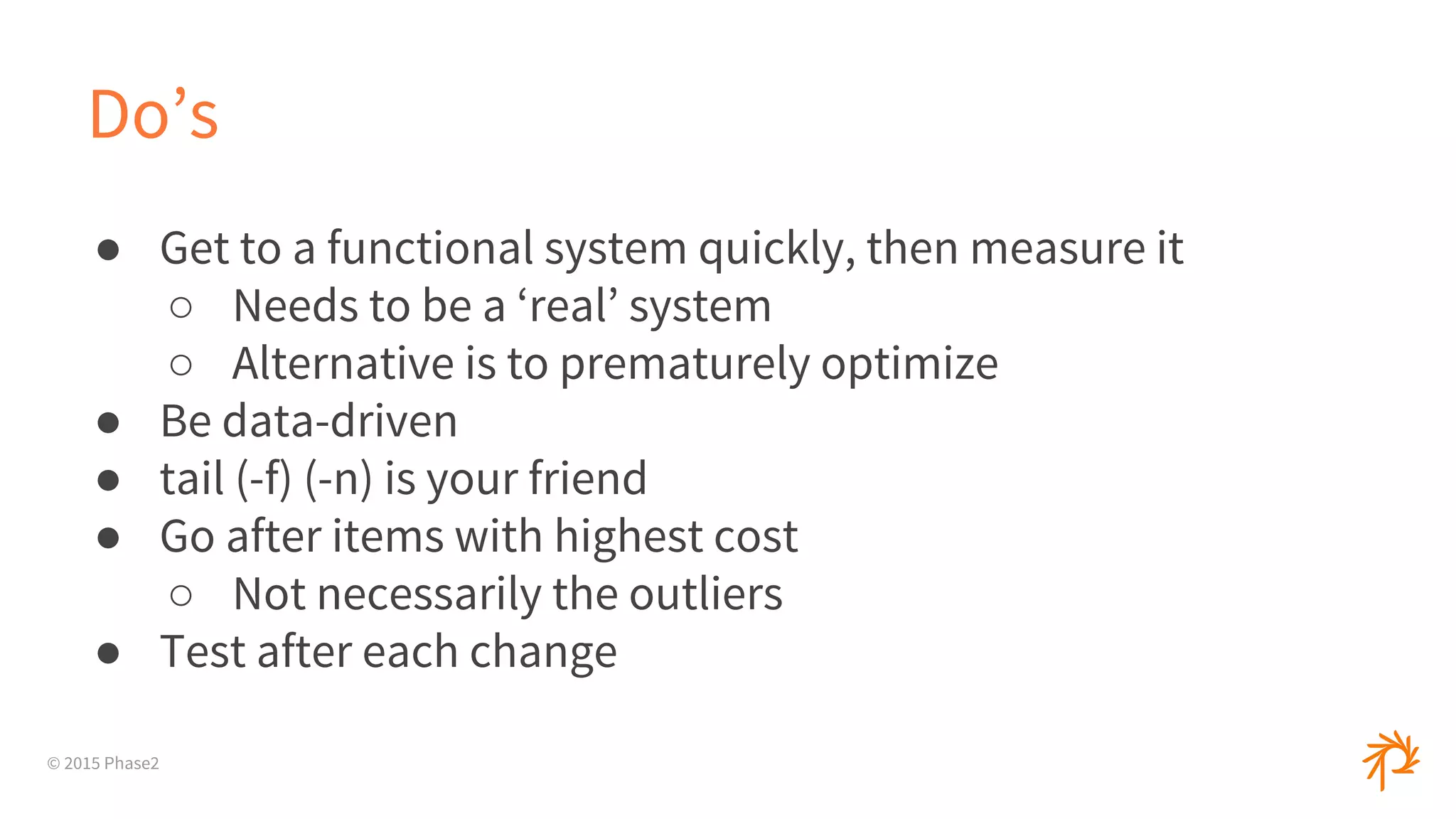
Do’s
● Get to a functional system quickly, then measure it
○ Needs to be a ‘real’ system
○ Alternative is to prematurely optimize
● Be data-driven
● tail (-f) (-n) is your friend
● Go after items with highest cost
○ Not necessarily the outliers
● Test after each change
© 2015 Phase2
© 2015 Phase2
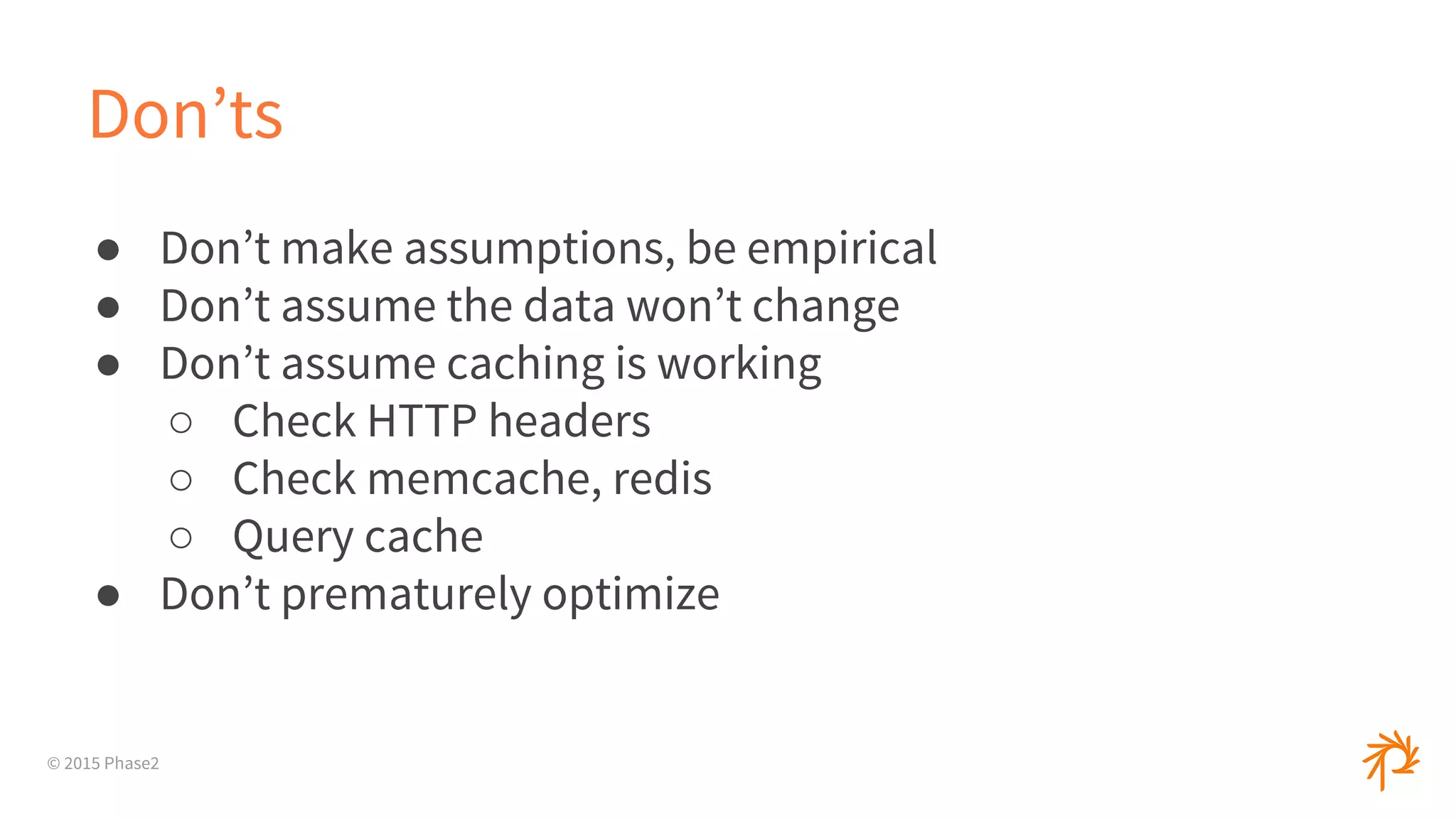
Don’ts
● Don’t make assumptions, be empirical
● Don’t assume the data won’t change
● Don’t assume caching is working
○ Check HTTP headers
○ Check memcache, redis
○ Query cache
● Don’t prematurely optimize
© 2015 Phase2
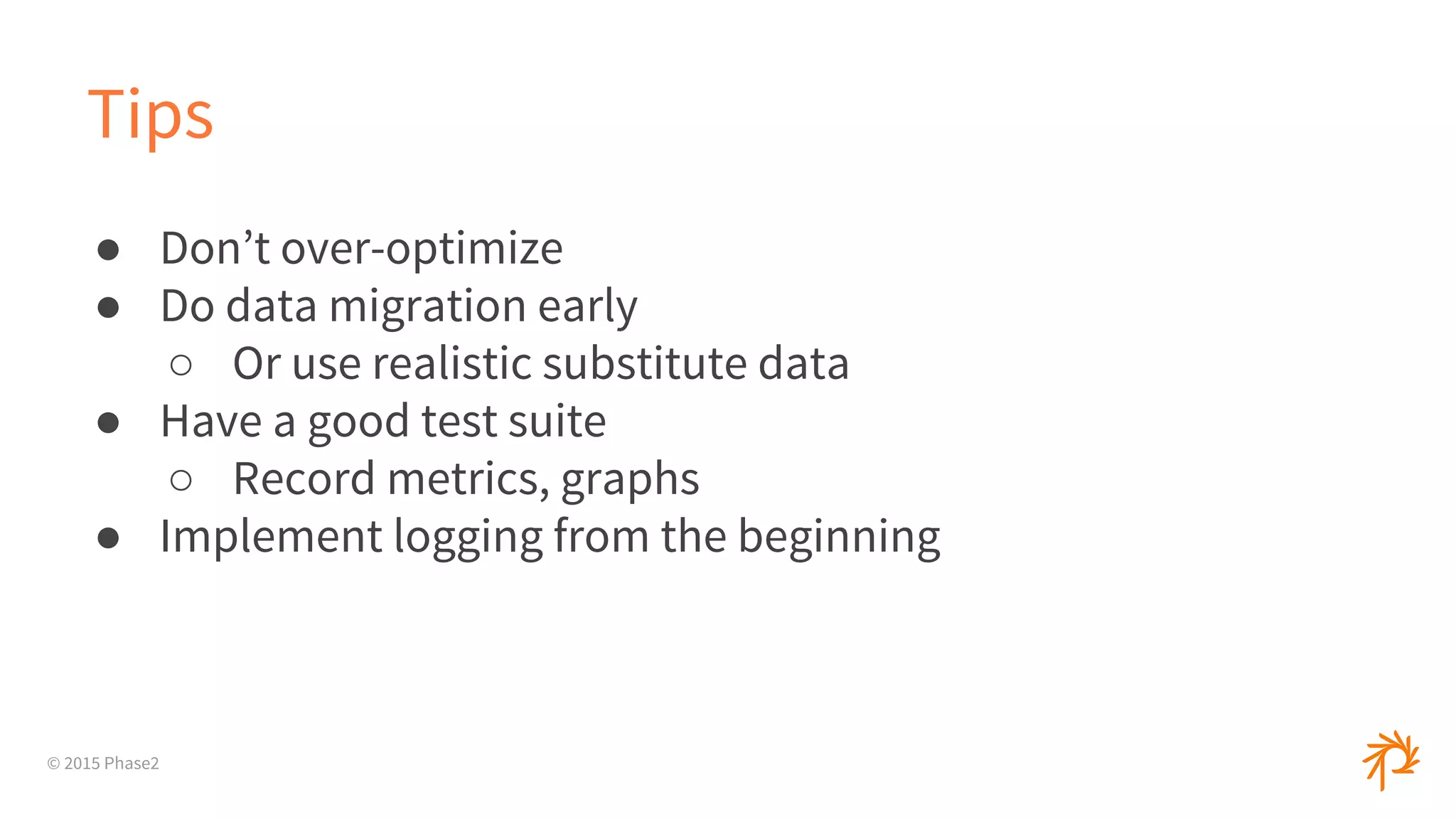
Tips
● Don’t over-optimize
● Do data migration early
○ Or use realistic substitute data
● Have a good test suite
○ Record metrics, graphs
● Implement logging from the beginning
© 2015 Phase2
Tips (cont.)
● Increasing memory is NOT A FIX
● Understand bigO concepts
● Match production settings ( Vagrant, Chef, OpenStack, etc )
and configs ( production mode )
© 2015 Phase2
Tools
© 2015 Phase2
PHP
● xhprof
● xdebug
● New Relic
○ SaaS model for real-time monitoring
○ Ruby, Python, PHP, Node
○ Servers, even Docker containers
© 2015 Phase2
Xhprof
● Created by facebook, on PECL
● Gets basic stats
● Can do sampling
● Can compare runs or aggregate runs
○ Useful in production to run only X runs
● Modules/Plugins for Drupal and Wordpress
● GUI not great, pretty basic
○ Xhgui
© 2015 Phase2
XDebug
● Debugger and Profiler
● Gets a lot of data
● Output can be used in kcachegrind ( qcachegrind )
● phpStorm integration
brew install qcachegrind
brew install graphviz
qcachegrind path-to-file
© 2015 Phase2
Ruby
● Run with production settings
● Built-In Profiler__ module
○ Very basic, limited data
© 2015 Phase2
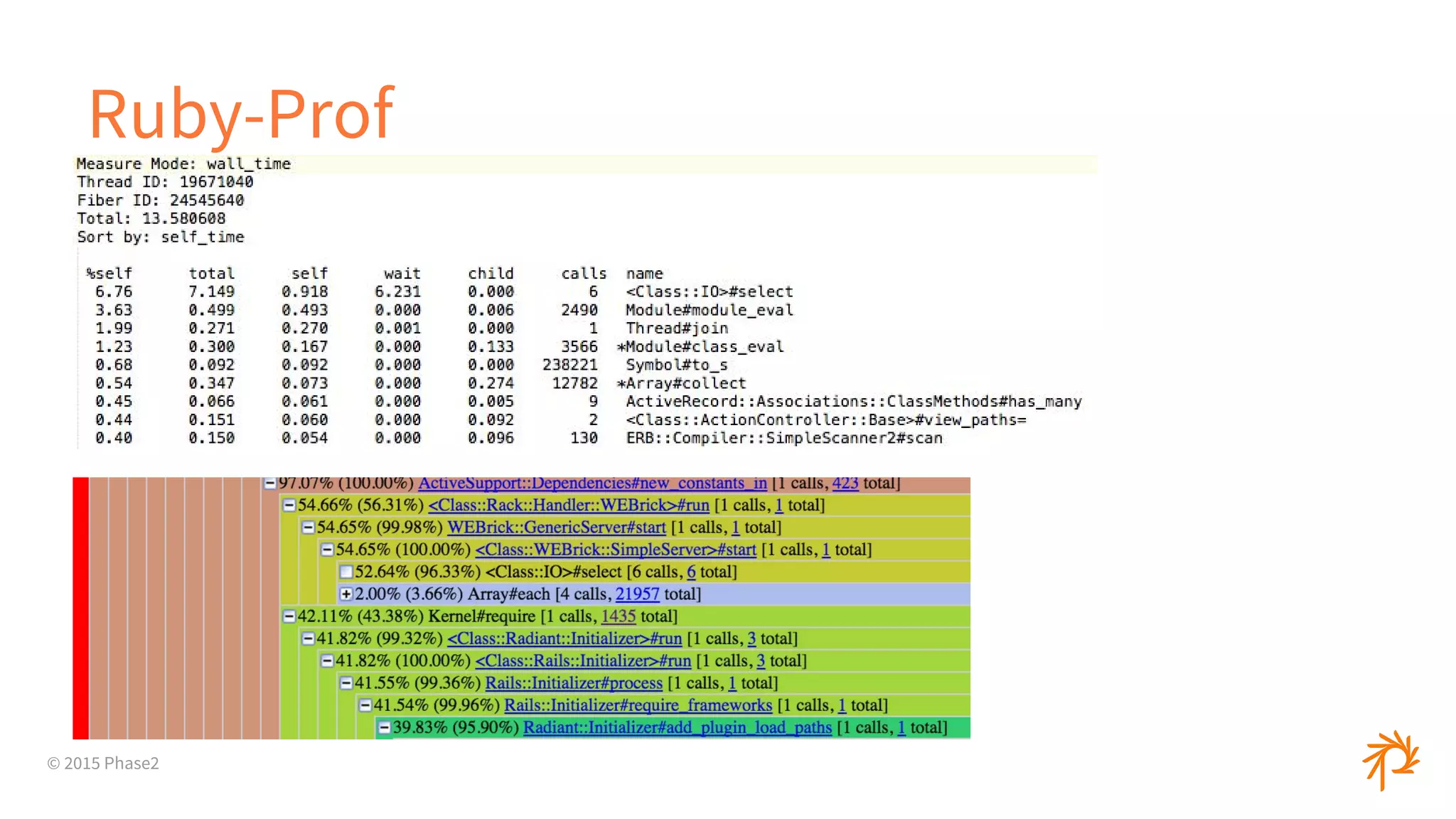
Ruby-Prof
● Event-based
● Lots of reports and options
○ Text/HTML reports
○ Flat profiles, call graphs, call stacks
● Can profile whole app or blocks of code
© 2015 Phase2
Ruby-Prof
© 2015 Phase2
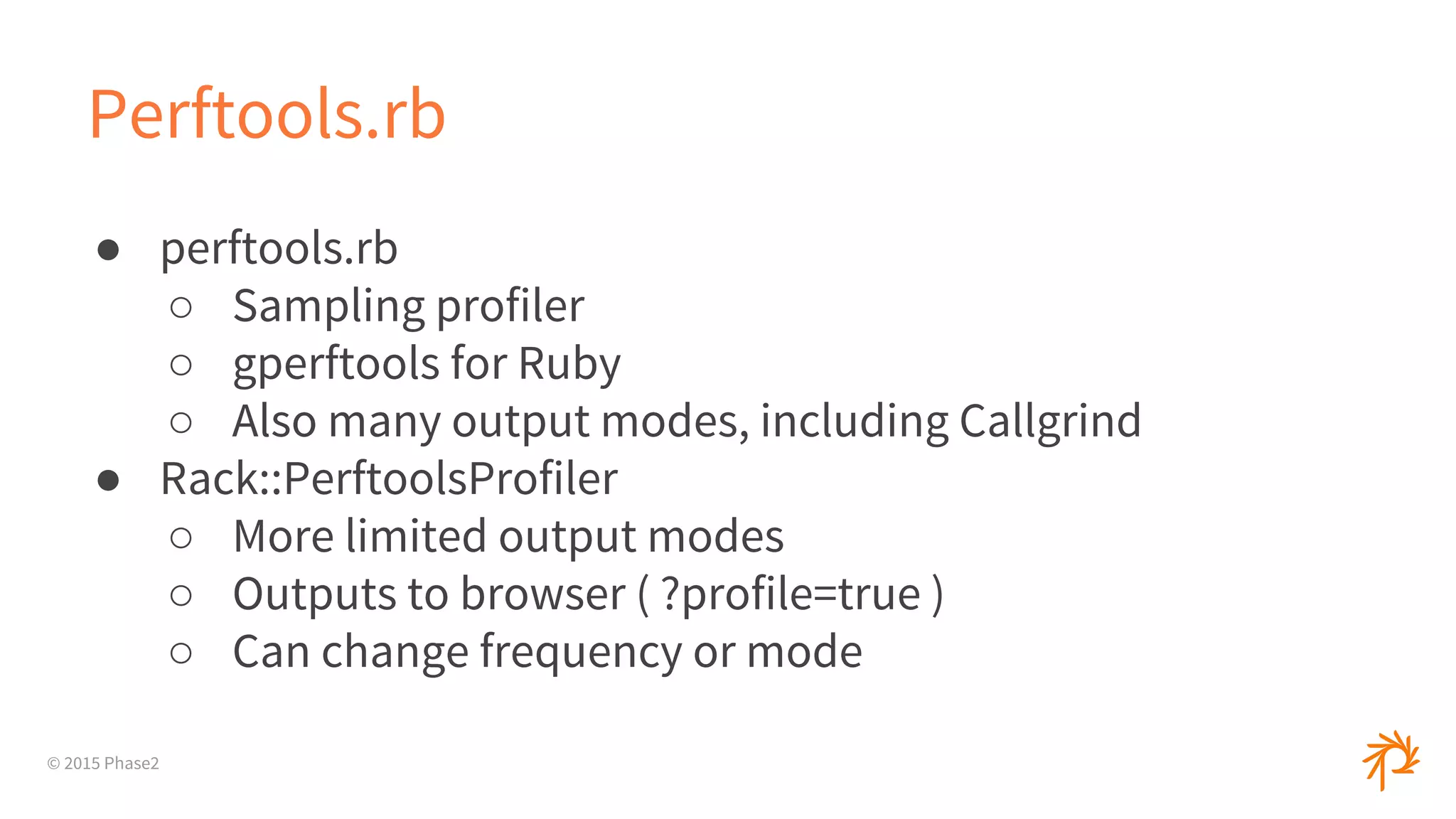
Perftools.rb
● perftools.rb
○ Sampling profiler
○ gperftools for Ruby
○ Also many output modes, including Callgrind
● Rack::PerftoolsProfiler
○ More limited output modes
○ Outputs to browser ( ?profile=true )
○ Can change frequency or mode
© 2015 Phase2
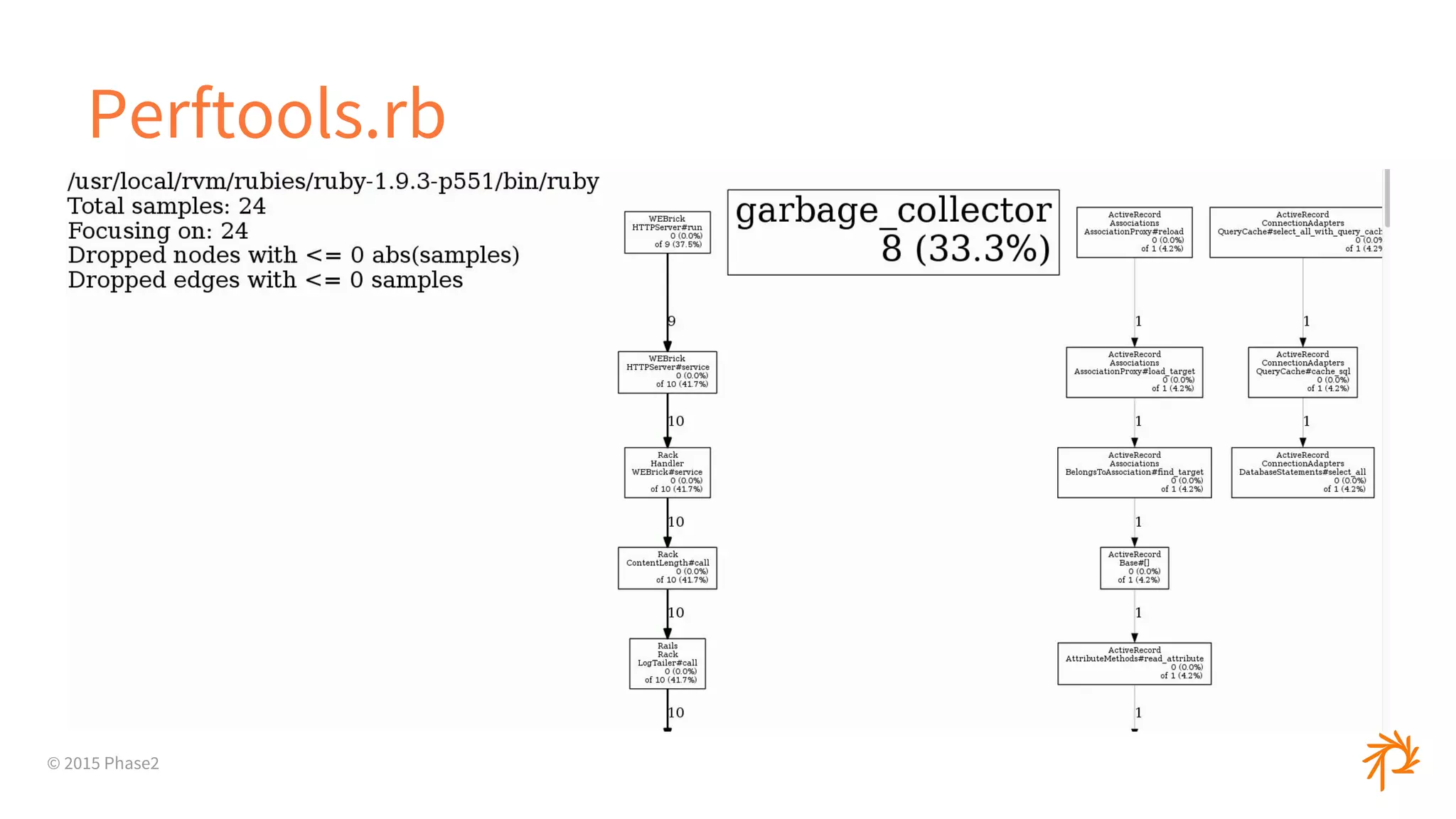
Perftools.rb
© 2015 Phase2
Node.js
● Node-Webkit-Agent
● Webstorm
● StrongLoop Arc
● NodeSource
© 2015 Phase2
Flamegraphs
© 2015 Phase2
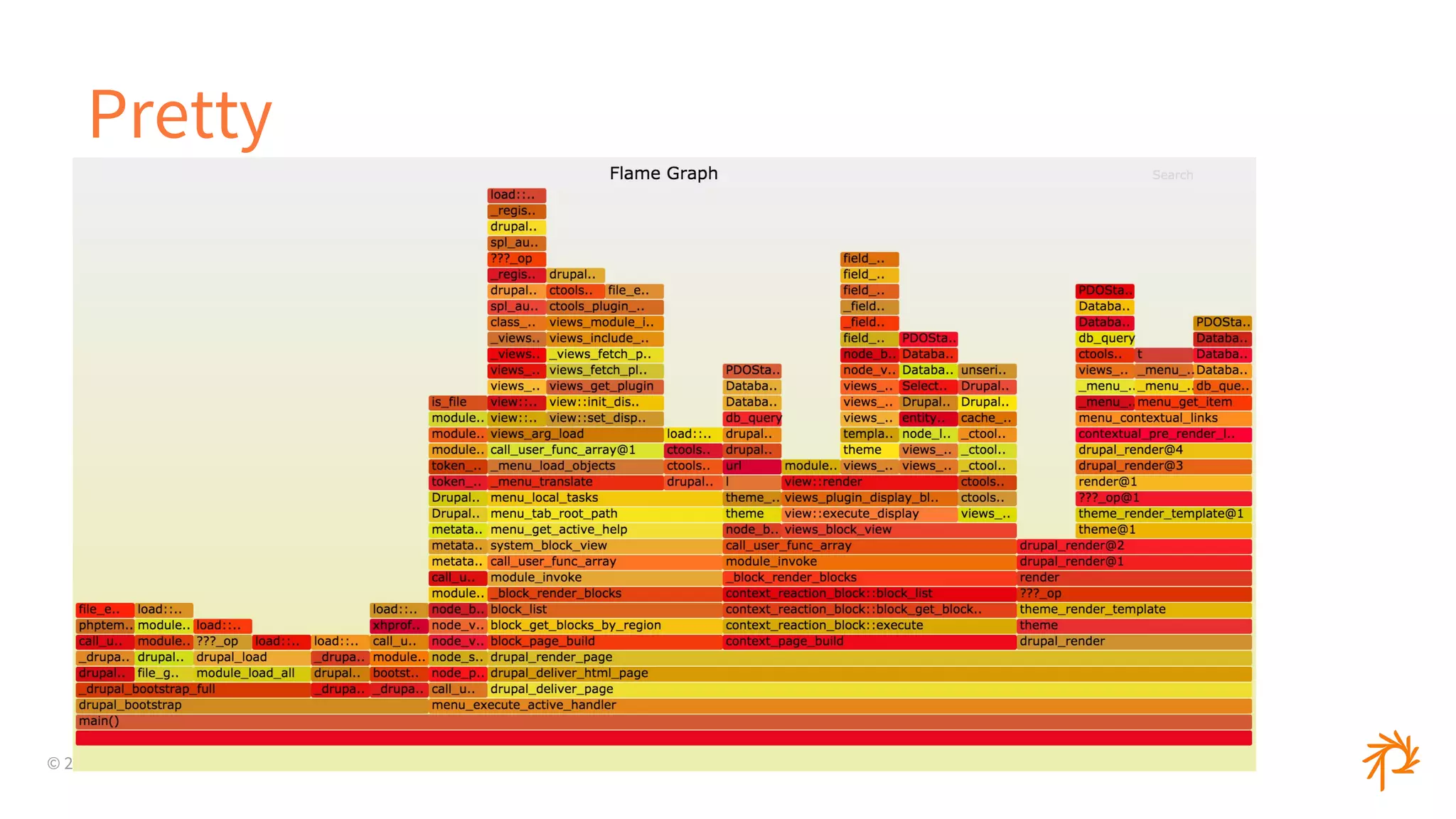
Pretty
© 2015 Phase2
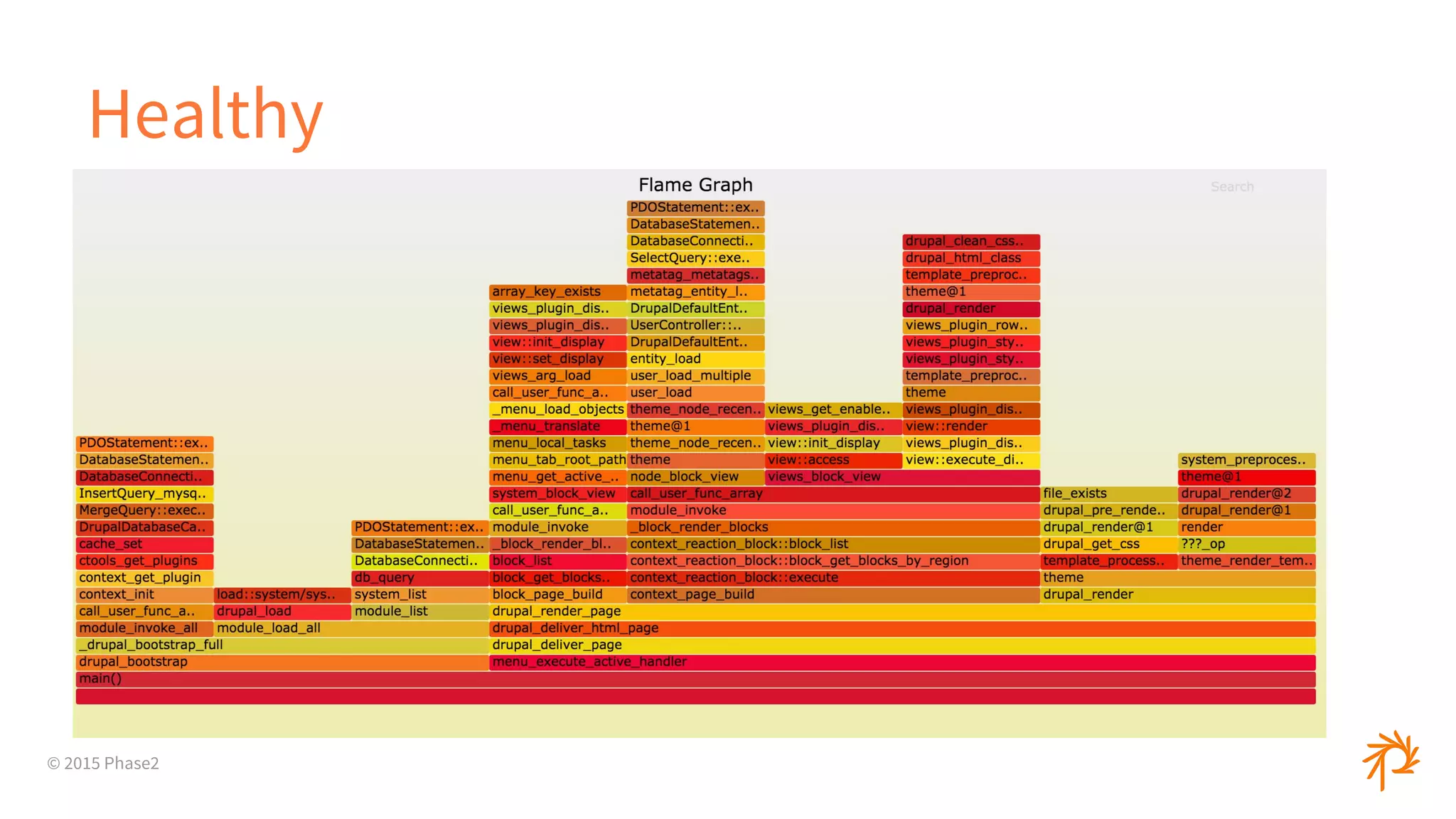
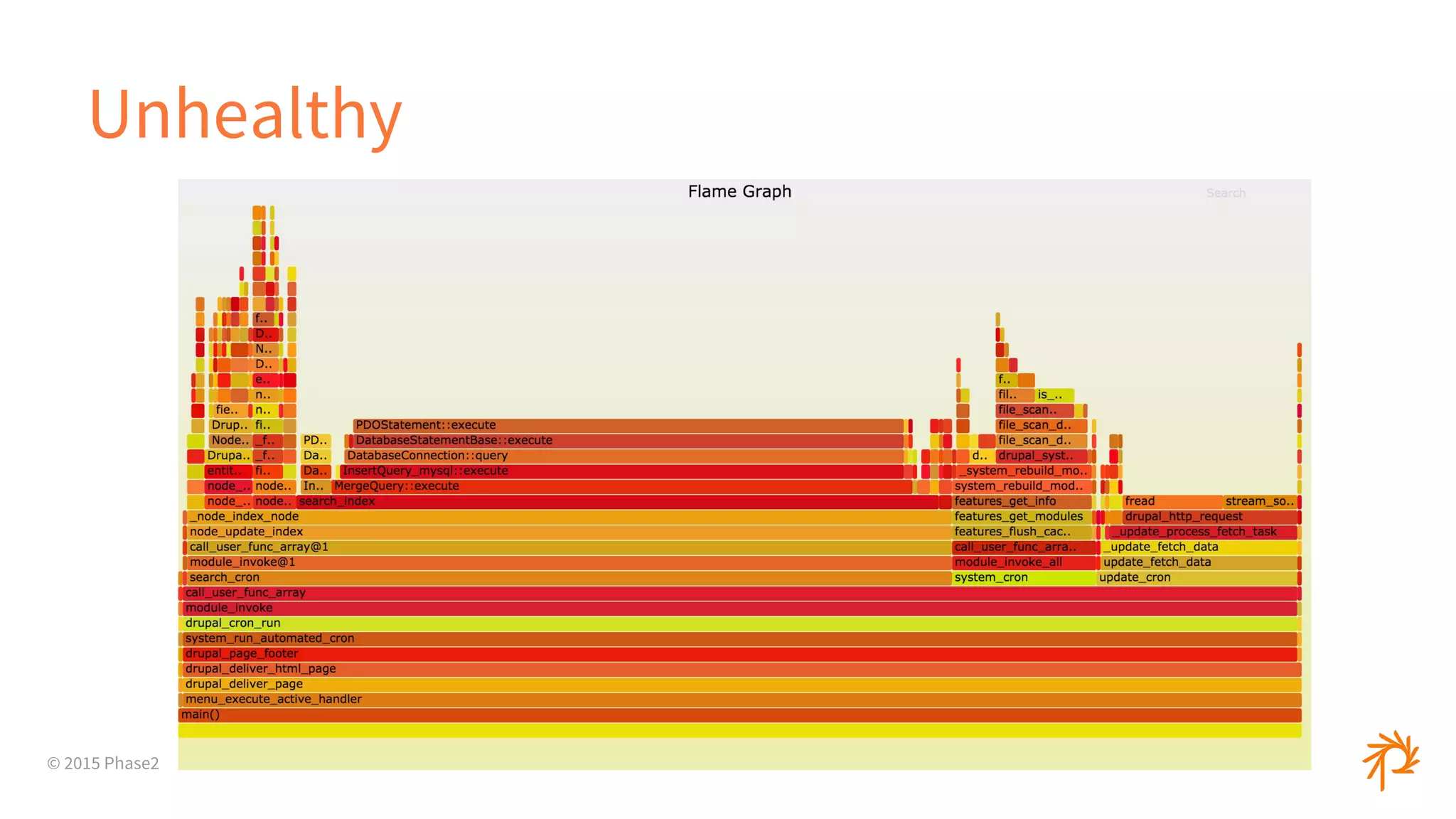
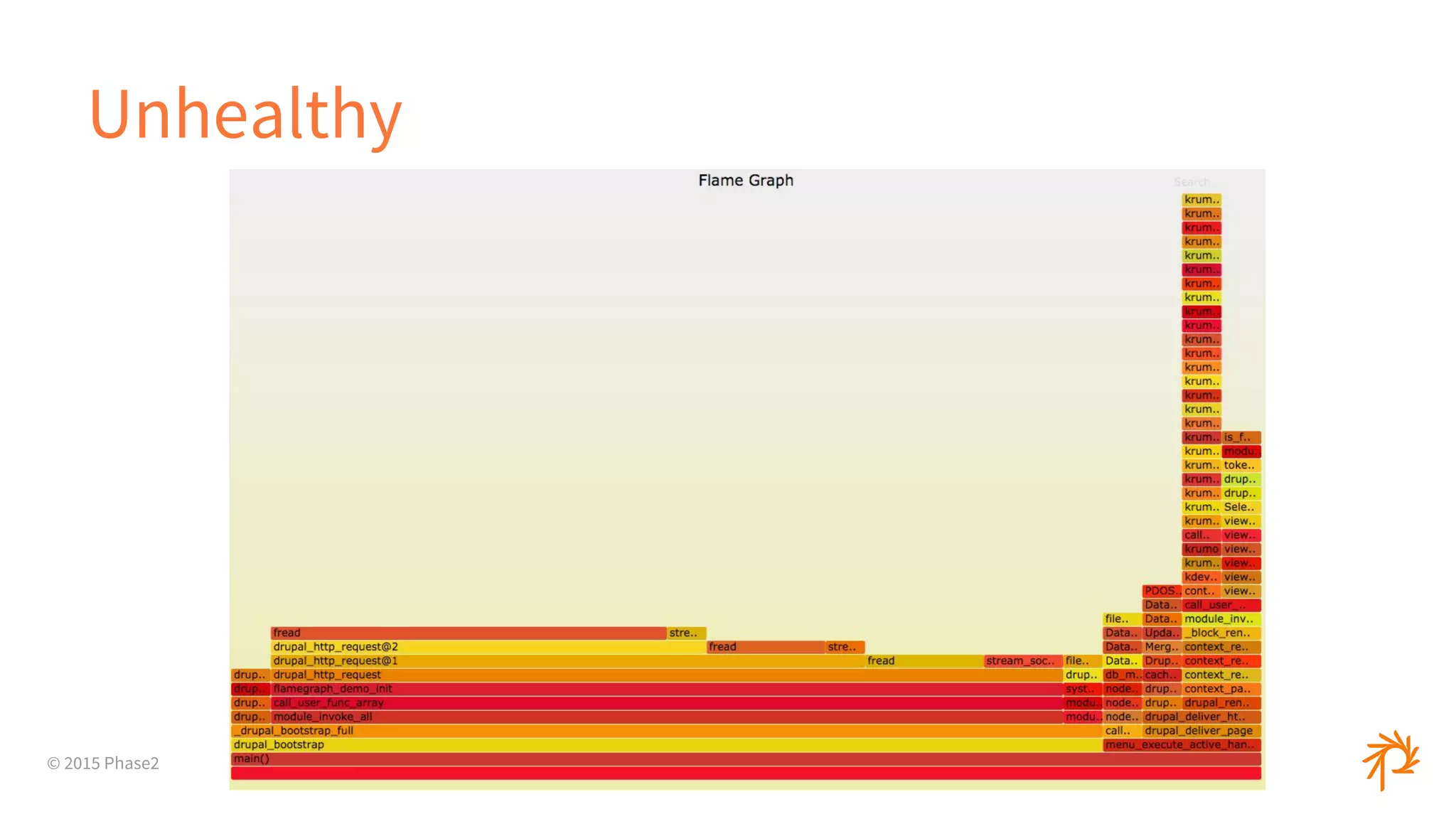
What is a Flamegraph?
● Visual representation of profiled software
○ For our purposes, the call stack
● Each layer is a function
● Each column is the amount of time spent
© 2015 Phase2
Why use a Flamegraph?
● Easier for non-technical people
● Easy to diagnose the quick problems
○ What was on the CPU at each interval
● Low overhead
● Pretty
© 2015 Phase2
How to Generate
● https://github.com/brendangregg/FlameGraph
● Call stack data converted to right format
● PHP
○ https://github.com/msonnabaum/xhprof-flamegraphs
○ Xdebug
○ Drupal: xhprof_sample + xhprof_flamegraph
© 2015 Phase2
How to Generate
● Ruby
○ https://github.com/MiniProfiler/rack-mini-profiler
+
○ flamegraph gem
● Node
○ perf (perf_events)
○ http://github.com/davepacheco/node-stackvis
© 2015 Phase2
Healthy
© 2015 Phase2
Unhealthy
© 2015 Phase2
Unhealthy
© 2015 Phase2
Query Tuning
© 2015 Phase2
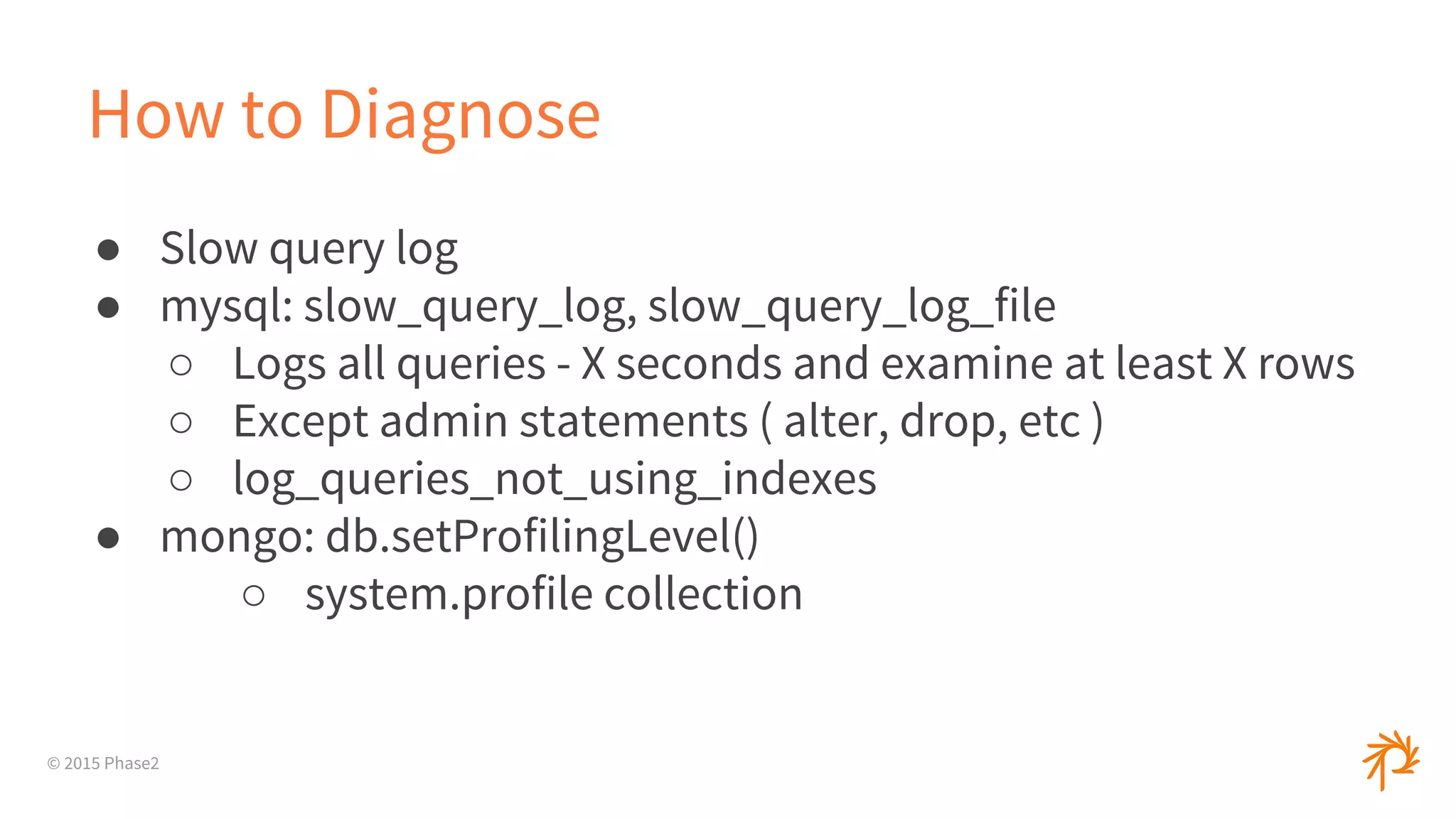
How to Diagnose
● Slow query log
● mysql: slow_query_log, slow_query_log_file
○ Logs all queries - X seconds and examine at least X rows
○ Except admin statements ( alter, drop, etc )
○ log_queries_not_using_indexes
● mongo: db.setProfilingLevel()
○ system.profile collection
© 2015 Phase2
How to Diagnose
● SHOW [FULL] PROCESSLIST
○ Sending data, Copying to tmp table, Locked, etc
● mysqldumpslow
● Percona: pt-query-digest
● Logging in your app
© 2015 Phase2
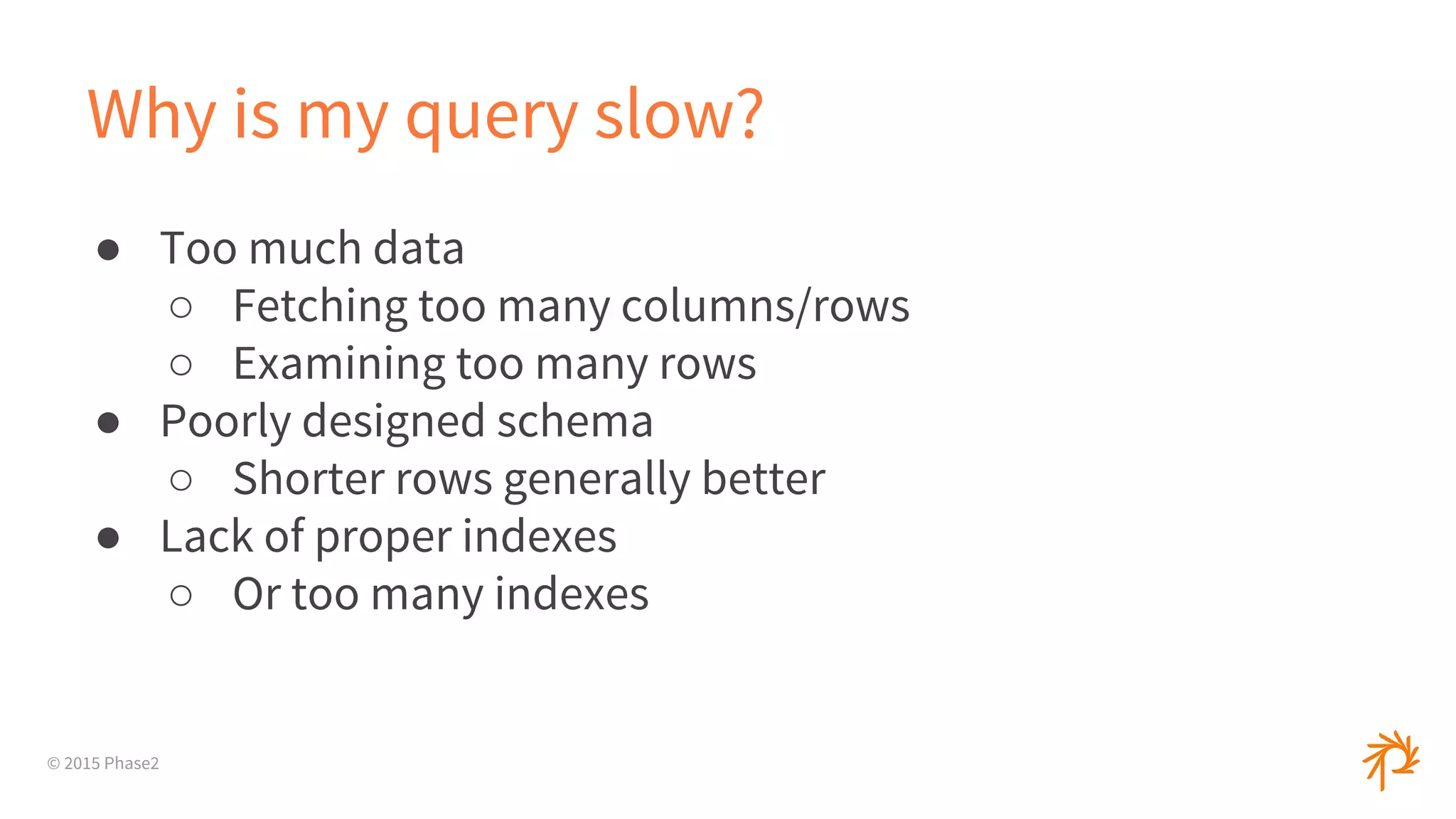
Why is my query slow?
● Too much data
○ Fetching too many columns/rows
○ Examining too many rows
● Poorly designed schema
○ Shorter rows generally better
● Lack of proper indexes
○ Or too many indexes
© 2015 Phase2
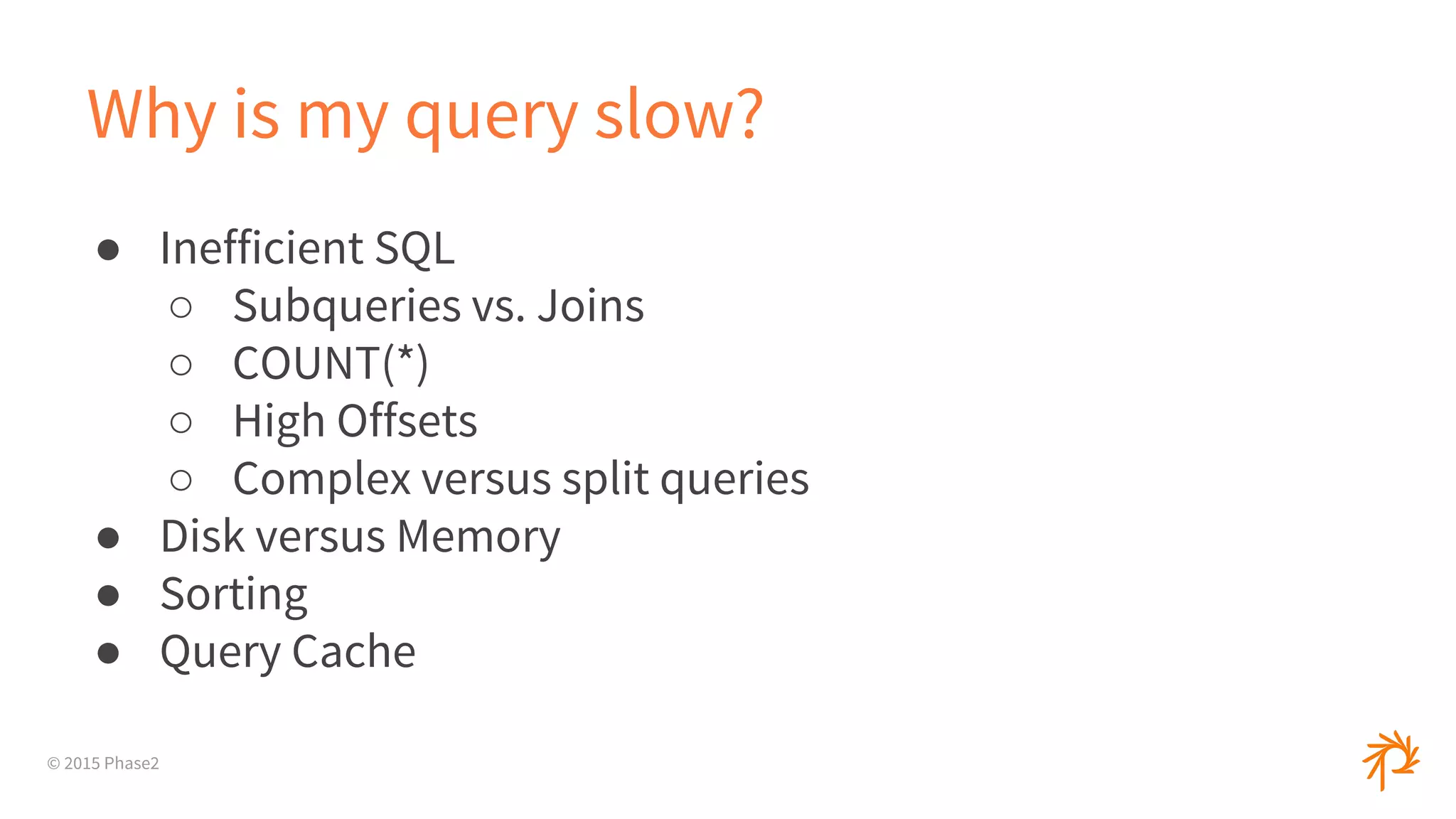
Why is my query slow?
● Inefficient SQL
○ Subqueries vs. Joins
○ COUNT(*)
○ High Offsets
○ Complex versus split queries
● Disk versus Memory
● Sorting
● Query Cache
© 2015 Phase2
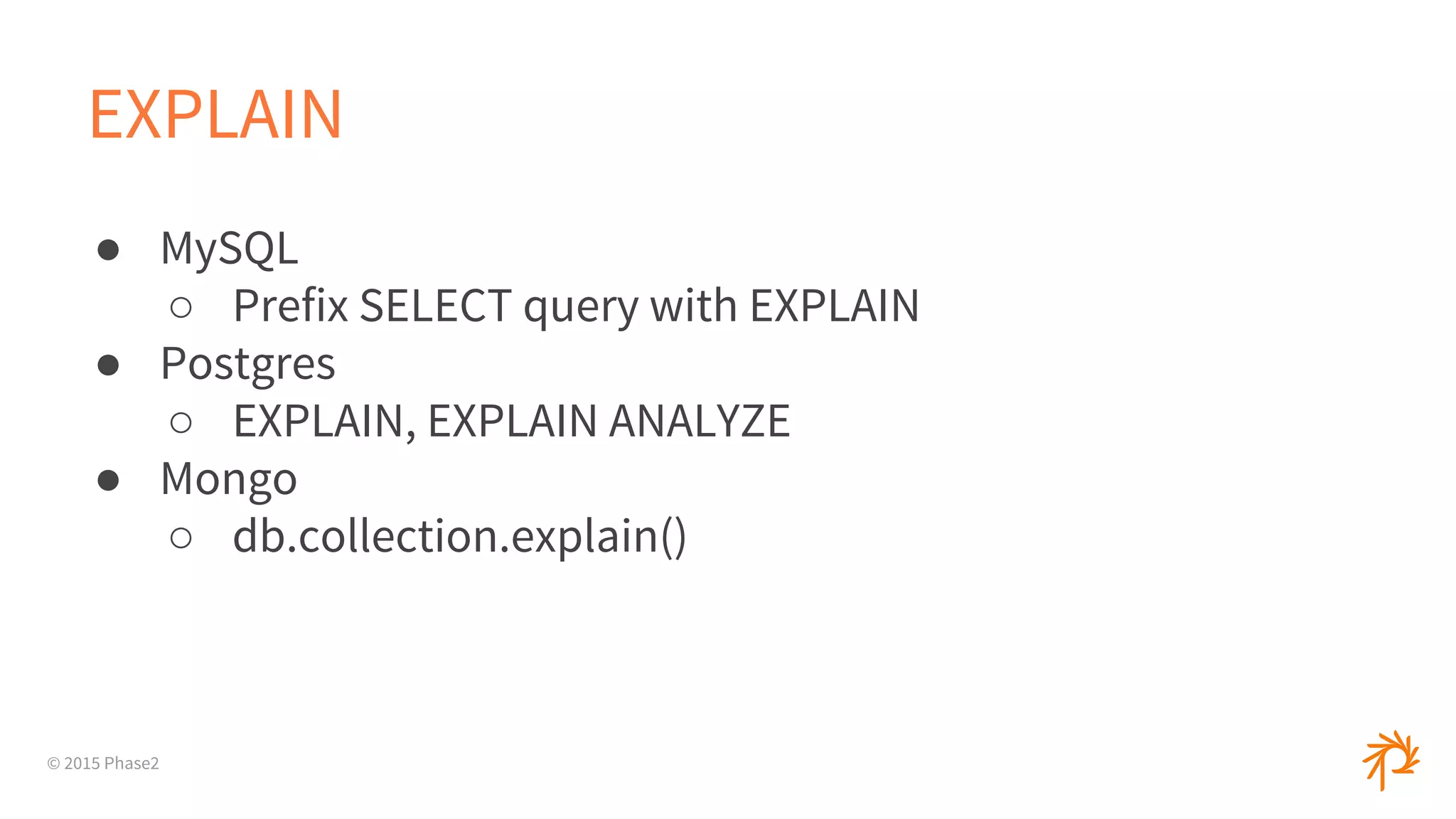
EXPLAIN
● MySQL
○ Prefix SELECT query with EXPLAIN
● Postgres
○ EXPLAIN, EXPLAIN ANALYZE
● Mongo
○ db.collection.explain()
© 2015 Phase2
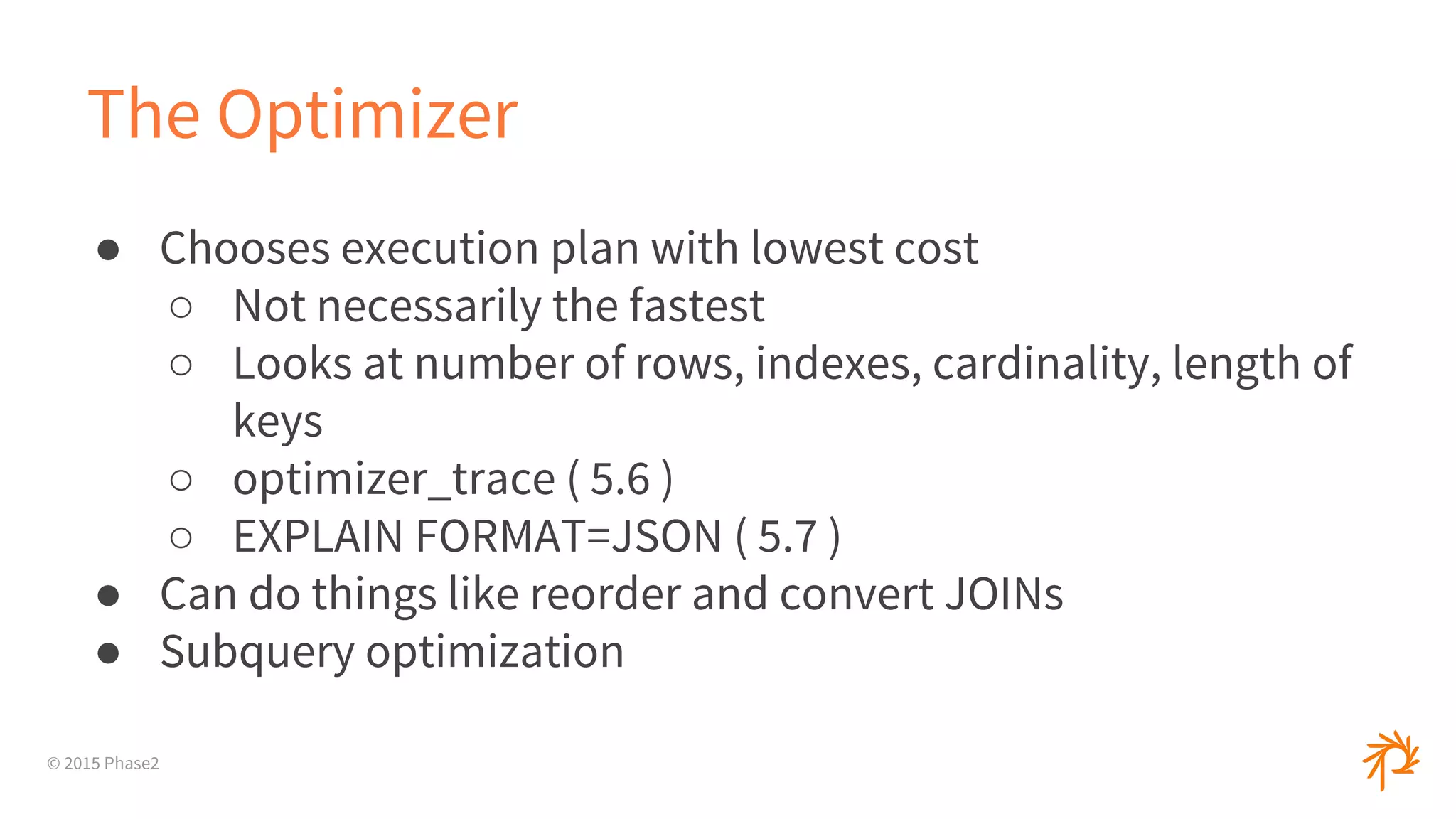
The Optimizer
● Chooses execution plan with lowest cost
○ Not necessarily the fastest
○ Looks at number of rows, indexes, cardinality, length of
keys
○ optimizer_trace ( 5.6 )
○ EXPLAIN FORMAT=JSON ( 5.7 )
● Can do things like reorder and convert JOINs
● Subquery optimization
© 2015 Phase2
EXPLAIN
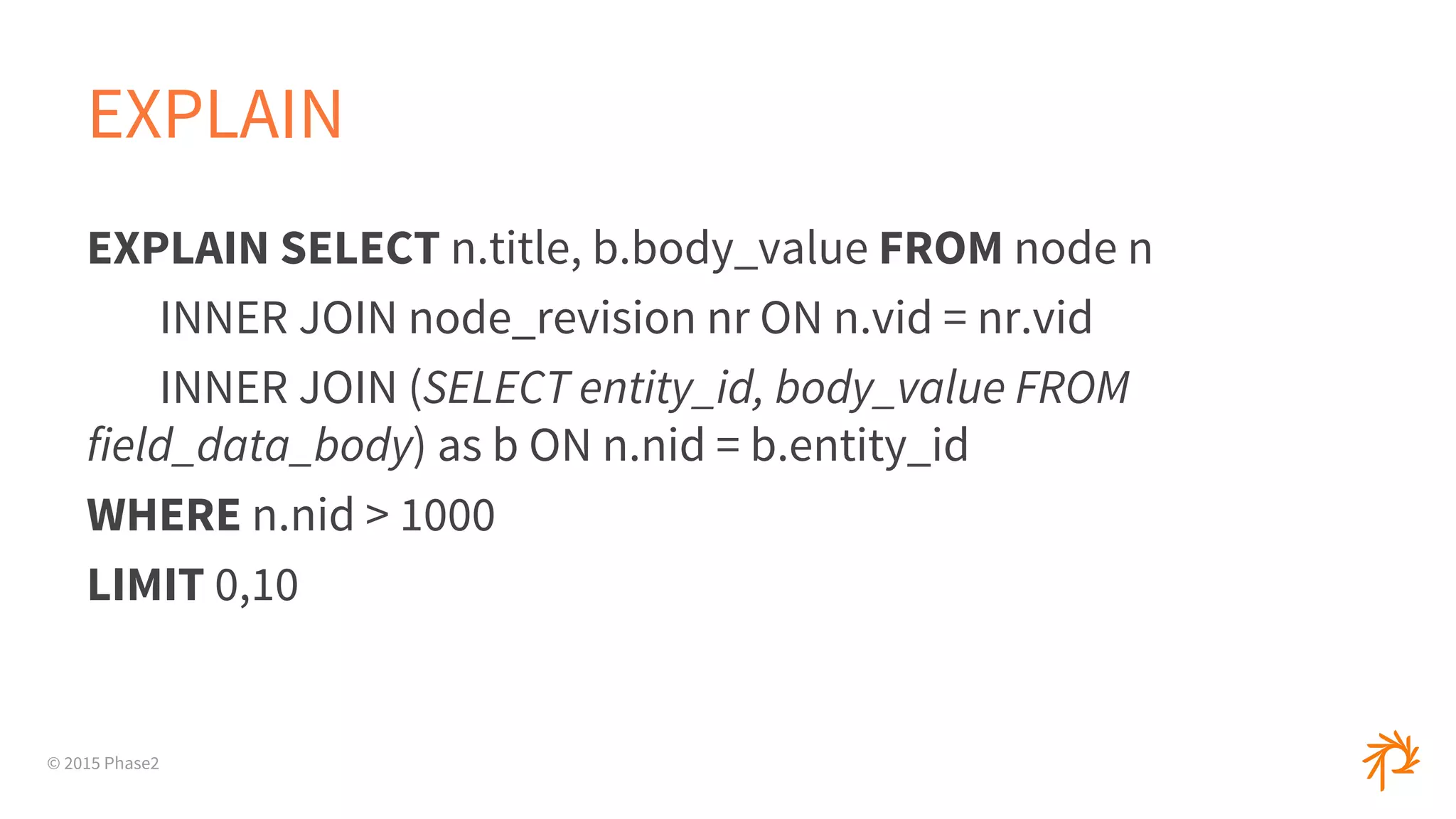
EXPLAIN SELECT n.title, b.body_value FROM node n
INNER JOIN node_revision nr ON n.vid = nr.vid
INNER JOIN (SELECT entity_id, body_value FROM
field_data_body) as b ON n.nid = b.entity_id
WHERE n.nid > 1000
LIMIT 0,10
© 2015 Phase2
EXPLAIN
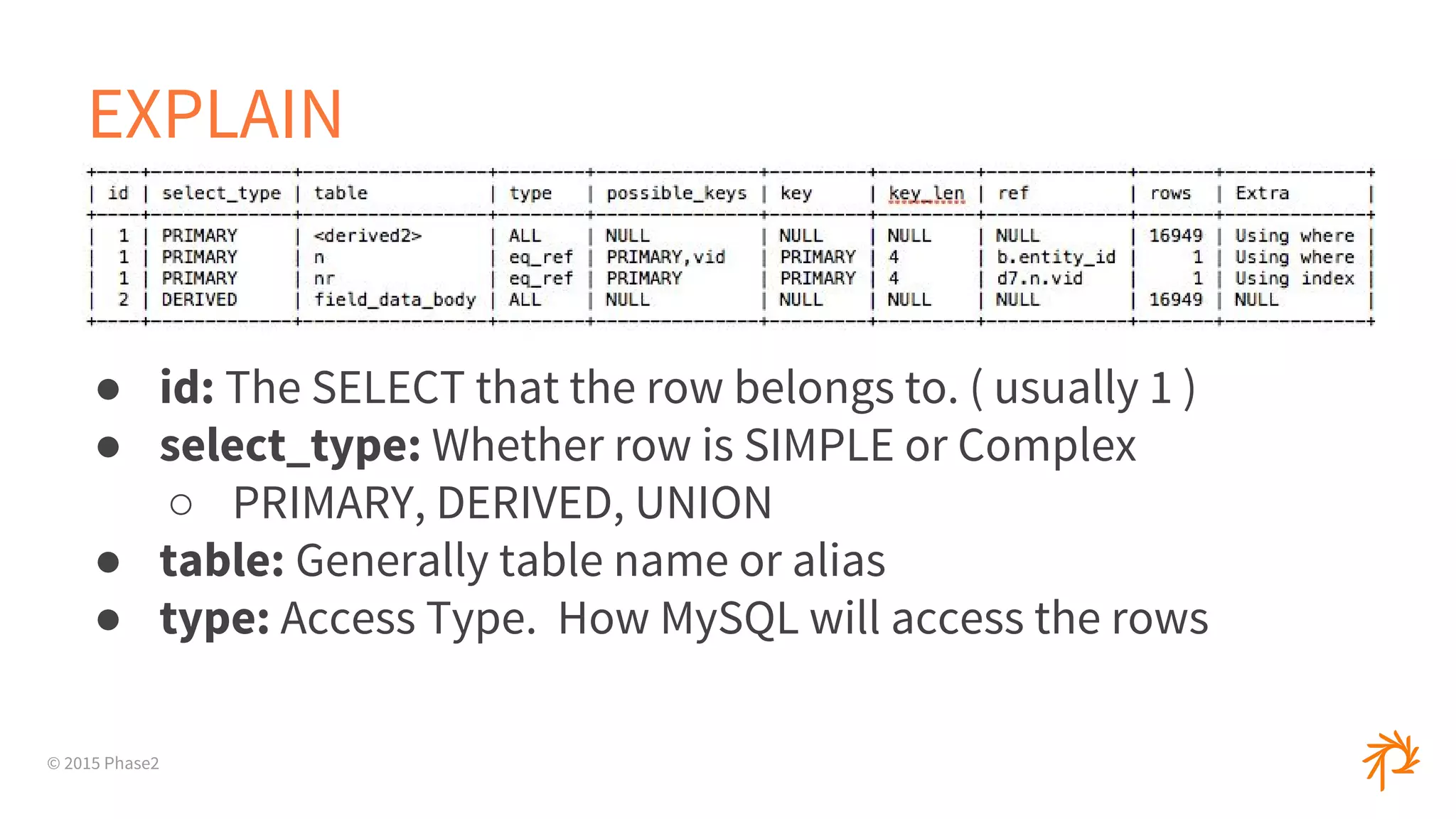
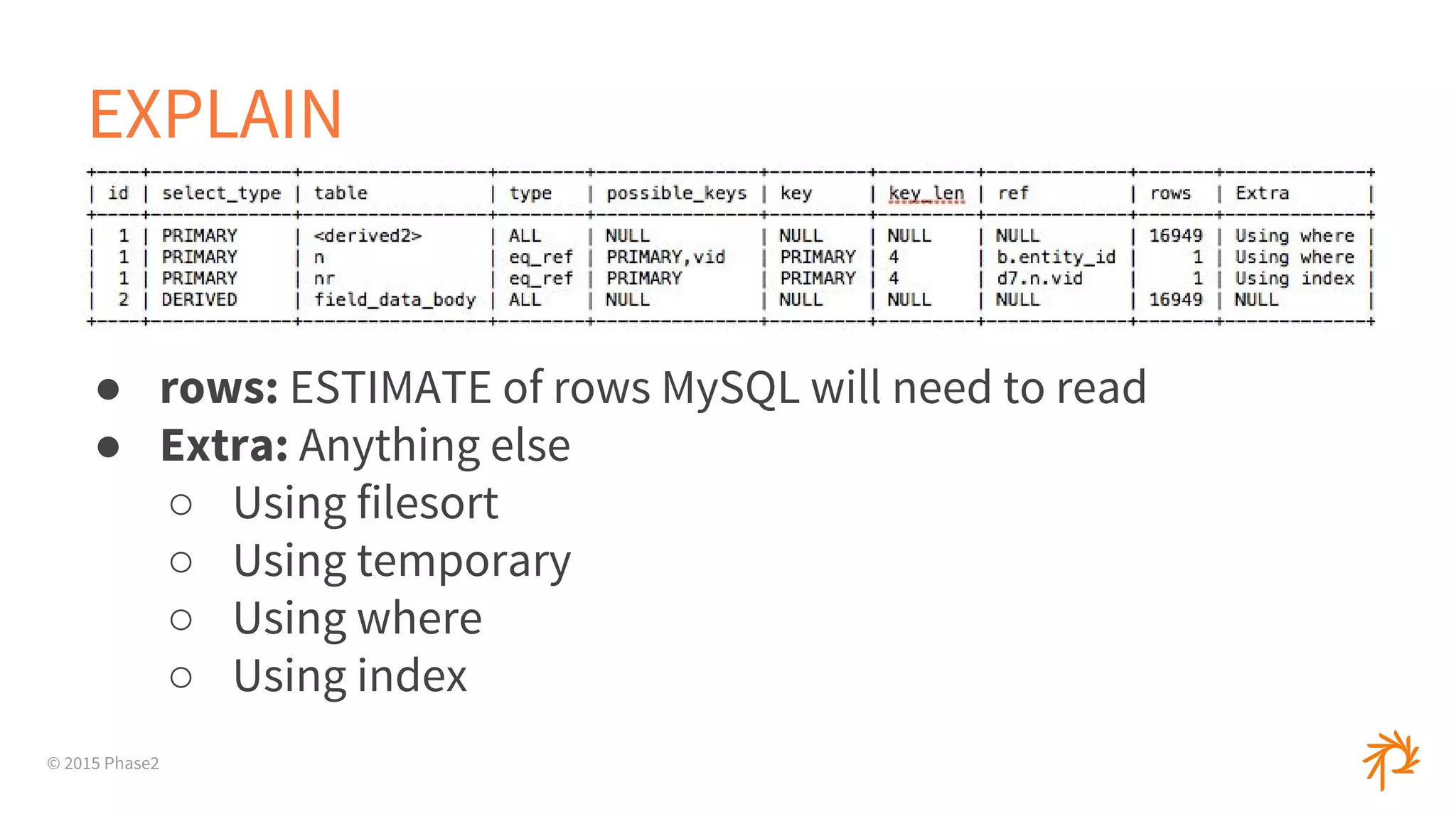
● id: The SELECT that the row belongs to. ( usually 1 )
● select_type: Whether row is SIMPLE or Complex
○ PRIMARY, DERIVED, UNION
● table: Generally table name or alias
● type: Access Type. How MySQL will access the rows
© 2015 Phase2
EXPLAIN ( Access Type )
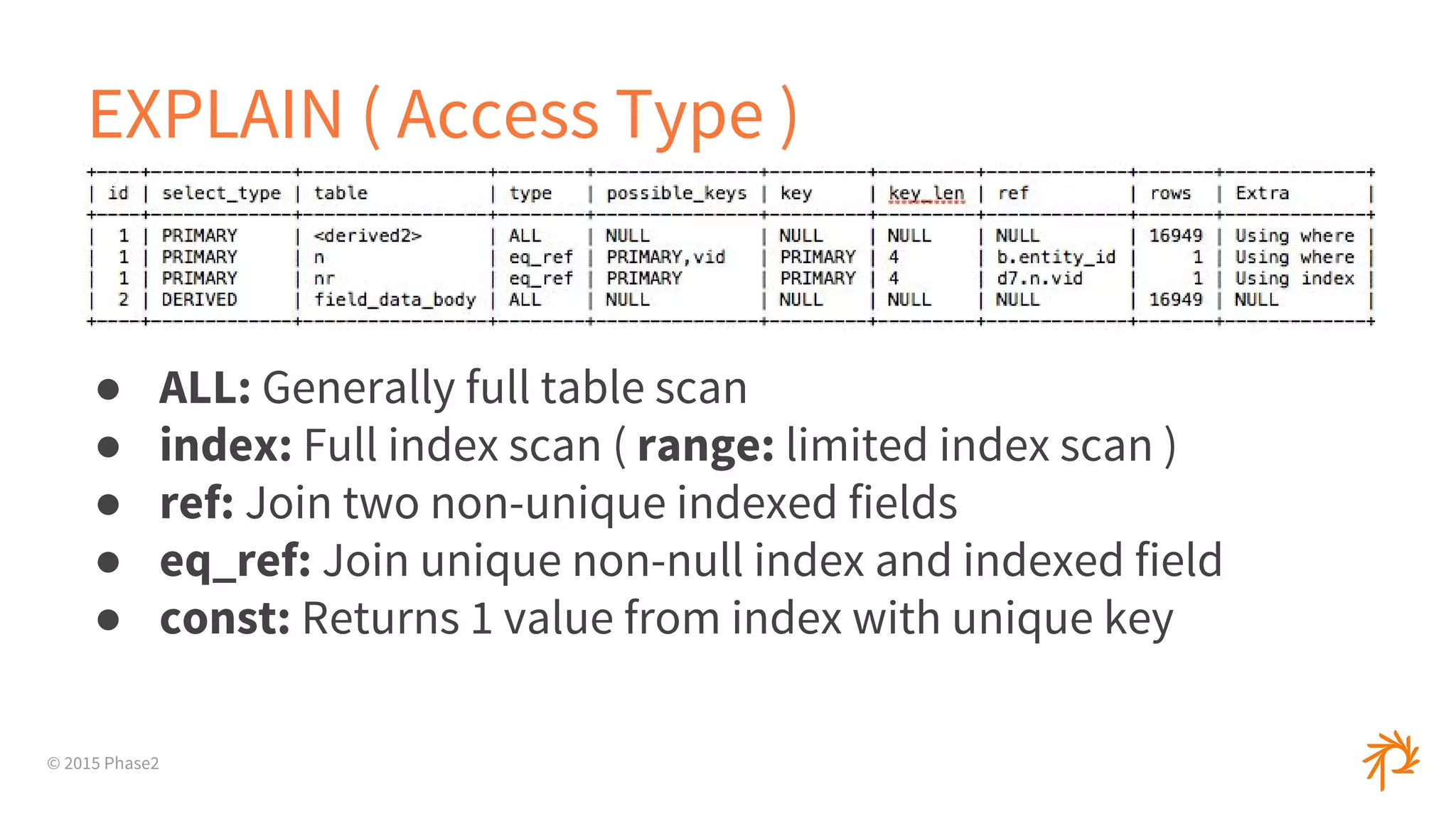
● ALL: Generally full table scan
● index: Full index scan ( range: limited index scan )
● ref: Join two non-unique indexed fields
● eq_ref: Join unique non-null index and indexed field
● const: Returns 1 value from index with unique key
© 2015 Phase2
EXPLAIN
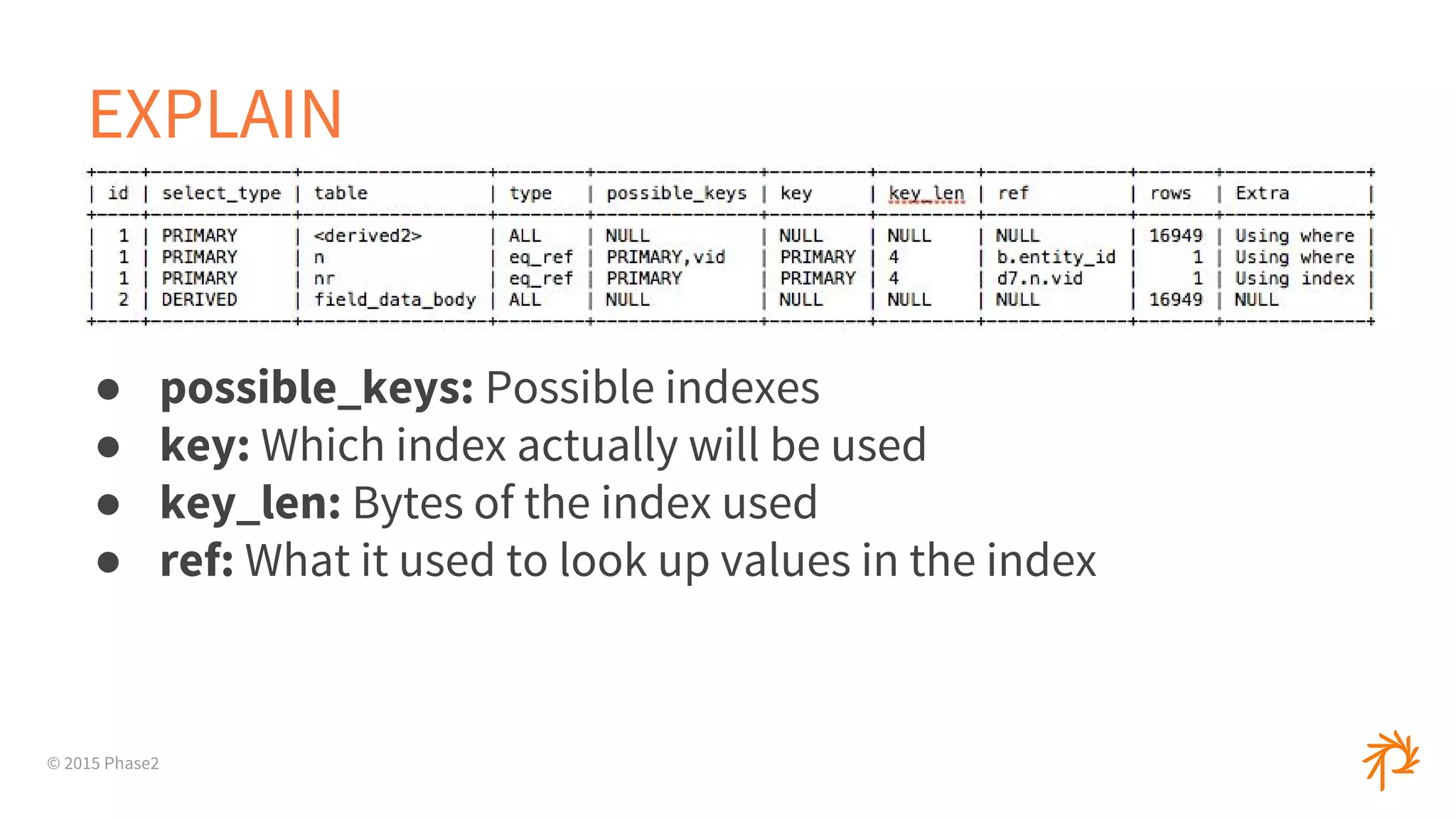
● possible_keys: Possible indexes
● key: Which index actually will be used
● key_len: Bytes of the index used
● ref: What it used to look up values in the index
© 2015 Phase2
EXPLAIN
● rows: ESTIMATE of rows MySQL will need to read
● Extra: Anything else
○ Using filesort
○ Using temporary
○ Using where
○ Using index
© 2015 Phase2
EXPLAIN
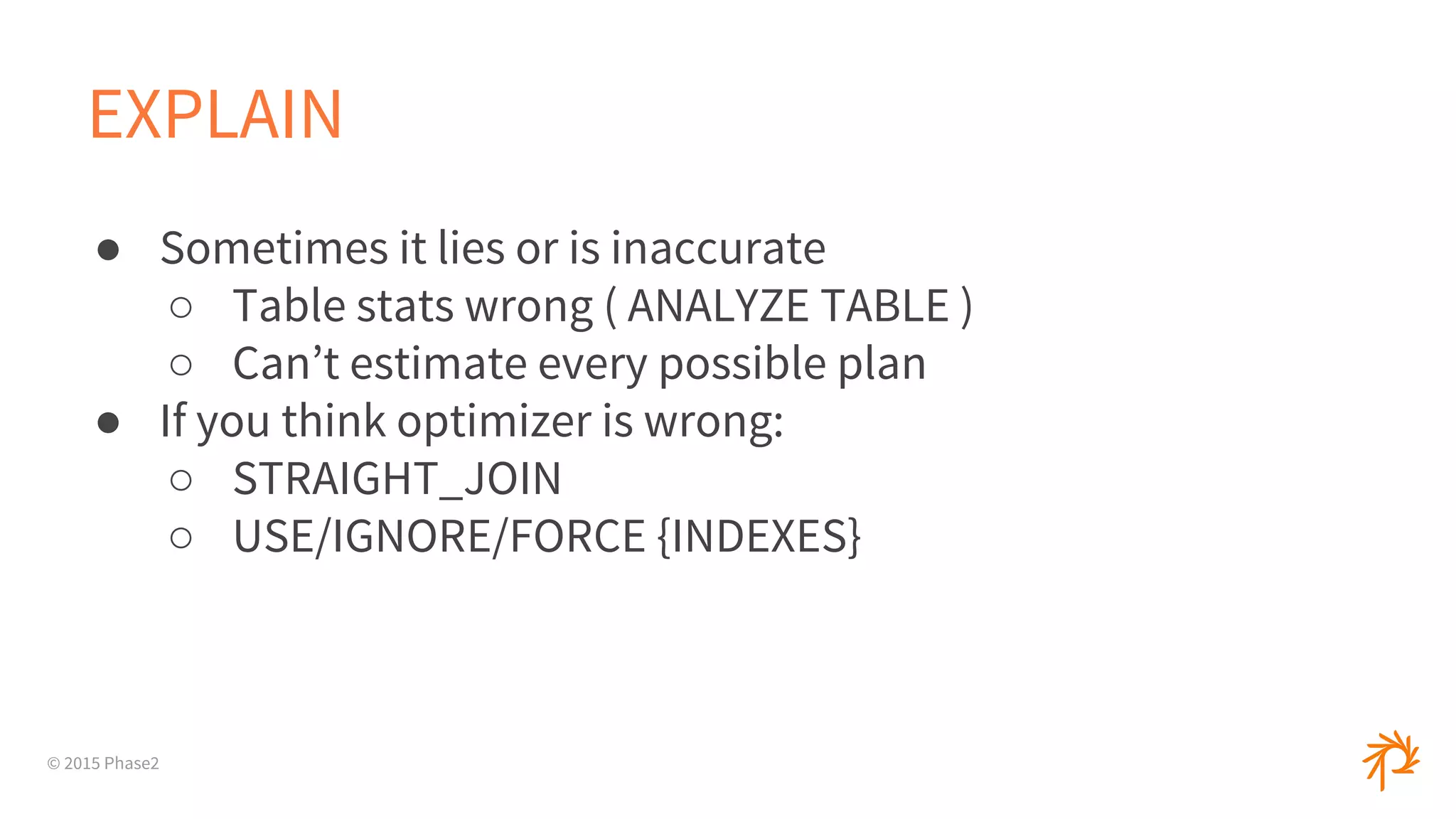
● Sometimes it lies or is inaccurate
○ Table stats wrong ( ANALYZE TABLE )
○ Can’t estimate every possible plan
● If you think optimizer is wrong:
○ STRAIGHT_JOIN
○ USE/IGNORE/FORCE {INDEXES}
© 2015 Phase2
Thank You
● bblake@phase2technology.com

Performance Profiling Tools and Tricks

  • 1.
    © 2015 Phase2 PerformanceProfiling Tools & Tricks 19 October 2015 All Things Open 2015
  • 2.
    © 2015 Phase2 AboutMe ● Brad Blake ● Software Architect ● bblake@phase2technology.com ● www.phase2technology.com
  • 3.
  • 4.
    © 2015 Phase2 Profilingis not ● Benchmarking ● Debugging ● A dark art
  • 5.
    © 2015 Phase2 Profilingis ● Gathering data on performance of a system ○ CPU/Memory usage ○ Function calls/times ○ Many other metrics ● Find where system is spending its time ● Refactoring, not changing functionality
  • 6.
  • 7.
    © 2015 Phase2 Typesof Profiling ● Event-based ○ Triggered by specific events ○ Generally slower ○ More data and more accurate ● Statistical ( sampling ) ○ Record data at specific intervals ○ Less accurate and specific ○ Less intrusive
  • 8.
    © 2015 Phase2 Beforeyou start ● Determine if you have a performance issue ● How big of an issue is it? ● Benchmark ○ ab, httperf, siege, JMeter ● Determine your goal
  • 9.
    © 2015 Phase2 Do’s ●Get to a functional system quickly, then measure it ○ Needs to be a ‘real’ system ○ Alternative is to prematurely optimize ● Be data-driven ● tail (-f) (-n) is your friend ● Go after items with highest cost ○ Not necessarily the outliers ● Test after each change
  • 10.
  • 11.
    © 2015 Phase2 Don’ts ●Don’t make assumptions, be empirical ● Don’t assume the data won’t change ● Don’t assume caching is working ○ Check HTTP headers ○ Check memcache, redis ○ Query cache ● Don’t prematurely optimize
  • 12.
    © 2015 Phase2 Tips ●Don’t over-optimize ● Do data migration early ○ Or use realistic substitute data ● Have a good test suite ○ Record metrics, graphs ● Implement logging from the beginning
  • 13.
    © 2015 Phase2 Tips(cont.) ● Increasing memory is NOT A FIX ● Understand bigO concepts ● Match production settings ( Vagrant, Chef, OpenStack, etc ) and configs ( production mode )
  • 14.
  • 15.
    © 2015 Phase2 PHP ●xhprof ● xdebug ● New Relic ○ SaaS model for real-time monitoring ○ Ruby, Python, PHP, Node ○ Servers, even Docker containers
  • 16.
    © 2015 Phase2 Xhprof ●Created by facebook, on PECL ● Gets basic stats ● Can do sampling ● Can compare runs or aggregate runs ○ Useful in production to run only X runs ● Modules/Plugins for Drupal and Wordpress ● GUI not great, pretty basic ○ Xhgui
  • 17.
    © 2015 Phase2 XDebug ●Debugger and Profiler ● Gets a lot of data ● Output can be used in kcachegrind ( qcachegrind ) ● phpStorm integration brew install qcachegrind brew install graphviz qcachegrind path-to-file
  • 18.
    © 2015 Phase2 Ruby ●Run with production settings ● Built-In Profiler__ module ○ Very basic, limited data
  • 19.
    © 2015 Phase2 Ruby-Prof ●Event-based ● Lots of reports and options ○ Text/HTML reports ○ Flat profiles, call graphs, call stacks ● Can profile whole app or blocks of code
  • 20.
  • 21.
    © 2015 Phase2 Perftools.rb ●perftools.rb ○ Sampling profiler ○ gperftools for Ruby ○ Also many output modes, including Callgrind ● Rack::PerftoolsProfiler ○ More limited output modes ○ Outputs to browser ( ?profile=true ) ○ Can change frequency or mode
  • 22.
  • 23.
    © 2015 Phase2 Node.js ●Node-Webkit-Agent ● Webstorm ● StrongLoop Arc ● NodeSource
  • 24.
  • 25.
  • 26.
    © 2015 Phase2 Whatis a Flamegraph? ● Visual representation of profiled software ○ For our purposes, the call stack ● Each layer is a function ● Each column is the amount of time spent
  • 27.
    © 2015 Phase2 Whyuse a Flamegraph? ● Easier for non-technical people ● Easy to diagnose the quick problems ○ What was on the CPU at each interval ● Low overhead ● Pretty
  • 28.
    © 2015 Phase2 Howto Generate ● https://github.com/brendangregg/FlameGraph ● Call stack data converted to right format ● PHP ○ https://github.com/msonnabaum/xhprof-flamegraphs ○ Xdebug ○ Drupal: xhprof_sample + xhprof_flamegraph
  • 29.
    © 2015 Phase2 Howto Generate ● Ruby ○ https://github.com/MiniProfiler/rack-mini-profiler + ○ flamegraph gem ● Node ○ perf (perf_events) ○ http://github.com/davepacheco/node-stackvis
  • 30.
  • 31.
  • 32.
  • 33.
  • 34.
    © 2015 Phase2 Howto Diagnose ● Slow query log ● mysql: slow_query_log, slow_query_log_file ○ Logs all queries - X seconds and examine at least X rows ○ Except admin statements ( alter, drop, etc ) ○ log_queries_not_using_indexes ● mongo: db.setProfilingLevel() ○ system.profile collection
  • 35.
    © 2015 Phase2 Howto Diagnose ● SHOW [FULL] PROCESSLIST ○ Sending data, Copying to tmp table, Locked, etc ● mysqldumpslow ● Percona: pt-query-digest ● Logging in your app
  • 36.
    © 2015 Phase2 Whyis my query slow? ● Too much data ○ Fetching too many columns/rows ○ Examining too many rows ● Poorly designed schema ○ Shorter rows generally better ● Lack of proper indexes ○ Or too many indexes
  • 37.
    © 2015 Phase2 Whyis my query slow? ● Inefficient SQL ○ Subqueries vs. Joins ○ COUNT(*) ○ High Offsets ○ Complex versus split queries ● Disk versus Memory ● Sorting ● Query Cache
  • 38.
    © 2015 Phase2 EXPLAIN ●MySQL ○ Prefix SELECT query with EXPLAIN ● Postgres ○ EXPLAIN, EXPLAIN ANALYZE ● Mongo ○ db.collection.explain()
  • 39.
    © 2015 Phase2 TheOptimizer ● Chooses execution plan with lowest cost ○ Not necessarily the fastest ○ Looks at number of rows, indexes, cardinality, length of keys ○ optimizer_trace ( 5.6 ) ○ EXPLAIN FORMAT=JSON ( 5.7 ) ● Can do things like reorder and convert JOINs ● Subquery optimization
  • 40.
    © 2015 Phase2 EXPLAIN EXPLAINSELECT n.title, b.body_value FROM node n INNER JOIN node_revision nr ON n.vid = nr.vid INNER JOIN (SELECT entity_id, body_value FROM field_data_body) as b ON n.nid = b.entity_id WHERE n.nid > 1000 LIMIT 0,10
  • 41.
    © 2015 Phase2 EXPLAIN ●id: The SELECT that the row belongs to. ( usually 1 ) ● select_type: Whether row is SIMPLE or Complex ○ PRIMARY, DERIVED, UNION ● table: Generally table name or alias ● type: Access Type. How MySQL will access the rows
  • 42.
    © 2015 Phase2 EXPLAIN( Access Type ) ● ALL: Generally full table scan ● index: Full index scan ( range: limited index scan ) ● ref: Join two non-unique indexed fields ● eq_ref: Join unique non-null index and indexed field ● const: Returns 1 value from index with unique key
  • 43.
    © 2015 Phase2 EXPLAIN ●possible_keys: Possible indexes ● key: Which index actually will be used ● key_len: Bytes of the index used ● ref: What it used to look up values in the index
  • 44.
    © 2015 Phase2 EXPLAIN ●rows: ESTIMATE of rows MySQL will need to read ● Extra: Anything else ○ Using filesort ○ Using temporary ○ Using where ○ Using index
  • 45.
    © 2015 Phase2 EXPLAIN ●Sometimes it lies or is inaccurate ○ Table stats wrong ( ANALYZE TABLE ) ○ Can’t estimate every possible plan ● If you think optimizer is wrong: ○ STRAIGHT_JOIN ○ USE/IGNORE/FORCE {INDEXES}
  • 46.
    © 2015 Phase2 ThankYou ● bblake@phase2technology.com