PS Security


By Deviprasad
Agenda

Components of PS Security
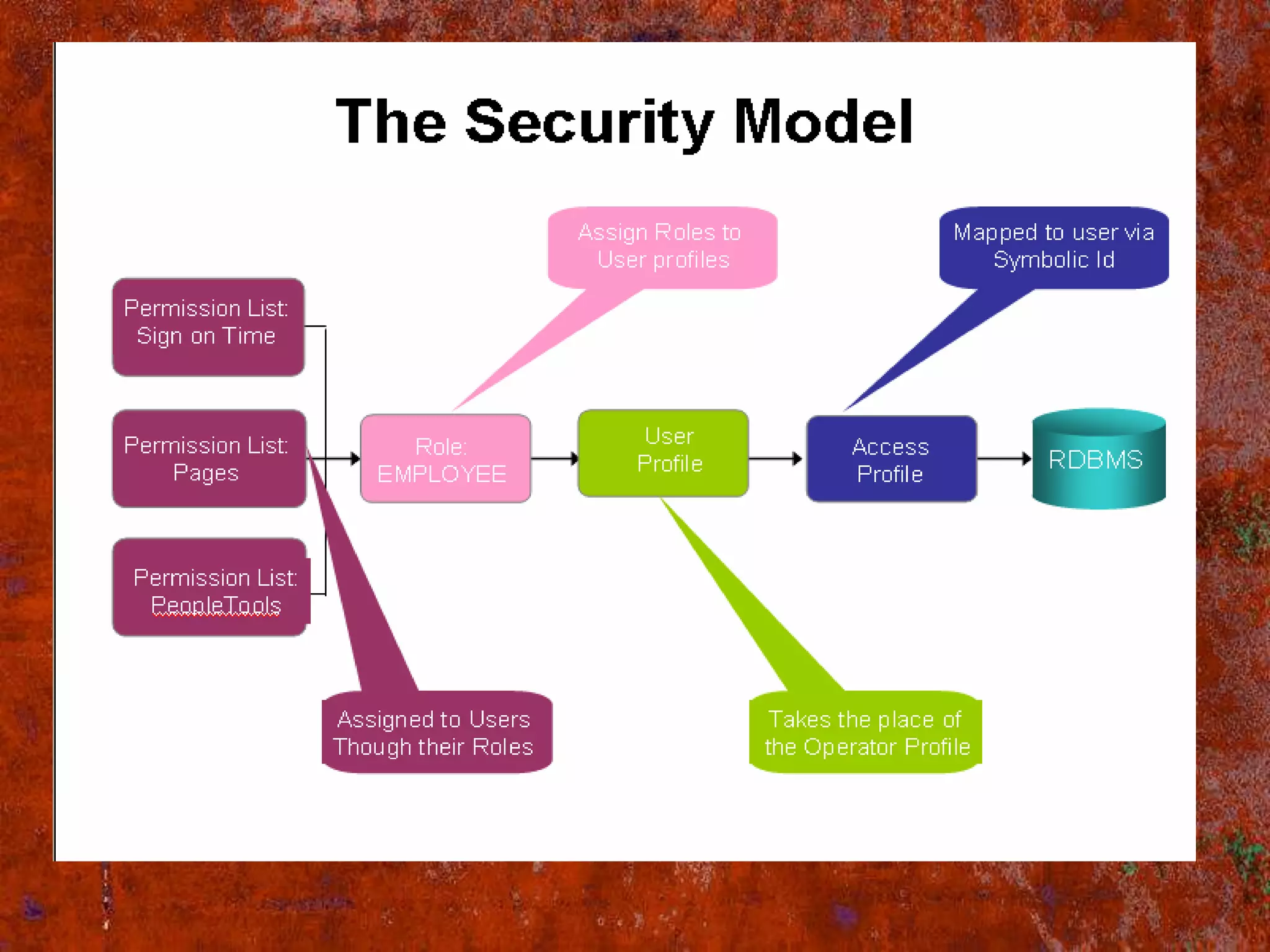
Security Model
User Profiles
Roles
Permission List.
Dynamic Roles
Static Roles
Building Roles/Rules Using PS Query
Assigning Roles LDAP
Assigning Roles to PeopleCode
View The Dynamic Members
Conclusion
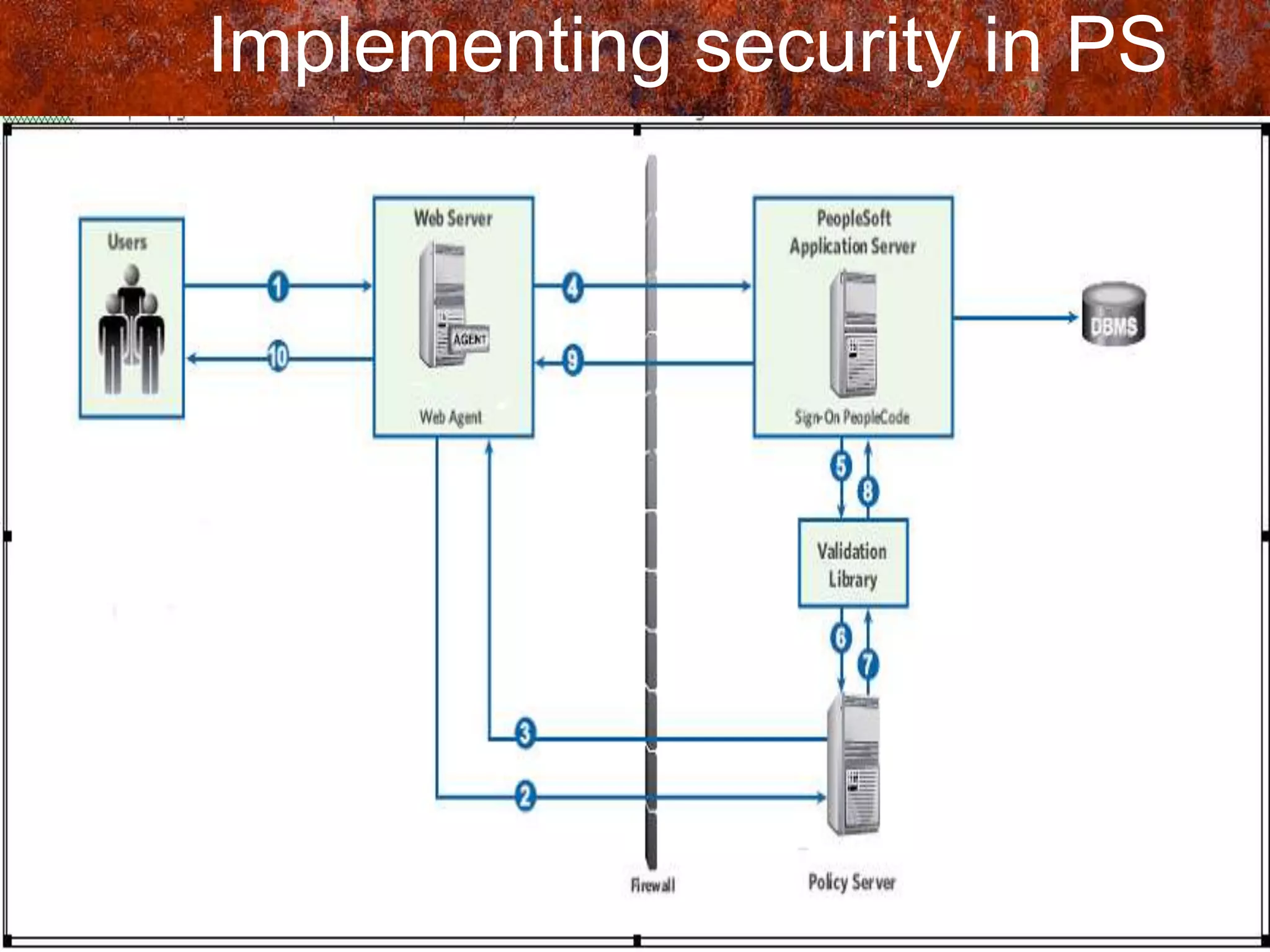
Implementing security in ps
• Security is the degree of protection
  against danger, damage, loss, and crime.
• In people soft we can implement security
  in 6 ways Sign on and Time-out ,Page and
  dialog ,Batch environment ,Definition,
  Application data, PIA
Components of PS Security
• Three major building blocks used when
  defining your PeopleSoft security
  Permission Lists
  Roles
  User Profiles
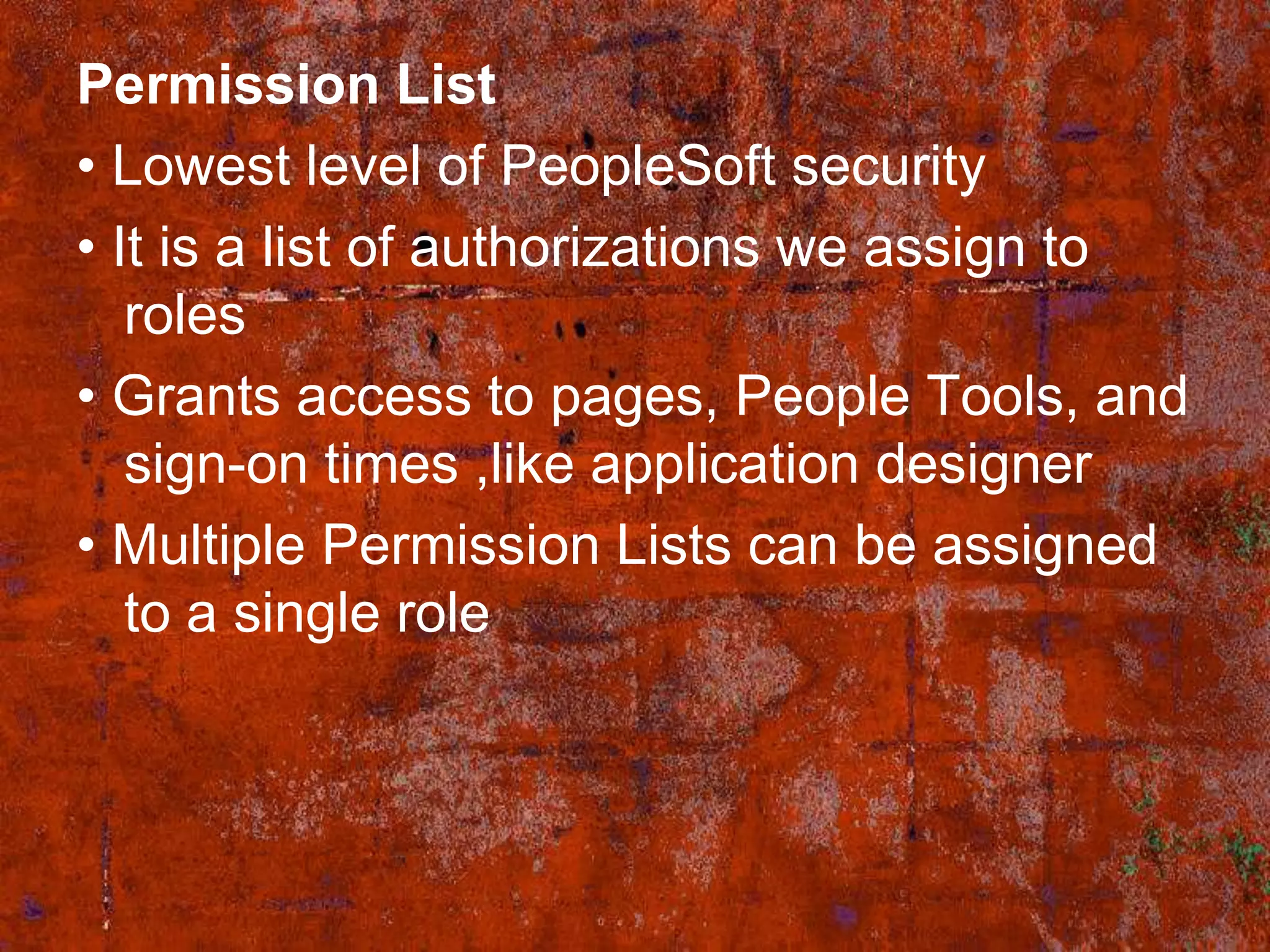
Permission List
• Lowest level of PeopleSoft security
• It is a list of authorizations we assign to
   roles
• Grants access to pages, People Tools, and
   sign-on times ,like application designer
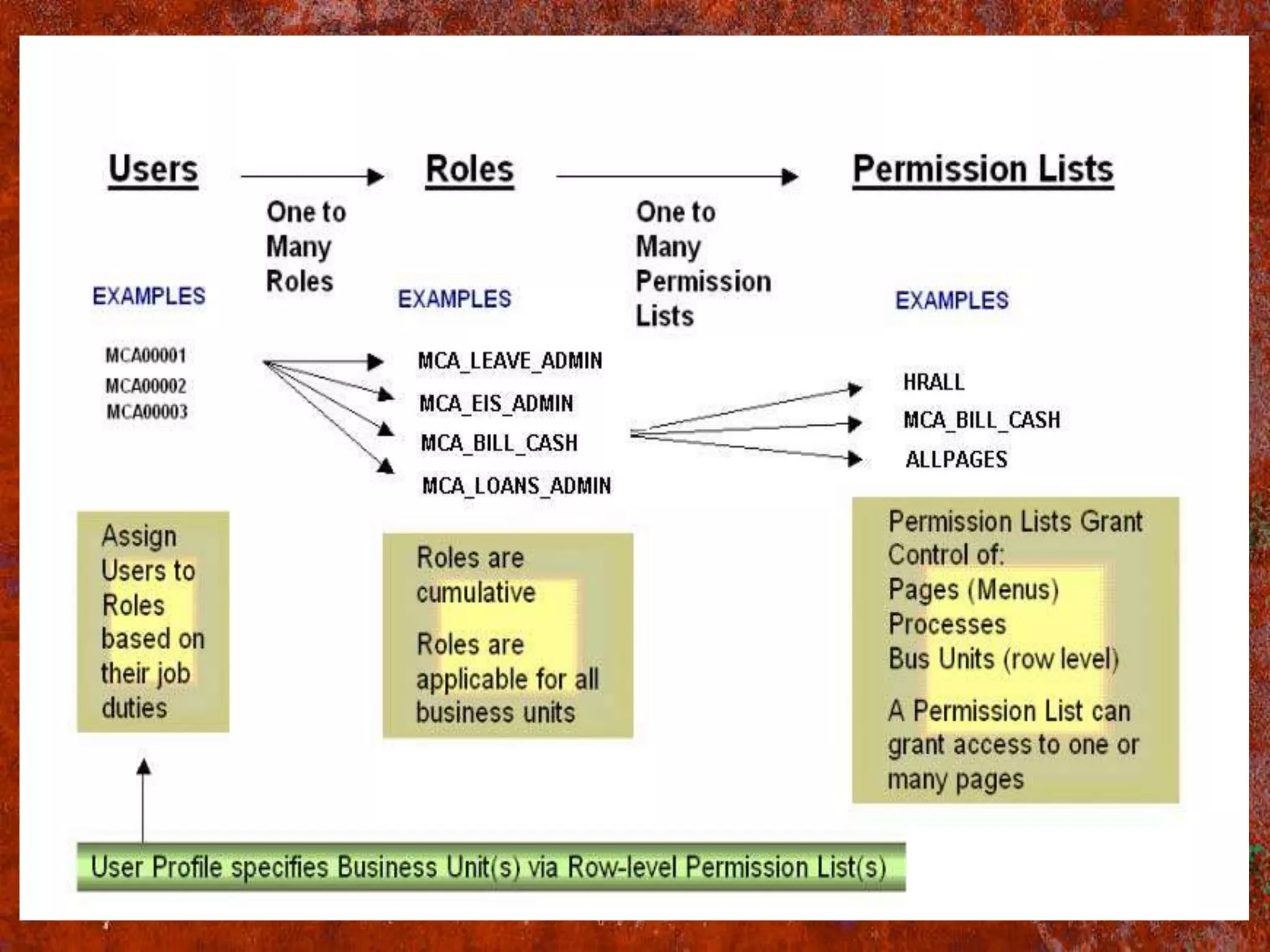
• Multiple Permission Lists can be assigned
   to a single role
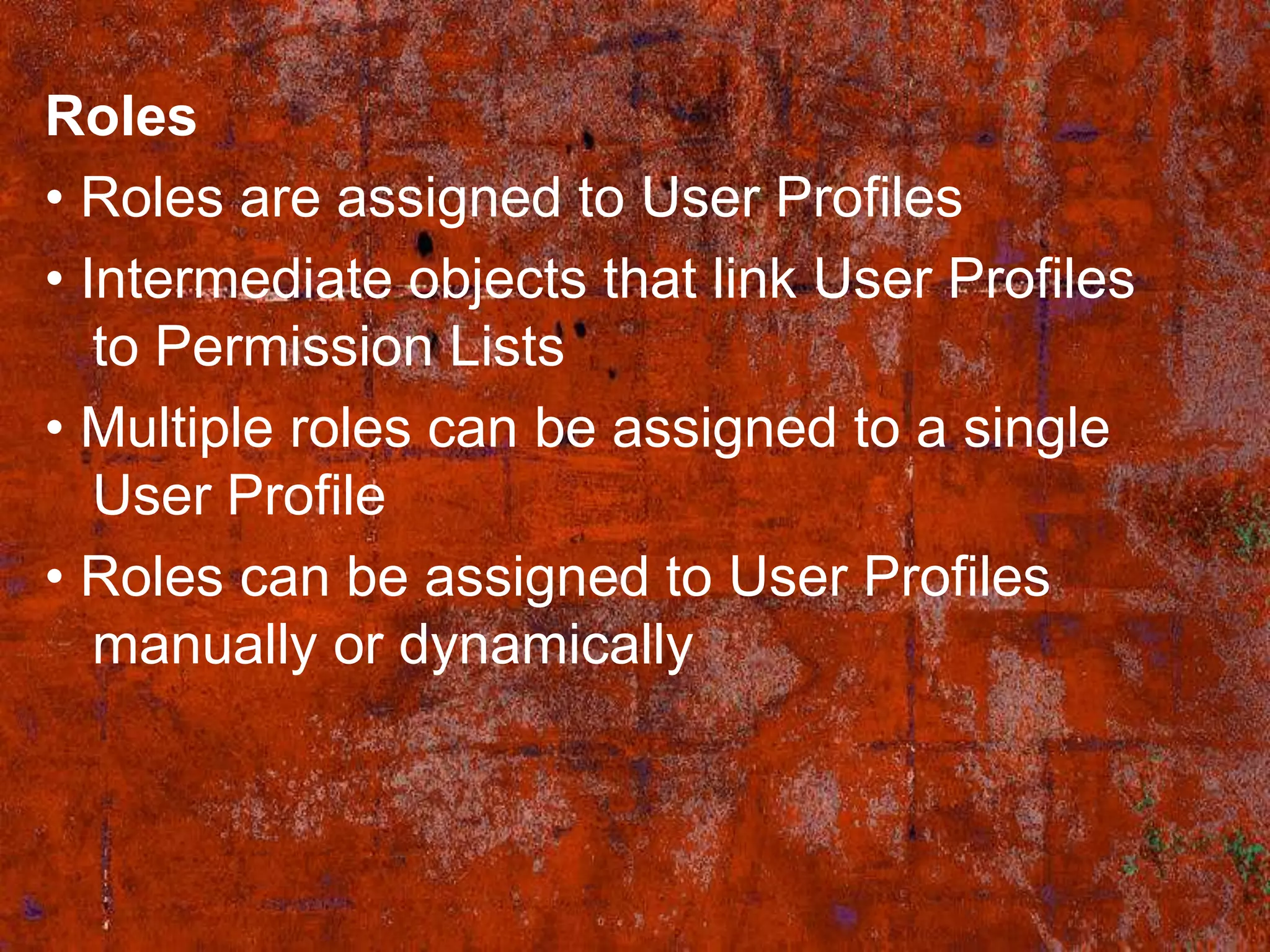
Roles
• Roles are assigned to User Profiles
• Intermediate objects that link User Profiles
   to Permission Lists
• Multiple roles can be assigned to a single
   User Profile
• Roles can be assigned to User Profiles
   manually or dynamically
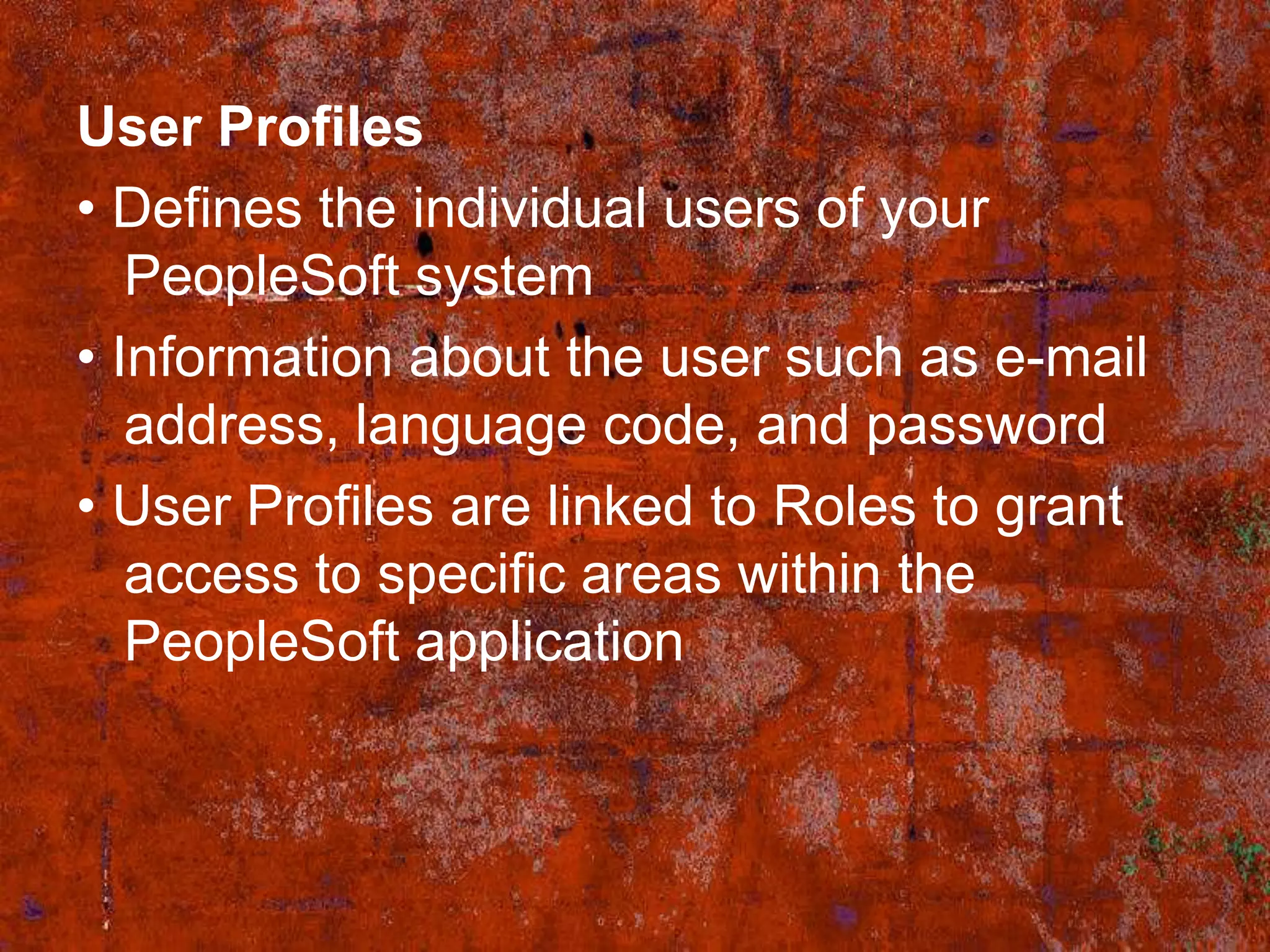
User Profiles
• Defines the individual users of your
   PeopleSoft system
• Information about the user such as e-mail
   address, language code, and password
• User Profiles are linked to Roles to grant
   access to specific areas within the
   PeopleSoft application
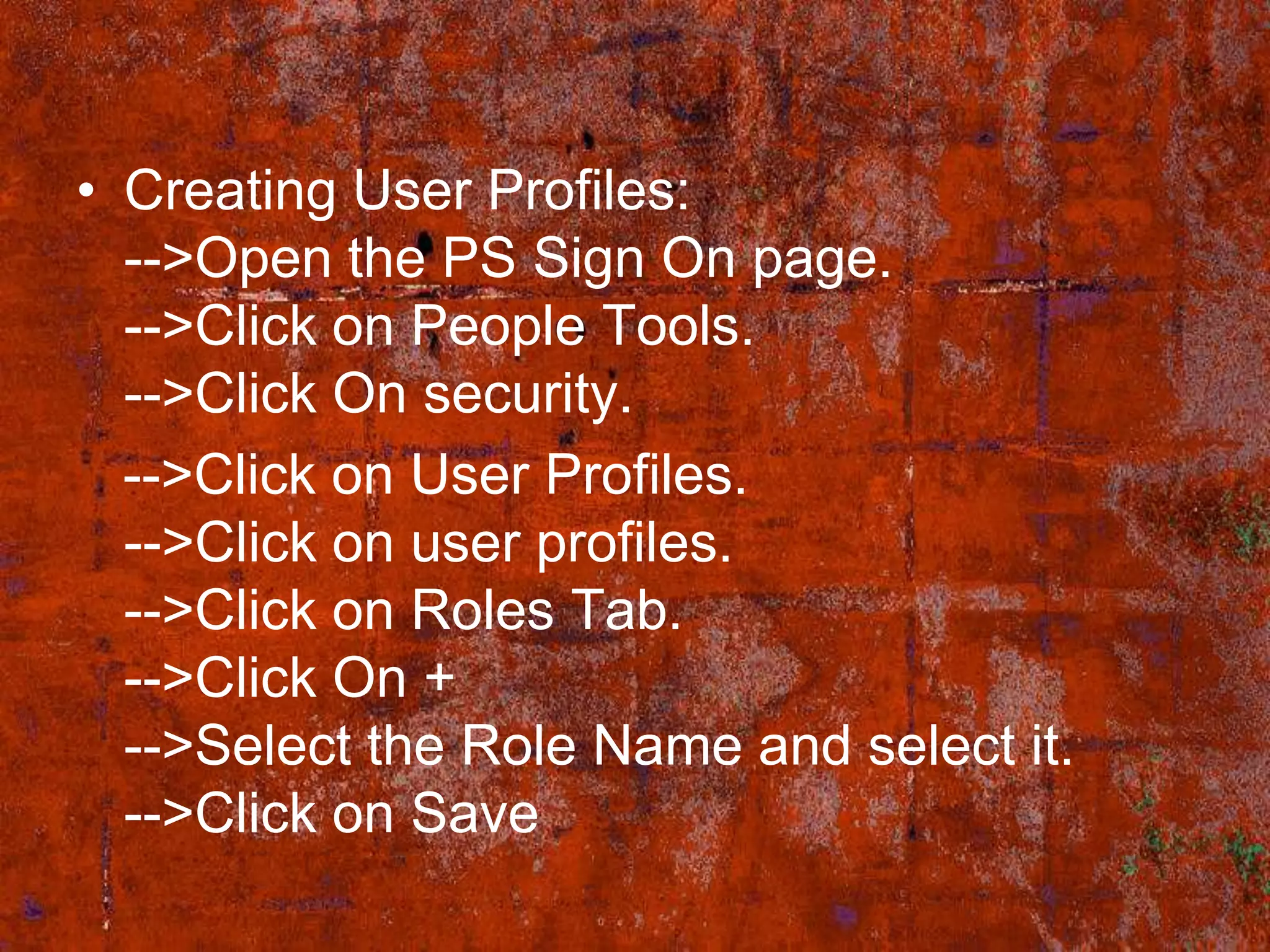
• Creating User Profiles:
  -->Open the PS Sign On page.
  -->Click on People Tools.
  -->Click On security.
  -->Click on User Profiles.
  -->Click on user profiles.
  -->Click on Roles Tab.
  -->Click On +
  -->Select the Role Name and select it.
  -->Click on Save
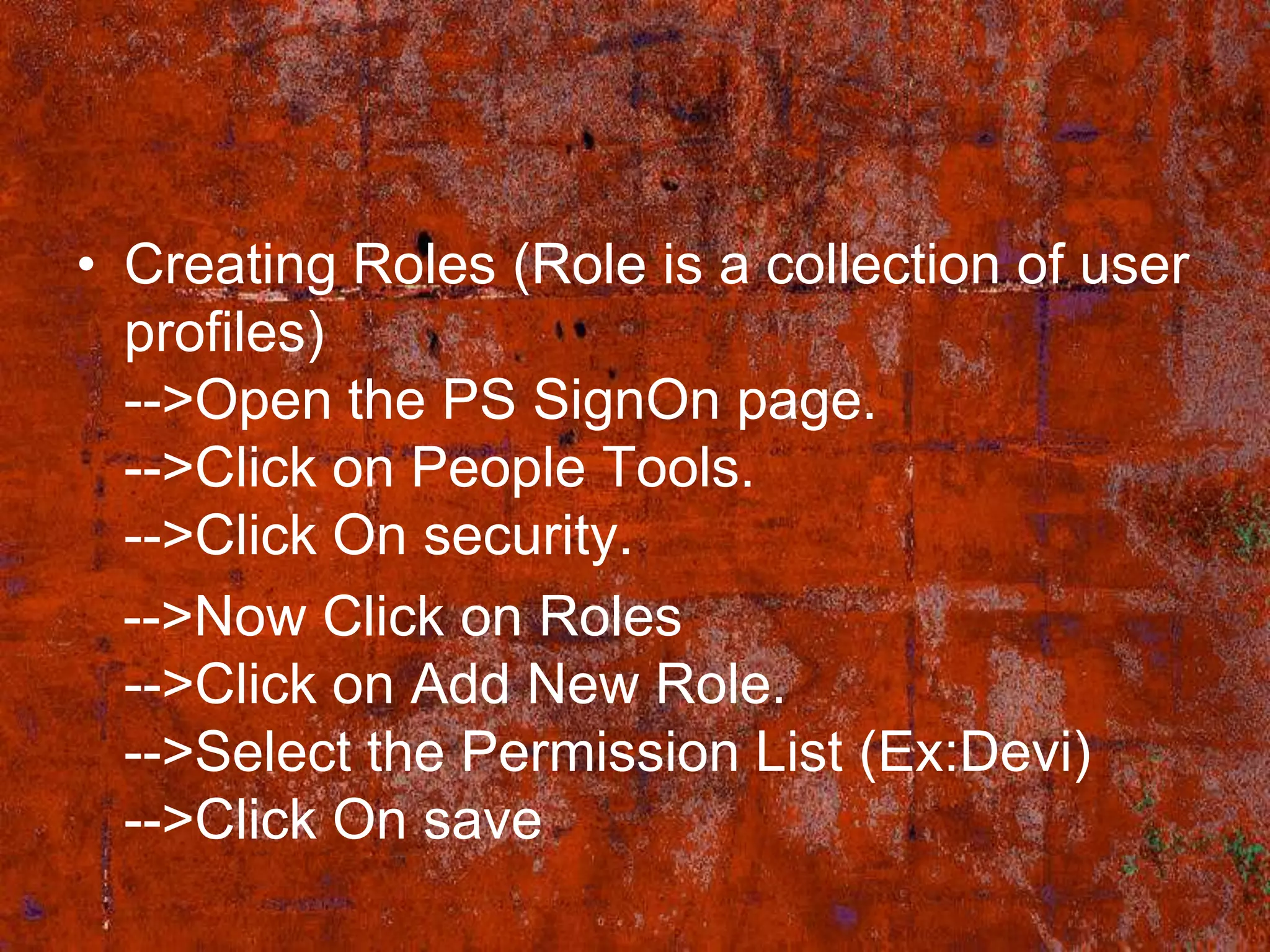
• Creating Roles (Role is a collection of user
  profiles)
  -->Open the PS SignOn page.
  -->Click on People Tools.
  -->Click On security.
  -->Now Click on Roles
  -->Click on Add New Role.
  -->Select the Permission List (Ex:Devi)
  -->Click On save
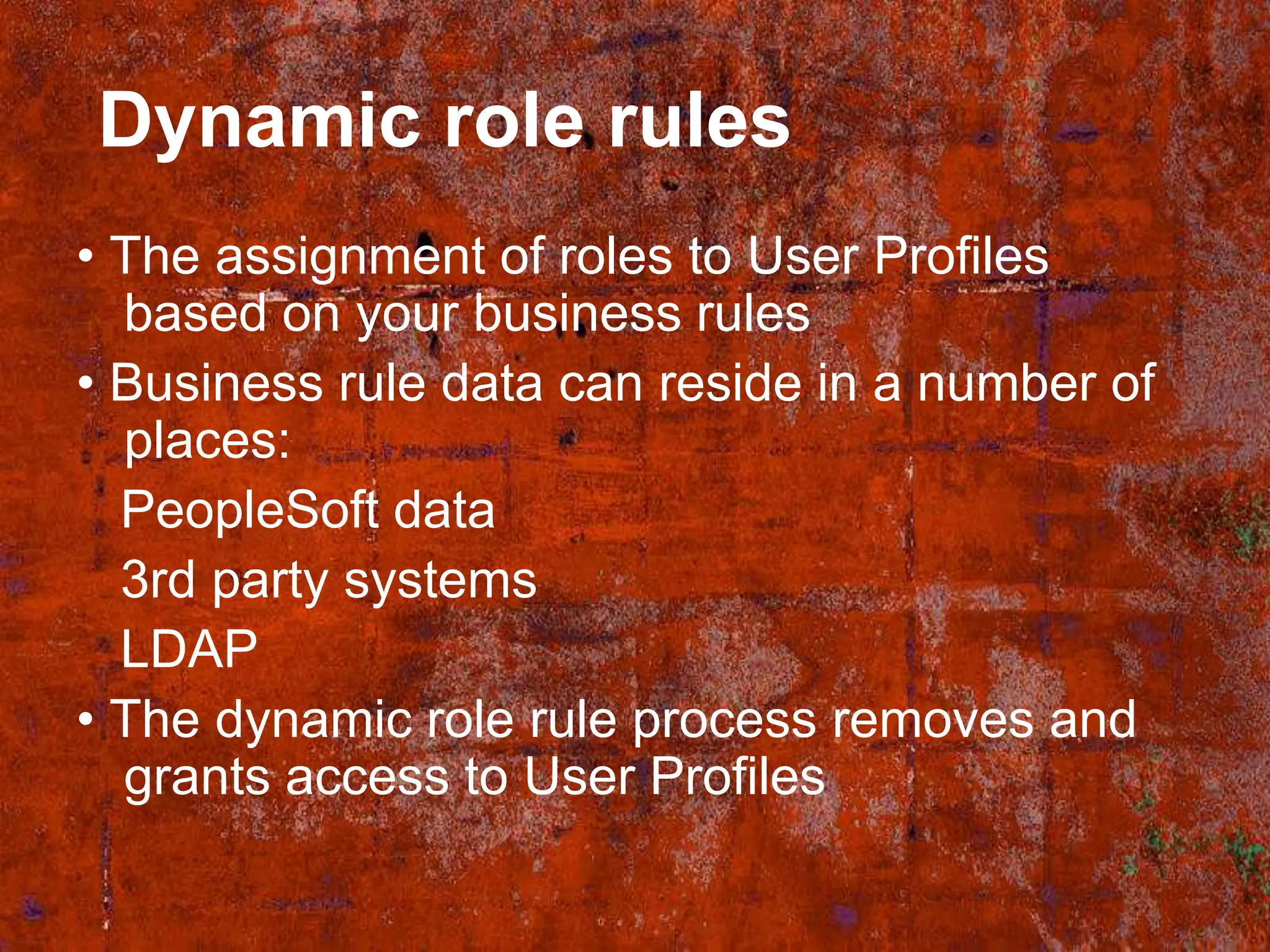
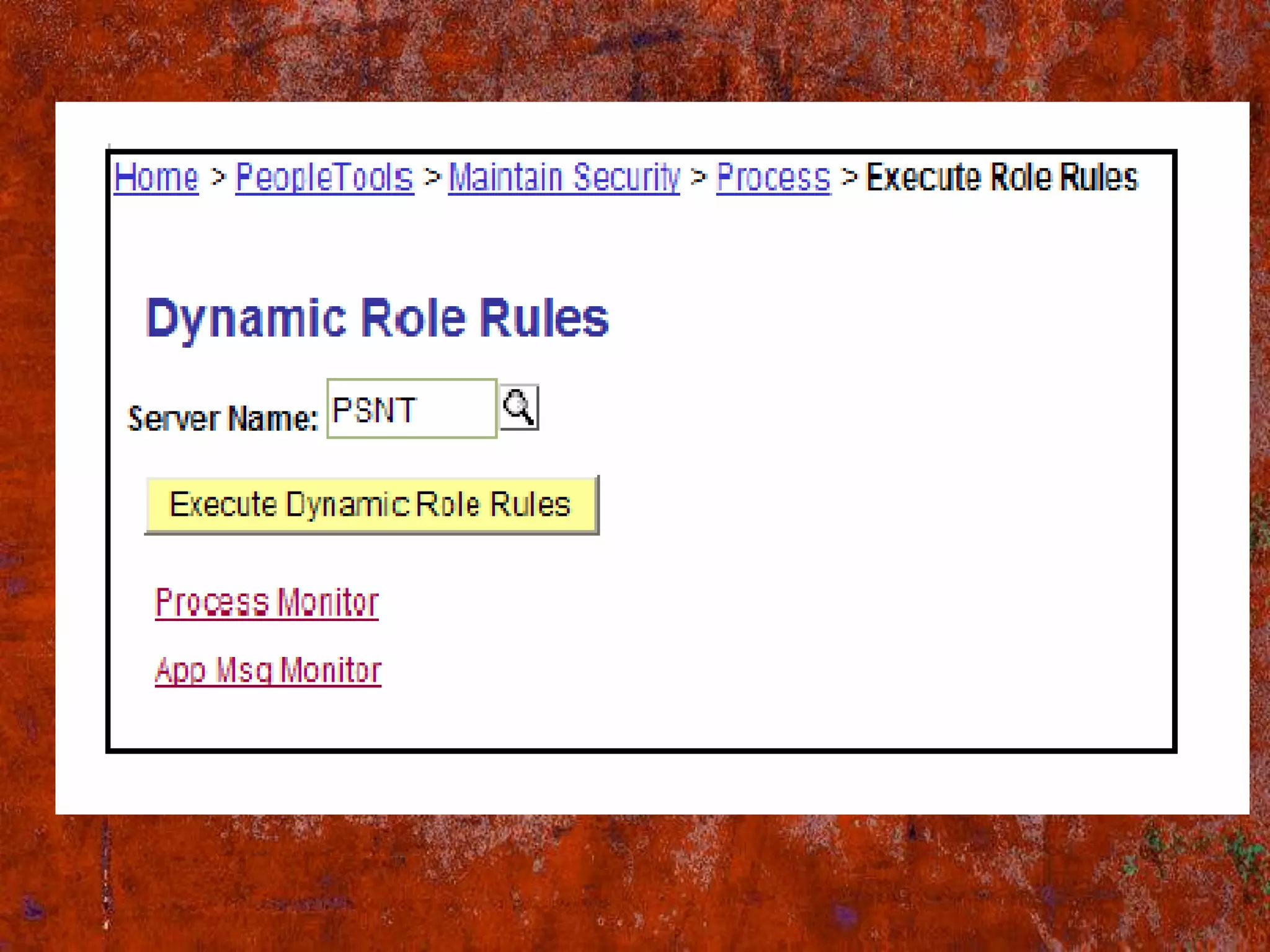
Dynamic role rules
• The assignment of roles to User Profiles
  based on your business rules
• Business rule data can reside in a number of
  places:
  PeopleSoft data
  3rd party systems
  LDAP
• The dynamic role rule process removes and
  grants access to User Profiles
Methods - Assigning dynamic
role rules

• There are three technologies you can use
  to execute your business rules:
• PS/Query
• LDAP Plug-in
• PeopleCode
Static role assignments
• Roles are assigned to User Profiles
  manually
• All security changes require manual
  intervention
• High administration costs
• High margin for human error
Building Role Rules -
PS/Query
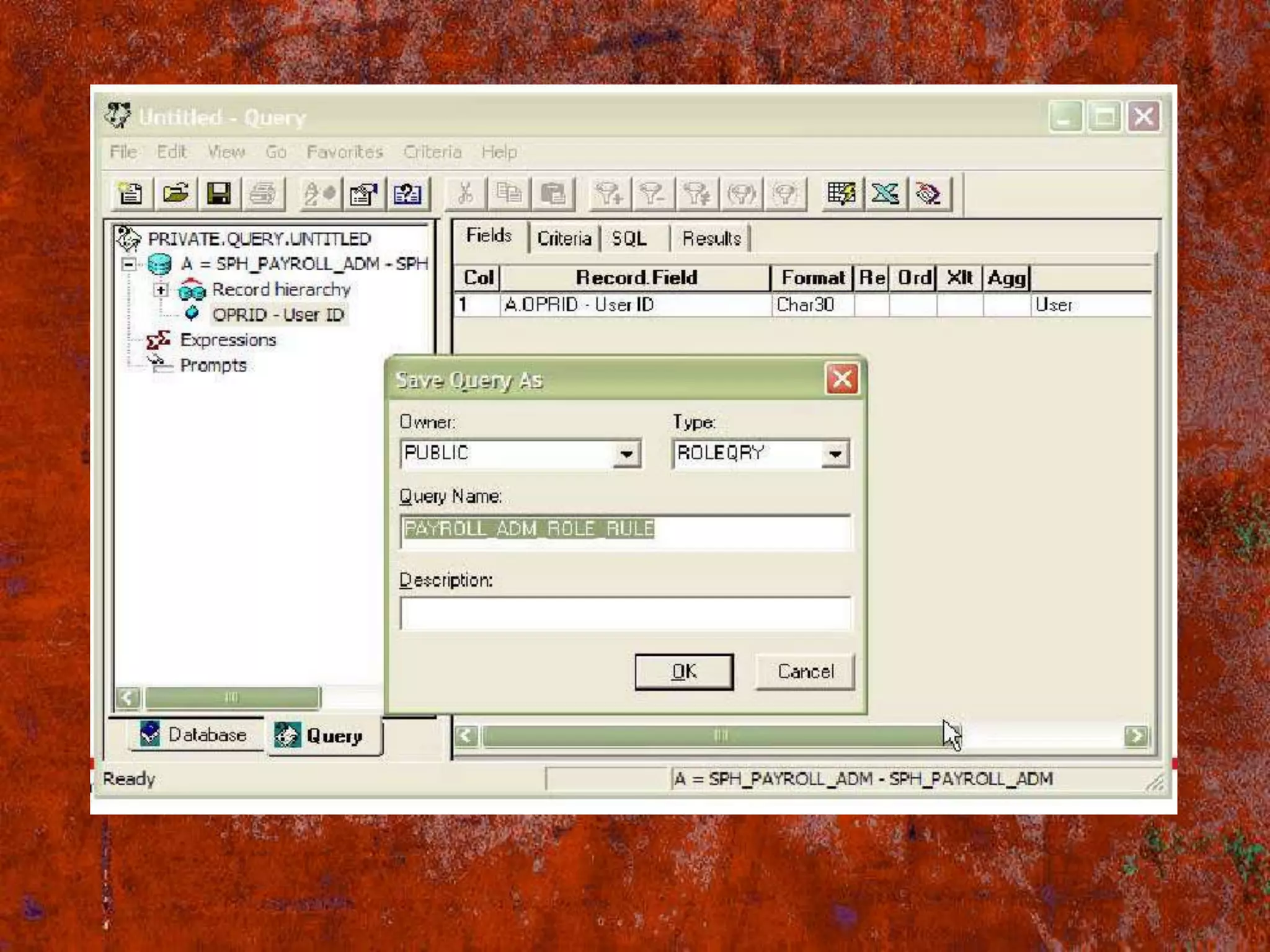
• PeopleSoft recommends using PS/Query
  to build role rules if the membership data
  resides in your PeopleSoft database
• Access is removed or granted based on
  the User Profile IDs retrieved by the query
• Business rules can be built into the View
  and/or Query
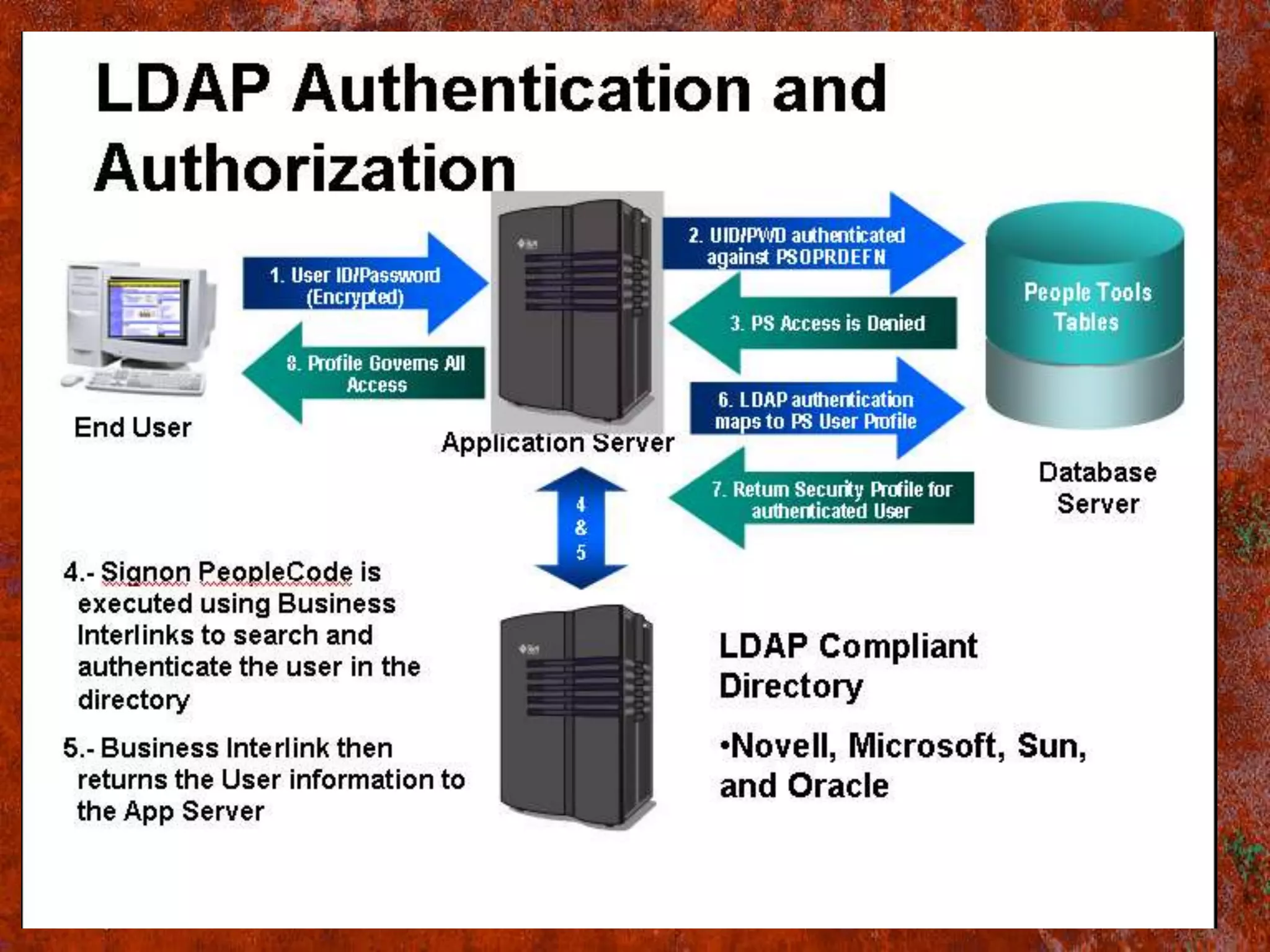
Assigning Roles - LDAP
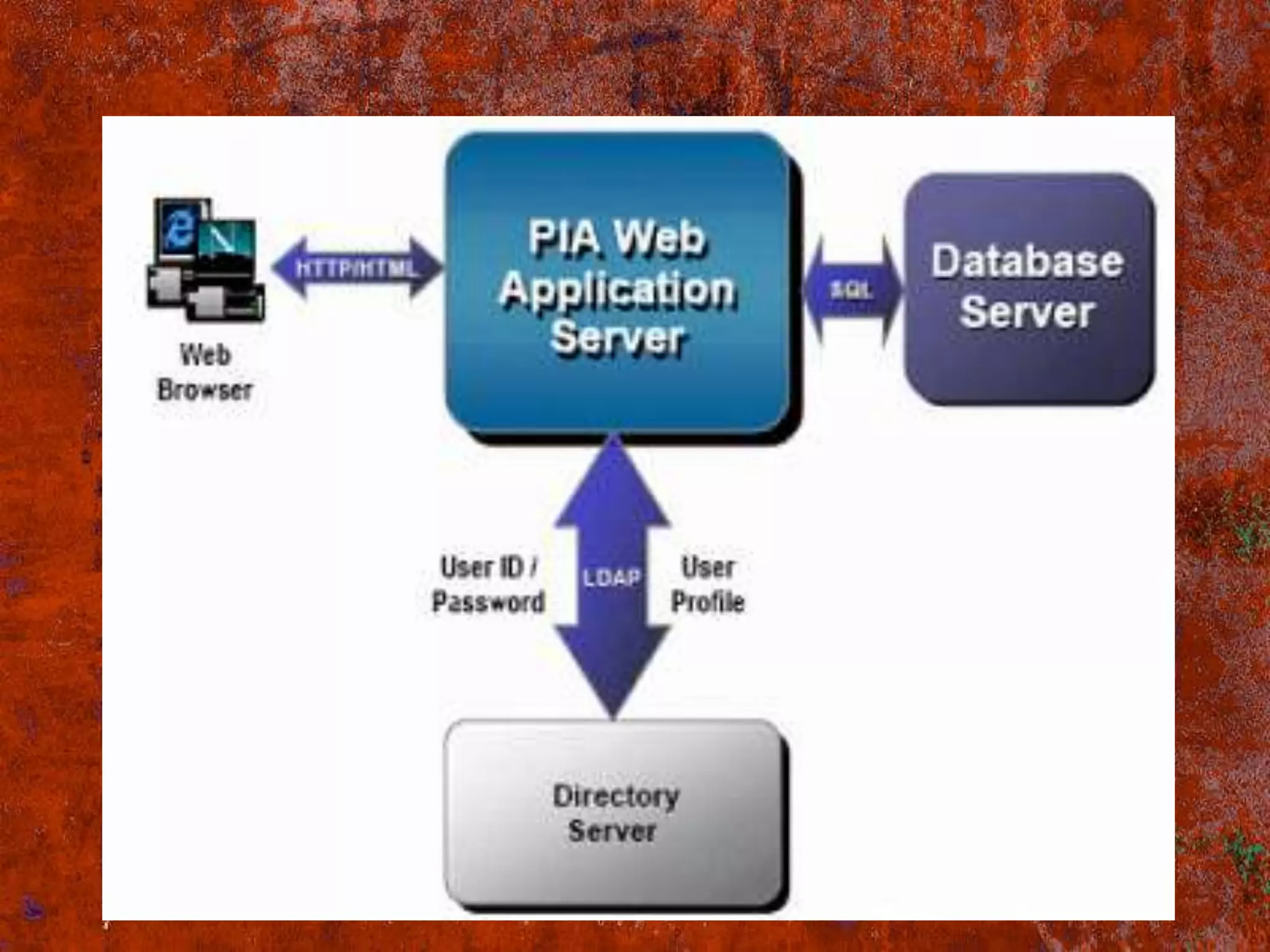
LDAP is an Internet protocol used to access
 a directory listing. Organizations typically
 store user profiles in a central
 repository, or directory server, that serves
 user information for all of the programs
 that require it.
 Userid : It is an id we enter at PS sign on
 dialog box. It is stored with in an LDAP
 directory server
• A directory server enables the
  maintenance of centralized user profile
  that can be used across all of the
  PeopleSoft and non-PeopleSoft
  applications. This approach reduces
  redundant maintenance of user
  information stored separately throughout
  the enterprise, and reduces the possibility
  of user information getting out of
  synchronization. Also, enabling the user
  profiles to be easily created and
  maintained and authenticated.
Assigning Roles - PeopleCode
• Membership data not contained within the
  PS database
• Data might exist on other 3rd party
  systems
• Extremely flexible
  – SQL Exec functions
  – Business Interlinks
  – Component Interfaces
  – IB- Integration Broker
• BI- Business Interlinks (call from PS to
  other application). Using this
  technology, we can use/call other
  application business logic from PS.
• CI- Component Interface (Call from other
  application to PS) using this
  technology, other application can use/call
  PS business logic in the form of DLL.
• IB- Integration Broker - Peoplesoft's Hub.
  Heart of PIA. It's a middleware which is
  used to establish this connection between
  PS applications and 3rd party trade
  partners.In Architecture level,IB contains
  two major parts
  1. Integration Gateway(in web server)
   2. Integration Engine(in App server)
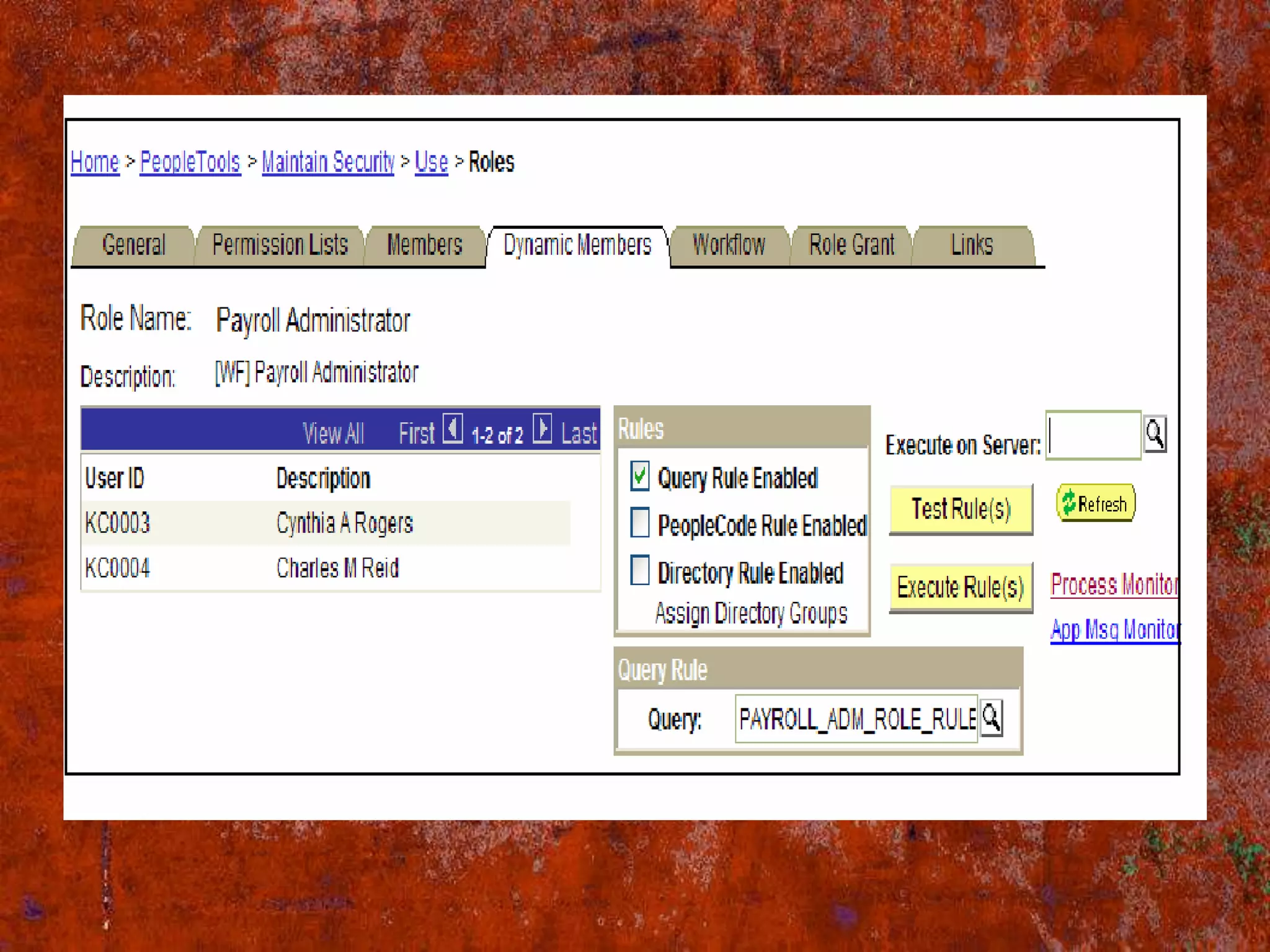
View the Dynamic Members
• Dynamic members attached to the role can
  be viewed when looking at the role
  definition
• Navigate to PeopleTools Maintain Security
  Use Roles
• Click on the Dynamic Members tab
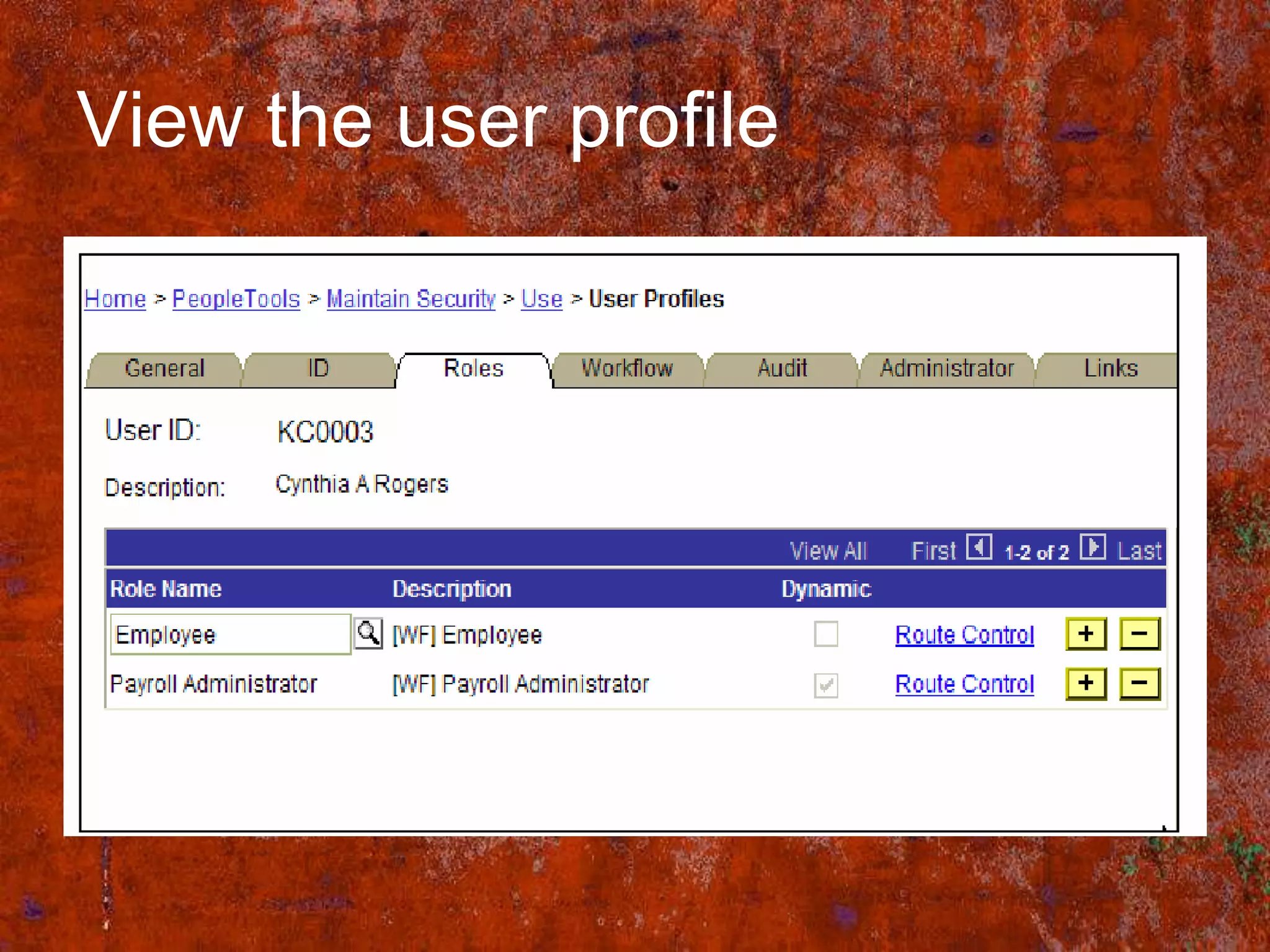
View the user profile
Summary
• Define your business rules
• Develop your dynamic roles based on the
  business rules defined by your organization
• Three technologies used to develop dynamic
  roles
• PS/Query
• PeopleCode
• LDAP
Implementing security in PS
Devi
Devi
Devi

Devi

  • 1.
  • 2.
    Agenda Components of PSSecurity Security Model User Profiles Roles Permission List. Dynamic Roles Static Roles Building Roles/Rules Using PS Query Assigning Roles LDAP Assigning Roles to PeopleCode View The Dynamic Members Conclusion Implementing security in ps
  • 3.
    • Security isthe degree of protection against danger, damage, loss, and crime. • In people soft we can implement security in 6 ways Sign on and Time-out ,Page and dialog ,Batch environment ,Definition, Application data, PIA
  • 4.
    Components of PSSecurity • Three major building blocks used when defining your PeopleSoft security Permission Lists Roles User Profiles
  • 6.
    Permission List • Lowestlevel of PeopleSoft security • It is a list of authorizations we assign to roles • Grants access to pages, People Tools, and sign-on times ,like application designer • Multiple Permission Lists can be assigned to a single role
  • 7.
    Roles • Roles areassigned to User Profiles • Intermediate objects that link User Profiles to Permission Lists • Multiple roles can be assigned to a single User Profile • Roles can be assigned to User Profiles manually or dynamically
  • 8.
    User Profiles • Definesthe individual users of your PeopleSoft system • Information about the user such as e-mail address, language code, and password • User Profiles are linked to Roles to grant access to specific areas within the PeopleSoft application
  • 9.
    • Creating UserProfiles: -->Open the PS Sign On page. -->Click on People Tools. -->Click On security. -->Click on User Profiles. -->Click on user profiles. -->Click on Roles Tab. -->Click On + -->Select the Role Name and select it. -->Click on Save
  • 10.
    • Creating Roles(Role is a collection of user profiles) -->Open the PS SignOn page. -->Click on People Tools. -->Click On security. -->Now Click on Roles -->Click on Add New Role. -->Select the Permission List (Ex:Devi) -->Click On save
  • 12.
    Dynamic role rules •The assignment of roles to User Profiles based on your business rules • Business rule data can reside in a number of places: PeopleSoft data 3rd party systems LDAP • The dynamic role rule process removes and grants access to User Profiles
  • 13.
    Methods - Assigningdynamic role rules • There are three technologies you can use to execute your business rules: • PS/Query • LDAP Plug-in • PeopleCode
  • 15.
    Static role assignments •Roles are assigned to User Profiles manually • All security changes require manual intervention • High administration costs • High margin for human error
  • 16.
    Building Role Rules- PS/Query • PeopleSoft recommends using PS/Query to build role rules if the membership data resides in your PeopleSoft database • Access is removed or granted based on the User Profile IDs retrieved by the query • Business rules can be built into the View and/or Query
  • 18.
    Assigning Roles -LDAP LDAP is an Internet protocol used to access a directory listing. Organizations typically store user profiles in a central repository, or directory server, that serves user information for all of the programs that require it. Userid : It is an id we enter at PS sign on dialog box. It is stored with in an LDAP directory server
  • 20.
    • A directoryserver enables the maintenance of centralized user profile that can be used across all of the PeopleSoft and non-PeopleSoft applications. This approach reduces redundant maintenance of user information stored separately throughout the enterprise, and reduces the possibility of user information getting out of synchronization. Also, enabling the user profiles to be easily created and maintained and authenticated.
  • 22.
    Assigning Roles -PeopleCode • Membership data not contained within the PS database • Data might exist on other 3rd party systems • Extremely flexible – SQL Exec functions – Business Interlinks – Component Interfaces – IB- Integration Broker
  • 23.
    • BI- BusinessInterlinks (call from PS to other application). Using this technology, we can use/call other application business logic from PS. • CI- Component Interface (Call from other application to PS) using this technology, other application can use/call PS business logic in the form of DLL.
  • 24.
    • IB- IntegrationBroker - Peoplesoft's Hub. Heart of PIA. It's a middleware which is used to establish this connection between PS applications and 3rd party trade partners.In Architecture level,IB contains two major parts 1. Integration Gateway(in web server) 2. Integration Engine(in App server)
  • 25.
    View the DynamicMembers • Dynamic members attached to the role can be viewed when looking at the role definition • Navigate to PeopleTools Maintain Security Use Roles • Click on the Dynamic Members tab
  • 27.
  • 28.
    Summary • Define yourbusiness rules • Develop your dynamic roles based on the business rules defined by your organization • Three technologies used to develop dynamic roles • PS/Query • PeopleCode • LDAP
  • 29.