Secure and Managed File Transfer Attachmate's MFT Solutions 
Klaus Hild Systems Engineer Collaboration & File Management 
khild@novell.com 
Jörg Bunse 
Systems Engineer 
Reflection Product Family 
joerg.bunse@attachmate.com
© Novell, Inc. All rights reserved. 
2 
Why Managed File Transfer? 
•Integration 
•Continuous, automated transfer between systems and/or applications 
•Distributed applications such as POS, CAx or PPS (Production Planning and Scheduling) 
•Collaboration 
•Semi-automated transfer between systems and persons/users 
•Large/very large files 
•Sensitive information, requirering a detailed audit trail and guaranteed delivery
© Novell, Inc. All rights reserved. 
3 
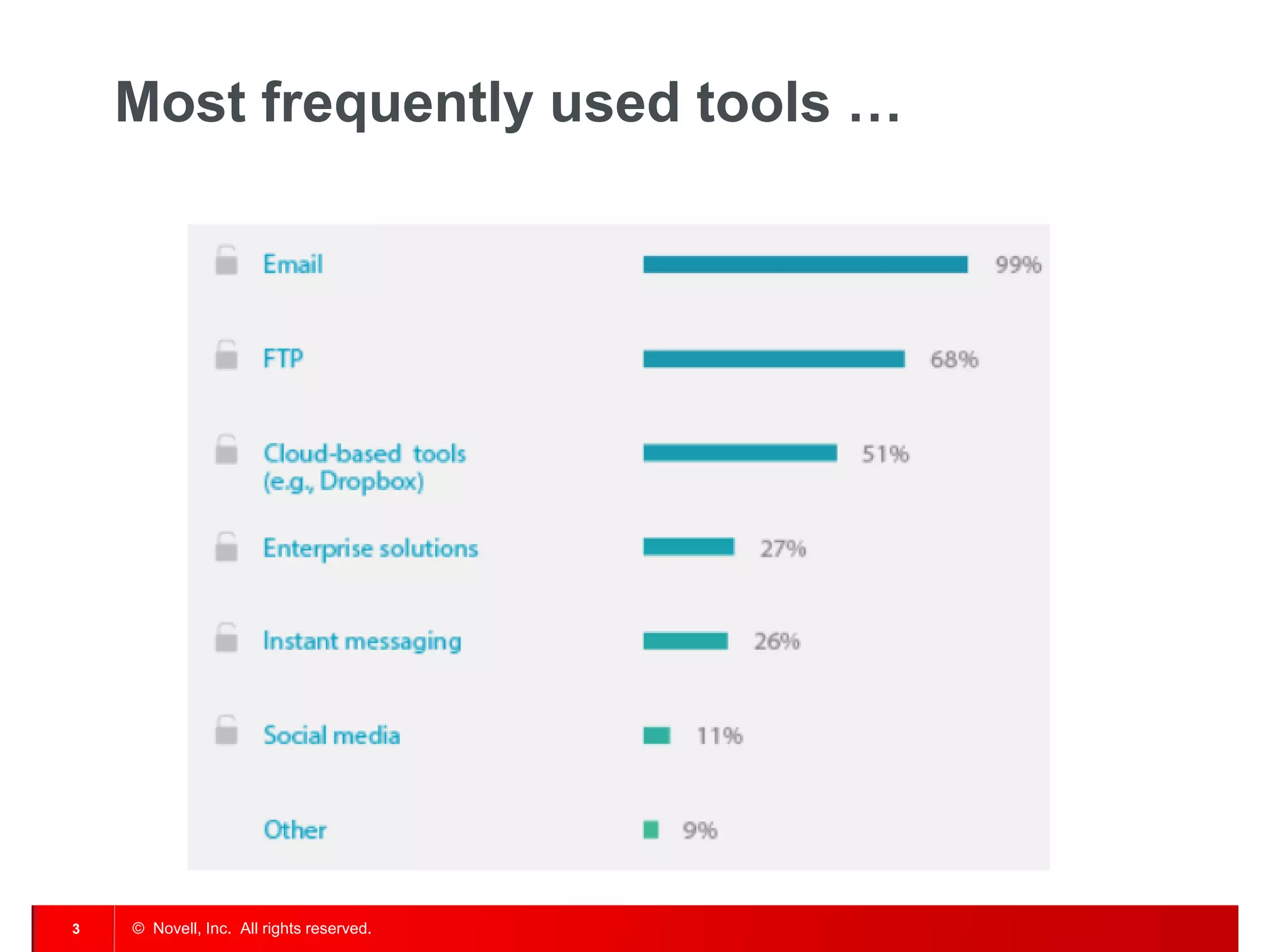
Most frequently used tools …
© Novell, Inc. All rights reserved. 
4 
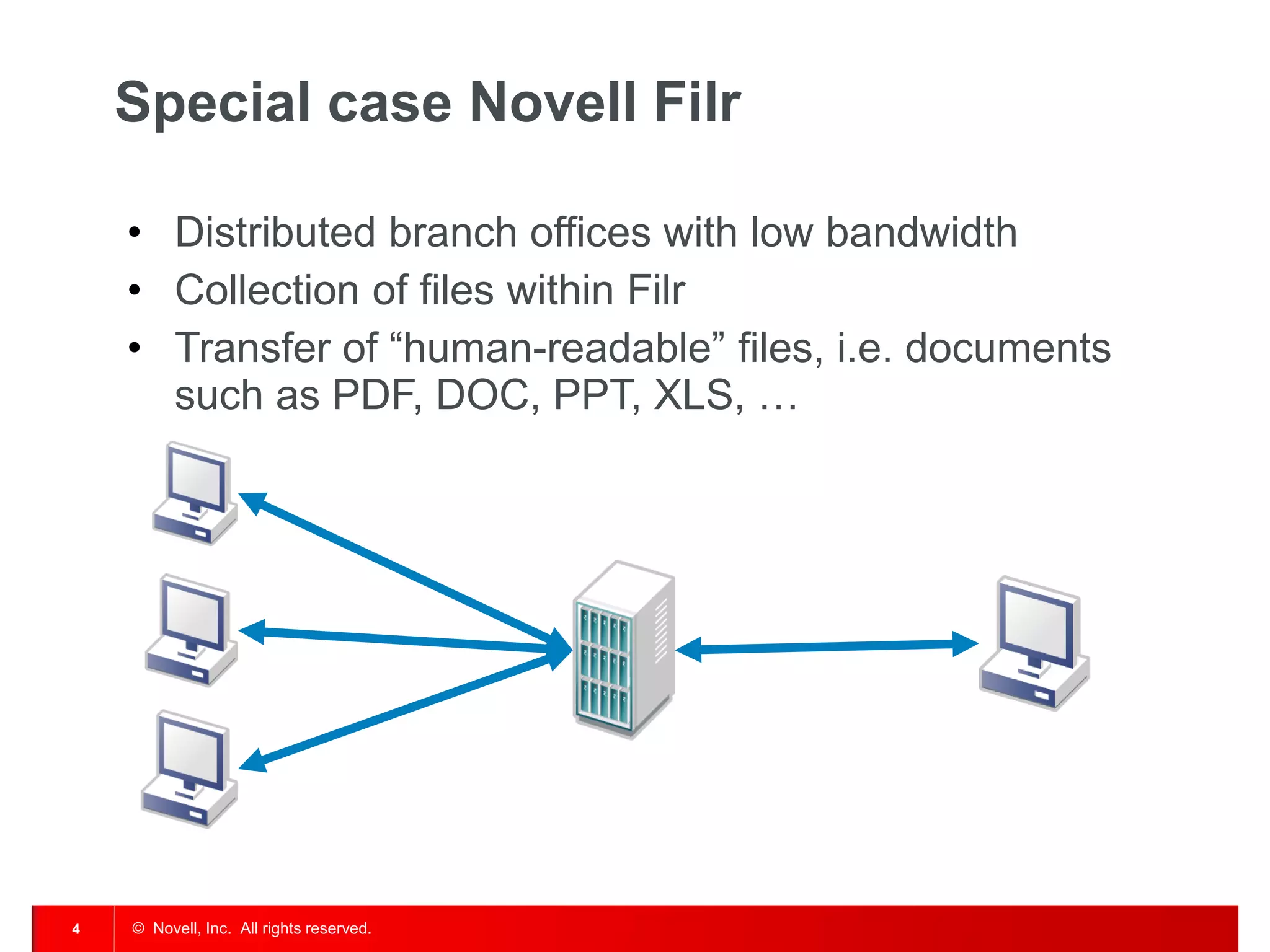
Special case Novell Filr 
•Distributed branch offices with low bandwidth 
•Collection of files within Filr 
•Transfer of “human-readable” files, i.e. documents such as PDF, DOC, PPT, XLS, …
© Novell, Inc. All rights reserved. 
5 
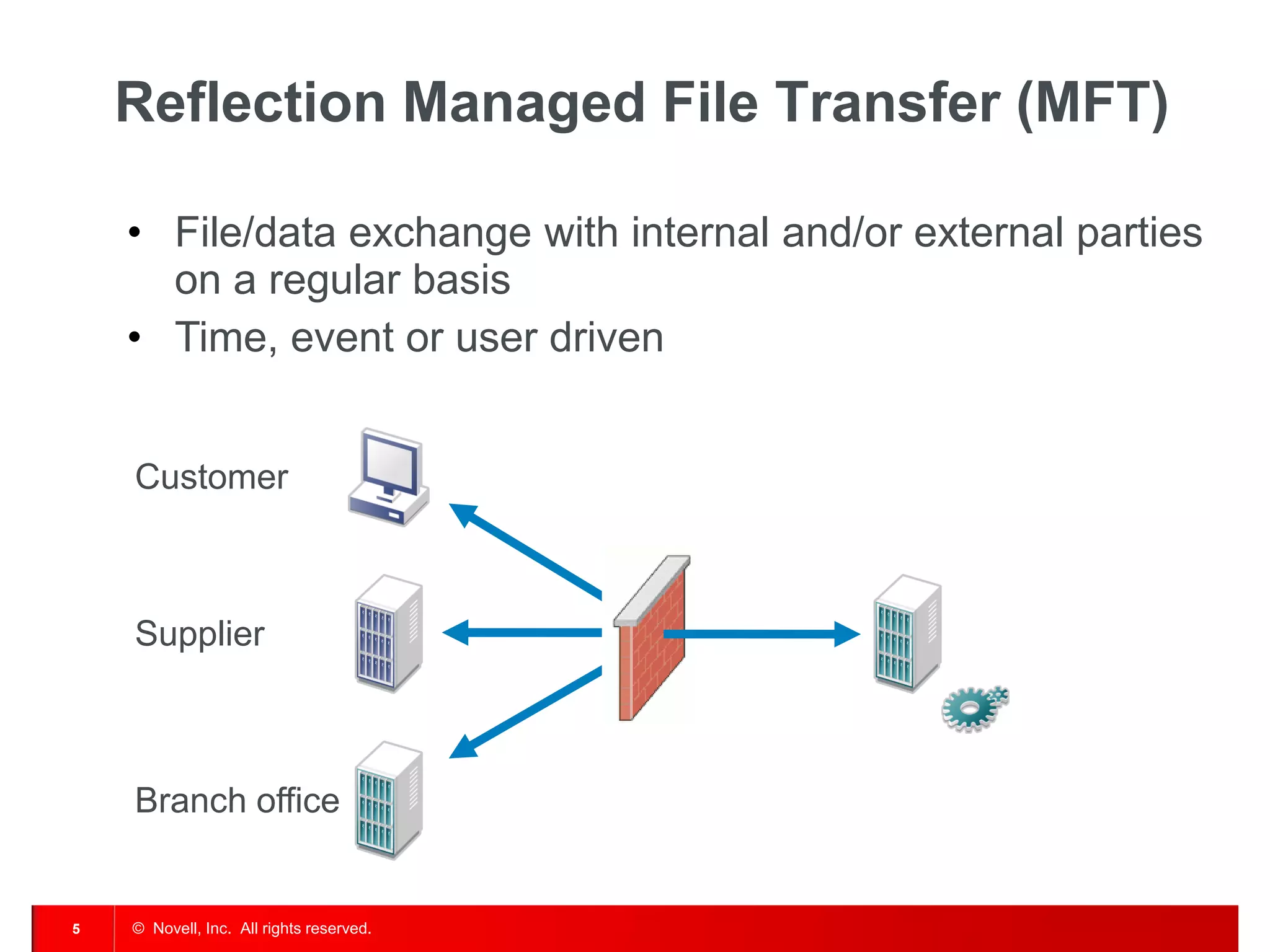
Reflection Managed File Transfer (MFT) 
•File/data exchange with internal and/or external parties on a regular basis 
•Time, event or user driven 
Branch office 
Supplier 
Customer
© Novell, Inc. All rights reserved. 
6 
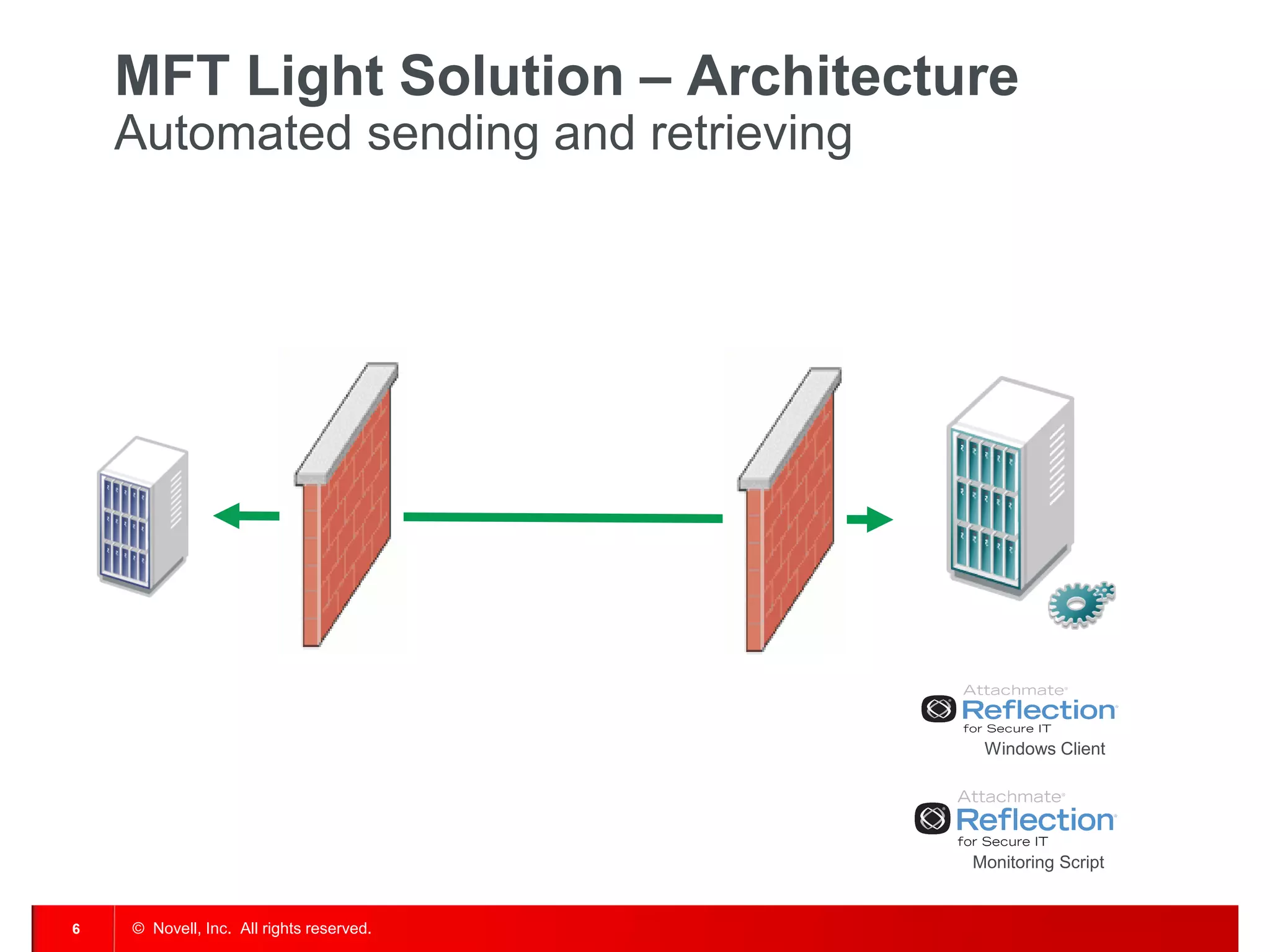
MFT Light Solution – Architecture Automated sending and retrieving 
Monitoring Script 
Windows Client
© Novell, Inc. All rights reserved. 
7 
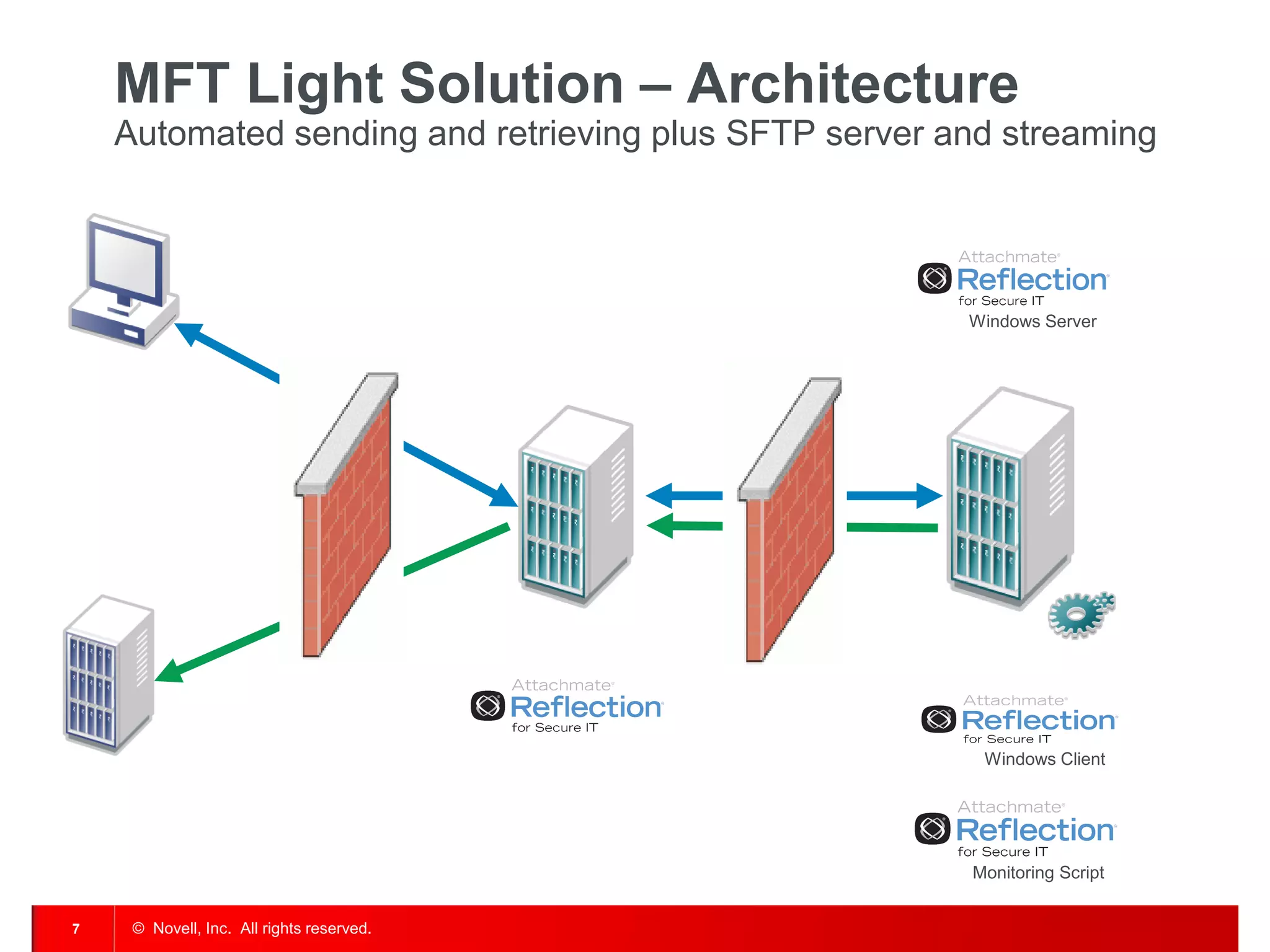
MFT Light Solution – Architecture Automated sending and retrieving plus SFTP server and streaming 
Monitoring Script 
Windows Client 
Windows Server
© Novell, Inc. All rights reserved. 
8 
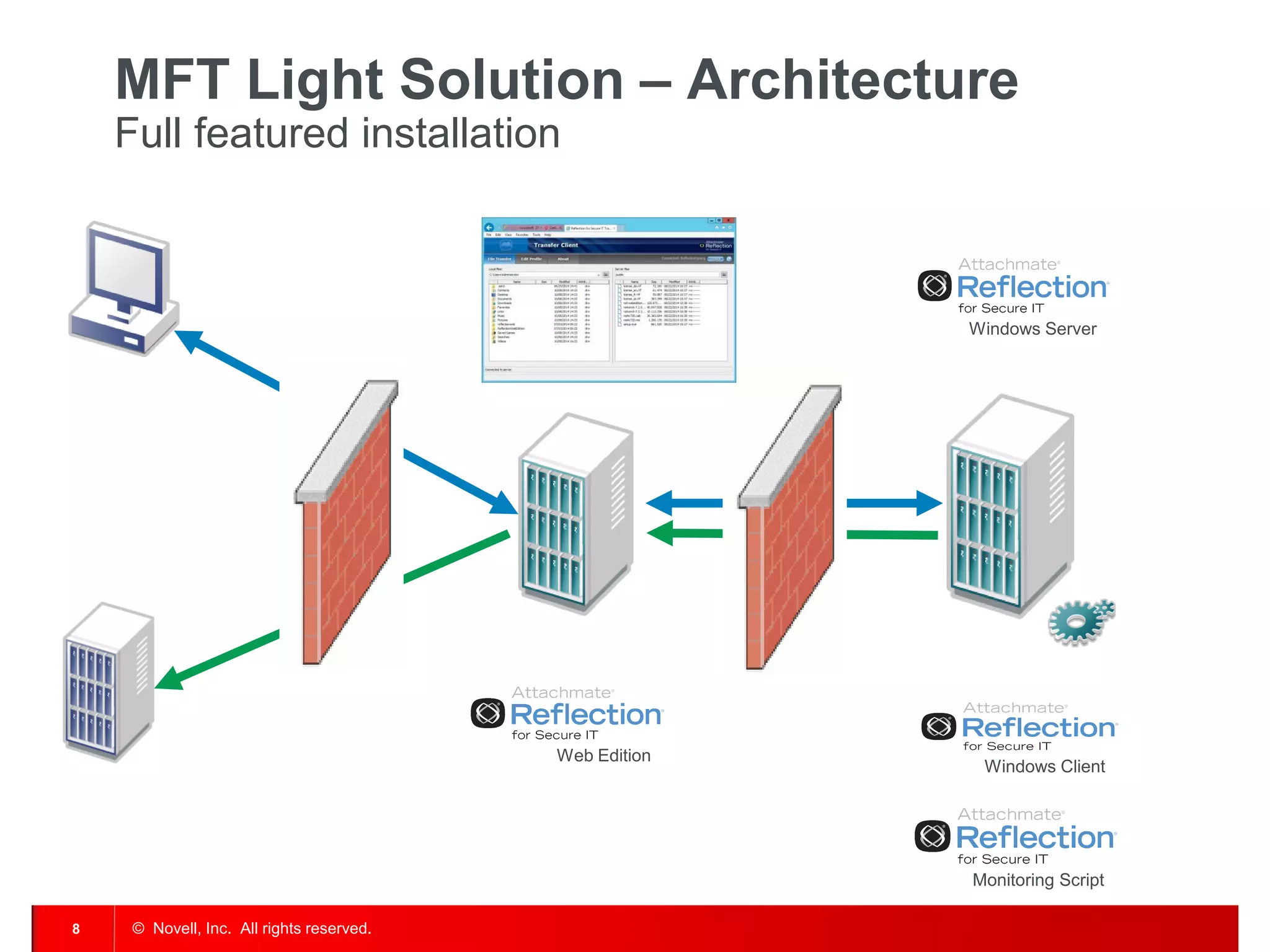
MFT Light Solution – Architecture Full featured installation 
Web Edition 
Monitoring Script 
Windows Client 
Windows Server
© Novell, Inc. All rights reserved. 
9 
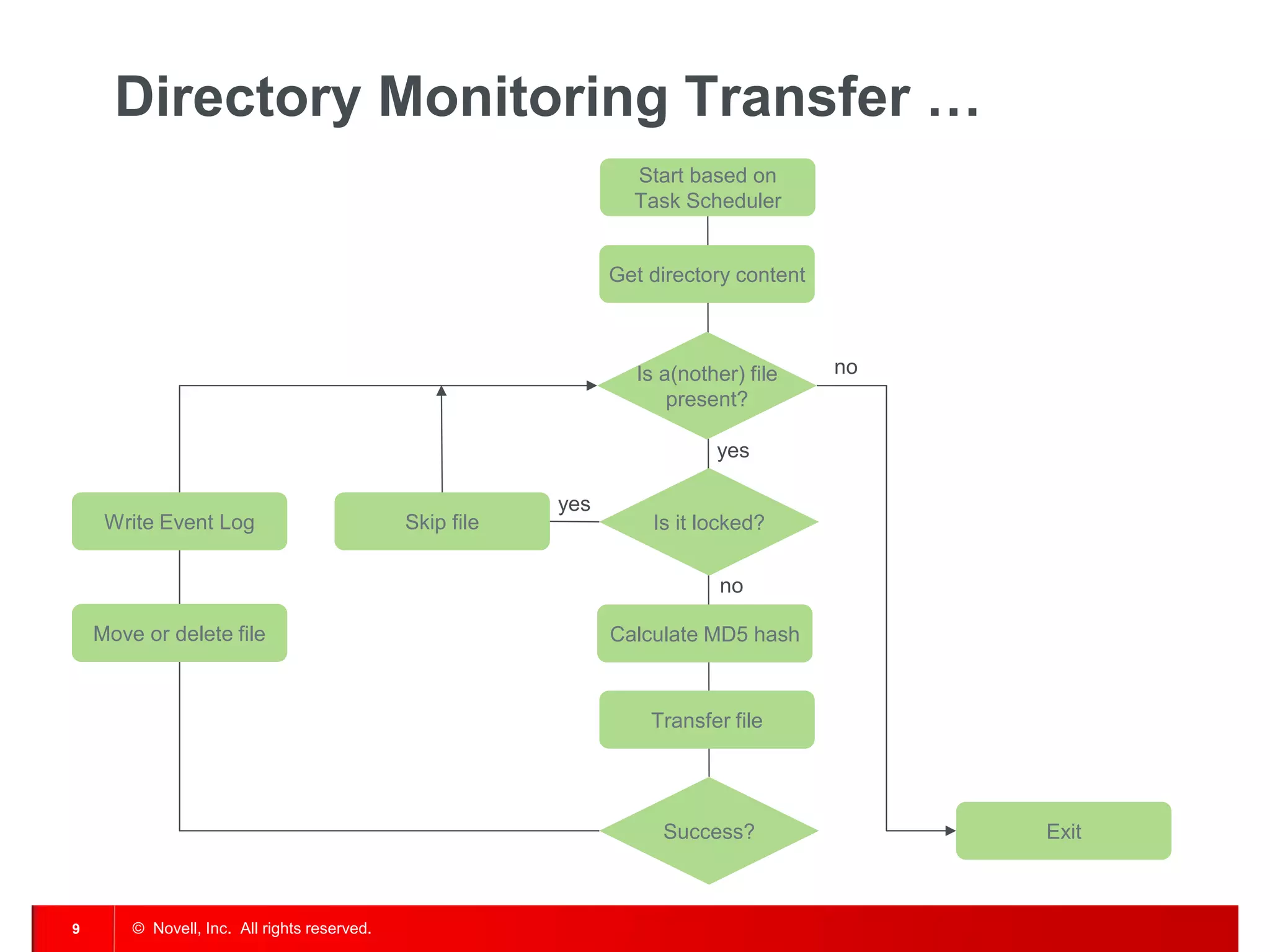
Directory Monitoring Transfer … 
Start based on 
Task Scheduler 
Is a(nother) file 
present? 
Get directory content 
Success? 
Calculate MD5 hash 
Is it locked? 
Transfer file 
Write Event Log 
Move or delete file 
Exit 
yes 
no 
no 
Skip file 
yes
© Novell, Inc. All rights reserved. 
10 
Demo
© Novell, Inc. All rights reserved. 
11 
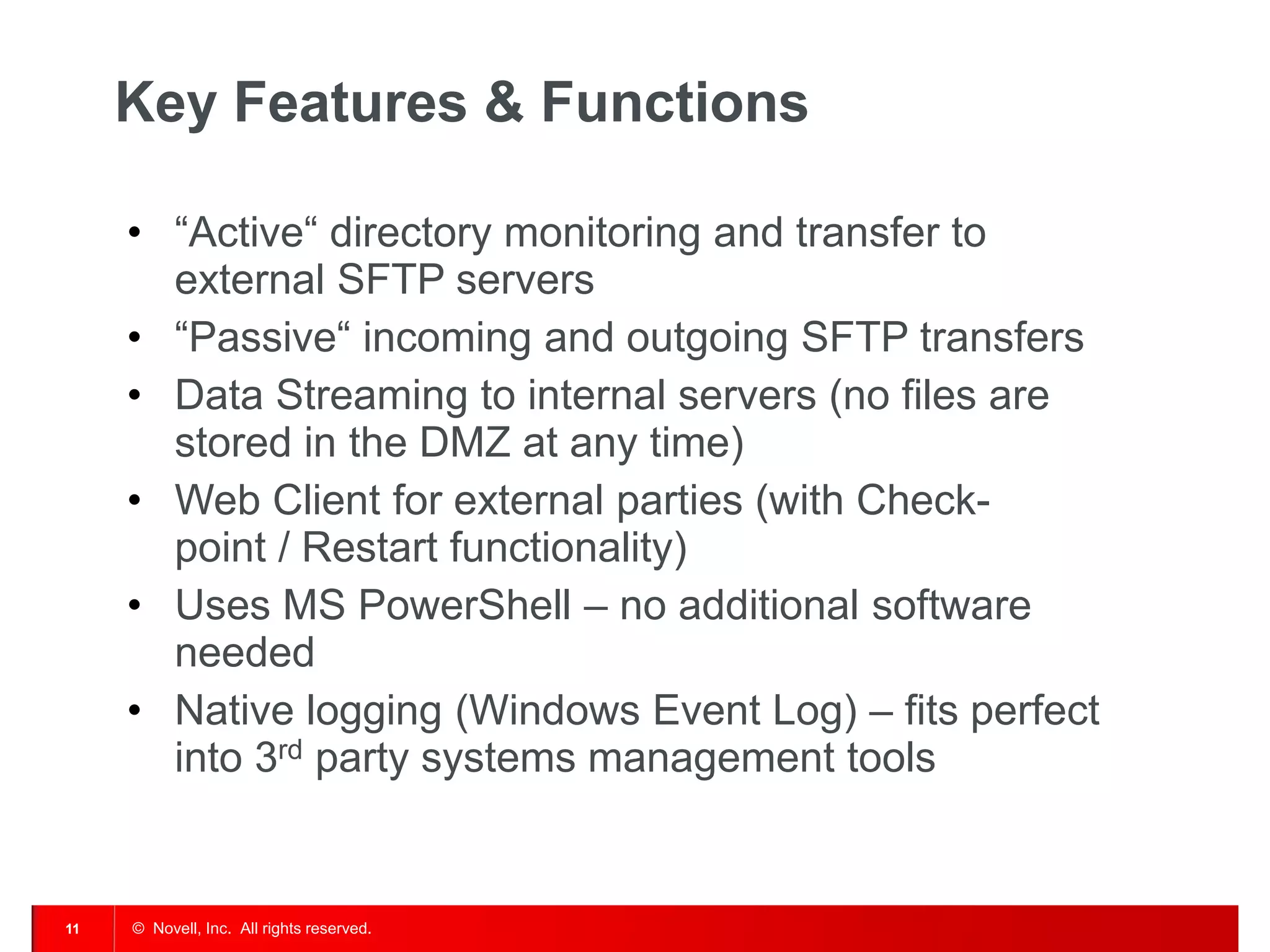
Key Features & Functions 
•“Active“ directory monitoring and transfer to external SFTP servers 
•“Passive“ incoming and outgoing SFTP transfers 
•Data Streaming to internal servers (no files are stored in the DMZ at any time) 
•Web Client for external parties (with Check- point / Restart functionality) 
•Uses MS PowerShell – no additional software needed 
•Native logging (Windows Event Log) – fits perfect into 3rd party systems management tools
© Novell, Inc. All rights reserved. 
12 
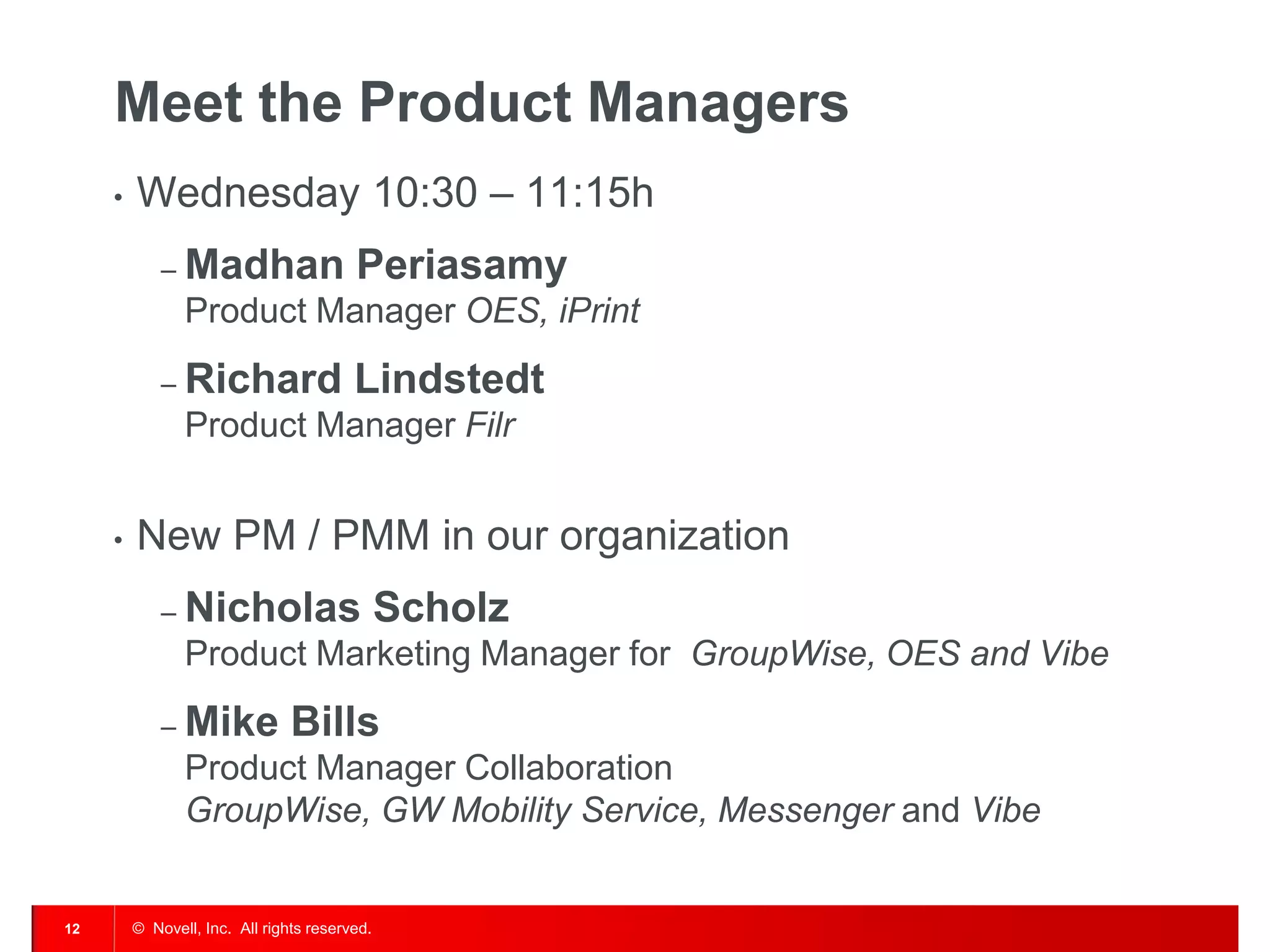
Meet the Product Managers 
•Wednesday 10:30 – 11:15h 
–Madhan Periasamy Product Manager OES, iPrint 
–Richard Lindstedt Product Manager Filr 
•New PM / PMM in our organization 
–Nicholas Scholz Product Marketing Manager for GroupWise, OES and Vibe 
–Mike Bills Product Manager Collaboration GroupWise, GW Mobility Service, Messenger and Vibe
© Novell, Inc. All rights reserved. 
13
801.861.7000 (Worldwide) 
800.453.1267 (Toll-free) 
Corporate Headquarters 
1800 South, Novell Place 
Provo, Utah 84606 
Join us on: 
www.novell.com 
© Novell, Inc. All rights reserved. 
14
© Novell, Inc. All rights reserved. 
15 
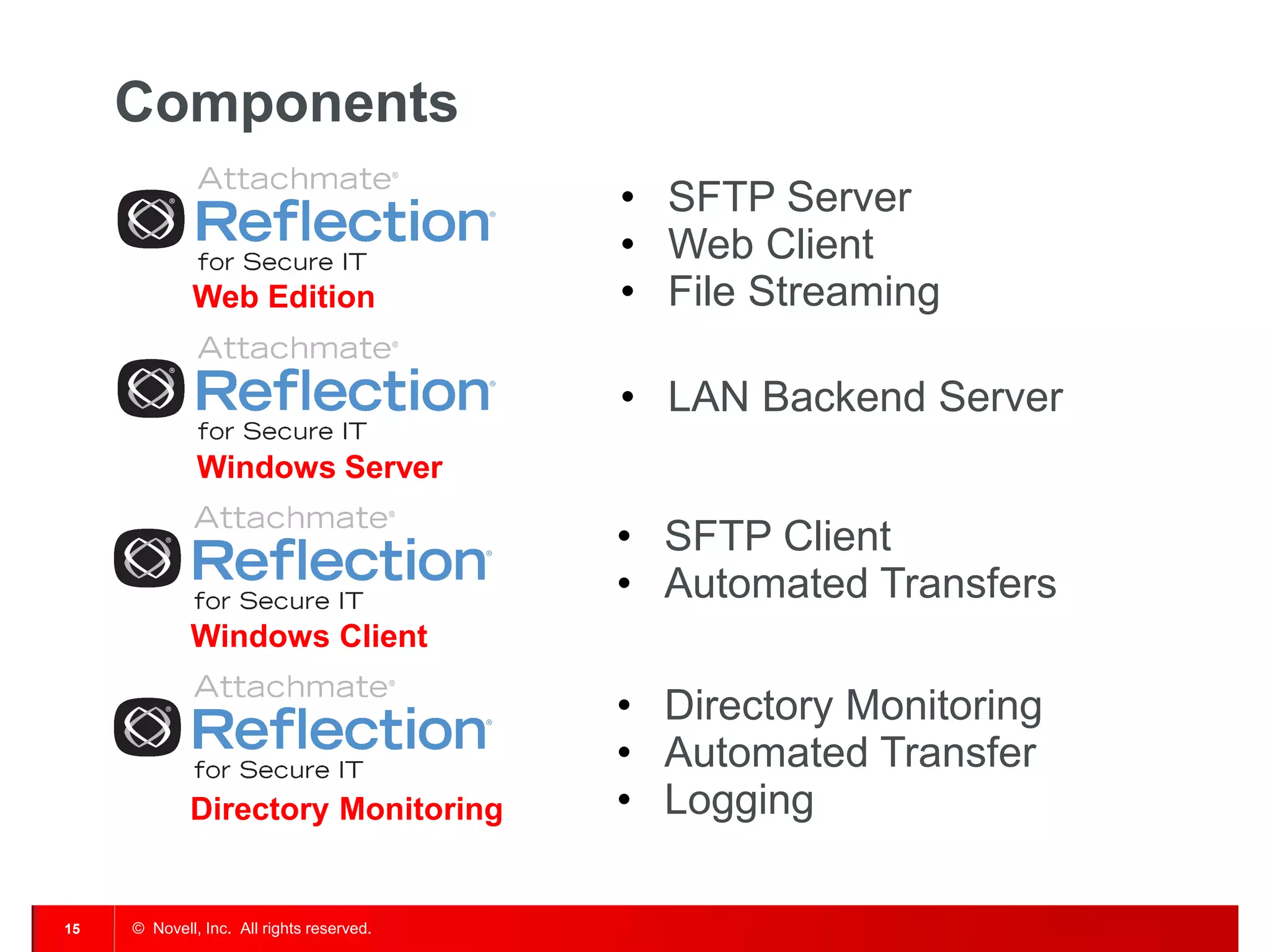
Components 
Web Edition 
•SFTP Server 
•Web Client 
•File Streaming 
Windows Client 
•SFTP Client 
•Automated Transfers 
Directory Monitoring 
•Directory Monitoring 
•Automated Transfer 
•Logging 
Windows Server 
•LAN Backend Server
This document could include technical inaccuracies or typographical errors. Changes are periodically made to the information herein. These changes may be incorporated in new editions of this document. Novell, Inc. may make improvements in or changes to the software described in this document at any time. 
Copyright © 2011 Novell, Inc. All rights reserved. 
All Novell marks referenced in this presentation are trademarks or registered trademarks of Novell, Inc. in the United States. All third-party trademarks are the property of their respective owners.

GWAVACon - Secure and managed file transfer (English)

  • 1.
    Secure and ManagedFile Transfer Attachmate's MFT Solutions Klaus Hild Systems Engineer Collaboration & File Management khild@novell.com Jörg Bunse Systems Engineer Reflection Product Family joerg.bunse@attachmate.com
  • 2.
    © Novell, Inc.All rights reserved. 2 Why Managed File Transfer? •Integration •Continuous, automated transfer between systems and/or applications •Distributed applications such as POS, CAx or PPS (Production Planning and Scheduling) •Collaboration •Semi-automated transfer between systems and persons/users •Large/very large files •Sensitive information, requirering a detailed audit trail and guaranteed delivery
  • 3.
    © Novell, Inc.All rights reserved. 3 Most frequently used tools …
  • 4.
    © Novell, Inc.All rights reserved. 4 Special case Novell Filr •Distributed branch offices with low bandwidth •Collection of files within Filr •Transfer of “human-readable” files, i.e. documents such as PDF, DOC, PPT, XLS, …
  • 5.
    © Novell, Inc.All rights reserved. 5 Reflection Managed File Transfer (MFT) •File/data exchange with internal and/or external parties on a regular basis •Time, event or user driven Branch office Supplier Customer
  • 6.
    © Novell, Inc.All rights reserved. 6 MFT Light Solution – Architecture Automated sending and retrieving Monitoring Script Windows Client
  • 7.
    © Novell, Inc.All rights reserved. 7 MFT Light Solution – Architecture Automated sending and retrieving plus SFTP server and streaming Monitoring Script Windows Client Windows Server
  • 8.
    © Novell, Inc.All rights reserved. 8 MFT Light Solution – Architecture Full featured installation Web Edition Monitoring Script Windows Client Windows Server
  • 9.
    © Novell, Inc.All rights reserved. 9 Directory Monitoring Transfer … Start based on Task Scheduler Is a(nother) file present? Get directory content Success? Calculate MD5 hash Is it locked? Transfer file Write Event Log Move or delete file Exit yes no no Skip file yes
  • 10.
    © Novell, Inc.All rights reserved. 10 Demo
  • 11.
    © Novell, Inc.All rights reserved. 11 Key Features & Functions •“Active“ directory monitoring and transfer to external SFTP servers •“Passive“ incoming and outgoing SFTP transfers •Data Streaming to internal servers (no files are stored in the DMZ at any time) •Web Client for external parties (with Check- point / Restart functionality) •Uses MS PowerShell – no additional software needed •Native logging (Windows Event Log) – fits perfect into 3rd party systems management tools
  • 12.
    © Novell, Inc.All rights reserved. 12 Meet the Product Managers •Wednesday 10:30 – 11:15h –Madhan Periasamy Product Manager OES, iPrint –Richard Lindstedt Product Manager Filr •New PM / PMM in our organization –Nicholas Scholz Product Marketing Manager for GroupWise, OES and Vibe –Mike Bills Product Manager Collaboration GroupWise, GW Mobility Service, Messenger and Vibe
  • 13.
    © Novell, Inc.All rights reserved. 13
  • 14.
    801.861.7000 (Worldwide) 800.453.1267(Toll-free) Corporate Headquarters 1800 South, Novell Place Provo, Utah 84606 Join us on: www.novell.com © Novell, Inc. All rights reserved. 14
  • 15.
    © Novell, Inc.All rights reserved. 15 Components Web Edition •SFTP Server •Web Client •File Streaming Windows Client •SFTP Client •Automated Transfers Directory Monitoring •Directory Monitoring •Automated Transfer •Logging Windows Server •LAN Backend Server
  • 16.
    This document couldinclude technical inaccuracies or typographical errors. Changes are periodically made to the information herein. These changes may be incorporated in new editions of this document. Novell, Inc. may make improvements in or changes to the software described in this document at any time. Copyright © 2011 Novell, Inc. All rights reserved. All Novell marks referenced in this presentation are trademarks or registered trademarks of Novell, Inc. in the United States. All third-party trademarks are the property of their respective owners.