9/13/2016
@ copyright Diethmar Rimser, 2016 11
Vibe – Run, Rabbit Run
Diethmar Rimser
© Open Horizons. All rights reserved. Diethmar Rimser 2016, 2
About this Session
This is a real business use case.
Because of internal company changes only external
people will take care of IT requests.
A tool which
• forwards requests to the right people including notification,
• makes it easy to check status and supports escalation,
• and is easy to use.
Vibe includes many features - in this case „workflow
and forms“ is a fancy solution, isn‘t it?
9/13/2016
@ copyright Diethmar Rimser, 2016 22
© Open Horizons. All rights reserved. Diethmar Rimser 2016, 3
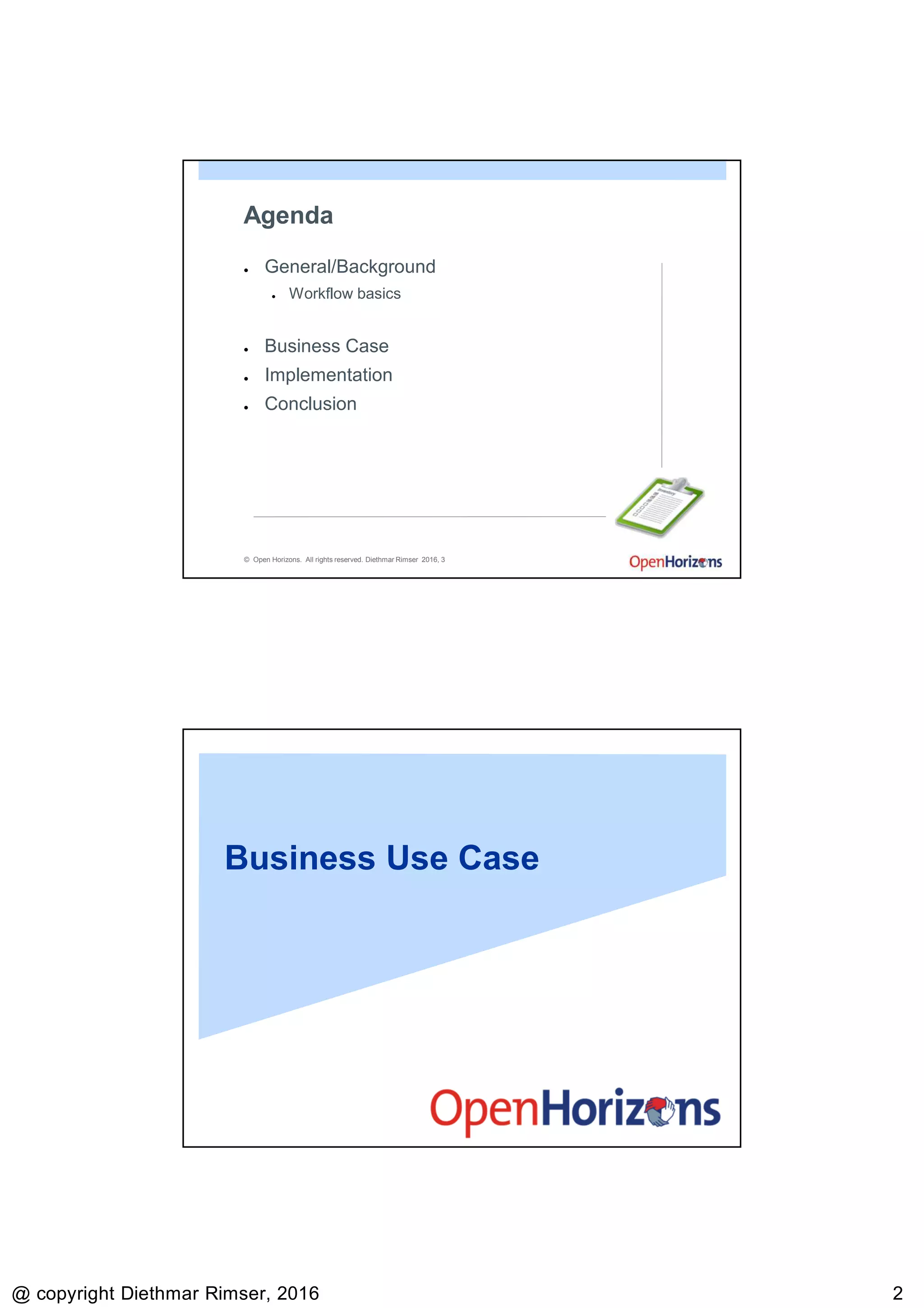
Agenda
● General/Background
● Workflow basics
● Business Case
● Implementation
● Conclusion
Business Use Case
9/13/2016
@ copyright Diethmar Rimser, 2016 33
© Open Horizons. All rights reserved. Diethmar Rimser 2016, 5
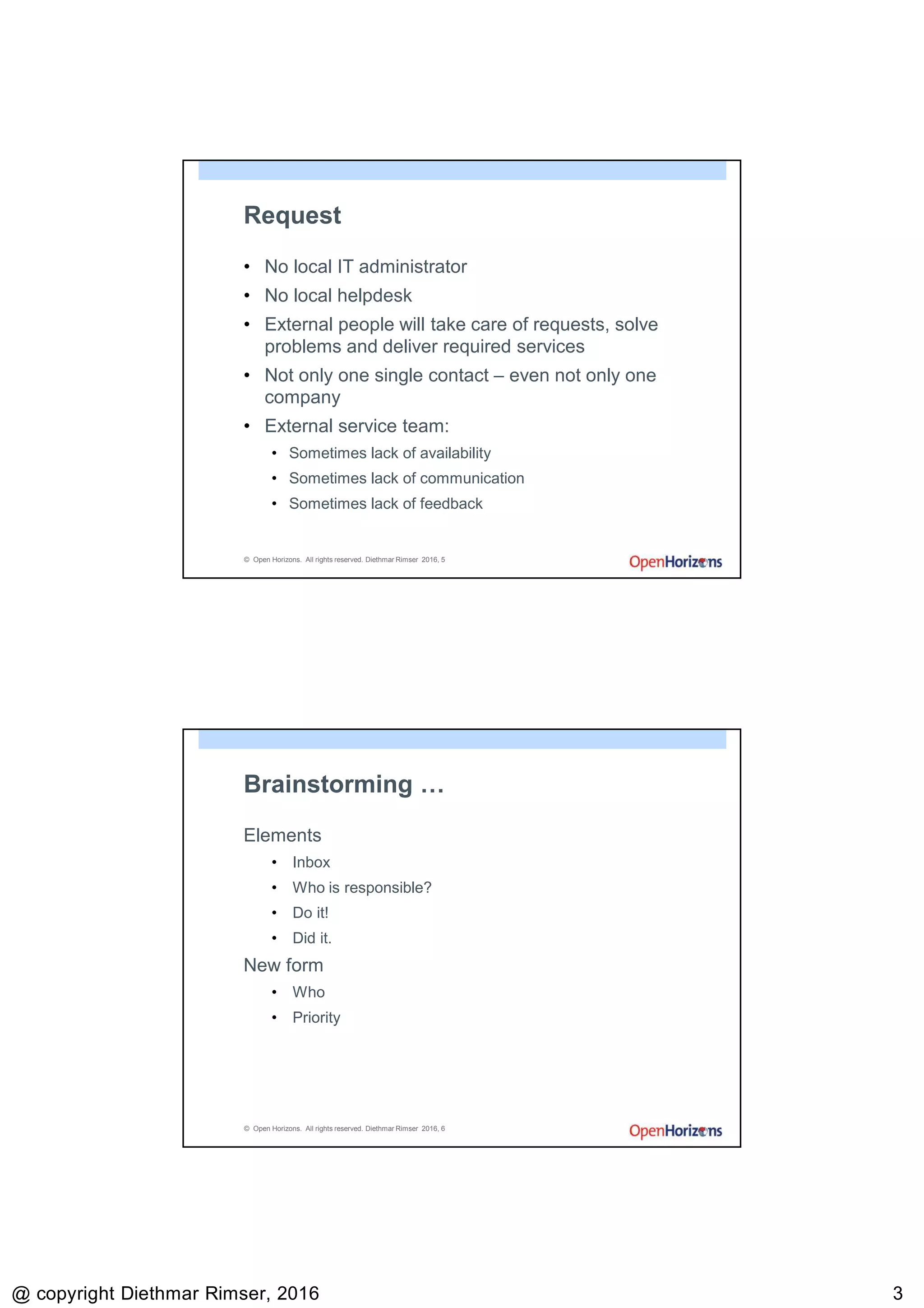
Request
• No local IT administrator
• No local helpdesk
• External people will take care of requests, solve
problems and deliver required services
• Not only one single contact – even not only one
company
• External service team:
• Sometimes lack of availability
• Sometimes lack of communication
• Sometimes lack of feedback
© Open Horizons. All rights reserved. Diethmar Rimser 2016, 6
Brainstorming …
Elements
• Inbox
• Who is responsible?
• Do it!
• Did it.
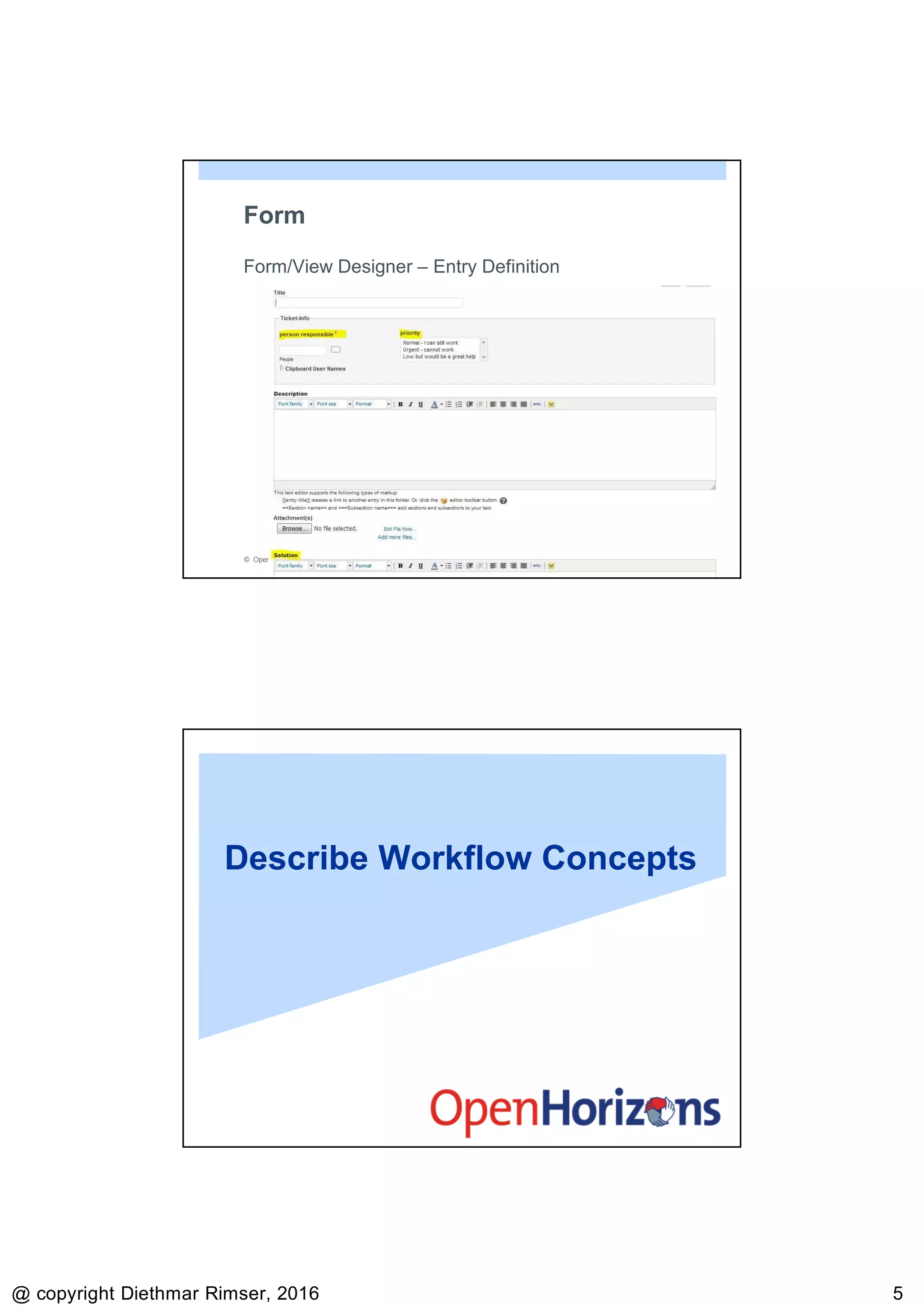
New form
• Who
• Priority
9/13/2016
@ copyright Diethmar Rimser, 2016 44
© Open Horizons. All rights reserved. Diethmar Rimser 2016, 7
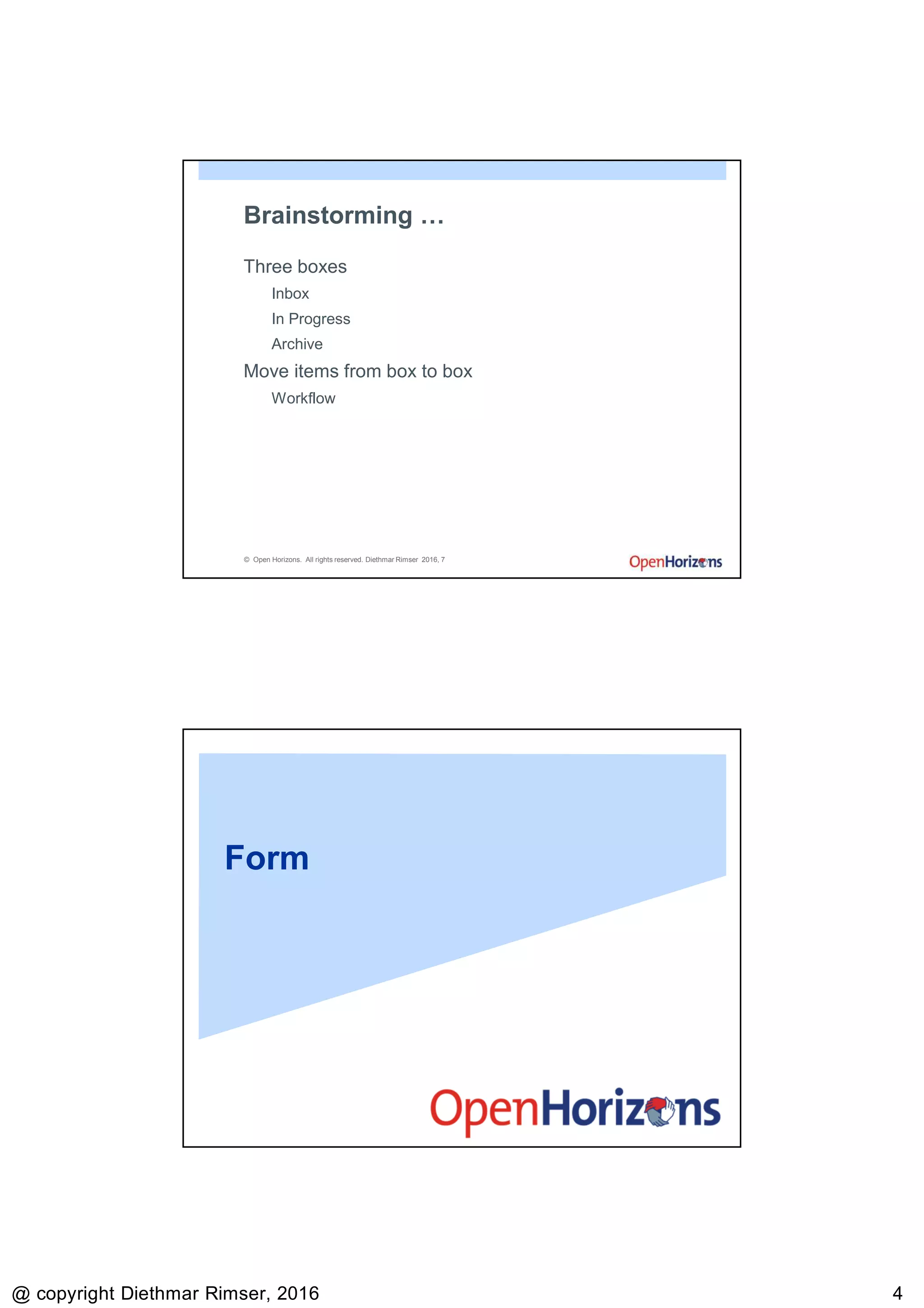
Brainstorming …
Three boxes
Inbox
In Progress
Archive
Move items from box to box
Workflow
Form
9/13/2016
@ copyright Diethmar Rimser, 2016 55
© Open Horizons. All rights reserved. Diethmar Rimser 2016, 9
Form
Form/View Designer – Entry Definition
Describe Workflow Concepts
9/13/2016
@ copyright Diethmar Rimser, 2016 66
© Open Horizons. All rights reserved. Diethmar Rimser 2016, 11
What is Workflow?
• How does work flow?
• Workflows are processes that already exist in your
business.
© Open Horizons. All rights reserved. Diethmar Rimser 2016, 12
Workflow Definition
• The path and systems used in the linked flow of
activities with a specific start and finish that describe a
process.
9/13/2016
@ copyright Diethmar Rimser, 2016 77
Create a Workflow
© Open Horizons. All rights reserved. Diethmar Rimser 2016, 14
Defining Workflow Terms
• States
• Transitions
• Notifications
• Access Controls
9/13/2016
@ copyright Diethmar Rimser, 2016 88
© Open Horizons. All rights reserved. Diethmar Rimser 2016, 15
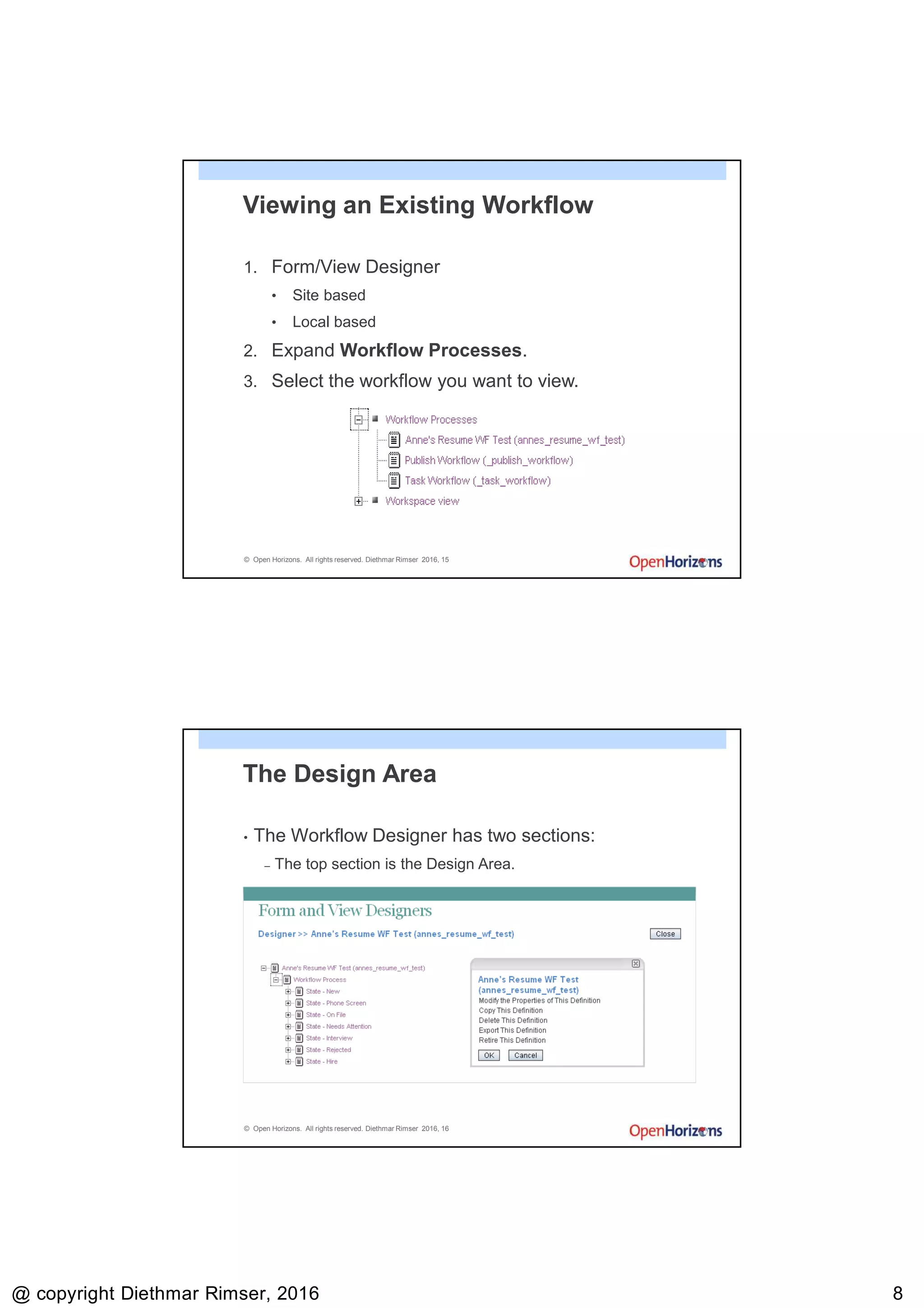
Viewing an Existing Workflow
1. Form/View Designer
• Site based
• Local based
2. Expand Workflow Processes.
3. Select the workflow you want to view.
© Open Horizons. All rights reserved. Diethmar Rimser 2016, 16
The Design Area
• The Workflow Designer has two sections:
– The top section is the Design Area.
9/13/2016
@ copyright Diethmar Rimser, 2016 99
© Open Horizons. All rights reserved. Diethmar Rimser 2016, 17
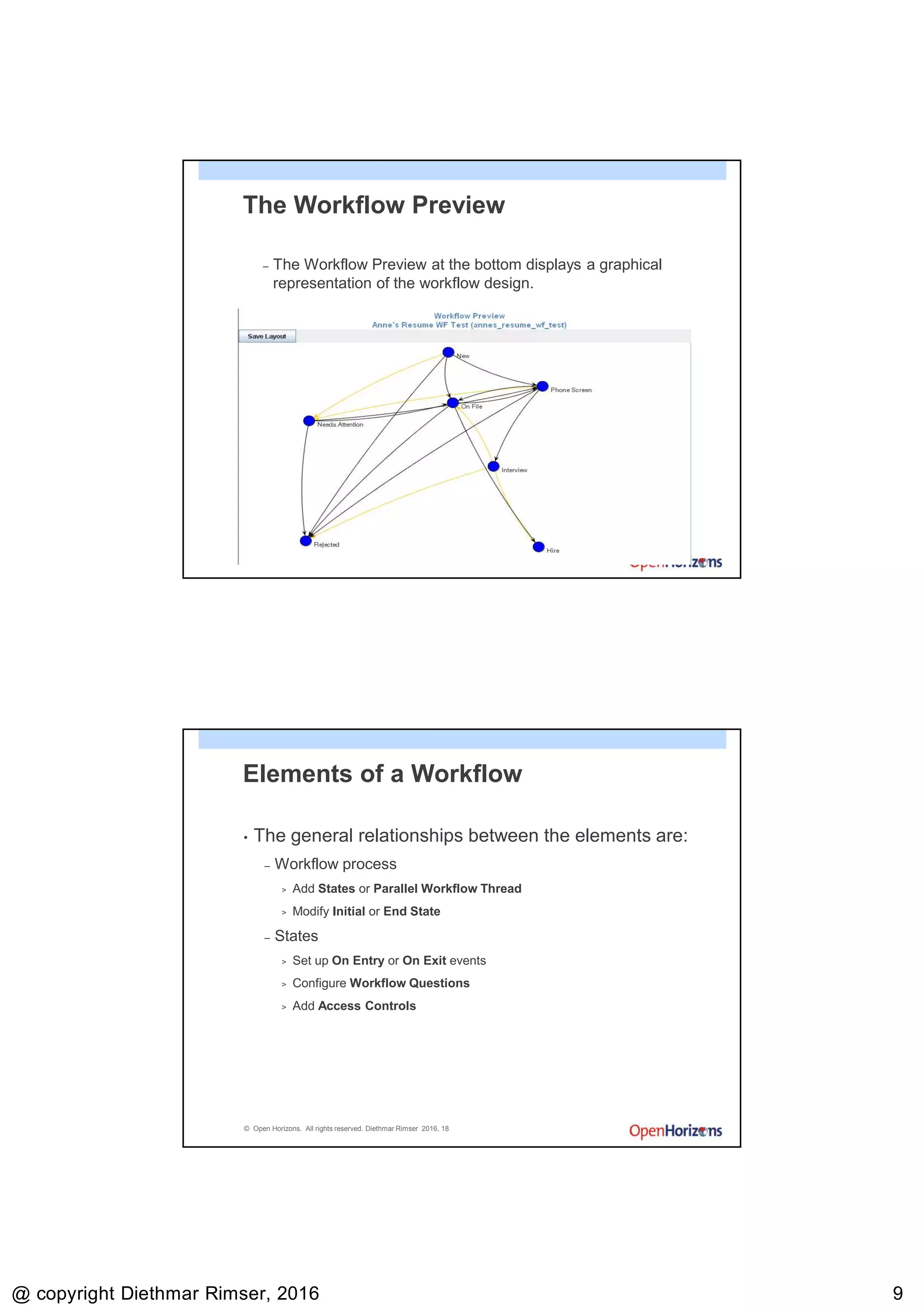
The Workflow Preview
– The Workflow Preview at the bottom displays a graphical
representation of the workflow design.
© Open Horizons. All rights reserved. Diethmar Rimser 2016, 18
Elements of a Workflow
• The general relationships between the elements are:
– Workflow process
> Add States or Parallel Workflow Thread
> Modify Initial or End State
– States
> Set up On Entry or On Exit events
> Configure Workflow Questions
> Add Access Controls
9/13/2016
@ copyright Diethmar Rimser, 2016 1010
© Open Horizons. All rights reserved. Diethmar Rimser 2016, 19
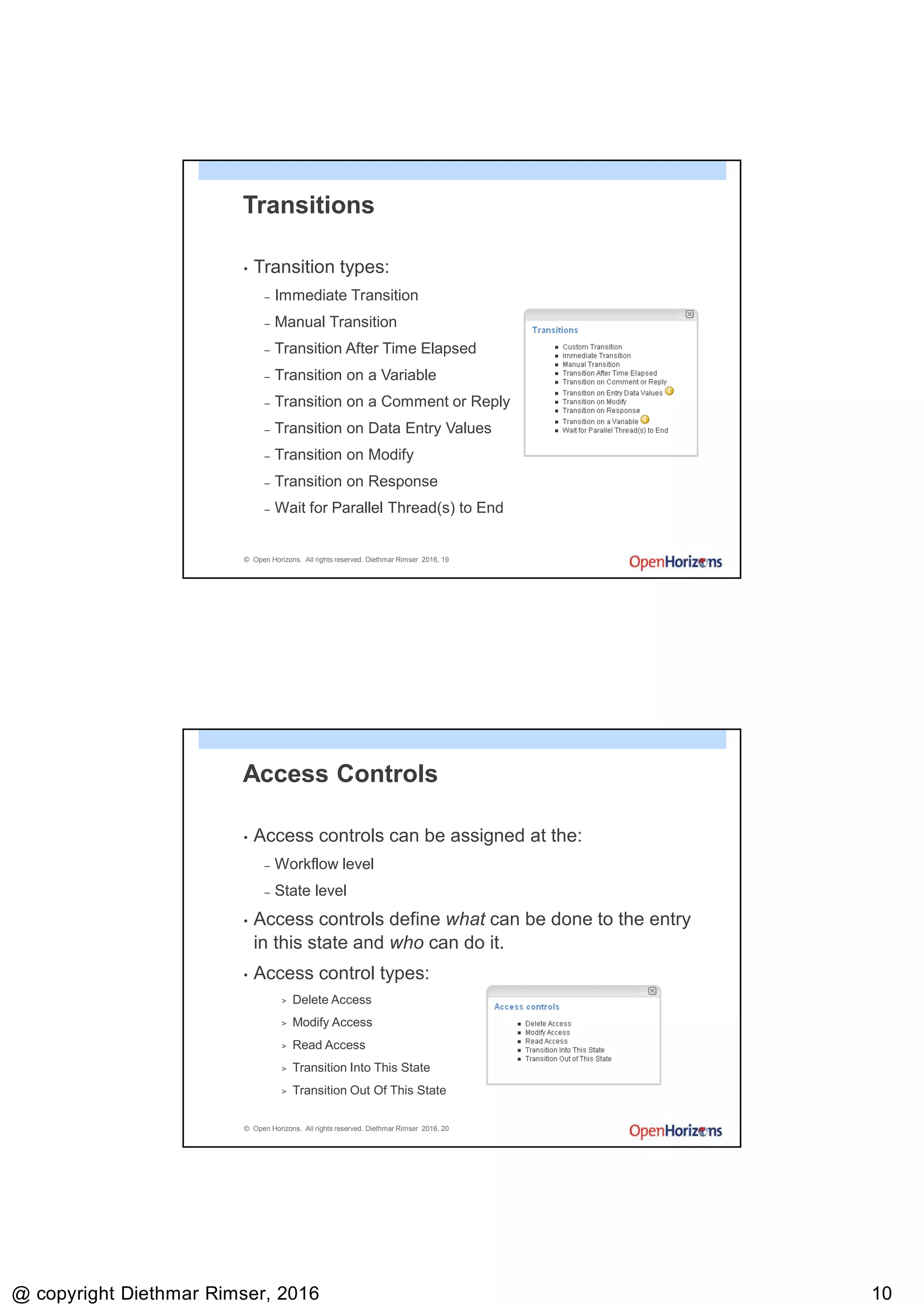
Transitions
• Transition types:
– Immediate Transition
– Manual Transition
– Transition After Time Elapsed
– Transition on a Variable
– Transition on a Comment or Reply
– Transition on Data Entry Values
– Transition on Modify
– Transition on Response
– Wait for Parallel Thread(s) to End
© Open Horizons. All rights reserved. Diethmar Rimser 2016, 20
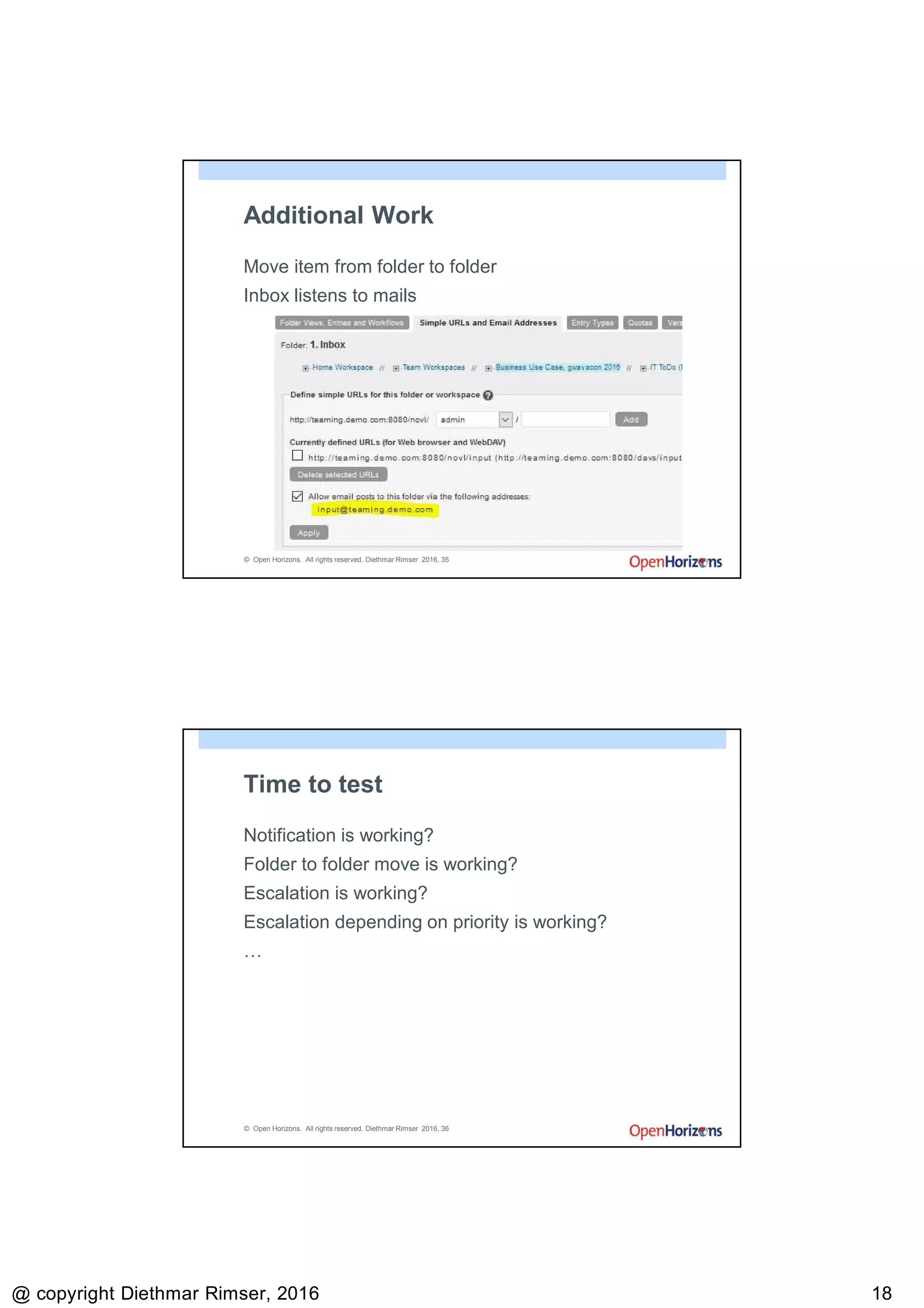
Access Controls
• Access controls can be assigned at the:
– Workflow level
– State level
• Access controls define what can be done to the entry
in this state and who can do it.
• Access control types:
> Delete Access
> Modify Access
> Read Access
> Transition Into This State
> Transition Out Of This State
9/13/2016
@ copyright Diethmar Rimser, 2016 1111
© Open Horizons. All rights reserved. Diethmar Rimser 2016, 21
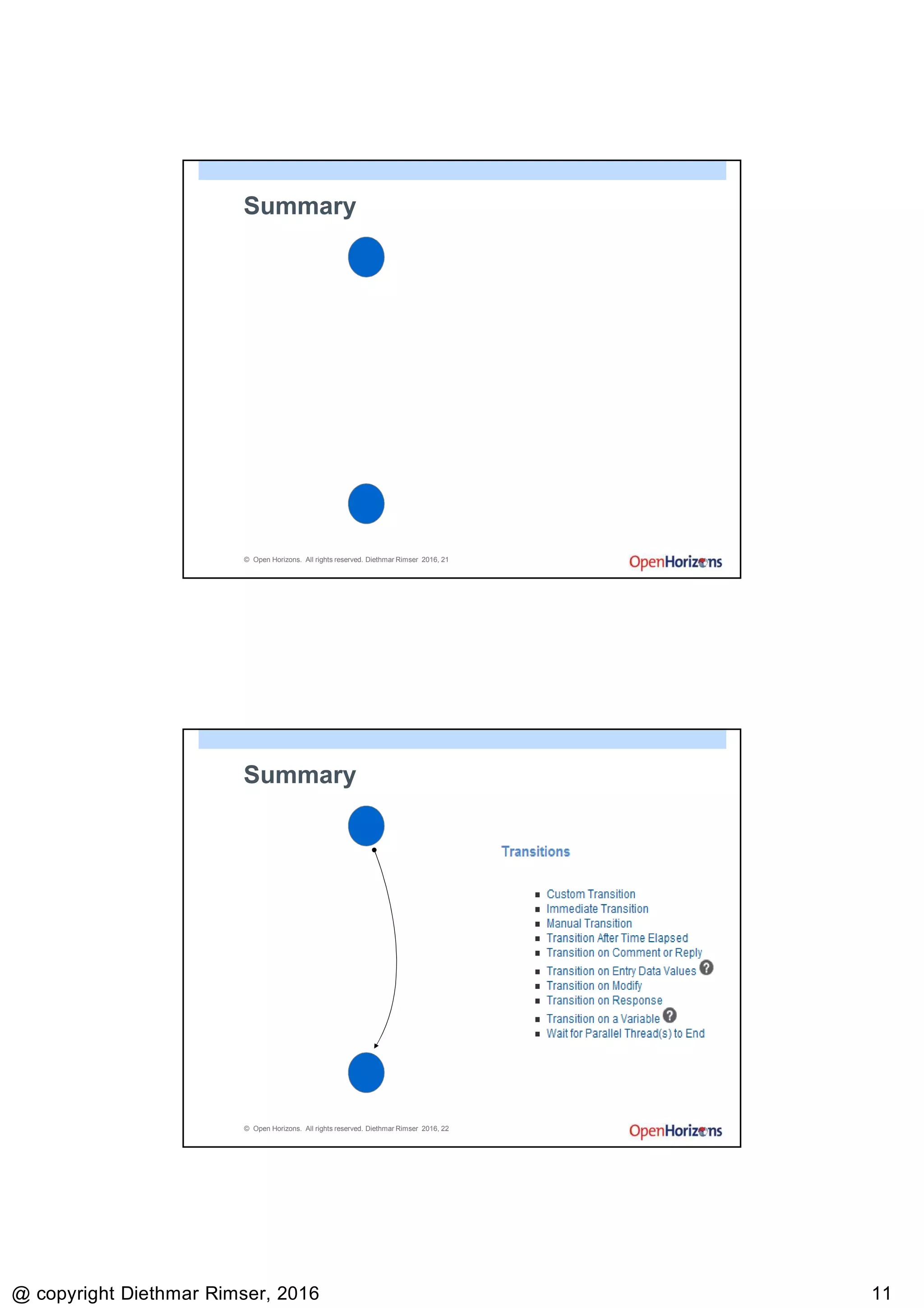
Summary
State
1
State
2
© Open Horizons. All rights reserved. Diethmar Rimser 2016, 22
Summary
State
1
State
2
Transitio
n
9/13/2016
@ copyright Diethmar Rimser, 2016 1212
© Open Horizons. All rights reserved. Diethmar Rimser 2016, 23
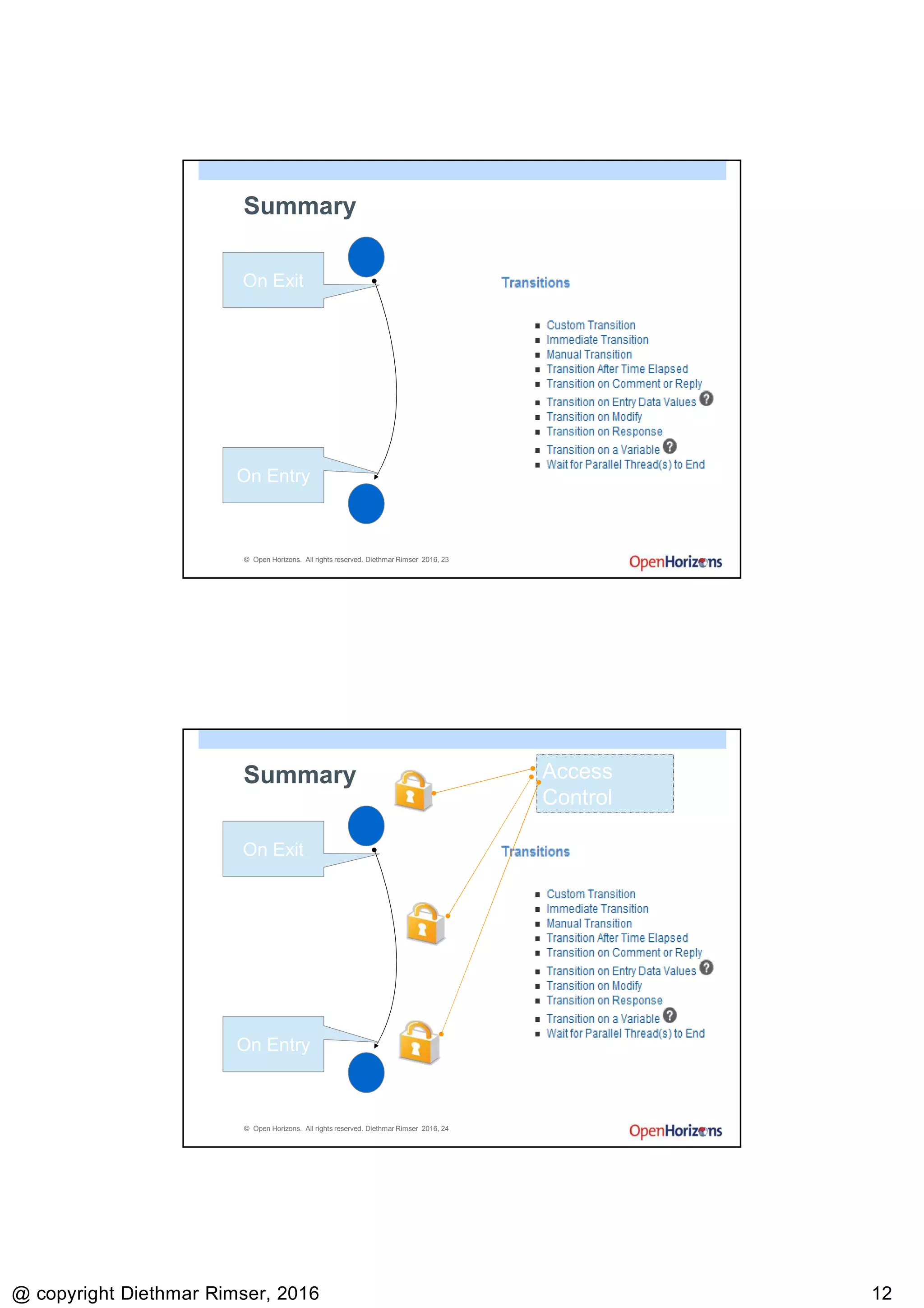
Summary
State
1
State
2
Transitio
n
On Exit
On Entry
© Open Horizons. All rights reserved. Diethmar Rimser 2016, 24
Summary
State
1
State
2
Transitio
n
On Exit
On Entry
Access
Control
9/13/2016
@ copyright Diethmar Rimser, 2016 1313
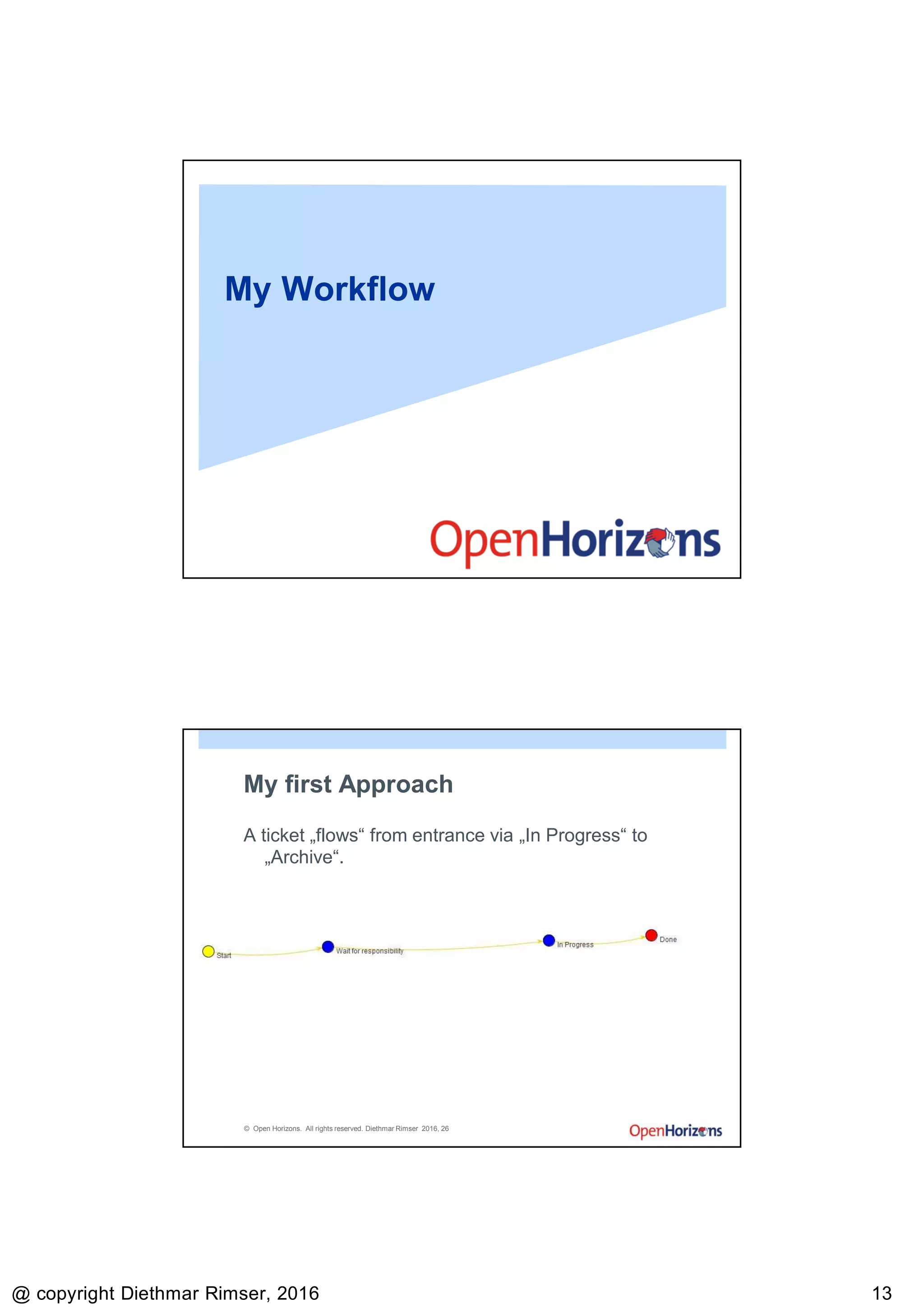
My Workflow
© Open Horizons. All rights reserved. Diethmar Rimser 2016, 26
My first Approach
A ticket „flows“ from entrance via „In Progress“ to
„Archive“.
9/13/2016
@ copyright Diethmar Rimser, 2016 1414
© Open Horizons. All rights reserved. Diethmar Rimser 2016, 27
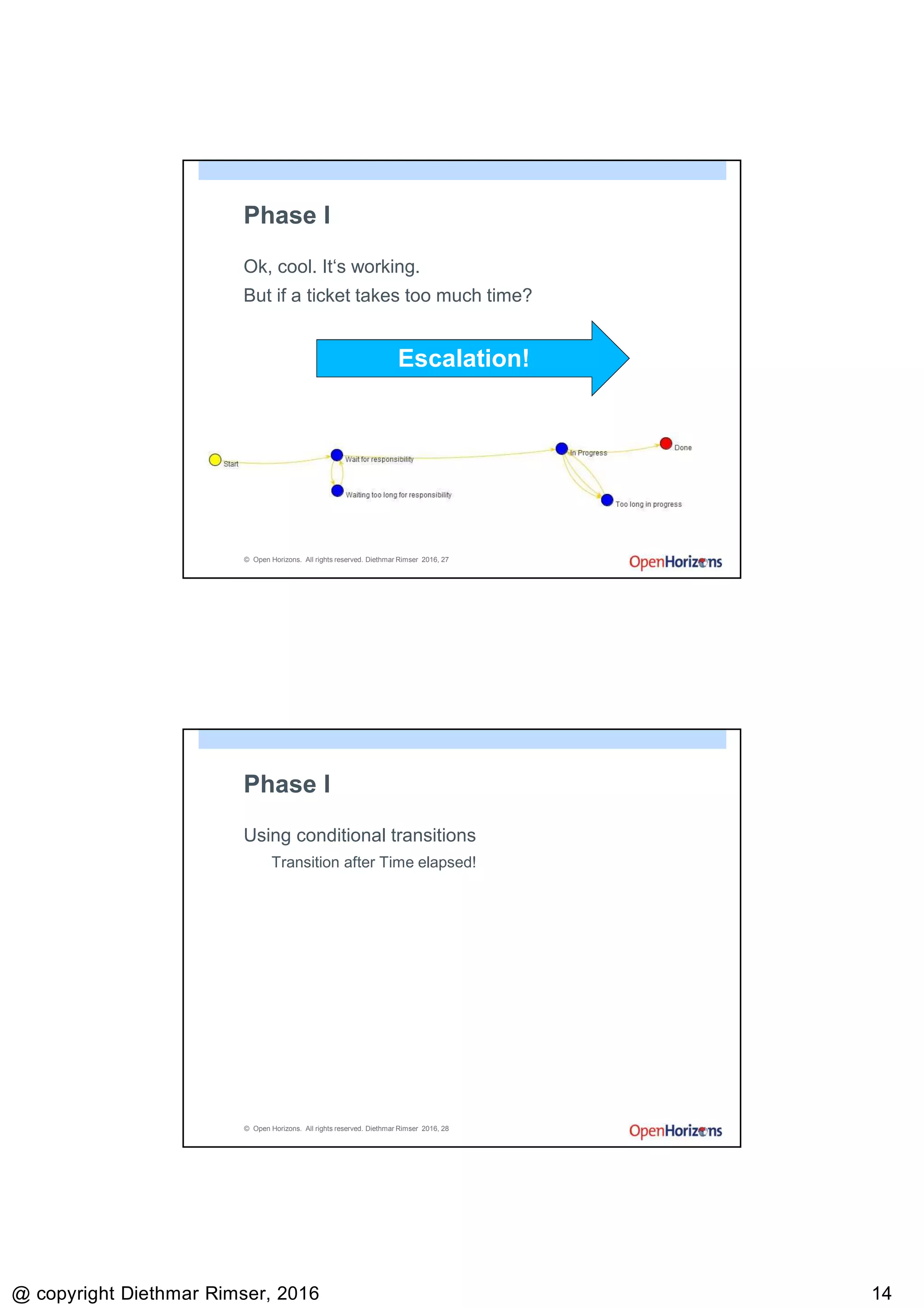
Phase I
Ok, cool. It‘s working.
But if a ticket takes too much time?
Escalation!
© Open Horizons. All rights reserved. Diethmar Rimser 2016, 28
Phase I
Using conditional transitions
Transition after Time elapsed!
9/13/2016
@ copyright Diethmar Rimser, 2016 1515
© Open Horizons. All rights reserved. Diethmar Rimser 2016, 29
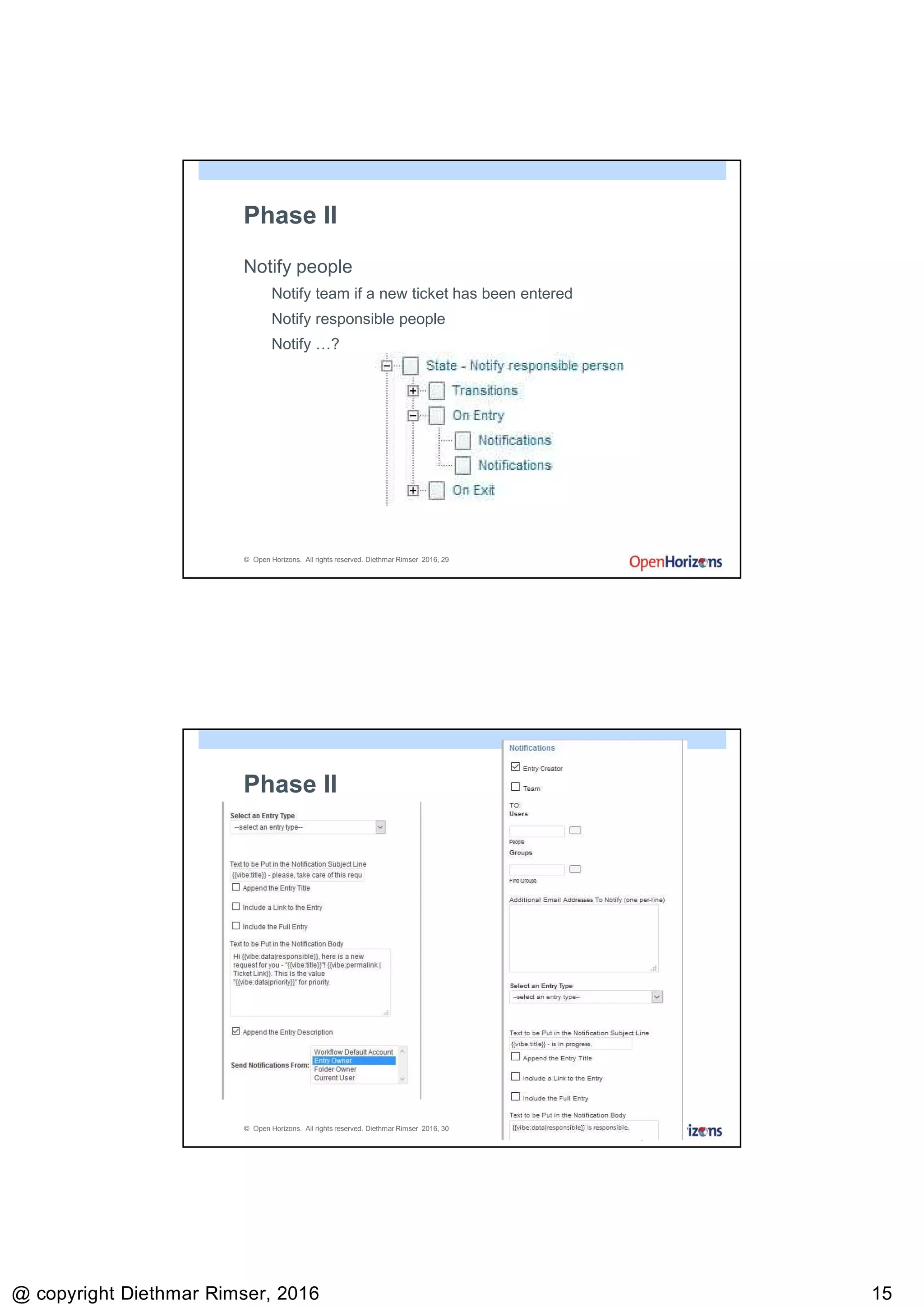
Phase II
Notify people
Notify team if a new ticket has been entered
Notify responsible people
Notify …?
© Open Horizons. All rights reserved. Diethmar Rimser 2016, 30
Phase II
9/13/2016
@ copyright Diethmar Rimser, 2016 1616
© Open Horizons. All rights reserved. Diethmar Rimser 2016, 31
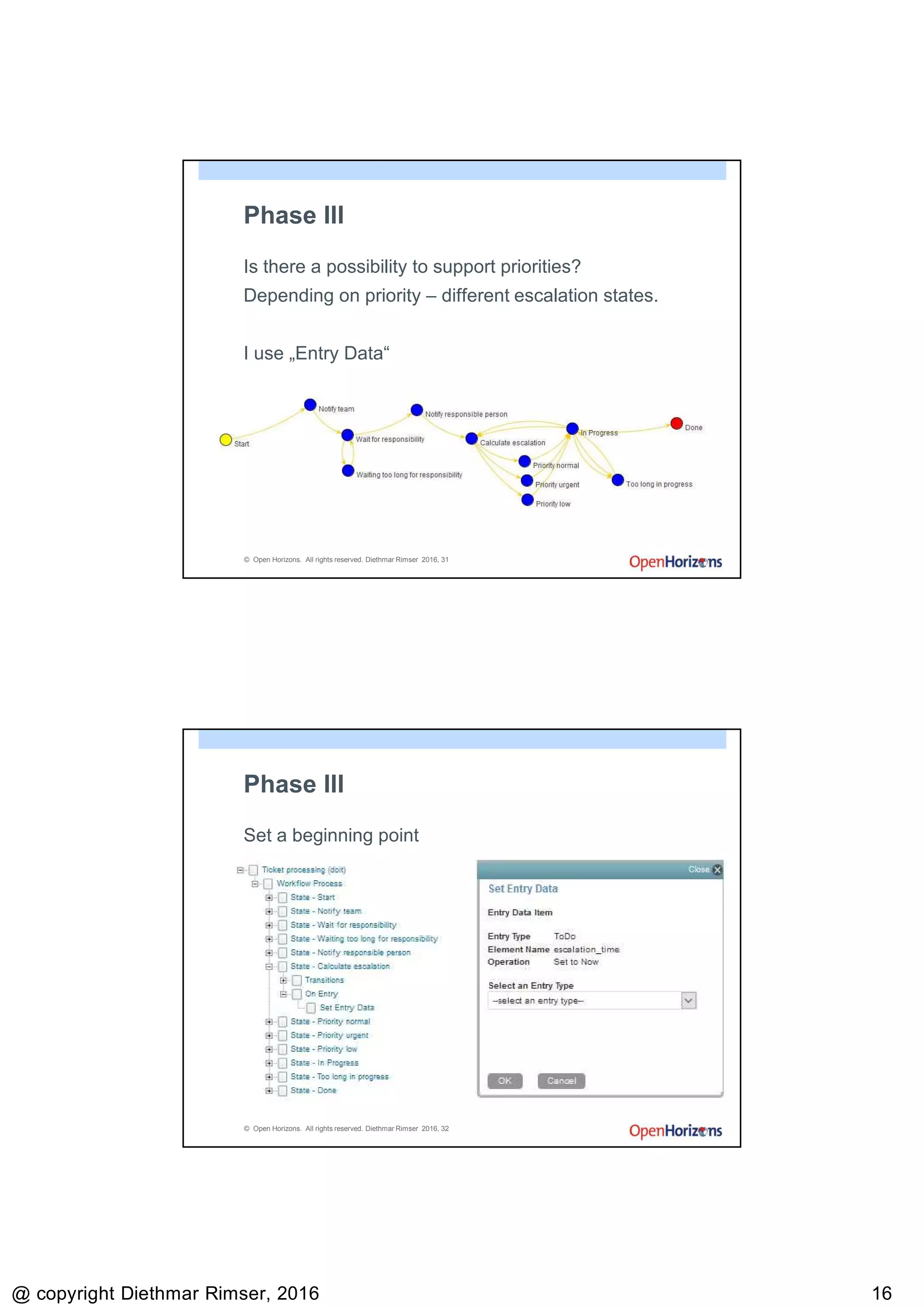
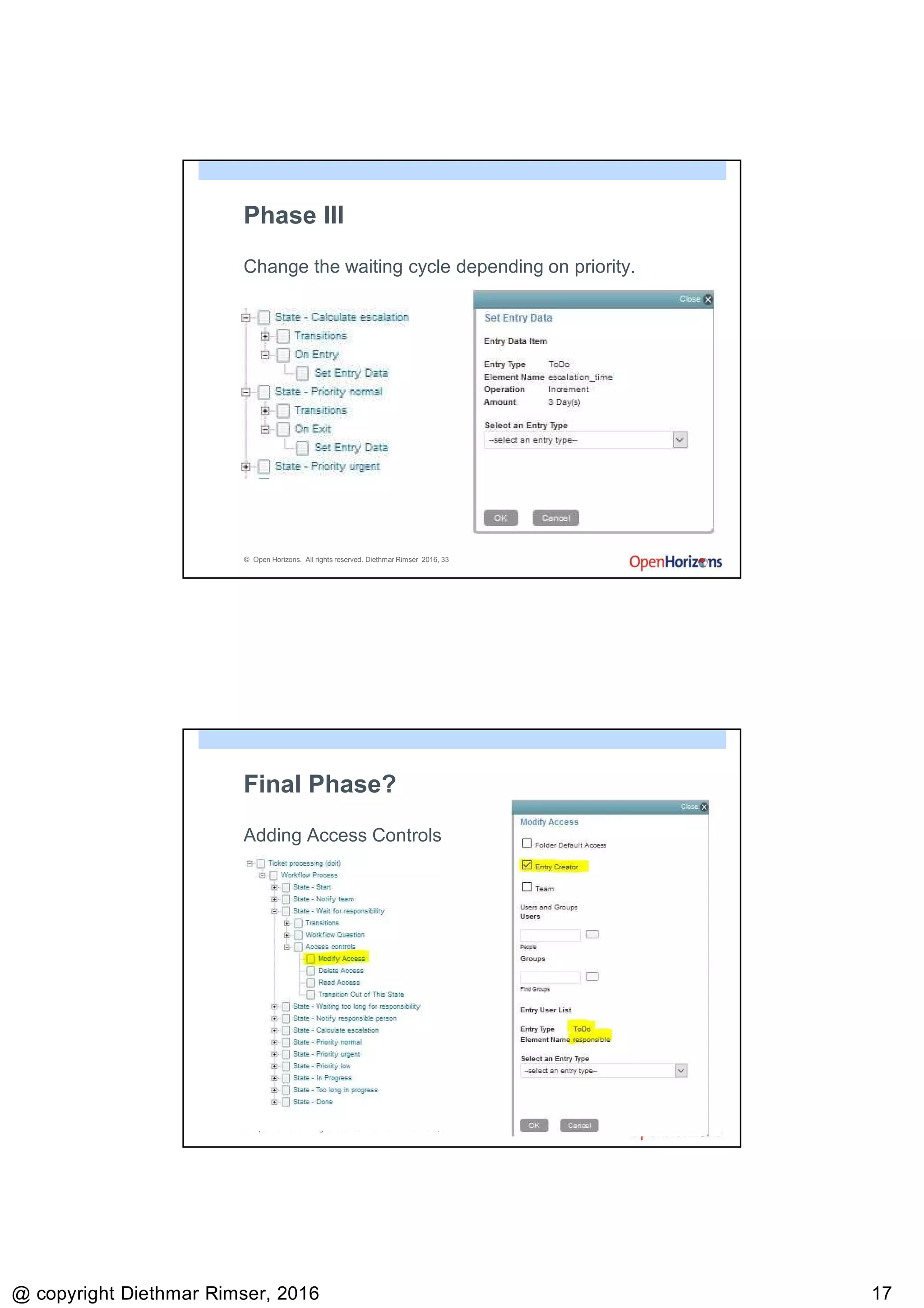
Phase III
Is there a possibility to support priorities?
Depending on priority – different escalation states.
I use „Entry Data“
© Open Horizons. All rights reserved. Diethmar Rimser 2016, 32
Phase III
Set a beginning point
9/13/2016
@ copyright Diethmar Rimser, 2016 1717
© Open Horizons. All rights reserved. Diethmar Rimser 2016, 33
Phase III
Change the waiting cycle depending on priority.
© Open Horizons. All rights reserved. Diethmar Rimser 2016, 34
Final Phase?
Adding Access Controls
9/13/2016
@ copyright Diethmar Rimser, 2016 1818
© Open Horizons. All rights reserved. Diethmar Rimser 2016, 35
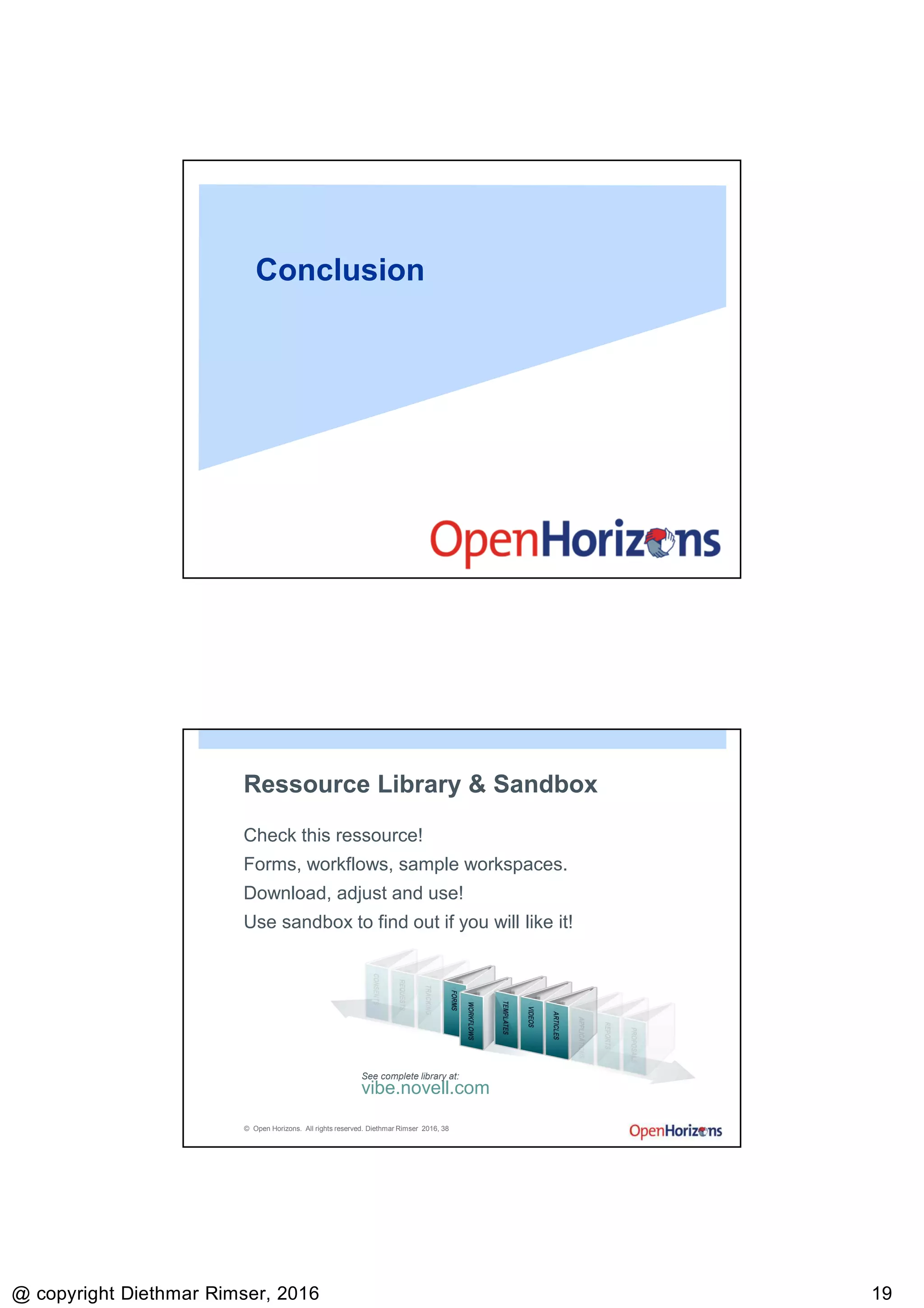
Additional Work
Move item from folder to folder
Inbox listens to mails
© Open Horizons. All rights reserved. Diethmar Rimser 2016, 36
Time to test
Notification is working?
Folder to folder move is working?
Escalation is working?
Escalation depending on priority is working?
…
9/13/2016
@ copyright Diethmar Rimser, 2016 1919
Conclusion
© Open Horizons. All rights reserved. Diethmar Rimser 2016, 38
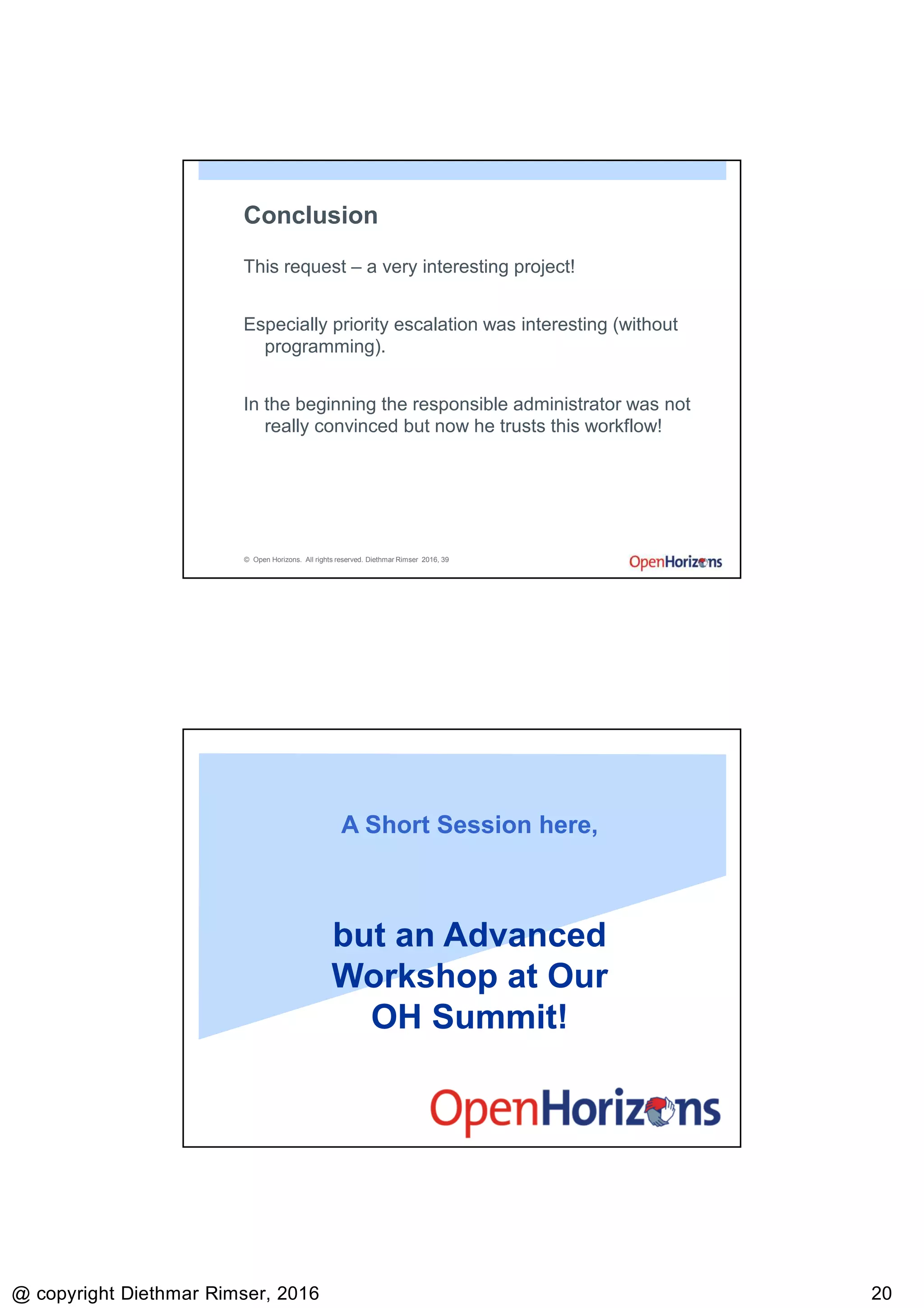
Ressource Library & Sandbox
Check this ressource!
Forms, workflows, sample workspaces.
Download, adjust and use!
Use sandbox to find out if you will like it!
vibe.novell.com
See complete library at:
9/13/2016
@ copyright Diethmar Rimser, 2016 2020
© Open Horizons. All rights reserved. Diethmar Rimser 2016, 39
Conclusion
This request – a very interesting project!
Especially priority escalation was interesting (without
programming).
In the beginning the responsible administrator was not
really convinced but now he trusts this workflow!
A Short Session here,
but an Advanced
Workshop at Our
OH Summit!
9/13/2016
@ copyright Diethmar Rimser, 2016 2121
© Open Horizons. All rights reserved. Diethmar Rimser 2016, 41

Open Horizons - Vibe: Run, Rabbit Run

  • 1.
    9/13/2016 @ copyright DiethmarRimser, 2016 11 Vibe – Run, Rabbit Run Diethmar Rimser © Open Horizons. All rights reserved. Diethmar Rimser 2016, 2 About this Session This is a real business use case. Because of internal company changes only external people will take care of IT requests. A tool which • forwards requests to the right people including notification, • makes it easy to check status and supports escalation, • and is easy to use. Vibe includes many features - in this case „workflow and forms“ is a fancy solution, isn‘t it?
  • 2.
    9/13/2016 @ copyright DiethmarRimser, 2016 22 © Open Horizons. All rights reserved. Diethmar Rimser 2016, 3 Agenda ● General/Background ● Workflow basics ● Business Case ● Implementation ● Conclusion Business Use Case
  • 3.
    9/13/2016 @ copyright DiethmarRimser, 2016 33 © Open Horizons. All rights reserved. Diethmar Rimser 2016, 5 Request • No local IT administrator • No local helpdesk • External people will take care of requests, solve problems and deliver required services • Not only one single contact – even not only one company • External service team: • Sometimes lack of availability • Sometimes lack of communication • Sometimes lack of feedback © Open Horizons. All rights reserved. Diethmar Rimser 2016, 6 Brainstorming … Elements • Inbox • Who is responsible? • Do it! • Did it. New form • Who • Priority
  • 4.
    9/13/2016 @ copyright DiethmarRimser, 2016 44 © Open Horizons. All rights reserved. Diethmar Rimser 2016, 7 Brainstorming … Three boxes Inbox In Progress Archive Move items from box to box Workflow Form
  • 5.
    9/13/2016 @ copyright DiethmarRimser, 2016 55 © Open Horizons. All rights reserved. Diethmar Rimser 2016, 9 Form Form/View Designer – Entry Definition Describe Workflow Concepts
  • 6.
    9/13/2016 @ copyright DiethmarRimser, 2016 66 © Open Horizons. All rights reserved. Diethmar Rimser 2016, 11 What is Workflow? • How does work flow? • Workflows are processes that already exist in your business. © Open Horizons. All rights reserved. Diethmar Rimser 2016, 12 Workflow Definition • The path and systems used in the linked flow of activities with a specific start and finish that describe a process.
  • 7.
    9/13/2016 @ copyright DiethmarRimser, 2016 77 Create a Workflow © Open Horizons. All rights reserved. Diethmar Rimser 2016, 14 Defining Workflow Terms • States • Transitions • Notifications • Access Controls
  • 8.
    9/13/2016 @ copyright DiethmarRimser, 2016 88 © Open Horizons. All rights reserved. Diethmar Rimser 2016, 15 Viewing an Existing Workflow 1. Form/View Designer • Site based • Local based 2. Expand Workflow Processes. 3. Select the workflow you want to view. © Open Horizons. All rights reserved. Diethmar Rimser 2016, 16 The Design Area • The Workflow Designer has two sections: – The top section is the Design Area.
  • 9.
    9/13/2016 @ copyright DiethmarRimser, 2016 99 © Open Horizons. All rights reserved. Diethmar Rimser 2016, 17 The Workflow Preview – The Workflow Preview at the bottom displays a graphical representation of the workflow design. © Open Horizons. All rights reserved. Diethmar Rimser 2016, 18 Elements of a Workflow • The general relationships between the elements are: – Workflow process > Add States or Parallel Workflow Thread > Modify Initial or End State – States > Set up On Entry or On Exit events > Configure Workflow Questions > Add Access Controls
  • 10.
    9/13/2016 @ copyright DiethmarRimser, 2016 1010 © Open Horizons. All rights reserved. Diethmar Rimser 2016, 19 Transitions • Transition types: – Immediate Transition – Manual Transition – Transition After Time Elapsed – Transition on a Variable – Transition on a Comment or Reply – Transition on Data Entry Values – Transition on Modify – Transition on Response – Wait for Parallel Thread(s) to End © Open Horizons. All rights reserved. Diethmar Rimser 2016, 20 Access Controls • Access controls can be assigned at the: – Workflow level – State level • Access controls define what can be done to the entry in this state and who can do it. • Access control types: > Delete Access > Modify Access > Read Access > Transition Into This State > Transition Out Of This State
  • 11.
    9/13/2016 @ copyright DiethmarRimser, 2016 1111 © Open Horizons. All rights reserved. Diethmar Rimser 2016, 21 Summary State 1 State 2 © Open Horizons. All rights reserved. Diethmar Rimser 2016, 22 Summary State 1 State 2 Transitio n
  • 12.
    9/13/2016 @ copyright DiethmarRimser, 2016 1212 © Open Horizons. All rights reserved. Diethmar Rimser 2016, 23 Summary State 1 State 2 Transitio n On Exit On Entry © Open Horizons. All rights reserved. Diethmar Rimser 2016, 24 Summary State 1 State 2 Transitio n On Exit On Entry Access Control
  • 13.
    9/13/2016 @ copyright DiethmarRimser, 2016 1313 My Workflow © Open Horizons. All rights reserved. Diethmar Rimser 2016, 26 My first Approach A ticket „flows“ from entrance via „In Progress“ to „Archive“.
  • 14.
    9/13/2016 @ copyright DiethmarRimser, 2016 1414 © Open Horizons. All rights reserved. Diethmar Rimser 2016, 27 Phase I Ok, cool. It‘s working. But if a ticket takes too much time? Escalation! © Open Horizons. All rights reserved. Diethmar Rimser 2016, 28 Phase I Using conditional transitions Transition after Time elapsed!
  • 15.
    9/13/2016 @ copyright DiethmarRimser, 2016 1515 © Open Horizons. All rights reserved. Diethmar Rimser 2016, 29 Phase II Notify people Notify team if a new ticket has been entered Notify responsible people Notify …? © Open Horizons. All rights reserved. Diethmar Rimser 2016, 30 Phase II
  • 16.
    9/13/2016 @ copyright DiethmarRimser, 2016 1616 © Open Horizons. All rights reserved. Diethmar Rimser 2016, 31 Phase III Is there a possibility to support priorities? Depending on priority – different escalation states. I use „Entry Data“ © Open Horizons. All rights reserved. Diethmar Rimser 2016, 32 Phase III Set a beginning point
  • 17.
    9/13/2016 @ copyright DiethmarRimser, 2016 1717 © Open Horizons. All rights reserved. Diethmar Rimser 2016, 33 Phase III Change the waiting cycle depending on priority. © Open Horizons. All rights reserved. Diethmar Rimser 2016, 34 Final Phase? Adding Access Controls
  • 18.
    9/13/2016 @ copyright DiethmarRimser, 2016 1818 © Open Horizons. All rights reserved. Diethmar Rimser 2016, 35 Additional Work Move item from folder to folder Inbox listens to mails © Open Horizons. All rights reserved. Diethmar Rimser 2016, 36 Time to test Notification is working? Folder to folder move is working? Escalation is working? Escalation depending on priority is working? …
  • 19.
    9/13/2016 @ copyright DiethmarRimser, 2016 1919 Conclusion © Open Horizons. All rights reserved. Diethmar Rimser 2016, 38 Ressource Library & Sandbox Check this ressource! Forms, workflows, sample workspaces. Download, adjust and use! Use sandbox to find out if you will like it! vibe.novell.com See complete library at:
  • 20.
    9/13/2016 @ copyright DiethmarRimser, 2016 2020 © Open Horizons. All rights reserved. Diethmar Rimser 2016, 39 Conclusion This request – a very interesting project! Especially priority escalation was interesting (without programming). In the beginning the responsible administrator was not really convinced but now he trusts this workflow! A Short Session here, but an Advanced Workshop at Our OH Summit!
  • 21.
    9/13/2016 @ copyright DiethmarRimser, 2016 2121 © Open Horizons. All rights reserved. Diethmar Rimser 2016, 41