Full Packet Capture
for the Masses
CoRIIN 2018 - Xavier Mertens
<profile>

<name>Xavier Mertens</name>

<aka>Xme</aka>

<jobs>

<day>Freelance Security Guy</day>

<night>Blogger, ISC Handler, Hacker</night>

</jobs>

<![CDATA[

www.truesec.be

blog.rootshell.be

isc.sans.edu

www.brucon.org

]]>

</profile>
Follow

me!
3
#BalanceTonPCAP
The Issue…
4
“Who’s talking?”
Knowing who’s talking on your
network
is a key requirement when
you have to investigate a
security incident
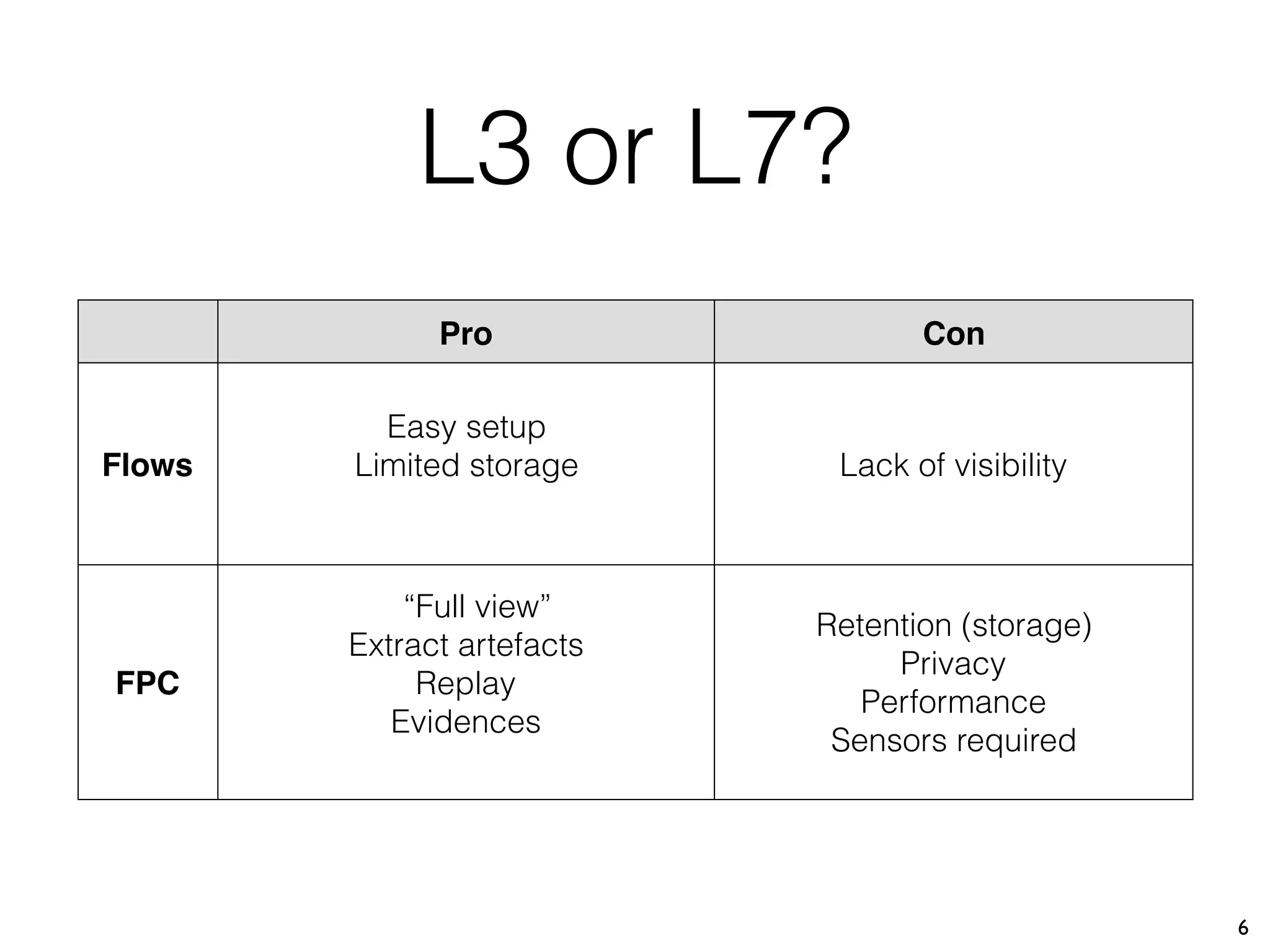
L3 or L7?
5
Layer 3 timestamp:src_ip:src_port:dst_ip:dst_port
Firewall Logs, 

Netflow, 

Basic Packet
Capture
Layer 7
timestamp:src_ip:src_port:dst_ip:dst_port
+
headers, payloads
“NG” Firewall
Logs,
Full Packet
Capture
6
Pro Con
Flows
Easy setup
Limited storage Lack of visibility
FPC
“Full view”
Extract artefacts
Replay
Evidences
Retention (storage)
Privacy
Performance
Sensors required
L3 or L7?
Full Packet Capture
7
/usr/sbin/tcpdump 
-n -Z nobody 
-i eth0 
-s 0 
-G 50 -W 100 
-w /data/dump-%Y%m%d%H%M.pcap 
not port 22 and not port 1194
Modern Infrastructure
8
Local Servers
Virtualization
Co-locationVPS
Cloud
Solution
9
Collect data from multiple locations and centralise
all data for better retention
Requirements
10
Must be free open
Easy to deploy on different OS
Can be deployed on device not directly connected to
the central repository (easy data transfer)
Moloch
11
Moloch is (IMHO) the best complete FPC framework.
Developed by Andy Wick & Eoin Miller (AOL CERT).
Powerful, Scalable.
Moloch
12
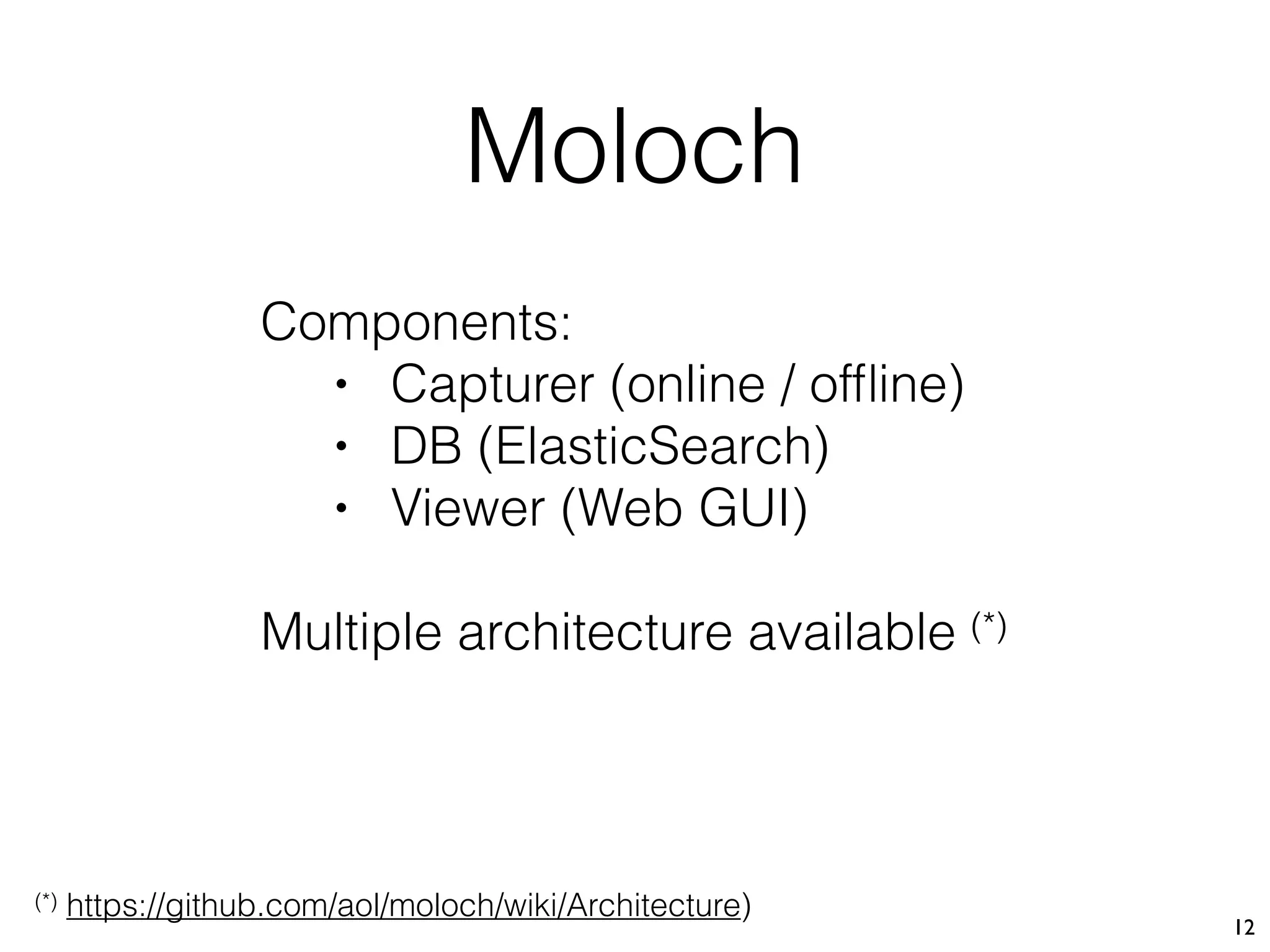
Components:
• Capturer (online / offline)
• DB (ElasticSearch)
• Viewer (Web GUI)
Multiple architecture available (*)
(*) https://github.com/aol/moloch/wiki/Architecture)
Moloch
13
Docker
14
Easy way to deploy software across multiple
platforms
1st Approach
15
https://www.sans.org/reading-room/whitepapers/cloud/full-
packet-capture-infrastructure-based-docker-containers-36977
GIAC Gold Paper by Mauricio Espinosa Gomez
16
Pro Con
Full automated deployment via Puppet
Multiple nodes in Moloch
Real-time indexing
Good for internal networks
Multiple Moloch instances deployed
ElasticSearch must be reachable
from sensors
1st Approach
My Approach
17
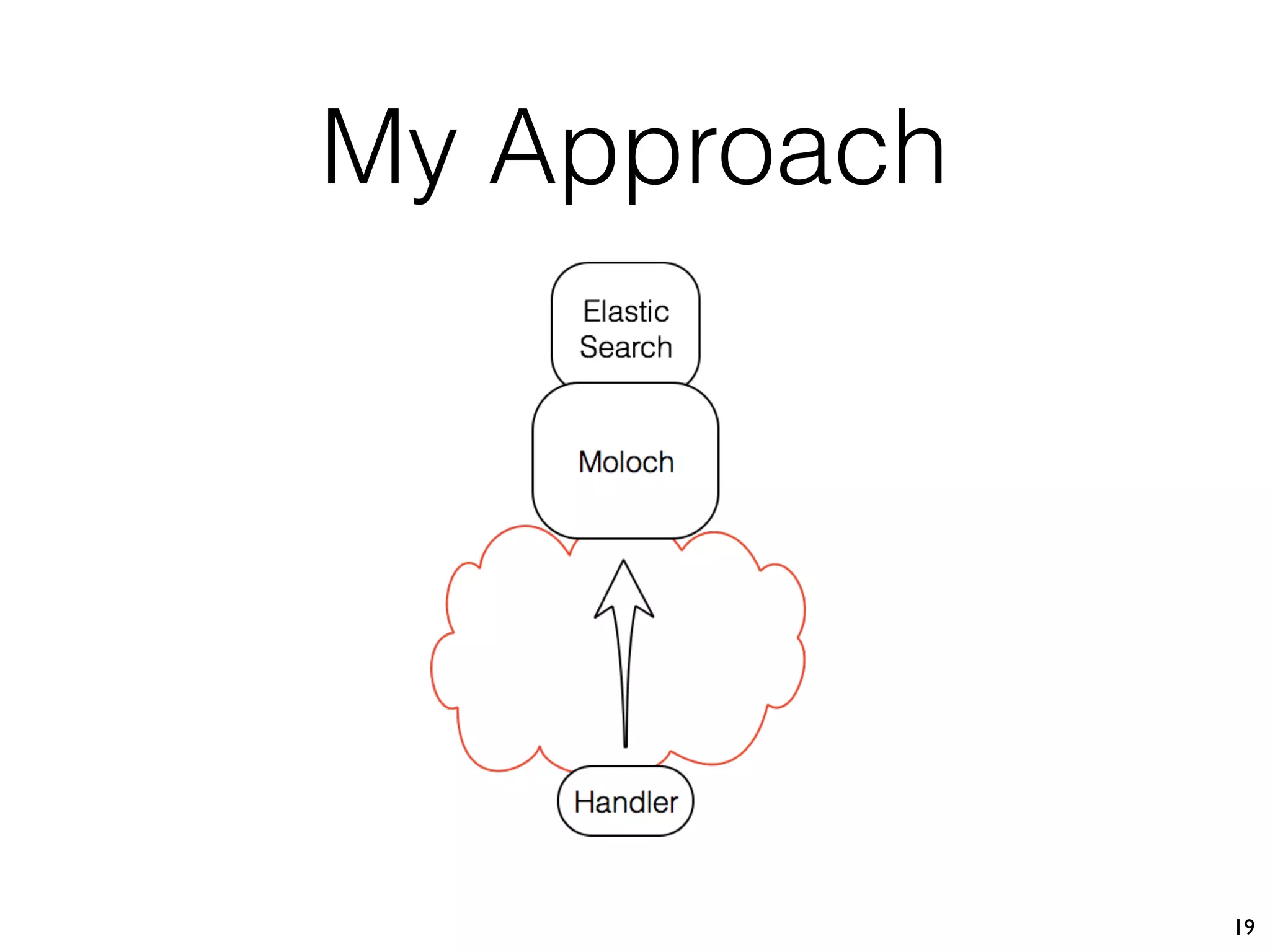
Deploy a very small Docker container as sensor

(only based on tcpdump & scp)
PCAP files are synchronised with Moloch at regular
intervals
My Approach
18
My Approach
19
Moloch Server
20
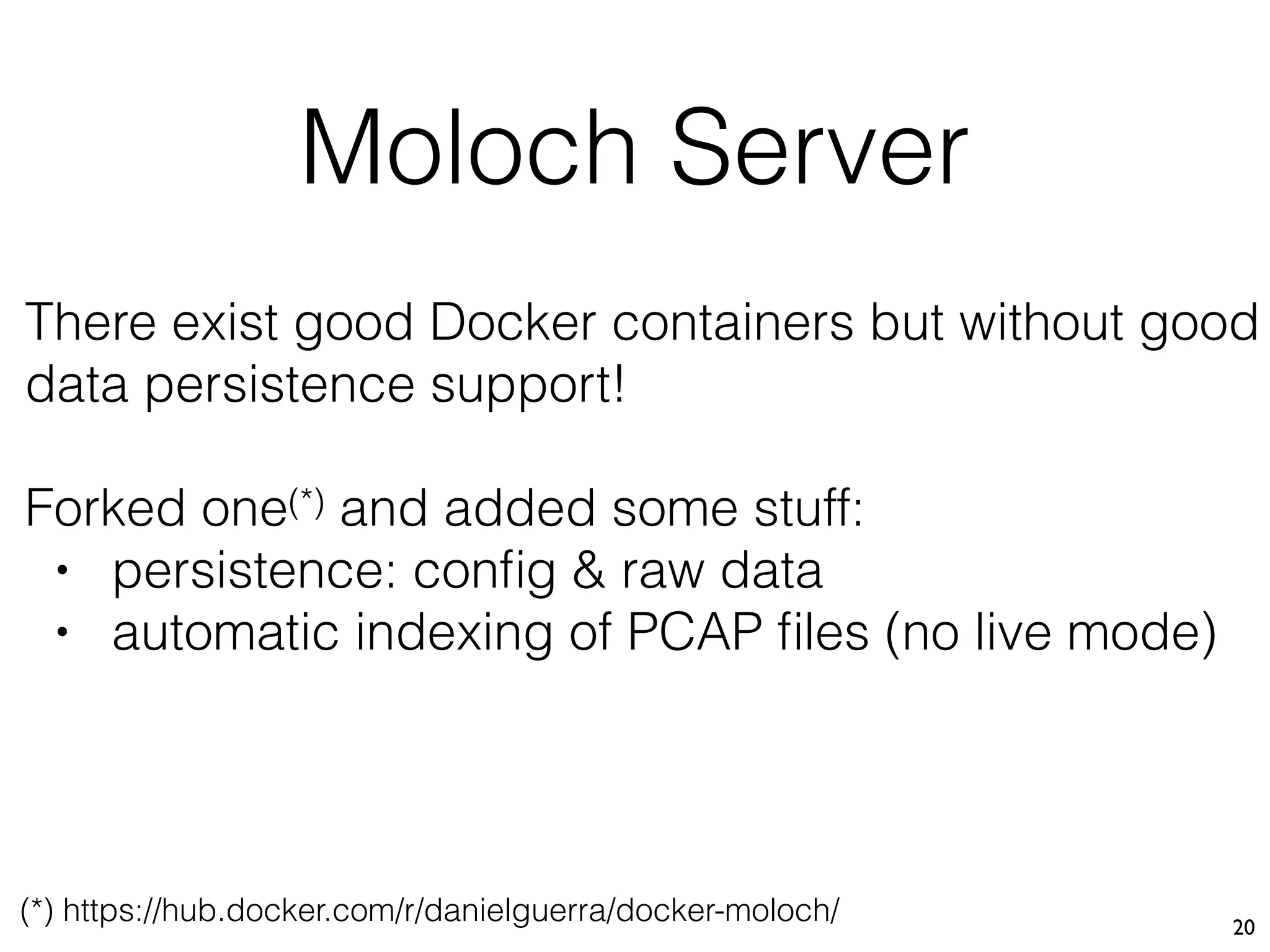
There exist good Docker containers but without good
data persistence support!
Forked one(*) and added some stuff:
• persistence: config & raw data
• automatic indexing of PCAP files (no live mode)
(*) https://hub.docker.com/r/danielguerra/docker-moloch/
Moloch Server
21
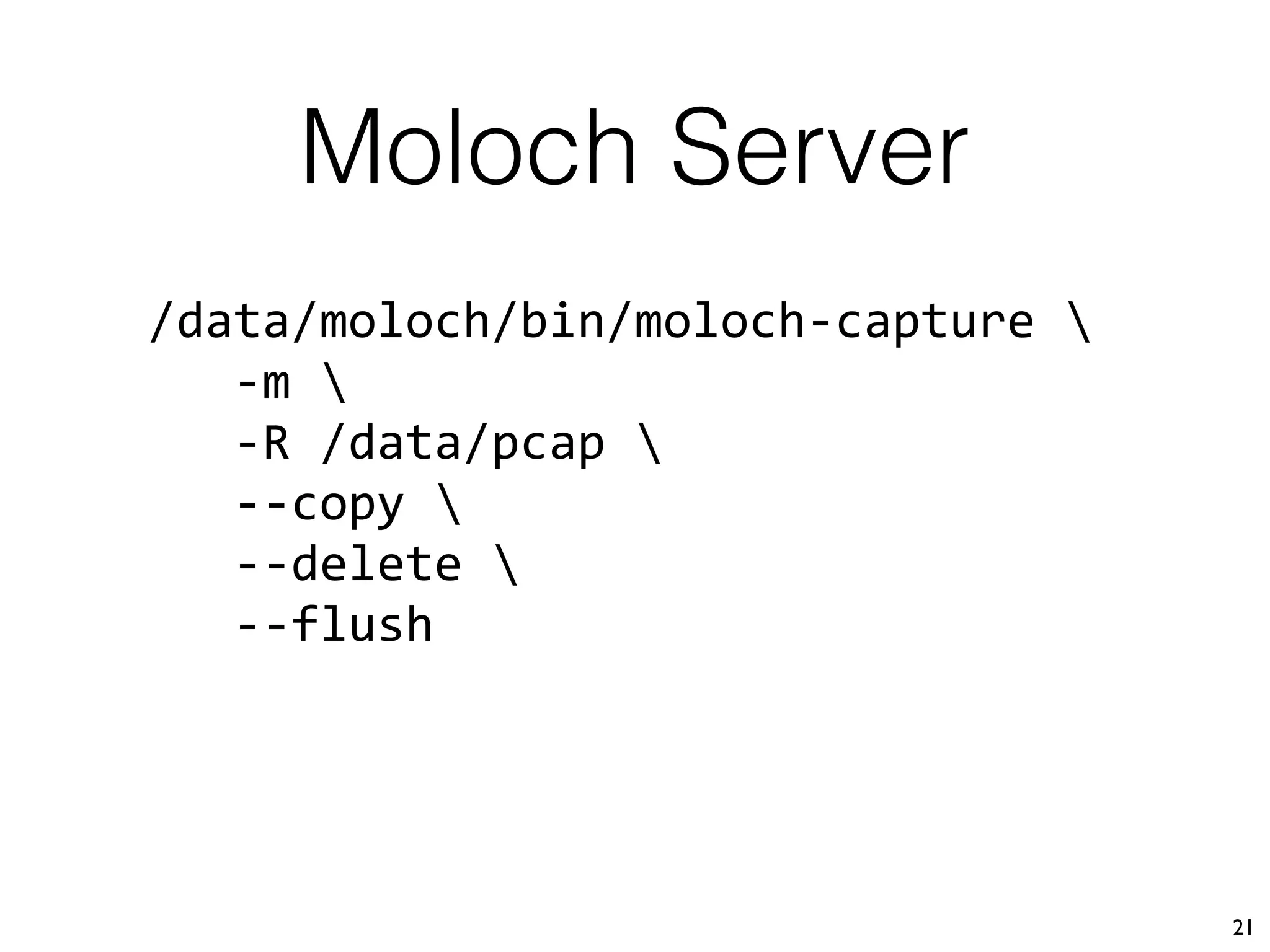
/data/moloch/bin/moloch-capture 
-m 
-R /data/pcap 
--copy 
--delete 
--flush
Moloch Server
22
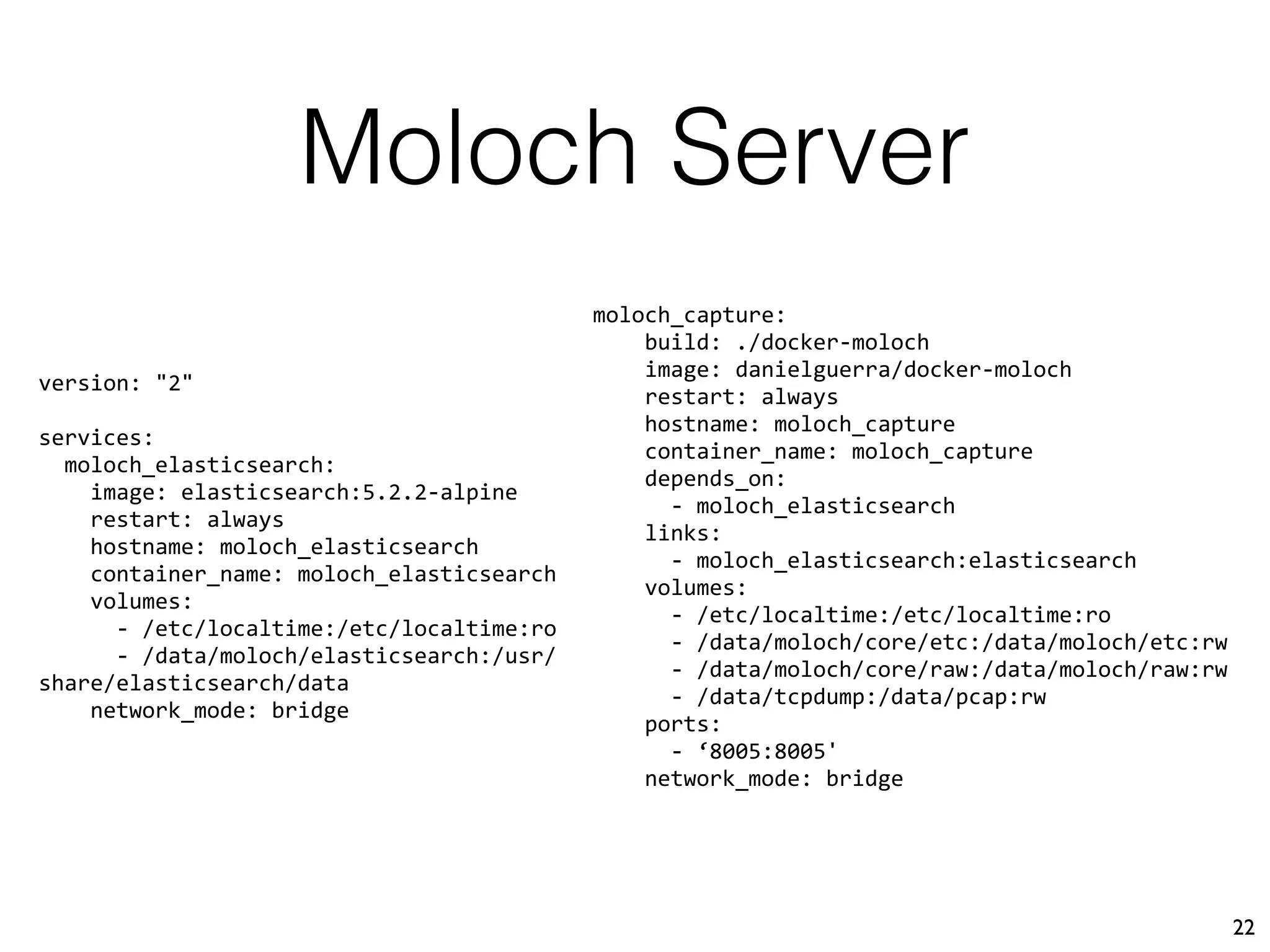
version: "2"
services:
moloch_elasticsearch:
image: elasticsearch:5.2.2-alpine
restart: always
hostname: moloch_elasticsearch
container_name: moloch_elasticsearch
volumes:
- /etc/localtime:/etc/localtime:ro
- /data/moloch/elasticsearch:/usr/
share/elasticsearch/data
network_mode: bridge
moloch_capture:
build: ./docker-moloch
image: danielguerra/docker-moloch
restart: always
hostname: moloch_capture
container_name: moloch_capture
depends_on:
- moloch_elasticsearch
links:
- moloch_elasticsearch:elasticsearch
volumes:
- /etc/localtime:/etc/localtime:ro
- /data/moloch/core/etc:/data/moloch/etc:rw
- /data/moloch/core/raw:/data/moloch/raw:rw
- /data/tcpdump:/data/pcap:rw
ports:
- ‘8005:8005'
network_mode: bridge
Moloch Server
23
docker-compose up
https://moloch:8005
Sensor
24
Run a tcpdump to dump packets to files
Scp files to moloch
Sensor Deployment
25
# git clone 

https://github.com/xme/moloch/sensor.git
# cd sensor
# docker build -t sensor .
Sensor Deployment
26
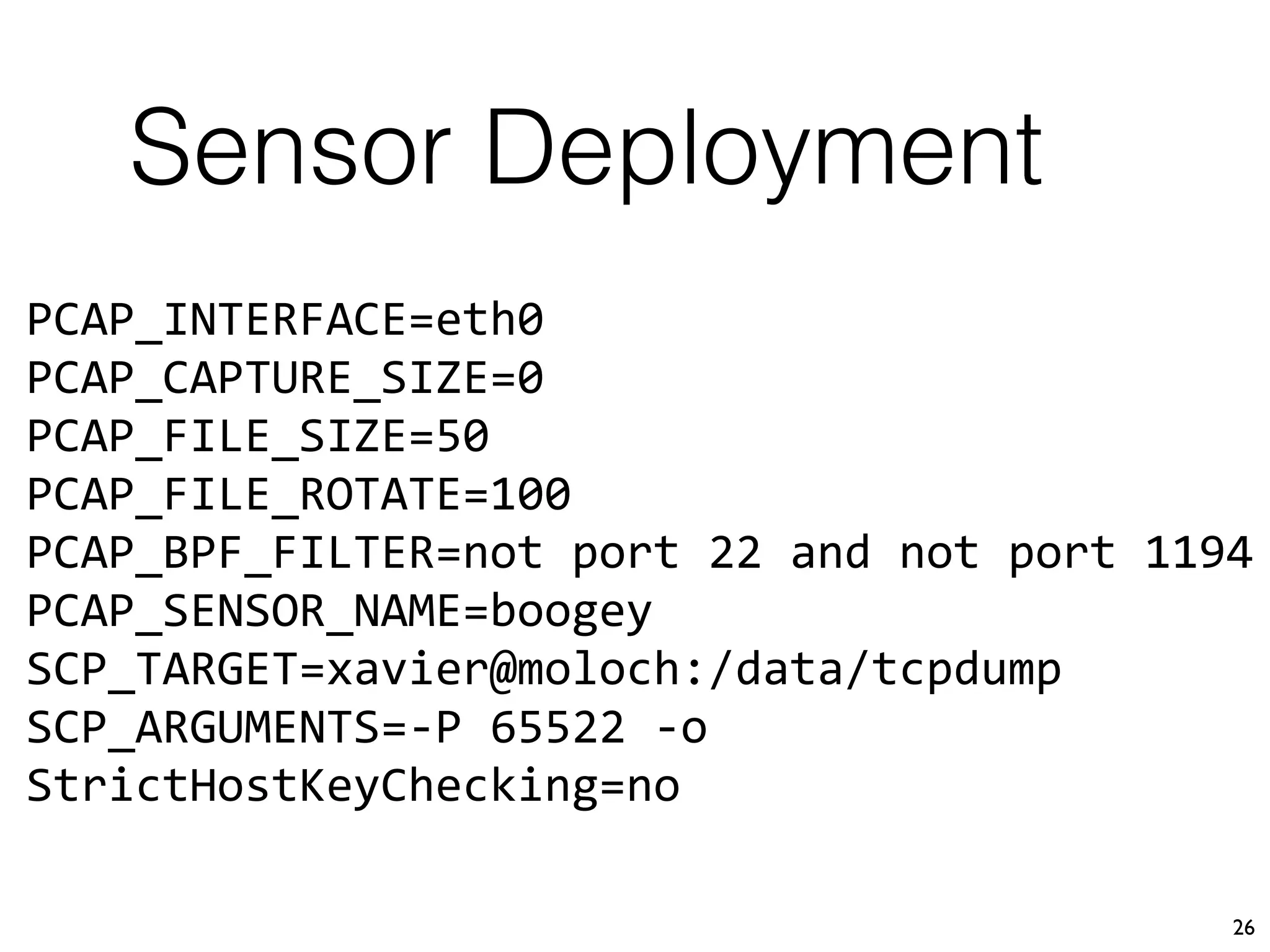
PCAP_INTERFACE=eth0
PCAP_CAPTURE_SIZE=0
PCAP_FILE_SIZE=50
PCAP_FILE_ROTATE=100
PCAP_BPF_FILTER=not port 22 and not port 1194
PCAP_SENSOR_NAME=boogey
SCP_TARGET=xavier@moloch:/data/tcpdump
SCP_ARGUMENTS=-P 65522 -o
StrictHostKeyChecking=no
Sensor Kick Off
27
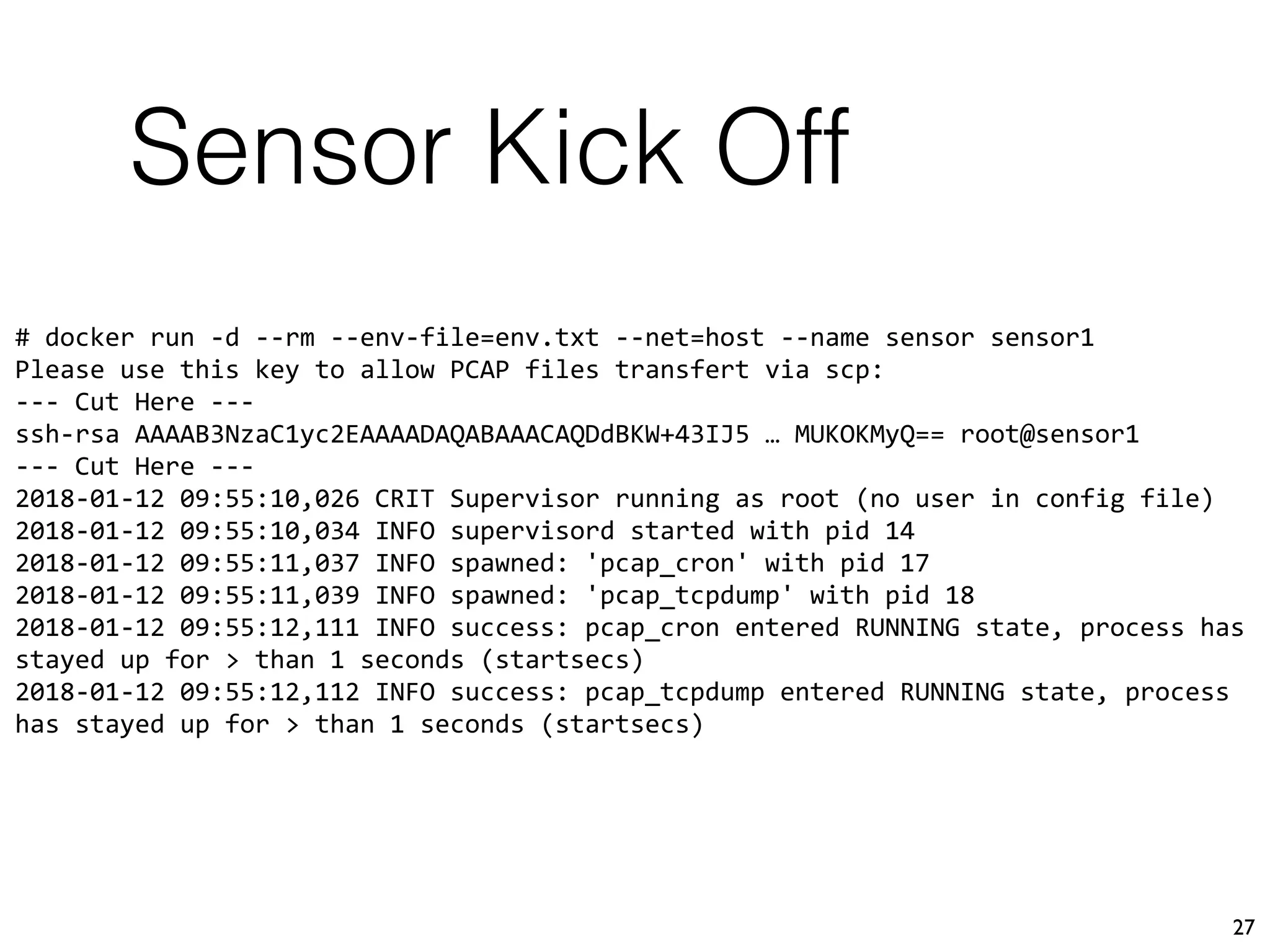
# docker run -d --rm --env-file=env.txt --net=host --name sensor sensor1
Please use this key to allow PCAP files transfert via scp:
--- Cut Here ---
ssh-rsa AAAAB3NzaC1yc2EAAAADAQABAAACAQDdBKW+43IJ5 … MUKOKMyQ== root@sensor1
--- Cut Here ---
2018-01-12 09:55:10,026 CRIT Supervisor running as root (no user in config file)
2018-01-12 09:55:10,034 INFO supervisord started with pid 14
2018-01-12 09:55:11,037 INFO spawned: 'pcap_cron' with pid 17
2018-01-12 09:55:11,039 INFO spawned: 'pcap_tcpdump' with pid 18
2018-01-12 09:55:12,111 INFO success: pcap_cron entered RUNNING state, process has
stayed up for > than 1 seconds (startsecs)
2018-01-12 09:55:12,112 INFO success: pcap_tcpdump entered RUNNING state, process
has stayed up for > than 1 seconds (startsecs)
--net=host
28
⚠WARNING⚠
To allow the container access to the interfaces,
docker network isolation is disabled
Tips
29
Use BPF filters to reduce the noise!
Moloch has an interesting feature:
dontSaveBPFs=port 22:10;port 65522:10;port 65523:10;port 1194:10
Tips
30
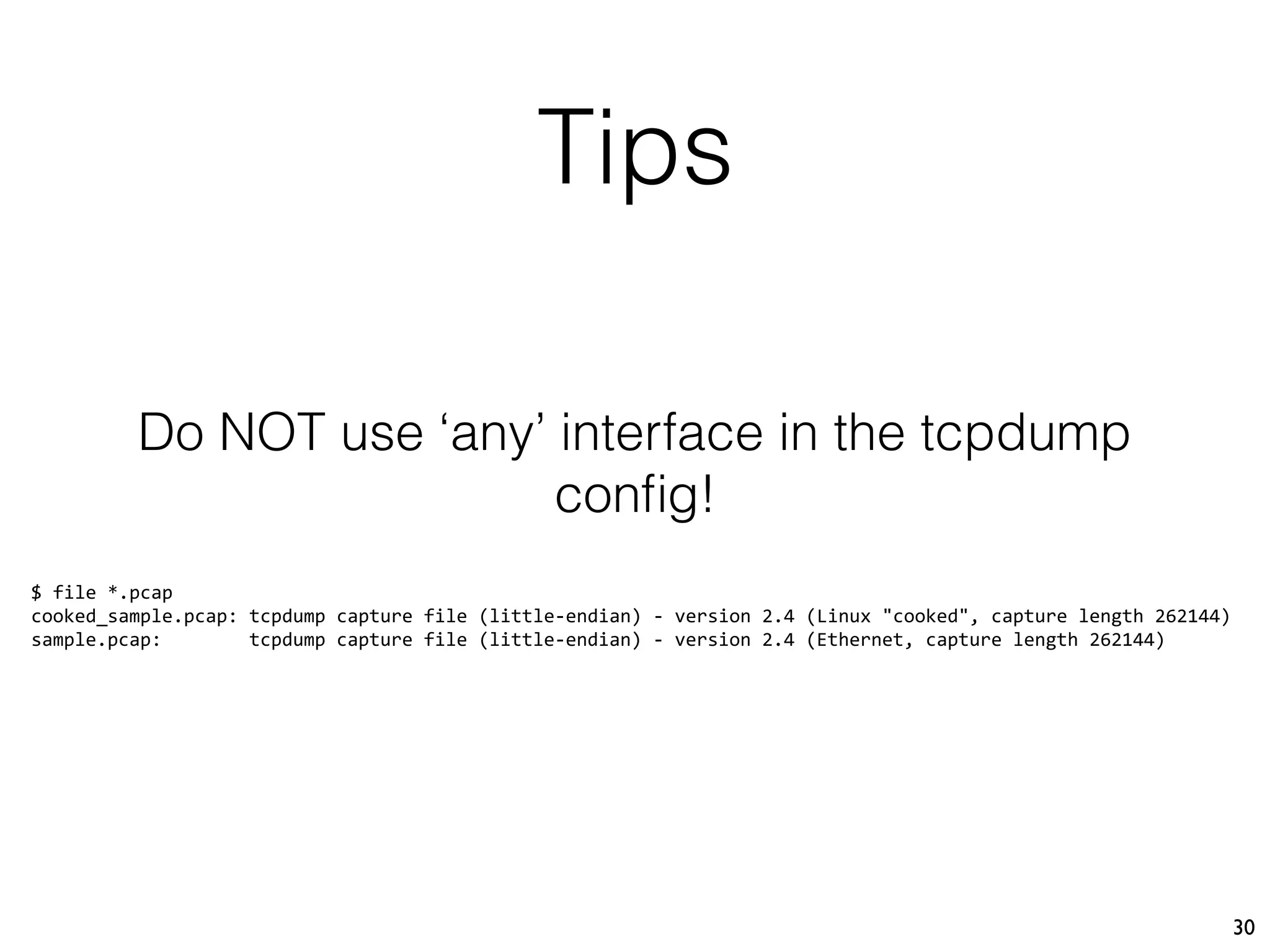
Do NOT use ‘any’ interface in the tcpdump
config!
$ file *.pcap
cooked_sample.pcap: tcpdump capture file (little-endian) - version 2.4 (Linux "cooked", capture length 262144)
sample.pcap: tcpdump capture file (little-endian) - version 2.4 (Ethernet, capture length 262144)
31
Pro Con
No footprint on the sensor
Runs on any system
SSH transfer is safe
Easy to tune / adapt to your $ENV
Not realtime processing
Small risk of broken flows
Cannot search packets based on the
node
So?
32
https://github.com/xme/fpc/
Wanna Test?
33
10:55:17.578190 00:00:00:00:00:00 > 00:00:00:00:00:00, ethertype IPv4 (0x0800), 
length 77: 127.0.0.1.38048 > 127.0.0.1.7777: Flags [P.], seq 1:12, ack 1, 
win 342, options [nop,nop,TS val 1437796971 ecr 1437795587], length 11
0x0000: 4500 003f 189c 4000 4006 241b 7f00 0001 E..?..@.@.$.....
0x0010: 7f00 0001 94a0 1e61 97cd 1d9a b8d8 37b8 .......a......7.
0x0020: 8018 0156 fe33 0000 0101 080a 55b3 0a6b ...V.3......U..k
0x0030: 55b3 0503 5468 616e 6b20 596f 7521 0a U...Thank.You!.
@xme | xavier@rootshell.be

FPC for the Masses - CoRIIN 2018