WebScale
infrastructures with
Kubernetes and
Flannel
Container Day
Verona
15/04/2016Andrea Tosatto
andrea.tosatto@purpleocean.eu
Outline
● Introduction to Purple Ocean
● Magento
○ The good
○ The bad
○ The ugly
● Project Picasso
○ Software Defined Overlay Networking with Flannel
○ Cluster Mangement with Kubernetes
● What’s Next
○ Geographical Distribution
○ Hybrid Cloud
Purple Ocean
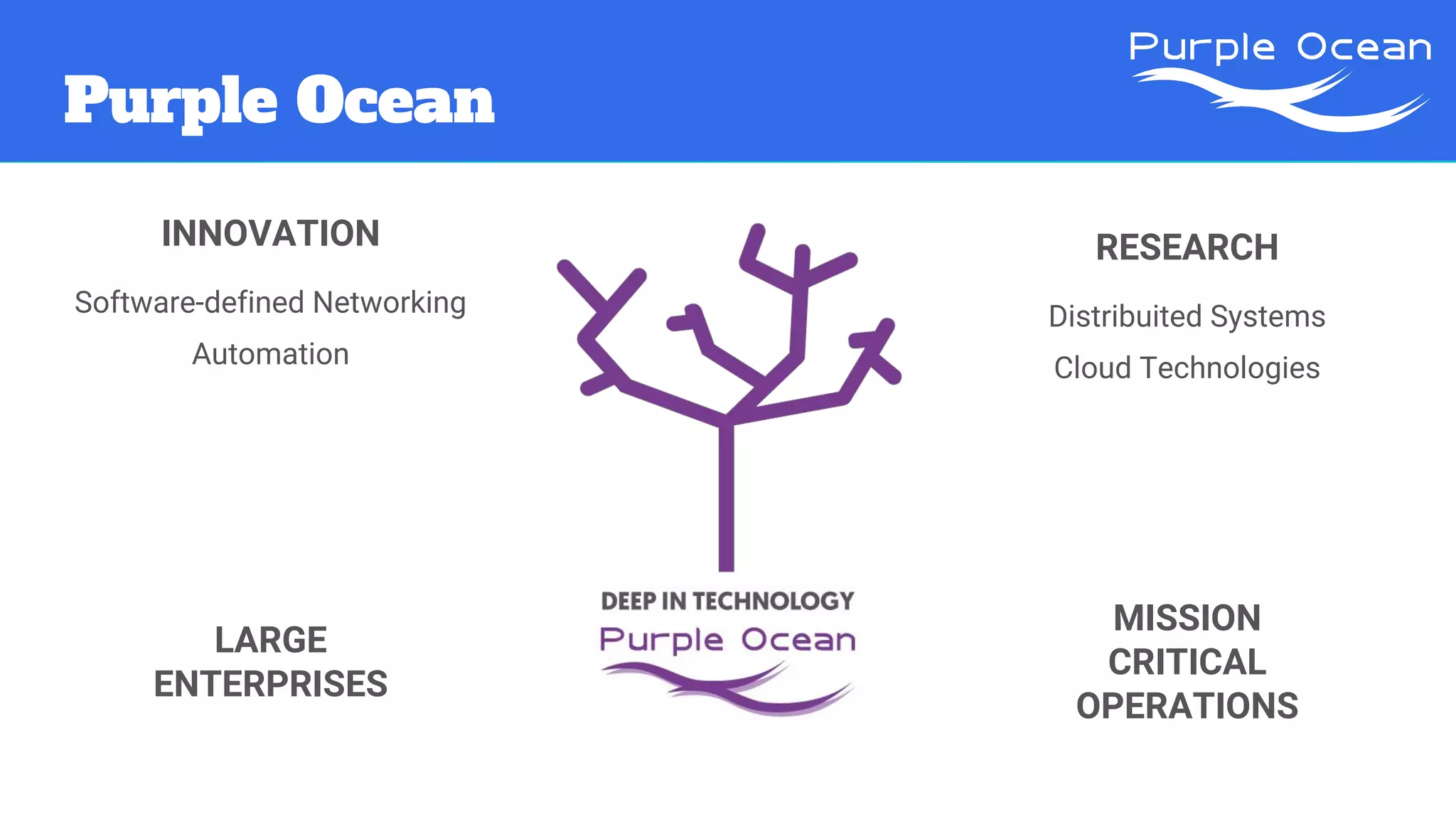
LARGE
ENTERPRISES
MISSION
CRITICAL
OPERATIONS
INNOVATION
Software-defined Networking
Automation
RESEARCH
Distribuited Systems
Cloud Technologies
Purple Ocean
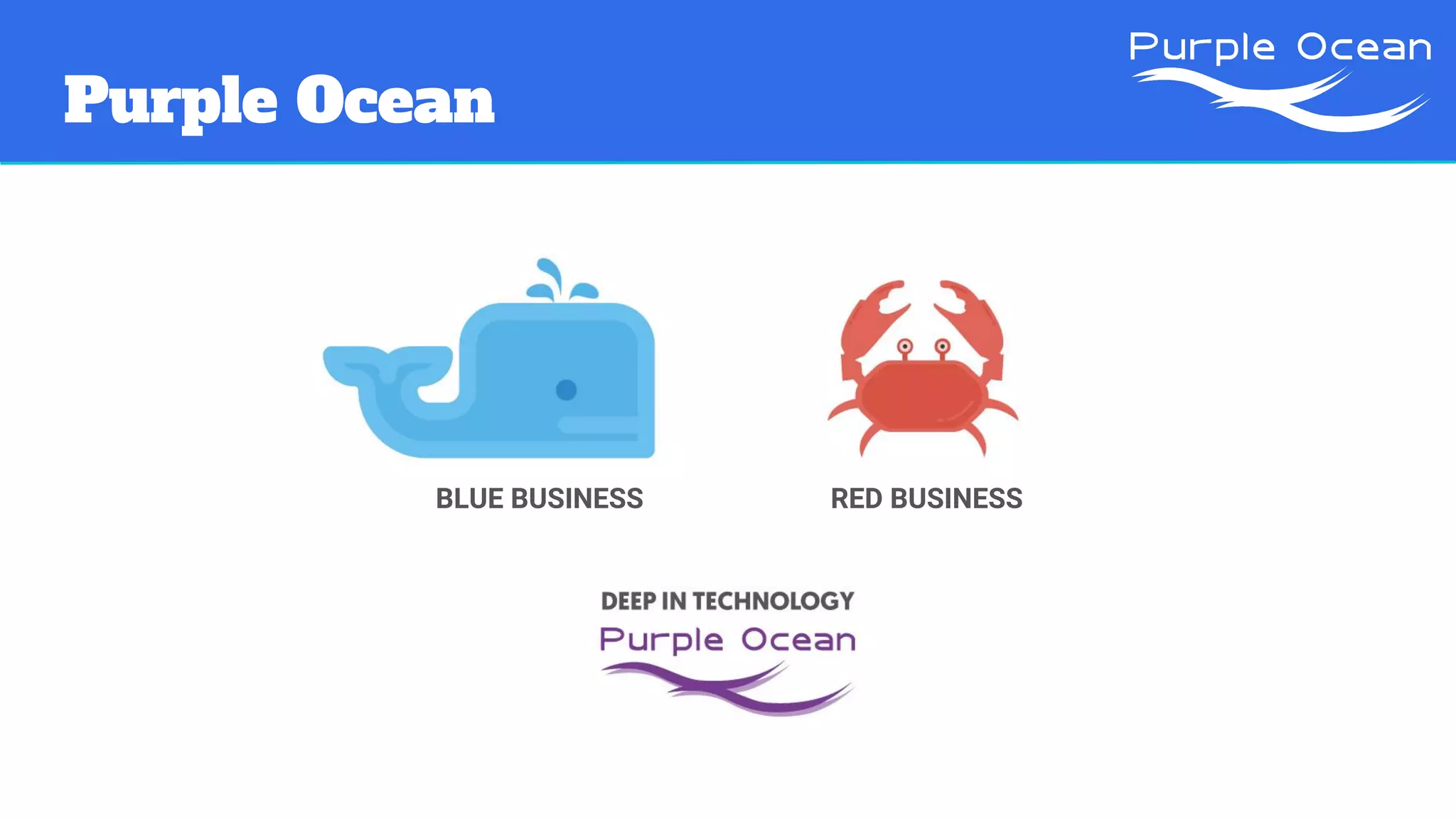
BLUE BUSINESS RED BUSINESS
Magento
“The high performance, scalable
eCommerce solution for fast-growing
and large businesses.”
https://magento.com/products/overview
Magento: the goods
1. Wide range of features and
functionalities
2. Integrations
3. Large community
4. Open source
5. Thousands of agencies and developers
6. Enterprise edition available
https://www.elementarydigital.co.uk/why-use-magento-for-ecommerce/
Magento
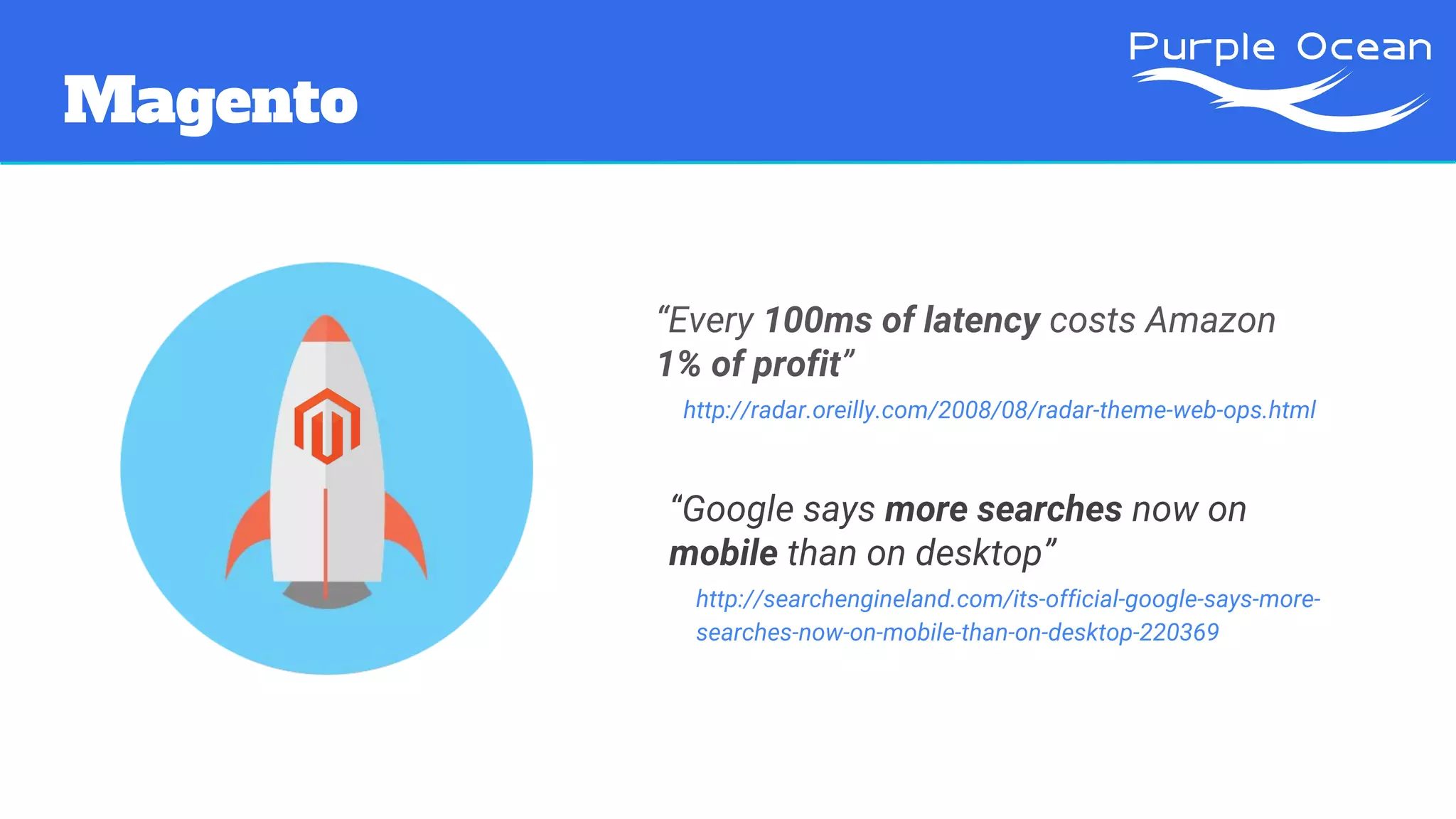
“Every 100ms of latency costs Amazon
1% of profit”
http://radar.oreilly.com/2008/08/radar-theme-web-ops.html
“Google says more searches now on
mobile than on desktop”
http://searchengineland.com/its-official-google-says-more-
searches-now-on-mobile-than-on-desktop-220369
Magento
“Every 100ms of latency costs Amazon
1% of profit”
http://radar.oreilly.com/2008/08/radar-theme-web-ops.html
“Every 100ms of latency costs Amazon
1% of profit”
http://radar.oreilly.com/2008/08/radar-theme-web-ops.html
PERFORMANCES
MATTER
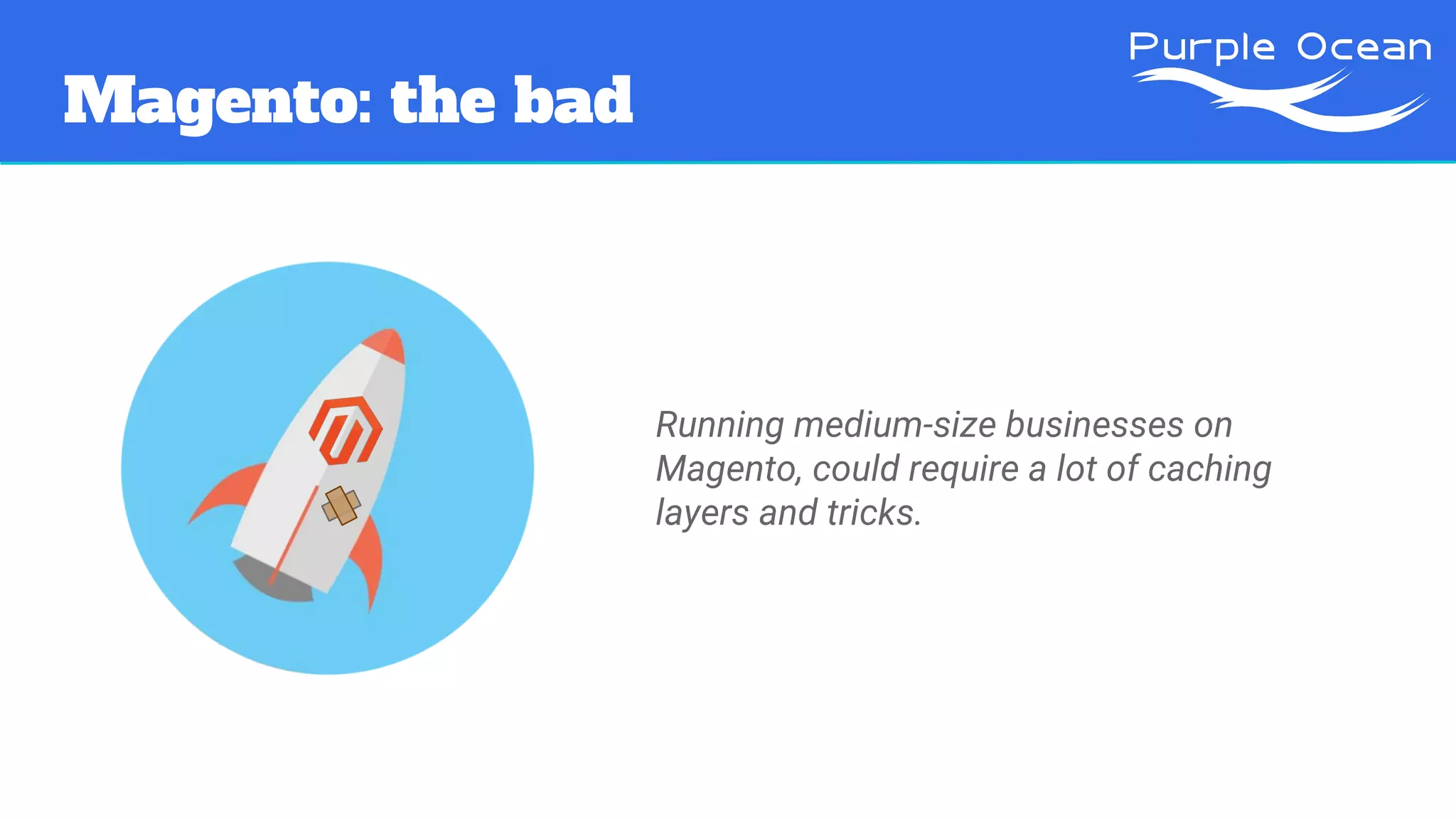
Magento: the bad
Running medium-size businesses on
Magento, could require a lot of caching
layers and tricks.
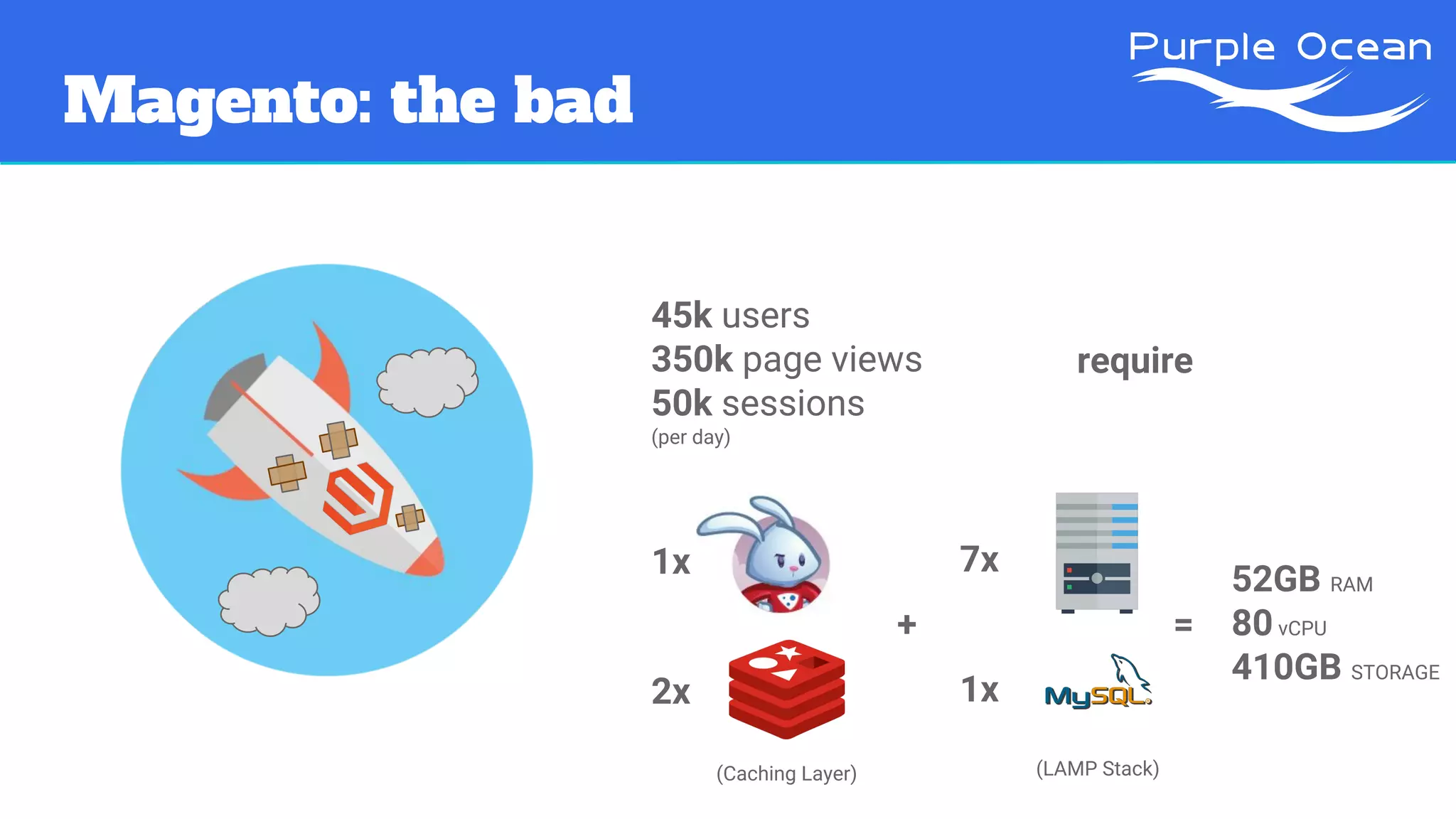
Magento: the bad
45k users
350k page views
50k sessions
(per day)
require
1x
2x
+
(Caching Layer)
7x
1x
(LAMP Stack)
=
52GB RAM
80vCPU
410GB STORAGE
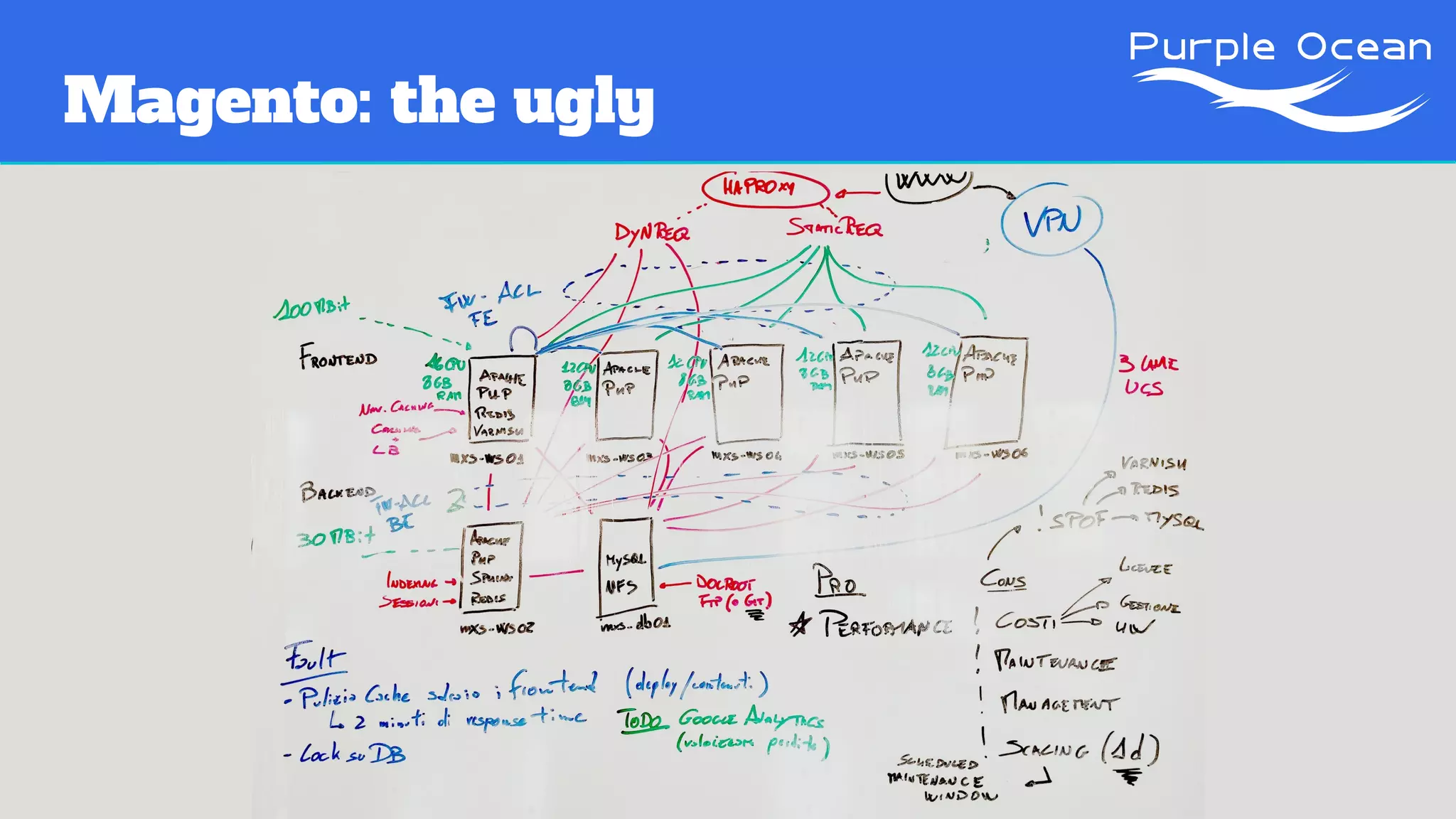
Magento: the ugly
Project Picasso
Project Picasso
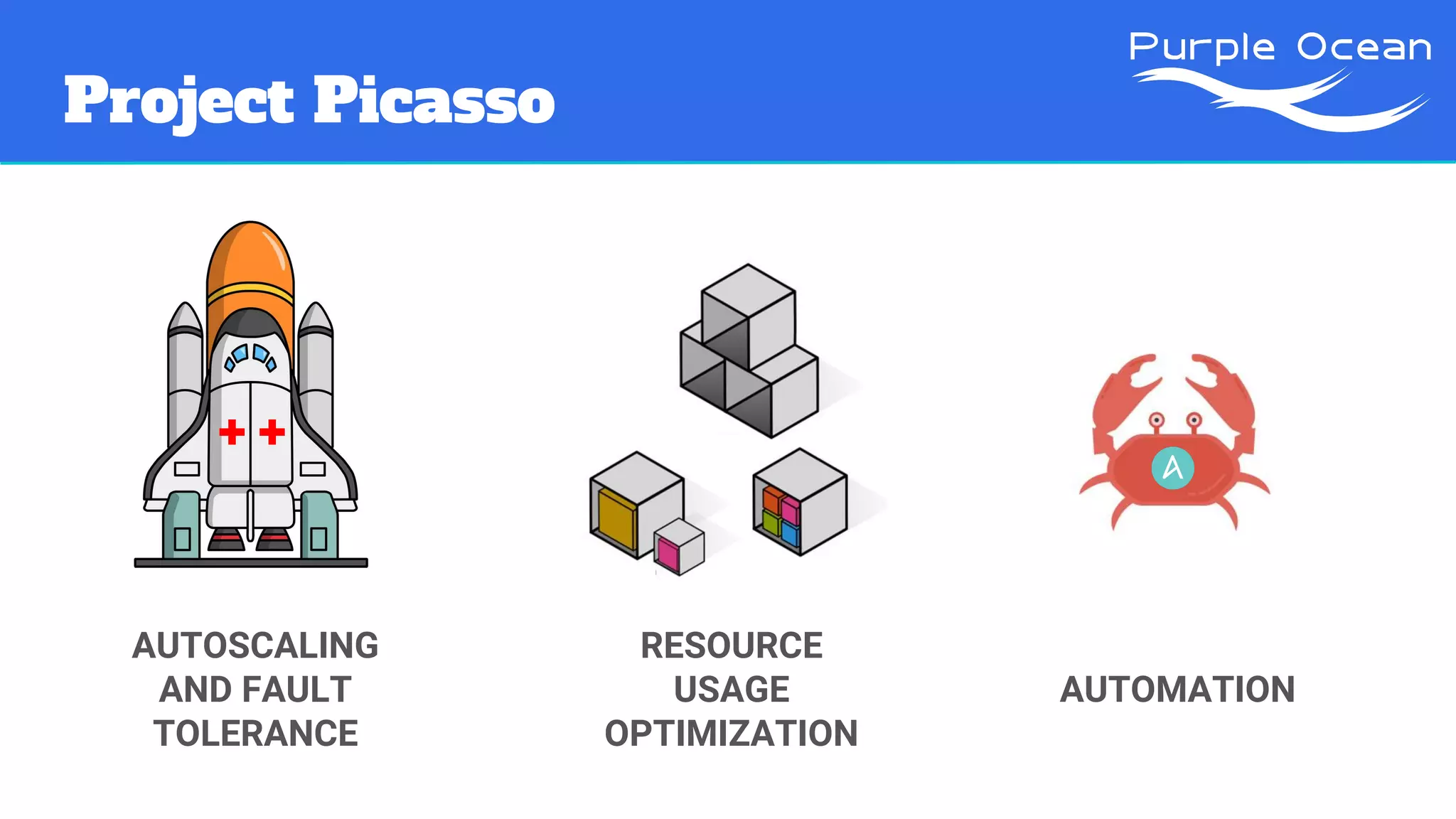
AUTOSCALING
AND FAULT
TOLERANCE
RESOURCE
USAGE
OPTIMIZATION
AUTOMATION
Project Picasso
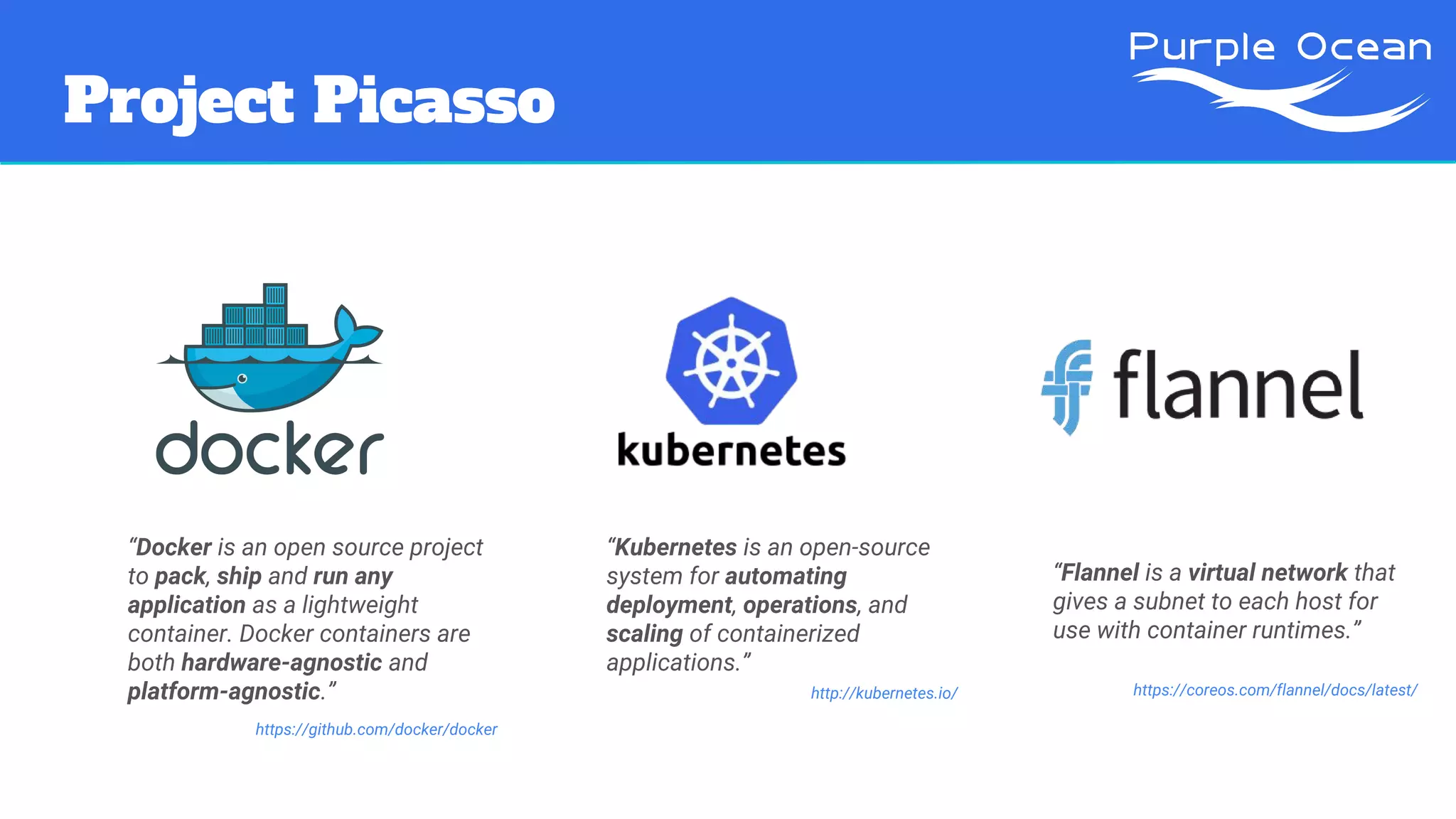
“Docker is an open source project
to pack, ship and run any
application as a lightweight
container. Docker containers are
both hardware-agnostic and
platform-agnostic.”
https://github.com/docker/docker
“Flannel is a virtual network that
gives a subnet to each host for
use with container runtimes.”
https://coreos.com/flannel/docs/latest/
“Kubernetes is an open-source
system for automating
deployment, operations, and
scaling of containerized
applications.”
http://kubernetes.io/
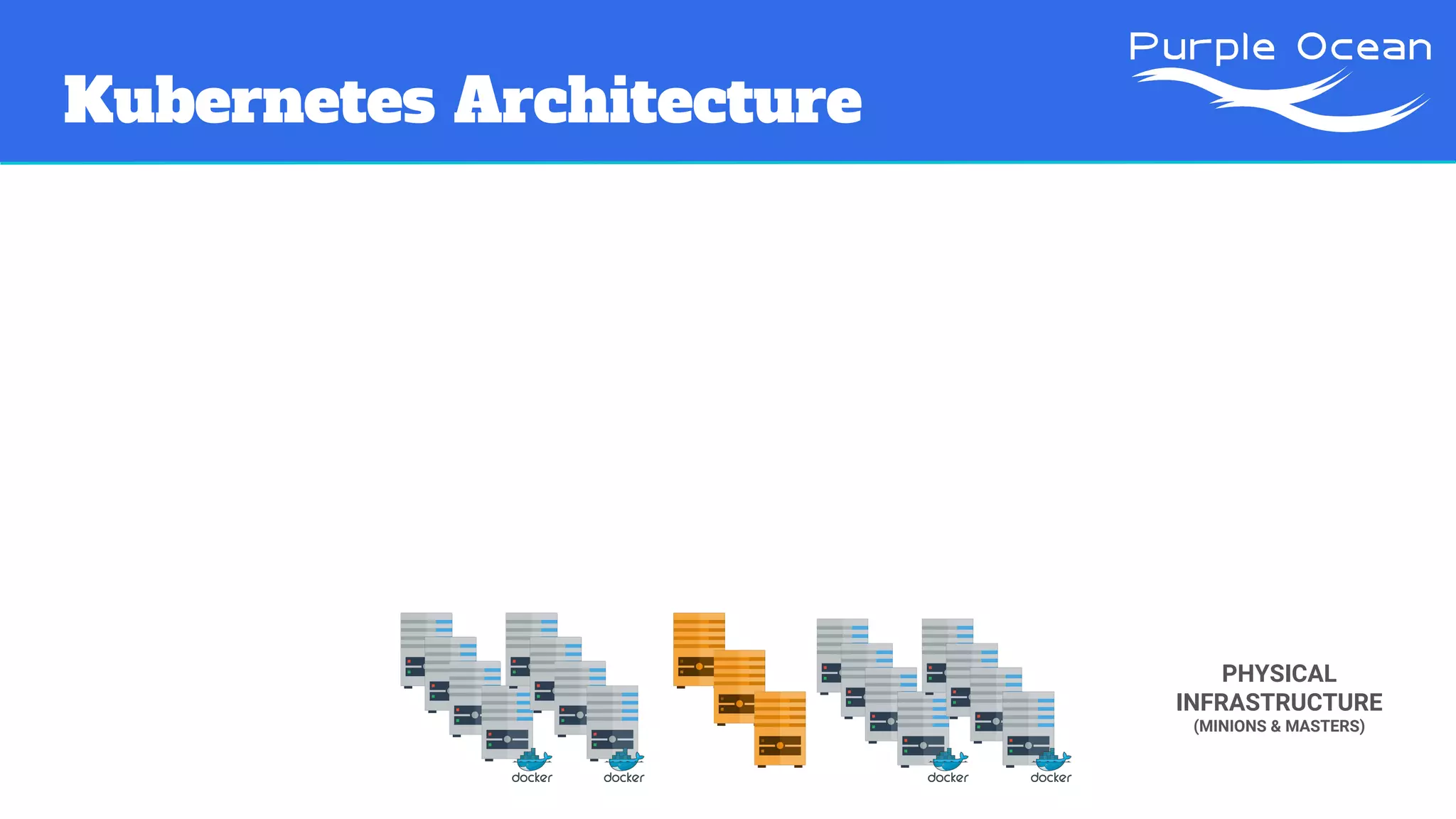
Kubernetes Architecture
PHYSICAL
INFRASTRUCTURE
(MINIONS & MASTERS)
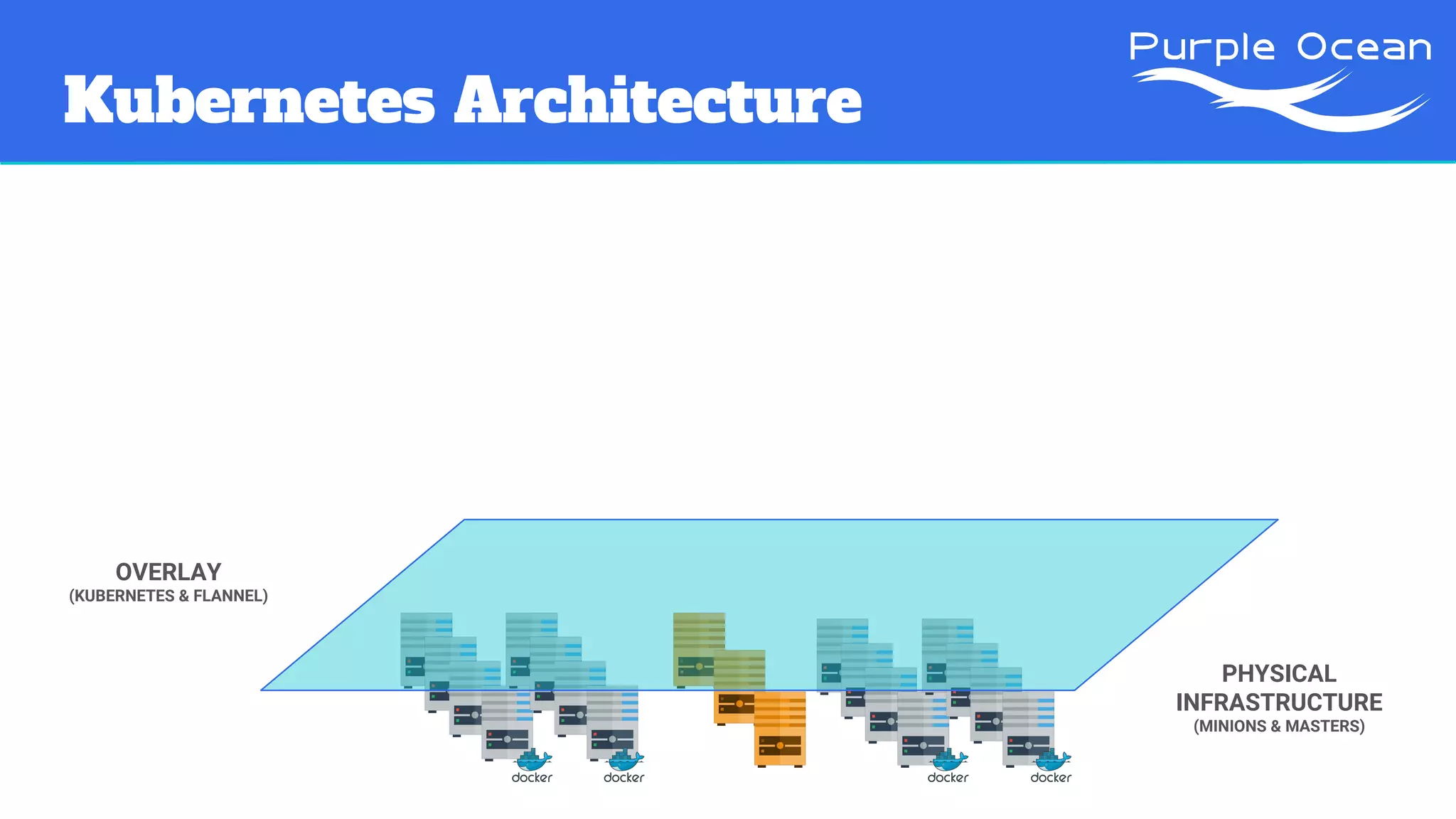
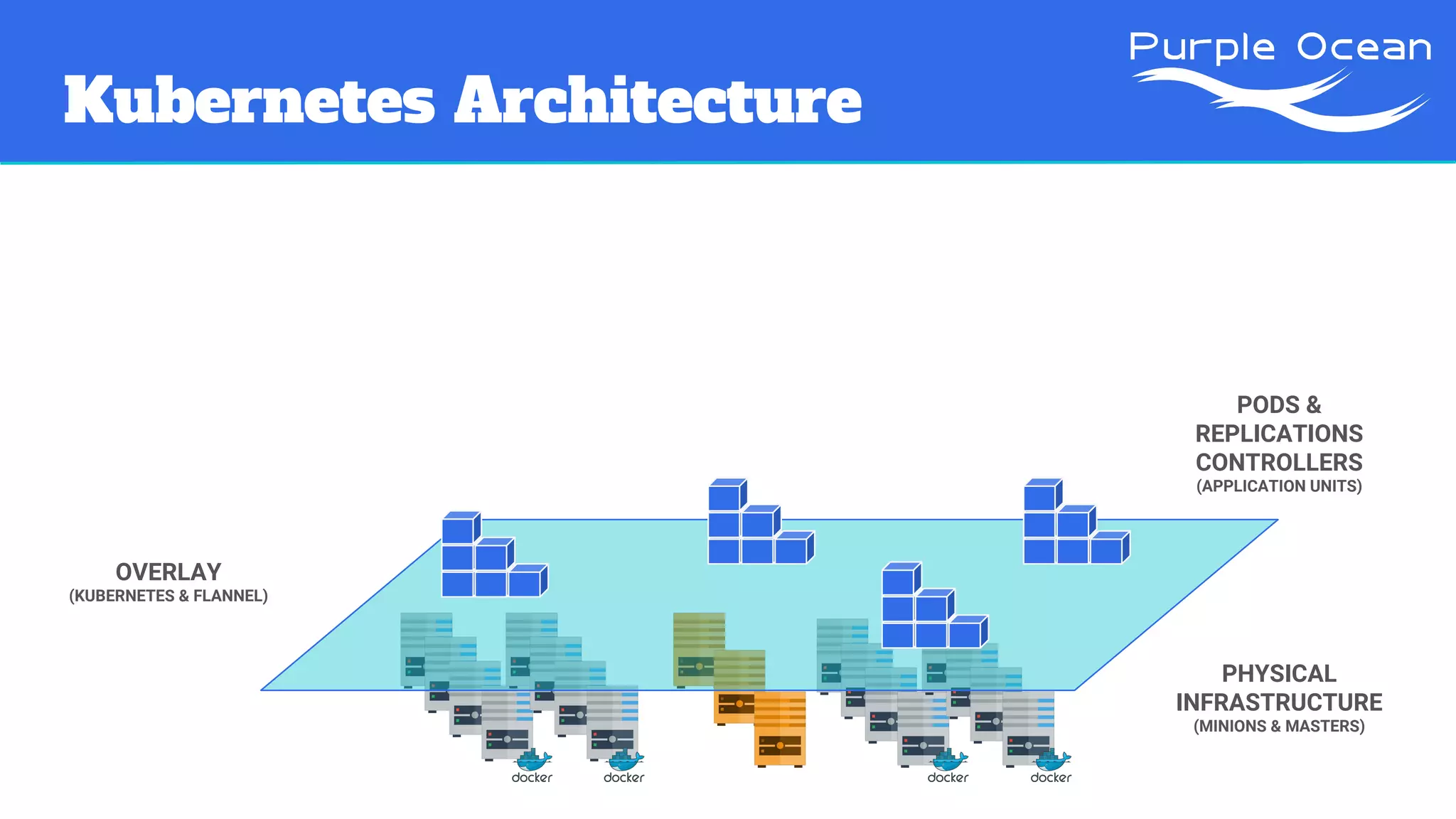
Kubernetes Architecture
PHYSICAL
INFRASTRUCTURE
(MINIONS & MASTERS)
OVERLAY
(KUBERNETES & FLANNEL)
Kubernetes Architecture
PHYSICAL
INFRASTRUCTURE
(MINIONS & MASTERS)
OVERLAY
(KUBERNETES & FLANNEL)
PODS &
REPLICATIONS
CONTROLLERS
(APPLICATION UNITS)
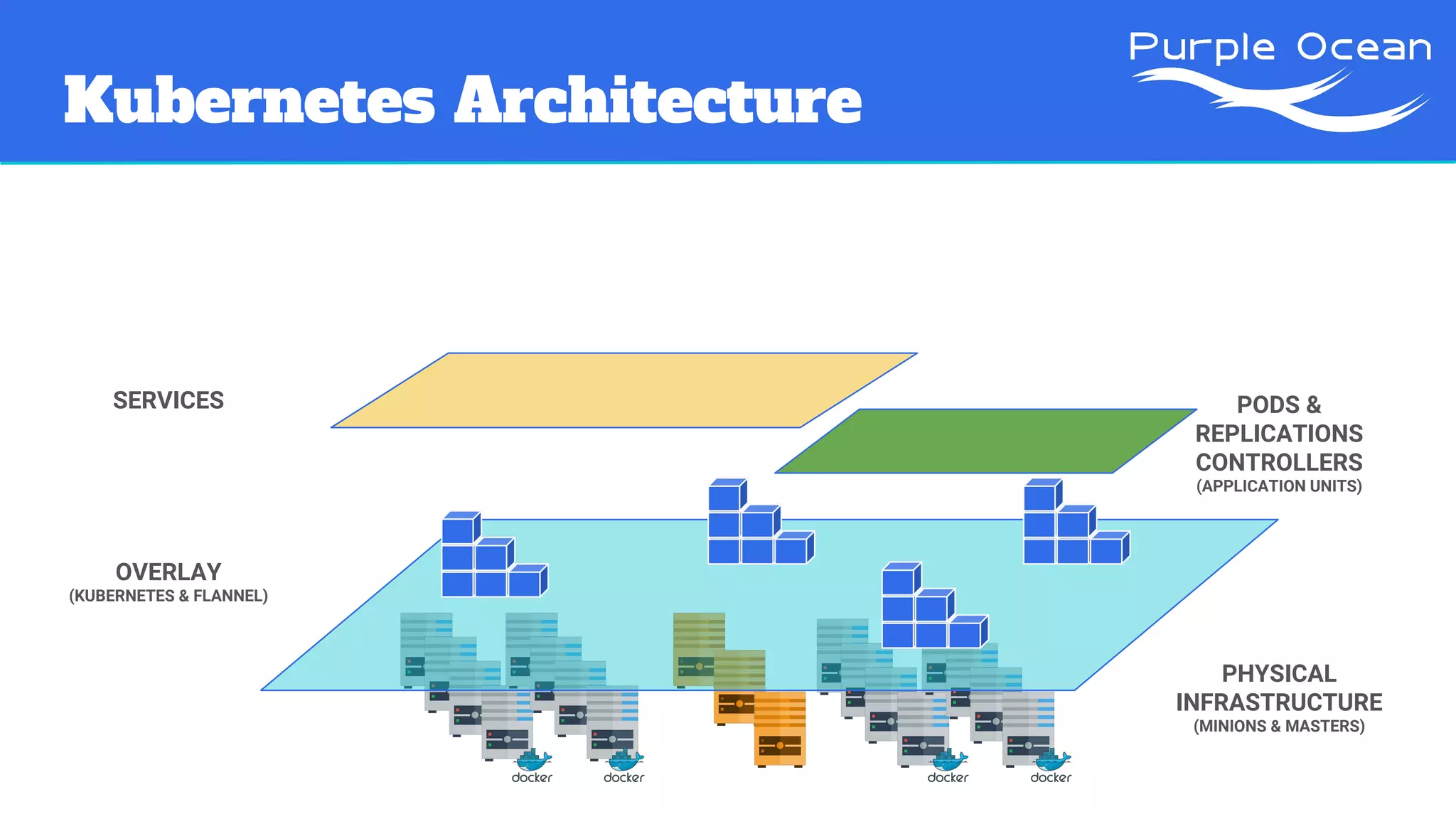
Kubernetes Architecture
PHYSICAL
INFRASTRUCTURE
(MINIONS & MASTERS)
OVERLAY
(KUBERNETES & FLANNEL)
SERVICES PODS &
REPLICATIONS
CONTROLLERS
(APPLICATION UNITS)
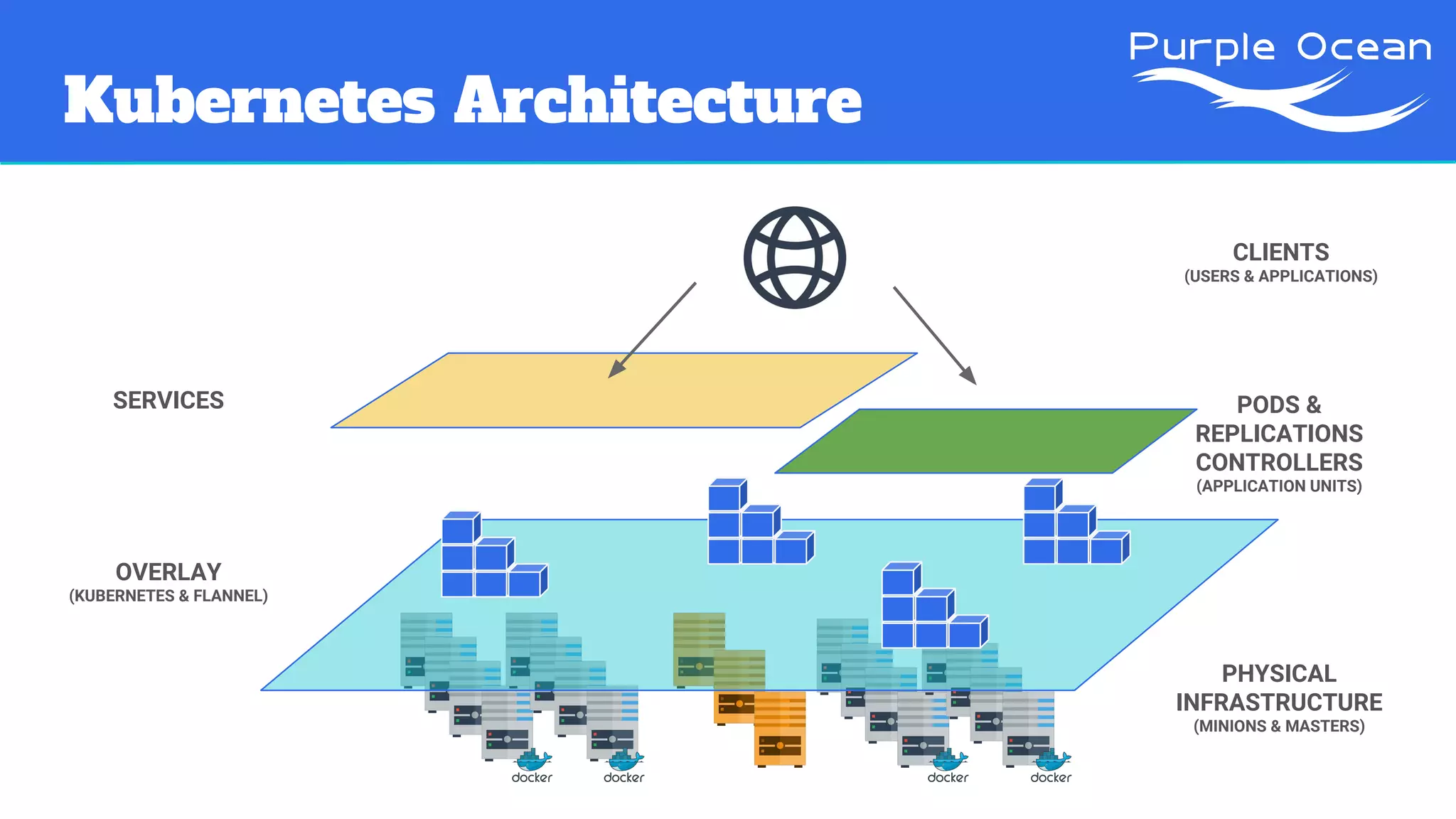
Kubernetes Architecture
PHYSICAL
INFRASTRUCTURE
(MINIONS & MASTERS)
OVERLAY
(KUBERNETES & FLANNEL)
PODS &
REPLICATIONS
CONTROLLERS
(APPLICATION UNITS)
SERVICES
CLIENTS
(USERS & APPLICATIONS)
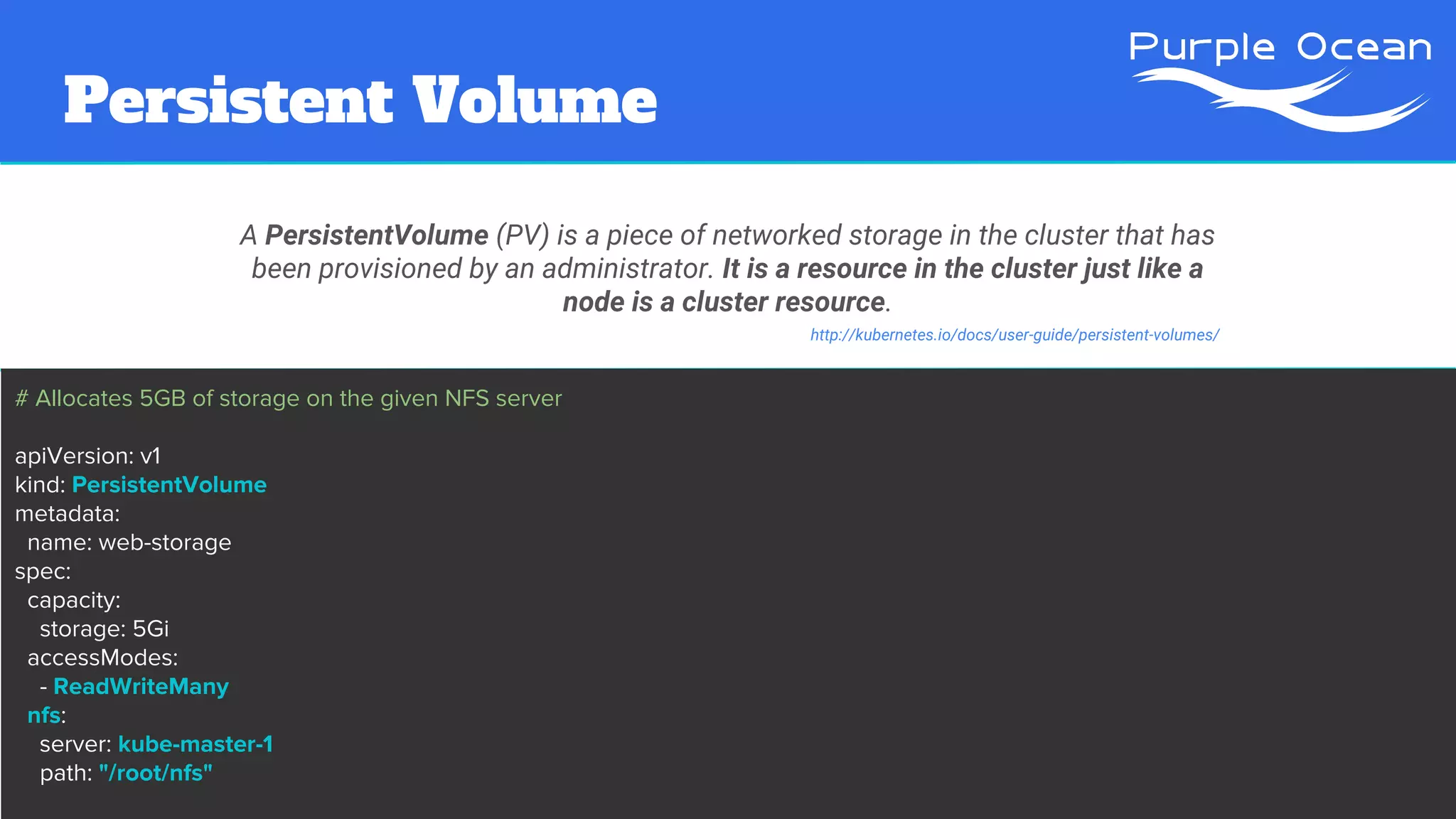
Persistent Volume
A PersistentVolume (PV) is a piece of networked storage in the cluster that has
been provisioned by an administrator. It is a resource in the cluster just like a
node is a cluster resource.
http://kubernetes.io/docs/user-guide/persistent-volumes/
# Allocates 5GB of storage on the given NFS server
apiVersion: v1
kind: PersistentVolume
metadata:
name: web-storage
spec:
capacity:
storage: 5Gi
accessModes:
- ReadWriteMany
nfs:
server: kube-master-1
path: "/root/nfs"
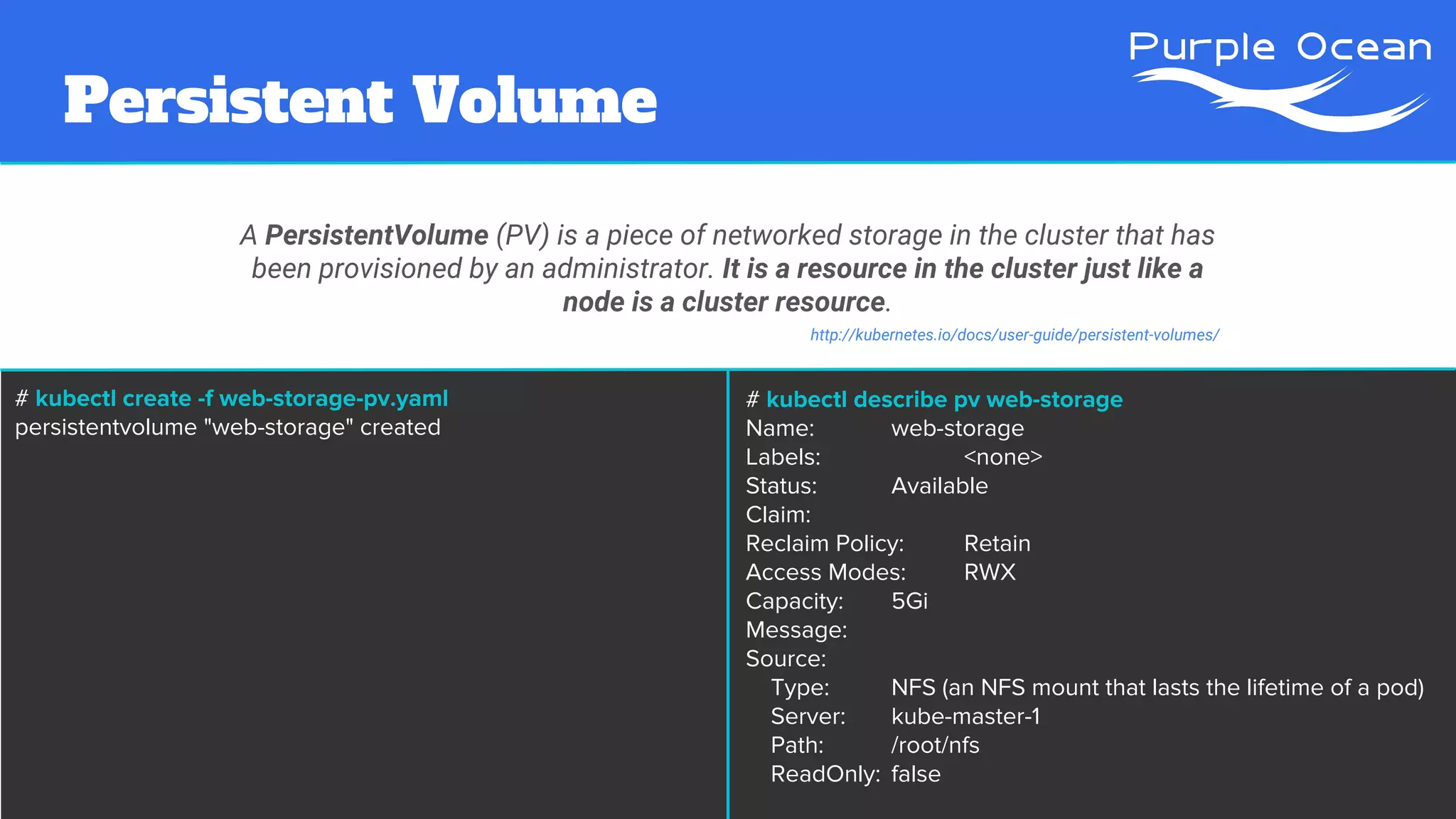
Persistent Volume
A PersistentVolume (PV) is a piece of networked storage in the cluster that has
been provisioned by an administrator. It is a resource in the cluster just like a
node is a cluster resource.
http://kubernetes.io/docs/user-guide/persistent-volumes/
# kubectl create -f web-storage-pv.yaml
persistentvolume "web-storage" created
# kubectl describe pv web-storage
Name: web-storage
Labels: <none>
Status: Available
Claim:
Reclaim Policy: Retain
Access Modes: RWX
Capacity: 5Gi
Message:
Source:
Type: NFS (an NFS mount that lasts the lifetime of a pod)
Server: kube-master-1
Path: /root/nfs
ReadOnly: false
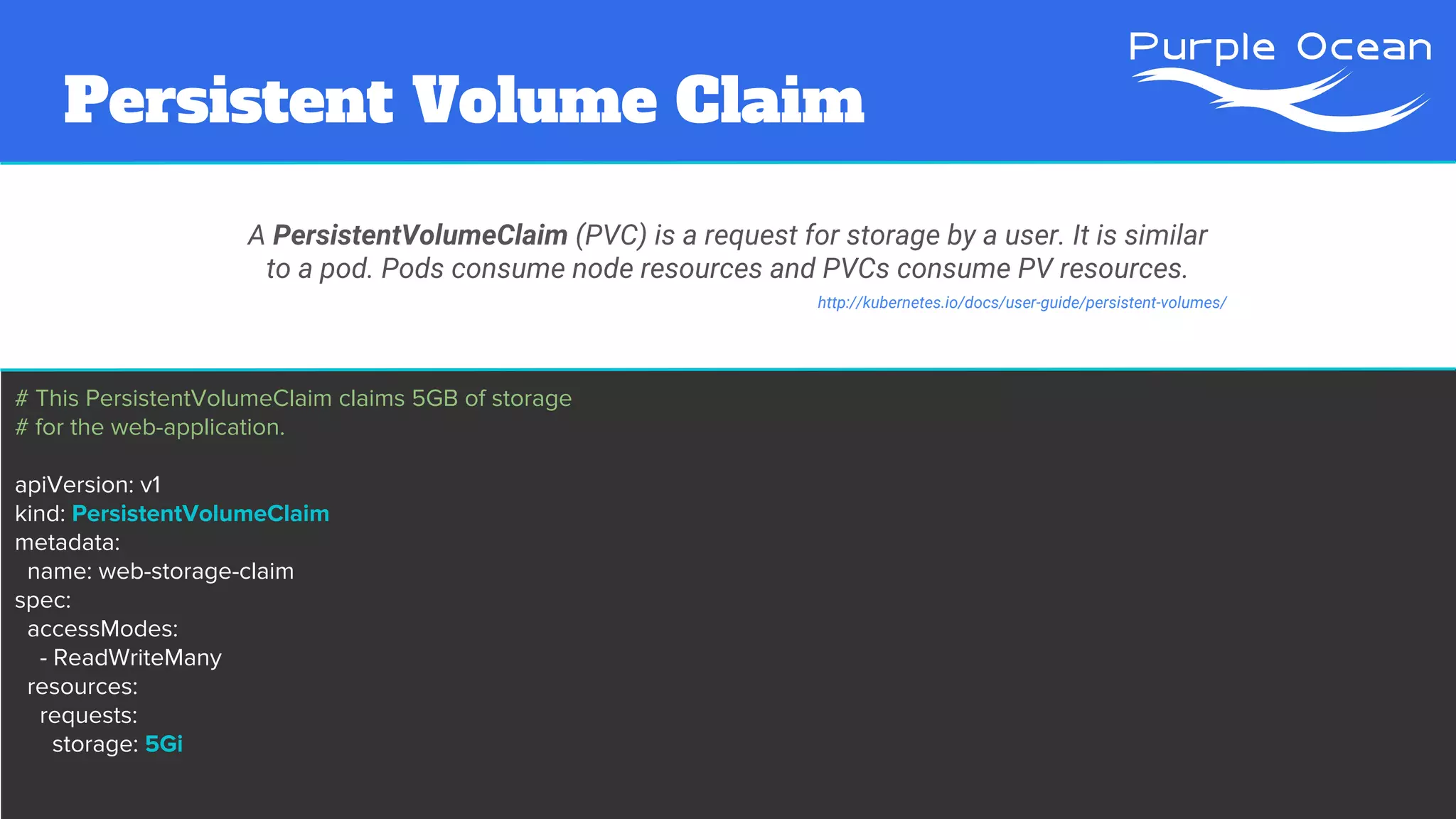
Persistent Volume Claim
A PersistentVolumeClaim (PVC) is a request for storage by a user. It is similar
to a pod. Pods consume node resources and PVCs consume PV resources.
# This PersistentVolumeClaim claims 5GB of storage
# for the web-application.
apiVersion: v1
kind: PersistentVolumeClaim
metadata:
name: web-storage-claim
spec:
accessModes:
- ReadWriteMany
resources:
requests:
storage: 5Gi
http://kubernetes.io/docs/user-guide/persistent-volumes/
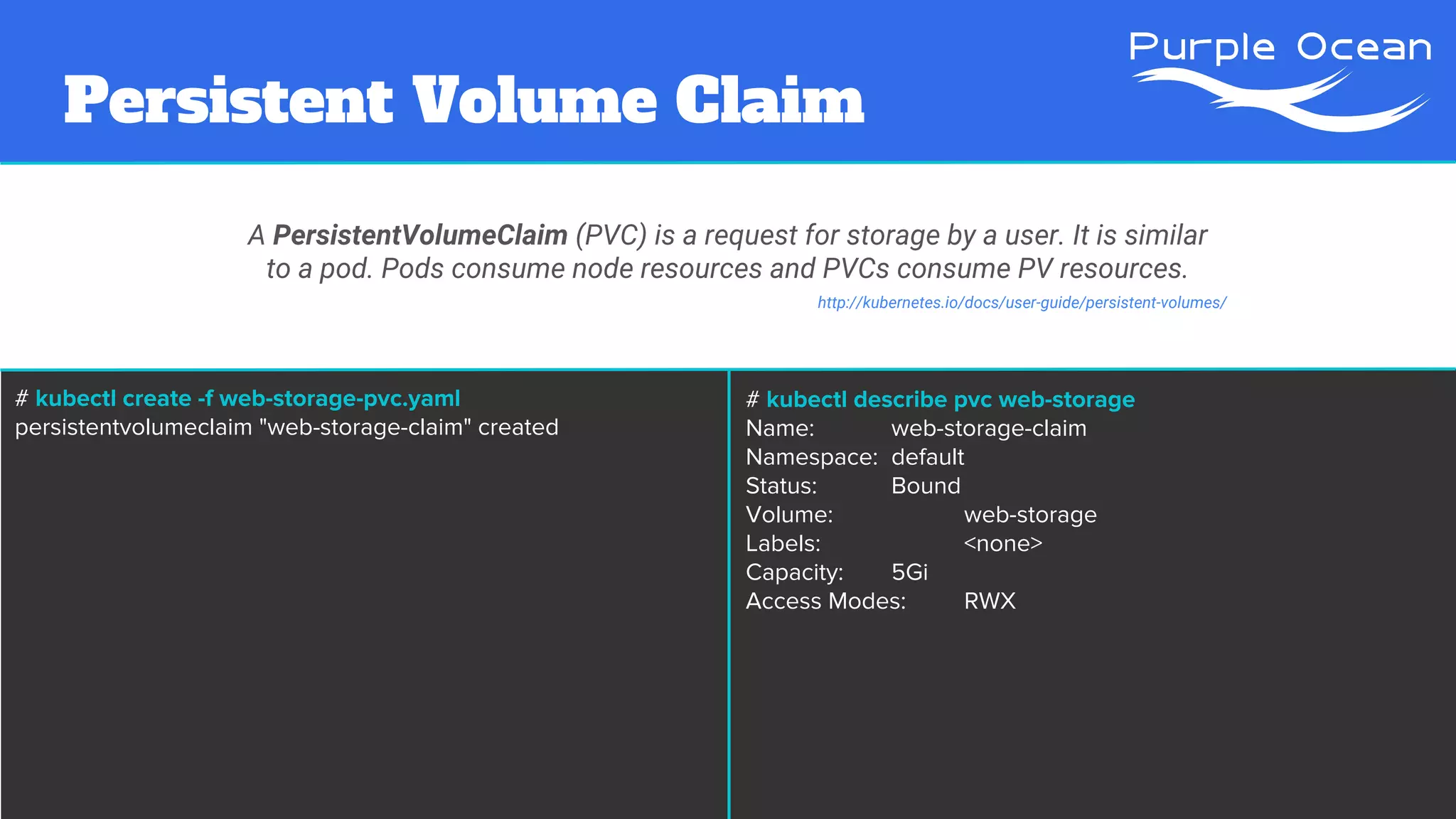
Persistent Volume Claim
A PersistentVolumeClaim (PVC) is a request for storage by a user. It is similar
to a pod. Pods consume node resources and PVCs consume PV resources.
# kubectl create -f web-storage-pvc.yaml
persistentvolumeclaim "web-storage-claim" created
http://kubernetes.io/docs/user-guide/persistent-volumes/
# kubectl describe pvc web-storage
Name: web-storage-claim
Namespace: default
Status: Bound
Volume: web-storage
Labels: <none>
Capacity: 5Gi
Access Modes: RWX
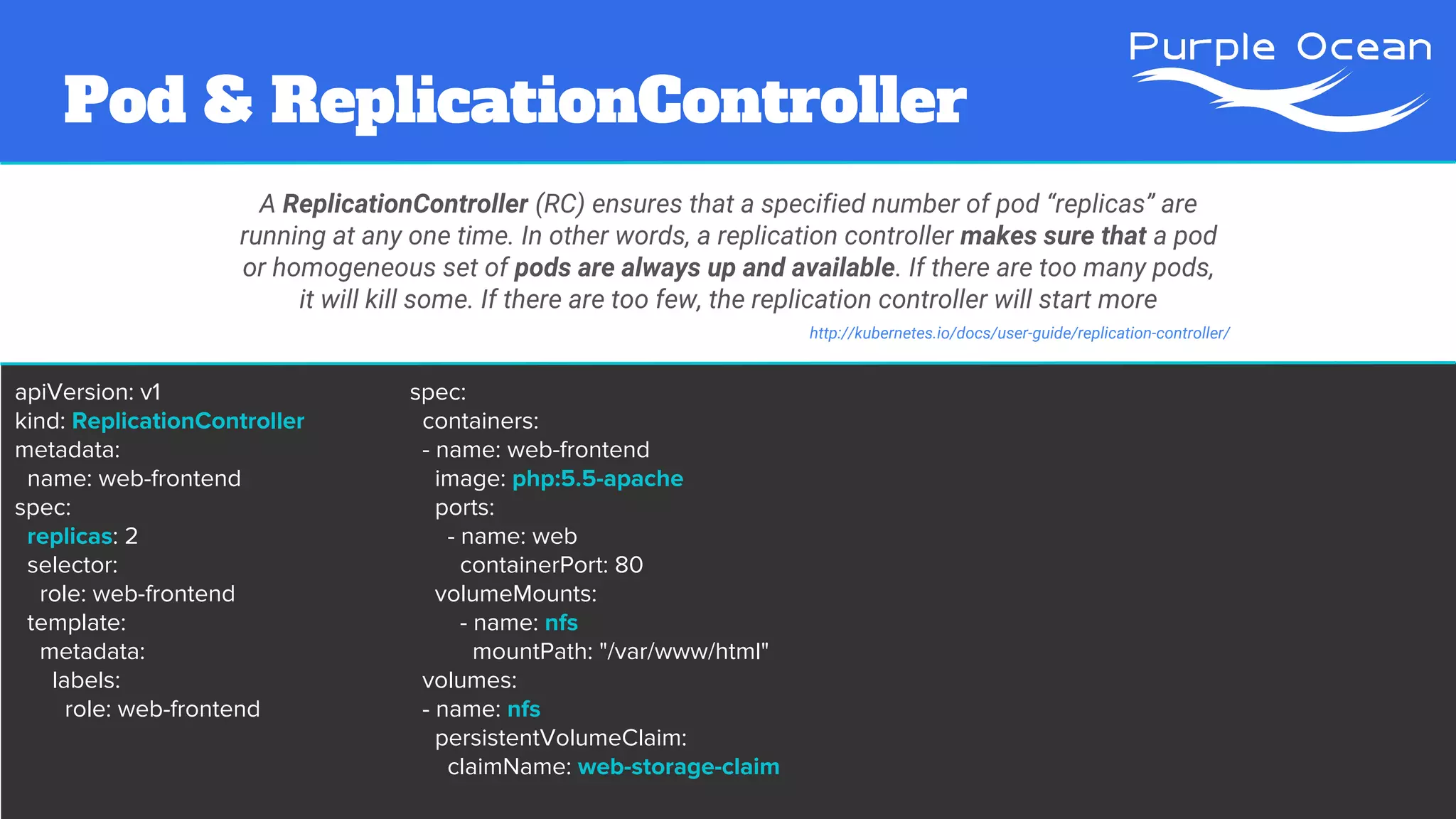
Pod & ReplicationController
A ReplicationController (RC) ensures that a specified number of pod “replicas” are
running at any one time. In other words, a replication controller makes sure that a pod
or homogeneous set of pods are always up and available. If there are too many pods,
it will kill some. If there are too few, the replication controller will start more
http://kubernetes.io/docs/user-guide/replication-controller/
apiVersion: v1
kind: ReplicationController
metadata:
name: web-frontend
spec:
replicas: 2
selector:
role: web-frontend
template:
metadata:
labels:
role: web-frontend
spec:
containers:
- name: web-frontend
image: php:5.5-apache
ports:
- name: web
containerPort: 80
volumeMounts:
- name: nfs
mountPath: "/var/www/html"
volumes:
- name: nfs
persistentVolumeClaim:
claimName: web-storage-claim
# kubectl create -f web-frontend-rc.yaml
replicationcontroller "web-frontend" created
# kubectl describe rc web-frontend
Name: web-frontend
Namespace: default
Image(s): php:5.5-apache
Selector: role=web-frontend
Labels: role=web-frontend
Replicas: 2 current / 2 desired
Pods Status: 2 Running / 0 Waiting / 0 Succeeded / 0 Failed
Volumes:
nfs:
Type:PersistentVolumeClaim (a reference to a PersistentVolumeClaim in the same namespace)
ClaimName: web-storage-claim
ReadOnly: true
[...]
Pod & ReplicationController
A ReplicationController (RC) ensures that a specified number of pod “replicas” are
running at any one time. In other words, a replication controller makes sure that a pod
or homogeneous set of pods are always up and available. If there are too many pods,
it will kill some. If there are too few, the replication controller will start more
http://kubernetes.io/docs/user-guide/replication-controller/
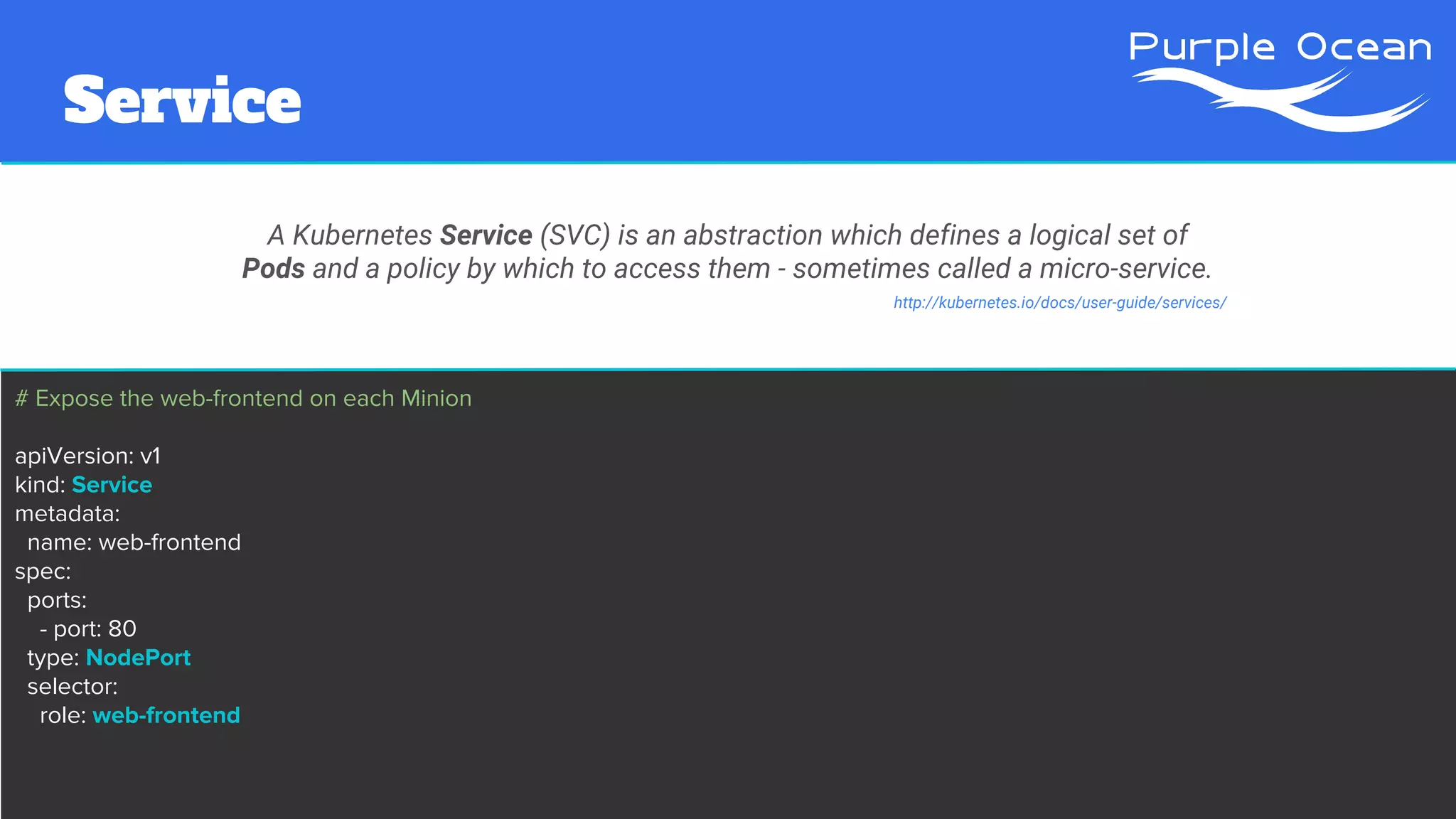
# Expose the web-frontend on each Minion
apiVersion: v1
kind: Service
metadata:
name: web-frontend
spec:
ports:
- port: 80
type: NodePort
selector:
role: web-frontend
Service
A Kubernetes Service (SVC) is an abstraction which defines a logical set of
Pods and a policy by which to access them - sometimes called a micro-service.
http://kubernetes.io/docs/user-guide/services/
Service
A Kubernetes Service (SVC) is an abstraction which defines a logical set of
Pods and a policy by which to access them - sometimes called a micro-service.
http://kubernetes.io/docs/user-guide/services/
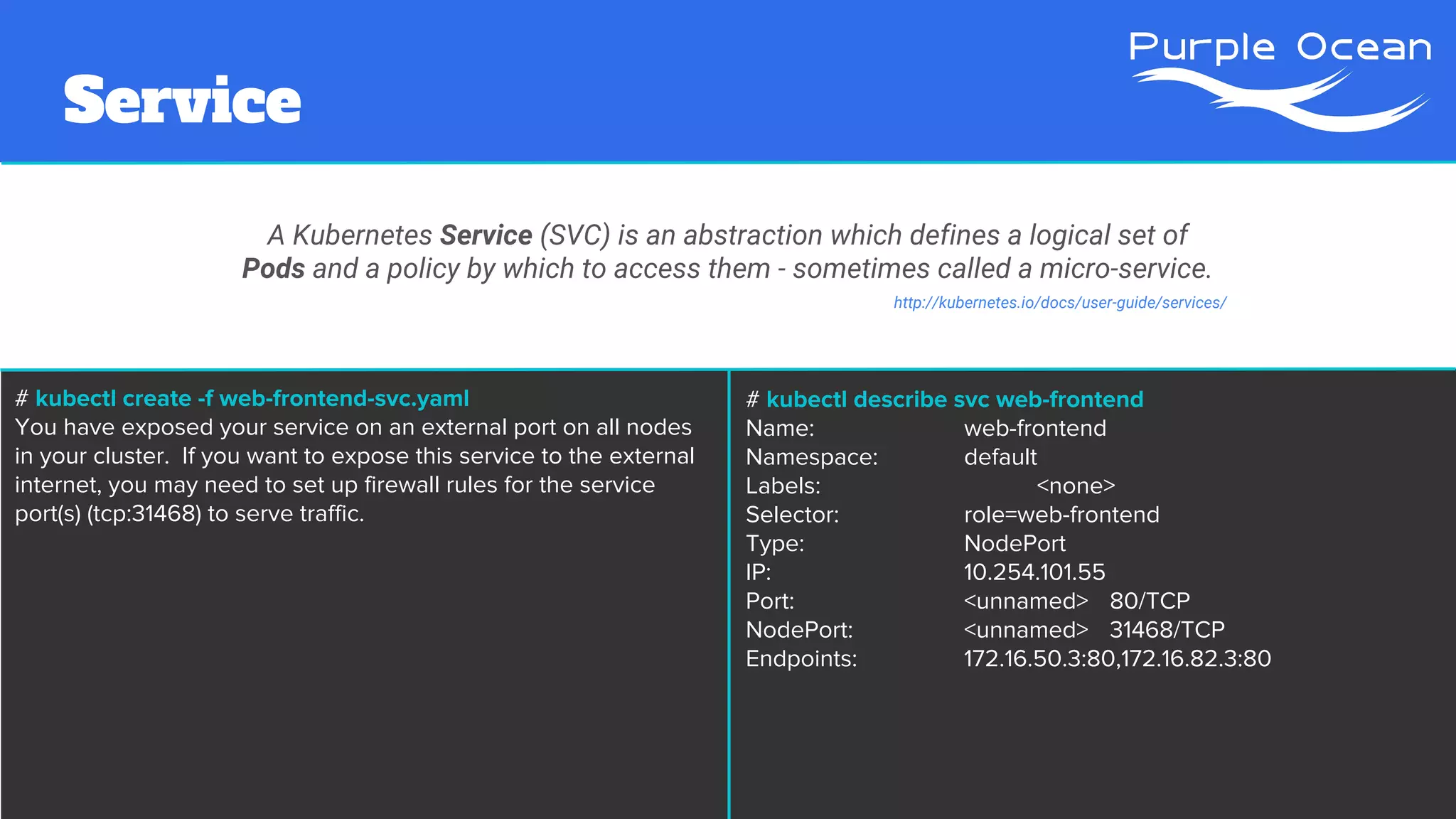
# kubectl create -f web-frontend-svc.yaml
You have exposed your service on an external port on all nodes
in your cluster. If you want to expose this service to the external
internet, you may need to set up firewall rules for the service
port(s) (tcp:31468) to serve traffic.
# kubectl describe svc web-frontend
Name: web-frontend
Namespace: default
Labels: <none>
Selector: role=web-frontend
Type: NodePort
IP: 10.254.101.55
Port: <unnamed> 80/TCP
NodePort: <unnamed> 31468/TCP
Endpoints: 172.16.50.3:80,172.16.82.3:80
# kubectl scale --replicas=10 rc/web-frontend
replicationcontroller "web-frontend" scaled
# kubectl describe rc web-frontend
Name: web-frontend
Namespace: default
Image(s): php:5.5-apache
Selector: role=web-frontend
Labels: role=web-frontend
Replicas: 10 current / 10 desired
Pods Status: 10 Running / 0 Waiting / 0 Succeeded / 0 Failed
Volumes:
nfs:
Type:PersistentVolumeClaim (a reference to a PersistentVolumeClaim in the same namespace)
ClaimName: web-storage-claim
ReadOnly: true
[...]
Set a new size for a Replication Controller
http://kubernetes.io/docs/user-guide/kubectl/kubectl_scale/
Manual Scaling
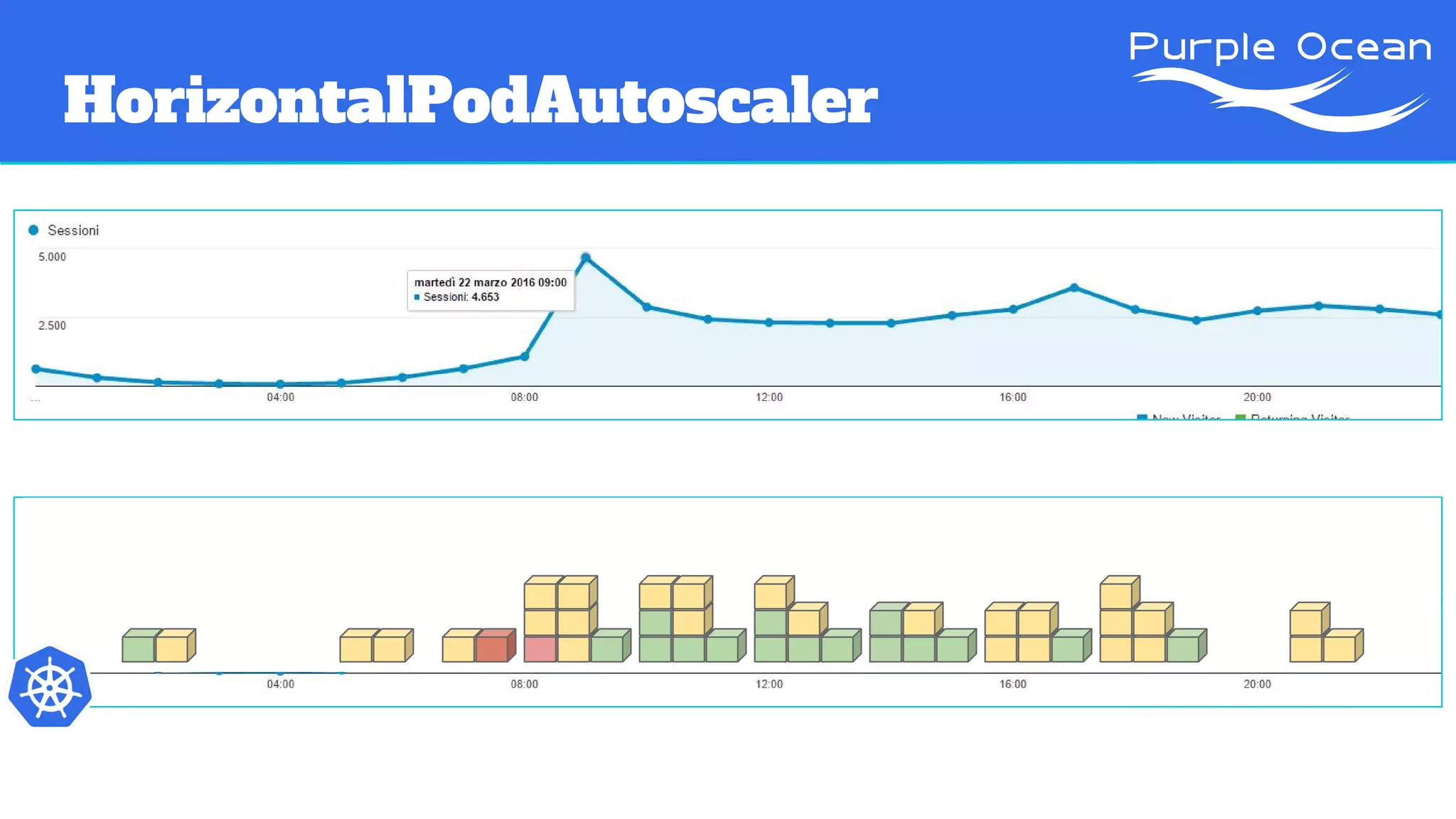
HorizontalPodAutoscaler
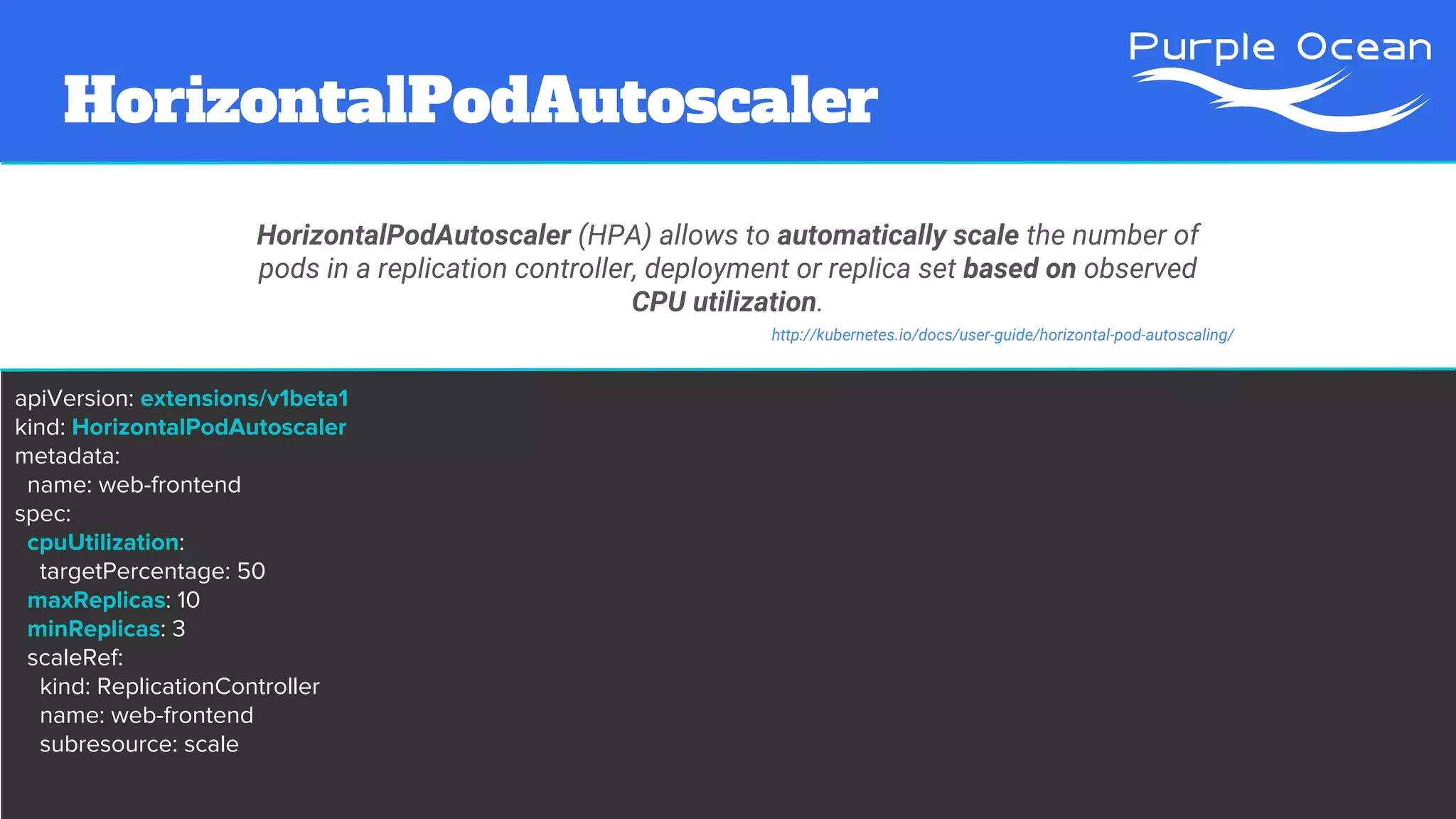
HorizontalPodAutoscaler (HPA) allows to automatically scale the number of
pods in a replication controller, deployment or replica set based on observed
CPU utilization.
apiVersion: extensions/v1beta1
kind: HorizontalPodAutoscaler
metadata:
name: web-frontend
spec:
cpuUtilization:
targetPercentage: 50
maxReplicas: 10
minReplicas: 3
scaleRef:
kind: ReplicationController
name: web-frontend
subresource: scale
http://kubernetes.io/docs/user-guide/horizontal-pod-autoscaling/
HorizontalPodAutoscaler
HorizontalPodAutoscaler (HPA) allows to automatically scale the number of
pods in a replication controller, deployment or replica set based on observed
CPU utilization.
http://kubernetes.io/docs/user-guide/horizontal-pod-autoscaling/
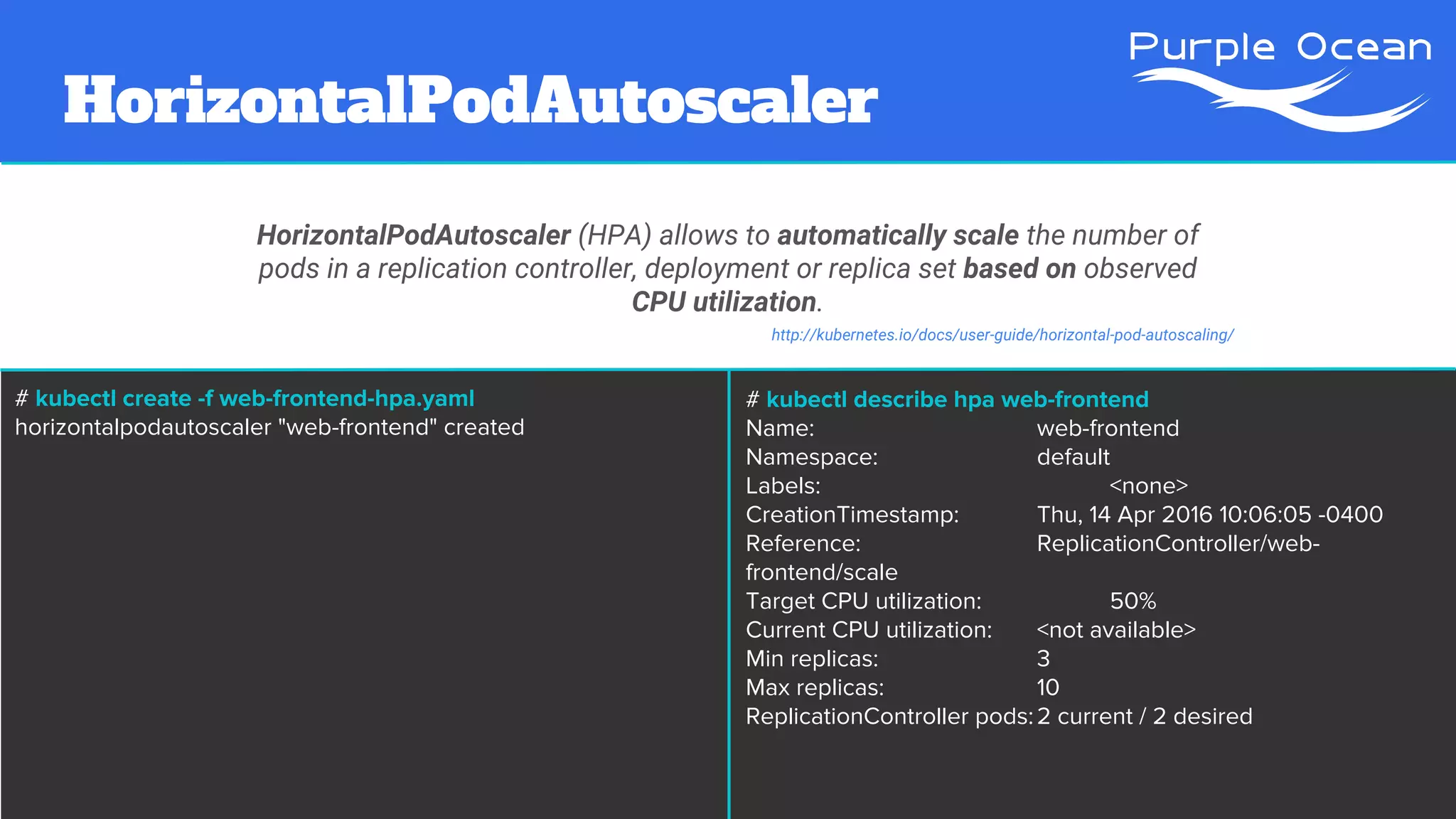
# kubectl create -f web-frontend-hpa.yaml
horizontalpodautoscaler "web-frontend" created
# kubectl describe hpa web-frontend
Name: web-frontend
Namespace: default
Labels: <none>
CreationTimestamp: Thu, 14 Apr 2016 10:06:05 -0400
Reference: ReplicationController/web-
frontend/scale
Target CPU utilization: 50%
Current CPU utilization: <not available>
Min replicas: 3
Max replicas: 10
ReplicationController pods:2 current / 2 desired
HorizontalPodAutoscaler
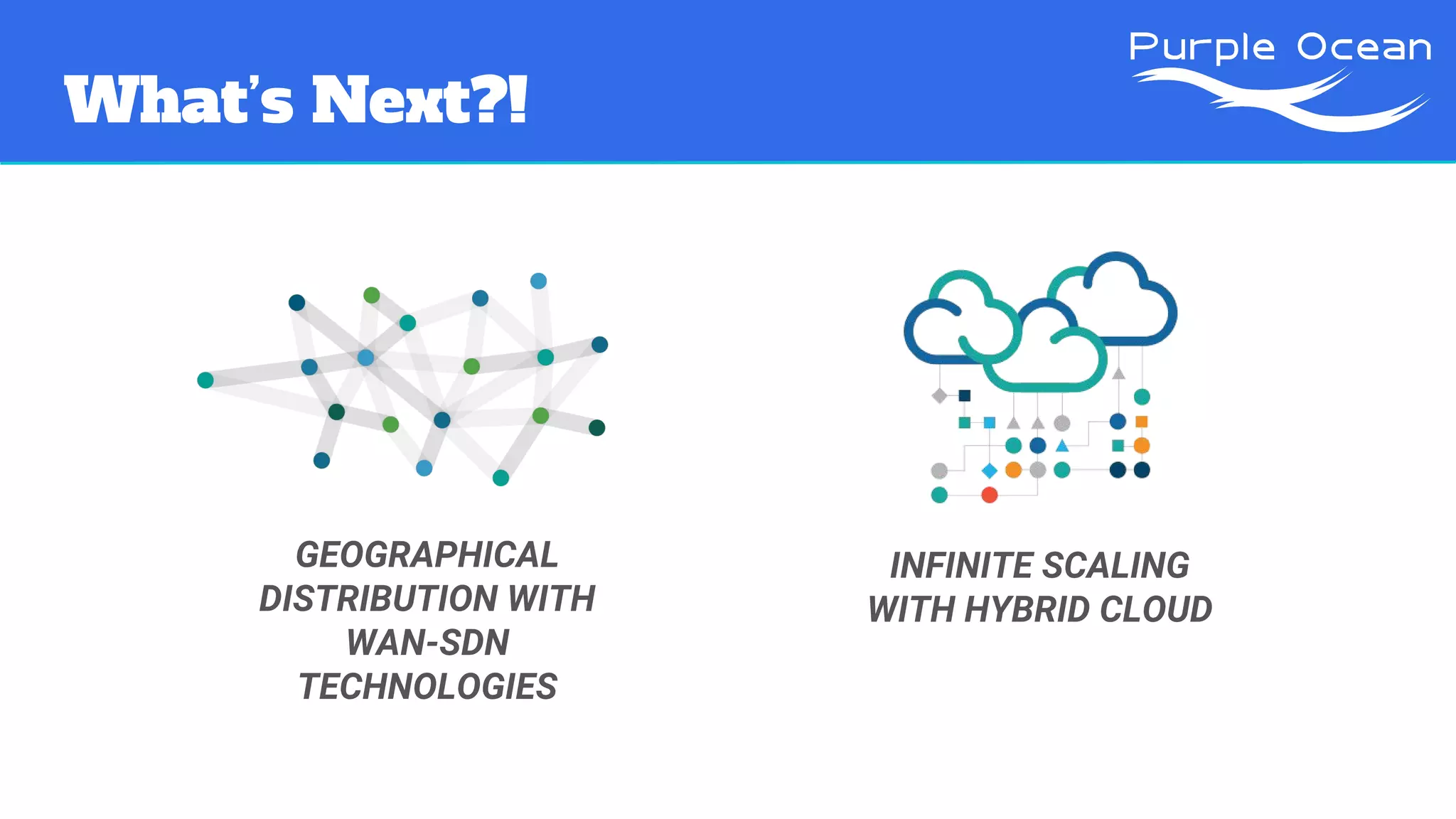
What’s Next?!
GEOGRAPHICAL
DISTRIBUTION WITH
WAN-SDN
TECHNOLOGIES
INFINITE SCALING
WITH HYBRID CLOUD
Try this @home
github.com/atosatto/presentation-webscalek8s
Try this @home
github.com/atosatto/presentation-webscalek8s
VAGRANT UP
Thank you!
PurpleOcean
www.purpleocean.it
Andrea Tosatto
andrea.tosatto@purpleocean.eu
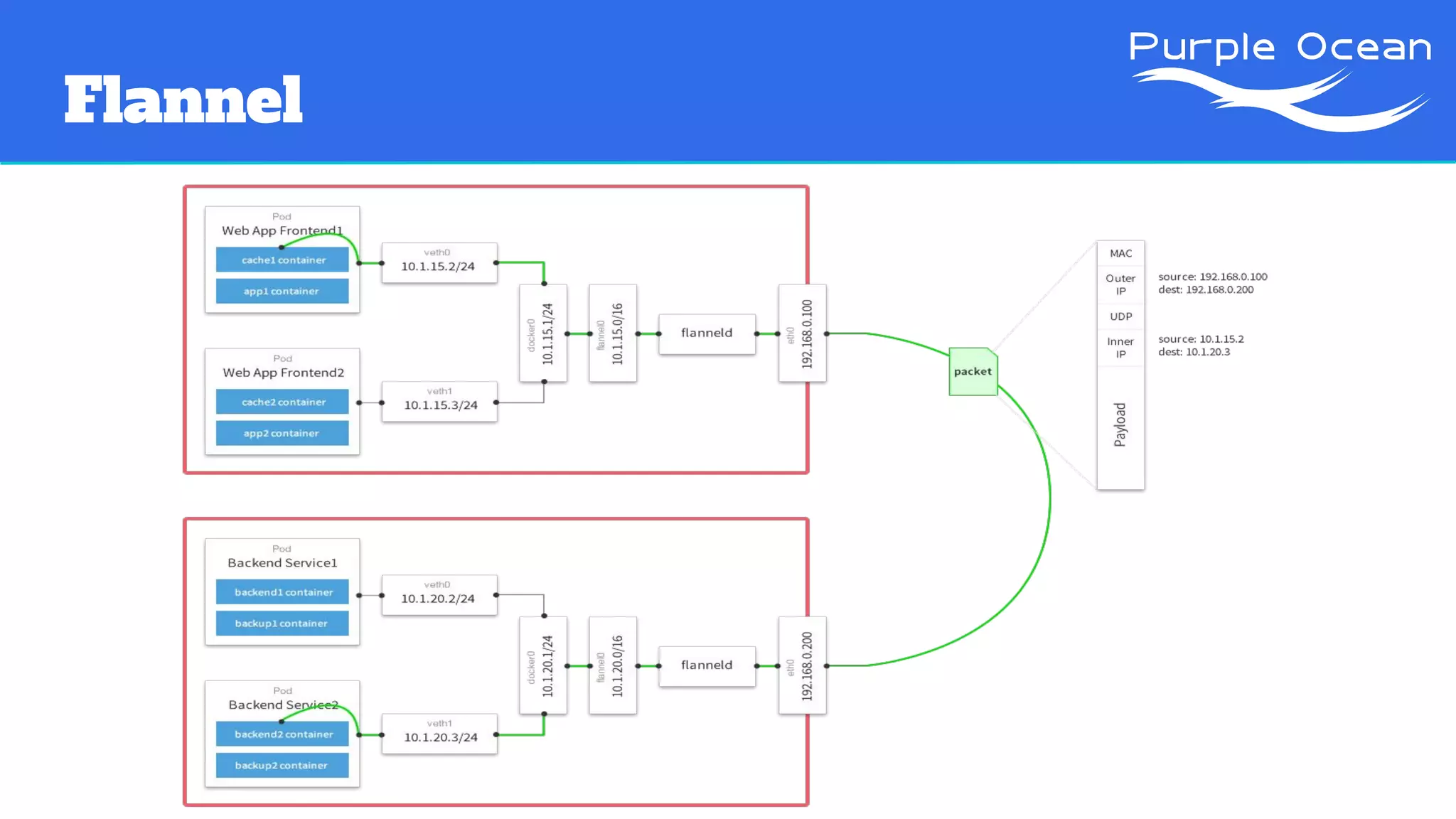
Flannel

Web scale infrastructures with kubernetes and flannel

  • 1.
    WebScale infrastructures with Kubernetes and Flannel ContainerDay Verona 15/04/2016Andrea Tosatto andrea.tosatto@purpleocean.eu
  • 2.
    Outline ● Introduction toPurple Ocean ● Magento ○ The good ○ The bad ○ The ugly ● Project Picasso ○ Software Defined Overlay Networking with Flannel ○ Cluster Mangement with Kubernetes ● What’s Next ○ Geographical Distribution ○ Hybrid Cloud
  • 3.
  • 4.
  • 5.
    Magento “The high performance,scalable eCommerce solution for fast-growing and large businesses.” https://magento.com/products/overview
  • 6.
    Magento: the goods 1.Wide range of features and functionalities 2. Integrations 3. Large community 4. Open source 5. Thousands of agencies and developers 6. Enterprise edition available https://www.elementarydigital.co.uk/why-use-magento-for-ecommerce/
  • 7.
    Magento “Every 100ms oflatency costs Amazon 1% of profit” http://radar.oreilly.com/2008/08/radar-theme-web-ops.html “Google says more searches now on mobile than on desktop” http://searchengineland.com/its-official-google-says-more- searches-now-on-mobile-than-on-desktop-220369
  • 8.
    Magento “Every 100ms oflatency costs Amazon 1% of profit” http://radar.oreilly.com/2008/08/radar-theme-web-ops.html “Every 100ms of latency costs Amazon 1% of profit” http://radar.oreilly.com/2008/08/radar-theme-web-ops.html PERFORMANCES MATTER
  • 9.
    Magento: the bad Runningmedium-size businesses on Magento, could require a lot of caching layers and tricks.
  • 10.
    Magento: the bad 45kusers 350k page views 50k sessions (per day) require 1x 2x + (Caching Layer) 7x 1x (LAMP Stack) = 52GB RAM 80vCPU 410GB STORAGE
  • 11.
  • 12.
  • 13.
  • 14.
    Project Picasso “Docker isan open source project to pack, ship and run any application as a lightweight container. Docker containers are both hardware-agnostic and platform-agnostic.” https://github.com/docker/docker “Flannel is a virtual network that gives a subnet to each host for use with container runtimes.” https://coreos.com/flannel/docs/latest/ “Kubernetes is an open-source system for automating deployment, operations, and scaling of containerized applications.” http://kubernetes.io/
  • 15.
  • 16.
    Kubernetes Architecture PHYSICAL INFRASTRUCTURE (MINIONS &MASTERS) OVERLAY (KUBERNETES & FLANNEL)
  • 17.
    Kubernetes Architecture PHYSICAL INFRASTRUCTURE (MINIONS &MASTERS) OVERLAY (KUBERNETES & FLANNEL) PODS & REPLICATIONS CONTROLLERS (APPLICATION UNITS)
  • 18.
    Kubernetes Architecture PHYSICAL INFRASTRUCTURE (MINIONS &MASTERS) OVERLAY (KUBERNETES & FLANNEL) SERVICES PODS & REPLICATIONS CONTROLLERS (APPLICATION UNITS)
  • 19.
    Kubernetes Architecture PHYSICAL INFRASTRUCTURE (MINIONS &MASTERS) OVERLAY (KUBERNETES & FLANNEL) PODS & REPLICATIONS CONTROLLERS (APPLICATION UNITS) SERVICES CLIENTS (USERS & APPLICATIONS)
  • 20.
    Persistent Volume A PersistentVolume(PV) is a piece of networked storage in the cluster that has been provisioned by an administrator. It is a resource in the cluster just like a node is a cluster resource. http://kubernetes.io/docs/user-guide/persistent-volumes/ # Allocates 5GB of storage on the given NFS server apiVersion: v1 kind: PersistentVolume metadata: name: web-storage spec: capacity: storage: 5Gi accessModes: - ReadWriteMany nfs: server: kube-master-1 path: "/root/nfs"
  • 21.
    Persistent Volume A PersistentVolume(PV) is a piece of networked storage in the cluster that has been provisioned by an administrator. It is a resource in the cluster just like a node is a cluster resource. http://kubernetes.io/docs/user-guide/persistent-volumes/ # kubectl create -f web-storage-pv.yaml persistentvolume "web-storage" created # kubectl describe pv web-storage Name: web-storage Labels: <none> Status: Available Claim: Reclaim Policy: Retain Access Modes: RWX Capacity: 5Gi Message: Source: Type: NFS (an NFS mount that lasts the lifetime of a pod) Server: kube-master-1 Path: /root/nfs ReadOnly: false
  • 22.
    Persistent Volume Claim APersistentVolumeClaim (PVC) is a request for storage by a user. It is similar to a pod. Pods consume node resources and PVCs consume PV resources. # This PersistentVolumeClaim claims 5GB of storage # for the web-application. apiVersion: v1 kind: PersistentVolumeClaim metadata: name: web-storage-claim spec: accessModes: - ReadWriteMany resources: requests: storage: 5Gi http://kubernetes.io/docs/user-guide/persistent-volumes/
  • 23.
    Persistent Volume Claim APersistentVolumeClaim (PVC) is a request for storage by a user. It is similar to a pod. Pods consume node resources and PVCs consume PV resources. # kubectl create -f web-storage-pvc.yaml persistentvolumeclaim "web-storage-claim" created http://kubernetes.io/docs/user-guide/persistent-volumes/ # kubectl describe pvc web-storage Name: web-storage-claim Namespace: default Status: Bound Volume: web-storage Labels: <none> Capacity: 5Gi Access Modes: RWX
  • 24.
    Pod & ReplicationController AReplicationController (RC) ensures that a specified number of pod “replicas” are running at any one time. In other words, a replication controller makes sure that a pod or homogeneous set of pods are always up and available. If there are too many pods, it will kill some. If there are too few, the replication controller will start more http://kubernetes.io/docs/user-guide/replication-controller/ apiVersion: v1 kind: ReplicationController metadata: name: web-frontend spec: replicas: 2 selector: role: web-frontend template: metadata: labels: role: web-frontend spec: containers: - name: web-frontend image: php:5.5-apache ports: - name: web containerPort: 80 volumeMounts: - name: nfs mountPath: "/var/www/html" volumes: - name: nfs persistentVolumeClaim: claimName: web-storage-claim
  • 25.
    # kubectl create-f web-frontend-rc.yaml replicationcontroller "web-frontend" created # kubectl describe rc web-frontend Name: web-frontend Namespace: default Image(s): php:5.5-apache Selector: role=web-frontend Labels: role=web-frontend Replicas: 2 current / 2 desired Pods Status: 2 Running / 0 Waiting / 0 Succeeded / 0 Failed Volumes: nfs: Type:PersistentVolumeClaim (a reference to a PersistentVolumeClaim in the same namespace) ClaimName: web-storage-claim ReadOnly: true [...] Pod & ReplicationController A ReplicationController (RC) ensures that a specified number of pod “replicas” are running at any one time. In other words, a replication controller makes sure that a pod or homogeneous set of pods are always up and available. If there are too many pods, it will kill some. If there are too few, the replication controller will start more http://kubernetes.io/docs/user-guide/replication-controller/
  • 26.
    # Expose theweb-frontend on each Minion apiVersion: v1 kind: Service metadata: name: web-frontend spec: ports: - port: 80 type: NodePort selector: role: web-frontend Service A Kubernetes Service (SVC) is an abstraction which defines a logical set of Pods and a policy by which to access them - sometimes called a micro-service. http://kubernetes.io/docs/user-guide/services/
  • 27.
    Service A Kubernetes Service(SVC) is an abstraction which defines a logical set of Pods and a policy by which to access them - sometimes called a micro-service. http://kubernetes.io/docs/user-guide/services/ # kubectl create -f web-frontend-svc.yaml You have exposed your service on an external port on all nodes in your cluster. If you want to expose this service to the external internet, you may need to set up firewall rules for the service port(s) (tcp:31468) to serve traffic. # kubectl describe svc web-frontend Name: web-frontend Namespace: default Labels: <none> Selector: role=web-frontend Type: NodePort IP: 10.254.101.55 Port: <unnamed> 80/TCP NodePort: <unnamed> 31468/TCP Endpoints: 172.16.50.3:80,172.16.82.3:80
  • 28.
    # kubectl scale--replicas=10 rc/web-frontend replicationcontroller "web-frontend" scaled # kubectl describe rc web-frontend Name: web-frontend Namespace: default Image(s): php:5.5-apache Selector: role=web-frontend Labels: role=web-frontend Replicas: 10 current / 10 desired Pods Status: 10 Running / 0 Waiting / 0 Succeeded / 0 Failed Volumes: nfs: Type:PersistentVolumeClaim (a reference to a PersistentVolumeClaim in the same namespace) ClaimName: web-storage-claim ReadOnly: true [...] Set a new size for a Replication Controller http://kubernetes.io/docs/user-guide/kubectl/kubectl_scale/ Manual Scaling
  • 29.
    HorizontalPodAutoscaler HorizontalPodAutoscaler (HPA) allowsto automatically scale the number of pods in a replication controller, deployment or replica set based on observed CPU utilization. apiVersion: extensions/v1beta1 kind: HorizontalPodAutoscaler metadata: name: web-frontend spec: cpuUtilization: targetPercentage: 50 maxReplicas: 10 minReplicas: 3 scaleRef: kind: ReplicationController name: web-frontend subresource: scale http://kubernetes.io/docs/user-guide/horizontal-pod-autoscaling/
  • 30.
    HorizontalPodAutoscaler HorizontalPodAutoscaler (HPA) allowsto automatically scale the number of pods in a replication controller, deployment or replica set based on observed CPU utilization. http://kubernetes.io/docs/user-guide/horizontal-pod-autoscaling/ # kubectl create -f web-frontend-hpa.yaml horizontalpodautoscaler "web-frontend" created # kubectl describe hpa web-frontend Name: web-frontend Namespace: default Labels: <none> CreationTimestamp: Thu, 14 Apr 2016 10:06:05 -0400 Reference: ReplicationController/web- frontend/scale Target CPU utilization: 50% Current CPU utilization: <not available> Min replicas: 3 Max replicas: 10 ReplicationController pods:2 current / 2 desired
  • 31.
  • 32.
  • 33.
  • 34.
  • 35.
  • 36.