

Deploying JupyterHub
for students and
researchers
Min Ragan-Kelley, Simula
Carol Willing, Cal Poly
Yuvi Panda, UC Berkeley
Ryan Lovett, UC Berkeley
JupyterCon 2017
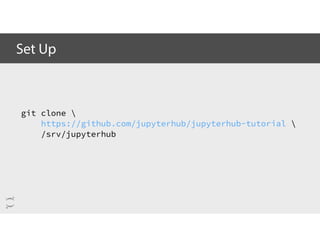
git clone 
https://github.com/jupyterhub/jupyterhub-tutorial 
/srv/jupyterhub
Set Up
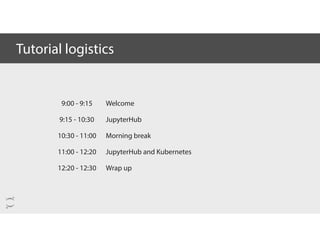
9:00 - 9:15
9:15 - 10:30
10:30 - 11:00
11:00 - 12:20
12:20 - 12:30
Tutorial logistics
Welcome
JupyterHub
Morning break
JupyterHub and Kubernetes
Wrap up
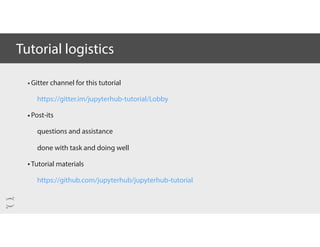
•Gitter channel for this tutorial
https://gitter.im/jupyterhub-tutorial/Lobby
•Post-its
questions and assistance
done with task and doing well
•Tutorial materials
https://github.com/jupyterhub/jupyterhub-tutorial
Tutorial logistics
What are
Jupyter and
JupyterHub?
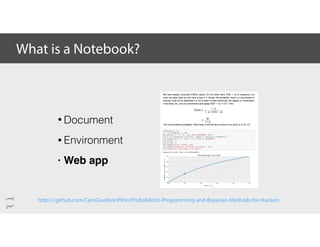
What is a Notebook?
https://github.com/CamDavidsonPilon/Probabilistic-Programming-and-Bayesian-Methods-for-Hackers
• Document
• Environment
• Web app
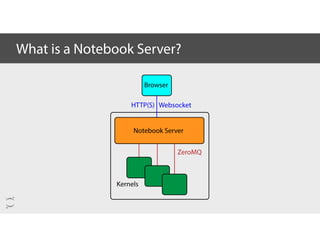
What is a Notebook Server?
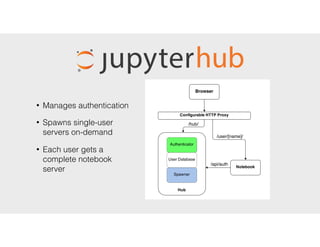
• Manages authentication
• Spawns single-user
servers on-demand
• Each user gets a
complete notebook
server
• Initial request is handled by Hub
• User authenticates via form /
OAuth
• Spawner starts single-user server
• Hub notifies Proxy
• Redirects user to /user/[name]
• Single-user Server verifies auth
with Hub
Installation
Photo taken by Matthew Bowers
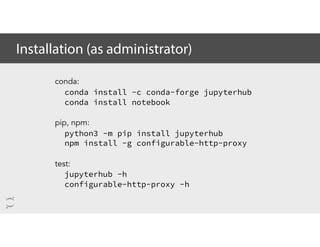
Installation (as administrator)
conda:
conda install -c conda-forge jupyterhub
conda install notebook
pip, npm:
python3 -m pip install jupyterhub
npm install -g configurable-http-proxy
test:
jupyterhub -h
configurable-http-proxy -h
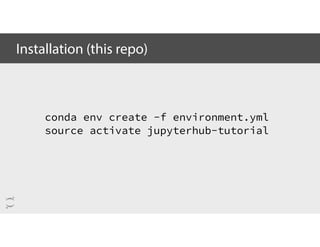
Installation (this repo)
conda env create -f environment.yml
source activate jupyterhub-tutorial
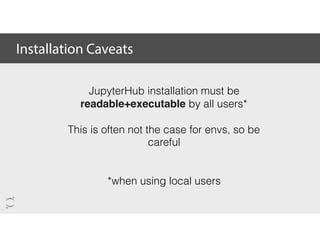
Installation Caveats
JupyterHub installation must be
readable+executable by all users*
This is often not the case for envs, so be
careful
*when using local users
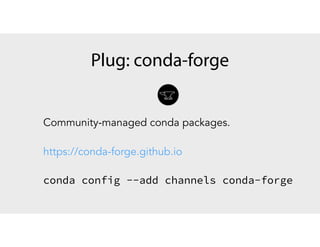
Community-managed conda packages.
https://conda-forge.github.io
conda config --add channels conda-forge
Plug: conda-forge
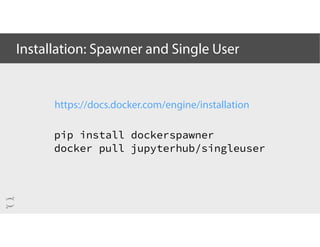
Installation: Spawner and Single User
pip install dockerspawner
docker pull jupyterhub/singleuser
https://docs.docker.com/engine/installation
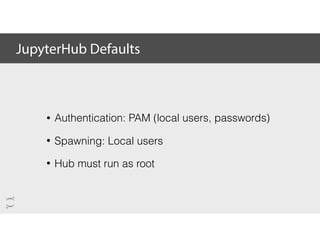
JupyterHub Defaults
• Authentication: PAM (local users, passwords)
• Spawning: Local users
• Hub must run as root
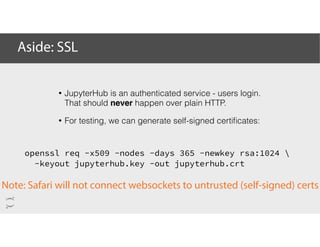
Aside: SSL
openssl req -x509 -nodes -days 365 -newkey rsa:1024 
-keyout jupyterhub.key -out jupyterhub.crt
Note: Safari will not connect websockets to untrusted (self-signed) certs
• JupyterHub is an authenticated service - users login.
That should never happen over plain HTTP.
• For testing, we can generate self-signed certificates:
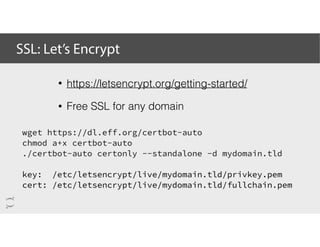
SSL: Let’s Encrypt
wget https://dl.eff.org/certbot-auto
chmod a+x certbot-auto
./certbot-auto certonly --standalone -d mydomain.tld
key: /etc/letsencrypt/live/mydomain.tld/privkey.pem
cert: /etc/letsencrypt/live/mydomain.tld/fullchain.pem
• https://letsencrypt.org/getting-started/
• Free SSL for any domain
Configuration
Photo taken by Matthew Bowers
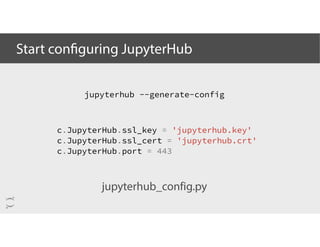
Start configuring JupyterHub
jupyterhub --generate-config
c.JupyterHub.ssl_key = 'jupyterhub.key'
c.JupyterHub.ssl_cert = 'jupyterhub.crt'
c.JupyterHub.port = 443
jupyterhub_config.py
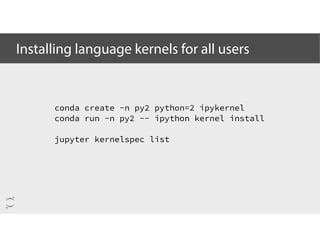
Installing language kernels for all users
conda create -n py2 python=2 ipykernel
conda run -n py2 -- ipython kernel install
jupyter kernelspec list
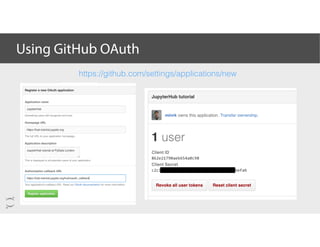
Using GitHub OAuth
https://github.com/settings/applications/new
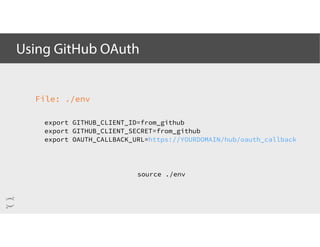
Using GitHub OAuth
File: ./env
export GITHUB_CLIENT_ID=from_github
export GITHUB_CLIENT_SECRET=from_github
export OAUTH_CALLBACK_URL=https://YOURDOMAIN/hub/oauth_callback
source ./env
Using GitHub OAuth
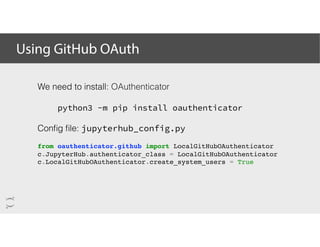
We need to install: OAuthenticator
python3 -m pip install oauthenticator
Config file: jupyterhub_config.py
from oauthenticator.github import LocalGitHubOAuthenticator
c.JupyterHub.authenticator_class = LocalGitHubOAuthenticator
c.LocalGitHubOAuthenticator.create_system_users = True
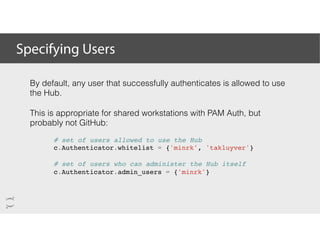
Specifying Users
By default, any user that successfully authenticates is allowed to use
the Hub.
This is appropriate for shared workstations with PAM Auth, but
probably not GitHub:
# set of users allowed to use the Hub
c.Authenticator.whitelist = {'minrk', 'takluyver'}
# set of users who can administer the Hub itself
c.Authenticator.admin_users = {'minrk'}
Custom
Authenticators
Photo taken by Matthew Bowers
Using DockerSpawner
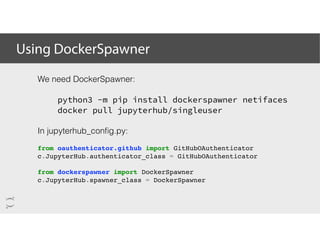
We need DockerSpawner:
python3 -m pip install dockerspawner netifaces
docker pull jupyterhub/singleuser
In jupyterhub_config.py:
from oauthenticator.github import GitHubOAuthenticator
c.JupyterHub.authenticator_class = GitHubOAuthenticator
from dockerspawner import DockerSpawner
c.JupyterHub.spawner_class = DockerSpawner
Using DockerSpawner
from dockerspawner import DockerSpawner
c.JupyterHub.spawner_class = DockerSpawner
# The Hub's API listens on localhost by default,
# but docker containers can't see that.
# Tell the Hub to listen on its docker network:
import netifaces
docker0 = netifaces.ifaddresses('docker0')
docker0_ipv4 = docker0[netifaces.AF_INET][0]
c.JupyterHub.hub_ip = docker0_ipv4['addr']
Using DockerSpawner
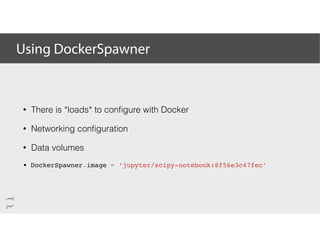
• There is *loads* to configure with Docker
• Networking configuration
• Data volumes
• DockerSpawner.image = ‘jupyter/scipy-notebook:8f56e3c47fec’
Customizing
Spawners
Photo taken by Matthew Bowers
JupyterHub with supervisor
apt-get install supervisor
# /etc/supervisor/conf.d/jupyterhub.conf
[program:jupyterhub]
command=bash launch.sh
directory=/srv/jupyterhub
autostart=true
autorestart=true
startretries=3
exitcodes=0,2
stopsignal=TERM
redirect_stderr=true
stdout_logfile=/var/log/jupyterhub.log
stdout_logfile_maxbytes=1MB
stdout_logfile_backups=10
user=root
#!/usr/bin/env bash
# /srv/jupyterhub/launch.sh
set -e
source ./env
exec jupyterhub $@
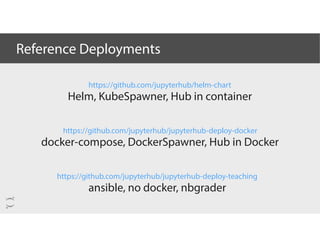
Reference Deployments
https://github.com/jupyterhub/jupyterhub-deploy-docker
docker-compose, DockerSpawner, Hub in Docker
https://github.com/jupyterhub/jupyterhub-deploy-teaching
ansible, no docker, nbgrader
https://github.com/jupyterhub/helm-chart
Helm, KubeSpawner, Hub in container
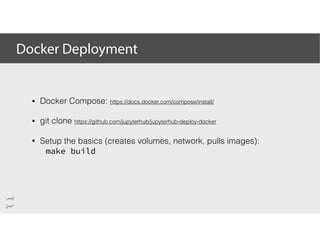
Docker Deployment
• Docker Compose: https://docs.docker.com/compose/install/
• git clone https://github.com/jupyterhub/jupyterhub-deploy-docker
• Setup the basics (creates volumes, network, pulls images):
make build
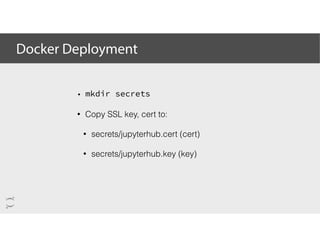
Docker Deployment
• mkdir secrets
• Copy SSL key, cert to:
• secrets/jupyterhub.cert (cert)
• secrets/jupyterhub.key (key)
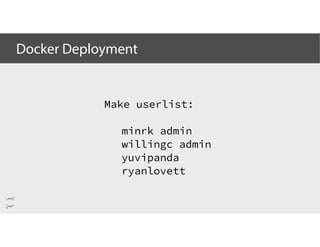
Docker Deployment
Make userlist:
minrk admin
willingc admin
yuvipanda
ryanlovett
Launch: 🚀
docker-compose up
Docker Deployment
Optimizations
and
Best Practices
Photo taken by Matthew Bowers
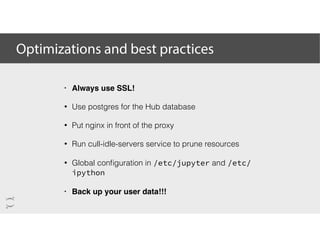
Optimizations and best practices
• Always use SSL!
• Use postgres for the Hub database
• Put nginx in front of the proxy
• Run cull-idle-servers service to prune resources
• Global configuration in /etc/jupyter and /etc/
ipython
• Back up your user data!!!
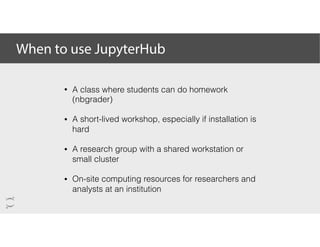
When to use JupyterHub
• A class where students can do homework
(nbgrader)
• A short-lived workshop, especially if installation is
hard
• A research group with a shared workstation or
small cluster
• On-site computing resources for researchers and
analysts at an institution
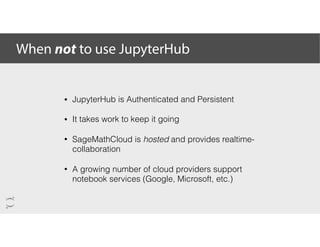
When not to use JupyterHub
• JupyterHub is Authenticated and Persistent
• It takes work to keep it going
• SageMathCloud is hosted and provides realtime-
collaboration
• A growing number of cloud providers support
notebook services (Google, Microsoft, etc.)
JupyterHub
API
Photo taken by Matthew Bowers
End of
JupyterHub
Fundamentals
Break - 30 min
See you back here at 11:00 am.
Up next:
JupyterHub and
Kubernetes
Attributions and recognition
A huge thank you to the Project Jupyter team and community.
Your hard work and passion makes this all possible.
Headline Slide
Sub-headline
Thank you
Thank you
try.jupyter.org
www.jupyter.org
ipython.org
numfocus.org

JupyterHub tutorial at JupyterCon

  • 1.
    
 Deploying JupyterHub for studentsand researchers Min Ragan-Kelley, Simula Carol Willing, Cal Poly Yuvi Panda, UC Berkeley Ryan Lovett, UC Berkeley JupyterCon 2017
  • 2.
  • 3.
    9:00 - 9:15 9:15- 10:30 10:30 - 11:00 11:00 - 12:20 12:20 - 12:30 Tutorial logistics Welcome JupyterHub Morning break JupyterHub and Kubernetes Wrap up
  • 4.
    •Gitter channel forthis tutorial https://gitter.im/jupyterhub-tutorial/Lobby •Post-its questions and assistance done with task and doing well •Tutorial materials https://github.com/jupyterhub/jupyterhub-tutorial Tutorial logistics
  • 5.
  • 6.
    What is aNotebook? https://github.com/CamDavidsonPilon/Probabilistic-Programming-and-Bayesian-Methods-for-Hackers • Document • Environment • Web app
  • 7.
    What is aNotebook Server?
  • 8.
    • Manages authentication •Spawns single-user servers on-demand • Each user gets a complete notebook server
  • 9.
    • Initial requestis handled by Hub • User authenticates via form / OAuth • Spawner starts single-user server • Hub notifies Proxy • Redirects user to /user/[name] • Single-user Server verifies auth with Hub
  • 10.
  • 11.
    Installation (as administrator) conda: condainstall -c conda-forge jupyterhub conda install notebook pip, npm: python3 -m pip install jupyterhub npm install -g configurable-http-proxy test: jupyterhub -h configurable-http-proxy -h
  • 12.
    Installation (this repo) condaenv create -f environment.yml source activate jupyterhub-tutorial
  • 13.
    Installation Caveats JupyterHub installationmust be readable+executable by all users* This is often not the case for envs, so be careful *when using local users
  • 14.
    Community-managed conda packages. https://conda-forge.github.io condaconfig --add channels conda-forge Plug: conda-forge
  • 15.
    Installation: Spawner andSingle User pip install dockerspawner docker pull jupyterhub/singleuser https://docs.docker.com/engine/installation
  • 16.
    JupyterHub Defaults • Authentication:PAM (local users, passwords) • Spawning: Local users • Hub must run as root
  • 17.
    Aside: SSL openssl req-x509 -nodes -days 365 -newkey rsa:1024 -keyout jupyterhub.key -out jupyterhub.crt Note: Safari will not connect websockets to untrusted (self-signed) certs • JupyterHub is an authenticated service - users login. That should never happen over plain HTTP. • For testing, we can generate self-signed certificates:
  • 18.
    SSL: Let’s Encrypt wgethttps://dl.eff.org/certbot-auto chmod a+x certbot-auto ./certbot-auto certonly --standalone -d mydomain.tld key: /etc/letsencrypt/live/mydomain.tld/privkey.pem cert: /etc/letsencrypt/live/mydomain.tld/fullchain.pem • https://letsencrypt.org/getting-started/ • Free SSL for any domain
  • 19.
  • 20.
    Start configuring JupyterHub jupyterhub--generate-config c.JupyterHub.ssl_key = 'jupyterhub.key' c.JupyterHub.ssl_cert = 'jupyterhub.crt' c.JupyterHub.port = 443 jupyterhub_config.py
  • 21.
    Installing language kernelsfor all users conda create -n py2 python=2 ipykernel conda run -n py2 -- ipython kernel install jupyter kernelspec list
  • 22.
  • 23.
    Using GitHub OAuth File:./env export GITHUB_CLIENT_ID=from_github export GITHUB_CLIENT_SECRET=from_github export OAUTH_CALLBACK_URL=https://YOURDOMAIN/hub/oauth_callback source ./env
  • 24.
    Using GitHub OAuth Weneed to install: OAuthenticator python3 -m pip install oauthenticator Config file: jupyterhub_config.py from oauthenticator.github import LocalGitHubOAuthenticator c.JupyterHub.authenticator_class = LocalGitHubOAuthenticator c.LocalGitHubOAuthenticator.create_system_users = True
  • 25.
    Specifying Users By default,any user that successfully authenticates is allowed to use the Hub. This is appropriate for shared workstations with PAM Auth, but probably not GitHub: # set of users allowed to use the Hub c.Authenticator.whitelist = {'minrk', 'takluyver'} # set of users who can administer the Hub itself c.Authenticator.admin_users = {'minrk'}
  • 26.
  • 27.
    Using DockerSpawner We needDockerSpawner: python3 -m pip install dockerspawner netifaces docker pull jupyterhub/singleuser In jupyterhub_config.py: from oauthenticator.github import GitHubOAuthenticator c.JupyterHub.authenticator_class = GitHubOAuthenticator from dockerspawner import DockerSpawner c.JupyterHub.spawner_class = DockerSpawner
  • 28.
    Using DockerSpawner from dockerspawnerimport DockerSpawner c.JupyterHub.spawner_class = DockerSpawner # The Hub's API listens on localhost by default, # but docker containers can't see that. # Tell the Hub to listen on its docker network: import netifaces docker0 = netifaces.ifaddresses('docker0') docker0_ipv4 = docker0[netifaces.AF_INET][0] c.JupyterHub.hub_ip = docker0_ipv4['addr']
  • 29.
    Using DockerSpawner • Thereis *loads* to configure with Docker • Networking configuration • Data volumes • DockerSpawner.image = ‘jupyter/scipy-notebook:8f56e3c47fec’
  • 30.
  • 31.
    JupyterHub with supervisor apt-getinstall supervisor # /etc/supervisor/conf.d/jupyterhub.conf [program:jupyterhub] command=bash launch.sh directory=/srv/jupyterhub autostart=true autorestart=true startretries=3 exitcodes=0,2 stopsignal=TERM redirect_stderr=true stdout_logfile=/var/log/jupyterhub.log stdout_logfile_maxbytes=1MB stdout_logfile_backups=10 user=root #!/usr/bin/env bash # /srv/jupyterhub/launch.sh set -e source ./env exec jupyterhub $@
  • 32.
    Reference Deployments https://github.com/jupyterhub/jupyterhub-deploy-docker docker-compose, DockerSpawner,Hub in Docker https://github.com/jupyterhub/jupyterhub-deploy-teaching ansible, no docker, nbgrader https://github.com/jupyterhub/helm-chart Helm, KubeSpawner, Hub in container
  • 33.
    Docker Deployment • DockerCompose: https://docs.docker.com/compose/install/ • git clone https://github.com/jupyterhub/jupyterhub-deploy-docker • Setup the basics (creates volumes, network, pulls images): make build
  • 34.
    Docker Deployment • mkdirsecrets • Copy SSL key, cert to: • secrets/jupyterhub.cert (cert) • secrets/jupyterhub.key (key)
  • 35.
    Docker Deployment Make userlist: minrkadmin willingc admin yuvipanda ryanlovett
  • 36.
  • 37.
  • 38.
    Optimizations and bestpractices • Always use SSL! • Use postgres for the Hub database • Put nginx in front of the proxy • Run cull-idle-servers service to prune resources • Global configuration in /etc/jupyter and /etc/ ipython • Back up your user data!!!
  • 39.
    When to useJupyterHub • A class where students can do homework (nbgrader) • A short-lived workshop, especially if installation is hard • A research group with a shared workstation or small cluster • On-site computing resources for researchers and analysts at an institution
  • 40.
    When not touse JupyterHub • JupyterHub is Authenticated and Persistent • It takes work to keep it going • SageMathCloud is hosted and provides realtime- collaboration • A growing number of cloud providers support notebook services (Google, Microsoft, etc.)
  • 41.
  • 42.
    End of JupyterHub Fundamentals Break -30 min See you back here at 11:00 am. Up next: JupyterHub and Kubernetes
  • 43.
    Attributions and recognition Ahuge thank you to the Project Jupyter team and community. Your hard work and passion makes this all possible.
  • 44.
  • 45.