Make an Instant Website with Webhooks
DevOps for Docs
Developer Experience Manager, Cisco DevNet
@annegentle
Anne Gentle
I love these
technique so much,
I wrote a book and
website with other
writers.
Define “docs like code”
• Automatic builds
• Branch and merge for docs
• Continuous integration
(meaning, publish
automatically after an event)
• Reviews for the docs
• Tests for the docs
• Version control for source files
Reliably repeat, and then you
have:
DevOps for Docs
Or…
DocOps!
OUR MISSION:
Create a web site with
Python, Sphinx, and
GitHub Pages
Benefits: Fast-moving processes
• Keep docs close to the code – if code
changes, change the docs.
• Automate publishing in GitHub, GitLab,
BitBucket, you name it.
• Free hosting from GitHub.
• Make a change, push, (nearly) immediate
results.
Flickr: candelabrumelabrumdanse
Quality gains
• Track your doc Issues with code Issues.
• Review docs with the experts.
• Improve docs by iterating, with no build
cost.
• Version tracking in both source files for
authors and output files for end users.
Flickr: candelabrumelabrumdanse
High value, large scale
• Enable more teams and individuals to
contribute, internally or externally.
• Authoring tools can be selected individually
and still yield the same output.
• Same workflows as code, same high-value
tools. (Low or no seat license cost.)
• Scale up and out with your docs processes,
looking for optimizations as a project grows.
Flickr: candelabrumelabrumdanse
WHATTHE HECK’S A
WEBHOOK?
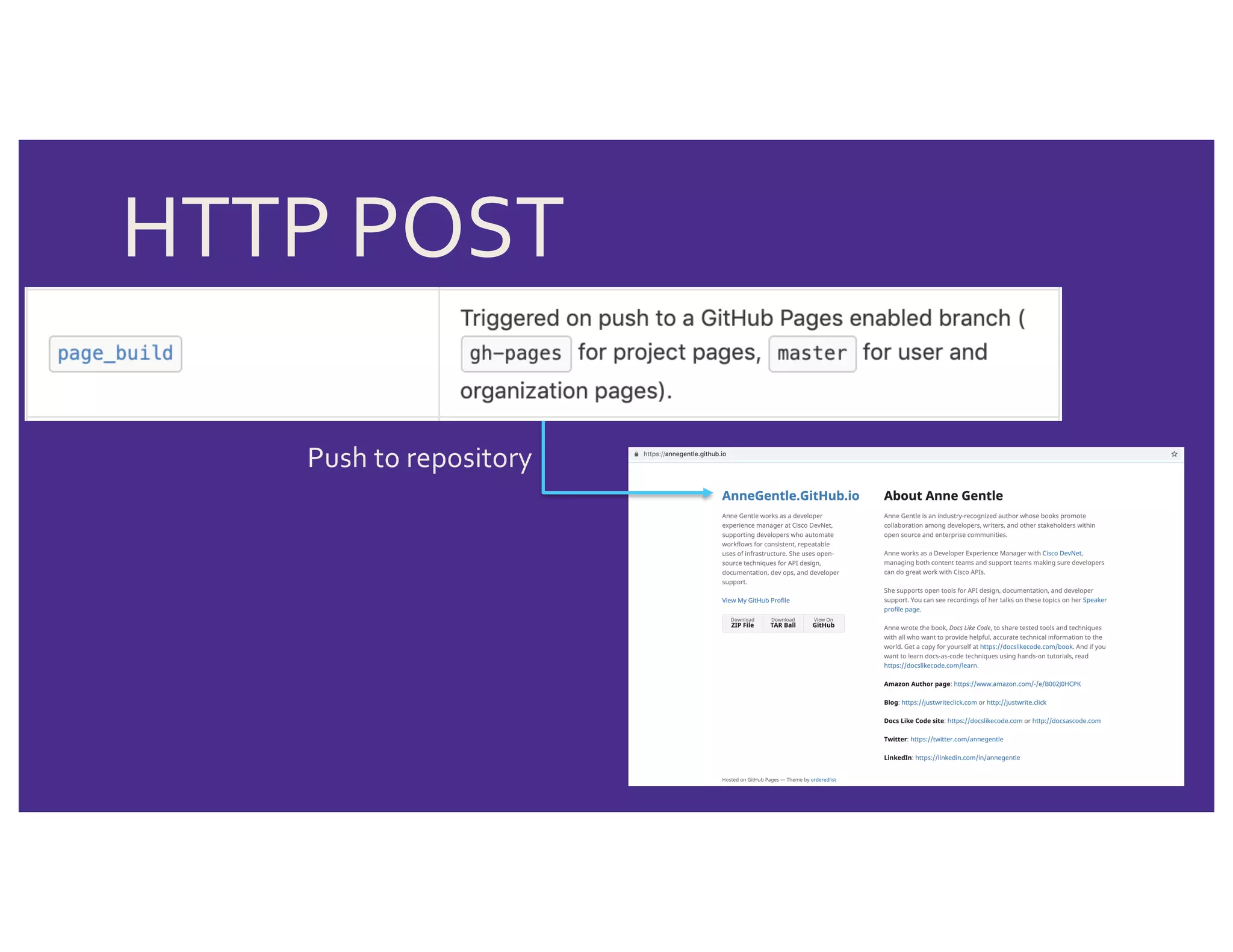
HTTP POST
when an event occurs.
HTTP POST
Push to repository
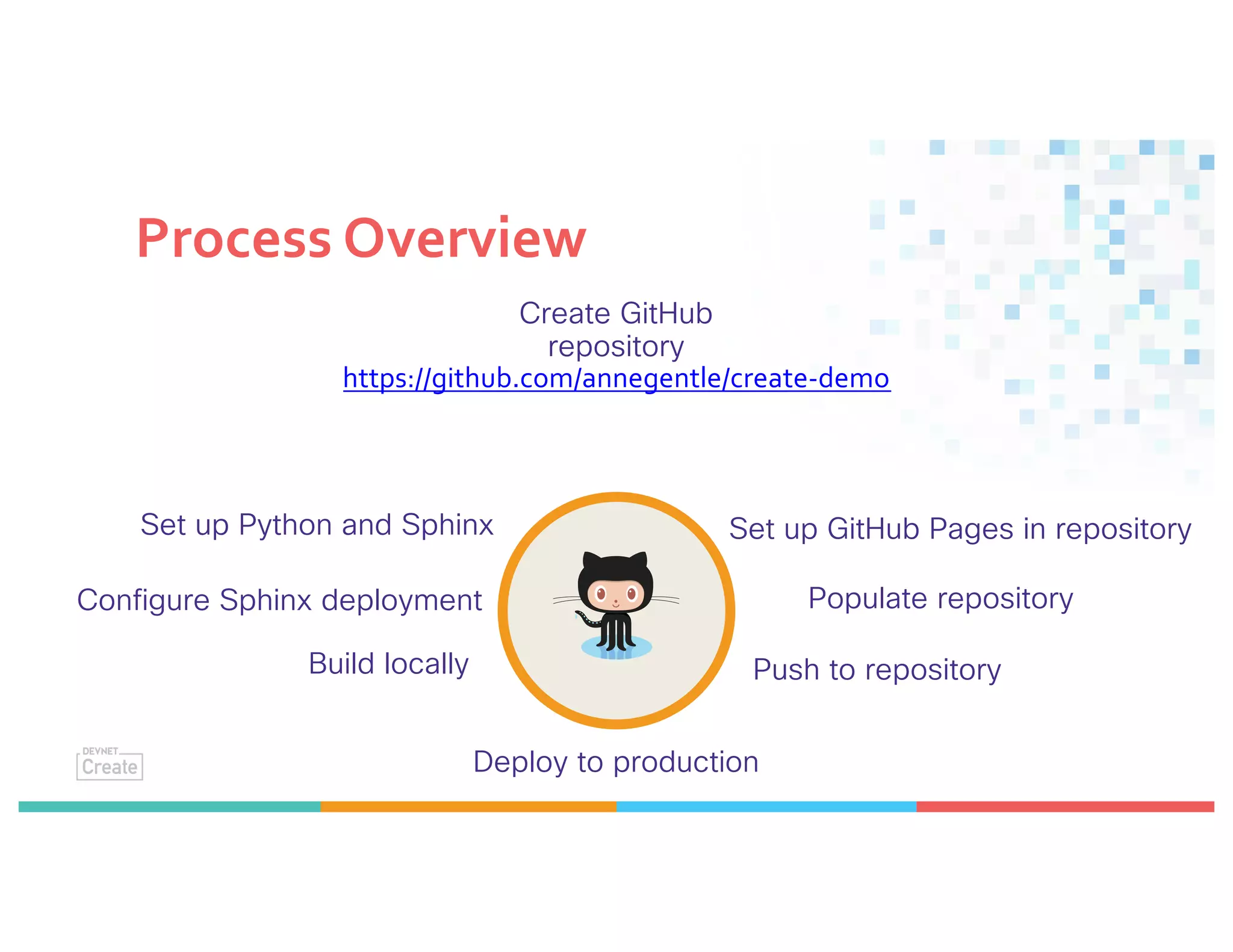
Process Overview
Set up Python and Sphinx
Create GitHub
repository
https://github.com/annegentle/create-demo
Configure Sphinx deployment
Build locally
Set up GitHub Pages in repository
Populate repository
Push to repository
Deploy to production
Local: Install Python
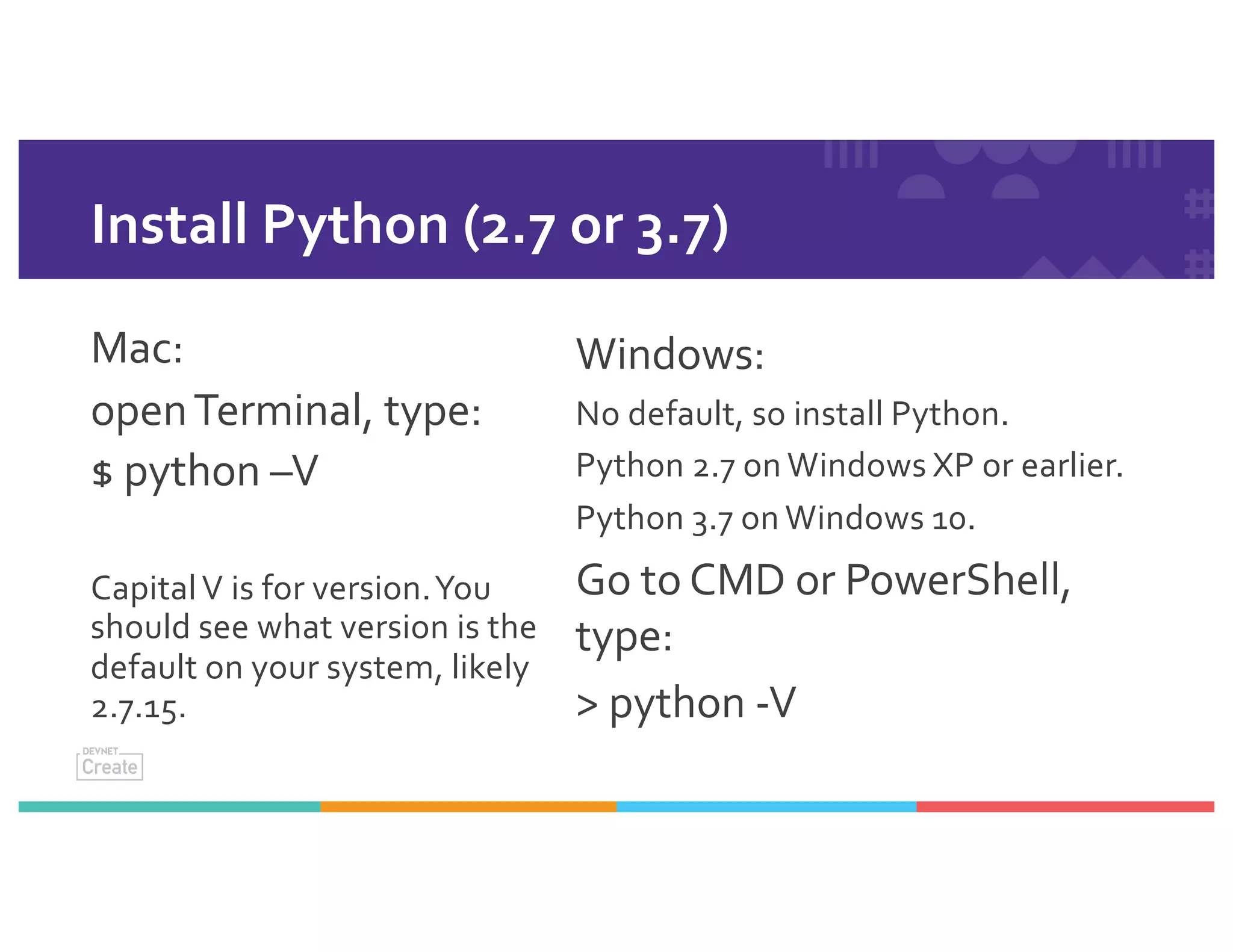
Install Python (2.7 or 3.7)
Mac:
openTerminal, type:
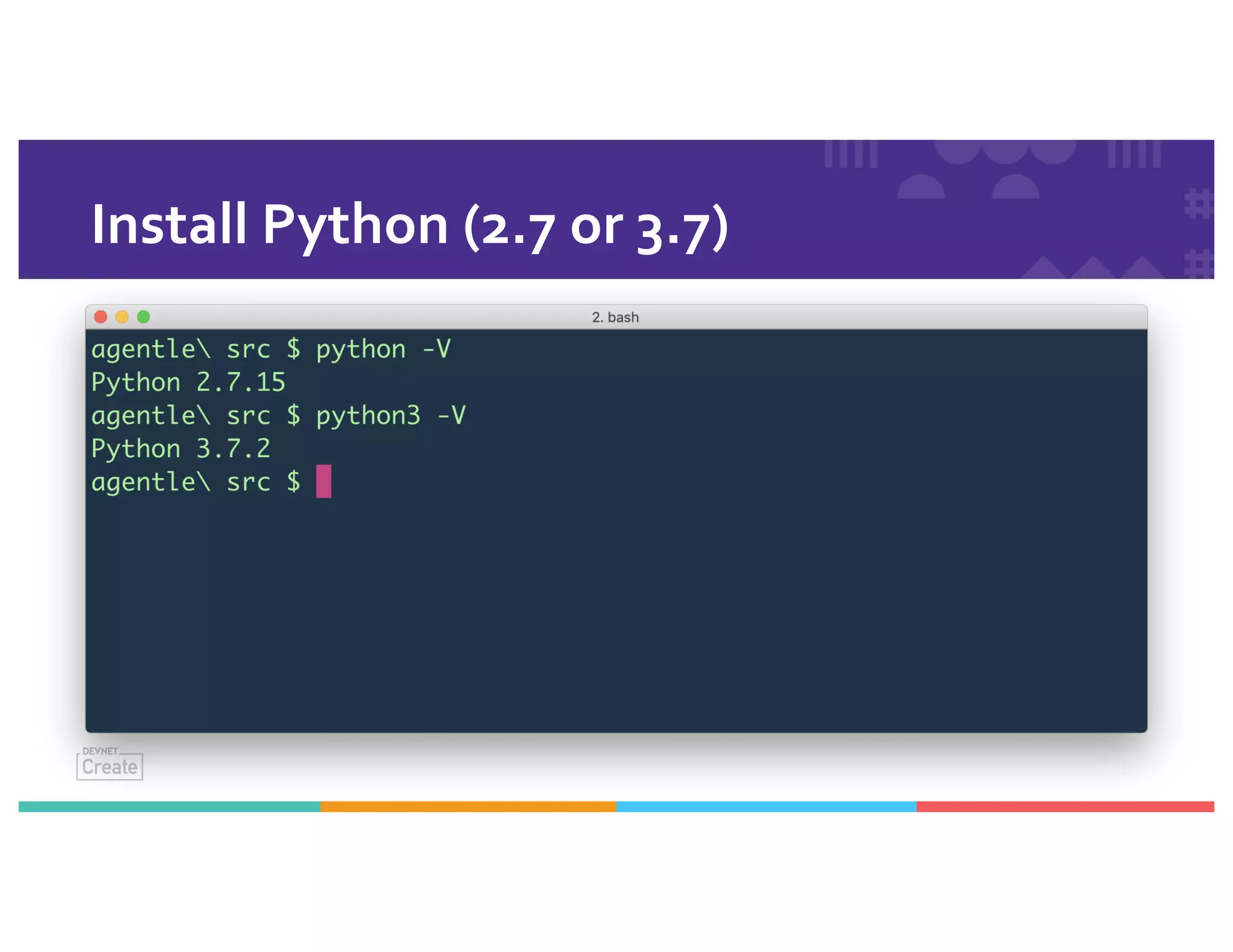
$ python –V
CapitalV is for version.You
should see what version is the
default on your system, likely
2.7.15.
Windows:
No default, so install Python.
Python 2.7 on Windows XP or earlier.
Python 3.7 on Windows 10.
Go to CMD or PowerShell,
type:
> python -V
Install Python (2.7 or 3.7)
Local: Use aVirtual
Environment
Set Up aVirtual Environment
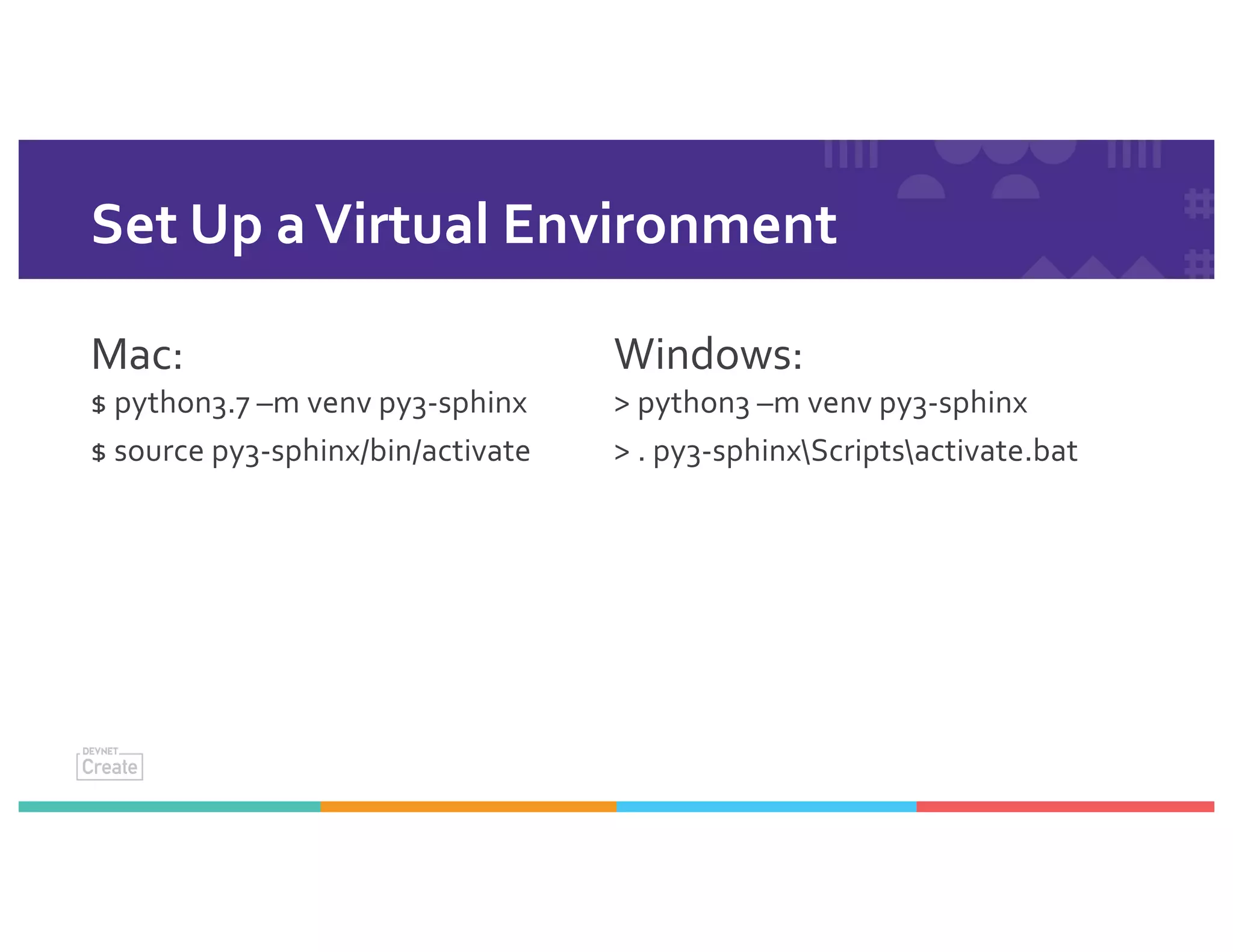
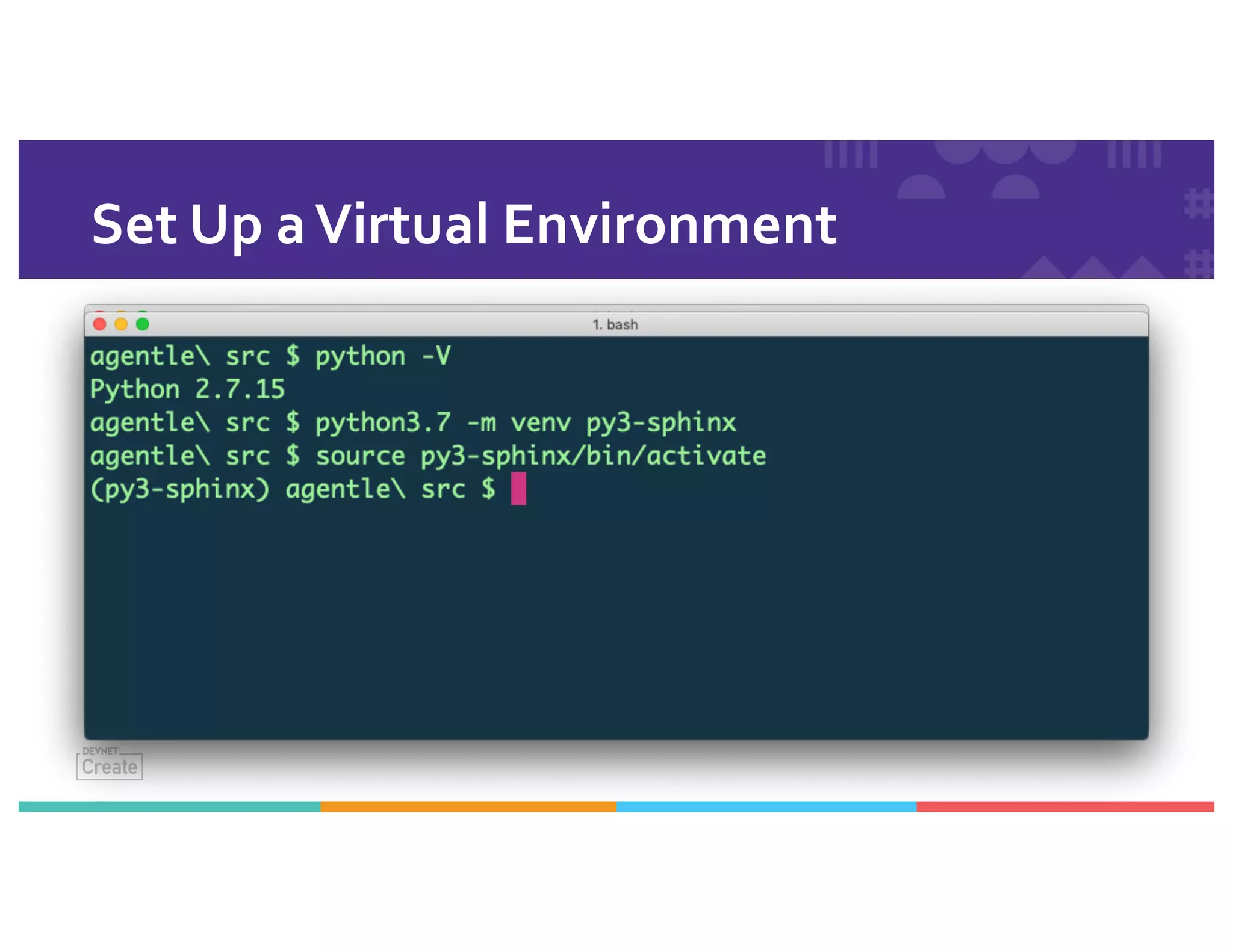
Mac:
$ python3.7 –m venv py3-sphinx
$ source py3-sphinx/bin/activate
Windows:
> python3 –m venv py3-sphinx
> . py3-sphinxScriptsactivate.bat
Set Up aVirtual Environment
Local: Install Sphinx
in the virtual environment
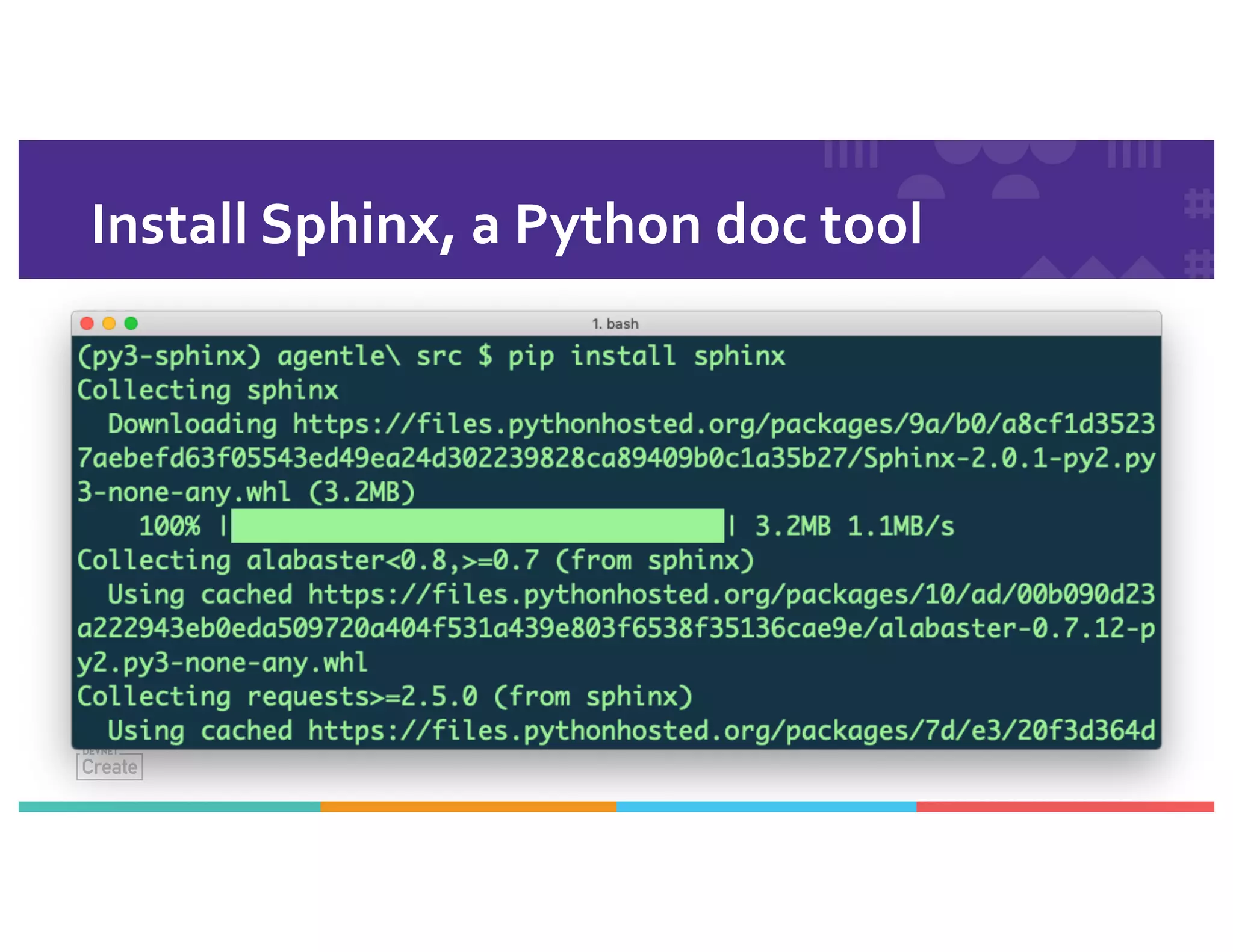
Install Sphinx, a Python doc tool
Mac:
$ pip install sphinx
Windows:
> pip install sphinx
Install Sphinx, a Python doc tool
Local: Configure Sphinx and
Pre-fill Pages
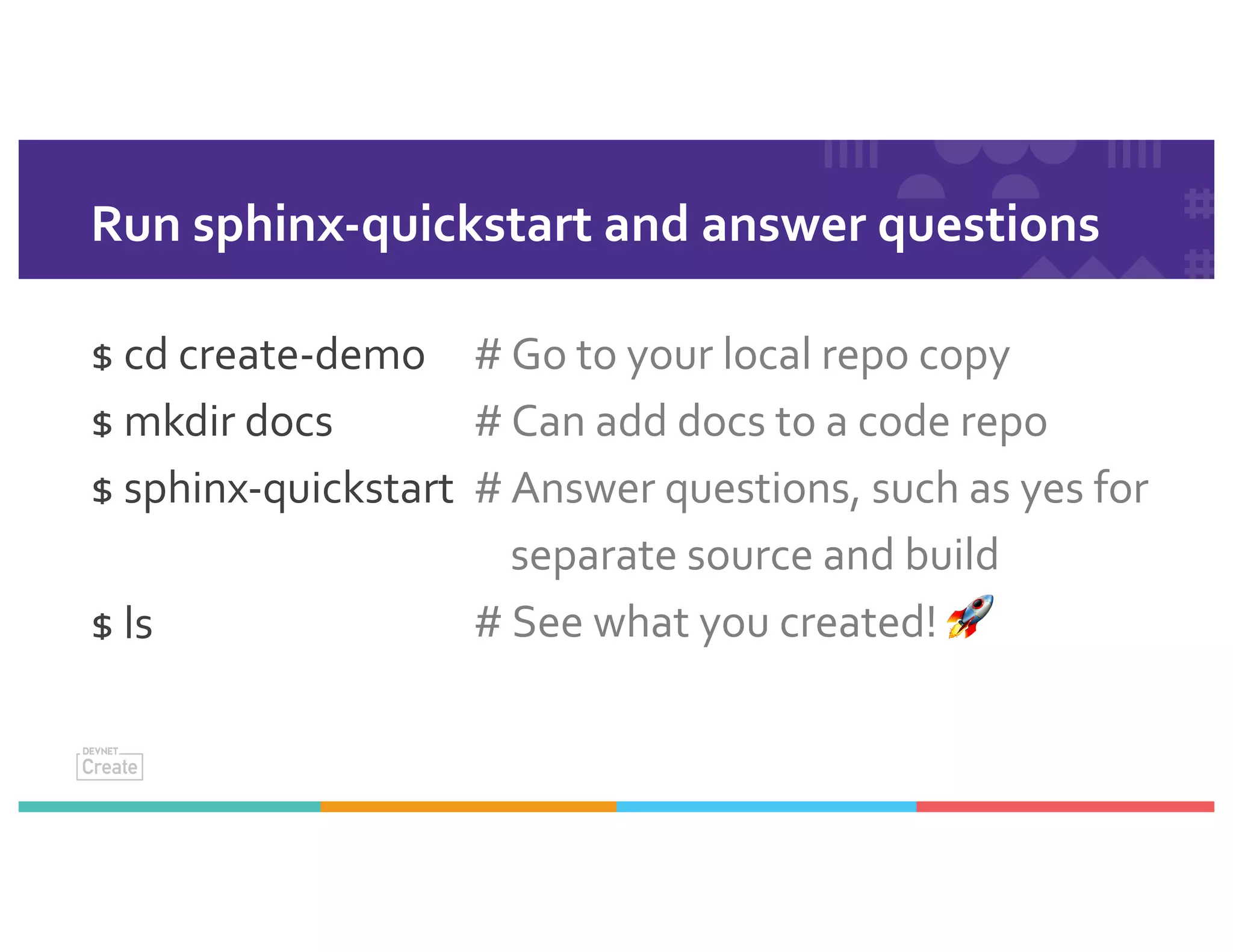
Run sphinx-quickstart and answer questions
$ cd create-demo
$ mkdir docs
$ sphinx-quickstart
$ ls
# Go to your local repo copy
# Can add docs to a code repo
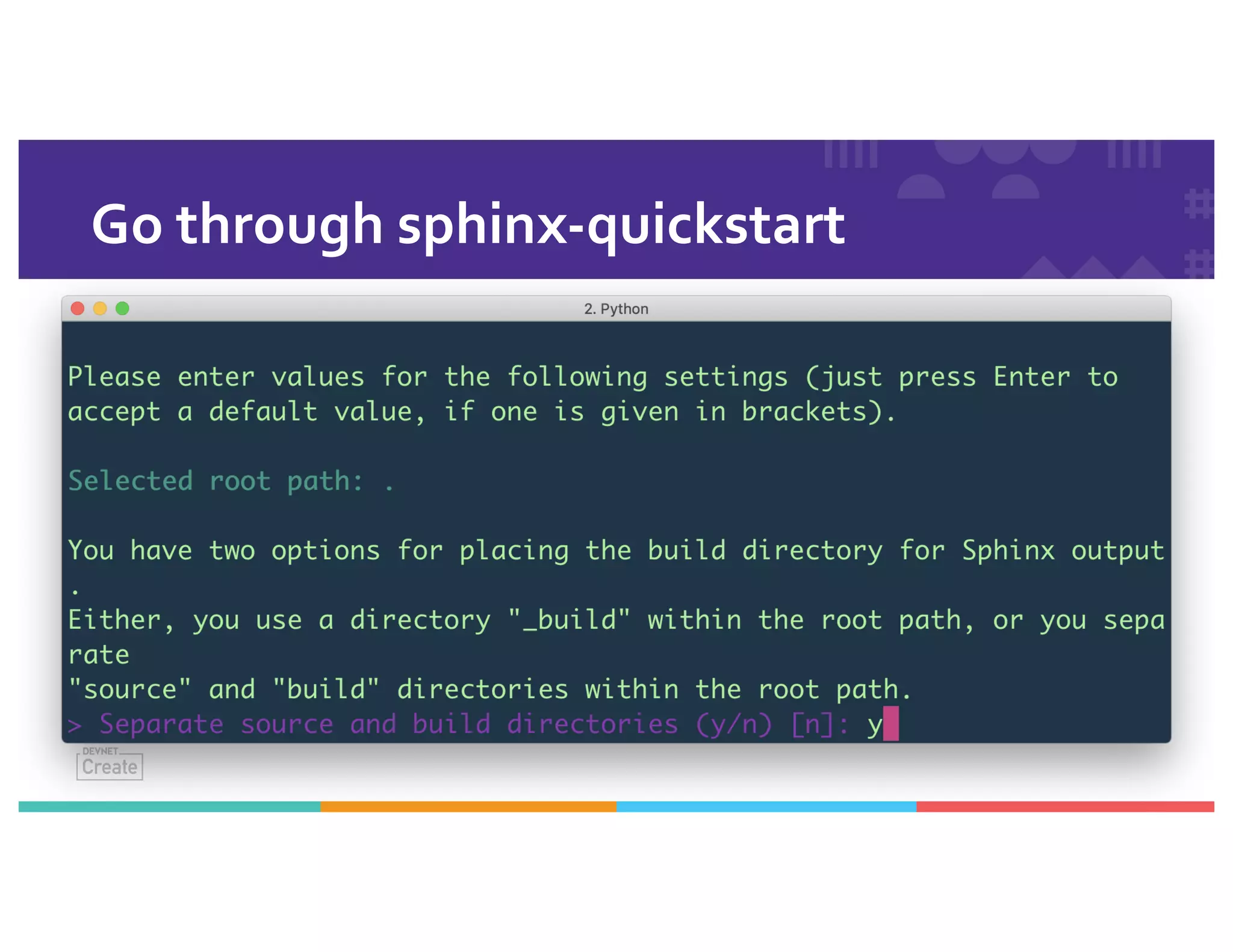
# Answer questions, such as yes for
separate source and build
# See what you created! 🚀
Go through sphinx-quickstart
What do you have now?
Build files – Makefile and make.bat for local builds on Mac, Linux, or Windows.
A build directory.
A source directory.
A .nojekyll file. *
*Version 3.x asks you,
> githubpages: create .nojekyll file
to publish the document on GitHub
pages (y/n) [n]: y
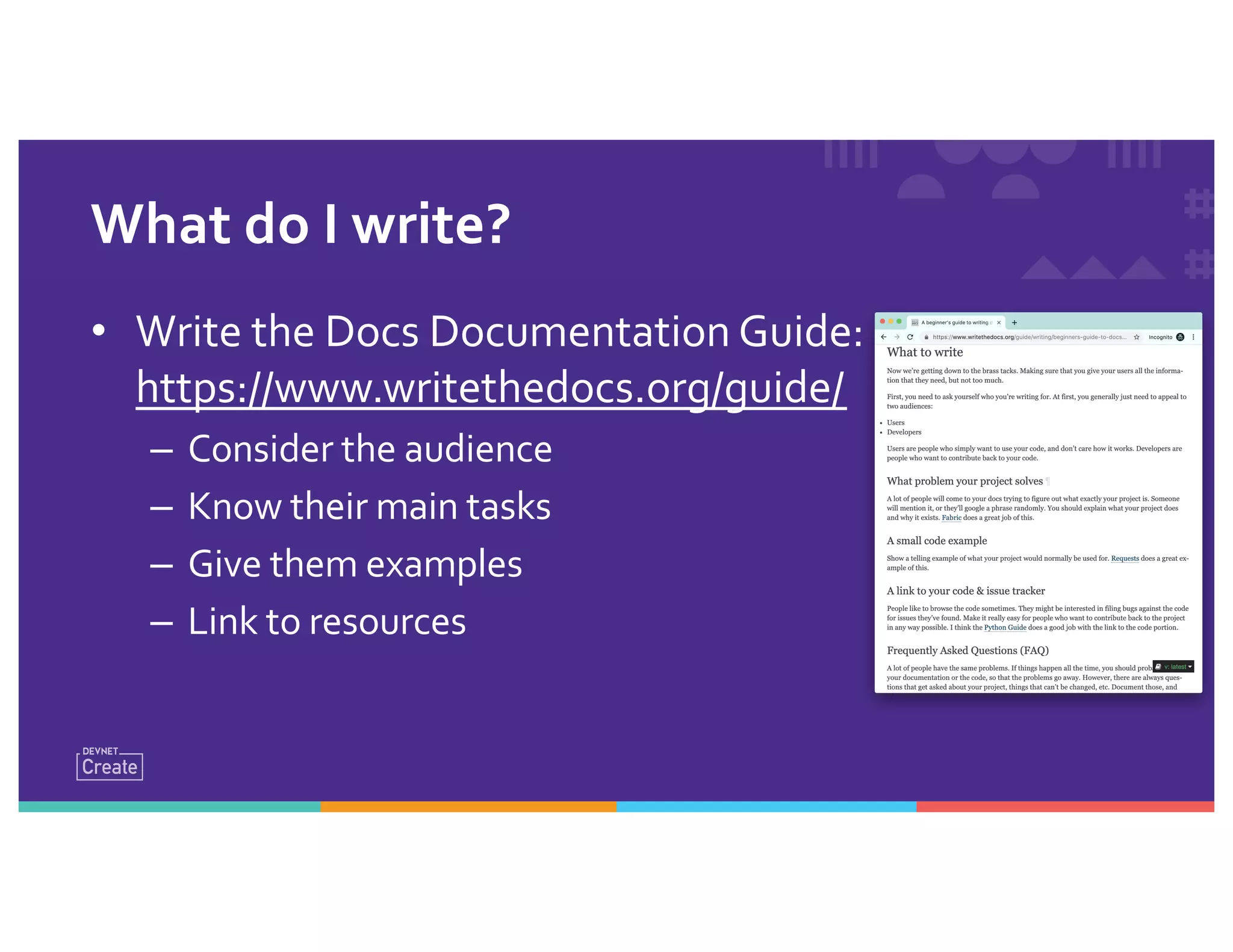
• Write the Docs Documentation Guide:
https://www.writethedocs.org/guide/
– Consider the audience
– Know their main tasks
– Give them examples
– Link to resources
What do I write?
WRITE WRITE WRITE
Fill in some RST or
Markdown files in the repo.
$ vi docs/source/index.rst
Flickr: edwardconde
GitHub Workflow
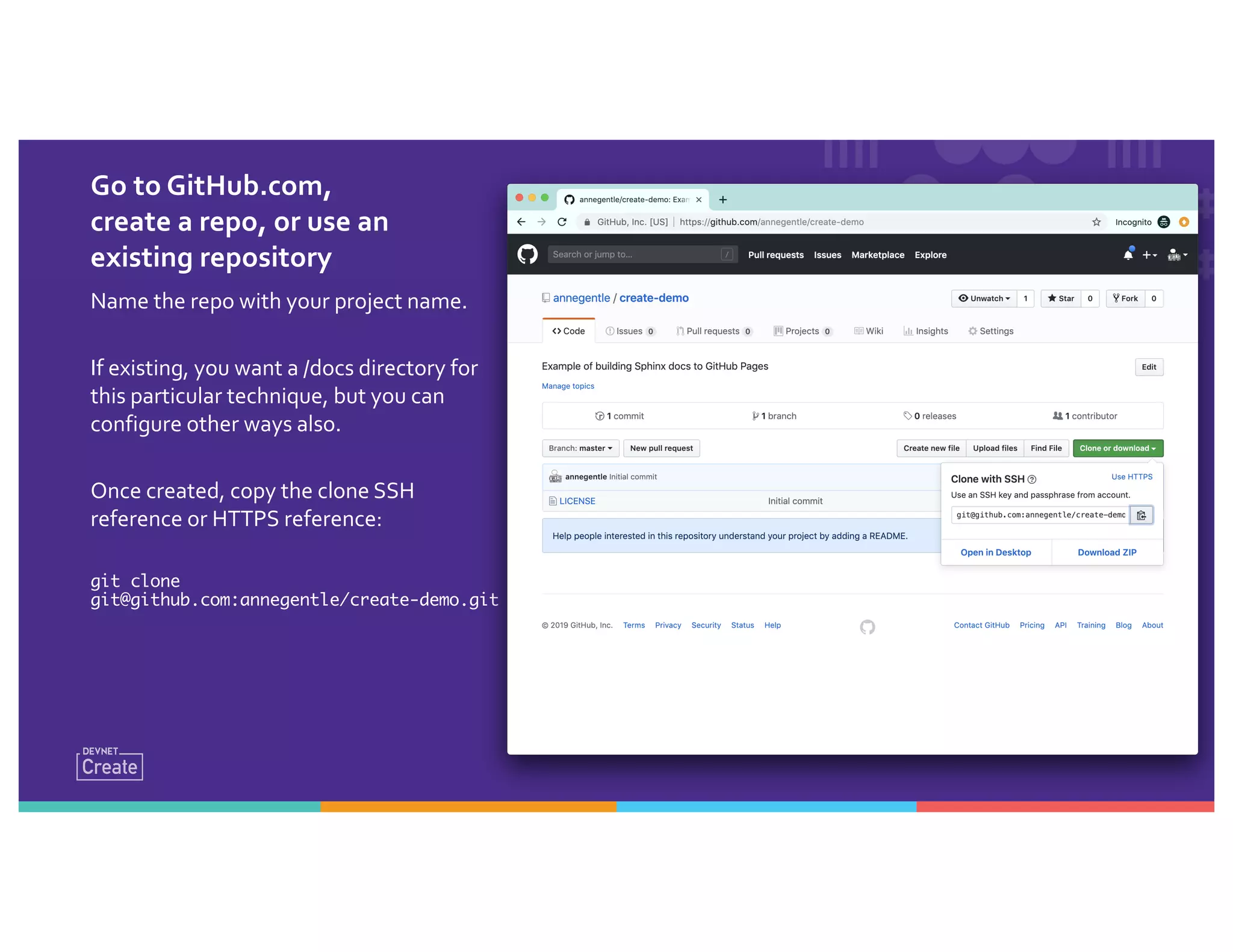
Go to GitHub.com,
create a repo, or use an
existing repository
Name the repo with your project name.
If existing, you want a /docs directory for
this particular technique, but you can
configure other ways also.
Once created, copy the clone SSH
reference or HTTPS reference:
git clone
git@github.com:annegentle/create-demo.git
In the terminal, work on your Git repo
From within the directory with the docs source folder:
$ git clone git@github.com:annegentle/create-demo.git
$ git pull origin master # Might not be needed, do it as muscle memory
$ git checkout –b starter-files
# WRITE WRITE WRITE
$ git add .
$ git commit –a –m “Starter set of Sphinx files”
$ git push origin starter-files
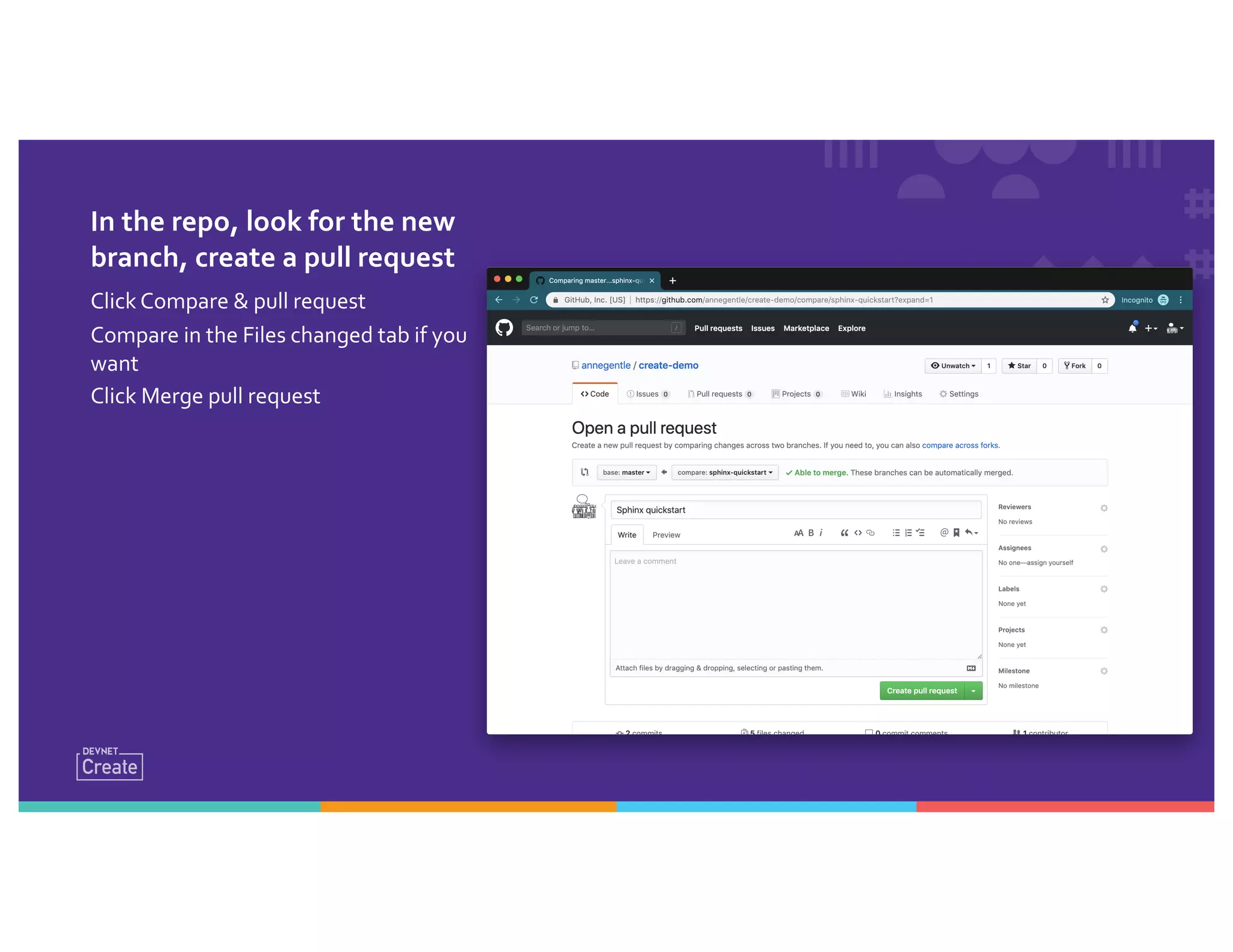
In the repo, look for the new
branch, create a pull request
Click Compare & pull request
Compare in the Files changed tab if you
want
Click Merge pull request
Set up GitHub Pages with
Python Sphinx
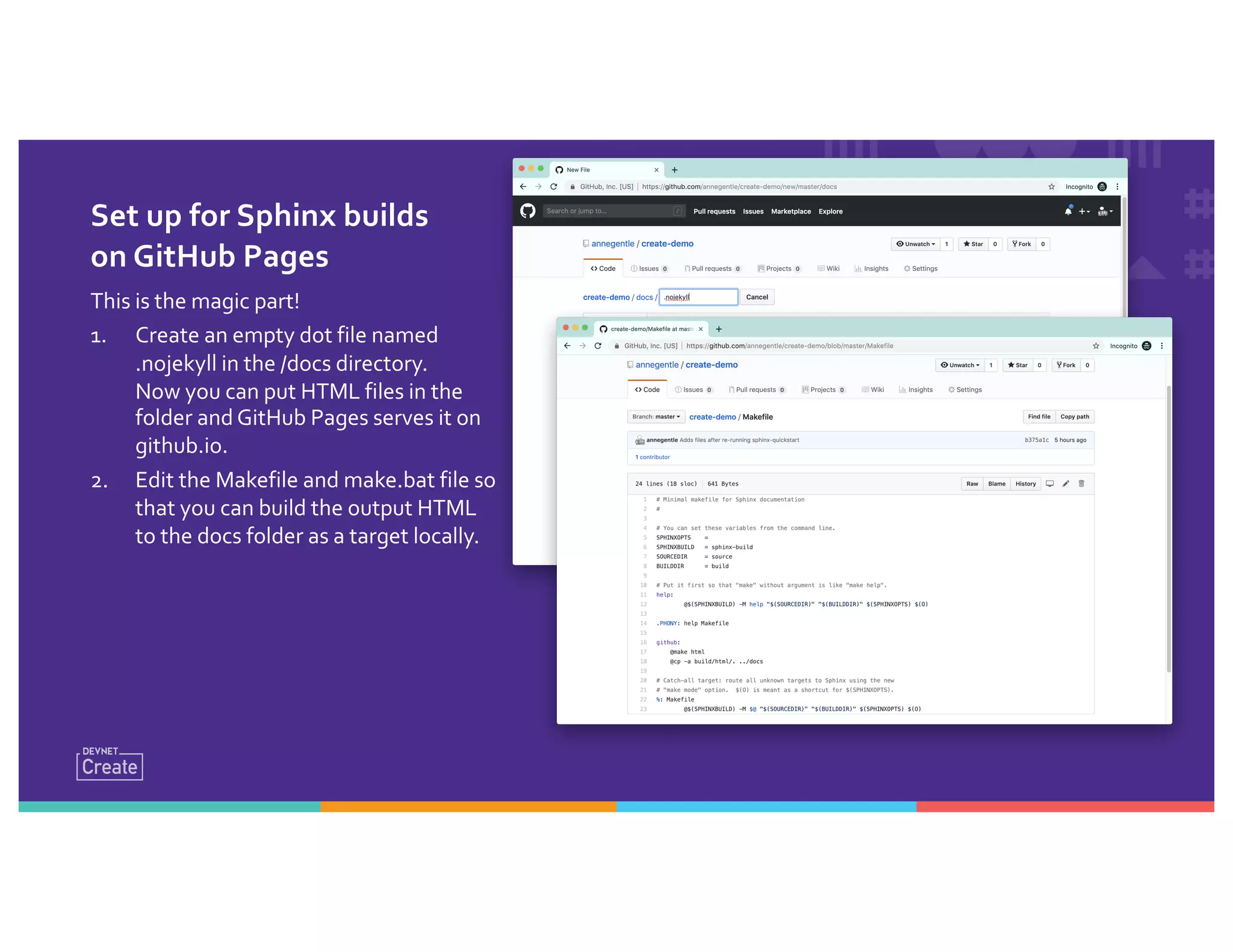
Set up for Sphinx builds
on GitHub Pages
This is the magic part!
1. Create an empty dot file named
.nojekyll in the /docs directory.
Now you can put HTML files in the
folder and GitHub Pages serves it on
github.io.
2. Edit the Makefile and make.bat file so
that you can build the output HTML
to the docs folder as a target locally.
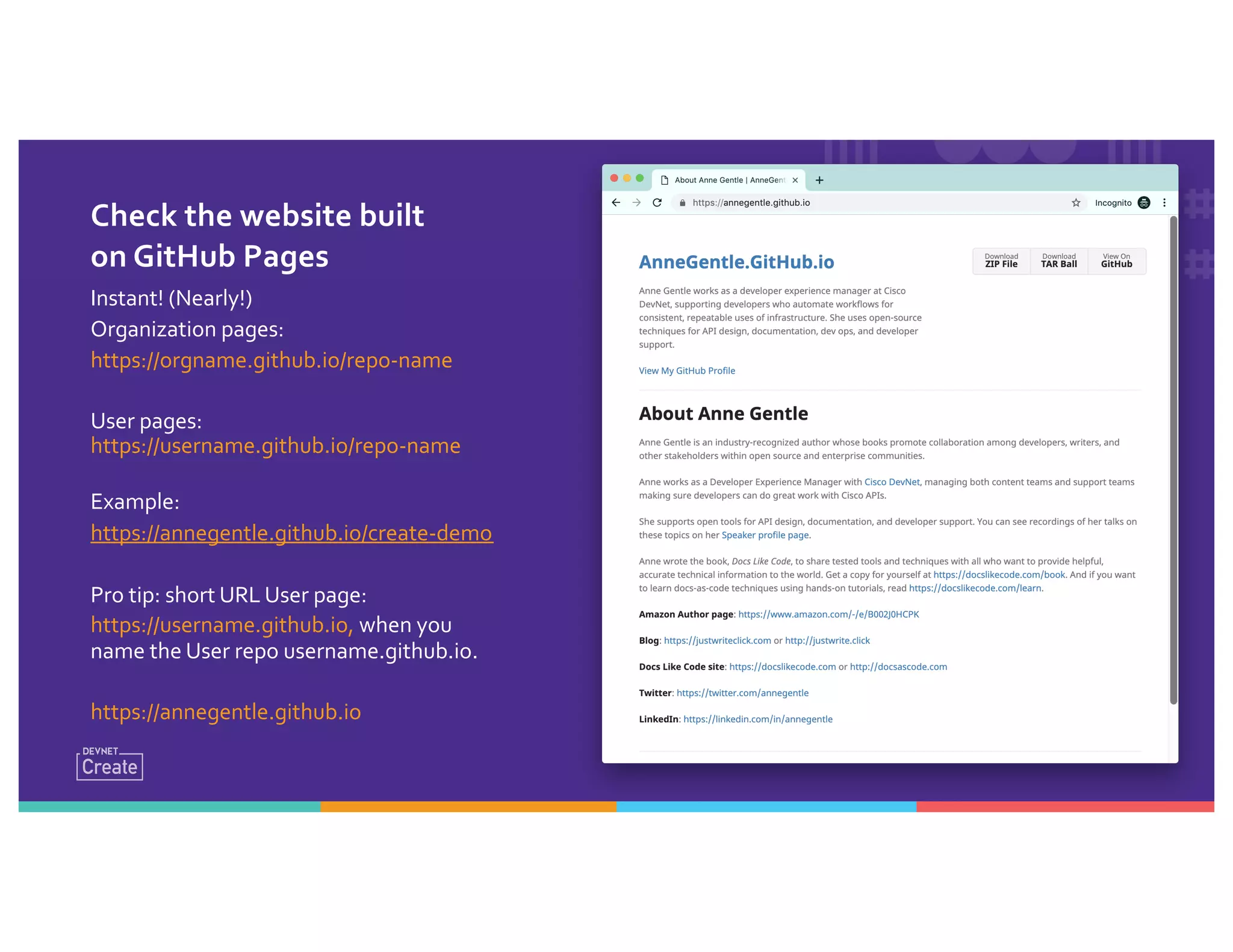
Check the website built
on GitHub Pages
Instant! (Nearly!)
Organization pages:
https://orgname.github.io/repo-name
User pages:
https://username.github.io/repo-name
Example:
https://annegentle.github.io/create-demo
Pro tip: short URL User page:
https://username.github.io, when you
name the User repo username.github.io.
https://annegentle.github.io
Set up GitHub Pages with Jekyll
GitHub Pages build default: Jekyll
Jekyll is a Ruby-based static site generator (SSG).
• In Settings, you can choose which branch and/or folder to publish
from.
• In Settings, you can pick a Jekyll theme, or use your own theme.
• In Settings, you can pick a custom domain name for the site.
• You can should use HTTPS on the custom domain name.
GitHub Pages automatically runs the build and
publishes to github.io or your custom domain.
New
Write your page
content in the
repository.
Push to the master
branch, triggering the
Webhook.
Repeat.
You’ve GotThis!
What is docs automation good for?
Publish high-quality
reliably and repeatedly.
Look for new ideas for
automation.
Get more Python
practice. (Of course!)
Anne Gentle
Developer Experience Manager,
Cisco DevNet
Manage developer content and
support by day, write books on
the side. Ask me and I’ll help!
Python, GitHub, REST API tutorials:
developer.cisco.com/learning/
Tutorials for static site generators with
GitHub and Python, Ruby, or Go:
docslikecode.com/learn
Make an Instant Website with Webhooks

Make an Instant Website with Webhooks

  • 1.
    Make an InstantWebsite with Webhooks DevOps for Docs Developer Experience Manager, Cisco DevNet @annegentle Anne Gentle
  • 2.
    I love these techniqueso much, I wrote a book and website with other writers.
  • 3.
    Define “docs likecode” • Automatic builds • Branch and merge for docs • Continuous integration (meaning, publish automatically after an event) • Reviews for the docs • Tests for the docs • Version control for source files Reliably repeat, and then you have: DevOps for Docs Or… DocOps!
  • 4.
    OUR MISSION: Create aweb site with Python, Sphinx, and GitHub Pages
  • 5.
    Benefits: Fast-moving processes •Keep docs close to the code – if code changes, change the docs. • Automate publishing in GitHub, GitLab, BitBucket, you name it. • Free hosting from GitHub. • Make a change, push, (nearly) immediate results. Flickr: candelabrumelabrumdanse
  • 6.
    Quality gains • Trackyour doc Issues with code Issues. • Review docs with the experts. • Improve docs by iterating, with no build cost. • Version tracking in both source files for authors and output files for end users. Flickr: candelabrumelabrumdanse
  • 7.
    High value, largescale • Enable more teams and individuals to contribute, internally or externally. • Authoring tools can be selected individually and still yield the same output. • Same workflows as code, same high-value tools. (Low or no seat license cost.) • Scale up and out with your docs processes, looking for optimizations as a project grows. Flickr: candelabrumelabrumdanse
  • 8.
    WHATTHE HECK’S A WEBHOOK? HTTPPOST when an event occurs.
  • 9.
  • 10.
    Process Overview Set upPython and Sphinx Create GitHub repository https://github.com/annegentle/create-demo Configure Sphinx deployment Build locally Set up GitHub Pages in repository Populate repository Push to repository Deploy to production
  • 11.
  • 12.
    Install Python (2.7or 3.7) Mac: openTerminal, type: $ python –V CapitalV is for version.You should see what version is the default on your system, likely 2.7.15. Windows: No default, so install Python. Python 2.7 on Windows XP or earlier. Python 3.7 on Windows 10. Go to CMD or PowerShell, type: > python -V
  • 13.
  • 14.
  • 15.
    Set Up aVirtualEnvironment Mac: $ python3.7 –m venv py3-sphinx $ source py3-sphinx/bin/activate Windows: > python3 –m venv py3-sphinx > . py3-sphinxScriptsactivate.bat
  • 16.
    Set Up aVirtualEnvironment
  • 17.
    Local: Install Sphinx inthe virtual environment
  • 18.
    Install Sphinx, aPython doc tool Mac: $ pip install sphinx Windows: > pip install sphinx
  • 19.
    Install Sphinx, aPython doc tool
  • 20.
    Local: Configure Sphinxand Pre-fill Pages
  • 21.
    Run sphinx-quickstart andanswer questions $ cd create-demo $ mkdir docs $ sphinx-quickstart $ ls # Go to your local repo copy # Can add docs to a code repo # Answer questions, such as yes for separate source and build # See what you created! 🚀
  • 22.
  • 23.
    What do youhave now? Build files – Makefile and make.bat for local builds on Mac, Linux, or Windows. A build directory. A source directory. A .nojekyll file. * *Version 3.x asks you, > githubpages: create .nojekyll file to publish the document on GitHub pages (y/n) [n]: y
  • 24.
    • Write theDocs Documentation Guide: https://www.writethedocs.org/guide/ – Consider the audience – Know their main tasks – Give them examples – Link to resources What do I write?
  • 25.
    WRITE WRITE WRITE Fillin some RST or Markdown files in the repo. $ vi docs/source/index.rst Flickr: edwardconde
  • 26.
  • 27.
    Go to GitHub.com, createa repo, or use an existing repository Name the repo with your project name. If existing, you want a /docs directory for this particular technique, but you can configure other ways also. Once created, copy the clone SSH reference or HTTPS reference: git clone git@github.com:annegentle/create-demo.git
  • 28.
    In the terminal,work on your Git repo From within the directory with the docs source folder: $ git clone git@github.com:annegentle/create-demo.git $ git pull origin master # Might not be needed, do it as muscle memory $ git checkout –b starter-files # WRITE WRITE WRITE $ git add . $ git commit –a –m “Starter set of Sphinx files” $ git push origin starter-files
  • 29.
    In the repo,look for the new branch, create a pull request Click Compare & pull request Compare in the Files changed tab if you want Click Merge pull request
  • 30.
    Set up GitHubPages with Python Sphinx
  • 31.
    Set up forSphinx builds on GitHub Pages This is the magic part! 1. Create an empty dot file named .nojekyll in the /docs directory. Now you can put HTML files in the folder and GitHub Pages serves it on github.io. 2. Edit the Makefile and make.bat file so that you can build the output HTML to the docs folder as a target locally.
  • 32.
    Check the websitebuilt on GitHub Pages Instant! (Nearly!) Organization pages: https://orgname.github.io/repo-name User pages: https://username.github.io/repo-name Example: https://annegentle.github.io/create-demo Pro tip: short URL User page: https://username.github.io, when you name the User repo username.github.io. https://annegentle.github.io
  • 33.
    Set up GitHubPages with Jekyll
  • 34.
    GitHub Pages builddefault: Jekyll Jekyll is a Ruby-based static site generator (SSG). • In Settings, you can choose which branch and/or folder to publish from. • In Settings, you can pick a Jekyll theme, or use your own theme. • In Settings, you can pick a custom domain name for the site. • You can should use HTTPS on the custom domain name. GitHub Pages automatically runs the build and publishes to github.io or your custom domain. New
  • 35.
    Write your page contentin the repository. Push to the master branch, triggering the Webhook. Repeat. You’ve GotThis!
  • 36.
    What is docsautomation good for? Publish high-quality reliably and repeatedly. Look for new ideas for automation. Get more Python practice. (Of course!)
  • 37.
    Anne Gentle Developer ExperienceManager, Cisco DevNet Manage developer content and support by day, write books on the side. Ask me and I’ll help! Python, GitHub, REST API tutorials: developer.cisco.com/learning/ Tutorials for static site generators with GitHub and Python, Ruby, or Go: docslikecode.com/learn