Customer Service 
    Manual 


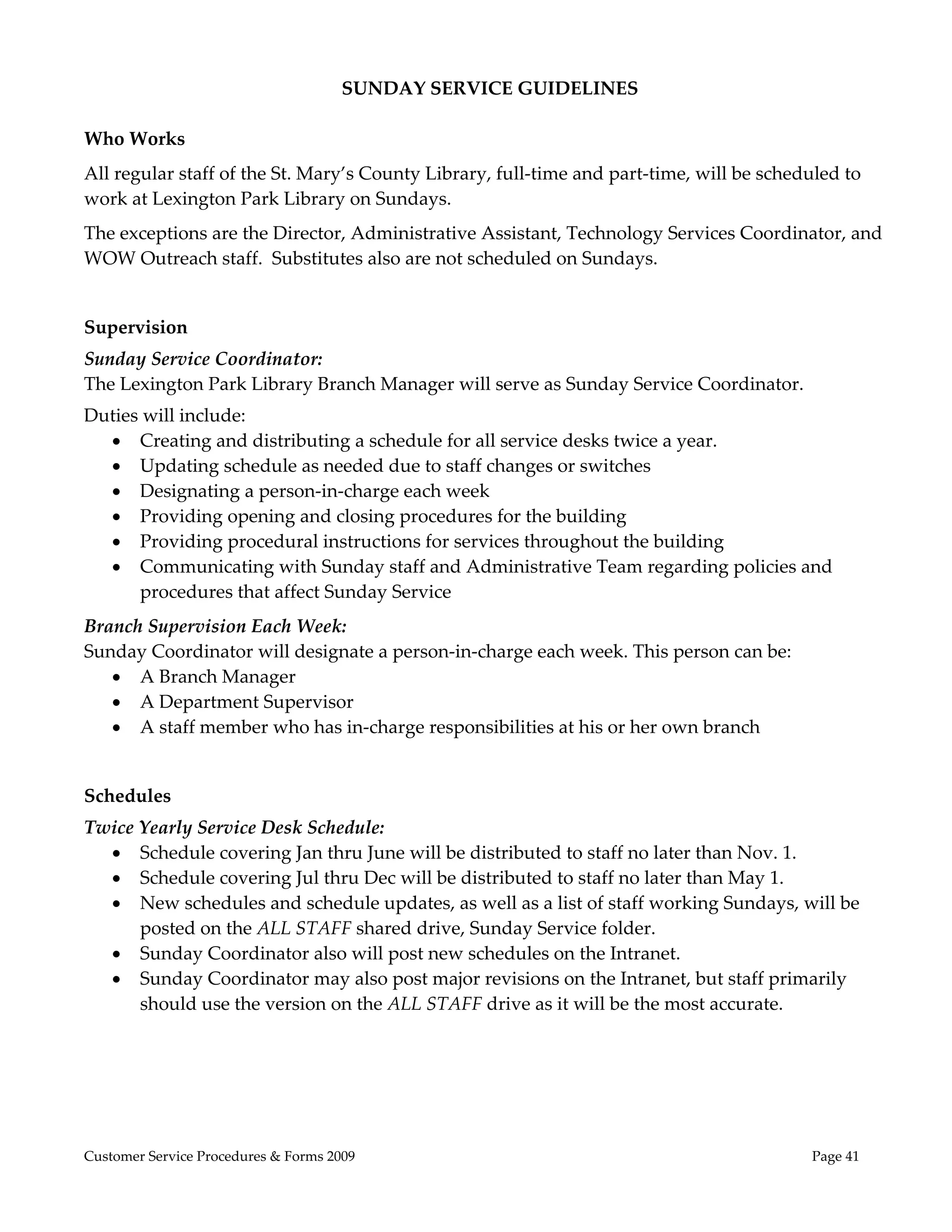
                     May 2009 
             Updated June 2011 


                                         Customer Service Manual 
                                              Introduction 
                                                     
 
              To achieve fairness and equity of access to library services the St. 
        Mary’s County Library Board of Trustees and staff have created policies, 
        procedures and training checklists which are in this Customer Service 
        Manual.   This manual consists of three parts:  
               
                   Customer Service Policies 
                   Customer Service Procedures & Forms 
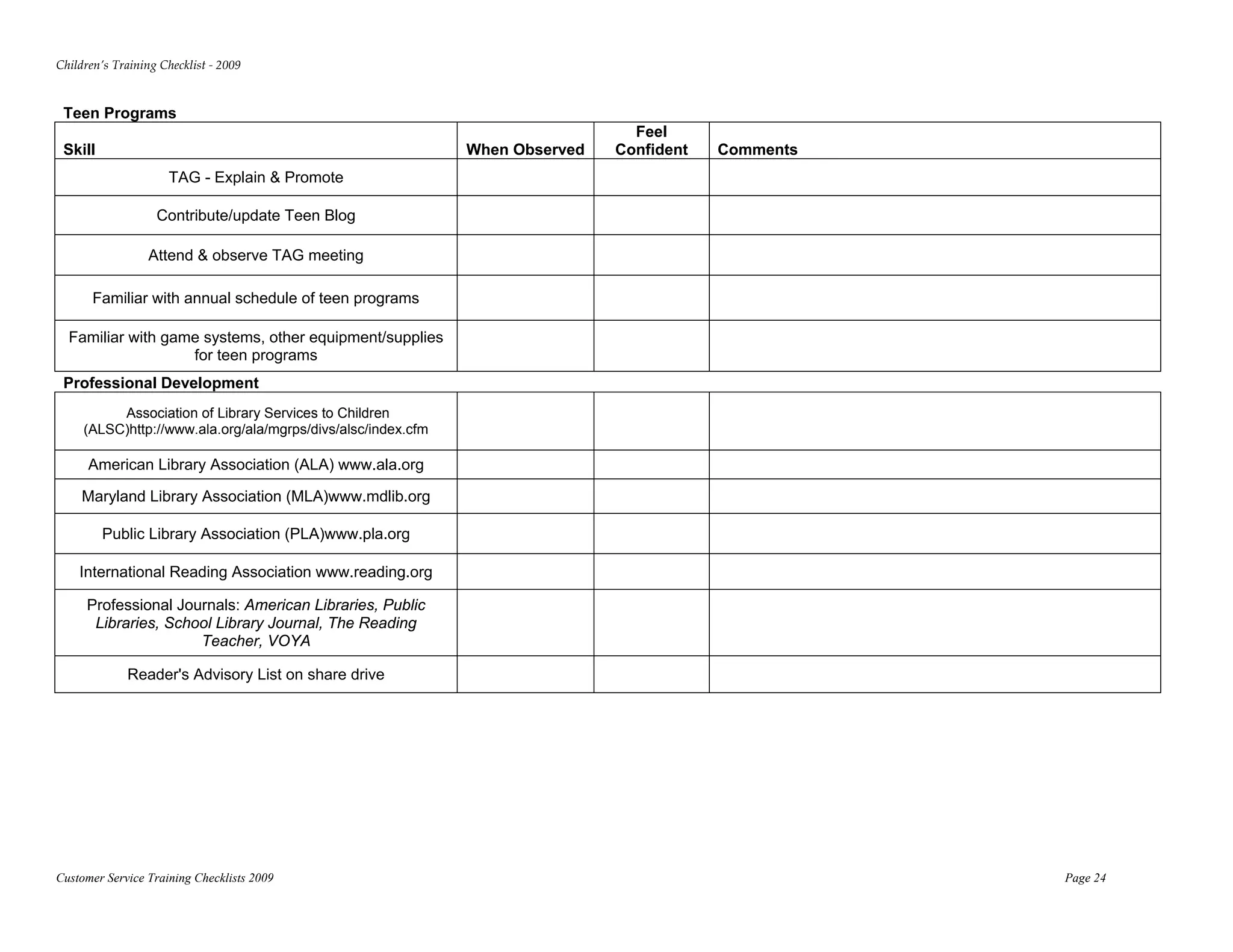
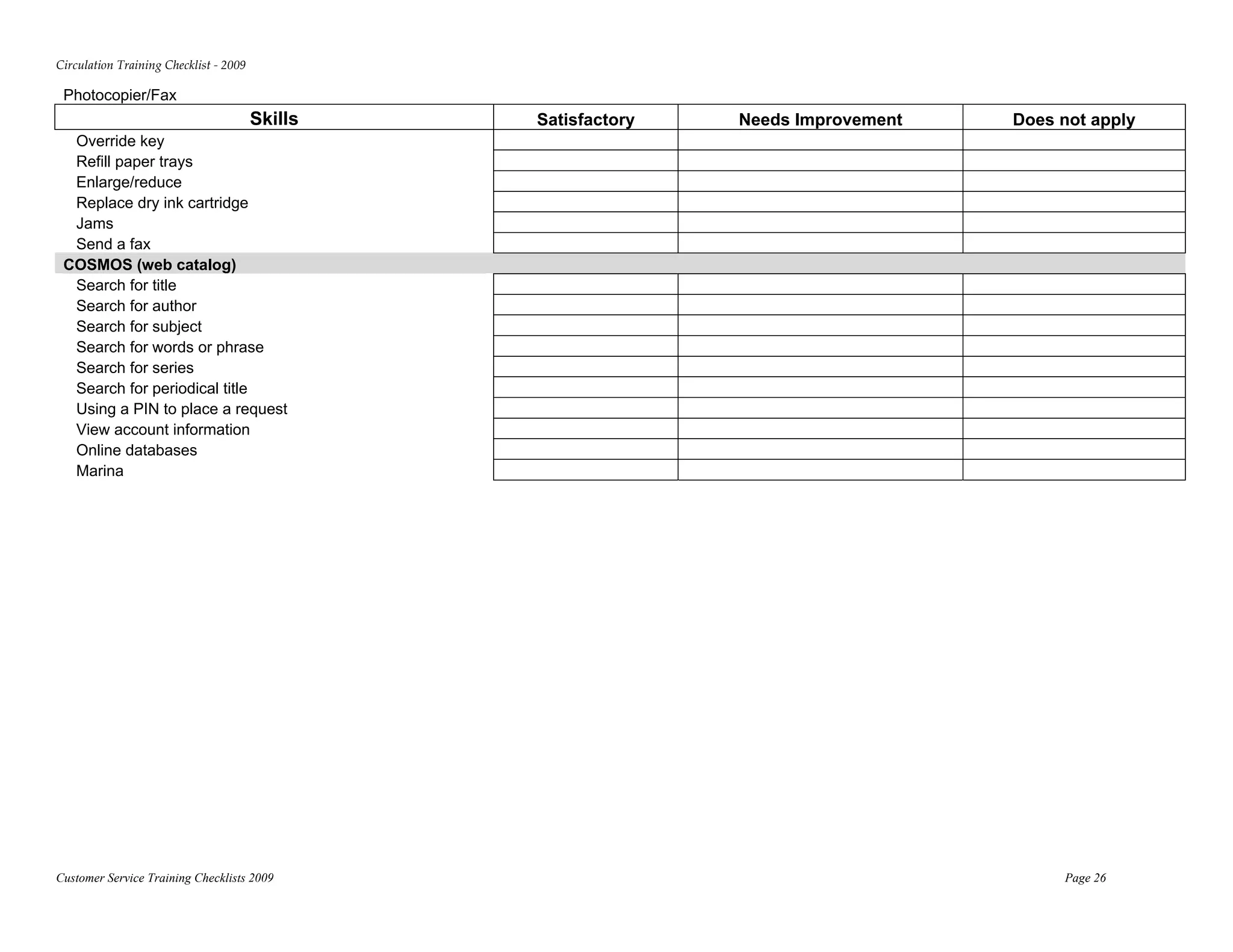
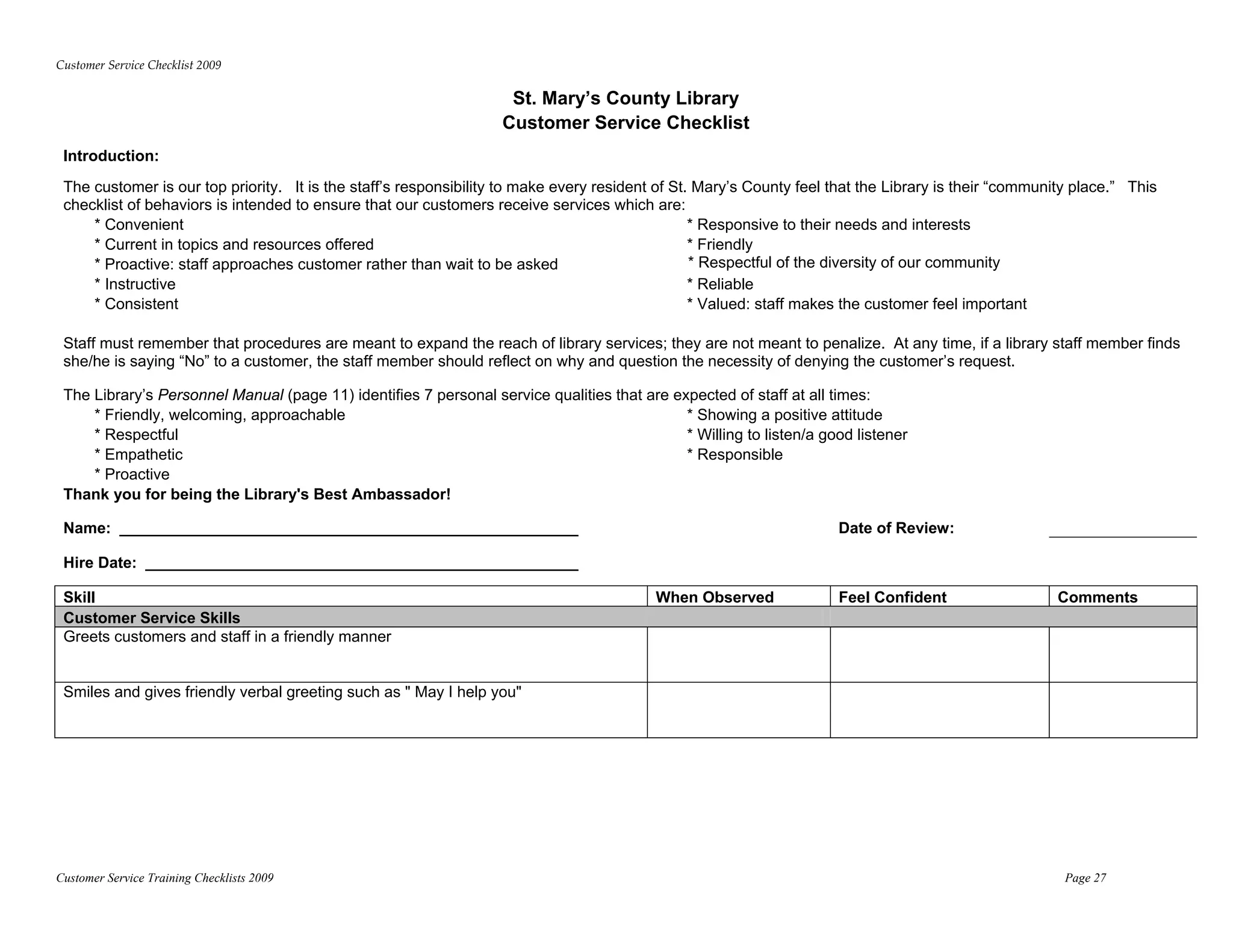
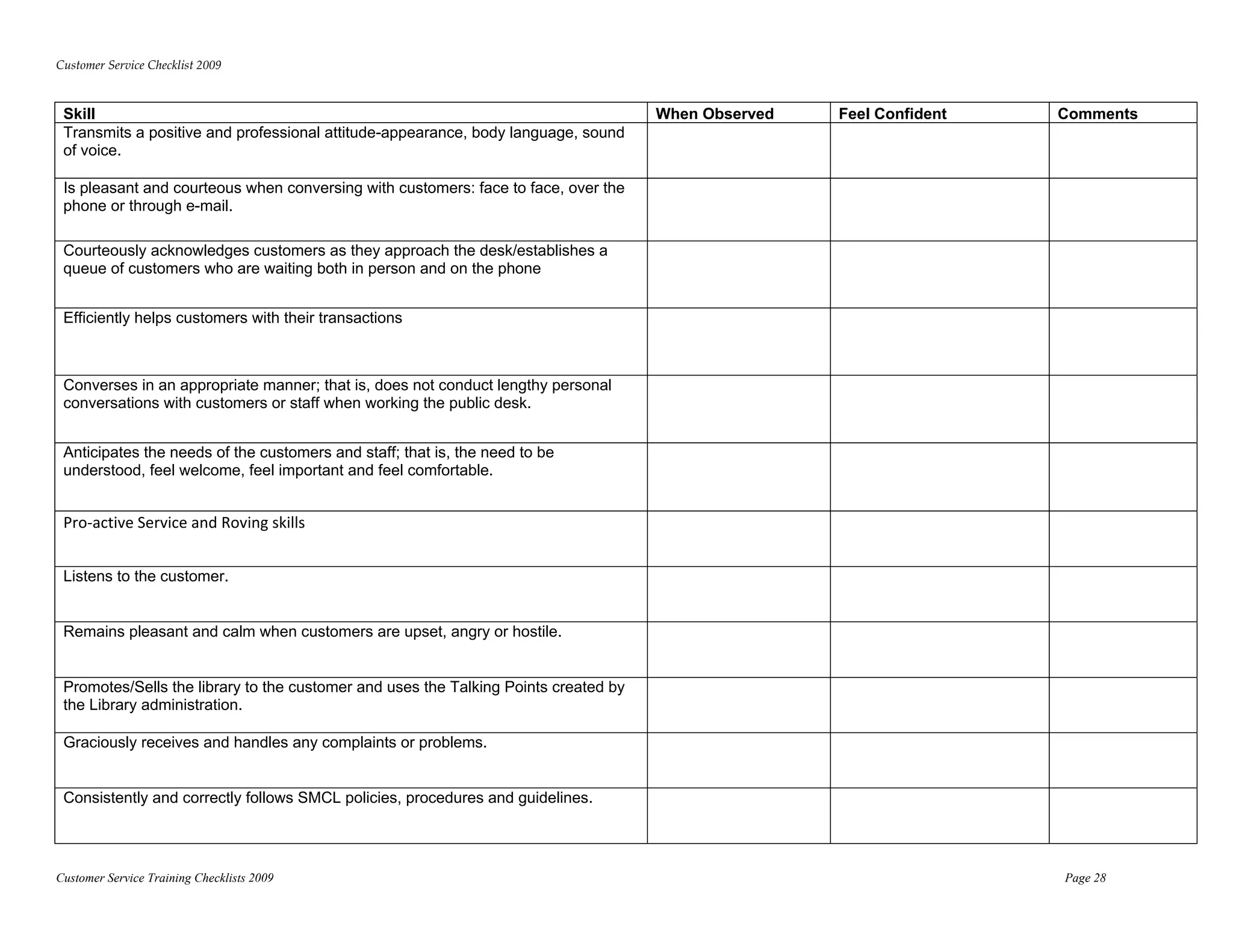
                   Staff Training Checklists 
         
              The intent of any library rule or regulation is to ensure equity of 
        access.  If you have suggestions on how to change these procedures to 
        improve this access, please share them with your supervisor or the library 
        director. 
         
              Updates and revisions will be issued as needed. 
 
 
                                                                    May 2009 


Customer Service Policies Manual 2009                                                  
Customer Service Policies Manual 
                                                      Table of Contents 
                                                                 
      Locations, Hours, WoW! Van ..........................................................................................................................              1
      Holidays When Library is Closed ..................................................................................................................   
                                                      .                                                                                                                  2
      Governance ........................................................................................................................................................   
                                                                                                                                                                         2
      Board of Library Trustees ................................................................................................................................         3
      Friends of the Library .......................................................................................................................................     3
      SMRLA (Southern Maryland Library Association) .....................................................................................                                3
 
Administrative Policies 
   Confidentiality Policy .......................................................................................................................................           4
   Meeting Room Policy .......................................................................................................................................              7
   Exhibits, Bulletin Boards and Displays ........................................................................................................  0                     1
   Lexington Park Art Gallery ...........................................................................................................................  2              1
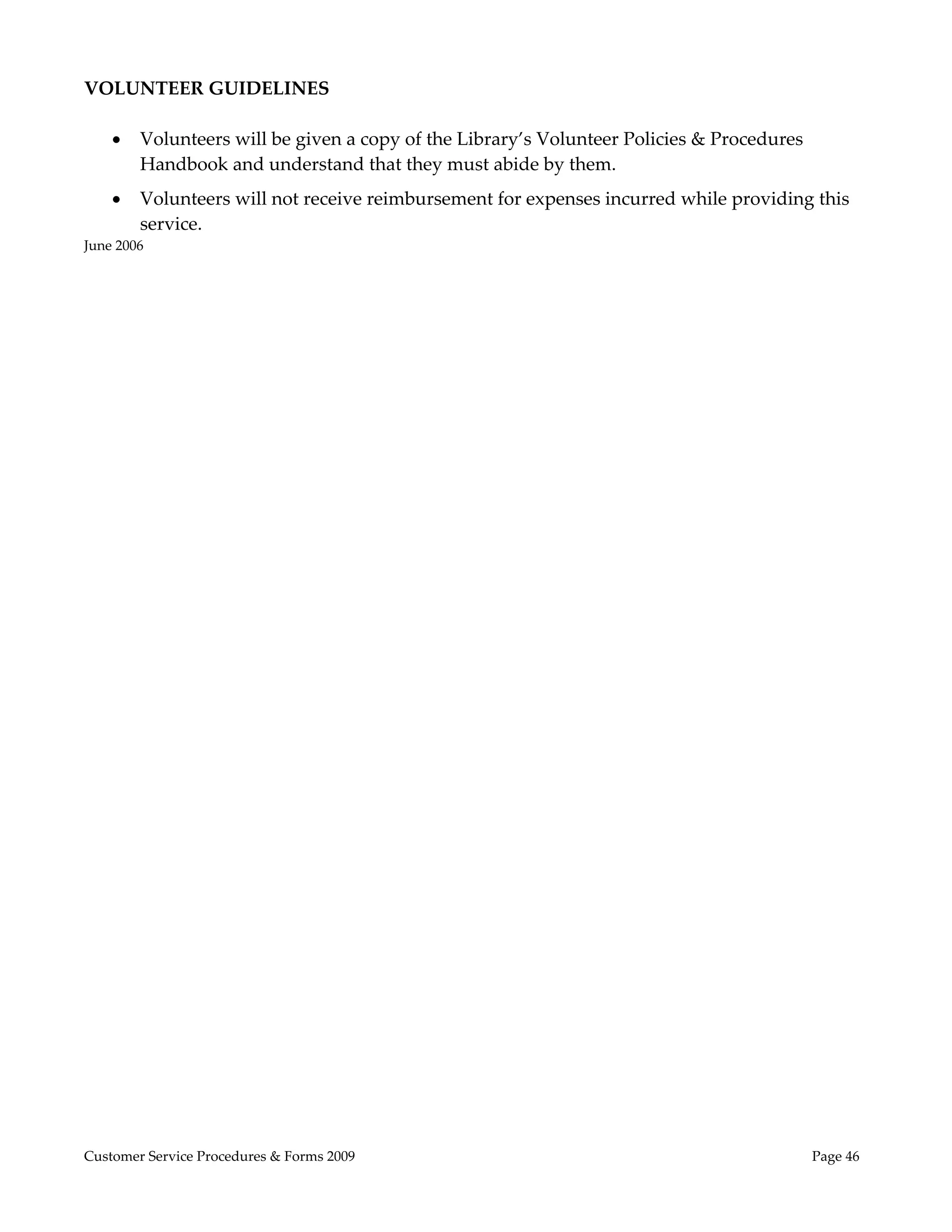
   Volunteer Guidelines .....................................................................................................................................  2 
                                    .                                                                                                                                     1
   Gift Policy  ........................................................................................................................................................  4 
                 .                                                                                                                                                        1
   Donations Criteria  ..........................................................................................................................................  5 
                               .                                                                                                                                          1
   Inclement Weather ..........................................................................................................................................  6        1
   Behavior Rules & Regulations  ......................................................................................................................  7 
                                                   .                                                                                                                      1
   Suspension of Privileges Policy ....................................................................................................................  8                1
   Solicitation/Sales on Premises .......................................................................................................................  9              1
   Children Left at Closing & Unattended Child ............................................................................................  9                            1
   Outreach Policy ...............................................................................................................................................  0     2
   Free Services ....................................................................................................................................................  0  2
   Naming Libraries ............................................................................................................................................  0       2
 
Circulation Services 
   Library Cards  ..................................................................................................................................................  1   2
   Overdue Notices & Bills .................................................................................................................................  2           2
   Collection Agency ...........................................................................................................................................  3       2
   Renewals ..........................................................................................................................................................  3 2
   Holds  ................................................................................................................................................................  3 
          .                                                                                                                                                               2
   Library Material Loan Policy & Fines ..........................................................................................................  4                     2
   Claims Returned or Claims Never Had .......................................................................................................  5                         2
   Returning Items ...............................................................................................................................................  5     2
   Lost Item Policy ...............................................................................................................................................  5    2
   Interlibrary Loan (ILL) ...................................................................................................................................  6         2
   BookXpress.......................................................................................................................................................  7   2
   DVDXpress ......................................................................................................................................................  8    2
   Homebound, Senior Centers & Residential Institutions ...........................................................................  8                                    2
   Child Care Providers Outreach  ....................................................................................................................  8 
                                                     .                                                                                                                    2


Customer Service Policies Manual 2009                                                                                                                                             
Electronic Services 
   Technology Resources Available in Each Branch  ......................................................................................  9 
                                                                                      .                                                                                      2
   Computer Lab at Lexington Park .................................................................................................................  9                       2
   Laptop Lab .......................................................................................................................................................  9     2
   Services Available 24/7 ...................................................................................................................................  0            3
   Social Networking ..........................................................................................................................................  1 
                                  .                                                                                                                                          3
 
Information Services 
   Reference Policy ..............................................................................................................................................  3        3
   Homework Policy ...........................................................................................................................................  3            3
   Notary Services................................................................................................................................................  3        3
   Internet Safety Policy ......................................................................................................................................  4          3
   Materials Selection Policy & ALA Statements ............................................................................................  6                               3
    
Index .......................................................................................................................................................................  4 
      .                                                                                                                                                                      4


Customer Service Policies Manual 2009                                                                                                                                                
LOCATIONS AND HOURS 
 
St. Mary’s County Libraries are open: 

        Monday thru Thursday             9:00 AM to 8:00 PM 
        Friday                           9:00 AM to 5:00 PM 
        Saturday                         9:00 AM to 5:00 PM 
        Sunday (Lexington Park only)     1:00 to 5:00 PM 

St. Mary’s County Library has three locations, a Childcare Van Service, and an Internet site: 

        Charlotte Hall Branch 
        37600 New Market Road 
        Charlotte Hall, MD 20622 
        301.884.2211 
        301.884.2113 (fax) 
        hall.manager@stmalib.org 
        Located on the corner of Route 5 Southbound and Route 6 

        Leonardtown Branch 
        23250 Hollywood Road 
        Leonardtown, MD 20650 
        301.475.2846 
        301.884.4415 (fax) 
        stma.manager@stmalib.org 
        Located on Route 245 next to the State Police and County Government Campus 

        Lexington Park Branch 
        21677 FDR Blvd. 
        Lexington Park, MD 20653 
        301.863.8188 
        301.863.2550 (fax) 
        lexi.manager@stmalib.org 
        Located off South Shangri‐la Drive next to the Fire House and across from the 
        Lexington Park Elementary School  
         
        WoW! (Words on Wheels!) van visits childcare providers and centers.  Services include 
        materials, deposit collections and storytelling program.  For details and information 
        about obtaining these services, contact:  301‐475‐2846 ext. 1011 
         
        WWW.STMALIB.ORG 


Customer Service Policies Manual 2009                                                            Page  1 
SCHEDULE OF LIBRARY HOLIDAYS 
 
St. Mary’s County Library will be closed to the public on the following holidays: 
 
            New Year’s Day 
            Dr. Martin Luther King, Jr’s Birthday 
            President’s Day 
            Good Friday 
            Easter Sunday 
            Memorial Day* 
            Independence Day 
            Labor Day 
            Columbus Day* 
            Veteran’s Day 
            Thanksgiving Day 
            Christmas Eve 
            Christmas Day 
        
              *closed on the federal holiday. 
        
In addition to the above holidays, St. Mary’s County Library will close at 5:00 PM on the 
Wednesday before Thanksgiving and at 5:00 PM on New Year’s Eve. 
 
GOVERNANCE  
As defined in Title 23, Article 403 of the Education Laws of the State of Maryland, the St. 
Mary’s County Library is governed by a seven‐member Board of Library Trustees.  Each 
Trustee is appointed by the St. Mary’s County Commissioners from a list supplied by the 
incumbent Board.  Each term is for 5 years and a Trustee may serve no more than 10 
consecutive years.  All Trustees serve without remuneration of any kind. 


Customer Service Policies Manual 2009                                                          Page  2 
MEMBERS OF ST. MARY’S COUNTY BOARD OF LIBRARY TRUSTEES 
 
 
Current members may be found on the library’s web site:  www.stmalib.org/trustees.html 
 
 
FRIENDS OF THE LIBRARY (FOL) 
 
St. Mary’s County Library has a Friends of the Library (FOL) organization which is incorporated.  
Its express purpose is to encourage public support of the library and to raise funds which are 
donated to the library.  Some of its activities include an annual book sale, annual author’s brunch 
and author’s dinner.  All staff and customers are encouraged to join the FOL.  Rates begin at $15 
for an individual.  Applications may be obtained in each library branch and at www.stmalib.org. 
 
 
SMRLA 
 
SMRLA is the Southern Maryland Library Association.  It is a regional resource center providing 
both high‐tech and traditional information services and support to Calvert, Charles and St. Mary’s 
County public library systems.  Some of the major functions it provides for the St. Mary’s County 
Library are:  the library automation system (see COSMOS), processing of materials purchased for 
the collection, staff training.  SMRLA is supported by state funds based on population.  It “rents” 
space from St. Mary’s County government for $1 per year, in the Charlotte Hall Library branch.


Customer Service Policies Manual 2009                                                        Page  3 
Administrative Policies 
 
CONFIDENTIALITY POLICY 
 
One of the public libraryʹs most cherished and valuable assets is the fact that anyone may use the 
libraryʹs resources in privacy, without fear of censorship, repression, or intimidation.    

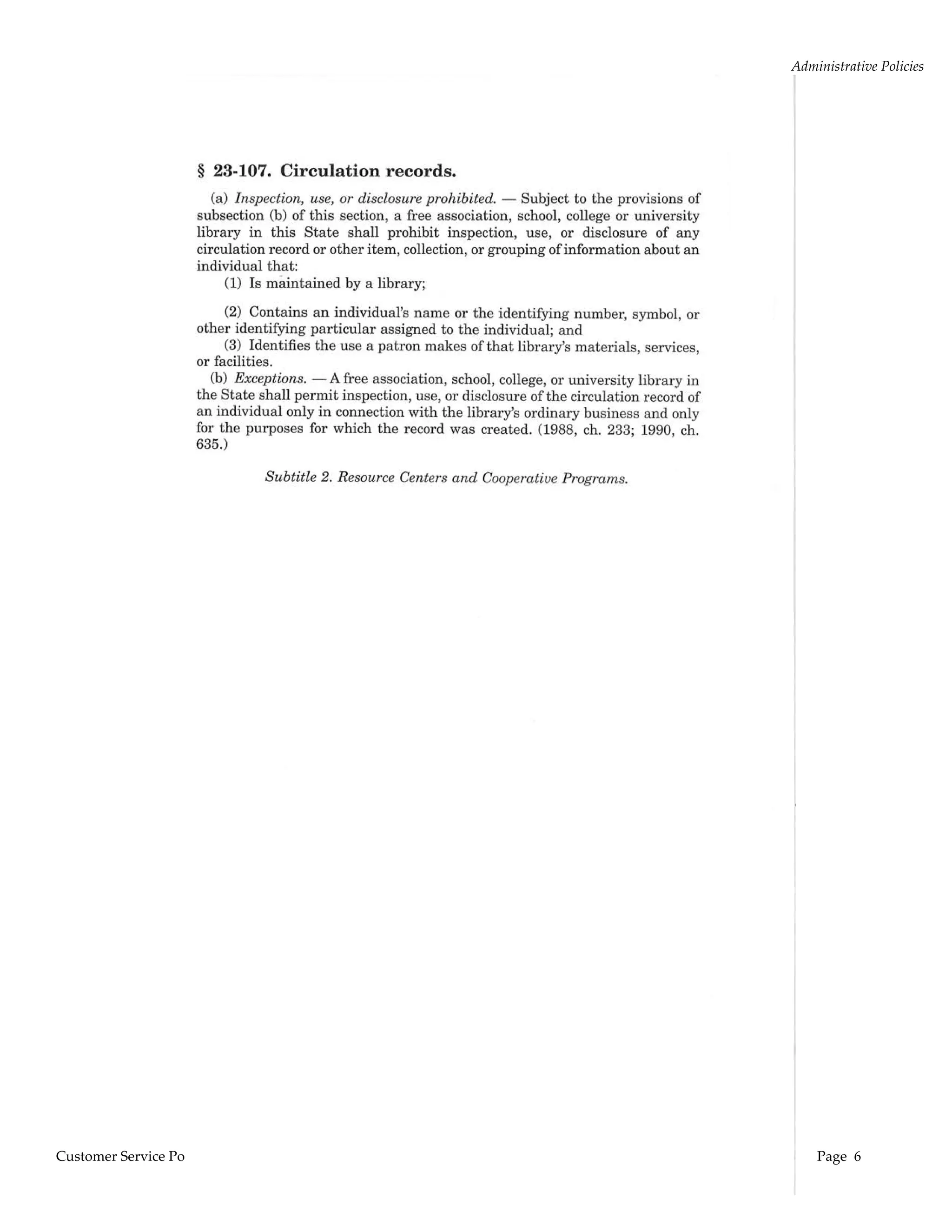
In accordance with Maryland law (Maryland Code, Ed 23‐107), circulation and other records identifying 
personal information with the use of specific library materials, services or facilities are confidential.  Such 
records shall not be disclosed except to: 

    (a) persons acting within the scope of their duties within the administration of the library and only 
        for the purpose for which the record was created 
    (b) persons authorized by the individual to inspect the individualʹs record. 

The following requests must be immediately referred to the Library Director: 

       An agency of state, federal, or local government or any individual pursuant to a valid court order, 
        search warrant or subpoena authorized under the authority of federal, state or local law relating 
        to civil, criminal or administrative discovery procedures or legislative investigative power. 
       A government official with a FISA (Foreign Intelligence Surveillance Act) Request.  

All requests for such information must be referred to the Library Director.  If the Library Director is not 
immediately available, give them the contact information or take their name and number and have the 
Director contact them. 

Library personnel shall not disclose to any other individual, corporation, institution, government agent 
or agency, except as provided in the above paragraph, information that includes but is not limited to  

       the libraryʹs circulation records and their contents as pertains to individual patrons  
       the libraryʹs registration records and their contents 
       the number or character of questions asked by a patron 
       the frequency of a patronʹs visits to the library 
       a patronʹs name, address, or telephone number 
       a patronʹs interlibrary loan records 
       a patronʹs record of computer and database usage 
       computer contents that could be used to identify material or sources a patron consults 
       the contents of a patron’s information transaction:  titles requested, information requests, personal 
        documents being created using library’s software, etc 

If a request for information is denied, the Library Director shall inform the individual, corporation, 
institution, government agent or agency making the request within ten (10) days of receipt of the request. 

Adopted January 15, 2002; Revised September 28, 20004; Revised December 19, 2006 to be in compliance 
with the USA PATRIOT Act Reauthorization on March 9m 2006.   
Board of Library Trustees 
 

Customer Service Policies Manual 2009                                                             Page  4 
Administrative Policies 
  

PATRON INFORMATION ON CONFIDENTIALITY OF RECORDS 

The confidentiality of library users is protected by Maryland state law (Maryland Code, ED 23‐107) and 
by the policies of the St. Maryʹs County Library, which safeguard a borrowerʹs right to privacy. 

Patrons have the right to receive information about their own records, but must first provide personal 
identification. Acceptable identification includes library card or driverʹs license or validation of personal 
information in the patronʹs record.   

Parents and legal guardians have the right to receive information about their minor childrenʹs records 
upon presentation of their childʹs library card.   

Patrons who wish to pay fines for other family members other than minors may be told the amount only.   
Information provided over the telephone shall be limited to the number of items charged to a patron and 
the amount of fines, after the solicitor has given name and library card number.  

Information provided to anyone other than the solicitor of information or of interlibrary loans over the 
telephone or left on an answering machine shall be limited to notification that the item or information is 
available.  Email communications about holds and overdues include titles.   

Reserved materials may be picked up by the person placing the reserve or by someone who has 
permission from the person who placed the reserve.   

Patrons are advised that the history of sites visited, email, word processing and other information or 
documents left on the public access computers are not protected, deleted or monitored by the library 
after each patron use.  Personal information given optionally and voluntarily by the user may be 
retrievable by other users.  Patrons who need further information should ask a librarian. 
 

Adopted January 15, 2002; Revised September 28, 20004; Revised December 19, 2006 to be in compliance 
with the USA PATRIOT Act Reauthorization on March 9m 2006.   
Board of Library Trustees 
 
See Confidentiality Procedure 


Customer Service Policies Manual 2009                                                            Page  5 
Administrative Policies 


Customer Service Policies Manual 2009            Page  6 
Administrative Policies 
                                                        
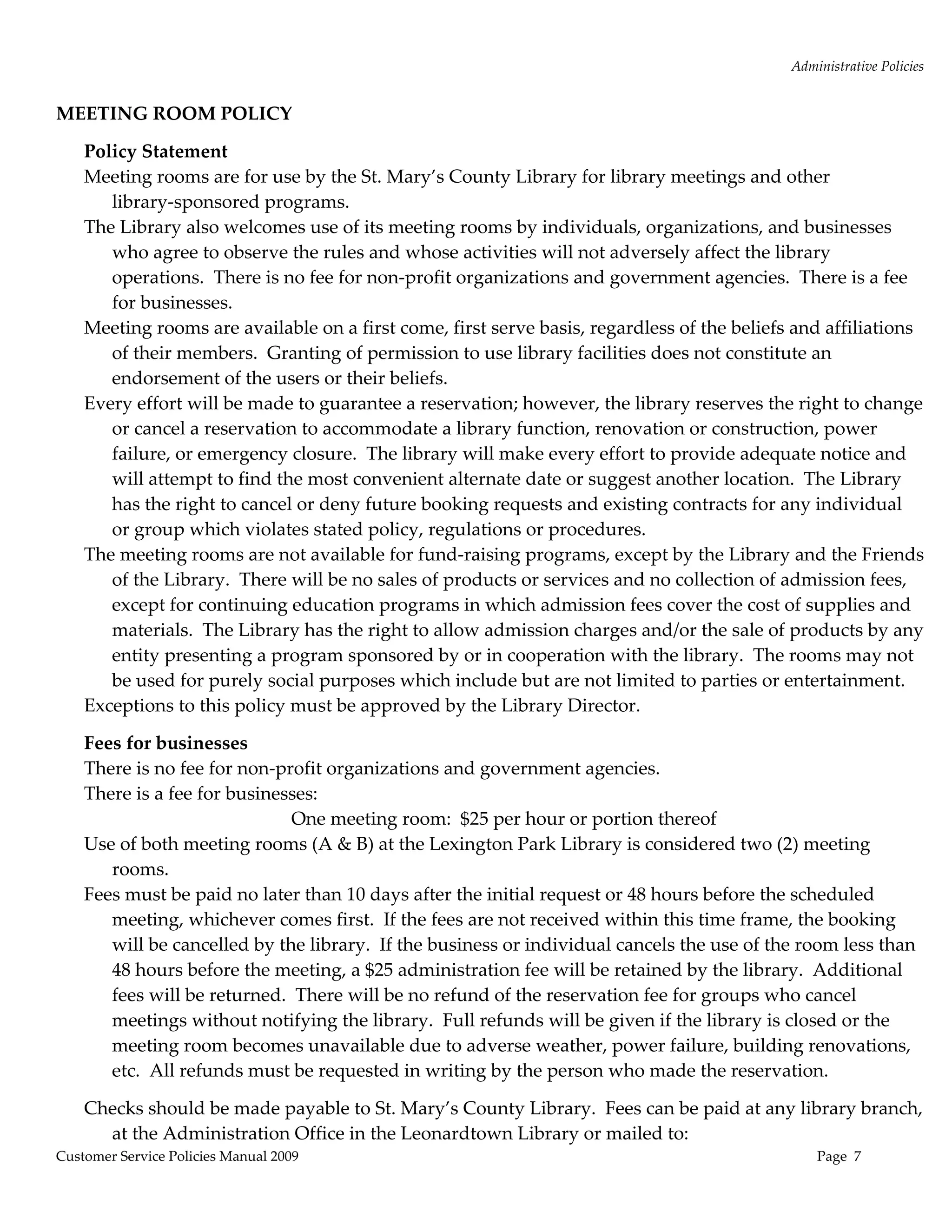
MEETING ROOM POLICY  

    Policy Statement 
    Meeting rooms are for use by the St. Mary’s County Library for library meetings and other 
       library‐sponsored programs.   
    The Library also welcomes use of its meeting rooms by individuals, organizations, and businesses 
       who agree to observe the rules and whose activities will not adversely affect the library 
       operations.  There is no fee for non‐profit organizations and government agencies.  There is a fee 
       for businesses. 
    Meeting rooms are available on a first come, first serve basis, regardless of the beliefs and affiliations 
       of their members.  Granting of permission to use library facilities does not constitute an 
       endorsement of the users or their beliefs. 
    Every effort will be made to guarantee a reservation; however, the library reserves the right to change 
       or cancel a reservation to accommodate a library function, renovation or construction, power 
       failure, or emergency closure.  The library will make every effort to provide adequate notice and 
       will attempt to find the most convenient alternate date or suggest another location.  The Library 
       has the right to cancel or deny future booking requests and existing contracts for any individual 
       or group which violates stated policy, regulations or procedures.   
    The meeting rooms are not available for fund‐raising programs, except by the Library and the Friends 
       of the Library.  There will be no sales of products or services and no collection of admission fees, 
       except for continuing education programs in which admission fees cover the cost of supplies and 
       materials.  The Library has the right to allow admission charges and/or the sale of products by any 
       entity presenting a program sponsored by or in cooperation with the library.  The rooms may not 
       be used for purely social purposes which include but are not limited to parties or entertainment.   
    Exceptions to this policy must be approved by the Library Director. 

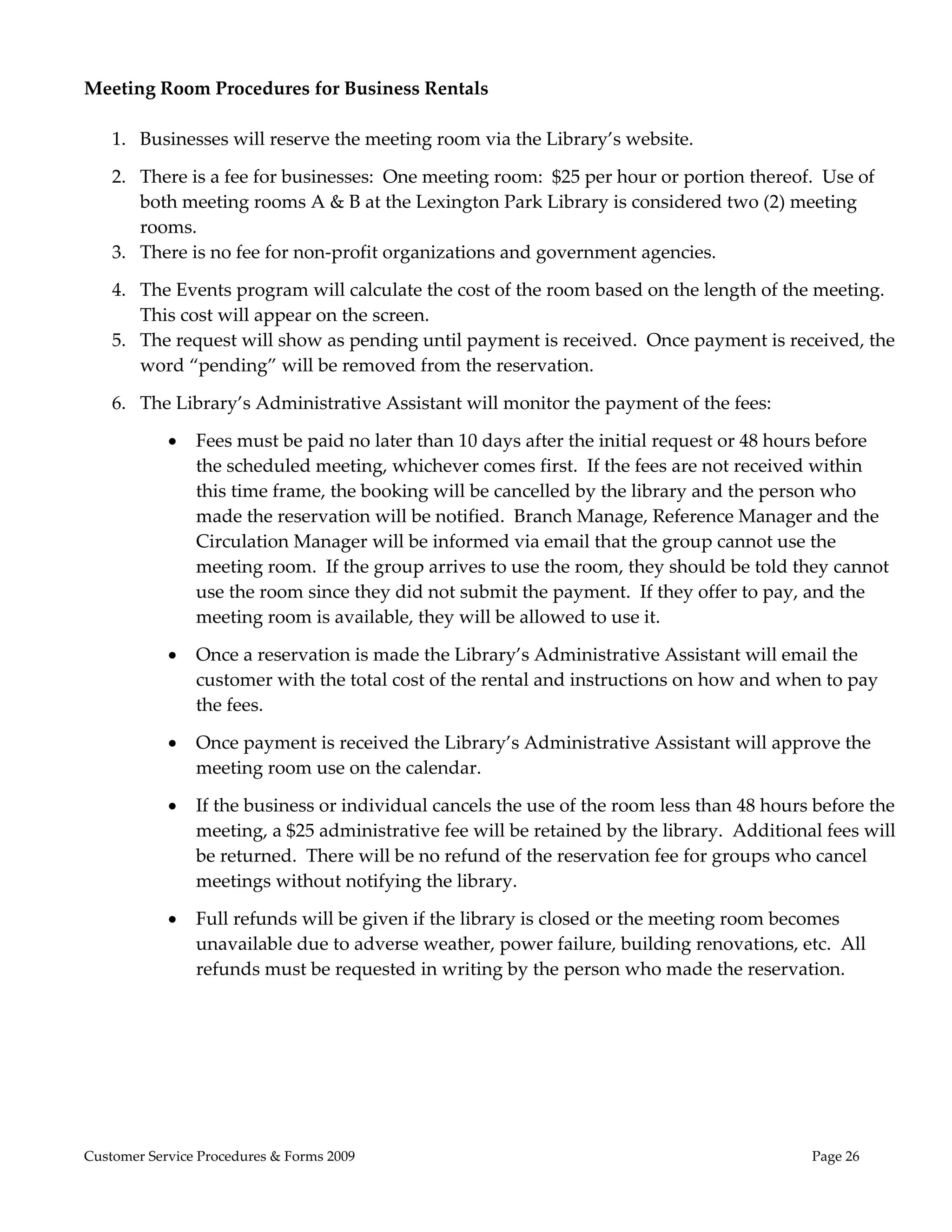
    Fees for businesses 
    There is no fee for non‐profit organizations and government agencies.   
    There is a fee for businesses: 
                              One meeting room:  $25 per hour or portion thereof 
    Use of both meeting rooms (A & B) at the Lexington Park Library is considered two (2) meeting 
       rooms. 
    Fees must be paid no later than 10 days after the initial request or 48 hours before the scheduled 
       meeting, whichever comes first.  If the fees are not received within this time frame, the booking 
       will be cancelled by the library.  If the business or individual cancels the use of the room less than 
       48 hours before the meeting, a $25 administration fee will be retained by the library.  Additional 
       fees will be returned.  There will be no refund of the reservation fee for groups who cancel 
       meetings without notifying the library.  Full refunds will be given if the library is closed or the 
       meeting room becomes unavailable due to adverse weather, power failure, building renovations, 
       etc.  All refunds must be requested in writing by the person who made the reservation.   

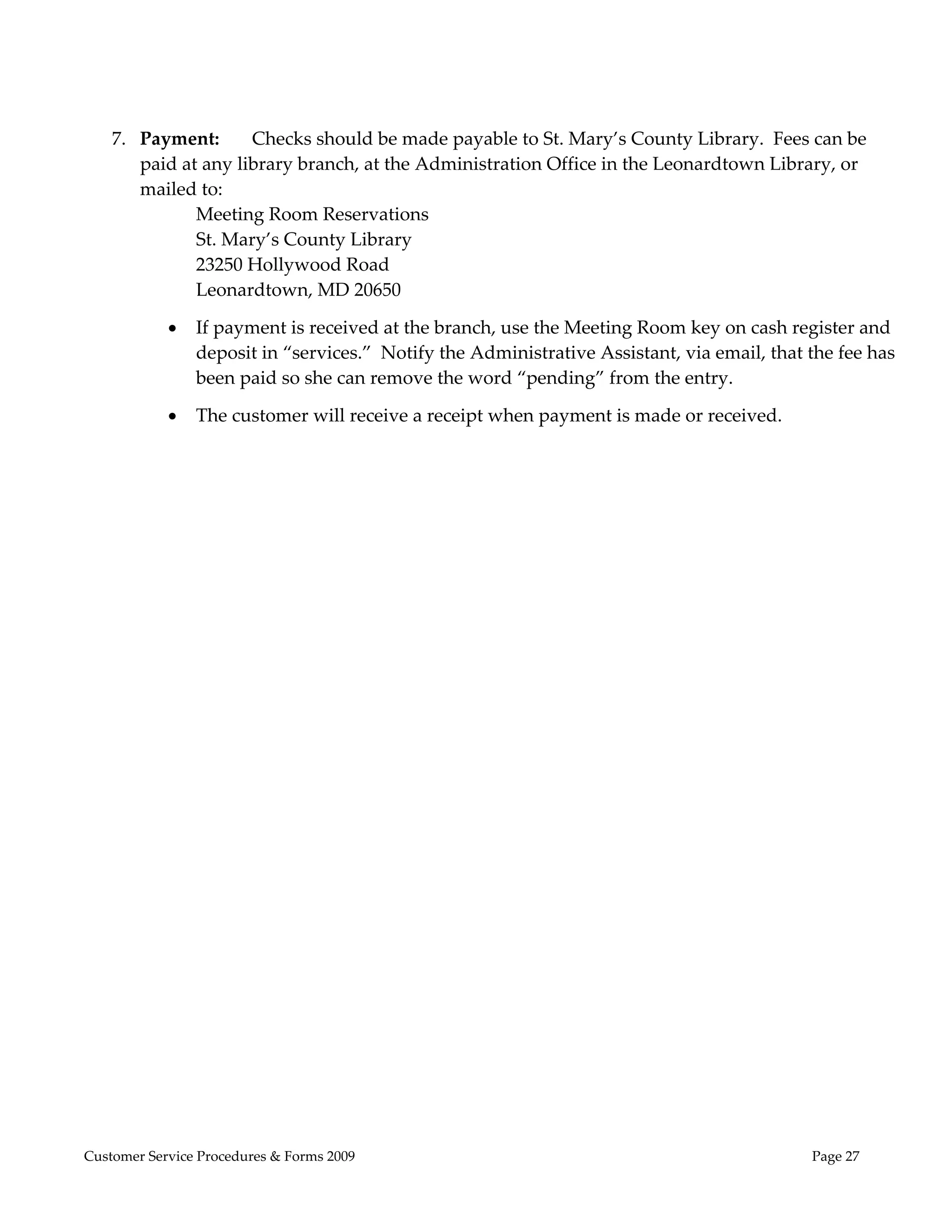
    Checks should be made payable to St. Mary’s County Library.  Fees can be paid at any library branch, 
      at the Administration Office in the Leonardtown Library or mailed to: 
Customer Service Policies Manual 2009                                                            Page  7 
Administrative Policies 
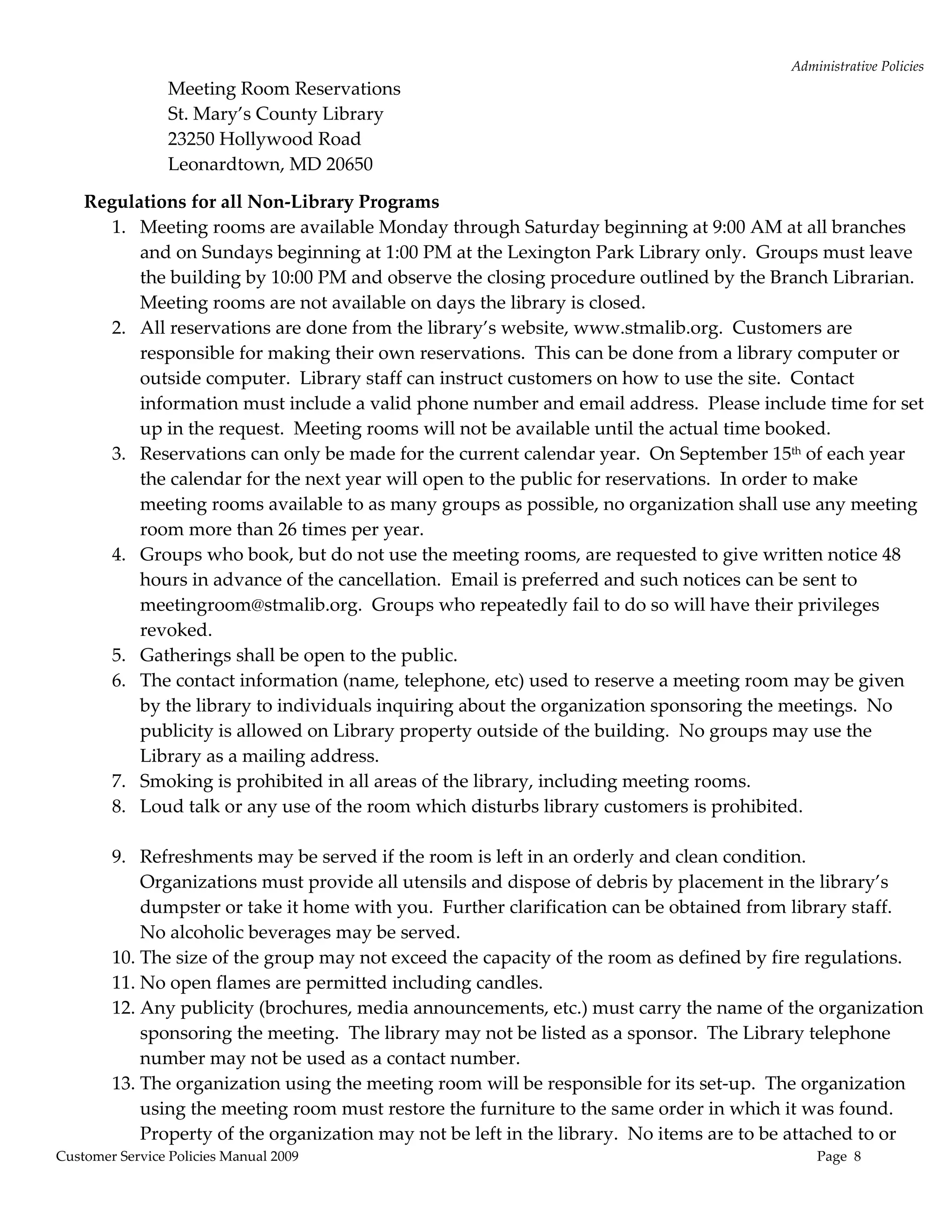
                 Meeting Room Reservations 
                 St. Mary’s County Library 
                 23250 Hollywood Road 
                 Leonardtown, MD 20650 

    Regulations for all Non‐Library Programs 
       1. Meeting rooms are available Monday through Saturday beginning at 9:00 AM at all branches 
           and on Sundays beginning at 1:00 PM at the Lexington Park Library only.  Groups must leave 
           the building by 10:00 PM and observe the closing procedure outlined by the Branch Librarian.  
           Meeting rooms are not available on days the library is closed. 
       2. All reservations are done from the library’s website, www.stmalib.org.  Customers are 
           responsible for making their own reservations.  This can be done from a library computer or 
           outside computer.  Library staff can instruct customers on how to use the site.  Contact 
           information must include a valid phone number and email address.  Please include time for set 
           up in the request.  Meeting rooms will not be available until the actual time booked.   
       3. Reservations can only be made for the current calendar year.  On September 15th of each year 
           the calendar for the next year will open to the public for reservations.  In order to make 
           meeting rooms available to as many groups as possible, no organization shall use any meeting 
           room more than 26 times per year.   
       4. Groups who book, but do not use the meeting rooms, are requested to give written notice 48 
           hours in advance of the cancellation.  Email is preferred and such notices can be sent to 
           meetingroom@stmalib.org.  Groups who repeatedly fail to do so will have their privileges 
           revoked. 
       5. Gatherings shall be open to the public.  
       6. The contact information (name, telephone, etc) used to reserve a meeting room may be given 
           by the library to individuals inquiring about the organization sponsoring the meetings.  No 
           publicity is allowed on Library property outside of the building.  No groups may use the 
           Library as a mailing address.   
       7. Smoking is prohibited in all areas of the library, including meeting rooms. 
       8. Loud talk or any use of the room which disturbs library customers is prohibited.  
            
       9. Refreshments may be served if the room is left in an orderly and clean condition.  
           Organizations must provide all utensils and dispose of debris by placement in the library’s 
           dumpster or take it home with you.  Further clarification can be obtained from library staff.  
           No alcoholic beverages may be served. 
       10. The size of the group may not exceed the capacity of the room as defined by fire regulations. 
       11. No open flames are permitted including candles. 
       12. Any publicity (brochures, media announcements, etc.) must carry the name of the organization 
           sponsoring the meeting.  The library may not be listed as a sponsor.  The Library telephone 
           number may not be used as a contact number. 
       13. The organization using the meeting room will be responsible for its set‐up.  The organization 
           using the meeting room must restore the furniture to the same order in which it was found.  
           Property of the organization may not be left in the library.  No items are to be attached to or 
Customer Service Policies Manual 2009                                                         Page  8 
Administrative Policies 
            hung on the walls. 
        14. The library is not responsible for lost or stolen articles.   
        15. The organization using the meeting room shall be held financially responsible for damage to 
            property, including carpet stains, or injury to persons which may occur during the 
            organization’s use of the meeting room. 
        16. Any applicant signing the meeting room reservation must be at least 18 years of age.  An adult 
            (18 years old or over) must be present at all times when a youth group is using the meeting 
            room, and must be responsible for the conduct of attendees while at the library. 
        17. In case of inclement weather, groups are responsible for calling the library, checking the 
            library’s website (www.stmalib.org), or checking announcements on local radio stations 
            regarding library closings. 
        18. All library equipment available for customer use appears on the room reservation page.  All 
            other necessary equipment must be supplied by the customer. 
        19. The Library has the right to cancel existing reservations and to refuse future reservations to 
            groups which fail to abide by the meeting room policies and regulations.  Failure to comply 
            with these regulations will result in the withdrawal of the privilege of further use of the 
            meeting room by the group. 

    Waiver:  User knows, understands and acknowledges the risks and hazards associated with using the 
      Library’s meeting rooms and hereby assumes any and all risks and hazards associated therewith.  
      User hereby irrevocably waives any and all claims against the St. Mary’s County Library, the 
      Local Government or any of its officials, employees or agents for any bodily injury (including 
      death), loss or property damage incurred by the User as a result of using the Library’s meeting 
      rooms and hereby irrevocably releases and discharges the Library, the Local Government and any 
      of its officials, employees or agents from any and all claims of liability arising out of or associated 
      with the use of the Library’s meeting rooms. 

    Indemnification:  User shall indemnify and hold harmless the Library, Local Government and its 
       officials, employees and agents from and against any an all liabilities, judgments, settlements, 
       losses, costs or charges (including attorneys’ fees) incurred by the Library, Local Government or 
       any of its officials, employees or agents as a result of any claim, demand, action or suit relating to 
       any bodily injury (including death), loss of property damage cause by, arising out of, related to or 
       associated with the use of the Library’s meeting rooms by the User or by the User’s members, 
       employees, agents or invitees. 

    Property Damage:  User shall pay the Library and/or the Local Government for any and all physical 
       loss or damage to the Property (including the cost to repair or replace the property) caused by, 
       arising out of, relating to or associated with the use of the Library’s meeting rooms by the User or 
       by the User’s members, employees, agents or invitees. 

Approved by St. Mary’s County Library Board of Trustees 
January 19, 2010 (Effective July 1, 2010.) 


Customer Service Policies Manual 2009                                                            Page  9 
Administrative Policies 
EXHIBITS AND BULLETIN BOARD POLICY 
                                                      

The St. Mary’s County Library will provide exhibit and bulletin board spaces for individuals and 
groups engaged in educational, cultural, intellectual, or charitable activities.  These facilities will 
be made available to the public on an equitable basis regardless of the beliefs or affiliations of 
individuals or groups requesting their use.  Under this policy, the term “exhibits” includes 
displays, handout literature and bulletin board postings. 

Exhibits sponsored by the library itself will be consistent with the “Library Bill of Rights”, 
especially Article II which states that “libraries should provide materials and information 
presenting all points of view”. 

Exhibits sponsored by outside groups may be limited by size of the exhibit, length of time 
materials may remain on display, and the frequency with which materials may be displayed by 
the same group.  Materials will not be excluded because of origin, background, or views of those 
contributing to their creation, or of the doctrinal, religious or political beliefs of the potential users. 

St. Mary’s County Library does not advocate or endorse the viewpoints of exhibits or exhibitors. 

Once an exhibit has been accepted for display under the library’s policy, it will not be removed 
because some members of the community may disagree with its content.  Those who disagree or 
object to the content of any exhibit are entitled to submit their own exhibit or complaint that will 
be judged according to policies established by the library. 
Adopted 8/18/98 
 
Criteria for Use of Display Spaces 

        1. Approval must be obtained from the Branch Head in advance of the date of the exhibit.  
           Requests are taken on a first‐come, first‐serve basis. 

        2. The duration of any exhibit is established at the discretion of the library management 
           and is dependent upon a schedule.  The requirements of the library take precedence 
           over those of outside exhibitors.  Should the library require exhibit facilities for its own 
           use, the library reserves the right to pre‐empt space upon one week’s advance notice to 
           the exhibitor. 

        3. Size of material to be displayed will be limited to space available. 

        4. Installation and removal of the exhibit are the responsibility of the exhibitor.  The 
           library will remove exhibits that are not removed on or prior to the date established by 
           the library management. 

        5. Neither the St. Mary’s County Library nor the Board of Library Trustees will be 
           responsible for loss or damage to any exhibit. 

        6. Exhibits may not be used for advertising businesses or personal services. 

Customer Service Policies Manual 2009                                                                 Page  10 
Administrative Policies 
        7. Exhibits not sponsored by the library will contain a card or plaque no larger than 8‐1/2” 
           x 11” that identifies the sponsoring group and an address and phone number of an 
           authorized representative. 
 
Criteria for Use of Bulletin Boards 

        1. Approval must be obtained from the Branch Head.  Only authorized library personnel 
           may post notices on the library bulletin board.  Unauthorized notices will be removed. 

        2. Unless the date of a specific event is listed on the announcement, the material will be 
           kept a maximum of one month. 

        3. The size of material to be displayed will be limited to space available. 

        4. Advertisements for businesses, personal services, and want ads are not permitted.  Ads 
           for fundraisers are not permitted unless to benefit a non‐profit or charitable 
           organization. 

        5. Campaign posters are not permitted.  A poster announcing a rally for political 
           candidates at a specific time and place is acceptable.  A poster encouraging the public to 
           vote for a particular candidate is not permitted. 

        6. Notices intended for posting must contain the name of the sponsoring group and the 
           phone number of an authorized representative. 

        7. Neither the Library nor the Board of Library Trustees will be responsible for loss or 
           damage to any item accepted for posting. 

        8. Announcements of events not open to the public are not permitted. 


Customer Service Policies Manual 2009                                                               Page  11 
Administrative Policies 
                                                    
LEXINGTON PARK LIBRARY ART GALLERY 
The Lexington Park Library has entered into a Memorandum of Understanding with a local artist 
for the purpose of organizing ongoing art exhibits featuring amateur, student, professional and 
children artists.  Artwork is normally displayed for 1‐2 months.  The Library is not responsible for 
any damage to or theft of the artwork.  The Library carries no insurance for exhibited artwork, nor 
does it hire extra security for its protection.  The guidelines are as follows:   
      Professional, emerging and student artists are welcome. 
      Artwork must be framed and/or wired in the back. 
      Subject matter and content of all artwork on display must be appropriate for viewing by 
        library‐visiting adults and children.  Final decision for exhibit acceptance is at the 
        discretion of the Program Director and the Branch Manager. 
      No fees or commissions will be charged; however, the Library is happy to accept 
        donations. 
      Artists should be willing to participate in Opening Receptions and Special Events 
        pertaining to the Gallery.  If an opening reception is held, the exhibitor may be responsible 
        for the cost of postage and refreshments 
      The Gallery space is approximately 40ʹ long by 5ʹ high. 
      A one person show would require a body of work in the vicinity of 20‐30 pieces; however, 
        participation in group shows is also available. 
      Some space is available for small 3 dimensional, sculptural pieces. 
      Artwork must be available for a continuous show run of 1 1/2 to 2 months.   
      Installation and dismantling is the responsibility of the artist and must be coordinated 
        with the Program Director. 
      Exhibiting artists should have available for distribution a brochure or fact sheet which 
        includes a brief description of the style and medium of the art, the price of each piece, and 
        contact information for the artist. 
                                                                               
VOLUNTEER GUIDELINES 

The Board of Library Trustees recognizes that volunteers are an essential ingredient to the 
enhancement of library services.  Volunteers assist staff perform certain duties in many areas of 
the library, but do not replace staff.  Opportunities exist for both adults and children.  Volunteers 
will be accepted based upon the library’s needs as well as the interests and abilities of the 
individual. 

Guidelines 
   Prior to recruitment and hiring, positions and duties available to volunteers will be clearly 
     defined by staff. 
   Persons wishing to volunteer must submit an application and be interviewed by the 
     volunteer coordinator. 
   Volunteers will be assigned to appropriate jobs, trained and supervised by library staff. 
   Volunteers on library assignments are covered by the library’s Workers’ Comp and liability 
     insurance.  
Customer Service Policies Manual 2009                                                              Page  12 
Administrative Policies 
       Persons Volunteering will be given a volunteer manual consisting of Policies and 
        Procedures. 

Child Volunteers 
   Children must be age 13 or older. 
   Children may not work more than 4 hours per day, or more than 12 hours per week. 
   Children may not perform hazardous work. 
   Children should be supervised more closely by library staff. 
   Parental consent is necessary prior to a child’s volunteering. 
   Parental releases are necessary if the child needs medication, medical attention or 
      treatment while volunteering in the library. 


Customer Service Policies Manual 2009                                                           Page  13 
Administrative Policies 
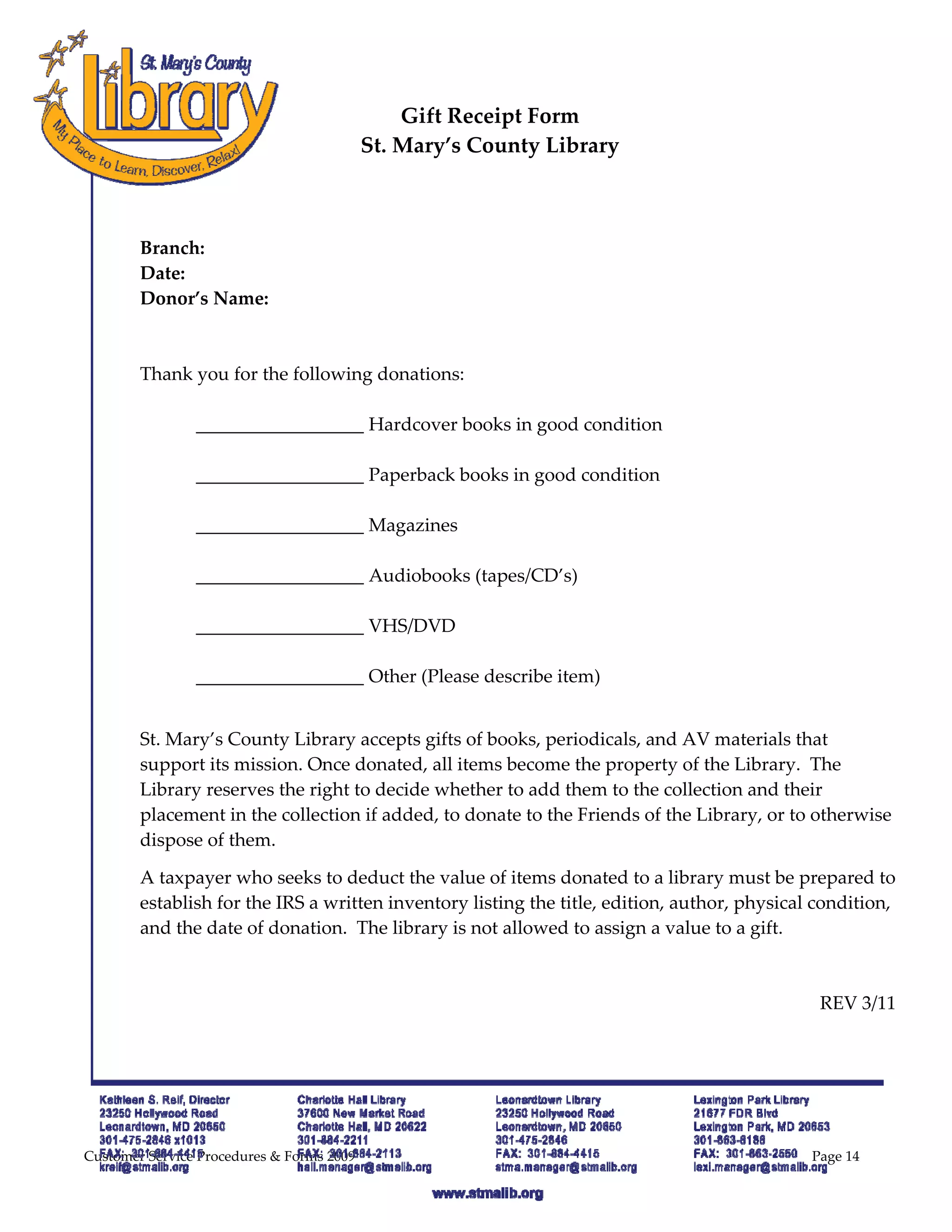
GIFT POLICY 
                                                    
The St. Mary’s County Library is pleased to receive selected gifts.  Once given, gifts become the 
property of the Library.  The Library reserves the right to accept or reject any or all gifts. The 
Library reserves the right to decide on the conditions of display, location of, and means of access 
to the gift materials. 

Gifts may be granted in several ways:  1) an endowment fund, 2) a one‐time cash donation, 3) 
books, periodicals, AV, or other library materials, 4) equipment, furnishings and other 3‐
dimensional objects.  Gifts may be given without restriction or they may be given for a specific 
purpose.  When gifts are given without restriction, the Library will make the final decision on use 
or other disposition of the gift.  Gifts for a specific purpose require prior authorization from the 
Library Director.  Requests for special handling must be made at the time of donation. 

Types of Gifts: 
  1) Endowments ‐ Endowment gifts will be added to an endowment fund held in an interest‐
      bearing investment account.  This fund will be used “...to obtain essential communications 
      media:  books, periodicals, computer hardware and/or software, films, videotapes, etc....” 
      and “shall not be used to correct budget imbalances or buy non‐media‐oriented equipment 
      or supplies.” (Board of Trustees Resolution, 11/17/87.”)  The final decision for the 
      disposition of endowment funds rests with the Board of Library Trustees. 

    2) One‐time cash donations ‐ Cash donations may be made to a specific branch library or to 
       the system as a whole.  In the case of gifts to a specific branch, the Branch Librarian may 
       accept the gifts.  Unless the donor indicates the kind of items he/she prefers to be 
       purchased, purchasing decisions will be made by the Branch Librarian for amounts up to 
       $5,000.  In case of gifts over $5,000 to a specific branch, purchasing decisions will be made 
       by the Branch Librarian and the Director.  In the case of gifts to the system in general, the 
       Director will accept the gifts.  Unless the donor indicates the kind of items he/she prefers to 
       be purchased, the gift will be added to the endowment fund. 

    3) Books, periodicals, AV, or other library materials ‐ All materials acquired through gifts are 
       subject to the basic standards of selection outlined in the Library’s Materials Selection Policy.  
       Physical condition is considered as well as the cost and availability of cataloging.    The 
       Library does not provide valuation of gifts for tax deduction or other purposes.  As with 
       one‐time cash gifts, they may be made to a specific branch or to the system as a whole and 
       the decision on the disposition of the gift will be made either by the Branch Librarian or the 
       Library Director, as appropriate 

    4) Plaques, furnishings, artwork and other 3‐dimensional objects ‐ Memorials and gifts in the 
       form of plaques, furnishings, artwork and other 3‐dimensional objects are subject to 
       approval.  Gifts of trees, shrubs or plants require space and maintenance considerations.  
       Donors wishing to make these types of gifts must obtain prior approval from the Board of 
       Library Trustees. 
Adopted 8/17/99 
Customer Service Policies Manual 2009                                                                Page  14 
Administrative Policies 
  
DONATIONS CRITERIA 
 
    Materials must be in good condition. 
    Books and media must be no more than 10 years old. 
    Magazines from the current year only.  
 
We cannot use the following: 
    Textbooks older than 1 year 
    Reader’s Digest Condensed books 
    National Geographic magazines 
    Magazines older than 1 year.   
    Encyclopedias older than 5 years 
    Large quantities (truck or trunk full) of materials 
 
Alternative sites for donations, if they are in good condition:  
      The Center for Life Enrichment 
             As of January 2009, no encyclopedias or children’s books. 
             Vintage Values I:  301‐475‐8545 
             Vintage Values II:  301‐737‐4884 
      Southern Maryland Tri‐County Action Committee 
             Patuxent Woods Head Start Center: 301‐863‐5971 
             Holland Forrest Head Start Center:  301‐475‐0120 
 
Old unusable materials can be dropped off at the St. Andrews Landfill 
Monday‐Saturday 8:00 a.m.‐4:30 p.m. 


Customer Service Policies Manual 2009                                                  Page  15 
Administrative Policies 
INCLEMENT WEATHER POLICY 
 
It is the philosophy of the Board of Library Trustees to keep the library open for all scheduled 
hours.  The Board recognizes, however, that it is sometimes necessary to curtail the hours due to 
inclement weather.  The Library Director, or manager designated by the Director, will make the 
decision if weather conditions warrant closing the library.  Generally, if the county government 
closes, the library will also close. 
 
The Library staff can monitor library closings in several ways: 
 
      Each branch/department will create a calling tree and staff will be notified by phone. 
      Closings will be posted on the library’s www site, http://www.stmalib.org. 
      Closings will be recorded on each branch’s telephone. 
      Closings will be posted on the county’s Channel 95 and http://www.co.saint‐marys.md.us 
      Library closings may be announced on local television or radio stations but staff should not 
        rely on these announcements to determine whether the library will open. 
      If in doubt, call your supervisor before you leave for work. 


Customer Service Policies Manual 2009                                                           Page  16 
Administrative Policies 
 BEHAVIOR RULES AND REGULATIONS   
The St. Mary’s County Library staff is responsible for providing a safe and pleasant library for 
all of our customers.  The following rules will serve as guidelines.  Library staff is responsible 
for enforcing the rules and making the decisions necessary to stop any behavior which is 
disruptive to library use; including but not limited to: 

       Loud Voices                                           Inappropriate clothing 
       Loud Noises                                           Smoking 
       Obscene/Abusive Language                              Alcohol, Narcotics or Intoxication 
       Violence or Threat of Violence                        Swim Suits 
       Sexually Provocative Acts                             Bare Chests 
       Harassment of staff or customers                      Bare Feet  
       Displays of Obscenity in any form                     Sleeping 
       Use of Personal or Electronic                         Bathing 
        equipment if it disturbs others                       Soliciting 
       Running, Pushing, or Climbing                         Animals (except dogs for the 
       Loitering                                              disabled) 
       Inappropriate use of Internet and                     Offensive Odors or Infested 
        computers                                              Clothing 
       Unattended Children under 8 years               

Cell Phones must be on vibrate. 
Parents, Guardians, Caregivers are responsible for their children’s use of the library.  This 
includes: 
     Seeing that their children follow library rules 
     Telling their children what to do when the library closes. 
Librarians are not responsible for unattended children and will enforce the library’s rules.  If a 
child under 8 years of age is left in the library unattended, the Sheriff’s Department will be 
called to locate the parent/guardian. 
Personal items should not be left unattended in the library.  Library staff cannot be held 
responsible for lost or stolen items. 
Mutilating, defacing, obliterating and damaging any library property is prohibited and subject 
to penalties provided by law. 
Library materials must be charged out in accordance with established procedure before being 
taken from the library building. 
Library staff reserves the right to inspect briefcases, handbags, carry‐alls, packages, and 
shopping bags. 
Those who fail to follow Library Rules may be asked to leave and/or may have their library 
privileges suspended. 
Adopted 11/05 
Revised 5/07 
Customer Service Policies Manual 2009                                                              Page  17 
Administrative Policies 
SUSPENSION OF PRIVILEGES POLICY 
St. Maryʹs County Library (SMCL) may find it necessary to suspend certain privileges of library 
users including access to library facilities, for violations of library policies or violations of any 
applicable law. Any suspension from one facility of the SMCL system is in effect at all facilities in 
the system. 
All library users, regardless of age, are subject to the St. Maryʹs County Libraryʹs ʺRules and 
Regulations Governing Public Behavior in the Library.” Any violation of the St. Mary’s County 
Library’s policies, rules, regulations, procedures or any applicable law will be grounds for 
suspension of any or all library privileges of that customer. 
The length and manner of the suspension will depend on the severity of the misconduct.   
Suspensions can vary from 30 days to up to one year per occurrence.  Branch Managers and 
Supervisors have the authority to recommend to the Director that a customer be suspended from 
library use.  The Director is responsible for making the final decision and for notifying the 
customer in writing.  All infractions and behaviors which warrant a warning and/or suspension 
will be recorded in writing on the Security Incident Report (see page 27) and maintained in a branch 
file.  See Suspension of Privileges Procedure and Internet Safety Policy Procedure. 
The following offenses are suggested as guidelines.  Suspensions are not limited to these 
infractions.   

30 Days Suspension 
    Violating Internet use policy after a warning 
    Continued infractions of library behavior rules after a warning. Use of abusive language 
      after a warning 
    Loitering or trespassing with refusal to leave the library building or grounds upon request 
6 Months Suspension 
    Repeat of a 30 Day offense 
    Mutilation of library materials 
    Tampering with library equipment 
1 Year Suspension 
      Repeat of a 6 Month offense 
      Theft of materials 
      Vandalism of library property 
      Fighting and other physically threatening behavior 
      Harassment of staff or customers 
      Indecent exposure 
If illegal activity takes place, or if the health, safety or security of staff members or patrons is 
threatened, library staff may take all appropriate action, including, but not limited to, calling the 
police for assistance and for immediate removal of the individual.  Any customer whose library 
privileges are suspended has a right to appeal in writing to the Board of Library Trustees. 
Adopted 5/6/03 
Revised 5/07 
Customer Service Policies Manual 2009                                                              Page  18 
Administrative Policies 
SOLICITATION/SALES ON LIBRARY PREMISES 
                                                    
Solicitation or vending of any kind is prohibited in any St. Mary’s County Library facility or on 
the premises.   

The only exceptions are: 
        Sales of library promotional material 
        Friends of the Library fund raising, membership drives and sales of promotional items 
        Book sales sponsored by the library or Friends of the Library 
        Coffee bar items contracted by the library 
        Sales of books, works of an author or illustrator and audio‐visual materials at library 
           sponsored programs 
        Educational materials supporting a program held in the meeting room 
        Farmers Market at Charlotte Hall Library. 
 
Other exceptions to this policy must be submitted to the Branch Manager to be approved by the 
Library Director.  Approval is at the sole discretion of the Library Director. 
 
Adopted 11/20/01 Revised 9/15/09 
 
 CHILDREN LEFT UNATTENDED & LEFT IN LIBRARY AT CLOSING 
 
Parents and guardians* are responsible for the supervision and behavior of their children while 
they are in the Library. 

The Library takes no responsibility for children left unattended and may call the police if no 
parent or guardian can be found or contacted.  If a child under 8 years of age is left unattended, 
the Sheriff’s Department will be called to locate the parent/guardian.  (The term “parents and 
guardians” means parent, guardian, caregiver, or other person charged with the care of a child.) 

Parents and guardians should be aware that there are areas of the library, which are not 
supervised, and times when there are no Children’s Librarians on duty.  For safety and security 
reasons, children should not be left unattended.  Parents and guardians should be sure of the 
library’s hours and promptly pick up their children before the library closes.  See Children Left in 
Library at Closing Procedures. 

School age children in the library during school hours will be asked why they are not in school.  If 
the circumstances seem suspicious the staff can call the student’s parents or the school.  If the 
child attends a public school, the staff can request that the Pupil Personnel Worker (PPW) come to 
the library to talk to the child. 
Adopted 6/9/03 
Revised 11/05 


Customer Service Policies Manual 2009                                                             Page  19 
Administrative Policies 
OUTREACH POLICY  

The St. Mary’s County Library welcomes requests for librarians to provide programs in the 
community.  Requests will be honored on a first come, first served basis to all non‐profit 
educational, civic, or cultural organizations in the community.  Every effort will be made to honor 
requests for off‐site programs.   Library staffing to accommodate the branch business levels will 
take priority and may affect whether or not a request can be honored. 
Adopted 6/20/95 
Revised 11/05 
 
FREE SERVICES POLICY 
                                                     
The policy of the St. Mary’s County Board of Library Trustees shall be to provide free services in 
accordance with the laws of Maryland.  As stated in MD Annotated Code, Title 23, Section 405: 
“…each board of library trustees shall establish and operate the library to provide free services to 
residents of the county in which it is located; and may permit persons outside of the county to use 
the library facilities on the terms and conditions it determines.” 

While basic services shall remain free, certain charges for conveniences provided to library users 
may be collected; examples of these fees are charges for photocopying and computer printouts. 
Adopted 6/18/96 
 
 
NAMING LIBRARIES, ROOMS POLICY 
 
To facilitate the public’s ability to locate libraries and to foster community identity with each 
branch, and in keeping with long‐standing tradition, St. Mary’s County Library buildings shall be 
named after the location served. 

Within the library buildings, areas such as rooms or gardens and the like may be named after 
individuals who have been continual and significant supporters of the library. 
Adopted 4/20/99 


Customer Service Policies Manual 2009                                                            Page  20 
Circulation Services 
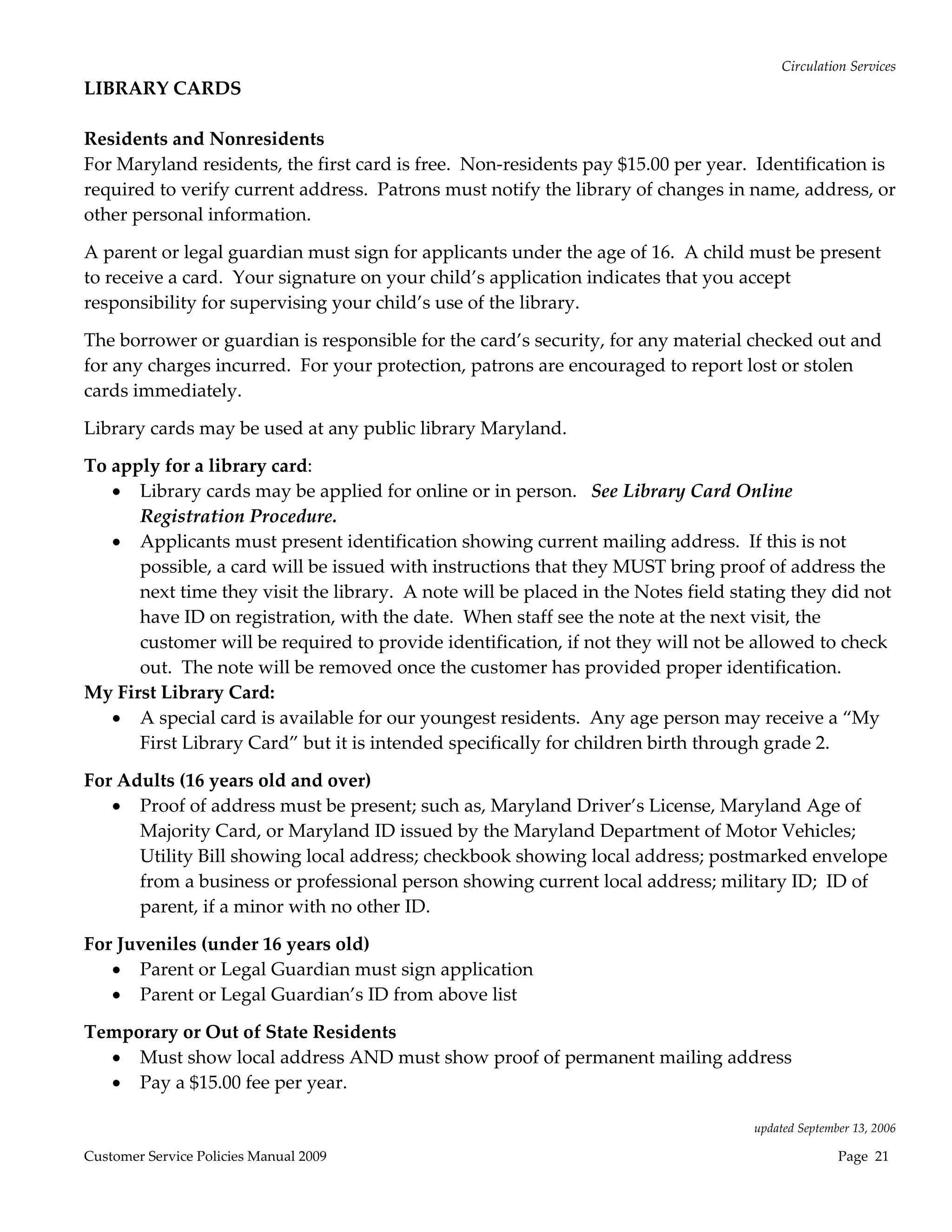
LIBRARY CARDS 
 
Residents and Nonresidents 
For Maryland residents, the first card is free.  Non‐residents pay $15.00 per year.  Identification is 
required to verify current address.  Patrons must notify the library of changes in name, address, or 
other personal information.   

A parent or legal guardian must sign for applicants under the age of 16.  A child must be present 
to receive a card.  Your signature on your child’s application indicates that you accept 
responsibility for supervising your child’s use of the library. 

The borrower or guardian is responsible for the card’s security, for any material checked out and 
for any charges incurred.  For your protection, patrons are encouraged to report lost or stolen 
cards immediately.   

Library cards may be used at any public library Maryland. 

To apply for a library card: 
    Library cards may be applied for online or in person.   See Library Card Online 
      Registration Procedure. 
    Applicants must present identification showing current mailing address.  If this is not 
      possible, a card will be issued with instructions that they MUST bring proof of address the 
      next time they visit the library.  A note will be placed in the Notes field stating they did not 
      have ID on registration, with the date.  When staff see the note at the next visit, the 
      customer will be required to provide identification, if not they will not be allowed to check 
      out.  The note will be removed once the customer has provided proper identification.   
My First Library Card: 
    A special card is available for our youngest residents.  Any age person may receive a “My 
      First Library Card” but it is intended specifically for children birth through grade 2. 

For Adults (16 years old and over) 
    Proof of address must be present; such as, Maryland Driver’s License, Maryland Age of 
      Majority Card, or Maryland ID issued by the Maryland Department of Motor Vehicles; 
      Utility Bill showing local address; checkbook showing local address; postmarked envelope 
      from a business or professional person showing current local address; military ID;  ID of 
      parent, if a minor with no other ID. 

For Juveniles (under 16 years old) 
    Parent or Legal Guardian must sign application 
    Parent or Legal Guardian’s ID from above list 

Temporary or Out of State Residents 
   Must show local address AND must show proof of permanent mailing address 
   Pay a $15.00 fee per year. 
 
                                                                                    updated September 13, 2006 

Customer Service Policies Manual 2009                                                              Page  21 
Circulation Services 
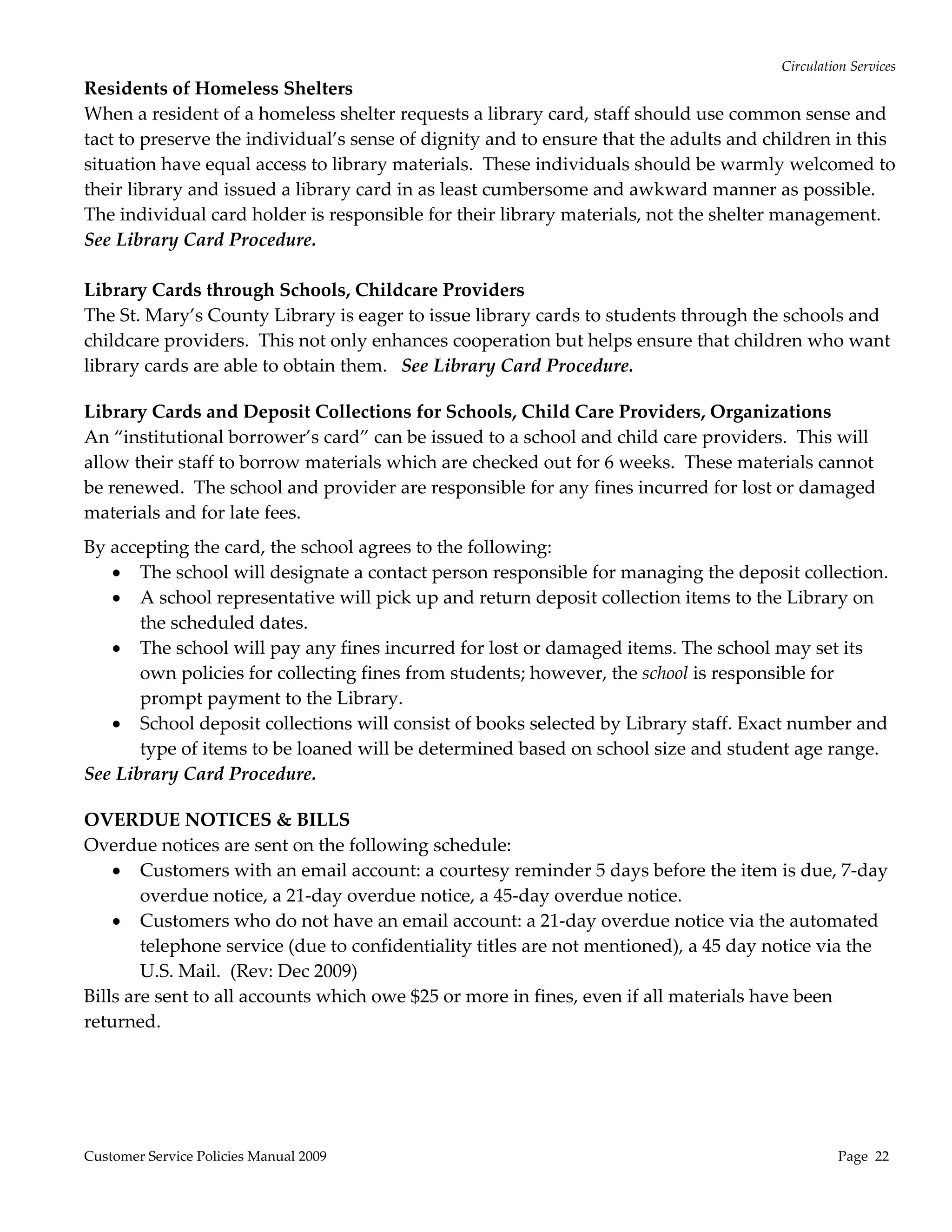
Residents of Homeless Shelters 
When a resident of a homeless shelter requests a library card, staff should use common sense and 
tact to preserve the individual’s sense of dignity and to ensure that the adults and children in this 
situation have equal access to library materials.  These individuals should be warmly welcomed to 
their library and issued a library card in as least cumbersome and awkward manner as possible.  
The individual card holder is responsible for their library materials, not the shelter management. 
See Library Card Procedure. 
 
Library Cards through Schools, Childcare Providers 
The St. Mary’s County Library is eager to issue library cards to students through the schools and 
childcare providers.  This not only enhances cooperation but helps ensure that children who want 
library cards are able to obtain them.   See Library Card Procedure. 
 
Library Cards and Deposit Collections for Schools, Child Care Providers, Organizations 
An “institutional borrower’s card” can be issued to a school and child care providers.  This will 
allow their staff to borrow materials which are checked out for 6 weeks.  These materials cannot 
be renewed.  The school and provider are responsible for any fines incurred for lost or damaged 
materials and for late fees.   
By accepting the card, the school agrees to the following: 
    The school will designate a contact person responsible for managing the deposit collection. 
    A school representative will pick up and return deposit collection items to the Library on 
       the scheduled dates. 
    The school will pay any fines incurred for lost or damaged items. The school may set its 
       own policies for collecting fines from students; however, the school is responsible for 
       prompt payment to the Library.  
    School deposit collections will consist of books selected by Library staff. Exact number and 
       type of items to be loaned will be determined based on school size and student age range. 
See Library Card Procedure. 
 
OVERDUE NOTICES & BILLS 
Overdue notices are sent on the following schedule: 
     Customers with an email account: a courtesy reminder 5 days before the item is due, 7‐day 
        overdue notice, a 21‐day overdue notice, a 45‐day overdue notice. 
     Customers who do not have an email account: a 21‐day overdue notice via the automated 
        telephone service (due to confidentiality titles are not mentioned), a 45 day notice via the 
        U.S. Mail.  (Rev: Dec 2009) 
Bills are sent to all accounts which owe $25 or more in fines, even if all materials have been 
returned. 


Customer Service Policies Manual 2009                                                            Page  22 
Circulation Services 
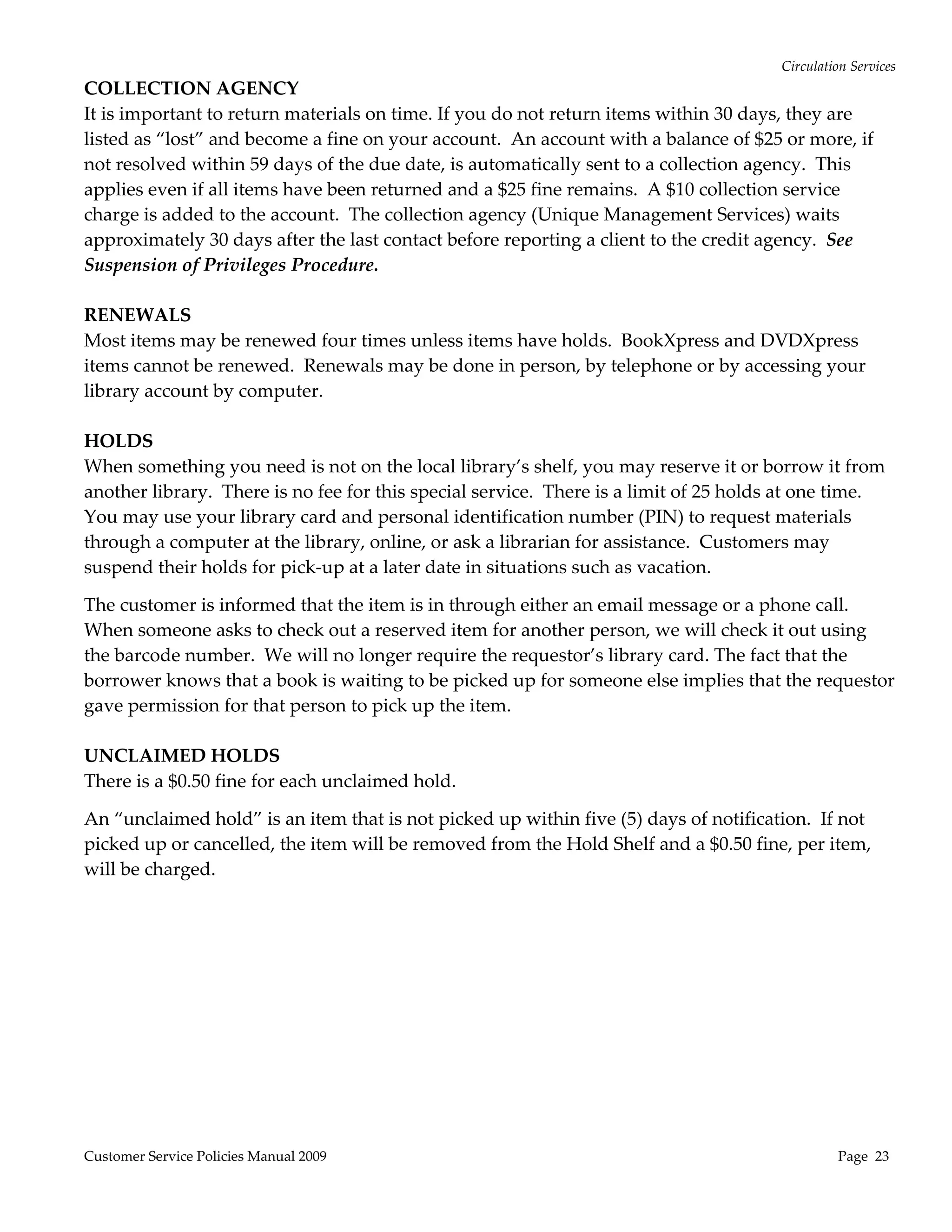
COLLECTION AGENCY 
It is important to return materials on time. If you do not return items within 30 days, they are 
listed as “lost” and become a fine on your account.  An account with a balance of $25 or more, if 
not resolved within 59 days of the due date, is automatically sent to a collection agency.  This 
applies even if all items have been returned and a $25 fine remains.  A $10 collection service 
charge is added to the account.  The collection agency (Unique Management Services) waits 
approximately 30 days after the last contact before reporting a client to the credit agency.  See 
Suspension of Privileges Procedure. 
 
RENEWALS 
Most items may be renewed four times unless items have holds.  BookXpress and DVDXpress 
items cannot be renewed.  Renewals may be done in person, by telephone or by accessing your 
library account by computer. 
 
HOLDS 
When something you need is not on the local library’s shelf, you may reserve it or borrow it from 
another library.  There is no fee for this special service.  There is a limit of 25 holds at one time.  
You may use your library card and personal identification number (PIN) to request materials 
through a computer at the library, online, or ask a librarian for assistance.  Customers may 
suspend their holds for pick‐up at a later date in situations such as vacation. 

The customer is informed that the item is in through either an email message or a phone call.  
When someone asks to check out a reserved item for another person, we will check it out using 
the barcode number.  We will no longer require the requestor’s library card. The fact that the 
borrower knows that a book is waiting to be picked up for someone else implies that the requestor 
gave permission for that person to pick up the item. 
 
UNCLAIMED HOLDS  
There is a $0.50 fine for each unclaimed hold. 

An “unclaimed hold” is an item that is not picked up within five (5) days of notification.  If not 
picked up or cancelled, the item will be removed from the Hold Shelf and a $0.50 fine, per item, 
will be charged. 


Customer Service Policies Manual 2009                                                               Page  23 
Circulation Services 
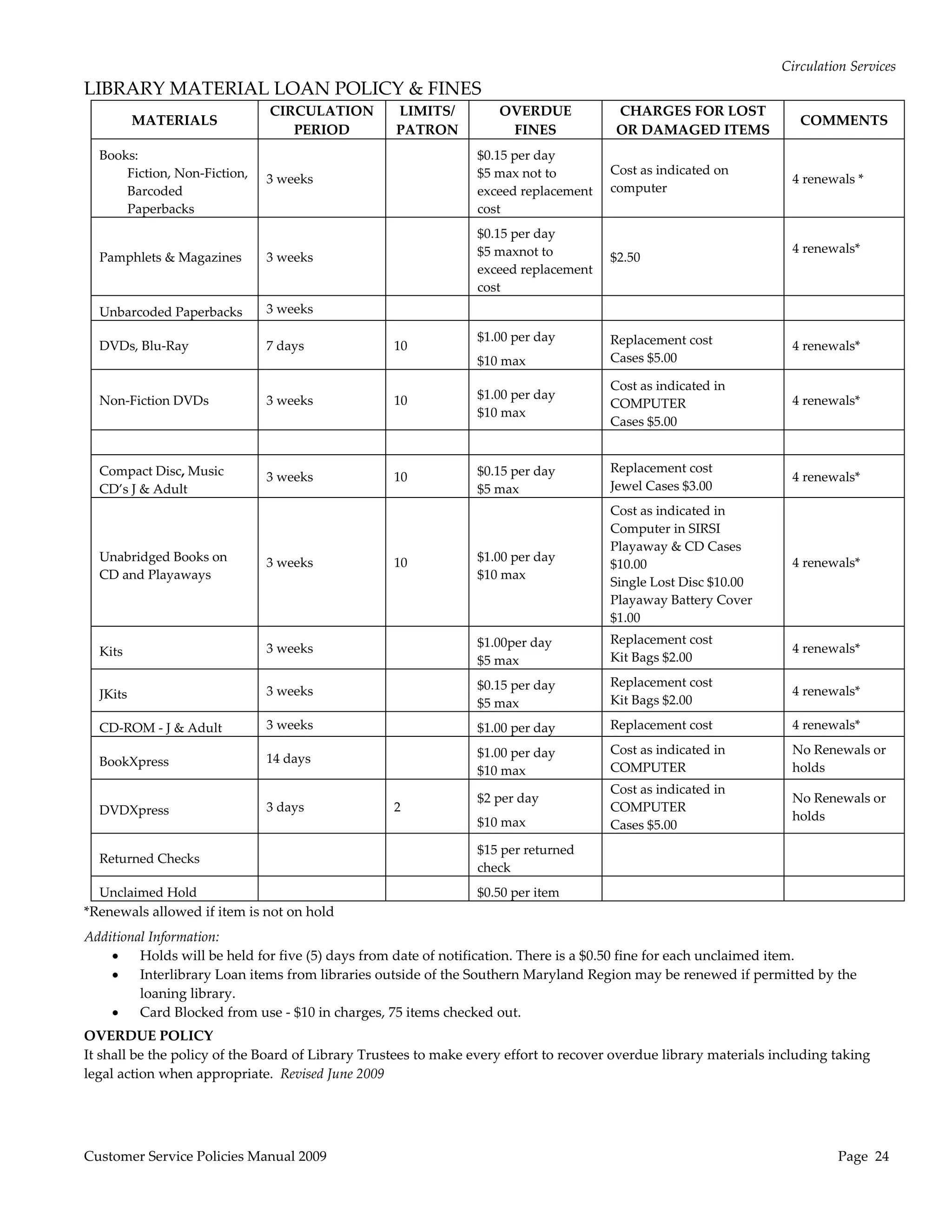
LIBRARY MATERIAL LOAN POLICY & FINES 
                                   CIRCULATION     LIMITS/           OVERDUE               CHARGES FOR LOST 
           MATERIALS                                                                                                     COMMENTS 
                                      PERIOD       PATRON             FINES                OR DAMAGED ITEMS 
  Books:                                                         $0.15 per day 
      Fiction, Non‐Fiction,                                      $5 max not to         Cost as indicated on 
                               3 weeks                                                                               4 renewals * 
      Barcoded                                                   exceed replacement    computer 
      Paperbacks                                                 cost 
                                                                 $0.15 per day 
                                                                 $5 maxnot to                                        4 renewals* 
  Pamphlets & Magazines        3 weeks                                                 $2.50 
                                                                 exceed replacement                                   
                                                                 cost 
  Unbarcoded Paperbacks        3 weeks                                                                                

                                                                 $1.00 per day         Replacement cost 
  DVDs, Blu‐Ray                7 days              10                                                                4 renewals* 
                                                                 $10 max               Cases $5.00 

                                                                                       Cost as indicated in 
  Non‐Fiction DVDs             3 weeks             10            $1.00 per day                                       4 renewals* 
                                                                                       COMPUTER 
                                                                 $10 max 
                                                                                       Cases $5.00 
                                                                                                                      

  Compact Disc, Music                                            $0.15 per day         Replacement cost 
                               3 weeks             10                                                                4 renewals* 
  CD’s J & Adult                                                 $5 max                Jewel Cases $3.00 
                                                                                       Cost as indicated in 
                                                                                       Computer in SIRSI 
                                                                                       Playaway & CD Cases 
  Unabridged Books on          3 weeks             10            $1.00 per day                                       4 renewals* 
                                                                                       $10.00 
  CD and Playaways                                               $10 max 
                                                                                       Single Lost Disc $10.00 
                                                                                       Playaway Battery Cover 
                                                                                       $1.00 
                                                                 $1.00per day          Replacement cost 
  Kits                         3 weeks                                                                               4 renewals* 
                                                                 $5 max                Kit Bags $2.00 

                                                                 $0.15 per day         Replacement cost 
  JKits                        3 weeks                                                                               4 renewals* 
                                                                 $5 max                Kit Bags $2.00 

  CD‐ROM ‐ J & Adult           3 weeks                           $1.00 per day         Replacement cost              4 renewals* 

                                                                 $1.00 per day         Cost as indicated in          No Renewals or 
  BookXpress                   14 days              
                                                                 $10 max               COMPUTER                      holds 
                                                                                       Cost as indicated in 
                                                                 $2 per day                                          No Renewals or 
  DVDXpress                    3 days              2                                   COMPUTER  
                                                                 $10 max                                             holds 
                                                                                       Cases $5.00 

                                                                 $15 per returned                                     
  Returned Checks 
                                                                 check 
  Unclaimed Hold                                                 $0.50 per item                                       
*Renewals allowed if item is not on hold 
Additional Information: 
        Holds will be held for five (5) days from date of notification. There is a $0.50 fine for each unclaimed item. 
        Interlibrary Loan items from libraries outside of the Southern Maryland Region may be renewed if permitted by the 
         loaning library. 
        Card Blocked from use ‐ $10 in charges, 75 items checked out. 
OVERDUE POLICY 
It shall be the policy of the Board of Library Trustees to make every effort to recover overdue library materials including taking 
legal action when appropriate.  Revised June 2009 


Customer Service Policies Manual 2009                                                                                        Page  24 
Circulation Services 
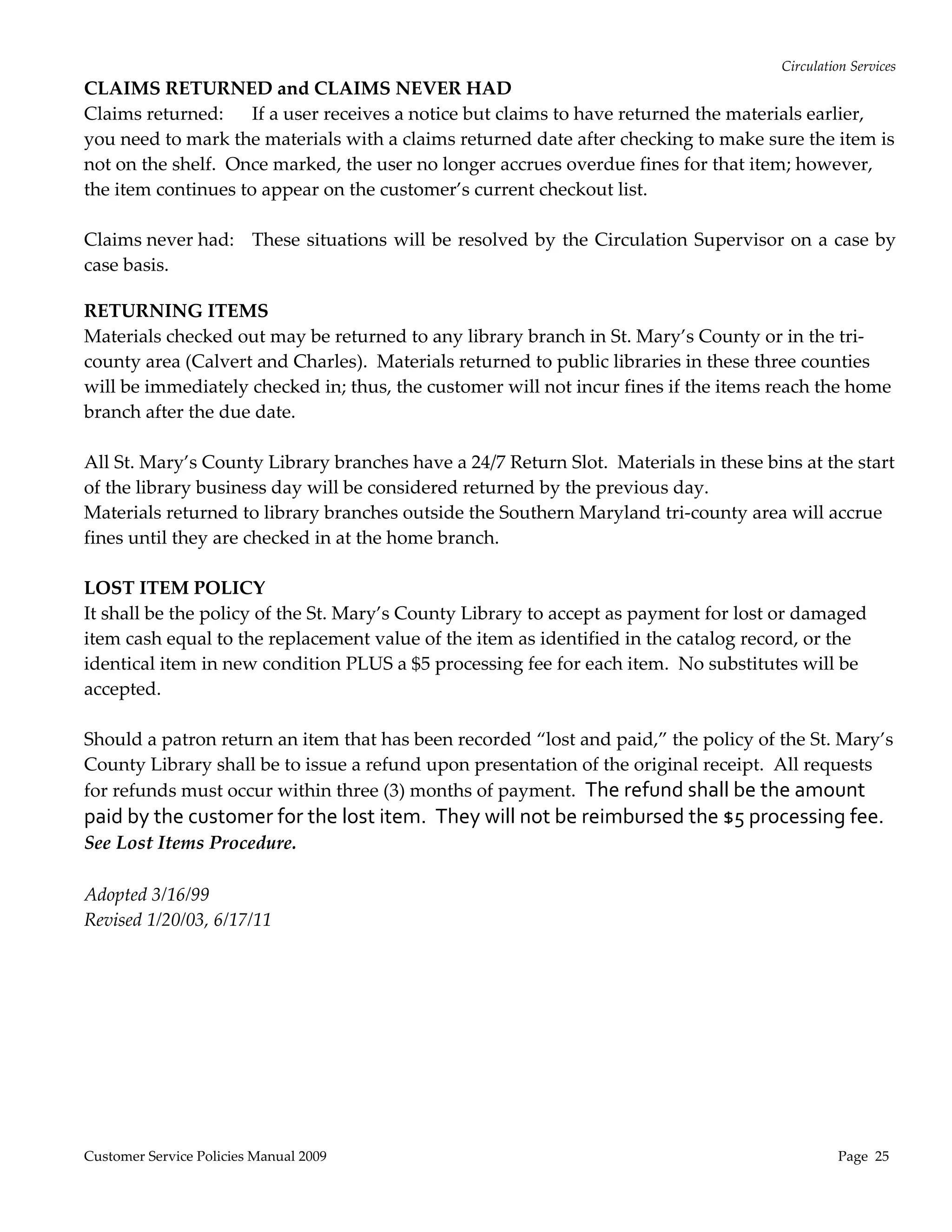
CLAIMS RETURNED and CLAIMS NEVER HAD 
Claims returned:  If a user receives a notice but claims to have returned the materials earlier, 
you need to mark the materials with a claims returned date after checking to make sure the item is 
not on the shelf.  Once marked, the user no longer accrues overdue fines for that item; however, 
the item continues to appear on the customer’s current checkout list. 
 
Claims never had:    These  situations will  be resolved by the Circulation  Supervisor on  a  case by 
case basis.                                                                                
 
RETURNING ITEMS 
Materials checked out may be returned to any library branch in St. Mary’s County or in the tri‐
county area (Calvert and Charles).  Materials returned to public libraries in these three counties 
will be immediately checked in; thus, the customer will not incur fines if the items reach the home 
branch after the due date.  
 
All St. Mary’s County Library branches have a 24/7 Return Slot.  Materials in these bins at the start 
of the library business day will be considered returned by the previous day. 
Materials returned to library branches outside the Southern Maryland tri‐county area will accrue 
fines until they are checked in at the home branch. 
 
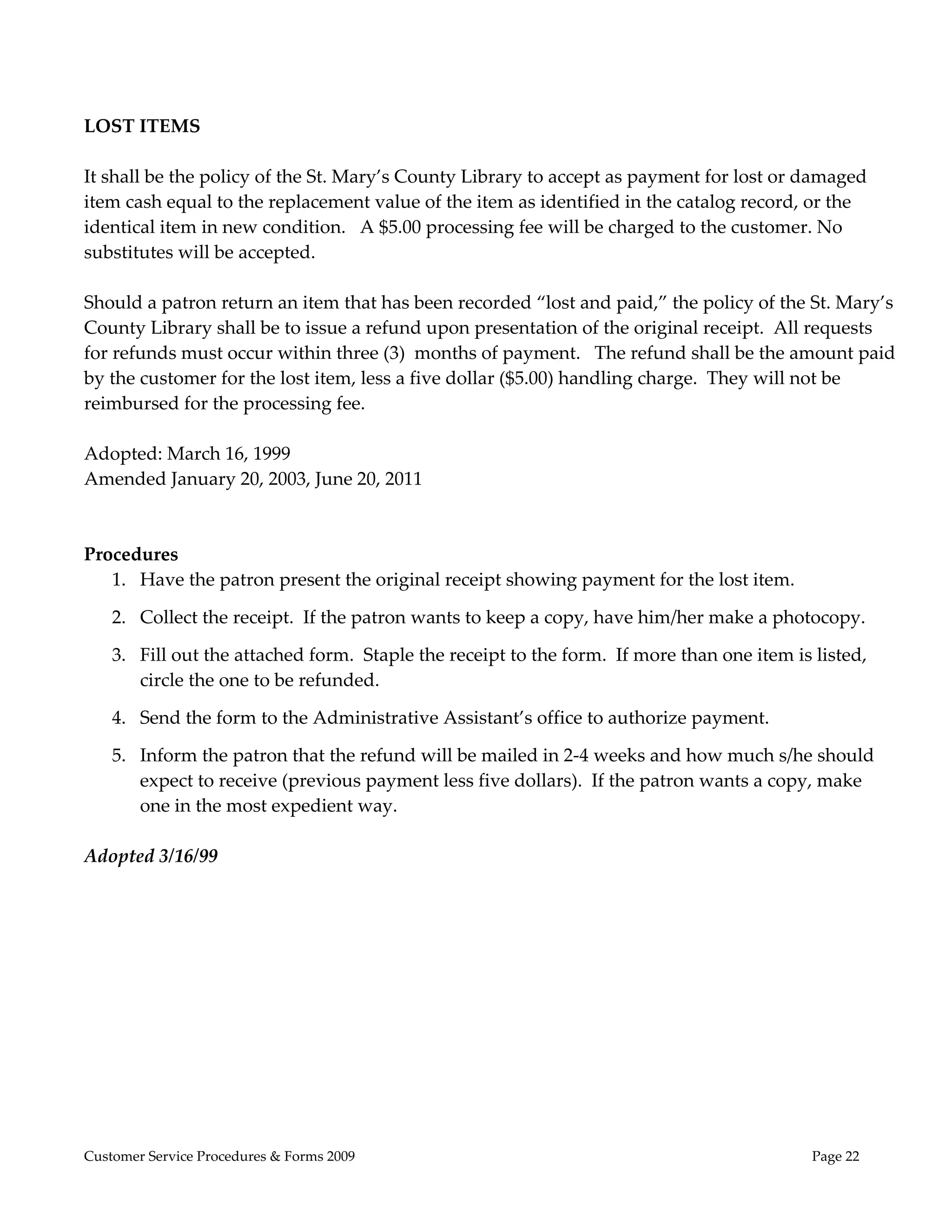
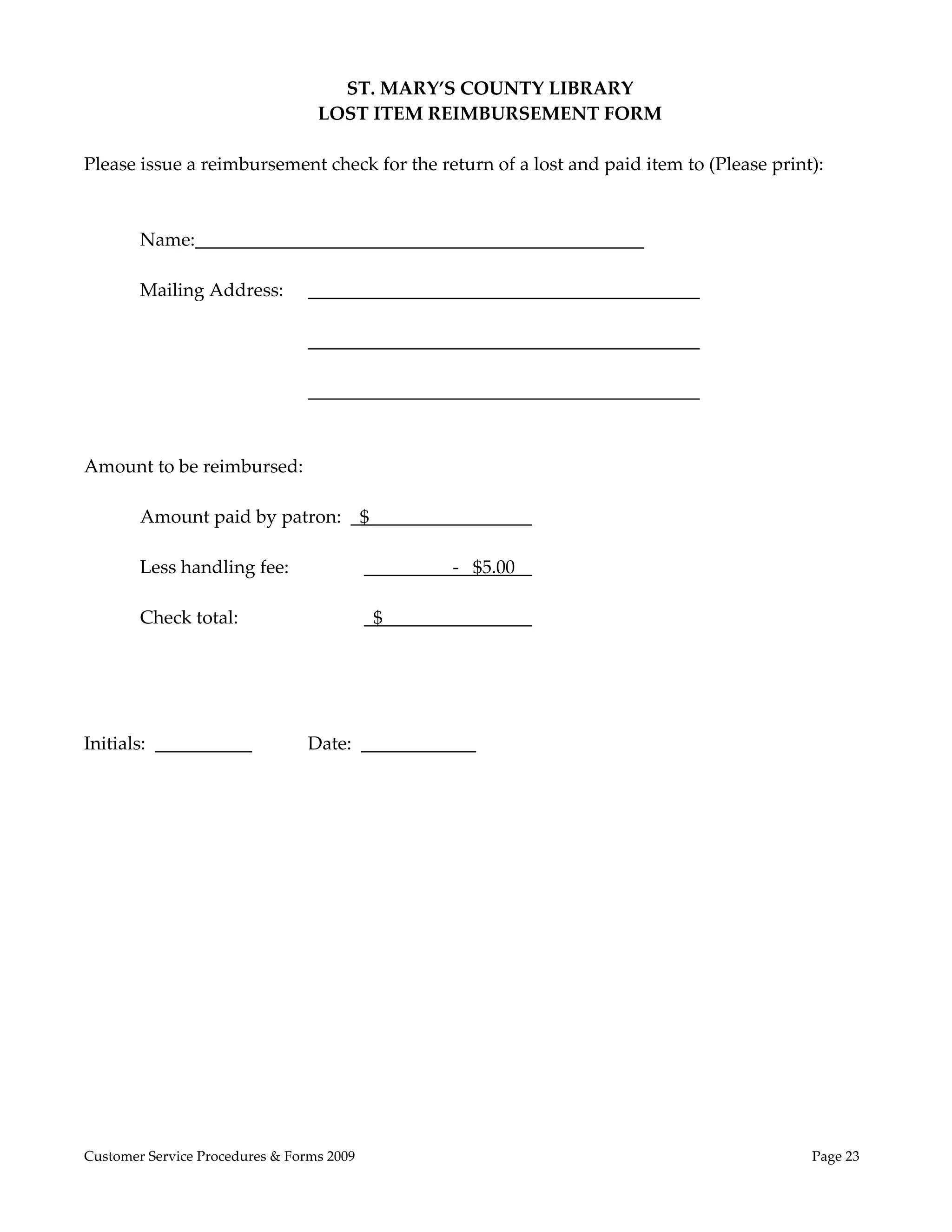
LOST ITEM POLICY 
It shall be the policy of the St. Mary’s County Library to accept as payment for lost or damaged 
item cash equal to the replacement value of the item as identified in the catalog record, or the 
identical item in new condition PLUS a $5 processing fee for each item.  No substitutes will be 
accepted.   
 
Should a patron return an item that has been recorded “lost and paid,” the policy of the St. Mary’s 
County Library shall be to issue a refund upon presentation of the original receipt.  All requests 
for refunds must occur within three (3) months of payment.  The refund shall be the amount 
paid by the customer for the lost item.  They will not be reimbursed the $5 processing fee.  
See Lost Items Procedure. 
 
Adopted 3/16/99 
Revised 1/20/03, 6/17/11 


Customer Service Policies Manual 2009                                                            Page  25 
Circulation Services 

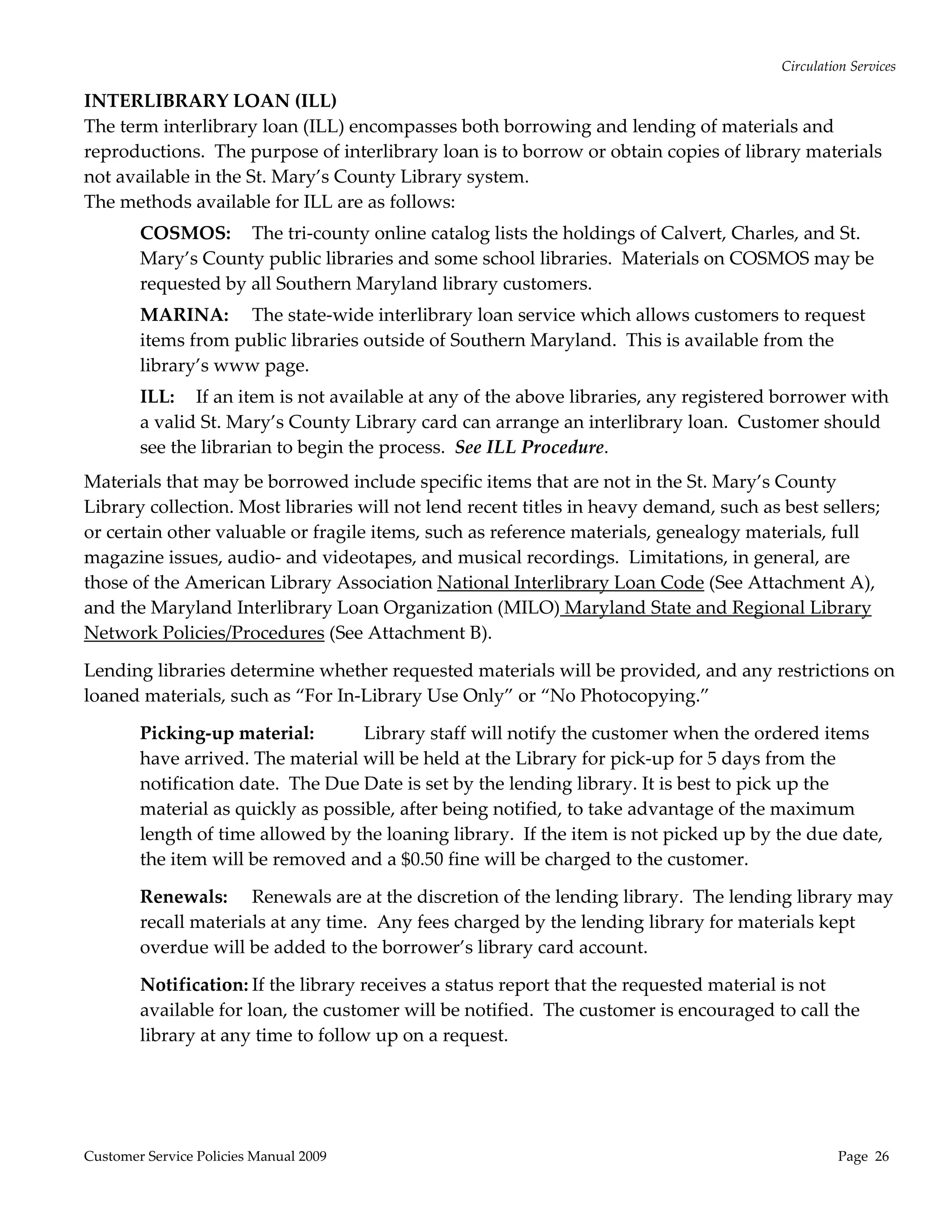
INTERLIBRARY LOAN (ILL) 
The term interlibrary loan (ILL) encompasses both borrowing and lending of materials and 
reproductions.  The purpose of interlibrary loan is to borrow or obtain copies of library materials 
not available in the St. Mary’s County Library system.  
The methods available for ILL are as follows: 
        COSMOS:  The tri‐county online catalog lists the holdings of Calvert, Charles, and St. 
        Mary’s County public libraries and some school libraries.  Materials on COSMOS may be 
        requested by all Southern Maryland library customers. 
        MARINA:  The state‐wide interlibrary loan service which allows customers to request 
        items from public libraries outside of Southern Maryland.  This is available from the 
        library’s www page. 
        ILL:  If an item is not available at any of the above libraries, any registered borrower with 
        a valid St. Mary’s County Library card can arrange an interlibrary loan.  Customer should 
        see the librarian to begin the process.  See ILL Procedure. 
Materials that may be borrowed include specific items that are not in the St. Mary’s County 
Library collection. Most libraries will not lend recent titles in heavy demand, such as best sellers; 
or certain other valuable or fragile items, such as reference materials, genealogy materials, full 
magazine issues, audio‐ and videotapes, and musical recordings.  Limitations, in general, are 
those of the American Library Association National Interlibrary Loan Code (See Attachment A), 
and the Maryland Interlibrary Loan Organization (MILO) Maryland State and Regional Library 
Network Policies/Procedures (See Attachment B).   

Lending libraries determine whether requested materials will be provided, and any restrictions on 
loaned materials, such as “For In‐Library Use Only” or “No Photocopying.”   

        Picking‐up material:        Library staff will notify the customer when the ordered items 
        have arrived. The material will be held at the Library for pick‐up for 5 days from the 
        notification date.  The Due Date is set by the lending library. It is best to pick up the 
        material as quickly as possible, after being notified, to take advantage of the maximum 
        length of time allowed by the loaning library.  If the item is not picked up by the due date, 
        the item will be removed and a $0.50 fine will be charged to the customer. 

        Renewals:  Renewals are at the discretion of the lending library.  The lending library may 
        recall materials at any time.  Any fees charged by the lending library for materials kept 
        overdue will be added to the borrower’s library card account.   

        Notification: If the library receives a status report that the requested material is not 
        available for loan, the customer will be notified.  The customer is encouraged to call the 
        library at any time to follow up on a request. 


Customer Service Policies Manual 2009                                                             Page  26 
Circulation Services 

COSMOS (Collections of Southern Maryland Online System) TRI‐COUNTY LOAN 
COSMOS is a tri‐county on‐line catalog incorporating the holdings of the Calvert, Charles, and St. 
Mary’s County public libraries and some school libraries in these same counties.  
Customers may request any material listed in COSMOS, which are not on the shelf at their local 
library branch, by placing a hold on the desired materials.  Customers can place holds themselves 
from the catalog at the library or from a remote connection (www.stmalib.org). A valid library 
card and PIN are required.  For assistance in placing a hold, check with a librarian.  Some items, 
such as recent publications in heavy demand and certain formats, may be unavailable for loan.   
Restrictions 
       The number of requests a customer can have at any one time is limited to 25.   
Status 
       Items listed as “Available” usually arrive within 3 to 5 business days.  Customers should 
       request help from a librarian when any other status, such as “Checked out,” “In Transit,” 
       or “Hold” is listed, or when a shorter deadline is needed.  Requests can be canceled at any 
       time.   
Notification 
       Customers will be notified when an item is received for pick‐up.  Items will be held for 5 
       days following the date of notification.  If not picked up or cancelled, the item will be 
       removed from the Hold Shelf and a $0.50 fine, per item, will be charged. 
 
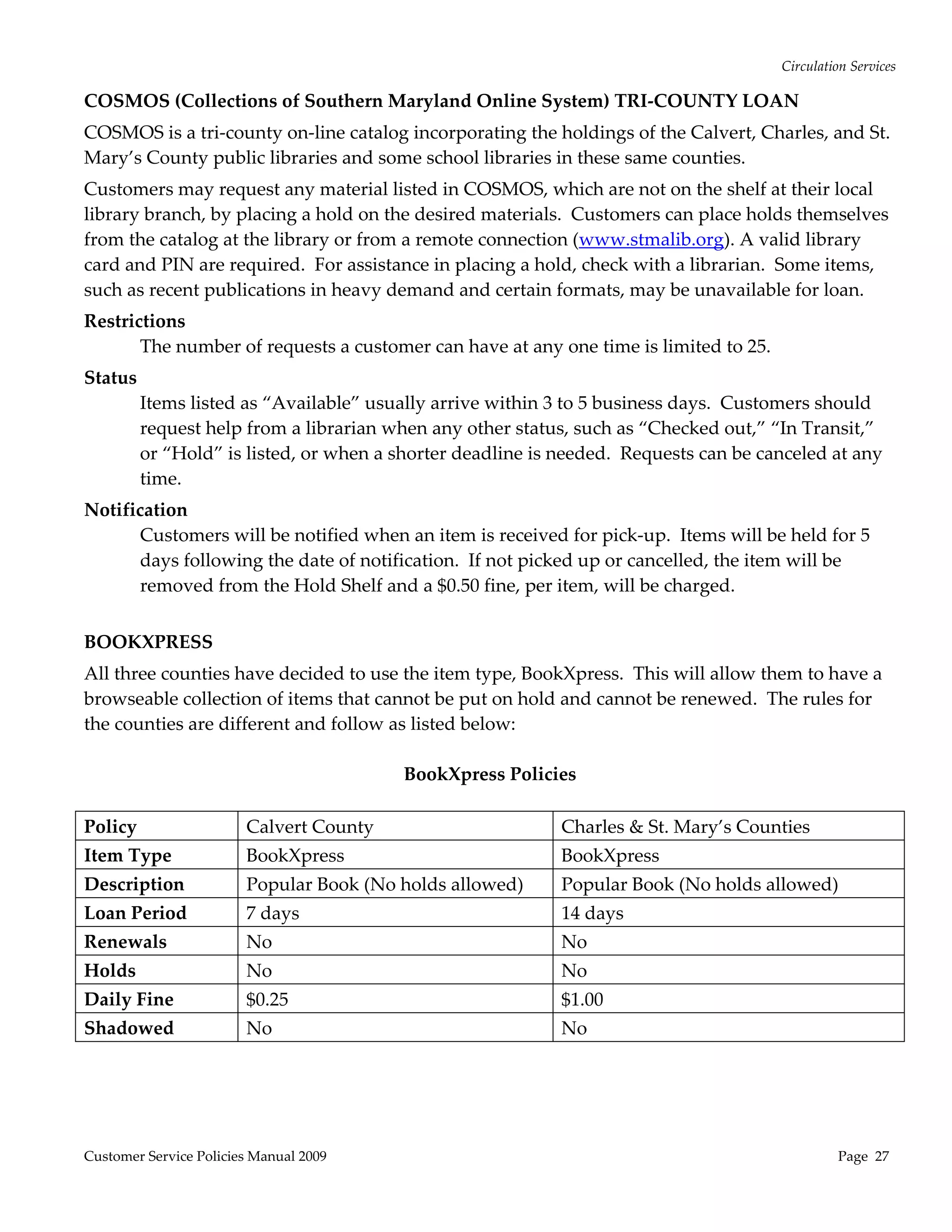
BOOKXPRESS 
All three counties have decided to use the item type, BookXpress.  This will allow them to have a 
browseable collection of items that cannot be put on hold and cannot be renewed.  The rules for 
the counties are different and follow as listed below: 
 
                                        BookXpress Policies
                                                    
Policy               Calvert County                       Charles & St. Mary’s Counties 
Item Type                BookXpress                         BookXpress 
Description              Popular Book (No holds allowed)    Popular Book (No holds allowed) 
Loan Period              7 days                             14 days 
Renewals                 No                                 No 
Holds                    No                                 No 
Daily Fine               $0.25                              $1.00 
Shadowed                 No                                 No 


Customer Service Policies Manual 2009                                                           Page  27 
Circulation Services 

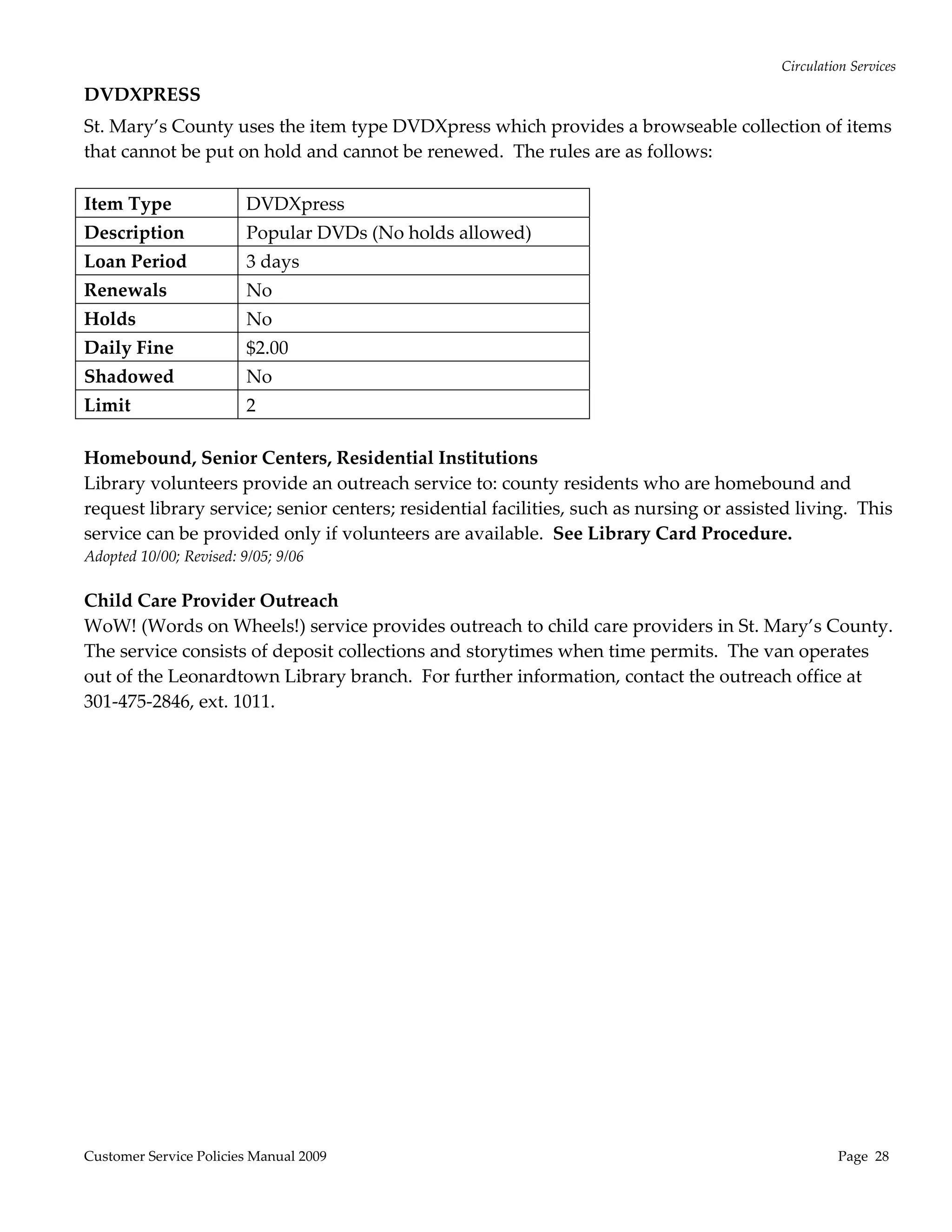
DVDXPRESS 
St. Mary’s County uses the item type DVDXpress which provides a browseable collection of items 
that cannot be put on hold and cannot be renewed.  The rules are as follows:   
 
Item Type           DVDXpress 
Description              Popular DVDs (No holds allowed) 
Loan Period              3 days 
Renewals                 No 
Holds                    No 
Daily Fine               $2.00 
Shadowed                 No 
Limit               2 
 
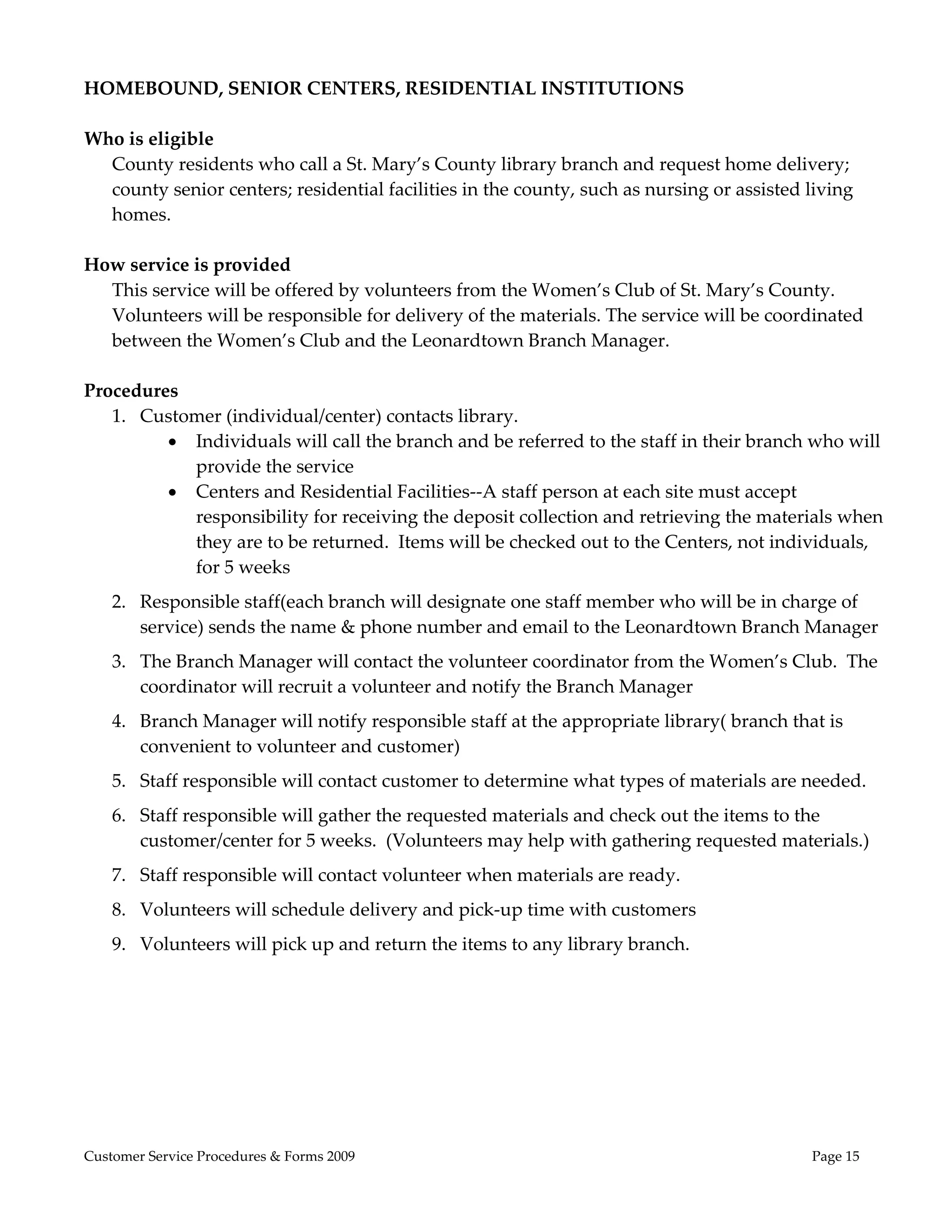
Homebound, Senior Centers, Residential Institutions 
Library volunteers provide an outreach service to: county residents who are homebound and 
request library service; senior centers; residential facilities, such as nursing or assisted living.  This 
service can be provided only if volunteers are available.  See Library Card Procedure. 
Adopted 10/00; Revised: 9/05; 9/06 
 
Child Care Provider Outreach  
WoW! (Words on Wheels!) service provides outreach to child care providers in St. Mary’s County.  
The service consists of deposit collections and storytimes when time permits.  The van operates 
out of the Leonardtown Library branch.  For further information, contact the outreach office at 
301‐475‐2846, ext. 1011. 


Customer Service Policies Manual 2009                                                                Page  28 
Electronic Services 
TECHNOLOGY RESOURCES AVAILABLE IN EACH BRANCH 
  Free PC and Internet Access 
  All St. Mary’s County Library branches provide PC workstations which provide free access to 
  various productivity software products and the Internet.  Each customer is allowed up to 3 
  hours per day on a branch’s PCs.  If no customers are waiting in line, they may be allowed 
  more time. For further details about the Internet access, see the Internet Safety Policy in the 
  Information Services section.  See PC Use Procedure. 
   
  Fax Service 
  The fee for faxing is $3.50 for every 5 pages.  A staff member will act as an intermediary when 
  the fax machine is located in a staff area.   
    WI‐FI Network and Wireless Laptops 
    All three library branches have WI‐FI network and wireless laptops available for use in the 
    libraries, through a generous donation by BAE SYSTEMS, Inc.  Customers may bring in their 
    own wireless devices to use the WI‐FI network.  The rules and policies for use of the laptops in 
    each library vary depending upon the branch.   
    Printing 
    Black‐and‐white as well as color printing is available from the PC workstations and the library 
    or customer laptops .  B&W prints are .20 each page; color prints are $1 each page.   
    Scanners 
    Scanners are available at each branch.  Procedures for use are available at each branch. 
   LCD Projector 
   LCD projector is available for use in each branch’s meeting room.  Procedures for use are 
   available at each branch. 
    
   Face Time @ Your Library 
   Each branch has a laptop with a webcam to communicate with people across the globe.   
   See Face Time @ Your Library Procedure. 
    
COMPUTER LAB AT LEXINGTON PARK LIBRARY 
The computer lab with 12 computer workstations is available at the Lexington Park Library 
branch for booking by government and nonprofit agencies for group computer education.  It is 
available during standard library hours if a library program is not already booked and for classes 
no smaller than 6 students.  See Computer Lab for Group Use Procedure. 
 
LAPTOP LAB  
There are 13 laptops which can be set up in the meeting rooms of all three libraries to conduct 
computer training classes.   Customers can book them, through library staff, to use with 
community groups in the library’s meeting rooms.  See Computer Lab & Laptop Lab Procedures. 
 

Customer Service Policies Manual 2009                                                           Page  29 
Electronic Services 
SERVICES AVAILABLE 24/7 
WWW.STMALIB.ORG ‐ “The Library’s Internet Branch” 
This web page was created and is maintained by St. Mary’s County Library staff.  It provides 
electronic access, in the library branches or remotely, to information about the library, circulation 
services, the library catalog, online databases, and more. 
 
PIN  
Access from outside the library to certain online services is through an Account PIN.  The PIN 
assigned to customers is the last four digits of their phone number unless they request otherwise.  
The PIN may also be the word “change.” 
 
COSMOS (Collections of Southern Maryland Online System) CATALOG 
COSMOS is a tri‐county on‐line catalog incorporating the holdings of the Calvert, Charles, and St. 
Mary’s County public libraries. See Circulation Services section for more detail. 
 
RENEWAL 
Most materials may be renewed up to four times if not reserved for another customer.  How to 
renew items on the Internet: 
        Click on “Check Your Account”; click on “Renew My Materials” 
        Click in the box next to each item to be renewed (A check mark will appear in the box) 
        Click on Renew Selected Items; a message will tell you if it was successfully renewed. 
 
You cannot renew an item online if: 
        Your account balance is more than $10.00 
        Someone else has placed a hold on the item 
        You are over the renewal limit of four times per item 
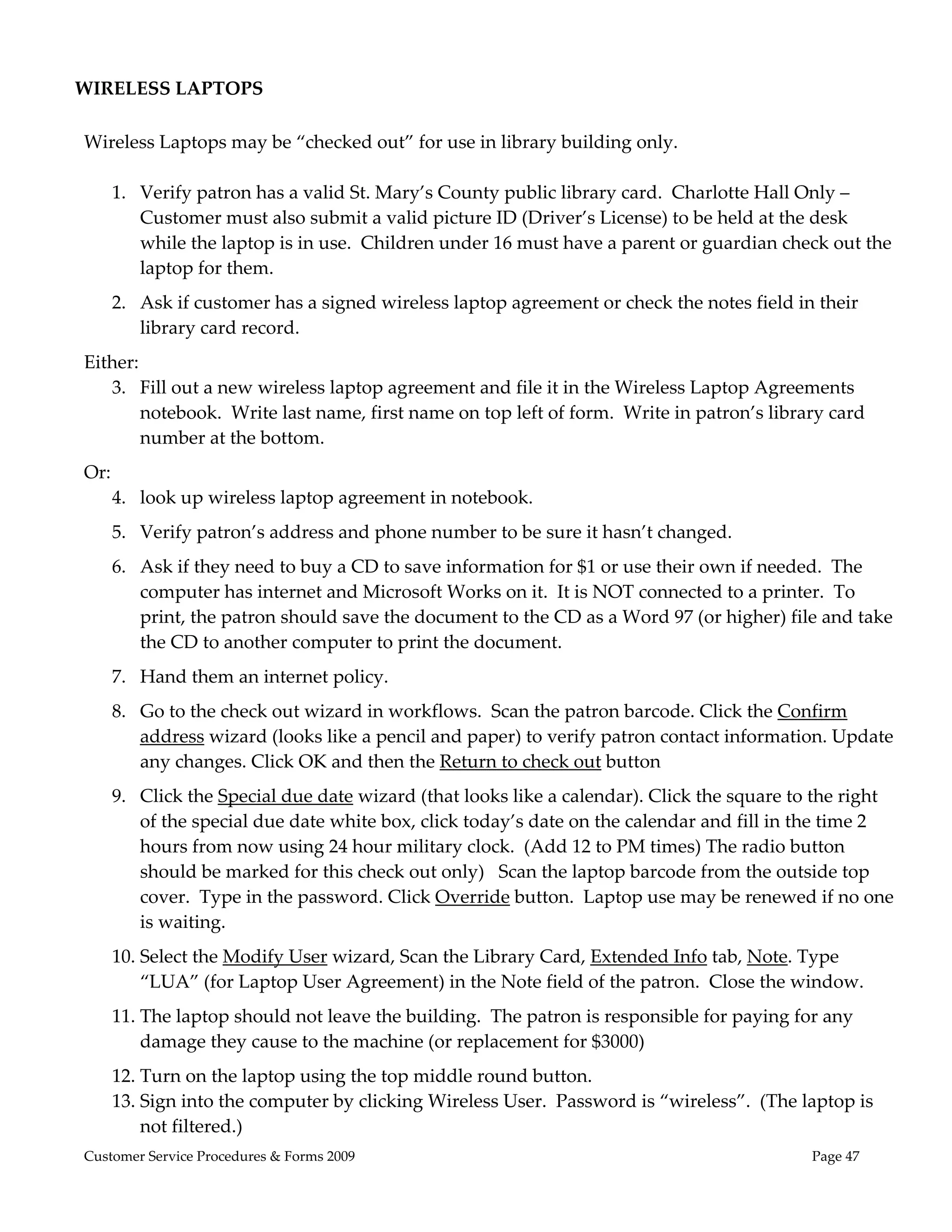
     
HOLDS 
When something you need is not on your local library’s shelf, you may reserve it or borrow it 
from another library.  You may use your library card and Personal Identification Number (PIN) to 
reserve an item or request that it be sent to a certain branch.  There is a limit of 25 holds at one 
time. 
 
CHECK ACCOUNT 
Shows what is currently checked out, due dates, fines accrued, and materials on hold.  
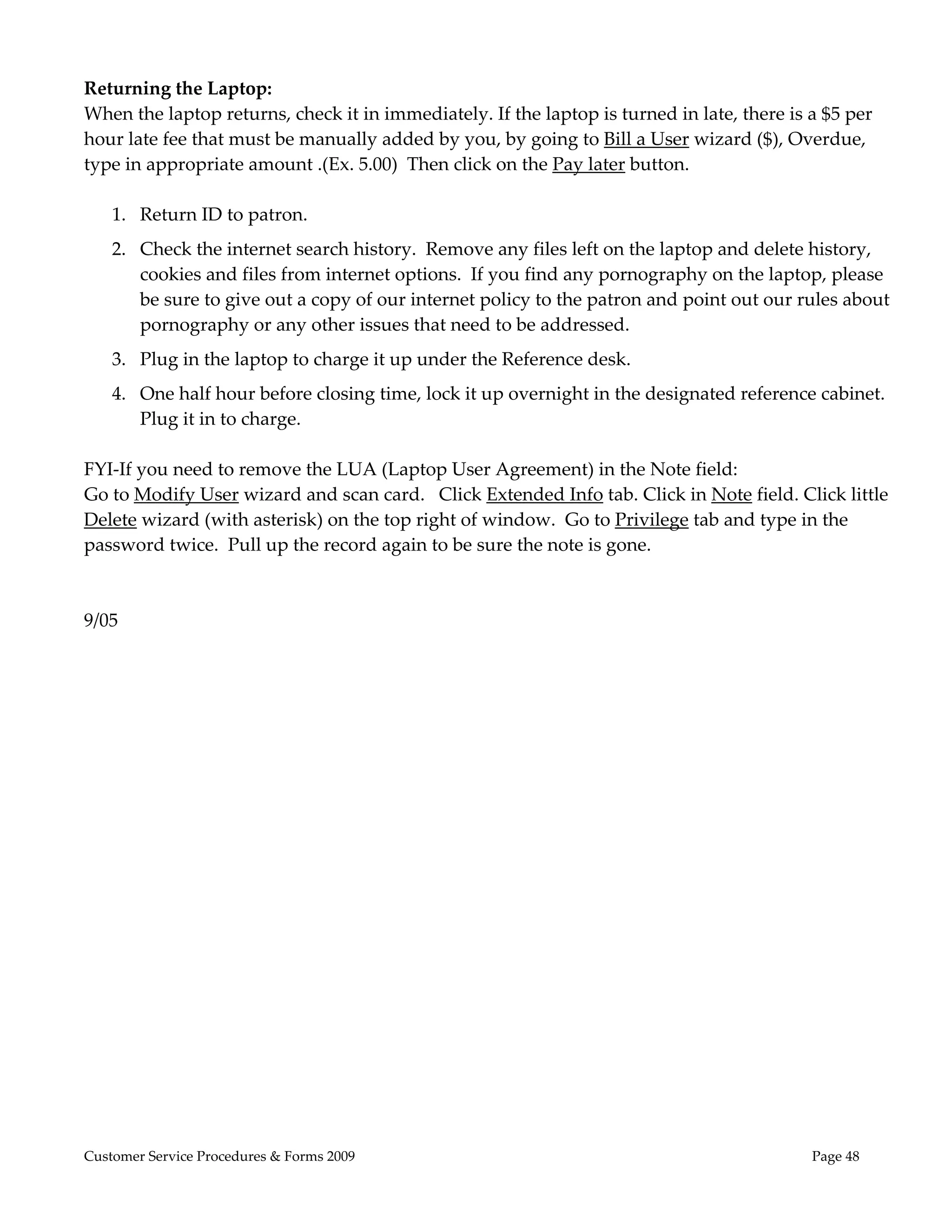
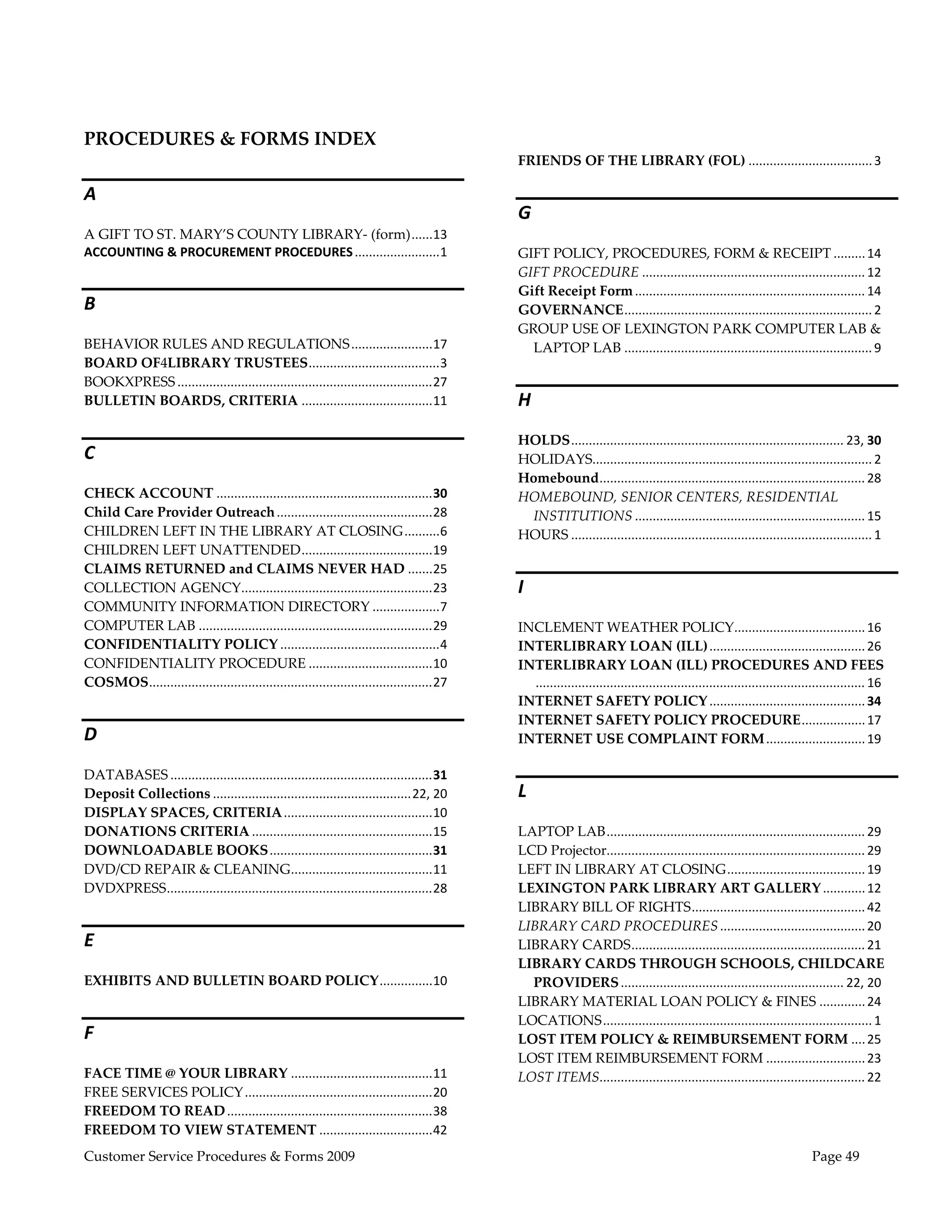
 
MEETING ROOM BOOKINGS 
The policies and procedures for this are in the Administrative Policies section of this manual. 


Customer Service Policies Manual 2009                                                           Page  30 
Electronic Services 
ONLINE DATABASES 
A variety of different online databases and information services can be accessed from the library’s 
or COSMOS www site.  A current listing is available on the www site or at the Information Desk.  
These databases are also available from outside the library in a customer’s home, office, school etc. 
if they have a library card.  Customer needs to put in their library bar code number and pin # to 
gain access if they are not in the library. 
 
HelpNow! is an live online homework help service purchased by SMRLA from a company called 
BrainFuse.  It provides free online homework help with your library card number.  It is targeted to 
grades 3‐12 and is available 7 days a week from 2 to 11PM. 
 
DOWNLOADABLE BOOKS & MOVIES 
A large selection of print and audio books as well as movies can be downloaded to a cardholder’s 
home PC or other compatible electronic device.  Current information about the titles available and 
downloading instructions are available at the library’s www site and at each branch. 
 
ASK US NOW!  
www.askusnow.info 
A 24/7 live online interactive service.  It uses the expertise of librarians to provide answers to 
questions, research guidance, and help navigating the Internet.  It is a partnership of Maryland 
public, academic and special libraries.   St. Mary’s County library staff gives 10‐hours a week to 
staff this service.  To use, customer only needs to enter a MD 5‐digit zip code.  A library bar code 
number is not necessary to use this service.   
      
SAILOR 
www.sailor.lib.md.us 
This is Maryland library community’s public information network.  This is a project of Maryland 
public libraries which is administered by SOC (Sailor Operations Center) housed in Baltimore 
City at Enoch Pratt Library. 
 
SOCIAL NETWORKING  
Social Networking is defined as any web application, site or account created and maintained by 
the St. Mary’s County Library (SMCL) which allows users to share opinions and information 
about library related materials and activities.  Social networking can include, but is not limited to, 
blogging, instant messaging, social networking sites, and wikis. To date, SMCL social networking 
activities include:  Facebook, Flickr, Kid’s Blog, Staff Intranet, ChiliFresh, and eNewsletter using 
Constant Contact. 
 
The Library does not collect, maintain or otherwise use the personal information stored on any 
third party site in any way other than to communicate with users on that site, unless granted 
permission by users for Library contact outside the site.  The purpose for contact outside the site 
may include program promotion, volunteer opportunities, reference help, or other similar 
Customer Service Policies Manual 2009                                                           Page  31 
Electronic Services 
activities.  Users may remove themselves at any time from the Library’s lists, or request that the 
Library remove them.  Users should be aware that third party websites have their own privacy 
policies and should proceed accordingly. 
 
Comments, posts and messages are welcome and encouraged on St. Mary’s County Library social 
networking sites.  The sites will not be blocked nor protected in such a way as to prevent users 
from reading posted updates.  While SMCL recognizes and respects differences in opinion, all 
such interactions will be regularly monitored and reviewed for content and relevancy.  All 
postings which contain any of the following will be removed and the poster barred from posting 
on the library’s social networking sites. 
     Obscene or racist content 
     Personal attacks, insults, or threatening language 
     Potentially libelous statements 
     Plagiarized or copy‐written material 
     Private, personal information published without consent 
     Comments totally unrelated to the content of the forum 
     Hyperlinks to material that is not directly related to the discussion 
     Commercial promotions or spam 
     Organized political activity 
     Photos or other images that fall in any of the above categories 
 
By posting to the site, the user agrees to indemnify the Library against all liabilities that may arise 
from user‐created content. SMCL reserves the right to edit or modify any postings or comments 
for space or content while retaining the intent of the original post.  The Library shall also be 
granted the right to reproduce comments, posts, and messages in other public venues ( i.e.,  a 
posting on Facebook may be quoted in a newspaper or on the library website).  Identifying 
information, other than first name, will be removed unless prior approval is granted by the user. 
 
SMCL assumes no liability regarding any event or interaction that takes place by any participant 
in any Library‐sponsored social networking service, and does not endorse or review content 
outside the “pages” created by SMCL staff.  Participation in SMCL social networking services 
implies agreement with all Library policies, including its Social Networking Policy and 
Acceptable Use of the Internet Policy and the Terms of Service of each individual third‐party 
service.  If a user does not agree to these terms, they are not to use the services provided. 
 
The role and utility of social networking sites will be evaluated periodically by library staff, and 
may be terminated at any time without notice to subscribers. 
 
December 2009 


Customer Service Policies Manual 2009                                                             Page  32 
Information Services 
REFERENCE POLICY 
Public library customers have a variety of complex information needs.  For this reason, it shall be 
the policy of the St. Mary’s County Library to provide all library users with high quality, 
consistent information service  

All requests from the public will be given serious, accurate and equal treatment.  All customers 
will be directed to appropriate resources based on a thorough reference interview.  Customers 
may be directed to resources in the local library, the regional or state networks, or to appropriate 
outside agencies and organizations. 

Information staff will be responsible for assisting customers with reference requests in an 
impartial and businesslike manner.  The function of the staff is to provide information – not 
opinions. 

Information staff will proctor examinations for individuals, subject to the availability of staff.  See 
Examination Proctoring Procedure. 

In all cases, customers will receive a response to their requests.  If the library’s resources are not 
adequate, every attempt shall be made to locate the information for the customer or refer the 
customer to a more appropriate source of information. 
Adopted 5/17/94 
 
HOMEWORK POLICY 
The St. Mary’s County Library serves customers of all ages, abilities, and skill levels, from 
children to senior citizens, and of all ethnic, cultural and socio‐economic groups.  Homework 
related questions deserve the same treatment as any other reference question.  Students will be 
directed to the appropriate resources or referred to another appropriate source of information 
based on a thorough reference interview.  However, questions to check homework, do math 
calculations, proofread a paragraph or formulate a thesis statement are beyond the normal scope 
of library service.    

Librarians should make every effort to share with the student their methods of locating 
information.  Establishing communication between librarians and students gives us an 
opportunity to encourage them to be life long users of the library.       
Adopted 1/20/03 
 
NOTARY SERVICE 
Customers and staff can have documents notarized, for free, at all branches. The branch manager will
identify the notary for each location.  
Adopted Jan. 2010 


Customer Service Policy Manual 2009                                                                  Page 33 
Information Services 
INTERNET SAFETY POLICY 
Mission of St. Mary’s County Library  
   For all county residents, St. Mary’s County Library strives to meet the current, as well as 
      the emerging, educational and personal development needs and deliver valuable and 
      convenient services and resources. 

In order to achieve this mission, the St. Mary’s County Library provides access to the Internet at 
all of its library branches.  To regulate the use of this resource, the Board of Trustees for the St. 
Mary’s County Library created and approved this Internet Safety Policy.  All users of the Internet 
in a St. Mary’s County Library branch must agree to follow this Internet Safety Policy before they 
are able to enjoy the Library’s Internet Resources.  This policy brings the library into compliance 
with the federal law CIPA (Children’s Internet Protection Act, 2000) and Maryland Law Article 23, 
Section 506.1. 

Acceptable Use 
The Internet is an ungoverned and unregulated source of information.   Library users must 
recognize their increased responsibility when using this resource.  Librarians and filtering 
software cannot completely control what the user will see on the Internet.   Users must continually 
evaluate the information they retrieve, both the validity as well as the suitability of the 
information, according to their own standards.  Users should also be aware that, while they have 
the right of confidentiality as to the information they seek and receive, security on the Internet is 
technically difficult and Internet transactions can become public. 

The St. Mary’s County Library’s Internet Safety Policy does not allow the following activity: 
    Access and display of materials that are obscene or constitute child pornography as defined 
       by federal statutes, 18 U. S. Code, Sections 1460 and 2256, and Maryland Annotated Code, 
       Criminal Law Article, Title 11, subtitle 2, Obscene Matter. 
    Inappropriate use of chat. 
    Violation of copyright laws or software licensing agreements. 
    Making changes to the set‐up or configuration of the software or hardware of the library’s 
       public access computers. 
    Activity which seeks unauthorized access to any computer system to damage or alter 
       software components of any network database or to use computer resources for any other 
       purpose deemed unacceptable by the library in consideration of the best interests of the 
       public. 
    Activity which is disruptive, offensive, libelous, or slanderous. 
    Activity which violates another user’s privacy. 
    Unauthorized disclosure, use and dissemination of personal identification information 
       regarding minors. 


Customer Service Policy Manual 2009                                                             Page 34 
Information Services 

Technology Protection Measure (TPM) 
The St. Mary’s County Library provides a Technology Protection Measure (TPM), also referred to 
as filtering software, on all Internet access computers in all the library branches.  Users of the 
Internet, however, should be aware of the following: 
     No TPM guarantees all obscene and pornographic sites will be blocked. 
     TPMs might block some sites that might not be considered obscene or pornographic. 
     Parents or guardians are the final authority and it is their responsibility to determine what 
        is best for their children.  No technological solution can match a family’s individual values 
        and preferences. 

The sites are blocked to meet the following requirements of the Children’s Internet Protection Act 
(CIPA): 
    ALL customers will have sites blocked which contain obscene and pornographic visual 
       depictions as chosen by the filtering software vendor.  These cannot be changed by the 
       library staff. 
    Computers in the Children’s areas have additional sites blocked which contain visual 
       images that are considered harmful to minors. 
    Customers over 16 years old may request from a librarian that the TPM be disabled.  The 
       library staff is not able to “unblock” or “block” specific www sites.    

Termination or Prohibition of User Access 
Library employees are authorized to terminate any user’s access session or take any other 
appropriate action to ensure compliance with this policy.  Internet users whose session has been 
terminated may request a review of the action.  Customers may submit the Internet Use 
Complaint Form to file a complaint regarding Internet access.  See Internet Safety Policy 
Procedure. 
 
Approved by St. Mary’s County Library Board of Trustees 
July 7, 2004 


Customer Service Policy Manual 2009                                                              Page 35 
Information Services 
  
MATERIALS SELECTION POLICY 
                                                    
These Library Material Selection Policies for the St. Mary’s County Library have been based upon 
the work of a Committee appointed by the Board of Library Trustees, which included 
representation of both Board and staff. 

The thought of these policies has been influenced by the American Library Association’s Bill of 
Rights as well as the Freedom to Read and Freedom to View statements which are at the end of 
this section Any library material selected in accordance with these policies shall be held to be 
selected by the Board of Library Trustees. 
Adopted 1/15/91 
 

I.      Library Objective 
        The overall objective of the public libraries in St. Mary’s County is to provide library 
        resources and services necessary to meet the educational, recreational, and informational 
        needs of the public in order to promote the communication of ideas, and enlightened 
        citizenship and enriched personal lives. 

II.     Responsibility of Selection 
        Final authority for the determination of the policies in this document is vested in the 
        library’s Board of Trustees.  The authority and responsibility for selection of library 
        materials is delegated by the Board to the Library Director, and under his/her direction, to 
        the staff who are qualified for this activity by reason of education, training, and experience. 

        Advice of specialists in the community is requested in fields in which staff members do not 
        have sufficient expertise.    Suggestions from readers are welcome and are given serious 
        consideration within the general criteria for selection.  The final decision for purchase rests 
        with the library.  The responsibility for the use of library materials by children and 
        adolescents rests with their parents or legal guardians. 

III.    Criteria for Selection 
        The evaluation of materials is characterized by flexibility and responsiveness to the 
        changing needs of the citizen in St. Mary’s County.  These changing needs require that 
        materials be evaluated initially and on a continuing basis.  As a result, materials, which 
        may not have been recommended for purchase initially, may, in fact, later be purchased.  
        Materials are evaluated as a whole and not on the basis of a particular passage or passages.  
        A work will not be excluded from the Library’s collection because it presents an aspect of 
        life honestly or because of frankness of expression.  Selection will not be inhibited by the 
        possibility that materials may inadvertently come into the possession of children and 
        adolescents.  Materials selected primarily for children and adolescents will be marked 
        accordingly. 


Customer Service Policy Manual 2009                                                                Page 36 
Information Services 

General Criteria for Selection 

         1. Availability and suitability of the material’s format. 
         2. Suitability of the subject, style, and reading level for the intended audience. 
         3. Attention given by critics, reviewers, professional material selection aids and the public. 
         4. Reputation of the author, publisher, or producer. 
         5. Quality of design and illustration. 
         6. Relevance to the present and potential needs of the community. 
         7. Demand for the material. 
         8. Relationship to existing materials in the collection on the same subject. 
         9. Availability and accessibility of the same material in the State Library Network. 

Purchase of those materials that meet one or more of the above criteria may be limited due to 
budget constraints. 

IV.      Collection Maintenance 

Discarding 
      The discarding of materials is selection in reverse.  Systematic withdrawal of materials 
      which are no longer useful in maintaining an active, accurate collection is necessary.  
      Library materials are discarded for one or more of the following reasons: 

         1.   Irreparable damage. 
         2.   Obsolescence. 
         3.   Insufficient use. 
         4.   Lack of space available for housing materials. 

Replacement 
      Lost, damaged and worn out materials are considered for replacement based on the 
      following three factors: 

         1. Existence of adequate coverage of the subject in the library collection. 
         2. Public demand for the specific title. 
         3. Availability of the specific title. 

Gifts 
         Gifts of books and other materials are accepted with the understanding that they may be 
         used in the collection or disposed of according to the needs of the library.  New titles 
         acquired in this manner are subject to the basic standards of selection.  Replacements and 
         duplicate copies are added to the collection if needed.  The costs of processing and the 
         availability of shelving space are also factors in determining the acceptance of gifts.  The 
         library does not provide evaluations of gifts for tax deductions or other purposes. 


Customer Service Policy Manual 2009                                                                 Page 37 
Information Services 

Complaints about Library Materials 
     Materials representing various points of view are acquired.  Where there are differing 
     opinions or theories, the libraries will provide materials on all viewpoints if they conform 
     to the general criteria for selection.  No materials will be excluded because of the writer’s 
     race, nationality, sexual orientation, religious, or political views.  The libraries recognize 
     that the choice of library materials by a user is an individual matter.  While one person may 
     reject materials for himself/herself, he/she cannot exercise censorship to restrict access to 
     materials by others.  Responsibility for the reading of children and adolescents rests with 
     their parents or legal guardians. 

      Once an item has been accepted as qualifying under the selection policies and criteria, it 
      will not be removed solely at the request of those who disagree with it,.  There is a formal 
      procedure for the reconsideration of materials.  See Material Reconsideration Procedure. 
Adopted 3/17/09 

FREEDOM TO READ STATEMENT 

The freedom to read is essential to our democracy. It is continuously under attack. Private groups 
and public authorities in various parts of the country are working to remove or limit access to 
reading materials, to censor content in schools, to label ʺcontroversialʺ views, to distribute lists of 
ʺobjectionableʺ books or authors, and to purge libraries. These actions apparently rise from a view 
that our national tradition of free expression is no longer valid; that censorship and suppression 
are needed to counter threats to safety or national security, as well as to avoid the subversion of 
politics and the corruption of morals. We, as individuals devoted to reading and as librarians and 
publishers responsible for disseminating ideas, wish to assert the public interest in the 
preservation of the freedom to read. 

Most attempts at suppression rest on a denial of the fundamental premise of democracy: that the 
ordinary individual, by exercising critical judgment, will select the good and reject the bad. We 
trust Americans to recognize propaganda and misinformation, and to make their own decisions 
about what they read and believe. We do not believe they are prepared to sacrifice their heritage 
of a free press in order to be ʺprotectedʺ against what others think may be bad for them. We 
believe they still favor free enterprise in ideas and expression. 

These efforts at suppression are related to a larger pattern of pressures being brought against 
education, the press, art and images, films, broadcast media, and the Internet. The problem is not 
only one of actual censorship. The shadow of fear cast by these pressures leads, we suspect, to an 
even larger voluntary curtailment of expression by those who seek to avoid controversy or 
unwelcome scrutiny by government officials. 

Such pressure toward conformity is perhaps natural to a time of accelerated change. And yet 
suppression is never more dangerous than in such a time of social tension. Freedom has given the 
United States the elasticity to endure strain. Freedom keeps open the path of novel and creative 
Customer Service Policy Manual 2009                                                               Page 38 
Information Services 
solutions, and enables change to come by choice. Every silencing of a heresy, every enforcement 
of an orthodoxy, diminishes the toughness and resilience of our society and leaves it the less able 
to deal with controversy and difference. 

Now as always in our history, reading is among our greatest freedoms. The freedom to read and 
write is almost the only means for making generally available ideas or manners of expression that 
can initially command only a small audience. The written word is the natural medium for the new 
idea and the untried voice from which come the original contributions to social growth. It is 
essential to the extended discussion that serious thought requires, and to the accumulation of 
knowledge and ideas into organized collections. 

We believe that free communication is essential to the preservation of a free society and a creative 
culture. We believe that these pressures toward conformity present the danger of limiting the 
range and variety of inquiry and expression on which our democracy and our culture depend. We 
believe that every American community must jealously guard the freedom to publish and to 
circulate, in order to preserve its own freedom to read. We believe that publishers and librarians 
have a profound responsibility to give validity to that freedom to read by making it possible for 
the readers to choose freely from a variety of offerings. 

The freedom to read is guaranteed by the Constitution. Those with faith in free people will stand 
firm on these constitutional guarantees of essential rights and will exercise the responsibilities that 
accompany these rights. 

We therefore affirm these propositions: 

    1. It is in the public interest for publishers and librarians to make available the widest diversity of 
       views and expressions, including those that are unorthodox, unpopular, or considered dangerous by 
       the majority.  

        Creative thought is by definition new, and what is new is different. The bearer of every 
        new thought is a rebel until that idea is refined and tested. Totalitarian systems attempt to 
        maintain themselves in power by the ruthless suppression of any concept that challenges 
        the established orthodoxy. The power of a democratic system to adapt to change is vastly 
        strengthened by the freedom of its citizens to choose widely from among conflicting 
        opinions offered freely to them. To stifle every nonconformist idea at birth would mark the 
        end of the democratic process. Furthermore, only through the constant activity of weighing 
        and selecting can the democratic mind attain the strength demanded by times like these. 
        We need to know not only what we believe but why we believe it. 

    2. Publishers, librarians, and booksellers do not need to endorse every idea or presentation they make 
       available. It would conflict with the public interest for them to establish their own political, moral, or 
       aesthetic views as a standard for determining what should be published or circulated.  


Customer Service Policy Manual 2009                                                                        Page 39 
Information Services 
        Publishers and librarians serve the educational process by helping to make available 
        knowledge and ideas required for the growth of the mind and the increase of learning. 
        They do not foster education by imposing as mentors the patterns of their own thought. 
        The people should have the freedom to read and consider a broader range of ideas than 
        those that may be held by any single librarian or publisher or government or church. It is 
        wrong that what one can read should be confined to what another thinks proper. 

    3. It is contrary to the public interest for publishers or librarians to bar access to writings on the basis 
       of the personal history or political affiliations of the author.  

        No art or literature can flourish if it is to be measured by the political views or private lives 
        of its creators. No society of free people can flourish that draws up lists of writers to whom 
        it will not listen, whatever they may have to say. 

    4. There is no place in our society for efforts to coerce the taste of others, to confine adults to the 
       reading matter deemed suitable for adolescents, or to inhibit the efforts of writers to achieve artistic 
       expression.  

        To some, much of modern expression is shocking. But is not much of life itself shocking? 
        We cut off literature at the source if we prevent writers from dealing with the stuff of life. 
        Parents and teachers have a responsibility to prepare the young to meet the diversity of 
        experiences in life to which they will be exposed, as they have a responsibility to help them 
        learn to think critically for themselves. These are affirmative responsibilities, not to be 
        discharged simply by preventing them from reading works for which they are not yet 
        prepared. In these matters values differ, and values cannot be legislated; nor can machinery 
        be devised that will suit the demands of one group without limiting the freedom of others. 

    5. It is not in the public interest to force a reader to accept the prejudgment of a label characterizing 
       any expression or its author as subversive or dangerous.  

        The ideal of labeling presupposes the existence of individuals or groups with wisdom to 
        determine by authority what is good or bad for others. It presupposes that individuals 
        must be directed in making up their minds about the ideas they examine. But Americans 
        do not need others to do their thinking for them. 

    6. It is the responsibility of publishers and librarians, as guardians of the peopleʹs freedom to read, to 
       contest encroachments upon that freedom by individuals or groups seeking to impose their own 
       standards or tastes upon the community at large; and by the government whenever it seeks to reduce 
       or deny public access to public information.  

        It is inevitable in the give and take of the democratic process that the political, the moral, or 
        the aesthetic concepts of an individual or group will occasionally collide with those of 
        another individual or group. In a free society individuals are free to determine for 
Customer Service Policy Manual 2009                                                                        Page 40 
Information Services 
        themselves what they wish to read and each group is free to determine what it will 
        recommend to its freely associated members. But no group has the right to take the law 
        into its own hands, and to impose its own concept of politics or morality upon other 
        members of a democratic society. Freedom is no freedom if it is accorded only to the 
        accepted and the inoffensive. Further, democratic societies are more safe, free, and creative 
        when the free flow of public information is not restricted by governmental prerogative or 
        self‐censorship. 

    7. It is the responsibility of publishers and librarians to give full meaning to the freedom to read by 
       providing books that enrich the quality and diversity of thought and expression. By the exercise of 
       this affirmative responsibility, they can demonstrate that the answer to a ʺbadʺ book is a good one; 
       the answer to a ʺbadʺ idea is a good one.  

        The freedom to read is of little consequence when the reader cannot obtain matter fit for 
        that readerʹs purpose. What is needed is not only the absence of restraint, but the positive 
        provision of opportunity for the people to read the best that has been thought and said. 
        Books are the major channel by which the intellectual inheritance is handed down, and the 
        principal means of its testing and growth. The defense of the freedom to read requires of all 
        publishers and librarians the utmost of their faculties, and deserves of all Americans the 
        fullest of their support. 

We state these propositions neither lightly nor as easy generalizations. We here stake out a lofty 
claim for the value of the written word. We do so because we believe that it is possessed of 
enormous variety and usefulness, worthy of cherishing and keeping free. We realize that the 
application of these propositions may mean the dissemination of ideas and manners of expression 
that are repugnant to many persons. We do not state these propositions in the comfortable belief 
that what people read is unimportant. We believe rather that what people read is deeply 
important; that ideas can be dangerous; but that the suppression of ideas is fatal to a democratic 
society. Freedom itself is a dangerous way of life, but it is ours. 

This statement was originally issued in May of 1953 by the Westchester Conference of the 
American Library Association and the American Book Publishers Council, which in 1970 
consolidated with the American Educational Publishers Institute to become the Association of 
American Publishers. 

Adopted June 25, 1953; revised January 28, 1972, January 16, 1991, July 12, 2000, June 30, 2004, by the 
ALA Council and the AAP Freedom to Read Committee. 

A Joint Statement by:  

American Library Association 
Association of American Publishers 


Customer Service Policy Manual 2009                                                                     Page 41 
Information Services 
                                                     

FREEDOM TO VIEW STATEMENT 

The FREEDOM TO VIEW, along with the freedom to speak, to hear, and to read, is protected by 
the First Amendment to the Constitution of the United States. In a free society, there is no place 
for censorship of any medium of expression. Therefore these principles are affirmed: 

    1. To provide the broadest access to film, video, and other audiovisual materials because they 
       are a means for the communication of ideas. Liberty of circulation is essential to insure the 
       constitutional guarantees of freedom of expression. 
    2. To protect the confidentiality of all individuals and institutions using film, video, and other 
       audiovisual materials. 
    3. To provide film, video, and other audiovisual materials which represent a diversity of 
       views and expression. Selection of a work does not constitute or imply agreement with or 
       approval of the content. 
    4. To provide a diversity of viewpoints without the constraint of labeling or prejudging film, 
       video, or other audiovisual materials on the basis of the moral, religious, or political beliefs 
       of the producer or filmmaker or on the basis of controversial content. 
    5. To contest vigorously, by all lawful means, every encroachment upon the publicʹs freedom 
       to view. 
    6. This statement was originally drafted by the Freedom to View Committee of the American 
       Film and Video Association (formerly the Educational Film Library Association) and was 
       adopted by the AFVA Board of Directors in February 1979. This statement was updated 
       and approved by the AFVA Board of Directors in 1989. 

Endorsed by the ALA Council January 10, 1990 

LIBRARY BILL OF RIGHTS   
The American Library Association affirms that all libraries are forums for information and ideas, 
and that the following basic policies should guide their services. 
    I. Books and other library resources should be provided for the interest, information, and 
       enlightenment of all people of the community the library serves.   Materials should not be 
       excluded because of the origin, background, or views of those contributing to their 
       creation. 
    II. Libraries should provide materials and information presenting all points of view on 
           current and historical issues.  Materials should not be proscribed or removed because 
           of partisan or doctrinal disapproval. 
    III.  Libraries should challenge censorship in the fulfillment of their responsibility to provide 
             information and enlightenment.   
    IV. Libraries should cooperate with all persons and groups concerned with resisting 
        abridgment of free expression and free access to ideas. 
Customer Service Policy Manual 2009                                                                Page 42 
Information Services 
    V. A person’s right to use a library should not be denied or abridged because of origin, age, 
       background, or views. 
    VI. Libraries which make exhibit spaces and meeting rooms available to the public they serve 
        should make such facilities available on an equitable bases, regardless of the beliefs or 
        affiliations of individuals or groups requesting their use. 
                                                     
    Adopted June 18, 1948. Amended February 2, 1961, and January 23, 1980, inclusion of “age” 
                            reaffirmed January 23, 1996, by the ALA Council. 


Customer Service Policy Manual 2009                                                             Page 43 
 
 
POLICIES INDEX 

A                                                                                                 G 
A GIFT TO ST. MARY’S COUNTY LIBRARY‐ (form) ..........  3     1                                   GIFT POLICY, PROCEDURES, FORM & RECEIPT ............. 14 
ACCOUNTING & PROCUREMENT PROCEDURES ............................   
                                                                1                                 GIFT PROCEDURE ................................................................... 12 
                                                                                                  Gift Receipt Form ..................................................................... 14 
                                                                                                  GOVERNANCE .......................................................................... 2 
B                                                                                                 GROUP USE OF LEXINGTON PARK COMPUTER LAB & 
                                                                                                    LAPTOP LAB .......................................................................... 9 
BEHAVIOR RULES AND REGULATIONS ...........................  7                          1
BOARD OF4LIBRARY TRUSTEES .........................................                      3
BOOKXPRESS ............................................................................  7 
                                                                                       2          H 
BULLETIN BOARDS, CRITERIA .........................................  1                 1
                                                                                                  HOLDS ................................................................................. 23, 30 
                                                                                                  HOLIDAYS................................................................................... 2 
C                                                                                                 Homebound ............................................................................... 28 
                                                                                                  HOMEBOUND, SENIOR CENTERS, RESIDENTIAL 
CHECK ACCOUNT .................................................................  0         3        INSTITUTIONS ..................................................................... 15 
Child Care Provider Outreach ................................................  8           2      HOURS ......................................................................................... 1 
CHILDREN LEFT IN THE LIBRARY AT CLOSING ..............                                       6
CHILDREN LEFT UNATTENDED .........................................  9                      1
CLAIMS RETURNED and CLAIMS NEVER HAD ...........  5                                        2      I 
COLLECTION AGENCY  .........................................................  3 
                                 .                                                         2
COMMUNITY INFORMATION DIRECTORY .......................                                      7    INCLEMENT WEATHER POLICY  ........................................ 16 
                                                                                                                                                             .
COMPUTER LAB ......................................................................  9     2      INTERLIBRARY LOAN (ILL) ................................................ 26 
CONFIDENTIALITY POLICY .................................................                     4    INTERLIBRARY LOAN (ILL) PROCEDURES AND FEES
CONFIDENTIALITY PROCEDURE .......................................  0                       1         ................................................................................................. 16 
COSMOS ....................................................................................  7 
                                                                                           2      INTERNET SAFETY POLICY ................................................ 34 
                                                                                                  INTERNET SAFETY POLICY PROCEDURE ...................... 17 
                                                                                                  INTERNET USE COMPLAINT FORM ................................ 19 
D 
DATABASES ..............................................................................  1 
                                                                                         3        L 
Deposit Collections ............................................................ 22, 20 
DISPLAY SPACES, CRITERIA ..............................................  0               1        LAPTOP LAB ............................................................................. 29 
DONATIONS CRITERIA .......................................................  5            1        LCD Projector  ............................................................................ 29 
                                                                                                                .
DOWNLOADABLE BOOKS ..................................................  1                 3        LEFT IN LIBRARY AT CLOSING ........................................... 19 
DVD/CD REPAIR & CLEANING ............................................  1                 1        LEXINGTON PARK LIBRARY ART GALLERY ................ 12 
DVDXPRESS ...............................................................................  8 
                                                                                         2        LIBRARY BILL OF RIGHTS ..................................................... 42 
                                                                                                  LIBRARY CARD PROCEDURES ............................................. 20 
                                                                                                  LIBRARY CARDS ...................................................................... 21 
E                                                                                                 LIBRARY CARDS THROUGH SCHOOLS, CHILDCARE 
                                                                                                    PROVIDERS ................................................................... 22, 20 
EXHIBITS AND BULLETIN BOARD POLICY ...................  0 
                                                      1                                           LIBRARY MATERIAL LOAN POLICY & FINES ................. 24 
                                                                                                  LOCATIONS ................................................................................ 1 
                                                                                                  LOST ITEM POLICY & REIMBURSEMENT FORM ........ 25 
F                                                                                                 LOST ITEM REIMBURSEMENT FORM ................................ 23 
                                                                                                  LOST ITEMS  .............................................................................. 22 
                                                                                                              .
FACE TIME @ YOUR LIBRARY ............................................  1      1
FREE SERVICES POLICY .........................................................  0 
                                                                              2
FREEDOM TO READ ..............................................................  8 
                                                                              3                   M 
FREEDOM TO VIEW STATEMENT ....................................  2             4
FRIENDS OF THE LIBRARY (FOL) ........................................           3                 Materials Reconsideration Form  ........................................... 25 
                                                                                                                                .

Customer Service Policy Manual 2009                                                                                                                                                       Page 44 
 
MATERIALS RECONSIDERATION PROCEDURE &                                                                    RENEWALS ............................................................................... 23 
 FORM .....................................................................................  4 
                                                                                           2             Residential Institutions ........................................................... 28 
MATERIALS SELECTION POLICY .....................................  6                        3             RETURNED CHECKS ............................................................... 37 
MEETING ROOM POLICY ......................................................                   7           RETURNING ITEMS .............................................................. 25 
MONEY HANDLING ................................................................  8         2
My First Library Card ...............................................................  1   2
                                                                                                         S 
N                                                                                                        SAILOR ...................................................................................... 31 
                                                                                                         Scanners ...................................................................................... 29 
NAMING LIBRARIES, ROOMS POLICY ...........................  0 
                                                          2                                              SECURITY INCIDENT REPORT ............................................. 38 
                                                                                                         Senior Centers ........................................................................... 28 
                                                                                                         SERVICES AVAILABLE 24/7 ................................................... 30 
O                                                                                                        SMRLA ......................................................................................... 3 
                                                                                                         SOLICITATION/SALES ON LIBRARY PREMISES ......... 19 
ONLINE LIBRARY CARD PROCEDURES .........................  0                    3                         SUSPENSION OF PRIVILEGES ........................................... 18 
OUTREACH POLICY ...............................................................  0 
                                                                               2                         SUSPENSION OF PRIVILEGES PROCEDURE ................. 45 
OVERDUE NOTICES & BILLS ................................................  2    2

                                                                                                         V 
P 
                                                                                                         VENDOR INFORMATION FORM ........................................ 4 
PC (Computer) USE PROCEDURES .....................................  3                             3      VOLUNTEER GUIDELINES  ........................................... 12, 46 
                                                                                                                             .
PHOTOGRAPHY/COMMENT RELEASE FORM ..............  4                                                3
PIN # ............................................................................................  0 
                                                                                                  3
Printing........................................................................................  9 
                                                                                                  2      W 
PROTORING EXAMS ...............................................................  5                3
                                                                                                         WI‐FI NETWORK & WIRELESS LAPTOPS  .......................... 29 
                                                                                                                                                              .
                                                                                                         WIRELESS LAPTOPS ............................................................... 47 
R 
REFERENCE POLICY ..............................................................  3 
                                                                               3


Customer Service Procedures & Forms 2009                                                                                                                               
 
                                          Customer Service Procedures and Forms 
                                                    Table of Contents 
                                                              
Accounting and Procurement Procedures ............................................................................................1 
Children Left in the Library at Closing .................................................................................................6 
                                       .
Community Information Directory ........................................................................................................7 
Computer Lab at Lexington Park & Laptop Labs ................................................................................9 
Confidentiality  ........................................................................................................................................10 
               .
DVD/CD Repair & Cleaning .................................................................................................................11 
Face Time @ Your Library ......................................................................................................................11 
Gifts/Donations  ......................................................................................................................................12 
Homebound, Senior Centers, Residential Institutions ......................................................................15 
Interlibrary Loan (ILL)  ..........................................................................................................................16 
Internet Safety .........................................................................................................................................17 
               .
Library Card ............................................................................................................................................20 
Lost Items .................................................................................................................................................22 
Materials Reconsideration .....................................................................................................................23 
Meeting Room Money Handling Procedures  ....................................................................................26 
Money Handling .....................................................................................................................................28 
Online Library Card Registration .........................................................................................................29 
PC (Computer) Use Procedures ............................................................................................................33 
Photo Release Form ................................................................................................................................34 
Proctoring Exams ....................................................................................................................................35 
Returned Checks .....................................................................................................................................37 
Security Incident Report ........................................................................................................................38 
Social Networking Procedures .............................................................................................................39 
                            .
Sunday Service Guidelines ....................................................................................................................41 
Suspension of Privileges ........................................................................................................................45 
Volunteer Guidelines .............................................................................................................................46 
                    .
Wireless Laptops .....................................................................................................................................47 
 
Index .........................................................................................................................................................49 
Customer Service Procedures & Forms 2009                                                                                                   
 
ACCOUNTING & PROCUREMENT PROCEDURES

Procurement Guidelines & Procedures 
The library’s basic procurement objectives are: 1) to buy what will meet the minimum needs of the 
library; and 2) to obtain the best value based on the terms of lowest price, delivery, quality and 
service.   
 
When available and deemed appropriate, the library staff will make purchases using state or 
county contracts, make use of the county’s vendor list, and solicit the expertise of the county 
procurement department.  It is normal practice to secure at least 3 quotes for purchases, via online 
resources or over the telephone.   
 
Procedures for specific types of purchases are as follows: 
     Materials for customers to check out:  audio, print, video, etc 
            o Choose vendor according to following criteria:  discounts, shipping costs, 
               availability of titles, timeliness of delivery, service. 
     Supplies        Shop online and telephone.  Procure at least 3 quotes for comparison. 
     Furniture    Choose vendor according to following criteria:  discounts, shipping costs, 
       availability of desired item, timeliness of delivery, service. 
     Technology  Shop online and telephone.  Choose product according to following criteria:  
       cost, service, reliability, timeliness of delivery. 
     For items costing $2,500 and above, the library staff may request assistance from the 
       county’s Procurement Department staff. 
 
       Background info: 
       County Procurement Procedures 
       Most recent update, October 2002: 
             $2,500 to $15,000  Request for Quotation (RFQ) 
             $15,000 +                Formal Bid process 
             Procurements costing less than $5,000 for supplies or services shall be considered 
               Small Purchases 
             Procurements costing less than $1,500 do not require written justification 
             Maintains vendor list 
             Office supplies and services of value of $20 or less can be made by directors of 
               departments 
                                                        
Reimbursements 
     All requests for reimbursements should be submitted on the Employee Expense and 
       Reimbursement form found on the Staff Intranet under General Staff Information/Forms.  
       Please use a new form from this website each time so you know you have the most current 
       form. 


Customer Service Procedures & Forms 2009                                                  Page 1
 
       All items requesting reimbursement may not be more than 30 days old from the date the 
        expense was incurred.  This is extremely important when we are trying to make sure we 
        have sufficient funds to pay for things like staff development courses, etc. 
       All receipts smaller than 8.5 x 11 should be taped to an 8.5 x 11 piece of paper, then paper 
        clipped to the reimbursement form.  Please DO NOT staple things to these forms. 
 
Purchasing (does not include circulation materials) 
    Each branch has a staff person in charge of purchasing supplies, etc.  Please send your 
      request for items to that person. 
    Before you purchase an item with your personal credit card you MUST check with the 
      Library’s Administrative Assistant.  We have many vendor accounts that will invoice us 
      rather than using your own money and submitting a reimbursement.  Sometimes we are 
      even provided a discount on purchases as well as being tax exempt.  A listing of current 
      vendors can be found on the Staff Intranet under General Staff Information/Forms. 
    Please try to plan in advance for processing supply items from existing vendors like 
      Brodart, Highsmith, etc.  Orders will be placed with these vendors on 7/31, 10/31, 1/31 and 
      4/30 to help defray shipping costs.   
    The office supply vendors currently in use by the Library offer free shipping so items will 
      be ordered as soon as possible. 
    Please ask the Library’s Administrative Assistant to shop around for the best price before 
      settling on a vendor for any purchase. 
    Please use the Purchase Request form found on the Staff Intranet under General Staff 
      Information/Forms. Please use a new form from this website each time so you know you 
      have the most current form.  This form may be faxed or emailed directly to the Library’s 
      Administrative Assistant. 
 
Invoices 
    All invoices for payment from the Library’s annual budget should be sent to the Library’s 
      Administrative Assistant for payment. 
    Please send only one copy of an invoice since all invoices are scanned before being sent to 
      the county for payment. 
    Please do not send an invoice if it should not be paid.  All invoices received will be paid 
      promptly. 
    Please note if an invoice should be paid from a specific account i.e., a grant account, 
      supplies instead of materials, etc. 
    Do not deduct items returned from an invoice.  Please ask the vendor to send a credit 
      memo.  Invoice totals should not be altered. 
    Invoices are paid on Net 30 day terms.  This means we pay invoices 30 days from the date 
      of receipt.  Please send invoices to the Library’s Administrative Assistant as soon as 
      possible to avoid vendors having to send statements or call the Library looking for 
      payment. 


Customer Service Procedures & Forms 2009                                                    Page 2
 
       It takes 2 (two) weeks from the time an invoice is received at the County Finance 
        Department for a check to be cut.  Please keep this in mind when requesting checks in 
        advance for conferences, performers, etc. 
 
New Vendors 
     All vendors are required to have a vendor number provided by the County Procurement 
       office.   
     Any new vendor must submit a W‐9 form (found on the staff intranet under General Staff 
       Information/Forms). 
     Staff must also complete or have the vendor complete a New Vendor Request form. This 
       form can also be found on the staff intranet under General Staff Information/Forms.  
     Both the W‐9 and the New Vendor Request form must be sent to the Library’s 
       Administrative Assistant before going to the County for a vendor number.   
     All requests for new vendors should be sent to the Library’s Administrative Assistant no 
       later than 4 (four) weeks before the first invoice is received. 
     No invoice will be paid until the county issues a vendor number for a vendor.  Please keep 
       this in mind when placing orders with new vendors. 
 
If you have any questions about the above procedures please feel free to contact the Library’s 
Administrative Assistant. 


Customer Service Procedures & Forms 2009                                                 Page 3
 

                                  St. Mary’s County Library 
                               VENDOR INFORMATION FORM 

Vendor Name:
REMIT TO ADDRESS: Address Line 1:
                         Address Line 2:
                                  City:
                                  State:                      Zip Code:
PHONE #:                                                      FAX #:


MAILING ADDRESS:         Address line 1:
                                  Address line 2:
                                  City:
                                  State:                      Zip Code:


POINT OF CONTACT (please print clearly)
NAME:
TITLE:
PHONE #:                                                      FAX #:
EMAIL:
TAX ID or SOCIAL SECURITY #:
         1099 (check one by clicking in the box)        YES      NO
NAME ON CHECK:

        Is your business a minority-owned business?          YES      NO (Please provide appropriate documentation)
        Is your business a woman-owned business?             YES      NO (Please provide appropriate documentation)
        Has any federal, state or local program/office designated your business as a qualified minority or woman-
         owned business?       YES       NO (If so, please provide documentation).
        Does your business provide any of the following types of services or fees for St. Mary’s County Government?
                 Medical:     YES         NO        Attorney:       YES     NO        Rents:       YES       NO
        If your business is a Limited Liability Company (LLC), is it a …
                 LLC Partnership?         YES      NO                  LLC Corporation?      YES             NO
        If your business is a sole-proprietorship, please provide the owner’s name and social security number as well
         as the business name (DBA) and Tax ID number if your business has one:


Customer Service Procedures & Forms 2009                                                                          Page 4


Customer Service Procedures & Forms 2009            Page 5
 
CHILDREN LEFT IN THE LIBRARY AT CLOSING PROCEDURE 
Each library will post a sign to notify parents of actions the library will take if a child is left 
without an adult at the library at closing. 

        “Attention Parents: 
        If children are left at the library after closing, we will call the Sheriff’s Department.   
        Their number is 301‐475‐8008.” 

Assigned staff will walk around the library or designated area one‐half hour before the library 
closes to identify any child who may be on their own (recommended for those under 18). 

If the child is in the library with no adult, ask if they walked or if they are going to be picked up 
and at what time. 

If the response is to be picked up after the library closes, ask for a telephone number for a 
responsible adult. 

The senior staff member will telephone the adult and explain that the library’s standard practice is 
to call the sheriff to pick up the child if the responsible adult cannot do so before the library closes. 

Call the sheriff’s office (301‐475‐8008) and report that a child has been left alone at the library at 
closing time. 

Two staff members need to stay with the child until the sheriff or parent arrives. 

If the parent arrives before the sheriff, call the sheriff and report that the child has been picked up. 

The sheriff can take the child home. 

These procedures may need to be adapted to the situation.  The senior staff member should adjust 
procedures accordingly. 


Customer Service Procedures & Forms 2009                                                         Page 6
 
COMMUNITY INFORMATION DIRECTORY 
 
General Overview: 
The Community Information Directory is a searchable database of community organizations and 
government agencies which provide services to the citizens of Southern Maryland. The database 
is maintained by SMRLA and can be accessed from the library’s home page using the Community 
Information link.  Information is updated monthly by SMRLA and St. Mary’s County Library 
staff.   
 
Finding new local organizations 
Search for new organizations from these possible sources: 
    community section of The Enterprise 
    Pennysaver’s listing of community events 
    local magazines 
    local guides  
    Recreation and Parks guide 
    public newsletters 
    talking with customers 
    local websites (somd.com, http://leonardtown.somd.com) 
 
Steps for adding a new organization: 
1. Determine if the organization fits the Basic Selection Criteria: 
        All agencies must be located in Southern Maryland or have Southern Maryland Citizens 
            as their primary focus.  
        All agencies must be non‐profit or local government (this includes churches, private non‐
            profit schools, non‐profit clubs, civic organizations, etc.)  
        All agencies must provide a service to the community.  
        No businesses will be listed in the directory.  
2. Verify that the  organization/agency is not  currently  listed in the Directory  by using  a simple 
   keyword search. 
3. Contact the organization via phone (preferred), email or mail using a script similar to the 
   following:   
 
Telephone call: 
   Hello, my name is ___________and I work for the St. Mary’s County Library.  I am updating 
   our online community database and I see that your organization/agency is not listed.  Can you 
   spare a few minutes now to help me collect the information that I need so that your 
   organization/agency can be listed?  Should I call you back at a later time that’s more 
   convenient for you? 


Customer Service Procedures & Forms 2009                                                   Page 7
 
E‐mail script: 
   St. Mary’s County Library maintains a database of local community organizations and 
   governmental agencies providing services to the citizens of Southern Maryland.  Your 
   organization is not listed at this time.  
    If you would like to have your organization listed, please fill out the attached form and send it 
    back to the library.  If you prefer, you may submit the information online from our homepage, 
    www.stmalib.org.  Click on the link “Community Information” and then on “Apply On‐line.”   
    Please don’t hesitate to contact us if you have any questions or need additional help.  Thank 
    you in advance for your time  
 
The community information form must be filled out for each new organization and sent to 
SMRLA’s staff representative who will make the final determination if the organization can be 
added. 
 
Filling out and completing the form: 
This form can be found and completed online or downloaded in Word or PDF to allow the 
organization to fax or send the form through the mail.  Forms submitted to Susan can be changed 
by emailing her with the updated information. 
     
    Tips: 
       Remember to check the appropriate box at the top of the form, either ‘New Request’ or 
         ‘Update Information.’   
       The only required information is a phone number.   
       Do not fill out the section “Contact Information” since this information frequently 
         changes and is not necessary.  
       The staff member filling out the form enters his/her name on the signature line. 
       A physical address must be obtained for a church. 
 
Updating organizations: 
Every month SMRLA sends a list of organizations to the library.  A staff member contacts the 
organization and verifies the organization’s information. Following is a suggested script: 
     
    Hello, my name is _____________ and I work for the St. Mary’s County Library.  I am working 
    on updating our online database of community organizations.  Do you have a few minutes to 
    help me update the information we have about your organization/agency? 
 
9/06 


Customer Service Procedures & Forms 2009                                                   Page 8
 
GROUP USE OF LEXINGTON PARK COMPUTER LAB & LAPTOP LAB 
 
                                  
Lexington Park Computer Lab                  
The computer lab is available for use by the same groups that can use our library meeting rooms.  
The following requirements and procedures apply:   
    Contact the Adult Services Supervisor at 301‐863‐8188, #3, to schedule the computer lab.   
    Please make arrangements for any equipment that needs to be set up for your group at 
       least 2 days ahead. A tabletop projector is available if requested in advance. 
    To cancel a class, call 301‐863‐8188, #3.  If the Adult Services Supervisor isn’t available, talk 
       to another Information staff member. 
     A minimum of 6 students is required.  If 6 students do not attend a scheduled class, staff 
       will attempt to provide alternative accommodations with a laptop computer if other 
       meeting space is available.  
    The computer lab is available during standard library hours unless a library class is 
       scheduled. 
May 2009 
 
 
Laptop Lab 
The library owns 13 laptops which can be used in the meeting rooms at any of the three libraries.  
They are available for use by the same groups that can use our library meeting rooms.  To book 
the laptops and the meeting room, the customer must call the Library’s Administrative Assistant 
at 301‐475‐2846 ext. 1012. 
 
The Library’s Administrative Assistant will send an email to the Branch Manager of the library 
where the Laptop Lab is being booked.  The Branch Manager will follow through on remaining 
details. 
 
Staff who will be conducting classes using the Laptop Lab must book them using the “in‐house” 
E*vanced scheduling software. 
May 2009 


Customer Service Procedures & Forms 2009                                                    Page 9
 
CONFIDENTIALITY PROCEDURE 
 
  1. The library staff member receiving the request or the document to examine or obtain 
     information relating to circulation or other records identifying the names of library users, 
     will immediately refer the person making the request to the Director, who shall explain the 
     confidentiality policy.  If the Library Director is not immediately available, give them the 
     contact information or take their name and number and have the Director contact them.  
     Although search warrants may be executed immediately, ask to have library director 
     consulted first.  If this is not feasible, do not impede the search.   Keep a record of 
     documents/files produced.  Contact the director or the county attorney as soon as possible. 

    2. The Director, upon receipt of such process order, search warrant, subpoena, FISA (Foreign 
       Intelligence Surveillance Act) request shall consult with the County Attorney to determine 
       if the document is in good form and if there is a showing of good cause for its issuance.  If 
       the County Attorney is unavailable, the Library Director will determine the immediacy of 
       the order or subpoena.  If immediate compliance is required, the Library Director will 
       produce only the records requested by the document. 

    3. If the Library Director and the County Attorney determine that the process order, search 
       warrant, subpoena, FISA request is not in proper form, or if good cause has not been 
       shown, insistence shall be made that such defects be cured before any records are released.   

    4. Any threats or unauthorized demands (i.e., those not supported by a process order, search 
       warrant, subpoena, FISA request) concerning circulation and other records identifying the 
       names of library users shall be reported to the Sheriff’s Office or Maryland State Police.    

    5. Any problems relating to the privacy of circulation and other records identifying the names 
       of library users which are not provided for above shall be referred to the Director who shall 
       consult with the Library Board. 


Customer Service Procedures & Forms 2009                                                   Page 10
 
DVD/CD REPAIR & CLEANING 
 
    Responsibility for repair shipments will rotate among the branches on a monthly basis. 
    Lexi – April, July, October, January 
       Leon – May, August, November, February 
       Hall – June, September, December, March 
    Each branch will track the DVD’s sent for repair. 
    Items are collected by the 1st Monday of every month and sent to the respective branch, 
       include the number of DVD’s and the value. 
    All items are mailed by Thursday of that week.   
    Items will be insured for full value and shipped to  
       Azuradisc 
       2885 N. Nevada #140 
       Chandler, AZ  85225 
       Phone: 1‐800‐933‐4923 
    Upon return, the invoice will be reviewed and approved and sent to Phyllis for payment 
   6/7/06 


FACE TIME @ YOUR LIBRARY  
 
Customers may use the library laptops with a webcam to communicate with people across the 
globe.  This must be done in the library. 
 
Procedures for customers who want to use this new service: 
 
    They must make contact with the branch they want to use.   
              Charlotte Hall:  x 1003 or hall.ref@stmalib.org 
              Leonardtown:  x1003 or stma.ref@stmalib.org 
              Lexington Park:  x1007 or lexi.ref@stmalib.org  
 
    The person will state the time/day they want to do the communication.  The 
       communication cannot be done in the public area.  They must book a meeting room or 
       study room.  Staff will assist them to see if a room is available for their preferred time.  If 
       not, they will need to set another date and time. 
 
    Staff will reserve the room and a laptop which is properly equipped.  Staff will ensure that 
       appropriate staff are scheduled to provide any necessary technical help to the customer. 
        
    Staff will get the equipment set up and working for the customer. 
May 2009 
Customer Service Procedures & Forms 2009                                                    Page 11
 
GIFT PROCEDURE 
                                                   
Inform the donor of the Gift Policy before accepting gifts.  Ascertain that the donor is willing to 
accept the library’s terms. 

    1. Endowment gifts ‐ Refer donors to the Director who will present the information to the 
       Library Board.  The Library Board Treasurer will deposit the money into the endowment 
       fund.  The Library Board will handle all correspondence for endowments. 

    2. One‐time cash donations ‐ Branch Librarian will collect the money, complete the Gift Form, 
       send an acknowledgment to the donor (see #5 below), deposit the money into the 
       appropriate account, and send the Gift Form to the Director who will inform the Library 
       Board of the gift. 

    3. Books, periodicals, AV and other library materials ‐ For donations of specific titles and 
       memorials, the Branch Librarian will complete the Gift Form, send an acknowledgment to 
       the donor (see #5 below), send the item(s) to the Processing Department with information 
       to be included on the gift plate.  Forward the Gift Form to the Director who will inform the 
       Library Board. 

For donations of collections of materials (e.g., from persons moving or cleaning out homes, etc. 
and want to dispose of items) provide the donor with the Receipt Form, explain that the Library, 
does not place a value on donated materials, suggest valuation sources such as Books in Print, 
complete and sign the form, and return the form to the donor.  Branch Librarian decides final 
disposition of the materials.  If necessary, provide the customer with the Criteria for Donations 
handout. (See below) 

    4. Plaques, furnishings, artwork and other 3‐dimensional objects.  Refer the donor to the 
       Director who will negotiate with the donor and will decide to accept, reject or refer the gift 
       to the Library Board for a decision.   

    5. Format for acknowledgments ‐  
       a. Use SMCL letterhead  
       b. Body of the letter:            
          -  Opening sentence:  “On behalf of the Board of Library Trustees, thank you for... 
          -  State what the gift is 
          -  State which branch it was given to 
          -  State what you will do with it or in which section of the library it will be placed 
          -  State whether the item will have a gift plate  

    c.      Sign the letter:  Branch Manager 

    d.      Memorials ‐ send letter to the donor acknowledging the gift, let donor know you have 
         notified the family and send a letter to the family. 


Customer Service Procedures & Forms 2009                                                    Page 12
 
 
                             A GIFT TO ST. MARY’S COUNTY LIBRARY 
                    This form is for library staff use only.  Send to Library Director. 
 
Library               _____________ 
Date                   
Date letter sent                                                                       
Initials                      
Date sent to Director______________ 
 
         Presenting Person:                                                                  
 
         Organization:                                                                               
 
         Address:                                                                            
 
         City:                                    State:                Zip:                 
 
         Phone Number:                                                                       
 
If gift is a memorial: 
          
         In whose memory?                                                                    
          
         Send memorial notification to: 
          
         Name:                                                                               
          
         Address:                                                                            
 
         City:                                    State:                Zip:                 
 
What is the gift?                                                                            


How will the gift be used by the library? (ex: placed in circulating collection, reference collection)


Customer Service Procedures & Forms 2009                                                    Page 13
 
 
                                                Gift Receipt Form 
                                            St. Mary’s County Library 


        Branch: 
        Date:                                        
        Donor’s Name: 
         
         
        Thank you for the following donations: 
         
                                                    Hardcover books in good condition 
         
                                                    Paperback books in good condition 
         
                                                    Magazines 
         
                                                    Audiobooks (tapes/CD’s) 
         
                                                    VHS/DVD 
         
                                                    Other (Please describe item) 
         

        St. Mary’s County Library accepts gifts of books, periodicals, and AV materials that 
        support its mission. Once donated, all items become the property of the Library.  The 
        Library reserves the right to decide whether to add them to the collection and their 
        placement in the collection if added, to donate to the Friends of the Library, or to otherwise 
        dispose of them. 

        A taxpayer who seeks to deduct the value of items donated to a library must be prepared to 
        establish for the IRS a written inventory listing the title, edition, author, physical condition, 
        and the date of donation.  The library is not allowed to assign a value to a gift.   


                                                                                               REV 3/11 


Customer Service Procedures & Forms 2009                                                      Page 14
 
HOMEBOUND, SENIOR CENTERS, RESIDENTIAL INSTITUTIONS 
 
Who is eligible 
   County residents who call a St. Mary’s County library branch and request home delivery; 
   county senior centers; residential facilities in the county, such as nursing or assisted living 
   homes. 
       
How service is provided 
   This service will be offered by volunteers from the Women’s Club of St. Mary’s County. 
   Volunteers will be responsible for delivery of the materials. The service will be coordinated 
   between the Women’s Club and the Leonardtown Branch Manager. 
       
Procedures  
   1. Customer (individual/center) contacts library. 
           Individuals will call the branch and be referred to the staff in their branch who will 
             provide the service 
           Centers and Residential Facilities‐‐A staff person at each site must accept 
             responsibility for receiving the deposit collection and retrieving the materials when 
             they are to be returned.  Items will be checked out to the Centers, not individuals, 
             for 5 weeks 
    2. Responsible staff(each branch will designate one staff member who will be in charge of 
       service) sends the name & phone number and email to the Leonardtown Branch Manager 
    3. The Branch Manager will contact the volunteer coordinator from the Women’s Club.  The 
       coordinator will recruit a volunteer and notify the Branch Manager 
    4. Branch Manager will notify responsible staff at the appropriate library( branch that is 
       convenient to volunteer and customer) 
    5. Staff responsible will contact customer to determine what types of materials are needed. 
    6. Staff responsible will gather the requested materials and check out the items to the 
       customer/center for 5 weeks.  (Volunteers may help with gathering requested materials.) 
    7. Staff responsible will contact volunteer when materials are ready. 
    8. Volunteers will schedule delivery and pick‐up time with customers 
    9. Volunteers will pick up and return the items to any library branch. 


Customer Service Procedures & Forms 2009                                                  Page 15
 
INTERLIBRARY LOAN (ILL) PROCEDURES AND FEES 

                                                      
Any registered borrower with a valid St. Mary’s County Library card can arrange an interlibrary 
loan (ILL).  
 
Requests can be made in person, by phone, by FAX or by e‐mail to the library’s Reference 
Department.  Lending libraries sometimes charge a handling fee (usually $5.00 to $20.00) and 
these charges are passed along to the customer. If there is a limit on the amount a customer is 
willing to pay for handling fees, this amount must be noted on the interlibrary loan request form.   
 
Handling fees are the responsibility of the customer and will be billed to the customer’s library 
card account for items not picked up within a specified time period. 


Customer Service Procedures & Forms 2009                                                  Page 16
 
 
INTERNET SAFETY POLICY PROCEDURE 

How to Access 
   ALL customers will have sites blocked which contain obscene and pornographic visual 
     depictions as chosen by the filtering software vendor.   
   Computers in children’s areas will have additional sites blocked which contain visual 
     images that are considered harmful to minors.   
   Customers over 16 years old may request from a librarian that the TPM be disabled  
   Users who do not have a St. Mary’s County Library card may be signed on as a guest. 
   Users must pay outstanding fines before they can use the Library’s computers. All Internet 
     users will be required to accept the St. Mary’s County Library Internet Safety Policy (ISP) 
     before they are given access to the Internet. 

Rules for Computer Use  
    Access sessions are limited and set by library staff according to business levels. Users must 
      end their session and leave the computer when asked to do so by a staff member. 
    Up to two people may share a computer. 
    Parents/guardians must be available to assist and supervise their children. 
    When the user wishes to save a file, storage items may be purchased from the library.  Any 
      personal files saved to the hard drive will be erased. 
    Permission must be obtained from the librarian to attach personal hardware to the 
      computers. This includes, but is not limited to: USB Drives, personal headsets, external 
      recording/listening devices, etc. 
     Users are responsible for returning screens to “Home.”  The library is not responsible for 
      material left on computer screens.  
    There is a charge to print from the computer.  Users are responsible for the document 
      format that prints.  

Discipline 

The staff should inform the customer of their right to submit an Internet Use Complaint Form if 
they feel it is appropriate. 

    First Violation 
         Give the user a copy of the Internet Safety Policy. 
         Point out that the policy is posted at the computer. 
         Explain that she/he needs to comply with the policy. 

    Second Violation 
        Have the customer leave the computer. 
        Explain that if she/he continues to violate the rules, computer privileges will be 
          suspended for30 days  
        Record the situation on a Security Incident Report. 


Customer Service Procedures & Forms 2009                                                  Page 17
 

Third Violation 
       Suspend computer privileges for6 months 
       Record the situation on a Security Incident Report. 

 
Complaints about Internet Use 
When a customer complains about the use of library computers or the Internet, the staff member 
should: 

       Listen, empathize, and act immediately to attempt to resolve the complaint.  The action 
        may be to warn a computer user she/he is in violation of the Acceptable Use Policy.  Show 
        them the sign by the computer and remind them they agreed to it before gaining access to 
        the Internet.  Tell him/her to immediately restore the library’s home page and/or remove 
        any objectionable pages, bookmarks, etc.   

       Explain that the Library has a policy set by the Library Board to govern Internet use and, if 
        they are interested, provide them with a copy of the Internet Safety Policy.  If necessary, 
        provide the patron with the Internet Use Complaint Form and ask him/her to fill it out.  
        Explain that the purpose of the form is to ensure that the Branch Manager and/or Director 
        understand precisely the nature of the complaint.  Reassure the patron that the library will 
        respond seriously and promptly to the complaint. 
          Inform your supervisor and branch manager by filing a Security Incident Report.    


Customer Service Procedures & Forms 2009                                                   Page 18
 
                                      ST. MARY’S COUNTY LIBRARY 
                                    INTERNET USE COMPLAINT FORM 
 
Library Branch: __________________________________            Date: _________________________ 
 
We appreciate your concern.  Please return this form to the Library.  You will be contacted by the 
Branch Manager regarding this concern. 
 
1. Please describe the incident regarding Internet use that has you concerned.  Be specific. 


2. When and where did the incident take place? 


3. What do you think the library should do about this incident? 


Signed: _____________________________________________________________________________ 

Print Name: _________________________________________________________________________ 

Phone:  Home   __________________________________              Work  ________________________ 
                                                                   _

Email: ______________________________________________________________________________ 

Mailing address: _____________________________________________________________________ 
 
                                                       Staff initials and date:_________________ 

Customer Service Procedures & Forms 2009                                                       Page 19
 
LIBRARY CARD PROCEDURES 
 
Residents of Homeless Shelters 
To receive a library card, persons living in shelters within the state of Maryland may use two 
methods: 

        1. Bring a letter, on the shelter’s letterhead, which states they are a resident of that shelter.  
           Customer does not have to show any other form of ID.  If you feel it is appropriate/ 
           necessary, you may see if the customer has a driver’s license.  IF they do add their 
           driver’s license address in “address 2” on the registration file in SIRSI, as a backup.  
           This is not a requirement. 

        2. To avoid any sense of stigma and embarrassment on the part of the resident, the library 
        staff may use the following method: 

               Residents or shelter personnel may come to the library to pickup card applications. 
               Residents must fill out their own applications.  This can be done back at the shelter. 
               Residents or shelter personnel may return completed applications to the library.  
                The application(s) must be accompanied with a piece of the shelter’s letterhead 
                which lists the names of the applicants. 
               Cards can be given to staff of the shelter to distribute to the residents or the residents 
                may come to the library to pick them up. 
 
Library Cards through Schools, Childcare Providers 
Give applications to a responsible person at the school or childcare facility (teacher, librarian, 
principal, provider) with an explanation of his or her responsibilities:  
    Give explanation of card use and responsibilities to children. 
    Give the form, with a letter, to the child to take home to be completed, including the 
       signature of a parent or guardian. 
    Forward the applications to the library. 
1. The library will create the new cards.  The cards will be returned with a Library Information 
   Packet for each child.  In some cases, the children might visit the library on a fieldtrip, at which 
   time the cards and information packet will be distributed. 
2. The cards that should be used are as follows:  children younger than grade 3 should be issued 
   the My First Library Card; older children should be issued the M‐Power card.  This can 
   certainly be changed based upon the judgment of the staff or at the request of the teacher.    
 
Library Cards and Deposit Collections for Schools and Child Care Providers 
    The Library Card application is filled out in the name of the school, with the contact 
      person’s name noted, signed by an authorized representative of the school, and returned to 
      the Library. 
    A library card is issued in the name of the school. The school’s representative receives the 
      wallet‐sized piece of the card, while the librarian retains the keychain piece to facilitate 
      checkout, etc. 
Customer Service Procedures & Forms 2009                                                       Page 20
 
       Prior to each return/pickup date, the librarian selects the items to be included in the next 
        deposit collection batch. (It is helpful for the librarian to keep lists of previous batches to 
        avoid duplication) 
       The librarian charges out the items on the school’s card. Since the previous batch of items is 
        still checked out on the card at this time, an override may be required of the maximum 
        items allowed to be charged. 
       The librarian uses the Renew User Charges wizard to renew the items in the new batch only, 
        using the special due date function to give the 6‐week loan period. (This renewal step adds 
        a second circulation to the item records, for more accurate circulation statistics) 
       Each book receives a deposit collection wrapper identifying it as being on loan to the 
        school from the Library. 
       The books are packed for pickup along with a printed list of items included. 
       The school representative is alerted that the deposit collection is ready for exchange. 
       The school representative returns the previous deposit collection and picks up the new 
        batch. The previous batch is discharged and the wrappers removed. 


Customer Service Procedures & Forms 2009                                                     Page 21


LOST ITEMS 
                                                     
It shall be the policy of the St. Mary’s County Library to accept as payment for lost or damaged  
item cash equal to the replacement value of the item as identified in the catalog record, or the  
identical item in new condition.   A $5.00 processing fee will be charged to the customer. No 
substitutes will be accepted.   
 
Should a patron return an item that has been recorded “lost and paid,” the policy of the St. Mary’s  
County Library shall be to issue a refund upon presentation of the original receipt.  All requests  
for refunds must occur within three (3)  months of payment.   The refund shall be the amount paid 
by the customer for the lost item, less a five dollar ($5.00) handling charge.  They will not be 
reimbursed for the processing fee.   
  
Adopted: March 16, 1999  
Amended January 20, 2003, June 20, 2011 
 
 
Procedures 
    1. Have the patron present the original receipt showing payment for the lost item.   

    2. Collect the receipt.  If the patron wants to keep a copy, have him/her make a photocopy. 

    3. Fill out the attached form.  Staple the receipt to the form.  If more than one item is listed, 
       circle the one to be refunded. 

    4. Send the form to the Administrative Assistant’s office to authorize payment. 

    5. Inform the patron that the refund will be mailed in 2‐4 weeks and how much s/he should 
       expect to receive (previous payment less five dollars).  If the patron wants a copy, make 
       one in the most expedient way. 
 
Adopted 3/16/99 


Customer Service Procedures & Forms 2009                                                      Page 22
 
                                    ST. MARY’S COUNTY LIBRARY 
                                  LOST ITEM REIMBURSEMENT FORM 
 
Please issue a reimbursement check for the return of a lost and paid item to (Please print): 
 
         
        Name:                                                        
               
        Mailing Address:                                                     


Amount to be reimbursed: 
         
        Amount paid by patron:    $                            
 
        Less handling fee:             ______      ‐   $5.00   
 
        Check total:                    $                      


Initials:                     Date:                     


Customer Service Procedures & Forms 2009                                                  Page 23
 
MATERIALS RECONSIDERATION PROCEDURE 
 
When	a	customer	complains	about	the	use	of	or	inclusion	in	the	collection	of	particular	material,	the	
staff	member	should:	
     Thank	the	customer	for	sharing	their	views.		Remind	the	customer	the	role	of	a	library	is	to	
       represent	all	views	and	to	provide	materials	for	all	segments	of	our	population.			
       	
     Inform	the	customer	that	the	library	has	an	official	process	to	review	recommendations	by	our	
       customers.		If	the	customer	is	interested	in	initiating	that	process,	provide	them	with	a	copy	of	
       the	Materials	Selection	Policy	and	the	Materials	Reconsideration	Form.		Inform	the	customer	
       that	the	branch	manager	will	consider	their	request	and	will	reply	to	them,	in	writing.	
       	
     Before	the	end	of	the	work	day,	inform	your	supervisor	and/or	branch	manager	of	the	
       situation.	
       	
     The	branch	manager	will	compose	a	letter	for	the	Director	to	review.		The	letter	will	be	mailed	
       to	the	customer	within	10	working	days	of	receiving	the	complaint.		The	letter	will	inform	the	
       customer	that	he/she	has	the	right	to	make	an	appeal	in	writing	to	the	director.				
     The	director	will	reply	within	10	working	days.		The	letter	will	inform	the	customer	that	if	they	
       are	not	satisfied	they	have	10	working	days	to	appeal	in	writing	to	the	Board	of	Library	
       Trustees.	
       	
     The	Library	Board	will	discuss	it	at	their	next	Board	meeting	unless	special	guests	are	already	
       on	the	agenda	or	urgent	library	business	does	not	allow	for	additional	agenda	items.		If	the	
       customer	wishes	to	schedule	an	appearance	before	the	Board	he/she	may	include	that	request	
       in	the	written	appeal.		The	appearance	will	be	scheduled	as	soon	as	possible	at	one	of	the	
       regularly	scheduled	Library	Board	meetings.		Statements	must	be	limited	to	10	minutes.		The	
       Board	may	then	ask	questions	and	conduct	a	discussion.		Board	meetings	are	public	but	
       spectators	may	not	participate	in	the	discussion,	only	the	appellant.	
       	
     A	written	reply	will	be	sent	to	the	customer	within	20	working	days	after	the	Board	meeting.			
    	
     In	the	event	that	a	Material	Reconsideration	Form	is	filed	on	an	item	that	has	been	previously	
       reviewed,	the	Library	Director	or	Library	Board	may	decline	to	reconsider	the	request	and	
       may	reply	with	a	copy	of	the	previous	finding	attached	to	a	cover	letter	explaining	the	
       circumstance.	
       	
The	authority	to	make	this	decision	is	given	to	the	Library	Board	in	Maryland’s	Annotated	Code	Title	
23‐405:	“….each	board	of	library	trustees	may	determine	the	policy	of	the	library;	and	adopt	
reasonable	rules,	regulations,	and	bylaws	for	the	use	of	the	library	and	the	conduct	of	its	business. 
Approved March 17, 2009 


Customer Service Procedures & Forms 2009                                                     Page 24
 
                                             St. Mary’s County Library 
                                           Materials Reconsideration Form 
                                                           
Branch Location                                                                Date                                    
We appreciate your concern.   Please return this form to the Library for the re‐evaluation of materials.   
You will be contacted by the Branch Manager regarding this concern. 
 
1. Author:                                                                                                             
 
2. Title:                                                                                                                
      Format:                                                       
 
3. In what section of the library is the material located?       Adult                Children’s                      Young 
    Adult 
 
4. How was the material brought to your attention? 
 
 
5. What is your objection to the material? 


6. What, in your opinion, is the theme of the material?    
     
 
7. Have you read or heard reviews of this material?    If so, please name the source: 
 
 
10. What do you feel might be the result of using this material? 


11. For what age group would you recommend this material?  
 
 
12. What would you like your library to do about this material?  
 
 
Signed:                                                                       
Print Name:                                                         
Phone number (home):                                                 (work):                                           
Mailing address:                                                                                                       
                                                                                                                       
                                                                                                                       
Organization or group represented, if any:                                                                                     
 
Staff initials and date: ______________ 
Customer Service Procedures & Forms 2009                                                                            Page 25
 
Meeting Room Procedures for Business Rentals 
                                   
  1. Businesses will reserve the meeting room via the Library’s website. 

    2. There is a fee for businesses:  One meeting room:  $25 per hour or portion thereof.  Use of 
       both meeting rooms A & B at the Lexington Park Library is considered two (2) meeting 
       rooms.   
    3. There is no fee for non‐profit organizations and government agencies.   

    4. The Events program will calculate the cost of the room based on the length of the meeting.  
       This cost will appear on the screen. 
    5. The request will show as pending until payment is received.  Once payment is received, the 
       word “pending” will be removed from the reservation.   

    6. The Library’s Administrative Assistant will monitor the payment of the fees: 

               Fees must be paid no later than 10 days after the initial request or 48 hours before 
                the scheduled meeting, whichever comes first.  If the fees are not received within 
                this time frame, the booking will be cancelled by the library and the person who 
                made the reservation will be notified.  Branch Manage, Reference Manager and the 
                Circulation Manager will be informed via email that the group cannot use the 
                meeting room.  If the group arrives to use the room, they should be told they cannot 
                use the room since they did not submit the payment.  If they offer to pay, and the 
                meeting room is available, they will be allowed to use it. 

               Once a reservation is made the Library’s Administrative Assistant will email the 
                customer with the total cost of the rental and instructions on how and when to pay 
                the fees. 

               Once payment is received the Library’s Administrative Assistant will approve the 
                meeting room use on the calendar.   

               If the business or individual cancels the use of the room less than 48 hours before the 
                meeting, a $25 administrative fee will be retained by the library.  Additional fees will 
                be returned.  There will be no refund of the reservation fee for groups who cancel 
                meetings without notifying the library.   

               Full refunds will be given if the library is closed or the meeting room becomes 
                unavailable due to adverse weather, power failure, building renovations, etc.  All 
                refunds must be requested in writing by the person who made the reservation.   


Customer Service Procedures & Forms 2009                                                     Page 26


    7. Payment:      Checks should be made payable to St. Mary’s County Library.  Fees can be 
       paid at any library branch, at the Administration Office in the Leonardtown Library, or 
       mailed to: 
              Meeting Room Reservations 
              St. Mary’s County Library 
              23250 Hollywood Road 
              Leonardtown, MD 20650 

               If payment is received at the branch, use the Meeting Room key on cash register and 
                deposit in “services.”  Notify the Administrative Assistant, via email, that the fee has 
                been paid so she can remove the word “pending” from the entry. 

               The customer will receive a receipt when payment is made or received.   


Customer Service Procedures & Forms 2009                                                     Page 27
 
MONEY HANDLING PROCEDURES 
 
BRANCH PROCEDURES 
I. Opening Procedures: 
A staff person will be in charge of opening the library and setting up the cash register for business 
each day.  That person will remove the cash drawer from a locked location and set up the opening 
cash drawer.  Each branch will start with $114.10 in their cash register drawer.  This amount will 
consist of the following denominations: 
               Twenties = $40.00 
               Tens = $20.00 
               Fives = $25.00 
               Ones = $15.00 
               Quarters = $10.00 
               Dimes = $2.00 
               Nickels = $2.00 
               Pennies = $0.10 
Any excess monies will be placed in a deposit bag for the branch manager.   Staffs who open 
should also make sure that the change envelope is setup for the day. 
 
II. Change Envelope 
An envelope with $65.00 consisting of the following breakdown: 
               2 tens 
               4 fives 
               10 ones 
               1 roll of quarters 
               1 roll of dimes 
This envelope will be used for staff to make change during the day.  It will always have $65.00 
inside and the amount should be checked twice a day by a supervisor.  Whenever staff makes 
change from this envelope they will list the date, what type of change they took and what they 
placed in the envelope along with their initials. 
 
III. Reconciling Cash Procedures 
Each morning the branch manager or their designee will place the deposit bag, along with the 
cash register tape, Oops! Forms, etc in the branch safe until it can be reconciled.  It must be 
reconciled before close of business that day. 
Cash is reconciled using the Daily Cash Audit Form (see attached).  Each Monday, a copy of the 
previous week’s Daily Cash Audit Forms will be forwarded to the Director’s Administrative 
Assistant. 
Customer Service Procedures & Forms 2009                                                   Page 28
 
 
IV. Overages & Shortages 
Each day you will record any shortages or overages that occurred on a cash receipt form. You will 
be preparing two (2) cash receipts for each overage or shortage.  They will be prepared as follows: 
     A cash receipt will always be created for account 705‐0000‐101‐02‐04.  It only has to state if 
        the amount is an overage or a shortage. 
       A cash receipt for SHORTAGES will be created for account 705‐3207‐450.45‐99.  This is an 
        expense account. 
       A cash receipt for OVERAGES will be created for account 705‐3207‐341.19‐14.  This is a 
        revenue account. 

Both receipts will be taped to an 8/12 x 11 piece of paper for that date. 
You may send these sheets to the County Finance office at the same time you send your physical 
cash deposit paperwork.   
Copies of everything sent to County Finance should also be sent to the Library’s Administrative 
Assistant. 
You no longer need to put plus or minus symbols on these receipts provided you record what 
they are on the form (shortage/overage).  
 
V. Closing Procedures 
Staff will place in locked location:   entire cash register drawer, cash register key, change envelope, 
and cash register tape of that day’s transactions, 
Staff should count the change envelope to make sure that $55.00 is in the envelope. 
 
VI. Type of Acceptable Payments: 
Patrons may pay for item with cash, personal checks or money orders.  At present we do not 
accept credit or debit cards.   
Personal checks MUST have the following information on them or be added by staff: 
    Person’s name and current address 
       Driver’s license number and state which issued license; i.e., MD, VA, etc. 
       If person is making payment for another customer or their child, the name of the customer 
        for whom the fines are being paid should be noted on the check; i.e., fines for Sally Smith  
         
VII.    Cash on Hand 
Each Branch will keep $150.00 cash on hand in the Book Sale Fund.  This money will be used for 
any unexpected branch expenses.  Receipts for such expenses will be kept with this money. 
 
October 2009 

Customer Service Procedures & Forms 2009                                                    Page 29
 
ONLINE LIBRARY CARD PROCEDURES 

Customers may register for a library card online through the www site.  The procedures include 
instructions on this sheet plus two draft letters (email and US Mail versions) which are to be 
customized by staff before sending. 
 
Webmaster sends registration form to Home Branch Circulation Manager. 
 
Within 2 business days, staff at Home Branch will: 
 
     Print emailed registration form. 
     Verify the customer is not already in the system.   
     Enter in all provided information. 
     Make note in Notes field for any information not provided on registration form. 
     Customize the customer’s email Welcome Letter with the date and their library card # and 
       PIN. 
     When customer picks up their card, they must show documentation to verify their address.  
       Give them the new card packet of information and WELCOME them! 
     Hold card for 14 days after email is sent.  Then mail it in a library #10 envelope with the 
       following items:  Welcome letter, customized with date, their library card #  and PIN, and 
       managers’ names; hours flyer; database flyer. 
 
August 2006 


Customer Service Procedures & Forms 2009                                               Page 30
 
Online Message 
Date: 
 
Welcome to your St. Mary’s County Library!  It is great to have you as a library card holder.  you 
are joining more than 68,000 of your neighbors who have become regular library users!  We hope 
you will find your library experiences to be valuable and worthwhile, whether online or in 
person.   
 
You are now a registered borrower and may begin using your library card online to request items, 
access our databases, and even download books.   
         
        Your new card number is: *** 
        Your PIN is:               
        *(You may change this at any time from  Check Your Account on our website.) 
 
Please pick up your library card at _____Library by _(14days)____.   The staff will need to verify 
your address so please bring a document with your current address such as your MD Drivers 
License, MD Age of Majority card, utility bill, checkbook, etc.   If you do not pick up your card by 
the above date, we will mail it to you. 
 
We hope you will visit your library often and use your new card.  You will find many services 
available in the library such as wireless high‐speed access, the latest DVDs, interesting programs 
and knowledgeable and friendly staff ready to help you find what you need.   
 
Enjoy your St. Mary’s County Library…your perfect place to learn, discover, relax!   If we can be 
of further assistance, please don’t hesitate to contact us.  
 
Sincerely, 
 
Branch Manager’s Name with email 
Circulation Manager’s Name with email  


Customer Service Procedures & Forms 2009                                                  Page 31


                                                             Date: 


                Welcome to your St. Mary’s County Library! It is great to have you as a library card
        holder….you are joining more than 62,000 of your neighbors who have become regular library
        users! We hope you will find your library experiences to be valuable and worthwhile, whether
        online or in person.

               As our email message to you stated, you are now a registered borrower and you may begin
        using your enclosed library card online to request items, access our databases, and even download
        books.

               When you bring this card to the library, for the first time, the staff will need to verify your
        address. Please bring a document with your current address such as your MD Drivers License, MD
        Age of Majority card, utility bill, checkbook, etc.

                Your new card number is:
                Your PIN is:
                (You may change this at any time from Check Your Account on the library’s website:
                www.stmalib.org.)

               Enclosed you will find some information about the library and some of the services provided.
        We hope you will visit your library often and use your new card. You will find many services
        available in the library such as wireless high-speed access, the latest DVDs, interesting programs and
        knowledgeable and friendly staff ready to help you find what you need.

               Enjoy your St. Mary’s County Library….your perfect place to learn, discover, relax! If we
        can be of further assistance, please don’t hesitate to contact us.

                                                             Sincerely,

                                                              
                                                             Branch Manager’s Name with email
                                                             Circulation Manager’s Name with email


Customer Service Procedures & Forms 2009                                                            Page 32
 
 PC (Computer) USE PROCEDURES 
 
   All St. Mary’s County Library branches provide PCs (computer workstations) which provide 
   free access to various productivity software products and the Internet.   
    
   Rules and Procedures which apply to their use include: 
    
        Each customer is allowed up to 3 hours per day on a branch’s PCs.  If no customers are 
           waiting in line, they may be allowed more time.  
        Customers must be in good standing to use the computers; that is, owe fines less than 
           $10. 
        If a customer is not in good standing with the library, but needs to use a computer, they 
           are permitted to use the library’s Express Computers one time for 15 minutes. 
        If a customer wants to use a computer but does not have a library card, they are 
           strongly encouraged to get a library card.  If the customer is a visitor to the area, staff 
           may reserve a computer for them using the customer’s full name. 
    
 
May 2009


Customer Service Procedures & Forms 2009                                                    Page 33
 
St. Mary’s County Library 
                                        23250 Hollywood Road 
                                    Leonardtown, Maryland  20650 
                                                     
                                 Photography/Comment Release Form 
                                                     
I, (please print your name) _____________________________________________, a legal adult 18 
years of age or older, give St. Mary’s County Library the absolute right and permission to use my 
or my child’s or children’s (listed below) photographed likeness/image and/or comments in its 
educational and/or promotional materials, and publicity efforts.  I understand that the 
photograph(s)/comments may be used in a publication, print ad, direct‐mail piece, electronic 
media (e.g. video, TV, Internet/www) or other forms of education or promotion.  I release St. 
Mary’s County Library, St. Mary’s County, their offices, employees, agents, and designees from 
liability for any violation of personal or proprietary rights I may hold in connection with such use. 
 
Signature ______________________________________________________________ 
 
Address ________________________________________________________________ 
 
City _____________________________________ State___________ Zip __________ 
 
Phone ______________________________ Date ___________________ 
 
Print Name of Children in Photograph:       
 
____________________________________________________ 
 
_____________________________________________________ 
 
_____________________________________________________ 
         
Witness Signature ________________________________________________________ 
 
Printed Name ____________________________________________________________ 
 
Photograph Details: 
 
Date taken _______________________________ Location________________________ 
 
Description ______________________________________________________________ 
 
File name________________________________________________________________                7/2005 
Customer Service Procedures & Forms 2009                                                   Page 34
 
 
PROCTORING EXAMS 

The Library will proctor examinations for individuals, subject to the availability of staff and the 
following guidelines: 

       Examinations must be scheduled in advance and must be taken during normal library 
        hours.   
       The Library will proctor written, faxed, emailed or on‐line examinations. 
       If the examination is written, it will be the student’s responsibility to obtain the needed 
        signatures and arrange for the examination to be delivered to a specific person (name of 
        proctor) at the Library. The proctor will contact the student when the test has arrived.  
       Before taking the examination, the student will be required to present a picture I.D.  
        Students are expected to come prepared with the necessary or required supplies to take the 
        examination.  
       Proctors will not monitor a student continuously during an examination, but may check on 
        the student periodically. The Library cannot guarantee a locked or secure place for the test, 
        nor a quiet study room for taking the examination. Proctors will enforce any time limits 
        that are placed on the examination, as well as other rules set forth in the examination 
        materials. It is the student’s responsibility to confirm that this proctoring policy meets the 
        requirements of the educational institution giving the examination as proctors will not 
        agree to conditions that cannot be met. 
       At the conclusion of the written exam: 
           o The proctor will place the examination in the self‐addressed, stamped envelope 
               provided by the educational institution. 
           o The proctor will deposit the self‐addressed, stamped envelope in the closest U.S. 
               Postal Service Mail Box. 
       If a signature confirmation is requested by the student: 
            o A $10.00 fee will be charged to cover the cost of this service. 
            o The student will be provided with an envelope to address to himself for the 
                signature confirmation receipt.  
            o The proctor will take the examination to the closest Post Office, will complete the 
                form for the signature confirmation service and will pay the fee for this service. 
            o  The proctor will mail the signature confirmation receipt to the student in the 
                envelope addressed by the student. 
       If the educational institution requires the examination be returned by UPS or FedEx: 
            o The proctor will place the examination in the prepaid self‐addressed envelope 
                provided by the educational institution.  
            o The proctor will deposit the envelope in the closest UPS or FedEx Drop Box.  

Customer Service Procedures & Forms 2009                                                    Page 35
 
            o If the proctor cannot deliver the envelope to the closest UPS or FedEx Drop Box, she 
              will call the designated company to arrange for the pickup of the envelope. 
       The Library will not be responsible for any delayed examinations, nor for any completed 
        examinations once they leave the Library’s possession and have been mailed back to the 
        educational institution. It is the student’s responsibility to follow up and to ensure that the 
        examination arrived at the educational institution. 

Date:    _________________________________________________________ 

Signature:    _____________________________________________________ 

           Signature indicates acceptance of the library’s Examination Proctoring Policy. 

                                                                                               March 2007


Customer Service Procedures & Forms 2009                                                     Page 36
 
RETURNED CHECKS 
                                                    
 
       A notice that a customer’s check was returned for insufficient funds is sent from County 
        Finance Office is sent to Library’s Administrative Assistant (AA). 
 
       AA holds the notices for 40 days from the date fiancé dept. sent them to customer. 
 
       After 40 days, the AA emails the finance office providing a list of customers and the 
        amounts due to see if the county has collected them. 
 
       Finance office emails the AA back with information on who has and has not paid. 
 
       If customer has not made good on the check after 40 days then the account is suspended in 
        Sirsi with a note with how much is due.  Customer is to contact the County Finance Office 
        (301‐475‐4200 x1245) about the outstanding balance. 


Customer Service Procedures & Forms 2009                                                   Page 37
 
                                       ST. MARY’S COUNTY LIBRARY 
                                           Security Incident Report 
 
       Complete and post within 6 hours of incident or sooner.  The place for this to be posted will be determined by 
        the Branch Manager.  The location should be in a very visible place where all staff will see it ASAP. 

       INSTRUCTIONS:  Complete this form, print one (1) copy for your branch’s Security Incident Report Folder 
        (location to be determined by Branch Manager), email it to your supervisor, branch manager and library 
        director. 

Library Branch: ______________________________________________________________________ 

Date of Incident: ________________________________  Time of Incident:_____________________ 

Patron’s Name: ______________________________________________________________________ 

Description of Patron: ________________________________________________________________ 

Staff Involved:  ______________________________________________________________________ 
               _

Description of Incident: _______________________________________________________________ 

____________________________________________________________________________________ 

____________________________________________________________________________________ 

____________________________________________________________________________________ 

Previous Incidents? _______  ow Many?__________________ What?________________________ 
                           H

____________________________________________________________________________________ 

____________________________________________________________________________________ 

Additional Information:  ______________________________________________________________ 

____________________________________________________________________________________ 

____________________________________________________________________________________ 

____________________________________________________________________________________ 

Action Taken by Staff: ________________________________________________________________ 

____________________________________________________________________________________ 

____________________________________________________________________________________ 
Name of Staff filing this report:           ____________________________________________           
      2004

Customer Service Procedures & Forms 2009                                                                  Page 38
 
 SOCIAL NETWORKING: FACEBOOK 
 
All staff will be trained to use the library’s Facebook account prior to monitoring and posting.   
 
Login Instructions: 
Go to www.facebook.com 
 
Login to the Marys Saint Profile Page using the following:  
Login email address:  stmalib@yahoo.com 
Password:  stmal1b 
 
Or 
 
If you have been made an administrator of the St. Mary’s County Library page, login with your 
personal account.  To be made an administrator: 
     Become a Fan of the page.   
     Login to the Marys Saint page using the email address and password listed above. 
     Click on Fans, find your name 
     Click Make Admin 
     You will get a confirmation email that you have been made an administrator of the page. 
 
Using the Search box at the top right corner, search for St. Mary’s County Library to find the Fan 
page.  (Note:  The Marys Saint page is our Profile page, not the Fan page.  All postings and 
monitoring should be done on the Fan page.) 
 
Monitoring: 
The Fan page will be monitored by staff on a weekly rotation.  During the week you are assigned, 
it will be your responsibility to monitor the site at least once a  day.   
 
When monitoring, please check all postings to make sure they do NOT contain any of the 
following: 
     Obscene or racist content 
     Personal attacks, insults, or threatening language 
     Potentially libelous statements 
     Plagiarized or copy‐written material 
     Private, personal information published without consent 
     Comments totally unrelated to the content of the forum 
     Hyperlinks to material that is not directly related to the discussion 
     Commercial promotions or spam 
     Organized political activity 
     Photos or other images that fall in any of the above categories 
 
Customer Service Procedures & Forms 2009                                                 Page 39
 
If a posting contains any of the above, it is your responsibility to remove it immediately.  If you 
are uncertain or have a question concerning a posting, consult your branch manager or the 
publicity specialist.  If you discover an inappropriate posting when it is not your assigned week, 
you are to delete it immediately.   
 
Respond to customer’s comments when appropriate.  If help is needed in composing a reply, 
consult your branch manager or publicity specialist. 
 
Posting: 
Staff should post at least three or four times during the week that they are assigned but may post 
more if content warrants it.    The postings should not be on the same day but spread out over the 
course of the week. 
 
When posting, staff should be transparent, respectful and professional and realize they represent 
the library.  Posts should be positive, timely, and can be about:  
     Library events 
     Products & services—new books 
     Answers to questions 
     Links to articles 
     Questions to solicit feedback from fans   
     Interesting occurrences at libraries—maybe a unique reference question 
     Current events  
An appropriate photo should be included as much as possible.  (See FLickr for photo guidelines) 
 
To Post: 
     Click in the “What’s on your mind?” box.  Type your posting (If you are using Internet 
        Explorer, be careful of your spelling – there isn’t any spell check!).   
     Attach a photo or link, when appropriate. 
     Click Share. 
         
Other Changes to the library’s Facebook page: 
Any changes made to the Fan page other than posting comments and replying to customers’ 
comments, should be approved by the Publicity Specialist.   
 
December 2009           


Customer Service Procedures & Forms 2009                                                  Page 40
 
                                      SUNDAY SERVICE GUIDELINES 
 
Who Works 
All regular staff of the St. Mary’s County Library, full‐time and part‐time, will be scheduled to 
work at Lexington Park Library on Sundays.  
The exceptions are the Director, Administrative Assistant, Technology Services Coordinator, and 
WOW Outreach staff.  Substitutes also are not scheduled on Sundays.  
 
Supervision 
Sunday Service Coordinator: 
The Lexington Park Library Branch Manager will serve as Sunday Service Coordinator.  
Duties will include: 
   Creating and distributing a schedule for all service desks twice a year. 
   Updating schedule as needed due to staff changes or switches 
   Designating a person‐in‐charge each week 
   Providing opening and closing procedures for the building  
   Providing procedural instructions for services throughout the building 
   Communicating with Sunday staff and Administrative Team regarding policies and 
      procedures that affect Sunday Service 
Branch Supervision Each Week: 
Sunday Coordinator will designate a person‐in‐charge each week. This person can be: 
    A Branch Manager 
    A Department Supervisor 
    A staff member who has in‐charge responsibilities at his or her own branch 
 
Schedules 
Twice Yearly Service Desk Schedule: 
   Schedule covering Jan thru June will be distributed to staff no later than Nov. 1. 
   Schedule covering Jul thru Dec will be distributed to staff no later than May 1. 
   New schedules and schedule updates, as well as a list of staff working Sundays, will be 
      posted on the ALL STAFF shared drive, Sunday Service folder. 
   Sunday Coordinator also will post new schedules on the Intranet.  
   Sunday Coordinator may also post major revisions on the Intranet, but staff primarily 
      should use the version on the ALL STAFF drive as it will be the most accurate. 


Customer Service Procedures & Forms 2009                                                   Page 41
 

Schedule Changes: 
    Staff members who know in advance they cannot work a Sunday for which they are 
      scheduled are responsible for finding their own replacement.   
    Staff also may switch Sundays with a staff member who works the same service desk.   
    All changes to the schedule should be reported to the Sunday Coordinator. 
Important Note – The person in charge is denoted with an asterisk next to his or her name.   
      If a person in charge needs to switch days, they must switch with another person 
         eligible to be in charge.  
      If a staff person not in charge needs to switch days, they cannot switch with a staff 
         person in charge if the switch leaves any day without an eligible person‐in‐charge.  
Timesheet Reporting: 
       Full‐time staff 
           o Must be given a full day off within the pay period they work a Sunday 
           o Must record 4 hours on a Payroll Adjustment Form in the correct pay period 
       Part‐time staff  
           o Will earn extra hours during the pay period they work a Sunday. They will NOT 
               earn a day off.  
           o Must record 4 hours on a Staff Timesheet in the correct pay period.   
 
Reporting to Work 
       Full‐time staff must report to the branch by 12:30 pm to prepare the desk/area to which 
        they are assigned. (Remember, staff earn seven hours off for working 4.5 hours) 
       Part‐time staff must report no later than 12:45 pm to prepare the desk/area to which they 
        are assigned, but can report only 4 hours on a timesheet. 
       The Lexington Park Sunday‐Only staff member and Public Technology Assistants must 
        report at 12:30 and will be paid for 4.5 hours.  
 
Calling Out Sick 
Staff who cannot make it into work due to illness or other emergency should contact their Branch 
Manager by 9 am the Sunday they are scheduled to work.  
The Branch Manager is responsible for finding a replacement.  Changes in personnel should be 
emailed to the Sunday Service Coordinator.  
If the Branch Manager cannot schedule a replacement or work the shift themselves, they should 
contact the Sunday Service Coordinator.   


Customer Service Procedures & Forms 2009                                                 Page 42
 

Reporting Building or Service Issues 
Staff who observe a problem with the building or have a problem reported to them by a patron 
should pass the information along to the Lexington Park Sunday‐Only staff person.  
Patron comments or complaints related to service should be passed on to the Person‐in‐Charge. 
The PIC should then email the information to the Sunday Coordinator even if the situation was 
resolved.   
 
Preparing the Branch – Minimum Expectations 
Lexington Park Sunday‐Only staff person: 
    Prepare cash register and change box 
    Process first bookdrop of the day 
    Pull newspapers from bookdrop for Info staff person 
    Turn on circ desk monitors, printers and self‐check monitor 
    Open building following Opening Procedures (see separate document) 
    Handle calls to Building Services if needed.  
Adult Information Desk staff person: 
Tasks should be completed at the beginning and end of your shift. 
    See Sunday Info Desk Procedures (see separate document) for details on preparing the 
       Information Desk, public computers and Printer Station areas. 
    Stock New Book displays 
    Stock paper in printers and photocopier 
    Pick up material left on tables or at PC stations and leave on black carts 
    Discard trash left on tables or at PC stations 
    Straighten furniture 
    Turn on/off lights in Quiet Study Rooms 
    Straighten media shelves (DVDs and audiobooks) 
       If time permits: 
             o Stock scrap paper and pencils 
             o Straighten Book Sale shelf 
             o Straighten low YA shelves facing adult audiobooks and the main walkway  
Children Information Desk person:   
Tasks should be completed at the beginning and end of your shift. 
    Turn on/off public pc monitors 
    Turn on/off the self‐check machine monitor 
    Turn on/off staff monitor 
    Turn on/off light in glass display case 
    Pick up material left on tables or at PC stations and leave on black cart 
    Discard trash left on tables or at PC stations 
    Straighten furniture 
Customer Service Procedures & Forms 2009                                              Page 43
 
       Stock Staff Recommends display from stock of books in Children’s Office 
       Stock other front displays 
       If time permits: 
             o Fill in display books on Picture Book and Easy Reader shelves 
             o Stock scrap paper and pencils 
Person‐in‐Charge: 
    Report via email any patron comments/complaints to Sunday Coordinator 
    Handle security incidents and complete proper documentation; in conjunction with 
      Security Associate if present 
    Close building with Lexington Park Sunday‐only staff person and/or Security Associate 
      following Closing Procedures (see separate document) 


Customer Service Procedures & Forms 2009                                               Page 44
 
SUSPENSION OF PRIVILEGES PROCEDURE 
 
When it comes to the attention of a staff member that a customer is violating the Rules and 
Regulations Governing Public Behavior in the Library, the staff member will be responsible for 
dealing with the situation.  Some situations will require that the offender leave the property 
immediately; i.e., foul and abusive language, drunken behavior, etc.  This situation must be 
recorded in writing on the Security Incident Report.   Other situations can be dealt with in the 
following manner: 
 
1st violation: 
     1. Give the customer a copy of the applicable policy or rule. 
     2. Explain that s/he needs to comply with the policy. 
     3. Record the situation on a Security Incident Report. 
2nd violation: 
    1. Notify a supervisor.  With the supervisor, have the patron leave the area of the policy or 
        rule violation.  In some situations, this may result in the patron leaving the building for the 
        remainder of the day. 
    2. Explain that if s/he continues or repeats the violation, suspension of computer or library 
        privileges will result. 
    3. Explain that suspension from one facility of the SMCL system is in effect at all facilities in 
        the system. 
    4. Explain the procedure for filing an appeal of a suspension of computer or library 
        privileges. 
    5. Record the situation on a Security Incident Report. 
    6. Notify the Director. 
3rd violation: 
    1. Notify a supervisor.  With the supervisor, 
    2. Ask the customer for identification (name, address, telephone). 
    3. If the customer refuses to produce identification, write down a detailed description (age, 
        height, weight, skin and hair color, identifying marks, etc.). 
    4. Call the police if necessary. 
    5. Record the situation on a Security Incident Report. 
    6. Notify the Director to begin formal suspension process. 
    7. Post identification and/or description of patron in staff area. 
    8. Send identification and/or description of patron to other branches. 


Customer Service Procedures & Forms 2009                                                     Page 45
 
VOLUNTEER GUIDELINES 
 
   Volunteers will be given a copy of the Library’s Volunteer Policies & Procedures 
    Handbook and understand that they must abide by them.   
        Volunteers will not receive reimbursement for expenses incurred while providing this 
         service. 
June 2006 


Customer Service Procedures & Forms 2009                                                Page 46
 
WIRELESS LAPTOPS 
 
Wireless Laptops may be “checked out” for use in library building only. 
 
   1. Verify patron has a valid St. Mary’s County public library card.  Charlotte Hall Only – 
      Customer must also submit a valid picture ID (Driver’s License) to be held at the desk 
      while the laptop is in use.  Children under 16 must have a parent or guardian check out the 
      laptop for them.   
    2. Ask if customer has a signed wireless laptop agreement or check the notes field in their 
       library card record. 
Either: 
   3. Fill out a new wireless laptop agreement and file it in the Wireless Laptop Agreements 
       notebook.  Write last name, first name on top left of form.  Write in patron’s library card 
       number at the bottom. 
Or: 
   4. look up wireless laptop agreement in notebook. 
    5. Verify patron’s address and phone number to be sure it hasn’t changed. 
    6. Ask if they need to buy a CD to save information for $1 or use their own if needed.  The 
       computer has internet and Microsoft Works on it.  It is NOT connected to a printer.  To 
       print, the patron should save the document to the CD as a Word 97 (or higher) file and take 
       the CD to another computer to print the document. 
    7. Hand them an internet policy. 
    8. Go to the check out wizard in workflows.  Scan the patron barcode. Click the Confirm 
       address wizard (looks like a pencil and paper) to verify patron contact information. Update 
       any changes. Click OK and then the Return to check out button   
    9. Click the Special due date wizard (that looks like a calendar). Click the square to the right 
       of the special due date white box, click today’s date on the calendar and fill in the time 2 
       hours from now using 24 hour military clock.  (Add 12 to PM times) The radio button 
       should be marked for this check out only)   Scan the laptop barcode from the outside top 
       cover.  Type in the password. Click Override button.  Laptop use may be renewed if no one 
       is waiting. 
    10. Select the Modify User wizard, Scan the Library Card, Extended Info tab, Note. Type 
        “LUA” (for Laptop User Agreement) in the Note field of the patron.  Close the window. 
    11. The laptop should not leave the building.  The patron is responsible for paying for any 
        damage they cause to the machine (or replacement for $3000) 
    12. Turn on the laptop using the top middle round button.   
    13. Sign into the computer by clicking Wireless User.  Password is “wireless”.  (The laptop is 
        not filtered.) 
Customer Service Procedures & Forms 2009                                                   Page 47
 
Returning the Laptop:  
When the laptop returns, check it in immediately. If the laptop is turned in late, there is a $5 per 
hour late fee that must be manually added by you, by going to Bill a User wizard ($), Overdue, 
type in appropriate amount .(Ex. 5.00)  Then click on the Pay later button. 
 
   1. Return ID to patron. 
    2. Check the internet search history.  Remove any files left on the laptop and delete history, 
       cookies and files from internet options.  If you find any pornography on the laptop, please 
       be sure to give out a copy of our internet policy to the patron and point out our rules about 
       pornography or any other issues that need to be addressed. 
    3. Plug in the laptop to charge it up under the Reference desk. 
    4. One half hour before closing time, lock it up overnight in the designated reference cabinet.  
       Plug it in to charge. 
 
FYI‐If you need to remove the LUA (Laptop User Agreement) in the Note field: 
Go to Modify User wizard and scan card.   Click Extended Info tab. Click in Note field. Click little 
Delete wizard (with asterisk) on the top right of window.  Go to Privilege tab and type in the 
password twice.  Pull up the record again to be sure the note is gone. 
 
 
9/05 


Customer Service Procedures & Forms 2009                                                    Page 48


PROCEDURES & FORMS INDEX 
                                                                                              FRIENDS OF THE LIBRARY (FOL) ................................... 3 

A 
                                                                                              G 
A GIFT TO ST. MARY’S COUNTY LIBRARY‐ (form) ...... 13 
ACCOUNTING & PROCUREMENT PROCEDURES ........................ 1                                GIFT POLICY, PROCEDURES, FORM & RECEIPT ......... 14 
                                                                                              GIFT PROCEDURE ............................................................... 12 
                                                                                              Gift Receipt Form ................................................................. 14 
B                                                                                             GOVERNANCE ...................................................................... 2 
                                                                                              GROUP USE OF LEXINGTON PARK COMPUTER LAB & 
BEHAVIOR RULES AND REGULATIONS ....................... 17                                       LAPTOP LAB ...................................................................... 9 
BOARD OF4LIBRARY TRUSTEES ..................................... 3 
BOOKXPRESS ........................................................................ 27 
BULLETIN BOARDS, CRITERIA ..................................... 11                            H 
                                                                                              HOLDS ............................................................................. 23, 30 
C                                                                                             HOLIDAYS............................................................................... 2 
                                                                                              Homebound ........................................................................... 28 
CHECK ACCOUNT ............................................................. 30                HOMEBOUND, SENIOR CENTERS, RESIDENTIAL 
Child Care Provider Outreach ............................................ 28                    INSTITUTIONS ................................................................. 15 
CHILDREN LEFT IN THE LIBRARY AT CLOSING .......... 6                                          HOURS ..................................................................................... 1 
CHILDREN LEFT UNATTENDED ..................................... 19 
CLAIMS RETURNED and CLAIMS NEVER HAD ....... 25 
COLLECTION AGENCY  ..................................................... 23 
                                 .                                                            I 
COMMUNITY INFORMATION DIRECTORY ................... 7 
COMPUTER LAB .................................................................. 29            INCLEMENT WEATHER POLICY  .................................... 16 
                                                                                                                                                         .
CONFIDENTIALITY POLICY ............................................. 4                        INTERLIBRARY LOAN (ILL) ............................................ 26 
CONFIDENTIALITY PROCEDURE ................................... 10                              INTERLIBRARY LOAN (ILL) PROCEDURES AND FEES
COSMOS ................................................................................ 27       ............................................................................................. 16 
                                                                                              INTERNET SAFETY POLICY ............................................ 34 
                                                                                              INTERNET SAFETY POLICY PROCEDURE .................. 17 
D                                                                                             INTERNET USE COMPLAINT FORM ............................ 19 

DATABASES .......................................................................... 31 
Deposit Collections ........................................................ 22, 20           L 
DISPLAY SPACES, CRITERIA .......................................... 10 
DONATIONS CRITERIA ................................................... 15                     LAPTOP LAB ......................................................................... 29 
DOWNLOADABLE BOOKS .............................................. 31                          LCD Projector  ........................................................................ 29 
                                                                                                            .
DVD/CD REPAIR & CLEANING ........................................ 11                          LEFT IN LIBRARY AT CLOSING ....................................... 19 
DVDXPRESS ........................................................................... 28      LEXINGTON PARK LIBRARY ART GALLERY ............ 12 
                                                                                              LIBRARY BILL OF RIGHTS ................................................. 42 
                                                                                              LIBRARY CARD PROCEDURES ......................................... 20 
E                                                                                             LIBRARY CARDS .................................................................. 21 
                                                                                              LIBRARY CARDS THROUGH SCHOOLS, CHILDCARE 
EXHIBITS AND BULLETIN BOARD POLICY ............... 10                                           PROVIDERS ............................................................... 22, 20 
                                                                                              LIBRARY MATERIAL LOAN POLICY & FINES ............. 24 
                                                                                              LOCATIONS ............................................................................ 1 
F                                                                                             LOST ITEM POLICY & REIMBURSEMENT FORM .... 25 
                                                                                              LOST ITEM REIMBURSEMENT FORM ............................ 23 
FACE TIME @ YOUR LIBRARY ........................................ 11                          LOST ITEMS  .......................................................................... 22 
                                                                                                          .
FREE SERVICES POLICY ..................................................... 20 
FREEDOM TO READ .......................................................... 38 
FREEDOM TO VIEW STATEMENT ................................ 42 
Customer Service Procedures & Forms 2009                                                                                                                                      Page 49
 
M                                                                                                    R 
Materials Reconsideration Form ........................................ 25                           REFERENCE POLICY .......................................................... 33 
MATERIALS RECONSIDERATION PROCEDURE &                                                                RENEWALS ........................................................................... 23 
 FORM ................................................................................. 24           Residential Institutions ....................................................... 28 
MATERIALS SELECTION POLICY ................................. 36                                      RETURNED CHECKS ........................................................... 37 
MEETING ROOM POLICY .................................................. 7                             RETURNING ITEMS .......................................................... 25 
MONEY HANDLING ............................................................ 28 
My First Library Card ........................................................... 21 
                                                                                                     S 
N                                                                                                    SAILOR .................................................................................. 31 
                                                                                                     Scanners .................................................................................. 29 
NAMING LIBRARIES, ROOMS POLICY ....................... 20                                            SECURITY INCIDENT REPORT ......................................... 38 
                                                                                                     Senior Centers ....................................................................... 28 
                                                                                                     SERVICES AVAILABLE 24/7 ............................................... 30 
O                                                                                                    SMRLA ..................................................................................... 3 
                                                                                                     SOLICITATION/SALES ON LIBRARY PREMISES ..... 19 
ONLINE LIBRARY CARD PROCEDURES ..................... 30                                              SUSPENSION OF PRIVILEGES ....................................... 18 
OUTREACH POLICY ........................................................... 20                       SUSPENSION OF PRIVILEGES PROCEDURE ............. 45 
OVERDUE NOTICES & BILLS ............................................ 22 

                                                                                                     V 
P 
                                                                                                     VENDOR INFORMATION FORM .................................... 4 
PC (Computer) USE PROCEDURES ................................. 33                                    VOLUNTEER GUIDELINES  ....................................... 12, 46 
                                                                                                                         .
PHOTOGRAPHY/COMMENT RELEASE FORM .......... 34 
PIN # ........................................................................................ 30 
Printing.................................................................................... 29      W 
PROTORING EXAMS ........................................................... 35 
                                                                                                     WI‐FI NETWORK & WIRELESS LAPTOPS  ...................... 29 
                                                                                                                                                          .
                                                                                                     WIRELESS LAPTOPS ........................................................... 47 


Customer Services Procedures & Forms 2009                                                                                                                                               Page 50 
 
 
                                        Customer Service Training Checklist 
                                                Table of Contents 
                                                          
Adult Reference Training Checklist .......................................................................................................1 
Children’s Training Checklist .................................................................................................................9 
Circulation Training Checklist ..............................................................................................................25 
Customer Service Training Checklist  ..................................................................................................27 
                                   .
Public Technology Assistant Training Checklist  ...............................................................................32 
                                              .
Continuing Education Contact Hours Checklist ................................................................................35 
Core Technology Competencies Checklist ..........................................................................................37 


Customer Service Training Checklists 2009                                                                                   
Adult Reference Training Checklist ‐ 2009 


                                                      St. Mary's County Library
                                                  Adult Reference Training Checklist

 Name:                                                                                           Date of Review: 

 Skill                                                                          When Observed         Feel Confident    Comments  
 Circulation Skills                                                                                                                    

 Basic circulation training at SMRLA                                                                                                   

 Circulation training by Circ Supervisor                                                                                               

 Processing PICK List                                                                                                                  
 General Info Desk skills                                                                                                              

 Review Web Page and Intranet                                                                                                          

 Placing Holds in Workflows & COSMOS                                                                                                   

 Placing Holds in MARINA                                                                                                               

 Placing items on Hold for immediate pickup                                                                                            

 Special Interlibrary Loan requests/procedures                                                                                         

 Patron Request to Purchase item                                                                                                       

 Procedures for accepting donations                                                                                                    

 Book sale procedures                                                                                                                  


Customer Service Training Checklists 2009                                                                                    Page 1
Adult Reference Training Checklist ‐ 2009 


 Skill                                                   When Observed         Feel Confident    Comments  

 Procedures for proctoring exams                                                                                

 Displays                                                                                                       

 LATI Requirements                                                                                              

 Encouraged to Participate in team meetings                                                                     

 Friends of the Library                                                                                         

 Suggestion Box location                                                                                        

 Reference Buddy Assigned                                                                                       

 Telephone etiquette                                                                                            

 Desk Schedules                                                                                                 
 Patrons handout location ‐ bus schedules,  
 education info, maps, calendars of events                                                                      

 Monitoring Ask‐Us‐Now service                                                                                  
 Reference Interview Skills                                                                                     
 Patron interaction ‐ smile, eye contact, greeting, 
 body language, tone of voice                                                                                   

 Reference interview ‐ probing, verifying, follow‐up                                                            

 Not giving advice                                                                                              


Customer Service Training Checklists 2009                                                             Page 2
Adult Reference Training Checklist ‐ 2009 


 Skill                                                                                When Observed         Feel Confident    Comments  

 Dealing with multiple patrons at one time                                                                                                   

 Pro‐active Service and Roving skills                                                                                                        
 Reader's Advisory transactions ‐  
 interview techniques, resources                                                                                                             
 Information Sources                                                                                                                         

 Tips for searching COSMOS                                                                                                                   

 Internet  Searching ‐ evaluating reliability                                                                                                
 Online Databases ‐ in‐house training + attendance  
 at SMRLA training encouraged                                                                                                                

 Sailor home page and databases                                                                                                              

 Pratt referrals and Night Owl                                                                                                               

 Special training on health, business, legal resources ‐ in‐house, SMRLA or Pratt                                                            
 Read newspaper on regular basis ‐  
 local and national news                                                                                                                     

 Southern Maryland Access                                                                                                                    

 Community Information Database                                                                                                              

 Maryland Share Database                                                                                                                     


Customer Service Training Checklists 2009                                                                                          Page 3
Adult Reference Training Checklist ‐ 2009 


 Skill                                                                                    When Observed         Feel Confident    Comments  
 Collection Skills                                                                                                                               

 Adult collections ‐ locations and arrangements                                                                                                  

 Reference collection ‐ cataloged and uncataloged                                                                                                

 Ready Reference ‐ rolodex, pamphlet file, car books, consumer mags, online favorites                                                            

 Magazine and newspaper collection                                                                                                               
 Special collections in branch or county: 
 microfilm, genealogy                                                                                                                            

 Downloadables ‐ what is available, now to use                                                                                                   

 Commonly requested topics                                                                                                                       

 Collection Development ‐ review tools, standing orders, ordering free materials                                                                 

 Collection maintenance ‐ inventory                                                                                                              
 Collection maintenance ‐ weeding; guidelines, 
 how to create lists, how to withdraw material                                                                                                   
 New book processing ‐ SMRLA, in‐house  
 spine labels, security strips                                                                                                                   

 Shelf reading responsibilities                                                                                                                  

 New book ordering ‐ if applicable                                                                                                               

 Budgeting and Acquisitions ‐ if applicable                                                                                                      

Customer Service Training Checklists 2009                                                                                              Page 4
Adult Reference Training Checklist ‐ 2009 


 Skill                                              When Observed         Feel Confident    Comments  

 Placing personal book orders                                                                              

 Special order procedures ‐ if applicable                                                                  
 Program Skills                                                                                            

 Using Evanced for scheduling in‐house programs                                                            
 Assisting patrons with Meeting Room sign‐up  
 and online program registrations                                                                          

 Library Tours                                                                                             

 Presenting computer training classes                                                                      

 Planning/hosting other adult programs                                                                     
 Security Procedures                                                                                       

 Unaccompanied Children                                                                                    

 Children left after hours                                                                                 

 Dealing with disruptive behavior                                                                          

 Using Problem Log                                                                                         

 Completing Incident & Injury Reports                                                                      

 Alarming and resetting Emergency Doors                                                                    


Customer Service Training Checklists 2009                                                        Page 5
Adult Reference Training Checklist ‐ 2009 


 Skill                                                                                          When Observed         Feel Confident    Comments  

 Evacuation Procedures                                                                                                                                 
 Professional Knowledge                                                                                                                                
 Organizations                                                                                                                                         

 Maryland Library Association ‐ www.mdlib.org                                                                                                          

 American Library Association ‐ www. ala.org                                                                                                           
 Websites                                                                                                                                              
 St. Mary's County Intranet and Staff Blog 
 www.stmastaff.org                                                                                                                                     

 State Library Resource Center ‐ www.slrc.info                                                                                                         
 Maryland Dept of Education 
 Division of Library Development & Services 
 www.marylandpublicschools.org/msde/divisions/library                                                                                                  

 Webjunction ‐ www.webjunction.org                                                                                                                     
 University of MD College of Information Studies 
 http://ischool.umd.edu/                                                                                                                               

 Retail bookseller sites such as Amazon.com, Barnes and Noble, and Borders to aid in 
 Readers Advisory and collection development.                                                                                                          
 Publications                                                                                                                                          

 Book Page                                                                                                                                             

 Journals received by branch such as Public Libraries, American Libraries, Library Journal, 
 Library Hotline. Many journals have websites as well.                                                                                                 

Customer Service Training Checklists 2009                                                                                                    Page 6
Adult Reference Training Checklist ‐ 2009 


 Skill                                                                                            When Observed         Feel Confident    Comments  

 Review Tools received by branch such as Publisher's Weekly, Booklist, Library Journal, 
 School Library Journal. Many publications have websites as well.                                                                                        
 After 6 ‐ 12 Months                                                                                                                                     

 Librarian‐In‐Charge                                                                                                                                     
 Encouraged to represent the library at local events 
 or meetings                                                                                                                                             
 Encouraged to participate on boards or committees  
 of local organizations                                                                                                                                  
 Children's Cross Reference Training                                                                                                                     
 Collection                                                                                                                                              
 Detailed orientation to Children's collection by a  
 children's librarian ‐ special labeling, reference and  
 ready reference, parenting centers, side‐by‐side  
 collection, etc                                                                                                                                         
 Reference Skills                                                                                                                                        


 Techniques for working with children ‐ give friendly greeting, be at eye level, teach as you 
 work with them, ask them to help you find item, try to alleviate shyness, talk to adult if 
 don't understand, use easy language.                                                                                                                    
 Children's forms and reading list locations, 
 parent/educator handouts                                                                                                                                
 Homework questions ‐ copy assignment if  
 helpful, homework excuse form                                                                                                                           

 Reader's Advisory sources for children                                                                                                                  


Customer Service Training Checklists 2009                                                                                                      Page 7
Adult Reference Training Checklist ‐ 2009 


 Skill                                                                                      When Observed         Feel Confident    Comments  
 Behavior management of children ‐ discuss library policies, laws related to unattended 
 children                                                                                                                                          

 Staff the Children's Desk for 1 day or 2 half days                                                                                                
 Program Information Skills                                                                                                                        
 Age appropriate programming ‐ differences in  
 baby, toddler, preschool and school age events                                                                                                    

 Online registration for programs                                                                                                                  
 Location of frequently requested programming  
 materials                                                                                                                                         

 Observe a storytime                                                                                                                               

 Location & contents of storytime kits                                                                                                             


Customer Service Training Checklists 2009                                                                                                Page 8
Children’s Training Checklist ‐ 2009 


                                                             St. Mary's County Library
                                                            Children's Training Checklist
 Name:                                                                                 Date of Review:
 ________________________________________________________                              ______________________________________

                                                                             Feel
 Skill                                                     When Observed   Confident   Comments
 Collection Knowledge for Children’s and Young
 Adult
 Picture Book Collection- "E"

       Accessing "E" books in the catalog


       Locating "E" books by spine-label colors


       Special topic/ genre stickers in "E" books


       Popular series/ characters in "E" books


       New "E" books & other special locations


       Shelf read "E" collection to learn what is there

 Early-Reader collection

       Accessing Early-Readers in the catalog


       Understand and explain Early-Reader levels

     Shelf read Early Reader collection to learn what is
 there


Customer Service Training Checklists 2009                                                                                       Page 9
Children’s Training Checklist ‐ 2009 


                                                                           Feel
 Skill                                                   When Observed   Confident   Comments
 Juvenile Fiction Collection

       Accessing JF books in the catalog

       Locating JF books

       Locating J Graphics

       Special topic/ genre stickers in JF books

       New JF & other special locations

       Shelf read JF collection to learn what is there

 Juvenile Series Fiction

       Accessing JF Series books in the catalog

       Locating JF Series books

     Shelf read the JF Series section to learn what is
 there

 Juvenile Non-Fiction

       Accessing Juvenile Nonfiction in the catalog

    Dewey-Decimal system/ locating nonfiction by call
 number

       New Non-Fiction books & other special locations

       Commonly requested topics- location by browsing


Customer Service Training Checklists 2009                                                       Page 10
Children’s Training Checklist ‐ 2009 


                                                                             Feel
 Skill                                                     When Observed   Confident   Comments

       Accessing & Locating Juvenile Biographies

 Shelf read the Juvenile Non-Fiction section to learn
 what is there

 Additional Children's Collections & Formats
 Accessing & Locating Read-Along Kits

      WoW! Bags (look up, locate, check contents,
 related documents and procedures

       Shelf read Read-Along Kits to learn what is there

     Accessing & Locating Juvenile Audio Books in CD
 & digiplayer formats

       Accessing & Locating board books

       Children's Music

       Children's Computer CD-ROMS

       Children's Magazines

 Young Adult Collections

       Accessing & Locating Young Adult Fiction


       Accessing & Locating YA Graphics


       Special topic/genre stickers in YA F books


Customer Service Training Checklists 2009                                                         Page 11
Children’s Training Checklist ‐ 2009 


                                                                        Feel
 Skill                                                When Observed   Confident   Comments

       Accessing & Locating Young Adult Non-Fiction


       Accessing & Locating Young-Adult Audio Books


       Young Adult Magazines


       New YA books & other special locations


 Branch-Specific Special Collections & Locations:

 General Skills & Information

       Review desk schedule(s) for employee


       Travel for library Business


       Supply purchases & reimbursement procedures


       Cash register & money handling procedures


       placing staff book orders


       Events & Meeting Room procedures


       Regular duties assigned


Customer Service Training Checklists 2009                                                    Page 12
Children’s Training Checklist ‐ 2009 


                                                                               Feel
 Skill                                                       When Observed   Confident   Comments

       Opening & Closing Procedures


       Attend basic circulation class

     Circulation training by circulation supervisor or
 experienced staff

     Patron Interaction- smile, greeting, body language,
 tone of voice. Interaction with children & parents.

      Security procedures- unaccompanied children,
 children after hours, unruly children & teens

       Procedures for accepting donations

      Encouraged to read widely in children's and YA
 collections

       Encouraged to participate in Team meetings

     Encouraged to represent the library at local events
 or meetings, especially pertaining to children, teens, or
 families.

      Encouraged to participate on boards or committees
 of local organizations, especially pertaining to children
 & families

    Librarian-in-Charge training if appropriate (6
 months)


Customer Service Training Checklists 2009                                                           Page 13
Children’s Training Checklist ‐ 2009 


                                                                              Feel
 Skill                                                      When Observed   Confident   Comments
 Reference Skills, Resources & Reader's Advisory

       Telephone etiquette- how to answer the phone

      Reference interview practice- probing, verifying,
 follow-up.

      Reference techniques with children- friendly
 greeting, eye level, teaching, ask them to help find an
 item, shyness-talk to adult if you can't understand,
 child-friendly language, presenting a "menu" of choices,
 etc.

     Not giving advice (general, legal, medical,
 parenting)

       Proactive Service and Roving Skills

       Children's Ready Reference- ref. desk books &
 files paper & electronic

     Patron handout locations- program schedules,
 parent pamphlets, etc. Location of master copies.

       Homework & science fair resources

    Homework questions-copy assignment if helpful,
 homework excuse form

       Reserving books with hold


       Procedures for holding items for patron pickup


Customer Service Training Checklists 2009                                                          Page 14
Children’s Training Checklist ‐ 2009 


                                                                              Feel
 Skill                                                      When Observed   Confident   Comments

        Patron requests to purchase an item

        Suggestions for handling multiple requests at one
 time

        Events system Program registrations


        Suggestion box location


 Readers' Advisory
     Paper & electronic Readers' Advisory materials-
 reading lists, bibliographies, quickpicks, & others.

        Genre stickers

     Readers' advisory interview & "Jacket-Talking"
 practice

        Introduction to Novelist

    Introduction to Children's Literature
 Comprehensive Database (CLCD)

    Determining reading level- look up on NoveList or
 CLCD, examine the text

        Displays & bulletin boards


Customer Service Training Checklists 2009                                                          Page 15
Children’s Training Checklist ‐ 2009 


                                                                                 Feel
 Skill                                                         When Observed   Confident   Comments
 Collection Development

       special ordering procedures/ purchase orders


       request specific titles to purchaser


      New book processing: in-house, SMRLA, item
 tracking slips, special spine labels, security strips, etc.


       Budgeting procedures


       Shelf reading duties


       Weeding- guidelines: repair, replace, or remove


       Withdrawing items


       Checking donations to system/ shelf

 Technical Skills
 General Skills & Information

       Staff email account setup & use

     Interlibrary Loan and Marina procedures & special
 requests

       Book order procedures (if apply)


Customer Service Training Checklists 2009                                                             Page 16
Children’s Training Checklist ‐ 2009 


                                                                         Feel
 Skill                                                 When Observed   Confident   Comments
     Additional software training- graphics, desktop
 publishing, etc.

       Microsoft Office training if needed

 Computer Management & Maintenance

       Computer startup procedures


       Passwords and user settings


       One Domain & shared network drives


       Closing procedures


       Computer troubleshooting procedures

    Running/ troubleshooting CD-ROMS on toddler
 computer

       PC reservation system


       Filtering software procedures


         IT trouble tickets


Customer Service Training Checklists 2009                                                     Page 17
Children’s Training Checklist ‐ 2009 


                                                                            Feel
 Skill                                                    When Observed   Confident   Comments
 Online/ Electronic Resources

       Kids' Connection webpage & important sites.


       Internet Searching-including favorites


       Children's Literature Comprehensive Database


       Databases - Emphasize those used for J reference


       Complete "Database Challenge" Exercise


       Take " Learn How to Learn Online" course


       Community Information Database


       Downloadables


       Tumblebooks


       Ask Us Now


       Brainfuse/HelpNow


       Pathfinder Wiki


Customer Service Training Checklists 2009                                                        Page 18
Children’s Training Checklist ‐ 2009 


                                                                             Feel
 Skill                                                     When Observed   Confident   Comments

       Children's Book Blog


       Teen Blog


       Staff Blog/Intranet


 Branch-specific technology & equipment:
 Children's Programming
 General Skills

       6 Skills for Reading Readiness

    Familiar with Maryland Model for School
 Readiness & Birth-to-Five Information

     Overview of storytime programs offered & their age
 groups, differences

       Rules & guidelines for storytime


       Familiarize with storytime collection & materials

       Instruction & practice in storytime presentation
 skills (see separate list(s))

     Attend storytelling/storytime training provided by
 Children's Coordinator

     Procedures & resources for storytime & special
 program planning/development


Customer Service Training Checklists 2009                                                         Page 19
Children’s Training Checklist ‐ 2009 


                                                                           Feel
 Skill                                                   When Observed   Confident   Comments
     Scheduling- calendars, meeting room reservations,
 procedures

       Recording/reporting program statistics


       Children's group/school tours


       Special programs throughout the calendar year

      Visit other branches to tour branch, observe
 storytime, & familiarize w/ storytime materials

       Observe baby storytime


       Assist with baby storytime


       Lead baby storytime


       Observe toddler storytime


       Assist with toddler storytime


       Lead toddler storytime


       Observe preschool storytime


Customer Service Training Checklists 2009                                                       Page 20
Children’s Training Checklist ‐ 2009 


                                                                                Feel
 Skill                                                        When Observed   Confident   Comments

       Assist with preschool storytime


       Lead preschool storytime


 Story Time


      Holds and handles book naturally, fully open and
 facing out so that listeners can see it; points out and/or
 interacts with illustrations; pauses before page turns to
 hold up the book and give every child a change to look.


     Uses good projection and diction, but not a
 singsong or "teacher-y" tone. Reads fluently and with
 expression. Sound effects voiced. Differentiates
 between narration and dialog, give "life" to characters.


      Encourages participation and interaction by having
 children provide sound effects, asking questions, or
 similar -- but keeps control so as not to lose thread of
 story.


     Handles interruptions appropriately - ignores minor
 outbursts, gently redirects wanderers, etc.


      Is aware of children's attentiveness (or
 restlessness), and adapts or regroups as needed. May
 shorten by paraphrasing or skipping ahead, change
 reading strategy, etc. to regain momentum.


Customer Service Training Checklists 2009                                                            Page 21
Children’s Training Checklist ‐ 2009 


                                                                             Feel
 Skill                                                     When Observed   Confident   Comments

      Seems prepared -- is familiar and comfortable with
 texts and materials, has them ready at hand, knows the
 sequence of the program, and keeps fumbling and long
 pauses to a minimum so children's attention won't
 wander.

    Adequately explains & demonstrates song motions,
 games and other activities.

 Summer Reading Programs

     Summer Reading volunteers- rules, training,
 schedules, etc.

     Summer Reading Clubs- nature of programs,
 setup, rules, & procedures

     Summer Performers- schedule, location, setup,
 crowd control, & breakdown
 Adult Cross Reference Training
 Reference Resources:

      In-depth tour of adult collections, conducted by
 reference librarian

     Ready Reference -rolodex, Ref Desk books,
 inquiry files

      Review uncataloged ref-phone books, schools,
 local gov't, Pax River, tax info., colleges, etc.

        Patron handout locations-bus sched, MVA, maps,
 etc.


Customer Service Training Checklists 2009                                                         Page 22
Children’s Training Checklist ‐ 2009 


                                                                           Feel
 Skill                                                   When Observed   Confident   Comments
     Local materials-pamphlet files, local history,
 documents for review

    Reader's Advisory materials-bibliographies and
 Novelist

       Magazine and newspaper collections

    Special Collections in Branch and County-
 Genealogy, microfilm, etc.

 Skills & Procedures:
    Reference interview practice-probing, verifying,
 DTCAYQ, follow-up

       Not giving advice (general, legal, medical)

       Procedures for holding items for patron pickup

       Reserving books and locating them

       Program registrations

     Made aware of individual computer training for
 patrons

       Specialized equipment at branch-microfilm, etc.


       Other branch-specific skills & info:


Customer Service Training Checklists 2009                                                       Page 23
Children’s Training Checklist ‐ 2009 


 Teen Programs
                                                                                Feel
 Skill                                                        When Observed   Confident   Comments
                      TAG - Explain & Promote

                   Contribute/update Teen Blog

                  Attend & observe TAG meeting

       Familiar with annual schedule of teen programs

  Familiar with game systems, other equipment/supplies
                   for teen programs
 Professional Development
          Association of Library Services to Children
     (ALSC)http://www.ala.org/ala/mgrps/divs/alsc/index.cfm

      American Library Association (ALA) www.ala.org

     Maryland Library Association (MLA)www.mdlib.org

         Public Library Association (PLA)www.pla.org

    International Reading Association www.reading.org

      Professional Journals: American Libraries, Public
       Libraries, School Library Journal, The Reading
                      Teacher, VOYA

              Reader's Advisory List on share drive


Customer Service Training Checklists 2009                                                            Page 24
Circulation Training Checklist ‐ 2009 

                                                  St. Mary’s County Library
                                                    Circulation Checklist
 Name: ___________________________________                           Date of review:

 Hire date: _______________________

                                         Skills     Satisfactory              Needs Improvement   Does not apply
 Sirsi Circulation System
    Checkout item
    Override
    Change loan period
    Discharge/Check in item
    Renew user charges
    Renew single item
    Bill a user
    Pay bill
    Forgive/Cancel bill
    New user registration
    Modify user record
    Creating/modifying user holds
    Item search and display
    Check item status
    User claims returned
    Mark item used
    Ephemeral charge
    Receive items in transit
    Display/print pick list
    Lost item
 Equipment
 Telephone
   Answering
   Hold
   Intercom
   Transfer
   Multiple lines
   Charge for public use


Customer Service Training Checklists 2009                                                              Page 25
Circulation Training Checklist ‐ 2009 

 Photocopier/Fax
                                         Skills   Satisfactory   Needs Improvement   Does not apply
  Override key
  Refill paper trays
  Enlarge/reduce
  Replace dry ink cartridge
  Jams
  Send a fax
 COSMOS (web catalog)
  Search for title
  Search for author
  Search for subject
  Search for words or phrase
  Search for series
  Search for periodical title
  Using a PIN to place a request
  View account information
  Online databases
  Marina


Customer Service Training Checklists 2009                                                 Page 26
Customer Service Checklist 2009 

                                                                    St. Mary’s County Library
                                                                   Customer Service Checklist
 Introduction:
 The customer is our top priority. It is the staff’s responsibility to make every resident of St. Mary’s County feel that the Library is their “community place.” This
 checklist of behaviors is intended to ensure that our customers receive services which are:
     * Convenient                                                                                * Responsive to their needs and interests
     * Current in topics and resources offered                                                   * Friendly
     * Proactive: staff approaches customer rather than wait to be asked                         * Respectful of the diversity of our community
     * Instructive                                                                               * Reliable
     * Consistent                                                                                * Valued: staff makes the customer feel important

 Staff must remember that procedures are meant to expand the reach of library services; they are not meant to penalize. At any time, if a library staff member finds
 she/he is saying “No” to a customer, the staff member should reflect on why and question the necessity of denying the customer’s request.

 The Library’s Personnel Manual (page 11) identifies 7 personal service qualities that are expected of staff at all times:
     * Friendly, welcoming, approachable                                                     * Showing a positive attitude
     * Respectful                                                                            * Willing to listen/a good listener
     * Empathetic                                                                            * Responsible
     * Proactive
 Thank you for being the Library's Best Ambassador!

 Name: _____________________________________________________                                                         Date of Review:

 Hire Date: __________________________________________________

 Skill                                                                                    When Observed              Feel Confident                    Comments
 Customer Service Skills
 Greets customers and staff in a friendly manner


 Smiles and gives friendly verbal greeting such as " May I help you"


Customer Service Training Checklists 2009                                                                                                               Page 27
Customer Service Checklist 2009 


 Skill                                                                               When Observed   Feel Confident   Comments
 Transmits a positive and professional attitude-appearance, body language, sound
 of voice.

 Is pleasant and courteous when conversing with customers: face to face, over the
 phone or through e-mail.

 Courteously acknowledges customers as they approach the desk/establishes a
 queue of customers who are waiting both in person and on the phone


 Efficiently helps customers with their transactions


 Converses in an appropriate manner; that is, does not conduct lengthy personal
 conversations with customers or staff when working the public desk.


 Anticipates the needs of the customers and staff; that is, the need to be
 understood, feel welcome, feel important and feel comfortable.


 Pro‐active Service and Roving skills


 Listens to the customer.


 Remains pleasant and calm when customers are upset, angry or hostile.


 Promotes/Sells the library to the customer and uses the Talking Points created by
 the Library administration.

 Graciously receives and handles any complaints or problems.


 Consistently and correctly follows SMCL policies, procedures and guidelines.


Customer Service Training Checklists 2009                                                                             Page 28
Customer Service Checklist 2009 


 Skill                                                                                     When Observed   Feel Confident   Comments
 Promptly refers customer to appropriate supervisor or department if needed


 Communication Skills
 Is able to express ideas clearly, concisely and effectively both orally and in writing.


 Is an active listener


 Shares work related information with staff.


 Writes effective emails.


 Asks questions.


 Asks for clarification when needed.


 Reads memos, email, and bulletin boards in a timely manner.


 Responds to staff and customer requests in a timely manner.


 Initiative
 Willingly makes contributions with little direction.


 Voluntarily starts projects.


 Attempts non-routine jobs and tasks when appropriate.


Customer Service Training Checklists 2009                                                                                   Page 29
Customer Service Checklist 2009 


 Skill                                                                                When Observed   Feel Confident   Comments
 Has energy, enthusiasm and ingenuity.


 Exercises judgment and independent actions within limits of authority.


 Self starting and proactive.


 Dependability
 Is flexible. Accepts bad news and harried schedules calmly.


 Follows through on assignments and instructions in a reliable, trustworthy and
 timely manner.

 Arrives at work on time.


 Adheres to work/desk schedules.


 Is able to work under pressure and learn from previous mistakes.


 Is able to prioritize work and timely implementation of workable solutions to
 problems.

 Is able to think logically and practically before making decisions.


 Is able to handle confidential information.


 Does what s/he says s/he is going to do, when s/he says s/he is going to do it and
 does it right the first time.


Customer Service Training Checklists 2009                                                                              Page 30
Customer Service Checklist 2009 


    Skill                                                                      When Observed   Feel Confident   Comments
    Cooperation and Team Work


    Maintains a clean and orderly work area.


    Is willing to participate in and contribute to library teams.


    Contributes ideas, time and energy to the branch, team and/or system.


    Has a positive attitude and cooperates as a team player.

    Communicates with co-workers and supervisors/department heads about team
    activities.


    Respects abilities and differences of fellow staff and team members.


    Is able to work with others in an assertive and effective manner.


Customer Service Training Checklists 2009                                                                       Page 31
PTA Training Check list 2010 
 
 
                                                                 St Mary's County Library  
                                            Public Technology Assistant Technical Training Checklist 

 Name:                                                                                            Date of Review: 

                                                                                       When              Feel 
 Skill                                                                                 Observed          Confident       Comments    
 Basic Equipment Training                                                                                                  
 Overview of Computers                                                                                                     
 Familiarized with Systems Closet & Equipment                                                                              
 Photocopier/Fax/Microfilm Reader                                                                                          
 Familiarize with all the different printers                                                                               
 Self Checkout Machines                                                                                                    
 Using scanners                                                                                                            
 PC Reservation Equipment                                                                                                                  
 AV Equipment Overview                                                                                                     
 Telephone System Equipment                                                                                                                
 Setup and take down of Laptop Lab ‐ if applicable                                                                                         
 Procedures & Skills                                                                                                       
 Basic Circulation (Workflows) skills                                                                                                      
 Wireless Procedures                                                                                                                       
 Microsoft Office Training ‐ if needed                                                                                     
 Using Email                                                                                                               
 Opening Procedures                                                                                                        
 Closing Procedures                                                                                                        
 PC Reservation system                                                                                                     
 Filtering Software Procedures                                                                                             
 Presenting computer training classes                                                                                                      
 Troubleshooting & Maintenance                                                                                                        
 Installs and configures software operating systems and applications.                                                      
Customer Service Training Checklists 2009                                                                                                     Page 32
PTA Training Check list 2010 


                                                                                          When            Feel 
 Skill                                                                                    Observed        Confident      Comments    

 Coordinates and documents information systems repairs                                                                                

 Demonstrate the ability to open and close tickets with local trouble ticket software                                      
 Prepares and processes information systems requirements to support Library needs 
                                                                                                                                      
 Runs system diagnostics and determines cause of hardware and software failures. 
                                                                                                                                      
 Reports security incidents and formulates and applies corrective security procedures. 
                                                                                                                                      
 Runs system diagnostics and determines cause of hardware and software failures. 
                                                                                                                                      
 Demonstrate the ability to operate and trouble shoot  software used to control 
 printing from Public PCs                                                                                                             
 Demonstrate the ability to operate and trouble shoot  software to reserve Public PCs 
 and                                                                                                                                  
 Prepare and deploy all new IT equipment (PCs, Printers, scanners, etc…) 
                                                                                                                                      
 Perform duties on local Computer Maintenance Checklist 
                                                                                                                           
 Computer Network Knowledge                                                                                                
 Knowledgeable of Active Directory                                                                                         

 Knowledgeable of Dynamic Host configuration Protocol (DHCP)                                                                               
 Knowledgeable of Domain Naming Service (DNS)                                                                              
 Create Network User accounts                                                                                              
 Add and delete PCs from network & update inventory                                                                        
 Change network Password                                                                                                   
 Knowledgeable of Proxy servers and their use                                                                              
 Knowledgeable of Firewalls and their use                                                                                  

Customer Service Training Checklists 2009                                                                                                     Page 33
PTA Training Check list 2010 


                                                                                      When        Feel 
    Skill                                                                             Observed    Confident          Comments 
    General Skills                                                                                                           
    Review webpage and Intranet                                                                                                    
    Telephone etiquette                                                                                                            
    Patron interaction ‐ smile, eye contact, greeting, 
    body language, tone of voice                                                                                                   
    Reference interview ‐ probing, verifying, follow‐up                                                                            
    Dealing with multiple patrons at one time                                                                                      
                                                                                      When        Feel 
    Skill                                                                             Observed    Confident    Comments    
    Roving Reference skills                                                                                                        

    Assisting customers with Meeting Room sign‐up and online program registrations                                                 
    Tips for searching COSMOS                                                                                                      
    Internet searching ‐ evaluating reliability                                                                                    
    Online Databases                                                                                                               
    Security Procedures                                                                                                            
    Unaccompanied Children                                                                                                         
    Children left after hours                                                                                                      
    Dealing with disruptive behavior                                                                                               
    Using Problem Log                                                                                                              
    Completing Incident & Injury Reports                                                                                           
    Alarming and resetting Emergency Doors                                                                                         
    Evacuation Procedures                                                                                                          


Customer Service Training Checklists 2009                                                                                             Page 34
Continuing Education Checklist 2010 
 
                                                                St. Mary's County Library
                                                              Continuing Education Checklist

 Name:                                                                                                             Date Completed: 
 Continuing Education Classes                                                                                        
 Where to look ‐ SMRLA, MLA, Webinars etc….                                                                          
 How to register                                                                                                     

 Training Feedback Form which is available on the staff Intranet and the Staff Development Blog                      
                                                                                                                     

 Keeping Track of Contact Hours (forms available on Staff Development Blog)                                          
 Keep file of certificates received at training                                                                      

 If certificate is not received, complete an Official Record of Earned Continuing Education Activity                 

 Add training information to the Full Record of Continuing Education Activities                                      

 Before your Performance Appraisal, gather all documentation (certificates or Official Records) and the Full 
 Record to be put in your Personnel File                                                                             
                                                                                                                     
 LATI (Library Associate Staff Only)                                                                                

 Staff Development Coordinator registers newly hired LA for LATI                                                     
 LA attends LATI                                                                                                     

 Copy of LATI Certificate sent to Administrative Assistant                                                           

 Read the Library Associate Education and Training Requirements Guide which is available on the Staff 
 Development Blog                                                                                                    


Customer Service Training Checklists 2009                                                                                             Page 35
Continuing Education Checklist 2010 


 Librarian Certification ‐ First Time Application        (MLS staff & Director Only)                              


 If you are applying for Certification for the first time, follow the directions on the MSDE PowerPoint 
 Presentation which is available on the Staff Development Blog                                                    


 Read the MLS Librarian and Director Certification Guide which is available on the Staff Development Blog         
                                                                                                                  
 Librarian Certification ‐ Renewal (MLS staff & Director Only)                                                    

 Make sure you have completed 90 contact hours of training within the past 5 years                                


 Four months before your certificate expires send to the Staff Development Coordinator a copy of your 
 original certificate and the Full Record of Continuing Education Activities to be signed.                        
 Staff Development Coordinator will write a letter                                                                


 Access your account online (all new certificates are issued online only) at:  
 http://marylandpublicschools.org/MSDE/divisions/certification/certification_branch/                              

 Pay $10 for new certificate online or by money order, certified check, cashier's check or Library check          

 Send paperwork to:  Maryland State Department of Education, ATTN:  Certification Branch, 200 West 
 Baltimore Street, Baltimore, MD 21201‐2595                                                                       


Customer Service Training Checklists 2009                                                                            Page 36
Core Technology Competencies Checklist  2010 
 
                                                             St. Mary’s County Library

                                                    Core Technology Competencies Check List

 Introduction:
     Rather than list the skills necessary for specific software and programs, we have listed basic skill sets that can be applied in a number of 
             different situations. This list of technical competencies can be modified to best meet the needs of your library and staff. 

 We have indentified eight core areas of technology competencies:  

 Basic Computer Use  
 Windows Basics        
 Web Browser Skills    
 Email Skills      
 Word Processing Skills    
 Internet and World Wide Web Skills    
 Library website and Online Catalog Basics   
 Web 2.0 Skills        
  
 BASIC COMPUTER SKILLS
                                                Skills                                       Yes        No         Applies To Job 
 Correctly start and shut down computers                                                                             
 Correctly start and shut down printers                                                                              
 Use a mouse                                                                                                         


 Understand difference between logging onto a computer and logging into other applications                           

 Start an application: Office applications, ILS application                                                          
 Knowledge of adjusting PC volume                                                                                    
 Demonstrate loading ink and paper into printer                                                                      
 Demonstrate selecting alternate printers on PC (Printers other than default)                                        
 Clear paper jams                                                                                                    
 Understand where to plug in portable devices (speakers, headsets, thumb drives, etc.) and
 know how to remove thumb drives                                                                                     

Customer Service Training Checklists 2009                                                                                                            Page 37
Core Technology Competencies Checklist  2010 
 
                                                Skills                                          Yes    No    Applies To Job 

 Empty recycle bin                                                                                             
 Save document to a CD and USB drive                                                                           
 Understand how "Steady State" operates on public computers (Software that refreshes PC)                       
 Demonstrate capability to use PC Reservation software: Make reservation, cancel 
 reservation, assist user with logging into reservation software                                               
 Know how to use local print software: send print job to release station, release print job                    
 Demonstrates how to use the scanners.                                                                         
 Demonstrates how to use the Self‐Checkout Machines                                                            
 Connects to Wireless on Library Laptops and can help                                                          
 Basic Troubleshooting skills                                                                                  
 Basic Maintenance Skills                                                                                      
 Learning Resources: 
 http://tech.tln.lib.mi.us/tutor/welcome.htm   
 http://www.education‐world.com/a_tech/techtorial/techtorial004pre.shtml  
 http://www.educationworld.com/a_tech/techtorial/tec 
 http://www.stmalib.org/learn.html 
 WINDOWS BASIC   
 Skills                                                                                         Yes    No    Applies To Job 
 Create folder                                                                                                 
 Find, copy and move files                                                                                     
 Use Start button                                                                                              
 Understand taskbar and toolbar                                                                                
 Minimize and maximize windows                                                                                 
 Explain "desktop"                                                                                             
 Understand "drives" on a PC                                                                                   
 Identify file types ‐ .exe, .com, . txt, .doc, .html, etc.                                                    
 Find files using Search feature                                                                               
 Understand Control Panel                                                                                      
 Change appearance, screen saver, sounds, fonts, etc                                                           
 Learning Resources:  
 http://www.educationworld.com/a_tech/techtorial/techtorial035pre.shtml          


 http://windowshelp.microsoft.com/windows/en‐US/usingwindowsxp.mspx          


Customer Service Training Checklists 2009                                                                                      Page 38
Core Technology Competencies Checklist  2010 


 WEB BROWSER SKILLS  
 Skills                                                                                  Yes    No    Applies To Job 
 Open browser                                                                                           

 Show /hide toolbars                                                                                    
 Navigate a browser (back, forward, stop, home, print)                                                  
 Know library URL                                                                                       
 Create bookmark/favorite                                                                               
 Understand browser terms: link, URL, cache                                                             
 Identify the parts of a URL                                                                            
 Name 2‐3 browsers                                                                                      
 Search for text within a web page                                                                      
 Know how to print a webpage                                                                            
 Know how to copy and paste from internet to a word document                                            
 Learning Resources:  
 http://www.educationworld.com/a_tech/techtorial/techtorial065pre.shtml   


 http://www.educationworld.com/a_tech/techtorial/techtorial002pre.shtml   


 EMAIL SKILLS  
 Skills                                                                                  Yes    No    Applies To Job 
 Send, reply, forward messages                                                                          
 Understand difference between "Reply" and "Reply All"                                                  
 Delete messages and empty deleted items folder                                                         
 Insert/ add attachment                                                                                 
 Set‐up folders                                                                                         
 Add to address book                                                                                    
 Create a distribution list                                                                             
 Access webmail                                                                                         
 Understand what a virus is                                                                             
 Understand the difference between using webmail and using an email client or program                   
 Name 2 ‐ 3 email clients                                                                               
 Open/save attachments                                                                                  
 Print documents                                                                                        
 Understands how to use the Outlook Calendar                                                            


Customer Service Training Checklists 2009                                                                               Page 39
Core Technology Competencies Checklist  2010 
 

 Learning Resources:  
 http://www.microsoft.com/protect/computer/basics/virus.mspx          


 http://www.learnthenet.com/ENGLISH/animate/email.html        


 WORD PROCESSING SKILLS  
 Skills                                                                                        Yes    No    Applies To Job 
 Create, save, print document                                                                                 
 Change font and font size                                                                                    
 Cut and paste                                                                                                
 Format a document using bold, italicize, underline and center text                                           
 Use spell check                                                                                              
 Use Help                                                                                                     
 Identify the five basic components of Office Suite and understand what each application is 
 used for:                                                                                                    
 Word                                                                                                         
 Familiar with Word templates                                                                                 
 Excel                                                                                                        
 Access                                                                                                       
 PowerPoint                                                                                                   
 Publisher                                                                                                    
 Learning Resources:  
 http://office.microsoft.com/en‐us/training/default.aspx  


 http://www.baycongroup.com/wlesson0.htm         


 http://www.educationworld.com/a_tech/archives/techtorials.shtml          


 (Look under the Office, Word, Excel and PowerPoint headings for specific tutorials) 
 http://www.somd.lib.md.us:8014/training/Office/office.htm        


 INTERNET AND WORLD WIDE WEB SKILLS  
 Skills                                                                                        Yes    No    Applies To Job 
 Delete history, cache and cookies                                                                            
 Fill out an online form                                                                                      
 Change home page                                                                                             
 Add, delete and organize favorites list or bookmarks                                                         
 Use search engines                                                                                           
 Name 2‐3 search engines                                                                                      
 Understand the difference between the  Internet and the Web.                                                 
Customer Service Training Checklists 2009                                                                                     Page 40
Core Technology Competencies Checklist  2010 
 
 Skills                                                                                       Yes    No    Applies To Job 

 Understand the difference between a web page and a web site                                                 
 Recognize Adobe PDF Icon                                                                                    
 Learning Resources: 
 http://www.learnthenet.com/english/html/12browser.htm       


 http://www.webopedia.com/didyouknow/internet/2002/web_vs_internet.asp             


 http://www.ctdlc.org/remediation/indexl         


 LIBRARY WEBSITE and ONLINE CATALOG BASICS  
 Skills                                                                                       Yes    No    Applies To Job 
 Know library URL and access library website                                                                 
 Familiar with library website (know where upcoming events, library hours, branch 
 information are listed)                                                                                     
 Able to access library databases from library website                                                       
 Explain how to access library databases to customers (need library barcode number, etc.)                    
 Articulate library's internet policy to customers (basic understanding of filtering)                        
 Able to access and  search online catalog by author, title, subject and keyword                             
 Able to determine location and availability of specific items in catalog                                    
 Understand Chilifresh and how it can be used By customers and staff.                                        
 Understand web feet and show customers how to use web Feet when doing searches                              
 Understand downloadables and show customer how to use them                                                  
 Able to use the Meeting Room software and show customers how to request a room.                             
 Able to use the Events software and show customer how to sign up for a program and see 
 who is on the waiting list.                                                                                 
 Learning Resources 
 ProQuest, http://www.proquest.com/products_pq/training/         


 http://www.prattlibrary.org/special/camtasia.aspx?id=1214           


 WEB 2.0 SKILLS  
 Skills                                                                                       Yes    No    Applies To Job 
 Create a blog post                                                                                          
 Completing the Staff Development Form on the library's blog                                                 
 Opening/Saving/Filling in form templates                                                                    
 Understand what "tagging" means and being able to tag in the library's blog.                                
 Understand what a "blog reader" is used for                                                                 
 Understand what a "wiki" is used for                                                                        
Customer Service Training Checklists 2009                                                                                    Page 41
Core Technology Competencies Checklist  2010 
 
    Skills                                                                                  Yes    No    Applies To Job 

    Name 2‐3 useful library related blogs                                                                  
    Knows how to login and manage social media accounts: Facebook, Myspace, Twitter etc…                   
    Evanced Maintenance ‐ patron registration, event scheduling, entering statistics.                      
    Understands Instant Messaging and can use MSN Messenger if applicable.                                 
    Learning Resources:  
    http://www.marylandlibrarieslearning2.blogspot.com/      


    http://explorediscoverplay.blogspot.com/         


    http://www.commoncraft.com/blogs             


    http://www.commoncraft.com/video‐wikis‐plain‐english         


    http://www.commoncraft.com/rss_plain_english         


    http://www.educationworld.com/a_tech/techtorial/techtorial100pre.shtml  


    http://www.educationworld.com/a_tech/techtorial/techtorial098pre.shtml  


    http://www.educationworld.com/a_tech/techtorial/techtorial103pre.shtml  


    http://www.educationworld.com/a_tech/techtorial/techtorial105pre.shtml  


Customer Service Training Checklists 2009                                                                                  Page 42

Customer service policy manual un11

  • 1.
                        Customer Service  Manual                              May 2009  Updated June 2011 
  • 2.
             Customer Service Manual  Introduction      To achieve fairness and equity of access to library services the St.  Mary’s County Library Board of Trustees and staff have created policies,  procedures and training checklists which are in this Customer Service  Manual.   This manual consists of three parts:      Customer Service Policies   Customer Service Procedures & Forms   Staff Training Checklists    The intent of any library rule or regulation is to ensure equity of  access.  If you have suggestions on how to change these procedures to  improve this access, please share them with your supervisor or the library  director.    Updates and revisions will be issued as needed.      May 2009  Customer Service Policies Manual 2009     
  • 3.
    Customer Service Policies Manual  Table of Contents    Locations, Hours, WoW! Van ..........................................................................................................................    1 Holidays When Library is Closed ..................................................................................................................    . 2 Governance ........................................................................................................................................................    2 Board of Library Trustees ................................................................................................................................    3 Friends of the Library .......................................................................................................................................    3 SMRLA (Southern Maryland Library Association) .....................................................................................    3   Administrative Policies  Confidentiality Policy .......................................................................................................................................    4 Meeting Room Policy .......................................................................................................................................    7 Exhibits, Bulletin Boards and Displays ........................................................................................................  0  1 Lexington Park Art Gallery ...........................................................................................................................  2  1 Volunteer Guidelines .....................................................................................................................................  2  . 1 Gift Policy  ........................................................................................................................................................  4  . 1 Donations Criteria  ..........................................................................................................................................  5  . 1 Inclement Weather ..........................................................................................................................................  6  1 Behavior Rules & Regulations  ......................................................................................................................  7  . 1 Suspension of Privileges Policy ....................................................................................................................  8  1 Solicitation/Sales on Premises .......................................................................................................................  9  1 Children Left at Closing & Unattended Child ............................................................................................  9  1 Outreach Policy ...............................................................................................................................................  0  2 Free Services ....................................................................................................................................................  0  2 Naming Libraries ............................................................................................................................................  0  2   Circulation Services  Library Cards  ..................................................................................................................................................  1  2 Overdue Notices & Bills .................................................................................................................................  2  2 Collection Agency ...........................................................................................................................................  3  2 Renewals ..........................................................................................................................................................  3 2 Holds  ................................................................................................................................................................  3  . 2 Library Material Loan Policy & Fines ..........................................................................................................  4  2 Claims Returned or Claims Never Had .......................................................................................................  5  2 Returning Items ...............................................................................................................................................  5  2 Lost Item Policy ...............................................................................................................................................  5  2 Interlibrary Loan (ILL) ...................................................................................................................................  6  2 BookXpress.......................................................................................................................................................  7  2 DVDXpress ......................................................................................................................................................  8  2 Homebound, Senior Centers & Residential Institutions ...........................................................................  8  2 Child Care Providers Outreach  ....................................................................................................................  8  . 2   Customer Service Policies Manual 2009     
  • 4.
    Electronic Services  Technology Resources Available in Each Branch  ......................................................................................  9  . 2 Computer Lab at Lexington Park .................................................................................................................  9  2 Laptop Lab .......................................................................................................................................................  9  2 Services Available 24/7 ...................................................................................................................................  0  3 Social Networking ..........................................................................................................................................  1  . 3   Information Services  Reference Policy ..............................................................................................................................................  3  3 Homework Policy ...........................................................................................................................................  3  3 Notary Services................................................................................................................................................  3  3 Internet Safety Policy ......................................................................................................................................  4  3 Materials Selection Policy & ALA Statements ............................................................................................  6  3   Index .......................................................................................................................................................................  4  . 4   Customer Service Policies Manual 2009     
  • 5.
    LOCATIONS AND HOURS    St. Mary’s County Libraries are open:  Monday thru Thursday    9:00 AM to 8:00 PM  Friday         9:00 AM to 5:00 PM  Saturday        9:00 AM to 5:00 PM  Sunday (Lexington Park only)  1:00 to 5:00 PM  St. Mary’s County Library has three locations, a Childcare Van Service, and an Internet site:  Charlotte Hall Branch  37600 New Market Road  Charlotte Hall, MD 20622  301.884.2211  301.884.2113 (fax)  hall.manager@stmalib.org  Located on the corner of Route 5 Southbound and Route 6  Leonardtown Branch  23250 Hollywood Road  Leonardtown, MD 20650  301.475.2846  301.884.4415 (fax)  stma.manager@stmalib.org  Located on Route 245 next to the State Police and County Government Campus  Lexington Park Branch  21677 FDR Blvd.  Lexington Park, MD 20653  301.863.8188  301.863.2550 (fax)  lexi.manager@stmalib.org  Located off South Shangri‐la Drive next to the Fire House and across from the  Lexington Park Elementary School     WoW! (Words on Wheels!) van visits childcare providers and centers.  Services include  materials, deposit collections and storytelling program.  For details and information  about obtaining these services, contact:  301‐475‐2846 ext. 1011    WWW.STMALIB.ORG    Customer Service Policies Manual 2009    Page  1 
  • 6.
    SCHEDULE OF LIBRARY HOLIDAYS    St. Mary’s County Library will be closed to the public on the following holidays:     New Year’s Day   Dr. Martin Luther King, Jr’s Birthday   President’s Day   Good Friday   Easter Sunday   Memorial Day*   Independence Day   Labor Day   Columbus Day*   Veteran’s Day   Thanksgiving Day   Christmas Eve   Christmas Day    *closed on the federal holiday.    In addition to the above holidays, St. Mary’s County Library will close at 5:00 PM on the  Wednesday before Thanksgiving and at 5:00 PM on New Year’s Eve.    GOVERNANCE   As defined in Title 23, Article 403 of the Education Laws of the State of Maryland, the St.  Mary’s County Library is governed by a seven‐member Board of Library Trustees.  Each  Trustee is appointed by the St. Mary’s County Commissioners from a list supplied by the  incumbent Board.  Each term is for 5 years and a Trustee may serve no more than 10  consecutive years.  All Trustees serve without remuneration of any kind.    Customer Service Policies Manual 2009    Page  2 
  • 7.
    MEMBERS OF ST. MARY’S COUNTY BOARD OF LIBRARY TRUSTEES      Current members may be found on the library’s web site:  www.stmalib.org/trustees.html      FRIENDS OF THE LIBRARY (FOL)    St. Mary’s County Library has a Friends of the Library (FOL) organization which is incorporated.   Its express purpose is to encourage public support of the library and to raise funds which are  donated to the library.  Some of its activities include an annual book sale, annual author’s brunch  and author’s dinner.  All staff and customers are encouraged to join the FOL.  Rates begin at $15  for an individual.  Applications may be obtained in each library branch and at www.stmalib.org.      SMRLA    SMRLA is the Southern Maryland Library Association.  It is a regional resource center providing  both high‐tech and traditional information services and support to Calvert, Charles and St. Mary’s  County public library systems.  Some of the major functions it provides for the St. Mary’s County  Library are:  the library automation system (see COSMOS), processing of materials purchased for  the collection, staff training.  SMRLA is supported by state funds based on population.  It “rents”  space from St. Mary’s County government for $1 per year, in the Charlotte Hall Library branch. Customer Service Policies Manual 2009    Page  3 
  • 8.
    Administrative Policies    CONFIDENTIALITY POLICY    One of the public libraryʹs most cherished and valuable assets is the fact that anyone may use the  libraryʹs resources in privacy, without fear of censorship, repression, or intimidation.     In accordance with Maryland law (Maryland Code, Ed 23‐107), circulation and other records identifying  personal information with the use of specific library materials, services or facilities are confidential.  Such  records shall not be disclosed except to:  (a) persons acting within the scope of their duties within the administration of the library and only  for the purpose for which the record was created  (b) persons authorized by the individual to inspect the individualʹs record.  The following requests must be immediately referred to the Library Director:   An agency of state, federal, or local government or any individual pursuant to a valid court order,  search warrant or subpoena authorized under the authority of federal, state or local law relating  to civil, criminal or administrative discovery procedures or legislative investigative power.   A government official with a FISA (Foreign Intelligence Surveillance Act) Request.   All requests for such information must be referred to the Library Director.  If the Library Director is not  immediately available, give them the contact information or take their name and number and have the  Director contact them.  Library personnel shall not disclose to any other individual, corporation, institution, government agent  or agency, except as provided in the above paragraph, information that includes but is not limited to    the libraryʹs circulation records and their contents as pertains to individual patrons    the libraryʹs registration records and their contents   the number or character of questions asked by a patron   the frequency of a patronʹs visits to the library   a patronʹs name, address, or telephone number   a patronʹs interlibrary loan records   a patronʹs record of computer and database usage   computer contents that could be used to identify material or sources a patron consults   the contents of a patron’s information transaction:  titles requested, information requests, personal  documents being created using library’s software, etc  If a request for information is denied, the Library Director shall inform the individual, corporation,  institution, government agent or agency making the request within ten (10) days of receipt of the request.  Adopted January 15, 2002; Revised September 28, 20004; Revised December 19, 2006 to be in compliance  with the USA PATRIOT Act Reauthorization on March 9m 2006.    Board of Library Trustees    Customer Service Policies Manual 2009    Page  4 
  • 9.
    Administrative Policies     PATRON INFORMATION ON CONFIDENTIALITY OF RECORDS  The confidentiality of library users is protected by Maryland state law (Maryland Code, ED 23‐107) and  by the policies of the St. Maryʹs County Library, which safeguard a borrowerʹs right to privacy.  Patrons have the right to receive information about their own records, but must first provide personal  identification. Acceptable identification includes library card or driverʹs license or validation of personal  information in the patronʹs record.    Parents and legal guardians have the right to receive information about their minor childrenʹs records  upon presentation of their childʹs library card.    Patrons who wish to pay fines for other family members other than minors may be told the amount only.    Information provided over the telephone shall be limited to the number of items charged to a patron and  the amount of fines, after the solicitor has given name and library card number.   Information provided to anyone other than the solicitor of information or of interlibrary loans over the  telephone or left on an answering machine shall be limited to notification that the item or information is  available.  Email communications about holds and overdues include titles.    Reserved materials may be picked up by the person placing the reserve or by someone who has  permission from the person who placed the reserve.    Patrons are advised that the history of sites visited, email, word processing and other information or  documents left on the public access computers are not protected, deleted or monitored by the library  after each patron use.  Personal information given optionally and voluntarily by the user may be  retrievable by other users.  Patrons who need further information should ask a librarian.    Adopted January 15, 2002; Revised September 28, 20004; Revised December 19, 2006 to be in compliance  with the USA PATRIOT Act Reauthorization on March 9m 2006.    Board of Library Trustees    See Confidentiality Procedure    Customer Service Policies Manual 2009    Page  5 
  • 10.
  • 11.
    Administrative Policies    MEETING ROOM POLICY   Policy Statement  Meeting rooms are for use by the St. Mary’s County Library for library meetings and other  library‐sponsored programs.    The Library also welcomes use of its meeting rooms by individuals, organizations, and businesses  who agree to observe the rules and whose activities will not adversely affect the library  operations.  There is no fee for non‐profit organizations and government agencies.  There is a fee  for businesses.  Meeting rooms are available on a first come, first serve basis, regardless of the beliefs and affiliations  of their members.  Granting of permission to use library facilities does not constitute an  endorsement of the users or their beliefs.  Every effort will be made to guarantee a reservation; however, the library reserves the right to change  or cancel a reservation to accommodate a library function, renovation or construction, power  failure, or emergency closure.  The library will make every effort to provide adequate notice and  will attempt to find the most convenient alternate date or suggest another location.  The Library  has the right to cancel or deny future booking requests and existing contracts for any individual  or group which violates stated policy, regulations or procedures.    The meeting rooms are not available for fund‐raising programs, except by the Library and the Friends  of the Library.  There will be no sales of products or services and no collection of admission fees,  except for continuing education programs in which admission fees cover the cost of supplies and  materials.  The Library has the right to allow admission charges and/or the sale of products by any  entity presenting a program sponsored by or in cooperation with the library.  The rooms may not  be used for purely social purposes which include but are not limited to parties or entertainment.    Exceptions to this policy must be approved by the Library Director.  Fees for businesses  There is no fee for non‐profit organizations and government agencies.    There is a fee for businesses:  One meeting room:  $25 per hour or portion thereof  Use of both meeting rooms (A & B) at the Lexington Park Library is considered two (2) meeting  rooms.  Fees must be paid no later than 10 days after the initial request or 48 hours before the scheduled  meeting, whichever comes first.  If the fees are not received within this time frame, the booking  will be cancelled by the library.  If the business or individual cancels the use of the room less than  48 hours before the meeting, a $25 administration fee will be retained by the library.  Additional  fees will be returned.  There will be no refund of the reservation fee for groups who cancel  meetings without notifying the library.  Full refunds will be given if the library is closed or the  meeting room becomes unavailable due to adverse weather, power failure, building renovations,  etc.  All refunds must be requested in writing by the person who made the reservation.    Checks should be made payable to St. Mary’s County Library.  Fees can be paid at any library branch,  at the Administration Office in the Leonardtown Library or mailed to:  Customer Service Policies Manual 2009    Page  7 
  • 12.
    Administrative Policies  Meeting Room Reservations  St. Mary’s County Library  23250 Hollywood Road  Leonardtown, MD 20650  Regulations for all Non‐Library Programs  1. Meeting rooms are available Monday through Saturday beginning at 9:00 AM at all branches  and on Sundays beginning at 1:00 PM at the Lexington Park Library only.  Groups must leave  the building by 10:00 PM and observe the closing procedure outlined by the Branch Librarian.   Meeting rooms are not available on days the library is closed.  2. All reservations are done from the library’s website, www.stmalib.org.  Customers are  responsible for making their own reservations.  This can be done from a library computer or  outside computer.  Library staff can instruct customers on how to use the site.  Contact  information must include a valid phone number and email address.  Please include time for set  up in the request.  Meeting rooms will not be available until the actual time booked.    3. Reservations can only be made for the current calendar year.  On September 15th of each year  the calendar for the next year will open to the public for reservations.  In order to make  meeting rooms available to as many groups as possible, no organization shall use any meeting  room more than 26 times per year.    4. Groups who book, but do not use the meeting rooms, are requested to give written notice 48  hours in advance of the cancellation.  Email is preferred and such notices can be sent to  meetingroom@stmalib.org.  Groups who repeatedly fail to do so will have their privileges  revoked.  5. Gatherings shall be open to the public.   6. The contact information (name, telephone, etc) used to reserve a meeting room may be given  by the library to individuals inquiring about the organization sponsoring the meetings.  No  publicity is allowed on Library property outside of the building.  No groups may use the  Library as a mailing address.    7. Smoking is prohibited in all areas of the library, including meeting rooms.  8. Loud talk or any use of the room which disturbs library customers is prohibited.     9. Refreshments may be served if the room is left in an orderly and clean condition.   Organizations must provide all utensils and dispose of debris by placement in the library’s  dumpster or take it home with you.  Further clarification can be obtained from library staff.   No alcoholic beverages may be served.  10. The size of the group may not exceed the capacity of the room as defined by fire regulations.  11. No open flames are permitted including candles.  12. Any publicity (brochures, media announcements, etc.) must carry the name of the organization  sponsoring the meeting.  The library may not be listed as a sponsor.  The Library telephone  number may not be used as a contact number.  13. The organization using the meeting room will be responsible for its set‐up.  The organization  using the meeting room must restore the furniture to the same order in which it was found.   Property of the organization may not be left in the library.  No items are to be attached to or  Customer Service Policies Manual 2009    Page  8 
  • 13.
    Administrative Policies  hung on the walls.  14. The library is not responsible for lost or stolen articles.    15. The organization using the meeting room shall be held financially responsible for damage to  property, including carpet stains, or injury to persons which may occur during the  organization’s use of the meeting room.  16. Any applicant signing the meeting room reservation must be at least 18 years of age.  An adult  (18 years old or over) must be present at all times when a youth group is using the meeting  room, and must be responsible for the conduct of attendees while at the library.  17. In case of inclement weather, groups are responsible for calling the library, checking the  library’s website (www.stmalib.org), or checking announcements on local radio stations  regarding library closings.  18. All library equipment available for customer use appears on the room reservation page.  All  other necessary equipment must be supplied by the customer.  19. The Library has the right to cancel existing reservations and to refuse future reservations to  groups which fail to abide by the meeting room policies and regulations.  Failure to comply  with these regulations will result in the withdrawal of the privilege of further use of the  meeting room by the group.  Waiver:  User knows, understands and acknowledges the risks and hazards associated with using the  Library’s meeting rooms and hereby assumes any and all risks and hazards associated therewith.   User hereby irrevocably waives any and all claims against the St. Mary’s County Library, the  Local Government or any of its officials, employees or agents for any bodily injury (including  death), loss or property damage incurred by the User as a result of using the Library’s meeting  rooms and hereby irrevocably releases and discharges the Library, the Local Government and any  of its officials, employees or agents from any and all claims of liability arising out of or associated  with the use of the Library’s meeting rooms.  Indemnification:  User shall indemnify and hold harmless the Library, Local Government and its  officials, employees and agents from and against any an all liabilities, judgments, settlements,  losses, costs or charges (including attorneys’ fees) incurred by the Library, Local Government or  any of its officials, employees or agents as a result of any claim, demand, action or suit relating to  any bodily injury (including death), loss of property damage cause by, arising out of, related to or  associated with the use of the Library’s meeting rooms by the User or by the User’s members,  employees, agents or invitees.  Property Damage:  User shall pay the Library and/or the Local Government for any and all physical  loss or damage to the Property (including the cost to repair or replace the property) caused by,  arising out of, relating to or associated with the use of the Library’s meeting rooms by the User or  by the User’s members, employees, agents or invitees.  Approved by St. Mary’s County Library Board of Trustees  January 19, 2010 (Effective July 1, 2010.)  Customer Service Policies Manual 2009    Page  9 
  • 14.
    Administrative Policies  EXHIBITS AND BULLETIN BOARD POLICY    The St. Mary’s County Library will provide exhibit and bulletin board spaces for individuals and  groups engaged in educational, cultural, intellectual, or charitable activities.  These facilities will  be made available to the public on an equitable basis regardless of the beliefs or affiliations of  individuals or groups requesting their use.  Under this policy, the term “exhibits” includes  displays, handout literature and bulletin board postings.  Exhibits sponsored by the library itself will be consistent with the “Library Bill of Rights”,  especially Article II which states that “libraries should provide materials and information  presenting all points of view”.  Exhibits sponsored by outside groups may be limited by size of the exhibit, length of time  materials may remain on display, and the frequency with which materials may be displayed by  the same group.  Materials will not be excluded because of origin, background, or views of those  contributing to their creation, or of the doctrinal, religious or political beliefs of the potential users.  St. Mary’s County Library does not advocate or endorse the viewpoints of exhibits or exhibitors.  Once an exhibit has been accepted for display under the library’s policy, it will not be removed  because some members of the community may disagree with its content.  Those who disagree or  object to the content of any exhibit are entitled to submit their own exhibit or complaint that will  be judged according to policies established by the library.  Adopted 8/18/98    Criteria for Use of Display Spaces  1. Approval must be obtained from the Branch Head in advance of the date of the exhibit.   Requests are taken on a first‐come, first‐serve basis.  2. The duration of any exhibit is established at the discretion of the library management  and is dependent upon a schedule.  The requirements of the library take precedence  over those of outside exhibitors.  Should the library require exhibit facilities for its own  use, the library reserves the right to pre‐empt space upon one week’s advance notice to  the exhibitor.  3. Size of material to be displayed will be limited to space available.  4. Installation and removal of the exhibit are the responsibility of the exhibitor.  The  library will remove exhibits that are not removed on or prior to the date established by  the library management.  5. Neither the St. Mary’s County Library nor the Board of Library Trustees will be  responsible for loss or damage to any exhibit.  6. Exhibits may not be used for advertising businesses or personal services.  Customer Service Policies Manual 2009    Page  10 
  • 15.
    Administrative Policies  7. Exhibits not sponsored by the library will contain a card or plaque no larger than 8‐1/2”  x 11” that identifies the sponsoring group and an address and phone number of an  authorized representative.    Criteria for Use of Bulletin Boards  1. Approval must be obtained from the Branch Head.  Only authorized library personnel  may post notices on the library bulletin board.  Unauthorized notices will be removed.  2. Unless the date of a specific event is listed on the announcement, the material will be  kept a maximum of one month.  3. The size of material to be displayed will be limited to space available.  4. Advertisements for businesses, personal services, and want ads are not permitted.  Ads  for fundraisers are not permitted unless to benefit a non‐profit or charitable  organization.  5. Campaign posters are not permitted.  A poster announcing a rally for political  candidates at a specific time and place is acceptable.  A poster encouraging the public to  vote for a particular candidate is not permitted.  6. Notices intended for posting must contain the name of the sponsoring group and the  phone number of an authorized representative.  7. Neither the Library nor the Board of Library Trustees will be responsible for loss or  damage to any item accepted for posting.  8. Announcements of events not open to the public are not permitted.  Customer Service Policies Manual 2009    Page  11 
  • 16.
    Administrative Policies    LEXINGTON PARK LIBRARY ART GALLERY  The Lexington Park Library has entered into a Memorandum of Understanding with a local artist  for the purpose of organizing ongoing art exhibits featuring amateur, student, professional and  children artists.  Artwork is normally displayed for 1‐2 months.  The Library is not responsible for  any damage to or theft of the artwork.  The Library carries no insurance for exhibited artwork, nor  does it hire extra security for its protection.  The guidelines are as follows:     Professional, emerging and student artists are welcome.   Artwork must be framed and/or wired in the back.   Subject matter and content of all artwork on display must be appropriate for viewing by  library‐visiting adults and children.  Final decision for exhibit acceptance is at the  discretion of the Program Director and the Branch Manager.   No fees or commissions will be charged; however, the Library is happy to accept  donations.   Artists should be willing to participate in Opening Receptions and Special Events  pertaining to the Gallery.  If an opening reception is held, the exhibitor may be responsible  for the cost of postage and refreshments   The Gallery space is approximately 40ʹ long by 5ʹ high.   A one person show would require a body of work in the vicinity of 20‐30 pieces; however,  participation in group shows is also available.   Some space is available for small 3 dimensional, sculptural pieces.   Artwork must be available for a continuous show run of 1 1/2 to 2 months.     Installation and dismantling is the responsibility of the artist and must be coordinated  with the Program Director.   Exhibiting artists should have available for distribution a brochure or fact sheet which  includes a brief description of the style and medium of the art, the price of each piece, and  contact information for the artist.    VOLUNTEER GUIDELINES  The Board of Library Trustees recognizes that volunteers are an essential ingredient to the  enhancement of library services.  Volunteers assist staff perform certain duties in many areas of  the library, but do not replace staff.  Opportunities exist for both adults and children.  Volunteers  will be accepted based upon the library’s needs as well as the interests and abilities of the  individual.  Guidelines   Prior to recruitment and hiring, positions and duties available to volunteers will be clearly  defined by staff.   Persons wishing to volunteer must submit an application and be interviewed by the  volunteer coordinator.   Volunteers will be assigned to appropriate jobs, trained and supervised by library staff.   Volunteers on library assignments are covered by the library’s Workers’ Comp and liability  insurance.   Customer Service Policies Manual 2009    Page  12 
  • 17.
    Administrative Policies   Persons Volunteering will be given a volunteer manual consisting of Policies and  Procedures.  Child Volunteers   Children must be age 13 or older.   Children may not work more than 4 hours per day, or more than 12 hours per week.   Children may not perform hazardous work.   Children should be supervised more closely by library staff.   Parental consent is necessary prior to a child’s volunteering.   Parental releases are necessary if the child needs medication, medical attention or  treatment while volunteering in the library.    Customer Service Policies Manual 2009    Page  13 
  • 18.
    Administrative Policies  GIFT POLICY    The St. Mary’s County Library is pleased to receive selected gifts.  Once given, gifts become the  property of the Library.  The Library reserves the right to accept or reject any or all gifts. The  Library reserves the right to decide on the conditions of display, location of, and means of access  to the gift materials.  Gifts may be granted in several ways:  1) an endowment fund, 2) a one‐time cash donation, 3)  books, periodicals, AV, or other library materials, 4) equipment, furnishings and other 3‐ dimensional objects.  Gifts may be given without restriction or they may be given for a specific  purpose.  When gifts are given without restriction, the Library will make the final decision on use  or other disposition of the gift.  Gifts for a specific purpose require prior authorization from the  Library Director.  Requests for special handling must be made at the time of donation.  Types of Gifts:  1) Endowments ‐ Endowment gifts will be added to an endowment fund held in an interest‐ bearing investment account.  This fund will be used “...to obtain essential communications  media:  books, periodicals, computer hardware and/or software, films, videotapes, etc....”  and “shall not be used to correct budget imbalances or buy non‐media‐oriented equipment  or supplies.” (Board of Trustees Resolution, 11/17/87.”)  The final decision for the  disposition of endowment funds rests with the Board of Library Trustees.  2) One‐time cash donations ‐ Cash donations may be made to a specific branch library or to  the system as a whole.  In the case of gifts to a specific branch, the Branch Librarian may  accept the gifts.  Unless the donor indicates the kind of items he/she prefers to be  purchased, purchasing decisions will be made by the Branch Librarian for amounts up to  $5,000.  In case of gifts over $5,000 to a specific branch, purchasing decisions will be made  by the Branch Librarian and the Director.  In the case of gifts to the system in general, the  Director will accept the gifts.  Unless the donor indicates the kind of items he/she prefers to  be purchased, the gift will be added to the endowment fund.  3) Books, periodicals, AV, or other library materials ‐ All materials acquired through gifts are  subject to the basic standards of selection outlined in the Library’s Materials Selection Policy.   Physical condition is considered as well as the cost and availability of cataloging.    The  Library does not provide valuation of gifts for tax deduction or other purposes.  As with  one‐time cash gifts, they may be made to a specific branch or to the system as a whole and  the decision on the disposition of the gift will be made either by the Branch Librarian or the  Library Director, as appropriate  4) Plaques, furnishings, artwork and other 3‐dimensional objects ‐ Memorials and gifts in the  form of plaques, furnishings, artwork and other 3‐dimensional objects are subject to  approval.  Gifts of trees, shrubs or plants require space and maintenance considerations.   Donors wishing to make these types of gifts must obtain prior approval from the Board of  Library Trustees.  Adopted 8/17/99  Customer Service Policies Manual 2009    Page  14 
  • 19.
    Administrative Policies     DONATIONS CRITERIA     Materials must be in good condition.   Books and media must be no more than 10 years old.   Magazines from the current year only.     We cannot use the following:   Textbooks older than 1 year   Reader’s Digest Condensed books   National Geographic magazines   Magazines older than 1 year.     Encyclopedias older than 5 years   Large quantities (truck or trunk full) of materials    Alternative sites for donations, if they are in good condition:     The Center for Life Enrichment      As of January 2009, no encyclopedias or children’s books.  Vintage Values I:  301‐475‐8545      Vintage Values II:  301‐737‐4884    Southern Maryland Tri‐County Action Committee      Patuxent Woods Head Start Center: 301‐863‐5971      Holland Forrest Head Start Center:  301‐475‐0120    Old unusable materials can be dropped off at the St. Andrews Landfill  Monday‐Saturday 8:00 a.m.‐4:30 p.m.    Customer Service Policies Manual 2009    Page  15 
  • 20.
    Administrative Policies  INCLEMENT WEATHER POLICY    It is the philosophy of the Board of Library Trustees to keep the library open for all scheduled  hours.  The Board recognizes, however, that it is sometimes necessary to curtail the hours due to  inclement weather.  The Library Director, or manager designated by the Director, will make the  decision if weather conditions warrant closing the library.  Generally, if the county government  closes, the library will also close.    The Library staff can monitor library closings in several ways:     Each branch/department will create a calling tree and staff will be notified by phone.   Closings will be posted on the library’s www site, http://www.stmalib.org.   Closings will be recorded on each branch’s telephone.   Closings will be posted on the county’s Channel 95 and http://www.co.saint‐marys.md.us   Library closings may be announced on local television or radio stations but staff should not  rely on these announcements to determine whether the library will open.   If in doubt, call your supervisor before you leave for work.        Customer Service Policies Manual 2009    Page  16 
  • 21.
    Administrative Policies   BEHAVIOR RULES AND REGULATIONS    The St. Mary’s County Library staff is responsible for providing a safe and pleasant library for  all of our customers.  The following rules will serve as guidelines.  Library staff is responsible  for enforcing the rules and making the decisions necessary to stop any behavior which is  disruptive to library use; including but not limited to:   Loud Voices   Inappropriate clothing   Loud Noises   Smoking   Obscene/Abusive Language   Alcohol, Narcotics or Intoxication   Violence or Threat of Violence   Swim Suits   Sexually Provocative Acts   Bare Chests   Harassment of staff or customers   Bare Feet    Displays of Obscenity in any form   Sleeping   Use of Personal or Electronic   Bathing  equipment if it disturbs others   Soliciting   Running, Pushing, or Climbing    Animals (except dogs for the   Loitering   disabled)   Inappropriate use of Internet and   Offensive Odors or Infested  computers  Clothing   Unattended Children under 8 years    Cell Phones must be on vibrate.  Parents, Guardians, Caregivers are responsible for their children’s use of the library.  This  includes:   Seeing that their children follow library rules   Telling their children what to do when the library closes.  Librarians are not responsible for unattended children and will enforce the library’s rules.  If a  child under 8 years of age is left in the library unattended, the Sheriff’s Department will be  called to locate the parent/guardian.  Personal items should not be left unattended in the library.  Library staff cannot be held  responsible for lost or stolen items.  Mutilating, defacing, obliterating and damaging any library property is prohibited and subject  to penalties provided by law.  Library materials must be charged out in accordance with established procedure before being  taken from the library building.  Library staff reserves the right to inspect briefcases, handbags, carry‐alls, packages, and  shopping bags.  Those who fail to follow Library Rules may be asked to leave and/or may have their library  privileges suspended.  Adopted 11/05  Revised 5/07  Customer Service Policies Manual 2009    Page  17 
  • 22.
    Administrative Policies  SUSPENSION OF PRIVILEGES POLICY  St. Maryʹs County Library (SMCL) may find it necessary to suspend certain privileges of library  users including access to library facilities, for violations of library policies or violations of any  applicable law. Any suspension from one facility of the SMCL system is in effect at all facilities in  the system.  All library users, regardless of age, are subject to the St. Maryʹs County Libraryʹs ʺRules and  Regulations Governing Public Behavior in the Library.” Any violation of the St. Mary’s County  Library’s policies, rules, regulations, procedures or any applicable law will be grounds for  suspension of any or all library privileges of that customer.  The length and manner of the suspension will depend on the severity of the misconduct.    Suspensions can vary from 30 days to up to one year per occurrence.  Branch Managers and  Supervisors have the authority to recommend to the Director that a customer be suspended from  library use.  The Director is responsible for making the final decision and for notifying the  customer in writing.  All infractions and behaviors which warrant a warning and/or suspension  will be recorded in writing on the Security Incident Report (see page 27) and maintained in a branch  file.  See Suspension of Privileges Procedure and Internet Safety Policy Procedure.  The following offenses are suggested as guidelines.  Suspensions are not limited to these  infractions.    30 Days Suspension   Violating Internet use policy after a warning   Continued infractions of library behavior rules after a warning. Use of abusive language  after a warning   Loitering or trespassing with refusal to leave the library building or grounds upon request  6 Months Suspension   Repeat of a 30 Day offense   Mutilation of library materials   Tampering with library equipment  1 Year Suspension   Repeat of a 6 Month offense   Theft of materials   Vandalism of library property   Fighting and other physically threatening behavior   Harassment of staff or customers   Indecent exposure  If illegal activity takes place, or if the health, safety or security of staff members or patrons is  threatened, library staff may take all appropriate action, including, but not limited to, calling the  police for assistance and for immediate removal of the individual.  Any customer whose library  privileges are suspended has a right to appeal in writing to the Board of Library Trustees.  Adopted 5/6/03  Revised 5/07  Customer Service Policies Manual 2009    Page  18 
  • 23.
    Administrative Policies  SOLICITATION/SALES ON LIBRARY PREMISES    Solicitation or vending of any kind is prohibited in any St. Mary’s County Library facility or on  the premises.    The only exceptions are:   Sales of library promotional material   Friends of the Library fund raising, membership drives and sales of promotional items   Book sales sponsored by the library or Friends of the Library   Coffee bar items contracted by the library   Sales of books, works of an author or illustrator and audio‐visual materials at library  sponsored programs   Educational materials supporting a program held in the meeting room   Farmers Market at Charlotte Hall Library.    Other exceptions to this policy must be submitted to the Branch Manager to be approved by the  Library Director.  Approval is at the sole discretion of the Library Director.    Adopted 11/20/01 Revised 9/15/09     CHILDREN LEFT UNATTENDED & LEFT IN LIBRARY AT CLOSING    Parents and guardians* are responsible for the supervision and behavior of their children while  they are in the Library.  The Library takes no responsibility for children left unattended and may call the police if no  parent or guardian can be found or contacted.  If a child under 8 years of age is left unattended,  the Sheriff’s Department will be called to locate the parent/guardian.  (The term “parents and  guardians” means parent, guardian, caregiver, or other person charged with the care of a child.)  Parents and guardians should be aware that there are areas of the library, which are not  supervised, and times when there are no Children’s Librarians on duty.  For safety and security  reasons, children should not be left unattended.  Parents and guardians should be sure of the  library’s hours and promptly pick up their children before the library closes.  See Children Left in  Library at Closing Procedures.  School age children in the library during school hours will be asked why they are not in school.  If  the circumstances seem suspicious the staff can call the student’s parents or the school.  If the  child attends a public school, the staff can request that the Pupil Personnel Worker (PPW) come to  the library to talk to the child.  Adopted 6/9/03  Revised 11/05  Customer Service Policies Manual 2009    Page  19 
  • 24.
    Administrative Policies  OUTREACH POLICY   The St. Mary’s County Library welcomes requests for librarians to provide programs in the  community.  Requests will be honored on a first come, first served basis to all non‐profit  educational, civic, or cultural organizations in the community.  Every effort will be made to honor  requests for off‐site programs.   Library staffing to accommodate the branch business levels will  take priority and may affect whether or not a request can be honored.  Adopted 6/20/95  Revised 11/05    FREE SERVICES POLICY    The policy of the St. Mary’s County Board of Library Trustees shall be to provide free services in  accordance with the laws of Maryland.  As stated in MD Annotated Code, Title 23, Section 405:  “…each board of library trustees shall establish and operate the library to provide free services to  residents of the county in which it is located; and may permit persons outside of the county to use  the library facilities on the terms and conditions it determines.”  While basic services shall remain free, certain charges for conveniences provided to library users  may be collected; examples of these fees are charges for photocopying and computer printouts.  Adopted 6/18/96      NAMING LIBRARIES, ROOMS POLICY    To facilitate the public’s ability to locate libraries and to foster community identity with each  branch, and in keeping with long‐standing tradition, St. Mary’s County Library buildings shall be  named after the location served.  Within the library buildings, areas such as rooms or gardens and the like may be named after  individuals who have been continual and significant supporters of the library.  Adopted 4/20/99          Customer Service Policies Manual 2009    Page  20 
  • 25.
    Circulation Services  LIBRARY CARDS    Residents and Nonresidents  For Maryland residents, the first card is free.  Non‐residents pay $15.00 per year.  Identification is  required to verify current address.  Patrons must notify the library of changes in name, address, or  other personal information.    A parent or legal guardian must sign for applicants under the age of 16.  A child must be present  to receive a card.  Your signature on your child’s application indicates that you accept  responsibility for supervising your child’s use of the library.  The borrower or guardian is responsible for the card’s security, for any material checked out and  for any charges incurred.  For your protection, patrons are encouraged to report lost or stolen  cards immediately.    Library cards may be used at any public library Maryland.  To apply for a library card:   Library cards may be applied for online or in person.   See Library Card Online  Registration Procedure.   Applicants must present identification showing current mailing address.  If this is not  possible, a card will be issued with instructions that they MUST bring proof of address the  next time they visit the library.  A note will be placed in the Notes field stating they did not  have ID on registration, with the date.  When staff see the note at the next visit, the  customer will be required to provide identification, if not they will not be allowed to check  out.  The note will be removed once the customer has provided proper identification.    My First Library Card:   A special card is available for our youngest residents.  Any age person may receive a “My  First Library Card” but it is intended specifically for children birth through grade 2.  For Adults (16 years old and over)   Proof of address must be present; such as, Maryland Driver’s License, Maryland Age of  Majority Card, or Maryland ID issued by the Maryland Department of Motor Vehicles;  Utility Bill showing local address; checkbook showing local address; postmarked envelope  from a business or professional person showing current local address; military ID;  ID of  parent, if a minor with no other ID.  For Juveniles (under 16 years old)   Parent or Legal Guardian must sign application   Parent or Legal Guardian’s ID from above list  Temporary or Out of State Residents   Must show local address AND must show proof of permanent mailing address   Pay a $15.00 fee per year.    updated September 13, 2006  Customer Service Policies Manual 2009    Page  21 
  • 26.
    Circulation Services  Residents of Homeless Shelters  When a resident of a homeless shelter requests a library card, staff should use common sense and  tact to preserve the individual’s sense of dignity and to ensure that the adults and children in this  situation have equal access to library materials.  These individuals should be warmly welcomed to  their library and issued a library card in as least cumbersome and awkward manner as possible.   The individual card holder is responsible for their library materials, not the shelter management.  See Library Card Procedure.    Library Cards through Schools, Childcare Providers  The St. Mary’s County Library is eager to issue library cards to students through the schools and  childcare providers.  This not only enhances cooperation but helps ensure that children who want  library cards are able to obtain them.   See Library Card Procedure.    Library Cards and Deposit Collections for Schools, Child Care Providers, Organizations  An “institutional borrower’s card” can be issued to a school and child care providers.  This will  allow their staff to borrow materials which are checked out for 6 weeks.  These materials cannot  be renewed.  The school and provider are responsible for any fines incurred for lost or damaged  materials and for late fees.    By accepting the card, the school agrees to the following:   The school will designate a contact person responsible for managing the deposit collection.   A school representative will pick up and return deposit collection items to the Library on  the scheduled dates.   The school will pay any fines incurred for lost or damaged items. The school may set its  own policies for collecting fines from students; however, the school is responsible for  prompt payment to the Library.    School deposit collections will consist of books selected by Library staff. Exact number and  type of items to be loaned will be determined based on school size and student age range.  See Library Card Procedure.    OVERDUE NOTICES & BILLS  Overdue notices are sent on the following schedule:   Customers with an email account: a courtesy reminder 5 days before the item is due, 7‐day  overdue notice, a 21‐day overdue notice, a 45‐day overdue notice.   Customers who do not have an email account: a 21‐day overdue notice via the automated  telephone service (due to confidentiality titles are not mentioned), a 45 day notice via the  U.S. Mail.  (Rev: Dec 2009)  Bills are sent to all accounts which owe $25 or more in fines, even if all materials have been  returned.    Customer Service Policies Manual 2009    Page  22 
  • 27.
    Circulation Services  COLLECTION AGENCY  It is important to return materials on time. If you do not return items within 30 days, they are  listed as “lost” and become a fine on your account.  An account with a balance of $25 or more, if  not resolved within 59 days of the due date, is automatically sent to a collection agency.  This  applies even if all items have been returned and a $25 fine remains.  A $10 collection service  charge is added to the account.  The collection agency (Unique Management Services) waits  approximately 30 days after the last contact before reporting a client to the credit agency.  See  Suspension of Privileges Procedure.    RENEWALS  Most items may be renewed four times unless items have holds.  BookXpress and DVDXpress  items cannot be renewed.  Renewals may be done in person, by telephone or by accessing your  library account by computer.    HOLDS  When something you need is not on the local library’s shelf, you may reserve it or borrow it from  another library.  There is no fee for this special service.  There is a limit of 25 holds at one time.   You may use your library card and personal identification number (PIN) to request materials  through a computer at the library, online, or ask a librarian for assistance.  Customers may  suspend their holds for pick‐up at a later date in situations such as vacation.  The customer is informed that the item is in through either an email message or a phone call.   When someone asks to check out a reserved item for another person, we will check it out using  the barcode number.  We will no longer require the requestor’s library card. The fact that the  borrower knows that a book is waiting to be picked up for someone else implies that the requestor  gave permission for that person to pick up the item.    UNCLAIMED HOLDS   There is a $0.50 fine for each unclaimed hold.  An “unclaimed hold” is an item that is not picked up within five (5) days of notification.  If not  picked up or cancelled, the item will be removed from the Hold Shelf and a $0.50 fine, per item,  will be charged.  Customer Service Policies Manual 2009    Page  23 
  • 28.
    Circulation Services  LIBRARY MATERIAL LOAN POLICY & FINES  CIRCULATION  LIMITS/ OVERDUE  CHARGES FOR LOST  MATERIALS  COMMENTS  PERIOD  PATRON  FINES  OR DAMAGED ITEMS  Books:  $0.15 per day  Fiction, Non‐Fiction,  $5 max not to  Cost as indicated on  3 weeks    4 renewals *  Barcoded  exceed replacement  computer  Paperbacks   cost  $0.15 per day  $5 maxnot to  4 renewals*  Pamphlets & Magazines  3 weeks    $2.50  exceed replacement    cost  Unbarcoded Paperbacks  3 weeks          $1.00 per day  Replacement cost  DVDs, Blu‐Ray  7 days  10  4 renewals*  $10 max  Cases $5.00  Cost as indicated in  Non‐Fiction DVDs  3 weeks  10  $1.00 per day  4 renewals*  COMPUTER  $10 max  Cases $5.00               Compact Disc, Music  $0.15 per day  Replacement cost  3 weeks  10  4 renewals*  CD’s J & Adult  $5 max  Jewel Cases $3.00  Cost as indicated in  Computer in SIRSI  Playaway & CD Cases  Unabridged Books on  3 weeks  10   $1.00 per day  4 renewals*  $10.00  CD and Playaways    $10 max  Single Lost Disc $10.00  Playaway Battery Cover  $1.00  $1.00per day  Replacement cost  Kits  3 weeks    4 renewals*  $5 max  Kit Bags $2.00  $0.15 per day  Replacement cost  JKits  3 weeks    4 renewals*  $5 max  Kit Bags $2.00  CD‐ROM ‐ J & Adult  3 weeks    $1.00 per day  Replacement cost  4 renewals*  $1.00 per day   Cost as indicated in  No Renewals or  BookXpress  14 days    $10 max  COMPUTER   holds  Cost as indicated in  $2 per day  No Renewals or  DVDXpress  3 days  2   COMPUTER   $10 max  holds  Cases $5.00      $15 per returned      Returned Checks  check  Unclaimed Hold      $0.50 per item      *Renewals allowed if item is not on hold  Additional Information:   Holds will be held for five (5) days from date of notification. There is a $0.50 fine for each unclaimed item.   Interlibrary Loan items from libraries outside of the Southern Maryland Region may be renewed if permitted by the  loaning library.   Card Blocked from use ‐ $10 in charges, 75 items checked out.  OVERDUE POLICY  It shall be the policy of the Board of Library Trustees to make every effort to recover overdue library materials including taking  legal action when appropriate.  Revised June 2009  Customer Service Policies Manual 2009    Page  24 
  • 29.
    Circulation Services  CLAIMS RETURNED and CLAIMS NEVER HAD  Claims returned:  If a user receives a notice but claims to have returned the materials earlier,  you need to mark the materials with a claims returned date after checking to make sure the item is  not on the shelf.  Once marked, the user no longer accrues overdue fines for that item; however,  the item continues to appear on the customer’s current checkout list.    Claims never had:    These situations will  be resolved by the Circulation  Supervisor on  a  case by  case basis.                            RETURNING ITEMS  Materials checked out may be returned to any library branch in St. Mary’s County or in the tri‐ county area (Calvert and Charles).  Materials returned to public libraries in these three counties  will be immediately checked in; thus, the customer will not incur fines if the items reach the home  branch after the due date.     All St. Mary’s County Library branches have a 24/7 Return Slot.  Materials in these bins at the start  of the library business day will be considered returned by the previous day.  Materials returned to library branches outside the Southern Maryland tri‐county area will accrue  fines until they are checked in at the home branch.    LOST ITEM POLICY  It shall be the policy of the St. Mary’s County Library to accept as payment for lost or damaged  item cash equal to the replacement value of the item as identified in the catalog record, or the  identical item in new condition PLUS a $5 processing fee for each item.  No substitutes will be  accepted.      Should a patron return an item that has been recorded “lost and paid,” the policy of the St. Mary’s  County Library shall be to issue a refund upon presentation of the original receipt.  All requests  for refunds must occur within three (3) months of payment.  The refund shall be the amount  paid by the customer for the lost item.  They will not be reimbursed the $5 processing fee.   See Lost Items Procedure.    Adopted 3/16/99  Revised 1/20/03, 6/17/11  Customer Service Policies Manual 2009    Page  25 
  • 30.
    Circulation Services  INTERLIBRARY LOAN (ILL)  The term interlibrary loan (ILL) encompasses both borrowing and lending of materials and  reproductions.  The purpose of interlibrary loan is to borrow or obtain copies of library materials  not available in the St. Mary’s County Library system.   The methods available for ILL are as follows:  COSMOS:  The tri‐county online catalog lists the holdings of Calvert, Charles, and St.  Mary’s County public libraries and some school libraries.  Materials on COSMOS may be  requested by all Southern Maryland library customers.  MARINA:  The state‐wide interlibrary loan service which allows customers to request  items from public libraries outside of Southern Maryland.  This is available from the  library’s www page.  ILL:  If an item is not available at any of the above libraries, any registered borrower with  a valid St. Mary’s County Library card can arrange an interlibrary loan.  Customer should  see the librarian to begin the process.  See ILL Procedure.  Materials that may be borrowed include specific items that are not in the St. Mary’s County  Library collection. Most libraries will not lend recent titles in heavy demand, such as best sellers;  or certain other valuable or fragile items, such as reference materials, genealogy materials, full  magazine issues, audio‐ and videotapes, and musical recordings.  Limitations, in general, are  those of the American Library Association National Interlibrary Loan Code (See Attachment A),  and the Maryland Interlibrary Loan Organization (MILO) Maryland State and Regional Library  Network Policies/Procedures (See Attachment B).    Lending libraries determine whether requested materials will be provided, and any restrictions on  loaned materials, such as “For In‐Library Use Only” or “No Photocopying.”    Picking‐up material:   Library staff will notify the customer when the ordered items  have arrived. The material will be held at the Library for pick‐up for 5 days from the  notification date.  The Due Date is set by the lending library. It is best to pick up the  material as quickly as possible, after being notified, to take advantage of the maximum  length of time allowed by the loaning library.  If the item is not picked up by the due date,  the item will be removed and a $0.50 fine will be charged to the customer.  Renewals:  Renewals are at the discretion of the lending library.  The lending library may  recall materials at any time.  Any fees charged by the lending library for materials kept  overdue will be added to the borrower’s library card account.    Notification: If the library receives a status report that the requested material is not  available for loan, the customer will be notified.  The customer is encouraged to call the  library at any time to follow up on a request.  Customer Service Policies Manual 2009    Page  26 
  • 31.
    Circulation Services  COSMOS (Collections of Southern Maryland Online System) TRI‐COUNTY LOAN  COSMOS is a tri‐county on‐line catalog incorporating the holdings of the Calvert, Charles, and St.  Mary’s County public libraries and some school libraries in these same counties.   Customers may request any material listed in COSMOS, which are not on the shelf at their local  library branch, by placing a hold on the desired materials.  Customers can place holds themselves  from the catalog at the library or from a remote connection (www.stmalib.org). A valid library  card and PIN are required.  For assistance in placing a hold, check with a librarian.  Some items,  such as recent publications in heavy demand and certain formats, may be unavailable for loan.    Restrictions  The number of requests a customer can have at any one time is limited to 25.    Status  Items listed as “Available” usually arrive within 3 to 5 business days.  Customers should  request help from a librarian when any other status, such as “Checked out,” “In Transit,”  or “Hold” is listed, or when a shorter deadline is needed.  Requests can be canceled at any  time.    Notification  Customers will be notified when an item is received for pick‐up.  Items will be held for 5  days following the date of notification.  If not picked up or cancelled, the item will be  removed from the Hold Shelf and a $0.50 fine, per item, will be charged.    BOOKXPRESS  All three counties have decided to use the item type, BookXpress.  This will allow them to have a  browseable collection of items that cannot be put on hold and cannot be renewed.  The rules for  the counties are different and follow as listed below:    BookXpress Policies   Policy  Calvert County  Charles & St. Mary’s Counties  Item Type  BookXpress  BookXpress  Description  Popular Book (No holds allowed)  Popular Book (No holds allowed)  Loan Period  7 days  14 days  Renewals  No  No  Holds  No  No  Daily Fine  $0.25  $1.00  Shadowed  No  No    Customer Service Policies Manual 2009    Page  27 
  • 32.
    Circulation Services  DVDXPRESS  St. Mary’s County uses the item type DVDXpress which provides a browseable collection of items  that cannot be put on hold and cannot be renewed.  The rules are as follows:      Item Type  DVDXpress  Description  Popular DVDs (No holds allowed)  Loan Period  3 days  Renewals  No  Holds  No  Daily Fine  $2.00  Shadowed  No  Limit  2    Homebound, Senior Centers, Residential Institutions  Library volunteers provide an outreach service to: county residents who are homebound and  request library service; senior centers; residential facilities, such as nursing or assisted living.  This  service can be provided only if volunteers are available.  See Library Card Procedure.  Adopted 10/00; Revised: 9/05; 9/06    Child Care Provider Outreach   WoW! (Words on Wheels!) service provides outreach to child care providers in St. Mary’s County.   The service consists of deposit collections and storytimes when time permits.  The van operates  out of the Leonardtown Library branch.  For further information, contact the outreach office at  301‐475‐2846, ext. 1011.  Customer Service Policies Manual 2009    Page  28 
  • 33.
    Electronic Services  TECHNOLOGY RESOURCES AVAILABLE IN EACH BRANCH  Free PC and Internet Access  All St. Mary’s County Library branches provide PC workstations which provide free access to  various productivity software products and the Internet.  Each customer is allowed up to 3  hours per day on a branch’s PCs.  If no customers are waiting in line, they may be allowed  more time. For further details about the Internet access, see the Internet Safety Policy in the  Information Services section.  See PC Use Procedure.    Fax Service  The fee for faxing is $3.50 for every 5 pages.  A staff member will act as an intermediary when  the fax machine is located in a staff area.    WI‐FI Network and Wireless Laptops  All three library branches have WI‐FI network and wireless laptops available for use in the  libraries, through a generous donation by BAE SYSTEMS, Inc.  Customers may bring in their  own wireless devices to use the WI‐FI network.  The rules and policies for use of the laptops in  each library vary depending upon the branch.    Printing  Black‐and‐white as well as color printing is available from the PC workstations and the library  or customer laptops .  B&W prints are .20 each page; color prints are $1 each page.    Scanners  Scanners are available at each branch.  Procedures for use are available at each branch.  LCD Projector  LCD projector is available for use in each branch’s meeting room.  Procedures for use are  available at each branch.    Face Time @ Your Library  Each branch has a laptop with a webcam to communicate with people across the globe.    See Face Time @ Your Library Procedure.    COMPUTER LAB AT LEXINGTON PARK LIBRARY  The computer lab with 12 computer workstations is available at the Lexington Park Library  branch for booking by government and nonprofit agencies for group computer education.  It is  available during standard library hours if a library program is not already booked and for classes  no smaller than 6 students.  See Computer Lab for Group Use Procedure.    LAPTOP LAB   There are 13 laptops which can be set up in the meeting rooms of all three libraries to conduct  computer training classes.   Customers can book them, through library staff, to use with  community groups in the library’s meeting rooms.  See Computer Lab & Laptop Lab Procedures.    Customer Service Policies Manual 2009    Page  29 
  • 34.
    Electronic Services  SERVICES AVAILABLE 24/7  WWW.STMALIB.ORG ‐ “The Library’s Internet Branch”  This web page was created and is maintained by St. Mary’s County Library staff.  It provides  electronic access, in the library branches or remotely, to information about the library, circulation  services, the library catalog, online databases, and more.    PIN   Access from outside the library to certain online services is through an Account PIN.  The PIN  assigned to customers is the last four digits of their phone number unless they request otherwise.   The PIN may also be the word “change.”    COSMOS (Collections of Southern Maryland Online System) CATALOG  COSMOS is a tri‐county on‐line catalog incorporating the holdings of the Calvert, Charles, and St.  Mary’s County public libraries. See Circulation Services section for more detail.    RENEWAL  Most materials may be renewed up to four times if not reserved for another customer.  How to  renew items on the Internet:   Click on “Check Your Account”; click on “Renew My Materials”   Click in the box next to each item to be renewed (A check mark will appear in the box)   Click on Renew Selected Items; a message will tell you if it was successfully renewed.    You cannot renew an item online if:   Your account balance is more than $10.00   Someone else has placed a hold on the item   You are over the renewal limit of four times per item    HOLDS  When something you need is not on your local library’s shelf, you may reserve it or borrow it  from another library.  You may use your library card and Personal Identification Number (PIN) to  reserve an item or request that it be sent to a certain branch.  There is a limit of 25 holds at one  time.    CHECK ACCOUNT  Shows what is currently checked out, due dates, fines accrued, and materials on hold.     MEETING ROOM BOOKINGS  The policies and procedures for this are in the Administrative Policies section of this manual.    Customer Service Policies Manual 2009    Page  30 
  • 35.
    Electronic Services  ONLINE DATABASES  A variety of different online databases and information services can be accessed from the library’s  or COSMOS www site.  A current listing is available on the www site or at the Information Desk.   These databases are also available from outside the library in a customer’s home, office, school etc.  if they have a library card.  Customer needs to put in their library bar code number and pin # to  gain access if they are not in the library.    HelpNow! is an live online homework help service purchased by SMRLA from a company called  BrainFuse.  It provides free online homework help with your library card number.  It is targeted to  grades 3‐12 and is available 7 days a week from 2 to 11PM.    DOWNLOADABLE BOOKS & MOVIES  A large selection of print and audio books as well as movies can be downloaded to a cardholder’s  home PC or other compatible electronic device.  Current information about the titles available and  downloading instructions are available at the library’s www site and at each branch.    ASK US NOW!   www.askusnow.info  A 24/7 live online interactive service.  It uses the expertise of librarians to provide answers to  questions, research guidance, and help navigating the Internet.  It is a partnership of Maryland  public, academic and special libraries.   St. Mary’s County library staff gives 10‐hours a week to  staff this service.  To use, customer only needs to enter a MD 5‐digit zip code.  A library bar code  number is not necessary to use this service.      SAILOR  www.sailor.lib.md.us  This is Maryland library community’s public information network.  This is a project of Maryland  public libraries which is administered by SOC (Sailor Operations Center) housed in Baltimore  City at Enoch Pratt Library.    SOCIAL NETWORKING   Social Networking is defined as any web application, site or account created and maintained by  the St. Mary’s County Library (SMCL) which allows users to share opinions and information  about library related materials and activities.  Social networking can include, but is not limited to,  blogging, instant messaging, social networking sites, and wikis. To date, SMCL social networking  activities include:  Facebook, Flickr, Kid’s Blog, Staff Intranet, ChiliFresh, and eNewsletter using  Constant Contact.    The Library does not collect, maintain or otherwise use the personal information stored on any  third party site in any way other than to communicate with users on that site, unless granted  permission by users for Library contact outside the site.  The purpose for contact outside the site  may include program promotion, volunteer opportunities, reference help, or other similar  Customer Service Policies Manual 2009    Page  31 
  • 36.
    Electronic Services  activities.  Users may remove themselves at any time from the Library’s lists, or request that the  Library remove them.  Users should be aware that third party websites have their own privacy  policies and should proceed accordingly.    Comments, posts and messages are welcome and encouraged on St. Mary’s County Library social  networking sites.  The sites will not be blocked nor protected in such a way as to prevent users  from reading posted updates.  While SMCL recognizes and respects differences in opinion, all  such interactions will be regularly monitored and reviewed for content and relevancy.  All  postings which contain any of the following will be removed and the poster barred from posting  on the library’s social networking sites.   Obscene or racist content   Personal attacks, insults, or threatening language   Potentially libelous statements   Plagiarized or copy‐written material   Private, personal information published without consent   Comments totally unrelated to the content of the forum   Hyperlinks to material that is not directly related to the discussion   Commercial promotions or spam   Organized political activity   Photos or other images that fall in any of the above categories    By posting to the site, the user agrees to indemnify the Library against all liabilities that may arise  from user‐created content. SMCL reserves the right to edit or modify any postings or comments  for space or content while retaining the intent of the original post.  The Library shall also be  granted the right to reproduce comments, posts, and messages in other public venues ( i.e.,  a  posting on Facebook may be quoted in a newspaper or on the library website).  Identifying  information, other than first name, will be removed unless prior approval is granted by the user.    SMCL assumes no liability regarding any event or interaction that takes place by any participant  in any Library‐sponsored social networking service, and does not endorse or review content  outside the “pages” created by SMCL staff.  Participation in SMCL social networking services  implies agreement with all Library policies, including its Social Networking Policy and  Acceptable Use of the Internet Policy and the Terms of Service of each individual third‐party  service.  If a user does not agree to these terms, they are not to use the services provided.    The role and utility of social networking sites will be evaluated periodically by library staff, and  may be terminated at any time without notice to subscribers.    December 2009    Customer Service Policies Manual 2009    Page  32 
  • 37.
    Information Services  REFERENCE POLICY  Public library customers have a variety of complex information needs.  For this reason, it shall be  the policy of the St. Mary’s County Library to provide all library users with high quality,  consistent information service   All requests from the public will be given serious, accurate and equal treatment.  All customers  will be directed to appropriate resources based on a thorough reference interview.  Customers  may be directed to resources in the local library, the regional or state networks, or to appropriate  outside agencies and organizations.  Information staff will be responsible for assisting customers with reference requests in an  impartial and businesslike manner.  The function of the staff is to provide information – not  opinions.  Information staff will proctor examinations for individuals, subject to the availability of staff.  See  Examination Proctoring Procedure.  In all cases, customers will receive a response to their requests.  If the library’s resources are not  adequate, every attempt shall be made to locate the information for the customer or refer the  customer to a more appropriate source of information.  Adopted 5/17/94    HOMEWORK POLICY  The St. Mary’s County Library serves customers of all ages, abilities, and skill levels, from  children to senior citizens, and of all ethnic, cultural and socio‐economic groups.  Homework  related questions deserve the same treatment as any other reference question.  Students will be  directed to the appropriate resources or referred to another appropriate source of information  based on a thorough reference interview.  However, questions to check homework, do math  calculations, proofread a paragraph or formulate a thesis statement are beyond the normal scope  of library service.     Librarians should make every effort to share with the student their methods of locating  information.  Establishing communication between librarians and students gives us an  opportunity to encourage them to be life long users of the library.        Adopted 1/20/03    NOTARY SERVICE  Customers and staffcan have documents notarized, for free, at all branches. The branch manager will identify the notary for each location.   Adopted Jan. 2010    Customer Service Policy Manual 2009    Page 33 
  • 38.
    Information Services  INTERNET SAFETY POLICY  Mission of St. Mary’s County Library   For all county residents, St. Mary’s County Library strives to meet the current, as well as  the emerging, educational and personal development needs and deliver valuable and  convenient services and resources.  In order to achieve this mission, the St. Mary’s County Library provides access to the Internet at  all of its library branches.  To regulate the use of this resource, the Board of Trustees for the St.  Mary’s County Library created and approved this Internet Safety Policy.  All users of the Internet  in a St. Mary’s County Library branch must agree to follow this Internet Safety Policy before they  are able to enjoy the Library’s Internet Resources.  This policy brings the library into compliance  with the federal law CIPA (Children’s Internet Protection Act, 2000) and Maryland Law Article 23,  Section 506.1.  Acceptable Use  The Internet is an ungoverned and unregulated source of information.   Library users must  recognize their increased responsibility when using this resource.  Librarians and filtering  software cannot completely control what the user will see on the Internet.   Users must continually  evaluate the information they retrieve, both the validity as well as the suitability of the  information, according to their own standards.  Users should also be aware that, while they have  the right of confidentiality as to the information they seek and receive, security on the Internet is  technically difficult and Internet transactions can become public.  The St. Mary’s County Library’s Internet Safety Policy does not allow the following activity:   Access and display of materials that are obscene or constitute child pornography as defined  by federal statutes, 18 U. S. Code, Sections 1460 and 2256, and Maryland Annotated Code,  Criminal Law Article, Title 11, subtitle 2, Obscene Matter.   Inappropriate use of chat.   Violation of copyright laws or software licensing agreements.   Making changes to the set‐up or configuration of the software or hardware of the library’s  public access computers.   Activity which seeks unauthorized access to any computer system to damage or alter  software components of any network database or to use computer resources for any other  purpose deemed unacceptable by the library in consideration of the best interests of the  public.   Activity which is disruptive, offensive, libelous, or slanderous.   Activity which violates another user’s privacy.   Unauthorized disclosure, use and dissemination of personal identification information  regarding minors.  Customer Service Policy Manual 2009    Page 34 
  • 39.
    Information Services  Technology Protection Measure (TPM)  The St. Mary’s County Library provides a Technology Protection Measure (TPM), also referred to  as filtering software, on all Internet access computers in all the library branches.  Users of the  Internet, however, should be aware of the following:   No TPM guarantees all obscene and pornographic sites will be blocked.   TPMs might block some sites that might not be considered obscene or pornographic.   Parents or guardians are the final authority and it is their responsibility to determine what  is best for their children.  No technological solution can match a family’s individual values  and preferences.  The sites are blocked to meet the following requirements of the Children’s Internet Protection Act  (CIPA):   ALL customers will have sites blocked which contain obscene and pornographic visual  depictions as chosen by the filtering software vendor.  These cannot be changed by the  library staff.   Computers in the Children’s areas have additional sites blocked which contain visual  images that are considered harmful to minors.   Customers over 16 years old may request from a librarian that the TPM be disabled.  The  library staff is not able to “unblock” or “block” specific www sites.     Termination or Prohibition of User Access  Library employees are authorized to terminate any user’s access session or take any other  appropriate action to ensure compliance with this policy.  Internet users whose session has been  terminated may request a review of the action.  Customers may submit the Internet Use  Complaint Form to file a complaint regarding Internet access.  See Internet Safety Policy  Procedure.    Approved by St. Mary’s County Library Board of Trustees  July 7, 2004      Customer Service Policy Manual 2009    Page 35 
  • 40.
    Information Services     MATERIALS SELECTION POLICY    These Library Material Selection Policies for the St. Mary’s County Library have been based upon  the work of a Committee appointed by the Board of Library Trustees, which included  representation of both Board and staff.  The thought of these policies has been influenced by the American Library Association’s Bill of  Rights as well as the Freedom to Read and Freedom to View statements which are at the end of  this section Any library material selected in accordance with these policies shall be held to be  selected by the Board of Library Trustees.  Adopted 1/15/91    I. Library Objective  The overall objective of the public libraries in St. Mary’s County is to provide library  resources and services necessary to meet the educational, recreational, and informational  needs of the public in order to promote the communication of ideas, and enlightened  citizenship and enriched personal lives.  II. Responsibility of Selection  Final authority for the determination of the policies in this document is vested in the  library’s Board of Trustees.  The authority and responsibility for selection of library  materials is delegated by the Board to the Library Director, and under his/her direction, to  the staff who are qualified for this activity by reason of education, training, and experience.  Advice of specialists in the community is requested in fields in which staff members do not  have sufficient expertise.    Suggestions from readers are welcome and are given serious  consideration within the general criteria for selection.  The final decision for purchase rests  with the library.  The responsibility for the use of library materials by children and  adolescents rests with their parents or legal guardians.  III. Criteria for Selection  The evaluation of materials is characterized by flexibility and responsiveness to the  changing needs of the citizen in St. Mary’s County.  These changing needs require that  materials be evaluated initially and on a continuing basis.  As a result, materials, which  may not have been recommended for purchase initially, may, in fact, later be purchased.   Materials are evaluated as a whole and not on the basis of a particular passage or passages.   A work will not be excluded from the Library’s collection because it presents an aspect of  life honestly or because of frankness of expression.  Selection will not be inhibited by the  possibility that materials may inadvertently come into the possession of children and  adolescents.  Materials selected primarily for children and adolescents will be marked  accordingly.  Customer Service Policy Manual 2009    Page 36 
  • 41.
    Information Services  General Criteria for Selection  1. Availability and suitability of the material’s format.  2. Suitability of the subject, style, and reading level for the intended audience.  3. Attention given by critics, reviewers, professional material selection aids and the public.  4. Reputation of the author, publisher, or producer.  5. Quality of design and illustration.  6. Relevance to the present and potential needs of the community.  7. Demand for the material.  8. Relationship to existing materials in the collection on the same subject.  9. Availability and accessibility of the same material in the State Library Network.  Purchase of those materials that meet one or more of the above criteria may be limited due to  budget constraints.  IV. Collection Maintenance  Discarding  The discarding of materials is selection in reverse.  Systematic withdrawal of materials  which are no longer useful in maintaining an active, accurate collection is necessary.   Library materials are discarded for one or more of the following reasons:  1. Irreparable damage.  2. Obsolescence.  3. Insufficient use.  4. Lack of space available for housing materials.  Replacement  Lost, damaged and worn out materials are considered for replacement based on the  following three factors:  1. Existence of adequate coverage of the subject in the library collection.  2. Public demand for the specific title.  3. Availability of the specific title.  Gifts  Gifts of books and other materials are accepted with the understanding that they may be  used in the collection or disposed of according to the needs of the library.  New titles  acquired in this manner are subject to the basic standards of selection.  Replacements and  duplicate copies are added to the collection if needed.  The costs of processing and the  availability of shelving space are also factors in determining the acceptance of gifts.  The  library does not provide evaluations of gifts for tax deductions or other purposes.  Customer Service Policy Manual 2009    Page 37 
  • 42.
    Information Services  Complaints about Library Materials  Materials representing various points of view are acquired.  Where there are differing  opinions or theories, the libraries will provide materials on all viewpoints if they conform  to the general criteria for selection.  No materials will be excluded because of the writer’s  race, nationality, sexual orientation, religious, or political views.  The libraries recognize  that the choice of library materials by a user is an individual matter.  While one person may  reject materials for himself/herself, he/she cannot exercise censorship to restrict access to  materials by others.  Responsibility for the reading of children and adolescents rests with  their parents or legal guardians.  Once an item has been accepted as qualifying under the selection policies and criteria, it  will not be removed solely at the request of those who disagree with it,.  There is a formal  procedure for the reconsideration of materials.  See Material Reconsideration Procedure.  Adopted 3/17/09  FREEDOM TO READ STATEMENT  The freedom to read is essential to our democracy. It is continuously under attack. Private groups  and public authorities in various parts of the country are working to remove or limit access to  reading materials, to censor content in schools, to label ʺcontroversialʺ views, to distribute lists of  ʺobjectionableʺ books or authors, and to purge libraries. These actions apparently rise from a view  that our national tradition of free expression is no longer valid; that censorship and suppression  are needed to counter threats to safety or national security, as well as to avoid the subversion of  politics and the corruption of morals. We, as individuals devoted to reading and as librarians and  publishers responsible for disseminating ideas, wish to assert the public interest in the  preservation of the freedom to read.  Most attempts at suppression rest on a denial of the fundamental premise of democracy: that the  ordinary individual, by exercising critical judgment, will select the good and reject the bad. We  trust Americans to recognize propaganda and misinformation, and to make their own decisions  about what they read and believe. We do not believe they are prepared to sacrifice their heritage  of a free press in order to be ʺprotectedʺ against what others think may be bad for them. We  believe they still favor free enterprise in ideas and expression.  These efforts at suppression are related to a larger pattern of pressures being brought against  education, the press, art and images, films, broadcast media, and the Internet. The problem is not  only one of actual censorship. The shadow of fear cast by these pressures leads, we suspect, to an  even larger voluntary curtailment of expression by those who seek to avoid controversy or  unwelcome scrutiny by government officials.  Such pressure toward conformity is perhaps natural to a time of accelerated change. And yet  suppression is never more dangerous than in such a time of social tension. Freedom has given the  United States the elasticity to endure strain. Freedom keeps open the path of novel and creative  Customer Service Policy Manual 2009    Page 38 
  • 43.
    Information Services  solutions, and enables change to come by choice. Every silencing of a heresy, every enforcement  of an orthodoxy, diminishes the toughness and resilience of our society and leaves it the less able  to deal with controversy and difference.  Now as always in our history, reading is among our greatest freedoms. The freedom to read and  write is almost the only means for making generally available ideas or manners of expression that  can initially command only a small audience. The written word is the natural medium for the new  idea and the untried voice from which come the original contributions to social growth. It is  essential to the extended discussion that serious thought requires, and to the accumulation of  knowledge and ideas into organized collections.  We believe that free communication is essential to the preservation of a free society and a creative  culture. We believe that these pressures toward conformity present the danger of limiting the  range and variety of inquiry and expression on which our democracy and our culture depend. We  believe that every American community must jealously guard the freedom to publish and to  circulate, in order to preserve its own freedom to read. We believe that publishers and librarians  have a profound responsibility to give validity to that freedom to read by making it possible for  the readers to choose freely from a variety of offerings.  The freedom to read is guaranteed by the Constitution. Those with faith in free people will stand  firm on these constitutional guarantees of essential rights and will exercise the responsibilities that  accompany these rights.  We therefore affirm these propositions:  1. It is in the public interest for publishers and librarians to make available the widest diversity of  views and expressions, including those that are unorthodox, unpopular, or considered dangerous by  the majority.   Creative thought is by definition new, and what is new is different. The bearer of every  new thought is a rebel until that idea is refined and tested. Totalitarian systems attempt to  maintain themselves in power by the ruthless suppression of any concept that challenges  the established orthodoxy. The power of a democratic system to adapt to change is vastly  strengthened by the freedom of its citizens to choose widely from among conflicting  opinions offered freely to them. To stifle every nonconformist idea at birth would mark the  end of the democratic process. Furthermore, only through the constant activity of weighing  and selecting can the democratic mind attain the strength demanded by times like these.  We need to know not only what we believe but why we believe it.  2. Publishers, librarians, and booksellers do not need to endorse every idea or presentation they make  available. It would conflict with the public interest for them to establish their own political, moral, or  aesthetic views as a standard for determining what should be published or circulated.   Customer Service Policy Manual 2009    Page 39 
  • 44.
    Information Services  Publishers and librarians serve the educational process by helping to make available  knowledge and ideas required for the growth of the mind and the increase of learning.  They do not foster education by imposing as mentors the patterns of their own thought.  The people should have the freedom to read and consider a broader range of ideas than  those that may be held by any single librarian or publisher or government or church. It is  wrong that what one can read should be confined to what another thinks proper.  3. It is contrary to the public interest for publishers or librarians to bar access to writings on the basis  of the personal history or political affiliations of the author.   No art or literature can flourish if it is to be measured by the political views or private lives  of its creators. No society of free people can flourish that draws up lists of writers to whom  it will not listen, whatever they may have to say.  4. There is no place in our society for efforts to coerce the taste of others, to confine adults to the  reading matter deemed suitable for adolescents, or to inhibit the efforts of writers to achieve artistic  expression.   To some, much of modern expression is shocking. But is not much of life itself shocking?  We cut off literature at the source if we prevent writers from dealing with the stuff of life.  Parents and teachers have a responsibility to prepare the young to meet the diversity of  experiences in life to which they will be exposed, as they have a responsibility to help them  learn to think critically for themselves. These are affirmative responsibilities, not to be  discharged simply by preventing them from reading works for which they are not yet  prepared. In these matters values differ, and values cannot be legislated; nor can machinery  be devised that will suit the demands of one group without limiting the freedom of others.  5. It is not in the public interest to force a reader to accept the prejudgment of a label characterizing  any expression or its author as subversive or dangerous.   The ideal of labeling presupposes the existence of individuals or groups with wisdom to  determine by authority what is good or bad for others. It presupposes that individuals  must be directed in making up their minds about the ideas they examine. But Americans  do not need others to do their thinking for them.  6. It is the responsibility of publishers and librarians, as guardians of the peopleʹs freedom to read, to  contest encroachments upon that freedom by individuals or groups seeking to impose their own  standards or tastes upon the community at large; and by the government whenever it seeks to reduce  or deny public access to public information.   It is inevitable in the give and take of the democratic process that the political, the moral, or  the aesthetic concepts of an individual or group will occasionally collide with those of  another individual or group. In a free society individuals are free to determine for  Customer Service Policy Manual 2009    Page 40 
  • 45.
    Information Services  themselves what they wish to read and each group is free to determine what it will  recommend to its freely associated members. But no group has the right to take the law  into its own hands, and to impose its own concept of politics or morality upon other  members of a democratic society. Freedom is no freedom if it is accorded only to the  accepted and the inoffensive. Further, democratic societies are more safe, free, and creative  when the free flow of public information is not restricted by governmental prerogative or  self‐censorship.  7. It is the responsibility of publishers and librarians to give full meaning to the freedom to read by  providing books that enrich the quality and diversity of thought and expression. By the exercise of  this affirmative responsibility, they can demonstrate that the answer to a ʺbadʺ book is a good one;  the answer to a ʺbadʺ idea is a good one.   The freedom to read is of little consequence when the reader cannot obtain matter fit for  that readerʹs purpose. What is needed is not only the absence of restraint, but the positive  provision of opportunity for the people to read the best that has been thought and said.  Books are the major channel by which the intellectual inheritance is handed down, and the  principal means of its testing and growth. The defense of the freedom to read requires of all  publishers and librarians the utmost of their faculties, and deserves of all Americans the  fullest of their support.  We state these propositions neither lightly nor as easy generalizations. We here stake out a lofty  claim for the value of the written word. We do so because we believe that it is possessed of  enormous variety and usefulness, worthy of cherishing and keeping free. We realize that the  application of these propositions may mean the dissemination of ideas and manners of expression  that are repugnant to many persons. We do not state these propositions in the comfortable belief  that what people read is unimportant. We believe rather that what people read is deeply  important; that ideas can be dangerous; but that the suppression of ideas is fatal to a democratic  society. Freedom itself is a dangerous way of life, but it is ours.  This statement was originally issued in May of 1953 by the Westchester Conference of the  American Library Association and the American Book Publishers Council, which in 1970  consolidated with the American Educational Publishers Institute to become the Association of  American Publishers.  Adopted June 25, 1953; revised January 28, 1972, January 16, 1991, July 12, 2000, June 30, 2004, by the  ALA Council and the AAP Freedom to Read Committee.  A Joint Statement by:   American Library Association  Association of American Publishers  Customer Service Policy Manual 2009    Page 41 
  • 46.
    Information Services    FREEDOM TO VIEW STATEMENT  The FREEDOM TO VIEW, along with the freedom to speak, to hear, and to read, is protected by  the First Amendment to the Constitution of the United States. In a free society, there is no place  for censorship of any medium of expression. Therefore these principles are affirmed:  1. To provide the broadest access to film, video, and other audiovisual materials because they  are a means for the communication of ideas. Liberty of circulation is essential to insure the  constitutional guarantees of freedom of expression.  2. To protect the confidentiality of all individuals and institutions using film, video, and other  audiovisual materials.  3. To provide film, video, and other audiovisual materials which represent a diversity of  views and expression. Selection of a work does not constitute or imply agreement with or  approval of the content.  4. To provide a diversity of viewpoints without the constraint of labeling or prejudging film,  video, or other audiovisual materials on the basis of the moral, religious, or political beliefs  of the producer or filmmaker or on the basis of controversial content.  5. To contest vigorously, by all lawful means, every encroachment upon the publicʹs freedom  to view.  6. This statement was originally drafted by the Freedom to View Committee of the American  Film and Video Association (formerly the Educational Film Library Association) and was  adopted by the AFVA Board of Directors in February 1979. This statement was updated  and approved by the AFVA Board of Directors in 1989.  Endorsed by the ALA Council January 10, 1990  LIBRARY BILL OF RIGHTS    The American Library Association affirms that all libraries are forums for information and ideas,  and that the following basic policies should guide their services.  I. Books and other library resources should be provided for the interest, information, and  enlightenment of all people of the community the library serves.   Materials should not be  excluded because of the origin, background, or views of those contributing to their  creation.  II. Libraries should provide materials and information presenting all points of view on  current and historical issues.  Materials should not be proscribed or removed because  of partisan or doctrinal disapproval.  III.  Libraries should challenge censorship in the fulfillment of their responsibility to provide  information and enlightenment.    IV. Libraries should cooperate with all persons and groups concerned with resisting  abridgment of free expression and free access to ideas.  Customer Service Policy Manual 2009    Page 42 
  • 47.
    Information Services  V. A person’s right to use a library should not be denied or abridged because of origin, age,  background, or views.  VI. Libraries which make exhibit spaces and meeting rooms available to the public they serve  should make such facilities available on an equitable bases, regardless of the beliefs or  affiliations of individuals or groups requesting their use.    Adopted June 18, 1948. Amended February 2, 1961, and January 23, 1980, inclusion of “age”  reaffirmed January 23, 1996, by the ALA Council.  Customer Service Policy Manual 2009    Page 43 
  • 48.
        POLICIES INDEX  A  G  A GIFT TO ST. MARY’S COUNTY LIBRARY‐ (form) ..........  3  1 GIFT POLICY, PROCEDURES, FORM & RECEIPT ............. 14  ACCOUNTING & PROCUREMENT PROCEDURES ............................    1 GIFT PROCEDURE ................................................................... 12  Gift Receipt Form ..................................................................... 14  GOVERNANCE .......................................................................... 2  B  GROUP USE OF LEXINGTON PARK COMPUTER LAB &  LAPTOP LAB .......................................................................... 9  BEHAVIOR RULES AND REGULATIONS ...........................  7  1 BOARD OF4LIBRARY TRUSTEES .........................................    3 BOOKXPRESS ............................................................................  7  2 H  BULLETIN BOARDS, CRITERIA .........................................  1  1 HOLDS ................................................................................. 23, 30  HOLIDAYS................................................................................... 2  C  Homebound ............................................................................... 28  HOMEBOUND, SENIOR CENTERS, RESIDENTIAL  CHECK ACCOUNT .................................................................  0  3 INSTITUTIONS ..................................................................... 15  Child Care Provider Outreach ................................................  8  2 HOURS ......................................................................................... 1  CHILDREN LEFT IN THE LIBRARY AT CLOSING ..............    6 CHILDREN LEFT UNATTENDED .........................................  9  1 CLAIMS RETURNED and CLAIMS NEVER HAD ...........  5  2 I  COLLECTION AGENCY  .........................................................  3  . 2 COMMUNITY INFORMATION DIRECTORY .......................    7 INCLEMENT WEATHER POLICY  ........................................ 16  . COMPUTER LAB ......................................................................  9  2 INTERLIBRARY LOAN (ILL) ................................................ 26  CONFIDENTIALITY POLICY .................................................    4 INTERLIBRARY LOAN (ILL) PROCEDURES AND FEES CONFIDENTIALITY PROCEDURE .......................................  0  1  ................................................................................................. 16  COSMOS ....................................................................................  7  2 INTERNET SAFETY POLICY ................................................ 34  INTERNET SAFETY POLICY PROCEDURE ...................... 17  INTERNET USE COMPLAINT FORM ................................ 19  D  DATABASES ..............................................................................  1  3 L  Deposit Collections ............................................................ 22, 20  DISPLAY SPACES, CRITERIA ..............................................  0  1 LAPTOP LAB ............................................................................. 29  DONATIONS CRITERIA .......................................................  5  1 LCD Projector  ............................................................................ 29  . DOWNLOADABLE BOOKS ..................................................  1  3 LEFT IN LIBRARY AT CLOSING ........................................... 19  DVD/CD REPAIR & CLEANING ............................................  1  1 LEXINGTON PARK LIBRARY ART GALLERY ................ 12  DVDXPRESS ...............................................................................  8  2 LIBRARY BILL OF RIGHTS ..................................................... 42  LIBRARY CARD PROCEDURES ............................................. 20  LIBRARY CARDS ...................................................................... 21  E  LIBRARY CARDS THROUGH SCHOOLS, CHILDCARE  PROVIDERS ................................................................... 22, 20  EXHIBITS AND BULLETIN BOARD POLICY ...................  0  1 LIBRARY MATERIAL LOAN POLICY & FINES ................. 24  LOCATIONS ................................................................................ 1  LOST ITEM POLICY & REIMBURSEMENT FORM ........ 25  F  LOST ITEM REIMBURSEMENT FORM ................................ 23  LOST ITEMS  .............................................................................. 22  . FACE TIME @ YOUR LIBRARY ............................................  1  1 FREE SERVICES POLICY .........................................................  0  2 FREEDOM TO READ ..............................................................  8  3 M  FREEDOM TO VIEW STATEMENT ....................................  2  4 FRIENDS OF THE LIBRARY (FOL) ........................................    3 Materials Reconsideration Form  ........................................... 25  . Customer Service Policy Manual 2009    Page 44 
  • 49.
      MATERIALS RECONSIDERATION PROCEDURE &  RENEWALS ............................................................................... 23  FORM .....................................................................................  4  2 Residential Institutions ........................................................... 28  MATERIALS SELECTION POLICY .....................................  6  3 RETURNED CHECKS ............................................................... 37  MEETING ROOM POLICY ......................................................    7 RETURNING ITEMS .............................................................. 25  MONEY HANDLING ................................................................  8  2 My First Library Card ...............................................................  1  2 S  N  SAILOR ...................................................................................... 31  Scanners ...................................................................................... 29  NAMING LIBRARIES, ROOMS POLICY ...........................  0  2 SECURITY INCIDENT REPORT ............................................. 38  Senior Centers ........................................................................... 28  SERVICES AVAILABLE 24/7 ................................................... 30  O  SMRLA ......................................................................................... 3  SOLICITATION/SALES ON LIBRARY PREMISES ......... 19  ONLINE LIBRARY CARD PROCEDURES .........................  0  3 SUSPENSION OF PRIVILEGES ........................................... 18  OUTREACH POLICY ...............................................................  0  2 SUSPENSION OF PRIVILEGES PROCEDURE ................. 45  OVERDUE NOTICES & BILLS ................................................  2  2 V  P  VENDOR INFORMATION FORM ........................................ 4  PC (Computer) USE PROCEDURES .....................................  3  3 VOLUNTEER GUIDELINES  ........................................... 12, 46  . PHOTOGRAPHY/COMMENT RELEASE FORM ..............  4  3 PIN # ............................................................................................  0  3 Printing........................................................................................  9  2 W  PROTORING EXAMS ...............................................................  5  3 WI‐FI NETWORK & WIRELESS LAPTOPS  .......................... 29  . WIRELESS LAPTOPS ............................................................... 47  R  REFERENCE POLICY ..............................................................  3  3   Customer Service Procedures & Forms 2009     
  • 50.
      Customer Service Procedures and Forms  Table of Contents    Accounting and Procurement Procedures ............................................................................................1  Children Left in the Library at Closing .................................................................................................6  . Community Information Directory ........................................................................................................7  Computer Lab at Lexington Park & Laptop Labs ................................................................................9  Confidentiality  ........................................................................................................................................10  . DVD/CD Repair & Cleaning .................................................................................................................11  Face Time @ Your Library ......................................................................................................................11  Gifts/Donations  ......................................................................................................................................12  Homebound, Senior Centers, Residential Institutions ......................................................................15  Interlibrary Loan (ILL)  ..........................................................................................................................16  Internet Safety .........................................................................................................................................17  . Library Card ............................................................................................................................................20  Lost Items .................................................................................................................................................22  Materials Reconsideration .....................................................................................................................23  Meeting Room Money Handling Procedures  ....................................................................................26  Money Handling .....................................................................................................................................28  Online Library Card Registration .........................................................................................................29  PC (Computer) Use Procedures ............................................................................................................33  Photo Release Form ................................................................................................................................34  Proctoring Exams ....................................................................................................................................35  Returned Checks .....................................................................................................................................37  Security Incident Report ........................................................................................................................38  Social Networking Procedures .............................................................................................................39  . Sunday Service Guidelines ....................................................................................................................41  Suspension of Privileges ........................................................................................................................45  Volunteer Guidelines .............................................................................................................................46  . Wireless Laptops .....................................................................................................................................47    Index .........................................................................................................................................................49  Customer Service Procedures & Forms 2009     
  • 51.
      ACCOUNTING & PROCUREMENTPROCEDURES Procurement Guidelines & Procedures  The library’s basic procurement objectives are: 1) to buy what will meet the minimum needs of the  library; and 2) to obtain the best value based on the terms of lowest price, delivery, quality and  service.      When available and deemed appropriate, the library staff will make purchases using state or  county contracts, make use of the county’s vendor list, and solicit the expertise of the county  procurement department.  It is normal practice to secure at least 3 quotes for purchases, via online  resources or over the telephone.      Procedures for specific types of purchases are as follows:   Materials for customers to check out:  audio, print, video, etc  o Choose vendor according to following criteria:  discounts, shipping costs,  availability of titles, timeliness of delivery, service.   Supplies  Shop online and telephone.  Procure at least 3 quotes for comparison.   Furniture    Choose vendor according to following criteria:  discounts, shipping costs,  availability of desired item, timeliness of delivery, service.   Technology  Shop online and telephone.  Choose product according to following criteria:   cost, service, reliability, timeliness of delivery.   For items costing $2,500 and above, the library staff may request assistance from the  county’s Procurement Department staff.    Background info:  County Procurement Procedures  Most recent update, October 2002:   $2,500 to $15,000  Request for Quotation (RFQ)   $15,000 +    Formal Bid process   Procurements costing less than $5,000 for supplies or services shall be considered  Small Purchases   Procurements costing less than $1,500 do not require written justification   Maintains vendor list   Office supplies and services of value of $20 or less can be made by directors of  departments    Reimbursements   All requests for reimbursements should be submitted on the Employee Expense and  Reimbursement form found on the Staff Intranet under General Staff Information/Forms.   Please use a new form from this website each time so you know you have the most current  form.  Customer Service Procedures & Forms 2009      Page 1
  • 52.
       All items requesting reimbursement may not be more than 30 days old from the date the  expense was incurred.  This is extremely important when we are trying to make sure we  have sufficient funds to pay for things like staff development courses, etc.   All receipts smaller than 8.5 x 11 should be taped to an 8.5 x 11 piece of paper, then paper  clipped to the reimbursement form.  Please DO NOT staple things to these forms.    Purchasing (does not include circulation materials)   Each branch has a staff person in charge of purchasing supplies, etc.  Please send your  request for items to that person.   Before you purchase an item with your personal credit card you MUST check with the  Library’s Administrative Assistant.  We have many vendor accounts that will invoice us  rather than using your own money and submitting a reimbursement.  Sometimes we are  even provided a discount on purchases as well as being tax exempt.  A listing of current  vendors can be found on the Staff Intranet under General Staff Information/Forms.   Please try to plan in advance for processing supply items from existing vendors like  Brodart, Highsmith, etc.  Orders will be placed with these vendors on 7/31, 10/31, 1/31 and  4/30 to help defray shipping costs.     The office supply vendors currently in use by the Library offer free shipping so items will  be ordered as soon as possible.   Please ask the Library’s Administrative Assistant to shop around for the best price before  settling on a vendor for any purchase.   Please use the Purchase Request form found on the Staff Intranet under General Staff  Information/Forms. Please use a new form from this website each time so you know you  have the most current form.  This form may be faxed or emailed directly to the Library’s  Administrative Assistant.    Invoices   All invoices for payment from the Library’s annual budget should be sent to the Library’s  Administrative Assistant for payment.   Please send only one copy of an invoice since all invoices are scanned before being sent to  the county for payment.   Please do not send an invoice if it should not be paid.  All invoices received will be paid  promptly.   Please note if an invoice should be paid from a specific account i.e., a grant account,  supplies instead of materials, etc.   Do not deduct items returned from an invoice.  Please ask the vendor to send a credit  memo.  Invoice totals should not be altered.   Invoices are paid on Net 30 day terms.  This means we pay invoices 30 days from the date  of receipt.  Please send invoices to the Library’s Administrative Assistant as soon as  possible to avoid vendors having to send statements or call the Library looking for  payment.  Customer Service Procedures & Forms 2009      Page 2
  • 53.
       It takes 2 (two) weeks from the time an invoice is received at the County Finance  Department for a check to be cut.  Please keep this in mind when requesting checks in  advance for conferences, performers, etc.    New Vendors   All vendors are required to have a vendor number provided by the County Procurement  office.     Any new vendor must submit a W‐9 form (found on the staff intranet under General Staff  Information/Forms).   Staff must also complete or have the vendor complete a New Vendor Request form. This  form can also be found on the staff intranet under General Staff Information/Forms.    Both the W‐9 and the New Vendor Request form must be sent to the Library’s  Administrative Assistant before going to the County for a vendor number.     All requests for new vendors should be sent to the Library’s Administrative Assistant no  later than 4 (four) weeks before the first invoice is received.   No invoice will be paid until the county issues a vendor number for a vendor.  Please keep  this in mind when placing orders with new vendors.    If you have any questions about the above procedures please feel free to contact the Library’s  Administrative Assistant.      Customer Service Procedures & Forms 2009      Page 3
  • 54.
      St. Mary’s County Library  VENDOR INFORMATION FORM  Vendor Name: REMIT TO ADDRESS: Address Line 1: Address Line 2: City: State: Zip Code: PHONE #: FAX #: MAILING ADDRESS: Address line 1: Address line 2: City: State: Zip Code: POINT OF CONTACT (please print clearly) NAME: TITLE: PHONE #: FAX #: EMAIL: TAX ID or SOCIAL SECURITY #: 1099 (check one by clicking in the box) YES NO NAME ON CHECK:  Is your business a minority-owned business? YES NO (Please provide appropriate documentation)  Is your business a woman-owned business? YES NO (Please provide appropriate documentation)  Has any federal, state or local program/office designated your business as a qualified minority or woman- owned business? YES NO (If so, please provide documentation).  Does your business provide any of the following types of services or fees for St. Mary’s County Government? Medical: YES NO Attorney: YES NO Rents: YES NO  If your business is a Limited Liability Company (LLC), is it a … LLC Partnership? YES NO LLC Corporation? YES NO  If your business is a sole-proprietorship, please provide the owner’s name and social security number as well as the business name (DBA) and Tax ID number if your business has one: Customer Service Procedures & Forms 2009      Page 4
  • 55.
  • 56.
      CHILDREN LEFT IN THE LIBRARY AT CLOSING PROCEDURE  Each library will post a sign to notify parents of actions the library will take if a child is left  without an adult at the library at closing.  “Attention Parents:  If children are left at the library after closing, we will call the Sheriff’s Department.    Their number is 301‐475‐8008.”  Assigned staff will walk around the library or designated area one‐half hour before the library  closes to identify any child who may be on their own (recommended for those under 18).  If the child is in the library with no adult, ask if they walked or if they are going to be picked up  and at what time.  If the response is to be picked up after the library closes, ask for a telephone number for a  responsible adult.  The senior staff member will telephone the adult and explain that the library’s standard practice is  to call the sheriff to pick up the child if the responsible adult cannot do so before the library closes.  Call the sheriff’s office (301‐475‐8008) and report that a child has been left alone at the library at  closing time.  Two staff members need to stay with the child until the sheriff or parent arrives.  If the parent arrives before the sheriff, call the sheriff and report that the child has been picked up.  The sheriff can take the child home.  These procedures may need to be adapted to the situation.  The senior staff member should adjust  procedures accordingly.      Customer Service Procedures & Forms 2009      Page 6
  • 57.
      COMMUNITY INFORMATION DIRECTORY    General Overview:  The Community Information Directory is a searchable database of community organizations and  government agencies which provide services to the citizens of Southern Maryland. The database  is maintained by SMRLA and can be accessed from the library’s home page using the Community  Information link.  Information is updated monthly by SMRLA and St. Mary’s County Library  staff.      Finding new local organizations  Search for new organizations from these possible sources:   community section of The Enterprise   Pennysaver’s listing of community events   local magazines   local guides    Recreation and Parks guide   public newsletters   talking with customers   local websites (somd.com, http://leonardtown.somd.com)    Steps for adding a new organization:  1. Determine if the organization fits the Basic Selection Criteria:   All agencies must be located in Southern Maryland or have Southern Maryland Citizens  as their primary focus.    All agencies must be non‐profit or local government (this includes churches, private non‐ profit schools, non‐profit clubs, civic organizations, etc.)    All agencies must provide a service to the community.    No businesses will be listed in the directory.   2. Verify that the  organization/agency is not  currently  listed in the Directory  by using  a simple  keyword search.  3. Contact the organization via phone (preferred), email or mail using a script similar to the  following:      Telephone call:  Hello, my name is ___________and I work for the St. Mary’s County Library.  I am updating  our online community database and I see that your organization/agency is not listed.  Can you  spare a few minutes now to help me collect the information that I need so that your  organization/agency can be listed?  Should I call you back at a later time that’s more  convenient for you?    Customer Service Procedures & Forms 2009      Page 7
  • 58.
      E‐mail script:  St. Mary’s County Library maintains a database of local community organizations and  governmental agencies providing services to the citizens of Southern Maryland.  Your  organization is not listed at this time.   If you would like to have your organization listed, please fill out the attached form and send it  back to the library.  If you prefer, you may submit the information online from our homepage,  www.stmalib.org.  Click on the link “Community Information” and then on “Apply On‐line.”    Please don’t hesitate to contact us if you have any questions or need additional help.  Thank  you in advance for your time     The community information form must be filled out for each new organization and sent to  SMRLA’s staff representative who will make the final determination if the organization can be  added.    Filling out and completing the form:  This form can be found and completed online or downloaded in Word or PDF to allow the  organization to fax or send the form through the mail.  Forms submitted to Susan can be changed  by emailing her with the updated information.    Tips:   Remember to check the appropriate box at the top of the form, either ‘New Request’ or  ‘Update Information.’     The only required information is a phone number.     Do not fill out the section “Contact Information” since this information frequently  changes and is not necessary.    The staff member filling out the form enters his/her name on the signature line.   A physical address must be obtained for a church.    Updating organizations:  Every month SMRLA sends a list of organizations to the library.  A staff member contacts the  organization and verifies the organization’s information. Following is a suggested script:    Hello, my name is _____________ and I work for the St. Mary’s County Library.  I am working  on updating our online database of community organizations.  Do you have a few minutes to  help me update the information we have about your organization/agency?    9/06    Customer Service Procedures & Forms 2009      Page 8
  • 59.
      GROUP USE OF LEXINGTON PARK COMPUTER LAB & LAPTOP LAB      Lexington Park Computer Lab    The computer lab is available for use by the same groups that can use our library meeting rooms.   The following requirements and procedures apply:     Contact the Adult Services Supervisor at 301‐863‐8188, #3, to schedule the computer lab.     Please make arrangements for any equipment that needs to be set up for your group at  least 2 days ahead. A tabletop projector is available if requested in advance.   To cancel a class, call 301‐863‐8188, #3.  If the Adult Services Supervisor isn’t available, talk  to another Information staff member.    A minimum of 6 students is required.  If 6 students do not attend a scheduled class, staff  will attempt to provide alternative accommodations with a laptop computer if other  meeting space is available.    The computer lab is available during standard library hours unless a library class is  scheduled.  May 2009      Laptop Lab  The library owns 13 laptops which can be used in the meeting rooms at any of the three libraries.   They are available for use by the same groups that can use our library meeting rooms.  To book  the laptops and the meeting room, the customer must call the Library’s Administrative Assistant  at 301‐475‐2846 ext. 1012.    The Library’s Administrative Assistant will send an email to the Branch Manager of the library  where the Laptop Lab is being booked.  The Branch Manager will follow through on remaining  details.    Staff who will be conducting classes using the Laptop Lab must book them using the “in‐house”  E*vanced scheduling software.  May 2009    Customer Service Procedures & Forms 2009      Page 9
  • 60.
      CONFIDENTIALITY PROCEDURE    1.The library staff member receiving the request or the document to examine or obtain  information relating to circulation or other records identifying the names of library users,  will immediately refer the person making the request to the Director, who shall explain the  confidentiality policy.  If the Library Director is not immediately available, give them the  contact information or take their name and number and have the Director contact them.   Although search warrants may be executed immediately, ask to have library director  consulted first.  If this is not feasible, do not impede the search.   Keep a record of  documents/files produced.  Contact the director or the county attorney as soon as possible.  2. The Director, upon receipt of such process order, search warrant, subpoena, FISA (Foreign  Intelligence Surveillance Act) request shall consult with the County Attorney to determine  if the document is in good form and if there is a showing of good cause for its issuance.  If  the County Attorney is unavailable, the Library Director will determine the immediacy of  the order or subpoena.  If immediate compliance is required, the Library Director will  produce only the records requested by the document.  3. If the Library Director and the County Attorney determine that the process order, search  warrant, subpoena, FISA request is not in proper form, or if good cause has not been  shown, insistence shall be made that such defects be cured before any records are released.    4. Any threats or unauthorized demands (i.e., those not supported by a process order, search  warrant, subpoena, FISA request) concerning circulation and other records identifying the  names of library users shall be reported to the Sheriff’s Office or Maryland State Police.     5. Any problems relating to the privacy of circulation and other records identifying the names  of library users which are not provided for above shall be referred to the Director who shall  consult with the Library Board.    Customer Service Procedures & Forms 2009      Page 10
  • 61.
      DVD/CD REPAIR & CLEANING     Responsibility for repair shipments will rotate among the branches on a monthly basis.   Lexi – April, July, October, January  Leon – May, August, November, February  Hall – June, September, December, March   Each branch will track the DVD’s sent for repair.   Items are collected by the 1st Monday of every month and sent to the respective branch,  include the number of DVD’s and the value.   All items are mailed by Thursday of that week.     Items will be insured for full value and shipped to   Azuradisc  2885 N. Nevada #140  Chandler, AZ  85225  Phone: 1‐800‐933‐4923   Upon return, the invoice will be reviewed and approved and sent to Phyllis for payment  6/7/06        FACE TIME @ YOUR LIBRARY     Customers may use the library laptops with a webcam to communicate with people across the  globe.  This must be done in the library.    Procedures for customers who want to use this new service:     They must make contact with the branch they want to use.        Charlotte Hall:  x 1003 or hall.ref@stmalib.org      Leonardtown:  x1003 or stma.ref@stmalib.org      Lexington Park:  x1007 or lexi.ref@stmalib.org      The person will state the time/day they want to do the communication.  The  communication cannot be done in the public area.  They must book a meeting room or  study room.  Staff will assist them to see if a room is available for their preferred time.  If  not, they will need to set another date and time.     Staff will reserve the room and a laptop which is properly equipped.  Staff will ensure that  appropriate staff are scheduled to provide any necessary technical help to the customer.     Staff will get the equipment set up and working for the customer.  May 2009  Customer Service Procedures & Forms 2009      Page 11
  • 62.
      GIFT PROCEDURE    Inform the donor of the Gift Policy before accepting gifts.  Ascertain that the donor is willing to  accept the library’s terms.  1. Endowment gifts ‐ Refer donors to the Director who will present the information to the  Library Board.  The Library Board Treasurer will deposit the money into the endowment  fund.  The Library Board will handle all correspondence for endowments.  2. One‐time cash donations ‐ Branch Librarian will collect the money, complete the Gift Form,  send an acknowledgment to the donor (see #5 below), deposit the money into the  appropriate account, and send the Gift Form to the Director who will inform the Library  Board of the gift.  3. Books, periodicals, AV and other library materials ‐ For donations of specific titles and  memorials, the Branch Librarian will complete the Gift Form, send an acknowledgment to  the donor (see #5 below), send the item(s) to the Processing Department with information  to be included on the gift plate.  Forward the Gift Form to the Director who will inform the  Library Board.  For donations of collections of materials (e.g., from persons moving or cleaning out homes, etc.  and want to dispose of items) provide the donor with the Receipt Form, explain that the Library,  does not place a value on donated materials, suggest valuation sources such as Books in Print,  complete and sign the form, and return the form to the donor.  Branch Librarian decides final  disposition of the materials.  If necessary, provide the customer with the Criteria for Donations  handout. (See below)  4. Plaques, furnishings, artwork and other 3‐dimensional objects.  Refer the donor to the  Director who will negotiate with the donor and will decide to accept, reject or refer the gift  to the Library Board for a decision.    5. Format for acknowledgments ‐   a. Use SMCL letterhead   b. Body of the letter:      - Opening sentence:  “On behalf of the Board of Library Trustees, thank you for...  - State what the gift is  - State which branch it was given to  - State what you will do with it or in which section of the library it will be placed  - State whether the item will have a gift plate   c. Sign the letter:  Branch Manager  d. Memorials ‐ send letter to the donor acknowledging the gift, let donor know you have  notified the family and send a letter to the family.  Customer Service Procedures & Forms 2009      Page 12
  • 63.
        A GIFT TO ST. MARY’S COUNTY LIBRARY  This form is for library staff use only.  Send to Library Director.    Library    _____________  Date        Date letter sent                      Initials        Date sent to Director______________    Presenting Person:                        Organization:                          Address:                          City:             State:      Zip:          Phone Number:                        If gift is a memorial:      In whose memory?                        Send memorial notification to:    Name:                           Address:                          City:             State:      Zip:          What is the gift?                                                         How will the gift be used by the library? (ex: placed in circulating collection, reference collection)                                                   Customer Service Procedures & Forms 2009      Page 13
  • 64.
        Gift Receipt Form  St. Mary’s County Library        Branch:  Date:                                         Donor’s Name:      Thank you for the following donations:             Hardcover books in good condition             Paperback books in good condition             Magazines             Audiobooks (tapes/CD’s)             VHS/DVD             Other (Please describe item)    St. Mary’s County Library accepts gifts of books, periodicals, and AV materials that  support its mission. Once donated, all items become the property of the Library.  The  Library reserves the right to decide whether to add them to the collection and their  placement in the collection if added, to donate to the Friends of the Library, or to otherwise  dispose of them.  A taxpayer who seeks to deduct the value of items donated to a library must be prepared to  establish for the IRS a written inventory listing the title, edition, author, physical condition,  and the date of donation.  The library is not allowed to assign a value to a gift.      REV 3/11      Customer Service Procedures & Forms 2009      Page 14
  • 65.
      HOMEBOUND, SENIOR CENTERS, RESIDENTIAL INSTITUTIONS    Who is eligible  County residents who call a St. Mary’s County library branch and request home delivery;  county senior centers; residential facilities in the county, such as nursing or assisted living  homes.    How service is provided  This service will be offered by volunteers from the Women’s Club of St. Mary’s County.  Volunteers will be responsible for delivery of the materials. The service will be coordinated  between the Women’s Club and the Leonardtown Branch Manager.    Procedures   1. Customer (individual/center) contacts library.   Individuals will call the branch and be referred to the staff in their branch who will  provide the service   Centers and Residential Facilities‐‐A staff person at each site must accept  responsibility for receiving the deposit collection and retrieving the materials when  they are to be returned.  Items will be checked out to the Centers, not individuals,  for 5 weeks  2. Responsible staff(each branch will designate one staff member who will be in charge of  service) sends the name & phone number and email to the Leonardtown Branch Manager  3. The Branch Manager will contact the volunteer coordinator from the Women’s Club.  The  coordinator will recruit a volunteer and notify the Branch Manager  4. Branch Manager will notify responsible staff at the appropriate library( branch that is  convenient to volunteer and customer)  5. Staff responsible will contact customer to determine what types of materials are needed.  6. Staff responsible will gather the requested materials and check out the items to the  customer/center for 5 weeks.  (Volunteers may help with gathering requested materials.)  7. Staff responsible will contact volunteer when materials are ready.  8. Volunteers will schedule delivery and pick‐up time with customers  9. Volunteers will pick up and return the items to any library branch.  Customer Service Procedures & Forms 2009      Page 15
  • 66.
      INTERLIBRARY LOAN (ILL) PROCEDURES AND FEES    Any registered borrower with a valid St. Mary’s County Library card can arrange an interlibrary  loan (ILL).     Requests can be made in person, by phone, by FAX or by e‐mail to the library’s Reference  Department.  Lending libraries sometimes charge a handling fee (usually $5.00 to $20.00) and  these charges are passed along to the customer. If there is a limit on the amount a customer is  willing to pay for handling fees, this amount must be noted on the interlibrary loan request form.      Handling fees are the responsibility of the customer and will be billed to the customer’s library  card account for items not picked up within a specified time period.  Customer Service Procedures & Forms 2009      Page 16
  • 67.
        INTERNET SAFETY POLICY PROCEDURE  How to Access  ALL customers will have sites blocked which contain obscene and pornographic visual  depictions as chosen by the filtering software vendor.     Computers in children’s areas will have additional sites blocked which contain visual  images that are considered harmful to minors.     Customers over 16 years old may request from a librarian that the TPM be disabled    Users who do not have a St. Mary’s County Library card may be signed on as a guest.   Users must pay outstanding fines before they can use the Library’s computers. All Internet  users will be required to accept the St. Mary’s County Library Internet Safety Policy (ISP)  before they are given access to the Internet.  Rules for Computer Use    Access sessions are limited and set by library staff according to business levels. Users must  end their session and leave the computer when asked to do so by a staff member.   Up to two people may share a computer.   Parents/guardians must be available to assist and supervise their children.   When the user wishes to save a file, storage items may be purchased from the library.  Any  personal files saved to the hard drive will be erased.   Permission must be obtained from the librarian to attach personal hardware to the  computers. This includes, but is not limited to: USB Drives, personal headsets, external  recording/listening devices, etc.    Users are responsible for returning screens to “Home.”  The library is not responsible for  material left on computer screens.    There is a charge to print from the computer.  Users are responsible for the document  format that prints.   Discipline  The staff should inform the customer of their right to submit an Internet Use Complaint Form if  they feel it is appropriate.  First Violation   Give the user a copy of the Internet Safety Policy.   Point out that the policy is posted at the computer.   Explain that she/he needs to comply with the policy.  Second Violation   Have the customer leave the computer.   Explain that if she/he continues to violate the rules, computer privileges will be  suspended for30 days    Record the situation on a Security Incident Report.  Customer Service Procedures & Forms 2009      Page 17
  • 68.
      Third Violation   Suspend computer privileges for6 months   Record the situation on a Security Incident Report.    Complaints about Internet Use  When a customer complains about the use of library computers or the Internet, the staff member  should:   Listen, empathize, and act immediately to attempt to resolve the complaint.  The action  may be to warn a computer user she/he is in violation of the Acceptable Use Policy.  Show  them the sign by the computer and remind them they agreed to it before gaining access to  the Internet.  Tell him/her to immediately restore the library’s home page and/or remove  any objectionable pages, bookmarks, etc.     Explain that the Library has a policy set by the Library Board to govern Internet use and, if  they are interested, provide them with a copy of the Internet Safety Policy.  If necessary,  provide the patron with the Internet Use Complaint Form and ask him/her to fill it out.   Explain that the purpose of the form is to ensure that the Branch Manager and/or Director  understand precisely the nature of the complaint.  Reassure the patron that the library will  respond seriously and promptly to the complaint.  Inform your supervisor and branch manager by filing a Security Incident Report.     Customer Service Procedures & Forms 2009      Page 18
  • 69.
      ST. MARY’S COUNTY LIBRARY  INTERNET USE COMPLAINT FORM    Library Branch: __________________________________  Date: _________________________    We appreciate your concern.  Please return this form to the Library.  You will be contacted by the  Branch Manager regarding this concern.    1. Please describe the incident regarding Internet use that has you concerned.  Be specific.  2. When and where did the incident take place?  3. What do you think the library should do about this incident?  Signed: _____________________________________________________________________________  Print Name: _________________________________________________________________________  Phone:  Home   __________________________________  Work  ________________________  _ Email: ______________________________________________________________________________  Mailing address: _____________________________________________________________________    Staff initials and date:_________________  Customer Service Procedures & Forms 2009      Page 19
  • 70.
      LIBRARY CARD PROCEDURES    Residents of Homeless Shelters  To receive a library card, persons living in shelters within the state of Maryland may use two  methods:  1. Bring a letter, on the shelter’s letterhead, which states they are a resident of that shelter.   Customer does not have to show any other form of ID.  If you feel it is appropriate/  necessary, you may see if the customer has a driver’s license.  IF they do add their  driver’s license address in “address 2” on the registration file in SIRSI, as a backup.   This is not a requirement.  2. To avoid any sense of stigma and embarrassment on the part of the resident, the library  staff may use the following method:   Residents or shelter personnel may come to the library to pickup card applications.   Residents must fill out their own applications.  This can be done back at the shelter.   Residents or shelter personnel may return completed applications to the library.   The application(s) must be accompanied with a piece of the shelter’s letterhead  which lists the names of the applicants.   Cards can be given to staff of the shelter to distribute to the residents or the residents  may come to the library to pick them up.    Library Cards through Schools, Childcare Providers  Give applications to a responsible person at the school or childcare facility (teacher, librarian,  principal, provider) with an explanation of his or her responsibilities:    Give explanation of card use and responsibilities to children.   Give the form, with a letter, to the child to take home to be completed, including the  signature of a parent or guardian.   Forward the applications to the library.  1. The library will create the new cards.  The cards will be returned with a Library Information  Packet for each child.  In some cases, the children might visit the library on a fieldtrip, at which  time the cards and information packet will be distributed.  2. The cards that should be used are as follows:  children younger than grade 3 should be issued  the My First Library Card; older children should be issued the M‐Power card.  This can  certainly be changed based upon the judgment of the staff or at the request of the teacher.       Library Cards and Deposit Collections for Schools and Child Care Providers   The Library Card application is filled out in the name of the school, with the contact  person’s name noted, signed by an authorized representative of the school, and returned to  the Library.   A library card is issued in the name of the school. The school’s representative receives the  wallet‐sized piece of the card, while the librarian retains the keychain piece to facilitate  checkout, etc.  Customer Service Procedures & Forms 2009      Page 20
  • 71.
       Prior to each return/pickup date, the librarian selects the items to be included in the next  deposit collection batch. (It is helpful for the librarian to keep lists of previous batches to  avoid duplication)   The librarian charges out the items on the school’s card. Since the previous batch of items is  still checked out on the card at this time, an override may be required of the maximum  items allowed to be charged.   The librarian uses the Renew User Charges wizard to renew the items in the new batch only,  using the special due date function to give the 6‐week loan period. (This renewal step adds  a second circulation to the item records, for more accurate circulation statistics)   Each book receives a deposit collection wrapper identifying it as being on loan to the  school from the Library.   The books are packed for pickup along with a printed list of items included.   The school representative is alerted that the deposit collection is ready for exchange.   The school representative returns the previous deposit collection and picks up the new  batch. The previous batch is discharged and the wrappers removed.  Customer Service Procedures & Forms 2009      Page 21
  • 72.
        LOST ITEMS    It shall be the policy of the St. Mary’s County Library to accept as payment for lost or damaged   item cash equal to the replacement value of the item as identified in the catalog record, or the   identical item in new condition.   A $5.00 processing fee will be charged to the customer. No  substitutes will be accepted.      Should a patron return an item that has been recorded “lost and paid,” the policy of the St. Mary’s   County Library shall be to issue a refund upon presentation of the original receipt.  All requests   for refunds must occur within three (3)  months of payment.   The refund shall be the amount paid  by the customer for the lost item, less a five dollar ($5.00) handling charge.  They will not be  reimbursed for the processing fee.       Adopted: March 16, 1999   Amended January 20, 2003, June 20, 2011      Procedures  1. Have the patron present the original receipt showing payment for the lost item.    2. Collect the receipt.  If the patron wants to keep a copy, have him/her make a photocopy.  3. Fill out the attached form.  Staple the receipt to the form.  If more than one item is listed,  circle the one to be refunded.  4. Send the form to the Administrative Assistant’s office to authorize payment.  5. Inform the patron that the refund will be mailed in 2‐4 weeks and how much s/he should  expect to receive (previous payment less five dollars).  If the patron wants a copy, make  one in the most expedient way.    Adopted 3/16/99  Customer Service Procedures & Forms 2009      Page 22
  • 73.
      ST. MARY’S COUNTY LIBRARY  LOST ITEM REIMBURSEMENT FORM    Please issue a reimbursement check for the return of a lost and paid item to (Please print):      Name:                     Mailing Address:                                                                    Amount to be reimbursed:        Amount paid by patron:    $            Less handling fee:            ______      ‐   $5.00        Check total:      $                Initials:        Date:                     Customer Service Procedures & Forms 2009      Page 23
  • 74.
      MATERIALS RECONSIDERATION PROCEDURE    When a customer complains about the use of or inclusion in the collection of particular material, the staff member should:  Thank the customer for sharing their views. Remind the customer the role of a library is to represent all views and to provide materials for all segments of our population.  Inform the customer that the library has an official process to review recommendations by our customers. If the customer is interested in initiating that process, provide them with a copy of the Materials Selection Policy and the Materials Reconsideration Form. Inform the customer that the branch manager will consider their request and will reply to them, in writing.  Before the end of the work day, inform your supervisor and/or branch manager of the situation.  The branch manager will compose a letter for the Director to review. The letter will be mailed to the customer within 10 working days of receiving the complaint. The letter will inform the customer that he/she has the right to make an appeal in writing to the director.  The director will reply within 10 working days. The letter will inform the customer that if they are not satisfied they have 10 working days to appeal in writing to the Board of Library Trustees.  The Library Board will discuss it at their next Board meeting unless special guests are already on the agenda or urgent library business does not allow for additional agenda items. If the customer wishes to schedule an appearance before the Board he/she may include that request in the written appeal. The appearance will be scheduled as soon as possible at one of the regularly scheduled Library Board meetings. Statements must be limited to 10 minutes. The Board may then ask questions and conduct a discussion. Board meetings are public but spectators may not participate in the discussion, only the appellant.  A written reply will be sent to the customer within 20 working days after the Board meeting.  In the event that a Material Reconsideration Form is filed on an item that has been previously reviewed, the Library Director or Library Board may decline to reconsider the request and may reply with a copy of the previous finding attached to a cover letter explaining the circumstance. The authority to make this decision is given to the Library Board in Maryland’s Annotated Code Title 23‐405: “….each board of library trustees may determine the policy of the library; and adopt reasonable rules, regulations, and bylaws for the use of the library and the conduct of its business.  Approved March 17, 2009  Customer Service Procedures & Forms 2009      Page 24
  • 75.
      St. Mary’s County Library  Materials Reconsideration Form    Branch Location              Date          We appreciate your concern.   Please return this form to the Library for the re‐evaluation of materials.    You will be contacted by the Branch Manager regarding this concern.    1. Author:                             2. Title:                               Format:               3. In what section of the library is the material located?       Adult   Children’s    Young  Adult    4. How was the material brought to your attention?      5. What is your objection to the material?        6. What, in your opinion, is the theme of the material?         7. Have you read or heard reviews of this material?    If so, please name the source:      10. What do you feel might be the result of using this material?        11. For what age group would you recommend this material?       12. What would you like your library to do about this material?       Signed:                                    Print Name:                                  Phone number (home):           (work):             Mailing address:                                                                  Organization or group represented, if any:                                   Staff initials and date: ______________  Customer Service Procedures & Forms 2009      Page 25
  • 76.
      Meeting Room Procedures for Business Rentals      1. Businesses will reserve the meeting room via the Library’s website.  2. There is a fee for businesses:  One meeting room:  $25 per hour or portion thereof.  Use of  both meeting rooms A & B at the Lexington Park Library is considered two (2) meeting  rooms.    3. There is no fee for non‐profit organizations and government agencies.    4. The Events program will calculate the cost of the room based on the length of the meeting.   This cost will appear on the screen.  5. The request will show as pending until payment is received.  Once payment is received, the  word “pending” will be removed from the reservation.    6. The Library’s Administrative Assistant will monitor the payment of the fees:   Fees must be paid no later than 10 days after the initial request or 48 hours before  the scheduled meeting, whichever comes first.  If the fees are not received within  this time frame, the booking will be cancelled by the library and the person who  made the reservation will be notified.  Branch Manage, Reference Manager and the  Circulation Manager will be informed via email that the group cannot use the  meeting room.  If the group arrives to use the room, they should be told they cannot  use the room since they did not submit the payment.  If they offer to pay, and the  meeting room is available, they will be allowed to use it.   Once a reservation is made the Library’s Administrative Assistant will email the  customer with the total cost of the rental and instructions on how and when to pay  the fees.   Once payment is received the Library’s Administrative Assistant will approve the  meeting room use on the calendar.     If the business or individual cancels the use of the room less than 48 hours before the  meeting, a $25 administrative fee will be retained by the library.  Additional fees will  be returned.  There will be no refund of the reservation fee for groups who cancel  meetings without notifying the library.     Full refunds will be given if the library is closed or the meeting room becomes  unavailable due to adverse weather, power failure, building renovations, etc.  All  refunds must be requested in writing by the person who made the reservation.    Customer Service Procedures & Forms 2009      Page 26
  • 77.
        7. Payment:  Checks should be made payable to St. Mary’s County Library.  Fees can be  paid at any library branch, at the Administration Office in the Leonardtown Library, or  mailed to:    Meeting Room Reservations    St. Mary’s County Library    23250 Hollywood Road    Leonardtown, MD 20650   If payment is received at the branch, use the Meeting Room key on cash register and  deposit in “services.”  Notify the Administrative Assistant, via email, that the fee has  been paid so she can remove the word “pending” from the entry.   The customer will receive a receipt when payment is made or received.      Customer Service Procedures & Forms 2009      Page 27
  • 78.
      MONEY HANDLING PROCEDURES    BRANCH PROCEDURES  I. Opening Procedures:  A staff person will be in charge of opening the library and setting up the cash register for business  each day.  That person will remove the cash drawer from a locked location and set up the opening  cash drawer.  Each branch will start with $114.10 in their cash register drawer.  This amount will  consist of the following denominations:   Twenties = $40.00   Tens = $20.00   Fives = $25.00   Ones = $15.00   Quarters = $10.00   Dimes = $2.00   Nickels = $2.00   Pennies = $0.10  Any excess monies will be placed in a deposit bag for the branch manager.   Staffs who open  should also make sure that the change envelope is setup for the day.    II. Change Envelope  An envelope with $65.00 consisting of the following breakdown:   2 tens   4 fives   10 ones   1 roll of quarters   1 roll of dimes  This envelope will be used for staff to make change during the day.  It will always have $65.00  inside and the amount should be checked twice a day by a supervisor.  Whenever staff makes  change from this envelope they will list the date, what type of change they took and what they  placed in the envelope along with their initials.    III. Reconciling Cash Procedures  Each morning the branch manager or their designee will place the deposit bag, along with the  cash register tape, Oops! Forms, etc in the branch safe until it can be reconciled.  It must be  reconciled before close of business that day.  Cash is reconciled using the Daily Cash Audit Form (see attached).  Each Monday, a copy of the  previous week’s Daily Cash Audit Forms will be forwarded to the Director’s Administrative  Assistant.  Customer Service Procedures & Forms 2009      Page 28
  • 79.
        IV. Overages & Shortages  Each day you will record any shortages or overages that occurred on a cash receipt form. You will  be preparing two (2) cash receipts for each overage or shortage.  They will be prepared as follows:   A cash receipt will always be created for account 705‐0000‐101‐02‐04.  It only has to state if  the amount is an overage or a shortage.   A cash receipt for SHORTAGES will be created for account 705‐3207‐450.45‐99.  This is an  expense account.   A cash receipt for OVERAGES will be created for account 705‐3207‐341.19‐14.  This is a  revenue account.  Both receipts will be taped to an 8/12 x 11 piece of paper for that date.  You may send these sheets to the County Finance office at the same time you send your physical  cash deposit paperwork.    Copies of everything sent to County Finance should also be sent to the Library’s Administrative  Assistant.  You no longer need to put plus or minus symbols on these receipts provided you record what  they are on the form (shortage/overage).     V. Closing Procedures  Staff will place in locked location:   entire cash register drawer, cash register key, change envelope,  and cash register tape of that day’s transactions,  Staff should count the change envelope to make sure that $55.00 is in the envelope.    VI. Type of Acceptable Payments:  Patrons may pay for item with cash, personal checks or money orders.  At present we do not  accept credit or debit cards.    Personal checks MUST have the following information on them or be added by staff:   Person’s name and current address   Driver’s license number and state which issued license; i.e., MD, VA, etc.   If person is making payment for another customer or their child, the name of the customer  for whom the fines are being paid should be noted on the check; i.e., fines for Sally Smith     VII. Cash on Hand  Each Branch will keep $150.00 cash on hand in the Book Sale Fund.  This money will be used for  any unexpected branch expenses.  Receipts for such expenses will be kept with this money.    October 2009  Customer Service Procedures & Forms 2009      Page 29
  • 80.
      ONLINE LIBRARY CARD PROCEDURES  Customers may register for a library card online through the www site.  The procedures include  instructions on this sheet plus two draft letters (email and US Mail versions) which are to be  customized by staff before sending.    Webmaster sends registration form to Home Branch Circulation Manager.    Within 2 business days, staff at Home Branch will:     Print emailed registration form.   Verify the customer is not already in the system.     Enter in all provided information.   Make note in Notes field for any information not provided on registration form.   Customize the customer’s email Welcome Letter with the date and their library card # and  PIN.   When customer picks up their card, they must show documentation to verify their address.   Give them the new card packet of information and WELCOME them!   Hold card for 14 days after email is sent.  Then mail it in a library #10 envelope with the  following items:  Welcome letter, customized with date, their library card #  and PIN, and  managers’ names; hours flyer; database flyer.    August 2006    Customer Service Procedures & Forms 2009      Page 30
  • 81.
      Online Message  Date:    Welcome to your St. Mary’s County Library!  It is great to have you as a library card holder.  you  are joining more than 68,000 of your neighbors who have become regular library users!  We hope  you will find your library experiences to be valuable and worthwhile, whether online or in  person.      You are now a registered borrower and may begin using your library card online to request items,  access our databases, and even download books.      Your new card number is: ***  Your PIN is:                *(You may change this at any time from  Check Your Account on our website.)    Please pick up your library card at _____Library by _(14days)____.   The staff will need to verify  your address so please bring a document with your current address such as your MD Drivers  License, MD Age of Majority card, utility bill, checkbook, etc.   If you do not pick up your card by  the above date, we will mail it to you.    We hope you will visit your library often and use your new card.  You will find many services  available in the library such as wireless high‐speed access, the latest DVDs, interesting programs  and knowledgeable and friendly staff ready to help you find what you need.      Enjoy your St. Mary’s County Library…your perfect place to learn, discover, relax!   If we can be  of further assistance, please don’t hesitate to contact us.     Sincerely,    Branch Manager’s Name with email  Circulation Manager’s Name with email   Customer Service Procedures & Forms 2009      Page 31
  • 82.
                Date:      Welcome to your St. Mary’s County Library! It is great to have you as a library card holder….you are joining more than 62,000 of your neighbors who have become regular library users! We hope you will find your library experiences to be valuable and worthwhile, whether online or in person. As our email message to you stated, you are now a registered borrower and you may begin using your enclosed library card online to request items, access our databases, and even download books. When you bring this card to the library, for the first time, the staff will need to verify your address. Please bring a document with your current address such as your MD Drivers License, MD Age of Majority card, utility bill, checkbook, etc. Your new card number is: Your PIN is: (You may change this at any time from Check Your Account on the library’s website: www.stmalib.org.) Enclosed you will find some information about the library and some of the services provided. We hope you will visit your library often and use your new card. You will find many services available in the library such as wireless high-speed access, the latest DVDs, interesting programs and knowledgeable and friendly staff ready to help you find what you need. Enjoy your St. Mary’s County Library….your perfect place to learn, discover, relax! If we can be of further assistance, please don’t hesitate to contact us. Sincerely,   Branch Manager’s Name with email Circulation Manager’s Name with email Customer Service Procedures & Forms 2009      Page 32
  • 83.
       PC (Computer) USE PROCEDURES    All St. Mary’s County Library branches provide PCs (computer workstations) which provide  free access to various productivity software products and the Internet.      Rules and Procedures which apply to their use include:     Each customer is allowed up to 3 hours per day on a branch’s PCs.  If no customers are  waiting in line, they may be allowed more time.    Customers must be in good standing to use the computers; that is, owe fines less than  $10.   If a customer is not in good standing with the library, but needs to use a computer, they  are permitted to use the library’s Express Computers one time for 15 minutes.   If a customer wants to use a computer but does not have a library card, they are  strongly encouraged to get a library card.  If the customer is a visitor to the area, staff  may reserve a computer for them using the customer’s full name.      May 2009 Customer Service Procedures & Forms 2009      Page 33
  • 84.
      St. Mary’s County Library  23250 Hollywood Road  Leonardtown, Maryland  20650    Photography/Comment Release Form    I, (please print your name) _____________________________________________, a legal adult 18  years of age or older, give St. Mary’s County Library the absolute right and permission to use my  or my child’s or children’s (listed below) photographed likeness/image and/or comments in its  educational and/or promotional materials, and publicity efforts.  I understand that the  photograph(s)/comments may be used in a publication, print ad, direct‐mail piece, electronic  media (e.g. video, TV, Internet/www) or other forms of education or promotion.  I release St.  Mary’s County Library, St. Mary’s County, their offices, employees, agents, and designees from  liability for any violation of personal or proprietary rights I may hold in connection with such use.    Signature ______________________________________________________________    Address ________________________________________________________________    City _____________________________________ State___________ Zip __________    Phone ______________________________ Date ___________________    Print Name of Children in Photograph:          ____________________________________________________    _____________________________________________________    _____________________________________________________    Witness Signature ________________________________________________________    Printed Name ____________________________________________________________    Photograph Details:    Date taken _______________________________ Location________________________    Description ______________________________________________________________    File name________________________________________________________________                7/2005  Customer Service Procedures & Forms 2009      Page 34
  • 85.
        PROCTORING EXAMS  The Library will proctor examinations for individuals, subject to the availability of staff and the  following guidelines:   Examinations must be scheduled in advance and must be taken during normal library  hours.     The Library will proctor written, faxed, emailed or on‐line examinations.   If the examination is written, it will be the student’s responsibility to obtain the needed  signatures and arrange for the examination to be delivered to a specific person (name of  proctor) at the Library. The proctor will contact the student when the test has arrived.    Before taking the examination, the student will be required to present a picture I.D.   Students are expected to come prepared with the necessary or required supplies to take the  examination.    Proctors will not monitor a student continuously during an examination, but may check on  the student periodically. The Library cannot guarantee a locked or secure place for the test,  nor a quiet study room for taking the examination. Proctors will enforce any time limits  that are placed on the examination, as well as other rules set forth in the examination  materials. It is the student’s responsibility to confirm that this proctoring policy meets the  requirements of the educational institution giving the examination as proctors will not  agree to conditions that cannot be met.   At the conclusion of the written exam:  o The proctor will place the examination in the self‐addressed, stamped envelope  provided by the educational institution.  o The proctor will deposit the self‐addressed, stamped envelope in the closest U.S.  Postal Service Mail Box.   If a signature confirmation is requested by the student:  o A $10.00 fee will be charged to cover the cost of this service.  o The student will be provided with an envelope to address to himself for the  signature confirmation receipt.   o The proctor will take the examination to the closest Post Office, will complete the  form for the signature confirmation service and will pay the fee for this service.  o  The proctor will mail the signature confirmation receipt to the student in the  envelope addressed by the student.   If the educational institution requires the examination be returned by UPS or FedEx:  o The proctor will place the examination in the prepaid self‐addressed envelope  provided by the educational institution.   o The proctor will deposit the envelope in the closest UPS or FedEx Drop Box.   Customer Service Procedures & Forms 2009      Page 35
  • 86.
      o If the proctor cannot deliver the envelope to the closest UPS or FedEx Drop Box, she  will call the designated company to arrange for the pickup of the envelope.   The Library will not be responsible for any delayed examinations, nor for any completed  examinations once they leave the Library’s possession and have been mailed back to the  educational institution. It is the student’s responsibility to follow up and to ensure that the  examination arrived at the educational institution.  Date:    _________________________________________________________  Signature:    _____________________________________________________  Signature indicates acceptance of the library’s Examination Proctoring Policy.  March 2007   Customer Service Procedures & Forms 2009      Page 36
  • 87.
      RETURNED CHECKS       A notice that a customer’s check was returned for insufficient funds is sent from County  Finance Office is sent to Library’s Administrative Assistant (AA).     AA holds the notices for 40 days from the date fiancé dept. sent them to customer.     After 40 days, the AA emails the finance office providing a list of customers and the  amounts due to see if the county has collected them.     Finance office emails the AA back with information on who has and has not paid.     If customer has not made good on the check after 40 days then the account is suspended in  Sirsi with a note with how much is due.  Customer is to contact the County Finance Office  (301‐475‐4200 x1245) about the outstanding balance.    Customer Service Procedures & Forms 2009      Page 37
  • 88.
      ST. MARY’S COUNTY LIBRARY  Security Incident Report     Complete and post within 6 hours of incident or sooner.  The place for this to be posted will be determined by  the Branch Manager.  The location should be in a very visible place where all staff will see it ASAP.   INSTRUCTIONS:  Complete this form, print one (1) copy for your branch’s Security Incident Report Folder  (location to be determined by Branch Manager), email it to your supervisor, branch manager and library  director.  Library Branch: ______________________________________________________________________  Date of Incident: ________________________________  Time of Incident:_____________________  Patron’s Name: ______________________________________________________________________  Description of Patron: ________________________________________________________________  Staff Involved:  ______________________________________________________________________  _ Description of Incident: _______________________________________________________________  ____________________________________________________________________________________  ____________________________________________________________________________________  ____________________________________________________________________________________  Previous Incidents? _______  ow Many?__________________ What?________________________  H ____________________________________________________________________________________  ____________________________________________________________________________________  Additional Information:  ______________________________________________________________  ____________________________________________________________________________________  ____________________________________________________________________________________  ____________________________________________________________________________________  Action Taken by Staff: ________________________________________________________________  ____________________________________________________________________________________  ____________________________________________________________________________________  Name of Staff filing this report:  ____________________________________________      2004 Customer Service Procedures & Forms 2009      Page 38
  • 89.
       SOCIAL NETWORKING: FACEBOOK    All staff will be trained to use the library’s Facebook account prior to monitoring and posting.      Login Instructions:  Go to www.facebook.com    Login to the Marys Saint Profile Page using the following:   Login email address:  stmalib@yahoo.com  Password:  stmal1b    Or    If you have been made an administrator of the St. Mary’s County Library page, login with your  personal account.  To be made an administrator:   Become a Fan of the page.     Login to the Marys Saint page using the email address and password listed above.   Click on Fans, find your name   Click Make Admin   You will get a confirmation email that you have been made an administrator of the page.    Using the Search box at the top right corner, search for St. Mary’s County Library to find the Fan  page.  (Note:  The Marys Saint page is our Profile page, not the Fan page.  All postings and  monitoring should be done on the Fan page.)    Monitoring:  The Fan page will be monitored by staff on a weekly rotation.  During the week you are assigned,  it will be your responsibility to monitor the site at least once a  day.      When monitoring, please check all postings to make sure they do NOT contain any of the  following:   Obscene or racist content   Personal attacks, insults, or threatening language   Potentially libelous statements   Plagiarized or copy‐written material   Private, personal information published without consent   Comments totally unrelated to the content of the forum   Hyperlinks to material that is not directly related to the discussion   Commercial promotions or spam   Organized political activity   Photos or other images that fall in any of the above categories    Customer Service Procedures & Forms 2009      Page 39
  • 90.
      If a posting contains any of the above, it is your responsibility to remove it immediately.  If you  are uncertain or have a question concerning a posting, consult your branch manager or the  publicity specialist.  If you discover an inappropriate posting when it is not your assigned week,  you are to delete it immediately.      Respond to customer’s comments when appropriate.  If help is needed in composing a reply,  consult your branch manager or publicity specialist.    Posting:  Staff should post at least three or four times during the week that they are assigned but may post  more if content warrants it.    The postings should not be on the same day but spread out over the  course of the week.    When posting, staff should be transparent, respectful and professional and realize they represent  the library.  Posts should be positive, timely, and can be about:    Library events   Products & services—new books   Answers to questions   Links to articles   Questions to solicit feedback from fans     Interesting occurrences at libraries—maybe a unique reference question   Current events   An appropriate photo should be included as much as possible.  (See FLickr for photo guidelines)    To Post:   Click in the “What’s on your mind?” box.  Type your posting (If you are using Internet  Explorer, be careful of your spelling – there isn’t any spell check!).     Attach a photo or link, when appropriate.   Click Share.    Other Changes to the library’s Facebook page:  Any changes made to the Fan page other than posting comments and replying to customers’  comments, should be approved by the Publicity Specialist.      December 2009    Customer Service Procedures & Forms 2009      Page 40
  • 91.
      SUNDAY SERVICE GUIDELINES    Who Works  All regular staff of the St. Mary’s County Library, full‐time and part‐time, will be scheduled to  work at Lexington Park Library on Sundays.   The exceptions are the Director, Administrative Assistant, Technology Services Coordinator, and  WOW Outreach staff.  Substitutes also are not scheduled on Sundays.     Supervision  Sunday Service Coordinator:  The Lexington Park Library Branch Manager will serve as Sunday Service Coordinator.   Duties will include:   Creating and distributing a schedule for all service desks twice a year.   Updating schedule as needed due to staff changes or switches   Designating a person‐in‐charge each week   Providing opening and closing procedures for the building    Providing procedural instructions for services throughout the building   Communicating with Sunday staff and Administrative Team regarding policies and  procedures that affect Sunday Service  Branch Supervision Each Week:  Sunday Coordinator will designate a person‐in‐charge each week. This person can be:   A Branch Manager   A Department Supervisor   A staff member who has in‐charge responsibilities at his or her own branch    Schedules  Twice Yearly Service Desk Schedule:   Schedule covering Jan thru June will be distributed to staff no later than Nov. 1.   Schedule covering Jul thru Dec will be distributed to staff no later than May 1.   New schedules and schedule updates, as well as a list of staff working Sundays, will be  posted on the ALL STAFF shared drive, Sunday Service folder.   Sunday Coordinator also will post new schedules on the Intranet.    Sunday Coordinator may also post major revisions on the Intranet, but staff primarily  should use the version on the ALL STAFF drive as it will be the most accurate.  Customer Service Procedures & Forms 2009      Page 41
  • 92.
      Schedule Changes:   Staff members who know in advance they cannot work a Sunday for which they are  scheduled are responsible for finding their own replacement.     Staff also may switch Sundays with a staff member who works the same service desk.     All changes to the schedule should be reported to the Sunday Coordinator.  Important Note – The person in charge is denoted with an asterisk next to his or her name.     If a person in charge needs to switch days, they must switch with another person  eligible to be in charge.    If a staff person not in charge needs to switch days, they cannot switch with a staff  person in charge if the switch leaves any day without an eligible person‐in‐charge.   Timesheet Reporting:   Full‐time staff  o Must be given a full day off within the pay period they work a Sunday  o Must record 4 hours on a Payroll Adjustment Form in the correct pay period   Part‐time staff   o Will earn extra hours during the pay period they work a Sunday. They will NOT  earn a day off.   o Must record 4 hours on a Staff Timesheet in the correct pay period.      Reporting to Work   Full‐time staff must report to the branch by 12:30 pm to prepare the desk/area to which  they are assigned. (Remember, staff earn seven hours off for working 4.5 hours)   Part‐time staff must report no later than 12:45 pm to prepare the desk/area to which they  are assigned, but can report only 4 hours on a timesheet.   The Lexington Park Sunday‐Only staff member and Public Technology Assistants must  report at 12:30 and will be paid for 4.5 hours.     Calling Out Sick  Staff who cannot make it into work due to illness or other emergency should contact their Branch  Manager by 9 am the Sunday they are scheduled to work.   The Branch Manager is responsible for finding a replacement.  Changes in personnel should be  emailed to the Sunday Service Coordinator.   If the Branch Manager cannot schedule a replacement or work the shift themselves, they should  contact the Sunday Service Coordinator.      Customer Service Procedures & Forms 2009      Page 42
  • 93.
      Reporting Building or Service Issues  Staff who observe a problem with the building or have a problem reported to them by a patron  should pass the information along to the Lexington Park Sunday‐Only staff person.   Patron comments or complaints related to service should be passed on to the Person‐in‐Charge.  The PIC should then email the information to the Sunday Coordinator even if the situation was  resolved.      Preparing the Branch – Minimum Expectations  Lexington Park Sunday‐Only staff person:   Prepare cash register and change box   Process first bookdrop of the day   Pull newspapers from bookdrop for Info staff person   Turn on circ desk monitors, printers and self‐check monitor   Open building following Opening Procedures (see separate document)   Handle calls to Building Services if needed.   Adult Information Desk staff person:  Tasks should be completed at the beginning and end of your shift.   See Sunday Info Desk Procedures (see separate document) for details on preparing the  Information Desk, public computers and Printer Station areas.   Stock New Book displays   Stock paper in printers and photocopier   Pick up material left on tables or at PC stations and leave on black carts   Discard trash left on tables or at PC stations   Straighten furniture   Turn on/off lights in Quiet Study Rooms   Straighten media shelves (DVDs and audiobooks)   If time permits:  o Stock scrap paper and pencils  o Straighten Book Sale shelf  o Straighten low YA shelves facing adult audiobooks and the main walkway   Children Information Desk person:    Tasks should be completed at the beginning and end of your shift.   Turn on/off public pc monitors   Turn on/off the self‐check machine monitor   Turn on/off staff monitor   Turn on/off light in glass display case   Pick up material left on tables or at PC stations and leave on black cart   Discard trash left on tables or at PC stations   Straighten furniture  Customer Service Procedures & Forms 2009      Page 43
  • 94.
       Stock Staff Recommends display from stock of books in Children’s Office   Stock other front displays   If time permits:  o Fill in display books on Picture Book and Easy Reader shelves  o Stock scrap paper and pencils  Person‐in‐Charge:   Report via email any patron comments/complaints to Sunday Coordinator   Handle security incidents and complete proper documentation; in conjunction with  Security Associate if present   Close building with Lexington Park Sunday‐only staff person and/or Security Associate  following Closing Procedures (see separate document)  Customer Service Procedures & Forms 2009      Page 44
  • 95.
      SUSPENSION OF PRIVILEGES PROCEDURE    When it comes to the attention of a staff member that a customer is violating the Rules and  Regulations Governing Public Behavior in the Library, the staff member will be responsible for  dealing with the situation.  Some situations will require that the offender leave the property  immediately; i.e., foul and abusive language, drunken behavior, etc.  This situation must be  recorded in writing on the Security Incident Report.   Other situations can be dealt with in the  following manner:    1st violation:  1. Give the customer a copy of the applicable policy or rule.  2. Explain that s/he needs to comply with the policy.  3. Record the situation on a Security Incident Report.  2nd violation:  1. Notify a supervisor.  With the supervisor, have the patron leave the area of the policy or  rule violation.  In some situations, this may result in the patron leaving the building for the  remainder of the day.  2. Explain that if s/he continues or repeats the violation, suspension of computer or library  privileges will result.  3. Explain that suspension from one facility of the SMCL system is in effect at all facilities in  the system.  4. Explain the procedure for filing an appeal of a suspension of computer or library  privileges.  5. Record the situation on a Security Incident Report.  6. Notify the Director.  3rd violation:  1. Notify a supervisor.  With the supervisor,  2. Ask the customer for identification (name, address, telephone).  3. If the customer refuses to produce identification, write down a detailed description (age,  height, weight, skin and hair color, identifying marks, etc.).  4. Call the police if necessary.  5. Record the situation on a Security Incident Report.  6. Notify the Director to begin formal suspension process.  7. Post identification and/or description of patron in staff area.  8. Send identification and/or description of patron to other branches.      Customer Service Procedures & Forms 2009      Page 45
  • 96.
      VOLUNTEER GUIDELINES    Volunteers will be given a copy of the Library’s Volunteer Policies & Procedures  Handbook and understand that they must abide by them.     Volunteers will not receive reimbursement for expenses incurred while providing this  service.  June 2006  Customer Service Procedures & Forms 2009      Page 46
  • 97.
      WIRELESS LAPTOPS    Wireless Laptops may be “checked out” for use in library building only.    1. Verify patron has a valid St. Mary’s County public library card.  Charlotte Hall Only –  Customer must also submit a valid picture ID (Driver’s License) to be held at the desk  while the laptop is in use.  Children under 16 must have a parent or guardian check out the  laptop for them.    2. Ask if customer has a signed wireless laptop agreement or check the notes field in their  library card record.  Either:  3. Fill out a new wireless laptop agreement and file it in the Wireless Laptop Agreements  notebook.  Write last name, first name on top left of form.  Write in patron’s library card  number at the bottom.  Or:  4. look up wireless laptop agreement in notebook.  5. Verify patron’s address and phone number to be sure it hasn’t changed.  6. Ask if they need to buy a CD to save information for $1 or use their own if needed.  The  computer has internet and Microsoft Works on it.  It is NOT connected to a printer.  To  print, the patron should save the document to the CD as a Word 97 (or higher) file and take  the CD to another computer to print the document.  7. Hand them an internet policy.  8. Go to the check out wizard in workflows.  Scan the patron barcode. Click the Confirm  address wizard (looks like a pencil and paper) to verify patron contact information. Update  any changes. Click OK and then the Return to check out button    9. Click the Special due date wizard (that looks like a calendar). Click the square to the right  of the special due date white box, click today’s date on the calendar and fill in the time 2  hours from now using 24 hour military clock.  (Add 12 to PM times) The radio button  should be marked for this check out only)   Scan the laptop barcode from the outside top  cover.  Type in the password. Click Override button.  Laptop use may be renewed if no one  is waiting.  10. Select the Modify User wizard, Scan the Library Card, Extended Info tab, Note. Type  “LUA” (for Laptop User Agreement) in the Note field of the patron.  Close the window.  11. The laptop should not leave the building.  The patron is responsible for paying for any  damage they cause to the machine (or replacement for $3000)  12. Turn on the laptop using the top middle round button.    13. Sign into the computer by clicking Wireless User.  Password is “wireless”.  (The laptop is  not filtered.)  Customer Service Procedures & Forms 2009      Page 47
  • 98.
      Returning the Laptop:   When the laptop returns, check it in immediately. If the laptop is turned in late, there is a $5 per  hour late fee that must be manually added by you, by going to Bill a User wizard ($), Overdue,  type in appropriate amount .(Ex. 5.00)  Then click on the Pay later button.    1. Return ID to patron.  2. Check the internet search history.  Remove any files left on the laptop and delete history,  cookies and files from internet options.  If you find any pornography on the laptop, please  be sure to give out a copy of our internet policy to the patron and point out our rules about  pornography or any other issues that need to be addressed.  3. Plug in the laptop to charge it up under the Reference desk.  4. One half hour before closing time, lock it up overnight in the designated reference cabinet.   Plug it in to charge.    FYI‐If you need to remove the LUA (Laptop User Agreement) in the Note field:  Go to Modify User wizard and scan card.   Click Extended Info tab. Click in Note field. Click little  Delete wizard (with asterisk) on the top right of window.  Go to Privilege tab and type in the  password twice.  Pull up the record again to be sure the note is gone.      9/05  Customer Service Procedures & Forms 2009      Page 48
  • 99.
          PROCEDURES & FORMS INDEX  FRIENDS OF THE LIBRARY (FOL) ................................... 3  A  G  A GIFT TO ST. MARY’S COUNTY LIBRARY‐ (form) ...... 13  ACCOUNTING & PROCUREMENT PROCEDURES ........................ 1  GIFT POLICY, PROCEDURES, FORM & RECEIPT ......... 14  GIFT PROCEDURE ............................................................... 12  Gift Receipt Form ................................................................. 14  B  GOVERNANCE ...................................................................... 2  GROUP USE OF LEXINGTON PARK COMPUTER LAB &  BEHAVIOR RULES AND REGULATIONS ....................... 17  LAPTOP LAB ...................................................................... 9  BOARD OF4LIBRARY TRUSTEES ..................................... 3  BOOKXPRESS ........................................................................ 27  BULLETIN BOARDS, CRITERIA ..................................... 11  H  HOLDS ............................................................................. 23, 30  C  HOLIDAYS............................................................................... 2  Homebound ........................................................................... 28  CHECK ACCOUNT ............................................................. 30  HOMEBOUND, SENIOR CENTERS, RESIDENTIAL  Child Care Provider Outreach ............................................ 28  INSTITUTIONS ................................................................. 15  CHILDREN LEFT IN THE LIBRARY AT CLOSING .......... 6  HOURS ..................................................................................... 1  CHILDREN LEFT UNATTENDED ..................................... 19  CLAIMS RETURNED and CLAIMS NEVER HAD ....... 25  COLLECTION AGENCY  ..................................................... 23  . I  COMMUNITY INFORMATION DIRECTORY ................... 7  COMPUTER LAB .................................................................. 29  INCLEMENT WEATHER POLICY  .................................... 16  . CONFIDENTIALITY POLICY ............................................. 4  INTERLIBRARY LOAN (ILL) ............................................ 26  CONFIDENTIALITY PROCEDURE ................................... 10  INTERLIBRARY LOAN (ILL) PROCEDURES AND FEES COSMOS ................................................................................ 27   ............................................................................................. 16  INTERNET SAFETY POLICY ............................................ 34  INTERNET SAFETY POLICY PROCEDURE .................. 17  D  INTERNET USE COMPLAINT FORM ............................ 19  DATABASES .......................................................................... 31  Deposit Collections ........................................................ 22, 20  L  DISPLAY SPACES, CRITERIA .......................................... 10  DONATIONS CRITERIA ................................................... 15  LAPTOP LAB ......................................................................... 29  DOWNLOADABLE BOOKS .............................................. 31  LCD Projector  ........................................................................ 29  . DVD/CD REPAIR & CLEANING ........................................ 11  LEFT IN LIBRARY AT CLOSING ....................................... 19  DVDXPRESS ........................................................................... 28  LEXINGTON PARK LIBRARY ART GALLERY ............ 12  LIBRARY BILL OF RIGHTS ................................................. 42  LIBRARY CARD PROCEDURES ......................................... 20  E  LIBRARY CARDS .................................................................. 21  LIBRARY CARDS THROUGH SCHOOLS, CHILDCARE  EXHIBITS AND BULLETIN BOARD POLICY ............... 10  PROVIDERS ............................................................... 22, 20  LIBRARY MATERIAL LOAN POLICY & FINES ............. 24  LOCATIONS ............................................................................ 1  F  LOST ITEM POLICY & REIMBURSEMENT FORM .... 25  LOST ITEM REIMBURSEMENT FORM ............................ 23  FACE TIME @ YOUR LIBRARY ........................................ 11  LOST ITEMS  .......................................................................... 22  . FREE SERVICES POLICY ..................................................... 20  FREEDOM TO READ .......................................................... 38  FREEDOM TO VIEW STATEMENT ................................ 42  Customer Service Procedures & Forms 2009      Page 49
  • 100.
      M  R  Materials Reconsideration Form ........................................ 25  REFERENCE POLICY .......................................................... 33  MATERIALS RECONSIDERATION PROCEDURE &  RENEWALS ........................................................................... 23  FORM ................................................................................. 24  Residential Institutions ....................................................... 28  MATERIALS SELECTION POLICY ................................. 36  RETURNED CHECKS ........................................................... 37  MEETING ROOM POLICY .................................................. 7  RETURNING ITEMS .......................................................... 25  MONEY HANDLING ............................................................ 28  My First Library Card ........................................................... 21  S  N  SAILOR .................................................................................. 31  Scanners .................................................................................. 29  NAMING LIBRARIES, ROOMS POLICY ....................... 20  SECURITY INCIDENT REPORT ......................................... 38  Senior Centers ....................................................................... 28  SERVICES AVAILABLE 24/7 ............................................... 30  O  SMRLA ..................................................................................... 3  SOLICITATION/SALES ON LIBRARY PREMISES ..... 19  ONLINE LIBRARY CARD PROCEDURES ..................... 30  SUSPENSION OF PRIVILEGES ....................................... 18  OUTREACH POLICY ........................................................... 20  SUSPENSION OF PRIVILEGES PROCEDURE ............. 45  OVERDUE NOTICES & BILLS ............................................ 22  V  P  VENDOR INFORMATION FORM .................................... 4  PC (Computer) USE PROCEDURES ................................. 33  VOLUNTEER GUIDELINES  ....................................... 12, 46  . PHOTOGRAPHY/COMMENT RELEASE FORM .......... 34  PIN # ........................................................................................ 30  Printing.................................................................................... 29  W  PROTORING EXAMS ........................................................... 35  WI‐FI NETWORK & WIRELESS LAPTOPS  ...................... 29  . WIRELESS LAPTOPS ........................................................... 47  Customer Services Procedures & Forms 2009    Page 50 
  • 101.
        Customer Service Training Checklist  Table of Contents    Adult Reference Training Checklist .......................................................................................................1  Children’s Training Checklist .................................................................................................................9  Circulation Training Checklist ..............................................................................................................25  Customer Service Training Checklist  ..................................................................................................27  . Public Technology Assistant Training Checklist  ...............................................................................32  . Continuing Education Contact Hours Checklist ................................................................................35  Core Technology Competencies Checklist ..........................................................................................37    Customer Service Training Checklists 2009      
  • 102.
    Adult Reference Training Checklist ‐ 2009  St. Mary's County Library Adult Reference Training Checklist Name:  Date of Review:  Skill  When Observed  Feel Confident  Comments   Circulation Skills                Basic circulation training at SMRLA                Circulation training by Circ Supervisor                Processing PICK List          General Info Desk skills                Review Web Page and Intranet                Placing Holds in Workflows & COSMOS                Placing Holds in MARINA                Placing items on Hold for immediate pickup                Special Interlibrary Loan requests/procedures                Patron Request to Purchase item                Procedures for accepting donations                Book sale procedures                Customer Service Training Checklists 2009 Page 1
  • 103.
    Adult Reference Training Checklist ‐ 2009  Skill  When Observed  Feel Confident  Comments   Procedures for proctoring exams                Displays                LATI Requirements                Encouraged to Participate in team meetings                Friends of the Library                Suggestion Box location                Reference Buddy Assigned                Telephone etiquette                Desk Schedules                Patrons handout location ‐ bus schedules,   education info, maps, calendars of events                Monitoring Ask‐Us‐Now service          Reference Interview Skills                Patron interaction ‐ smile, eye contact, greeting,  body language, tone of voice                Reference interview ‐ probing, verifying, follow‐up                Not giving advice                Customer Service Training Checklists 2009 Page 2
  • 104.
    Adult Reference Training Checklist ‐ 2009  Skill  When Observed  Feel Confident  Comments   Dealing with multiple patrons at one time                Pro‐active Service and Roving skills                Reader's Advisory transactions ‐   interview techniques, resources                Information Sources                Tips for searching COSMOS                Internet  Searching ‐ evaluating reliability                Online Databases ‐ in‐house training + attendance   at SMRLA training encouraged                Sailor home page and databases                Pratt referrals and Night Owl                Special training on health, business, legal resources ‐ in‐house, SMRLA or Pratt                Read newspaper on regular basis ‐   local and national news                Southern Maryland Access                Community Information Database                Maryland Share Database          Customer Service Training Checklists 2009 Page 3
  • 105.
    Adult Reference Training Checklist ‐ 2009  Skill  When Observed  Feel Confident  Comments   Collection Skills                Adult collections ‐ locations and arrangements                Reference collection ‐ cataloged and uncataloged                Ready Reference ‐ rolodex, pamphlet file, car books, consumer mags, online favorites                Magazine and newspaper collection                Special collections in branch or county:  microfilm, genealogy                Downloadables ‐ what is available, now to use                Commonly requested topics                Collection Development ‐ review tools, standing orders, ordering free materials                Collection maintenance ‐ inventory                Collection maintenance ‐ weeding; guidelines,  how to create lists, how to withdraw material                New book processing ‐ SMRLA, in‐house   spine labels, security strips                Shelf reading responsibilities                New book ordering ‐ if applicable                Budgeting and Acquisitions ‐ if applicable                Customer Service Training Checklists 2009 Page 4
  • 106.
    Adult Reference Training Checklist ‐ 2009  Skill  When Observed  Feel Confident  Comments   Placing personal book orders                Special order procedures ‐ if applicable          Program Skills                Using Evanced for scheduling in‐house programs                Assisting patrons with Meeting Room sign‐up   and online program registrations                Library Tours                Presenting computer training classes                Planning/hosting other adult programs          Security Procedures                Unaccompanied Children                Children left after hours                Dealing with disruptive behavior                Using Problem Log                Completing Incident & Injury Reports                Alarming and resetting Emergency Doors                Customer Service Training Checklists 2009 Page 5
  • 107.
    Adult Reference Training Checklist ‐ 2009  Skill  When Observed  Feel Confident  Comments   Evacuation Procedures                Professional Knowledge                Organizations                Maryland Library Association ‐ www.mdlib.org                American Library Association ‐ www. ala.org                Websites                St. Mary's County Intranet and Staff Blog  www.stmastaff.org                State Library Resource Center ‐ www.slrc.info                Maryland Dept of Education  Division of Library Development & Services  www.marylandpublicschools.org/msde/divisions/library               Webjunction ‐ www.webjunction.org                University of MD College of Information Studies  http://ischool.umd.edu/                Retail bookseller sites such as Amazon.com, Barnes and Noble, and Borders to aid in  Readers Advisory and collection development.                 Publications                 Book Page                Journals received by branch such as Public Libraries, American Libraries, Library Journal,  Library Hotline. Many journals have websites as well.                Customer Service Training Checklists 2009 Page 6
  • 108.
    Adult Reference Training Checklist ‐ 2009  Skill  When Observed  Feel Confident  Comments   Review Tools received by branch such as Publisher's Weekly, Booklist, Library Journal,  School Library Journal. Many publications have websites as well.                After 6 ‐ 12 Months                Librarian‐In‐Charge                Encouraged to represent the library at local events  or meetings                Encouraged to participate on boards or committees   of local organizations                Children's Cross Reference Training                Collection                Detailed orientation to Children's collection by a   children's librarian ‐ special labeling, reference and   ready reference, parenting centers, side‐by‐side   collection, etc                Reference Skills                Techniques for working with children ‐ give friendly greeting, be at eye level, teach as you  work with them, ask them to help you find item, try to alleviate shyness, talk to adult if  don't understand, use easy language.                Children's forms and reading list locations,  parent/educator handouts                Homework questions ‐ copy assignment if   helpful, homework excuse form                Reader's Advisory sources for children                Customer Service Training Checklists 2009 Page 7
  • 109.
    Adult Reference Training Checklist ‐ 2009  Skill  When Observed  Feel Confident  Comments   Behavior management of children ‐ discuss library policies, laws related to unattended  children                Staff the Children's Desk for 1 day or 2 half days                Program Information Skills                Age appropriate programming ‐ differences in   baby, toddler, preschool and school age events                Online registration for programs                Location of frequently requested programming   materials                Observe a storytime                Location & contents of storytime kits                Customer Service Training Checklists 2009 Page 8
  • 110.
    Children’s Training Checklist ‐ 2009  St. Mary's County Library Children's Training Checklist Name: Date of Review: ________________________________________________________ ______________________________________ Feel Skill When Observed Confident Comments Collection Knowledge for Children’s and Young Adult Picture Book Collection- "E" Accessing "E" books in the catalog Locating "E" books by spine-label colors Special topic/ genre stickers in "E" books Popular series/ characters in "E" books New "E" books & other special locations Shelf read "E" collection to learn what is there Early-Reader collection Accessing Early-Readers in the catalog Understand and explain Early-Reader levels Shelf read Early Reader collection to learn what is there Customer Service Training Checklists 2009 Page 9
  • 111.
    Children’s Training Checklist ‐ 2009  Feel Skill When Observed Confident Comments Juvenile Fiction Collection Accessing JF books in the catalog Locating JF books Locating J Graphics Special topic/ genre stickers in JF books New JF & other special locations Shelf read JF collection to learn what is there Juvenile Series Fiction Accessing JF Series books in the catalog Locating JF Series books Shelf read the JF Series section to learn what is there Juvenile Non-Fiction Accessing Juvenile Nonfiction in the catalog Dewey-Decimal system/ locating nonfiction by call number New Non-Fiction books & other special locations Commonly requested topics- location by browsing Customer Service Training Checklists 2009 Page 10
  • 112.
    Children’s Training Checklist ‐ 2009  Feel Skill When Observed Confident Comments Accessing & Locating Juvenile Biographies Shelf read the Juvenile Non-Fiction section to learn what is there Additional Children's Collections & Formats Accessing & Locating Read-Along Kits WoW! Bags (look up, locate, check contents, related documents and procedures Shelf read Read-Along Kits to learn what is there Accessing & Locating Juvenile Audio Books in CD & digiplayer formats Accessing & Locating board books Children's Music Children's Computer CD-ROMS Children's Magazines Young Adult Collections Accessing & Locating Young Adult Fiction Accessing & Locating YA Graphics Special topic/genre stickers in YA F books Customer Service Training Checklists 2009 Page 11
  • 113.
    Children’s Training Checklist ‐ 2009  Feel Skill When Observed Confident Comments Accessing & Locating Young Adult Non-Fiction Accessing & Locating Young-Adult Audio Books Young Adult Magazines New YA books & other special locations Branch-Specific Special Collections & Locations: General Skills & Information Review desk schedule(s) for employee Travel for library Business Supply purchases & reimbursement procedures Cash register & money handling procedures placing staff book orders Events & Meeting Room procedures Regular duties assigned Customer Service Training Checklists 2009 Page 12
  • 114.
    Children’s Training Checklist ‐ 2009  Feel Skill When Observed Confident Comments Opening & Closing Procedures Attend basic circulation class Circulation training by circulation supervisor or experienced staff Patron Interaction- smile, greeting, body language, tone of voice. Interaction with children & parents. Security procedures- unaccompanied children, children after hours, unruly children & teens Procedures for accepting donations Encouraged to read widely in children's and YA collections Encouraged to participate in Team meetings Encouraged to represent the library at local events or meetings, especially pertaining to children, teens, or families. Encouraged to participate on boards or committees of local organizations, especially pertaining to children & families Librarian-in-Charge training if appropriate (6 months) Customer Service Training Checklists 2009 Page 13
  • 115.
    Children’s Training Checklist ‐ 2009  Feel Skill When Observed Confident Comments Reference Skills, Resources & Reader's Advisory Telephone etiquette- how to answer the phone Reference interview practice- probing, verifying, follow-up. Reference techniques with children- friendly greeting, eye level, teaching, ask them to help find an item, shyness-talk to adult if you can't understand, child-friendly language, presenting a "menu" of choices, etc. Not giving advice (general, legal, medical, parenting) Proactive Service and Roving Skills Children's Ready Reference- ref. desk books & files paper & electronic Patron handout locations- program schedules, parent pamphlets, etc. Location of master copies. Homework & science fair resources Homework questions-copy assignment if helpful, homework excuse form Reserving books with hold Procedures for holding items for patron pickup Customer Service Training Checklists 2009 Page 14
  • 116.
    Children’s Training Checklist ‐ 2009  Feel Skill When Observed Confident Comments Patron requests to purchase an item Suggestions for handling multiple requests at one time Events system Program registrations Suggestion box location Readers' Advisory Paper & electronic Readers' Advisory materials- reading lists, bibliographies, quickpicks, & others. Genre stickers Readers' advisory interview & "Jacket-Talking" practice Introduction to Novelist Introduction to Children's Literature Comprehensive Database (CLCD) Determining reading level- look up on NoveList or CLCD, examine the text Displays & bulletin boards Customer Service Training Checklists 2009 Page 15
  • 117.
    Children’s Training Checklist ‐ 2009  Feel Skill When Observed Confident Comments Collection Development special ordering procedures/ purchase orders request specific titles to purchaser New book processing: in-house, SMRLA, item tracking slips, special spine labels, security strips, etc. Budgeting procedures Shelf reading duties Weeding- guidelines: repair, replace, or remove Withdrawing items Checking donations to system/ shelf Technical Skills General Skills & Information Staff email account setup & use Interlibrary Loan and Marina procedures & special requests Book order procedures (if apply) Customer Service Training Checklists 2009 Page 16
  • 118.
    Children’s Training Checklist ‐ 2009  Feel Skill When Observed Confident Comments Additional software training- graphics, desktop publishing, etc. Microsoft Office training if needed Computer Management & Maintenance Computer startup procedures Passwords and user settings One Domain & shared network drives Closing procedures Computer troubleshooting procedures Running/ troubleshooting CD-ROMS on toddler computer PC reservation system Filtering software procedures IT trouble tickets Customer Service Training Checklists 2009 Page 17
  • 119.
    Children’s Training Checklist ‐ 2009  Feel Skill When Observed Confident Comments Online/ Electronic Resources Kids' Connection webpage & important sites. Internet Searching-including favorites Children's Literature Comprehensive Database Databases - Emphasize those used for J reference Complete "Database Challenge" Exercise Take " Learn How to Learn Online" course Community Information Database Downloadables Tumblebooks Ask Us Now Brainfuse/HelpNow Pathfinder Wiki Customer Service Training Checklists 2009 Page 18
  • 120.
    Children’s Training Checklist ‐ 2009  Feel Skill When Observed Confident Comments Children's Book Blog Teen Blog Staff Blog/Intranet Branch-specific technology & equipment: Children's Programming General Skills 6 Skills for Reading Readiness Familiar with Maryland Model for School Readiness & Birth-to-Five Information Overview of storytime programs offered & their age groups, differences Rules & guidelines for storytime Familiarize with storytime collection & materials Instruction & practice in storytime presentation skills (see separate list(s)) Attend storytelling/storytime training provided by Children's Coordinator Procedures & resources for storytime & special program planning/development Customer Service Training Checklists 2009 Page 19
  • 121.
    Children’s Training Checklist ‐ 2009  Feel Skill When Observed Confident Comments Scheduling- calendars, meeting room reservations, procedures Recording/reporting program statistics Children's group/school tours Special programs throughout the calendar year Visit other branches to tour branch, observe storytime, & familiarize w/ storytime materials Observe baby storytime Assist with baby storytime Lead baby storytime Observe toddler storytime Assist with toddler storytime Lead toddler storytime Observe preschool storytime Customer Service Training Checklists 2009 Page 20
  • 122.
    Children’s Training Checklist ‐ 2009  Feel Skill When Observed Confident Comments Assist with preschool storytime Lead preschool storytime Story Time Holds and handles book naturally, fully open and facing out so that listeners can see it; points out and/or interacts with illustrations; pauses before page turns to hold up the book and give every child a change to look. Uses good projection and diction, but not a singsong or "teacher-y" tone. Reads fluently and with expression. Sound effects voiced. Differentiates between narration and dialog, give "life" to characters. Encourages participation and interaction by having children provide sound effects, asking questions, or similar -- but keeps control so as not to lose thread of story. Handles interruptions appropriately - ignores minor outbursts, gently redirects wanderers, etc. Is aware of children's attentiveness (or restlessness), and adapts or regroups as needed. May shorten by paraphrasing or skipping ahead, change reading strategy, etc. to regain momentum. Customer Service Training Checklists 2009 Page 21
  • 123.
    Children’s Training Checklist ‐ 2009  Feel Skill When Observed Confident Comments Seems prepared -- is familiar and comfortable with texts and materials, has them ready at hand, knows the sequence of the program, and keeps fumbling and long pauses to a minimum so children's attention won't wander. Adequately explains & demonstrates song motions, games and other activities. Summer Reading Programs Summer Reading volunteers- rules, training, schedules, etc. Summer Reading Clubs- nature of programs, setup, rules, & procedures Summer Performers- schedule, location, setup, crowd control, & breakdown Adult Cross Reference Training Reference Resources: In-depth tour of adult collections, conducted by reference librarian Ready Reference -rolodex, Ref Desk books, inquiry files Review uncataloged ref-phone books, schools, local gov't, Pax River, tax info., colleges, etc. Patron handout locations-bus sched, MVA, maps, etc. Customer Service Training Checklists 2009 Page 22
  • 124.
    Children’s Training Checklist ‐ 2009  Feel Skill When Observed Confident Comments Local materials-pamphlet files, local history, documents for review Reader's Advisory materials-bibliographies and Novelist Magazine and newspaper collections Special Collections in Branch and County- Genealogy, microfilm, etc. Skills & Procedures: Reference interview practice-probing, verifying, DTCAYQ, follow-up Not giving advice (general, legal, medical) Procedures for holding items for patron pickup Reserving books and locating them Program registrations Made aware of individual computer training for patrons Specialized equipment at branch-microfilm, etc. Other branch-specific skills & info: Customer Service Training Checklists 2009 Page 23
  • 125.
    Children’s Training Checklist ‐ 2009  Teen Programs Feel Skill When Observed Confident Comments TAG - Explain & Promote Contribute/update Teen Blog Attend & observe TAG meeting Familiar with annual schedule of teen programs Familiar with game systems, other equipment/supplies for teen programs Professional Development Association of Library Services to Children (ALSC)http://www.ala.org/ala/mgrps/divs/alsc/index.cfm American Library Association (ALA) www.ala.org Maryland Library Association (MLA)www.mdlib.org Public Library Association (PLA)www.pla.org International Reading Association www.reading.org Professional Journals: American Libraries, Public Libraries, School Library Journal, The Reading Teacher, VOYA Reader's Advisory List on share drive Customer Service Training Checklists 2009 Page 24
  • 126.
    Circulation Training Checklist ‐ 2009  St. Mary’s County Library Circulation Checklist Name: ___________________________________ Date of review: Hire date: _______________________ Skills Satisfactory Needs Improvement Does not apply Sirsi Circulation System Checkout item Override Change loan period Discharge/Check in item Renew user charges Renew single item Bill a user Pay bill Forgive/Cancel bill New user registration Modify user record Creating/modifying user holds Item search and display Check item status User claims returned Mark item used Ephemeral charge Receive items in transit Display/print pick list Lost item Equipment Telephone Answering Hold Intercom Transfer Multiple lines Charge for public use Customer Service Training Checklists 2009 Page 25
  • 127.
    Circulation Training Checklist ‐ 2009  Photocopier/Fax Skills Satisfactory Needs Improvement Does not apply Override key Refill paper trays Enlarge/reduce Replace dry ink cartridge Jams Send a fax COSMOS (web catalog) Search for title Search for author Search for subject Search for words or phrase Search for series Search for periodical title Using a PIN to place a request View account information Online databases Marina Customer Service Training Checklists 2009 Page 26
  • 128.
    Customer Service Checklist 2009  St. Mary’s County Library Customer Service Checklist Introduction: The customer is our top priority. It is the staff’s responsibility to make every resident of St. Mary’s County feel that the Library is their “community place.” This checklist of behaviors is intended to ensure that our customers receive services which are: * Convenient * Responsive to their needs and interests * Current in topics and resources offered * Friendly * Proactive: staff approaches customer rather than wait to be asked * Respectful of the diversity of our community * Instructive * Reliable * Consistent * Valued: staff makes the customer feel important Staff must remember that procedures are meant to expand the reach of library services; they are not meant to penalize. At any time, if a library staff member finds she/he is saying “No” to a customer, the staff member should reflect on why and question the necessity of denying the customer’s request. The Library’s Personnel Manual (page 11) identifies 7 personal service qualities that are expected of staff at all times: * Friendly, welcoming, approachable * Showing a positive attitude * Respectful * Willing to listen/a good listener * Empathetic * Responsible * Proactive Thank you for being the Library's Best Ambassador! Name: _____________________________________________________ Date of Review: Hire Date: __________________________________________________ Skill When Observed Feel Confident Comments Customer Service Skills Greets customers and staff in a friendly manner Smiles and gives friendly verbal greeting such as " May I help you" Customer Service Training Checklists 2009 Page 27
  • 129.
    Customer Service Checklist 2009  Skill When Observed Feel Confident Comments Transmits a positive and professional attitude-appearance, body language, sound of voice. Is pleasant and courteous when conversing with customers: face to face, over the phone or through e-mail. Courteously acknowledges customers as they approach the desk/establishes a queue of customers who are waiting both in person and on the phone Efficiently helps customers with their transactions Converses in an appropriate manner; that is, does not conduct lengthy personal conversations with customers or staff when working the public desk. Anticipates the needs of the customers and staff; that is, the need to be understood, feel welcome, feel important and feel comfortable. Pro‐active Service and Roving skills Listens to the customer. Remains pleasant and calm when customers are upset, angry or hostile. Promotes/Sells the library to the customer and uses the Talking Points created by the Library administration. Graciously receives and handles any complaints or problems. Consistently and correctly follows SMCL policies, procedures and guidelines. Customer Service Training Checklists 2009 Page 28
  • 130.
    Customer Service Checklist 2009  Skill When Observed Feel Confident Comments Promptly refers customer to appropriate supervisor or department if needed Communication Skills Is able to express ideas clearly, concisely and effectively both orally and in writing. Is an active listener Shares work related information with staff. Writes effective emails. Asks questions. Asks for clarification when needed. Reads memos, email, and bulletin boards in a timely manner. Responds to staff and customer requests in a timely manner. Initiative Willingly makes contributions with little direction. Voluntarily starts projects. Attempts non-routine jobs and tasks when appropriate. Customer Service Training Checklists 2009 Page 29
  • 131.
    Customer Service Checklist 2009  Skill When Observed Feel Confident Comments Has energy, enthusiasm and ingenuity. Exercises judgment and independent actions within limits of authority. Self starting and proactive. Dependability Is flexible. Accepts bad news and harried schedules calmly. Follows through on assignments and instructions in a reliable, trustworthy and timely manner. Arrives at work on time. Adheres to work/desk schedules. Is able to work under pressure and learn from previous mistakes. Is able to prioritize work and timely implementation of workable solutions to problems. Is able to think logically and practically before making decisions. Is able to handle confidential information. Does what s/he says s/he is going to do, when s/he says s/he is going to do it and does it right the first time. Customer Service Training Checklists 2009 Page 30
  • 132.
    Customer Service Checklist 2009  Skill When Observed Feel Confident Comments Cooperation and Team Work Maintains a clean and orderly work area. Is willing to participate in and contribute to library teams. Contributes ideas, time and energy to the branch, team and/or system. Has a positive attitude and cooperates as a team player. Communicates with co-workers and supervisors/department heads about team activities. Respects abilities and differences of fellow staff and team members. Is able to work with others in an assertive and effective manner.   Customer Service Training Checklists 2009 Page 31
  • 133.
    PTA Training Check list 2010      St Mary's County Library   Public Technology Assistant Technical Training Checklist  Name:   Date of Review:  When  Feel  Skill  Observed  Confident  Comments     Basic Equipment Training           Overview of Computers           Familiarized with Systems Closet & Equipment           Photocopier/Fax/Microfilm Reader           Familiarize with all the different printers            Self Checkout Machines           Using scanners           PC Reservation Equipment           AV Equipment Overview           Telephone System Equipment            Setup and take down of Laptop Lab ‐ if applicable            Procedures & Skills            Basic Circulation (Workflows) skills            Wireless Procedures           Microsoft Office Training ‐ if needed           Using Email           Opening Procedures           Closing Procedures           PC Reservation system           Filtering Software Procedures           Presenting computer training classes           Troubleshooting & Maintenance                       Installs and configures software operating systems and applications.           Customer Service Training Checklists 2009 Page 32
  • 134.
    PTA Training Check list 2010    When  Feel  Skill  Observed  Confident  Comments     Coordinates and documents information systems repairs                       Demonstrate the ability to open and close tickets with local trouble ticket software           Prepares and processes information systems requirements to support Library needs                       Runs system diagnostics and determines cause of hardware and software failures.                       Reports security incidents and formulates and applies corrective security procedures.                       Runs system diagnostics and determines cause of hardware and software failures.                       Demonstrate the ability to operate and trouble shoot  software used to control  printing from Public PCs                       Demonstrate the ability to operate and trouble shoot  software to reserve Public PCs  and                        Prepare and deploy all new IT equipment (PCs, Printers, scanners, etc…)                       Perform duties on local Computer Maintenance Checklist           Computer Network Knowledge           Knowledgeable of Active Directory           Knowledgeable of Dynamic Host configuration Protocol (DHCP)           Knowledgeable of Domain Naming Service (DNS)           Create Network User accounts           Add and delete PCs from network & update inventory           Change network Password           Knowledgeable of Proxy servers and their use           Knowledgeable of Firewalls and their use           Customer Service Training Checklists 2009 Page 33
  • 135.
    PTA Training Check list 2010    When  Feel  Skill  Observed  Confident  Comments  General Skills                       Review webpage and Intranet           Telephone etiquette           Patron interaction ‐ smile, eye contact, greeting,  body language, tone of voice           Reference interview ‐ probing, verifying, follow‐up           Dealing with multiple patrons at one time           When  Feel  Skill  Observed  Confident  Comments     Roving Reference skills        Assisting customers with Meeting Room sign‐up and online program registrations           Tips for searching COSMOS           Internet searching ‐ evaluating reliability           Online Databases           Security Procedures           Unaccompanied Children           Children left after hours           Dealing with disruptive behavior           Using Problem Log           Completing Incident & Injury Reports           Alarming and resetting Emergency Doors           Evacuation Procedures             Customer Service Training Checklists 2009 Page 34
  • 136.
    Continuing Education Checklist 2010    St. Mary's County Library Continuing Education Checklist Name:  Date Completed:  Continuing Education Classes         Where to look ‐ SMRLA, MLA, Webinars etc….        How to register         Training Feedback Form which is available on the staff Intranet and the Staff Development Blog                  Keeping Track of Contact Hours (forms available on Staff Development Blog)         Keep file of certificates received at training        If certificate is not received, complete an Official Record of Earned Continuing Education Activity         Add training information to the Full Record of Continuing Education Activities        Before your Performance Appraisal, gather all documentation (certificates or Official Records) and the Full  Record to be put in your Personnel File              LATI (Library Associate Staff Only)       Staff Development Coordinator registers newly hired LA for LATI         LA attends LATI        Copy of LATI Certificate sent to Administrative Assistant        Read the Library Associate Education and Training Requirements Guide which is available on the Staff  Development Blog                  Customer Service Training Checklists 2009 Page 35
  • 137.
    Continuing Education Checklist 2010    Librarian Certification ‐ First Time Application        (MLS staff & Director Only)        If you are applying for Certification for the first time, follow the directions on the MSDE PowerPoint  Presentation which is available on the Staff Development Blog        Read the MLS Librarian and Director Certification Guide which is available on the Staff Development Blog              Librarian Certification ‐ Renewal (MLS staff & Director Only)        Make sure you have completed 90 contact hours of training within the past 5 years        Four months before your certificate expires send to the Staff Development Coordinator a copy of your  original certificate and the Full Record of Continuing Education Activities to be signed.          Staff Development Coordinator will write a letter        Access your account online (all new certificates are issued online only) at:   http://marylandpublicschools.org/MSDE/divisions/certification/certification_branch/         Pay $10 for new certificate online or by money order, certified check, cashier's check or Library check        Send paperwork to:  Maryland State Department of Education, ATTN:  Certification Branch, 200 West  Baltimore Street, Baltimore, MD 21201‐2595        Customer Service Training Checklists 2009 Page 36
  • 138.
    Core Technology Competencies Checklist  2010    St. Mary’s County Library Core Technology Competencies Check List Introduction: Rather than list the skills necessary for specific software and programs, we have listed basic skill sets that can be applied in a number of  different situations. This list of technical competencies can be modified to best meet the needs of your library and staff.  We have indentified eight core areas of technology competencies:   Basic Computer Use   Windows Basics         Web Browser Skills     Email Skills       Word Processing Skills     Internet and World Wide Web Skills     Library website and Online Catalog Basics    Web 2.0 Skills           BASIC COMPUTER SKILLS Skills  Yes  No  Applies To Job  Correctly start and shut down computers            Correctly start and shut down printers            Use a mouse            Understand difference between logging onto a computer and logging into other applications            Start an application: Office applications, ILS application            Knowledge of adjusting PC volume            Demonstrate loading ink and paper into printer            Demonstrate selecting alternate printers on PC (Printers other than default)            Clear paper jams            Understand where to plug in portable devices (speakers, headsets, thumb drives, etc.) and know how to remove thumb drives          Customer Service Training Checklists 2009 Page 37
  • 139.
    Core Technology Competencies Checklist  2010    Skills  Yes  No  Applies To Job  Empty recycle bin            Save document to a CD and USB drive            Understand how "Steady State" operates on public computers (Software that refreshes PC)           Demonstrate capability to use PC Reservation software: Make reservation, cancel  reservation, assist user with logging into reservation software           Know how to use local print software: send print job to release station, release print job            Demonstrates how to use the scanners.             Demonstrates how to use the Self‐Checkout Machines           Connects to Wireless on Library Laptops and can help            Basic Troubleshooting skills           Basic Maintenance Skills           Learning Resources:  http://tech.tln.lib.mi.us/tutor/welcome.htm    http://www.education‐world.com/a_tech/techtorial/techtorial004pre.shtml   http://www.educationworld.com/a_tech/techtorial/tec  http://www.stmalib.org/learn.html  WINDOWS BASIC    Skills  Yes  No  Applies To Job  Create folder            Find, copy and move files            Use Start button            Understand taskbar and toolbar            Minimize and maximize windows            Explain "desktop"            Understand "drives" on a PC            Identify file types ‐ .exe, .com, . txt, .doc, .html, etc.            Find files using Search feature            Understand Control Panel            Change appearance, screen saver, sounds, fonts, etc           Learning Resources:   http://www.educationworld.com/a_tech/techtorial/techtorial035pre.shtml   http://windowshelp.microsoft.com/windows/en‐US/usingwindowsxp.mspx   Customer Service Training Checklists 2009 Page 38
  • 140.
    Core Technology Competencies Checklist  2010    WEB BROWSER SKILLS   Skills  Yes  No  Applies To Job  Open browser            Show /hide toolbars            Navigate a browser (back, forward, stop, home, print)            Know library URL            Create bookmark/favorite            Understand browser terms: link, URL, cache            Identify the parts of a URL            Name 2‐3 browsers            Search for text within a web page            Know how to print a webpage            Know how to copy and paste from internet to a word document            Learning Resources:   http://www.educationworld.com/a_tech/techtorial/techtorial065pre.shtml   http://www.educationworld.com/a_tech/techtorial/techtorial002pre.shtml   EMAIL SKILLS   Skills  Yes  No  Applies To Job  Send, reply, forward messages            Understand difference between "Reply" and "Reply All"            Delete messages and empty deleted items folder           Insert/ add attachment            Set‐up folders             Add to address book            Create a distribution list            Access webmail            Understand what a virus is            Understand the difference between using webmail and using an email client or program           Name 2 ‐ 3 email clients            Open/save attachments           Print documents           Understands how to use the Outlook Calendar            Customer Service Training Checklists 2009 Page 39
  • 141.
    Core Technology Competencies Checklist  2010    Learning Resources:   http://www.microsoft.com/protect/computer/basics/virus.mspx   http://www.learnthenet.com/ENGLISH/animate/email.html    WORD PROCESSING SKILLS   Skills  Yes  No  Applies To Job  Create, save, print document            Change font and font size            Cut and paste            Format a document using bold, italicize, underline and center text            Use spell check            Use Help            Identify the five basic components of Office Suite and understand what each application is  used for:            Word           Familiar with Word templates            Excel           Access           PowerPoint           Publisher           Learning Resources:   http://office.microsoft.com/en‐us/training/default.aspx   http://www.baycongroup.com/wlesson0.htm   http://www.educationworld.com/a_tech/archives/techtorials.shtml   (Look under the Office, Word, Excel and PowerPoint headings for specific tutorials)  http://www.somd.lib.md.us:8014/training/Office/office.htm    INTERNET AND WORLD WIDE WEB SKILLS   Skills  Yes  No  Applies To Job  Delete history, cache and cookies            Fill out an online form            Change home page            Add, delete and organize favorites list or bookmarks           Use search engines            Name 2‐3 search engines            Understand the difference between the  Internet and the Web.             Customer Service Training Checklists 2009 Page 40
  • 142.
    Core Technology Competencies Checklist  2010    Skills  Yes  No  Applies To Job  Understand the difference between a web page and a web site            Recognize Adobe PDF Icon            Learning Resources:  http://www.learnthenet.com/english/html/12browser.htm   http://www.webopedia.com/didyouknow/internet/2002/web_vs_internet.asp   http://www.ctdlc.org/remediation/indexl   LIBRARY WEBSITE and ONLINE CATALOG BASICS   Skills  Yes  No  Applies To Job  Know library URL and access library website            Familiar with library website (know where upcoming events, library hours, branch  information are listed)            Able to access library databases from library website            Explain how to access library databases to customers (need library barcode number, etc.)            Articulate library's internet policy to customers (basic understanding of filtering)            Able to access and  search online catalog by author, title, subject and keyword            Able to determine location and availability of specific items in catalog            Understand Chilifresh and how it can be used By customers and staff.             Understand web feet and show customers how to use web Feet when doing searches           Understand downloadables and show customer how to use them           Able to use the Meeting Room software and show customers how to request a room.             Able to use the Events software and show customer how to sign up for a program and see  who is on the waiting list.            Learning Resources  ProQuest, http://www.proquest.com/products_pq/training/   http://www.prattlibrary.org/special/camtasia.aspx?id=1214     WEB 2.0 SKILLS   Skills  Yes  No  Applies To Job  Create a blog post           Completing the Staff Development Form on the library's blog           Opening/Saving/Filling in form templates            Understand what "tagging" means and being able to tag in the library's blog.            Understand what a "blog reader" is used for           Understand what a "wiki" is used for            Customer Service Training Checklists 2009 Page 41
  • 143.
    Core Technology Competencies Checklist  2010    Skills  Yes  No  Applies To Job  Name 2‐3 useful library related blogs            Knows how to login and manage social media accounts: Facebook, Myspace, Twitter etc…           Evanced Maintenance ‐ patron registration, event scheduling, entering statistics.             Understands Instant Messaging and can use MSN Messenger if applicable.             Learning Resources:   http://www.marylandlibrarieslearning2.blogspot.com/   http://explorediscoverplay.blogspot.com/   http://www.commoncraft.com/blogs   http://www.commoncraft.com/video‐wikis‐plain‐english   http://www.commoncraft.com/rss_plain_english   http://www.educationworld.com/a_tech/techtorial/techtorial100pre.shtml   http://www.educationworld.com/a_tech/techtorial/techtorial098pre.shtml   http://www.educationworld.com/a_tech/techtorial/techtorial103pre.shtml   http://www.educationworld.com/a_tech/techtorial/techtorial105pre.shtml     Customer Service Training Checklists 2009 Page 42