Downloaded 57 times
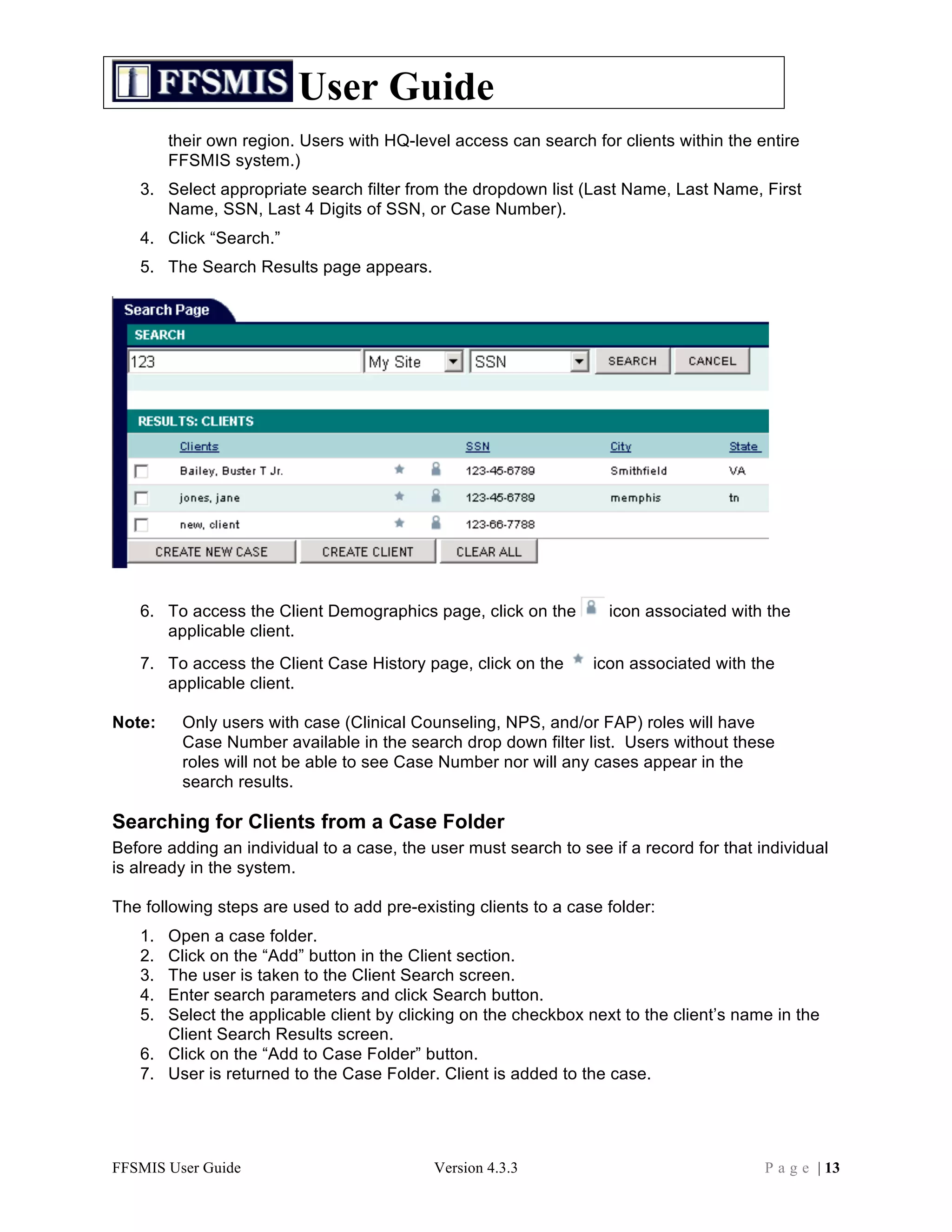
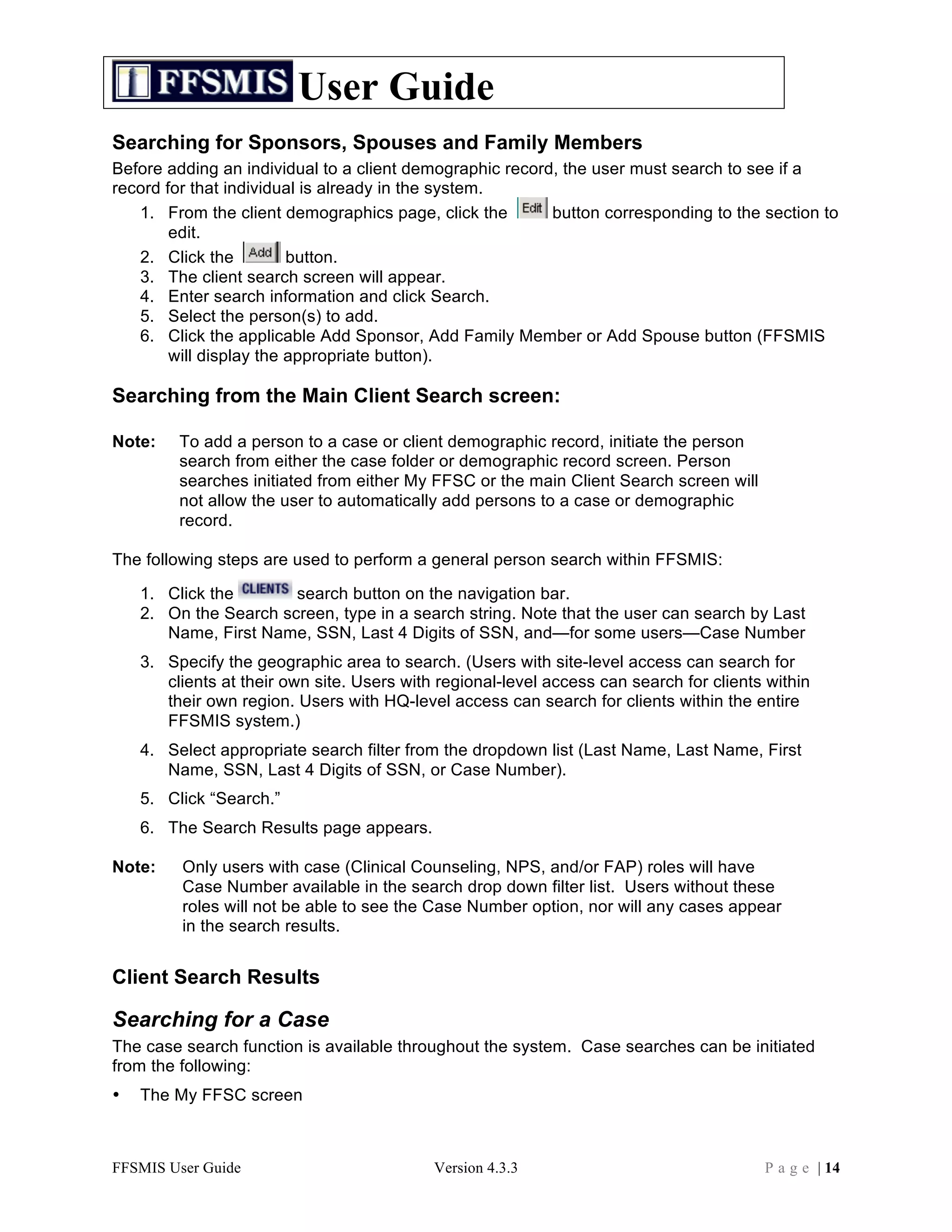
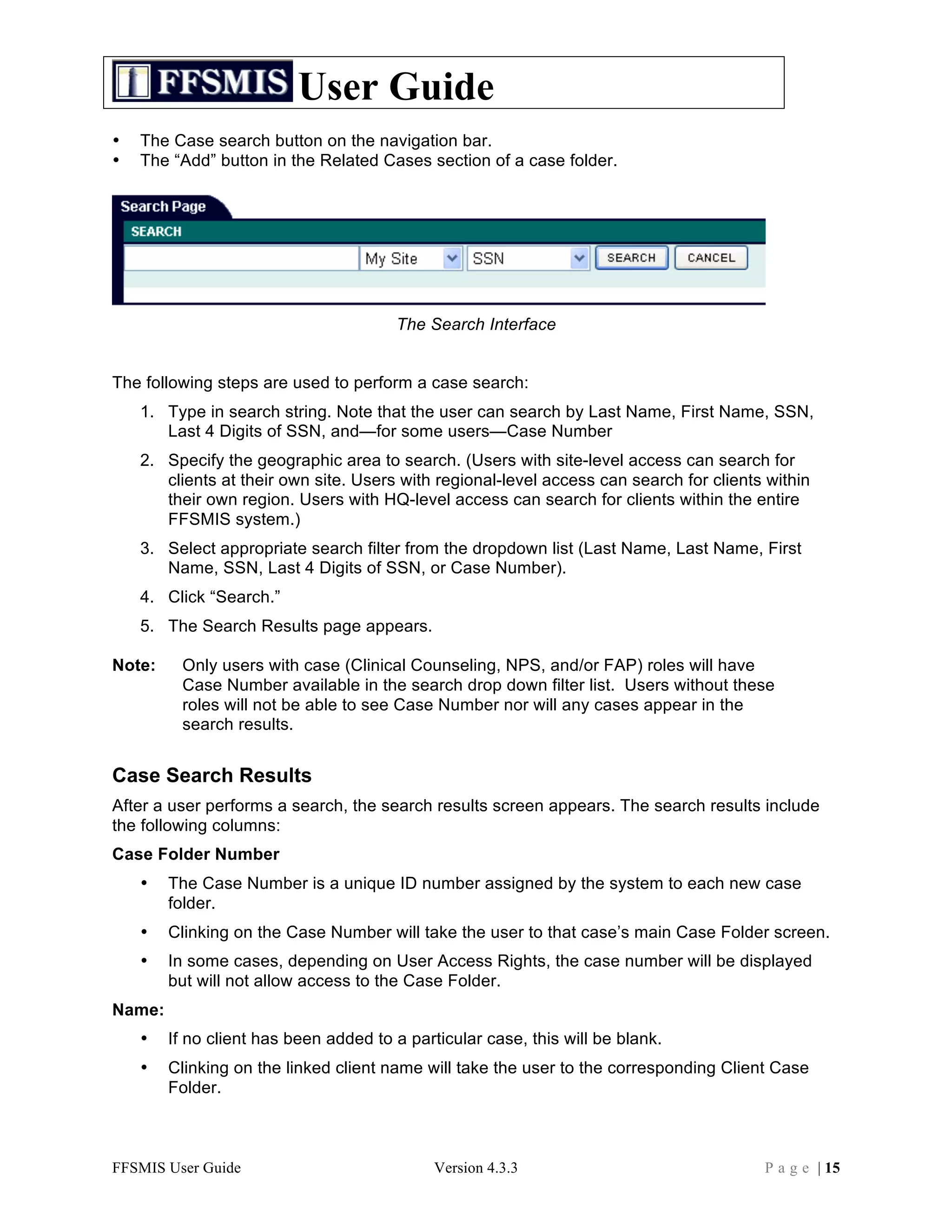
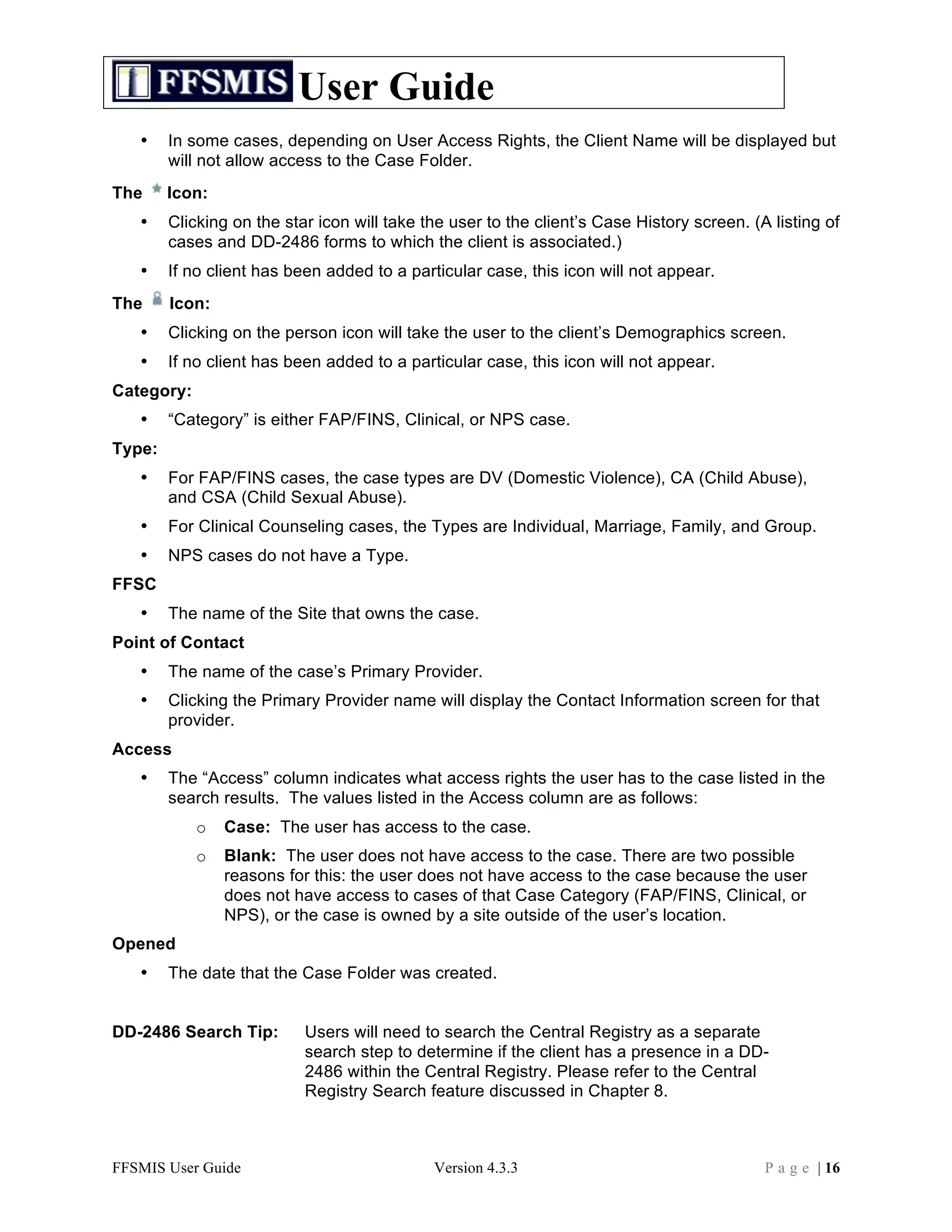
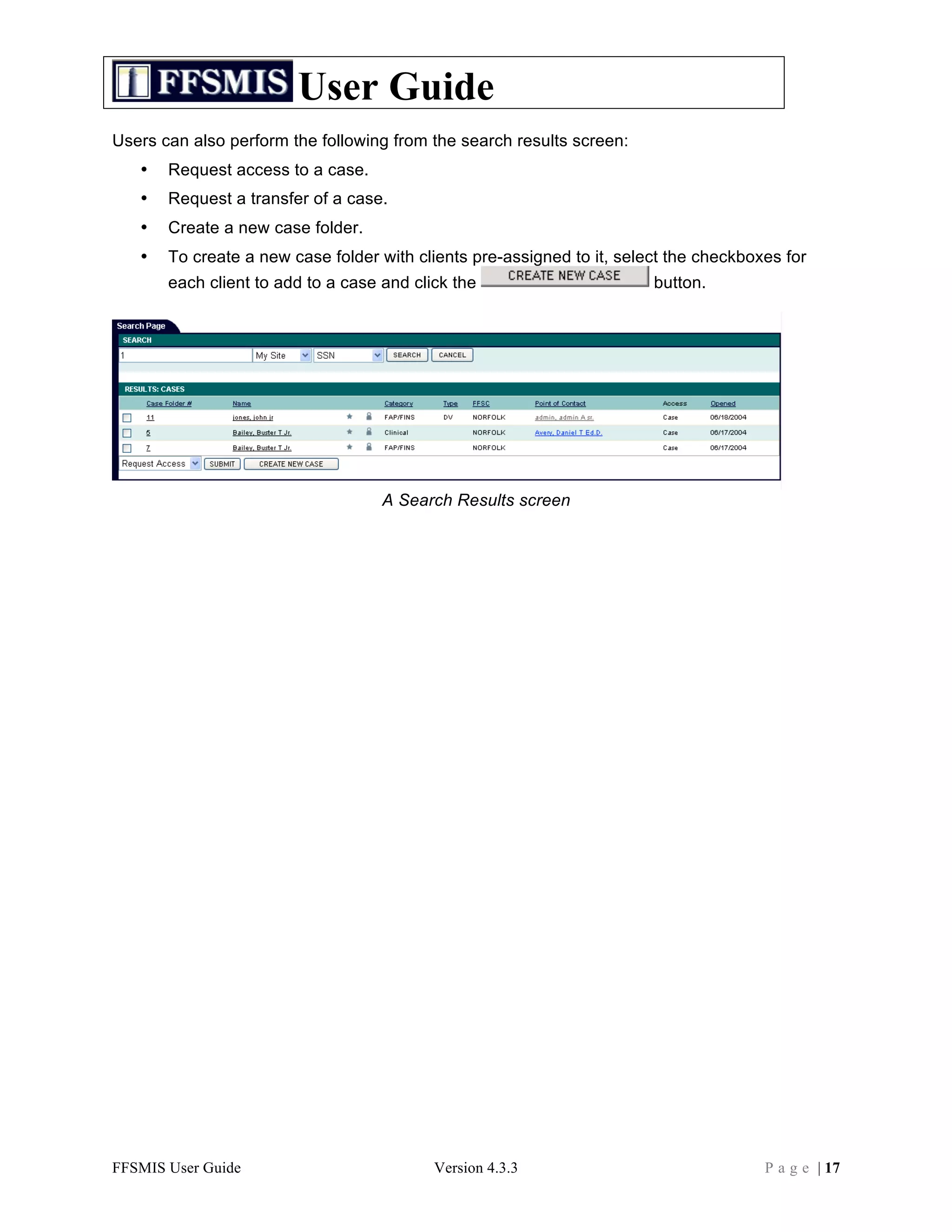
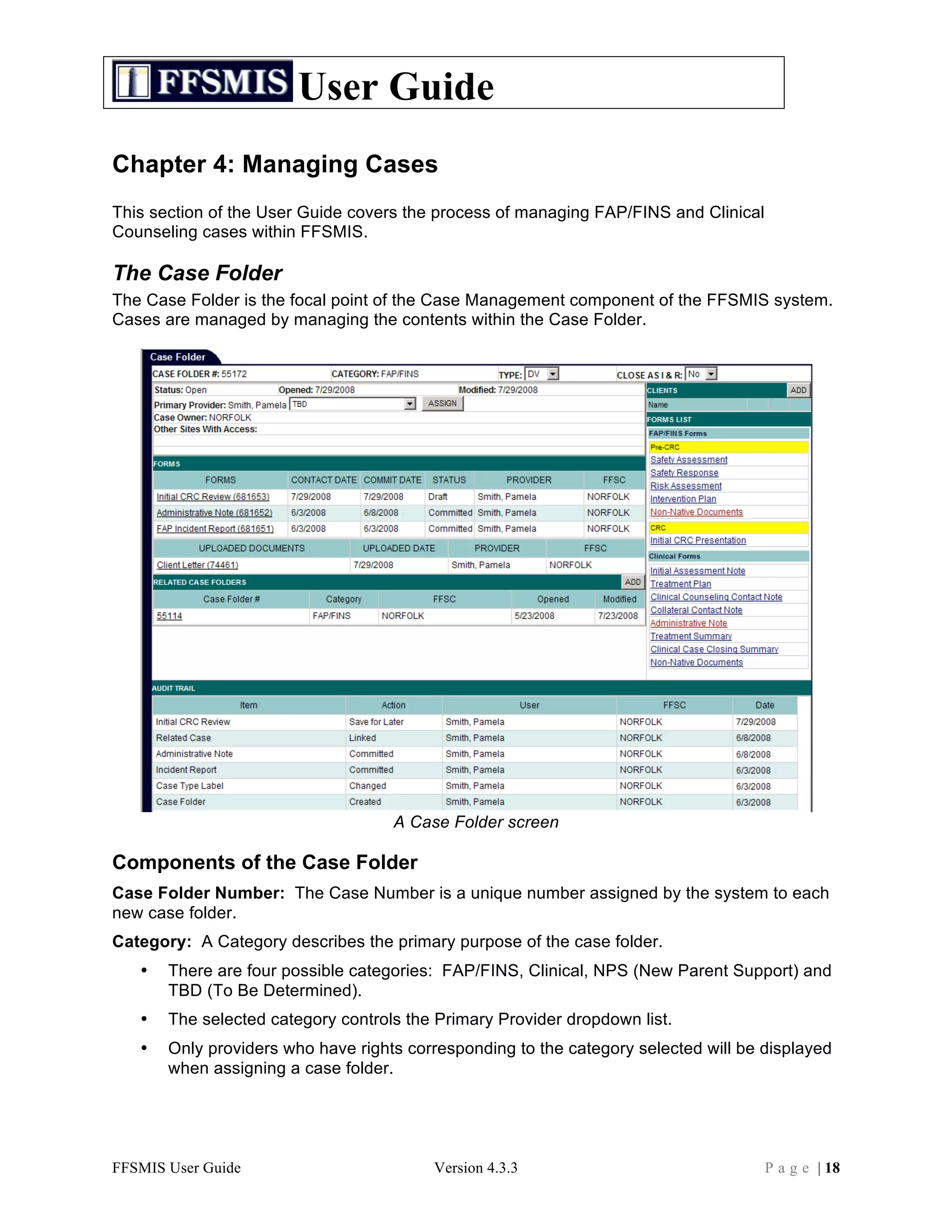
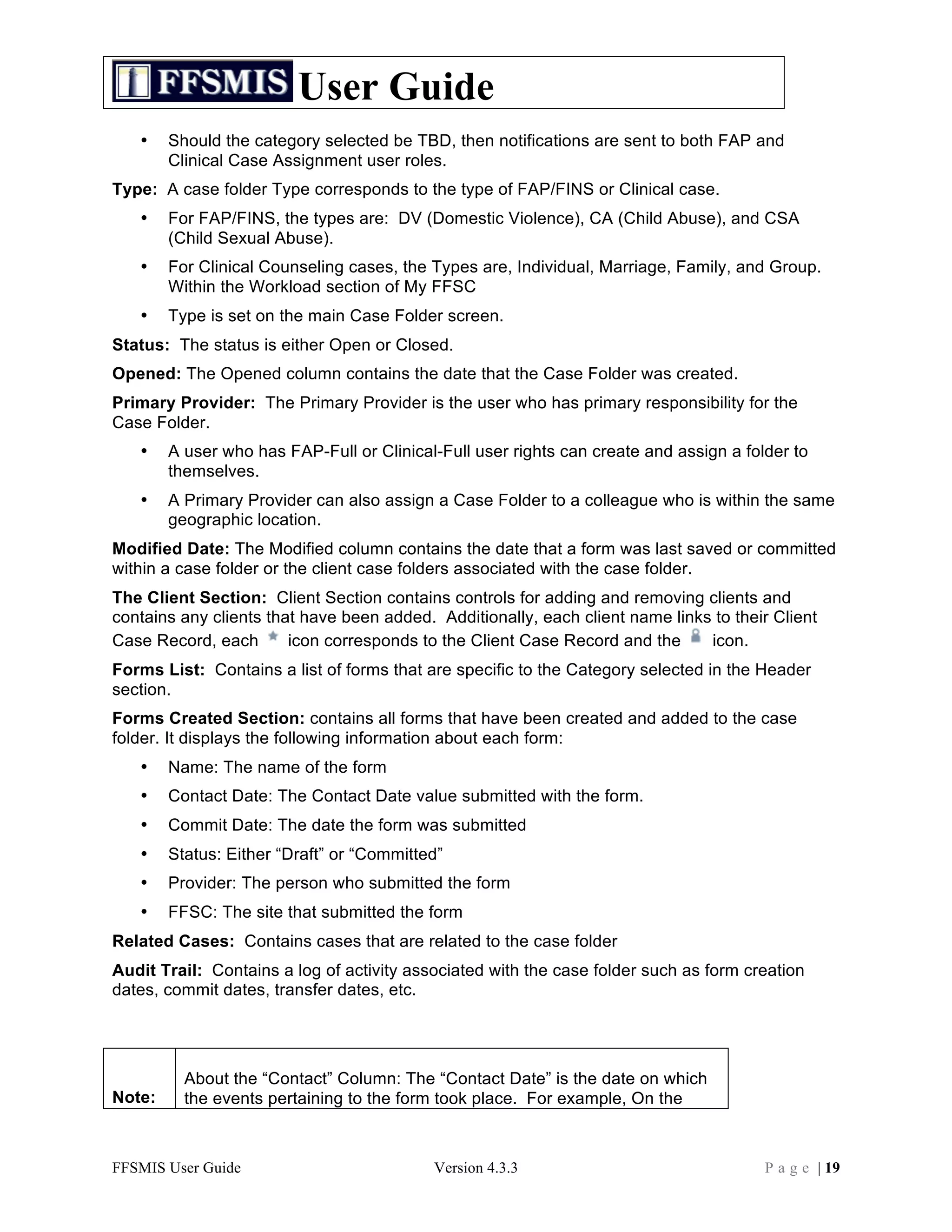
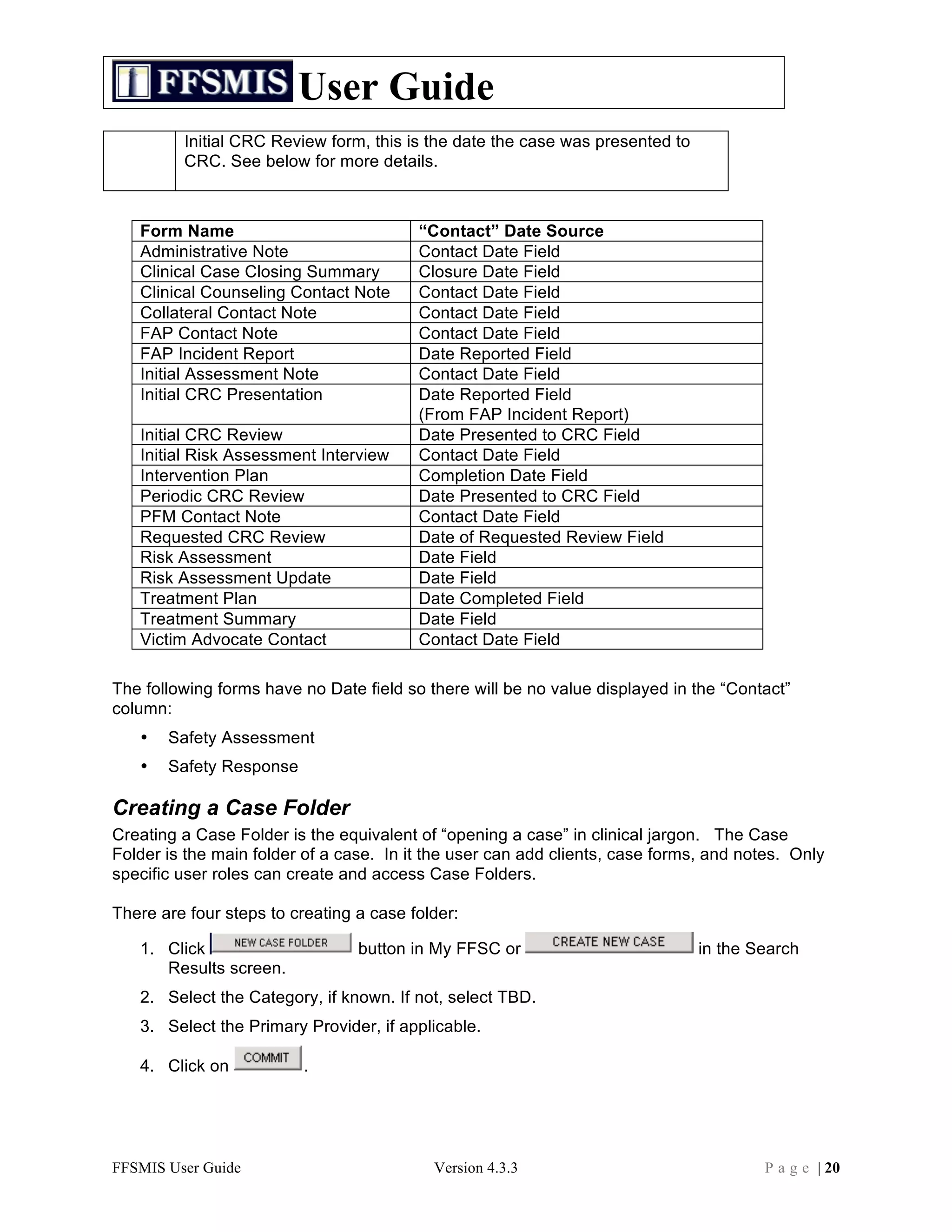
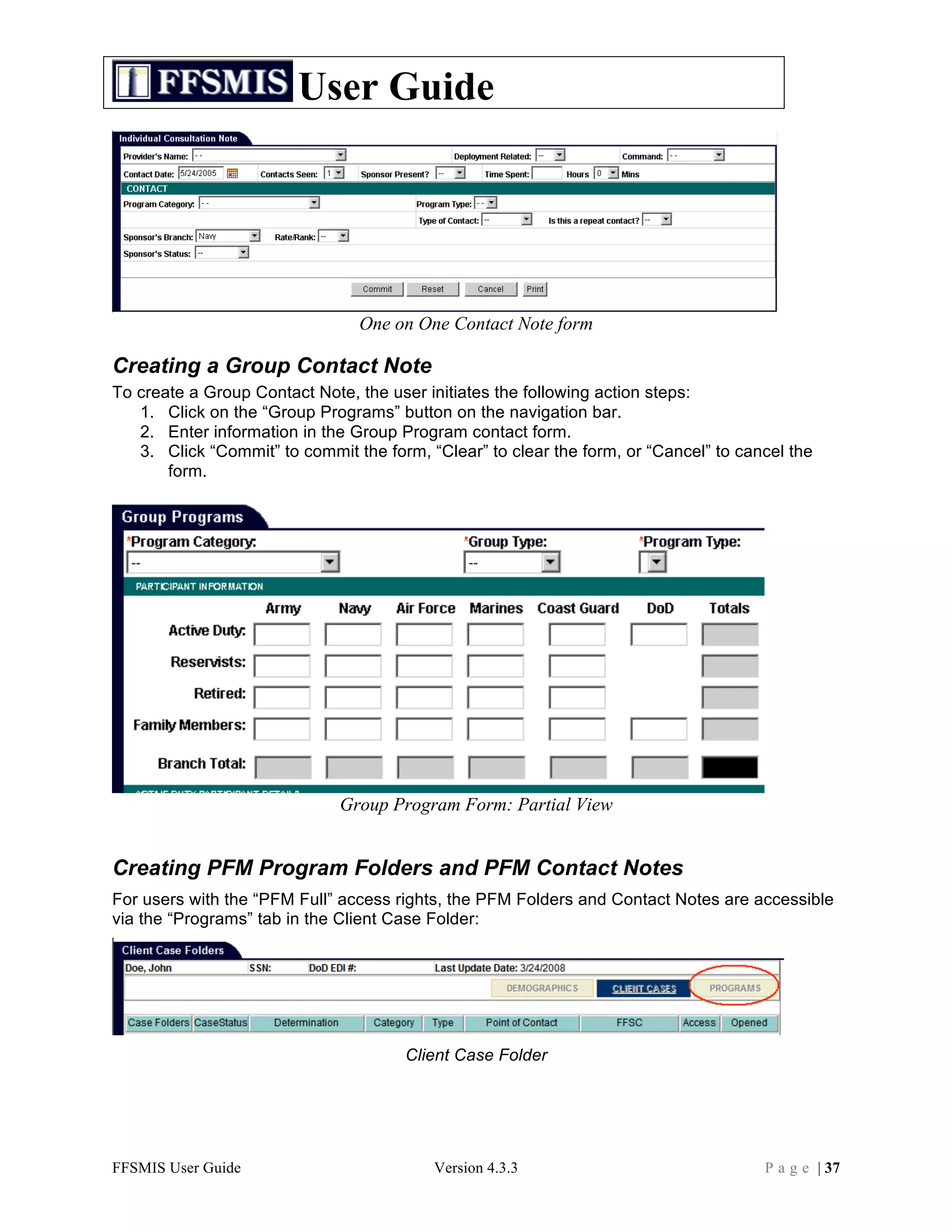
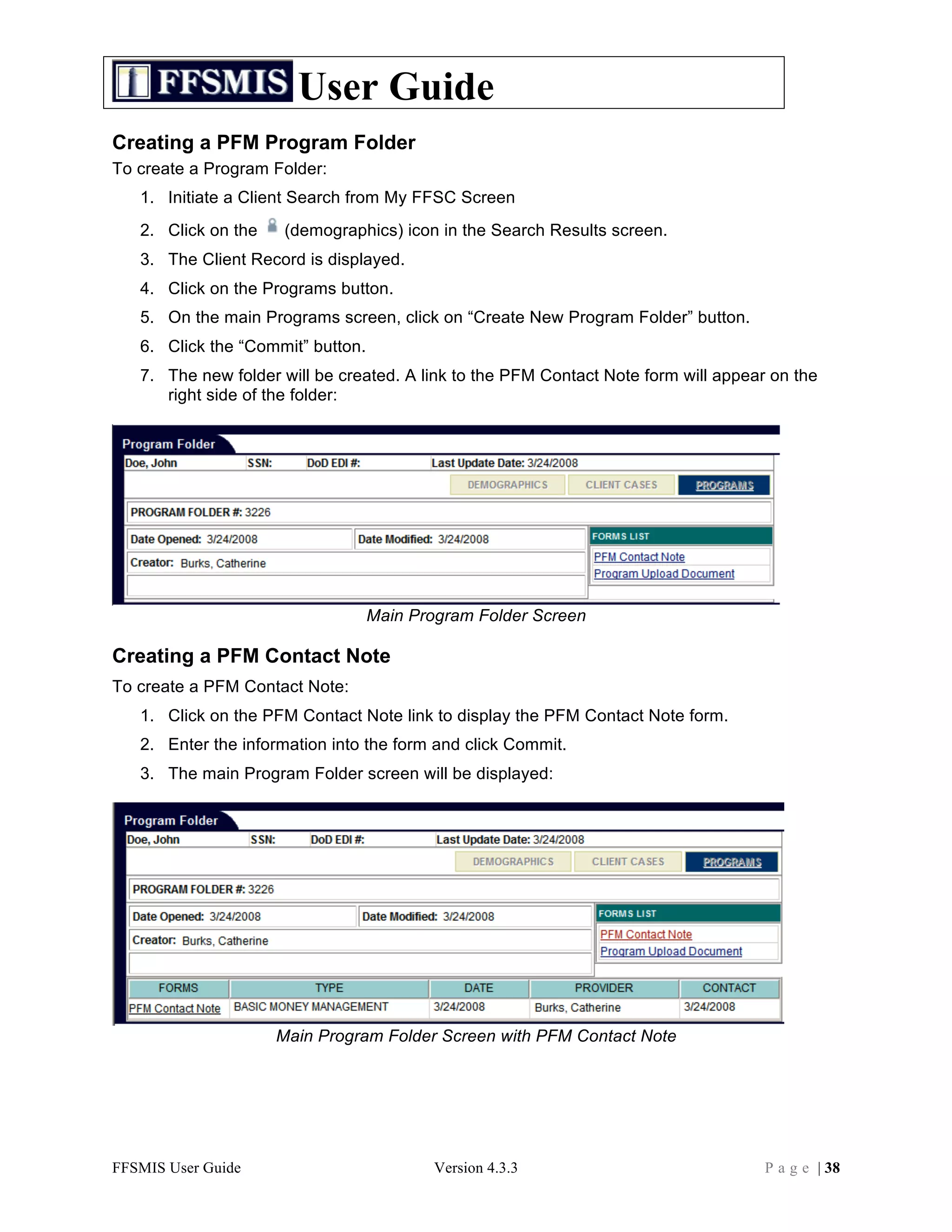
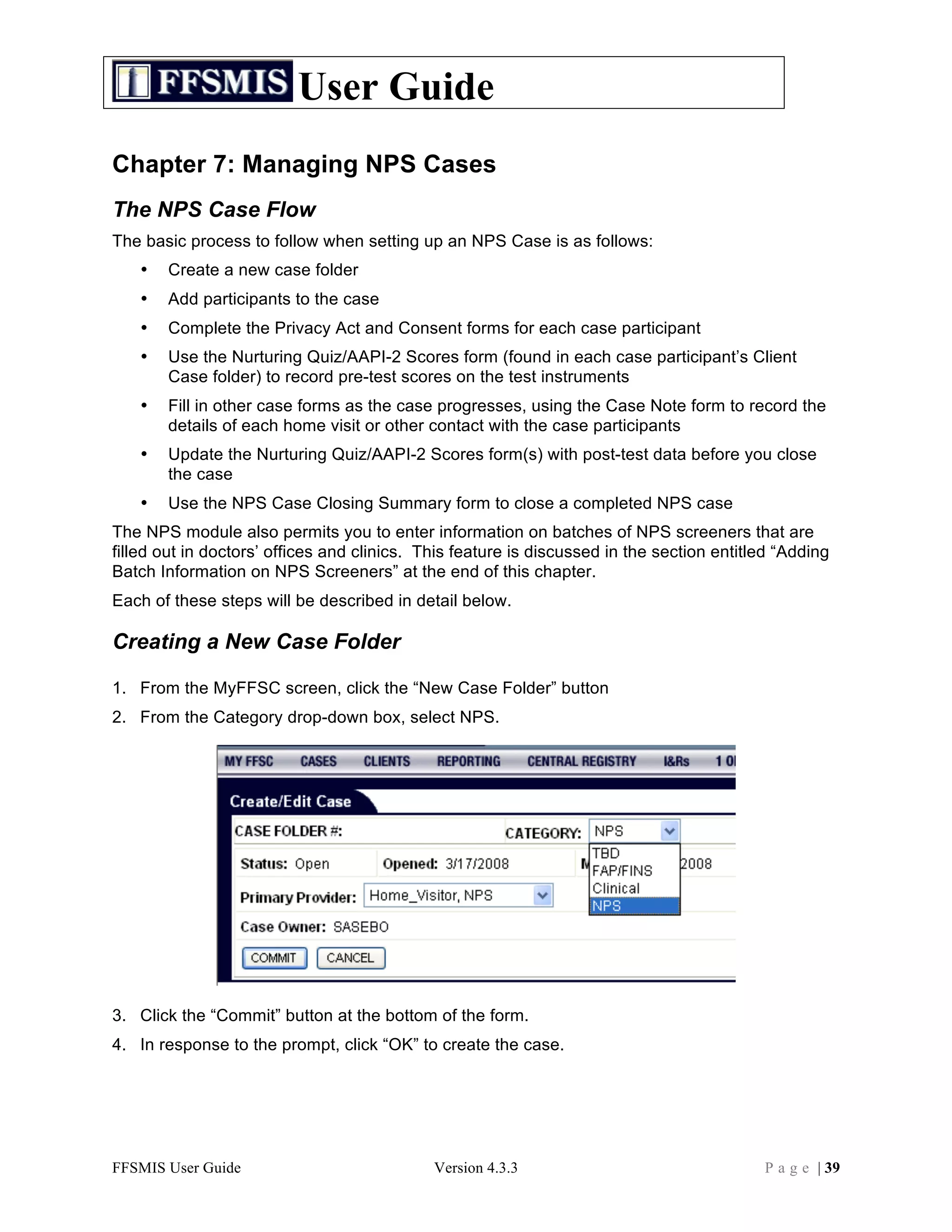
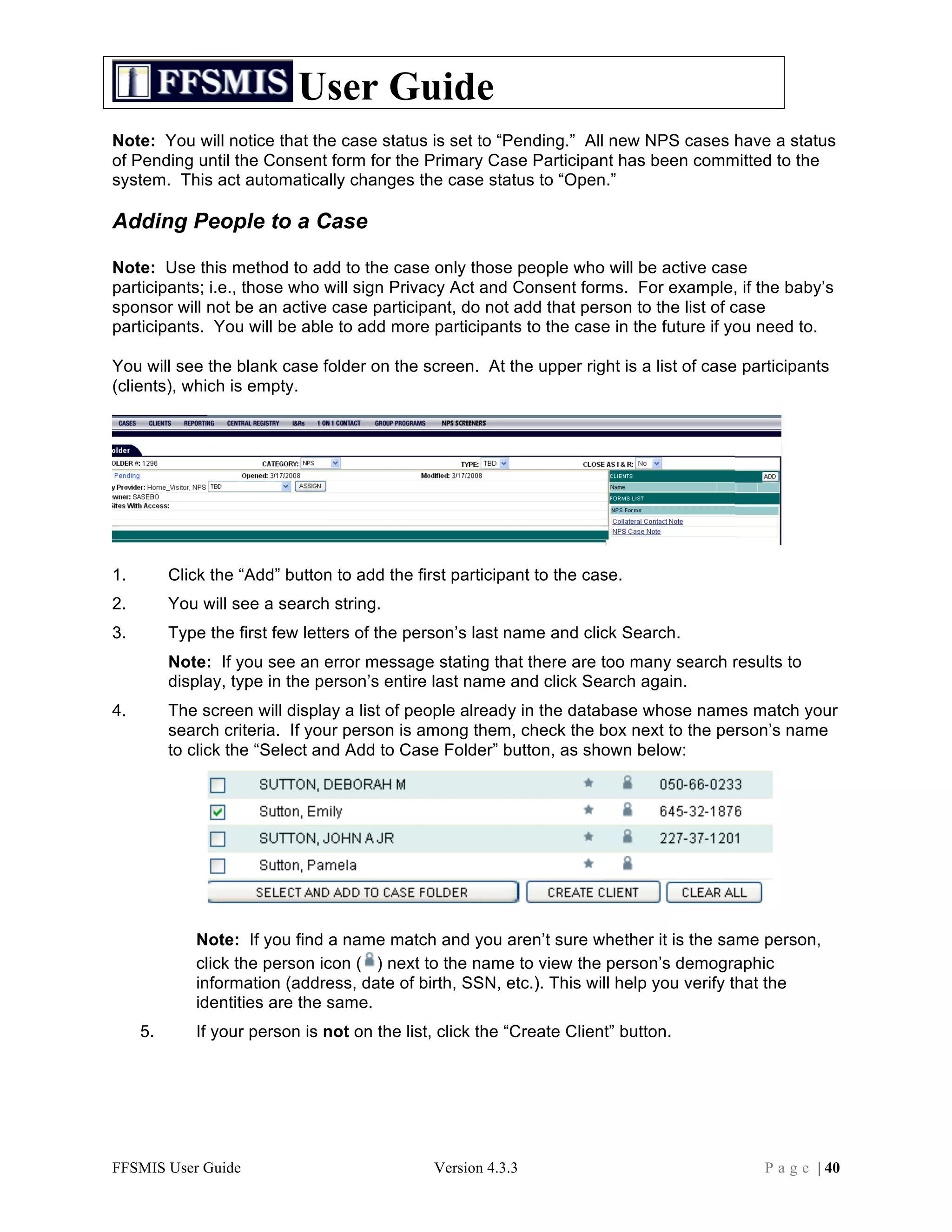
![User Guide
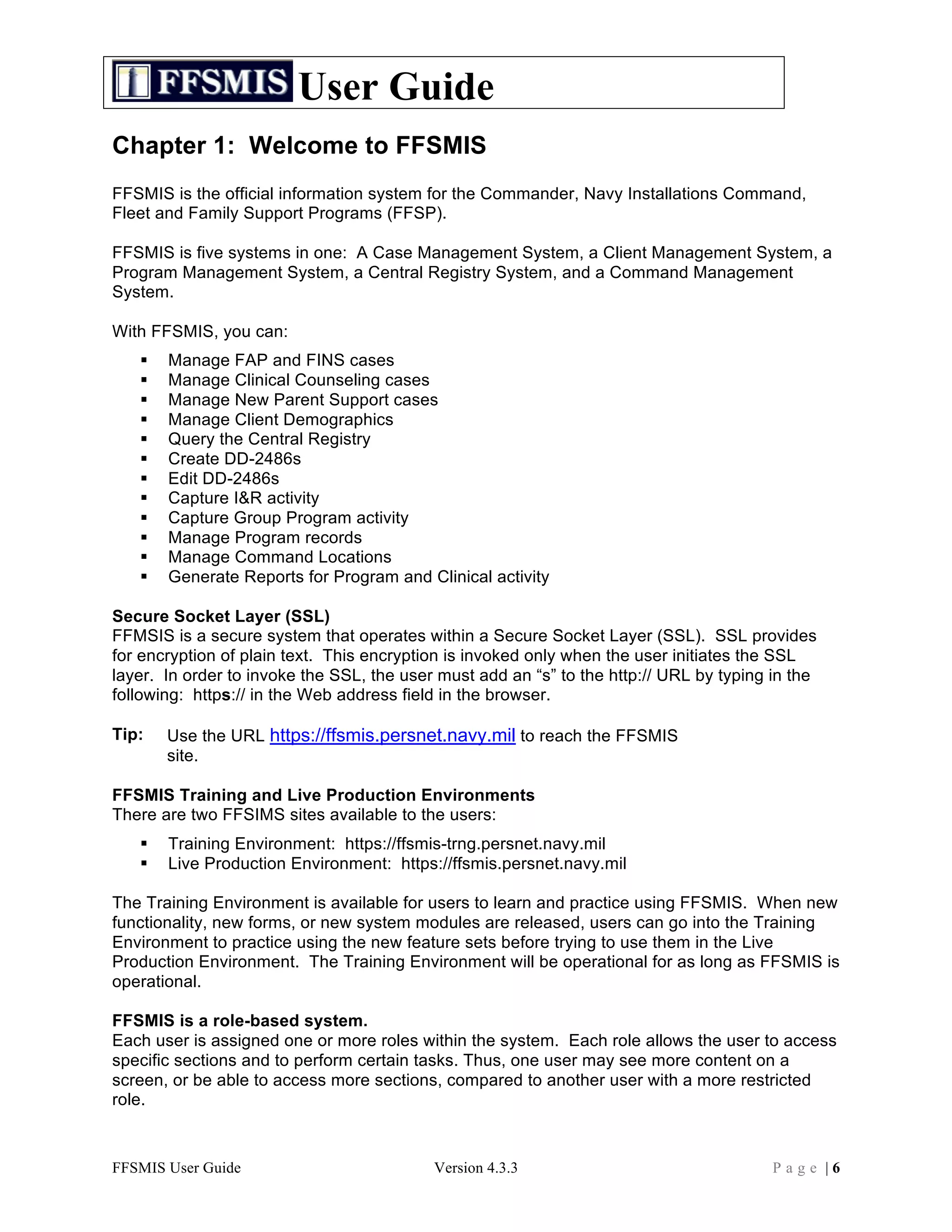
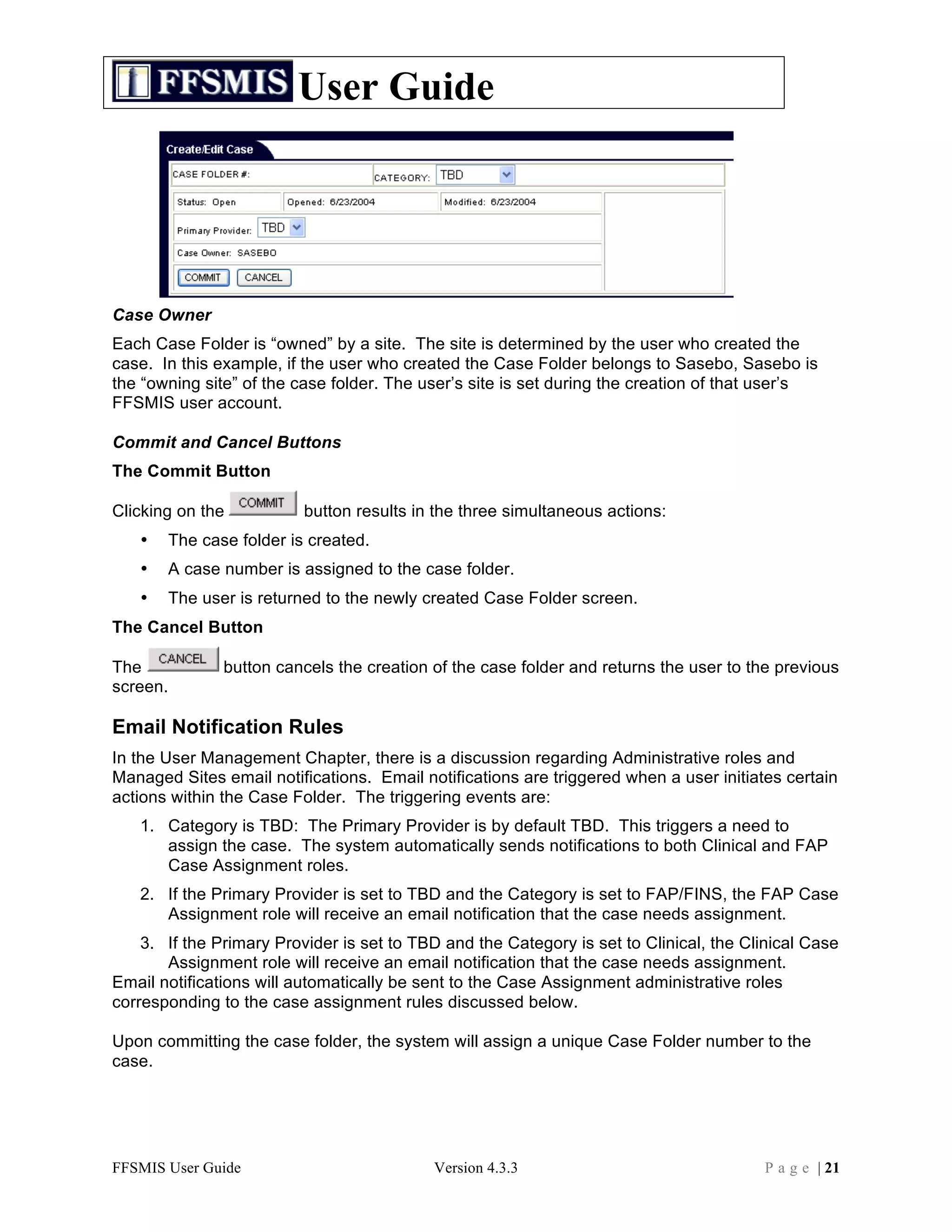
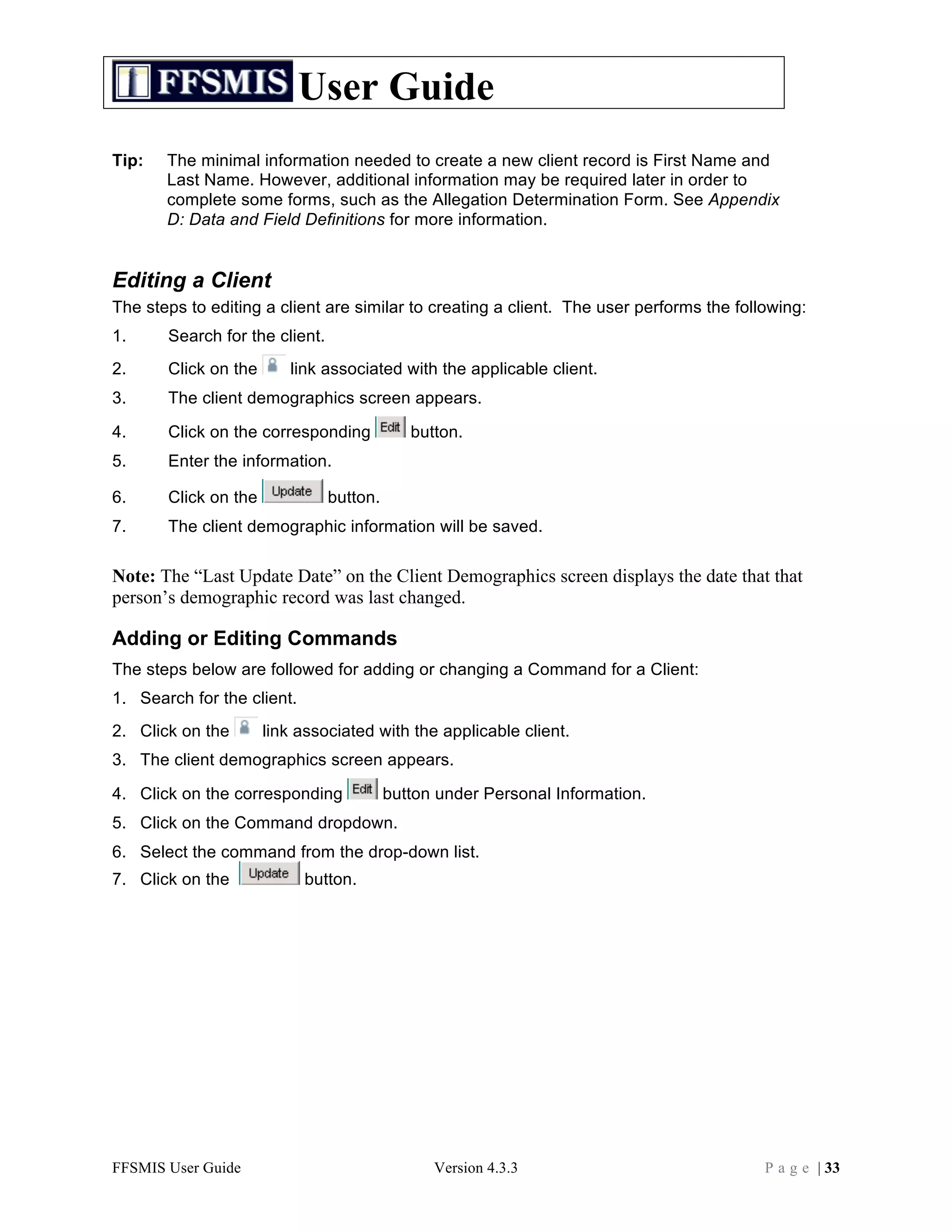
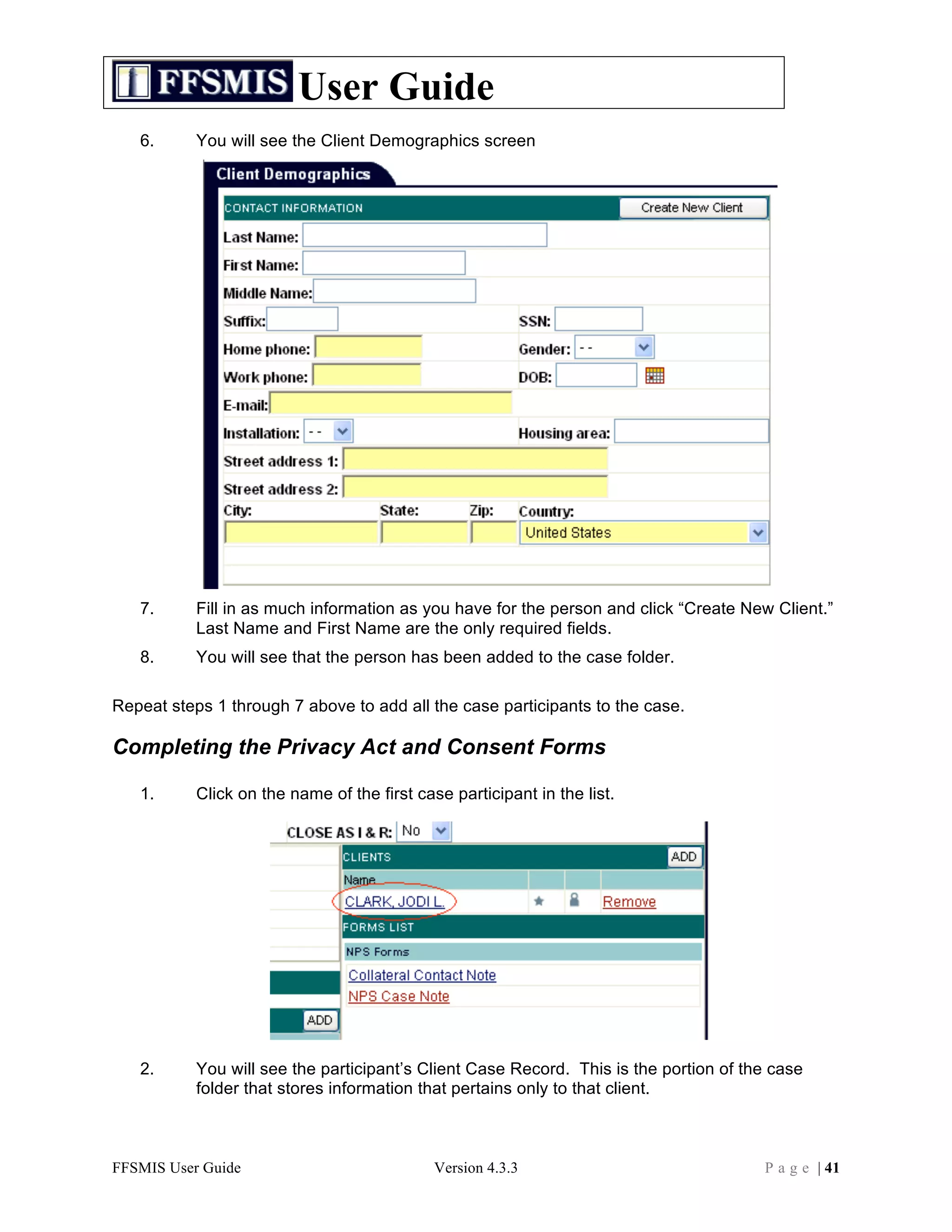
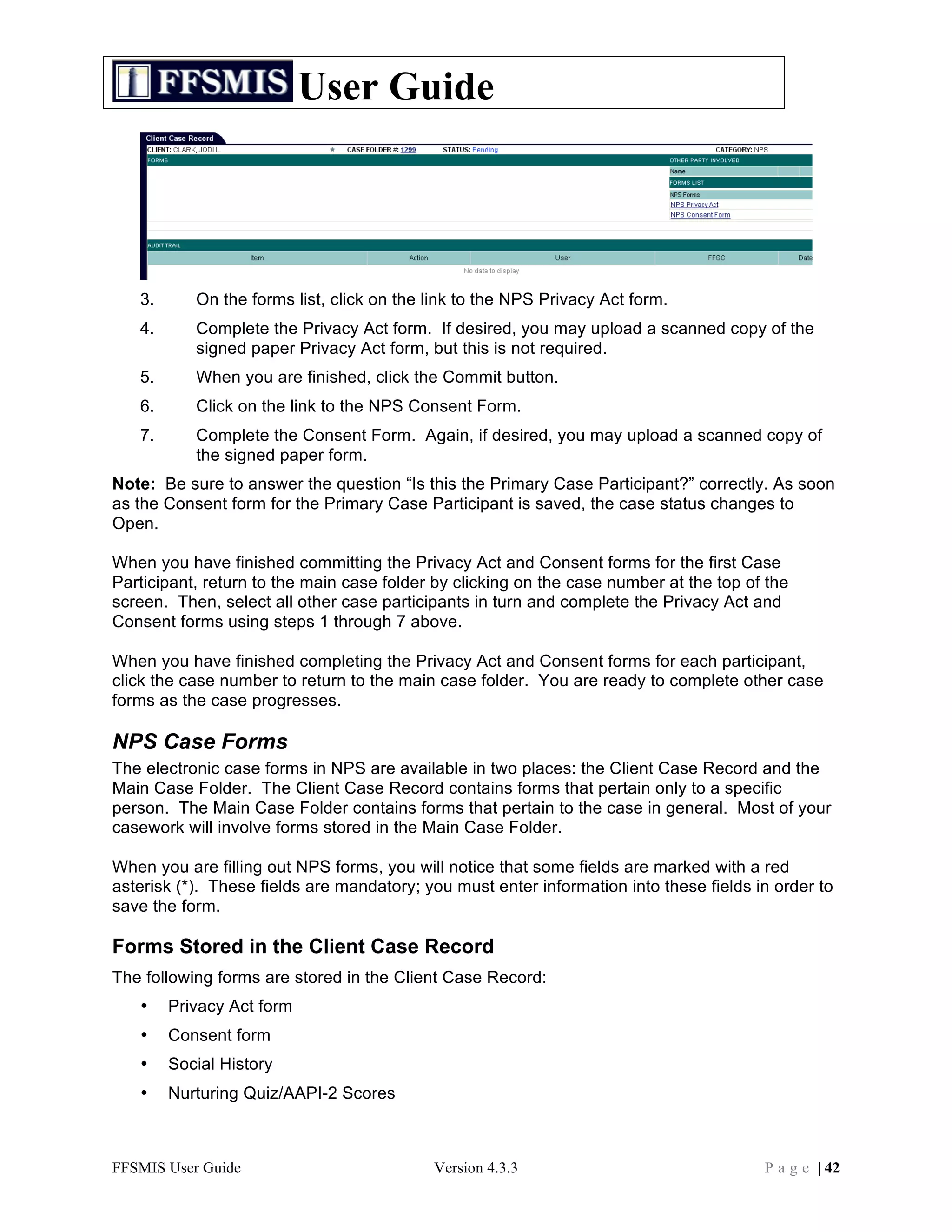
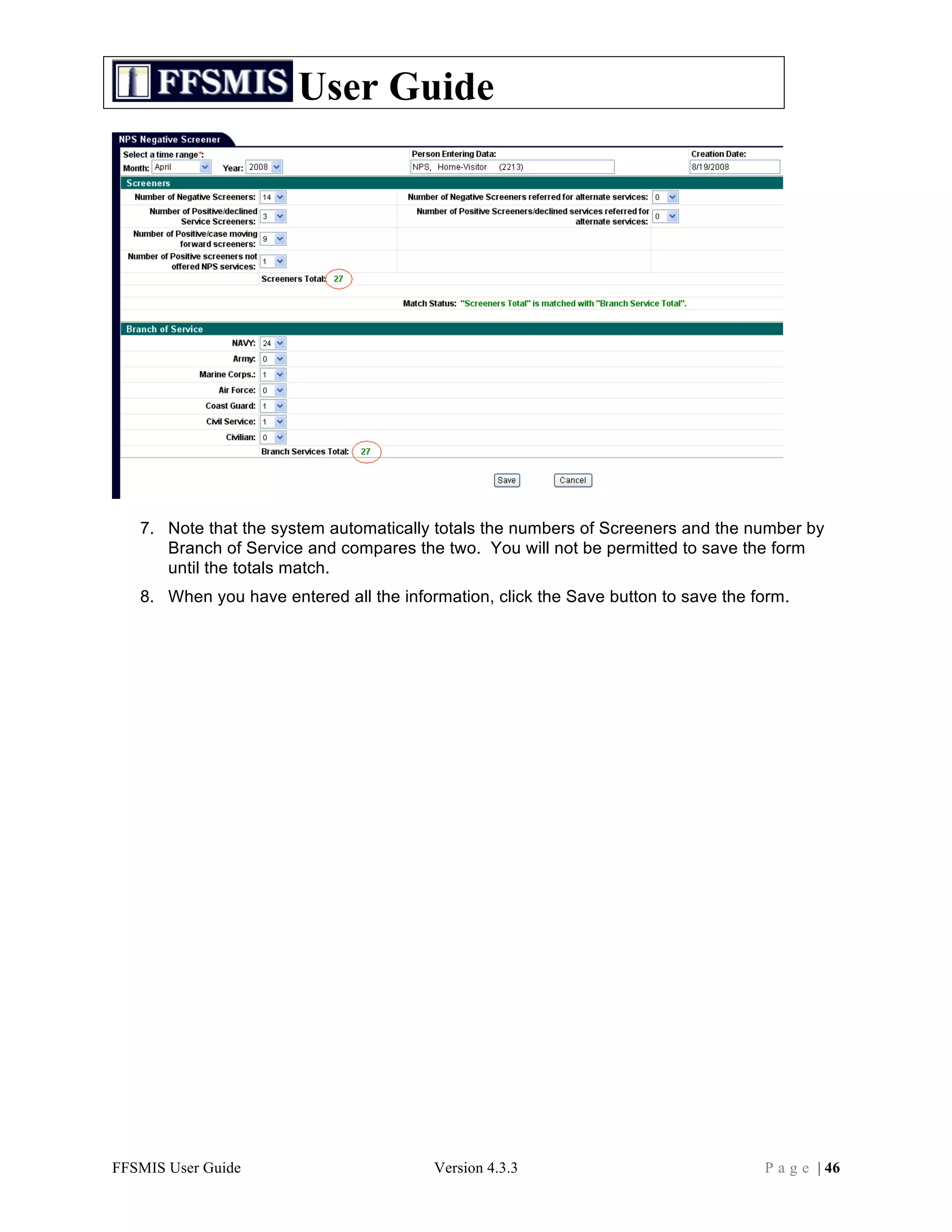
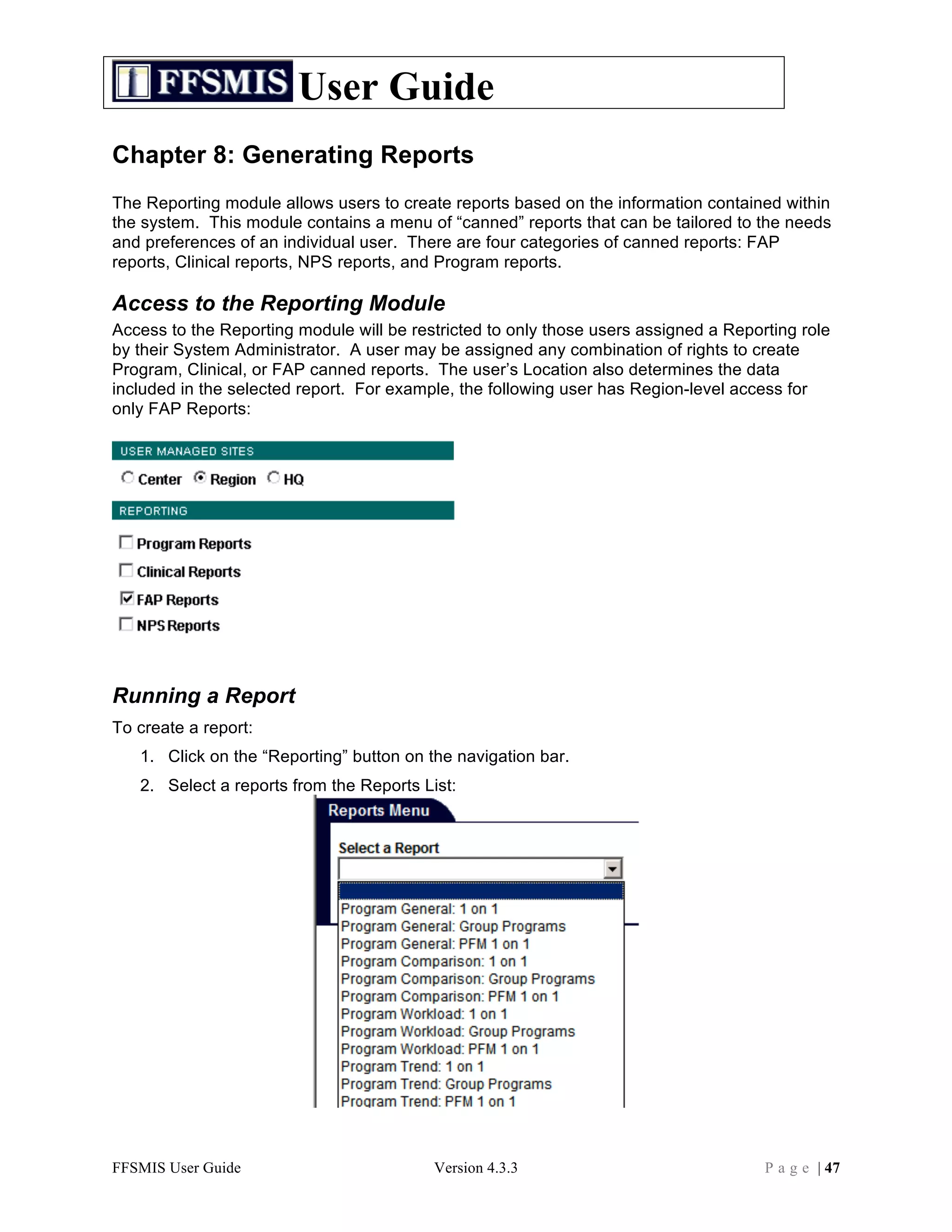
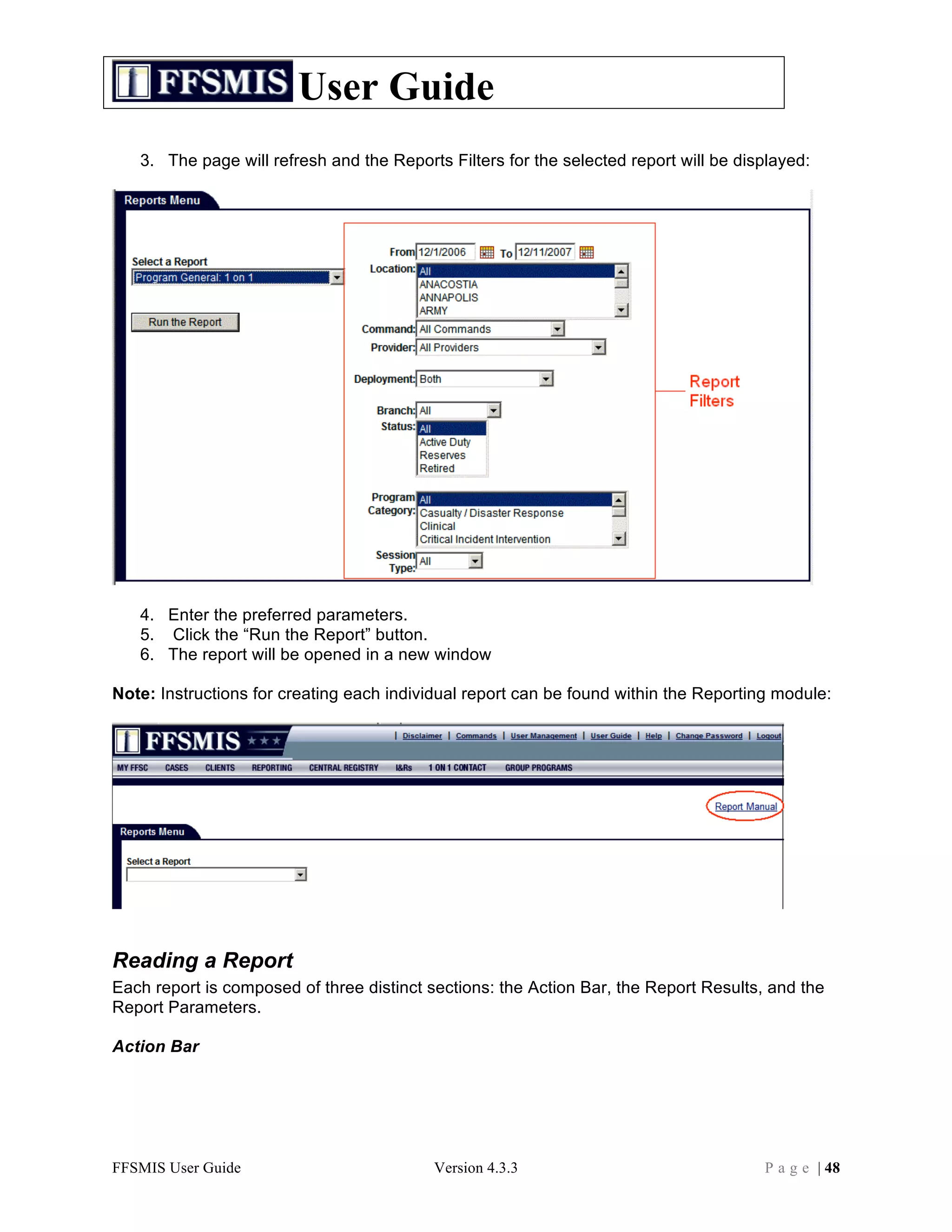
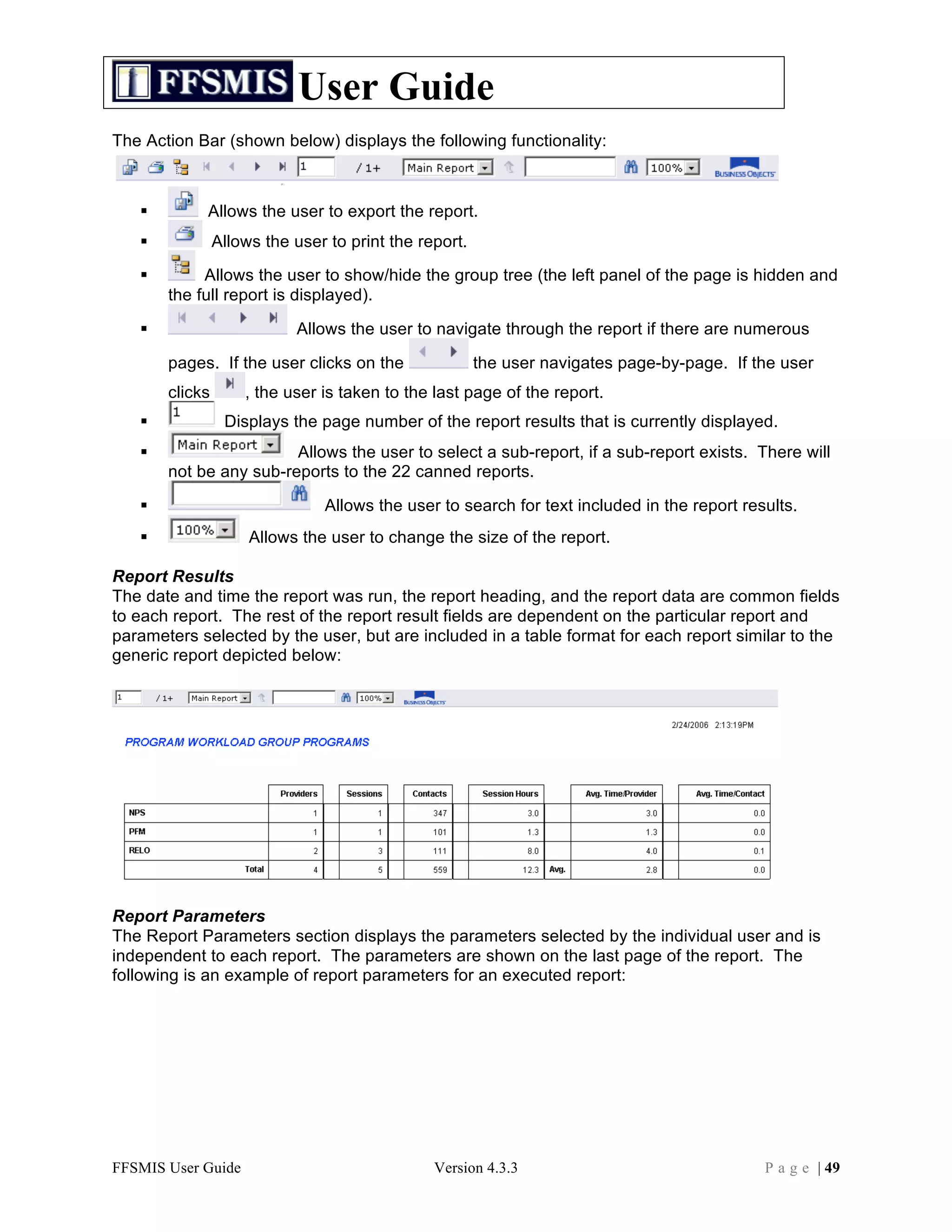
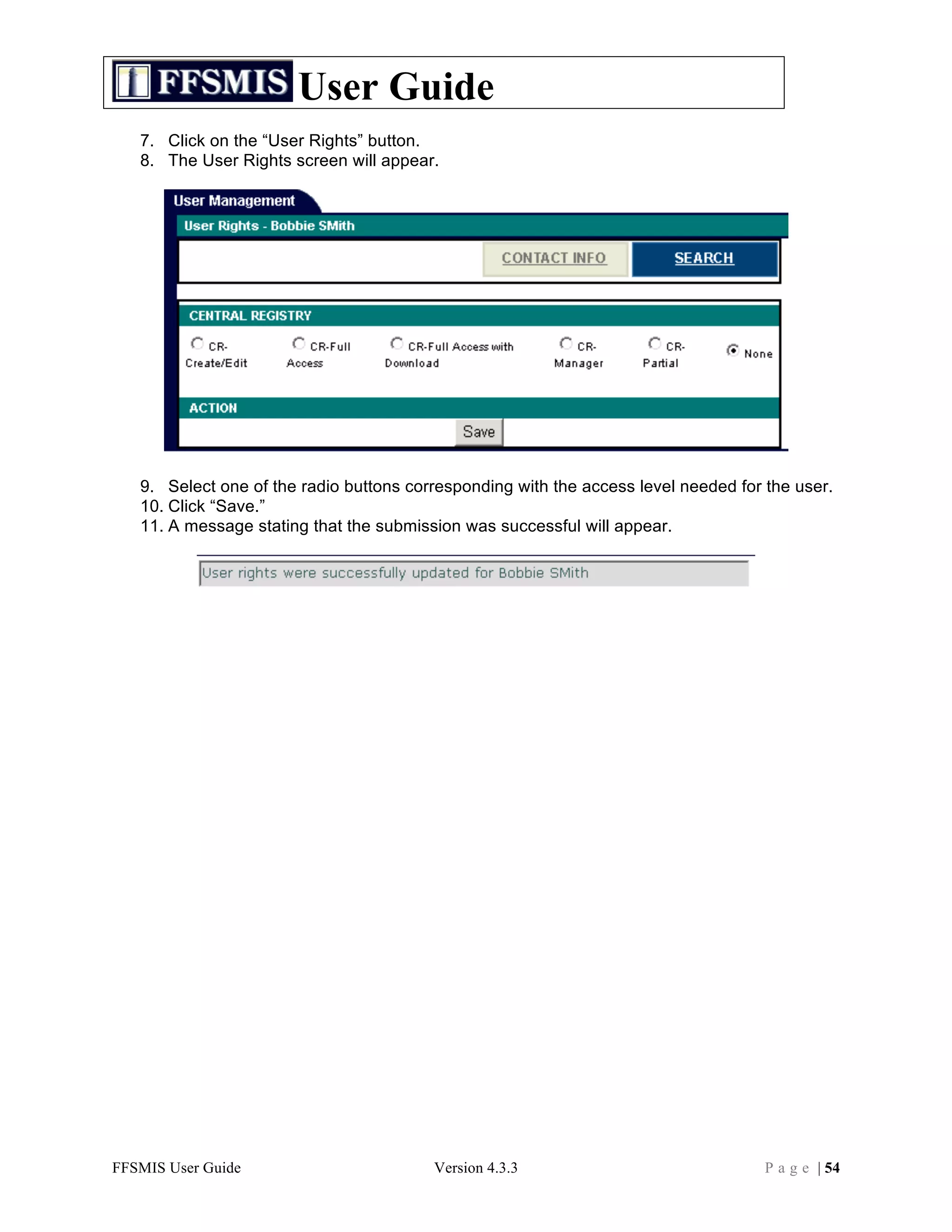
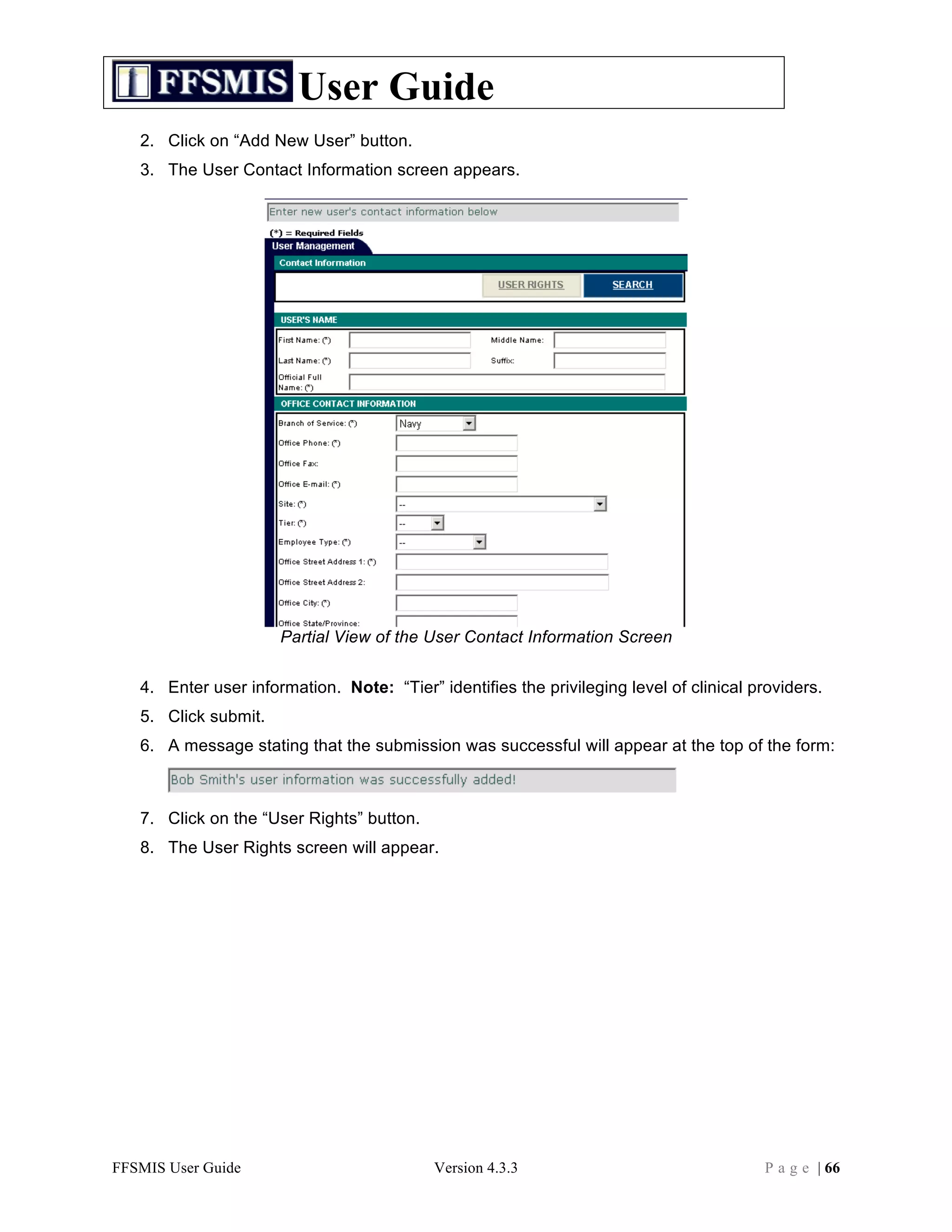
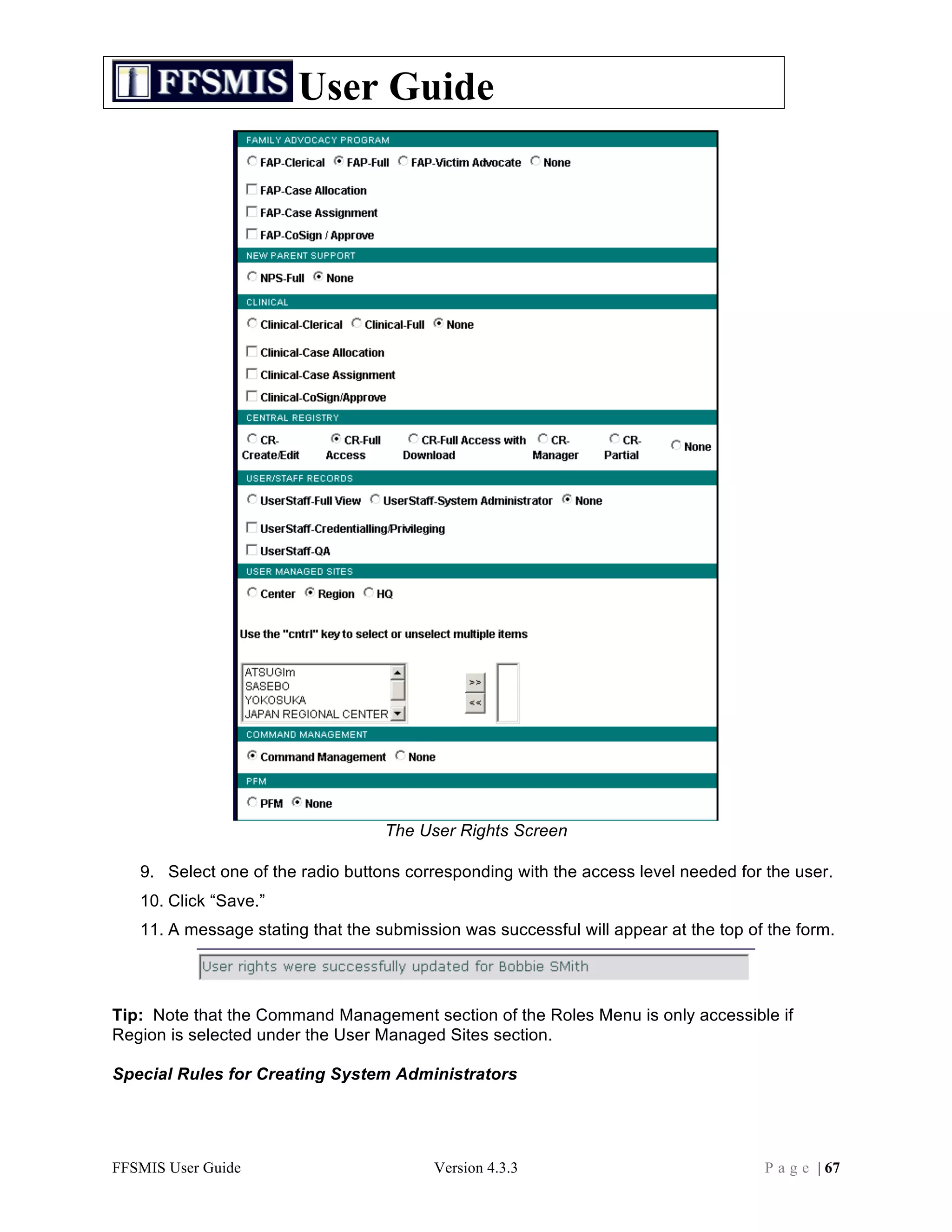
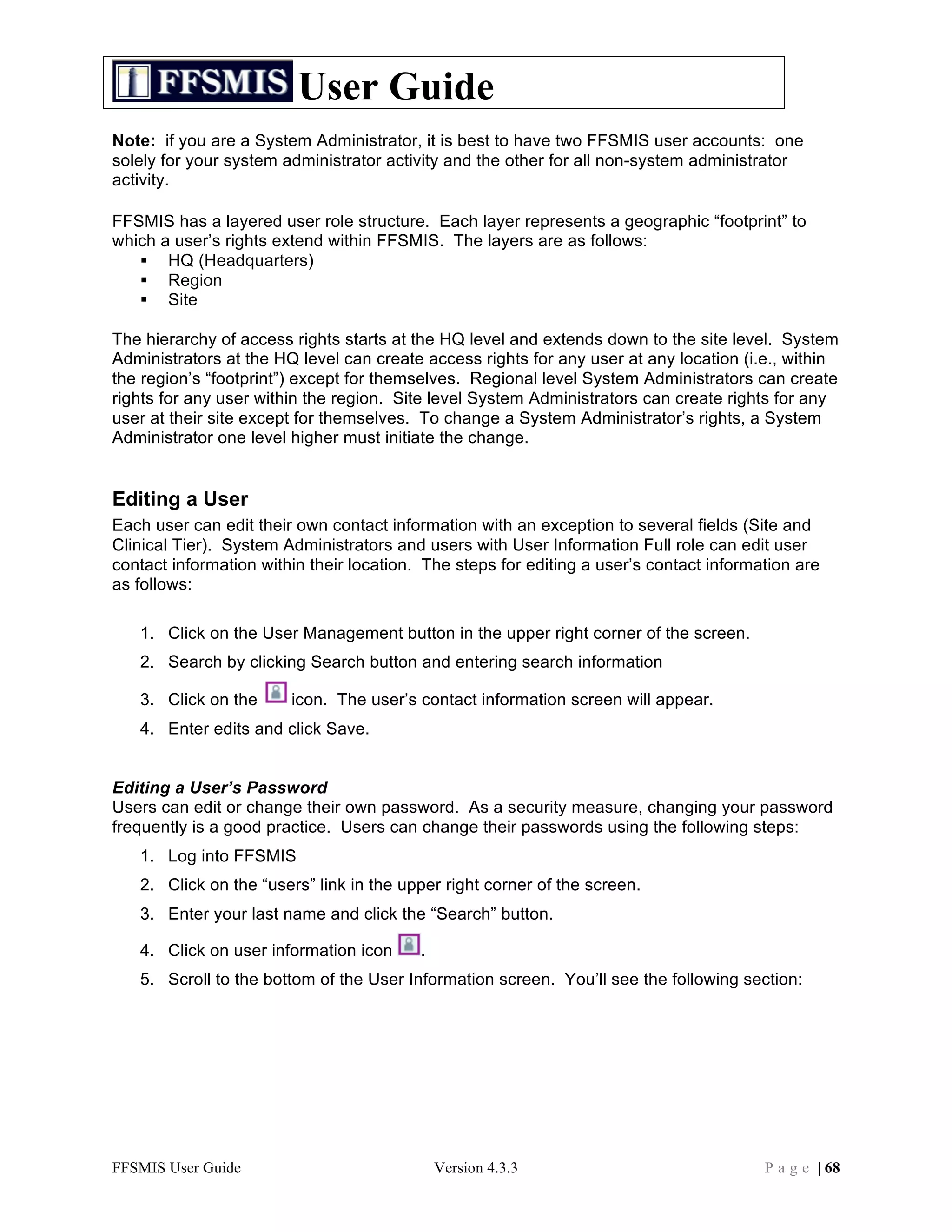
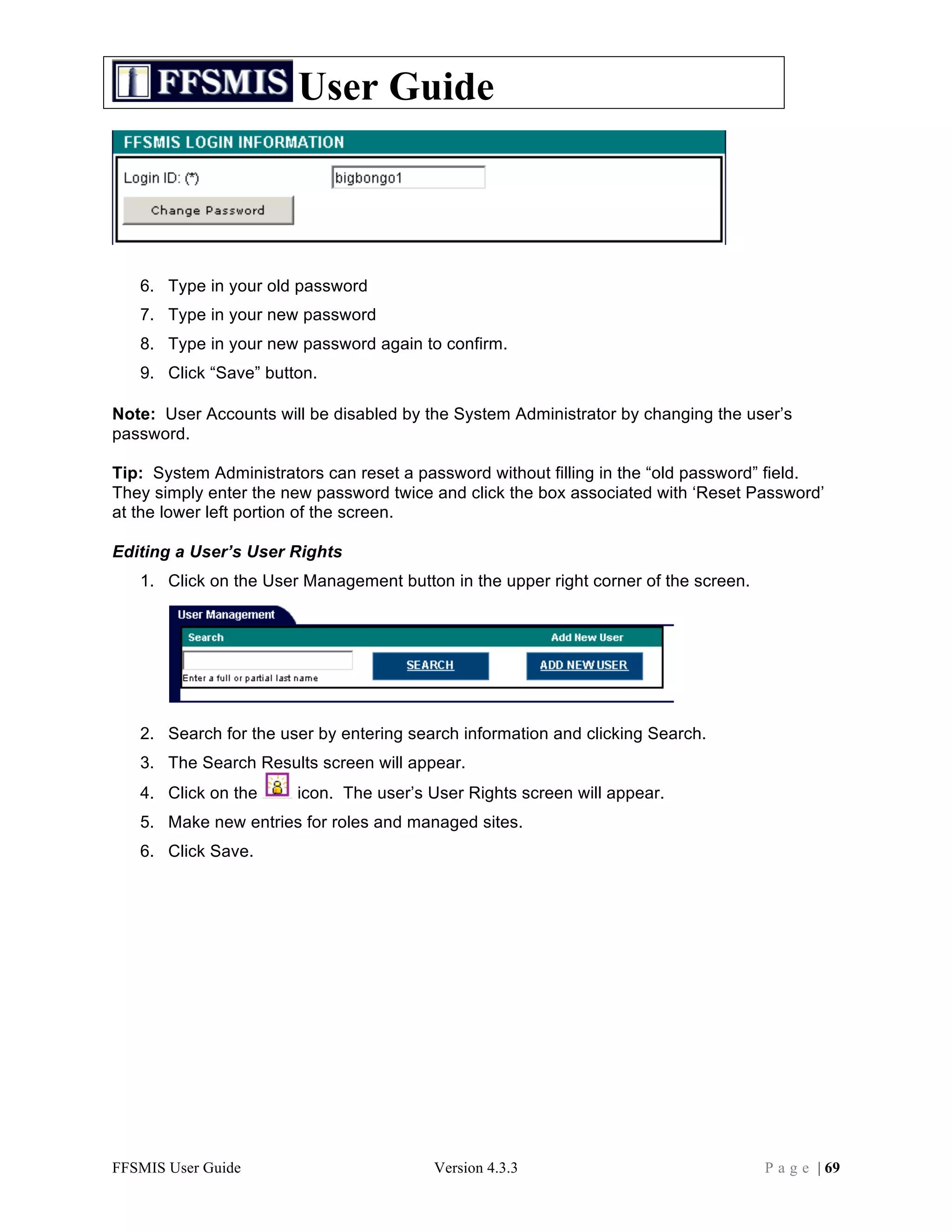
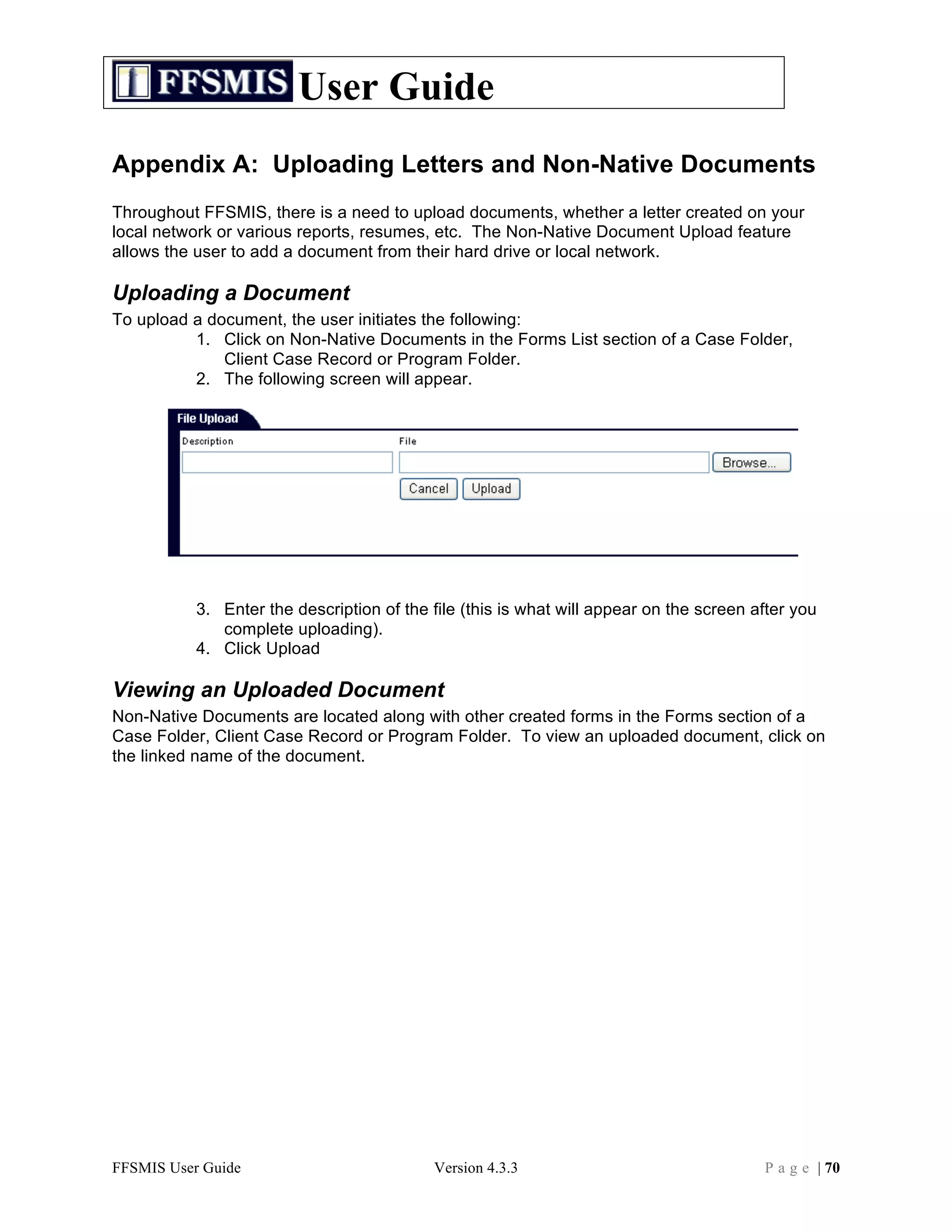
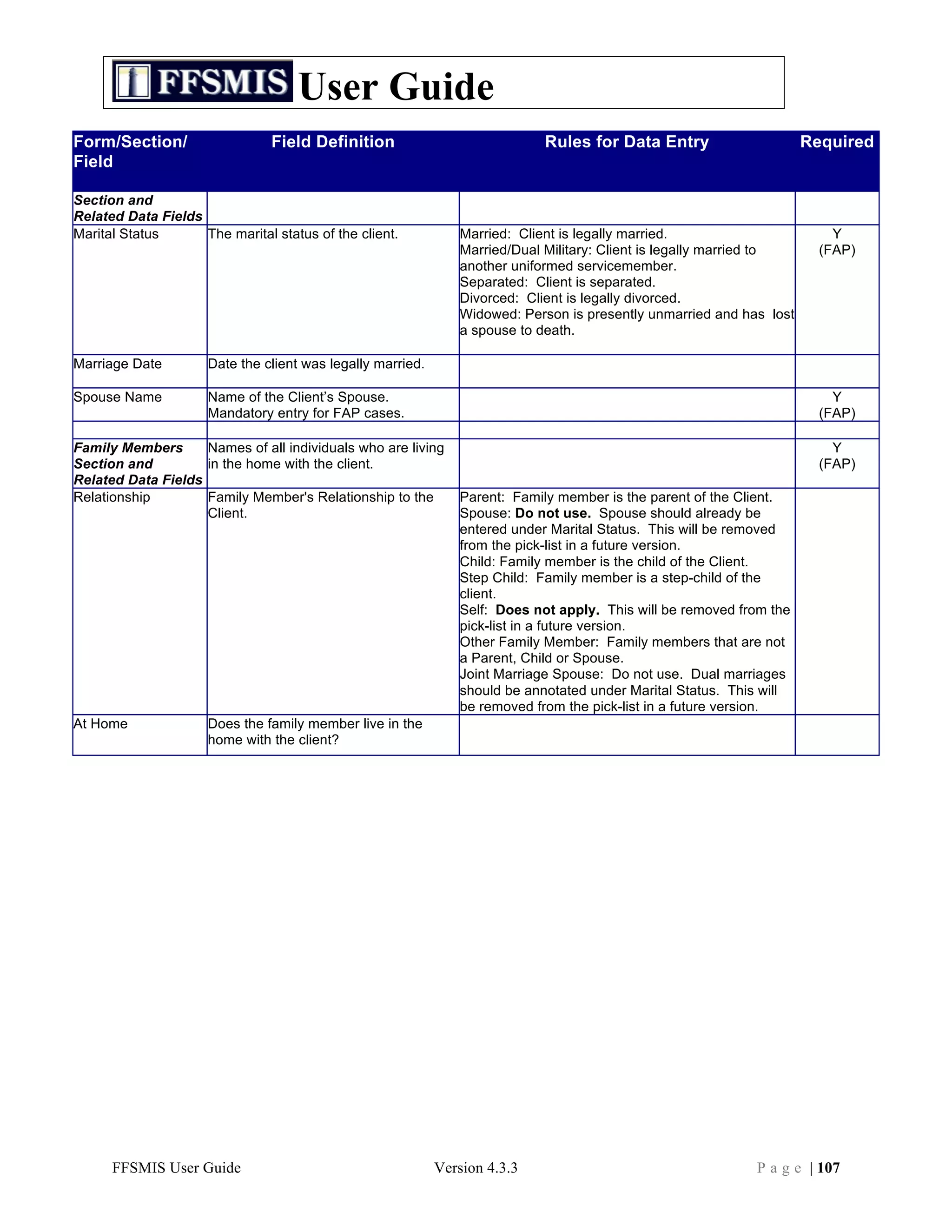
To fill out one of these forms, click on the case participant’s name in the client list to view that
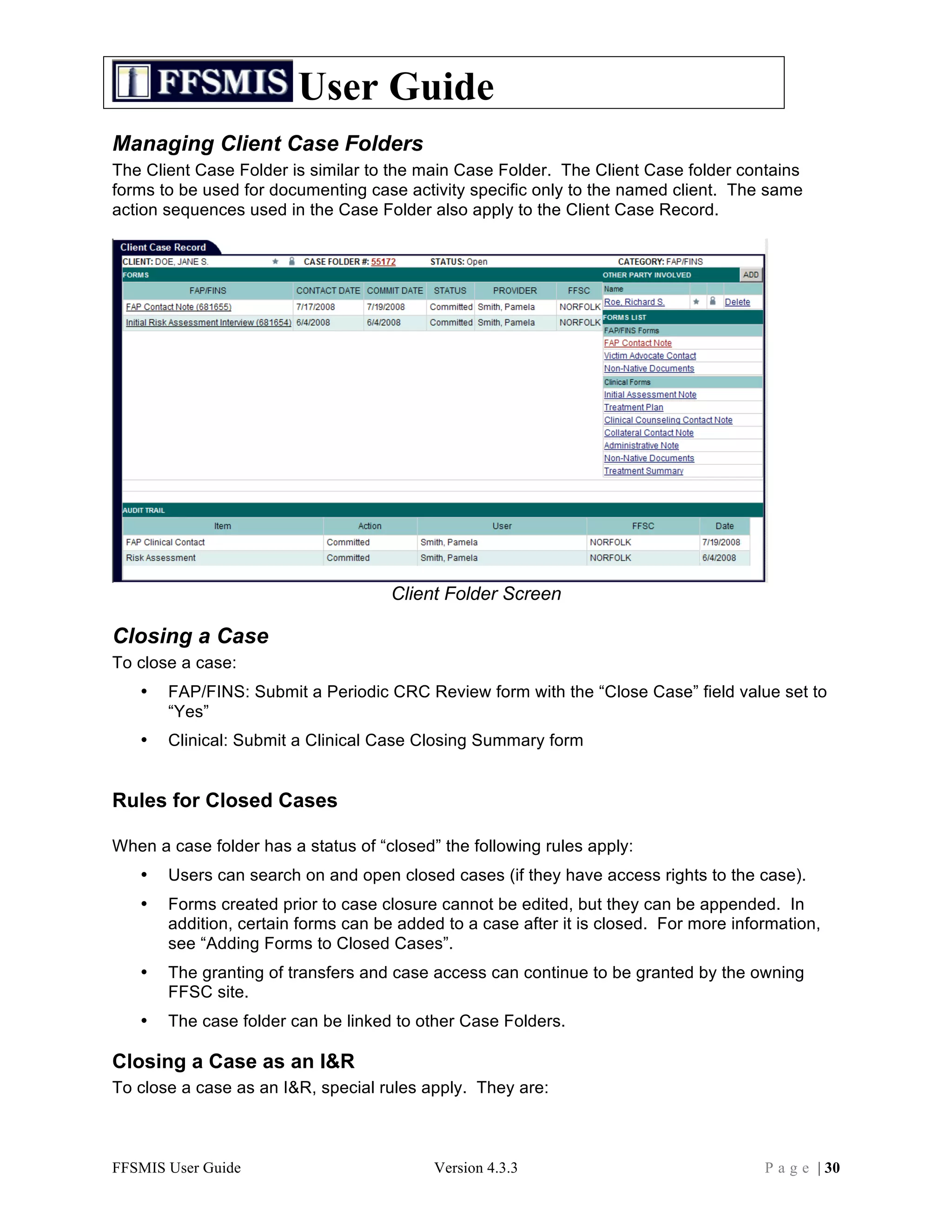
person’s Client Case Record. Then, click on the name of the form in the Forms list to open the
form. Fill in the form and click on the Save or Commit button when you are finished.
The Social History and Nurturing Quiz/AAPI-2 Scores forms may be edited and re-saved as
many times as necessary over the course of an NPS case. Before you close the NPS case, be
sure to record post-test scores for all case participants in their respective Nurturing Quiz/AAPI-2
Scores forms. After the NPS case is closed, these forms are no longer editable.
Forms Stored in the Main Case Folder
The following forms are stored in the Main Case Folder:
• Administrative Note
Use the Administrative Note to keep track of missed, rescheduled, or cancelled appointments.
• Collateral Contact Note
Use the Collateral Contact Note to record contacts concerning the NPS case with individuals
and entities outside the military.
• NPS Concepts Form
The NPS Concepts form exists in read-only status at all times. It is updated automatically from
the information entered in the Case Note form. The Concepts form tracks each topic on the
NPS Concepts list, along with the date it was first discussed, the date it was most recently
discussed, and the number of times it was discussed.
• NPS Positive Screener/Case Summary
The NPS Positive Screener/Case Summary form contains basic information about the NPS
case and its participants. When you are filling out this form, make sure that you know the
identity of the baby’s Sponsor, since you will not be able to save the form without it. The
sponsor information is pulled automatically from the sponsor who is listed on the demographic
record of the Primary Case Participant. If the sponsor information has not been added yet when
you fill in the NPS Positive Screener/Case Summary form, click on the “Please assign sponsor
to [client]” link to edit the Primary Case Participant’s demographic record and add the sponsor
information there.
• NPS Case Note
The NPS Case Note is used to record information on each home visit or other form of client
contact (phone call, email, etc.) Information entered in the Concepts section of the Case Note
form is used to automatically update the electronic Concepts form. Complete a new Case Note
form to record the information for each home visit or other significant case contact that you have
with the participants.
FFSMIS User Guide Version 4.3.3 P a g e | 43](https://image.slidesharecdn.com/ffsmisuserguide-101216152634-phpapp01/75/FFSMIS-User-Guide-43-2048.jpg)
![User Guide
Group Programs
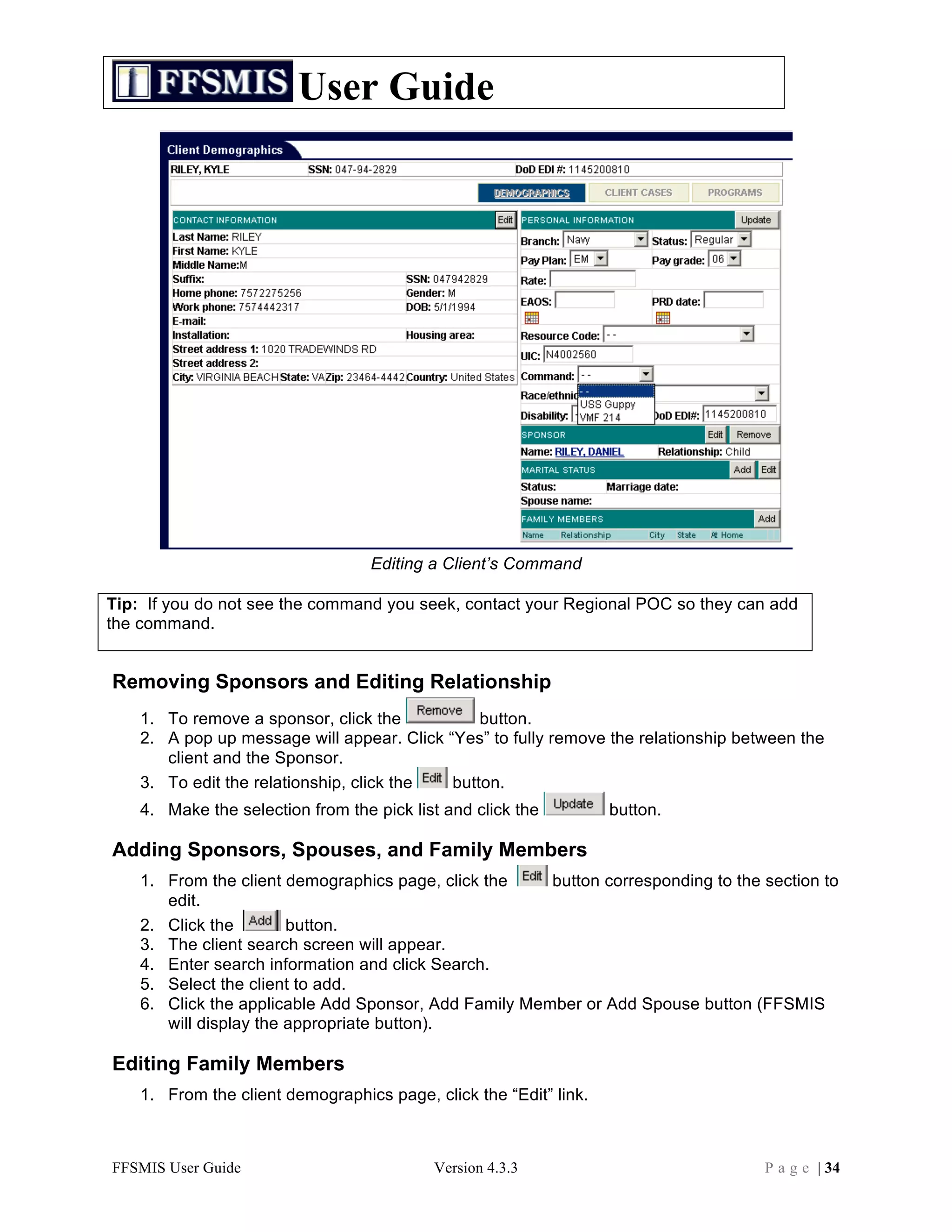
Note: Three types of FFSC contact are counted in Group Programs in FFSMIS.
Definition:
1. Group Education and Training: Includes briefs/workshops involving an audience of 2 or
more persons and use of standard/formal curricula. Each brief/workshop in support of a specific
FFSP program category is counted as one, regardless of the number of facilitators who
provided that workshop. Multi-session classes or workshops in support of a single program
category (e.g., TAP, [TAMP], Anger Management [Life Skills]) are counted as one session, with
the total length of the workshop reflected. Time spent refers to the actual instruction time and
does NOT include brief/class/workshop preparation time. The number of attendees is also
counted for each brief, class, or workshop entered into FFSMIS. For multi-session classes or
workshops, the maximum number of participants at any one session should be counted and
entered for the number of participants.
Examples:
-- A command requests two 30 minute briefs on Car Buying, Basic Money Management
and one 60 minute brief on Suicide Prevention that are provided during three separate
sessions to 10, 8 and 12 participants, respectively. Three group programs contacts
would be entered into FFSMIS, one under the PFM Program Category lasting 0 hours,
30 minutes with 10 attendees, one under the PFM Program Category lasting 0 hours, 30
minutes with 8 attendees and one under the Life Skills Education Program Category
lasting 1 hour, 0 minutes with 12 attendees.
-- Three FFSC staff members presented briefs on general FFSC programs/services,
FAP and SAVI to 150 people at the Base Indoctrination. Three group program contacts
would be entered, one by each staff member, specifying the Program Category,
Program Type, time spent briefing, and number of participants.
-- A Stress Management workshop is presented on Mondays, for three consecutive
weeks, for 1.5 hours each to 6, 9 and 8 participants. One facilitator conducted the first
session. Another facilitator conducted the remaining two sessions. One group program
contact would be entered into FFSMIS for 4 hours, 30 minutes under the Life Skills
Education Program Category with 9 participants. The two facilitators should decide who
enters the group program contact.
-- A TAP workshop is provided over two, 8-hour days to 65 and 50 attendees,
respectively. TAP material was presented for 6 hours by FFSC staff and 6 hours by a
Department of Labor speaker. The remaining 4 hours covered spouse employment
information. Two group programs contacts are entered into FFSMIS. The first group
program contact would be entered into FFSMIS for 16 hours under the TAMP Program
Category, with 65 participants, 6 hours of which were delivered by FFSC staff and 6 of
which were delivered by Partner/Guest Speaker. A second group contact note would
be entered under the FERP Program Category for 4 hours with 65 attendees.
2. Outreach: Groups, meetings or events with two or more customers where an FFSP staff
member provides general or specific FFSP information. The purpose of outreach is to educate
about or market available FFSP programs and services. Outreach excludes formal
FFSMIS User Guide Version 4.3.3 P a g e | 74](https://image.slidesharecdn.com/ffsmisuserguide-101216152634-phpapp01/75/FFSMIS-User-Guide-74-2048.jpg)
![User Guide
Alleged Victim Information
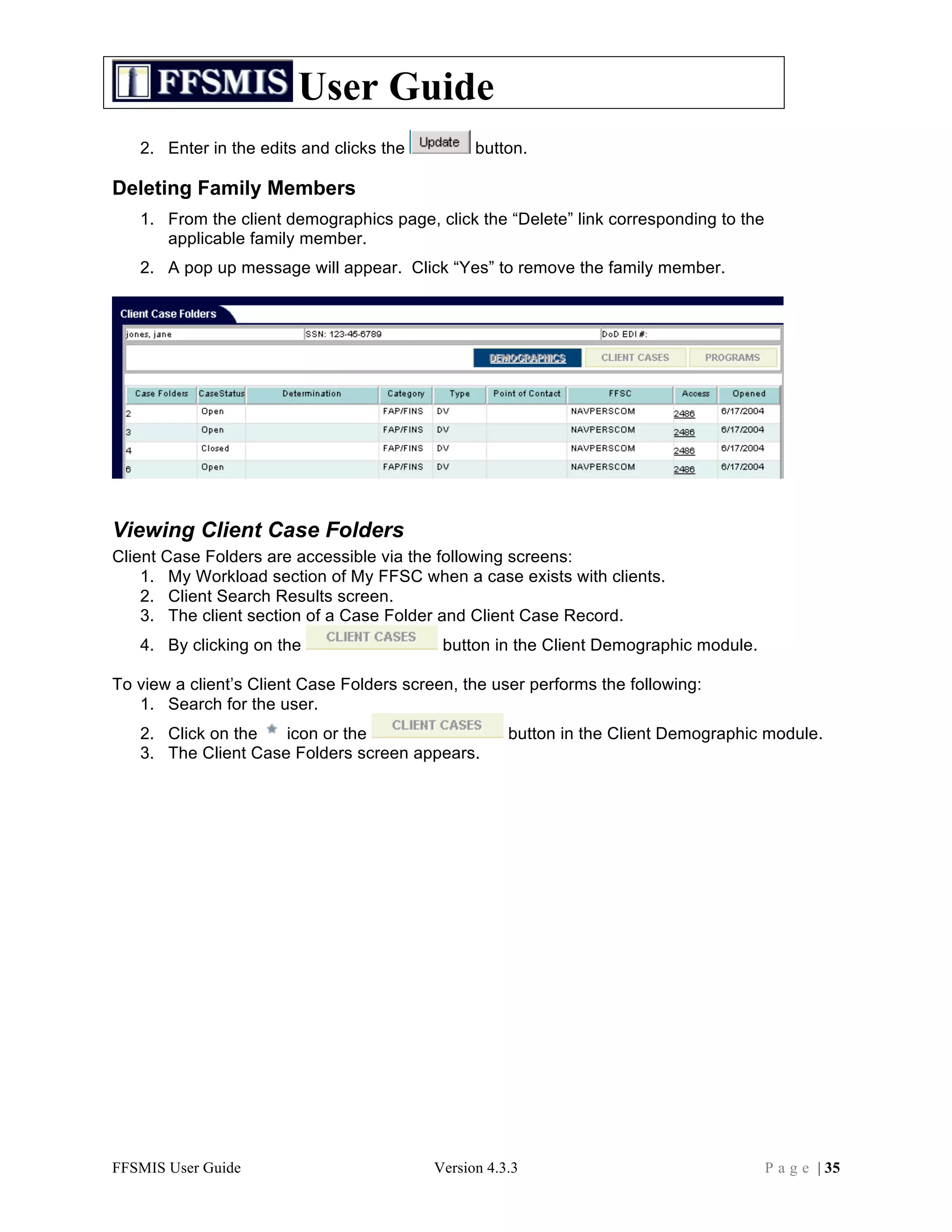
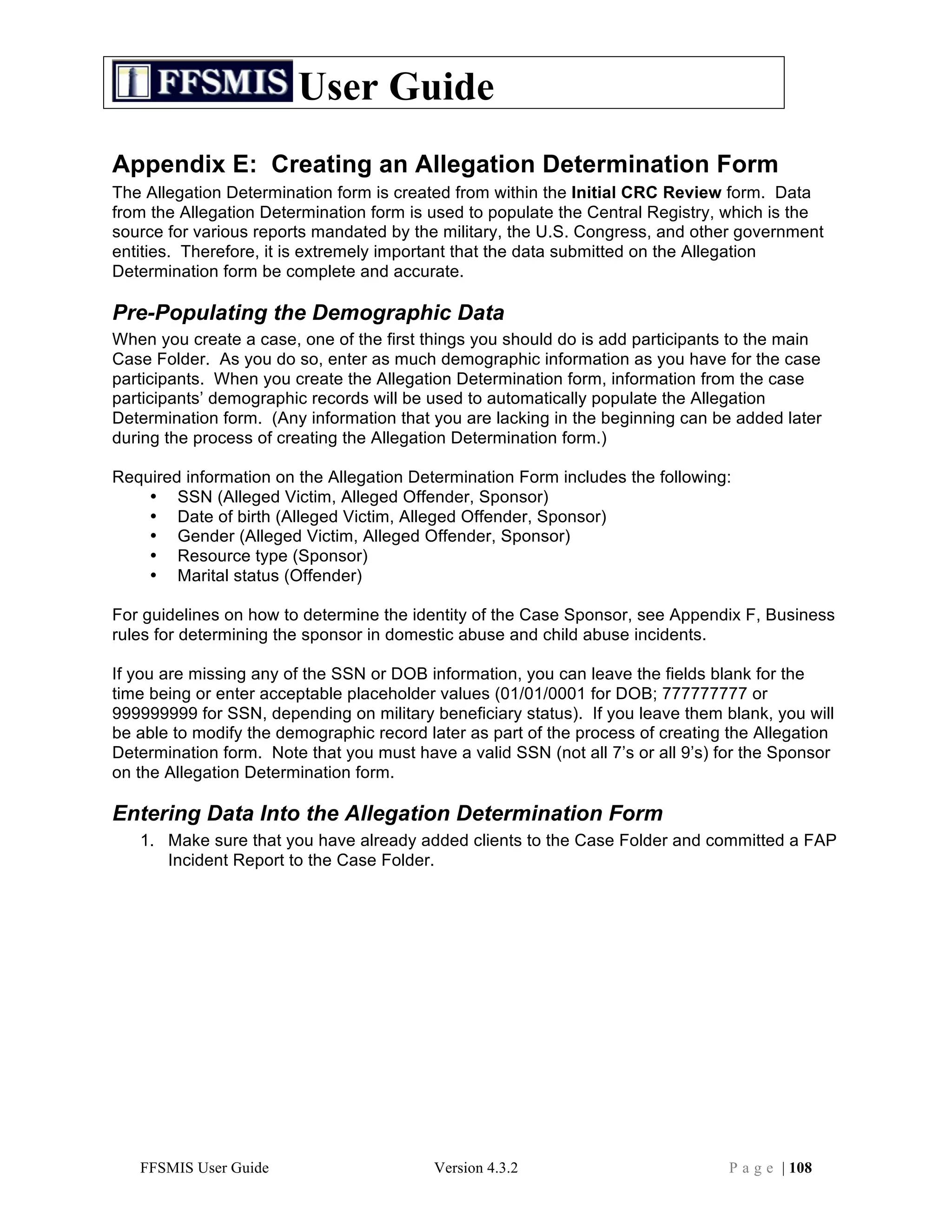
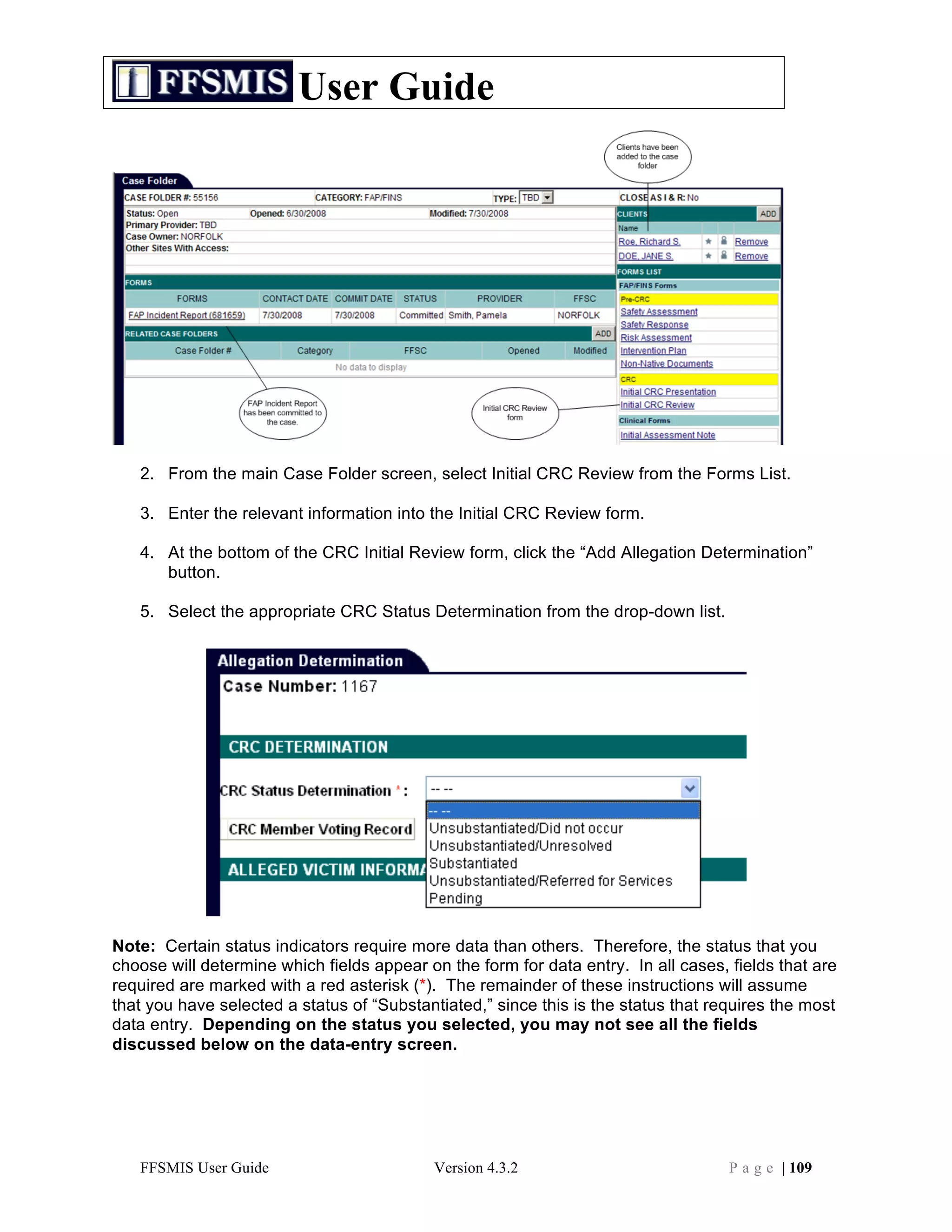
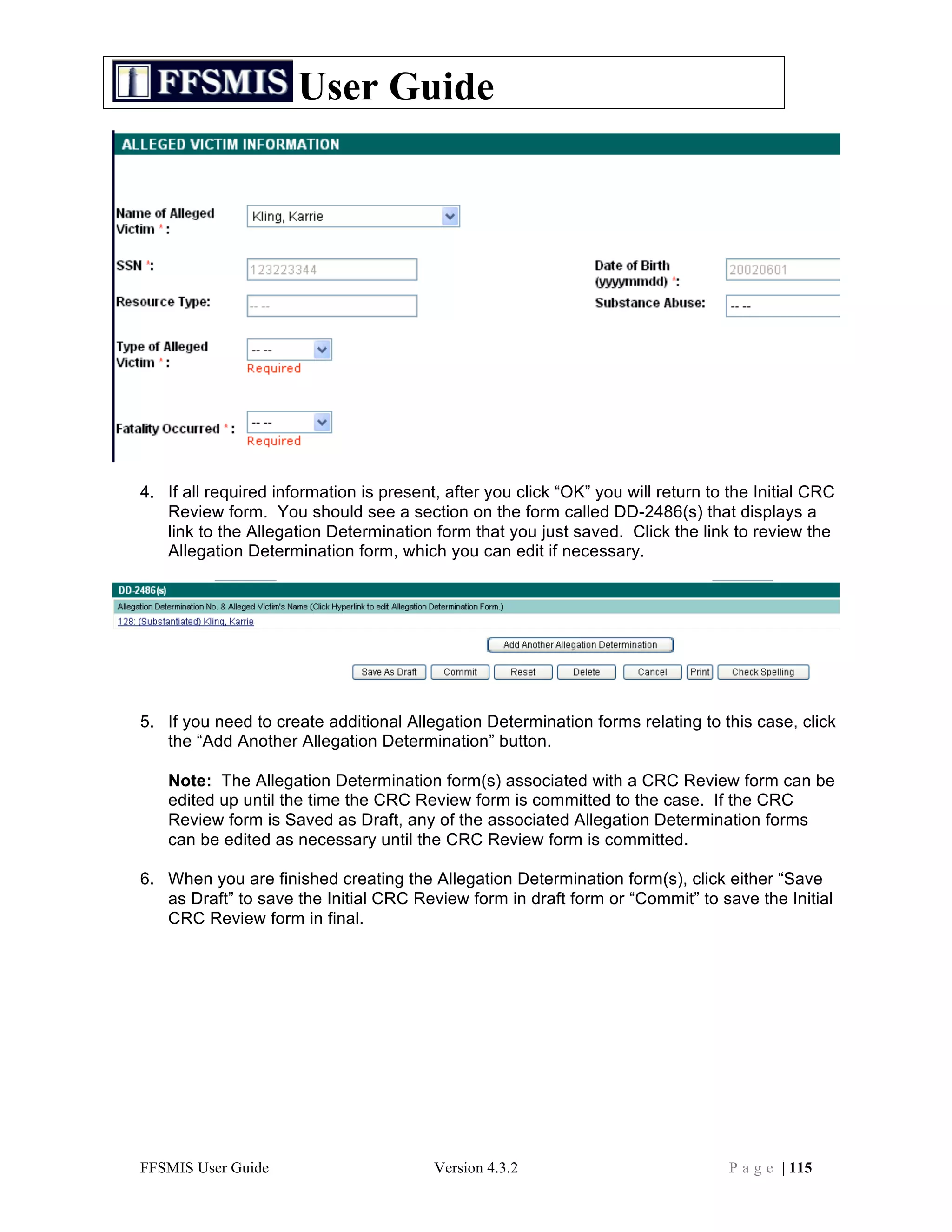
1. In the Alleged Victim Information section, select the name of the Alleged Victim from the
drop-down list of people who have been added to the case.
2. The screen will refresh to show the Victim’s SSN, Date of Birth, and Gender as it was
entered on the demographic record.
3. If the Victim’s SSN, Date of Birth, or Gender information does not appear, click the link
labeled “Edit [Victim Name] Demographic Data.”
4. A pop-up window will appear showing the Victim’s demographic information screen.
Enter the necessary information, clicking the Edit, Add, and Update buttons as
necessary. When you are finished making your changes, click the “Save and Close”
button to return to the Allegation Determination form. Your data changes should now
appear on the form.
Note: If the pop-up window containing the demographic information does not
appear, your Internet browser software is probably set to block pop-ups. Click
Tools/Pop-Up Blocker on the menu on top of the screen. If the pop-up blocker is on,
click Turn Off Pop-Up Blocker to permit the demographic information window to appear
on your screen.
FFSMIS User Guide Version 4.3.2 P a g e | 110](https://image.slidesharecdn.com/ffsmisuserguide-101216152634-phpapp01/75/FFSMIS-User-Guide-110-2048.jpg)
![User Guide
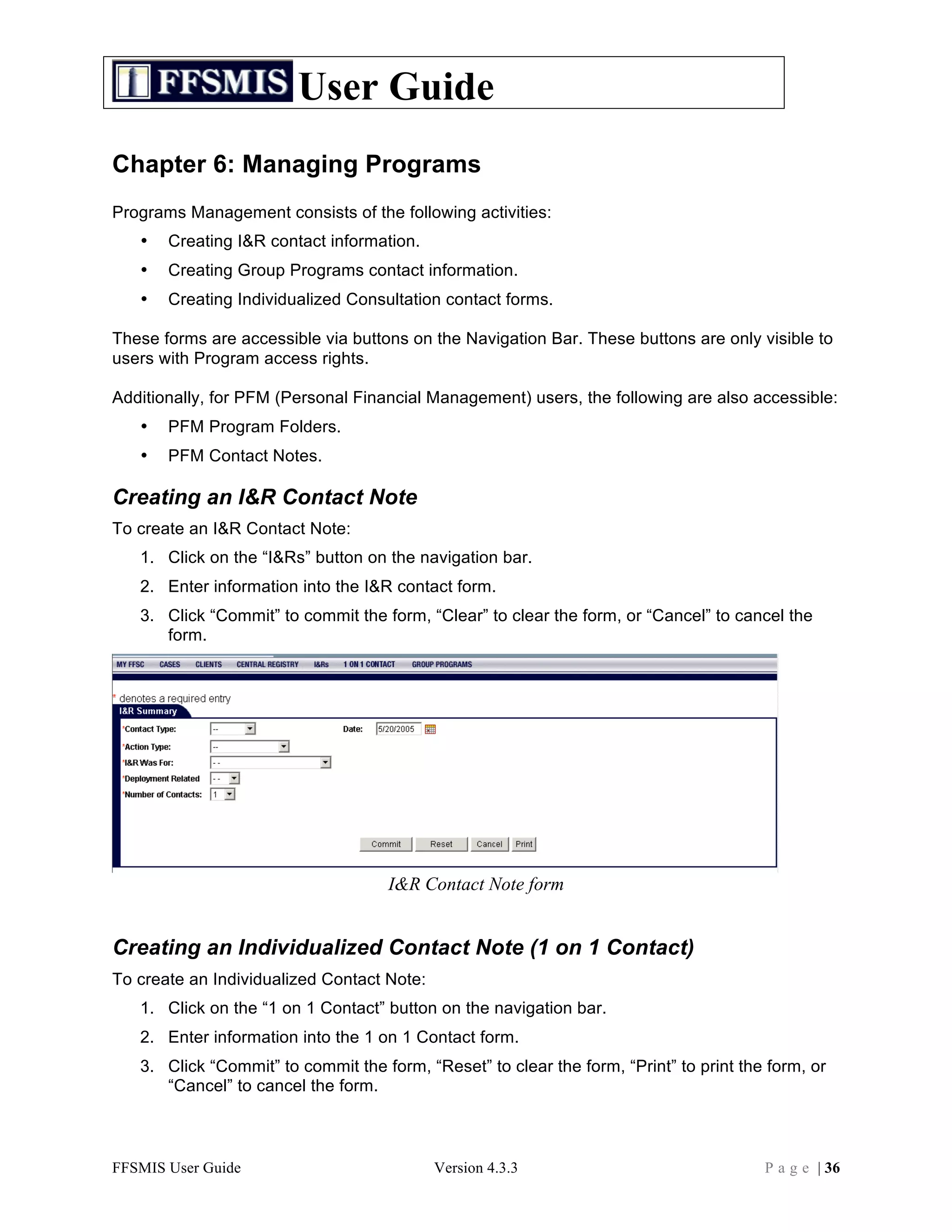
5. Enter values for the rest of the fields in the Alleged Victim Information Section as desired, making sure
that all required fields are filled in.
Note: If the Alleged Victim’s DOB is unknown, click the “Unknown DOB” button on the
demographic form to enter 01/01/0001. If the Alleged Victim’s SSN is unknown, use
999999999 if the Alleged Victim is a military medical beneficiary, or 777777777 if not a
military medical beneficiary.
Sponsor Information
1. In the Sponsor Information section of the form, the required fields should display
information for the Sponsor who was identified as the Alleged Victim’s sponsor on the
Alleged Victim’s demographic information screen.
2. If the name of the Sponsor does not appear, click the link labeled “Add Sponsor for
[Victim Name].” You will see the demographic information screen for the Victim. Add
the sponsor information and click Save and Close to return to the Allegation
Determination form.
FFSMIS User Guide Version 4.3.2 P a g e | 111](https://image.slidesharecdn.com/ffsmisuserguide-101216152634-phpapp01/75/FFSMIS-User-Guide-111-2048.jpg)
![User Guide
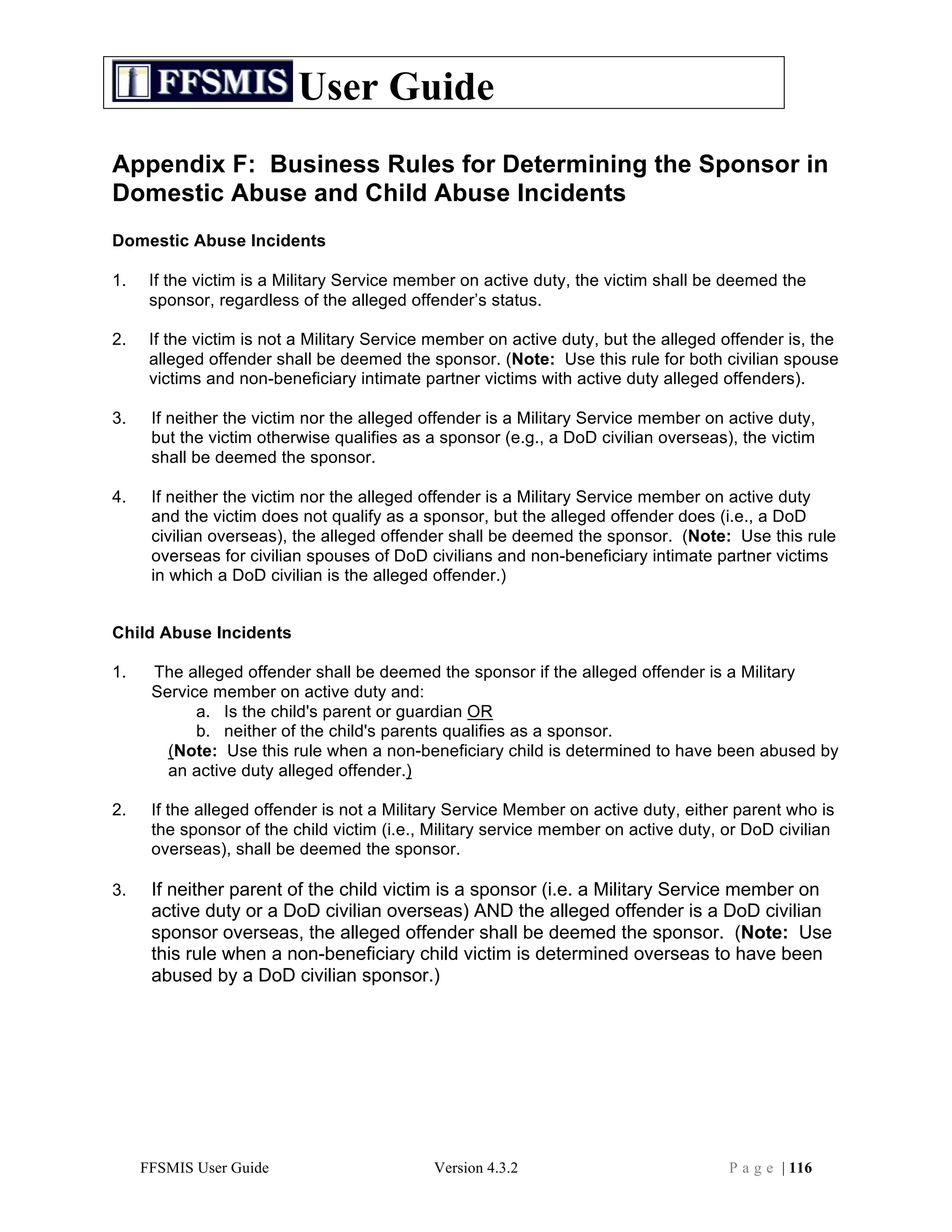
Note: If you are unsure which person to name as the Sponsor for the case, see
Appendix F, Business rules for determining the sponsor in domestic abuse and child
abuse incidents.
3. If any of the required demographic information for the Sponsor is missing or incorrect,
click the link labeled “Edit [Sponsor Name] Demographic Data” to enter the information.
Be sure to click “Save and Close” when you are finished to return to the Allegation
Determination form.
Note: You must have an actual, valid SSN for the person identified as the Sponsor on
the Allegation Determination form. The system will not save an Allegation Determination
form if the Sponsor’s SSN is 999999999.
Alleged Offender Information
1. In the Alleged Offender Information section, select the name of the primary Alleged
Offender from the drop-down list of people who have been added to the case.
FFSMIS User Guide Version 4.3.2 P a g e | 112](https://image.slidesharecdn.com/ffsmisuserguide-101216152634-phpapp01/75/FFSMIS-User-Guide-112-2048.jpg)
![User Guide
2. The screen will refresh to show the Offender’s SSN, Date of Birth, and Gender as it was
entered on the Offender’s demographic record.
3. If any of the required information for the Alleged Offender is missing, click the link
labeled “Edit [Offender Name] Demographic Data.
4. A pop-up window will appear showing the Offender’s demographic information screen.
Enter the necessary information, clicking the Edit, Add, and Update buttons as
necessary. When you are finished making your changes, click the “Save and Close”
button to return to the Allegation Determination form. Your data changes should now
appear on the form.
Note: If the Alleged Offender’s DOB is unknown, enter 01/01/0001. If the Alleged
Offender’s SSN is unknown, use 999999999 if the Alleged Offender is a military
medical beneficiary, or 777777777 if not a military medical beneficiary.
FFSMIS User Guide Version 4.3.2 P a g e | 113](https://image.slidesharecdn.com/ffsmisuserguide-101216152634-phpapp01/75/FFSMIS-User-Guide-113-2048.jpg)

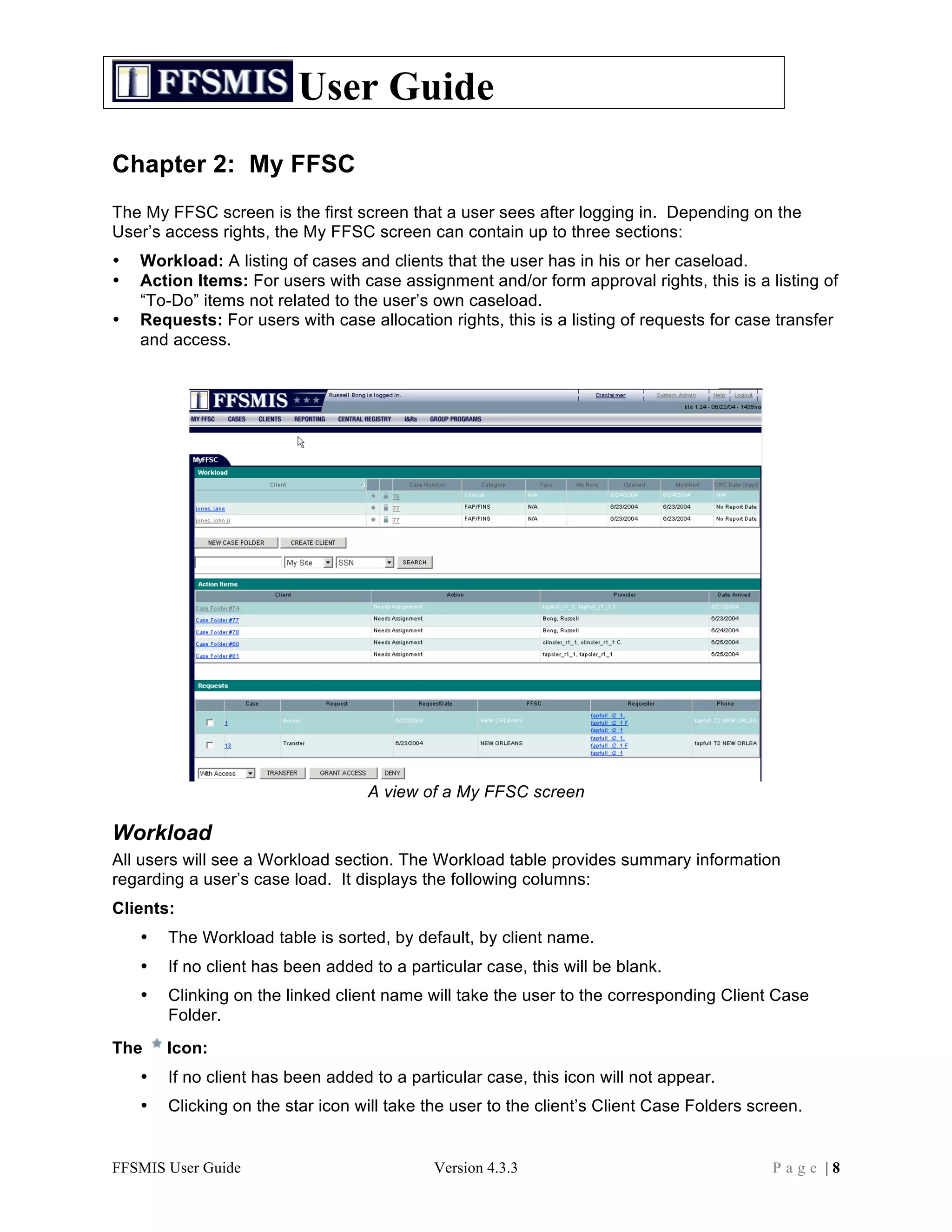
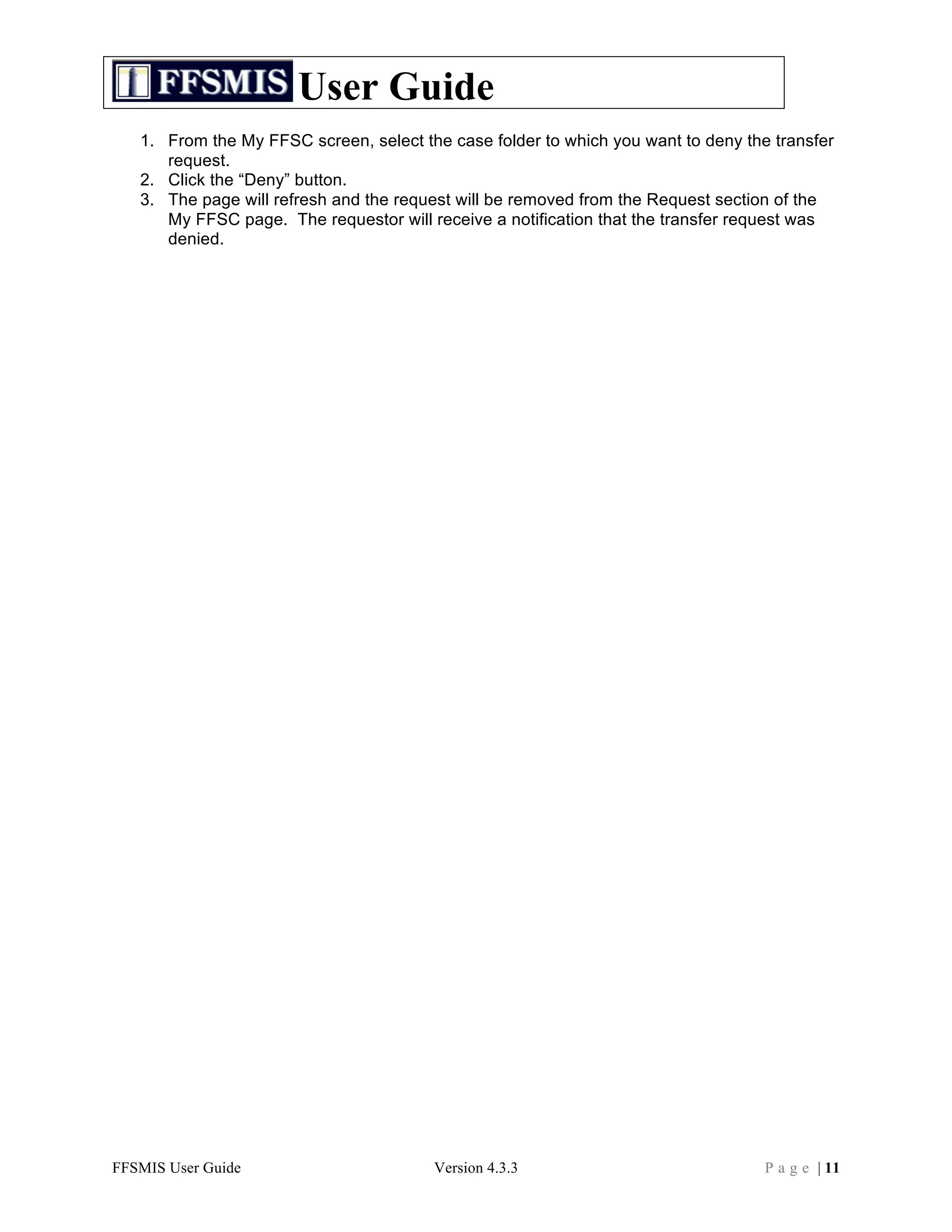
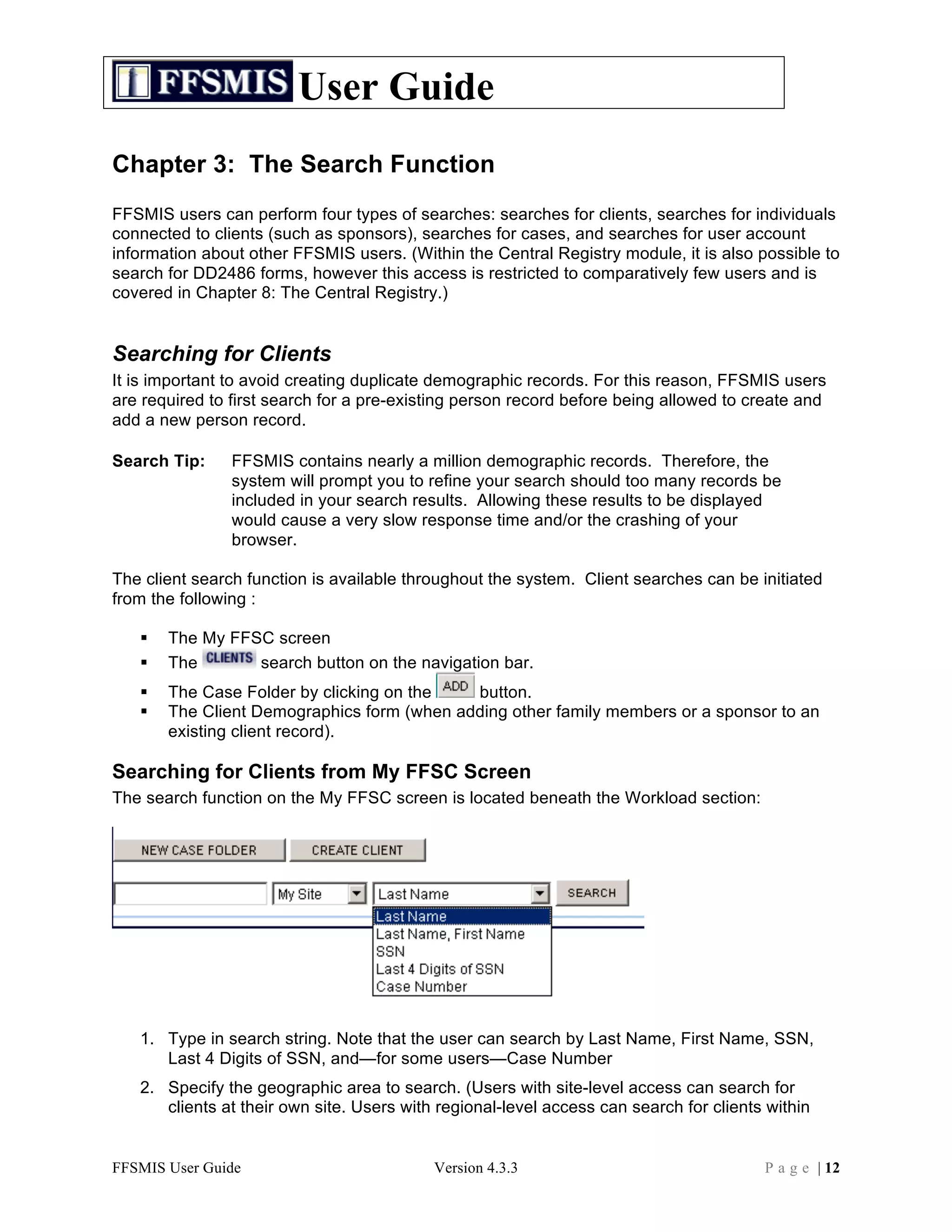
• Displays the name of the user assigned as the primary provider for the case. • If no primary provider has been assigned, this will be blank. Case Type: • Displays the type of case (FAP, FINS, Clinical, etc.) Status: • Displays the status of the case (Open, Closed, etc.) Date Opened: • Displays the date the case was opened. Action Items Users with case assignment and/or form approval rights will see an Action Items section. This section displays a list of tasks that require the user’s attention, such as: - Forms awaiting approval/denial - Case transfers awaiting approval


![Coded Agents – with UiPath SDK + LangGraph [Virtual Hands-on Workshop]](https://cdn.slidesharecdn.com/ss_thumbnails/codedagentsdeck-251215155422-5497c599-thumbnail.jpg?width=640&height=640&fit=bounds)


