Authentication with Smartcards and Fingerprints Himanshu Khurana Joe Muggli NCSA, UIUC March 30, 2006
Outline Introduction Smartcards Biometrics: fingerprints Illinois Terrorism Task Force (ITTF) Project Interactive Demonstration
Authentication Goals Basic Goal Verify the unique identity of the requestor Additional goals in a networked world Prevent leak of secrets Prevent replay attacks Global scalability Offline operation capability High assurance  …
Passwords are not enough Basic Goal Verify the unique identity of the requestor Additional goals in a networked world Prevent leak of secrets Prevent replay attacks Global scalability Offline operation capability High assurance … X X X Passwords are vulnerable to  dictionary attacks theft collusion attacks (users can share passwords)
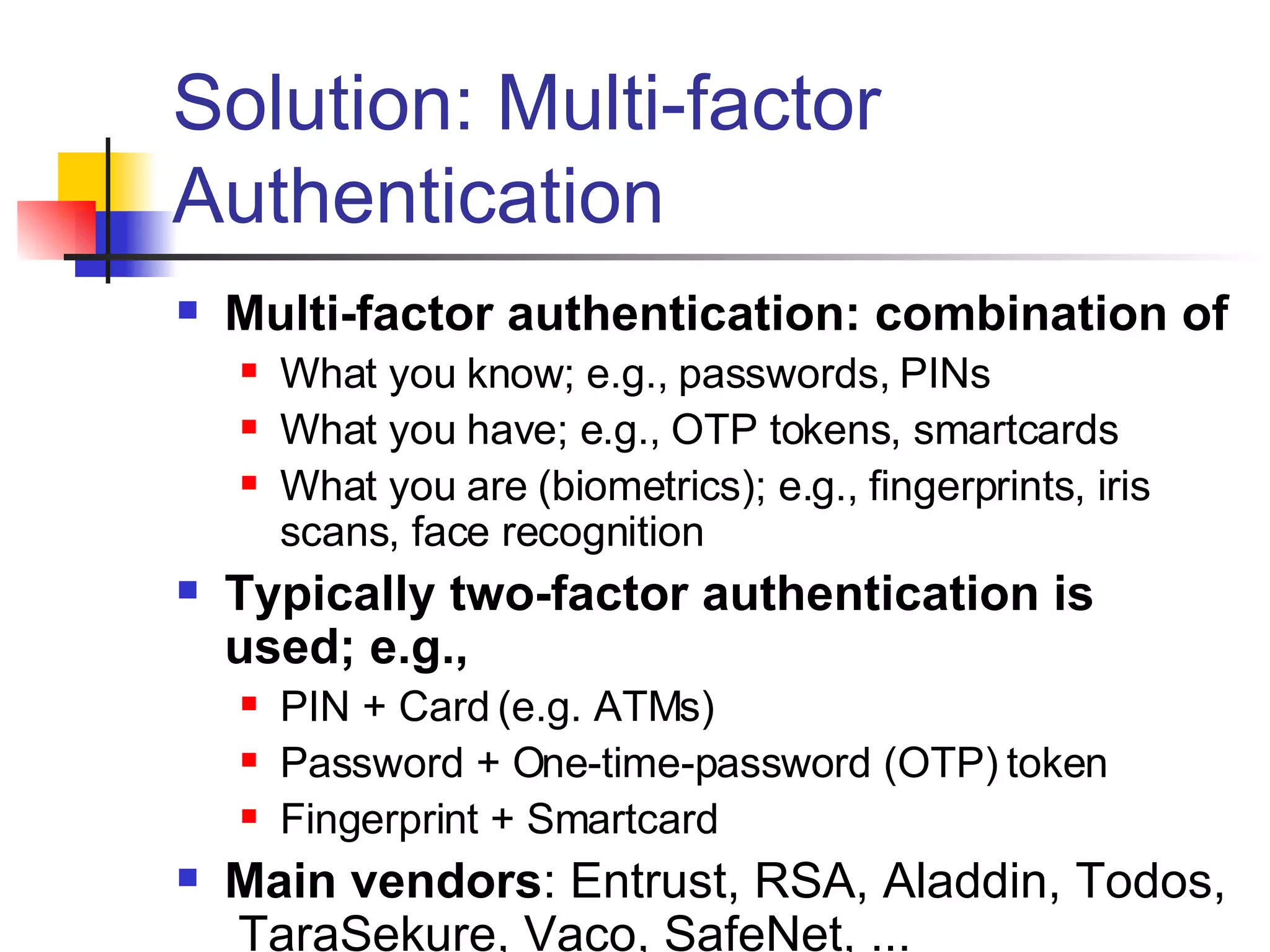
Solution: Multi-factor Authentication Multi-factor authentication: combination of What you know; e.g., passwords, PINs What you have; e.g., OTP tokens, smartcards  What you are (biometrics); e.g., fingerprints, iris scans, face recognition Typically two-factor authentication is used; e.g., PIN + Card (e.g. ATMs) Password + One-time-password (OTP) token Fingerprint + Smartcard Main vendors : Entrust, RSA, Aladdin, Todos,  TaraSekure, Vaco, SafeNet, ...
Public-Key Infrastructure (PKI) Public Key Cryptography Sign with private key,  verify signature with public key Encrypt with public key,  decrypt with private key Key Distribution Who does a public key belong to? Certification Authority (CA) verifies user’s identity and signs certificate Certificate is a document that binds the user’s identity to a public key Authentication Signature [ h ( random, … ) ] Subject: CA signs Issuer: CA Subject: Jim Issuer: CA Source: Jim Basney’s MyProxy presentation
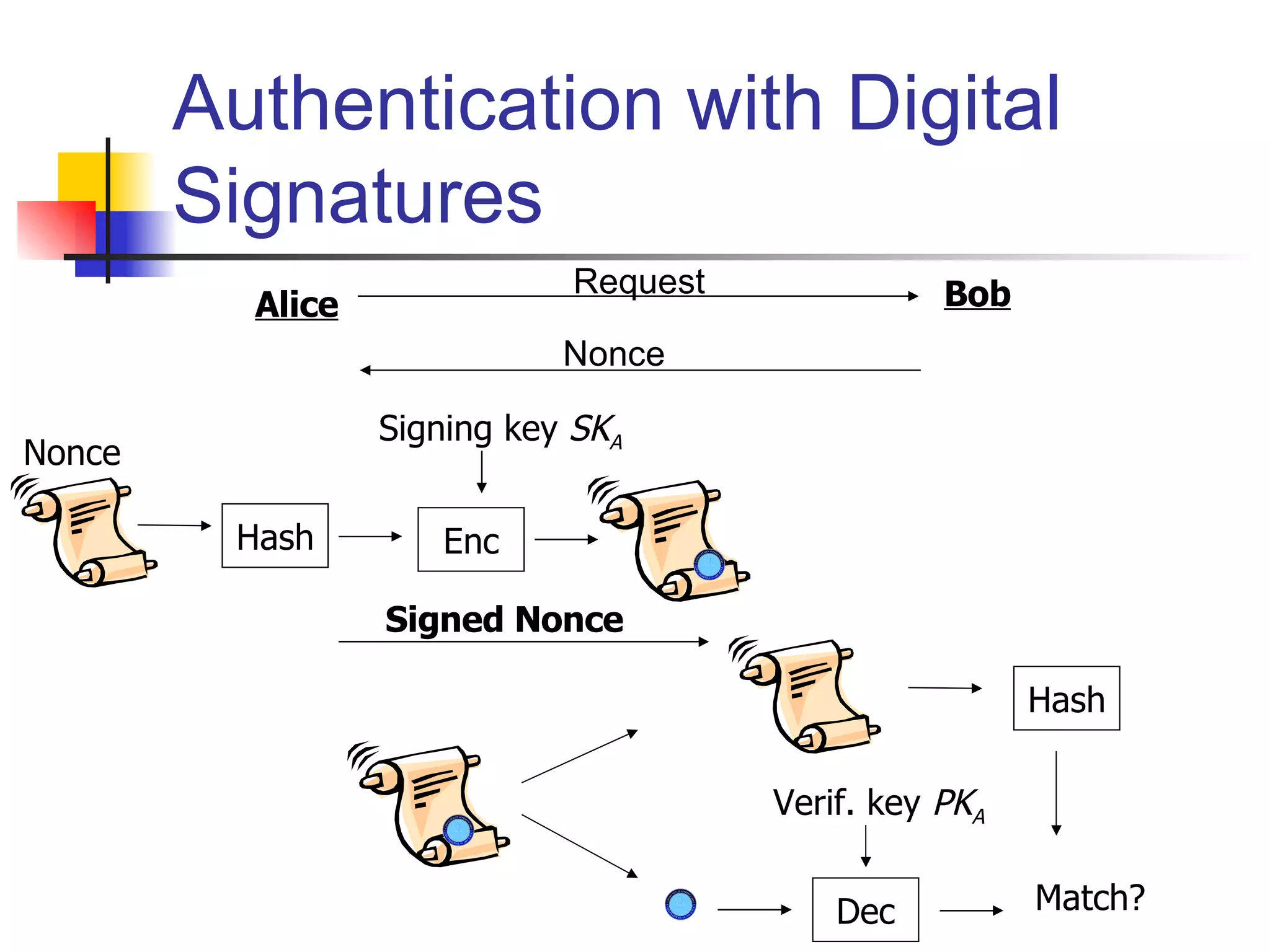
Authentication with Digital Signatures Alice Bob Nonce Hash Signing key  SK A Enc Nonce Request Signed Nonce Dec Verif. key  PK A Hash Match?
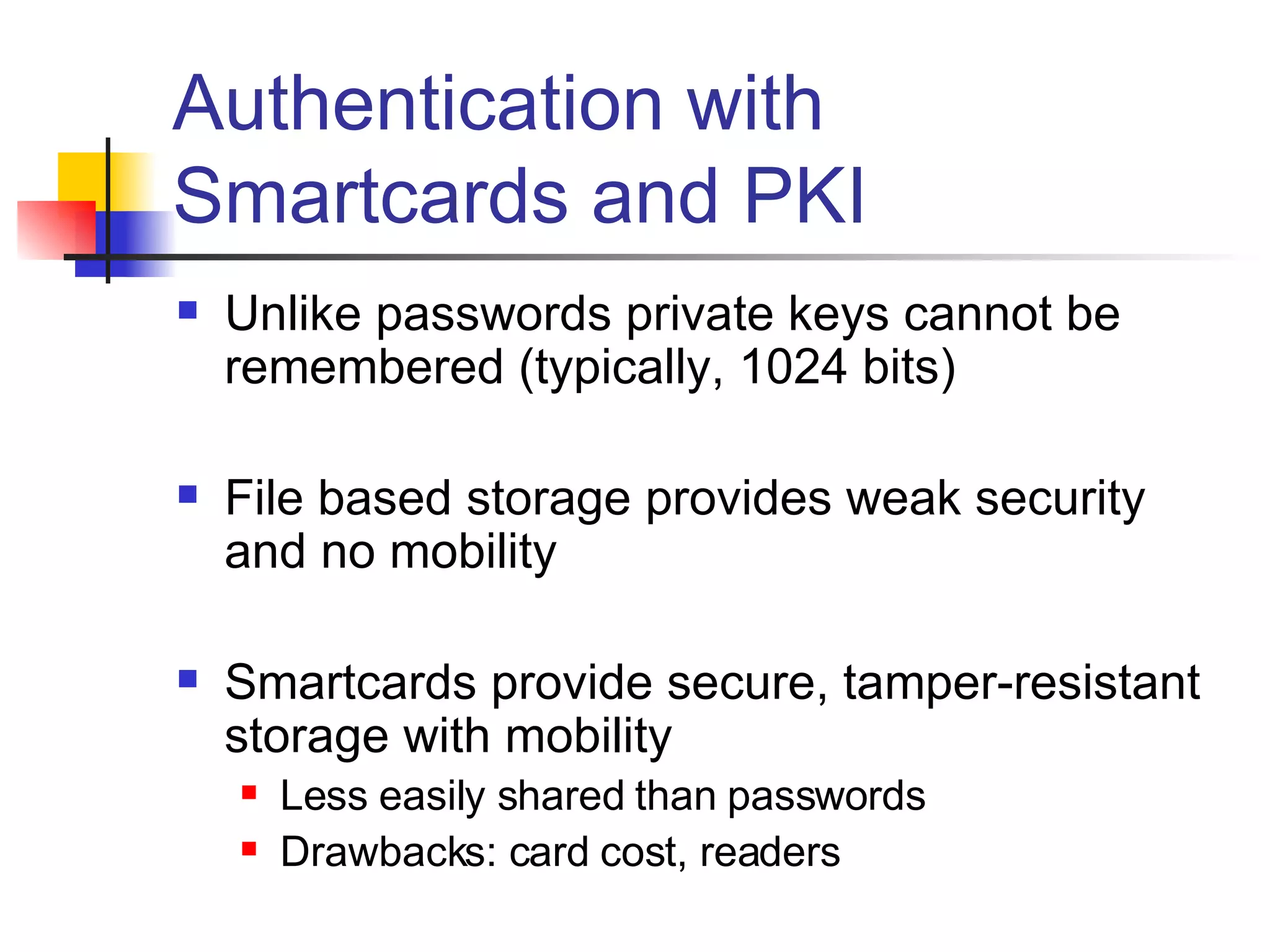
Authentication with Smartcards and PKI Unlike passwords private keys cannot be remembered (typically, 1024 bits) File based storage provides weak security and no mobility Smartcards provide secure, tamper-resistant storage with mobility Less easily shared than passwords Drawbacks: card cost, readers
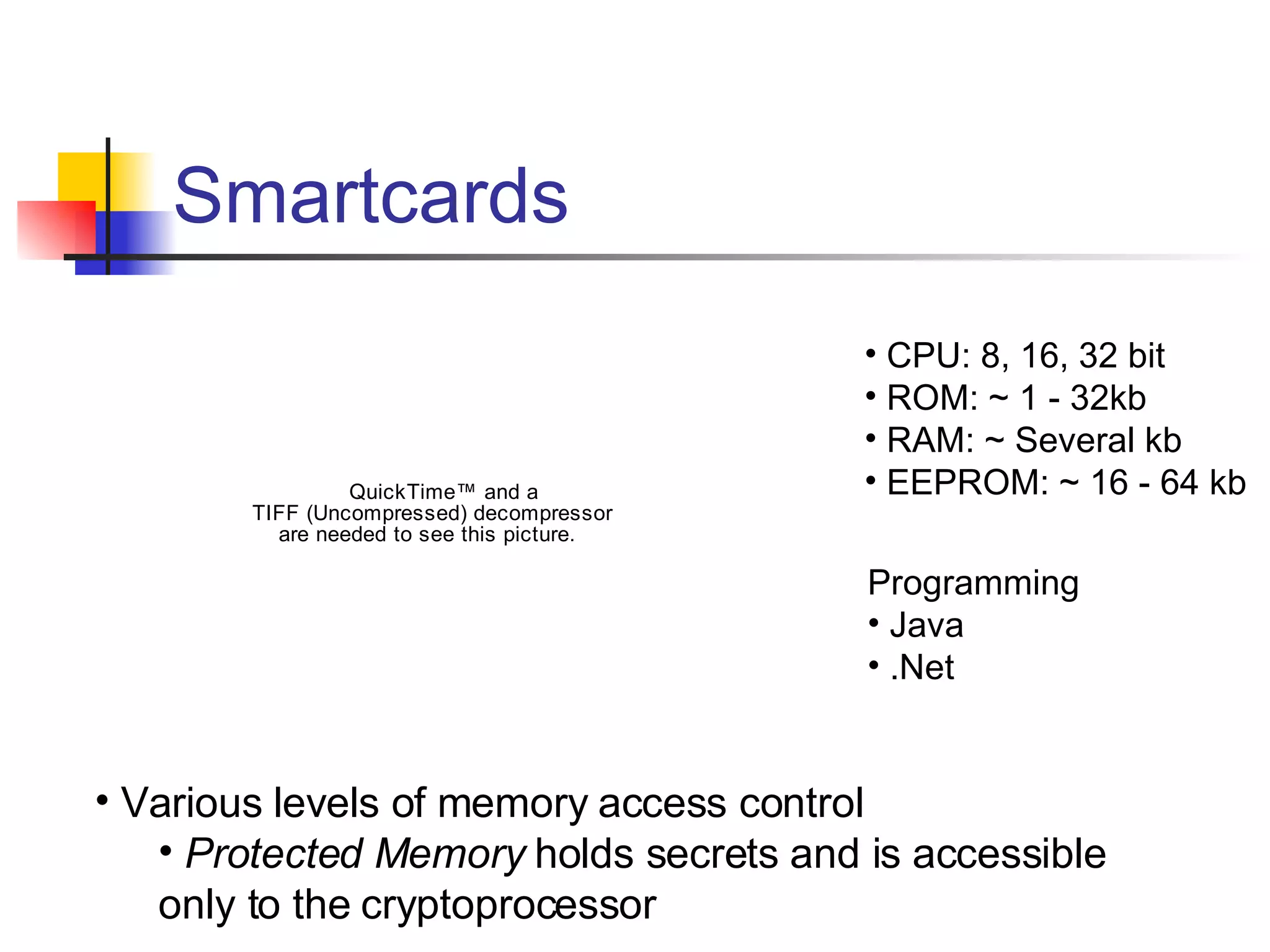
Smartcards CPU: 8, 16, 32 bit ROM: ~ 1 - 32kb RAM: ~ Several kb EEPROM: ~ 16 - 64 kb Programming Java .Net Various levels of memory access control Protected Memory  holds secrets and is accessible  only to the cryptoprocessor
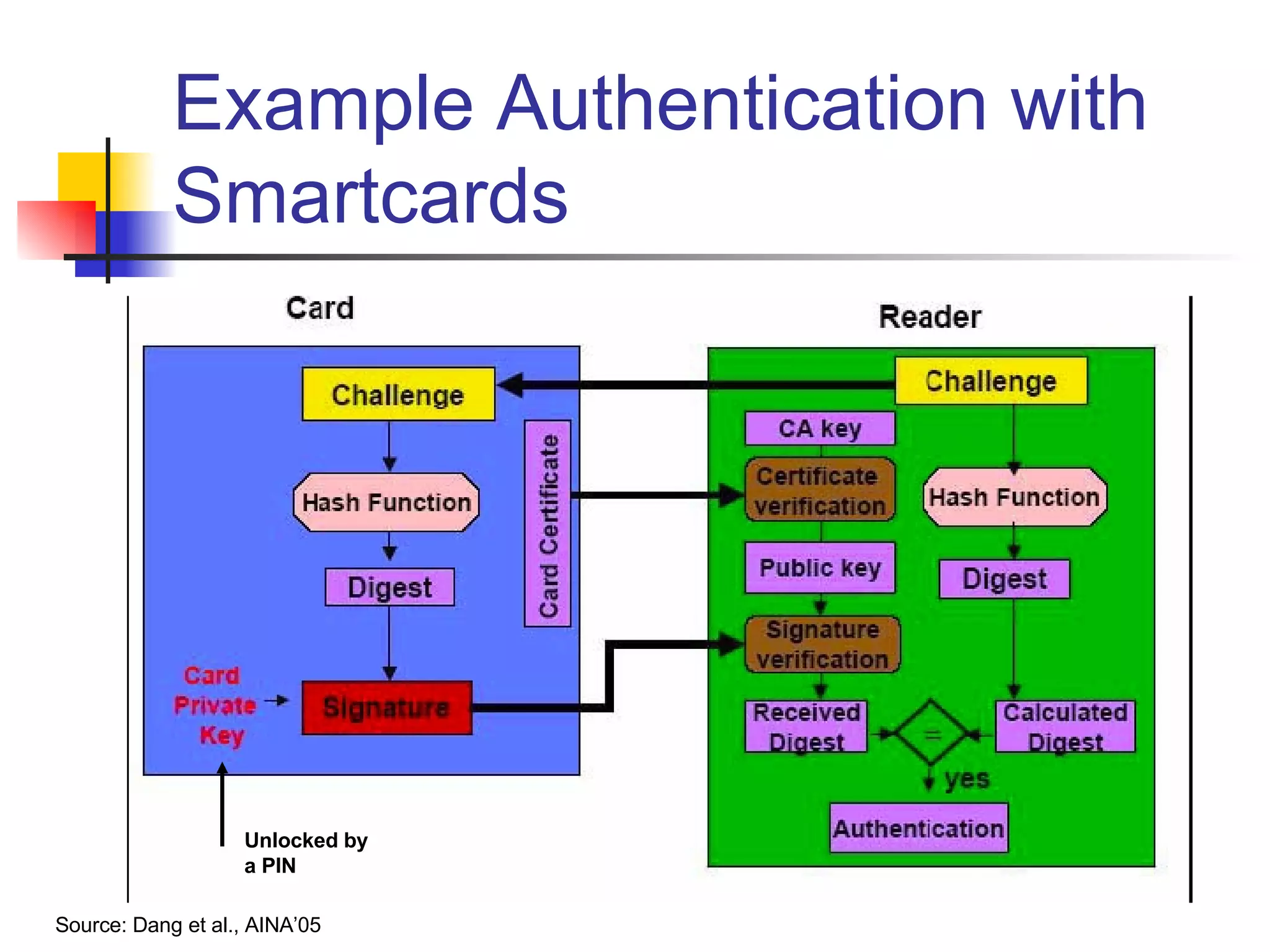
Example Authentication with Smartcards Source: Dang et al., AINA’05 Unlocked by a PIN
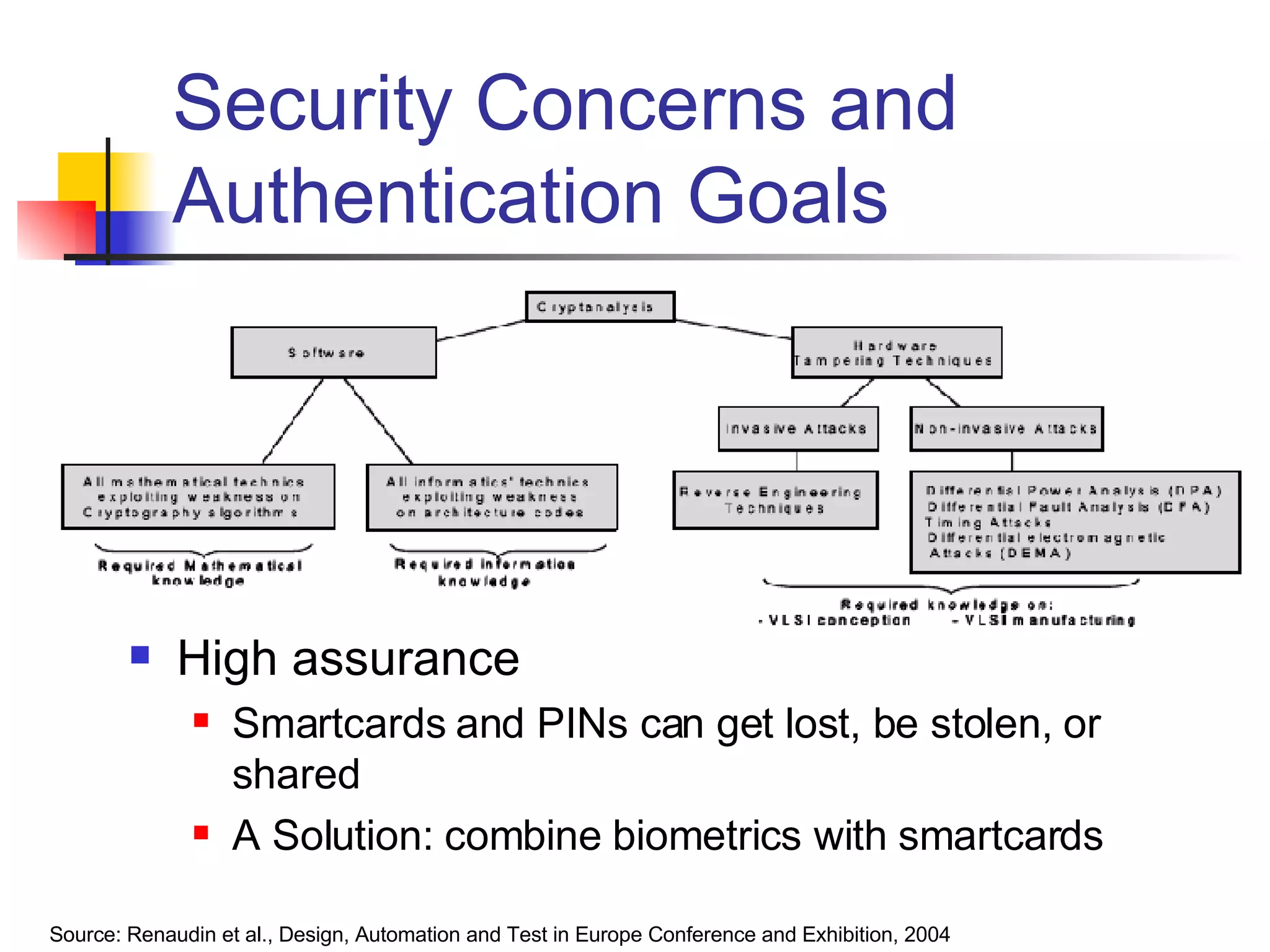
Security Concerns and Authentication Goals High assurance Smartcards and PINs can get lost, be stolen, or shared A Solution: combine biometrics with smartcards Source: Renaudin et al., Design, Automation and Test in Europe Conference and Exhibition, 2004
Biometrics: Fingerprints Uniquely refers to an individual using biometric identifiers Pattern recognition system Enrollment  captures digital representation (template) of biometric identifier Recognition  captures characteristics and matches against template Ideal properties: universal, unique, permanent, collectable Practical properties: performance, acceptability, resistance to circumvention Examples: Face recognition,  fingerprints , iris scans, retinal scans, hand geometry, etc.
Minutiae Based Fingerprint Recognition Digital image of fingerprint contain features Ridge bifurcations and endings Called  Minutiae Minutiae features  represented using location (x,y) and direction   Set of measurements forms template Matching attempts to calculate degree of similarity  taking into account Rotation, elastic distortion, sensor noise, etc. Never 100%: false acceptance rate and false rejection rate
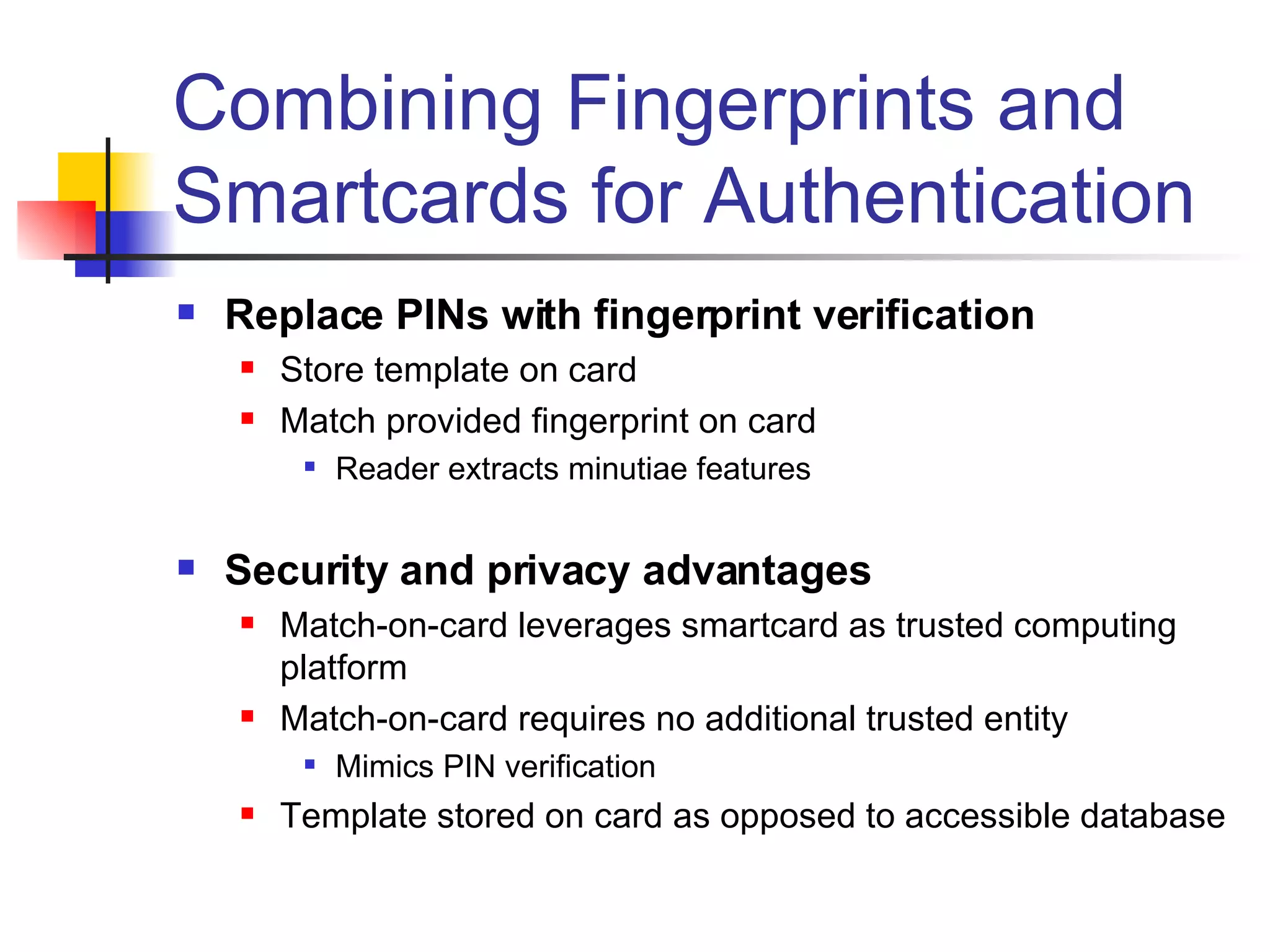
Combining Fingerprints and Smartcards for Authentication Replace PINs with fingerprint verification Store template on card Match provided fingerprint on card Reader extracts minutiae features Security and privacy advantages Match-on-card leverages smartcard as trusted computing platform Match-on-card requires no additional trusted entity Mimics PIN verification Template stored on card as opposed to accessible database
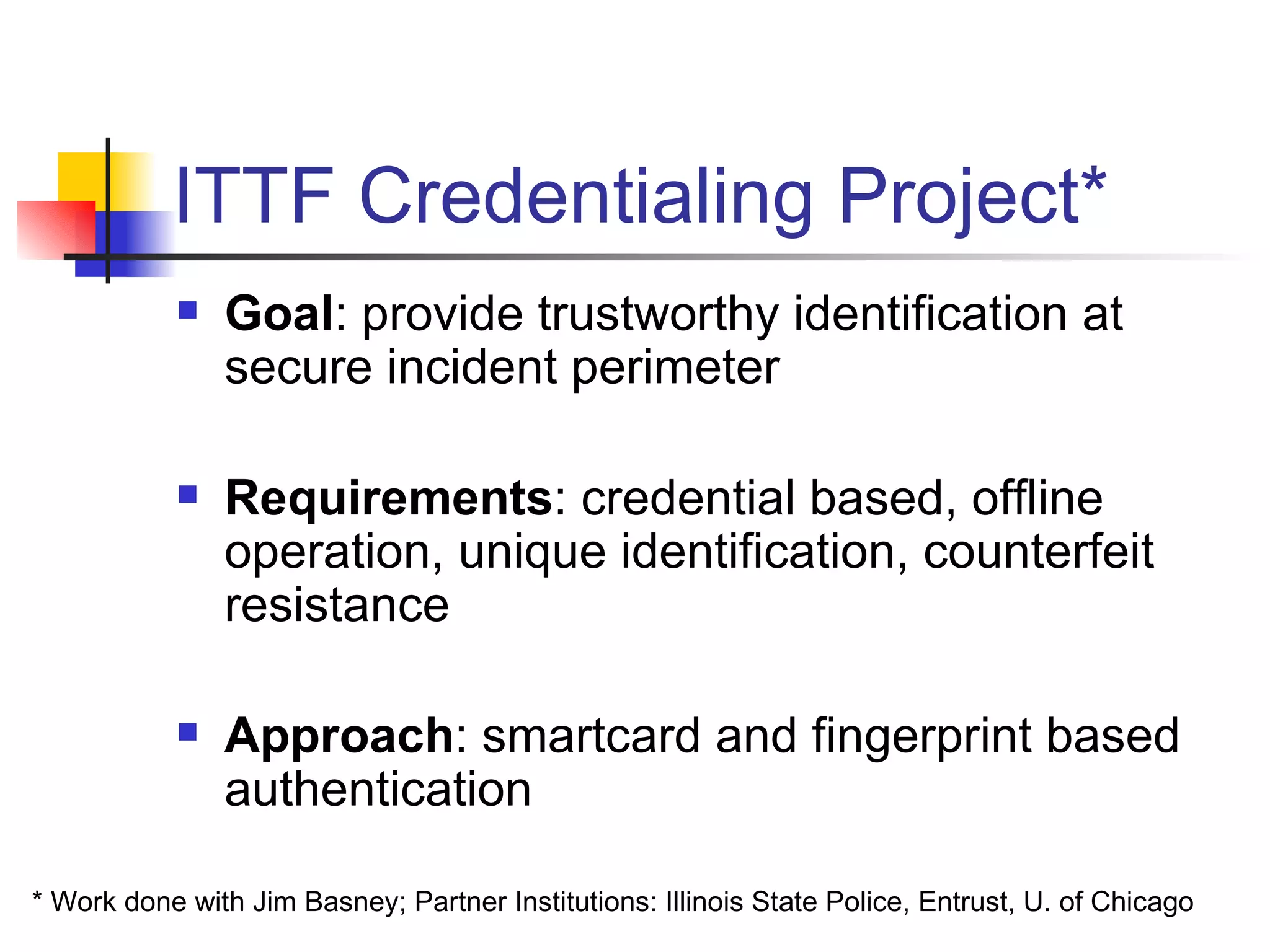
ITTF Credentialing Project* Goal : provide trustworthy identification at secure incident perimeter Requirements : credential based, offline operation, unique identification, counterfeit resistance Approach : smartcard and fingerprint based authentication * Work done with Jim Basney; Partner Institutions: Illinois State Police, Entrust, U. of Chicago
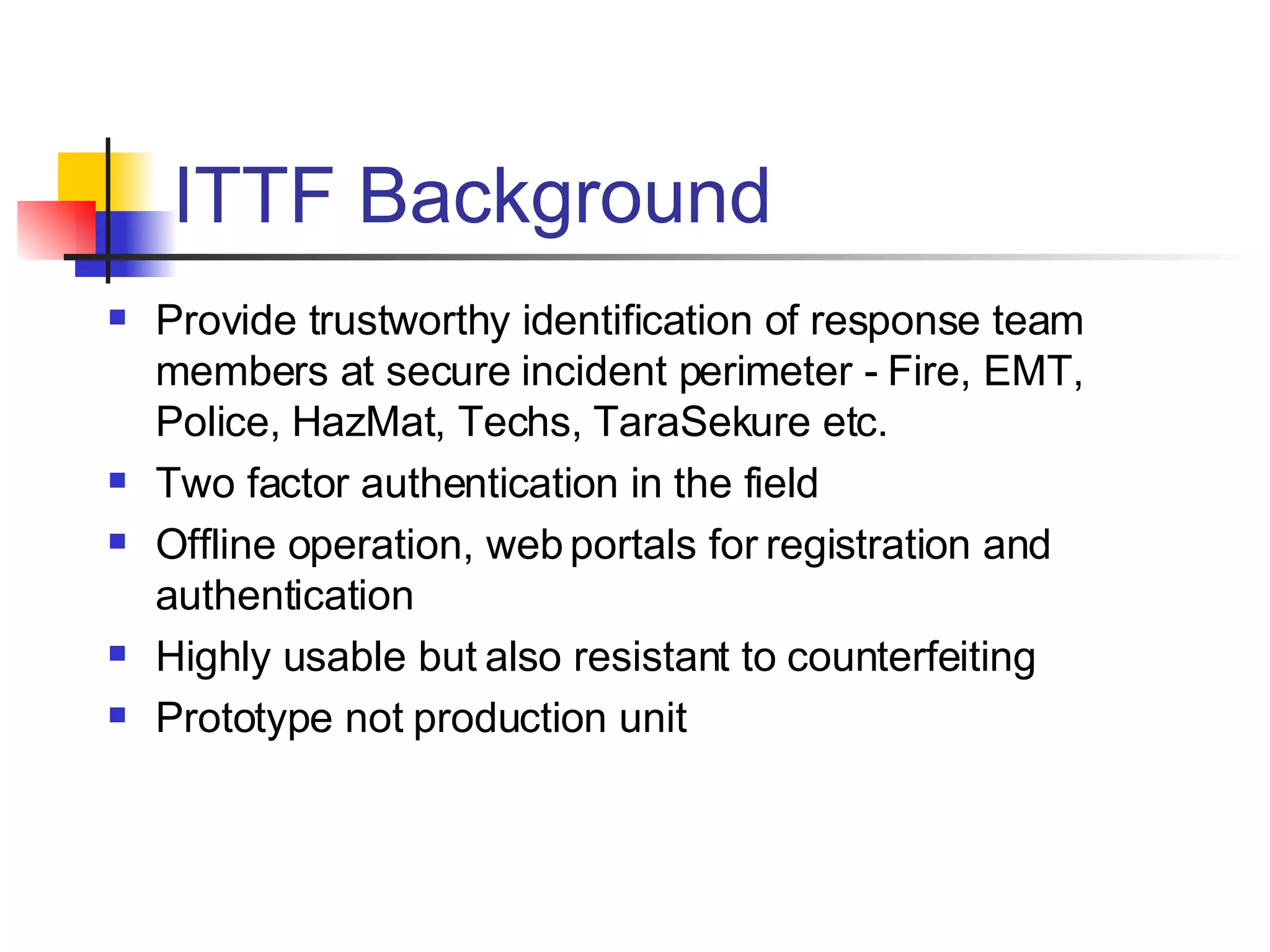
ITTF Background Provide trustworthy identification of response team members at secure incident perimeter - Fire, EMT, Police, HazMat, Techs, TaraSekure etc. Two factor authentication in the field  Offline operation, web portals for registration and authentication Highly usable but also resistant to counterfeiting Prototype not production unit
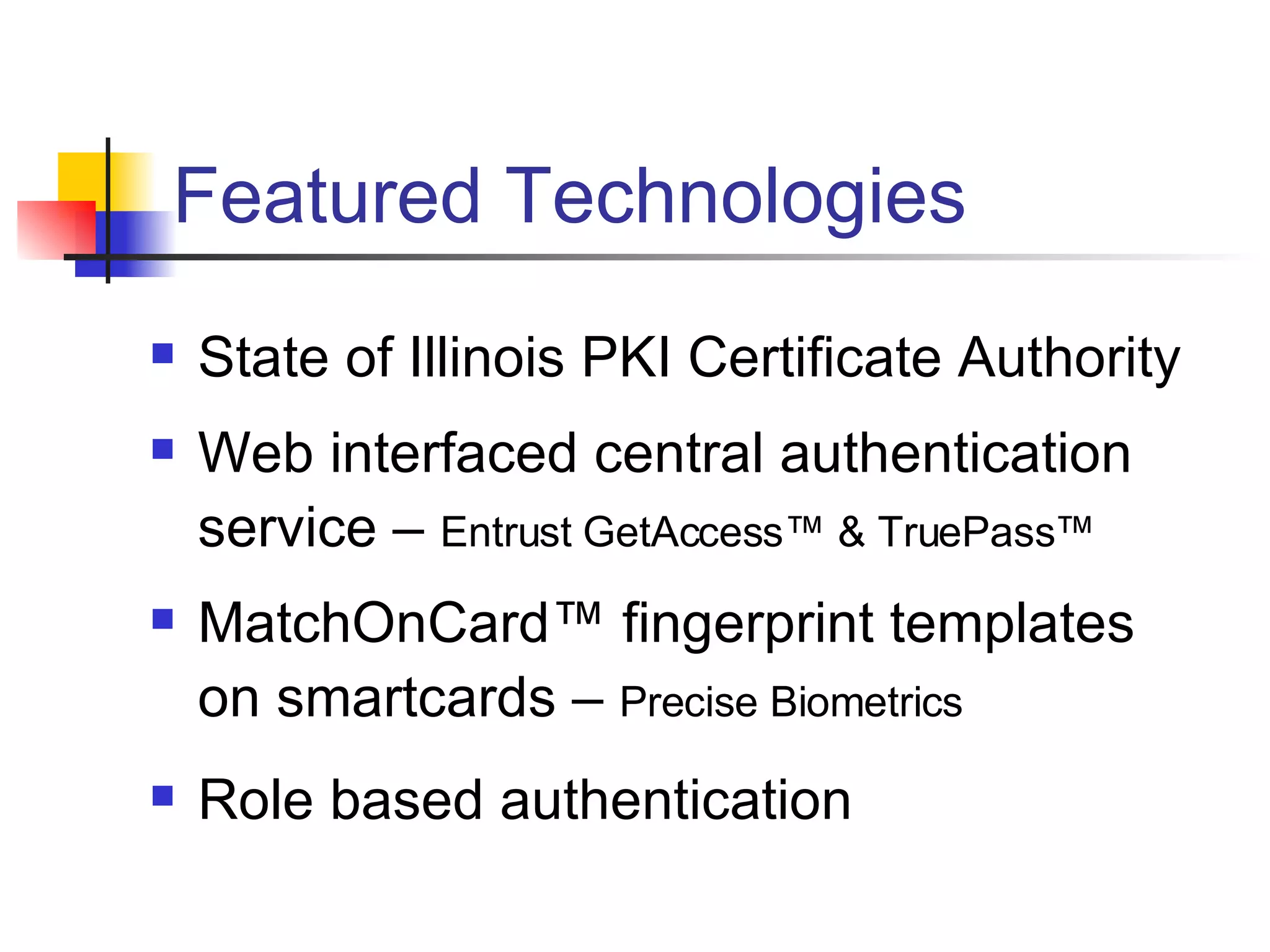
Featured Technologies State of Illinois PKI Certificate Authority Web interfaced central authentication service –  Entrust GetAccess™ & TruePass™ MatchOnCard™ fingerprint templates on smartcards –  Precise Biometrics Role based authentication
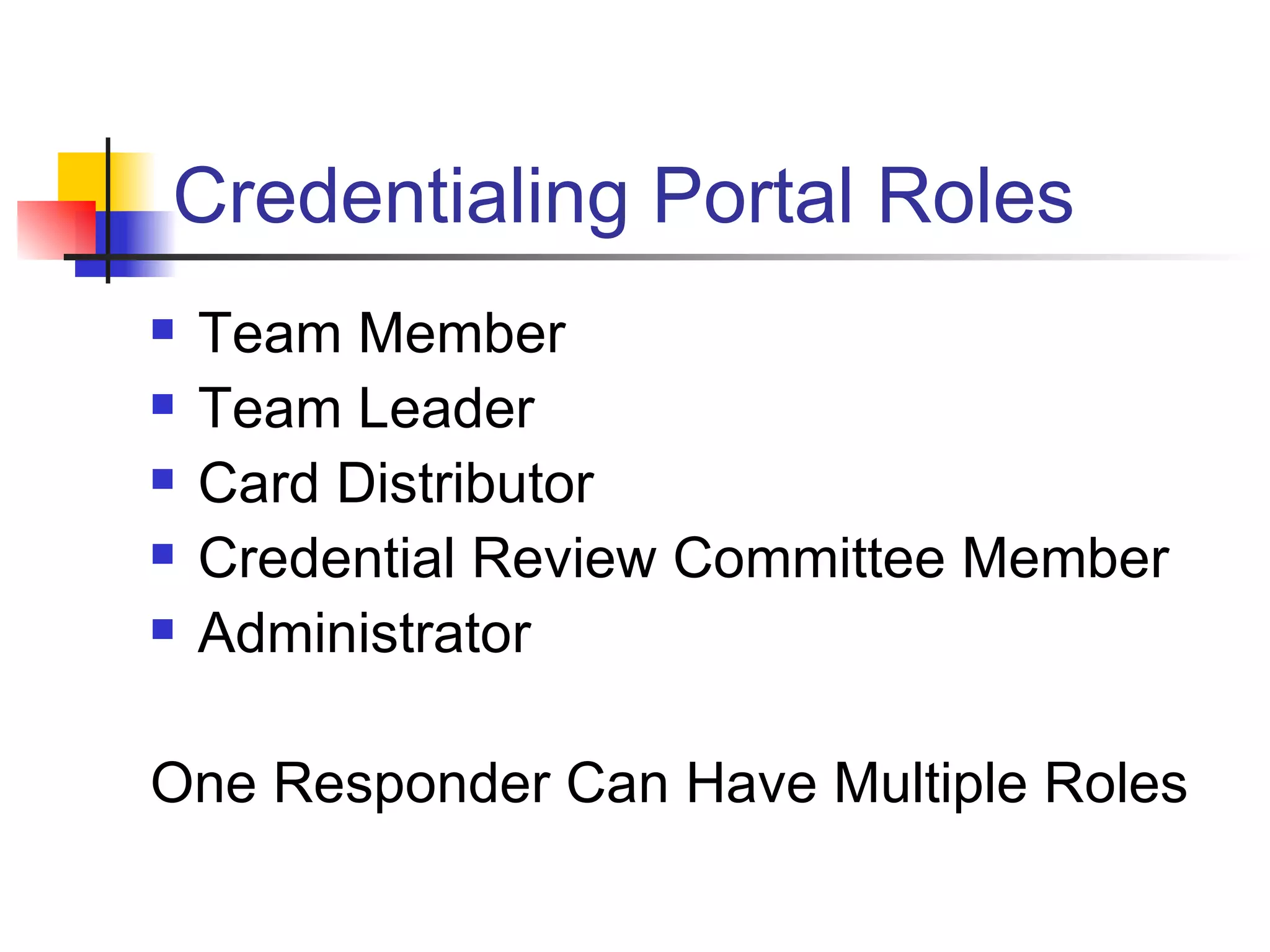
Credentialing Portal Roles  Team Member Team Leader Card Distributor Credential Review Committee Member  Administrator One Responder Can Have Multiple Roles
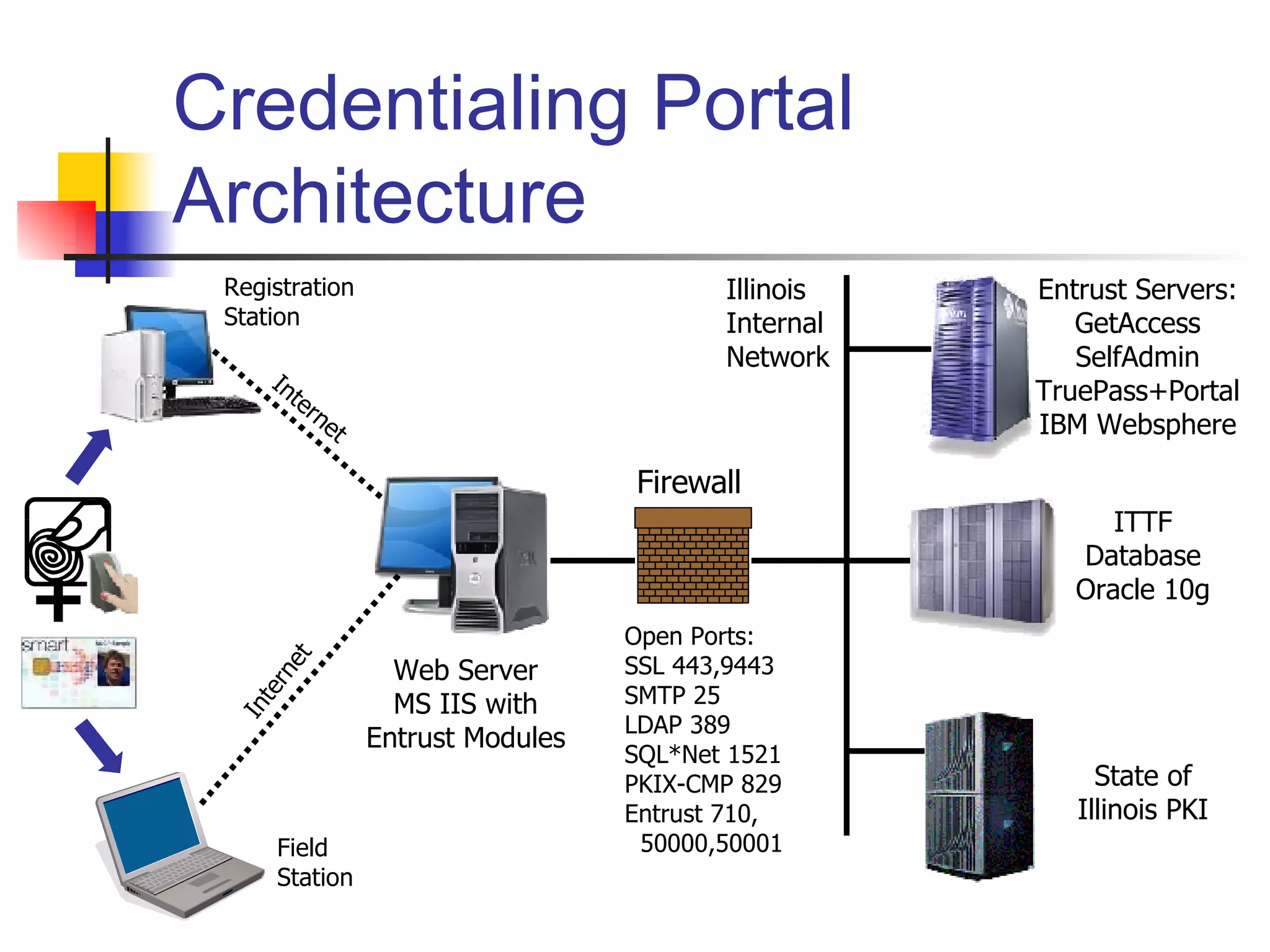
Credentialing Portal Architecture State of Illinois PKI Entrust Servers: GetAccess SelfAdmin TruePass+Portal IBM Websphere ITTF Database Oracle 10g Illinois Internal Network Internet Internet Registration Station Field Station Web Server MS IIS with Entrust Modules Open Ports: SSL 443,9443 SMTP 25 LDAP 389 SQL*Net 1521 PKIX-CMP 829 Entrust 710, 50000,50001 Firewall +
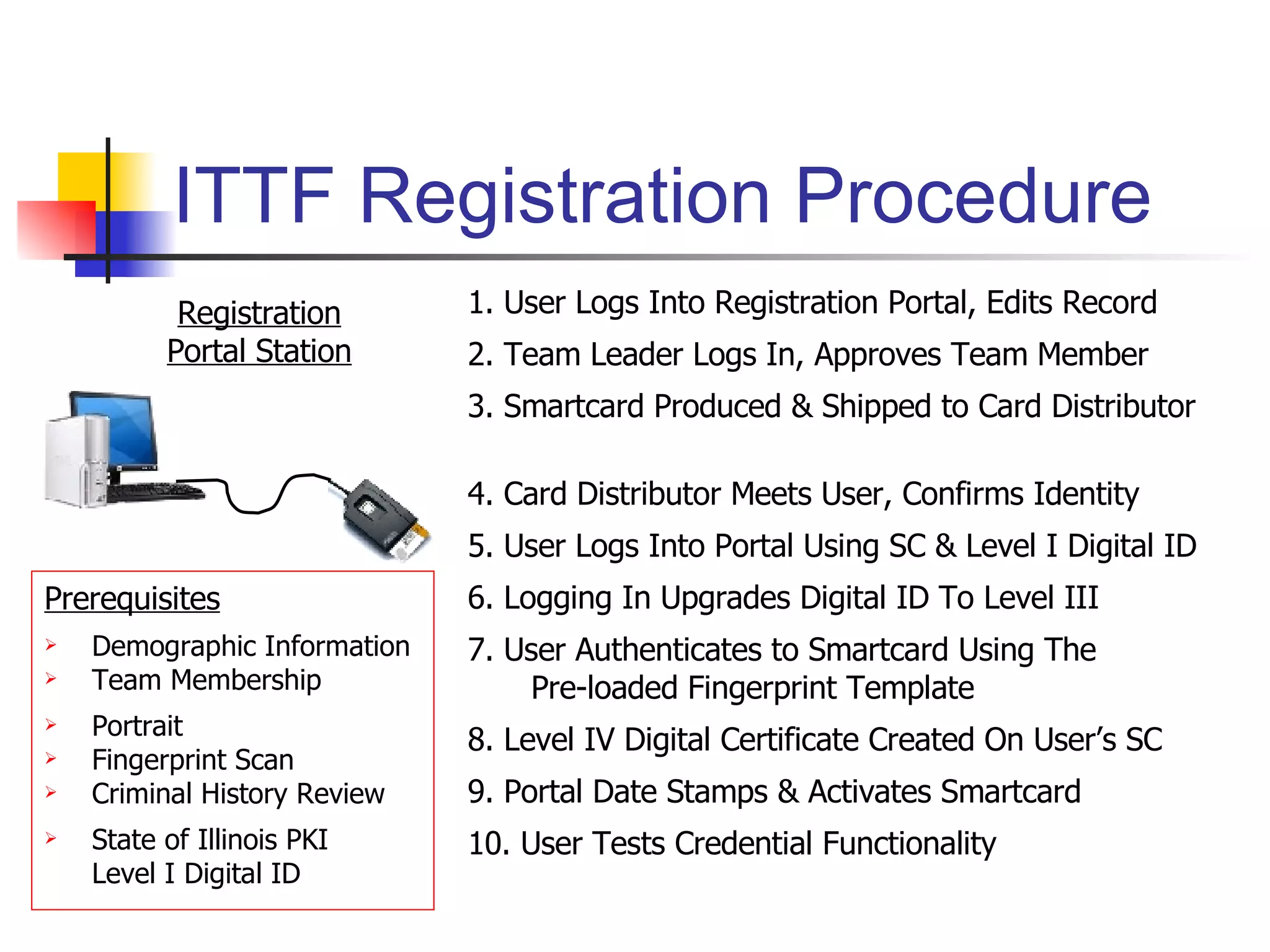
ITTF Registration Procedure Prerequisites Demographic Information  Team Membership Portrait  Fingerprint Scan Criminal History Review State of Illinois PKI Level I Digital ID Registration Portal Station 1. User Logs Into Registration Portal, Edits Record 2. Team Leader Logs In, Approves Team Member 3. Smartcard Produced & Shipped to Card Distributor 4. Card Distributor Meets User, Confirms Identity 5. User Logs Into Portal Using SC & Level I Digital ID 6. Logging In Upgrades Digital ID To Level III 7. User Authenticates to Smartcard Using The Pre-loaded Fingerprint Template 8. Level IV Digital Certificate Created On User’s SC 9. Portal Date Stamps & Activates Smartcard 10. User Tests Credential Functionality
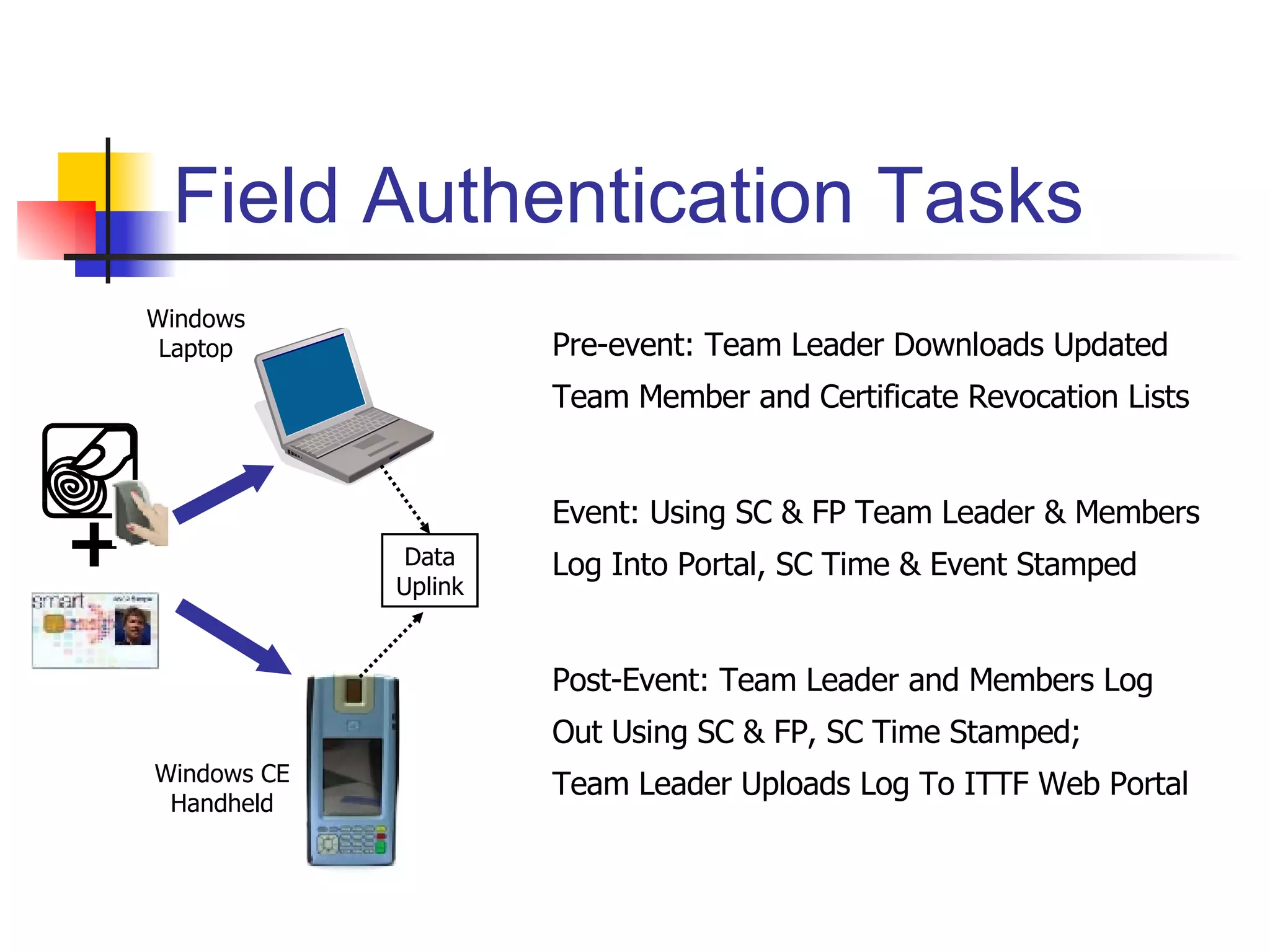
Field Authentication Tasks + Pre-event: Team Leader Downloads Updated Team Member and Certificate Revocation Lists Event: Using SC & FP Team Leader & Members Log Into Portal, SC Time & Event Stamped Post-Event: Team Leader and Members Log Out Using SC & FP, SC Time Stamped; Team Leader Uploads Log To ITTF Web Portal Windows Laptop Windows CE Handheld Data Uplink
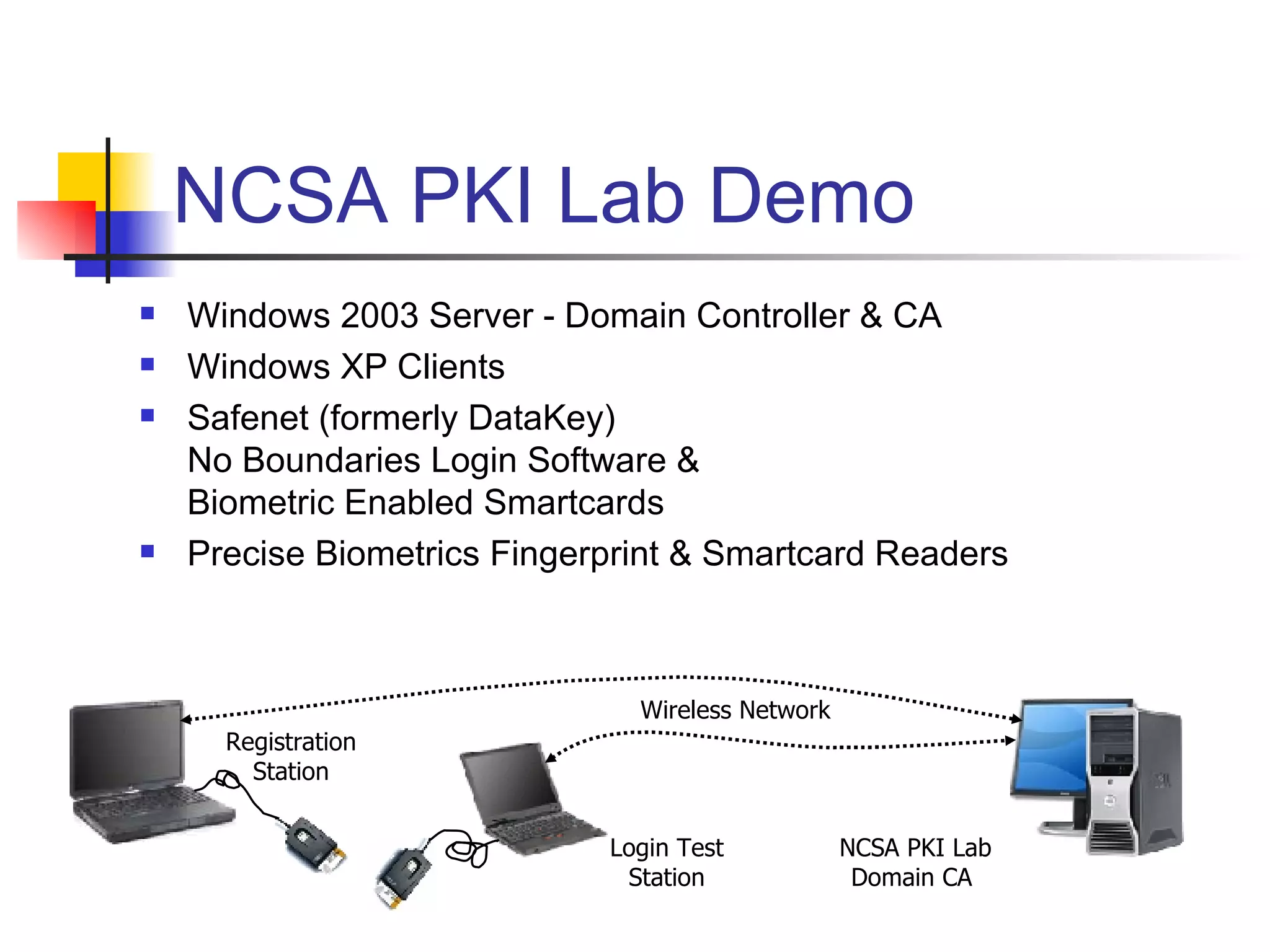
NCSA PKI Lab Demo Windows 2003 Server - Domain Controller & CA Windows XP Clients Safenet (formerly DataKey) No Boundaries Login Software & Biometric Enabled Smartcards Precise Biometrics Fingerprint & Smartcard Readers Registration Station Login Test Station NCSA PKI Lab Domain CA  Wireless Network
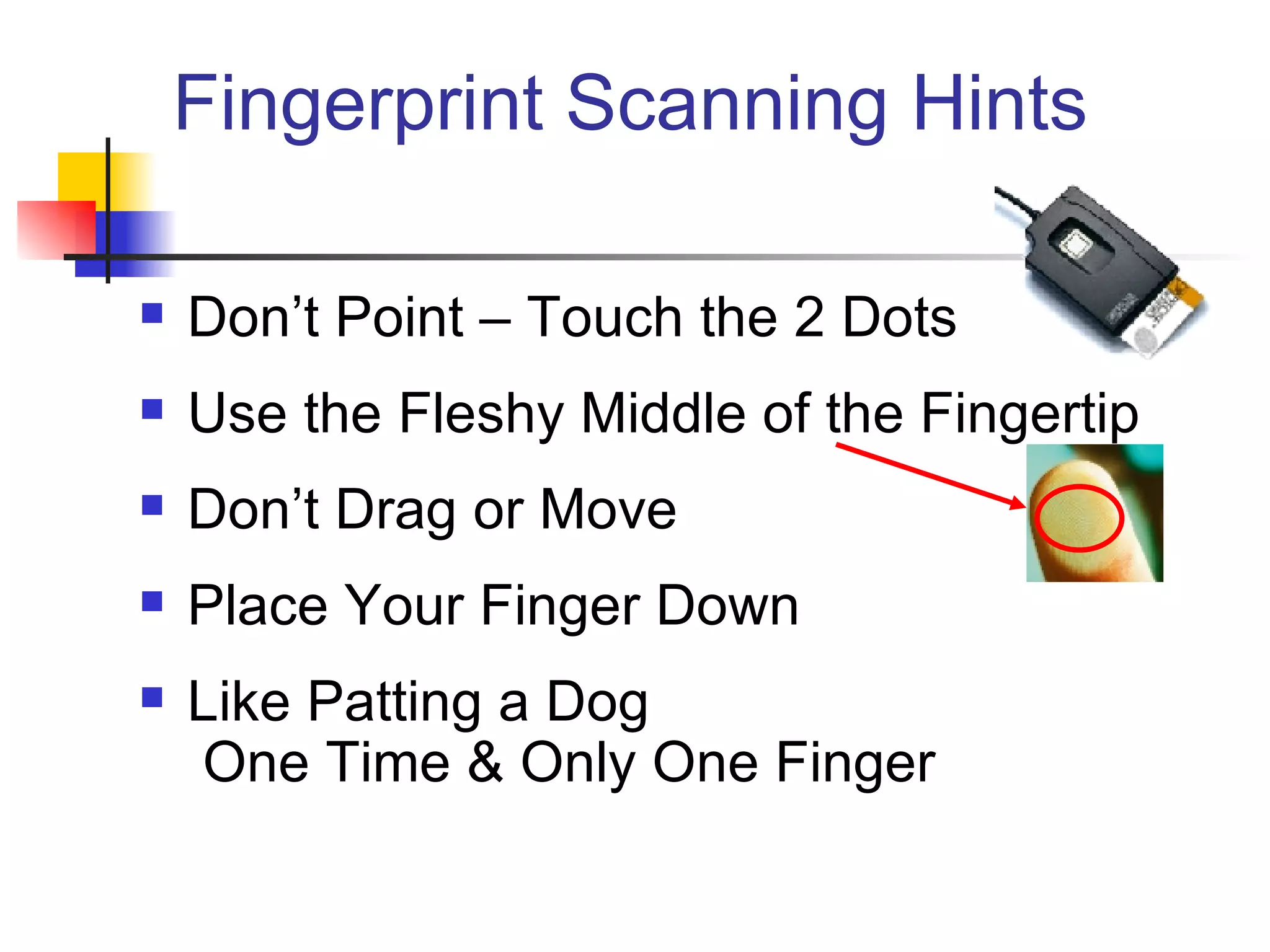
Fingerprint Scanning Hints Don’t Point – Touch the 2 Dots Use the Fleshy Middle of the Fingertip Don’t Drag or Move Place Your Finger Down Like Patting a Dog  One Time & Only One Finger
Authentication with Smartcards and Fingerprints Any Questions?? http://www.ncassr.org/ http://www.ncsa.uiuc.edu/Projects/cybertechnologies.html#security http://pkilab.ncsa.uiuc.edu Himanshu Khurana   [email_address] Joe Muggli   [email_address]

Ynamono Hs Lecture

  • 1.
    Authentication with Smartcardsand Fingerprints Himanshu Khurana Joe Muggli NCSA, UIUC March 30, 2006
  • 2.
    Outline Introduction SmartcardsBiometrics: fingerprints Illinois Terrorism Task Force (ITTF) Project Interactive Demonstration
  • 3.
    Authentication Goals BasicGoal Verify the unique identity of the requestor Additional goals in a networked world Prevent leak of secrets Prevent replay attacks Global scalability Offline operation capability High assurance …
  • 4.
    Passwords are notenough Basic Goal Verify the unique identity of the requestor Additional goals in a networked world Prevent leak of secrets Prevent replay attacks Global scalability Offline operation capability High assurance … X X X Passwords are vulnerable to dictionary attacks theft collusion attacks (users can share passwords)
  • 5.
    Solution: Multi-factor AuthenticationMulti-factor authentication: combination of What you know; e.g., passwords, PINs What you have; e.g., OTP tokens, smartcards What you are (biometrics); e.g., fingerprints, iris scans, face recognition Typically two-factor authentication is used; e.g., PIN + Card (e.g. ATMs) Password + One-time-password (OTP) token Fingerprint + Smartcard Main vendors : Entrust, RSA, Aladdin, Todos, TaraSekure, Vaco, SafeNet, ...
  • 6.
    Public-Key Infrastructure (PKI)Public Key Cryptography Sign with private key, verify signature with public key Encrypt with public key, decrypt with private key Key Distribution Who does a public key belong to? Certification Authority (CA) verifies user’s identity and signs certificate Certificate is a document that binds the user’s identity to a public key Authentication Signature [ h ( random, … ) ] Subject: CA signs Issuer: CA Subject: Jim Issuer: CA Source: Jim Basney’s MyProxy presentation
  • 7.
    Authentication with DigitalSignatures Alice Bob Nonce Hash Signing key SK A Enc Nonce Request Signed Nonce Dec Verif. key PK A Hash Match?
  • 8.
    Authentication with Smartcardsand PKI Unlike passwords private keys cannot be remembered (typically, 1024 bits) File based storage provides weak security and no mobility Smartcards provide secure, tamper-resistant storage with mobility Less easily shared than passwords Drawbacks: card cost, readers
  • 9.
    Smartcards CPU: 8,16, 32 bit ROM: ~ 1 - 32kb RAM: ~ Several kb EEPROM: ~ 16 - 64 kb Programming Java .Net Various levels of memory access control Protected Memory holds secrets and is accessible only to the cryptoprocessor
  • 10.
    Example Authentication withSmartcards Source: Dang et al., AINA’05 Unlocked by a PIN
  • 11.
    Security Concerns andAuthentication Goals High assurance Smartcards and PINs can get lost, be stolen, or shared A Solution: combine biometrics with smartcards Source: Renaudin et al., Design, Automation and Test in Europe Conference and Exhibition, 2004
  • 12.
    Biometrics: Fingerprints Uniquelyrefers to an individual using biometric identifiers Pattern recognition system Enrollment captures digital representation (template) of biometric identifier Recognition captures characteristics and matches against template Ideal properties: universal, unique, permanent, collectable Practical properties: performance, acceptability, resistance to circumvention Examples: Face recognition, fingerprints , iris scans, retinal scans, hand geometry, etc.
  • 13.
    Minutiae Based FingerprintRecognition Digital image of fingerprint contain features Ridge bifurcations and endings Called Minutiae Minutiae features represented using location (x,y) and direction  Set of measurements forms template Matching attempts to calculate degree of similarity taking into account Rotation, elastic distortion, sensor noise, etc. Never 100%: false acceptance rate and false rejection rate
  • 14.
    Combining Fingerprints andSmartcards for Authentication Replace PINs with fingerprint verification Store template on card Match provided fingerprint on card Reader extracts minutiae features Security and privacy advantages Match-on-card leverages smartcard as trusted computing platform Match-on-card requires no additional trusted entity Mimics PIN verification Template stored on card as opposed to accessible database
  • 15.
    ITTF Credentialing Project*Goal : provide trustworthy identification at secure incident perimeter Requirements : credential based, offline operation, unique identification, counterfeit resistance Approach : smartcard and fingerprint based authentication * Work done with Jim Basney; Partner Institutions: Illinois State Police, Entrust, U. of Chicago
  • 16.
    ITTF Background Providetrustworthy identification of response team members at secure incident perimeter - Fire, EMT, Police, HazMat, Techs, TaraSekure etc. Two factor authentication in the field Offline operation, web portals for registration and authentication Highly usable but also resistant to counterfeiting Prototype not production unit
  • 17.
    Featured Technologies Stateof Illinois PKI Certificate Authority Web interfaced central authentication service – Entrust GetAccess™ & TruePass™ MatchOnCard™ fingerprint templates on smartcards – Precise Biometrics Role based authentication
  • 18.
    Credentialing Portal Roles Team Member Team Leader Card Distributor Credential Review Committee Member Administrator One Responder Can Have Multiple Roles
  • 19.
    Credentialing Portal ArchitectureState of Illinois PKI Entrust Servers: GetAccess SelfAdmin TruePass+Portal IBM Websphere ITTF Database Oracle 10g Illinois Internal Network Internet Internet Registration Station Field Station Web Server MS IIS with Entrust Modules Open Ports: SSL 443,9443 SMTP 25 LDAP 389 SQL*Net 1521 PKIX-CMP 829 Entrust 710, 50000,50001 Firewall +
  • 20.
    ITTF Registration ProcedurePrerequisites Demographic Information Team Membership Portrait Fingerprint Scan Criminal History Review State of Illinois PKI Level I Digital ID Registration Portal Station 1. User Logs Into Registration Portal, Edits Record 2. Team Leader Logs In, Approves Team Member 3. Smartcard Produced & Shipped to Card Distributor 4. Card Distributor Meets User, Confirms Identity 5. User Logs Into Portal Using SC & Level I Digital ID 6. Logging In Upgrades Digital ID To Level III 7. User Authenticates to Smartcard Using The Pre-loaded Fingerprint Template 8. Level IV Digital Certificate Created On User’s SC 9. Portal Date Stamps & Activates Smartcard 10. User Tests Credential Functionality
  • 21.
    Field Authentication Tasks+ Pre-event: Team Leader Downloads Updated Team Member and Certificate Revocation Lists Event: Using SC & FP Team Leader & Members Log Into Portal, SC Time & Event Stamped Post-Event: Team Leader and Members Log Out Using SC & FP, SC Time Stamped; Team Leader Uploads Log To ITTF Web Portal Windows Laptop Windows CE Handheld Data Uplink
  • 22.
    NCSA PKI LabDemo Windows 2003 Server - Domain Controller & CA Windows XP Clients Safenet (formerly DataKey) No Boundaries Login Software & Biometric Enabled Smartcards Precise Biometrics Fingerprint & Smartcard Readers Registration Station Login Test Station NCSA PKI Lab Domain CA Wireless Network
  • 23.
    Fingerprint Scanning HintsDon’t Point – Touch the 2 Dots Use the Fleshy Middle of the Fingertip Don’t Drag or Move Place Your Finger Down Like Patting a Dog One Time & Only One Finger
  • 24.
    Authentication with Smartcardsand Fingerprints Any Questions?? http://www.ncassr.org/ http://www.ncsa.uiuc.edu/Projects/cybertechnologies.html#security http://pkilab.ncsa.uiuc.edu Himanshu Khurana [email_address] Joe Muggli [email_address]