XHTML
1. Introduction
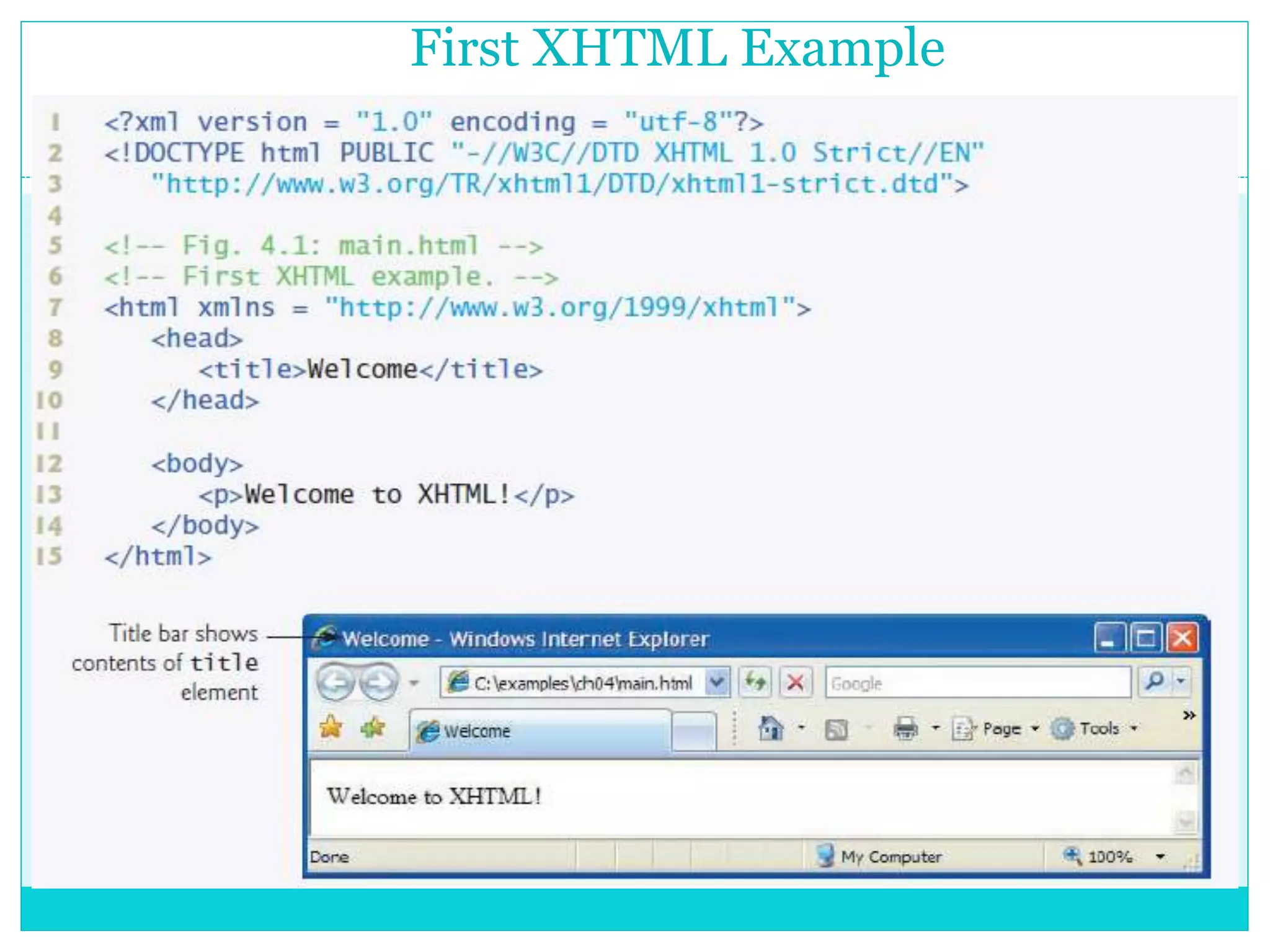
2. First XHTML Example
3. Headings
4. Linking
5. Images
6. Lists
7. Tables
8. Forms
• T h e E x t e n s i b l e H y p e r t e x t M a r k u p L a n g u a g e .
• M a r k u p l a n g u a g e t h a t s p e c i f i e s t h e f o r m a t o f t h e t e x t t h a t
i s d i s p l a y e d i n a w e b b r o w s e r s u c h a s :
- M i c r o s o f t ’ s I n t e r n e t E x p l o r e r
- M o z i l l a F i r e f o x .
Introduction
First XHTML Example
Elements of an XHTML document
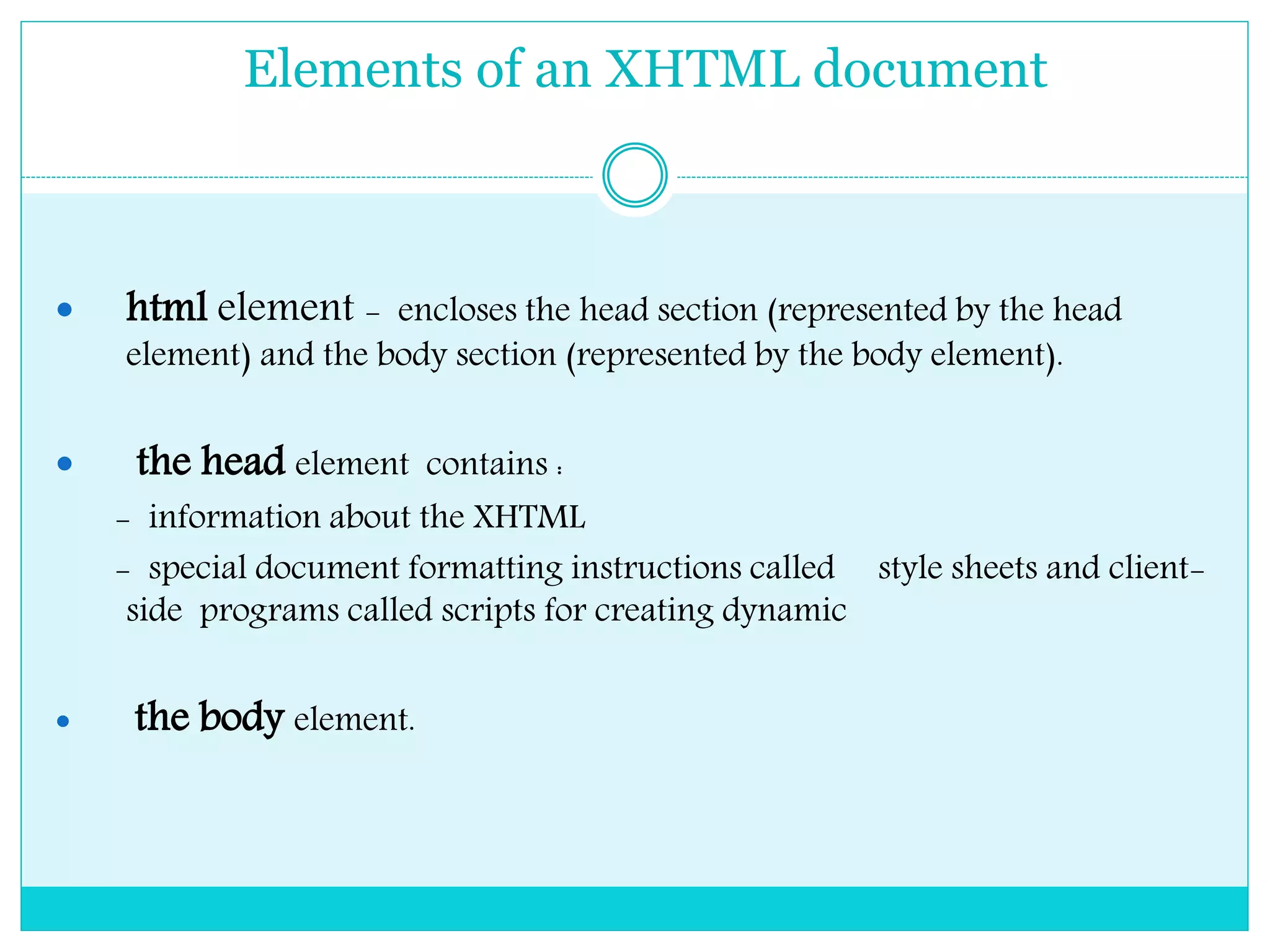
 html element - encloses the head section (represented by the head
element) and the body section (represented by the body element).
 the head element contains :
- information about the XHTML
- special document formatting instructions called style sheets and client-
side programs called scripts for creating dynamic
 the body element.
Elements of an XHTML document
XHTML documents delimit an element with
 start tag - element name in angle brackets (e.g.,
<html>).
 end tags - element name preceded by a forward
slash (/) in angle brackets (e.g., </html>).
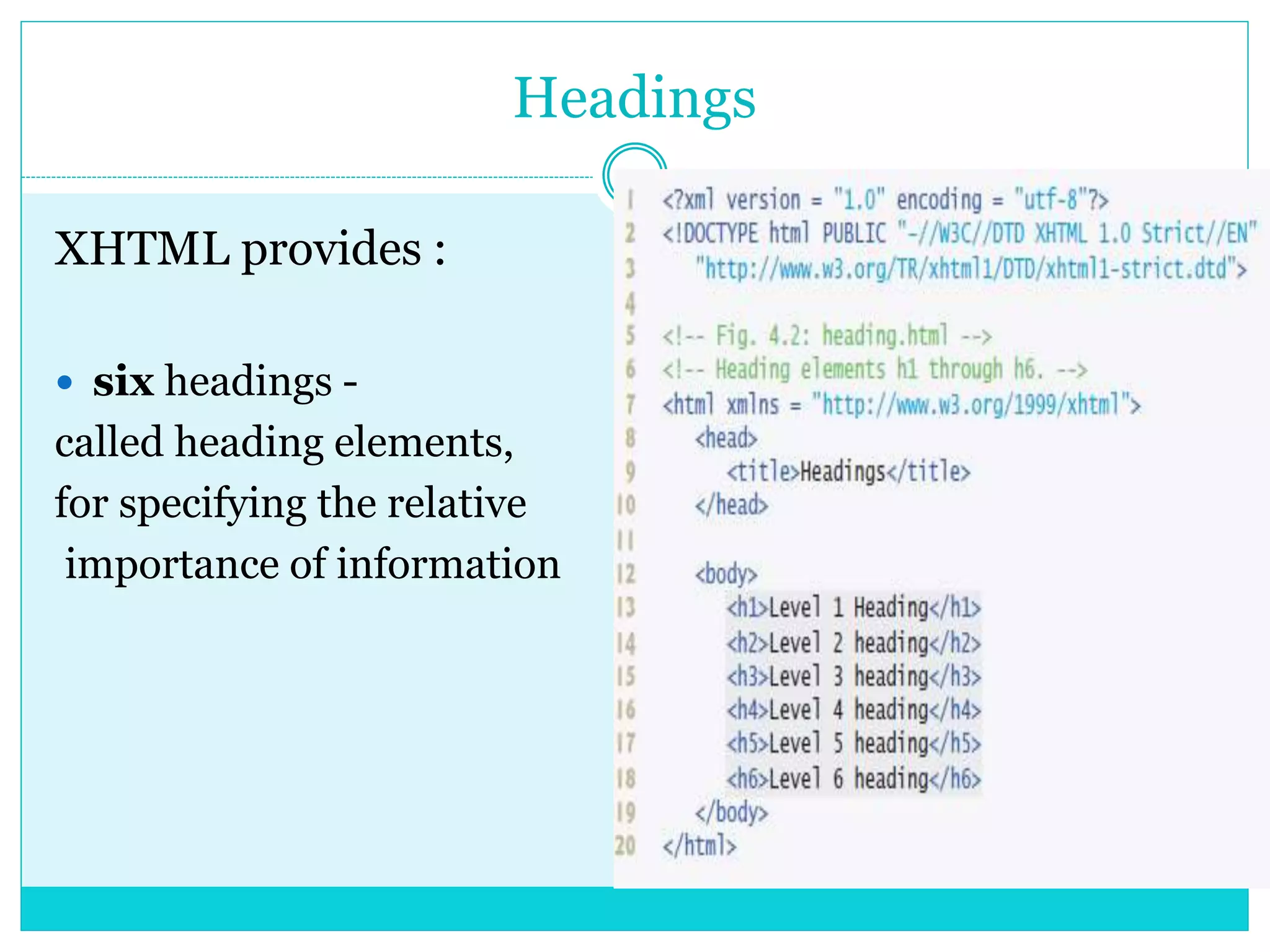
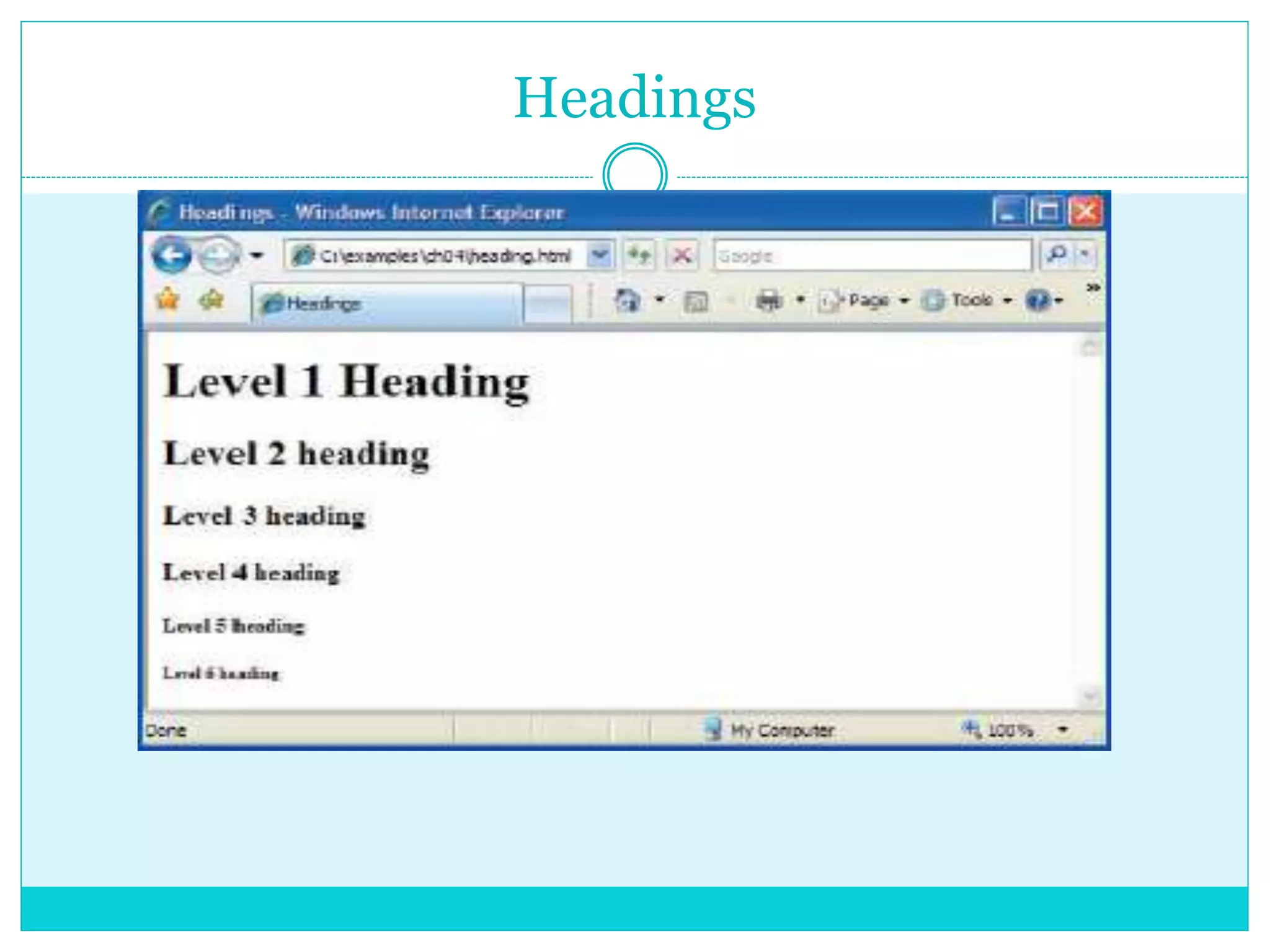
Headings
XHTML provides :
 six headings -
called heading elements,
for specifying the relative
importance of information
Headings
Linking
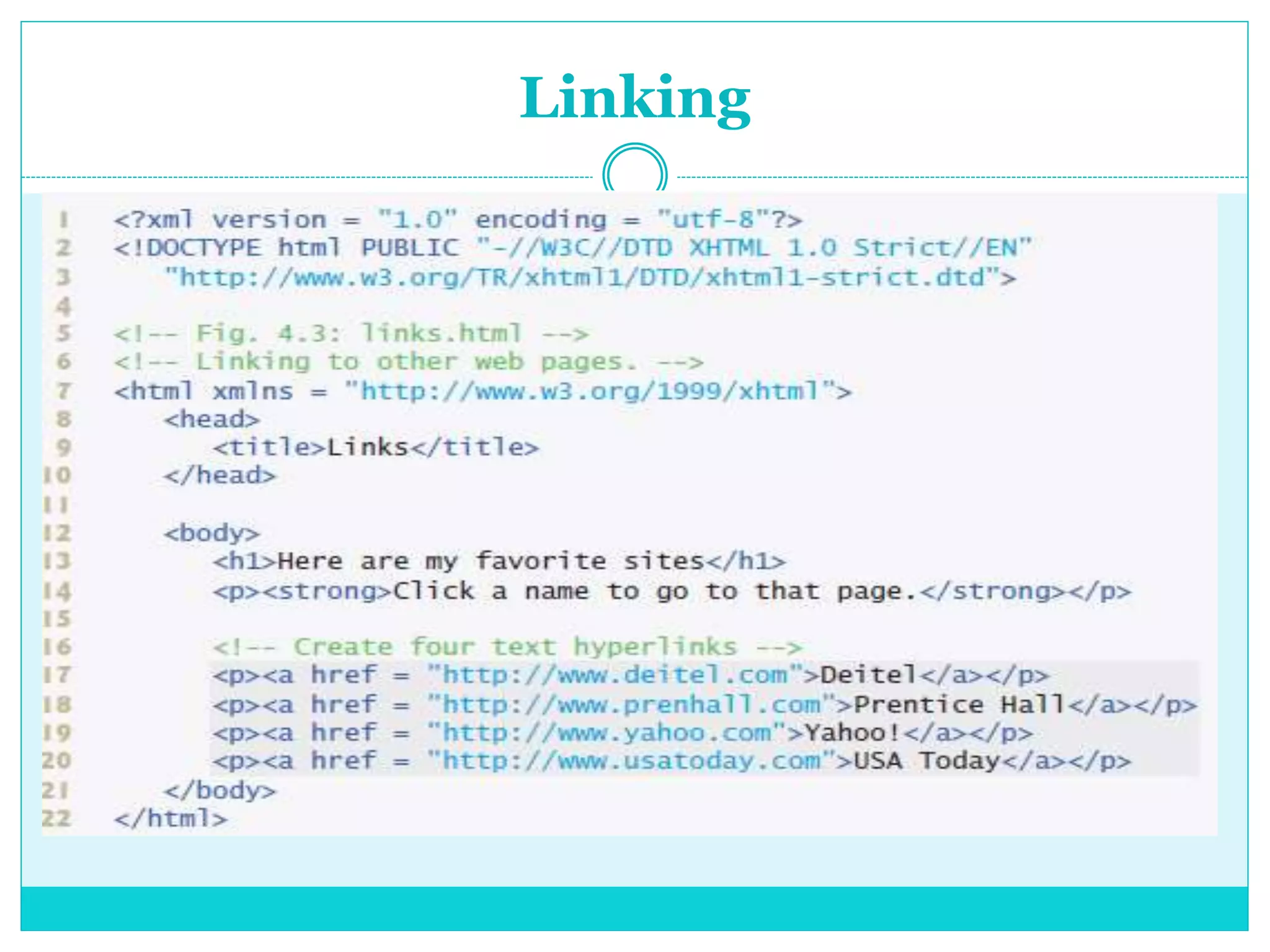
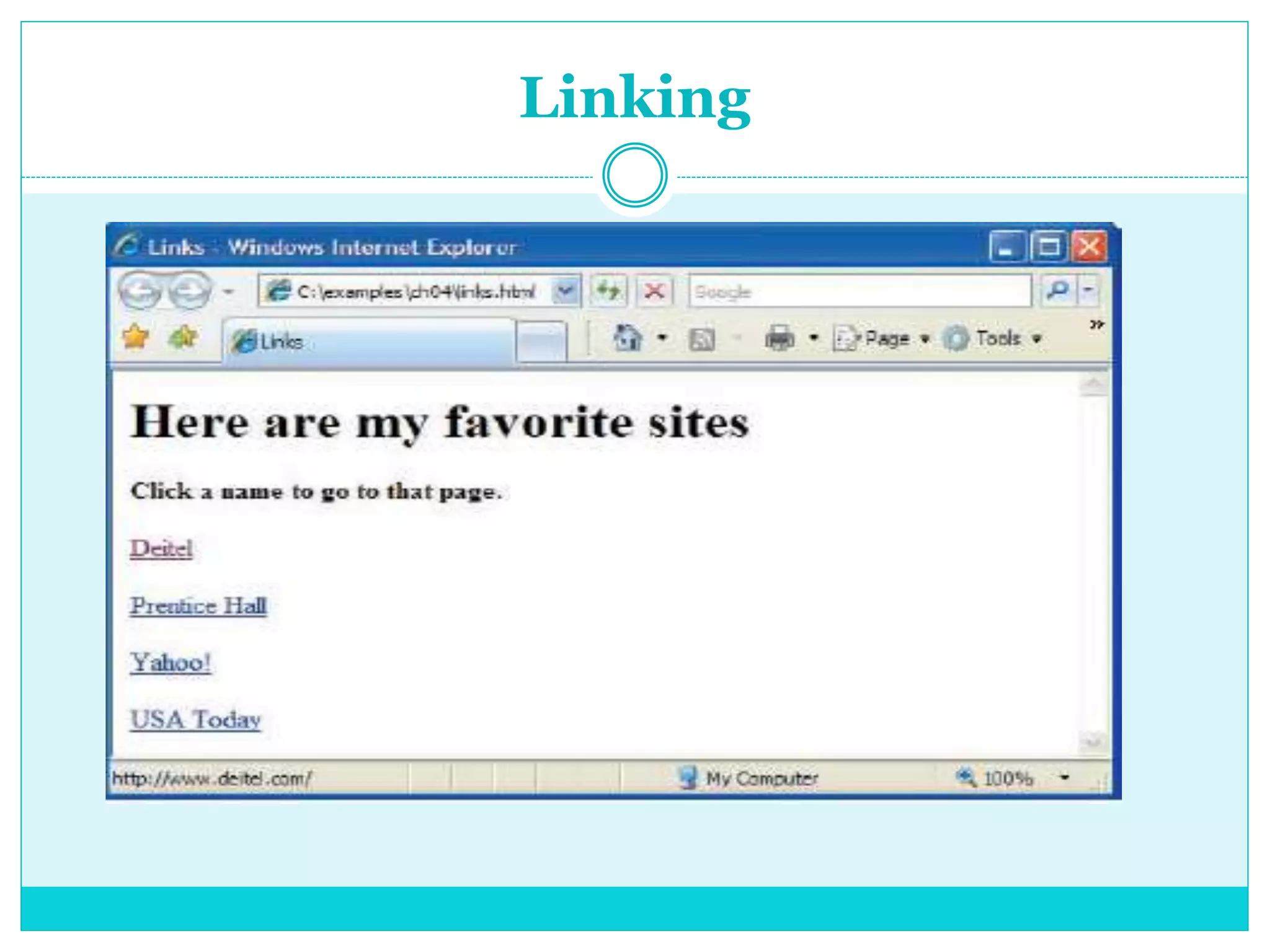
 Hyperlink - references to other resources, such as : -
XHTML documents
- Images.
 When a user clicks a hyperlink, the browser tries to
execute an action associated with it (e.g., navigate to a
URL, open an e-mail client, etc.).
 In XHTML, both text and images can act as hyperlinks.
 Links are created using the a (anchor) element.
Linking
Linking
Images
Images
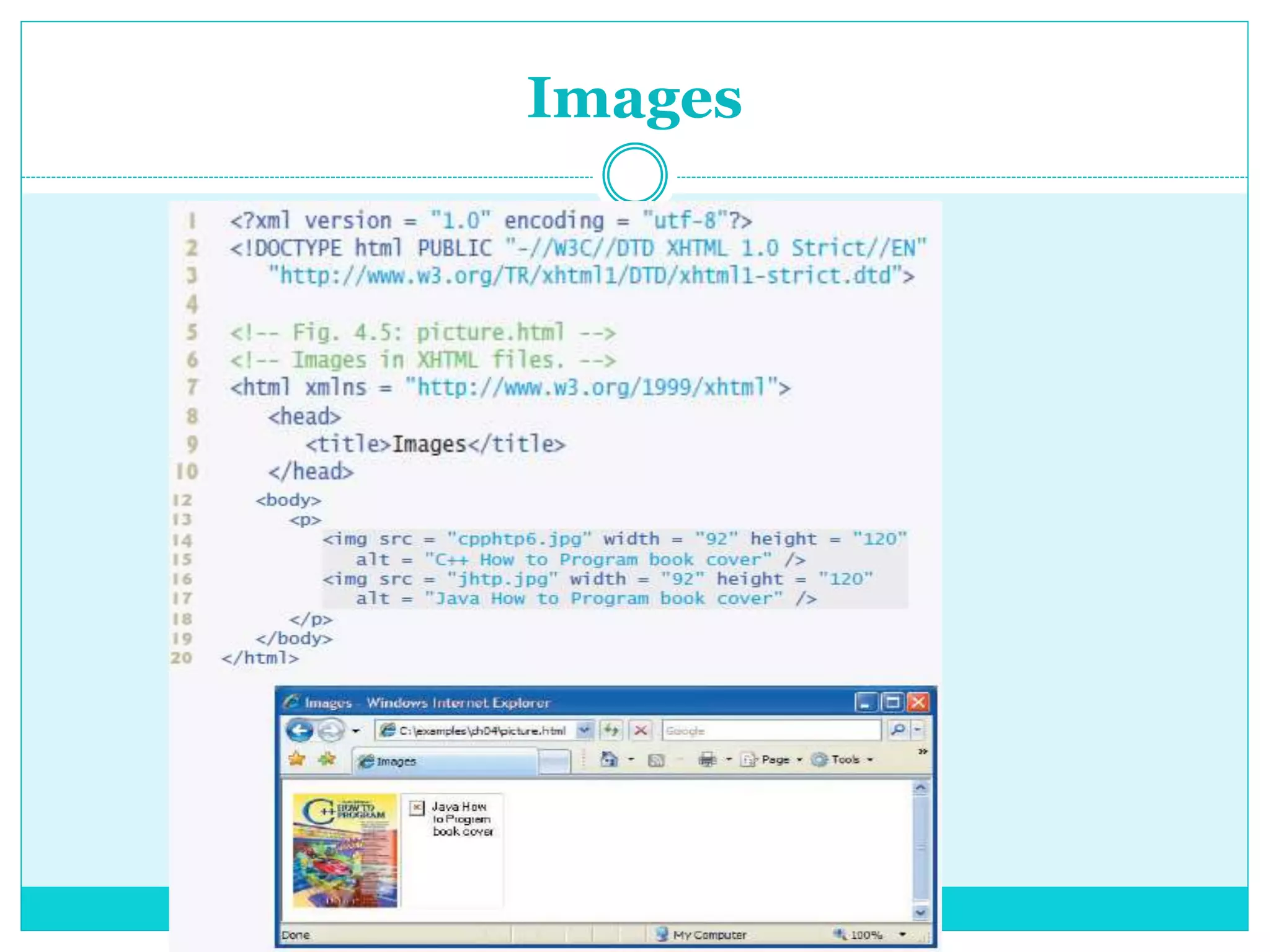
 Lines 14–15 use an img element to insert an image
in the document.
 The image file’s location is specified with the img
element’s src attribute.
 Every img element in an XHTML document must
have an alt attribute. If a browser cannot render an
image, the browser displays the alt attribute’s value.
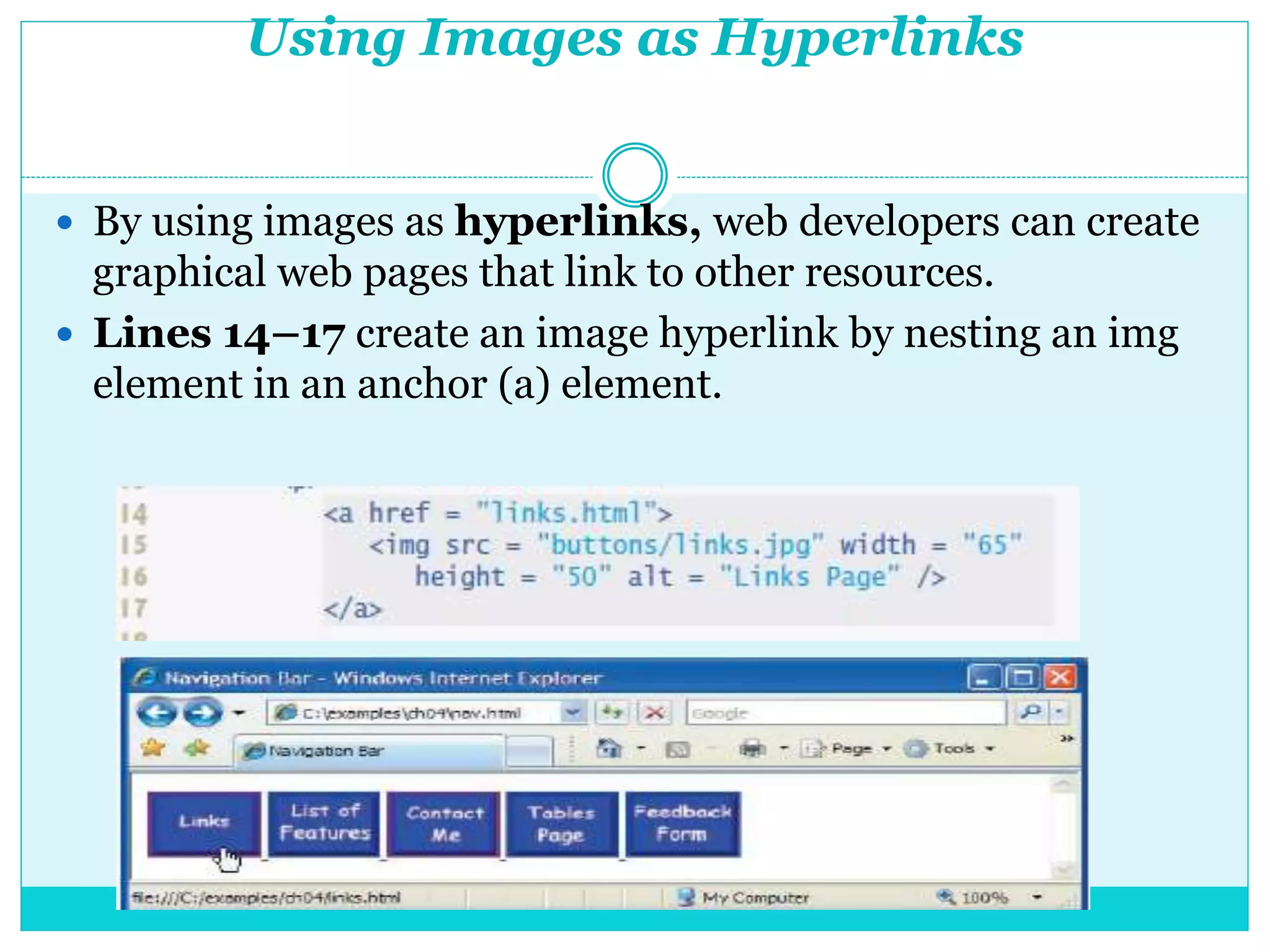
Using Images as Hyperlinks
 By using images as hyperlinks, web developers can create
graphical web pages that link to other resources.
 Lines 14–17 create an image hyperlink by nesting an img
element in an anchor (a) element.
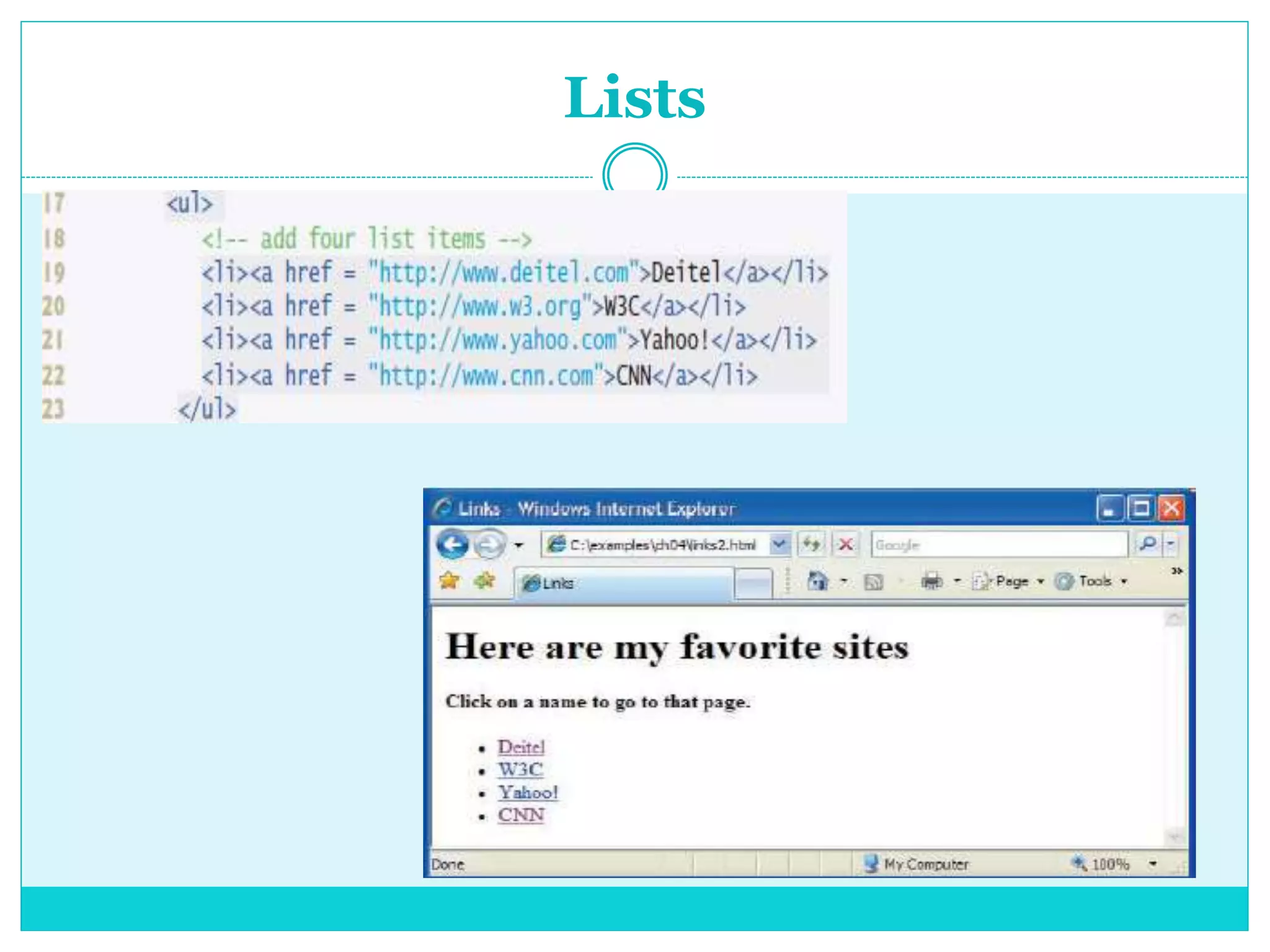
Lists
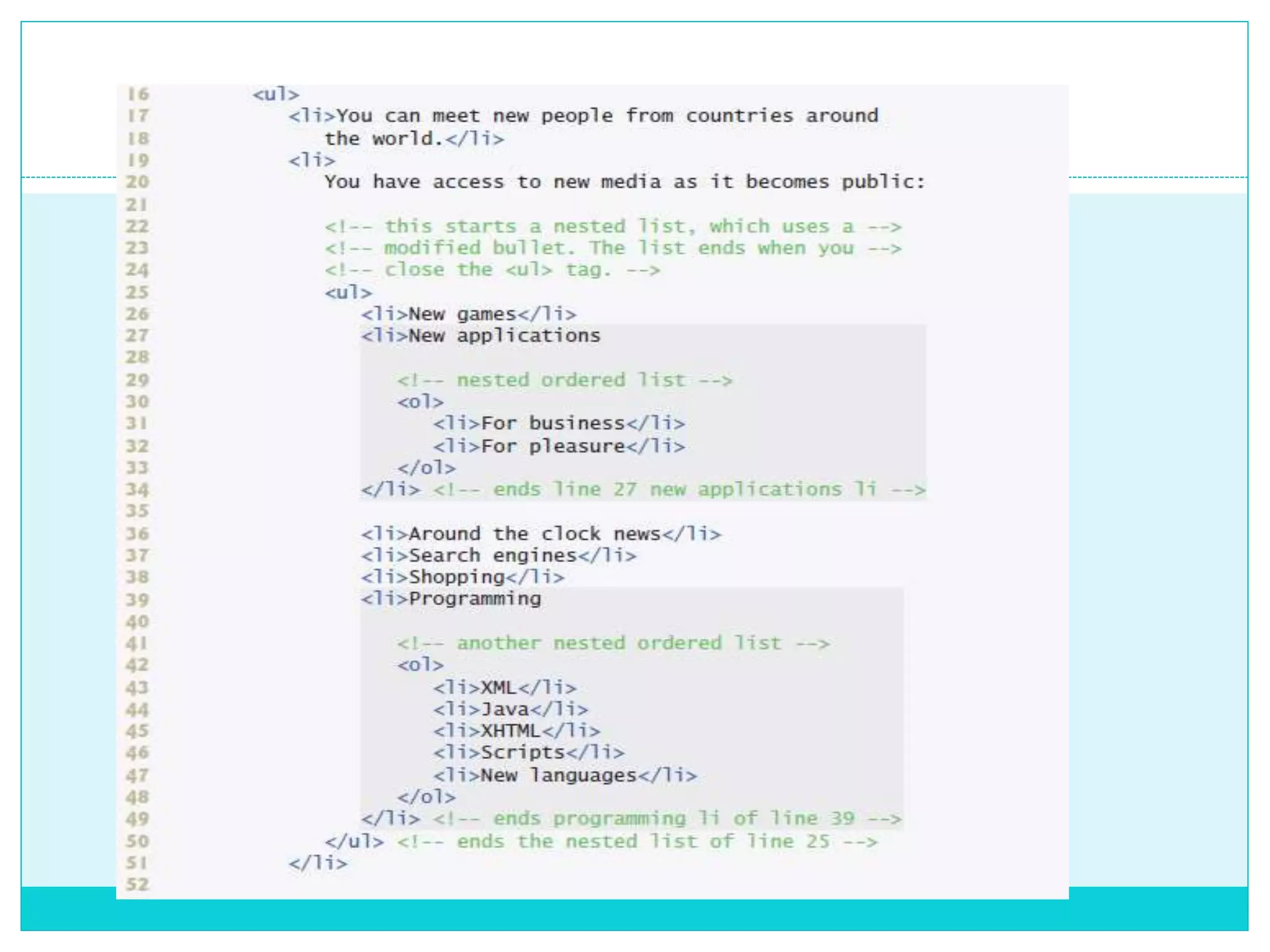
 The unordered list element ul creates a list in
which each item begins with a bullet symbol
(called a disc).
 Each entry in an unordered list (element ul in line
17) is an li (list item) element (lines 19–22).
 Most web browsers render each li element on a new
line with a bullet symbol indented from the
beginning of the line.
Lists
Nested Lists
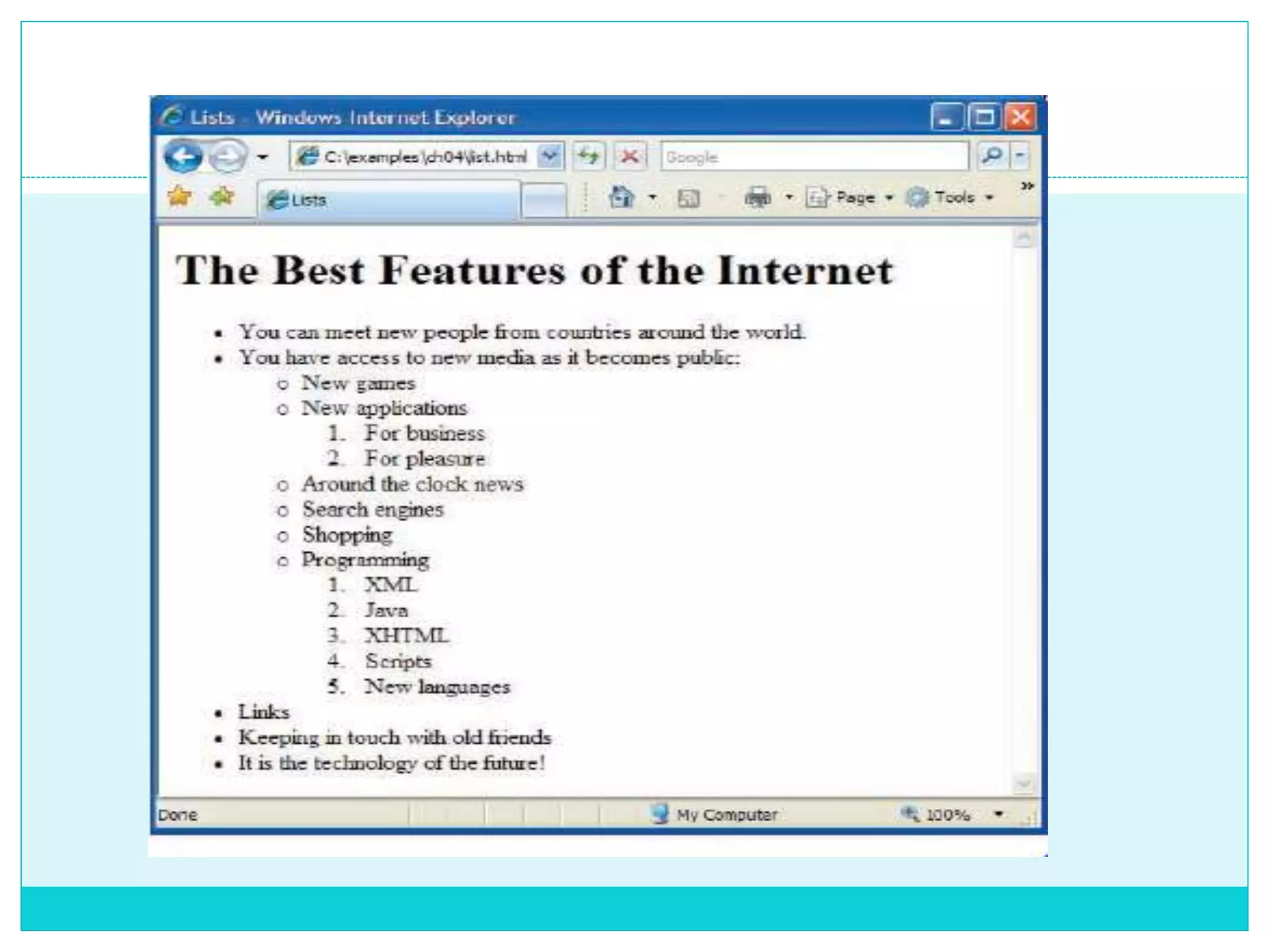
 Lists may be nested to represent hierarchical
relationships, as in an outline format.
 Figure demonstrates nested lists and ordered
lists.
 The ordered list element ol creates a list in
which each item begins with a number.
Tables
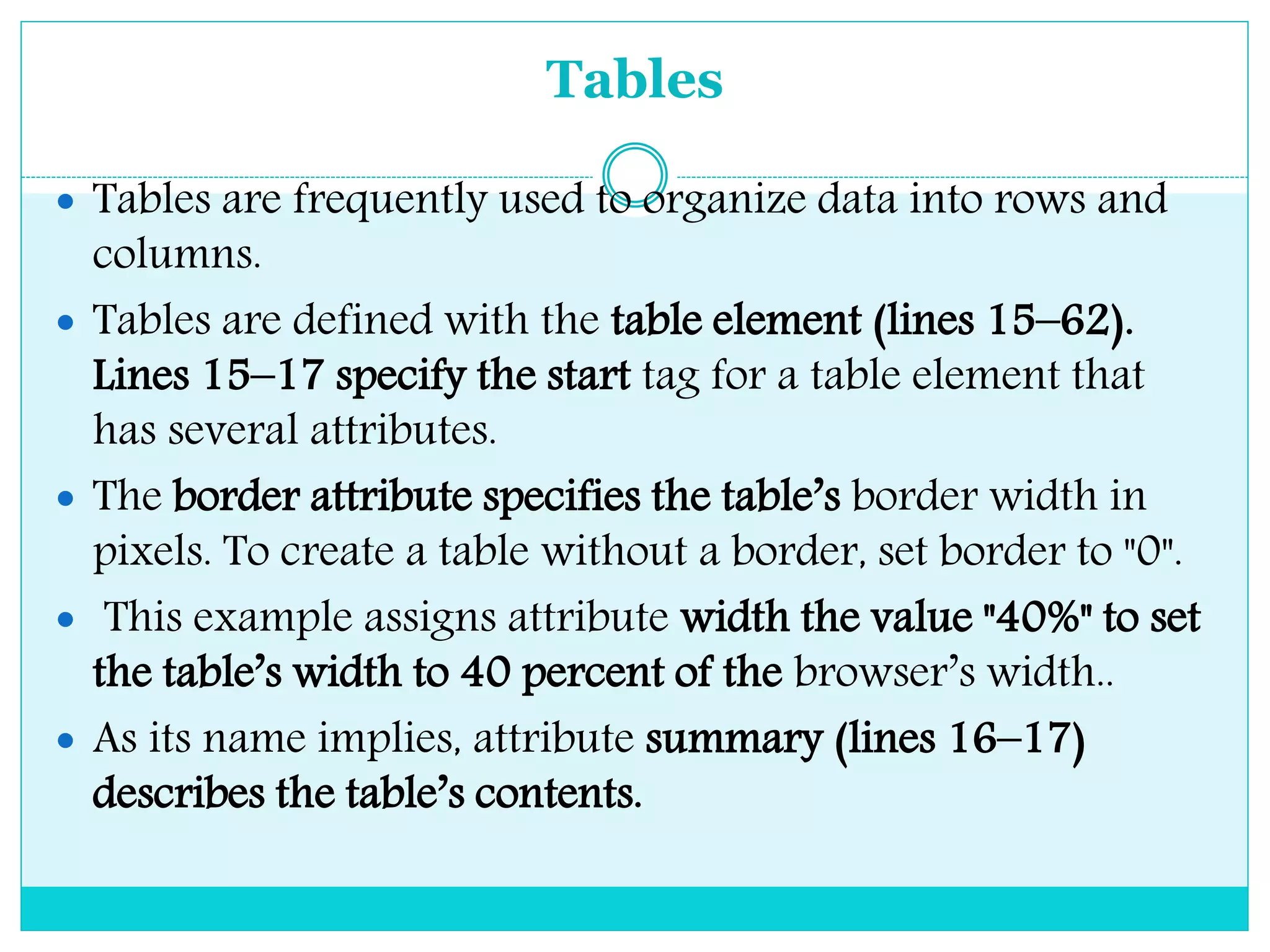
 Tables are frequently used to organize data into rows and
columns.
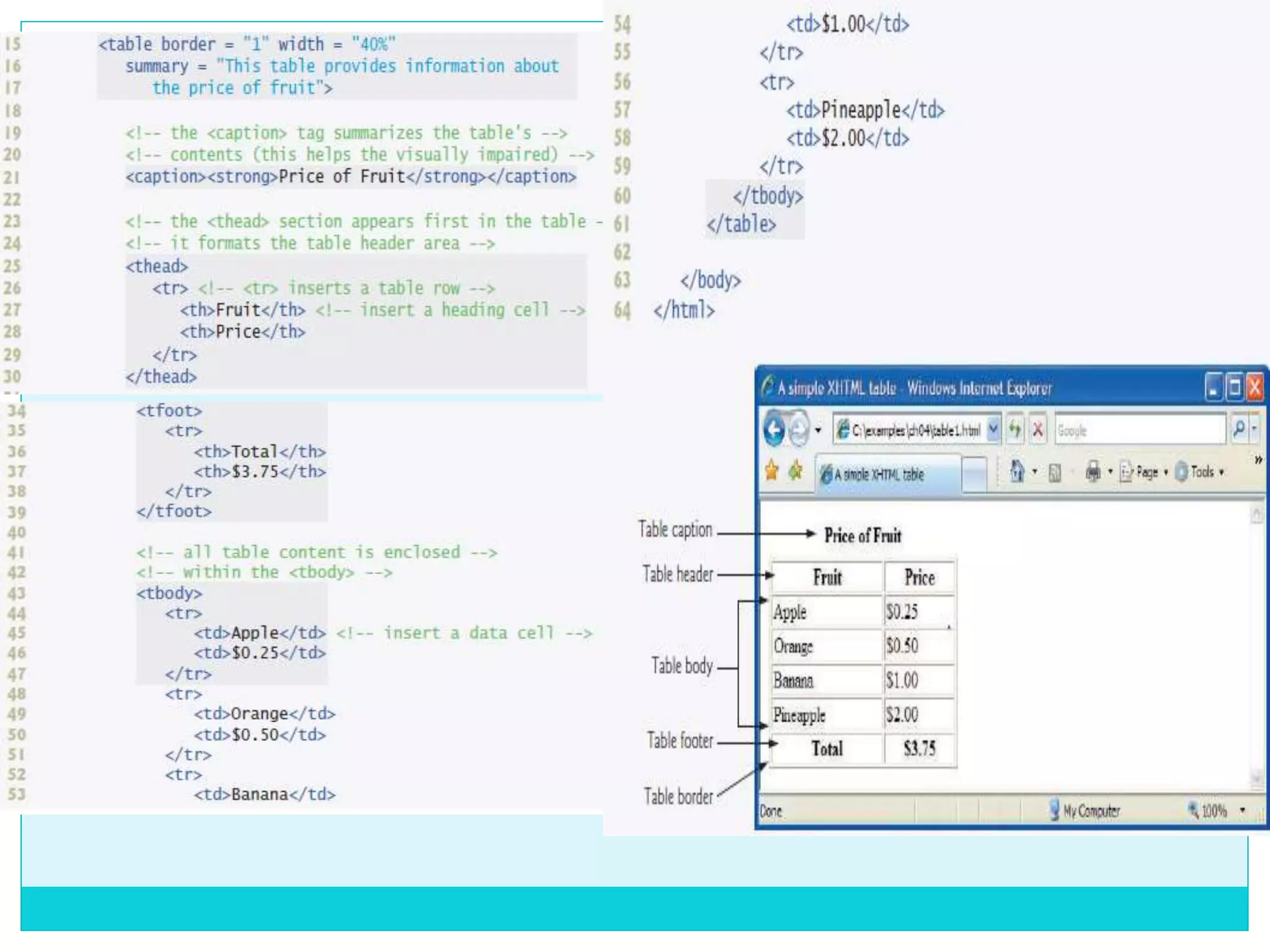
 Tables are defined with the table element (lines 15–62).
Lines 15–17 specify the start tag for a table element that
has several attributes.
 The border attribute specifies the table’s border width in
pixels. To create a table without a border, set border to "0".
 This example assigns attribute width the value "40%" to set
the table’s width to 40 percent of the browser’s width..
 As its name implies, attribute summary (lines 16–17)
describes the table’s contents.
 A table has three distinct :
1. The head section - is defined with a thead
element (lines 25–30), which contains header
information such as column names. Each tr element
(lines 26–29) defines an individual table row.
 The columns in the head section are defined with th
elements. Most browsers center text formatted by th
(table header column) elements and display them in
bold.
 Table header elements are nested inside table row
elements (lines 27–28).
2. The body section - contains the table’s primary
data.
 The table body (lines 43–60) is defined in a tbody
element.
 In the body, each tr element specifies onerow.
 Data cells contain individual pieces of data and are
defined with td (table data) elements in each row.
3. The foot section (lines 34–39) is defined with a
tfoot (table foot) element.
 the foot section can contain table rows, and each row
can contain cells.
 Cells in the foot section are created using th
elements, instead of the td elements used in the table
body.
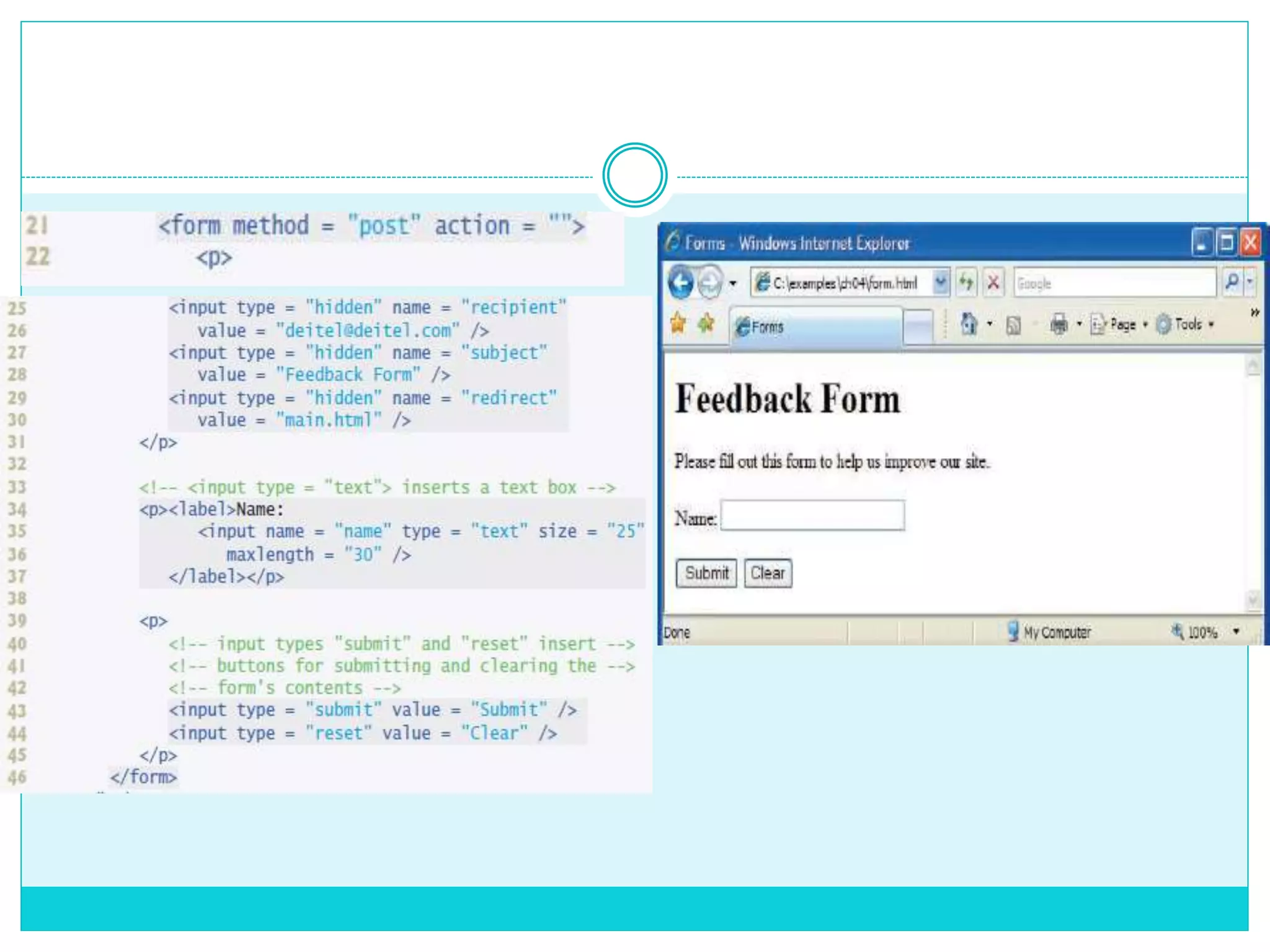
Forms
 XHTML provides a mechanism, called a form, for
collecting data from a user.
 Forms can contain :
1. Visual components – include clickable buttons and
other graphical user interface components with
which users interact.
 Nonvisual components, called hidden inputs, store
any data that you specify, such as :
- email addresses
- XHTML document filenames that act as links.
Bibliography
 Internet & World Wide Web How to Program ,
Fourth Edition ,P&H Deitel .
Xhtml

Xhtml

  • 1.
    XHTML 1. Introduction 2. FirstXHTML Example 3. Headings 4. Linking 5. Images 6. Lists 7. Tables 8. Forms
  • 2.
    • T he E x t e n s i b l e H y p e r t e x t M a r k u p L a n g u a g e . • M a r k u p l a n g u a g e t h a t s p e c i f i e s t h e f o r m a t o f t h e t e x t t h a t i s d i s p l a y e d i n a w e b b r o w s e r s u c h a s : - M i c r o s o f t ’ s I n t e r n e t E x p l o r e r - M o z i l l a F i r e f o x . Introduction
  • 3.
  • 4.
    Elements of anXHTML document  html element - encloses the head section (represented by the head element) and the body section (represented by the body element).  the head element contains : - information about the XHTML - special document formatting instructions called style sheets and client- side programs called scripts for creating dynamic  the body element.
  • 5.
    Elements of anXHTML document XHTML documents delimit an element with  start tag - element name in angle brackets (e.g., <html>).  end tags - element name preceded by a forward slash (/) in angle brackets (e.g., </html>).
  • 6.
    Headings XHTML provides : six headings - called heading elements, for specifying the relative importance of information
  • 7.
  • 8.
    Linking  Hyperlink -references to other resources, such as : - XHTML documents - Images.  When a user clicks a hyperlink, the browser tries to execute an action associated with it (e.g., navigate to a URL, open an e-mail client, etc.).  In XHTML, both text and images can act as hyperlinks.  Links are created using the a (anchor) element.
  • 9.
  • 10.
  • 11.
  • 12.
    Images  Lines 14–15use an img element to insert an image in the document.  The image file’s location is specified with the img element’s src attribute.  Every img element in an XHTML document must have an alt attribute. If a browser cannot render an image, the browser displays the alt attribute’s value.
  • 13.
    Using Images asHyperlinks  By using images as hyperlinks, web developers can create graphical web pages that link to other resources.  Lines 14–17 create an image hyperlink by nesting an img element in an anchor (a) element.
  • 14.
    Lists  The unorderedlist element ul creates a list in which each item begins with a bullet symbol (called a disc).  Each entry in an unordered list (element ul in line 17) is an li (list item) element (lines 19–22).  Most web browsers render each li element on a new line with a bullet symbol indented from the beginning of the line.
  • 15.
  • 16.
    Nested Lists  Listsmay be nested to represent hierarchical relationships, as in an outline format.  Figure demonstrates nested lists and ordered lists.  The ordered list element ol creates a list in which each item begins with a number.
  • 19.
    Tables  Tables arefrequently used to organize data into rows and columns.  Tables are defined with the table element (lines 15–62). Lines 15–17 specify the start tag for a table element that has several attributes.  The border attribute specifies the table’s border width in pixels. To create a table without a border, set border to "0".  This example assigns attribute width the value "40%" to set the table’s width to 40 percent of the browser’s width..  As its name implies, attribute summary (lines 16–17) describes the table’s contents.
  • 21.
     A tablehas three distinct : 1. The head section - is defined with a thead element (lines 25–30), which contains header information such as column names. Each tr element (lines 26–29) defines an individual table row.  The columns in the head section are defined with th elements. Most browsers center text formatted by th (table header column) elements and display them in bold.  Table header elements are nested inside table row elements (lines 27–28).
  • 22.
    2. The bodysection - contains the table’s primary data.  The table body (lines 43–60) is defined in a tbody element.  In the body, each tr element specifies onerow.  Data cells contain individual pieces of data and are defined with td (table data) elements in each row.
  • 23.
    3. The footsection (lines 34–39) is defined with a tfoot (table foot) element.  the foot section can contain table rows, and each row can contain cells.  Cells in the foot section are created using th elements, instead of the td elements used in the table body.
  • 24.
    Forms  XHTML providesa mechanism, called a form, for collecting data from a user.  Forms can contain : 1. Visual components – include clickable buttons and other graphical user interface components with which users interact.  Nonvisual components, called hidden inputs, store any data that you specify, such as : - email addresses - XHTML document filenames that act as links.
  • 26.
    Bibliography  Internet &World Wide Web How to Program , Fourth Edition ,P&H Deitel .