Downloaded 12 times




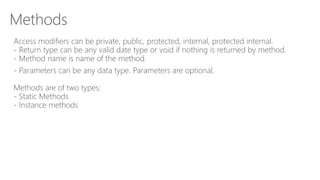
![Methods
Methods are used to define logic once and use it at many places, which make
maintenance of program easier.
Syntax of declaring methods”
[Attributes]
access-modifiers return-type methodname( parameters )
{
methodbody
}](https://image.slidesharecdn.com/xamarin-methods-160403141014/85/Xamarin-C-Methods-4-320.jpg)
![Static methods
Static Methods are associated with class. Example:
class Program
{
//declaring and using static method
public static void print()
{
Console.WriteLine("printing done");
}
static void Main(string[] args)
{
print();
Console.ReadKey();
}
}](https://image.slidesharecdn.com/xamarin-methods-160403141014/85/Xamarin-C-Methods-6-320.jpg)
![Instance methods
Instance methods are associated with instance. Example:
class Program
{
//declaring and using instance method
public void print()
{
Console.WriteLine("printing done");
}
static void Main(string[] args)
{
Program p = new Program();
p.print();
Console.ReadKey();
}
}](https://image.slidesharecdn.com/xamarin-methods-160403141014/85/Xamarin-C-Methods-7-320.jpg)
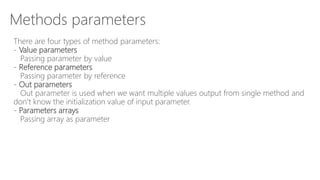
![Value parameters
Passing parameter by value:
class Program
{
//passing parameter by value
public void increment(int i)
{
++i;
}
static void Main(string[] args)
{
Program p = new Program();
int j = 10;
p.increment(j);
Console.WriteLine(j);
Console.ReadKey();
}
}
Result :-
10](https://image.slidesharecdn.com/xamarin-methods-160403141014/85/Xamarin-C-Methods-9-320.jpg)
![Reference parameters
Keyword ref is use for passing the value type by reference.
Passing parameter by reference:
class Program
{
//passing parameter by reference
public void increment(ref int i)
{
++i;
}
static void Main(string[] args)
{
Program p = new Program();
int j = 10;
p.increment(ref j);
Console.WriteLine(j);
Console.ReadKey();
}
}](https://image.slidesharecdn.com/xamarin-methods-160403141014/85/Xamarin-C-Methods-10-320.jpg)
![Out parameters
Out parameters is used when we want multiple values output from single method and
don’t know the initialization value of input parameter.
class Program
{
//passing out parameter
public int initialize(out int i)
{
i = 10;
int j = i + 1;
return j;
}
static void Main(string[] args)
{
Program p = new Program();
int j;
int increasedvalue = p.initialize(out j);
Console.WriteLine("value and incremented value is {0} {1}", j, increasedvalue);
Console.ReadKey();
}
}](https://image.slidesharecdn.com/xamarin-methods-160403141014/85/Xamarin-C-Methods-11-320.jpg)
![Parameter arrays
Passing array as parameter:class Program
{
//passing array as parameter
public int[] initialize(int[] arr)
{
for (int i = 0; i < arr.Length - 1; i++)
{
arr[i] = i;
}
return arr;
}
static void Main(string[] args)
{
Program p = new Program();
int[] arr = new int[10];
// passing array as parameter;
p.initialize(arr);
for (int i = 0; i < arr.Length - 1; i++)
{
Console.WriteLine(arr[i]);
}
Console.ReadKey();
}
}](https://image.slidesharecdn.com/xamarin-methods-160403141014/85/Xamarin-C-Methods-12-320.jpg)
![Optional and Named parameters
Using Optional parameters:
class Program
{
// length and breadth are optional parameter
public void print(int pages, int length = 100, int breadth = 40)
{
Console.WriteLine("length, breadth, no of pages {0} {1} {2}", length, breadth, pages);
}
static void Main(string[] args)
{
Program p = new Program();
p.print(10);
Console.ReadKey();
}
}](https://image.slidesharecdn.com/xamarin-methods-160403141014/85/Xamarin-C-Methods-13-320.jpg)
![Optional and Named parameters
Using Named parameters:
class Program
{
public void print(int pages, int length, int breadth)
{
Console.WriteLine("length, breadth, no of pages {0} {1} {2}", length, breadth, pages);
}
static void Main(string[] args)
{
Program p = new Program();
// passing parameters by name
p.print(length: 10, breadth: 16, pages: 10);
Console.ReadKey();
}
}](https://image.slidesharecdn.com/xamarin-methods-160403141014/85/Xamarin-C-Methods-14-320.jpg)




Methods are used to define reusable logic and are declared with access modifiers, a return type, name, and optional parameters. There are two types of methods: static methods associated with a class and instance methods associated with an object. Parameters can be passed by value, reference, or as out/ref parameters. Optional and named parameters allow flexibility in how arguments are passed to methods.


