Writing code well
Tools, tips & tricks
Take advantage of a versioning system
“Version control is the ability to manage the change and configuration of an
application. Versioning is a priceless process, especially when you have multiple
developers working on a single application, because it allows them to easily share
files.”
-- from some Google search hit
Take advantage of a versioning system (1)
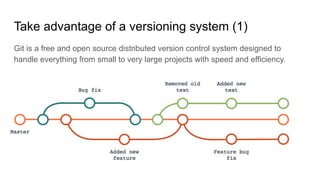
Git is a free and open source distributed version control system designed to
handle everything from small to very large projects with speed and efficiency.
Take advantage of a versioning system (2)
Here’s some don’t(s) you should avoid:
- Share your code on Dropbox/Drive/…
- Zip your code and send it around via email
- Share only some files/functions
Please use branches!!
You should be able to
look at your code
after 6 months
and be able to
understand what is going on!
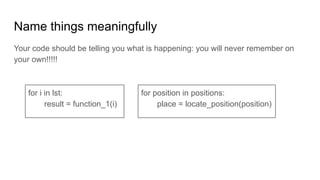
Name things meaningfully
Your code should be telling you what is happening: you will never remember on
your own!!!!!
for i in lst:
result = function_1(i)
for position in positions:
place = locate_position(position)
Code organization
- Functions can be handy!!
- Let’s avoid multiple copies of same piece code around your files
- Take advantage of classes and objects (when possible)
- Object oriented programming has tons of benefits:
- Objects created for Object Oriented Programs can easily be reused in other programs
- Once an object is created, the knowledge of its implementation is not necessary for its
use
- The bigger the project, the more complex the structure
- Let’s avoid saving all the files in the same root folder
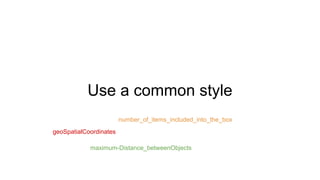
Use a common style
geoSpatialCoordinates
number_of_items_included_into_the_box
maximum-Distance_betweenObjects
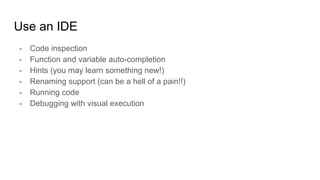
Use an IDE
- Code inspection
- Function and variable auto-completion
- Hints (you may learn something new!)
- Renaming support (can be a hell of a pain!!)
- Running code
- Debugging with visual execution
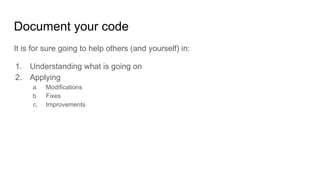
Document your code
It is for sure going to help others (and yourself) in:
1. Understanding what is going on
2. Applying
a. Modifications
b. Fixes
c. Improvements
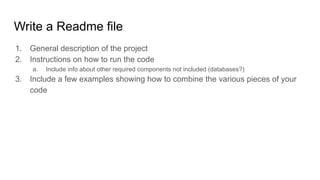
Write a Readme file
1. General description of the project
2. Instructions on how to run the code
a. Include info about other required components not included (databases?)
3. Include a few examples showing how to combine the various pieces of your
code
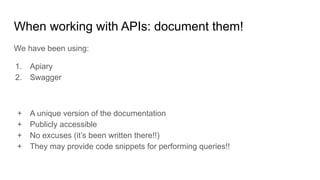
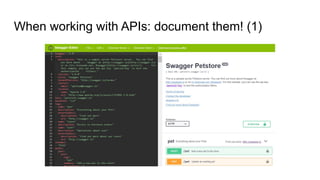
When working with APIs: document them!
We have been using:
1. Apiary
2. Swagger
+ A unique version of the documentation
+ Publicly accessible
+ No excuses (it’s been written there!!)
+ They may provide code snippets for performing queries!!
When working with APIs: document them! (1)
Test your code!
You don’t want to have surprises when in production (you’ll have them anyway, but
let’s minimize!!!)
1. Take advantage of the test suites for testing the specific functions
2. Run lots of test scenarios while in dev mode (locally on your computer or on a
dedicated test instance)
Run your code
Docker may come in handy!!
“... operating-system-level virtualization, also known as containerization ...”
1. Compatibility and Maintainability
2. Simplicity and Faster Configurations
3. Rapid Deployment
4. Multi-Cloud Platforms
5. Isolation
6. Security
This training material is part of the FogGuru project that has received funding from the European Union’s Horizon
2020 research and innovation programme under the Marie Skłodowska-Curie grant agreement No 765452. The
information and views set out in this material are those of the author(s) and do not necessarily reflect the official
opinion of the European Union. Neither the European Union institutions and bodies nor any person acting on their
behalf may be held responsible for the use which may be made of the information contained therein.

Writing code well: tools, tips and tricks

  • 1.
  • 3.
    Take advantage ofa versioning system “Version control is the ability to manage the change and configuration of an application. Versioning is a priceless process, especially when you have multiple developers working on a single application, because it allows them to easily share files.” -- from some Google search hit
  • 4.
    Take advantage ofa versioning system (1) Git is a free and open source distributed version control system designed to handle everything from small to very large projects with speed and efficiency.
  • 5.
    Take advantage ofa versioning system (2) Here’s some don’t(s) you should avoid: - Share your code on Dropbox/Drive/… - Zip your code and send it around via email - Share only some files/functions
  • 6.
  • 8.
    You should beable to look at your code after 6 months and be able to understand what is going on!
  • 9.
    Name things meaningfully Yourcode should be telling you what is happening: you will never remember on your own!!!!! for i in lst: result = function_1(i) for position in positions: place = locate_position(position)
  • 10.
    Code organization - Functionscan be handy!! - Let’s avoid multiple copies of same piece code around your files - Take advantage of classes and objects (when possible) - Object oriented programming has tons of benefits: - Objects created for Object Oriented Programs can easily be reused in other programs - Once an object is created, the knowledge of its implementation is not necessary for its use - The bigger the project, the more complex the structure - Let’s avoid saving all the files in the same root folder
  • 11.
    Use a commonstyle geoSpatialCoordinates number_of_items_included_into_the_box maximum-Distance_betweenObjects
  • 12.
    Use an IDE -Code inspection - Function and variable auto-completion - Hints (you may learn something new!) - Renaming support (can be a hell of a pain!!) - Running code - Debugging with visual execution
  • 14.
    Document your code Itis for sure going to help others (and yourself) in: 1. Understanding what is going on 2. Applying a. Modifications b. Fixes c. Improvements
  • 15.
    Write a Readmefile 1. General description of the project 2. Instructions on how to run the code a. Include info about other required components not included (databases?) 3. Include a few examples showing how to combine the various pieces of your code
  • 16.
    When working withAPIs: document them! We have been using: 1. Apiary 2. Swagger + A unique version of the documentation + Publicly accessible + No excuses (it’s been written there!!) + They may provide code snippets for performing queries!!
  • 17.
    When working withAPIs: document them! (1)
  • 19.
    Test your code! Youdon’t want to have surprises when in production (you’ll have them anyway, but let’s minimize!!!) 1. Take advantage of the test suites for testing the specific functions 2. Run lots of test scenarios while in dev mode (locally on your computer or on a dedicated test instance)
  • 20.
    Run your code Dockermay come in handy!! “... operating-system-level virtualization, also known as containerization ...” 1. Compatibility and Maintainability 2. Simplicity and Faster Configurations 3. Rapid Deployment 4. Multi-Cloud Platforms 5. Isolation 6. Security
  • 22.
    This training materialis part of the FogGuru project that has received funding from the European Union’s Horizon 2020 research and innovation programme under the Marie Skłodowska-Curie grant agreement No 765452. The information and views set out in this material are those of the author(s) and do not necessarily reflect the official opinion of the European Union. Neither the European Union institutions and bodies nor any person acting on their behalf may be held responsible for the use which may be made of the information contained therein.