Working with Volunteers:
Nuts & Bolts of Facebook & Twitter
Roxanne Darling
@roxannedarling
photo credit: ivanwalsh on Flickr1
19 April 2013
Cameron Center on Maui
The County of Maui, Volunteer Center
Network of Volunteer Leaders Maui
Tri Isle Resource and Conservation
Development Council, Inc.
2
#SocialVol
#nonprofits
@roxannedarling
3
Before you
recruit
volunteers...
4
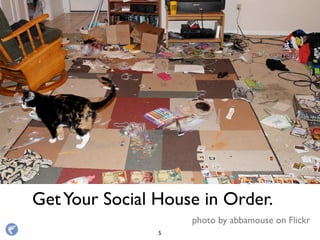
GetYour Social House in Order.
photo by abbamouse on Flickr
5
DO
6
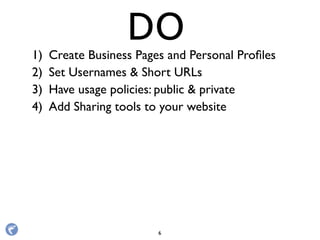
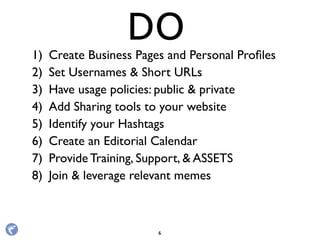
1) Create Business Pages and Personal Profiles
DO
6
1) Create Business Pages and Personal Profiles
2) Set Usernames & Short URLs
DO
6
1) Create Business Pages and Personal Profiles
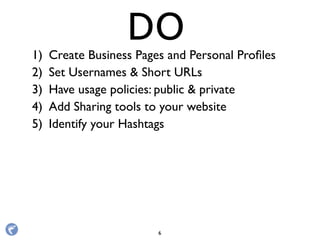
2) Set Usernames & Short URLs
3) Have usage policies: public & private
DO
6
1) Create Business Pages and Personal Profiles
2) Set Usernames & Short URLs
3) Have usage policies: public & private
4) Add Sharing tools to your website
DO
6
1) Create Business Pages and Personal Profiles
2) Set Usernames & Short URLs
3) Have usage policies: public & private
4) Add Sharing tools to your website
5) Identify your Hashtags
DO
6
1) Create Business Pages and Personal Profiles
2) Set Usernames & Short URLs
3) Have usage policies: public & private
4) Add Sharing tools to your website
5) Identify your Hashtags
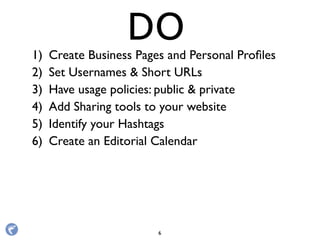
6) Create an Editorial Calendar
DO
6
1) Create Business Pages and Personal Profiles
2) Set Usernames & Short URLs
3) Have usage policies: public & private
4) Add Sharing tools to your website
5) Identify your Hashtags
6) Create an Editorial Calendar
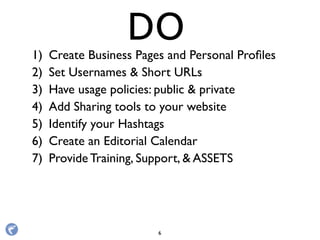
7) Provide Training, Support, & ASSETS
DO
6
1) Create Business Pages and Personal Profiles
2) Set Usernames & Short URLs
3) Have usage policies: public & private
4) Add Sharing tools to your website
5) Identify your Hashtags
6) Create an Editorial Calendar
7) Provide Training, Support, & ASSETS
8) Join & leverage relevant memes
DO
6
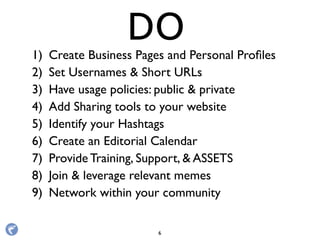
1) Create Business Pages and Personal Profiles
2) Set Usernames & Short URLs
3) Have usage policies: public & private
4) Add Sharing tools to your website
5) Identify your Hashtags
6) Create an Editorial Calendar
7) Provide Training, Support, & ASSETS
8) Join & leverage relevant memes
9) Network within your community
DO
6
1) Create Business Pages and Personal Profiles
2) Set Usernames & Short URLs
3) Have usage policies: public & private
4) Add Sharing tools to your website
5) Identify your Hashtags
6) Create an Editorial Calendar
7) Provide Training, Support, & ASSETS
8) Join & leverage relevant memes
9) Network within your community
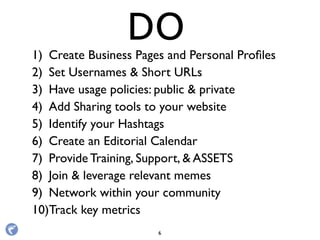
10)Track key metrics
DO
6
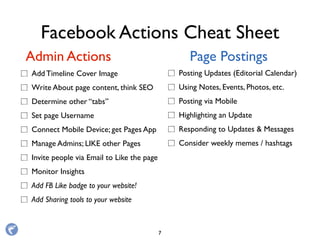
Facebook Actions Cheat Sheet
Add Timeline Cover Image
Write About page content, think SEO
Determine other “tabs”
Set page Username
Connect Mobile Device; get Pages App
Manage Admins; LIKE other Pages
Invite people via Email to Like the page
Monitor Insights
Add FB Like badge to your website!
Add Sharing tools to your website
Admin Actions Page Postings
Posting Updates (Editorial Calendar)
Using Notes, Events, Photos, etc.
Posting via Mobile
Highlighting an Update
Responding to Updates & Messages
Consider weekly memes / hashtags
7
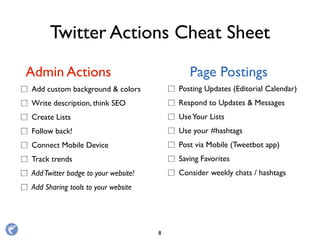
Twitter Actions Cheat Sheet
Add custom background & colors
Write description, think SEO
Create Lists
Follow back!
Connect Mobile Device
Track trends
AddTwitter badge to your website!
Add Sharing tools to your website
Admin Actions Page Postings
Posting Updates (Editorial Calendar)
Respond to Updates & Messages
UseYour Lists
Use your #hashtags
Post via Mobile (Tweetbot app)
Saving Favorites
Consider weekly chats / hashtags
8
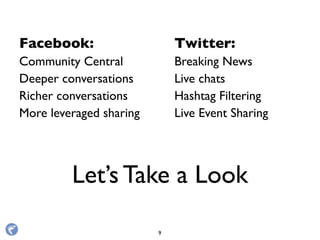
Let’s Take a Look
Facebook:
Community Central
Deeper conversations
Richer conversations
More leveraged sharing
Twitter:
Breaking News
Live chats
Hashtag Filtering
Live Event Sharing
9
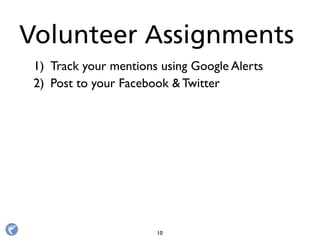
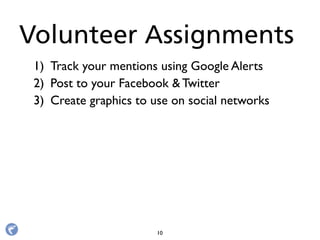
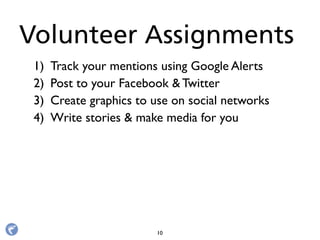
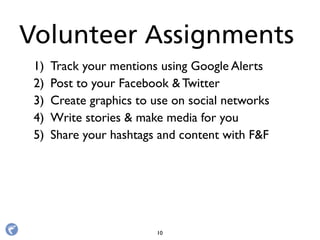
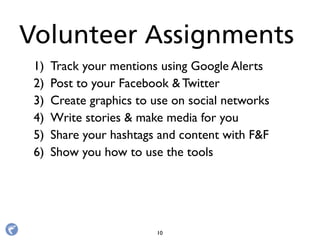
Volunteer Assignments
10
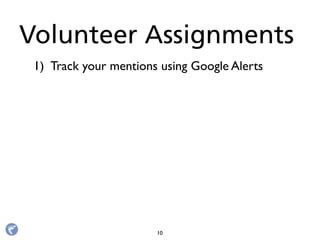
1) Track your mentions using Google Alerts
Volunteer Assignments
10
1) Track your mentions using Google Alerts
2) Post to your Facebook & Twitter
Volunteer Assignments
10
1) Track your mentions using Google Alerts
2) Post to your Facebook & Twitter
3) Create graphics to use on social networks
Volunteer Assignments
10
1) Track your mentions using Google Alerts
2) Post to your Facebook & Twitter
3) Create graphics to use on social networks
4) Write stories & make media for you
Volunteer Assignments
10
1) Track your mentions using Google Alerts
2) Post to your Facebook & Twitter
3) Create graphics to use on social networks
4) Write stories & make media for you
5) Share your hashtags and content with F&F
Volunteer Assignments
10
1) Track your mentions using Google Alerts
2) Post to your Facebook & Twitter
3) Create graphics to use on social networks
4) Write stories & make media for you
5) Share your hashtags and content with F&F
6) Show you how to use the tools
Volunteer Assignments
10
1) Track your mentions using Google Alerts
2) Post to your Facebook & Twitter
3) Create graphics to use on social networks
4) Write stories & make media for you
5) Share your hashtags and content with F&F
6) Show you how to use the tools
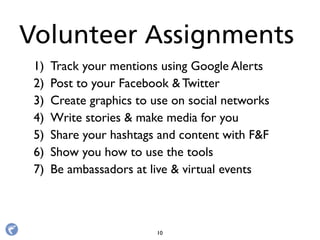
7) Be ambassadors at live & virtual events
Volunteer Assignments
10
1) Track your mentions using Google Alerts
2) Post to your Facebook & Twitter
3) Create graphics to use on social networks
4) Write stories & make media for you
5) Share your hashtags and content with F&F
6) Show you how to use the tools
7) Be ambassadors at live & virtual events
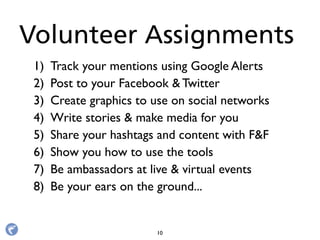
8) Be your ears on the ground...
Volunteer Assignments
10
1) Track your mentions using Google Alerts
2) Post to your Facebook & Twitter
3) Create graphics to use on social networks
4) Write stories & make media for you
5) Share your hashtags and content with F&F
6) Show you how to use the tools
7) Be ambassadors at live & virtual events
8) Be your ears on the ground...
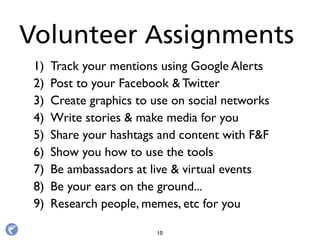
9) Research people, memes, etc for you
Volunteer Assignments
10
Answer "howto" questions
Address customer service issues
Share insider knowledge
Ask “what if” questions
Ask “fill in the blank” questions
Ask “what would you do?” questions
Ask for photo captions.
Provide quotes.
Include images!
Conversation Starters
11
Answer "howto" questions
Address customer service issues
Share insider knowledge
Ask “what if” questions
Ask “fill in the blank” questions
Ask “what would you do?” questions
Ask for photo captions.
Provide quotes.
Include images!
Conversation Starters
11
Let’s Practice
Now!
Answer "howto" questions
Address customer service issues
Share insider knowledge
Ask “what if” questions
Ask “fill in the blank” questions
Ask “what would you do?” questions
Ask for photo captions.
Provide quotes.
Include images!
Conversation Starters
11
Without a link,
you don’t exist!
12
!
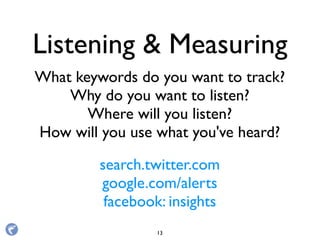
Listening & Measuring
What keywords do you want to track?
Why do you want to listen?
Where will you listen?
How will you use what you've heard?
search.twitter.com
google.com/alerts
facebook: insights
13
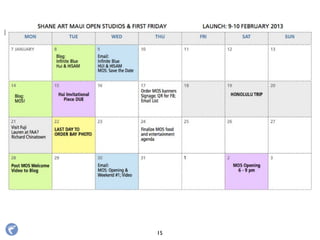
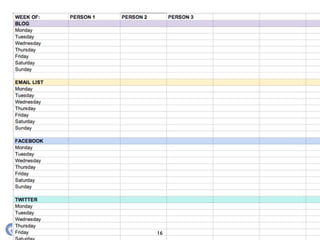
The Editorial Calendar
14
15
16
• Blog Posts
• Social media network messaging 
• Event Details
• Announcements (awards, mahalos, etc)
• Email campaigns
• Videos: live stream, short form, long form
• Offers and Timelines
• Promotions and sweepstakes
• Offline Ads / Mailers
Items for the Calendar
17
BeYour Own Media.
18
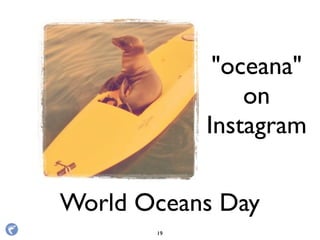
World Oceans Day
"oceana"
on
Instagram
19
Over 4 million channel views
MarylandZoo.tv
20
Over 4 million channel views
MarylandZoo.tv
20
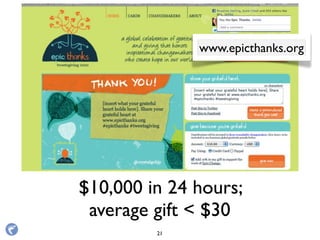
$10,000 in 24 hours;
average gift < $30
www.epicthanks.org
21
Share and Engage.
22
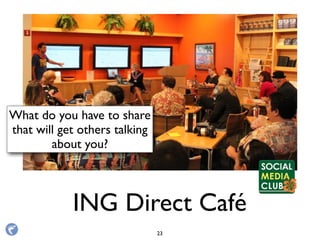
ING Direct Café
What do you have to share
that will get others talking
about you?
23
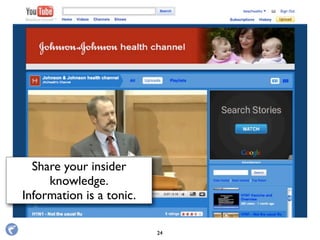
Johnson & Johnson
Share your insider
knowledge.
Information is a tonic.
24
Identify & Support
Connectors.
25
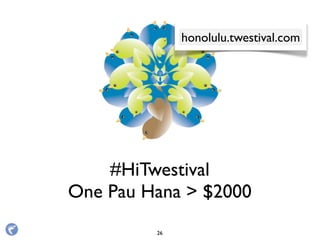
#HiTwestival
One Pau Hana > $2000
honolulu.twestival.com
26
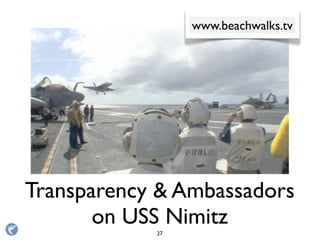
Transparency & Ambassadors
on USS Nimitz
www.beachwalks.tv
27
Transparency & Ambassadors
on USS Nimitz
www.beachwalks.tv
27
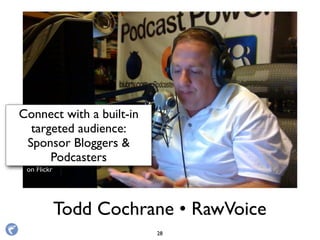
Todd Cochrane • RawVoice
Photo by Hawaii
on Flickr
Connect with a built-in
targeted audience:
Sponsor Bloggers &
Podcasters
28
Engage with other Leaders
www.idealist.org
www.givingtuesday.org
29
Understand the
new math.
(and Signal vs Noise)
30
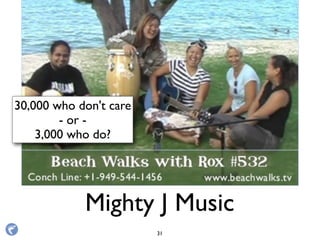
Mighty J Music
30,000 who don't care
- or -
3,000 who do?
31
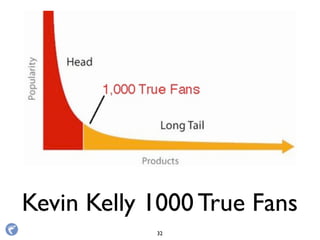
Kevin Kelly 1000 True Fans
32
FindYour New MediaVoice
33
BareFeetStudios.com
BeachWalks.tv
Roxanne Darling
@roxannedarling
Share the Love!
34

Working with Volunteers

  • 1.
    Working with Volunteers: Nuts& Bolts of Facebook & Twitter Roxanne Darling @roxannedarling photo credit: ivanwalsh on Flickr1
  • 2.
    19 April 2013 CameronCenter on Maui The County of Maui, Volunteer Center Network of Volunteer Leaders Maui Tri Isle Resource and Conservation Development Council, Inc. 2
  • 3.
  • 4.
  • 5.
    GetYour Social Housein Order. photo by abbamouse on Flickr 5
  • 6.
  • 7.
    1) Create BusinessPages and Personal Profiles DO 6
  • 8.
    1) Create BusinessPages and Personal Profiles 2) Set Usernames & Short URLs DO 6
  • 9.
    1) Create BusinessPages and Personal Profiles 2) Set Usernames & Short URLs 3) Have usage policies: public & private DO 6
  • 10.
    1) Create BusinessPages and Personal Profiles 2) Set Usernames & Short URLs 3) Have usage policies: public & private 4) Add Sharing tools to your website DO 6
  • 11.
    1) Create BusinessPages and Personal Profiles 2) Set Usernames & Short URLs 3) Have usage policies: public & private 4) Add Sharing tools to your website 5) Identify your Hashtags DO 6
  • 12.
    1) Create BusinessPages and Personal Profiles 2) Set Usernames & Short URLs 3) Have usage policies: public & private 4) Add Sharing tools to your website 5) Identify your Hashtags 6) Create an Editorial Calendar DO 6
  • 13.
    1) Create BusinessPages and Personal Profiles 2) Set Usernames & Short URLs 3) Have usage policies: public & private 4) Add Sharing tools to your website 5) Identify your Hashtags 6) Create an Editorial Calendar 7) Provide Training, Support, & ASSETS DO 6
  • 14.
    1) Create BusinessPages and Personal Profiles 2) Set Usernames & Short URLs 3) Have usage policies: public & private 4) Add Sharing tools to your website 5) Identify your Hashtags 6) Create an Editorial Calendar 7) Provide Training, Support, & ASSETS 8) Join & leverage relevant memes DO 6
  • 15.
    1) Create BusinessPages and Personal Profiles 2) Set Usernames & Short URLs 3) Have usage policies: public & private 4) Add Sharing tools to your website 5) Identify your Hashtags 6) Create an Editorial Calendar 7) Provide Training, Support, & ASSETS 8) Join & leverage relevant memes 9) Network within your community DO 6
  • 16.
    1) Create BusinessPages and Personal Profiles 2) Set Usernames & Short URLs 3) Have usage policies: public & private 4) Add Sharing tools to your website 5) Identify your Hashtags 6) Create an Editorial Calendar 7) Provide Training, Support, & ASSETS 8) Join & leverage relevant memes 9) Network within your community 10)Track key metrics DO 6
  • 17.
    Facebook Actions CheatSheet Add Timeline Cover Image Write About page content, think SEO Determine other “tabs” Set page Username Connect Mobile Device; get Pages App Manage Admins; LIKE other Pages Invite people via Email to Like the page Monitor Insights Add FB Like badge to your website! Add Sharing tools to your website Admin Actions Page Postings Posting Updates (Editorial Calendar) Using Notes, Events, Photos, etc. Posting via Mobile Highlighting an Update Responding to Updates & Messages Consider weekly memes / hashtags 7
  • 18.
    Twitter Actions CheatSheet Add custom background & colors Write description, think SEO Create Lists Follow back! Connect Mobile Device Track trends AddTwitter badge to your website! Add Sharing tools to your website Admin Actions Page Postings Posting Updates (Editorial Calendar) Respond to Updates & Messages UseYour Lists Use your #hashtags Post via Mobile (Tweetbot app) Saving Favorites Consider weekly chats / hashtags 8
  • 19.
    Let’s Take aLook Facebook: Community Central Deeper conversations Richer conversations More leveraged sharing Twitter: Breaking News Live chats Hashtag Filtering Live Event Sharing 9
  • 20.
  • 21.
    1) Track yourmentions using Google Alerts Volunteer Assignments 10
  • 22.
    1) Track yourmentions using Google Alerts 2) Post to your Facebook & Twitter Volunteer Assignments 10
  • 23.
    1) Track yourmentions using Google Alerts 2) Post to your Facebook & Twitter 3) Create graphics to use on social networks Volunteer Assignments 10
  • 24.
    1) Track yourmentions using Google Alerts 2) Post to your Facebook & Twitter 3) Create graphics to use on social networks 4) Write stories & make media for you Volunteer Assignments 10
  • 25.
    1) Track yourmentions using Google Alerts 2) Post to your Facebook & Twitter 3) Create graphics to use on social networks 4) Write stories & make media for you 5) Share your hashtags and content with F&F Volunteer Assignments 10
  • 26.
    1) Track yourmentions using Google Alerts 2) Post to your Facebook & Twitter 3) Create graphics to use on social networks 4) Write stories & make media for you 5) Share your hashtags and content with F&F 6) Show you how to use the tools Volunteer Assignments 10
  • 27.
    1) Track yourmentions using Google Alerts 2) Post to your Facebook & Twitter 3) Create graphics to use on social networks 4) Write stories & make media for you 5) Share your hashtags and content with F&F 6) Show you how to use the tools 7) Be ambassadors at live & virtual events Volunteer Assignments 10
  • 28.
    1) Track yourmentions using Google Alerts 2) Post to your Facebook & Twitter 3) Create graphics to use on social networks 4) Write stories & make media for you 5) Share your hashtags and content with F&F 6) Show you how to use the tools 7) Be ambassadors at live & virtual events 8) Be your ears on the ground... Volunteer Assignments 10
  • 29.
    1) Track yourmentions using Google Alerts 2) Post to your Facebook & Twitter 3) Create graphics to use on social networks 4) Write stories & make media for you 5) Share your hashtags and content with F&F 6) Show you how to use the tools 7) Be ambassadors at live & virtual events 8) Be your ears on the ground... 9) Research people, memes, etc for you Volunteer Assignments 10
  • 30.
    Answer "howto" questions Addresscustomer service issues Share insider knowledge Ask “what if” questions Ask “fill in the blank” questions Ask “what would you do?” questions Ask for photo captions. Provide quotes. Include images! Conversation Starters 11
  • 31.
    Answer "howto" questions Addresscustomer service issues Share insider knowledge Ask “what if” questions Ask “fill in the blank” questions Ask “what would you do?” questions Ask for photo captions. Provide quotes. Include images! Conversation Starters 11 Let’s Practice Now!
  • 32.
    Answer "howto" questions Addresscustomer service issues Share insider knowledge Ask “what if” questions Ask “fill in the blank” questions Ask “what would you do?” questions Ask for photo captions. Provide quotes. Include images! Conversation Starters 11
  • 33.
    Without a link, youdon’t exist! 12 !
  • 34.
    Listening & Measuring Whatkeywords do you want to track? Why do you want to listen? Where will you listen? How will you use what you've heard? search.twitter.com google.com/alerts facebook: insights 13
  • 35.
  • 36.
  • 37.
  • 38.
    • Blog Posts •Social media network messaging  • Event Details • Announcements (awards, mahalos, etc) • Email campaigns • Videos: live stream, short form, long form • Offers and Timelines • Promotions and sweepstakes • Offline Ads / Mailers Items for the Calendar 17

  • 39.
  • 40.
  • 41.
    Over 4 millionchannel views MarylandZoo.tv 20
  • 42.
    Over 4 millionchannel views MarylandZoo.tv 20
  • 43.
    $10,000 in 24hours; average gift < $30 www.epicthanks.org 21
  • 44.
  • 45.
    ING Direct Café Whatdo you have to share that will get others talking about you? 23
  • 46.
    Johnson & Johnson Shareyour insider knowledge. Information is a tonic. 24
  • 47.
  • 48.
    #HiTwestival One Pau Hana> $2000 honolulu.twestival.com 26
  • 49.
    Transparency & Ambassadors onUSS Nimitz www.beachwalks.tv 27
  • 50.
    Transparency & Ambassadors onUSS Nimitz www.beachwalks.tv 27
  • 51.
    Todd Cochrane • RawVoice Photoby Hawaii on Flickr Connect with a built-in targeted audience: Sponsor Bloggers & Podcasters 28

  • 52.
    Engage with otherLeaders www.idealist.org www.givingtuesday.org 29
  • 53.
    Understand the new math. (andSignal vs Noise) 30
  • 54.
    Mighty J Music 30,000who don't care - or - 3,000 who do? 31
  • 55.
    Kevin Kelly 1000True Fans 32
  • 56.
  • 57.