Work-From-Home Survival Guide
Enterprise-Wide Work-From-Home Solution
Between influenza season, transportation strikes, inclement
weather, and school closings, employees are working from
home more than ever. When dealing with a temporarily
dispersed workforce, it’s important to maintain security,
boost morale and continue to operate at peak performance.
Copyright 2020 3
Move to an Enterprise-Wide
Distributed Workforce
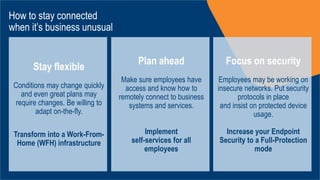
How to stay connected
when it’s business unusual
Stay flexible
Conditions may change quickly
and even great plans may
require changes. Be willing to
adapt on-the-fly.
Transform into a Work-From-
Home (WFH) infrastructure
Plan ahead
Make sure employees have
access and know how to
remotely connect to business
systems and services.
Implement
self-services for all
employees
Focus on security
Employees may be working on
insecure networks. Put security
protocols in place
and insist on protected device
usage.
Increase your Endpoint
Security to a Full-Protection
mode
The selection of the right technologies can help
drive your organization’s productivity on a day-to-
day basis and is key to enabling business
continuity plans.
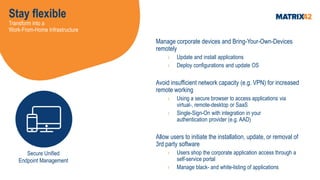
Stay flexible
Transform into a
Work-From-Home Infrastructure
Manage corporate devices and Bring-Your-Own-Devices
remotely
› Update and install applications
› Deploy configurations and update OS
Avoid insufficient network capacity (e.g. VPN) for increased
remote working
› Using a secure browser to access applications via
virtual-, remote-desktop or SaaS
› Single-Sign-On with integration in your
authentication provider (e.g. AAD)
Allow users to initiate the installation, update, or removal of
3rd party software
› Users shop the corporate application access through a
self-service portal
› Manage black- and white-listing of applications
Secure Unified
Endpoint Management
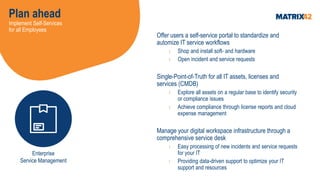
Plan ahead
Implement Self-Services
for all Employees
Offer users a self-service portal to standardize and
automize IT service workflows
› Shop and install soft- and hardware
› Open incident and service requests
Single-Point-of-Truth for all IT assets, licenses and
services (CMDB)
› Explore all assets on a regular base to identify security
or compliance issues
› Achieve compliance through license reports and cloud
expense management
Manage your digital workspace infrastructure through a
comprehensive service desk
› Easy processing of new incidents and service requests
for your IT
› Providing data-driven support to optimize your IT
support and resources
Enterprise
Service Management
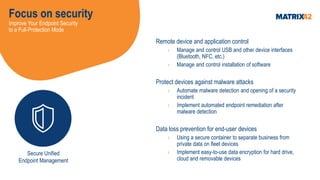
Focus on security
Improve Your Endpoint Security
to a Full-Protection Mode
Remote device and application control
› Manage and control USB and other device interfaces
(Bluetooth, NFC, etc.)
› Manage and control installation of software
Protect devices against malware attacks
› Automate malware detection and opening of a security
incident
› Implement automated endpoint remediation after
malware detection
Data loss prevention for end-user devices
› Using a secure container to separate business from
private data on fleet devices
› Implement easy-to-use data encryption for hard drive,
cloud and removable devices
Secure Unified
Endpoint Management
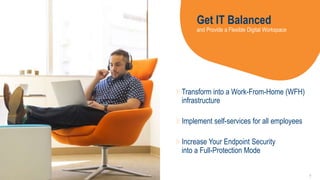
Get IT Balanced
and Provide a Flexible Digital Workspace
Transform into a Work-From-Home (WFH)
infrastructure
Implement self-services for all employees
Increase Your Endpoint Security
into a Full-Protection Mode
9
GET IT BALANCED
CONTACT US FOR FURTHER INFORMATION
PHONE +49 69 6677 38220
E-MAIL INSIDESALES@MATRIX42.COM

Work-From-Home Survival Guide

  • 1.
  • 2.
    Between influenza season,transportation strikes, inclement weather, and school closings, employees are working from home more than ever. When dealing with a temporarily dispersed workforce, it’s important to maintain security, boost morale and continue to operate at peak performance.
  • 3.
    Copyright 2020 3 Moveto an Enterprise-Wide Distributed Workforce
  • 4.
    How to stayconnected when it’s business unusual Stay flexible Conditions may change quickly and even great plans may require changes. Be willing to adapt on-the-fly. Transform into a Work-From- Home (WFH) infrastructure Plan ahead Make sure employees have access and know how to remotely connect to business systems and services. Implement self-services for all employees Focus on security Employees may be working on insecure networks. Put security protocols in place and insist on protected device usage. Increase your Endpoint Security to a Full-Protection mode
  • 5.
    The selection ofthe right technologies can help drive your organization’s productivity on a day-to- day basis and is key to enabling business continuity plans.
  • 6.
    Stay flexible Transform intoa Work-From-Home Infrastructure Manage corporate devices and Bring-Your-Own-Devices remotely › Update and install applications › Deploy configurations and update OS Avoid insufficient network capacity (e.g. VPN) for increased remote working › Using a secure browser to access applications via virtual-, remote-desktop or SaaS › Single-Sign-On with integration in your authentication provider (e.g. AAD) Allow users to initiate the installation, update, or removal of 3rd party software › Users shop the corporate application access through a self-service portal › Manage black- and white-listing of applications Secure Unified Endpoint Management
  • 7.
    Plan ahead Implement Self-Services forall Employees Offer users a self-service portal to standardize and automize IT service workflows › Shop and install soft- and hardware › Open incident and service requests Single-Point-of-Truth for all IT assets, licenses and services (CMDB) › Explore all assets on a regular base to identify security or compliance issues › Achieve compliance through license reports and cloud expense management Manage your digital workspace infrastructure through a comprehensive service desk › Easy processing of new incidents and service requests for your IT › Providing data-driven support to optimize your IT support and resources Enterprise Service Management
  • 8.
    Focus on security ImproveYour Endpoint Security to a Full-Protection Mode Remote device and application control › Manage and control USB and other device interfaces (Bluetooth, NFC, etc.) › Manage and control installation of software Protect devices against malware attacks › Automate malware detection and opening of a security incident › Implement automated endpoint remediation after malware detection Data loss prevention for end-user devices › Using a secure container to separate business from private data on fleet devices › Implement easy-to-use data encryption for hard drive, cloud and removable devices Secure Unified Endpoint Management
  • 9.
    Get IT Balanced andProvide a Flexible Digital Workspace Transform into a Work-From-Home (WFH) infrastructure Implement self-services for all employees Increase Your Endpoint Security into a Full-Protection Mode 9
  • 10.
    GET IT BALANCED CONTACTUS FOR FURTHER INFORMATION PHONE +49 69 6677 38220 E-MAIL INSIDESALES@MATRIX42.COM