10 Useful Tips for YourWordPress
Websites
By: EasyiMarketing.com
Have a
backup plan
to backup
your sites
automatically You don’t
want to
lose your
hard works
No site is
100% safe
Use a plugin or
backup solutions
offered by web
hosts
Tip 1: Backup Your site
automatically
Caching is a
performance
optimization
that reduce
load times
Use a cache plugin
such as W3 Total
Cache, WP Super
Cache or Quick Cache
Tip 2: Cache Your Site
Choose themes
and plugins
that are actively
maintained and
regularly
updated
Plugins
audited by
third party will
give peace of
mind
If there are security
vulnerabilities found
in a theme or
plugin, it’ll be
addressed and
updated quickly
Tip 3: Choose Your Theme and
Plugins Wisely
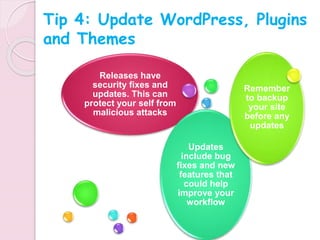
Releases have
security fixes and
updates. This can
protect your self from
malicious attacks
Updates
include bug
fixes and new
features that
could help
improve your
workflow
Remember
to backup
your site
before any
updates
Tip 4: Update WordPress, Plugins
and Themes
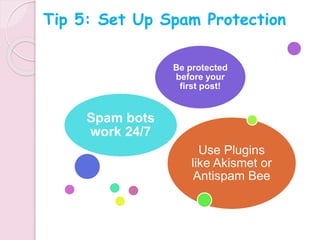
Use Plugins
like Akismet or
Antispam Bee
Spam bots
work 24/7
Be protected
before your
first post!
Tip 5: Set Up Spam Protection
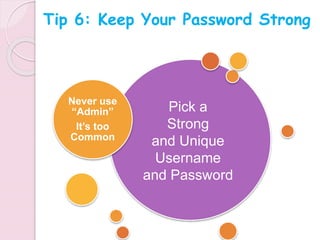
Never use
“Admin”
It’s too
Common
Pick a
Strong
and Unique
Username
and Password
Tip 6: Keep Your Password Strong
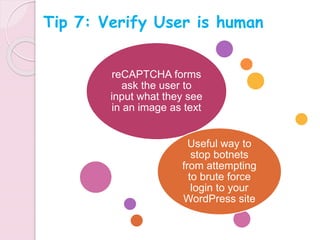
reCAPTCHA forms
ask the user to
input what they see
in an image as text
Useful way to
stop botnets
from attempting
to brute force
login to your
WordPress site
Tip 7: Verify User is human
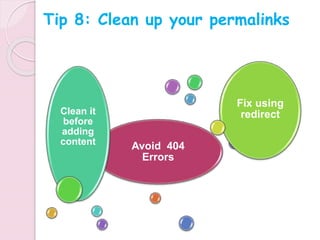
Avoid 404
Errors
Clean it
before
adding
content
Fix using
redirect
Tip 8: Clean up your permalinks
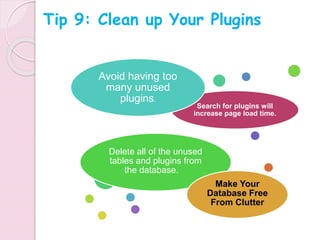
Search for plugins will
increase page load time.
Avoid having too
many unused
plugins.
Delete all of the unused
tables and plugins from
the database.
Make Your
Database Free
From Clutter
Tip 9: Clean up Your Plugins
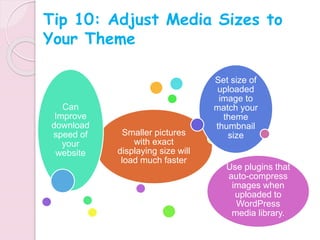
Smaller pictures
with exact
displaying size will
load much faster
Can
Improve
download
speed of
your
website
Set size of
uploaded
image to
match your
theme
thumbnail
size
Use plugins that
auto-compress
images when
uploaded to
WordPress
media library.
Tip 10: Adjust Media Sizes to
Your Theme
Resources :
https://www.getbowtied.com/5-wordpress-setup-tips-beginners/
http://www.sitepoint.com/tips-to-secure-wordpress/
Visit www.easyimarketing.com for more Internet marketing resources.
http://wpfixit.com/speed-up-your-wordpress-website/
http://www.shoeboxcreative.com/6-essential-wordpress-tips-and-
tricks/
http://www.endocreative.com/10-tips-improve-wordpress-website/

10 WordPress Tips

  • 1.
    10 Useful Tipsfor YourWordPress Websites By: EasyiMarketing.com
  • 2.
    Have a backup plan tobackup your sites automatically You don’t want to lose your hard works No site is 100% safe Use a plugin or backup solutions offered by web hosts Tip 1: Backup Your site automatically
  • 3.
    Caching is a performance optimization thatreduce load times Use a cache plugin such as W3 Total Cache, WP Super Cache or Quick Cache Tip 2: Cache Your Site
  • 4.
    Choose themes and plugins thatare actively maintained and regularly updated Plugins audited by third party will give peace of mind If there are security vulnerabilities found in a theme or plugin, it’ll be addressed and updated quickly Tip 3: Choose Your Theme and Plugins Wisely
  • 5.
    Releases have security fixesand updates. This can protect your self from malicious attacks Updates include bug fixes and new features that could help improve your workflow Remember to backup your site before any updates Tip 4: Update WordPress, Plugins and Themes
  • 6.
    Use Plugins like Akismetor Antispam Bee Spam bots work 24/7 Be protected before your first post! Tip 5: Set Up Spam Protection
  • 7.
    Never use “Admin” It’s too Common Picka Strong and Unique Username and Password Tip 6: Keep Your Password Strong
  • 8.
    reCAPTCHA forms ask theuser to input what they see in an image as text Useful way to stop botnets from attempting to brute force login to your WordPress site Tip 7: Verify User is human
  • 9.
    Avoid 404 Errors Clean it before adding content Fixusing redirect Tip 8: Clean up your permalinks
  • 10.
    Search for pluginswill increase page load time. Avoid having too many unused plugins. Delete all of the unused tables and plugins from the database. Make Your Database Free From Clutter Tip 9: Clean up Your Plugins
  • 11.
    Smaller pictures with exact displayingsize will load much faster Can Improve download speed of your website Set size of uploaded image to match your theme thumbnail size Use plugins that auto-compress images when uploaded to WordPress media library. Tip 10: Adjust Media Sizes to Your Theme
  • 12.
    Resources : https://www.getbowtied.com/5-wordpress-setup-tips-beginners/ http://www.sitepoint.com/tips-to-secure-wordpress/ Visit www.easyimarketing.comfor more Internet marketing resources. http://wpfixit.com/speed-up-your-wordpress-website/ http://www.shoeboxcreative.com/6-essential-wordpress-tips-and- tricks/ http://www.endocreative.com/10-tips-improve-wordpress-website/

Editor's Notes

  • #2 10 Useful Tips for Your WordPress Websites By: Easyimarketing.com
  • #3 Tip 1: Backup Your site automatically - Have a backup plan to backup your sites automatically No site is 100% safe You don’t want to lose your hard works Use a plugin or backup solutions offered by web hosts
  • #4 Tip 2: Cache Your Site - Caching is a performance optimization that reduce load times - Use a cache plugin such as W3 Total Cache, WP Super Cache or Quick Cache
  • #5 Tip 3: Choose Your Theme and Plugins Wisely - Choose themes and plugins that are actively maintained and regularly updated - If there are security vulnerabilities found in a theme or plugin, it’ll be addressed and updated quickly - Plugins audited by third party will give peace of mind
  • #6 Tip 4: Update WordPress, Plugins and Themes Releases have security fixes and updates. This can protect your self from malicious attacks Updates include bug fixes and new features that could help improve your workflow Remember to backup your site before any updates
  • #7 Tip 5: Set Up Spam Protection Use Plugins like Akismet or Antispam Bee Spam bots work 24/7 Be protected before your first post!
  • #8 Tip 6: Keep Your Password Strong Pick a Strong and Unique Username and Password Never use “Admin” It’s too Common
  • #9 Tip 7: Verify User is human reCAPTCHA forms ask the user to input what they see in an image as text Useful way to stop botnets from attempting to brute force login to your WordPress site
  • #10 Tip 8: Clean up your permalinks - Clean it before adding content Avoid 404 Errors
  • #11 Tip 9: Clean up Your Plugins Avoid having too many unused plugins. Search for plugins will increase page load time. Delete all of the unused tables and plugins from the database. Make Your Database Free From Clutter
  • #12 Tip 10: Adjust Media Sizes to Your Theme Can Improve download speed of your website Smaller pictures with exact displaying size will load much faster Set size of uploaded image to match your theme thumbnail size Use plugins that auto-compress images when uploaded to WordPress media library.
  • #13 Visit www.easyimarketing.com for more Internet marketing resources. Resources : http://www.sitepoint.com/tips-to-secure-wordpress/ http://wpfixit.com/speed-up-your-wordpress-website/ https://www.getbowtied.com/5-wordpress-setup-tips-beginners/ http://www.shoeboxcreative.com/6-essential-wordpress-tips-and-tricks/ http://www.endocreative.com/10-tips-improve-wordpress-website/