20Tips to Improving
YourWordPress Site…
for Beginners
WORDCAMP RI, OCT 01, 2016
REIKO BEACH – TRB DESIGNS.COM
About me…
WORDCAMP RI, OCT 01, 2016
REIKO BEACH – TRB DESIGNS.COM
Good Hosting
https://www.wpsitecare.com/performance-of-7-top-wordpress-hosting-companies-compared/
http://www.codeinwp.com/blog/wordpress-hosting-survey-results/
What do
you want ?
Cheap
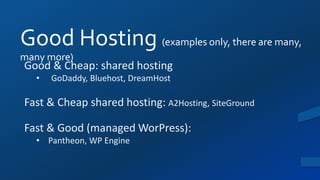
Good Hosting (examples only, there are many,
many more)
Good & Cheap: shared hosting
• GoDaddy, Bluehost, DreamHost
Fast & Cheap shared hosting: A2Hosting, SiteGround
Fast & Good (managed WorPress):
• Pantheon, WP Engine
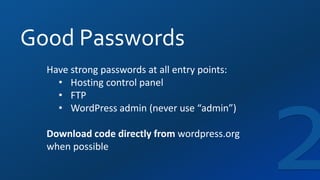
Good Passwords
Have strong passwords at all entry points:
• Hosting control panel
• FTP
• WordPress admin (never use “admin”)
Download code directly from wordpress.org
when possible
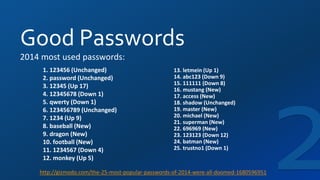
Good Passwords
http://gizmodo.com/the-25-most-popular-passwords-of-2014-were-all-doomed-1680596951
13. letmein (Up 1)
14. abc123 (Down 9)
15. 111111 (Down 8)
16. mustang (New)
17. access (New)
18. shadow (Unchanged)
19. master (New)
20. michael (New)
21. superman (New)
22. 696969 (New)
23. 123123 (Down 12)
24. batman (New)
25. trustno1 (Down 1)
2014 most used passwords:
1. 123456 (Unchanged)
2. password (Unchanged)
3. 12345 (Up 17)
4. 12345678 (Down 1)
5. qwerty (Down 1)
6. 123456789 (Unchanged)
7. 1234 (Up 9)
8. baseball (New)
9. dragon (New)
10. football (New)
11. 1234567 (Down 4)
12. monkey (Up 5)
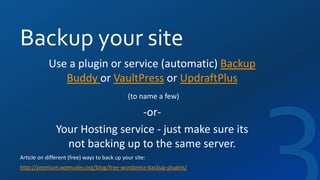
Backup your site
Article on different (free) ways to back up your site:
http://premium.wpmudev.org/blog/free-wordpress-backup-plugins/
Use a plugin or service (automatic) Backup
Buddy or VaultPress or UpdraftPlus
(to name a few)
-or-
Your Hosting service - just make sure its
not backing up to the same server.
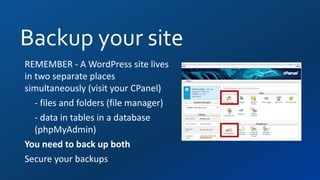
Backup your site
REMEMBER - A WordPress site lives
in two separate places
simultaneously (visit your CPanel)
- files and folders (file manager)
- data in tables in a database
(phpMyAdmin)
You need to back up both
Secure your backups
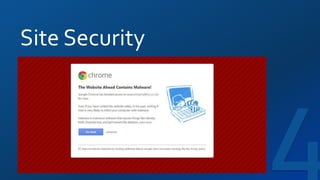
Site Security
Site Security
https://yoast.com/wordpress-security/
https://wordpress.org/plugins/tags/security
• JetPack
• Ithemes Security
• Wordfence
• All in One WP Security
• Limit Login Attempts
• Clef Two-Factor Authentication
• Sucuri
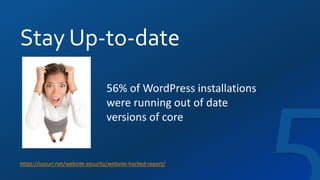
Stay Up-to-date
https://sucuri.net/website-security/website-hacked-report/
56% of WordPress installations
were running out of date
versions of core
Stay Up-to-date
Keep plugins, themes and core
WordPress updated
Be careful of what files you change
(ideally, don’t change any “core” files in
themes, plugins or WordPress itself)
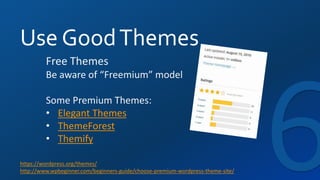
Use GoodThemes
https://wordpress.org/themes/
http://www.wpbeginner.com/beginners-guide/choose-premium-wordpress-theme-site/
Free Themes
Be aware of “Freemium” model
Some Premium Themes:
• Elegant Themes
• ThemeForest
• Themify
Ditto on Plugins
http://wordpress.org/plugins
Plugins extend and expand the
functionality of WordPress. 46,761
plugins with 1,409,750,985 total
downloads on WordPress.org
[There’s an app for that]
Ditto on Plugins
http://www.wpexplorer.com/best-wordpress-plugins/
http://www.wpbeginner.com/showcase/24-must-have-wordpress-plugins-for-business-websites/
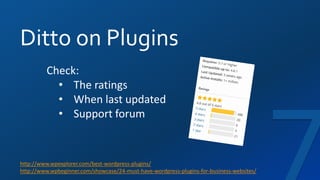
Check:
• The ratings
• When last updated
• Support forum
Always have an
image
http://www.mdgadvertising.com/blog/its-all-about-the-images-infographic/
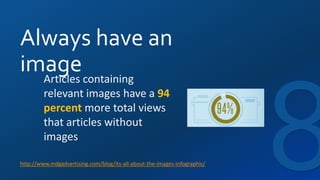
Articles containing
relevant images have a 94
percent more total views
that articles without
images
Always have an
imageWhere to find images:
• Creative Commons Search
• Flickr
• Google or Bing images – make sure you define the
search for “labeled for commercial reuse with
modifications”
• Stock Image sites – Shutterstock, Adobe,
Depositphotos, iStock (many, many more)
Title & AltText your
Image
http://www.wpbeginner.com/beginners-guide/image-alt-text-vs-image-title-in-wordpress-whats-the-
difference/
Image Alt Text – fill it in, it
helps with Accessibility
and SEO
Title & AltText your
Image
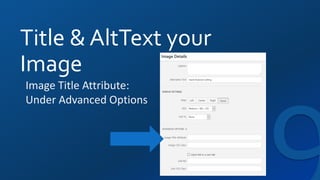
Image Title Attribute:
Under Advanced Options
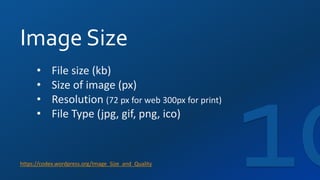
Image Size
https://codex.wordpress.org/Image_Size_and_Quality
• File size (kb)
• Size of image (px)
• Resolution (72 px for web 300px for print)
• File Type (jpg, gif, png, ico)
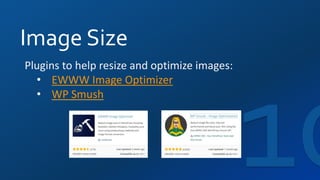
Image Size
Plugins to help resize and optimize images:
• EWWW Image Optimizer
• WP Smush
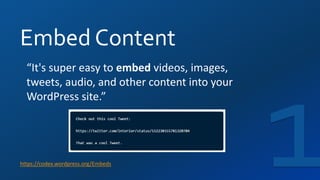
Embed Content
https://codex.wordpress.org/Embeds
“It's super easy to embed videos, images,
tweets, audio, and other content into your
WordPress site.”
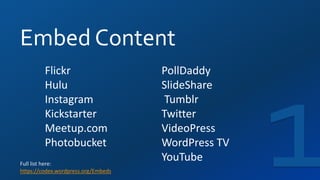
Embed Content
Full list here:
https://codex.wordpress.org/Embeds
Flickr
Hulu
Instagram
Kickstarter
Meetup.com
Photobucket
PollDaddy
SlideShare
Tumblr
Twitter
VideoPress
WordPress TV
YouTube
Remove Formatting from
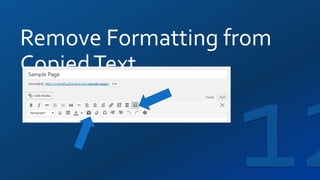
CopiedTextWordPress automatically removes
Word formatting.
You can also copy just get the text
Remove Formatting from
CopiedText
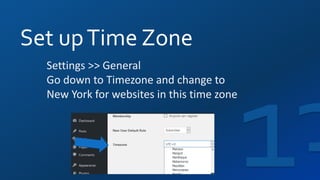
Set upTime Zone
Settings >> General
Go down to Timezone and change to
New York for websites in this time zone
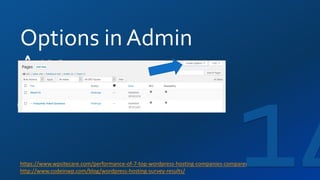
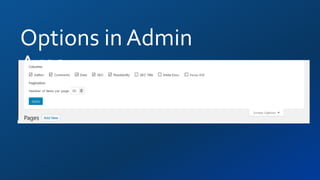
Options in Admin
Area
https://www.wpsitecare.com/performance-of-7-top-wordpress-hosting-companies-compared/
http://www.codeinwp.com/blog/wordpress-hosting-survey-results/
Options in Admin
Area
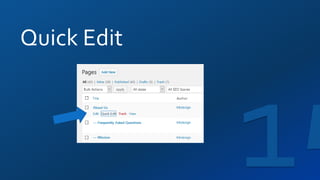
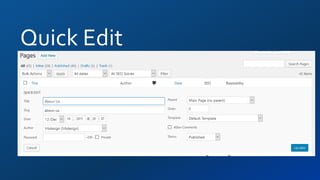
Quick Edit
Quick Edit
SEO – Search Engine
Optimization
https://wpvkp.com/best-wordpress-seo-plugins/
Popular Plugins: Yoast SEO & All in One SEO
Google Analytics & Search
Console
https://www.elegantthemes.com/blog/resources/an-introduction-to-google-analytics-for-wordpress
https://kb.yoast.com/kb/how-to-connect-your-website-to-google-webmaster-tools/
[Don’t forget
Bing!]
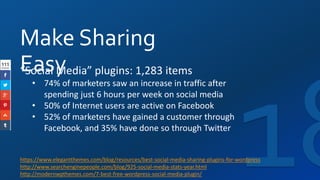
Make Sharing
Easy
https://www.elegantthemes.com/blog/resources/best-social-media-sharing-plugins-for-wordpress
http://www.searchenginepeople.com/blog/925-social-media-stats-year.html
http://modernwpthemes.com/7-best-free-wordpress-social-media-plugin/
“Social Media” plugins: 1,283 items
• 74% of marketers saw an increase in traffic after
spending just 6 hours per week on social media
• 50% of Internet users are active on Facebook
• 52% of marketers have gained a customer through
Facebook, and 35% have done so through Twitter
TextWidget -
htmlThe WordPress Text widget is the
easiest way to add custom HTML code
to your WordPress sidebar.
TextWidget -
htmlWhat if you don’t know html?
1. Use a plugin [something like Black Studio Tiny MCE ]
2. Do an “add new” post or page
- Format the information in the Visual Editor
then go to the text tab – copy and paste to
the widget (then trash the post or page.)
Resourses
• WpBeginner (Lots of other sites, WPShout, WPTavern)
• Udemy, Lynda, Treehouse, Skillshare
• Facebook, Linkedin groups & pages
• Local WP Meetups – WordCamps
• WordPressTV & YouTube
http://www.codeinwp.com/blog/wordpress-courses-for-beginners-udemy-vs-lynda-vs-treehouse-vs-skillshare/
http://themeisle.com/blog/blogs-about-wordpress-to-read/
Questions?
»Twitter: Reikob
»Linkedin: ReikoBeach
»Reiko@trbdesign.com
»phone: 781.987.1655

20 tips to Improving Your WordPress Site...for Beginners