WordPress
Troubleshooting
Hacks
Elementor
Uganda
By Kasirye Arthur
Online Meetup
I am a passionate web developer, SEO
consultant, founding member of the
WordPress Community in Uganda as well
as Elementor country lead I also offer
digital marketing services at Kasiryelabs.
Twitter: @Kasiryelabs @Braindventure
www.kasiryelabs.com
Meetup Speakers
Elementor Lead Uganda
Arthur Kasirye
No. 03
Please share tips and support
one another rather than
self-promote
No. 02
Be respectful
No. 04
Whenever you are not talking,
please mute your microphone
No. 01
Everyone is welcomed
Elementor
Meetup
Guidelines
● Open Source Software
● World’s most popular CMS (runs 30%)
● Wordpress can be used in all types of projects
● Easy Optimisation ie SEO, Security
● You Own Your Website and Its Content
● WordPress community
Why WordPress?
Most
Common
Errors
404 Error
404 errors are the most common and easily fixed of the bunch.
They appear when someone browses for a URL that cannot be
found on your site, and there are many reasons for it to occur –
broken links, or typos in the address for example. Finding and
fixing broken links takes seconds – but you need to locate them
first, and also consider the security issues that arise for both you
and your visitors.
(WSoD) This dramatically-named WordPress bug also happens to be one
of the most annoying ones out there. If your website suddenly
begins to display a white screen, you’ve been hit.
The WSoD is often caused by auto upgrade problems,
maintenance mode errors, or compatibility woes with plugins and
themes. All these potential causes make it somewhat of a
nightmare to troubleshoot – especially as you receive no clue as
to the cause.
The White Screen of Death
(WSoD) This dramatically-named WordPress bug also happens to be one
of the most annoying ones out there. If your website suddenly
begins to display a white screen, you’ve been hit.
The WSoD is often caused by auto upgrade problems,
maintenance mode errors, or compatibility woes with plugins and
themes. All these potential causes make it somewhat of a
nightmare to troubleshoot – especially as you receive no clue as
to the cause.
The White Screen of Death
Error 500
Internal Server Error
Error 500
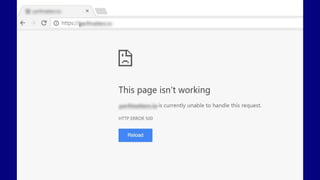
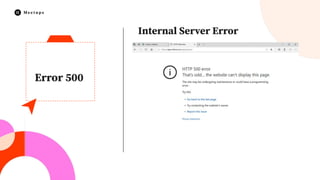
In contrast to the WSoD, internal server errors are easily
identifiable – when it occurs, you’ll be greeted by a gigantic
Internal server error message, so there’s no mistaking it.
The real problem comes at the troubleshooting stage, since there
are a wide number of factors that can cause internal server
errors. Ie
1. Themes
2. Plugins
3. Wordpress upgrades
Internal Server Error
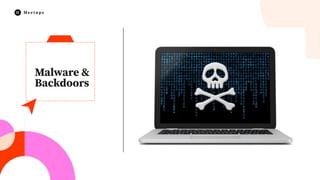
Malware &
Backdoors
Malware
A WordPress backdoor is the code that allows an attacker to
unauthorized and persistent access to the server. Often it is a
malicious file hidden somewhere. Or at times it can be an
infected plugin. New variants of WordPress backdoor hack can be
found every month.
Hackers are always at play trying to inject WordPress backdoor.
There have been multiple plugins over the years used to spread
infection. Therefore, the threat could be from anywhere. Later on,
it can be a time and resource-consuming process to remove
WordPress backdoors. However preventive measures can always
control the damage.
Tips on
repairing a
hacked
website
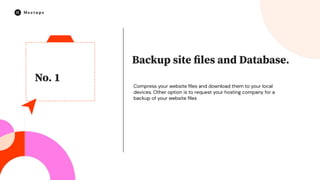
No. 1
Backup site files and Database.
Compress your website files and download them to your local
devices. Other option is to request your hosting company for a
backup of your website files
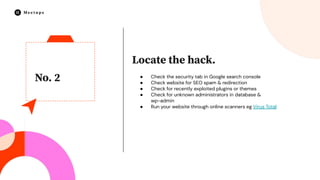
No. 2
Locate the hack.
● Check the security tab in Google search console
● Check website for SEO spam & redirection
● Check for recently exploited plugins or themes
● Check for unknown administrators in database &
wp-admin
● Run your website through online scanners eg Virus Total
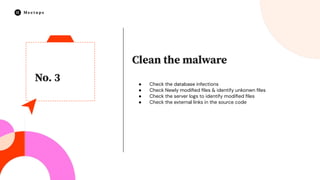
No. 3
Clean the malware
● Check the database infections
● Check Newly modified files & identify unkonwn files
● Check the server logs to identify modified files
● Check the external links in the source code
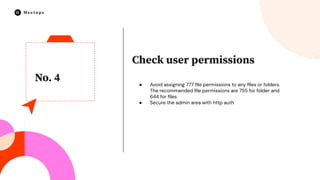
No. 4
Check user permissions
● Avoid assigning 777 file permissions to any files or folders.
The recommended file permissions are 755 for folder and
644 for files
● Secure the admin area with http auth
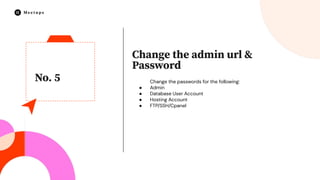
No. 5
Change the admin url &
Password
Change the passwords for the following:
● Admin
● Database User Account
● Hosting Account
● FTP/SSH/Cpanel
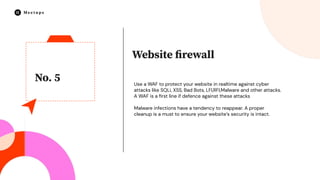
No. 5
Website firewall
Use a WAF to protect your website in realtime against cyber
attacks like SQLi, XSS, Bad Bots, LFI,RFI,Malware and other attacks.
A WAF is a first line if defence against these attacks
Malware infections have a tendency to reappear. A proper
cleanup is a must to ensure your website’s security is intact.
I am a passionate web developer, SEO
consultant, founding member of the
WordPress Community in Uganda as well
as Elementor country lead I also offer
digital marketing services at Kasiryelabs.
Twitter: @Kasiryelabs @Braindventure
www.kasiryelabs.com
Meetup Speakers
Elementor Lead Uganda
Arthur Kasirye
Thank You!
Kampala,
Uganda
Contact info: +256 782 804 171 |
Email: arthur.k186@gmail.com
See you at the next event

WordPress Troubleshooting Hacks.pdf

  • 1.
  • 2.
    I am apassionate web developer, SEO consultant, founding member of the WordPress Community in Uganda as well as Elementor country lead I also offer digital marketing services at Kasiryelabs. Twitter: @Kasiryelabs @Braindventure www.kasiryelabs.com Meetup Speakers Elementor Lead Uganda Arthur Kasirye
  • 3.
    No. 03 Please sharetips and support one another rather than self-promote No. 02 Be respectful No. 04 Whenever you are not talking, please mute your microphone No. 01 Everyone is welcomed Elementor Meetup Guidelines
  • 5.
    ● Open SourceSoftware ● World’s most popular CMS (runs 30%) ● Wordpress can be used in all types of projects ● Easy Optimisation ie SEO, Security ● You Own Your Website and Its Content ● WordPress community Why WordPress?
  • 6.
  • 8.
    404 Error 404 errorsare the most common and easily fixed of the bunch. They appear when someone browses for a URL that cannot be found on your site, and there are many reasons for it to occur – broken links, or typos in the address for example. Finding and fixing broken links takes seconds – but you need to locate them first, and also consider the security issues that arise for both you and your visitors.
  • 10.
    (WSoD) This dramatically-namedWordPress bug also happens to be one of the most annoying ones out there. If your website suddenly begins to display a white screen, you’ve been hit. The WSoD is often caused by auto upgrade problems, maintenance mode errors, or compatibility woes with plugins and themes. All these potential causes make it somewhat of a nightmare to troubleshoot – especially as you receive no clue as to the cause. The White Screen of Death
  • 11.
    (WSoD) This dramatically-namedWordPress bug also happens to be one of the most annoying ones out there. If your website suddenly begins to display a white screen, you’ve been hit. The WSoD is often caused by auto upgrade problems, maintenance mode errors, or compatibility woes with plugins and themes. All these potential causes make it somewhat of a nightmare to troubleshoot – especially as you receive no clue as to the cause. The White Screen of Death
  • 12.
  • 13.
    Error 500 In contrastto the WSoD, internal server errors are easily identifiable – when it occurs, you’ll be greeted by a gigantic Internal server error message, so there’s no mistaking it. The real problem comes at the troubleshooting stage, since there are a wide number of factors that can cause internal server errors. Ie 1. Themes 2. Plugins 3. Wordpress upgrades Internal Server Error
  • 14.
  • 15.
    Malware A WordPress backdooris the code that allows an attacker to unauthorized and persistent access to the server. Often it is a malicious file hidden somewhere. Or at times it can be an infected plugin. New variants of WordPress backdoor hack can be found every month. Hackers are always at play trying to inject WordPress backdoor. There have been multiple plugins over the years used to spread infection. Therefore, the threat could be from anywhere. Later on, it can be a time and resource-consuming process to remove WordPress backdoors. However preventive measures can always control the damage.
  • 16.
  • 17.
    No. 1 Backup sitefiles and Database. Compress your website files and download them to your local devices. Other option is to request your hosting company for a backup of your website files
  • 18.
    No. 2 Locate thehack. ● Check the security tab in Google search console ● Check website for SEO spam & redirection ● Check for recently exploited plugins or themes ● Check for unknown administrators in database & wp-admin ● Run your website through online scanners eg Virus Total
  • 19.
    No. 3 Clean themalware ● Check the database infections ● Check Newly modified files & identify unkonwn files ● Check the server logs to identify modified files ● Check the external links in the source code
  • 20.
    No. 4 Check userpermissions ● Avoid assigning 777 file permissions to any files or folders. The recommended file permissions are 755 for folder and 644 for files ● Secure the admin area with http auth
  • 21.
    No. 5 Change theadmin url & Password Change the passwords for the following: ● Admin ● Database User Account ● Hosting Account ● FTP/SSH/Cpanel
  • 22.
    No. 5 Website firewall Usea WAF to protect your website in realtime against cyber attacks like SQLi, XSS, Bad Bots, LFI,RFI,Malware and other attacks. A WAF is a first line if defence against these attacks Malware infections have a tendency to reappear. A proper cleanup is a must to ensure your website’s security is intact.
  • 23.
    I am apassionate web developer, SEO consultant, founding member of the WordPress Community in Uganda as well as Elementor country lead I also offer digital marketing services at Kasiryelabs. Twitter: @Kasiryelabs @Braindventure www.kasiryelabs.com Meetup Speakers Elementor Lead Uganda Arthur Kasirye
  • 24.
    Thank You! Kampala, Uganda Contact info:+256 782 804 171 | Email: arthur.k186@gmail.com See you at the next event