WordPress Theme
Workshop: Part 3
November 4th, 2017
David Bisset
davidbisset.com / @dimensionmedia
Theme Frameworks
Also Sometimes Known As “Starter Themes”
A theme framework as the core or foundation of a theme,
which allows users to create their own child themes even if
they have little or no experience in coding.
(See Email For List Of Theme Frameworks - Paid and Free)
What Is Underscores or _s?
Ultra-Minimal CSS theme
• A just right amount of lean, well-commented, modern, HTML5 templates.
• A helpful 404 template.
• A custom header implementation in inc/custom-header.php just add the
code snippet found in the comments of inc/custom-header.php to your
header.php template.
• Custom template tags in inc/template-tags.php that keep your templates
clean and neat and prevent code duplication.
• Some small tweaks in inc/template-functions.php that can improve your
theming experience.
• A script at js/navigation.js that makes your menu a toggled dropdown on
small screens (like your phone), ready for CSS artistry. It's enqueued in
functions.php.
• 2 sample CSS layouts in layouts/ for a sidebar on either side of your
content.
• Smartly organized starter CSS in style.css that will help you to quickly get
your design off the ground.
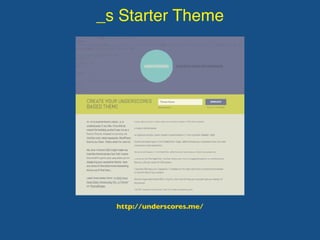
_s Starter Theme
http://underscores.me/
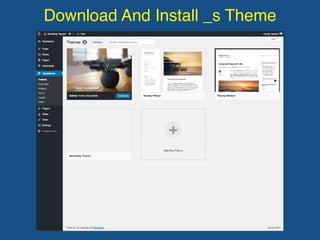
Download And Install _s Theme
http://underscores.me/
Download And Install _s Theme
http://underscores.me/
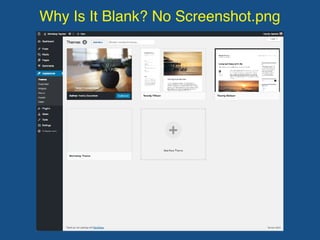
Why Is It Blank? No Screenshot.png
http://underscores.me/
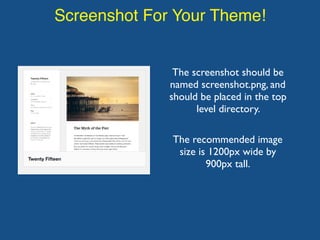
Screenshot For Your Theme!
The screenshot should be
named screenshot.png, and
should be placed in the top
level directory.
The recommended image
size is 1200px wide by
900px tall.
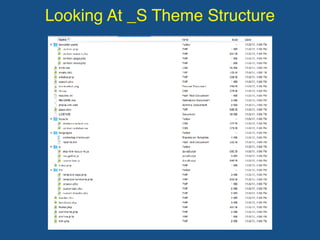
Looking At _S Theme Structure
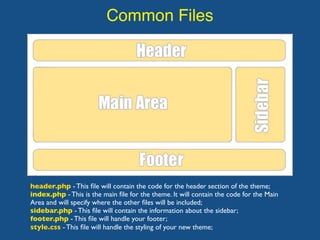
Common Files
header.php - This file will contain the code for the header section of the theme;
index.php - This is the main file for the theme. It will contain the code for the Main
Area and will specify where the other files will be included;
sidebar.php - This file will contain the information about the sidebar;
footer.php - This file will handle your footer;
style.css - This file will handle the styling of your new theme;
Template Tags
A template tag is simply a piece of code that tells
WordPress to get something from the database. It is
broken up into three components:
• A PHP code tag
• A WordPress function
• Optional parameters
Template Tags
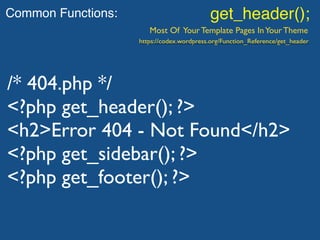
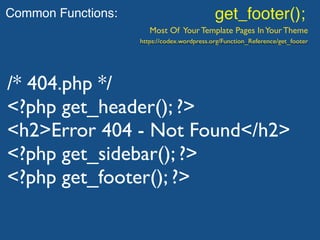
For example, the template tag get_header() tells
WordPress to get the header.php file and include it in the
current theme file. Similarly, get_footer() tells WordPress
to get the footer.php file.
Template Tags
For example, the template tag get_header() tells
WordPress to get the header.php file and include it in the
current theme file. Similarly, get_footer() tells WordPress
to get the footer.php file.
Let’s Take A Closer Look!
Common Functions: wp_head();
Found in: header.php
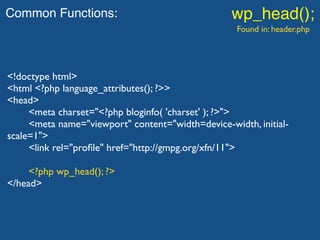
Common Functions: wp_head();
Found in: header.php
<!doctype html>
<html <?php language_attributes(); ?>>
<head>
<meta charset="<?php bloginfo( 'charset' ); ?>">
<meta name="viewport" content="width=device-width, initial-
scale=1">
<link rel="profile" href="http://gmpg.org/xfn/11">
<?php wp_head(); ?>
</head>
Common Functions: wp_footer();
Found in: footer.php
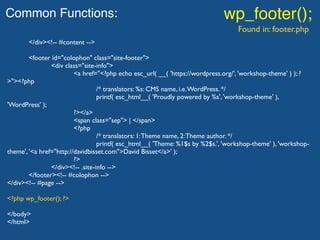
Common Functions: wp_footer();
Found in: footer.php
</div><!-- #content -->
<footer id="colophon" class="site-footer">
<div class="site-info">
<a href="<?php echo esc_url( __( 'https://wordpress.org/', 'workshop-theme' ) ); ?
>"><?php
/* translators: %s: CMS name, i.e.WordPress. */
printf( esc_html__( 'Proudly powered by %s', 'workshop-theme' ),
'WordPress' );
?></a>
<span class="sep"> | </span>
<?php
/* translators: 1:Theme name, 2:Theme author. */
printf( esc_html__( 'Theme: %1$s by %2$s.', 'workshop-theme' ), 'workshop-
theme', '<a href="http://davidbisset.com">David Bisset</a>' );
?>
</div><!-- .site-info -->
</footer><!-- #colophon -->
</div><!-- #page -->
<?php wp_footer(); ?>
</body>
</html>
Common Functions: get_header();
Most Of Your Template Pages InYour Theme
/* 404.php */
<?php get_header(); ?>
<h2>Error 404 - Not Found</h2>
<?php get_sidebar(); ?>
<?php get_footer(); ?>
https://codex.wordpress.org/Function_Reference/get_header
Common Functions: get_footer();
Most Of Your Template Pages InYour Theme
/* 404.php */
<?php get_header(); ?>
<h2>Error 404 - Not Found</h2>
<?php get_sidebar(); ?>
<?php get_footer(); ?>
https://codex.wordpress.org/Function_Reference/get_footer
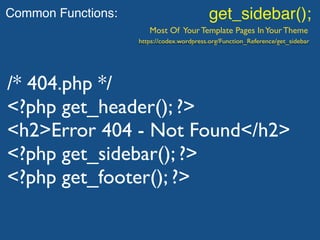
Common Functions: get_sidebar();
Most Of Your Template Pages InYour Theme
/* 404.php */
<?php get_header(); ?>
<h2>Error 404 - Not Found</h2>
<?php get_sidebar(); ?>
<?php get_footer(); ?>
https://codex.wordpress.org/Function_Reference/get_sidebar
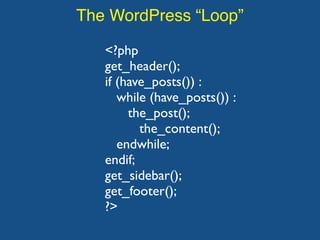
The WordPress “Loop”
The Loop is PHP code used by WordPress to display posts.
Using The Loop,WordPress processes each post to be
displayed on the current page, and formats it according to
how it matches specified criteria within The Loop tags.
The WordPress “Loop”
<?php
get_header();
if (have_posts()) :
while (have_posts()) :
the_post();
the_content();
endwhile;
endif;
get_sidebar();
get_footer();
?>
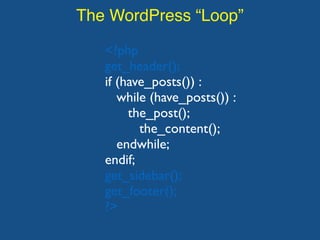
The WordPress “Loop”
<?php
get_header();
if (have_posts()) :
while (have_posts()) :
the_post();
the_content();
endwhile;
endif;
get_sidebar();
get_footer();
?>
The WordPress “Loop”
<?php
get_header();
if (have_posts()) :
while (have_posts()) :
the_post();
the_content();
endwhile;
endif;
get_sidebar();
get_footer();
?>
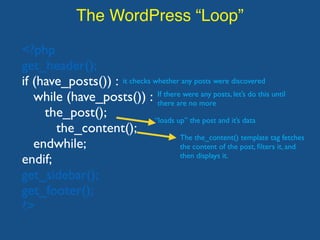
it checks whether any posts were discovered
If there were any posts, let’s do this until
there are no more
“loads up” the post and it’s data
The the_content() template tag fetches
the content of the post, filters it, and
then displays it.
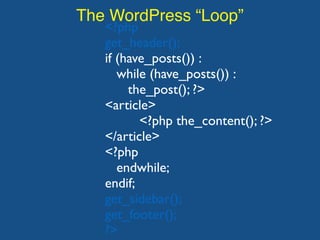
The WordPress “Loop”
<?php
get_header();
if (have_posts()) :
while (have_posts()) :
the_post(); ?>
<article>
<?php the_content(); ?>
</article>
<?php
endwhile;
endif;
get_sidebar();
get_footer();
?>
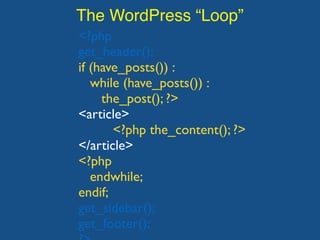
The WordPress “Loop”
<?php
get_header();
if (have_posts()) :
while (have_posts()) :
the_post(); ?>
<article>
<?php the_content(); ?>
</article>
<?php
endwhile;
endif;
get_sidebar();
get_footer();
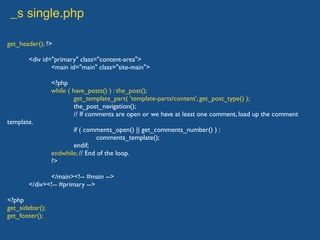
_s single.php
get_header(); ?>
<div id="primary" class="content-area">
<main id="main" class="site-main">
<?php
while ( have_posts() ) : the_post();
get_template_part( 'template-parts/content', get_post_type() );
the_post_navigation();
// If comments are open or we have at least one comment, load up the comment
template.
if ( comments_open() || get_comments_number() ) :
comments_template();
endif;
endwhile; // End of the loop.
?>
</main><!-- #main -->
</div><!-- #primary -->
<?php
get_sidebar();
get_footer();
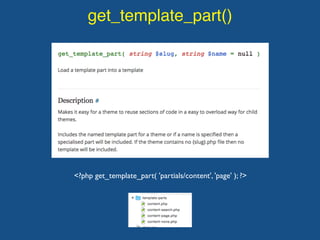
get_template_part()
<?php get_template_part( 'partials/content', 'page' ); ?>

WordPress Theme Workshop: Part 3

  • 1.
    WordPress Theme Workshop: Part3 November 4th, 2017 David Bisset davidbisset.com / @dimensionmedia
  • 2.
    Theme Frameworks Also SometimesKnown As “Starter Themes” A theme framework as the core or foundation of a theme, which allows users to create their own child themes even if they have little or no experience in coding. (See Email For List Of Theme Frameworks - Paid and Free)
  • 3.
    What Is Underscoresor _s? Ultra-Minimal CSS theme • A just right amount of lean, well-commented, modern, HTML5 templates. • A helpful 404 template. • A custom header implementation in inc/custom-header.php just add the code snippet found in the comments of inc/custom-header.php to your header.php template. • Custom template tags in inc/template-tags.php that keep your templates clean and neat and prevent code duplication. • Some small tweaks in inc/template-functions.php that can improve your theming experience. • A script at js/navigation.js that makes your menu a toggled dropdown on small screens (like your phone), ready for CSS artistry. It's enqueued in functions.php. • 2 sample CSS layouts in layouts/ for a sidebar on either side of your content. • Smartly organized starter CSS in style.css that will help you to quickly get your design off the ground.
  • 4.
  • 5.
    Download And Install_s Theme http://underscores.me/
  • 6.
    Download And Install_s Theme http://underscores.me/
  • 7.
    Why Is ItBlank? No Screenshot.png http://underscores.me/
  • 8.
    Screenshot For YourTheme! The screenshot should be named screenshot.png, and should be placed in the top level directory. The recommended image size is 1200px wide by 900px tall.
  • 9.
    Looking At _STheme Structure
  • 10.
    Common Files header.php -This file will contain the code for the header section of the theme; index.php - This is the main file for the theme. It will contain the code for the Main Area and will specify where the other files will be included; sidebar.php - This file will contain the information about the sidebar; footer.php - This file will handle your footer; style.css - This file will handle the styling of your new theme;
  • 11.
    Template Tags A templatetag is simply a piece of code that tells WordPress to get something from the database. It is broken up into three components: • A PHP code tag • A WordPress function • Optional parameters
  • 12.
    Template Tags For example,the template tag get_header() tells WordPress to get the header.php file and include it in the current theme file. Similarly, get_footer() tells WordPress to get the footer.php file.
  • 13.
    Template Tags For example,the template tag get_header() tells WordPress to get the header.php file and include it in the current theme file. Similarly, get_footer() tells WordPress to get the footer.php file. Let’s Take A Closer Look!
  • 14.
  • 15.
    Common Functions: wp_head(); Foundin: header.php <!doctype html> <html <?php language_attributes(); ?>> <head> <meta charset="<?php bloginfo( 'charset' ); ?>"> <meta name="viewport" content="width=device-width, initial- scale=1"> <link rel="profile" href="http://gmpg.org/xfn/11"> <?php wp_head(); ?> </head>
  • 16.
  • 17.
    Common Functions: wp_footer(); Foundin: footer.php </div><!-- #content --> <footer id="colophon" class="site-footer"> <div class="site-info"> <a href="<?php echo esc_url( __( 'https://wordpress.org/', 'workshop-theme' ) ); ? >"><?php /* translators: %s: CMS name, i.e.WordPress. */ printf( esc_html__( 'Proudly powered by %s', 'workshop-theme' ), 'WordPress' ); ?></a> <span class="sep"> | </span> <?php /* translators: 1:Theme name, 2:Theme author. */ printf( esc_html__( 'Theme: %1$s by %2$s.', 'workshop-theme' ), 'workshop- theme', '<a href="http://davidbisset.com">David Bisset</a>' ); ?> </div><!-- .site-info --> </footer><!-- #colophon --> </div><!-- #page --> <?php wp_footer(); ?> </body> </html>
  • 18.
    Common Functions: get_header(); MostOf Your Template Pages InYour Theme /* 404.php */ <?php get_header(); ?> <h2>Error 404 - Not Found</h2> <?php get_sidebar(); ?> <?php get_footer(); ?> https://codex.wordpress.org/Function_Reference/get_header
  • 19.
    Common Functions: get_footer(); MostOf Your Template Pages InYour Theme /* 404.php */ <?php get_header(); ?> <h2>Error 404 - Not Found</h2> <?php get_sidebar(); ?> <?php get_footer(); ?> https://codex.wordpress.org/Function_Reference/get_footer
  • 20.
    Common Functions: get_sidebar(); MostOf Your Template Pages InYour Theme /* 404.php */ <?php get_header(); ?> <h2>Error 404 - Not Found</h2> <?php get_sidebar(); ?> <?php get_footer(); ?> https://codex.wordpress.org/Function_Reference/get_sidebar
  • 21.
    The WordPress “Loop” TheLoop is PHP code used by WordPress to display posts. Using The Loop,WordPress processes each post to be displayed on the current page, and formats it according to how it matches specified criteria within The Loop tags.
  • 22.
    The WordPress “Loop” <?php get_header(); if(have_posts()) : while (have_posts()) : the_post(); the_content(); endwhile; endif; get_sidebar(); get_footer(); ?>
  • 23.
    The WordPress “Loop” <?php get_header(); if(have_posts()) : while (have_posts()) : the_post(); the_content(); endwhile; endif; get_sidebar(); get_footer(); ?>
  • 24.
    The WordPress “Loop” <?php get_header(); if(have_posts()) : while (have_posts()) : the_post(); the_content(); endwhile; endif; get_sidebar(); get_footer(); ?> it checks whether any posts were discovered If there were any posts, let’s do this until there are no more “loads up” the post and it’s data The the_content() template tag fetches the content of the post, filters it, and then displays it.
  • 25.
    The WordPress “Loop” <?php get_header(); if(have_posts()) : while (have_posts()) : the_post(); ?> <article> <?php the_content(); ?> </article> <?php endwhile; endif; get_sidebar(); get_footer(); ?>
  • 26.
    The WordPress “Loop” <?php get_header(); if(have_posts()) : while (have_posts()) : the_post(); ?> <article> <?php the_content(); ?> </article> <?php endwhile; endif; get_sidebar(); get_footer();
  • 27.
    _s single.php get_header(); ?> <divid="primary" class="content-area"> <main id="main" class="site-main"> <?php while ( have_posts() ) : the_post(); get_template_part( 'template-parts/content', get_post_type() ); the_post_navigation(); // If comments are open or we have at least one comment, load up the comment template. if ( comments_open() || get_comments_number() ) : comments_template(); endif; endwhile; // End of the loop. ?> </main><!-- #main --> </div><!-- #primary --> <?php get_sidebar(); get_footer();
  • 28.