WordPress Theme
Workshop: Part 2
November 4th, 2017
David Bisset
davidbisset.com / @dimensionmedia
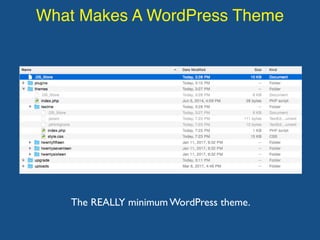
What Makes A WordPress Theme
The REALLY minimum WordPress theme.
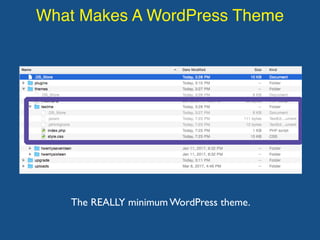
What Makes A WordPress Theme
The REALLY minimum WordPress theme.
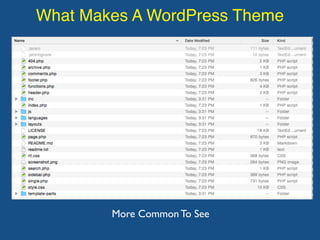
What Makes A WordPress Theme
More Common To See
What You REALLY Need
While index.php and a style.css file technically
are all you need, in reality most minimum
themes need the following:
• header.php
• footer.php
• index.php
• style.css
• functions.php
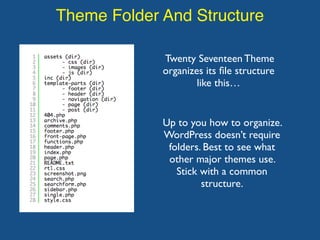
Theme Folder And Structure
Twenty Seventeen Theme
organizes its file structure
like this…
Up to you how to organize.
WordPress doesn’t require
folders. Best to see what
other major themes use.
Stick with a common
structure.
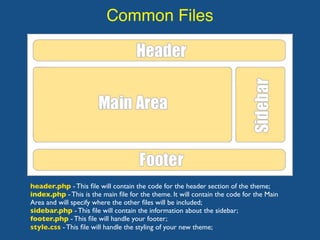
Common Files
header.php - This file will contain the code for the header section of the theme;
index.php - This is the main file for the theme. It will contain the code for the Main
Area and will specify where the other files will be included;
sidebar.php - This file will contain the information about the sidebar;
footer.php - This file will handle your footer;
style.css - This file will handle the styling of your new theme;
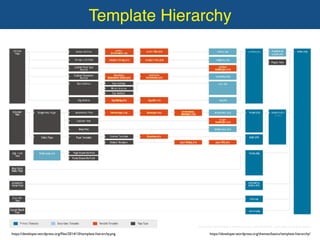
Template Hierarchy
header.php - This file will contain the code for the header section of the theme;
index.php - This is the main file for the theme. It will contain the code for the Main
Area and will specify where the other files will be included;
sidebar.php - This file will contain the information about the sidebar;
footer.php - This file will handle your footer;
style.css - This file will handle the styling of your new theme;
https://developer.wordpress.org/files/2014/10/template-hierarchy.png https://developer.wordpress.org/themes/basics/template-hierarchy/
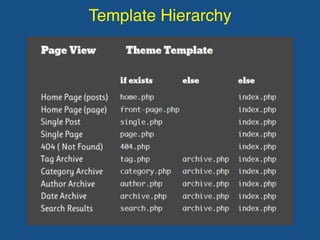
Template Hierarchy
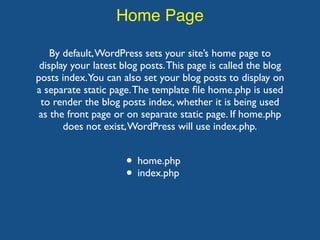
Home Page
By default,WordPress sets your site’s home page to
display your latest blog posts.This page is called the blog
posts index.You can also set your blog posts to display on
a separate static page.The template file home.php is used
to render the blog posts index, whether it is being used
as the front page or on separate static page. If home.php
does not exist,WordPress will use index.php.
• home.php
• index.php
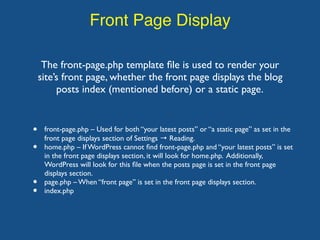
Front Page Display
The front-page.php template file is used to render your
site’s front page, whether the front page displays the blog
posts index (mentioned before) or a static page.
• front-page.php – Used for both “your latest posts” or “a static page” as set in the
front page displays section of Settings → Reading.
• home.php – If WordPress cannot find front-page.php and “your latest posts” is set
in the front page displays section, it will look for home.php. Additionally,
WordPress will look for this file when the posts page is set in the front page
displays section.
• page.php – When “front page” is set in the front page displays section.
• index.php
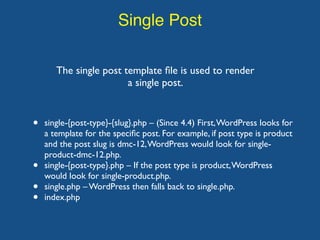
Single Post
The single post template file is used to render
a single post.
• single-{post-type}-{slug}.php – (Since 4.4) First,WordPress looks for
a template for the specific post. For example, if post type is product
and the post slug is dmc-12,WordPress would look for single-
product-dmc-12.php.
• single-{post-type}.php – If the post type is product,WordPress
would look for single-product.php.
• single.php – WordPress then falls back to single.php.
• index.php
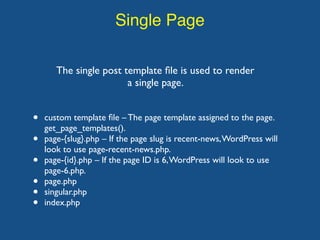
Single Page
The single post template file is used to render
a single page.
• custom template file – The page template assigned to the page.
get_page_templates().
• page-{slug}.php – If the page slug is recent-news,WordPress will
look to use page-recent-news.php.
• page-{id}.php – If the page ID is 6,WordPress will look to use
page-6.php.
• page.php
• singular.php
• index.php
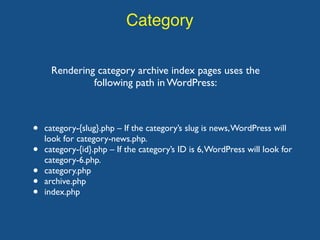
Category
Rendering category archive index pages uses the
following path in WordPress:
• category-{slug}.php – If the category’s slug is news,WordPress will
look for category-news.php.
• category-{id}.php – If the category’s ID is 6,WordPress will look for
category-6.php.
• category.php
• archive.php
• index.php
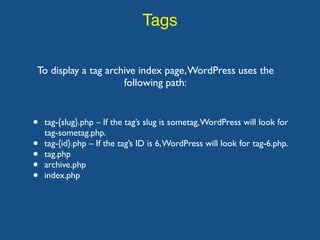
Tags
To display a tag archive index page,WordPress uses the
following path:
• tag-{slug}.php – If the tag’s slug is sometag,WordPress will look for
tag-sometag.php.
• tag-{id}.php – If the tag’s ID is 6,WordPress will look for tag-6.php.
• tag.php
• archive.php
• index.php
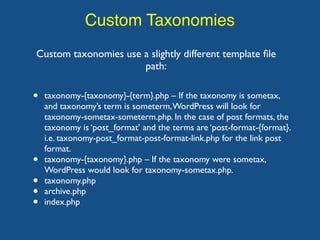
Custom Taxonomies
Custom taxonomies use a slightly different template file
path:
• taxonomy-{taxonomy}-{term}.php – If the taxonomy is sometax,
and taxonomy’s term is someterm,WordPress will look for
taxonomy-sometax-someterm.php. In the case of post formats, the
taxonomy is ‘post_format’ and the terms are ‘post-format-{format}.
i.e. taxonomy-post_format-post-format-link.php for the link post
format.
• taxonomy-{taxonomy}.php – If the taxonomy were sometax,
WordPress would look for taxonomy-sometax.php.
• taxonomy.php
• archive.php
• index.php
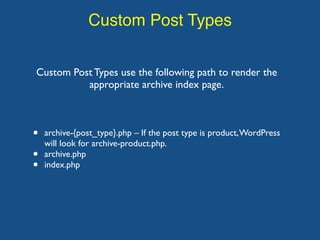
Custom Post Types
Custom Post Types use the following path to render the
appropriate archive index page.
• archive-{post_type}.php – If the post type is product,WordPress
will look for archive-product.php.
• archive.php
• index.php
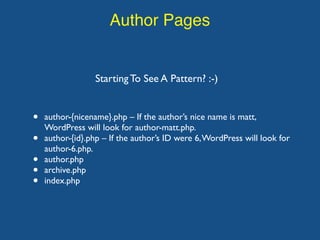
Author Pages
Starting To See A Pattern? :-)
• author-{nicename}.php – If the author’s nice name is matt,
WordPress will look for author-matt.php.
• author-{id}.php – If the author’s ID were 6,WordPress will look for
author-6.php.
• author.php
• archive.php
• index.php
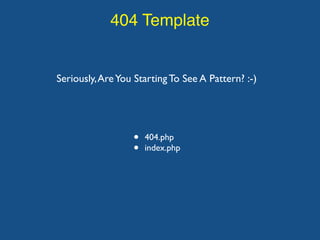
404 Template
Seriously,AreYou Starting To See A Pattern? :-)
• 404.php
• index.php
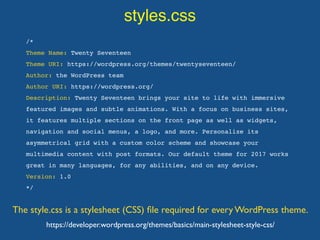
styles.css
The style.css is a stylesheet (CSS) file required for every WordPress theme.
/*
Theme Name: Twenty Seventeen
Theme URI: https://wordpress.org/themes/twentyseventeen/
Author: the WordPress team
Author URI: https://wordpress.org/
Description: Twenty Seventeen brings your site to life with immersive
featured images and subtle animations. With a focus on business sites,
it features multiple sections on the front page as well as widgets,
navigation and social menus, a logo, and more. Personalize its
asymmetrical grid with a custom color scheme and showcase your
multimedia content with post formats. Our default theme for 2017 works
great in many languages, for any abilities, and on any device.
Version: 1.0
*/
https://developer.wordpress.org/themes/basics/main-stylesheet-style-css/
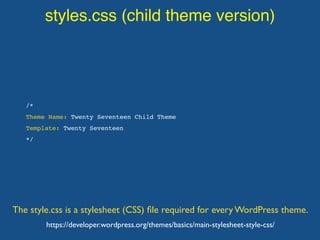
styles.css (child theme version)
The style.css is a stylesheet (CSS) file required for every WordPress theme.
/*
Theme Name: Twenty Seventeen Child Theme
Template: Twenty Seventeen
*/
https://developer.wordpress.org/themes/basics/main-stylesheet-style-css/
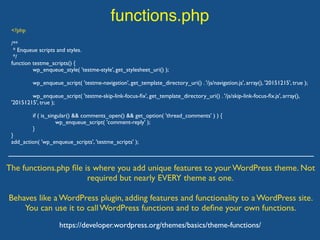
functions.php
The functions.php file is where you add unique features to your WordPress theme. Not
required but nearly EVERY theme as one.
Behaves like a WordPress plugin, adding features and functionality to a WordPress site.
You can use it to call WordPress functions and to define your own functions.
https://developer.wordpress.org/themes/basics/theme-functions/
<?php
/**
* Enqueue scripts and styles.
*/
function testme_scripts() {
wp_enqueue_style( 'testme-style', get_stylesheet_uri() );
wp_enqueue_script( 'testme-navigation', get_template_directory_uri() . '/js/navigation.js', array(), '20151215', true );
wp_enqueue_script( 'testme-skip-link-focus-fix', get_template_directory_uri() . '/js/skip-link-focus-fix.js', array(),
'20151215', true );
if ( is_singular() && comments_open() && get_option( 'thread_comments' ) ) {
wp_enqueue_script( 'comment-reply' );
}
}
add_action( 'wp_enqueue_scripts', 'testme_scripts' );
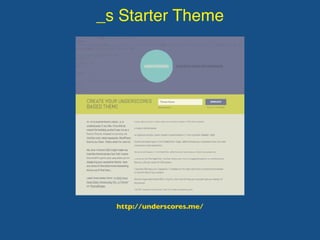
_s Starter Theme
http://underscores.me/

WordPress Theme Workshop: Part 2

  • 1.
    WordPress Theme Workshop: Part2 November 4th, 2017 David Bisset davidbisset.com / @dimensionmedia
  • 2.
    What Makes AWordPress Theme The REALLY minimum WordPress theme.
  • 3.
    What Makes AWordPress Theme The REALLY minimum WordPress theme.
  • 4.
    What Makes AWordPress Theme More Common To See
  • 5.
    What You REALLYNeed While index.php and a style.css file technically are all you need, in reality most minimum themes need the following: • header.php • footer.php • index.php • style.css • functions.php
  • 6.
    Theme Folder AndStructure Twenty Seventeen Theme organizes its file structure like this… Up to you how to organize. WordPress doesn’t require folders. Best to see what other major themes use. Stick with a common structure.
  • 7.
    Common Files header.php -This file will contain the code for the header section of the theme; index.php - This is the main file for the theme. It will contain the code for the Main Area and will specify where the other files will be included; sidebar.php - This file will contain the information about the sidebar; footer.php - This file will handle your footer; style.css - This file will handle the styling of your new theme;
  • 8.
    Template Hierarchy header.php -This file will contain the code for the header section of the theme; index.php - This is the main file for the theme. It will contain the code for the Main Area and will specify where the other files will be included; sidebar.php - This file will contain the information about the sidebar; footer.php - This file will handle your footer; style.css - This file will handle the styling of your new theme; https://developer.wordpress.org/files/2014/10/template-hierarchy.png https://developer.wordpress.org/themes/basics/template-hierarchy/
  • 9.
  • 10.
    Home Page By default,WordPresssets your site’s home page to display your latest blog posts.This page is called the blog posts index.You can also set your blog posts to display on a separate static page.The template file home.php is used to render the blog posts index, whether it is being used as the front page or on separate static page. If home.php does not exist,WordPress will use index.php. • home.php • index.php
  • 11.
    Front Page Display Thefront-page.php template file is used to render your site’s front page, whether the front page displays the blog posts index (mentioned before) or a static page. • front-page.php – Used for both “your latest posts” or “a static page” as set in the front page displays section of Settings → Reading. • home.php – If WordPress cannot find front-page.php and “your latest posts” is set in the front page displays section, it will look for home.php. Additionally, WordPress will look for this file when the posts page is set in the front page displays section. • page.php – When “front page” is set in the front page displays section. • index.php
  • 12.
    Single Post The singlepost template file is used to render a single post. • single-{post-type}-{slug}.php – (Since 4.4) First,WordPress looks for a template for the specific post. For example, if post type is product and the post slug is dmc-12,WordPress would look for single- product-dmc-12.php. • single-{post-type}.php – If the post type is product,WordPress would look for single-product.php. • single.php – WordPress then falls back to single.php. • index.php
  • 13.
    Single Page The singlepost template file is used to render a single page. • custom template file – The page template assigned to the page. get_page_templates(). • page-{slug}.php – If the page slug is recent-news,WordPress will look to use page-recent-news.php. • page-{id}.php – If the page ID is 6,WordPress will look to use page-6.php. • page.php • singular.php • index.php
  • 14.
    Category Rendering category archiveindex pages uses the following path in WordPress: • category-{slug}.php – If the category’s slug is news,WordPress will look for category-news.php. • category-{id}.php – If the category’s ID is 6,WordPress will look for category-6.php. • category.php • archive.php • index.php
  • 15.
    Tags To display atag archive index page,WordPress uses the following path: • tag-{slug}.php – If the tag’s slug is sometag,WordPress will look for tag-sometag.php. • tag-{id}.php – If the tag’s ID is 6,WordPress will look for tag-6.php. • tag.php • archive.php • index.php
  • 16.
    Custom Taxonomies Custom taxonomiesuse a slightly different template file path: • taxonomy-{taxonomy}-{term}.php – If the taxonomy is sometax, and taxonomy’s term is someterm,WordPress will look for taxonomy-sometax-someterm.php. In the case of post formats, the taxonomy is ‘post_format’ and the terms are ‘post-format-{format}. i.e. taxonomy-post_format-post-format-link.php for the link post format. • taxonomy-{taxonomy}.php – If the taxonomy were sometax, WordPress would look for taxonomy-sometax.php. • taxonomy.php • archive.php • index.php
  • 17.
    Custom Post Types CustomPost Types use the following path to render the appropriate archive index page. • archive-{post_type}.php – If the post type is product,WordPress will look for archive-product.php. • archive.php • index.php
  • 18.
    Author Pages Starting ToSee A Pattern? :-) • author-{nicename}.php – If the author’s nice name is matt, WordPress will look for author-matt.php. • author-{id}.php – If the author’s ID were 6,WordPress will look for author-6.php. • author.php • archive.php • index.php
  • 19.
    404 Template Seriously,AreYou StartingTo See A Pattern? :-) • 404.php • index.php
  • 20.
    styles.css The style.css isa stylesheet (CSS) file required for every WordPress theme. /* Theme Name: Twenty Seventeen Theme URI: https://wordpress.org/themes/twentyseventeen/ Author: the WordPress team Author URI: https://wordpress.org/ Description: Twenty Seventeen brings your site to life with immersive featured images and subtle animations. With a focus on business sites, it features multiple sections on the front page as well as widgets, navigation and social menus, a logo, and more. Personalize its asymmetrical grid with a custom color scheme and showcase your multimedia content with post formats. Our default theme for 2017 works great in many languages, for any abilities, and on any device. Version: 1.0 */ https://developer.wordpress.org/themes/basics/main-stylesheet-style-css/
  • 21.
    styles.css (child themeversion) The style.css is a stylesheet (CSS) file required for every WordPress theme. /* Theme Name: Twenty Seventeen Child Theme Template: Twenty Seventeen */ https://developer.wordpress.org/themes/basics/main-stylesheet-style-css/
  • 22.
    functions.php The functions.php fileis where you add unique features to your WordPress theme. Not required but nearly EVERY theme as one. Behaves like a WordPress plugin, adding features and functionality to a WordPress site. You can use it to call WordPress functions and to define your own functions. https://developer.wordpress.org/themes/basics/theme-functions/ <?php /** * Enqueue scripts and styles. */ function testme_scripts() { wp_enqueue_style( 'testme-style', get_stylesheet_uri() ); wp_enqueue_script( 'testme-navigation', get_template_directory_uri() . '/js/navigation.js', array(), '20151215', true ); wp_enqueue_script( 'testme-skip-link-focus-fix', get_template_directory_uri() . '/js/skip-link-focus-fix.js', array(), '20151215', true ); if ( is_singular() && comments_open() && get_option( 'thread_comments' ) ) { wp_enqueue_script( 'comment-reply' ); } } add_action( 'wp_enqueue_scripts', 'testme_scripts' );
  • 23.