WordPress Theme
Workshop: Customizer
November 4th, 2017
David Bisset
davidbisset.com / @dimensionmedia
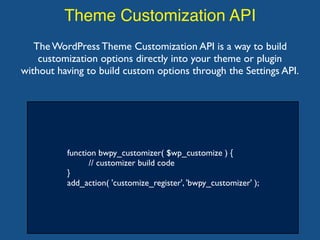
Theme Customization API
function bwpy_customizer( $wp_customize ) {
// customizer build code
}
add_action( 'customize_register', 'bwpy_customizer' );
The WordPress Theme Customization API is a way to build
customization options directly into your theme or plugin
without having to build custom options through the Settings API.
Theme Customization API
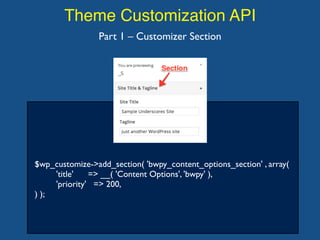
$wp_customize->add_section( 'bwpy_content_options_section' , array(
'title' => __( 'Content Options', 'bwpy' ),
'priority' => 200,
) );
Part 1 – Customizer Section
Theme Customization API
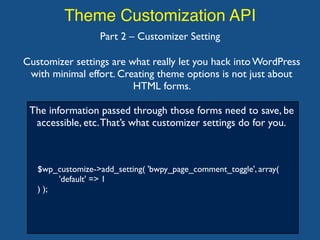
$wp_customize->add_setting( 'bwpy_page_comment_toggle', array(
'default' => 1
) );
Part 2 – Customizer Setting
Customizer settings are what really let you hack into WordPress
with minimal effort. Creating theme options is not just about
HTML forms.
The information passed through those forms need to save, be
accessible, etc.That’s what customizer settings do for you.
Theme Customization API
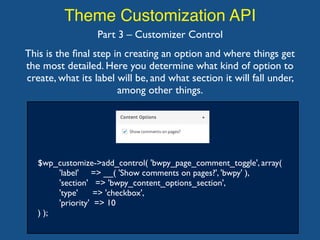
$wp_customize->add_control( 'bwpy_page_comment_toggle', array(
'label' => __( 'Show comments on pages?', 'bwpy' ),
'section' => 'bwpy_content_options_section',
'type' => 'checkbox',
'priority' => 10
) );
Part 3 – Customizer Control
This is the final step in creating an option and where things get
the most detailed. Here you determine what kind of option to
create, what its label will be, and what section it will fall under,
among other things.

WordPress Theme Workshop: Customizer

  • 1.
    WordPress Theme Workshop: Customizer November4th, 2017 David Bisset davidbisset.com / @dimensionmedia
  • 2.
    Theme Customization API functionbwpy_customizer( $wp_customize ) { // customizer build code } add_action( 'customize_register', 'bwpy_customizer' ); The WordPress Theme Customization API is a way to build customization options directly into your theme or plugin without having to build custom options through the Settings API.
  • 3.
    Theme Customization API $wp_customize->add_section('bwpy_content_options_section' , array( 'title' => __( 'Content Options', 'bwpy' ), 'priority' => 200, ) ); Part 1 – Customizer Section
  • 4.
    Theme Customization API $wp_customize->add_setting('bwpy_page_comment_toggle', array( 'default' => 1 ) ); Part 2 – Customizer Setting Customizer settings are what really let you hack into WordPress with minimal effort. Creating theme options is not just about HTML forms. The information passed through those forms need to save, be accessible, etc.That’s what customizer settings do for you.
  • 5.
    Theme Customization API $wp_customize->add_control('bwpy_page_comment_toggle', array( 'label' => __( 'Show comments on pages?', 'bwpy' ), 'section' => 'bwpy_content_options_section', 'type' => 'checkbox', 'priority' => 10 ) ); Part 3 – Customizer Control This is the final step in creating an option and where things get the most detailed. Here you determine what kind of option to create, what its label will be, and what section it will fall under, among other things.