Java Input Handling
COMPUTER PROGRAMMING 1 (CS102)
Scanner and BufferedReader Class
 Scanner and BufferedReader class are sources that serve as ways of reading
inputs.
o Scanner class is a simple text scanner that can parse primitive types and
strings. It internally uses regular expressions to read different types
o BufferedReader class reads text from a character-input stream, buffering
characters so as to provide for the efficient reading of the sequence of
characters
Scanner and BufferedReader Class
● Package Information
• Scanner is part of the java.util.Scanner package.
• BufferedReader is part of the java.io.BufferedReader package,
typically used alongside java.io.InputStreamReader to read input
streams.
Scanner and BufferedReader Class
● Purpose
• Scanner is designed for parsing primitive types and strings using
regular expressions. It is excellent for token-based input parsing,
allowing us to easily convert input into types like int, float, double,
and String.
• BufferedReader is focused on efficient character-based input
reading. It reads text from an input stream and is ideal for
processing large text or line-by-line data from a file or other input
sources.
Scanner and BufferedReader Class
● Input Type
• Scanner works by breaking the input into tokens based on a
delimiter (whitespace by default). It’s best suited for cases where
we need to parse structured input, such as numbers or words, from
the console.
• BufferedReader reads raw text character-by-character or line-by-
line, without any inherent parsing. It’s best for situations where we
want to read text efficiently and handle parsing manually.
Scanner and BufferedReader Class
● Performance
• Scanner can be slower for large-scale input because it reads and
parses the input token-by-token on the fly, which involves
overhead.
• BufferedReader is generally faster for large inputs because it
buffers the input internally, minimizing the number of I/O
operations required. It reads data in chunks, which improves
performance when dealing with large files or streams.
Scanner and BufferedReader Class
● Buffering
• Scanner does not perform internal buffering. Each input operation
is processed as needed, which can slow down the process for large
inputs.
• BufferedReader uses an internal buffer (default is 8KB) to read
input more efficiently by reducing the number of I/O calls.
Scanner and BufferedReader Class
● Data Type Conversion
• Scanner automatically converts input into various data types, such
as integers (nextInt()), floating-point numbers (nextDouble()), and
strings (nextLine()).
• BufferedReader only reads raw text (as String). If we need to
convert the input into other data types, we must manually parse
the text using methods
like Integer.parseInt() or Double.parseDouble().
Scanner and BufferedReader Class
● Typical Use Cases
• Scanner is ideal for simple command-line applications where input
needs to be parsed into primitive types, such as reading integers,
floats, or strings from the console.
• BufferedReader is best suited for reading large text files or streams,
especially when we need to process data line by line or when
performance is critical.
Scanner and BufferedReader Class
● Efficiency
• Scanner is less efficient for handling large volumes of input because
it processes each token individually, leading to more frequent I/O
operations.
• BufferedReader is highly efficient for large inputs due to its
buffering mechanism, which reduces I/O overhead and speeds up
the reading process for tasks like file reading.
Major Differences between Scanner and BufferedReader Class in Java
• BufferedReader is synchronous while Scanner is not.
• BufferedReader should be used if we are working with multiple threads.
• BufferedReader has a significantly larger buffer memory than Scanner.
• The Scanner has a little buffer (1KB char buffer) as opposed to the
BufferedReader (8KB byte buffer), but it’s more than enough.
• BufferedReader is a bit faster as compared to Scanner because the Scanner
does the parsing of input data and BufferedReader simply reads a sequence of
characters.
Scanner Example :
import java.util.Scanner;
public class Main {
public static void main(String[] args) {
Scanner scanner = new Scanner(System.in);
System.out.println("Enter a number:");
int number = scanner.nextInt(); // Automatically parses input as an integer
System.out.println("You entered: " + number);
scanner.close();
}
}
Scanner Example :
import java.util.Scanner;
// Main class
class Main {
// Main driver method
public static void main(String args[])
{
// Creating object of Scanner class to
// read input from keyboard
Scanner scn = new Scanner(System.in);
System.out.println("Enter an integer & a String");
// Using nextInt() to parse integer values
int a = scn.nextInt();
// Using nextLine() to parse string values
String b = scn.nextLine();
// Display name and age entered above
System.out.printf("You have entered:- " + a + " ” + "and name as " + b);
}
}
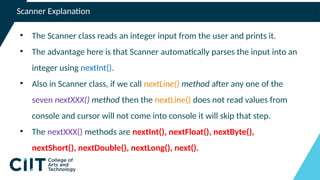
Scanner Explanation
• The Scanner class reads an integer input from the user and prints it.
• The advantage here is that Scanner automatically parses the input into an
integer using nextInt().
• Also in Scanner class, if we call nextLine() method after any one of the
seven nextXXX() method then the nextLine() does not read values from
console and cursor will not come into console it will skip that step.
• The nextXXX() methods are nextInt(), nextFloat(), nextByte(),
nextShort(), nextDouble(), nextLong(), next().
BufferedReader Example :
import java.io.BufferedReader;
import java.io.InputStreamReader;
import java.io.IOException;
public class BufferedReaderExample {
public static void main(String[] args) throws IOException {
BufferedReader reader = new BufferedReader(new InputStreamReader(System.in));
System.out.println("Enter a line of text:");
String line = reader.readLine(); // Reads a line of text
System.out.println("You entered: " + line);
reader.close();
}
}
BufferedReader Example :
import java.io.*;
// Main class
class Main {
// Main driver method
public static void main(String args[]) throws IOException {
// Creating object of class inside main() method
BufferedReader br = new BufferedReader(new InputStreamReader(System.in));
System.out.println("Enter an integer");
// Taking integer input
int a = Integer.parseInt(br.readLine());
System.out.println("Enter a String");
String b = br.readLine();
// Printing input entities above
System.out.printf("You have entered:- " + a + " and name as " + b);
}
}
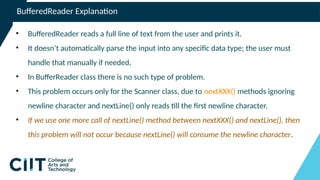
BufferedReader Explanation
• BufferedReader reads a full line of text from the user and prints it.
• It doesn’t automatically parse the input into any specific data type; the user must
handle that manually if needed.
• In BufferReader class there is no such type of problem.
• This problem occurs only for the Scanner class, due to nextXXX() methods ignoring
newline character and nextLine() only reads till the first newline character.
• If we use one more call of nextLine() method between nextXXX() and nextLine(), then
this problem will not occur because nextLine() will consume the newline character.

Wk_10_Scanner and BufferedReader Class in Java.pptx

  • 1.
    Java Input Handling COMPUTERPROGRAMMING 1 (CS102)
  • 3.
    Scanner and BufferedReaderClass  Scanner and BufferedReader class are sources that serve as ways of reading inputs. o Scanner class is a simple text scanner that can parse primitive types and strings. It internally uses regular expressions to read different types o BufferedReader class reads text from a character-input stream, buffering characters so as to provide for the efficient reading of the sequence of characters
  • 4.
    Scanner and BufferedReaderClass ● Package Information • Scanner is part of the java.util.Scanner package. • BufferedReader is part of the java.io.BufferedReader package, typically used alongside java.io.InputStreamReader to read input streams.
  • 5.
    Scanner and BufferedReaderClass ● Purpose • Scanner is designed for parsing primitive types and strings using regular expressions. It is excellent for token-based input parsing, allowing us to easily convert input into types like int, float, double, and String. • BufferedReader is focused on efficient character-based input reading. It reads text from an input stream and is ideal for processing large text or line-by-line data from a file or other input sources.
  • 6.
    Scanner and BufferedReaderClass ● Input Type • Scanner works by breaking the input into tokens based on a delimiter (whitespace by default). It’s best suited for cases where we need to parse structured input, such as numbers or words, from the console. • BufferedReader reads raw text character-by-character or line-by- line, without any inherent parsing. It’s best for situations where we want to read text efficiently and handle parsing manually.
  • 7.
    Scanner and BufferedReaderClass ● Performance • Scanner can be slower for large-scale input because it reads and parses the input token-by-token on the fly, which involves overhead. • BufferedReader is generally faster for large inputs because it buffers the input internally, minimizing the number of I/O operations required. It reads data in chunks, which improves performance when dealing with large files or streams.
  • 8.
    Scanner and BufferedReaderClass ● Buffering • Scanner does not perform internal buffering. Each input operation is processed as needed, which can slow down the process for large inputs. • BufferedReader uses an internal buffer (default is 8KB) to read input more efficiently by reducing the number of I/O calls.
  • 9.
    Scanner and BufferedReaderClass ● Data Type Conversion • Scanner automatically converts input into various data types, such as integers (nextInt()), floating-point numbers (nextDouble()), and strings (nextLine()). • BufferedReader only reads raw text (as String). If we need to convert the input into other data types, we must manually parse the text using methods like Integer.parseInt() or Double.parseDouble().
  • 10.
    Scanner and BufferedReaderClass ● Typical Use Cases • Scanner is ideal for simple command-line applications where input needs to be parsed into primitive types, such as reading integers, floats, or strings from the console. • BufferedReader is best suited for reading large text files or streams, especially when we need to process data line by line or when performance is critical.
  • 11.
    Scanner and BufferedReaderClass ● Efficiency • Scanner is less efficient for handling large volumes of input because it processes each token individually, leading to more frequent I/O operations. • BufferedReader is highly efficient for large inputs due to its buffering mechanism, which reduces I/O overhead and speeds up the reading process for tasks like file reading.
  • 12.
    Major Differences betweenScanner and BufferedReader Class in Java • BufferedReader is synchronous while Scanner is not. • BufferedReader should be used if we are working with multiple threads. • BufferedReader has a significantly larger buffer memory than Scanner. • The Scanner has a little buffer (1KB char buffer) as opposed to the BufferedReader (8KB byte buffer), but it’s more than enough. • BufferedReader is a bit faster as compared to Scanner because the Scanner does the parsing of input data and BufferedReader simply reads a sequence of characters.
  • 13.
    Scanner Example : importjava.util.Scanner; public class Main { public static void main(String[] args) { Scanner scanner = new Scanner(System.in); System.out.println("Enter a number:"); int number = scanner.nextInt(); // Automatically parses input as an integer System.out.println("You entered: " + number); scanner.close(); } }
  • 14.
    Scanner Example : importjava.util.Scanner; // Main class class Main { // Main driver method public static void main(String args[]) { // Creating object of Scanner class to // read input from keyboard Scanner scn = new Scanner(System.in); System.out.println("Enter an integer & a String"); // Using nextInt() to parse integer values int a = scn.nextInt(); // Using nextLine() to parse string values String b = scn.nextLine(); // Display name and age entered above System.out.printf("You have entered:- " + a + " ” + "and name as " + b); } }
  • 15.
    Scanner Explanation • TheScanner class reads an integer input from the user and prints it. • The advantage here is that Scanner automatically parses the input into an integer using nextInt(). • Also in Scanner class, if we call nextLine() method after any one of the seven nextXXX() method then the nextLine() does not read values from console and cursor will not come into console it will skip that step. • The nextXXX() methods are nextInt(), nextFloat(), nextByte(), nextShort(), nextDouble(), nextLong(), next().
  • 16.
    BufferedReader Example : importjava.io.BufferedReader; import java.io.InputStreamReader; import java.io.IOException; public class BufferedReaderExample { public static void main(String[] args) throws IOException { BufferedReader reader = new BufferedReader(new InputStreamReader(System.in)); System.out.println("Enter a line of text:"); String line = reader.readLine(); // Reads a line of text System.out.println("You entered: " + line); reader.close(); } }
  • 17.
    BufferedReader Example : importjava.io.*; // Main class class Main { // Main driver method public static void main(String args[]) throws IOException { // Creating object of class inside main() method BufferedReader br = new BufferedReader(new InputStreamReader(System.in)); System.out.println("Enter an integer"); // Taking integer input int a = Integer.parseInt(br.readLine()); System.out.println("Enter a String"); String b = br.readLine(); // Printing input entities above System.out.printf("You have entered:- " + a + " and name as " + b); } }
  • 18.
    BufferedReader Explanation • BufferedReaderreads a full line of text from the user and prints it. • It doesn’t automatically parse the input into any specific data type; the user must handle that manually if needed. • In BufferReader class there is no such type of problem. • This problem occurs only for the Scanner class, due to nextXXX() methods ignoring newline character and nextLine() only reads till the first newline character. • If we use one more call of nextLine() method between nextXXX() and nextLine(), then this problem will not occur because nextLine() will consume the newline character.