Module 3
Software Classification
Percival A. Fernandez
CS213 - Operating System
Percival A. Fernandez
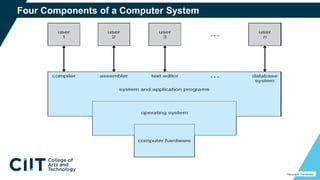
Four Components of a Computer System
Percival A. Fernandez
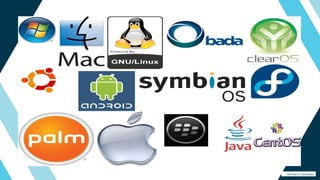
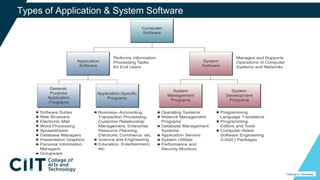
Types of Application & System Software
Percival A. Fernandez
Application Software
Percival A. Fernandez
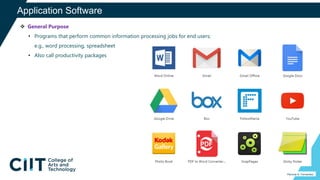
 General Purpose
• Programs that perform common information processing jobs for end users;
e.g., word processing, spreadsheet
• Also call productivity packages
Application Software
Percival A. Fernandez
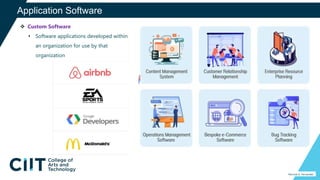
 Custom Software
• Software applications developed within
an organization for use by that
organization
Application Software
Percival A. Fernandez
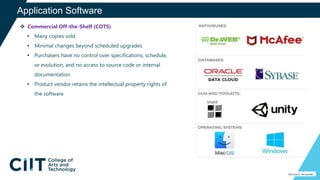
 Commercial Off-the-Shelf (COTS)
• Many copies sold
• Minimal changes beyond scheduled upgrades
• Purchasers have no control over specifications, schedule,
or evolution, and no access to source code or internal
documentation
• Product vendor retains the intellectual property rights of
the software
Application Software
Percival A. Fernandez
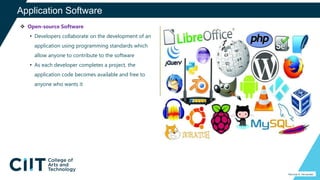
 Open-source Software
• Developers collaborate on the development of an
application using programming standards which
allow anyone to contribute to the software
• As each developer completes a project, the
application code becomes available and free to
anyone who wants it
Business Application Software
Percival A. Fernandez
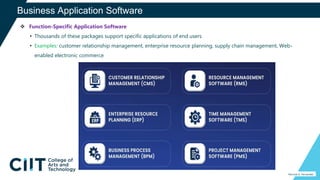
 Function-Specific Application Software
• Thousands of these packages support specific applications of end users
• Examples: customer relationship management, enterprise resource planning, supply chain management, Web-
enabled electronic commerce
Software Suites
Percival A. Fernandez
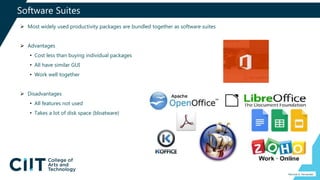
 Most widely used productivity packages are bundled together as software suites
 Advantages
• Cost less than buying individual packages
• All have similar GUI
• Work well together
 Disadvantages
• All features not used
• Takes a lot of disk space (bloatware)
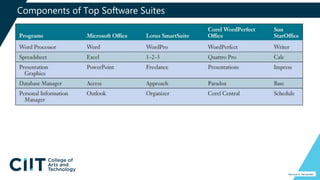
Components of Top Software Suites
Percival A. Fernandez
Integrated Packages
Percival A. Fernandez
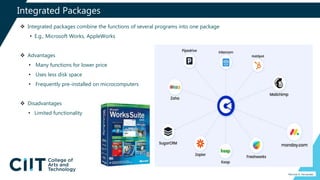
 Integrated packages combine the functions of several programs into one package
• E.g., Microsoft Works, AppleWorks
 Advantages
• Many functions for lower price
• Uses less disk space
• Frequently pre-installed on microcomputers
 Disadvantages
• Limited functionality
Web Browsers
Percival A. Fernandez
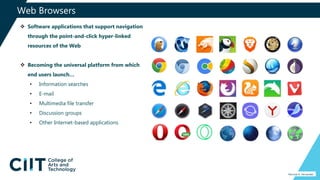
 Software applications that support navigation
through the point-and-click hyper-linked
resources of the Web
 Becoming the universal platform from which
end users launch…
• Information searches
• E-mail
• Multimedia file transfer
• Discussion groups
• Other Internet-based applications
Search Engines
Percival A. Fernandez
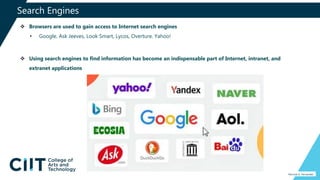
 Browsers are used to gain access to Internet search engines
• Google, Ask Jeeves, Look Smart, Lycos, Overture, Yahoo!
 Using search engines to find information has become an indispensable part of Internet, intranet, and
extranet applications
E-mail, Instant Messaging, and Weblogs
Percival A. Fernandez
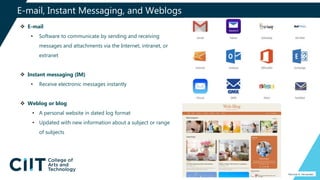
 E-mail
• Software to communicate by sending and receiving
messages and attachments via the Internet, intranet, or
extranet
 Instant messaging (IM)
• Receive electronic messages instantly
 Weblog or blog
• A personal website in dated log format
• Updated with new information about a subject or range
of subjects
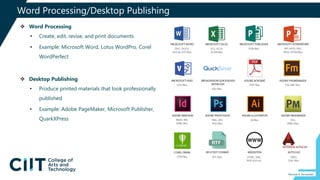
Word Processing/Desktop Publishing
Percival A. Fernandez
 Word Processing
• Create, edit, revise, and print documents
• Example: Microsoft Word, Lotus WordPro, Corel
WordPerfect
 Desktop Publishing
• Produce printed materials that look professionally
published
• Example: Adobe PageMaker, Microsoft Publisher,
QuarkXPress
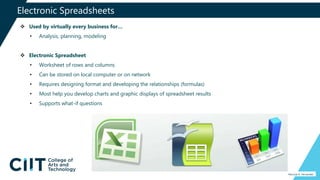
Electronic Spreadsheets
Percival A. Fernandez
 Used by virtually every business for…
• Analysis, planning, modeling
 Electronic Spreadsheet
• Worksheet of rows and columns
• Can be stored on local computer or on network
• Requires designing format and developing the relationships (formulas)
• Most help you develop charts and graphic displays of spreadsheet results
• Supports what-if questions
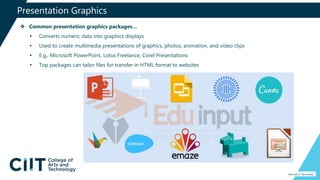
Presentation Graphics
Percival A. Fernandez
 Common presentation graphics packages…
• Converts numeric data into graphics displays
• Used to create multimedia presentations of graphics, photos, animation, and video clips
• E.g., Microsoft PowerPoint, Lotus Freelance, Corel Presentations
• Top packages can tailor files for transfer in HTML format to websites
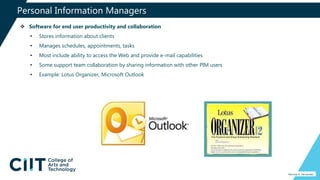
Personal Information Managers
Percival A. Fernandez
 Software for end user productivity and collaboration
• Stores information about clients
• Manages schedules, appointments, tasks
• Most include ability to access the Web and provide e-mail capabilities
• Some support team collaboration by sharing information with other PIM users
• Example: Lotus Organizer, Microsoft Outlook
Groupware
Percival A. Fernandez
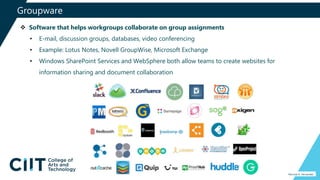
 Software that helps workgroups collaborate on group assignments
• E-mail, discussion groups, databases, video conferencing
• Example: Lotus Notes, Novell GroupWise, Microsoft Exchange
• Windows SharePoint Services and WebSphere both allow teams to create websites for
information sharing and document collaboration
Software Alternatives
Percival A. Fernandez
 Outsourcing development and maintenance of
software
 Application service providers (ASPs)
• Companies that own, operate, and maintain
application software and computer system
resources
• Use the application for a fee over the Internet
• Pay-as-you-go
• Use expected to accelerate in the coming
years
Software Licensing
Percival A. Fernandez
 All COTS and ASP software is licensed
• Involves the underlying..
o Intellectual property rights
o Copyright
o Trademark
o Trade secrets
• Also involves traditional contract law, including Uniform
Commercial Code (UCC)
 You don’t buy software
• You buy a license to use the software
• Licensed to protect the vendor’s property rights
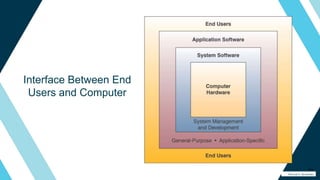
Interface Between End
Users and Computer
23
Percival A. Fernandez
Operating System
Percival A. Fernandez
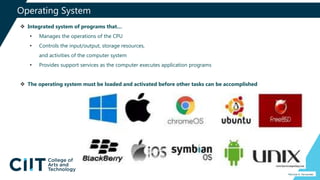
 Integrated system of programs that…
• Manages the operations of the CPU
• Controls the input/output, storage resources,
and activities of the computer system
• Provides support services as the computer executes application programs
 The operating system must be loaded and activated before other tasks can be accomplished
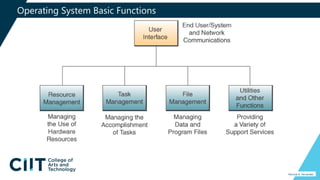
Operating System Basic Functions
Percival A. Fernandez
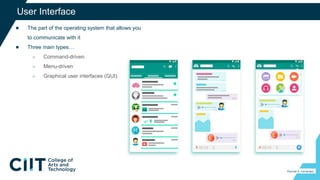
● The part of the operating system that allows you
to communicate with it
● Three main types…
○ Command-driven
○ Menu-driven
○ Graphical user interfaces (GUI)
26
User Interface
Percival A. Fernandez
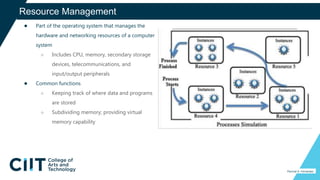
● Part of the operating system that manages the
hardware and networking resources of a computer
system
○ Includes CPU, memory, secondary storage
devices, telecommunications, and
input/output peripherals
● Common functions
○ Keeping track of where data and programs
are stored
○ Subdividing memory; providing virtual
memory capability
27
Resource Management
Percival A. Fernandez
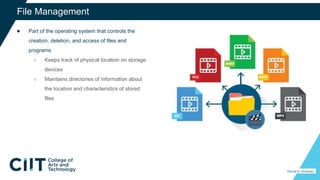
● Part of the operating system that controls the
creation, deletion, and access of files and
programs
○ Keeps track of physical location on storage
devices
○ Maintains directories of information about
the location and characteristics of stored
files
28
File Management
Percival A. Fernandez
29
Task Management
Percival A. Fernandez
● Part of the operating system that manages the accomplishment of end user
computing tasks
○ Controls which task gets access to the CPU,
and for how long
○ Can interrupt the CPU at any time to substitute a higher priority task
○ Supports preemptive and cooperative multi-tasking and multi-processing
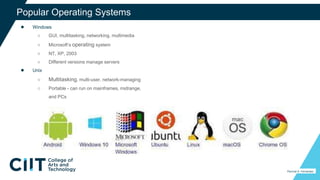
● Windows
○ GUI, multitasking, networking, multimedia
○ Microsoft’s operating system
○ NT, XP, 2003
○ Different versions manage servers
● Unix
○ Multitasking, multi-user, network-managing
○ Portable - can run on mainframes, midrange,
and PCs
30
Popular Operating Systems
Percival A. Fernandez
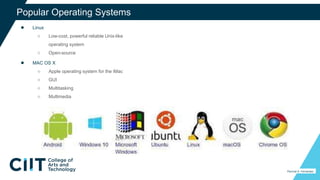
● Linux
○ Low-cost, powerful reliable Unix-like
operating system
○ Open-source
● MAC OS X
○ Apple operating system for the iMac
○ GUI
○ Multitasking
○ Multimedia
31
Percival A. Fernandez
Popular Operating Systems
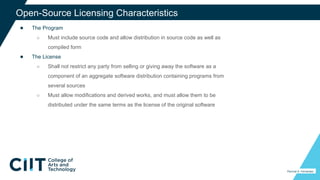
● The Program
○ Must include source code and allow distribution in source code as well as
compiled form
● The License
○ Shall not restrict any party from selling or giving away the software as a
component of an aggregate software distribution containing programs from
several sources
○ Must allow modifications and derived works, and must allow them to be
distributed under the same terms as the license of the original software
32
Open-Source Licensing Characteristics
Percival A. Fernandez
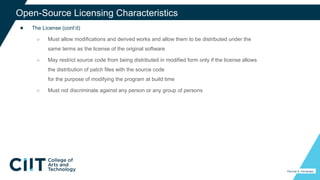
● The License (cont’d)
○ Must allow modifications and derived works and allow them to be distributed under the
same terms as the license of the original software
○ May restrict source code from being distributed in modified form only if the license allows
the distribution of patch files with the source code
for the purpose of modifying the program at build time
○ Must not discriminate against any person or any group of persons
33
Percival A. Fernandez
Open-Source Licensing Characteristics
34
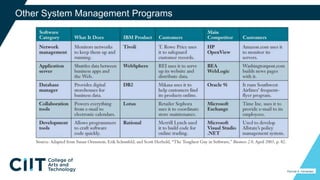
Other System Management Programs
Percival A. Fernandez
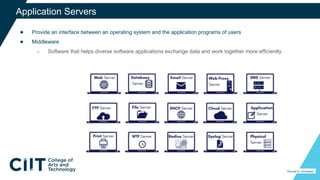
● Provide an interface between an operating system and the application programs of users
● Middleware
○ Software that helps diverse software applications exchange data and work together more efficiently
35
Application Servers
Percival A. Fernandez
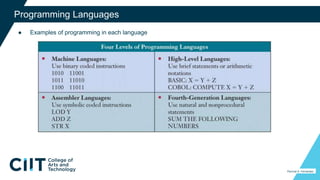
● Examples of programming in each language
36
Programming Languages
Percival A. Fernandez
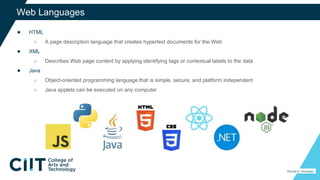
● HTML
○ A page description language that creates hypertext documents for the Web
● XML
○ Describes Web page content by applying identifying tags or contextual labels to the data
● Java
○ Object-oriented programming language that is simple, secure, and platform independent
○ Java applets can be executed on any computer
37
Web Languages
Percival A. Fernandez
38
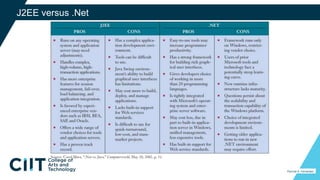
J2EE versus .Net
Percival A. Fernandez
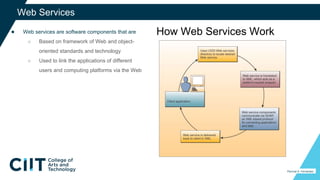
● Web services are software components that are
○ Based on framework of Web and object-
oriented standards and technology
○ Used to link the applications of different
users and computing platforms via the Web
39
Web Services
How Web Services Work
Percival A. Fernandez

Module 3 - Software Classification.pptx

  • 1.
    Module 3 Software Classification PercivalA. Fernandez CS213 - Operating System
  • 2.
  • 3.
    Four Components ofa Computer System Percival A. Fernandez
  • 4.
    Types of Application& System Software Percival A. Fernandez
  • 5.
    Application Software Percival A.Fernandez  General Purpose • Programs that perform common information processing jobs for end users; e.g., word processing, spreadsheet • Also call productivity packages
  • 6.
    Application Software Percival A.Fernandez  Custom Software • Software applications developed within an organization for use by that organization
  • 7.
    Application Software Percival A.Fernandez  Commercial Off-the-Shelf (COTS) • Many copies sold • Minimal changes beyond scheduled upgrades • Purchasers have no control over specifications, schedule, or evolution, and no access to source code or internal documentation • Product vendor retains the intellectual property rights of the software
  • 8.
    Application Software Percival A.Fernandez  Open-source Software • Developers collaborate on the development of an application using programming standards which allow anyone to contribute to the software • As each developer completes a project, the application code becomes available and free to anyone who wants it
  • 9.
    Business Application Software PercivalA. Fernandez  Function-Specific Application Software • Thousands of these packages support specific applications of end users • Examples: customer relationship management, enterprise resource planning, supply chain management, Web- enabled electronic commerce
  • 10.
    Software Suites Percival A.Fernandez  Most widely used productivity packages are bundled together as software suites  Advantages • Cost less than buying individual packages • All have similar GUI • Work well together  Disadvantages • All features not used • Takes a lot of disk space (bloatware)
  • 11.
    Components of TopSoftware Suites Percival A. Fernandez
  • 12.
    Integrated Packages Percival A.Fernandez  Integrated packages combine the functions of several programs into one package • E.g., Microsoft Works, AppleWorks  Advantages • Many functions for lower price • Uses less disk space • Frequently pre-installed on microcomputers  Disadvantages • Limited functionality
  • 13.
    Web Browsers Percival A.Fernandez  Software applications that support navigation through the point-and-click hyper-linked resources of the Web  Becoming the universal platform from which end users launch… • Information searches • E-mail • Multimedia file transfer • Discussion groups • Other Internet-based applications
  • 14.
    Search Engines Percival A.Fernandez  Browsers are used to gain access to Internet search engines • Google, Ask Jeeves, Look Smart, Lycos, Overture, Yahoo!  Using search engines to find information has become an indispensable part of Internet, intranet, and extranet applications
  • 15.
    E-mail, Instant Messaging,and Weblogs Percival A. Fernandez  E-mail • Software to communicate by sending and receiving messages and attachments via the Internet, intranet, or extranet  Instant messaging (IM) • Receive electronic messages instantly  Weblog or blog • A personal website in dated log format • Updated with new information about a subject or range of subjects
  • 16.
    Word Processing/Desktop Publishing PercivalA. Fernandez  Word Processing • Create, edit, revise, and print documents • Example: Microsoft Word, Lotus WordPro, Corel WordPerfect  Desktop Publishing • Produce printed materials that look professionally published • Example: Adobe PageMaker, Microsoft Publisher, QuarkXPress
  • 17.
    Electronic Spreadsheets Percival A.Fernandez  Used by virtually every business for… • Analysis, planning, modeling  Electronic Spreadsheet • Worksheet of rows and columns • Can be stored on local computer or on network • Requires designing format and developing the relationships (formulas) • Most help you develop charts and graphic displays of spreadsheet results • Supports what-if questions
  • 18.
    Presentation Graphics Percival A.Fernandez  Common presentation graphics packages… • Converts numeric data into graphics displays • Used to create multimedia presentations of graphics, photos, animation, and video clips • E.g., Microsoft PowerPoint, Lotus Freelance, Corel Presentations • Top packages can tailor files for transfer in HTML format to websites
  • 19.
    Personal Information Managers PercivalA. Fernandez  Software for end user productivity and collaboration • Stores information about clients • Manages schedules, appointments, tasks • Most include ability to access the Web and provide e-mail capabilities • Some support team collaboration by sharing information with other PIM users • Example: Lotus Organizer, Microsoft Outlook
  • 20.
    Groupware Percival A. Fernandez Software that helps workgroups collaborate on group assignments • E-mail, discussion groups, databases, video conferencing • Example: Lotus Notes, Novell GroupWise, Microsoft Exchange • Windows SharePoint Services and WebSphere both allow teams to create websites for information sharing and document collaboration
  • 21.
    Software Alternatives Percival A.Fernandez  Outsourcing development and maintenance of software  Application service providers (ASPs) • Companies that own, operate, and maintain application software and computer system resources • Use the application for a fee over the Internet • Pay-as-you-go • Use expected to accelerate in the coming years
  • 22.
    Software Licensing Percival A.Fernandez  All COTS and ASP software is licensed • Involves the underlying.. o Intellectual property rights o Copyright o Trademark o Trade secrets • Also involves traditional contract law, including Uniform Commercial Code (UCC)  You don’t buy software • You buy a license to use the software • Licensed to protect the vendor’s property rights
  • 23.
    Interface Between End Usersand Computer 23 Percival A. Fernandez
  • 24.
    Operating System Percival A.Fernandez  Integrated system of programs that… • Manages the operations of the CPU • Controls the input/output, storage resources, and activities of the computer system • Provides support services as the computer executes application programs  The operating system must be loaded and activated before other tasks can be accomplished
  • 25.
    Operating System BasicFunctions Percival A. Fernandez
  • 26.
    ● The partof the operating system that allows you to communicate with it ● Three main types… ○ Command-driven ○ Menu-driven ○ Graphical user interfaces (GUI) 26 User Interface Percival A. Fernandez
  • 27.
    ● Part ofthe operating system that manages the hardware and networking resources of a computer system ○ Includes CPU, memory, secondary storage devices, telecommunications, and input/output peripherals ● Common functions ○ Keeping track of where data and programs are stored ○ Subdividing memory; providing virtual memory capability 27 Resource Management Percival A. Fernandez
  • 28.
    ● Part ofthe operating system that controls the creation, deletion, and access of files and programs ○ Keeps track of physical location on storage devices ○ Maintains directories of information about the location and characteristics of stored files 28 File Management Percival A. Fernandez
  • 29.
    29 Task Management Percival A.Fernandez ● Part of the operating system that manages the accomplishment of end user computing tasks ○ Controls which task gets access to the CPU, and for how long ○ Can interrupt the CPU at any time to substitute a higher priority task ○ Supports preemptive and cooperative multi-tasking and multi-processing
  • 30.
    ● Windows ○ GUI,multitasking, networking, multimedia ○ Microsoft’s operating system ○ NT, XP, 2003 ○ Different versions manage servers ● Unix ○ Multitasking, multi-user, network-managing ○ Portable - can run on mainframes, midrange, and PCs 30 Popular Operating Systems Percival A. Fernandez
  • 31.
    ● Linux ○ Low-cost,powerful reliable Unix-like operating system ○ Open-source ● MAC OS X ○ Apple operating system for the iMac ○ GUI ○ Multitasking ○ Multimedia 31 Percival A. Fernandez Popular Operating Systems
  • 32.
    ● The Program ○Must include source code and allow distribution in source code as well as compiled form ● The License ○ Shall not restrict any party from selling or giving away the software as a component of an aggregate software distribution containing programs from several sources ○ Must allow modifications and derived works, and must allow them to be distributed under the same terms as the license of the original software 32 Open-Source Licensing Characteristics Percival A. Fernandez
  • 33.
    ● The License(cont’d) ○ Must allow modifications and derived works and allow them to be distributed under the same terms as the license of the original software ○ May restrict source code from being distributed in modified form only if the license allows the distribution of patch files with the source code for the purpose of modifying the program at build time ○ Must not discriminate against any person or any group of persons 33 Percival A. Fernandez Open-Source Licensing Characteristics
  • 34.
    34 Other System ManagementPrograms Percival A. Fernandez
  • 35.
    ● Provide aninterface between an operating system and the application programs of users ● Middleware ○ Software that helps diverse software applications exchange data and work together more efficiently 35 Application Servers Percival A. Fernandez
  • 36.
    ● Examples ofprogramming in each language 36 Programming Languages Percival A. Fernandez
  • 37.
    ● HTML ○ Apage description language that creates hypertext documents for the Web ● XML ○ Describes Web page content by applying identifying tags or contextual labels to the data ● Java ○ Object-oriented programming language that is simple, secure, and platform independent ○ Java applets can be executed on any computer 37 Web Languages Percival A. Fernandez
  • 38.
  • 39.
    ● Web servicesare software components that are ○ Based on framework of Web and object- oriented standards and technology ○ Used to link the applications of different users and computing platforms via the Web 39 Web Services How Web Services Work Percival A. Fernandez