Download to read offline
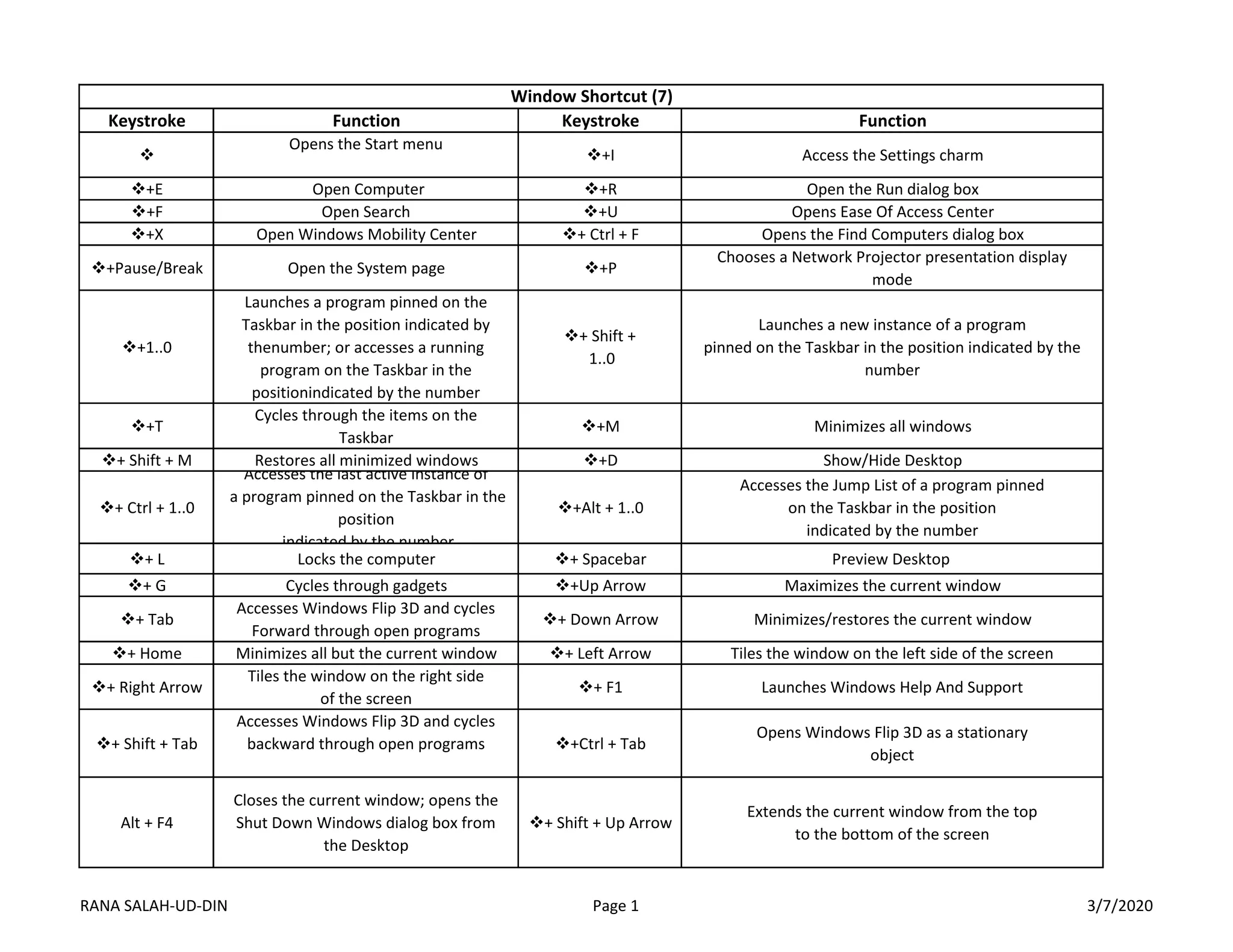
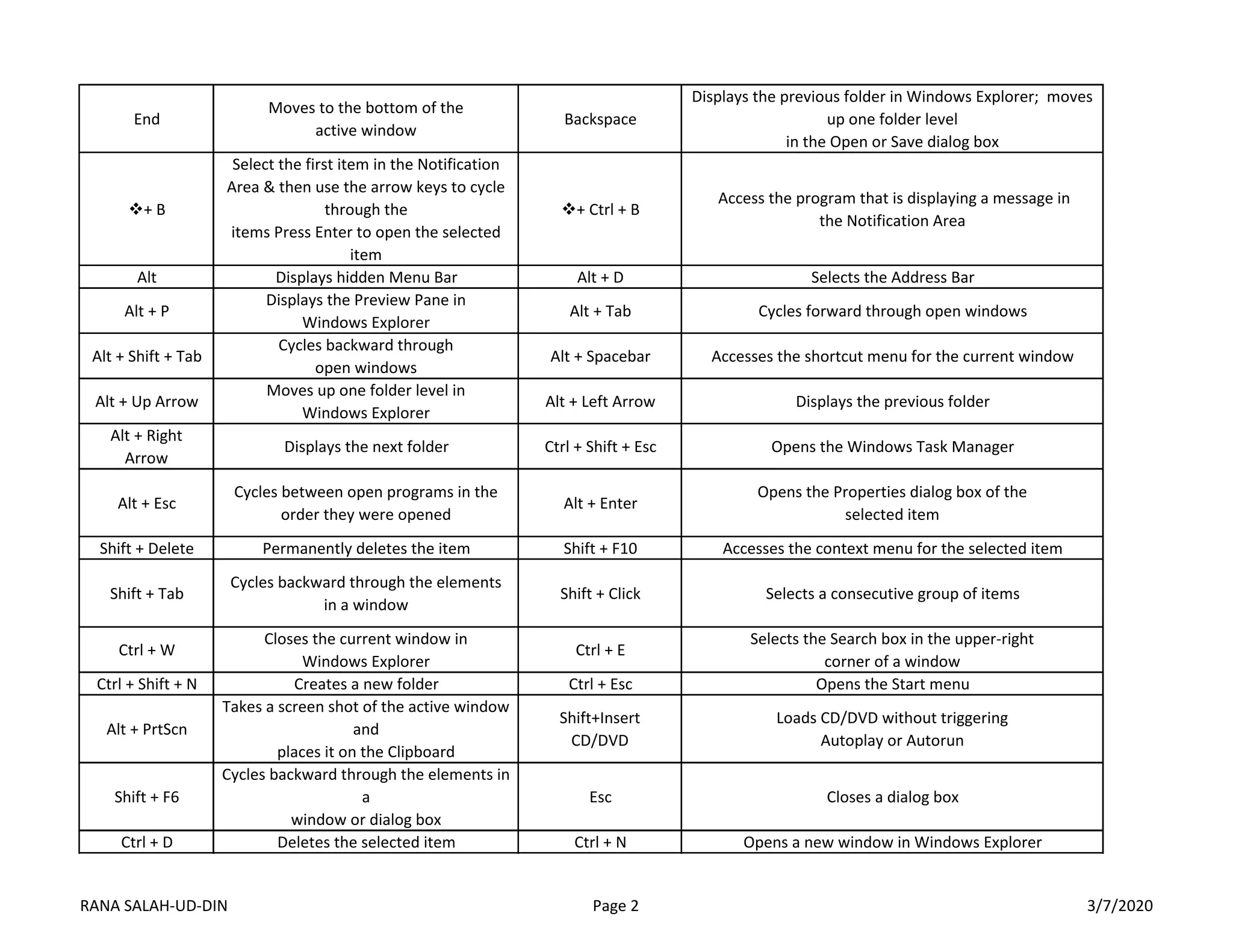
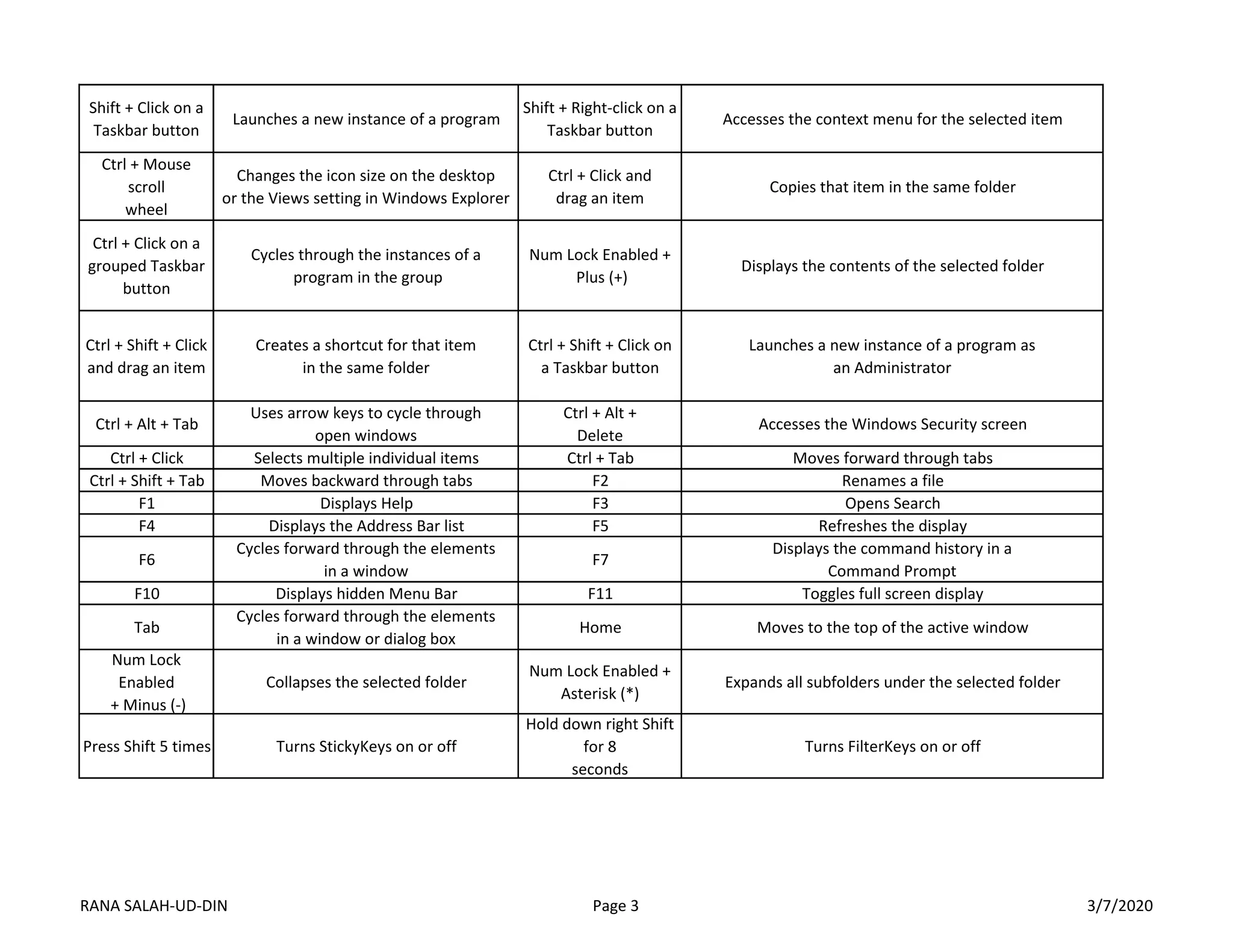
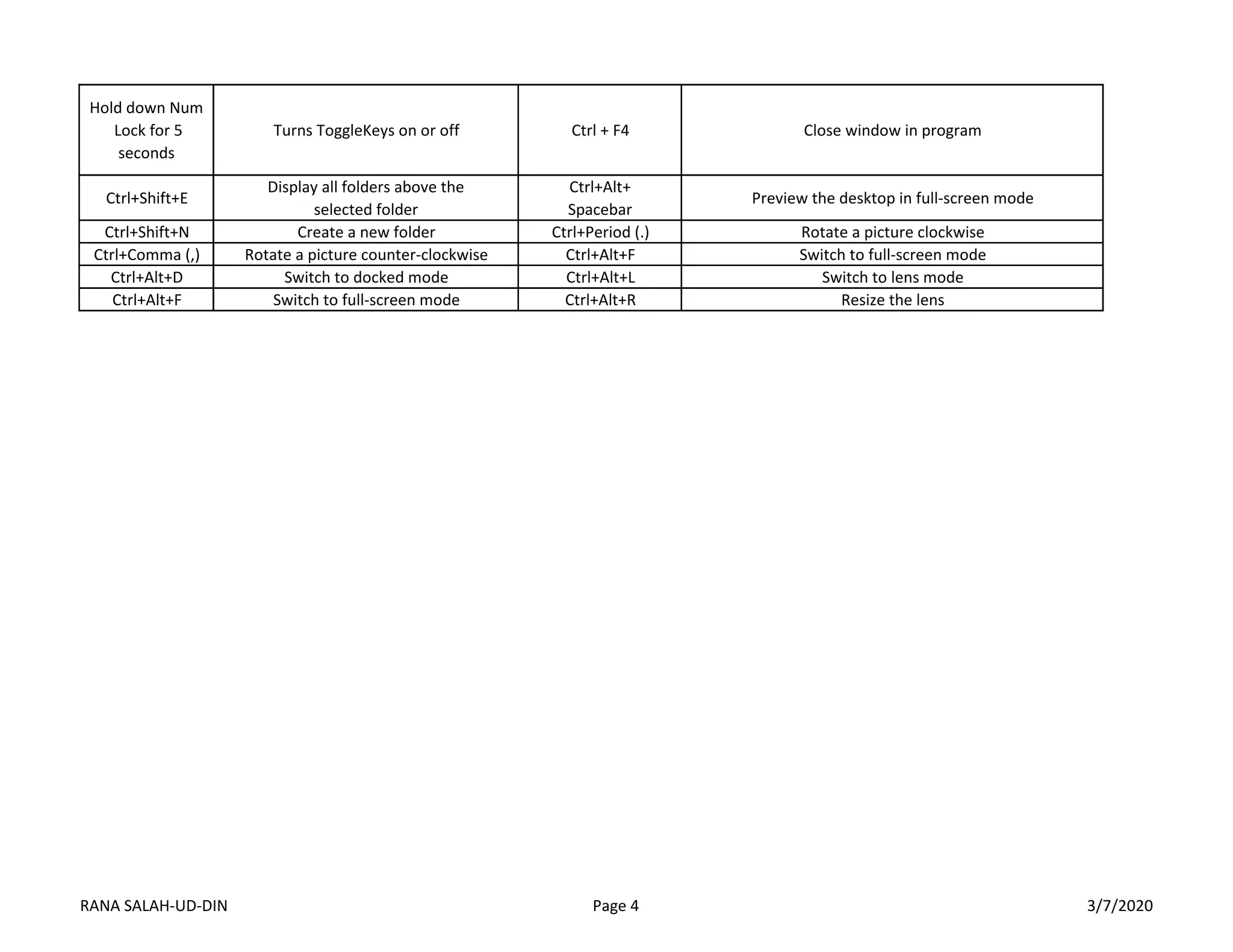

This document lists keyboard shortcuts for Windows 10. It provides over 50 shortcuts for navigating and interacting with the Windows interface, desktop, files, folders, and applications. Some key shortcuts include using the Windows key along with letters, numbers and symbols to open Start menu items, launch apps from the taskbar, switch between open windows and show the desktop. Other common shortcuts include Alt+Tab to switch windows, Ctrl+C to copy, Ctrl+V to paste, and Ctrl+X to cut. Function keys like F1, F2, F3 etc. are also assigned actions like displaying help, renaming files, and searching.


