Wikis Basics, Tools and Strategies Meredith Farkas October 28, 2007 Internet Librarian
What you will learn What a wiki is What wikis are good for, what they’re not so good for How libraries and other groups are successfully using wikis How to get started with wikis Tips on developing a successful wiki
Who am I? Meredith Farkas Distance Learning Librarian at Norwich University (VT). Author -  Social Software in Libraries . Columnist – “Technology in Practice” column in  American Libraries . Blogger -  Information Wants to be Free . Wiki manager -  Library Success ,  ALA 2005  and  2006 , etc.
My experience with wikis Looking for a way to collect knowledge for ALA Annual 2005. A Website would only collect my knowledge ALA Chicago 2005 Wiki Amazing community formed around the wiki!
Library Success Wiki Where does a new librarian go to get ideas and learn from other people's successes?  Library Success Wiki: Designed to collect best practices, good ideas, useful articles and links, etc. Site has developed a diverse community of individuals who add content in their areas of interest.
Other wikis I’ve created ALA 2006 New Orleans Wiki CIL 2006 Wiki IL 2006 Wiki KM World 2006 Wiki Buying and Selling  eContent  Wiki IL 2007  Wiki Many other personal wikis for planning, internal wiki at work, etc.
What is a wiki? Content management system Allows people to collaboratively develop a Web site without any tech-savvy Wiki = quick (in Hawaiian) All community members can add to or edit the work of others
Wiki background Ward Cunningham and the Portland Pattern Repository Wikipedia Conference wikis, fan wikis, wiki knowledgebases Wikis in the library! Still often controlled access.  Organizations jump on the wiki bandwagon
Wiki Structure All wikis start off as a single blank page Pages are created and connected by hyperlinks No ownership of pages; anyone can change the work of others
Wiki Components Pages community members can add to or edit ( example ) Discussion area for each page List of all of the changes made to a particular page (version control) List of all changes made to all pages.
Wiki Syntax Ways to format text, change color, create links, create tables, etc. Wikipedia editor’s guide Not difficult to learn, but  different Differences for each wiki WYSIWYG is the future
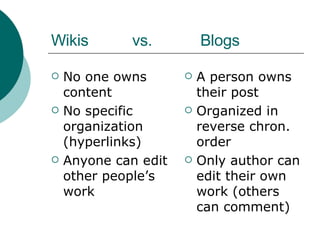
Wikis  vs.  Blogs No one owns content No specific organization (hyperlinks) Anyone can edit other people’s work A person owns their post Organized in reverse chron. order Only author can edit their own work (others can comment)
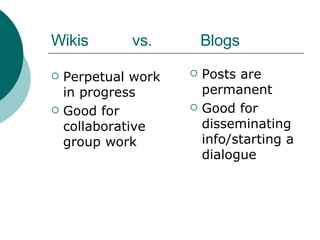
Wikis  vs.  Blogs Perpetual work in progress Good for collaborative group work Posts are permanent Good for disseminating info/starting a dialogue
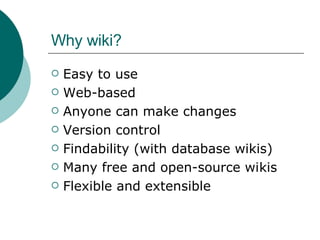
Why wiki? Easy to use Web-based Anyone can make changes Version control Findability (with database wikis) Many free and open-source wikis Flexible and extensible
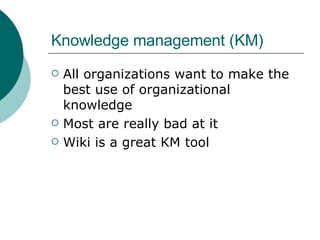
Knowledge management (KM) All organizations want to make the best use of organizational knowledge Most are really bad at it Wiki is a great KM tool
Wiki = quick No editing in Dreamweaver, no  FTP-ing into the server. No waiting for the Webmaster to update your page. Different people can be responsible for different content areas
Collaboration Wikis are a great way to get patrons/colleagues to participate in building a Web space Resource guides Conference  Book reviews Area guides You can learn a lot from your patrons and colleagues!
Why not wiki? Too open (trust issues) Concerns about ownership of content Disorganized Vandalism and spam Wikis aren't for everyone. If control is a major issue with the site you're developing, then a wiki may not be right for your project.
Questions?
Wikis in Practice
How libraries can use wikis with their patrons Community wiki Subject guide wiki Wiki as courseware Wiki as Web site Wiki for capitalizing on the collective intelligence
Community wikis RocWiki  (Rochester, NY) Davis Wiki  (Davis, CA) Arbor Wiki  (Ann Arbor, MI) PGHWiki  (Pittsburgh, PA)
Wikis that build community Tax Almanac Mandriva  Club
Subject guides Ohio University Library’s  Biz Wiki St. Joseph County Public Library Subject Guides Florida State University
Wiki as Website and courseware University of South Carolina Aiken Library Web site Bemidji State University  eRhetoric  course wiki
Capitalizing on the collective intelligence Resource guides and book reviews ProductWiki wikiXbox360 Princeton Public Library’s  Book Lovers Wiki Wyoming Authors Wiki
How librarians can use wikis Staff Intranet Collaborative document editing Collaboratively-developed manual Conference wikis Knowledgebase Planning space for conferences
Wiki as Intranet for info sharing Most are behind the firewall or are password protected.
Collaborative document editing ZohoWriter Google Docs and Spreadsheets You could even just use something like  PBWiki !
Collaboratively-developed manual Print manuals are really hard to update! Antioch University New England Library Staff Training and Support Wiki
Conference wikis ALA 2005 Chicago Wiki ALA 2006 New Orleans Wiki IL 2007  Wiki Wikimania  2006
Wiki as professional knowledgebase Library Success: A Best Practices Wiki Library Instruction Wiki Qwiki : Quantum Physics Wiki The New PR Wiki
Planning space for conferences Hard to plan a conference with people from all over the place. Five Weeks to a Social Library BarCamp PodCon
Wiki Tips How to develop and maintain a successful wiki
Wiki Tips: Software Popular options for wiki hosted on your server MediaWiki PmWiki Twiki MoinMoin XWiki
Wiki Tips: Software (cont’d) Popular Options for wikis hosted by the software company PBWiki WetPaint SeedWiki If you want control, no ads, etc., host the wiki on your server. If you don’t have server space, need the wiki for a small time-limited project, or are scared of maintaining a new tech, go with a hosted wiki. Check out the  WikiMatrix  when thinking about which software to use
Choosing software: What to consider Programming language  Ease of installation  Security  Permissioning  Spam prevention  Ease of use  Cost    Version control
What to consider (cont’d) Syntax/WYSIWYG Ability to hold discussions  RSS  Ability to change look  Extensions Trajectory of development/support of development
Wiki Tips: Seeding the wiki No one wants to add to an empty wiki Also, people often don’t know what to add Add some content to the major categories before going live Creating an organizational scheme will prevent orphan links and chaos
Wiki Tips: Education Wikis need lots of info for novice users What is a wiki What can you do with this wiki How to edit the wiki FAQ Whom to contact for more help Training is important
Wiki Tips: Content development Do lots of marketing If possible, offer trainings Partner with groups/people related to your mission Don’t do it all yourself! Give the wiki a grassroots feel, make it welcoming.
Wiki Tips: Management Security Should you require registration? Dealing with spam Install spam-killing plugins or blacklists Bad Behavior  plugin. Monitor the wiki several times a day Get to know and love RSS Find lots of dedicated helpers!!!
How to deal with posts you don’t like Guidelines Limit to on-topic posts Take a note from the  Wikipedia’s  policies and guidelines Get a committed group of volunteers to patrol a public wiki If you need to delete something - use discussion area to explain why things were deleted.
Questions? Comments? Meredith Farkas mgfarkas at gmail dot com http://meredith.wolfwater.com/wordpress/ AIM: librarianmer Links and more resources at  http://meredithfarkas.wetpaint.com/

Wikis: Basics Tools and Strategies

  • 1.
    Wikis Basics, Toolsand Strategies Meredith Farkas October 28, 2007 Internet Librarian
  • 2.
    What you willlearn What a wiki is What wikis are good for, what they’re not so good for How libraries and other groups are successfully using wikis How to get started with wikis Tips on developing a successful wiki
  • 3.
    Who am I?Meredith Farkas Distance Learning Librarian at Norwich University (VT). Author - Social Software in Libraries . Columnist – “Technology in Practice” column in American Libraries . Blogger - Information Wants to be Free . Wiki manager - Library Success , ALA 2005 and 2006 , etc.
  • 4.
    My experience withwikis Looking for a way to collect knowledge for ALA Annual 2005. A Website would only collect my knowledge ALA Chicago 2005 Wiki Amazing community formed around the wiki!
  • 5.
    Library Success WikiWhere does a new librarian go to get ideas and learn from other people's successes? Library Success Wiki: Designed to collect best practices, good ideas, useful articles and links, etc. Site has developed a diverse community of individuals who add content in their areas of interest.
  • 6.
    Other wikis I’vecreated ALA 2006 New Orleans Wiki CIL 2006 Wiki IL 2006 Wiki KM World 2006 Wiki Buying and Selling eContent Wiki IL 2007 Wiki Many other personal wikis for planning, internal wiki at work, etc.
  • 7.
    What is awiki? Content management system Allows people to collaboratively develop a Web site without any tech-savvy Wiki = quick (in Hawaiian) All community members can add to or edit the work of others
  • 8.
    Wiki background WardCunningham and the Portland Pattern Repository Wikipedia Conference wikis, fan wikis, wiki knowledgebases Wikis in the library! Still often controlled access. Organizations jump on the wiki bandwagon
  • 9.
    Wiki Structure Allwikis start off as a single blank page Pages are created and connected by hyperlinks No ownership of pages; anyone can change the work of others
  • 10.
    Wiki Components Pagescommunity members can add to or edit ( example ) Discussion area for each page List of all of the changes made to a particular page (version control) List of all changes made to all pages.
  • 11.
    Wiki Syntax Waysto format text, change color, create links, create tables, etc. Wikipedia editor’s guide Not difficult to learn, but different Differences for each wiki WYSIWYG is the future
  • 12.
    Wikis vs. Blogs No one owns content No specific organization (hyperlinks) Anyone can edit other people’s work A person owns their post Organized in reverse chron. order Only author can edit their own work (others can comment)
  • 13.
    Wikis vs. Blogs Perpetual work in progress Good for collaborative group work Posts are permanent Good for disseminating info/starting a dialogue
  • 14.
    Why wiki? Easyto use Web-based Anyone can make changes Version control Findability (with database wikis) Many free and open-source wikis Flexible and extensible
  • 15.
    Knowledge management (KM)All organizations want to make the best use of organizational knowledge Most are really bad at it Wiki is a great KM tool
  • 16.
    Wiki = quickNo editing in Dreamweaver, no FTP-ing into the server. No waiting for the Webmaster to update your page. Different people can be responsible for different content areas
  • 17.
    Collaboration Wikis area great way to get patrons/colleagues to participate in building a Web space Resource guides Conference Book reviews Area guides You can learn a lot from your patrons and colleagues!
  • 18.
    Why not wiki?Too open (trust issues) Concerns about ownership of content Disorganized Vandalism and spam Wikis aren't for everyone. If control is a major issue with the site you're developing, then a wiki may not be right for your project.
  • 19.
  • 20.
  • 21.
    How libraries canuse wikis with their patrons Community wiki Subject guide wiki Wiki as courseware Wiki as Web site Wiki for capitalizing on the collective intelligence
  • 22.
    Community wikis RocWiki (Rochester, NY) Davis Wiki (Davis, CA) Arbor Wiki (Ann Arbor, MI) PGHWiki (Pittsburgh, PA)
  • 23.
    Wikis that buildcommunity Tax Almanac Mandriva Club
  • 24.
    Subject guides OhioUniversity Library’s Biz Wiki St. Joseph County Public Library Subject Guides Florida State University
  • 25.
    Wiki as Websiteand courseware University of South Carolina Aiken Library Web site Bemidji State University eRhetoric course wiki
  • 26.
    Capitalizing on thecollective intelligence Resource guides and book reviews ProductWiki wikiXbox360 Princeton Public Library’s Book Lovers Wiki Wyoming Authors Wiki
  • 27.
    How librarians canuse wikis Staff Intranet Collaborative document editing Collaboratively-developed manual Conference wikis Knowledgebase Planning space for conferences
  • 28.
    Wiki as Intranetfor info sharing Most are behind the firewall or are password protected.
  • 29.
    Collaborative document editingZohoWriter Google Docs and Spreadsheets You could even just use something like PBWiki !
  • 30.
    Collaboratively-developed manual Printmanuals are really hard to update! Antioch University New England Library Staff Training and Support Wiki
  • 31.
    Conference wikis ALA2005 Chicago Wiki ALA 2006 New Orleans Wiki IL 2007 Wiki Wikimania 2006
  • 32.
    Wiki as professionalknowledgebase Library Success: A Best Practices Wiki Library Instruction Wiki Qwiki : Quantum Physics Wiki The New PR Wiki
  • 33.
    Planning space forconferences Hard to plan a conference with people from all over the place. Five Weeks to a Social Library BarCamp PodCon
  • 34.
    Wiki Tips Howto develop and maintain a successful wiki
  • 35.
    Wiki Tips: SoftwarePopular options for wiki hosted on your server MediaWiki PmWiki Twiki MoinMoin XWiki
  • 36.
    Wiki Tips: Software(cont’d) Popular Options for wikis hosted by the software company PBWiki WetPaint SeedWiki If you want control, no ads, etc., host the wiki on your server. If you don’t have server space, need the wiki for a small time-limited project, or are scared of maintaining a new tech, go with a hosted wiki. Check out the WikiMatrix when thinking about which software to use
  • 37.
    Choosing software: Whatto consider Programming language Ease of installation Security Permissioning Spam prevention Ease of use Cost   Version control
  • 38.
    What to consider(cont’d) Syntax/WYSIWYG Ability to hold discussions RSS Ability to change look Extensions Trajectory of development/support of development
  • 39.
    Wiki Tips: Seedingthe wiki No one wants to add to an empty wiki Also, people often don’t know what to add Add some content to the major categories before going live Creating an organizational scheme will prevent orphan links and chaos
  • 40.
    Wiki Tips: EducationWikis need lots of info for novice users What is a wiki What can you do with this wiki How to edit the wiki FAQ Whom to contact for more help Training is important
  • 41.
    Wiki Tips: Contentdevelopment Do lots of marketing If possible, offer trainings Partner with groups/people related to your mission Don’t do it all yourself! Give the wiki a grassroots feel, make it welcoming.
  • 42.
    Wiki Tips: ManagementSecurity Should you require registration? Dealing with spam Install spam-killing plugins or blacklists Bad Behavior plugin. Monitor the wiki several times a day Get to know and love RSS Find lots of dedicated helpers!!!
  • 43.
    How to dealwith posts you don’t like Guidelines Limit to on-topic posts Take a note from the Wikipedia’s policies and guidelines Get a committed group of volunteers to patrol a public wiki If you need to delete something - use discussion area to explain why things were deleted.
  • 44.
    Questions? Comments? MeredithFarkas mgfarkas at gmail dot com http://meredith.wolfwater.com/wordpress/ AIM: librarianmer Links and more resources at http://meredithfarkas.wetpaint.com/