WIKIS 101 What is a Wiki anyway? All links can be found at: http://del.icio.us/westervillelibrary/wikis
WHAT IS A WIKI? A wiki is a website that anyone can easily create and edit. No special tools or computer languages are required. Recent changes can (usually) be seen. “ Wikis in Plain English” from the  Common Craft  Show  http://www.commoncraft.com/video-wikis-plain-english
WHY WIKI? Unclog your email. Facilitate creation. Encourages remote users. Provide easy access to information. Helps groups contribute and collaborate. Centralizes information.  Helps with training.
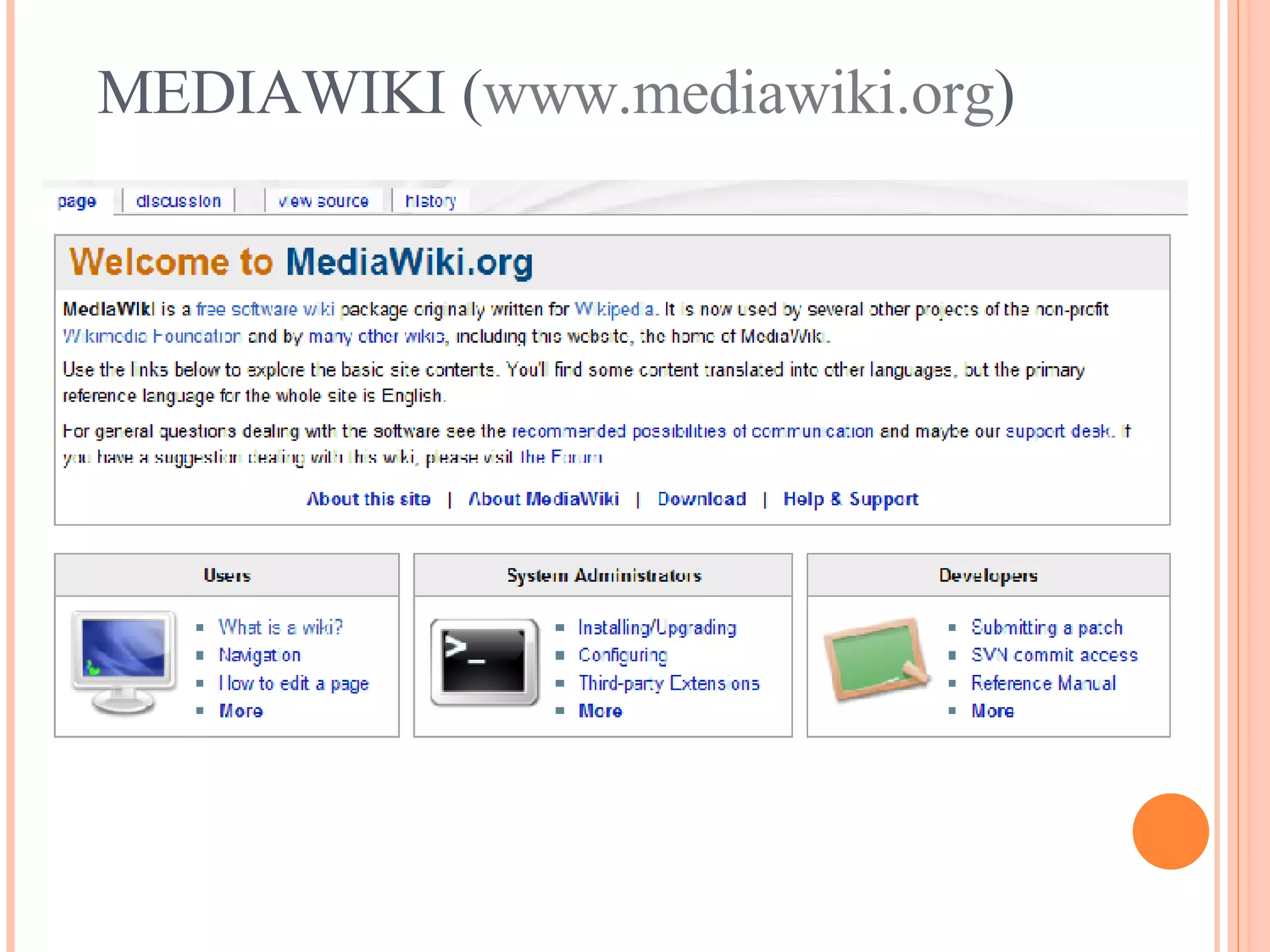
WIKIPEDIA  (www.wikipedia.org) The most famous Wiki. As of April 2008, has over 10 million articles in 253 languages. All articles written by volunteers. Requires editors to create account (register). Uses MediaWiki. New project – Citizendium (www.citizendium.org)
WIKITORIALS Los Angeles Times Experiment – June 2005 Lasted 3 days. Goal:  Encourage readers to rewrite the paper’s editorials. What happened?  Site was flooded with obscene messages and images.
FEATURES Edit Search History Navigation Links Attach documents Upload media files
SNAPSHOT OF A WIKI Navigation Search Edit  & History Tabs Log in/out
SNAPSHOT OF A WIKI (EDIT FUNCTION) “ WYSIWYG” Editor Save changes!
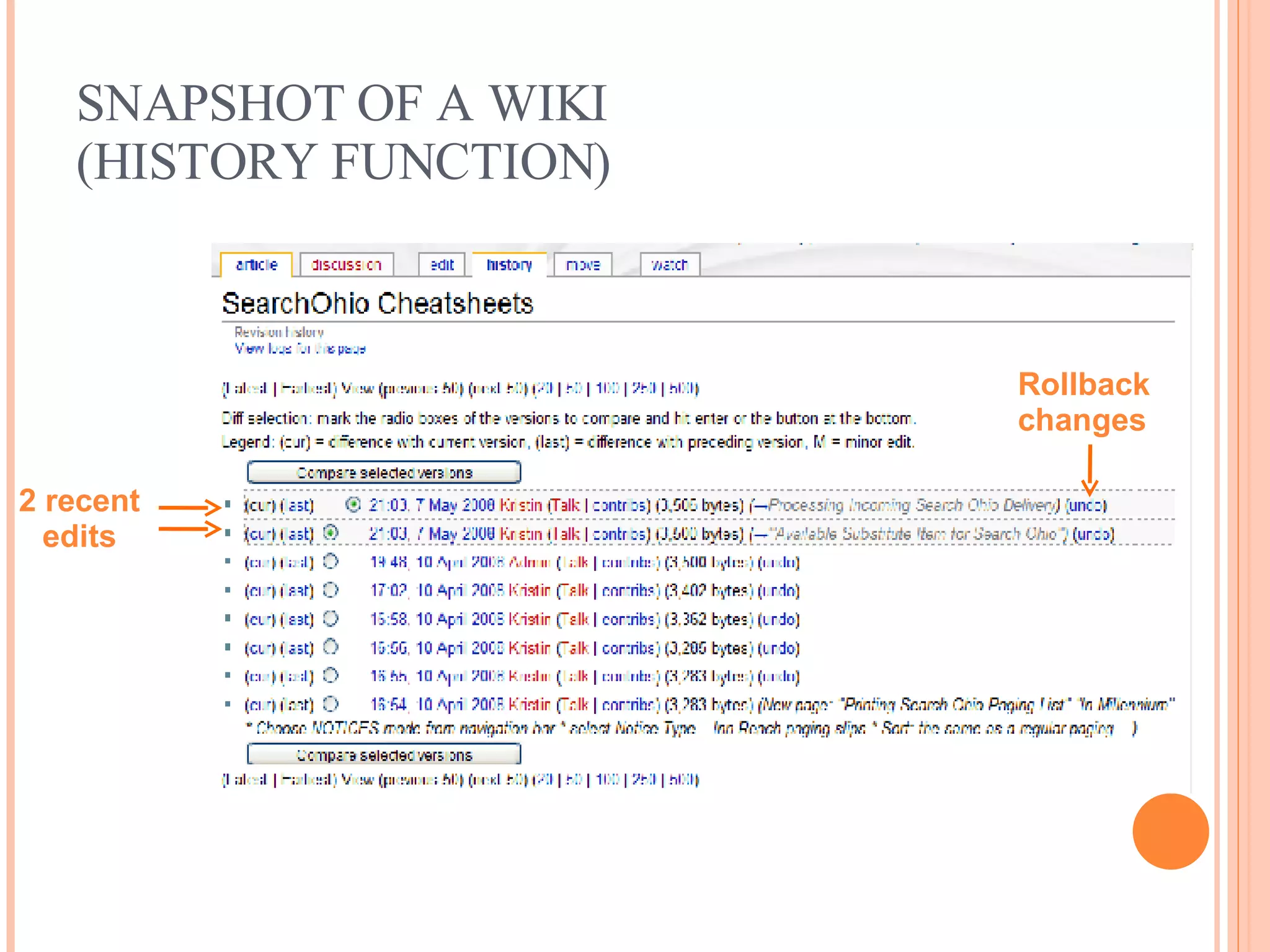
SNAPSHOT OF A WIKI  (HISTORY FUNCTION) 2 recent edits Rollback changes
EDITING 2 forms of Wiki editing. WYSIWYG or wikitext.
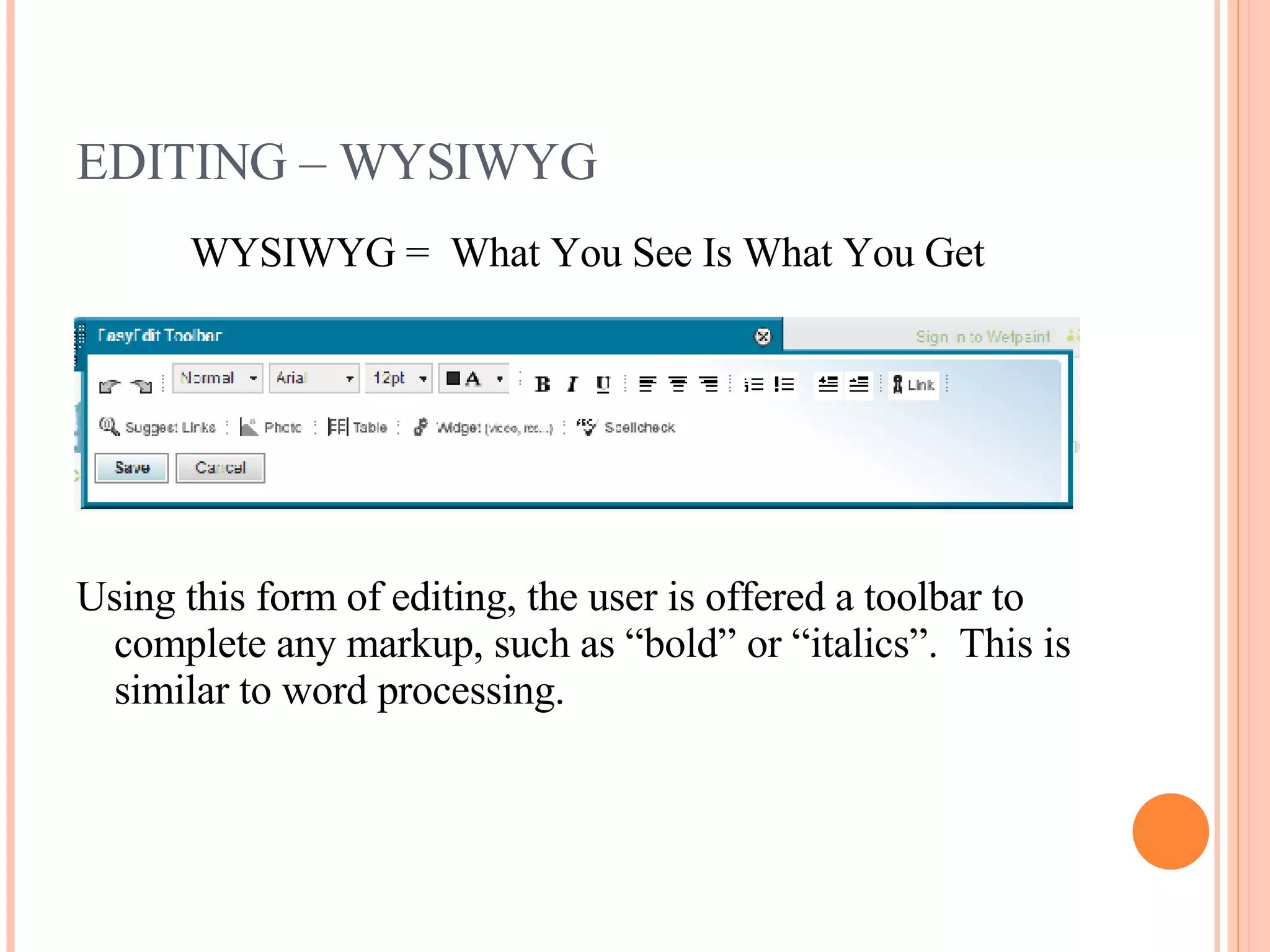
EDITING – WYSIWYG WYSIWYG =  What You See Is What You Get Using this form of editing, the user is offered a toolbar to complete any markup, such as “bold” or “italics”.  This is similar to word processing.
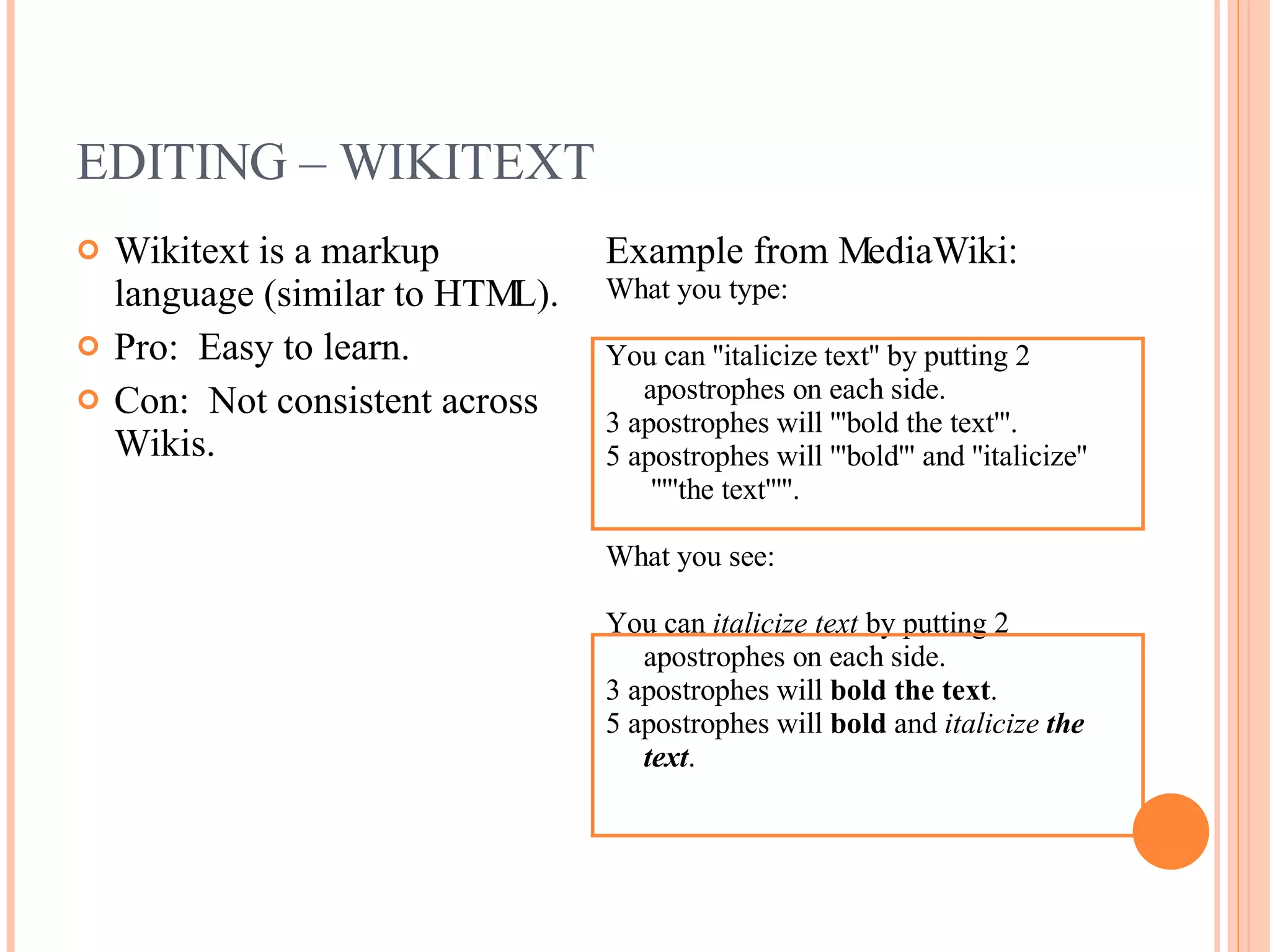
EDITING – WIKITEXT Wikitext is a markup language (similar to HTML). Pro:  Easy to learn. Con:  Not consistent across Wikis. Example from MediaWiki: What you type: You can ''italicize text'' by putting 2 apostrophes on each side.  3 apostrophes will '''bold the text'''.  5 apostrophes will '''bold''' and ''italicize''  '''''the text'''''.  What you see: You can  italicize text  by putting 2 apostrophes on each side.  3 apostrophes will  bold the text .  5 apostrophes will  bold  and  italicize   the text .
SECURITY Public  – Anyone can view and edit. Protected  – Anyone can view, but only members can edit. Private  – Only members can view or edit. Community – Change Patrol Advanced Features – Email notification, RSS Feeds, etc.
COMMUNITY The  community  can play many important roles related to a wiki.  They contribute to the culture and  shared knowledge .  They can be: Authors Users Security Marketing  Critics
WIKI ETIQUETTE OR WIKIQUETTE Be bold!  Make changes!  Make notes to explain changes. Be prepared to explain your changes. Be polite. Don’t take things personally. Stay on topic. Don’t delete useful content. Provide citations.
CHOOSING A WIKI Hosted vs. Installed Wikis
CHOOSING A WIKI -  HOSTED Definition :  A wiki that is installed on a public server and administered  for  the users.  Offers templates. Considerations : Ease of set-up. User invitations & limits. Storage space. Public, protected or private ($).  Page protection. Cost. Customization. Data export capabilities.
CHOOSING A WIKI -  INSTALLED Definition : A wiki that is installed on a private server and administered  by  the users.  More customizable. Considerations : Skill level of users. Number of contributors and viewers. Needed security level. Potential size of wiki. Level of automation needed. Technical expertise available. Desire to be a wiki champion.
CHOOSING A WIKI – HELP! WikiMatrix – Compare Them All Allows you to select criteria and compare wikis side by side. Free service. http://www.wikimatrix.org/
PBWIKI (http://pbwiki.com)
Another Common Craft Video:  www.commoncraft.com/wetpaint WETPAINT  (www.wetpaint.com)
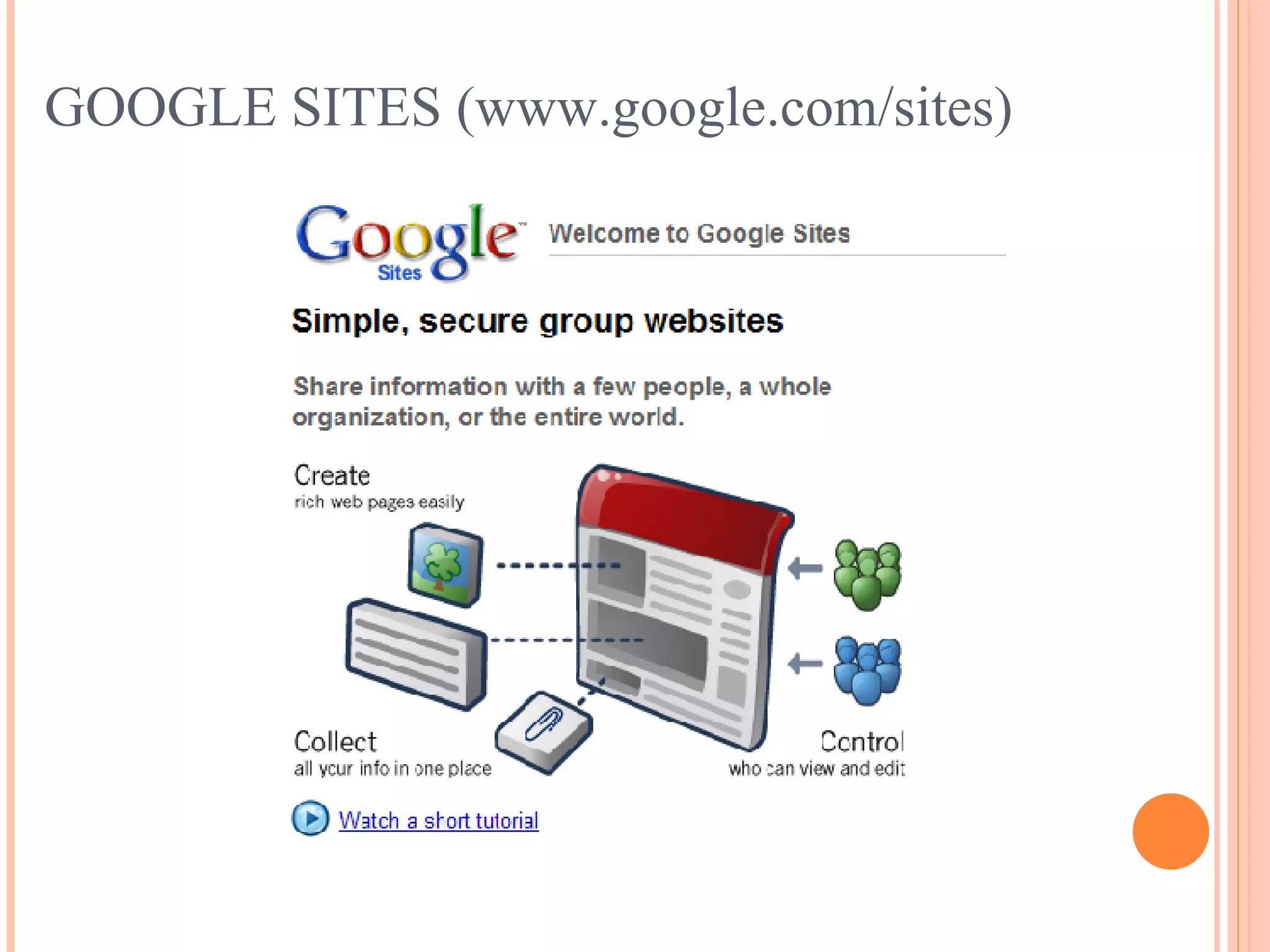
GOOGLE SITES (www.google.com/sites)
MEDIAWIKI ( www.mediawiki.org )
USES Reduce Email  – Create one wiki entry instead of sending an email to large group. Web Publishing  – Online and easily updated. Simple Databases  – Easily sorted and seen by the users. Shared Spreadsheets & Documents Save Money  – Possibly replace other costly programs.
USES Shared Repository  – Information can be stored on the wiki instead of in a desk drawer, in someone’s email account or in a binder. Knowledge Management  – As the group or staff changes, information is located in a centralized location. Training  – Centralized information makes it easier to update new group members or staff. Company or Department Intranet  – Less complicated than a traditional intranet.  Needs less IT assistance.
WHEN NOT TO WIKI… Community authorship is not appropriate. Greater control over the visual layout is desired. The content will not change often. The content is timely and then obsolete (consider a blog.) Concerns over privacy (copyright, trade secrets, etc.) cannot be addressed by  private  settings on a wiki. There is no one to monitor/maintain the wiki.
QUESTIONS? Adult Services Department Westerville Public Library [email_address] Presented on 10/9/08 Presentation can be found at:  www.slideshare.net/westervillelibrary All links can be found at: http://del.icio.us/westervillelibrary/wikis

Wikis 101

  • 1.
    WIKIS 101 Whatis a Wiki anyway? All links can be found at: http://del.icio.us/westervillelibrary/wikis
  • 2.
    WHAT IS AWIKI? A wiki is a website that anyone can easily create and edit. No special tools or computer languages are required. Recent changes can (usually) be seen. “ Wikis in Plain English” from the Common Craft Show http://www.commoncraft.com/video-wikis-plain-english
  • 3.
    WHY WIKI? Unclogyour email. Facilitate creation. Encourages remote users. Provide easy access to information. Helps groups contribute and collaborate. Centralizes information. Helps with training.
  • 4.
    WIKIPEDIA (www.wikipedia.org)The most famous Wiki. As of April 2008, has over 10 million articles in 253 languages. All articles written by volunteers. Requires editors to create account (register). Uses MediaWiki. New project – Citizendium (www.citizendium.org)
  • 5.
    WIKITORIALS Los AngelesTimes Experiment – June 2005 Lasted 3 days. Goal: Encourage readers to rewrite the paper’s editorials. What happened? Site was flooded with obscene messages and images.
  • 6.
    FEATURES Edit SearchHistory Navigation Links Attach documents Upload media files
  • 7.
    SNAPSHOT OF AWIKI Navigation Search Edit & History Tabs Log in/out
  • 8.
    SNAPSHOT OF AWIKI (EDIT FUNCTION) “ WYSIWYG” Editor Save changes!
  • 9.
    SNAPSHOT OF AWIKI (HISTORY FUNCTION) 2 recent edits Rollback changes
  • 10.
    EDITING 2 formsof Wiki editing. WYSIWYG or wikitext.
  • 11.
    EDITING – WYSIWYGWYSIWYG = What You See Is What You Get Using this form of editing, the user is offered a toolbar to complete any markup, such as “bold” or “italics”. This is similar to word processing.
  • 12.
    EDITING – WIKITEXTWikitext is a markup language (similar to HTML). Pro: Easy to learn. Con: Not consistent across Wikis. Example from MediaWiki: What you type: You can ''italicize text'' by putting 2 apostrophes on each side. 3 apostrophes will '''bold the text'''. 5 apostrophes will '''bold''' and ''italicize'' '''''the text'''''. What you see: You can italicize text by putting 2 apostrophes on each side. 3 apostrophes will bold the text . 5 apostrophes will bold and italicize the text .
  • 13.
    SECURITY Public – Anyone can view and edit. Protected – Anyone can view, but only members can edit. Private – Only members can view or edit. Community – Change Patrol Advanced Features – Email notification, RSS Feeds, etc.
  • 14.
    COMMUNITY The community can play many important roles related to a wiki. They contribute to the culture and shared knowledge . They can be: Authors Users Security Marketing Critics
  • 15.
    WIKI ETIQUETTE ORWIKIQUETTE Be bold! Make changes! Make notes to explain changes. Be prepared to explain your changes. Be polite. Don’t take things personally. Stay on topic. Don’t delete useful content. Provide citations.
  • 16.
    CHOOSING A WIKIHosted vs. Installed Wikis
  • 17.
    CHOOSING A WIKI- HOSTED Definition : A wiki that is installed on a public server and administered for the users. Offers templates. Considerations : Ease of set-up. User invitations & limits. Storage space. Public, protected or private ($). Page protection. Cost. Customization. Data export capabilities.
  • 18.
    CHOOSING A WIKI- INSTALLED Definition : A wiki that is installed on a private server and administered by the users. More customizable. Considerations : Skill level of users. Number of contributors and viewers. Needed security level. Potential size of wiki. Level of automation needed. Technical expertise available. Desire to be a wiki champion.
  • 19.
    CHOOSING A WIKI– HELP! WikiMatrix – Compare Them All Allows you to select criteria and compare wikis side by side. Free service. http://www.wikimatrix.org/
  • 20.
  • 21.
    Another Common CraftVideo: www.commoncraft.com/wetpaint WETPAINT (www.wetpaint.com)
  • 22.
  • 23.
  • 24.
    USES Reduce Email – Create one wiki entry instead of sending an email to large group. Web Publishing – Online and easily updated. Simple Databases – Easily sorted and seen by the users. Shared Spreadsheets & Documents Save Money – Possibly replace other costly programs.
  • 25.
    USES Shared Repository – Information can be stored on the wiki instead of in a desk drawer, in someone’s email account or in a binder. Knowledge Management – As the group or staff changes, information is located in a centralized location. Training – Centralized information makes it easier to update new group members or staff. Company or Department Intranet – Less complicated than a traditional intranet. Needs less IT assistance.
  • 26.
    WHEN NOT TOWIKI… Community authorship is not appropriate. Greater control over the visual layout is desired. The content will not change often. The content is timely and then obsolete (consider a blog.) Concerns over privacy (copyright, trade secrets, etc.) cannot be addressed by private settings on a wiki. There is no one to monitor/maintain the wiki.
  • 27.
    QUESTIONS? Adult ServicesDepartment Westerville Public Library [email_address] Presented on 10/9/08 Presentation can be found at: www.slideshare.net/westervillelibrary All links can be found at: http://del.icio.us/westervillelibrary/wikis