Pre-Con Education:
What's New in CA Service Management
Allen Houpt
DevOps: Agile Ops
CA Technologies
ITSM Product Marketing
DO5X95E
@AllenHoupt
#CAWorld
#ITSM
Dale Clark
CA Technologies
ITSM Product Management
2 © 2015 CA. ALL RIGHTS RESERVED.@CAWORLD #CAWORLD
© 2015 CA. All rights reserved. All trademarks referenced herein belong to their respective companies.
The content provided in this CA World 2015 presentation is intended for informational purposes only and does not form any type of
warranty. The information provided by a CA partner and/or CA customer has not been reviewed for accuracy by CA.
For Informational Purposes Only
Terms of this Presentation
3 © 2015 CA. ALL RIGHTS RESERVED.@CAWORLD #CAWORLD
Abstract
Learn about the major capabilities added to CA
Service Desk Manager and CA Service Catalog in
the last several releases (since 12.0) from CA
Product Management.
Allen Houpt
Dale Clark
VP Product
Management
CA Technologies
Advisor, Product
Marketing
4 © 2015 CA. ALL RIGHTS RESERVED.@CAWORLD #CAWORLD
Agenda
TRENDS  DRIVING NEED FOR CHANGE AND UPGRADE?
THE VALUE OF UPGRADING – RELEASE FEATURES & BUSINESS VALUE
MIGRATION CONSIDERATIONS AND SERVICE OFFERINGS
ADDITIONAL INFORMATION
SUMMARY
1
2
3
4
5
Is the Service Desk World Any
Different Today?
6 © 2015 CA. ALL RIGHTS RESERVED.@CAWORLD #CAWORLD
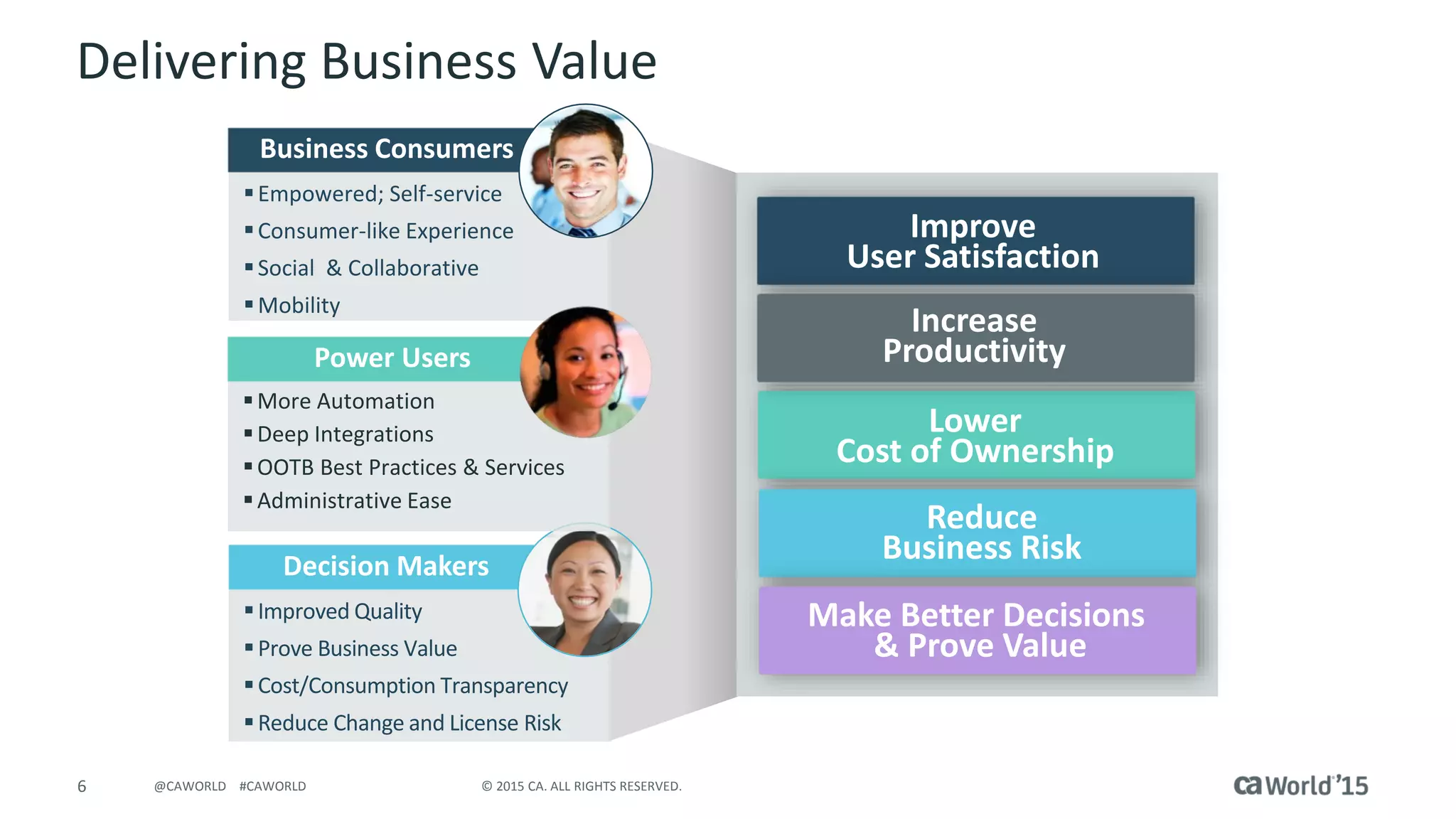
Delivering Business Value
Empowered; Self-service
Consumer-like Experience
Social & Collaborative
Mobility
Business Consumers
Improved Quality
Prove Business Value
Cost/Consumption Transparency
Reduce Change and License Risk
Decision Makers
More Automation
Deep Integrations
OOTB Best Practices & Services
Administrative Ease
Power Users
Lower
Cost of Ownership
Reduce
Business Risk
Improve
User Satisfaction
Make Better Decisions
& Prove Value
Increase
Productivity
7 © 2015 CA. ALL RIGHTS RESERVED.@CAWORLD #CAWORLD
Release Themes and Value
Year Release Themes Value
2015 Value Packs
• User Experience – Search & Self-service personalization; Catalog Form
Designer, Notifications & UI Enhancement
• Automation – Environment Promotion
• User satisfaction
• Total Cost/Productivity/Lower Risk
2014 14.1
• User Experience – Modern, My Resources*, Password reset*
• Automation – “Smart” Install & Upgrade, OOTB services content*
• Decision-making – Business Value Reporting
• User satisfaction
• Productivity
• Total Cost
2013
12.9
• User Experience – Unified Self-service
• Automation – Advanced availability
• User satisfaction
• Productivity
Mobility 2.0 • Mobility – Common mobile framework • User satisfaction
2012
Collaboration &
Mobility Release
• Mobility – Targeted mobile apps
• User experience – CA Open Space
• User satisfaction
• Productivity
12.7
• Mobility – Browsers & API
• Automation – Change & Process
• Business risk reduction
• Productivity
2011 12.6 • User Experience – UI Upgrade • User satisfaction/Productivity
2010 12.5 • Automation – extensive enhancements • Productivity
2009 12.1 • Automation – Change Management
• Business risk reduction
• Productivity
2008 12.0
• Integration – CMDB, Support Automation, Knowledge Tools
• User Experience – Role-based UI
• User satisfaction
• Productivity
* Requires CA Service Management Package
CA Service Management
Value Pack 2
9 © 2015 CA. ALL RIGHTS RESERVED.@CAWORLD #CAWORLD
14.1 Value Pack 2
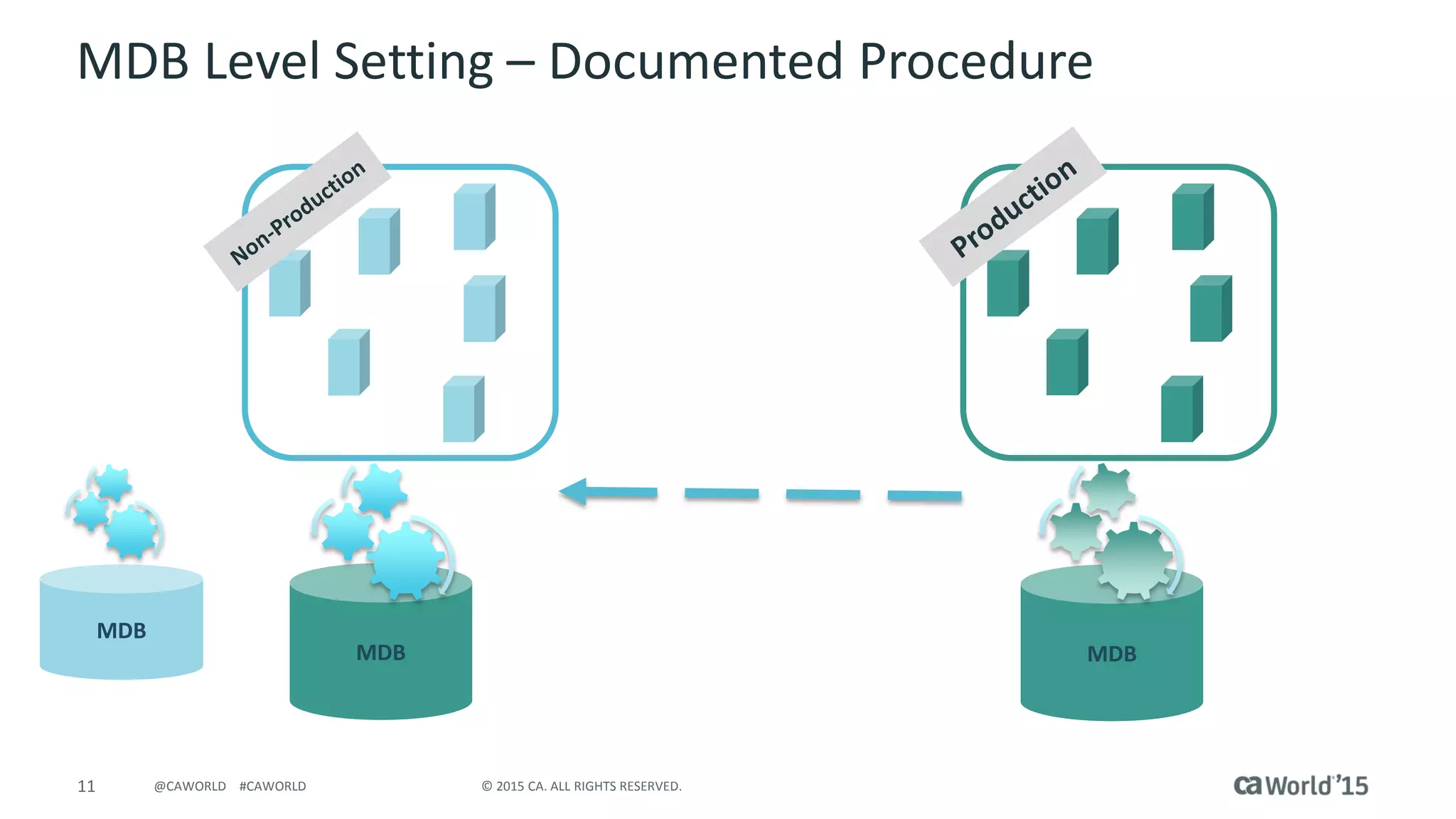
 Environment Promotion - Simplifies the process of moving configuration
changes through the Dev, QA, UAT to PROD environments
 Copy MDB process duplicates MDB configuration to create Dev, QA, UAT
environments
 Search Personalization
 Unified Self-service – Include CA Service Desk Manager Attributes,
Hide/Show Communities, reset EEM passwords within Unified Self-service
 Common Patch Installer – install patches across CA Service Management
products
(a.k.a. 14.1.02 – Delivered November 9, 2015)
10 © 2015 CA. ALL RIGHTS RESERVED.@CAWORLD #CAWORLD
Environment Promotion
Development
(SM Products)
•Customizations
•Adaptations
•Configurations
•Content – e.g. Lists,
Roles, WF etc.
Test
(SM Products)
•Customizations
•Adaptations
•Configurations
•Content – e.g. Lists,
Roles, WF etc.
•Test Data
Production
(SM Products)
•Customizations
•Adaptations
•Configurations
•Content – e.g. Lists,
Roles, WF etc.
•Transactional Data
Pain Points
• Manual – Copy, Recreate
• Error-prone
• Time consuming, expensive
• Large outage window
11 © 2015 CA. ALL RIGHTS RESERVED.@CAWORLD #CAWORLD
MDB
MDB
MDB
MDB Level Setting – Documented Procedure
12 © 2015 CA. ALL RIGHTS RESERVED.@CAWORLD #CAWORLD
A Common Patch Installer for CA Service Management
CA Service Management
Value Pack 1
14 © 2015 CA. ALL RIGHTS RESERVED.@CAWORLD #CAWORLD
Value Pack 1
(aka 14.1.01 – Delivered April 15, 2015)
 Forms search
 Form associations
 Email Notifications for notes and
attachments
 Refreshed Icons and Label
options
 Attachments for CIs and Manual
Notify
 Show CC list in notifications
 CC lists for Manual Notify
 Classic Workflow available for
Request, Incident and Problem
objects
CA Service Desk ManagerCA Service Catalog
15 © 2015 CA. ALL RIGHTS RESERVED.@CAWORLD #CAWORLD
Catalog
Form Designer and Picker
 Forms can be searched
in Form Designer and
Picker
 Form associations can
be viewed to
understand
dependencies
16 © 2015 CA. ALL RIGHTS RESERVED.@CAWORLD #CAWORLD
Catalog
Notifications
 Email notification for
notes
 Email notification for
attachments
 Configurability
17 © 2015 CA. ALL RIGHTS RESERVED.@CAWORLD #CAWORLD
Catalog
User Interface (UI) Enhancements
 Flat icons for out-of-
the-box content
 Improved UI label
option for simple
offerings
 Also seen in Unified
Self-service
18 © 2015 CA. ALL RIGHTS RESERVED.@CAWORLD #CAWORLD
Configuration Item Attachments
 Ability to add/remove
attachments from
Attachments tab in
Configuration Items (CI)
 Uses the new file selection
mechanism introduced
in 14.1
 URLs can also be attached
to the CI
 Uses Activity Log for audit
19 © 2015 CA. ALL RIGHTS RESERVED.@CAWORLD #CAWORLD
Manual Notify Attachments
 Add attachment/URL to a Manual Notification
 Ability to add attachments in Manual Notification
sent via e-mail method
 Ability to send the attachments in e-mail via Manual
Notification
 Ability to see and download the attachments from
e-mail which is received from Manual Notification
20 © 2015 CA. ALL RIGHTS RESERVED.@CAWORLD #CAWORLD
Show All Recipients on “TO” Line
 Currently only shows the single recipient; no one
knows who else got the e-mail
 E-mails sent via Manual Notify and Automatic System
Notifications must show all recipients on “TO” line
 Options Manager | Email | mail_show_to_cc_list
installed by default
21 © 2015 CA. ALL RIGHTS RESERVED.@CAWORLD #CAWORLD
Manual Notify Carbon Copy (“CC”)
 Ability to add “CC”
e-mail address in a
Manual Notification
 E-mails sent via
Manual Notifications
must show all
recipients on “CC”
line
 Options Manager
| Email | mail_show_to_cc_list installed by default
 Not applicable to Automatic System Notifications
22 © 2015 CA. ALL RIGHTS RESERVED.@CAWORLD #CAWORLD
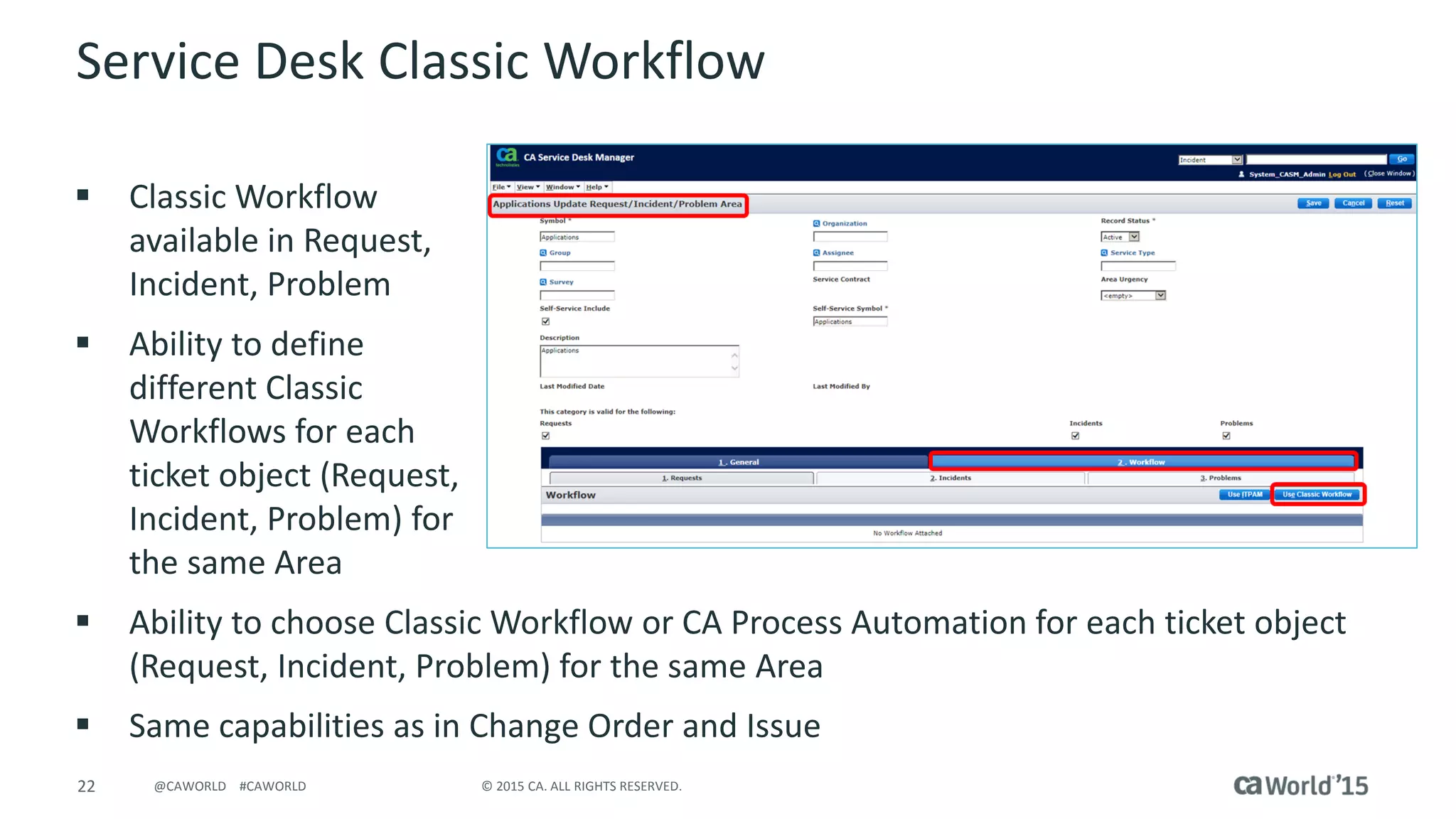
Service Desk Classic Workflow
 Classic Workflow
available in Request,
Incident, Problem
 Ability to define
different Classic
Workflows for each
ticket object (Request,
Incident, Problem) for
the same Area
 Ability to choose Classic Workflow or CA Process Automation for each ticket object
(Request, Incident, Problem) for the same Area
 Same capabilities as in Change Order and Issue
CA Service Management 14.1
24 © 2015 CA. ALL RIGHTS RESERVED.@CAWORLD #CAWORLD
CA Service Management 14.1
User Experience  Increased user satisfaction & productivity
Features
 Modernized
self-service
 iOS 7 look
 Across solution
 “Quick Value” Content*
 End users
 Admins
 Enhanced Mobile
 iOS 7 look
 Multi-tenancy
Business Value
 Improved user
satisfaction
 Increased Productivity
 Better service adoption
 Reduced demand on IT
Analysts
“Quick Value” Content
* Requires service management package
PASSWORD
RESET
ADMIN.
TASKS
25 © 2015 CA. ALL RIGHTS RESERVED.@CAWORLD #CAWORLD
* Requires service management package
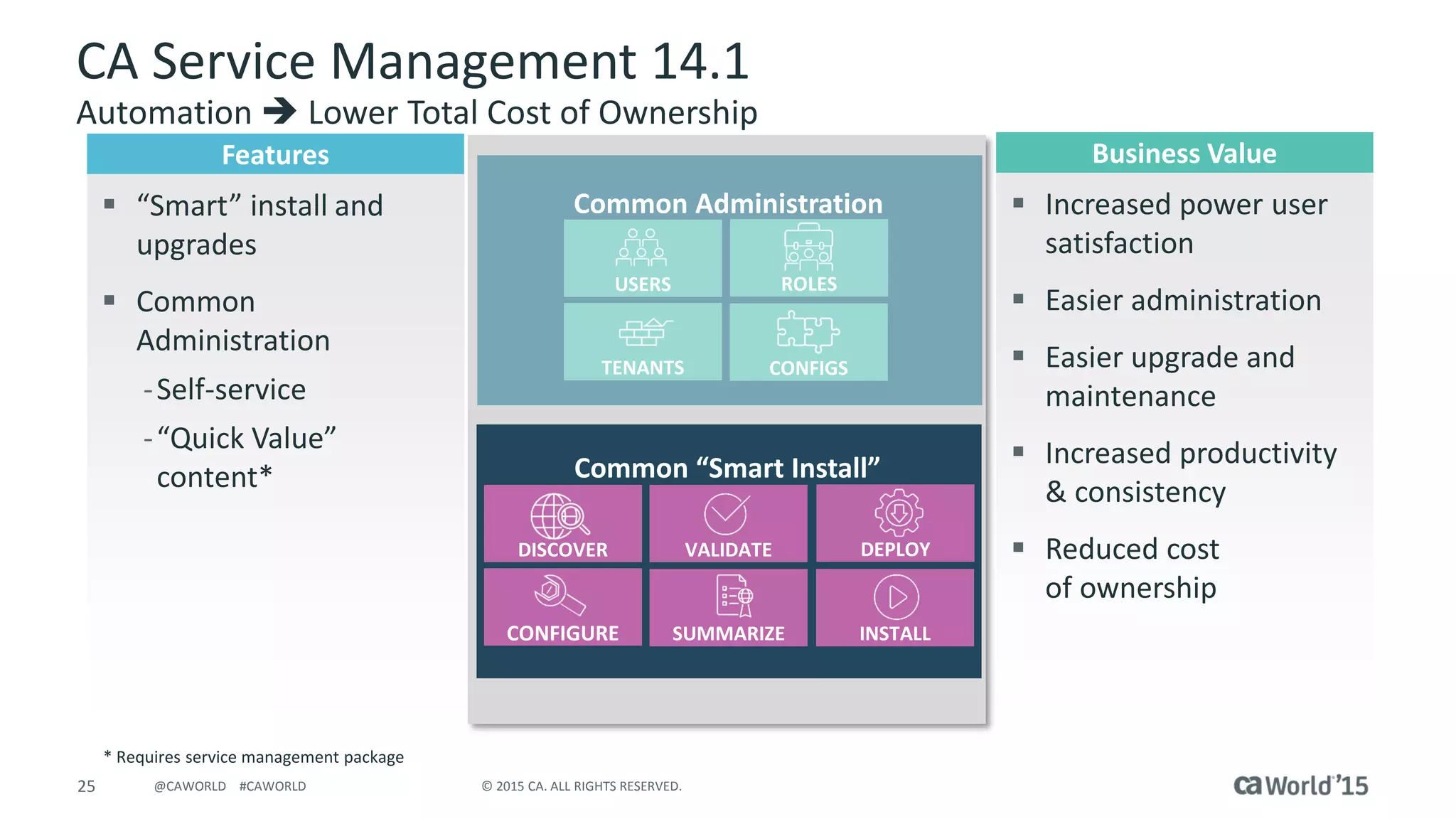
Common Administration
Common “Smart Install”
DISCOVER
CONFIGURE SUMMARIZE INSTALL
VALIDATE DEPLOY
USERS
TENANTS CONFIGS
ROLES
CA Service Management 14.1
Automation  Lower Total Cost of Ownership
Features
 “Smart” install and
upgrades
 Common
Administration
-Self-service
-“Quick Value”
content*
Business Value
 Increased power user
satisfaction
 Easier administration
 Easier upgrade and
maintenance
 Increased productivity
& consistency
 Reduced cost
of ownership
26 © 2015 CA. ALL RIGHTS RESERVED.@CAWORLD #CAWORLD
CA Service Desk Manager 14.1
Decision-making  Advanced Reporting
Features
 Business Value Reports
- cost focused
 Out-of-the-box reports
& dashboards
 In-depth view of service
demand
 Support for trend
analysis on key metrics
 Location based
comparison of demand
and operational
metrics
Business Value
 Make better decisions
based on business
impact
 Understand actual
cost of service
disruptions
 Gauge operational
effectiveness of
Support
27 © 2015 CA. ALL RIGHTS RESERVED.@CAWORLD #CAWORLD
CA Service Desk Manager 14.1
Other Enhancements
 Right-click copy/paste
 Multi-File Upload
 SQL Server support for Unified Self-service
 Manual Notify check for Contact e-mail address
 Mask Session ID in browser URL
 Catalyst Connector Special Character improvements
CA Service Desk Manager 12.9
29 © 2015 CA. ALL RIGHTS RESERVED.@CAWORLD #CAWORLD
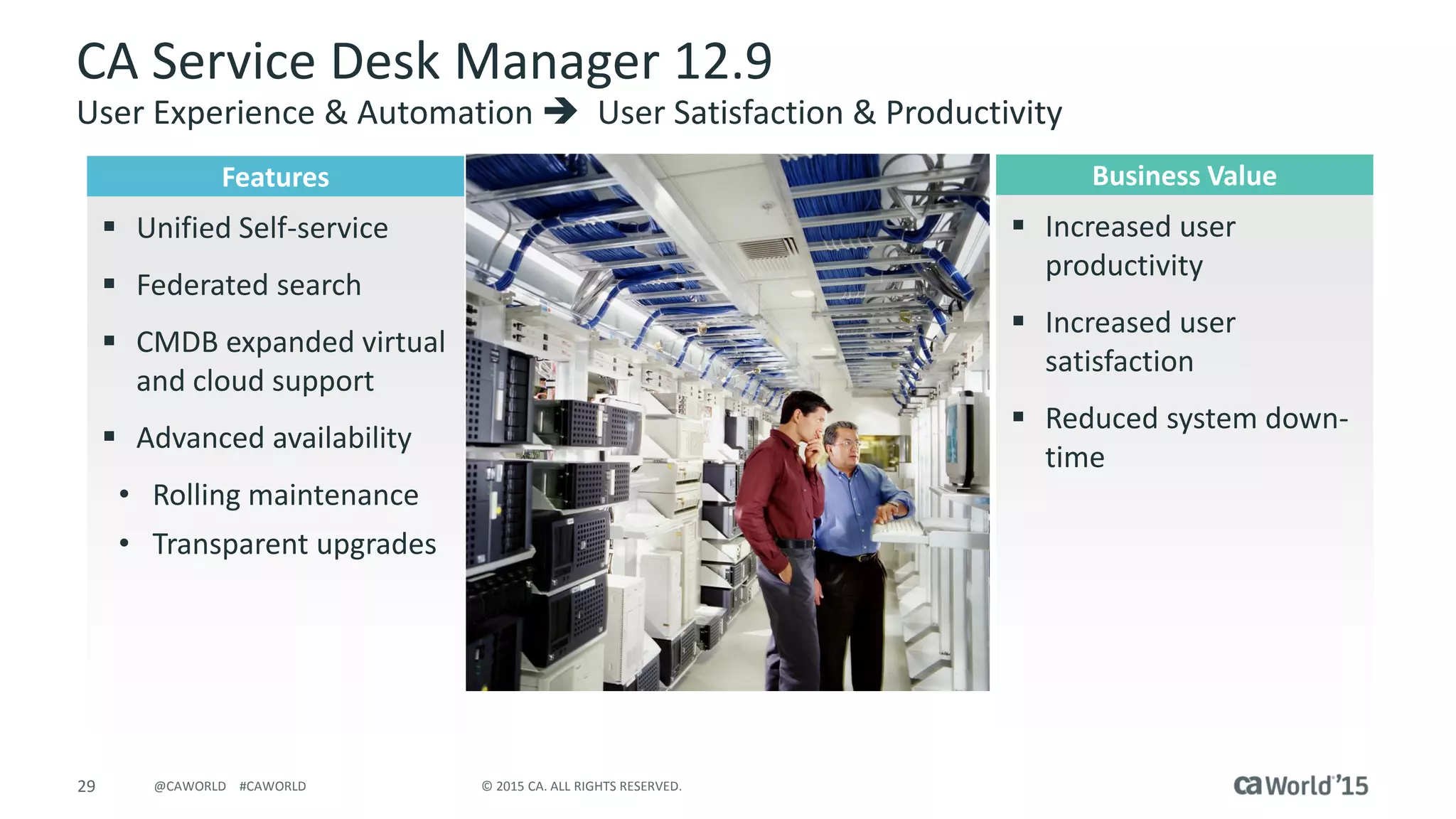
CA Service Desk Manager 12.9
User Experience & Automation  User Satisfaction & Productivity
Features
 Unified Self-service
 Federated search
 CMDB expanded virtual
and cloud support
 Advanced availability
• Rolling maintenance
• Transparent upgrades
Business Value
 Increased user
productivity
 Increased user
satisfaction
 Reduced system down-
time
30 © 2015 CA. ALL RIGHTS RESERVED.@CAWORLD #CAWORLD
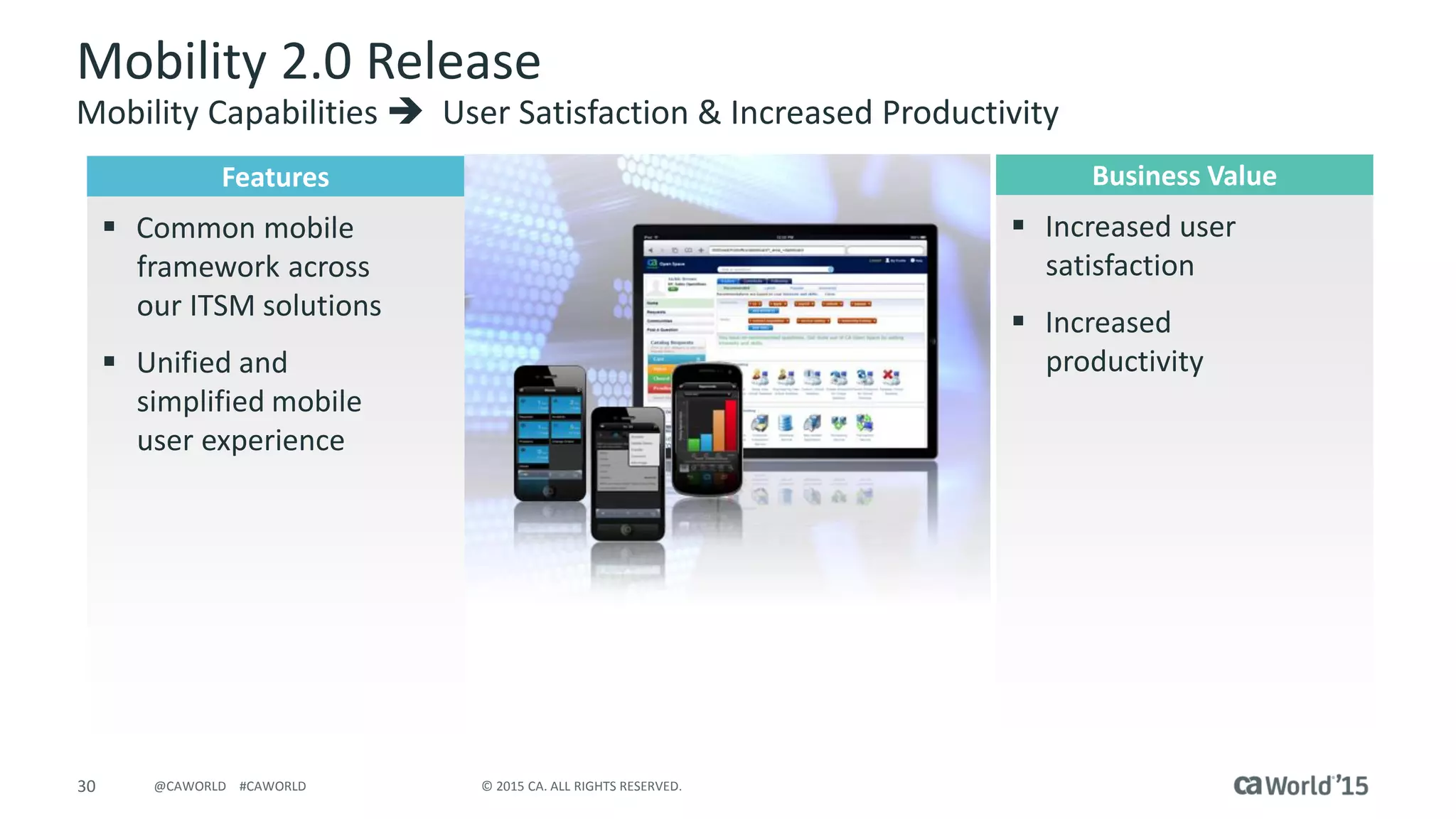
Mobility 2.0 Release
Mobility Capabilities  User Satisfaction & Increased Productivity
Features
 Common mobile
framework across
our ITSM solutions
 Unified and
simplified mobile
user experience
Business Value
 Increased user
satisfaction
 Increased
productivity
31 © 2015 CA. ALL RIGHTS RESERVED.@CAWORLD #CAWORLD
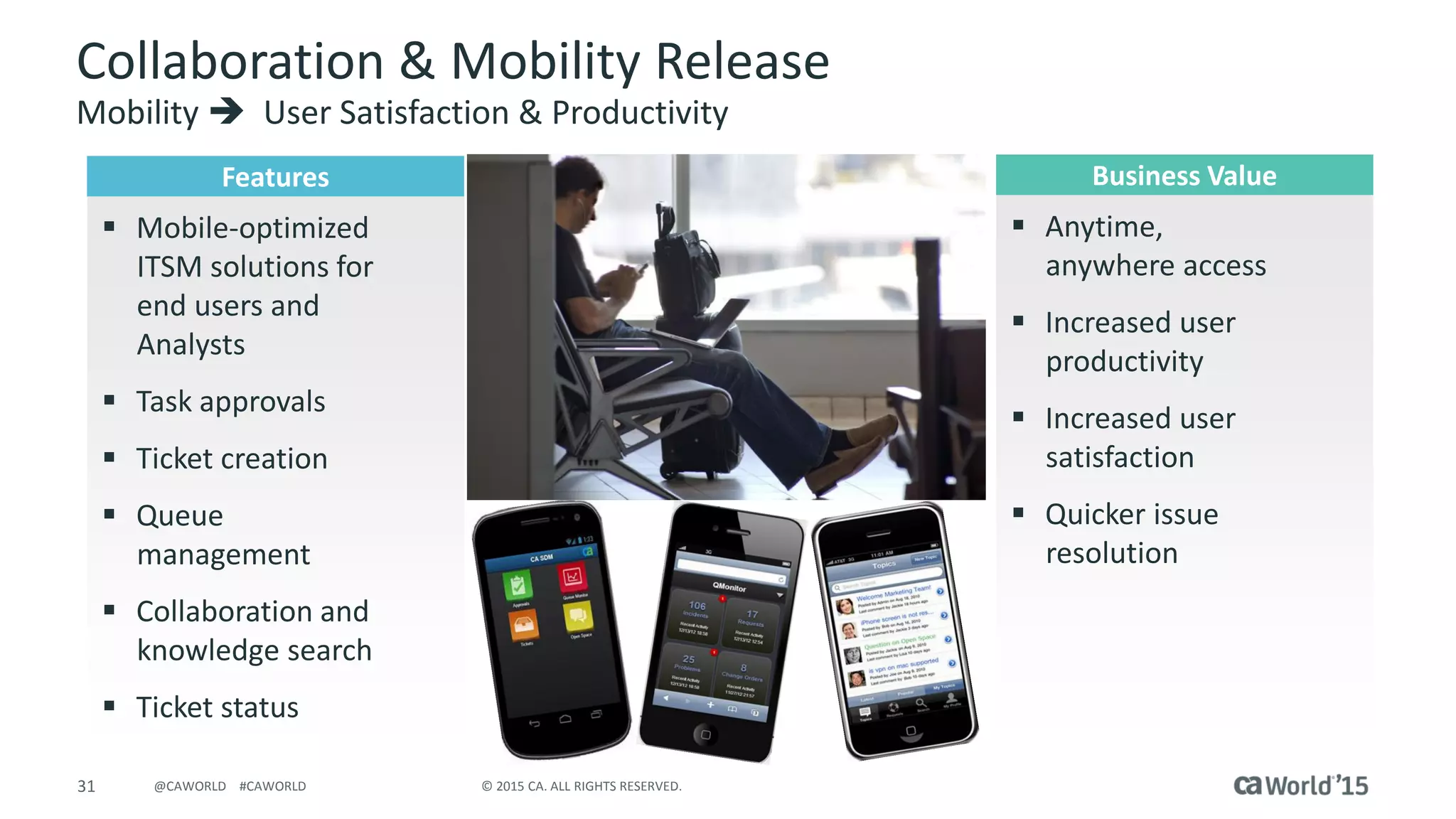
Collaboration & Mobility Release
Mobility  User Satisfaction & Productivity
Features
 Mobile-optimized
ITSM solutions for
end users and
Analysts
 Task approvals
 Ticket creation
 Queue
management
 Collaboration and
knowledge search
 Ticket status
Business Value
 Anytime,
anywhere access
 Increased user
productivity
 Increased user
satisfaction
 Quicker issue
resolution
32 © 2015 CA. ALL RIGHTS RESERVED.@CAWORLD #CAWORLD
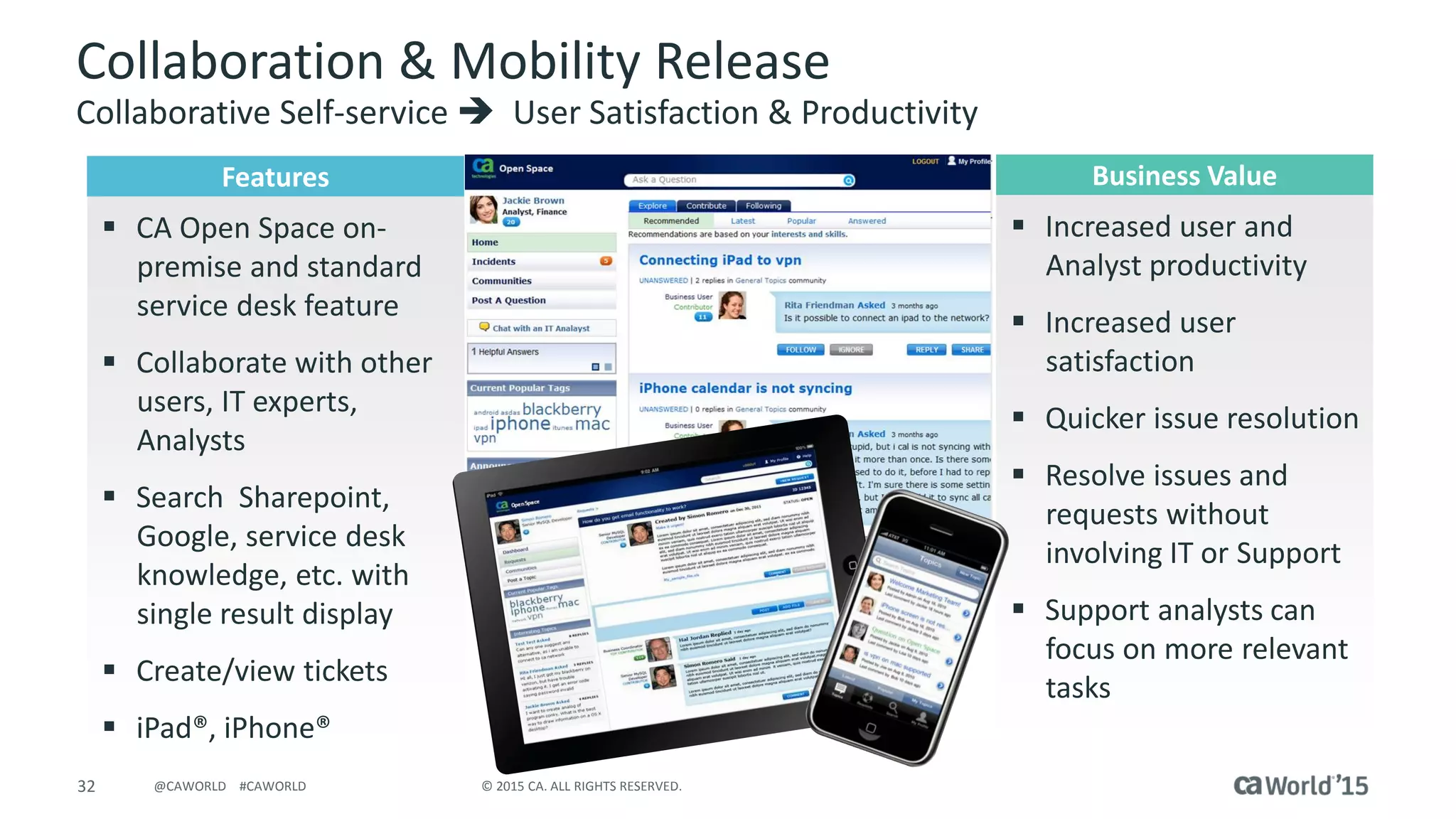
Collaboration & Mobility Release
Collaborative Self-service  User Satisfaction & Productivity
Features
 CA Open Space on-
premise and standard
service desk feature
 Collaborate with other
users, IT experts,
Analysts
 Search Sharepoint,
Google, service desk
knowledge, etc. with
single result display
 Create/view tickets
 iPad®, iPhone®
Business Value
 Increased user and
Analyst productivity
 Increased user
satisfaction
 Quicker issue resolution
 Resolve issues and
requests without
involving IT or Support
 Support analysts can
focus on more relevant
tasks
CA Service Desk Manager
Releases 12.7  12.0
34 © 2015 CA. ALL RIGHTS RESERVED.@CAWORLD #CAWORLD
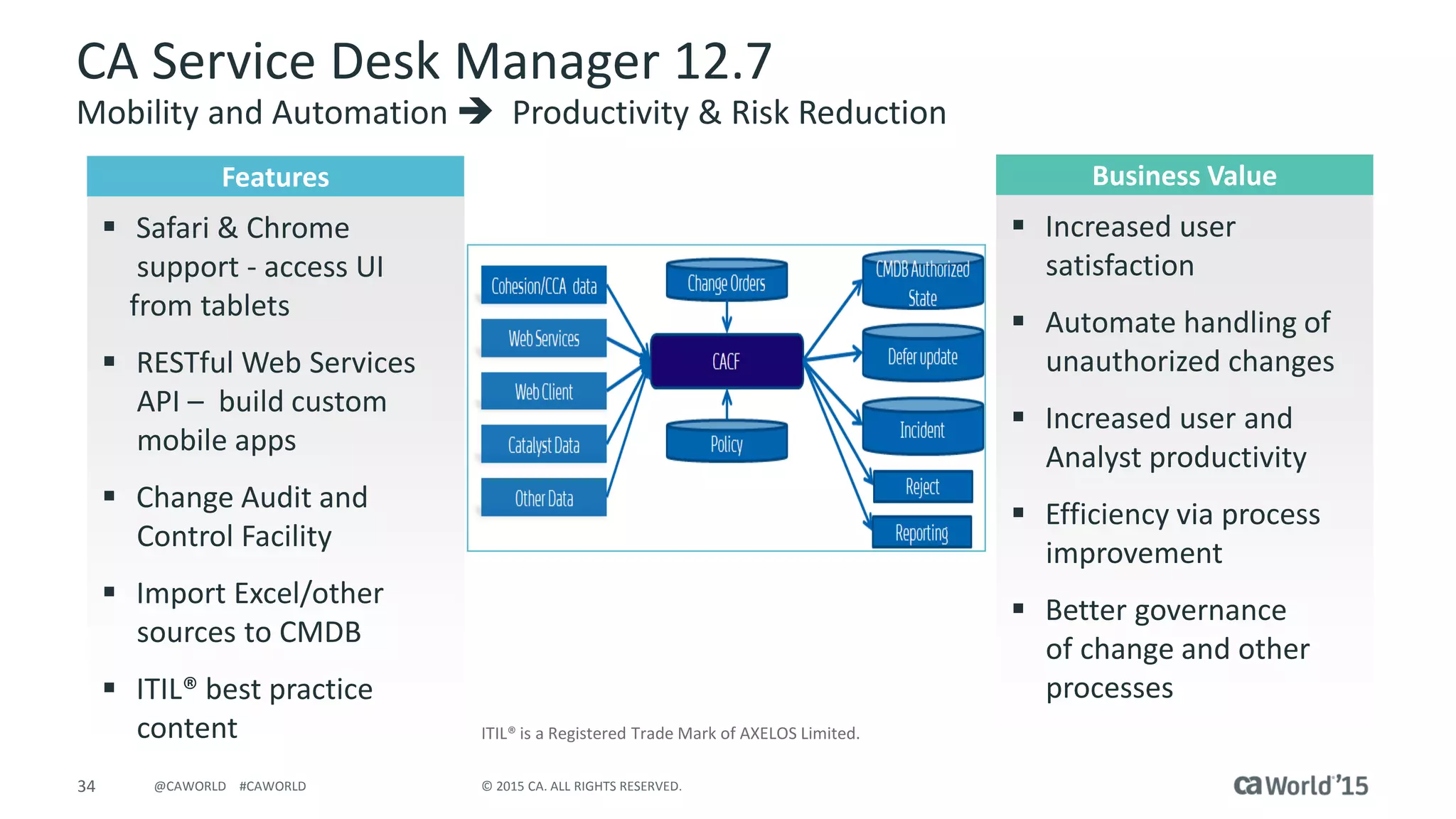
CA Service Desk Manager 12.7
Mobility and Automation  Productivity & Risk Reduction
ITIL® is a Registered Trade Mark of AXELOS Limited.
Features
 Safari & Chrome
support - access UI
from tablets
 RESTful Web Services
API – build custom
mobile apps
 Change Audit and
Control Facility
 Import Excel/other
sources to CMDB
 ITIL® best practice
content
Business Value
 Increased user
satisfaction
 Automate handling of
unauthorized changes
 Increased user and
Analyst productivity
 Efficiency via process
improvement
 Better governance
of change and other
processes
35 © 2015 CA. ALL RIGHTS RESERVED.@CAWORLD #CAWORLD
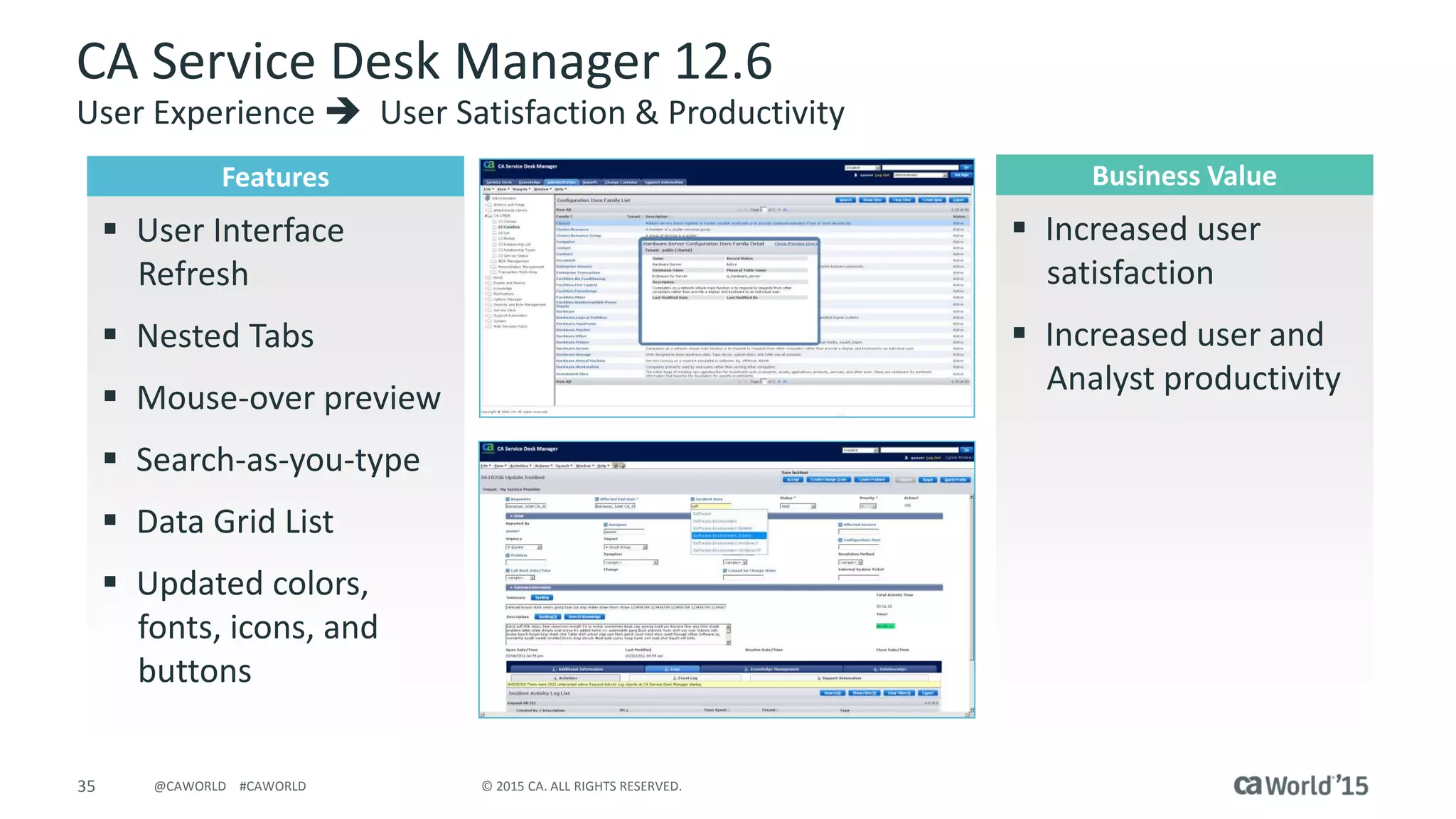
CA Service Desk Manager 12.6
User Experience  User Satisfaction & Productivity
Features
 User Interface
Refresh
 Nested Tabs
 Mouse-over preview
 Search-as-you-type
 Data Grid List
 Updated colors,
fonts, icons, and
buttons
Business Value
 Increased user
satisfaction
 Increased user and
Analyst productivity
36 © 2015 CA. ALL RIGHTS RESERVED.@CAWORLD #CAWORLD
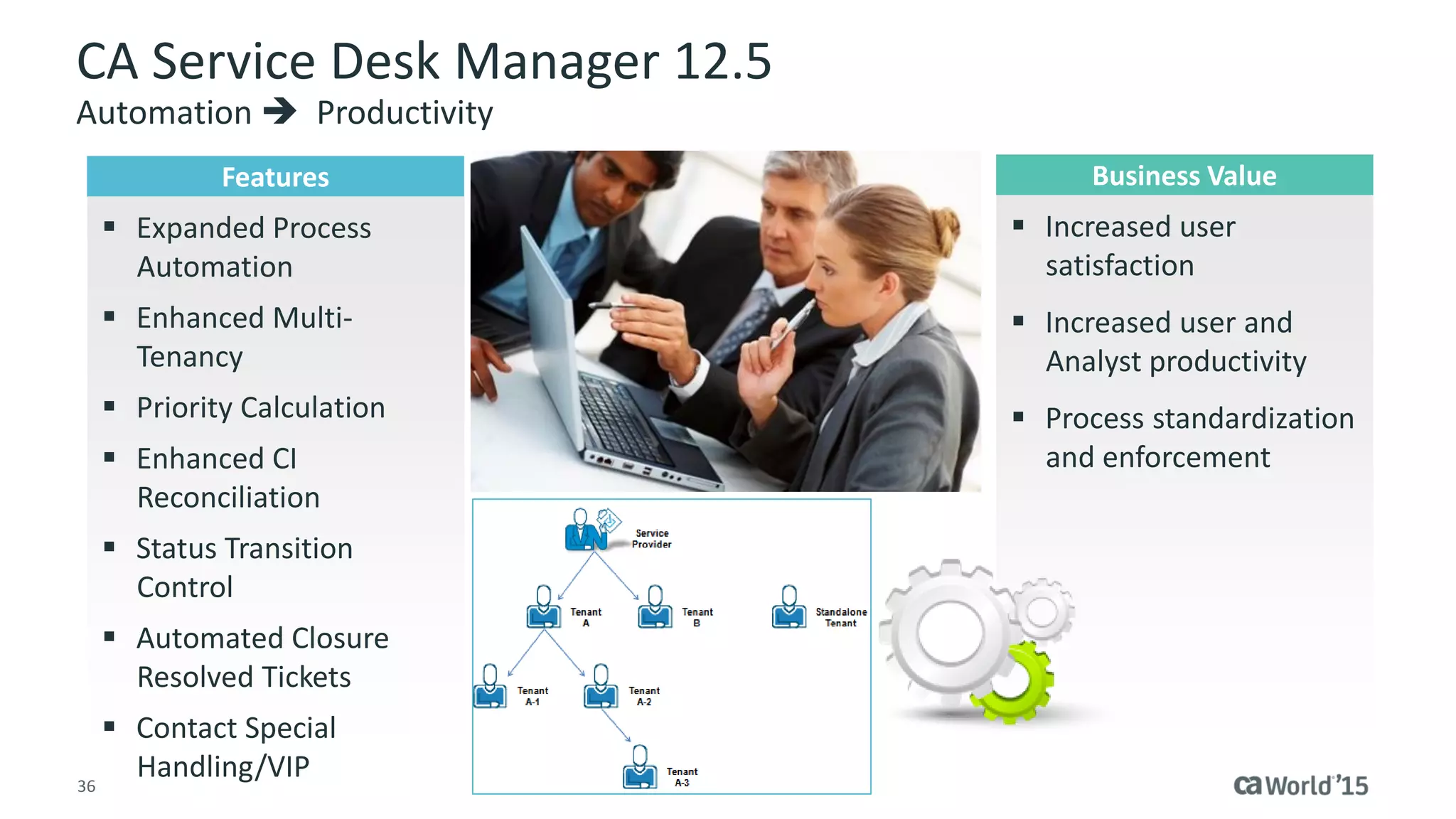
CA Service Desk Manager 12.5
Automation  Productivity
Features
 Expanded Process
Automation
 Enhanced Multi-
Tenancy
 Priority Calculation
 Enhanced CI
Reconciliation
 Status Transition
Control
 Automated Closure
Resolved Tickets
 Contact Special
Handling/VIP
Business Value
 Increased user
satisfaction
 Increased user and
Analyst productivity
 Process standardization
and enforcement
37 © 2015 CA. ALL RIGHTS RESERVED.@CAWORLD #CAWORLD
CA Service Desk Manager 12.1
Automation  Productivity & Risk Reduction
Features
 Enterprise Change
Management
 Unified Change
Calendar
 Change Collision
Detection
 Risk Assessment
 Change Advisory Board
Console
 Change Impact Explorer
 Change Process
Workflow Visibility
Business Value
 Increased Analyst
productivity
 Efficiency via process
improvement
 Better governance of
change processes
 Reduces service
outages
 Quicker analysis of
issues
38 © 2015 CA. ALL RIGHTS RESERVED.@CAWORLD #CAWORLD
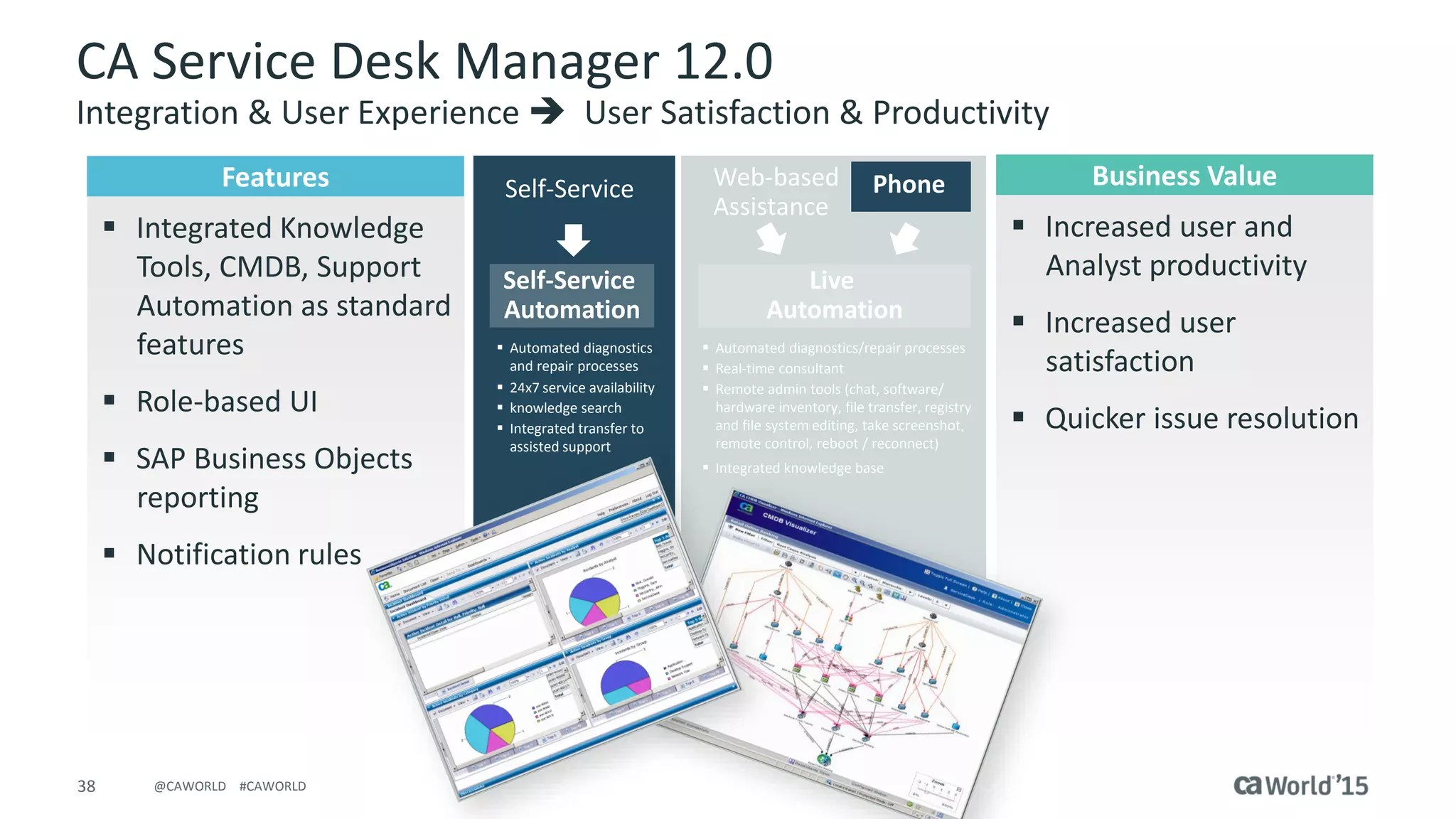
CA Service Desk Manager 12.0
Integration & User Experience  User Satisfaction & Productivity
PhoneWeb-based
Assistance
Self-Service
 Call Deflection
 Reduce Cost
 Customer satisfaction
 Compliance
 Automated diagnostics
and repair processes
 24x7 service availability
 knowledge search
 Integrated transfer to
assisted support
Self-Service
Automation
Live
Automation
 Automated diagnostics/repair processes
 Real-time consultant
 Remote admin tools (chat, software/
hardware inventory, file transfer, registry
and file system editing, take screenshot
remote control, reboot / reconnect)
 Integrated knowledge base
Features
 Integrated Knowledge
Tools, CMDB, Support
Automation as standard
features
 Role-based UI
 SAP Business Objects
reporting
 Notification rules
Business Value
 Increased user and
Analyst productivity
 Increased user
satisfaction
 Quicker issue resolution
Migration Considerations
and Service Offerings
40 © 2015 CA. ALL RIGHTS RESERVED.@CAWORLD #CAWORLD
End-of-Service Dates
 CA Service Desk Manager 12.9 – Not announced
 CA Service Catalog 12.8 – December 31, 2015
 CA Service Desk Manager & Service Catalog 12.7 – December 31, 2015
 CA Service Desk Manager 12.6 – December 31, 2015
 CA Service Desk Manager 12.5 – May 31, 2013*
 CA Service Desk Manager 12.1 – December 31, 2012*
 Unicenter Service Desk 11.2 – April 30, 2012*
 Unicenter ServicePlus Service Desk 6.0 – June 30, 2009*
* These versions are already in an End-of-Service status. Customers running these versions are encouraged to upgrade to the latest release.
41 © 2015 CA. ALL RIGHTS RESERVED.@CAWORLD #CAWORLD
Upgrading to the Current Release
 Upgrade capability from following CA Service Desk Manager releases:
11.2 12.0 12.1 12.5 12.6 12.7 12.9 14.0
* Some SDM version/platform combinations may require a two-step upgrade process
Note: The release following 12.7 was 12.9; there was no 12.8 release
 Migration from Unicenter Service Desk 6.x Release
– Due to the legacy of this release and the numerous architectural and capability
enhancements CA Technologies recommends a net-new implementation
 Supported languages:
– English - French - Italian - Brazilian Portuguese
– German - Japanese - Spanish - Simplified Chinese
– French-Canadian
42 © 2015 CA. ALL RIGHTS RESERVED.@CAWORLD #CAWORLD
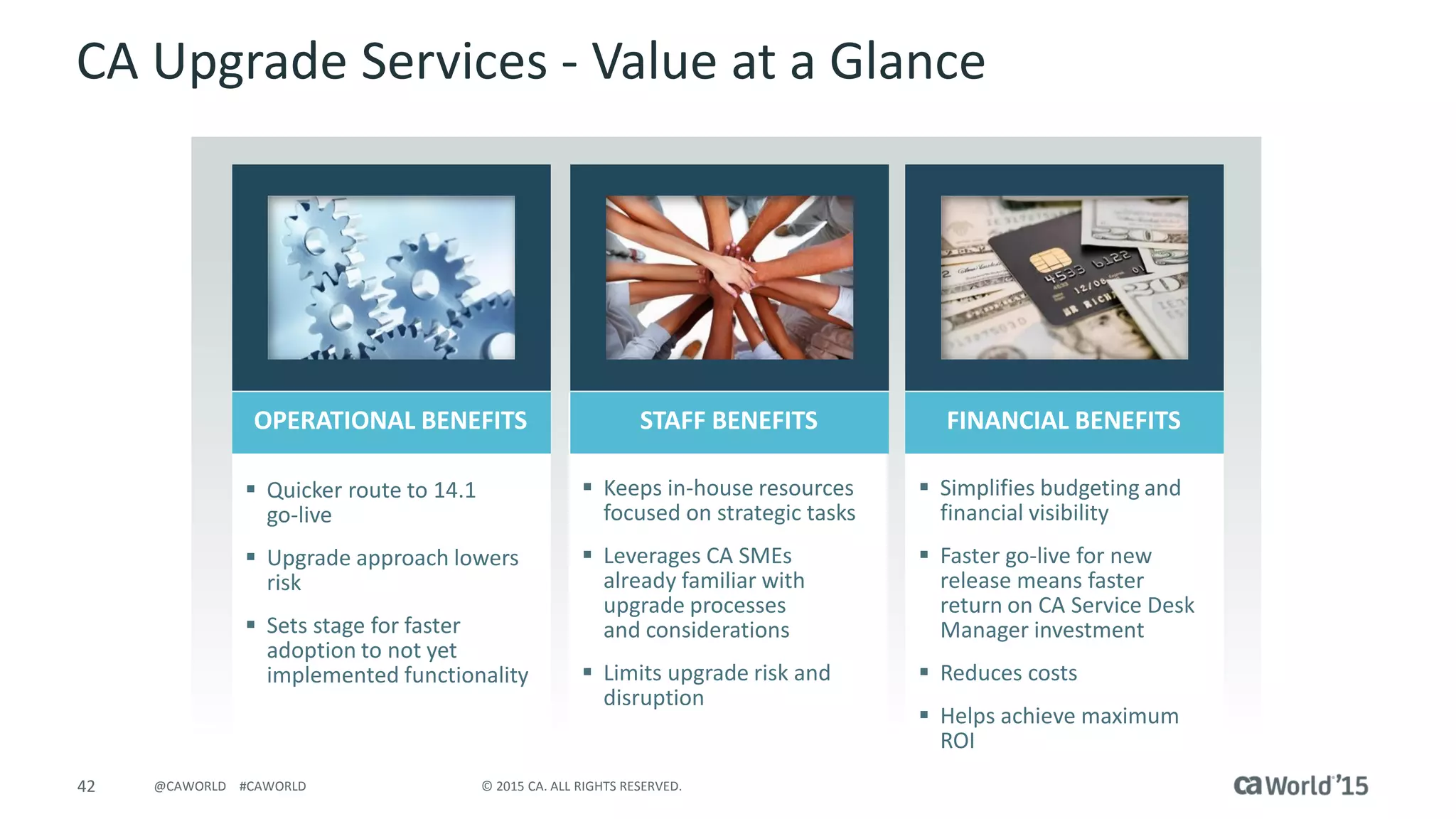
CA Upgrade Services - Value at a Glance
 Quicker route to 14.1
go-live
 Upgrade approach lowers
risk
 Sets stage for faster
adoption to not yet
implemented functionality
 Keeps in-house resources
focused on strategic tasks
 Leverages CA SMEs
already familiar with
upgrade processes
and considerations
 Limits upgrade risk and
disruption
 Simplifies budgeting and
financial visibility
 Faster go-live for new
release means faster
return on CA Service Desk
Manager investment
 Reduces costs
 Helps achieve maximum
ROI
OPERATIONAL BENEFITS STAFF BENEFITS FINANCIAL BENEFITS
Summary
44 © 2015 CA. ALL RIGHTS RESERVED.@CAWORLD #CAWORLD
Why Upgrade Now?
Reduced Total Cost of Ownership
 “Smart” install and upgrade simplifies ongoing effort
 Common Administration across CA Service management solutions reduces
administration time: multi-tenancy, users, roles, configurations*
 Best practices content enables easier implementation and use
Increased Productivity
 Access information and take action via mobile devices; build mobile applications
 Automated change controls and issue prioritization; proactive issue identification
 “Quick Value” content provides out-of-the-box services for business consumers
and administrators*
Improved User Experience
 Unified Self-service provides one-stop shopping for all IT services and answers
 Modernized user-interface offers a more intuitive navigation and greater flexibility
 Mobility enables access when and where needed
Make Better Decisions
 Improve access to and analysis of relevant service management data
* Requires service management package
45 © 2015 CA. ALL RIGHTS RESERVED.@CAWORLD #CAWORLD
Q & A
46 © 2015 CA. ALL RIGHTS RESERVED.@CAWORLD #CAWORLD
Recommended Sessions
SESSION # TITLE DATE/TIME
DO5X162S
State of Colorado Takes the Road to ITSM Maturity: -
Playing the Game and Winning
11/18/2015 at 1:00 pm
Breakers L
DO5X163S
Appriss Supercharges ITSM Efficiency with Process
Automation to Save Lives
11/18/2015 at 2:00 pm
Breakers L
DO5T19S
Oppenheimer Funds Brings IT to the People with ITSM
Self-Service and CA Service Catalog
11/18/2015 at 3:00 pm
Theater 5 (show room floor)
DO5T06S
Vision & Strategy: The CA Road to a New ITSM
Experience
11/18/2015 at 4:30 pm
Theater 5 (show room floor)
47 © 2015 CA. ALL RIGHTS RESERVED.@CAWORLD #CAWORLD
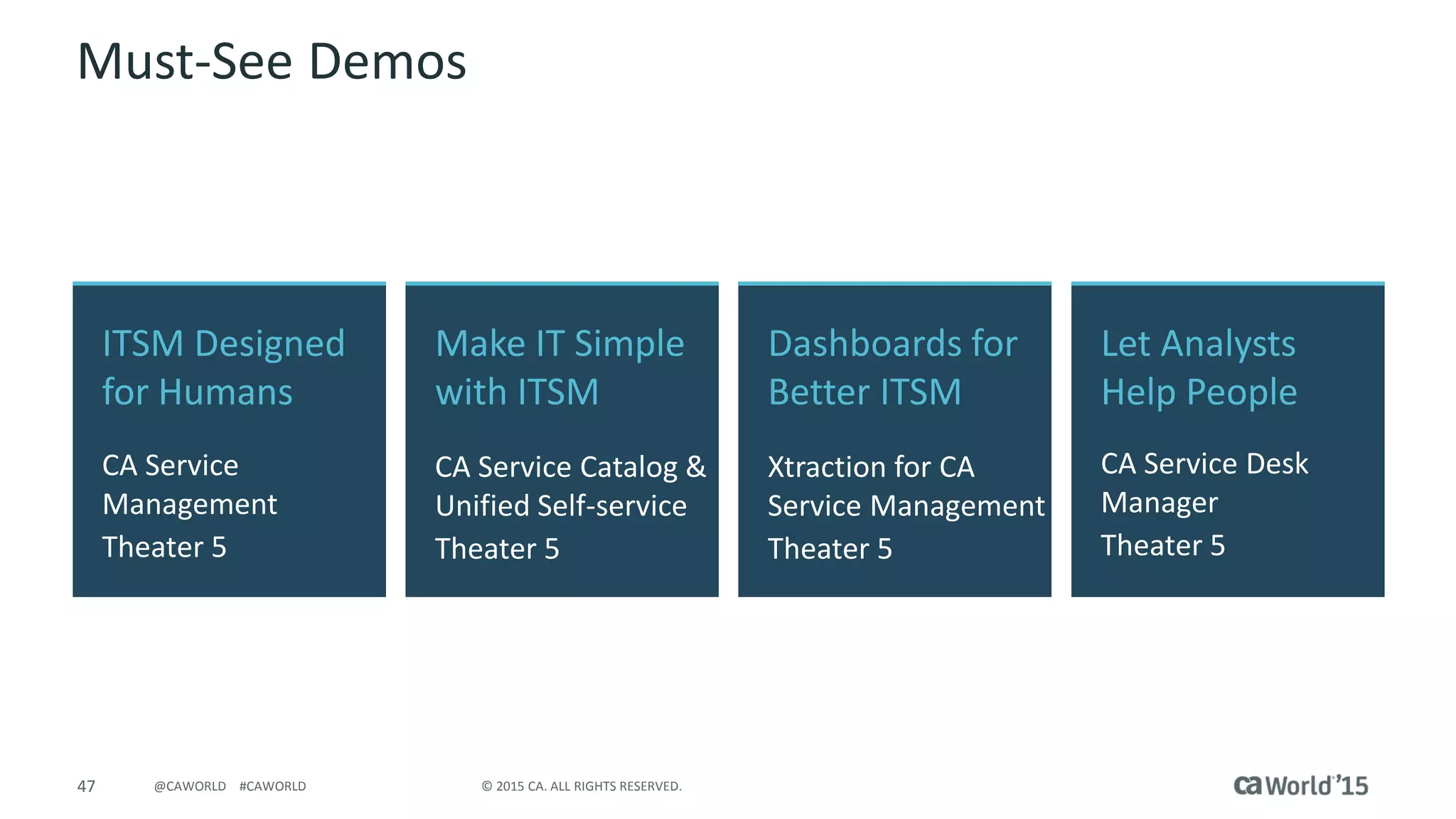
Must-See Demos
ITSM Designed
for Humans
CA Service
Management
Theater 5
Let Analysts
Help People
CA Service Desk
Manager
Theater 5
Make IT Simple
with ITSM
CA Service Catalog &
Unified Self-service
Theater 5
Dashboards for
Better ITSM
Xtraction for CA
Service Management
Theater 5
48 © 2015 CA. ALL RIGHTS RESERVED.@CAWORLD #CAWORLD
Follow On Conversations At…
Smart Bar
CA Service
Management
Theater 5
Tech Talks
Design Thinking for
Next Generation ITSM
Theater 5 (Tech Talk)
49 © 2015 CA. ALL RIGHTS RESERVED.@CAWORLD #CAWORLD
For More Information
To learn more, please visit:
http://cainc.to/Nv2VOe
CA World ’15

What's New in CA Service Management

  • 1.
    Pre-Con Education: What's Newin CA Service Management Allen Houpt DevOps: Agile Ops CA Technologies ITSM Product Marketing DO5X95E @AllenHoupt #CAWorld #ITSM Dale Clark CA Technologies ITSM Product Management
  • 2.
    2 © 2015CA. ALL RIGHTS RESERVED.@CAWORLD #CAWORLD © 2015 CA. All rights reserved. All trademarks referenced herein belong to their respective companies. The content provided in this CA World 2015 presentation is intended for informational purposes only and does not form any type of warranty. The information provided by a CA partner and/or CA customer has not been reviewed for accuracy by CA. For Informational Purposes Only Terms of this Presentation
  • 3.
    3 © 2015CA. ALL RIGHTS RESERVED.@CAWORLD #CAWORLD Abstract Learn about the major capabilities added to CA Service Desk Manager and CA Service Catalog in the last several releases (since 12.0) from CA Product Management. Allen Houpt Dale Clark VP Product Management CA Technologies Advisor, Product Marketing
  • 4.
    4 © 2015CA. ALL RIGHTS RESERVED.@CAWORLD #CAWORLD Agenda TRENDS  DRIVING NEED FOR CHANGE AND UPGRADE? THE VALUE OF UPGRADING – RELEASE FEATURES & BUSINESS VALUE MIGRATION CONSIDERATIONS AND SERVICE OFFERINGS ADDITIONAL INFORMATION SUMMARY 1 2 3 4 5
  • 5.
    Is the ServiceDesk World Any Different Today?
  • 6.
    6 © 2015CA. ALL RIGHTS RESERVED.@CAWORLD #CAWORLD Delivering Business Value Empowered; Self-service Consumer-like Experience Social & Collaborative Mobility Business Consumers Improved Quality Prove Business Value Cost/Consumption Transparency Reduce Change and License Risk Decision Makers More Automation Deep Integrations OOTB Best Practices & Services Administrative Ease Power Users Lower Cost of Ownership Reduce Business Risk Improve User Satisfaction Make Better Decisions & Prove Value Increase Productivity
  • 7.
    7 © 2015CA. ALL RIGHTS RESERVED.@CAWORLD #CAWORLD Release Themes and Value Year Release Themes Value 2015 Value Packs • User Experience – Search & Self-service personalization; Catalog Form Designer, Notifications & UI Enhancement • Automation – Environment Promotion • User satisfaction • Total Cost/Productivity/Lower Risk 2014 14.1 • User Experience – Modern, My Resources*, Password reset* • Automation – “Smart” Install & Upgrade, OOTB services content* • Decision-making – Business Value Reporting • User satisfaction • Productivity • Total Cost 2013 12.9 • User Experience – Unified Self-service • Automation – Advanced availability • User satisfaction • Productivity Mobility 2.0 • Mobility – Common mobile framework • User satisfaction 2012 Collaboration & Mobility Release • Mobility – Targeted mobile apps • User experience – CA Open Space • User satisfaction • Productivity 12.7 • Mobility – Browsers & API • Automation – Change & Process • Business risk reduction • Productivity 2011 12.6 • User Experience – UI Upgrade • User satisfaction/Productivity 2010 12.5 • Automation – extensive enhancements • Productivity 2009 12.1 • Automation – Change Management • Business risk reduction • Productivity 2008 12.0 • Integration – CMDB, Support Automation, Knowledge Tools • User Experience – Role-based UI • User satisfaction • Productivity * Requires CA Service Management Package
  • 8.
  • 9.
    9 © 2015CA. ALL RIGHTS RESERVED.@CAWORLD #CAWORLD 14.1 Value Pack 2  Environment Promotion - Simplifies the process of moving configuration changes through the Dev, QA, UAT to PROD environments  Copy MDB process duplicates MDB configuration to create Dev, QA, UAT environments  Search Personalization  Unified Self-service – Include CA Service Desk Manager Attributes, Hide/Show Communities, reset EEM passwords within Unified Self-service  Common Patch Installer – install patches across CA Service Management products (a.k.a. 14.1.02 – Delivered November 9, 2015)
  • 10.
    10 © 2015CA. ALL RIGHTS RESERVED.@CAWORLD #CAWORLD Environment Promotion Development (SM Products) •Customizations •Adaptations •Configurations •Content – e.g. Lists, Roles, WF etc. Test (SM Products) •Customizations •Adaptations •Configurations •Content – e.g. Lists, Roles, WF etc. •Test Data Production (SM Products) •Customizations •Adaptations •Configurations •Content – e.g. Lists, Roles, WF etc. •Transactional Data Pain Points • Manual – Copy, Recreate • Error-prone • Time consuming, expensive • Large outage window
  • 11.
    11 © 2015CA. ALL RIGHTS RESERVED.@CAWORLD #CAWORLD MDB MDB MDB MDB Level Setting – Documented Procedure
  • 12.
    12 © 2015CA. ALL RIGHTS RESERVED.@CAWORLD #CAWORLD A Common Patch Installer for CA Service Management
  • 13.
  • 14.
    14 © 2015CA. ALL RIGHTS RESERVED.@CAWORLD #CAWORLD Value Pack 1 (aka 14.1.01 – Delivered April 15, 2015)  Forms search  Form associations  Email Notifications for notes and attachments  Refreshed Icons and Label options  Attachments for CIs and Manual Notify  Show CC list in notifications  CC lists for Manual Notify  Classic Workflow available for Request, Incident and Problem objects CA Service Desk ManagerCA Service Catalog
  • 15.
    15 © 2015CA. ALL RIGHTS RESERVED.@CAWORLD #CAWORLD Catalog Form Designer and Picker  Forms can be searched in Form Designer and Picker  Form associations can be viewed to understand dependencies
  • 16.
    16 © 2015CA. ALL RIGHTS RESERVED.@CAWORLD #CAWORLD Catalog Notifications  Email notification for notes  Email notification for attachments  Configurability
  • 17.
    17 © 2015CA. ALL RIGHTS RESERVED.@CAWORLD #CAWORLD Catalog User Interface (UI) Enhancements  Flat icons for out-of- the-box content  Improved UI label option for simple offerings  Also seen in Unified Self-service
  • 18.
    18 © 2015CA. ALL RIGHTS RESERVED.@CAWORLD #CAWORLD Configuration Item Attachments  Ability to add/remove attachments from Attachments tab in Configuration Items (CI)  Uses the new file selection mechanism introduced in 14.1  URLs can also be attached to the CI  Uses Activity Log for audit
  • 19.
    19 © 2015CA. ALL RIGHTS RESERVED.@CAWORLD #CAWORLD Manual Notify Attachments  Add attachment/URL to a Manual Notification  Ability to add attachments in Manual Notification sent via e-mail method  Ability to send the attachments in e-mail via Manual Notification  Ability to see and download the attachments from e-mail which is received from Manual Notification
  • 20.
    20 © 2015CA. ALL RIGHTS RESERVED.@CAWORLD #CAWORLD Show All Recipients on “TO” Line  Currently only shows the single recipient; no one knows who else got the e-mail  E-mails sent via Manual Notify and Automatic System Notifications must show all recipients on “TO” line  Options Manager | Email | mail_show_to_cc_list installed by default
  • 21.
    21 © 2015CA. ALL RIGHTS RESERVED.@CAWORLD #CAWORLD Manual Notify Carbon Copy (“CC”)  Ability to add “CC” e-mail address in a Manual Notification  E-mails sent via Manual Notifications must show all recipients on “CC” line  Options Manager | Email | mail_show_to_cc_list installed by default  Not applicable to Automatic System Notifications
  • 22.
    22 © 2015CA. ALL RIGHTS RESERVED.@CAWORLD #CAWORLD Service Desk Classic Workflow  Classic Workflow available in Request, Incident, Problem  Ability to define different Classic Workflows for each ticket object (Request, Incident, Problem) for the same Area  Ability to choose Classic Workflow or CA Process Automation for each ticket object (Request, Incident, Problem) for the same Area  Same capabilities as in Change Order and Issue
  • 23.
  • 24.
    24 © 2015CA. ALL RIGHTS RESERVED.@CAWORLD #CAWORLD CA Service Management 14.1 User Experience  Increased user satisfaction & productivity Features  Modernized self-service  iOS 7 look  Across solution  “Quick Value” Content*  End users  Admins  Enhanced Mobile  iOS 7 look  Multi-tenancy Business Value  Improved user satisfaction  Increased Productivity  Better service adoption  Reduced demand on IT Analysts “Quick Value” Content * Requires service management package PASSWORD RESET ADMIN. TASKS
  • 25.
    25 © 2015CA. ALL RIGHTS RESERVED.@CAWORLD #CAWORLD * Requires service management package Common Administration Common “Smart Install” DISCOVER CONFIGURE SUMMARIZE INSTALL VALIDATE DEPLOY USERS TENANTS CONFIGS ROLES CA Service Management 14.1 Automation  Lower Total Cost of Ownership Features  “Smart” install and upgrades  Common Administration -Self-service -“Quick Value” content* Business Value  Increased power user satisfaction  Easier administration  Easier upgrade and maintenance  Increased productivity & consistency  Reduced cost of ownership
  • 26.
    26 © 2015CA. ALL RIGHTS RESERVED.@CAWORLD #CAWORLD CA Service Desk Manager 14.1 Decision-making  Advanced Reporting Features  Business Value Reports - cost focused  Out-of-the-box reports & dashboards  In-depth view of service demand  Support for trend analysis on key metrics  Location based comparison of demand and operational metrics Business Value  Make better decisions based on business impact  Understand actual cost of service disruptions  Gauge operational effectiveness of Support
  • 27.
    27 © 2015CA. ALL RIGHTS RESERVED.@CAWORLD #CAWORLD CA Service Desk Manager 14.1 Other Enhancements  Right-click copy/paste  Multi-File Upload  SQL Server support for Unified Self-service  Manual Notify check for Contact e-mail address  Mask Session ID in browser URL  Catalyst Connector Special Character improvements
  • 28.
    CA Service DeskManager 12.9
  • 29.
    29 © 2015CA. ALL RIGHTS RESERVED.@CAWORLD #CAWORLD CA Service Desk Manager 12.9 User Experience & Automation  User Satisfaction & Productivity Features  Unified Self-service  Federated search  CMDB expanded virtual and cloud support  Advanced availability • Rolling maintenance • Transparent upgrades Business Value  Increased user productivity  Increased user satisfaction  Reduced system down- time
  • 30.
    30 © 2015CA. ALL RIGHTS RESERVED.@CAWORLD #CAWORLD Mobility 2.0 Release Mobility Capabilities  User Satisfaction & Increased Productivity Features  Common mobile framework across our ITSM solutions  Unified and simplified mobile user experience Business Value  Increased user satisfaction  Increased productivity
  • 31.
    31 © 2015CA. ALL RIGHTS RESERVED.@CAWORLD #CAWORLD Collaboration & Mobility Release Mobility  User Satisfaction & Productivity Features  Mobile-optimized ITSM solutions for end users and Analysts  Task approvals  Ticket creation  Queue management  Collaboration and knowledge search  Ticket status Business Value  Anytime, anywhere access  Increased user productivity  Increased user satisfaction  Quicker issue resolution
  • 32.
    32 © 2015CA. ALL RIGHTS RESERVED.@CAWORLD #CAWORLD Collaboration & Mobility Release Collaborative Self-service  User Satisfaction & Productivity Features  CA Open Space on- premise and standard service desk feature  Collaborate with other users, IT experts, Analysts  Search Sharepoint, Google, service desk knowledge, etc. with single result display  Create/view tickets  iPad®, iPhone® Business Value  Increased user and Analyst productivity  Increased user satisfaction  Quicker issue resolution  Resolve issues and requests without involving IT or Support  Support analysts can focus on more relevant tasks
  • 33.
    CA Service DeskManager Releases 12.7  12.0
  • 34.
    34 © 2015CA. ALL RIGHTS RESERVED.@CAWORLD #CAWORLD CA Service Desk Manager 12.7 Mobility and Automation  Productivity & Risk Reduction ITIL® is a Registered Trade Mark of AXELOS Limited. Features  Safari & Chrome support - access UI from tablets  RESTful Web Services API – build custom mobile apps  Change Audit and Control Facility  Import Excel/other sources to CMDB  ITIL® best practice content Business Value  Increased user satisfaction  Automate handling of unauthorized changes  Increased user and Analyst productivity  Efficiency via process improvement  Better governance of change and other processes
  • 35.
    35 © 2015CA. ALL RIGHTS RESERVED.@CAWORLD #CAWORLD CA Service Desk Manager 12.6 User Experience  User Satisfaction & Productivity Features  User Interface Refresh  Nested Tabs  Mouse-over preview  Search-as-you-type  Data Grid List  Updated colors, fonts, icons, and buttons Business Value  Increased user satisfaction  Increased user and Analyst productivity
  • 36.
    36 © 2015CA. ALL RIGHTS RESERVED.@CAWORLD #CAWORLD CA Service Desk Manager 12.5 Automation  Productivity Features  Expanded Process Automation  Enhanced Multi- Tenancy  Priority Calculation  Enhanced CI Reconciliation  Status Transition Control  Automated Closure Resolved Tickets  Contact Special Handling/VIP Business Value  Increased user satisfaction  Increased user and Analyst productivity  Process standardization and enforcement
  • 37.
    37 © 2015CA. ALL RIGHTS RESERVED.@CAWORLD #CAWORLD CA Service Desk Manager 12.1 Automation  Productivity & Risk Reduction Features  Enterprise Change Management  Unified Change Calendar  Change Collision Detection  Risk Assessment  Change Advisory Board Console  Change Impact Explorer  Change Process Workflow Visibility Business Value  Increased Analyst productivity  Efficiency via process improvement  Better governance of change processes  Reduces service outages  Quicker analysis of issues
  • 38.
    38 © 2015CA. ALL RIGHTS RESERVED.@CAWORLD #CAWORLD CA Service Desk Manager 12.0 Integration & User Experience  User Satisfaction & Productivity PhoneWeb-based Assistance Self-Service  Call Deflection  Reduce Cost  Customer satisfaction  Compliance  Automated diagnostics and repair processes  24x7 service availability  knowledge search  Integrated transfer to assisted support Self-Service Automation Live Automation  Automated diagnostics/repair processes  Real-time consultant  Remote admin tools (chat, software/ hardware inventory, file transfer, registry and file system editing, take screenshot remote control, reboot / reconnect)  Integrated knowledge base Features  Integrated Knowledge Tools, CMDB, Support Automation as standard features  Role-based UI  SAP Business Objects reporting  Notification rules Business Value  Increased user and Analyst productivity  Increased user satisfaction  Quicker issue resolution
  • 39.
  • 40.
    40 © 2015CA. ALL RIGHTS RESERVED.@CAWORLD #CAWORLD End-of-Service Dates  CA Service Desk Manager 12.9 – Not announced  CA Service Catalog 12.8 – December 31, 2015  CA Service Desk Manager & Service Catalog 12.7 – December 31, 2015  CA Service Desk Manager 12.6 – December 31, 2015  CA Service Desk Manager 12.5 – May 31, 2013*  CA Service Desk Manager 12.1 – December 31, 2012*  Unicenter Service Desk 11.2 – April 30, 2012*  Unicenter ServicePlus Service Desk 6.0 – June 30, 2009* * These versions are already in an End-of-Service status. Customers running these versions are encouraged to upgrade to the latest release.
  • 41.
    41 © 2015CA. ALL RIGHTS RESERVED.@CAWORLD #CAWORLD Upgrading to the Current Release  Upgrade capability from following CA Service Desk Manager releases: 11.2 12.0 12.1 12.5 12.6 12.7 12.9 14.0 * Some SDM version/platform combinations may require a two-step upgrade process Note: The release following 12.7 was 12.9; there was no 12.8 release  Migration from Unicenter Service Desk 6.x Release – Due to the legacy of this release and the numerous architectural and capability enhancements CA Technologies recommends a net-new implementation  Supported languages: – English - French - Italian - Brazilian Portuguese – German - Japanese - Spanish - Simplified Chinese – French-Canadian
  • 42.
    42 © 2015CA. ALL RIGHTS RESERVED.@CAWORLD #CAWORLD CA Upgrade Services - Value at a Glance  Quicker route to 14.1 go-live  Upgrade approach lowers risk  Sets stage for faster adoption to not yet implemented functionality  Keeps in-house resources focused on strategic tasks  Leverages CA SMEs already familiar with upgrade processes and considerations  Limits upgrade risk and disruption  Simplifies budgeting and financial visibility  Faster go-live for new release means faster return on CA Service Desk Manager investment  Reduces costs  Helps achieve maximum ROI OPERATIONAL BENEFITS STAFF BENEFITS FINANCIAL BENEFITS
  • 43.
  • 44.
    44 © 2015CA. ALL RIGHTS RESERVED.@CAWORLD #CAWORLD Why Upgrade Now? Reduced Total Cost of Ownership  “Smart” install and upgrade simplifies ongoing effort  Common Administration across CA Service management solutions reduces administration time: multi-tenancy, users, roles, configurations*  Best practices content enables easier implementation and use Increased Productivity  Access information and take action via mobile devices; build mobile applications  Automated change controls and issue prioritization; proactive issue identification  “Quick Value” content provides out-of-the-box services for business consumers and administrators* Improved User Experience  Unified Self-service provides one-stop shopping for all IT services and answers  Modernized user-interface offers a more intuitive navigation and greater flexibility  Mobility enables access when and where needed Make Better Decisions  Improve access to and analysis of relevant service management data * Requires service management package
  • 45.
    45 © 2015CA. ALL RIGHTS RESERVED.@CAWORLD #CAWORLD Q & A
  • 46.
    46 © 2015CA. ALL RIGHTS RESERVED.@CAWORLD #CAWORLD Recommended Sessions SESSION # TITLE DATE/TIME DO5X162S State of Colorado Takes the Road to ITSM Maturity: - Playing the Game and Winning 11/18/2015 at 1:00 pm Breakers L DO5X163S Appriss Supercharges ITSM Efficiency with Process Automation to Save Lives 11/18/2015 at 2:00 pm Breakers L DO5T19S Oppenheimer Funds Brings IT to the People with ITSM Self-Service and CA Service Catalog 11/18/2015 at 3:00 pm Theater 5 (show room floor) DO5T06S Vision & Strategy: The CA Road to a New ITSM Experience 11/18/2015 at 4:30 pm Theater 5 (show room floor)
  • 47.
    47 © 2015CA. ALL RIGHTS RESERVED.@CAWORLD #CAWORLD Must-See Demos ITSM Designed for Humans CA Service Management Theater 5 Let Analysts Help People CA Service Desk Manager Theater 5 Make IT Simple with ITSM CA Service Catalog & Unified Self-service Theater 5 Dashboards for Better ITSM Xtraction for CA Service Management Theater 5
  • 48.
    48 © 2015CA. ALL RIGHTS RESERVED.@CAWORLD #CAWORLD Follow On Conversations At… Smart Bar CA Service Management Theater 5 Tech Talks Design Thinking for Next Generation ITSM Theater 5 (Tech Talk)
  • 49.
    49 © 2015CA. ALL RIGHTS RESERVED.@CAWORLD #CAWORLD For More Information To learn more, please visit: http://cainc.to/Nv2VOe CA World ’15