Meeting ELL Language
Objectives with Apps
Kristina Peters

eLearning Specialist - NEaT Team
Nebraska Department of Education
kristina.peters@nebraska.gov
@Mrskmpeters

Sunday, January 5, 14
Objectives
• We can discover the difference between
content and language objectives

• We can learn about Theory of Second
Language Acquisition

• We can discuss apps that address each area
of the Theory of Second Language
Acquisition

Sunday, January 5, 14
What is the
ultimate goal for
ELL students?
Sunday, January 5, 14
The ultimate goal for ELL students is
to acquire language necessary to
be successful in the mainstream
setting, and to achieve, like native
speakers of English.

Sunday, January 5, 14
Stephen Krashen:
Theory of Second Language Acquisition

Sunday, January 5, 14
Content Objective
vs Language Objective

• Content Objective: Guides lesson; gives
purpose for content

• Language Objective: Identifies ways to use
language to engage in content and meet
content objectives; narrows focus

Sunday, January 5, 14
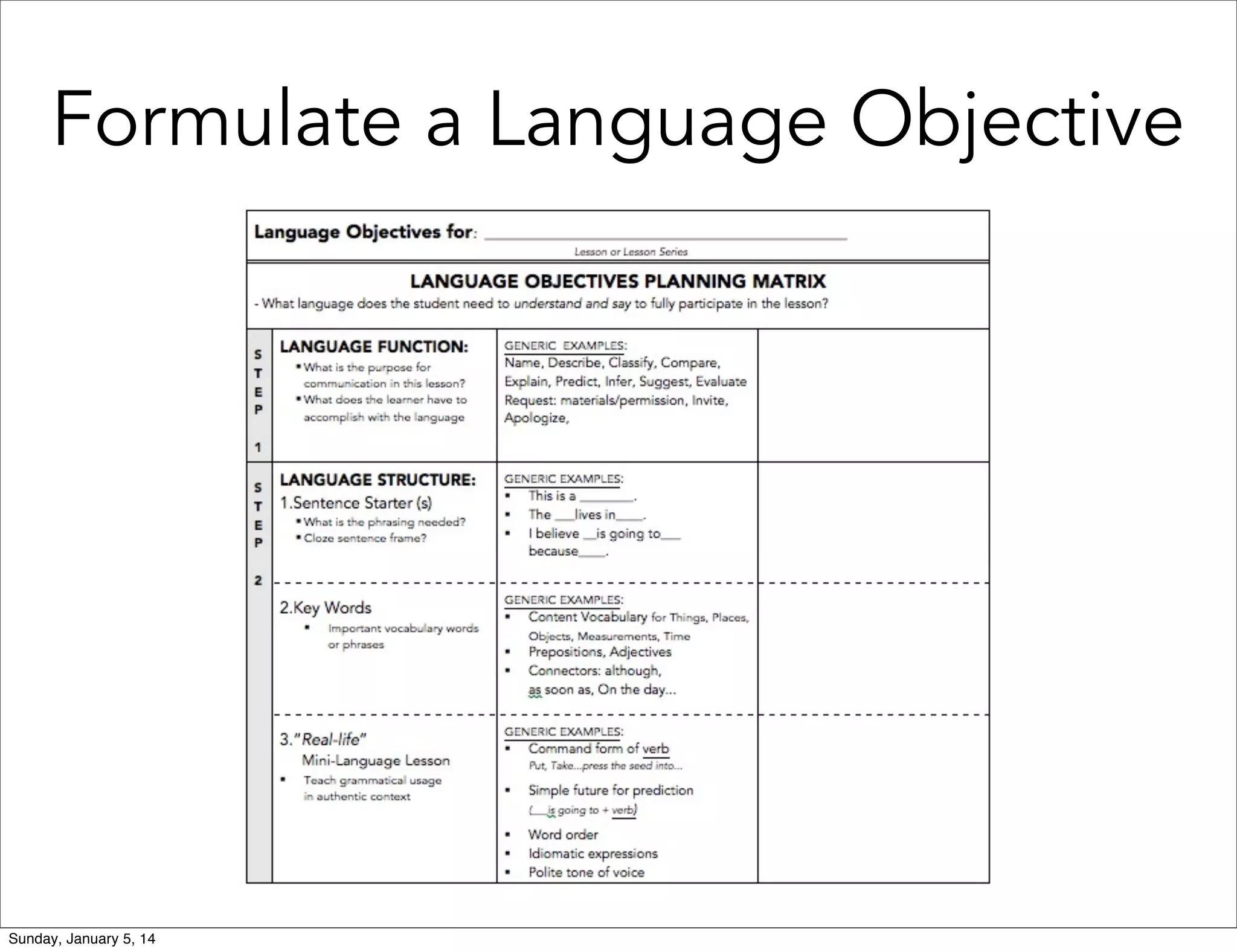
Formulate a Language Objective

Sunday, January 5, 14
Apps that Support
Language Acquisition

• Comprehensible Input: Reading and
Listening

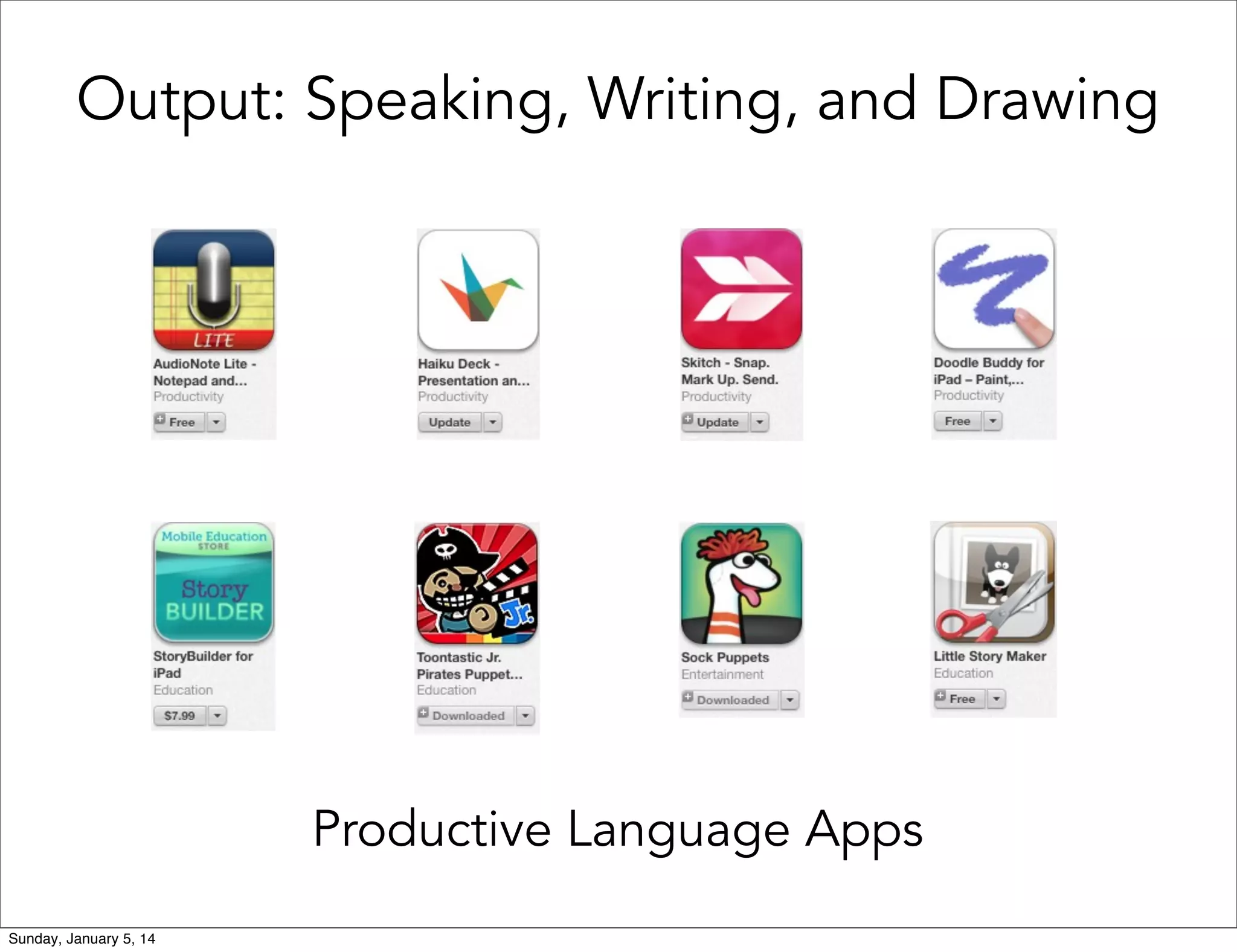
• Output: Speaking, Writing, and Drawing
• Interaction: Meaningful and visible
application

Sunday, January 5, 14
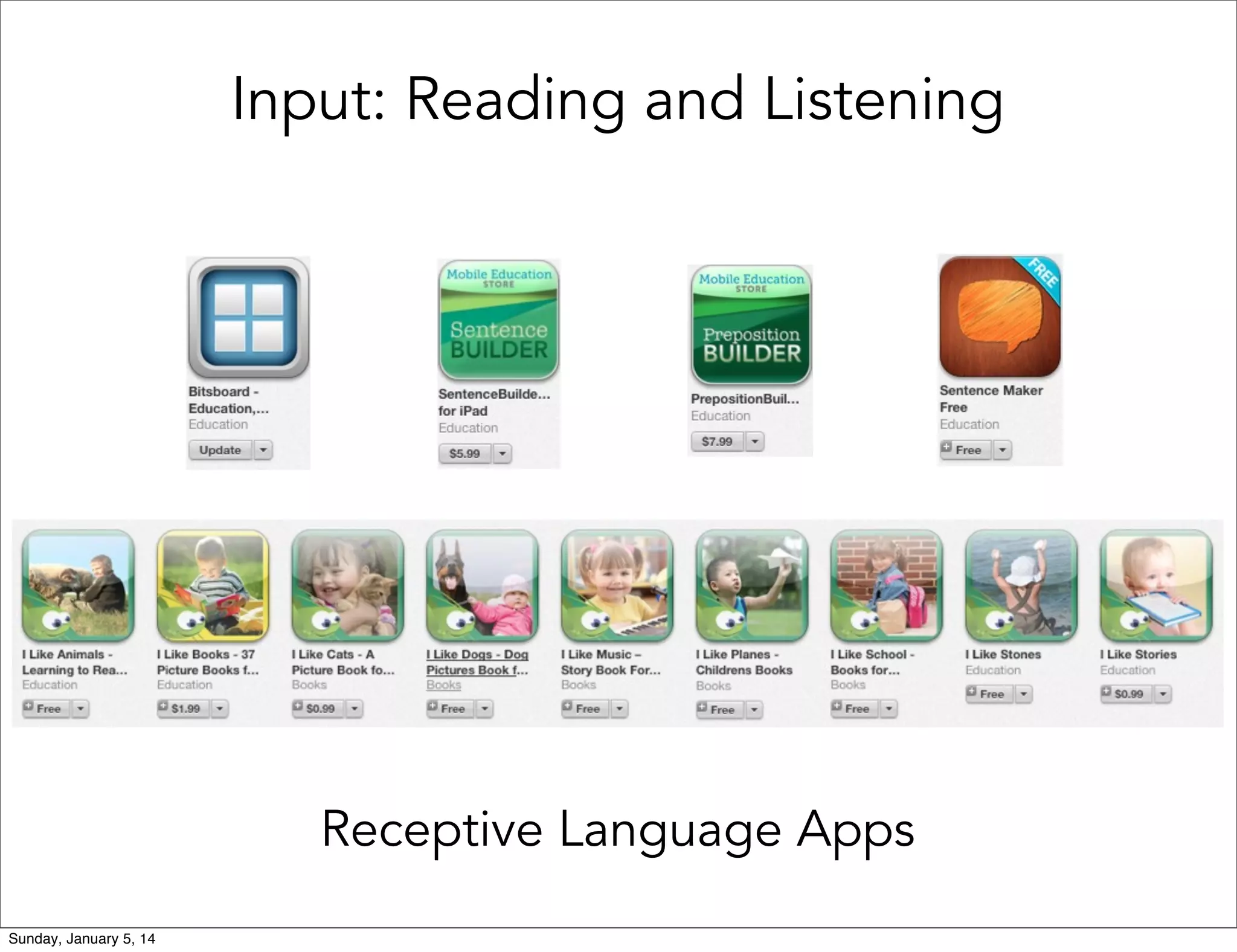
Input: Reading and Listening

Receptive Language Apps
Sunday, January 5, 14
Output: Speaking, Writing, and Drawing

Productive Language Apps
Sunday, January 5, 14
Interaction: Meaningful and Visible Application

Presenting, Sharing, Debating, Evaluating,
Providing Feedback, Using Language
Sunday, January 5, 14
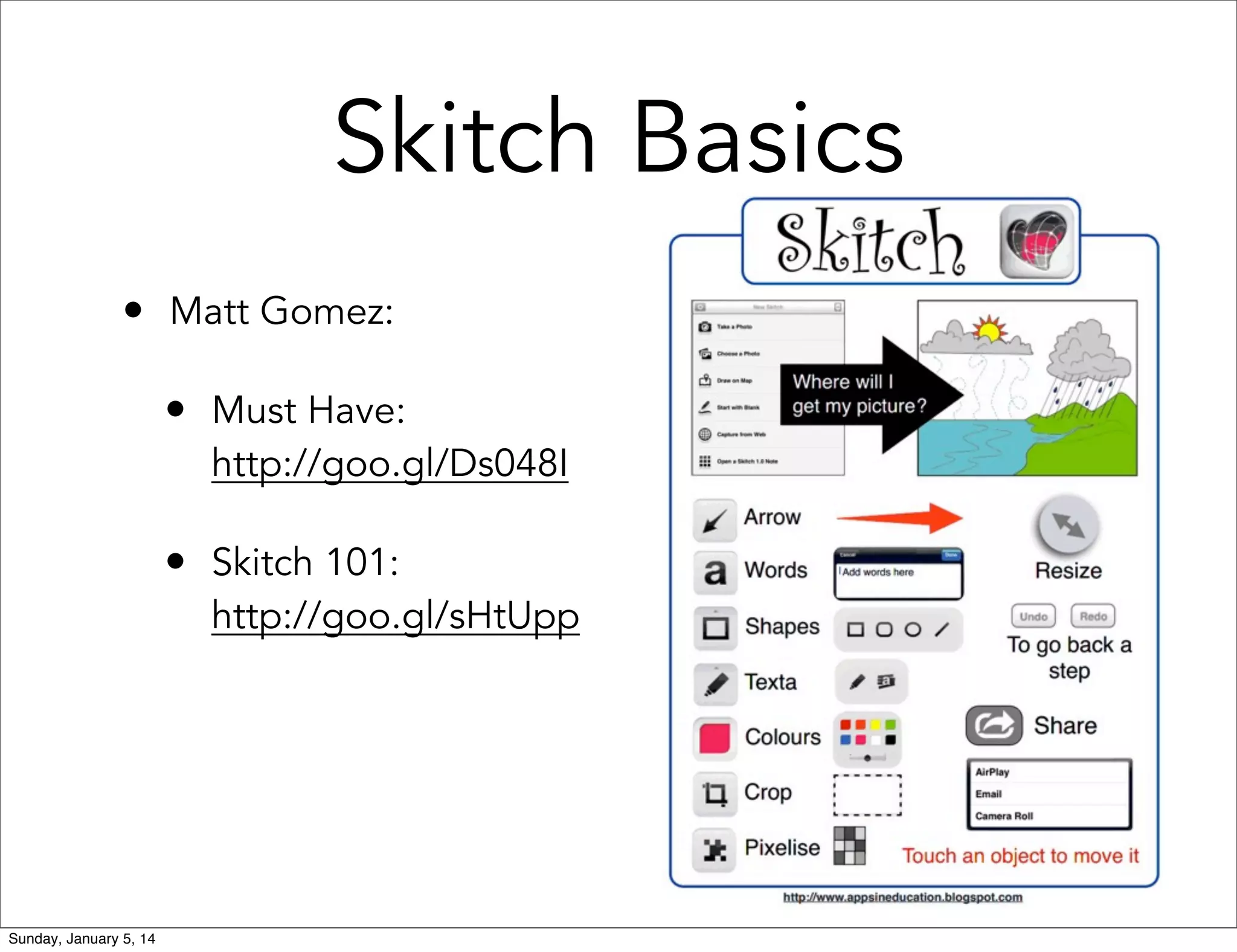
Skitch Basics
• Matt Gomez:
• Must Have:

http://goo.gl/Ds048I

• Skitch 101:

http://goo.gl/sHtUpp

Sunday, January 5, 14
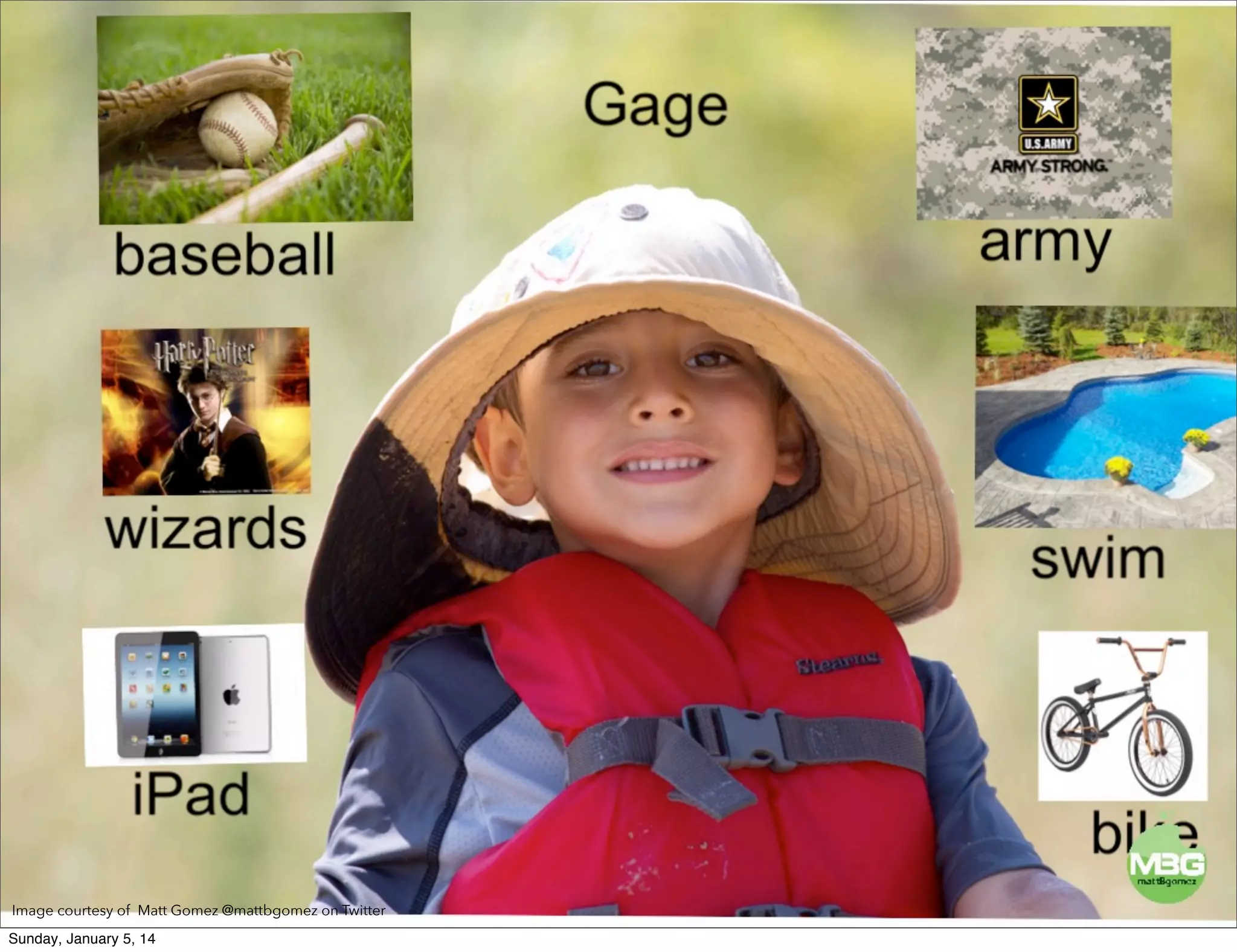
Image courtesy of Matt Gomez @mattbgomez on Twitter
Sunday, January 5, 14
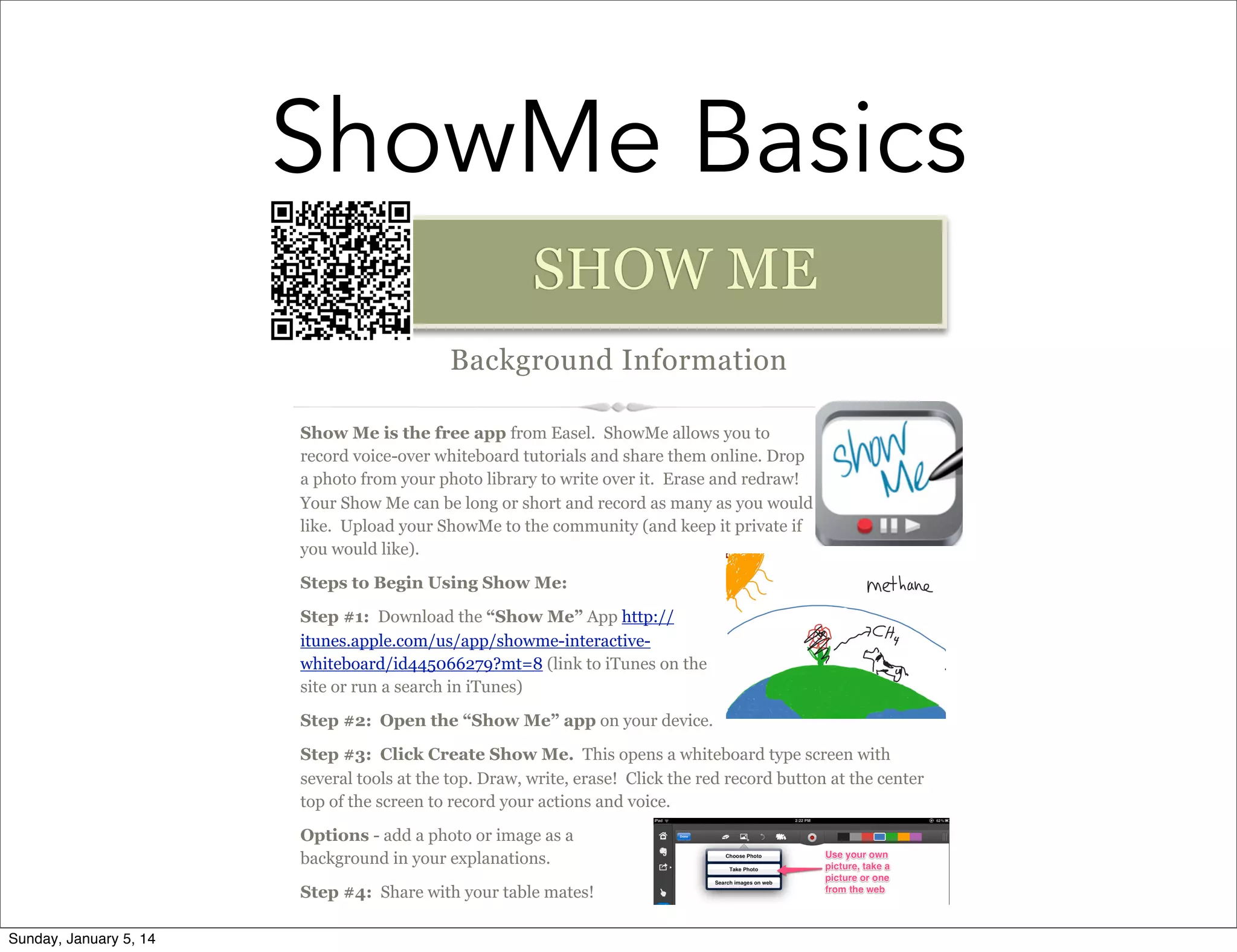
ShowMe Basics
SHOW ME
Background Information
Show Me is the free app from Easel. ShowMe allows you to
record voice-over whiteboard tutorials and share them online. Drop
a photo from your photo library to write over it. Erase and redraw!
Your Show Me can be long or short and record as many as you would
like. Upload your ShowMe to the community (and keep it private if
you would like).
Steps to Begin Using Show Me:
Step #1: Download the “Show Me” App http://
itunes.apple.com/us/app/showme-interactivewhiteboard/id445066279?mt=8 (link to iTunes on the
site or run a search in iTunes)
Step #2: Open the “Show Me” app on your device.
Step #3: Click Create Show Me. This opens a whiteboard type screen with
several tools at the top. Draw, write, erase! Click the red record button at the center
top of the screen to record your actions and voice.
Options - add a photo or image as a
background in your explanations.
Step #4: Share with your table mates!
Sunday, January 5, 14
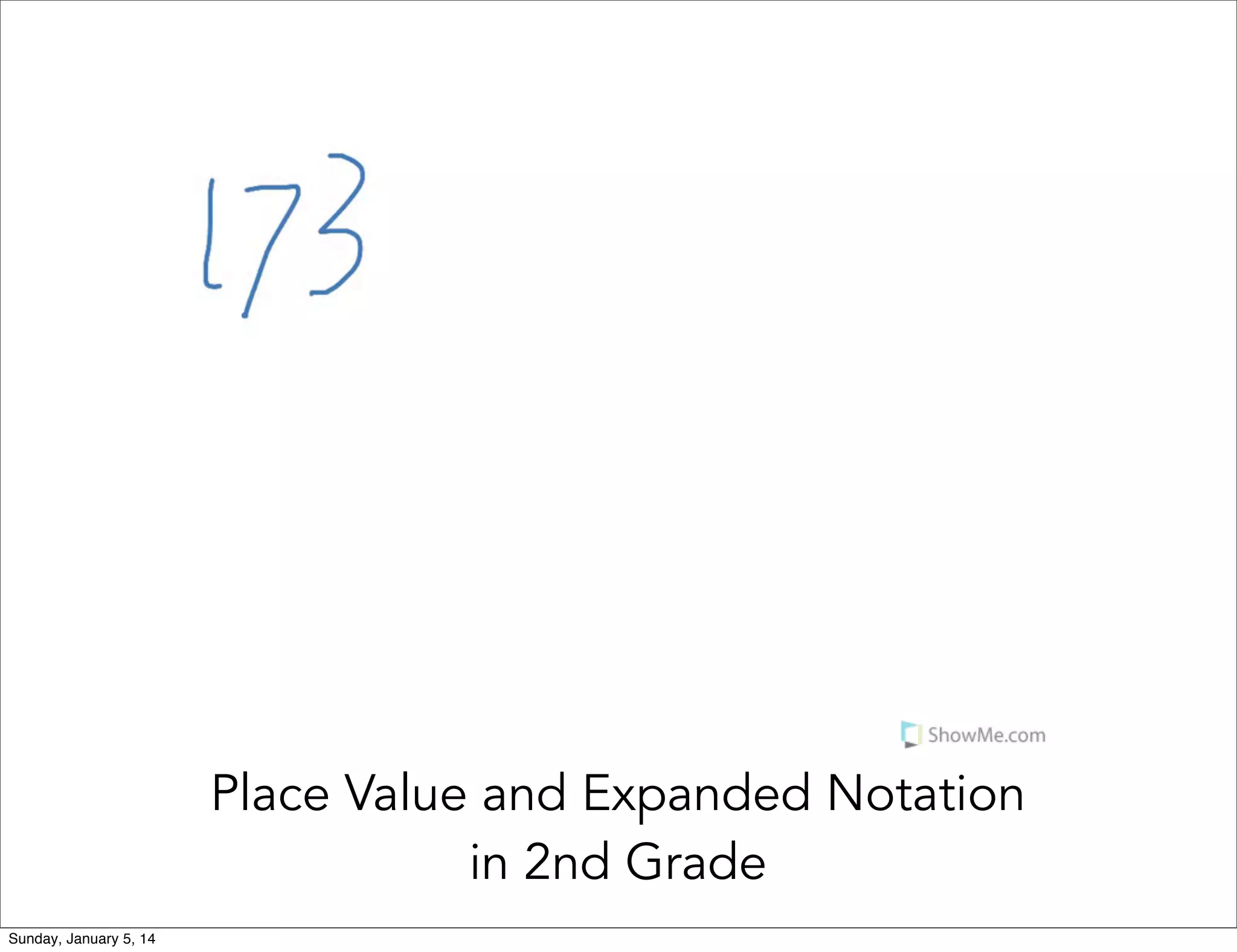
Place Value and Expanded Notation
in 2nd Grade
Sunday, January 5, 14
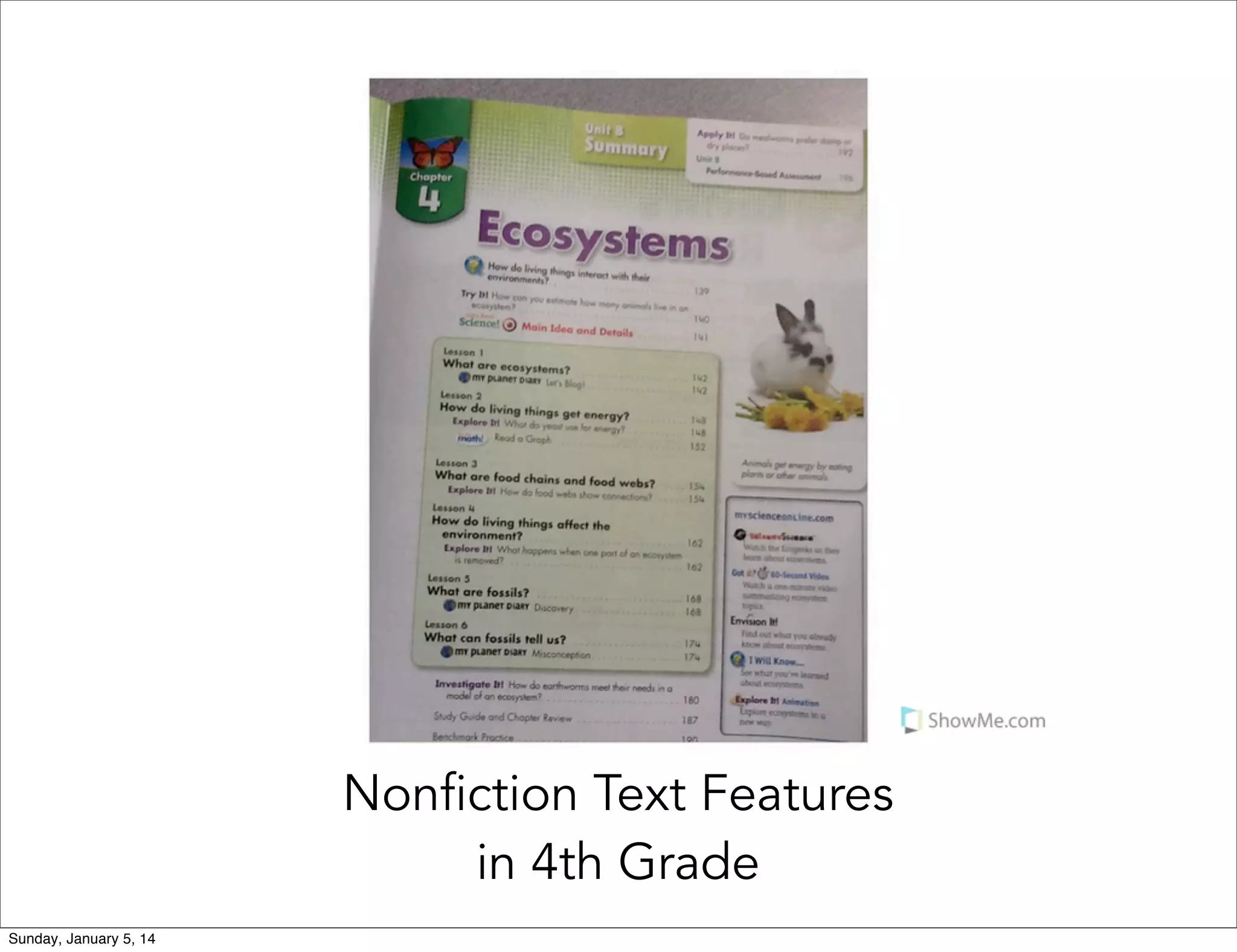
Nonfiction Text Features
in 4th Grade
Sunday, January 5, 14
Resources
•
•

Classroom Instruction that works with English
Language Learners: Participants Workbook by Jane
Hill & Cynthia Bjork

•
•
•
Sunday, January 5, 14

Stephen Krashen video on YouTube:
http://www.youtube.com/watch?v=4K11o19YNvk

Matt Gomez: mattbgomez.com
ESU #3 Training: Skitch
ESU #3 & Ralston Public Schools Training: ShowMe
Meeting ELL Language
Objectives with Apps
Kristina Peters

eLearning Specialist - NEaT Team
Nebraska Department of Education
kristina.peters@nebraska.gov
@Mrskmpeters

Sunday, January 5, 14

Meeting Language Objectives with Apps

  • 1.
    Meeting ELL Language Objectiveswith Apps Kristina Peters eLearning Specialist - NEaT Team Nebraska Department of Education kristina.peters@nebraska.gov @Mrskmpeters Sunday, January 5, 14
  • 2.
    Objectives • We candiscover the difference between content and language objectives • We can learn about Theory of Second Language Acquisition • We can discuss apps that address each area of the Theory of Second Language Acquisition Sunday, January 5, 14
  • 3.
    What is the ultimategoal for ELL students? Sunday, January 5, 14
  • 4.
    The ultimate goalfor ELL students is to acquire language necessary to be successful in the mainstream setting, and to achieve, like native speakers of English. Sunday, January 5, 14
  • 5.
    Stephen Krashen: Theory ofSecond Language Acquisition Sunday, January 5, 14
  • 6.
    Content Objective vs LanguageObjective • Content Objective: Guides lesson; gives purpose for content • Language Objective: Identifies ways to use language to engage in content and meet content objectives; narrows focus Sunday, January 5, 14
  • 7.
    Formulate a LanguageObjective Sunday, January 5, 14
  • 8.
    Apps that Support LanguageAcquisition • Comprehensible Input: Reading and Listening • Output: Speaking, Writing, and Drawing • Interaction: Meaningful and visible application Sunday, January 5, 14
  • 9.
    Input: Reading andListening Receptive Language Apps Sunday, January 5, 14
  • 10.
    Output: Speaking, Writing,and Drawing Productive Language Apps Sunday, January 5, 14
  • 11.
    Interaction: Meaningful andVisible Application Presenting, Sharing, Debating, Evaluating, Providing Feedback, Using Language Sunday, January 5, 14
  • 12.
    Skitch Basics • MattGomez: • Must Have: http://goo.gl/Ds048I • Skitch 101: http://goo.gl/sHtUpp Sunday, January 5, 14
  • 13.
    Image courtesy ofMatt Gomez @mattbgomez on Twitter Sunday, January 5, 14
  • 14.
    ShowMe Basics SHOW ME BackgroundInformation Show Me is the free app from Easel. ShowMe allows you to record voice-over whiteboard tutorials and share them online. Drop a photo from your photo library to write over it. Erase and redraw! Your Show Me can be long or short and record as many as you would like. Upload your ShowMe to the community (and keep it private if you would like). Steps to Begin Using Show Me: Step #1: Download the “Show Me” App http:// itunes.apple.com/us/app/showme-interactivewhiteboard/id445066279?mt=8 (link to iTunes on the site or run a search in iTunes) Step #2: Open the “Show Me” app on your device. Step #3: Click Create Show Me. This opens a whiteboard type screen with several tools at the top. Draw, write, erase! Click the red record button at the center top of the screen to record your actions and voice. Options - add a photo or image as a background in your explanations. Step #4: Share with your table mates! Sunday, January 5, 14
  • 15.
    Place Value andExpanded Notation in 2nd Grade Sunday, January 5, 14
  • 16.
    Nonfiction Text Features in4th Grade Sunday, January 5, 14
  • 17.
    Resources • • Classroom Instruction thatworks with English Language Learners: Participants Workbook by Jane Hill & Cynthia Bjork • • • Sunday, January 5, 14 Stephen Krashen video on YouTube: http://www.youtube.com/watch?v=4K11o19YNvk Matt Gomez: mattbgomez.com ESU #3 Training: Skitch ESU #3 & Ralston Public Schools Training: ShowMe
  • 18.
    Meeting ELL Language Objectiveswith Apps Kristina Peters eLearning Specialist - NEaT Team Nebraska Department of Education kristina.peters@nebraska.gov @Mrskmpeters Sunday, January 5, 14