







What a teacher  needs to know about Computers
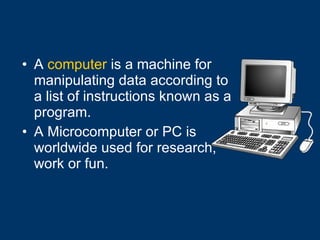
A  computer  is a machine for manipulating data according to a list of instructions known as a program. A Microcomputer or PC is worldwide used for research, work or fun.
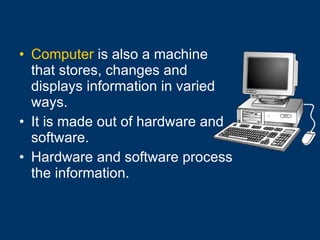
Computer  is also a machine that stores, changes and displays information in varied ways. It is made out of hardware and software.   Hardware and software process the information.
Computers perform: Sophisticated scientific calculations Calculating forecasts Digitize and processing images Simulation processes Word processing
Internet browsing Internet faxing E-mail and other digital messaging Multimedia playback Video game play Computer programming
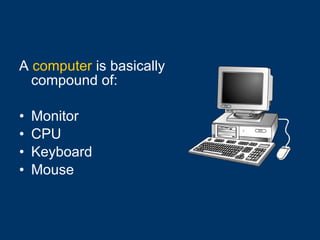
A  computer  is basically compound of: Monitor  CPU Keyboard Mouse
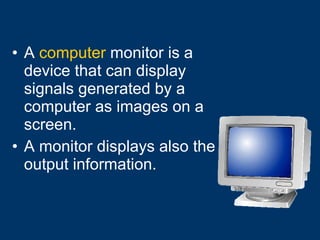
A  computer  monitor is a device that can display signals generated by a computer as images on a screen. A monitor displays also the output information.
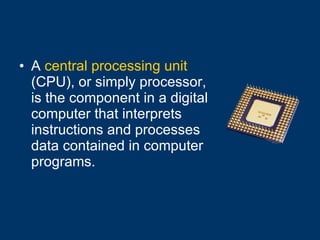
A  central processing unit  (CPU), or simply processor, is the component in a digital computer that interprets instructions and processes data contained in computer programs.
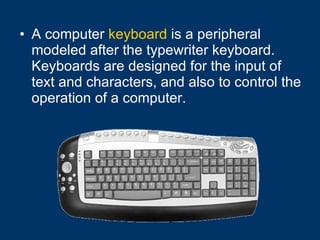
A computer  keyboard  is a peripheral modeled after the typewriter keyboard. Keyboards are designed for the input of text and characters, and also to control the operation of a computer.
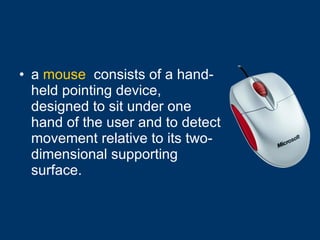
a  mouse   consists of a hand-held pointing device, designed to sit under one hand of the user and to detect movement relative to its two-dimensional supporting surface.
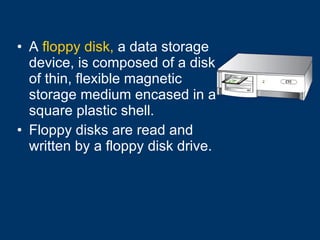
A  floppy disk,  a data storage device, is composed of a disk of thin, flexible magnetic storage medium encased in a square plastic shell. Floppy disks are read and written by a floppy disk drive.
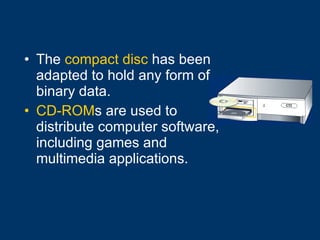
The  compact disc  has been adapted to hold any form of binary data. CD-ROM s are used to distribute computer software, including games and multimedia applications.
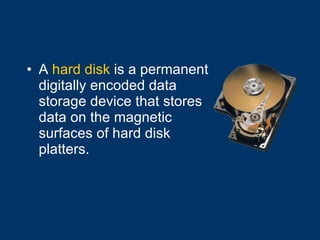
A  hard disk  is a permanent digitally encoded data storage device that stores data on the magnetic surfaces of hard disk platters.
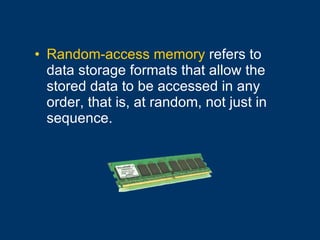
Random-access memory  refers to data storage formats that allow the stored data to be accessed in any order, that is, at random, not just in sequence.
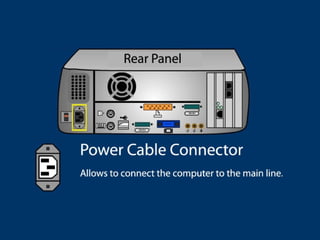
Connectors and Ports


Using the Keyboard
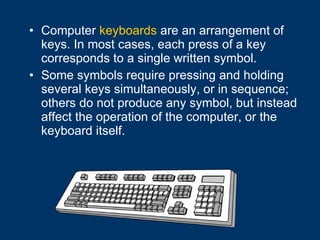
Computer  keyboards  are an arrangement of keys. In most cases, each press of a key corresponds to a single written symbol. Some symbols require pressing and holding several keys simultaneously, or in sequence; others do not produce any symbol, but instead affect the operation of the computer, or the keyboard itself.
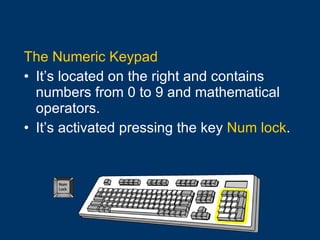
The Numeric Keypad It’s located on the right and contains numbers from 0 to 9 and mathematical operators. It’s activated pressing the key  Num lock .
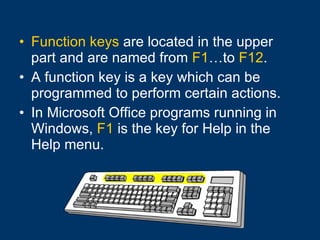
Function keys  are located in the upper part and are named from  F1 …to  F12 . A function key is a key which can be programmed to perform certain actions.  In Microsoft Office programs running in Windows,  F1  is the key for Help in the Help menu.
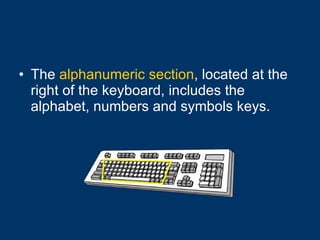
The  alphanumeric section , located at the right of the keyboard, includes the alphabet, numbers and symbols keys.
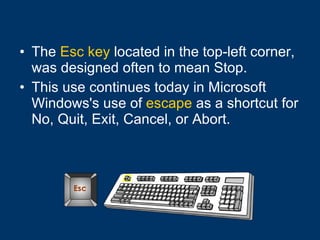
The  Esc key  located in the top-left corner, was designed often to mean Stop.  This use continues today in Microsoft Windows's use of  escape  as a shortcut for No, Quit, Exit, Cancel, or Abort.
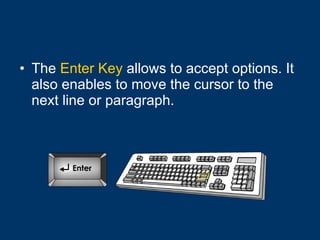
The  Enter Key  allows to accept options. It also enables to move the cursor to the next line or paragraph.
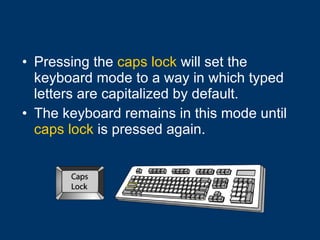
Pressing the  caps lock  will set the keyboard mode to a way in which typed letters are capitalized by default. The keyboard remains in this mode until  caps lock  is pressed again.
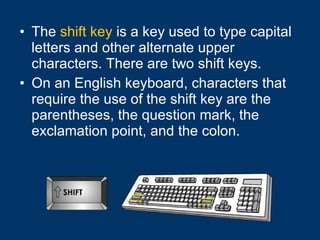
The  shift key  is a key used to type capital letters and other alternate upper characters. There are two shift keys.  On an English keyboard, characters that require the use of the shift key are the parentheses, the question mark, the exclamation point, and the colon.
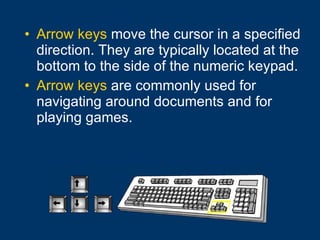
Arrow keys  move the cursor in a specified direction. They are typically located at the bottom to the side of the numeric keypad. Arrow keys  are commonly used for navigating around documents and for playing games.
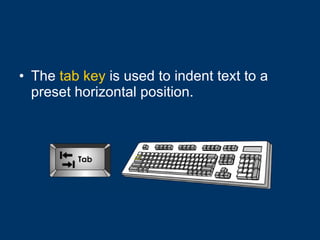
The  tab key  is used to indent text to a preset horizontal position.
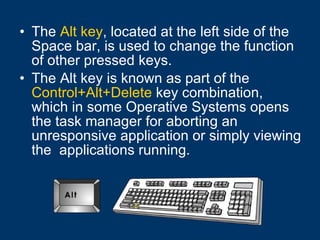
The  Alt key , located at the left side of the Space bar, is used to change the function of other pressed keys.  The Alt key is known as part of the  Control+Alt+Delete  key combination, which in some Operative Systems opens the task manager for aborting an unresponsive application or simply viewing the  applications running.
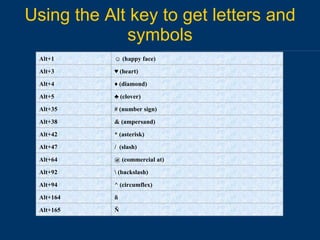
Using the Alt key to get letters and symbols Ñ Alt+165 ñ Alt+164 ^ (circumflex) Alt+94 \ (backslash) Alt+92 @ (commercial at) Alt+64 /  (slash) Alt+47 * (asterisk) Alt+42 & (ampersand) Alt+38 # (number sign) Alt+35 ♣  (clover) Alt+5 ♦  (diamond) Alt+4 ♥  (heart) Alt+3 ☺  (happy face) Alt+1
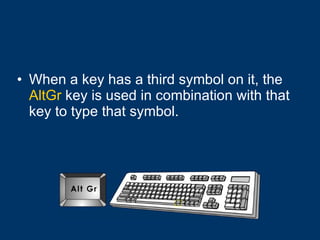
When a key has a third symbol on it, the  AltGr  key is used in combination with that key to type that symbol.
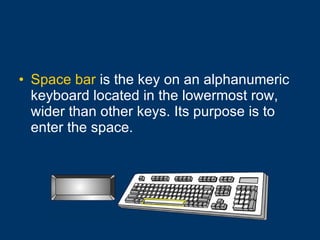
Space bar  is the key on an alphanumeric keyboard located in the lowermost row, wider than other keys. Its purpose is to enter the space.
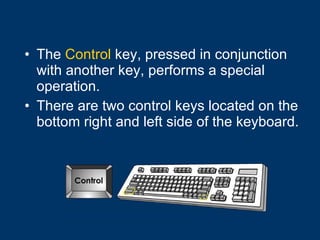
The  Control  key, pressed in conjunction with another key, performs a special operation.  There are two control keys located on the bottom right and left side of the keyboard.
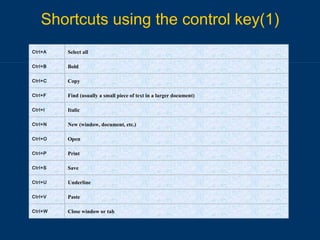
Shortcuts using the control key(1) Close window or tab Ctrl+W Paste Ctrl+V Underline Ctrl+U Save Ctrl+S Print Ctrl+P Open Ctrl+O New (window, document, etc.) Ctrl+N Italic Ctrl+I Find (usually a small piece of text in a larger document) Ctrl+F Copy Ctrl+C Bold Ctrl+B Select all Ctrl+A
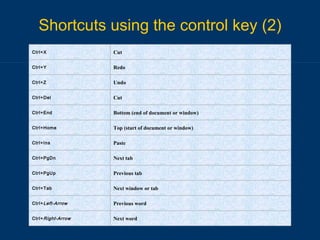
Shortcuts using the control key (2) Next word Ctrl+ Right-Arrow Previous word Ctrl+ Left-Arrow Next window or tab Ctrl+Tab Previous tab Ctrl+PgUp Next tab Ctrl+PgDn Paste Ctrl+Ins Top (start of document or window) Ctrl+Home Bottom (end of document or window) Ctrl+End Cut Ctrl+Del Undo Ctrl+Z Redo Ctrl+Y Cut Ctrl+X
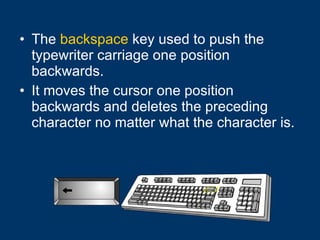
The  backspace  key used to push the typewriter carriage one position backwards. It moves the cursor one position backwards and deletes the preceding character no matter what the character is.
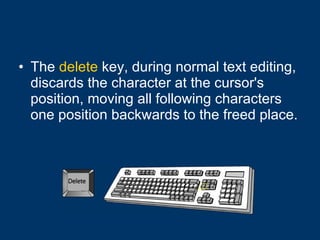
The  delete  key, during normal text editing, discards the character at the cursor's position, moving all following characters one position backwards to the freed place.
Computer hardware
Hardware  is the physical part of a computer. Software  refers to the programs used in a computer.
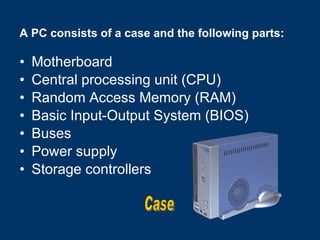
A PC consists of a case and the following parts: Motherboard Central processing unit (CPU) Random Access Memory (RAM) Basic Input-Output System (BIOS) Buses Power supply Storage controllers Case
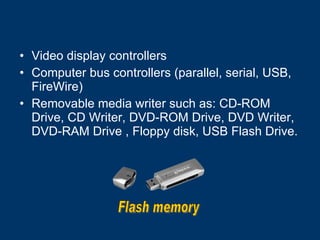
Video display controllers  Computer bus controllers (parallel, serial, USB, FireWire) Removable media writer such as: CD-ROM Drive, CD Writer, DVD-ROM Drive, DVD Writer, DVD-RAM Drive , Floppy disk, USB Flash Drive. Flash memory
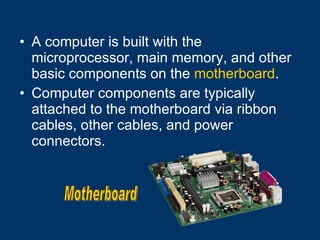
A computer is built with the microprocessor, main memory, and other basic components on the  motherboard .  Computer components are typically attached to the motherboard via ribbon cables, other cables, and power connectors. Motherboard
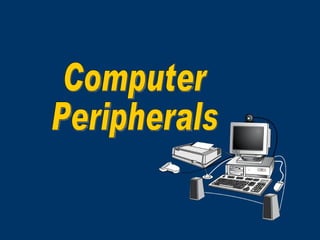
Computer Peripherals
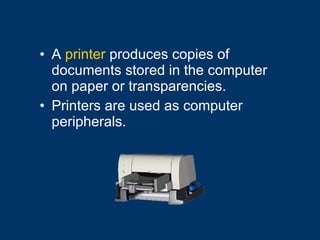
A  printer  produces copies of documents stored in the computer on paper or transparencies.  Printers are used as computer peripherals.
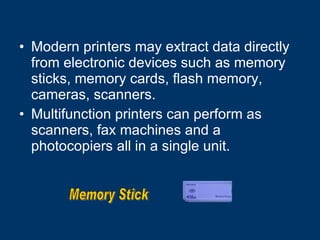
Modern printers may extract data directly from electronic devices such as memory sticks, memory cards, flash memory, cameras, scanners. Multifunction printers can perform as scanners, fax machines and a photocopiers all in a single unit.  Memory Stick
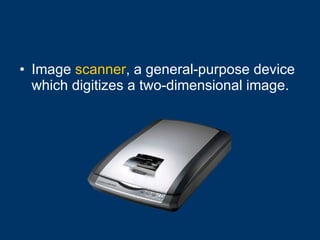
Image  scanner , a general-purpose device which digitizes a two-dimensional image.
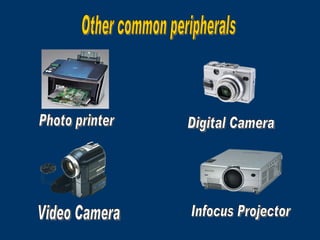
Photo printer Digital Camera Video Camera Infocus Projector Other common peripherals
Software
Computer programs  consist of a list of instructions that tell the computer what to do. Computer programs refer to a collection of source code and libraries compiled into an executable file which can perform both automatic and interactive tasks with data.
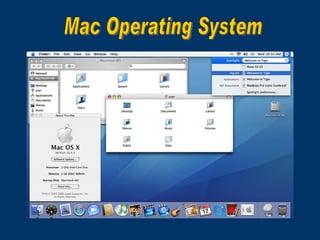
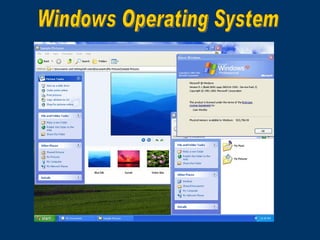
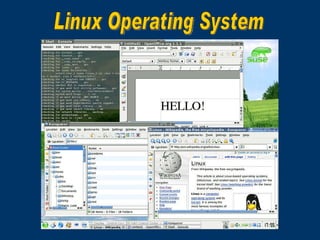
Operating system  is a software program that manages both hardware and software. The  OS  performs basic tasks, such as controlling and allocating memory, prioritizing the processing of instructions, controlling input and output devices, facilitating networking, and managing files.
Mac Operating System
Windows Operating System
Linux Operating System
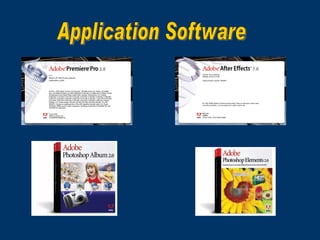
Application software  is a computer software that uses the capabilities of a computer to a task the user wishes to perform.  Typical examples of software applications are word processors, spreadsheets, and media players.
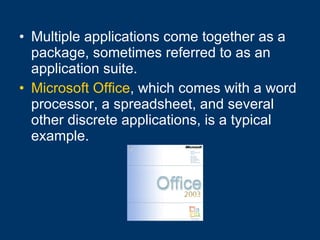
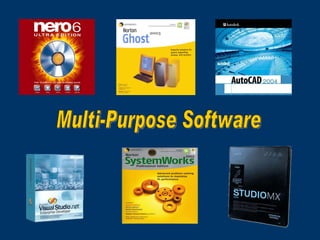
Multiple applications come together as a package, sometimes referred to as an application suite. Microsoft Office , which comes with a word processor, a spreadsheet, and several other discrete applications, is a typical example.
Application Software
Multi-Purpose Software
Managing Audio and Video Software
In order to play sound and pictures, the computer must contain special hardware and software that supports audio and video.  The hardware necessary to play sound and images includes audio cards, video cards, and speakers.
To run certain programs, we have to install some  plug-in s. A plug-in is a program added to a web browser in order to add multimedia capabilities. e.g. Flash plug-in, Java plug-in. These programs are all available as free downloads from the Internet.
Media Players A media player is a sort of “virtual” playback machine, complete with Play, Stop, Pause, Fast Forward, Fast Reverse and Volume Control buttons.   A Media Player also acts as a plug-in when an audio or video clip is downloaded from the World Wide Web.
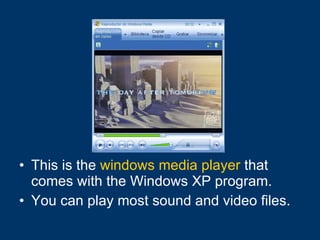
This is the  windows media player  that comes with the Windows XP program. You can play most sound and video files.
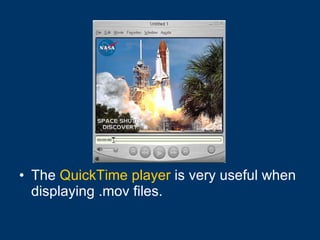
The  QuickTime player  is very useful when displaying .mov files.
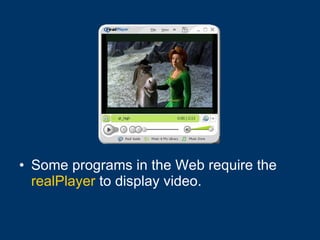
Some programs in the Web require the  realPlayer  to display video.
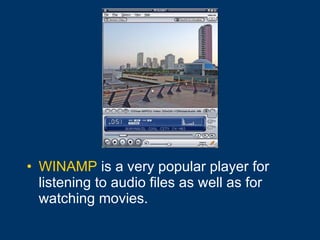
WINAMP  is a very popular player for listening to audio files as well as for watching movies.
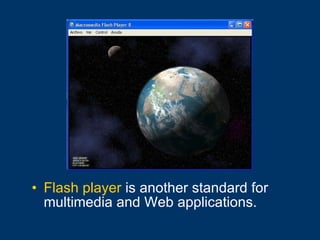
Flash player  is another standard for multimedia and Web applications.
Managing Multimedia Files
Pictures
Files have a name and an extension. The extension refers to the kind of file. Letter1.doc  stands  for a Word file. Book1.xls  means an Excel file and so on. Naming Files
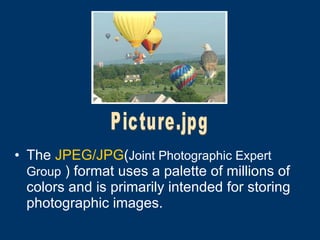
The  JPEG/JPG ( Joint Photographic Expert Group  )  format uses a palette of millions of colors and is primarily intended for storing photographic images.   Picture.jpg
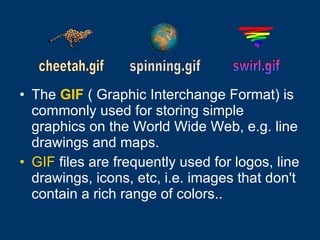
The   GIF  ( Graphic Interchange Format) is commonly used for storing simple graphics on the World Wide Web, e.g. line drawings and maps.  GIF  files are frequently used for logos, line drawings, icons, etc, i.e. images that don't contain a rich range of colors..   cheetah.gif spinning.gif  swirl.gif
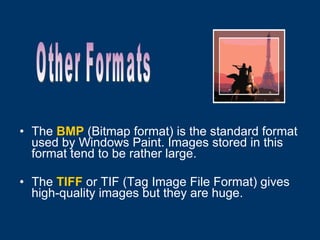
The   BMP  (Bitmap format) is the standard format used by Windows Paint. Images stored in this format tend to be rather large. The   TIFF  or TIF (Tag Image File Format) gives high-quality images but they are huge. Other Formats
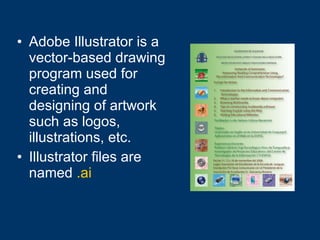
Adobe Illustrator is a vector-based drawing program used for creating and designing of artwork such as logos, illustrations, etc. Illustrator files are named   .ai
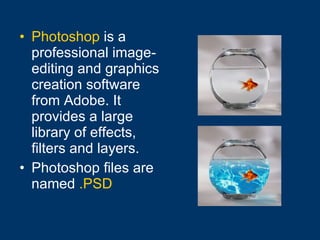
Photoshop  is a professional image-editing and graphics creation software from Adobe. It provides a large library of effects, filters and layers. Photoshop files are named   .PSD
Sounds
Sound editing packages allow you to save files in different formats and to convert from one format to another. Some common audio file formats are: WAV  is an audio file format. WAV files can be played in any Windows sound application.  MP3 , an acronym for MPEG-1 Audio Layer-3,  is a new standard for audio compression. It has become a popular way to distribute CD quality music on the Internet.
CODEC  stands for compressor/decompressor, a technology for compressing and decompressing data. CODECs are used to make large files much smaller, thereby making them easier for distribution.  To play certain audio files you need to have installed the proper CODECs, if not, you have to download and install the correct ones.   CODECs
Videos soccer.avi
Video editing packages let us save images in different formats and to convert from one format to another. The most common formats are: AVI  (Audio Video Interleave) format. MPG / MPEG (Motion Picture Expert Group) is the most common format for storing video, especially on the World Wide Web, economical in terms of storage space.
WMV  (Windows Media File) is also in common use and is quite economical on space.  Mov   is Apple QuickTime Movie file format. A  .mov  file can be used to store both movies and sounds.  There are several different versions of QuickTime files in use, and not all players will play all versions.
ASF  ( Advanced Streaming Format) is a file format that stores both audio and video and is specially designed for the Internet. ASF allows content to be delivered as a continuous flow of data with little wait time before playback begins.  This means that we don’t have to wait for audio and video files to fully download before starting to view them.
Animations
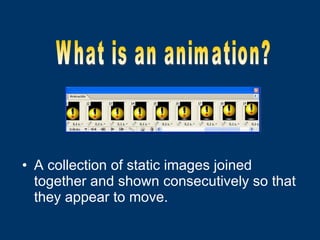
A collection of static images joined together and shown consecutively so that they appear to move. What is an animation?
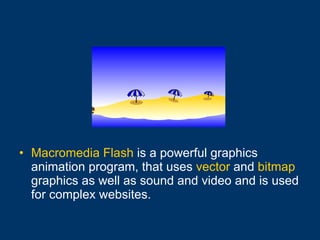
Macromedia Flash  is a powerful graphics animation program, that uses  vector  and  bitmap  graphics as well as sound and video and is used for complex websites.
Vector  graphics is a type of image that can be resized without distortion. Bitmaps  are made up of single pixels, which taken together make up a complete image. However, the image can lose quality when  enlarged.
.FLA  is a Macromedia Flash source document.  When a Macromedia Flash MX  .FLA  file is published for the Web, it takes on the  .SWF  extension.
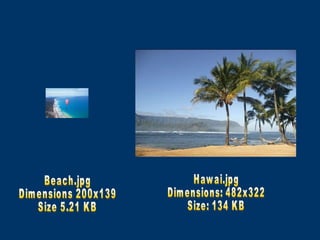
Image files are made up of either pixel or vector data. Image file sizes, expressed in bytes, increase with the number of pixels in the image, and the color depth of the pixels. Images intended to be downloaded from the internet should be low in size and resolution. Image File Size
Beach.jpg Dimensions 200x139 Size 5.21 KB Hawai.jpg Dimensions: 482x322 Size: 134 KB
Web Browsers
A  web browser  is a software application that enables a user to display and interact with text, images, and other information typically located on a web page at a website on the World Wide Web or a local area network.
Text and images on a web page can contain  hyperlinks  to other web pages at the same or different websites.  Web browsers allow a user to quickly and easily access information provided on many web pages at many websites by navigating over these links.
HTML  stands for Hypertext Markup Language, and is the software language used on the Internet's World Wide Web. .htm/.html  is a Web page extension file. Web site  is a collection of connected web pages stored on a web server. A  server  is a computer that manages and shares web based applications accessible anytime from any computer connected to the Internet.
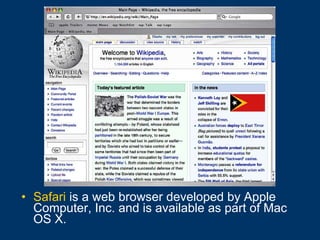
Safari  is a web browser developed by Apple Computer, Inc. and is available as part of Mac OS X.
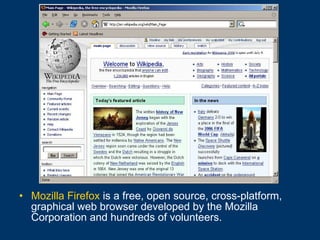
Mozilla Firefox  is a free, open source, cross-platform, graphical web browser developed by the Mozilla Corporation and hundreds of volunteers.
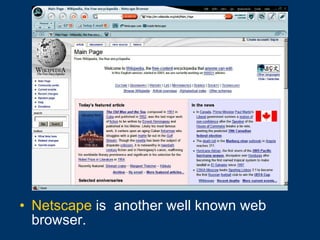
Netscape  is  another well known web browser.
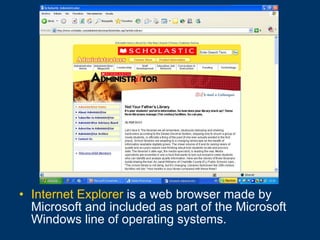
Internet Explorer   is a web browser made by Microsoft and included as part of the Microsoft Windows line of operating systems.
Search Engines
A  search engine  is a program designed to help find information stored on a computer system such as the World Wide Web, inside a corporate or proprietary network or a personal computer.
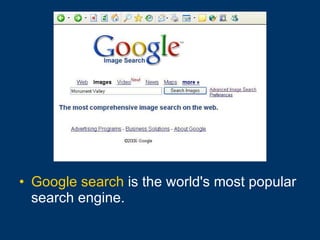
Google search  is the world's most popular search engine.
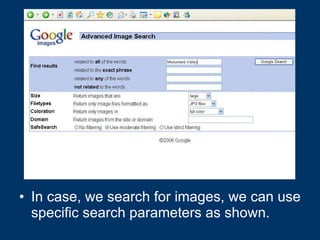
In case, we search for images, we can use specific search parameters as shown.
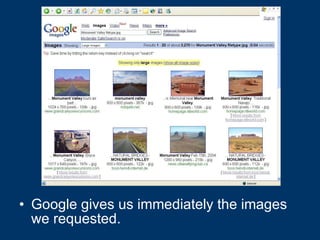
Google gives us immediately the images we requested.
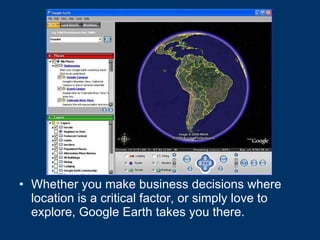
Whether you make business decisions where location is a critical factor, or simply love to explore, Google Earth takes you there.
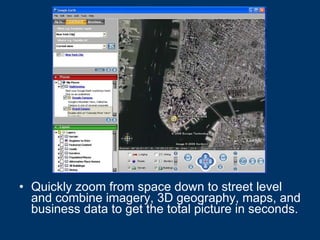
Quickly zoom from space down to street level and combine imagery, 3D geography, maps, and business data to get the total picture in seconds.
There are other important Internet search engines such as: MSN Search  which has being updated and renamed as Windows Live Search.  Yahoo! Search  is a web search engine, owned by Yahoo!. Ask.com , formerly Ask Jeeves, is an Internet search engine.
Thank you

What a teacher needs to know about computers

  • 1.
    What a teacher needs to know about Computers
  • 2.
    A computer is a machine for manipulating data according to a list of instructions known as a program. A Microcomputer or PC is worldwide used for research, work or fun.
  • 3.
    Computer isalso a machine that stores, changes and displays information in varied ways. It is made out of hardware and software. Hardware and software process the information.
  • 4.
    Computers perform: Sophisticatedscientific calculations Calculating forecasts Digitize and processing images Simulation processes Word processing
  • 5.
    Internet browsing Internetfaxing E-mail and other digital messaging Multimedia playback Video game play Computer programming
  • 6.
    A computer is basically compound of: Monitor CPU Keyboard Mouse
  • 7.
    A computer monitor is a device that can display signals generated by a computer as images on a screen. A monitor displays also the output information.
  • 8.
    A centralprocessing unit (CPU), or simply processor, is the component in a digital computer that interprets instructions and processes data contained in computer programs.
  • 9.
    A computer keyboard is a peripheral modeled after the typewriter keyboard. Keyboards are designed for the input of text and characters, and also to control the operation of a computer.
  • 10.
    a mouse consists of a hand-held pointing device, designed to sit under one hand of the user and to detect movement relative to its two-dimensional supporting surface.
  • 11.
    A floppydisk, a data storage device, is composed of a disk of thin, flexible magnetic storage medium encased in a square plastic shell. Floppy disks are read and written by a floppy disk drive.
  • 12.
    The compactdisc has been adapted to hold any form of binary data. CD-ROM s are used to distribute computer software, including games and multimedia applications.
  • 13.
    A harddisk is a permanent digitally encoded data storage device that stores data on the magnetic surfaces of hard disk platters.
  • 14.
    Random-access memory refers to data storage formats that allow the stored data to be accessed in any order, that is, at random, not just in sequence.
  • 15.
  • 16.
  • 17.
  • 18.
  • 19.
  • 20.
  • 21.
  • 22.
  • 23.
  • 24.
  • 25.
  • 26.
  • 27.
  • 28.
    Computer keyboards are an arrangement of keys. In most cases, each press of a key corresponds to a single written symbol. Some symbols require pressing and holding several keys simultaneously, or in sequence; others do not produce any symbol, but instead affect the operation of the computer, or the keyboard itself.
  • 29.
    The Numeric KeypadIt’s located on the right and contains numbers from 0 to 9 and mathematical operators. It’s activated pressing the key Num lock .
  • 30.
    Function keys are located in the upper part and are named from F1 …to F12 . A function key is a key which can be programmed to perform certain actions. In Microsoft Office programs running in Windows, F1 is the key for Help in the Help menu.
  • 31.
    The alphanumericsection , located at the right of the keyboard, includes the alphabet, numbers and symbols keys.
  • 32.
    The Esckey located in the top-left corner, was designed often to mean Stop. This use continues today in Microsoft Windows's use of escape as a shortcut for No, Quit, Exit, Cancel, or Abort.
  • 33.
    The EnterKey allows to accept options. It also enables to move the cursor to the next line or paragraph.
  • 34.
    Pressing the caps lock will set the keyboard mode to a way in which typed letters are capitalized by default. The keyboard remains in this mode until caps lock is pressed again.
  • 35.
    The shiftkey is a key used to type capital letters and other alternate upper characters. There are two shift keys. On an English keyboard, characters that require the use of the shift key are the parentheses, the question mark, the exclamation point, and the colon.
  • 36.
    Arrow keys move the cursor in a specified direction. They are typically located at the bottom to the side of the numeric keypad. Arrow keys are commonly used for navigating around documents and for playing games.
  • 37.
    The tabkey is used to indent text to a preset horizontal position.
  • 38.
    The Altkey , located at the left side of the Space bar, is used to change the function of other pressed keys. The Alt key is known as part of the Control+Alt+Delete key combination, which in some Operative Systems opens the task manager for aborting an unresponsive application or simply viewing the applications running.
  • 39.
    Using the Altkey to get letters and symbols Ñ Alt+165 ñ Alt+164 ^ (circumflex) Alt+94 \ (backslash) Alt+92 @ (commercial at) Alt+64 / (slash) Alt+47 * (asterisk) Alt+42 & (ampersand) Alt+38 # (number sign) Alt+35 ♣ (clover) Alt+5 ♦ (diamond) Alt+4 ♥ (heart) Alt+3 ☺ (happy face) Alt+1
  • 40.
    When a keyhas a third symbol on it, the AltGr key is used in combination with that key to type that symbol.
  • 41.
    Space bar is the key on an alphanumeric keyboard located in the lowermost row, wider than other keys. Its purpose is to enter the space.
  • 42.
    The Control key, pressed in conjunction with another key, performs a special operation. There are two control keys located on the bottom right and left side of the keyboard.
  • 43.
    Shortcuts using thecontrol key(1) Close window or tab Ctrl+W Paste Ctrl+V Underline Ctrl+U Save Ctrl+S Print Ctrl+P Open Ctrl+O New (window, document, etc.) Ctrl+N Italic Ctrl+I Find (usually a small piece of text in a larger document) Ctrl+F Copy Ctrl+C Bold Ctrl+B Select all Ctrl+A
  • 44.
    Shortcuts using thecontrol key (2) Next word Ctrl+ Right-Arrow Previous word Ctrl+ Left-Arrow Next window or tab Ctrl+Tab Previous tab Ctrl+PgUp Next tab Ctrl+PgDn Paste Ctrl+Ins Top (start of document or window) Ctrl+Home Bottom (end of document or window) Ctrl+End Cut Ctrl+Del Undo Ctrl+Z Redo Ctrl+Y Cut Ctrl+X
  • 45.
    The backspace key used to push the typewriter carriage one position backwards. It moves the cursor one position backwards and deletes the preceding character no matter what the character is.
  • 46.
    The delete key, during normal text editing, discards the character at the cursor's position, moving all following characters one position backwards to the freed place.
  • 47.
  • 48.
    Hardware isthe physical part of a computer. Software refers to the programs used in a computer.
  • 49.
    A PC consistsof a case and the following parts: Motherboard Central processing unit (CPU) Random Access Memory (RAM) Basic Input-Output System (BIOS) Buses Power supply Storage controllers Case
  • 50.
    Video display controllers Computer bus controllers (parallel, serial, USB, FireWire) Removable media writer such as: CD-ROM Drive, CD Writer, DVD-ROM Drive, DVD Writer, DVD-RAM Drive , Floppy disk, USB Flash Drive. Flash memory
  • 51.
    A computer isbuilt with the microprocessor, main memory, and other basic components on the motherboard . Computer components are typically attached to the motherboard via ribbon cables, other cables, and power connectors. Motherboard
  • 52.
  • 53.
    A printer produces copies of documents stored in the computer on paper or transparencies. Printers are used as computer peripherals.
  • 54.
    Modern printers mayextract data directly from electronic devices such as memory sticks, memory cards, flash memory, cameras, scanners. Multifunction printers can perform as scanners, fax machines and a photocopiers all in a single unit. Memory Stick
  • 55.
    Image scanner, a general-purpose device which digitizes a two-dimensional image.
  • 56.
    Photo printer DigitalCamera Video Camera Infocus Projector Other common peripherals
  • 57.
  • 58.
    Computer programs consist of a list of instructions that tell the computer what to do. Computer programs refer to a collection of source code and libraries compiled into an executable file which can perform both automatic and interactive tasks with data.
  • 59.
    Operating system is a software program that manages both hardware and software. The OS performs basic tasks, such as controlling and allocating memory, prioritizing the processing of instructions, controlling input and output devices, facilitating networking, and managing files.
  • 60.
  • 61.
  • 62.
  • 63.
    Application software is a computer software that uses the capabilities of a computer to a task the user wishes to perform. Typical examples of software applications are word processors, spreadsheets, and media players.
  • 64.
    Multiple applications cometogether as a package, sometimes referred to as an application suite. Microsoft Office , which comes with a word processor, a spreadsheet, and several other discrete applications, is a typical example.
  • 65.
  • 66.
  • 67.
    Managing Audio andVideo Software
  • 68.
    In order toplay sound and pictures, the computer must contain special hardware and software that supports audio and video. The hardware necessary to play sound and images includes audio cards, video cards, and speakers.
  • 69.
    To run certainprograms, we have to install some plug-in s. A plug-in is a program added to a web browser in order to add multimedia capabilities. e.g. Flash plug-in, Java plug-in. These programs are all available as free downloads from the Internet.
  • 70.
    Media Players Amedia player is a sort of “virtual” playback machine, complete with Play, Stop, Pause, Fast Forward, Fast Reverse and Volume Control buttons. A Media Player also acts as a plug-in when an audio or video clip is downloaded from the World Wide Web.
  • 71.
    This is the windows media player that comes with the Windows XP program. You can play most sound and video files.
  • 72.
    The QuickTimeplayer is very useful when displaying .mov files.
  • 73.
    Some programs inthe Web require the realPlayer to display video.
  • 74.
    WINAMP isa very popular player for listening to audio files as well as for watching movies.
  • 75.
    Flash player is another standard for multimedia and Web applications.
  • 76.
  • 77.
  • 78.
    Files have aname and an extension. The extension refers to the kind of file. Letter1.doc stands for a Word file. Book1.xls means an Excel file and so on. Naming Files
  • 79.
    The JPEG/JPG( Joint Photographic Expert Group ) format uses a palette of millions of colors and is primarily intended for storing photographic images. Picture.jpg
  • 80.
    The GIF ( Graphic Interchange Format) is commonly used for storing simple graphics on the World Wide Web, e.g. line drawings and maps. GIF files are frequently used for logos, line drawings, icons, etc, i.e. images that don't contain a rich range of colors.. cheetah.gif spinning.gif swirl.gif
  • 81.
    The BMP (Bitmap format) is the standard format used by Windows Paint. Images stored in this format tend to be rather large. The TIFF or TIF (Tag Image File Format) gives high-quality images but they are huge. Other Formats
  • 82.
    Adobe Illustrator isa vector-based drawing program used for creating and designing of artwork such as logos, illustrations, etc. Illustrator files are named .ai
  • 83.
    Photoshop isa professional image-editing and graphics creation software from Adobe. It provides a large library of effects, filters and layers. Photoshop files are named .PSD
  • 84.
  • 85.
    Sound editing packagesallow you to save files in different formats and to convert from one format to another. Some common audio file formats are: WAV is an audio file format. WAV files can be played in any Windows sound application. MP3 , an acronym for MPEG-1 Audio Layer-3, is a new standard for audio compression. It has become a popular way to distribute CD quality music on the Internet.
  • 86.
    CODEC standsfor compressor/decompressor, a technology for compressing and decompressing data. CODECs are used to make large files much smaller, thereby making them easier for distribution. To play certain audio files you need to have installed the proper CODECs, if not, you have to download and install the correct ones. CODECs
  • 87.
  • 88.
    Video editing packageslet us save images in different formats and to convert from one format to another. The most common formats are: AVI (Audio Video Interleave) format. MPG / MPEG (Motion Picture Expert Group) is the most common format for storing video, especially on the World Wide Web, economical in terms of storage space.
  • 89.
    WMV (WindowsMedia File) is also in common use and is quite economical on space. Mov is Apple QuickTime Movie file format. A .mov file can be used to store both movies and sounds. There are several different versions of QuickTime files in use, and not all players will play all versions.
  • 90.
    ASF (Advanced Streaming Format) is a file format that stores both audio and video and is specially designed for the Internet. ASF allows content to be delivered as a continuous flow of data with little wait time before playback begins. This means that we don’t have to wait for audio and video files to fully download before starting to view them.
  • 91.
  • 92.
    A collection ofstatic images joined together and shown consecutively so that they appear to move. What is an animation?
  • 93.
    Macromedia Flash is a powerful graphics animation program, that uses vector and bitmap graphics as well as sound and video and is used for complex websites.
  • 94.
    Vector graphicsis a type of image that can be resized without distortion. Bitmaps are made up of single pixels, which taken together make up a complete image. However, the image can lose quality when enlarged.
  • 95.
    .FLA isa Macromedia Flash source document. When a Macromedia Flash MX .FLA file is published for the Web, it takes on the .SWF extension.
  • 96.
    Image files aremade up of either pixel or vector data. Image file sizes, expressed in bytes, increase with the number of pixels in the image, and the color depth of the pixels. Images intended to be downloaded from the internet should be low in size and resolution. Image File Size
  • 97.
    Beach.jpg Dimensions 200x139Size 5.21 KB Hawai.jpg Dimensions: 482x322 Size: 134 KB
  • 98.
  • 99.
    A webbrowser is a software application that enables a user to display and interact with text, images, and other information typically located on a web page at a website on the World Wide Web or a local area network.
  • 100.
    Text and imageson a web page can contain hyperlinks to other web pages at the same or different websites. Web browsers allow a user to quickly and easily access information provided on many web pages at many websites by navigating over these links.
  • 101.
    HTML standsfor Hypertext Markup Language, and is the software language used on the Internet's World Wide Web. .htm/.html is a Web page extension file. Web site is a collection of connected web pages stored on a web server. A server is a computer that manages and shares web based applications accessible anytime from any computer connected to the Internet.
  • 102.
    Safari isa web browser developed by Apple Computer, Inc. and is available as part of Mac OS X.
  • 103.
    Mozilla Firefox is a free, open source, cross-platform, graphical web browser developed by the Mozilla Corporation and hundreds of volunteers.
  • 104.
    Netscape is another well known web browser.
  • 105.
    Internet Explorer is a web browser made by Microsoft and included as part of the Microsoft Windows line of operating systems.
  • 106.
  • 107.
    A searchengine is a program designed to help find information stored on a computer system such as the World Wide Web, inside a corporate or proprietary network or a personal computer.
  • 108.
    Google search is the world's most popular search engine.
  • 109.
    In case, wesearch for images, we can use specific search parameters as shown.
  • 110.
    Google gives usimmediately the images we requested.
  • 111.
    Whether you makebusiness decisions where location is a critical factor, or simply love to explore, Google Earth takes you there.
  • 112.
    Quickly zoom fromspace down to street level and combine imagery, 3D geography, maps, and business data to get the total picture in seconds.
  • 113.
    There are otherimportant Internet search engines such as: MSN Search which has being updated and renamed as Windows Live Search. Yahoo! Search is a web search engine, owned by Yahoo!. Ask.com , formerly Ask Jeeves, is an Internet search engine.
  • 114.