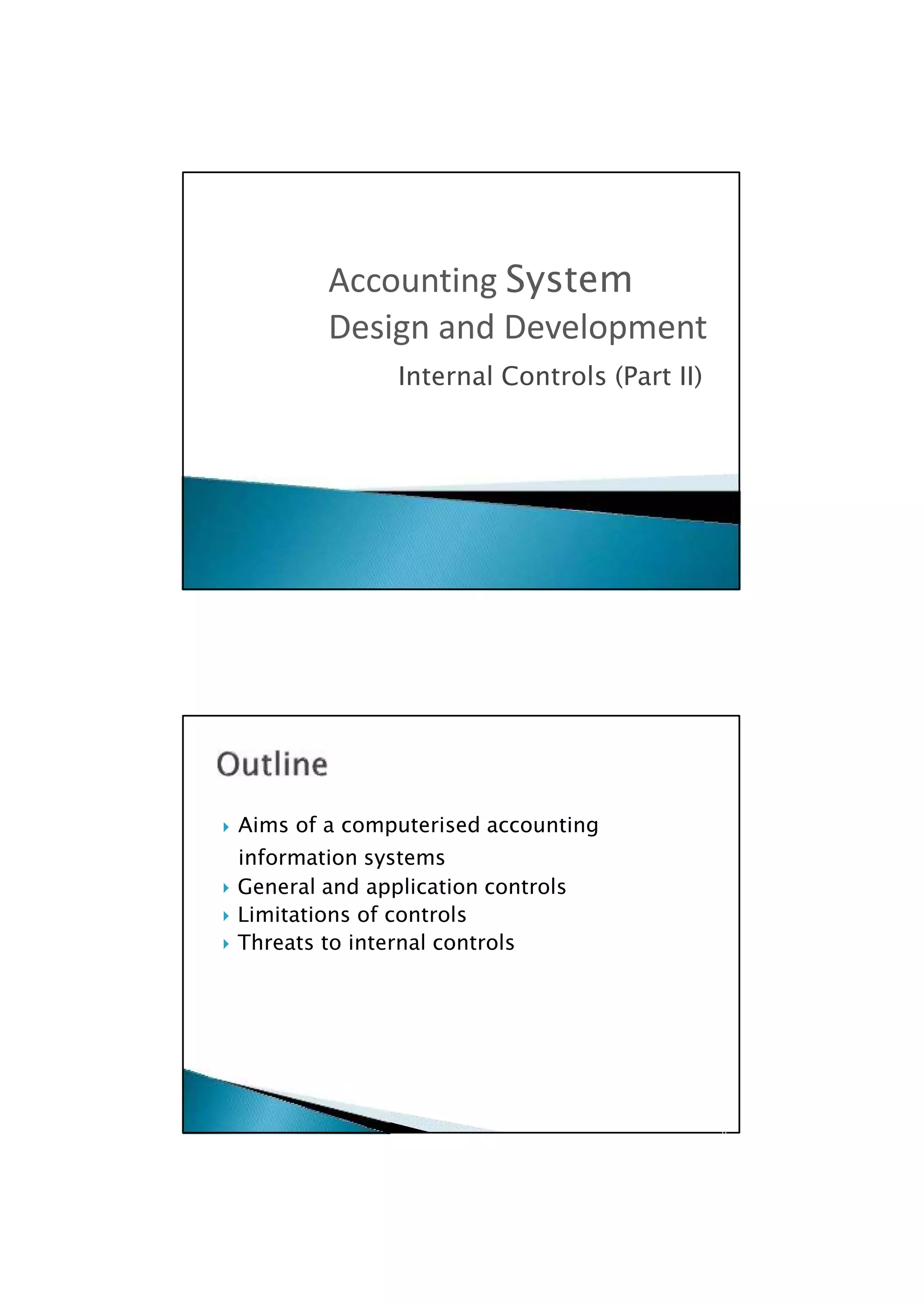

 Aims of a computerised accounting
information systems
 General and application controls
 Limitations of controls
 Threats to internal controls

Internal Controls (Part II)
Accounting System
Design and Development
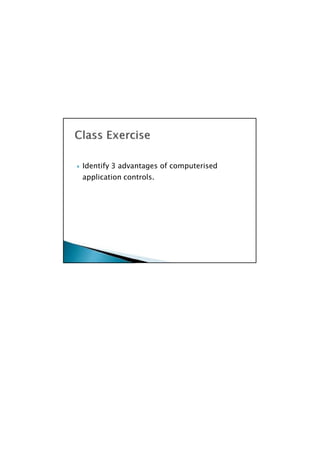
 Identify 3 advantages of computerised
application controls.

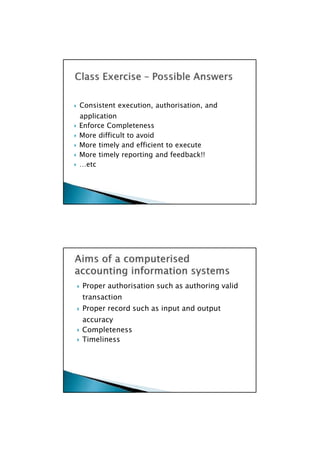
 Proper authorisation such as authoring valid
transaction
 Proper record such as input and output
accuracy
 Completeness
 Timeliness

 Consistent execution, authorisation, and
application
 Enforce Completeness
 More difficult to avoid
 More timely and efficient to execute
 More timely reporting and feedback!!
 …etc

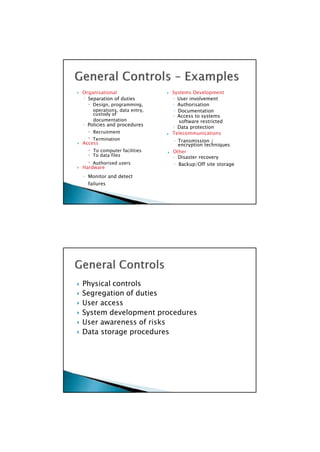
 Some risks apply across a number of areas of the
organisation. To address these risks we have GENERAL
CONTROLS.
 General controls effect the overall information system.
 General controls are established with the aim of providing
reasonable assurance that the internal control objectives are
achieved.
 These controls effect all applications
 Seen as pervasive – these controls will apply across almost all
of the information systems in an organisation.
 Support the effective operation of application controls

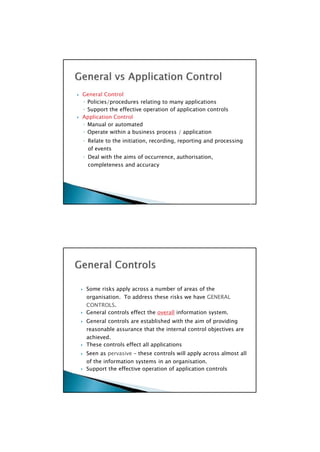
 General Control
◦ Policies/procedures relating to many applications
◦ Support the effective operation of application controls
 Application Control
◦ Manual or automated
◦ Operate within a business process / application
◦ Relate to the initiation, recording, reporting and processing
of events
◦ Deal with the aims of occurrence, authorisation,
completeness and accuracy

custody of ◦ Access to systems
◦ Policies and procedures ◦ Data protection
Telecommunications
 Access encryption techniques
 To data files ◦ Disaster recovery
 Hardware
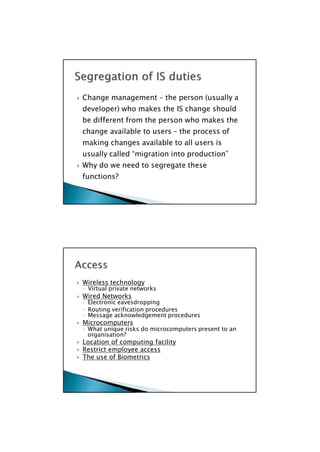
 Physical controls
 Segregation of duties
 User access
 System development procedures
 User awareness of risks
 Data storage procedures

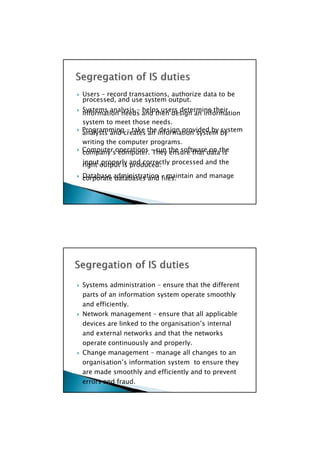
 Organisational  Systems Development
◦ Separation of duties ◦ User involvement
 Design, programming, ◦ Authorisation
operations, data entry, ◦ Documentation
documentation software restricted
 Recruitment
 Termination ◦ Transmission /
 To computer facilities  Other
 Authorised users ◦ Backup/Off site storage
◦ Monitor and detect
failures

processed, and use system output.
information needs and then design an information
analysts and creates an information system by
company’s computer. They ensure that data is
right output is produced.
corporate databases and files.
 Systems administration – ensure that the different
parts of an information system operate smoothly
and efficiently.
 Network management – ensure that all applicable
devices are linked to the organisation’s internal
and external networks and that the networks
operate continuously and properly.
 Change management – manage all changes to an
organisation’s information system to ensure they
are made smoothly and efficiently and to prevent
errors and fraud.
 Users – record transactions, authorize data to be
 Systems analysis – helps users determine their
system to meet those needs.
 Programming – take the design provided by system
writing the computer programs.
 Computer operations – run the software on the
input properly and correctly processed and the
 Database administration – maintain and manage
◦ Virtual private networks
◦ Electronic eavesdropping
◦ Message acknowledgement procedures
◦ What unique risks do microcomputers present to an
 Wireless technology
 Wired Networks
◦ Routing verification procedures
 Microcomputers
organisation?
 Location of computing facility
 Restrict employee access
 The use of Biometrics

 Change management – the person (usually a
developer) who makes the IS change should
be different from the person who makes the
change available to users – the process of
making changes available to all users is
usually called “migration into production”
 Why do we need to segregate these
functions?

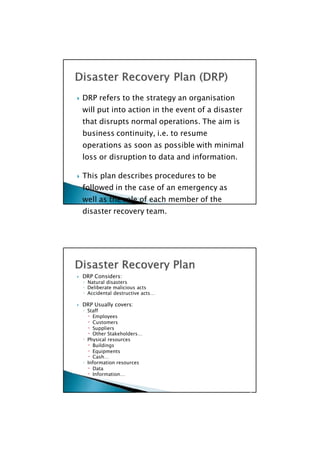
 Fault tolerant / Built in redundancies
 Disk mirroring
 Backups
◦ Hierarchically performed
◦ Where to store backup data?
◦ How often to backup?
 Uninterruptible power supply

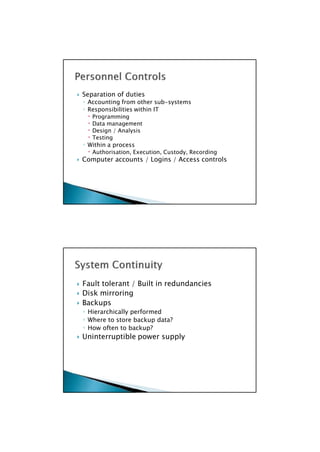
 Separation of duties
◦ Accounting from other sub-systems
◦ Responsibilities within IT
 Programming
 Data management
 Design / Analysis
 Testing
◦ Within a process
 Authorisation, Execution, Custody, Recording
 Computer accounts / Logins / Access controls

 DRP Considers:
◦ Natural disasters
◦ Deliberate malicious acts
◦ Accidental destructive acts…
 DRP Usually covers:
◦ Staff
 Employees
 Customers
 Suppliers
 Other Stakeholders…
◦ Physical resources
 Buildings
 Equipments
 Cash…
◦ Information resources
 Data
 Information…

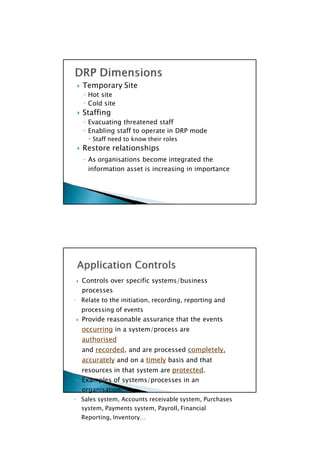
 DRP refers to the strategy an organisation
will put into action in the event of a disaster
that disrupts normal operations. The aim is
business continuity, i.e. to resume
operations as soon as possible with minimal
loss or disruption to data and information.
 This plan describes procedures to be
followed in the case of an emergency as
well as the role of each member of the
disaster recovery team.

 Controls over specific systems/business
processes
◦ Relate to the initiation, recording, reporting and
processing of events
 Provide reasonable assurance that the events
occurring in a system/process are
authorised
and recorded, and are processed completely,
accurately and on a timely basis and that
resources in that system are protected.
 Examples of systems/processes in an
organisation:
◦ Sales system, Accounts receivable system, Purchases
system, Payments system, Payroll, Financial
Reporting, Inventory…

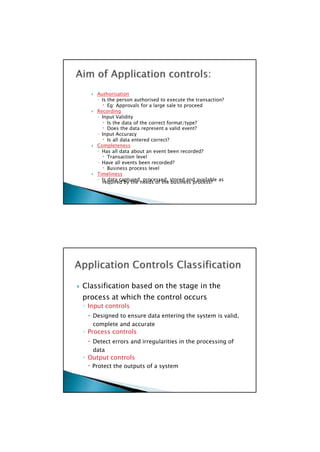
 Temporary Site
◦ Hot site
◦ Cold site
 Staffing
◦ Evacuating threatened staff
◦ Enabling staff to operate in DRP mode
 Staff need to know their roles
 Restore relationships
◦ As organisations become integrated the
information asset is increasing in importance

required by the needs of the business process?
 Classification based on the stage in the
process at which the control occurs
◦ Input controls
 Designed to ensure data entering the system is valid,
complete and accurate
◦ Process controls
 Detect errors and irregularities in the processing of
data
◦ Output controls
 Protect the outputs of a system

 Authorisation
◦ Is the person authorised to execute the transaction?
 Eg: Approvals for a large sale to proceed
 Recording
◦ Input Validity
 Is the data of the correct format/type?
 Does the data represent a valid event?
◦ Input Accuracy
 Is all data entered correct?
 Completeness
◦ Has all data about an event been recorded?
 Transaction level
◦ Have all events been recorded?
 Business process level
 Timeliness
◦ Is data captured, processed, stored and available as

 Edit Tests
◦ Check validity and accuracy after data has been input
 Test of content
 Numeric, Alphabetic, Alphanumeric
 Test of reasonableness
 Is the input within a specified range of values
 Eg Hours worked per week is between 0 and 60
 Test of sign (+ive, -ive)
 Test of completeness
 Test of sequence
 Has every document been input? Eg Cheques
 Requires pre-numbered source documents
 Test of consistency
 Check digit calculation
 Eg: Credit Card – calculate security number from card number
 Card Number 1234 5678 9012 3456
 Security Number: 687

 Observation, Recording and Transcription
◦ Feedback mechanism
 Eg: Customer reviews and signs sales form
◦ Dual observation
 Eg: Approval from a supervisor, more than one employee in
execution of sale
◦ Pre-designed forms
 Pre-numbered
 Layout of forms
 How does a pre-designed form help?

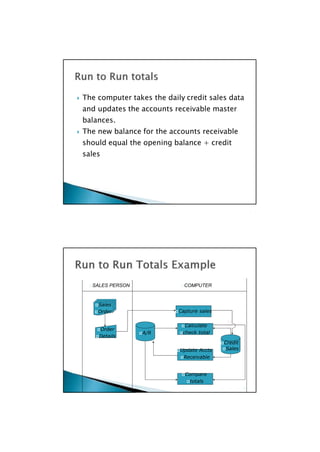
Invoice 001
Invoice 002
Invoice 007
Invoice 002
Invoice 003
Invoice 004
numbered documents
missing documents
SALES DEPT DATA ENTRY CLERK COMPUTER
Invoice 001
Sale occurs and
invoice prepared Invoices Missing
entered Invoice
006
Invoice 003 Invoice 005
Invoice 004 Invoice 007
Invoice 005
Checks for gaps in the
Invoice 006 sequence of pre-
The sequence check and alerts Clerk of
has identified that
Invoice 006 has not been
entered – we do not have
completeness. 
 Controls for the manipulation of data once it
has been input.
◦ Batch control totals
◦ Record counts
◦ Sequence checks
◦ Run to run totals
 Which aims do they achieve?
◦ Reliable financial reporting
 Accuracy of data processing / updates
 Completeness of data processing / updates

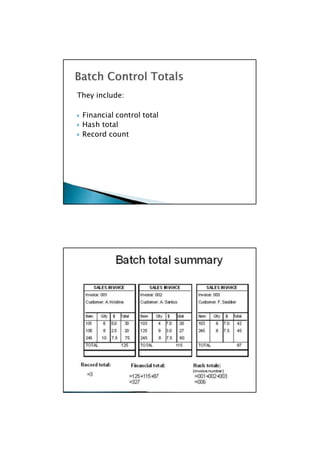
SALES PERSON COMPUTER
Sales
Order
Order
Details
Capture sales
Calculate
A/R check total
Credit
Update Accts Sales
Receivable
Compare
totals

 The computer takes the daily credit sales data
and updates the accounts receivable master
balances.
 The new balance for the accounts receivable
should equal the opening balance + credit
sales

30
They include:
 Financial control total
 Hash total
 Record count

 Judgement error
 Unexpected transaction
 Collusion
 Management override
 Weak internal controls
 Conflicting signals

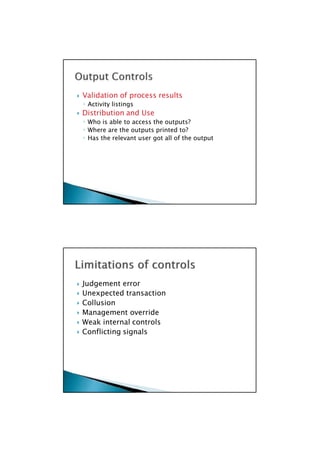
 Validation of process results
◦ Activity listings
 Distribution and Use
◦ Who is able to access the outputs?
◦ Where are the outputs printed to?
◦ Has the relevant user got all of the output

 Blair, B and Boyce, G, 2006 (Eds), Accounting Information
Systems with Social and Organisational Perspectives, John
Wiley, Milton
 Turner, L. & Weickgenannt, A. (2009) Accounting Information
Systems: Controls and Processes, Wiley
I wish to acknowledge Dr. Chadi Aoun’s input and material that were
incorporated into the lecture slides as well as the supplementary
material and sources provided by John Wiley publishers.

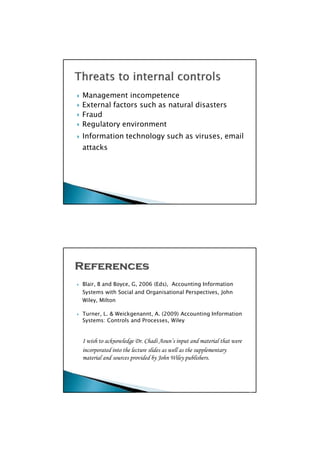
 Management incompetence
 External factors such as natural disasters
 Fraud
 Regulatory environment
 Information technology such as viruses, email
attacks

For more details on Assignment Help/ Homework Help/
Online Tuitions visit our website at
http://www.helpwithassignment.com
Thank You

Accounting System Design and Development-Internal Controls

  • 1.
     Aims ofa computerised accounting information systems  General and application controls  Limitations of controls  Threats to internal controls  Internal Controls (Part II) Accounting System Design and Development
  • 2.
     Identify 3advantages of computerised application controls. 
  • 3.
     Proper authorisationsuch as authoring valid transaction  Proper record such as input and output accuracy  Completeness  Timeliness   Consistent execution, authorisation, and application  Enforce Completeness  More difficult to avoid  More timely and efficient to execute  More timely reporting and feedback!!  …etc 
  • 4.
     Some risksapply across a number of areas of the organisation. To address these risks we have GENERAL CONTROLS.  General controls effect the overall information system.  General controls are established with the aim of providing reasonable assurance that the internal control objectives are achieved.  These controls effect all applications  Seen as pervasive – these controls will apply across almost all of the information systems in an organisation.  Support the effective operation of application controls   General Control ◦ Policies/procedures relating to many applications ◦ Support the effective operation of application controls  Application Control ◦ Manual or automated ◦ Operate within a business process / application ◦ Relate to the initiation, recording, reporting and processing of events ◦ Deal with the aims of occurrence, authorisation, completeness and accuracy 
  • 5.
    custody of ◦Access to systems ◦ Policies and procedures ◦ Data protection Telecommunications  Access encryption techniques  To data files ◦ Disaster recovery  Hardware  Physical controls  Segregation of duties  User access  System development procedures  User awareness of risks  Data storage procedures   Organisational  Systems Development ◦ Separation of duties ◦ User involvement  Design, programming, ◦ Authorisation operations, data entry, ◦ Documentation documentation software restricted  Recruitment  Termination ◦ Transmission /  To computer facilities  Other  Authorised users ◦ Backup/Off site storage ◦ Monitor and detect failures 
  • 6.
    processed, and usesystem output. information needs and then design an information analysts and creates an information system by company’s computer. They ensure that data is right output is produced. corporate databases and files.  Systems administration – ensure that the different parts of an information system operate smoothly and efficiently.  Network management – ensure that all applicable devices are linked to the organisation’s internal and external networks and that the networks operate continuously and properly.  Change management – manage all changes to an organisation’s information system to ensure they are made smoothly and efficiently and to prevent errors and fraud.  Users – record transactions, authorize data to be  Systems analysis – helps users determine their system to meet those needs.  Programming – take the design provided by system writing the computer programs.  Computer operations – run the software on the input properly and correctly processed and the  Database administration – maintain and manage
  • 7.
    ◦ Virtual privatenetworks ◦ Electronic eavesdropping ◦ Message acknowledgement procedures ◦ What unique risks do microcomputers present to an  Wireless technology  Wired Networks ◦ Routing verification procedures  Microcomputers organisation?  Location of computing facility  Restrict employee access  The use of Biometrics   Change management – the person (usually a developer) who makes the IS change should be different from the person who makes the change available to users – the process of making changes available to all users is usually called “migration into production”  Why do we need to segregate these functions? 
  • 8.
     Fault tolerant/ Built in redundancies  Disk mirroring  Backups ◦ Hierarchically performed ◦ Where to store backup data? ◦ How often to backup?  Uninterruptible power supply   Separation of duties ◦ Accounting from other sub-systems ◦ Responsibilities within IT  Programming  Data management  Design / Analysis  Testing ◦ Within a process  Authorisation, Execution, Custody, Recording  Computer accounts / Logins / Access controls 
  • 9.
     DRP Considers: ◦Natural disasters ◦ Deliberate malicious acts ◦ Accidental destructive acts…  DRP Usually covers: ◦ Staff  Employees  Customers  Suppliers  Other Stakeholders… ◦ Physical resources  Buildings  Equipments  Cash… ◦ Information resources  Data  Information…   DRP refers to the strategy an organisation will put into action in the event of a disaster that disrupts normal operations. The aim is business continuity, i.e. to resume operations as soon as possible with minimal loss or disruption to data and information.  This plan describes procedures to be followed in the case of an emergency as well as the role of each member of the disaster recovery team. 
  • 10.
     Controls overspecific systems/business processes ◦ Relate to the initiation, recording, reporting and processing of events  Provide reasonable assurance that the events occurring in a system/process are authorised and recorded, and are processed completely, accurately and on a timely basis and that resources in that system are protected.  Examples of systems/processes in an organisation: ◦ Sales system, Accounts receivable system, Purchases system, Payments system, Payroll, Financial Reporting, Inventory…   Temporary Site ◦ Hot site ◦ Cold site  Staffing ◦ Evacuating threatened staff ◦ Enabling staff to operate in DRP mode  Staff need to know their roles  Restore relationships ◦ As organisations become integrated the information asset is increasing in importance 
  • 11.
    required by theneeds of the business process?  Classification based on the stage in the process at which the control occurs ◦ Input controls  Designed to ensure data entering the system is valid, complete and accurate ◦ Process controls  Detect errors and irregularities in the processing of data ◦ Output controls  Protect the outputs of a system   Authorisation ◦ Is the person authorised to execute the transaction?  Eg: Approvals for a large sale to proceed  Recording ◦ Input Validity  Is the data of the correct format/type?  Does the data represent a valid event? ◦ Input Accuracy  Is all data entered correct?  Completeness ◦ Has all data about an event been recorded?  Transaction level ◦ Have all events been recorded?  Business process level  Timeliness ◦ Is data captured, processed, stored and available as 
  • 12.
     Edit Tests ◦Check validity and accuracy after data has been input  Test of content  Numeric, Alphabetic, Alphanumeric  Test of reasonableness  Is the input within a specified range of values  Eg Hours worked per week is between 0 and 60  Test of sign (+ive, -ive)  Test of completeness  Test of sequence  Has every document been input? Eg Cheques  Requires pre-numbered source documents  Test of consistency  Check digit calculation  Eg: Credit Card – calculate security number from card number  Card Number 1234 5678 9012 3456  Security Number: 687   Observation, Recording and Transcription ◦ Feedback mechanism  Eg: Customer reviews and signs sales form ◦ Dual observation  Eg: Approval from a supervisor, more than one employee in execution of sale ◦ Pre-designed forms  Pre-numbered  Layout of forms  How does a pre-designed form help? 
  • 13.
    Invoice 001 Invoice 002 Invoice007 Invoice 002 Invoice 003 Invoice 004 numbered documents missing documents SALES DEPT DATA ENTRY CLERK COMPUTER Invoice 001 Sale occurs and invoice prepared Invoices Missing entered Invoice 006 Invoice 003 Invoice 005 Invoice 004 Invoice 007 Invoice 005 Checks for gaps in the Invoice 006 sequence of pre- The sequence check and alerts Clerk of has identified that Invoice 006 has not been entered – we do not have completeness.   Controls for the manipulation of data once it has been input. ◦ Batch control totals ◦ Record counts ◦ Sequence checks ◦ Run to run totals  Which aims do they achieve? ◦ Reliable financial reporting  Accuracy of data processing / updates  Completeness of data processing / updates 
  • 14.
    SALES PERSON COMPUTER Sales Order Order Details Capturesales Calculate A/R check total Credit Update Accts Sales Receivable Compare totals   The computer takes the daily credit sales data and updates the accounts receivable master balances.  The new balance for the accounts receivable should equal the opening balance + credit sales 
  • 15.
    30 They include:  Financialcontrol total  Hash total  Record count 
  • 16.
     Judgement error Unexpected transaction  Collusion  Management override  Weak internal controls  Conflicting signals   Validation of process results ◦ Activity listings  Distribution and Use ◦ Who is able to access the outputs? ◦ Where are the outputs printed to? ◦ Has the relevant user got all of the output 
  • 17.
     Blair, Band Boyce, G, 2006 (Eds), Accounting Information Systems with Social and Organisational Perspectives, John Wiley, Milton  Turner, L. & Weickgenannt, A. (2009) Accounting Information Systems: Controls and Processes, Wiley I wish to acknowledge Dr. Chadi Aoun’s input and material that were incorporated into the lecture slides as well as the supplementary material and sources provided by John Wiley publishers.   Management incompetence  External factors such as natural disasters  Fraud  Regulatory environment  Information technology such as viruses, email attacks 
  • 18.
    For more detailson Assignment Help/ Homework Help/ Online Tuitions visit our website at http://www.helpwithassignment.com Thank You