EDU 03- TECHNOLOGY AND
COMMUNICATION IN EDUCATION
TOPIC : Web services- E mail, Chat,
Online Forums
Submitted by,
Anila C R
Aparna Nath A
Ardra D
Fathima Jaffer
Helen Anna Toms
Submitted to,
Ms. Laiji R
Assistant Professor
Mount Tabor Training College
Pathanapuram
Electronic mail
Email or email, is a method of exchanging digital messages using
Simple Mail Transfer Protocol (SMTP)
 Email is a service provided by the WWW.
 Persons with internet address can exchange message and files.
 When you send email from your computer, it reaches the email
address of the receiver.
An email address consists of two parts - username@hostname
e.g.amit@gmail.com.
An electronic mail message consists of two
components, the message header, and the message
body, which is the email content.
The message header contains control information,
including, minimally, an originator& email address and
one or more recipient addresses.
additional information is added, such as a subject
header field.
Creating email id:
• Enter an email site like www.yahoomail.com.
• Then click the option new account or sign up.
• After filling the details correctly including email id and
password, should be submitted.
•This creates an email for you with an email id and
password.
To : enter email id of the recipient
 Cc: enter email id of the recipients of carbon copy of the
message ( same message to many people)
 Bcc: enter email id of the recipients of Blind Carbon
Copy
 Subject: enter subject heading
 Message area: Click there and enter the message
 Send :Click that icon to send the message.
 To attach files: click attach, browse and select a file to be
attached and then click send.
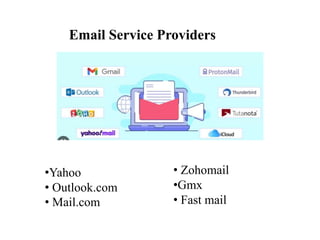
Email Service Providers
•Yahoo
• Outlook.com
• Mail.com
• Zohomail
•Gmx
• Fast mail
Advantages
Instant delivery of message.
 Number of copies to many people at the same time.
 Cheap means of communication.
 Enables attachment of different files.
 The mail is sent even in the absence of the recipient
online.
The received messages are kept in the mail box and can
be viewed any time.
Disadvantages
 Irrelevant message may be received.
 Creates overloading of information.
Personal touch and emotion is missing.
Viruses are transmitted through email.
 Email when used to send unsolicited message, create
nuisance and it is termed as spam.
 Email is the main source through which hacking and
phishing is done.
CHAT
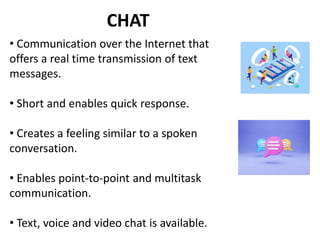
• Communication over the Internet that
offers a real time transmission of text
messages.
• Short and enables quick response.
• Creates a feeling similar to a spoken
conversation.
• Enables point-to-point and multitask
communication.
• Text, voice and video chat is available.
• The expression, online chat came from the word chat
which means "informal conversation".
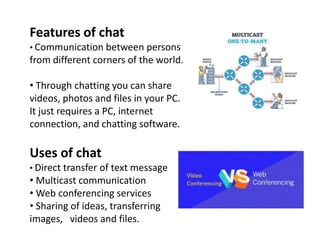
• The first online chat system was called talkomatic,
created by Doug Brown and David R. Woolley in 1973 on
the PLATO System at the University of Illinois.
Features of chat
• Communication between persons
from different corners of the world.
• Through chatting you can share
videos, photos and files in your PC.
It just requires a PC, internet
connection, and chatting software.
Uses of chat
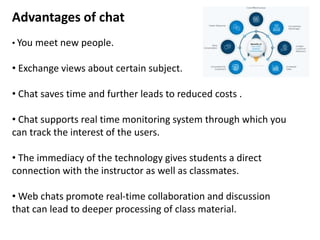
• Direct transfer of text message
• Multicast communication
• Web conferencing services
• Sharing of ideas, transferring
images, videos and files.
Advantages of chat
• You meet new people.
• Exchange views about certain subject.
• Chat saves time and further leads to reduced costs .
• Chat supports real time monitoring system through which you
can track the interest of the users.
• The immediacy of the technology gives students a direct
connection with the instructor as well as classmates.
• Web chats promote real-time collaboration and discussion
that can lead to deeper processing of class material.
Disadvantages of chat
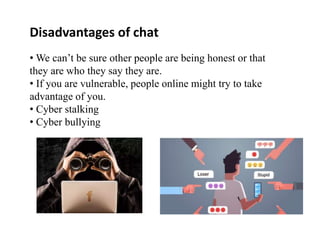
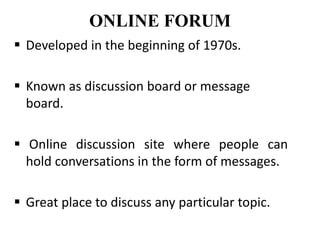
• We can’t be sure other people are being honest or that
they are who they say they are.
• If you are vulnerable, people online might try to take
advantage of you.
• Cyber stalking
• Cyber bullying
ONLINE FORUM
 Developed in the beginning of 1970s.
 Known as discussion board or message
board.
 Online discussion site where people can
hold conversations in the form of messages.
 Great place to discuss any particular topic.
• Examples are reddit, quora, India-forums,
experts-exchange, trip advisor, ask ubundu,
something awful etc.
STRUCTURE OF ONLINE FORUMS
• Consist of tree-like structure.
• Top end is categories, for relevant
discussions.
• Under categories there are sub-forums and
these sub-forums have further more sub
forums.
• Under sub forums there are topics or
threads, are places where members can start
discussion.
DISPLAY FORMATS – How messages
are displayed?
• Non-threaded : If messages are not related.
• Semi-threaded : Have a message topic and
have multiple replies.
• Fully threaded : Common message topic,
replies to that and replies to reply.
Merits
• Teach each other
• more democratic exchange.
• Increased interaction time.
•Encouragement of critical thinking.
• Flexibility and convenience.
• Students find a expertise resource.
• Individualization of learning.
• Own new skills and ideas.
Demerits
• Discussion can go off topic.
• Needs to be moderated and monitored.
• Lack of computer or network may affect
learning process.
• Lag between posts make following discussion
difficult.
• Technical problem affect learning process
THANK YOU

webservices.pptx

  • 1.
    EDU 03- TECHNOLOGYAND COMMUNICATION IN EDUCATION TOPIC : Web services- E mail, Chat, Online Forums Submitted by, Anila C R Aparna Nath A Ardra D Fathima Jaffer Helen Anna Toms Submitted to, Ms. Laiji R Assistant Professor Mount Tabor Training College Pathanapuram
  • 2.
    Electronic mail Email oremail, is a method of exchanging digital messages using Simple Mail Transfer Protocol (SMTP)  Email is a service provided by the WWW.  Persons with internet address can exchange message and files.  When you send email from your computer, it reaches the email address of the receiver. An email address consists of two parts - username@hostname e.g.amit@gmail.com.
  • 3.
    An electronic mailmessage consists of two components, the message header, and the message body, which is the email content. The message header contains control information, including, minimally, an originator& email address and one or more recipient addresses. additional information is added, such as a subject header field.
  • 4.
    Creating email id: •Enter an email site like www.yahoomail.com. • Then click the option new account or sign up. • After filling the details correctly including email id and password, should be submitted. •This creates an email for you with an email id and password.
  • 5.
    To : enteremail id of the recipient  Cc: enter email id of the recipients of carbon copy of the message ( same message to many people)  Bcc: enter email id of the recipients of Blind Carbon Copy  Subject: enter subject heading  Message area: Click there and enter the message  Send :Click that icon to send the message.  To attach files: click attach, browse and select a file to be attached and then click send.
  • 6.
    Email Service Providers •Yahoo •Outlook.com • Mail.com • Zohomail •Gmx • Fast mail
  • 7.
    Advantages Instant delivery ofmessage.  Number of copies to many people at the same time.  Cheap means of communication.  Enables attachment of different files.  The mail is sent even in the absence of the recipient online. The received messages are kept in the mail box and can be viewed any time.
  • 8.
    Disadvantages  Irrelevant messagemay be received.  Creates overloading of information. Personal touch and emotion is missing. Viruses are transmitted through email.  Email when used to send unsolicited message, create nuisance and it is termed as spam.  Email is the main source through which hacking and phishing is done.
  • 9.
    CHAT • Communication overthe Internet that offers a real time transmission of text messages. • Short and enables quick response. • Creates a feeling similar to a spoken conversation. • Enables point-to-point and multitask communication. • Text, voice and video chat is available.
  • 10.
    • The expression,online chat came from the word chat which means "informal conversation". • The first online chat system was called talkomatic, created by Doug Brown and David R. Woolley in 1973 on the PLATO System at the University of Illinois.
  • 11.
    Features of chat •Communication between persons from different corners of the world. • Through chatting you can share videos, photos and files in your PC. It just requires a PC, internet connection, and chatting software. Uses of chat • Direct transfer of text message • Multicast communication • Web conferencing services • Sharing of ideas, transferring images, videos and files.
  • 12.
    Advantages of chat •You meet new people. • Exchange views about certain subject. • Chat saves time and further leads to reduced costs . • Chat supports real time monitoring system through which you can track the interest of the users. • The immediacy of the technology gives students a direct connection with the instructor as well as classmates. • Web chats promote real-time collaboration and discussion that can lead to deeper processing of class material.
  • 13.
    Disadvantages of chat •We can’t be sure other people are being honest or that they are who they say they are. • If you are vulnerable, people online might try to take advantage of you. • Cyber stalking • Cyber bullying
  • 14.
    ONLINE FORUM  Developedin the beginning of 1970s.  Known as discussion board or message board.  Online discussion site where people can hold conversations in the form of messages.  Great place to discuss any particular topic.
  • 15.
    • Examples arereddit, quora, India-forums, experts-exchange, trip advisor, ask ubundu, something awful etc.
  • 16.
    STRUCTURE OF ONLINEFORUMS • Consist of tree-like structure. • Top end is categories, for relevant discussions. • Under categories there are sub-forums and these sub-forums have further more sub forums. • Under sub forums there are topics or threads, are places where members can start discussion.
  • 17.
    DISPLAY FORMATS –How messages are displayed? • Non-threaded : If messages are not related. • Semi-threaded : Have a message topic and have multiple replies. • Fully threaded : Common message topic, replies to that and replies to reply.
  • 18.
    Merits • Teach eachother • more democratic exchange. • Increased interaction time. •Encouragement of critical thinking. • Flexibility and convenience. • Students find a expertise resource. • Individualization of learning. • Own new skills and ideas.
  • 19.
    Demerits • Discussion cango off topic. • Needs to be moderated and monitored. • Lack of computer or network may affect learning process. • Lag between posts make following discussion difficult. • Technical problem affect learning process
  • 20.