Webinar Series:
Introducing an
Operational Portal
Structure,
the core of a
Digital Workplace
Redefining Workwith Office 365
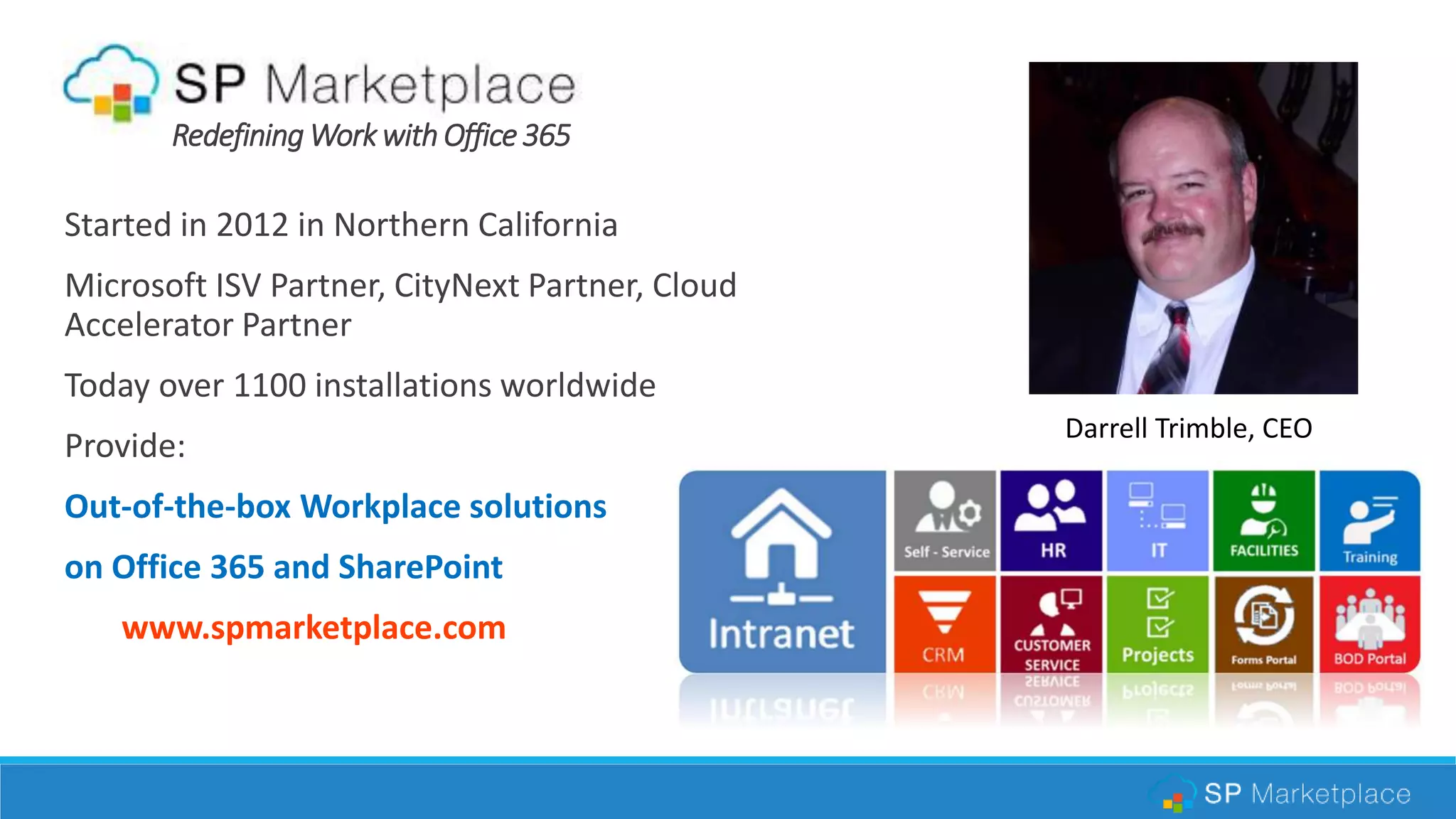
Started in 2012 in Northern California
Microsoft ISV Partner, CityNext Partner, Cloud
Accelerator Partner
Today over 1100 installations worldwide
Provide:
Out-of-the-box Workplace solutions
on Office 365 and SharePoint
www.spmarketplace.com
Darrell Trimble, CEO
AGENDA
 The challenge of making it easy to do business inside your
company
 Introduce the concept of a digital workplace
 Deploying a Digital Workplace on Office 365
 Introduce an Operational Portal Structure in a Digital
Workplace
 Best Practice Structure
 Intranet Home
 Employee Self-Service
 Department Portals
 Build or buy? An out-of-the-box solution
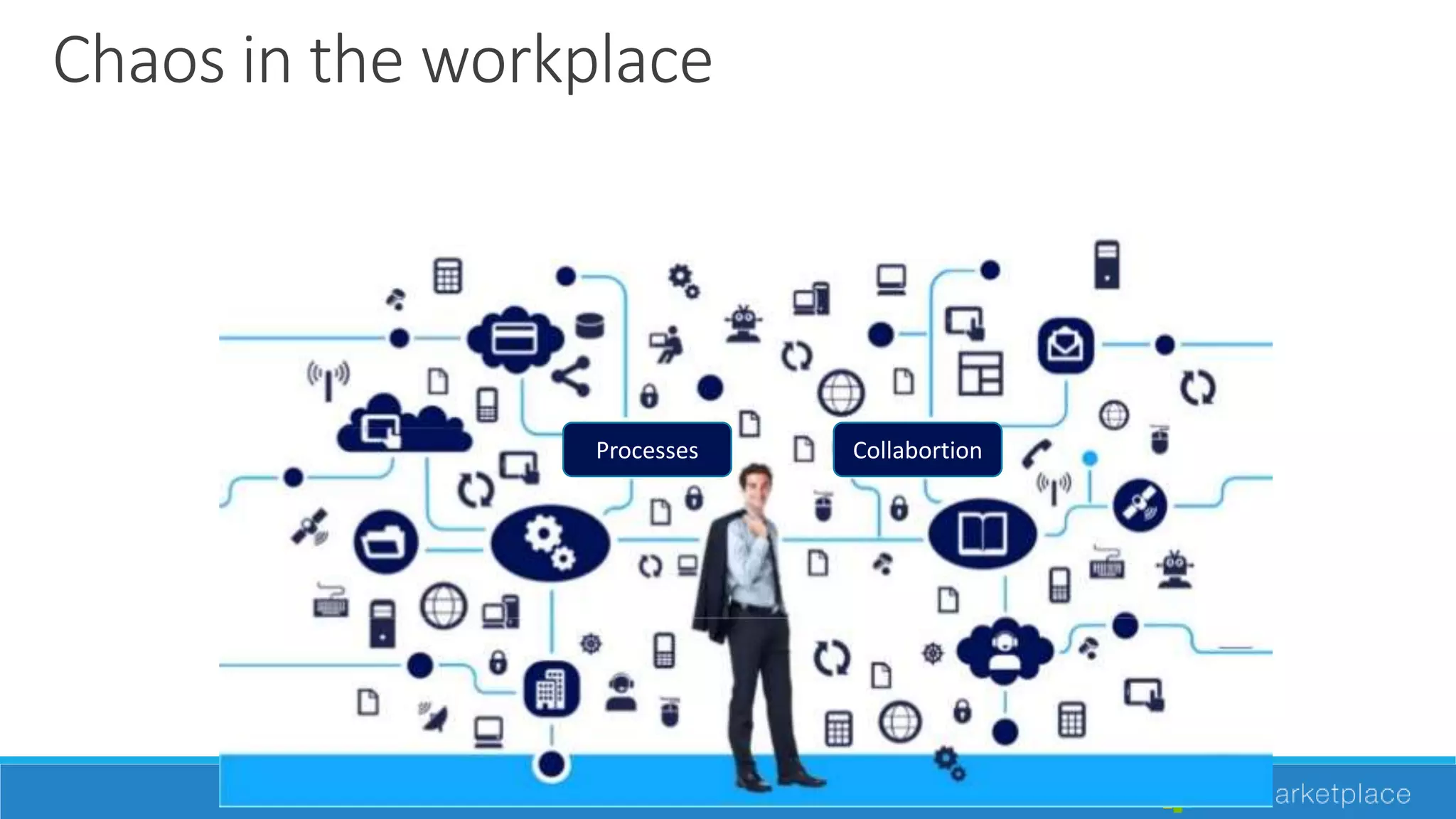
Chaos in the workplace
Processes Collabortion
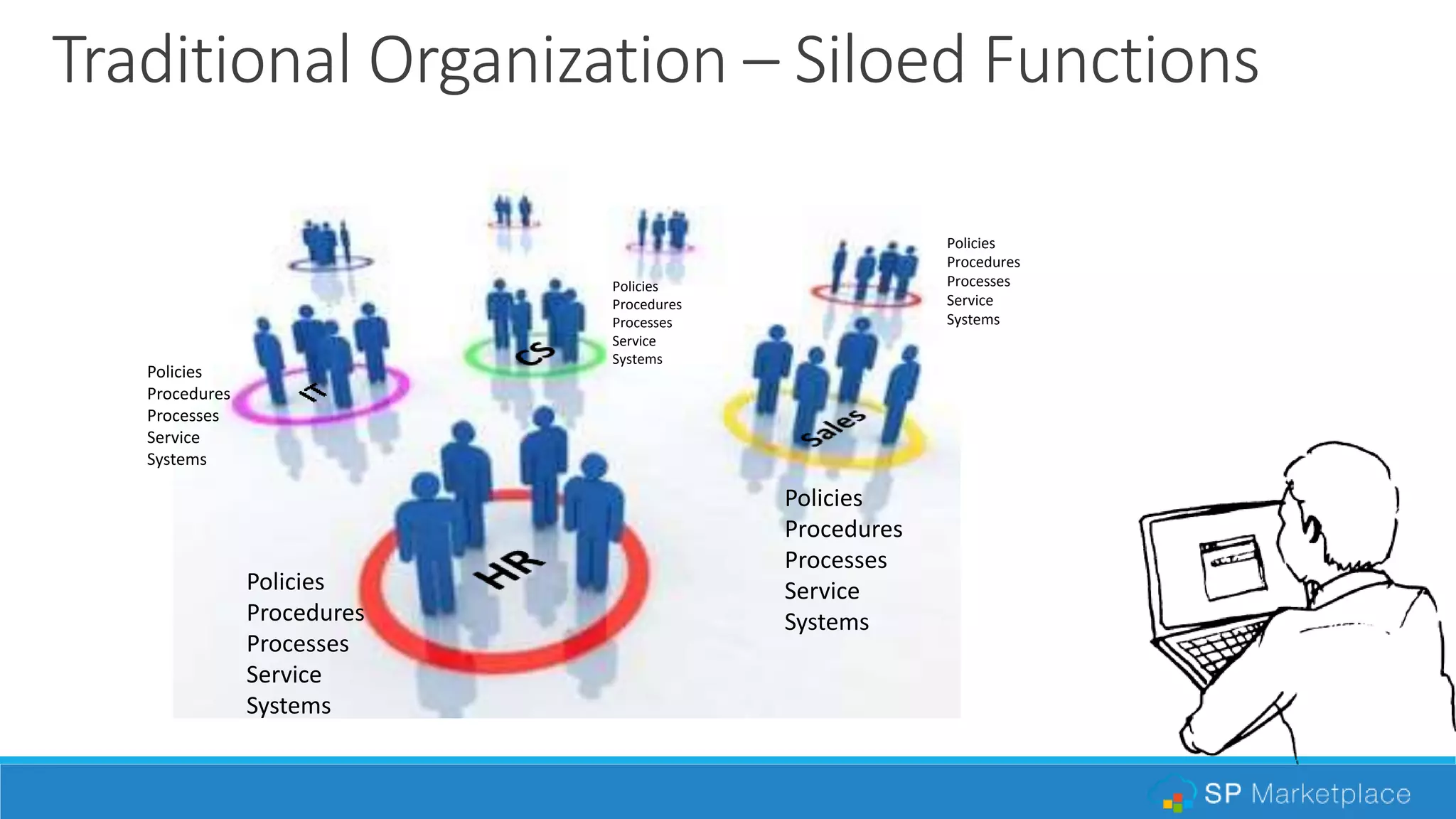
Traditional Organization – Siloed Functions
Policies
Procedures
Processes
Service
Systems
Policies
Procedures
Processes
Service
Systems
Policies
Procedures
Processes
Service
Systems
Policies
Procedures
Processes
Service
Systems
Policies
Procedures
Processes
Service
Systems
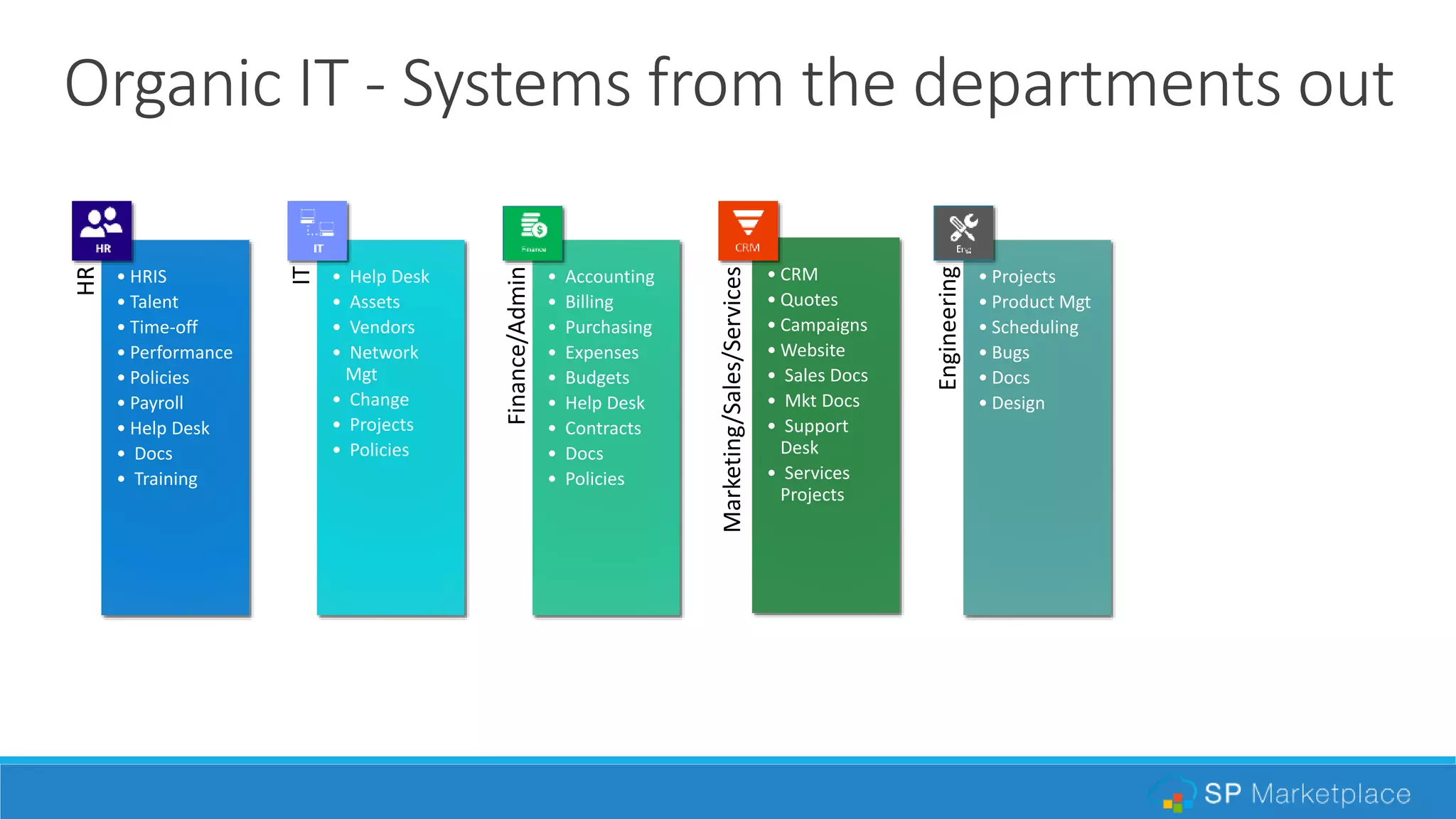
Organic IT - Systems from the departments outHR
• HRIS
• Talent
• Time-off
• Performance
• Policies
• Payroll
• Help Desk
• Docs
• Training
IT
• Help Desk
• Assets
• Vendors
• Network
Mgt
• Change
• Projects
• Policies
Finance/Admin
• Accounting
• Billing
• Purchasing
• Expenses
• Budgets
• Help Desk
• Contracts
• Docs
• Policies
Marketing/Sales/Services
• CRM
• Quotes
• Campaigns
• Website
• Sales Docs
• Mkt Docs
• Support
Desk
• Services
Projects
Engineering
• Projects
• Product Mgt
• Scheduling
• Bugs
• Docs
• Design
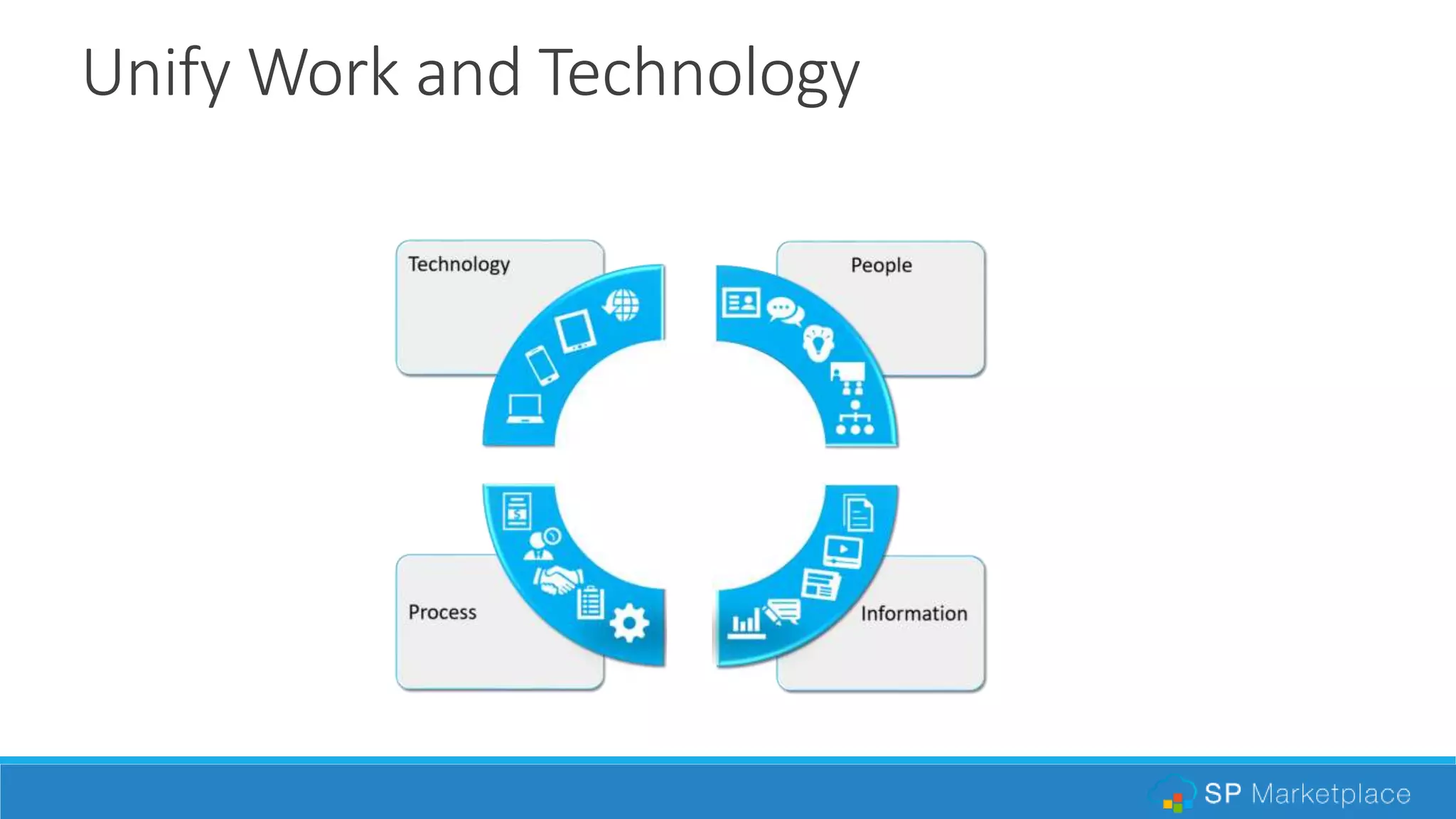
Unify Work and Technology
•
Information
•Process
•People•Technology
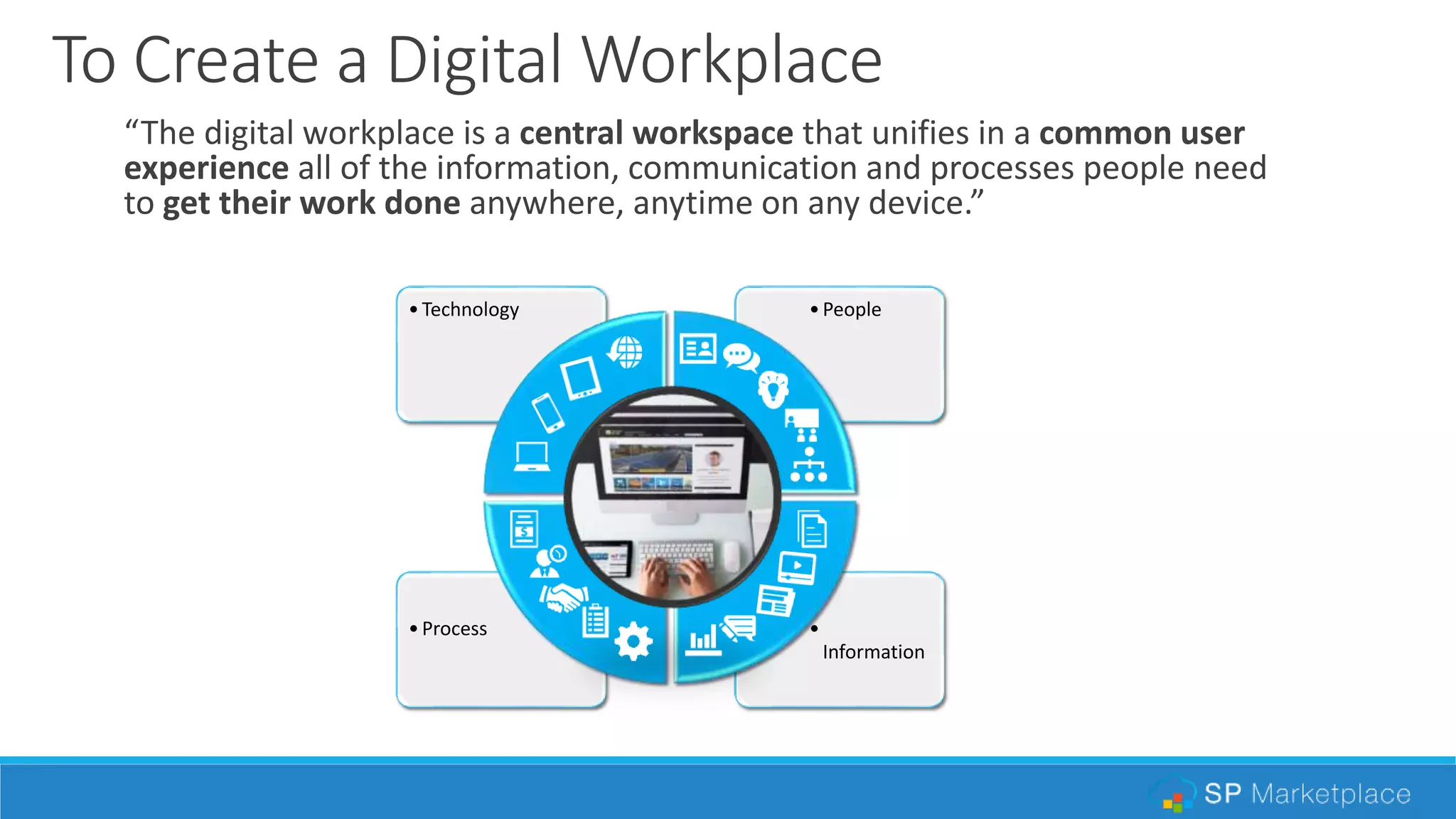
To Create a Digital Workplace
“The digital workplace is a central workspace that unifies in a common user
experience all of the information, communication and processes people need
to get their work done anywhere, anytime on any device.”
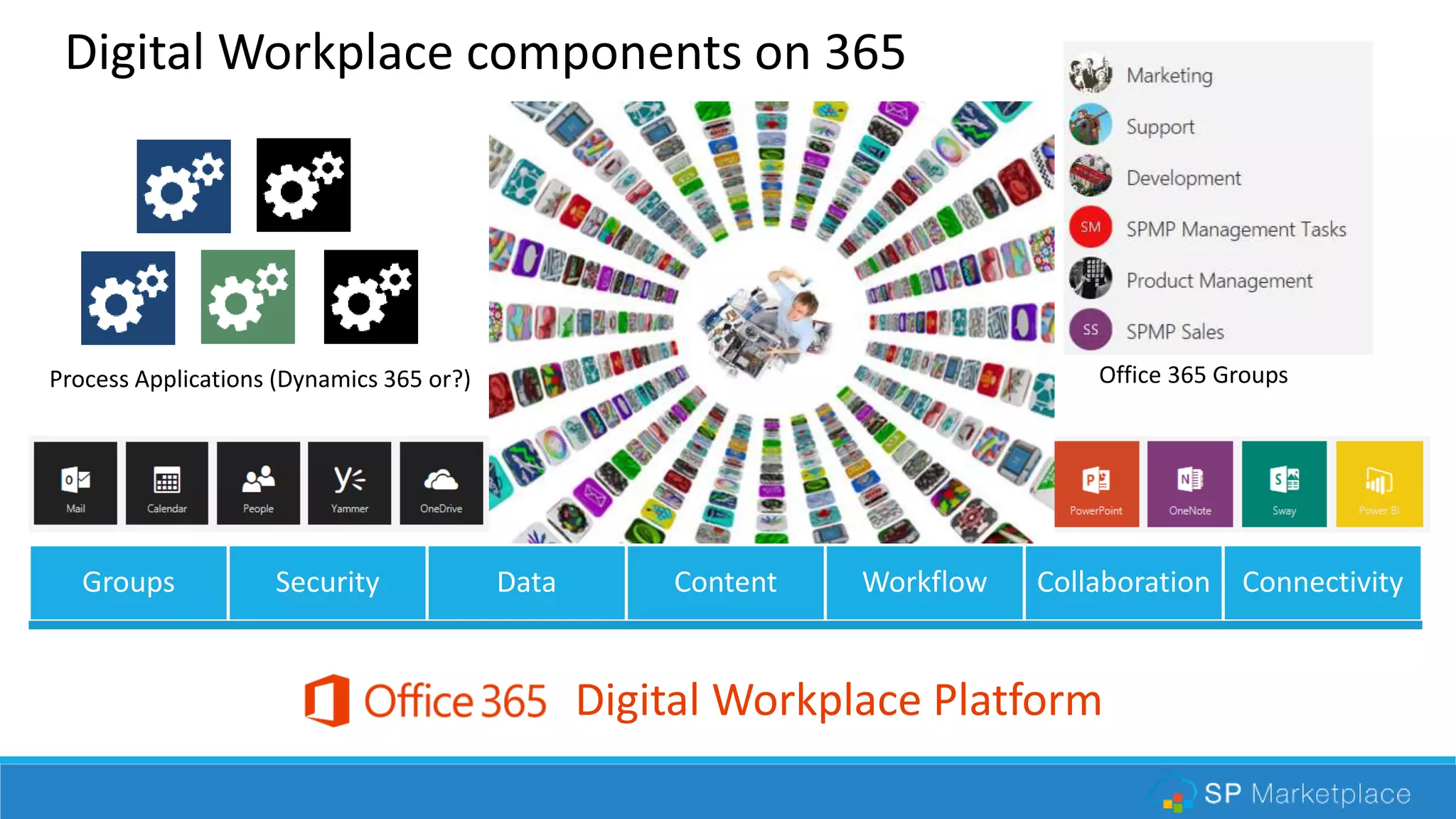
Groups Security Data Content Workflow Collaboration Connectivity
Digital Workplace Platform
Operational Portals (SharePoint) Office 365 GroupsProcess Applications (Dynamics 365 or?)
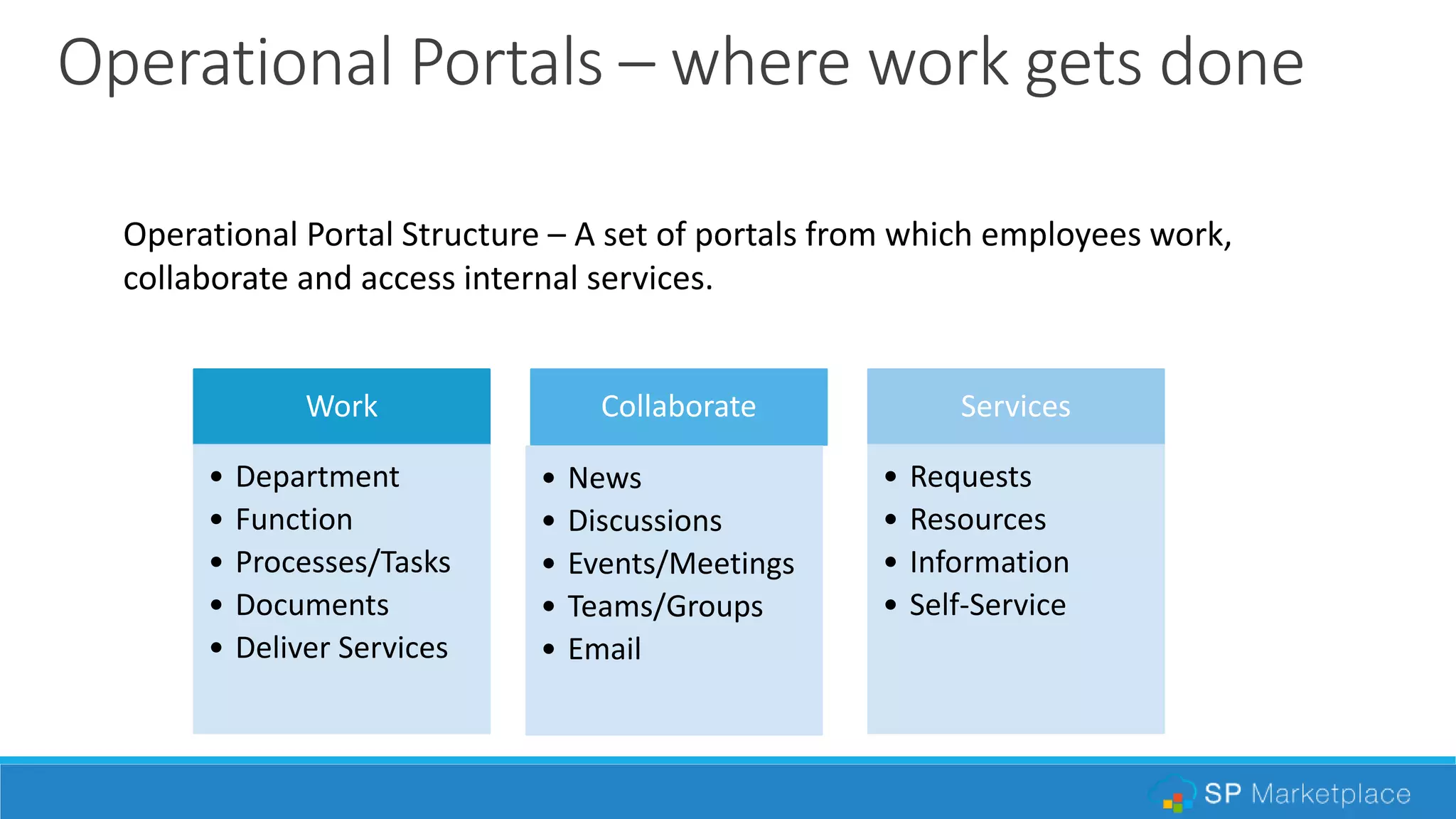
Operational Portals – where work gets done
Operational Portal Structure – A set of portals from which employees work,
collaborate and access internal services.
Work
• Department
• Function
• Processes/Tasks
• Documents
• Deliver Services
Collaborate
• News
• Discussions
• Events/Meetings
• Teams/Groups
• Email
Services
• Requests
• Resources
• Information
• Self-Service
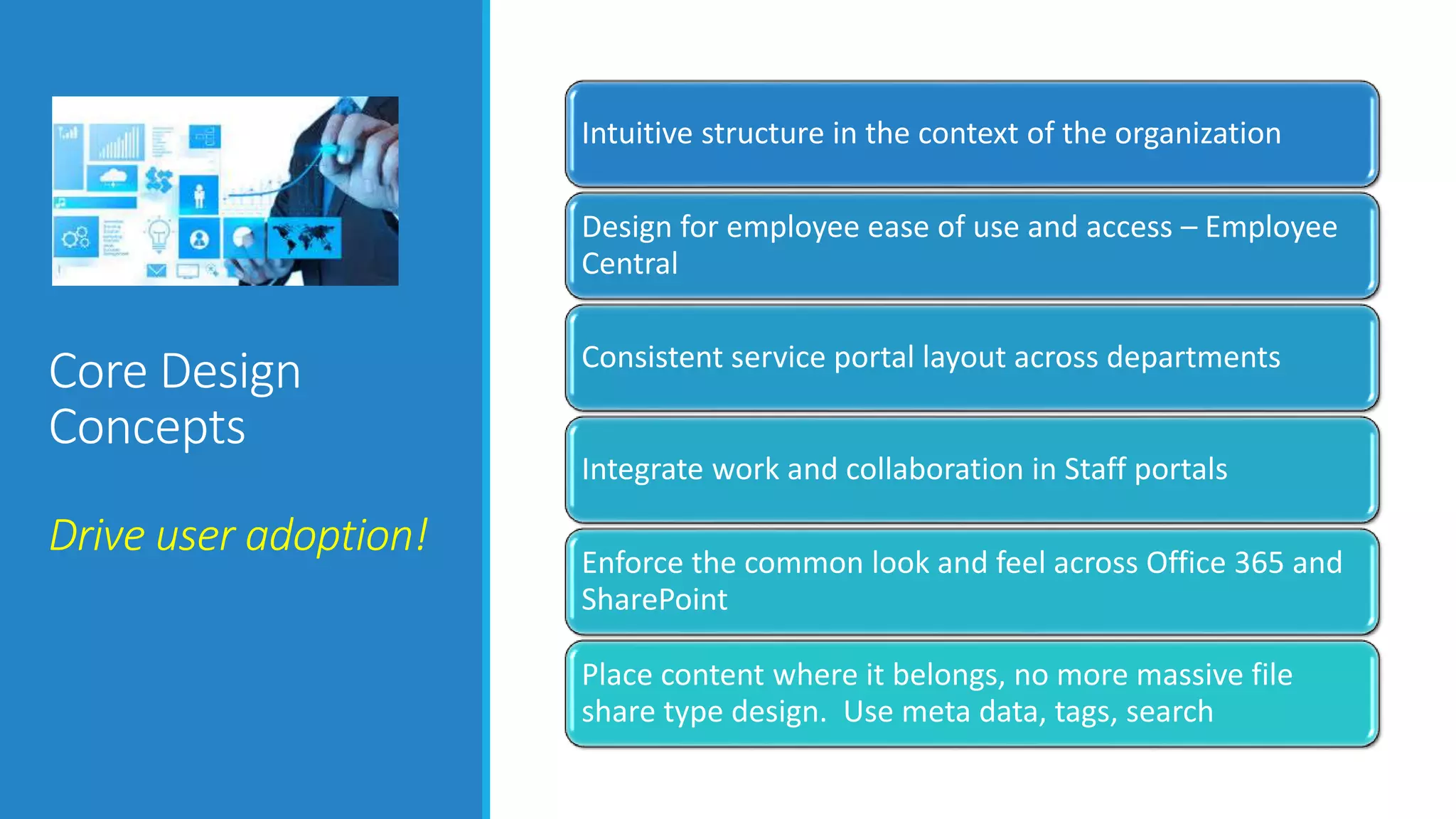
Core Design
Concepts
Drive user adoption!
Intuitive structure in the context of the organization
Design for employee ease of use and access – Employee
Central
Consistent service portal layout across departments
Integrate work and collaboration in Staff portals
Enforce the common look and feel across Office 365 and
SharePoint
Place content where it belongs, no more massive file
share type design. Use meta data, tags, search
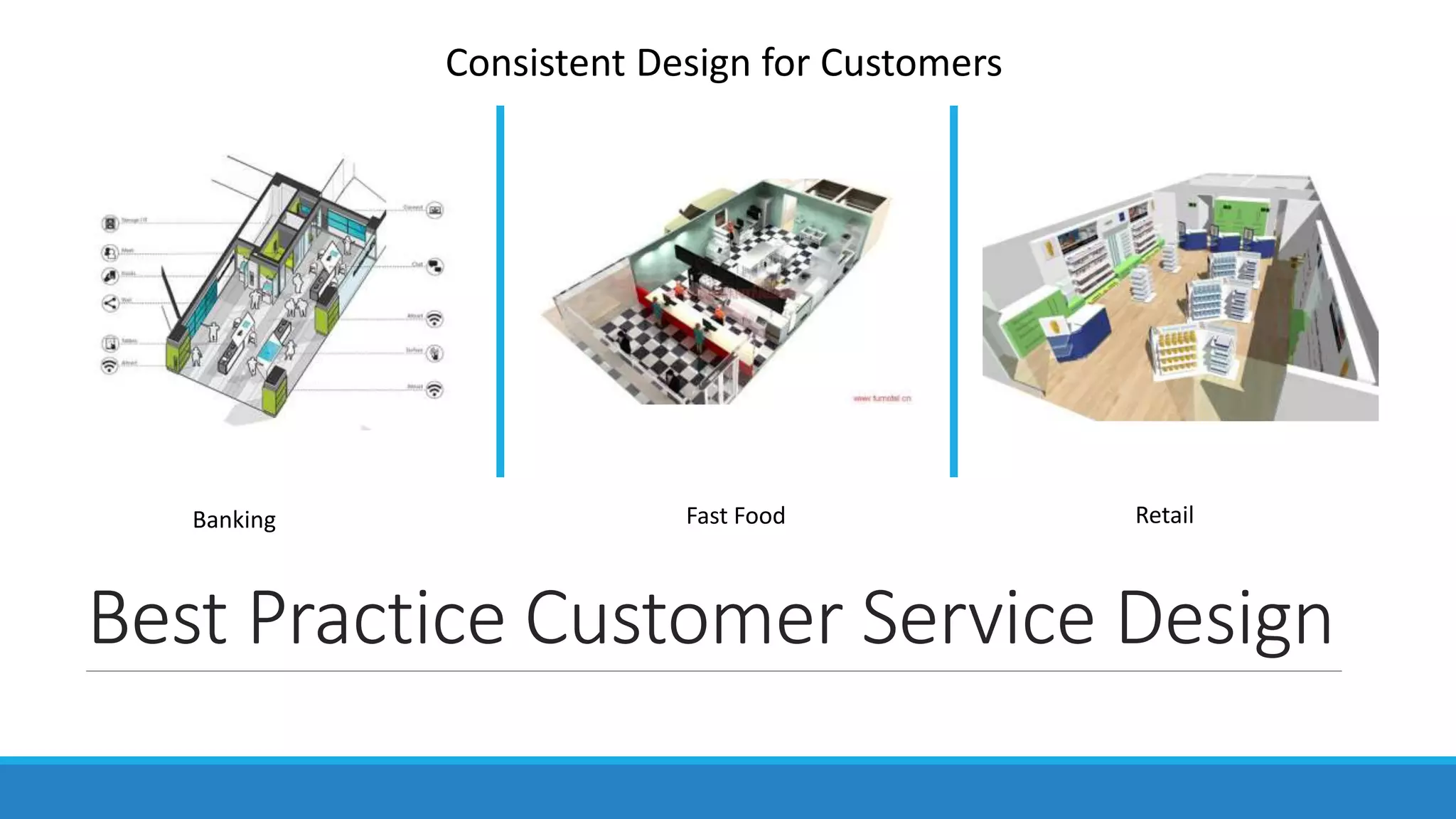
Best Practice Customer Service Design
Banking Fast Food Retail
Consistent Design for Customers
WWW.COLLAB365.EVENTS
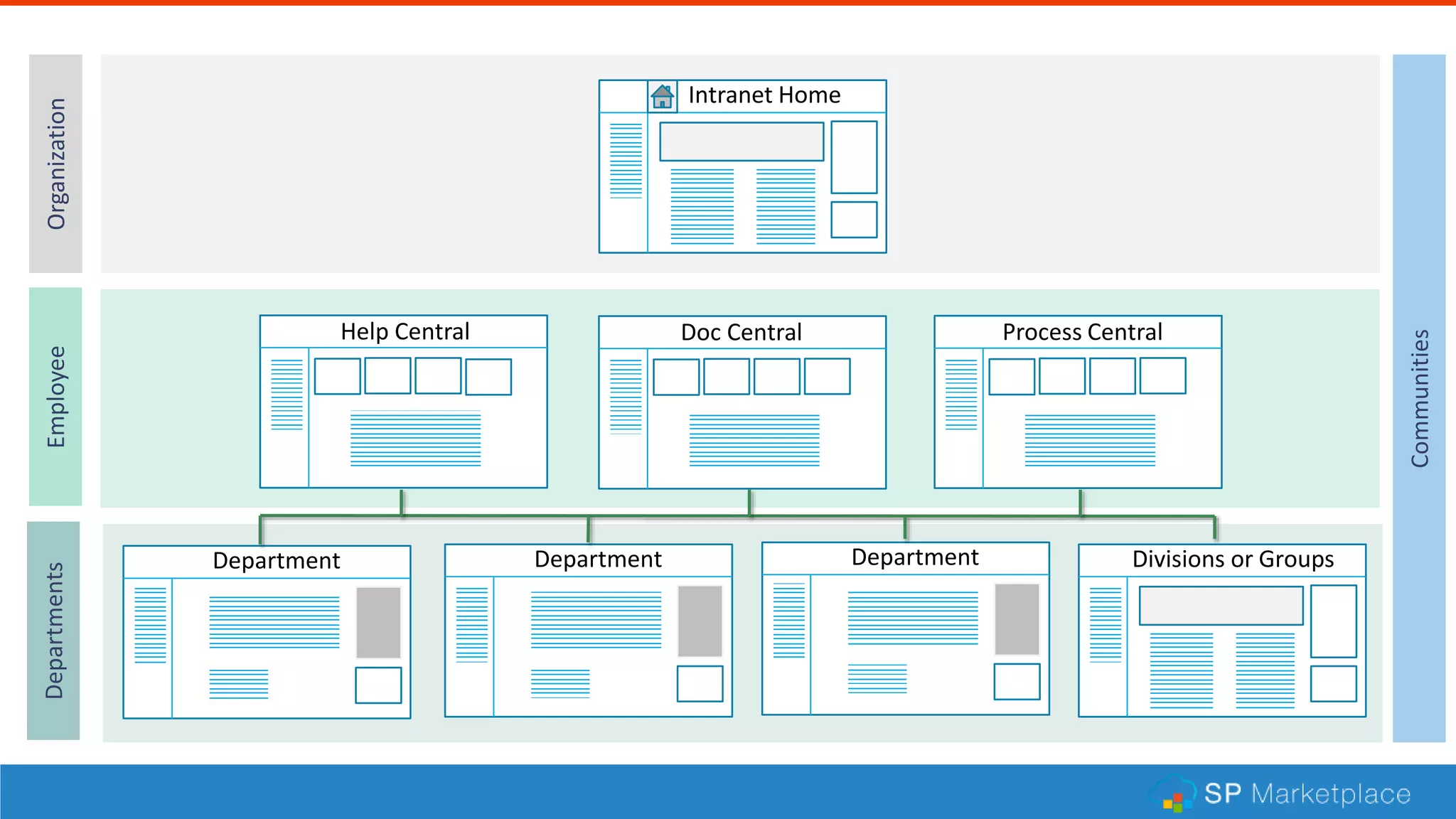
Department
Intranet Home
Department Department
Help Central Doc Central Process Central
OrganizationEmployeeDepartments
Communities
Divisions or Groups
WWW.COLLAB365.EVENTS
Department
Intranet Home
Department Department
Help Central Doc Central Process Central
OrganizationEmployeeDepartments
Communities
Divisions or Groups
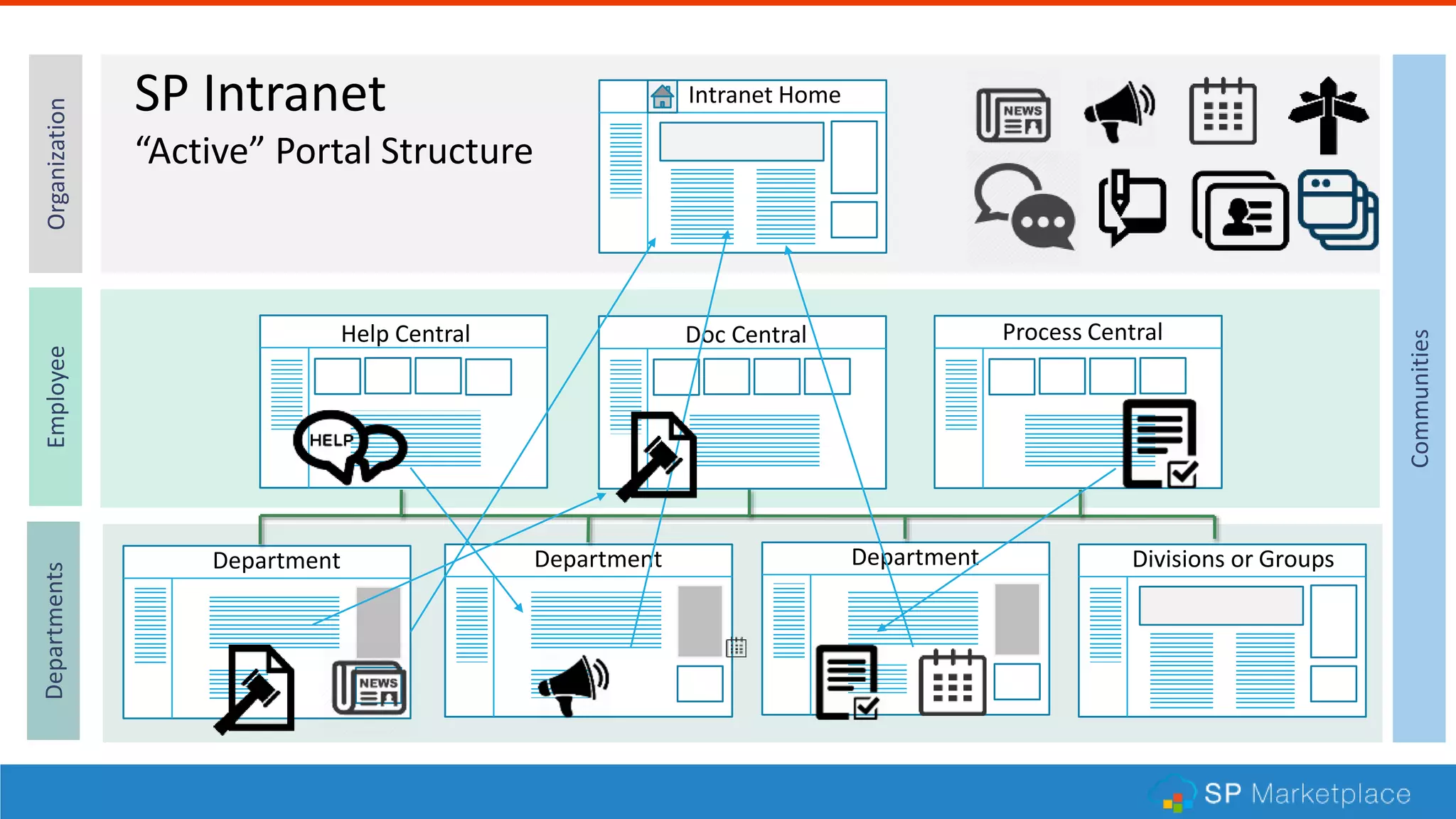
SP Intranet
“Active” Portal Structure
Intranet Home
Intranet
Dept Dept Dept
Employee
Central
Operational Portals
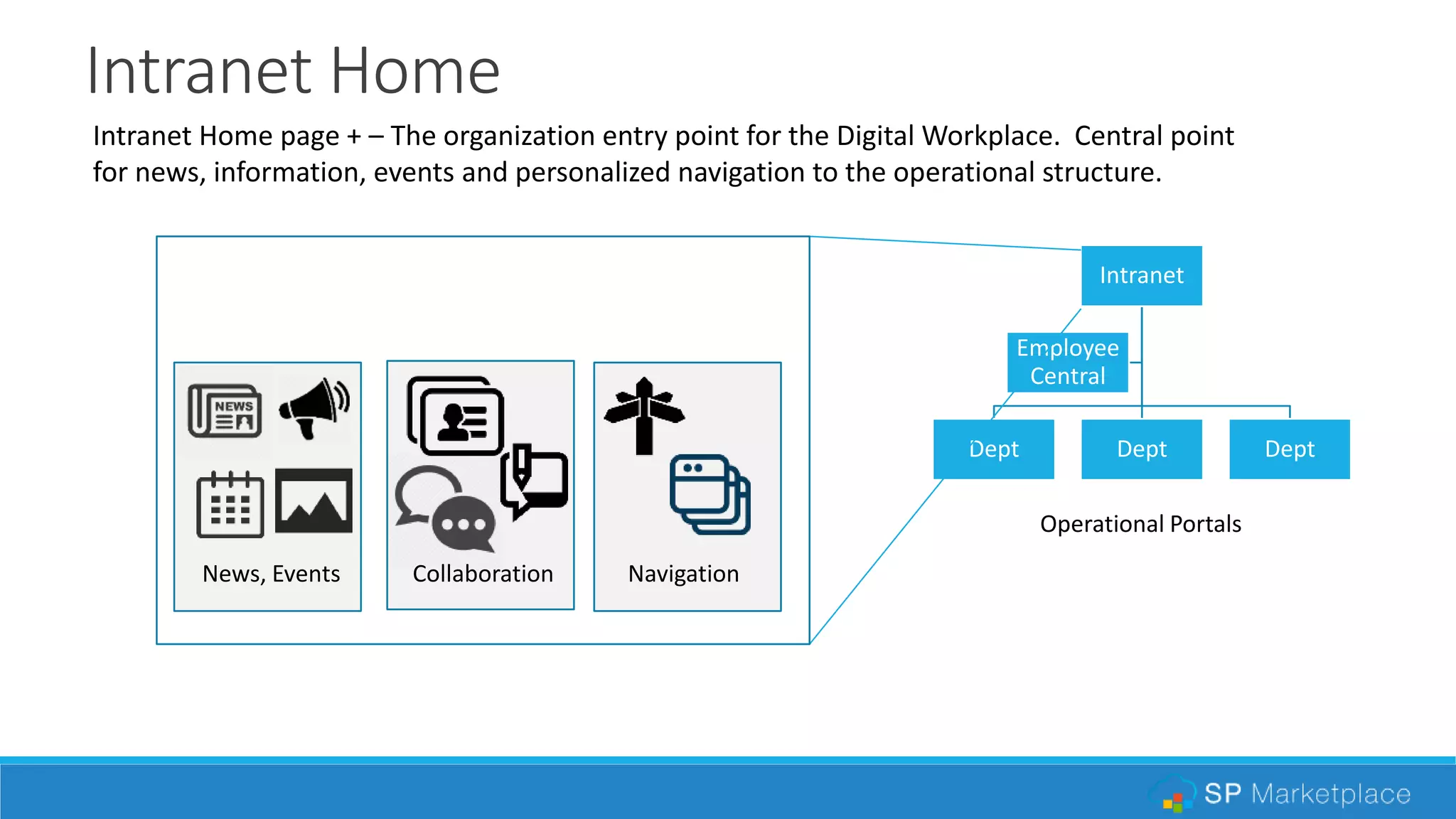
Intranet Home page + – The organization entry point for the Digital Workplace. Central point
for news, information, events and personalized navigation to the operational structure.
News, Events Collaboration Navigation
Employee Central
Intranet
Dept Dept Dept
Employee
Central
Operational Portals
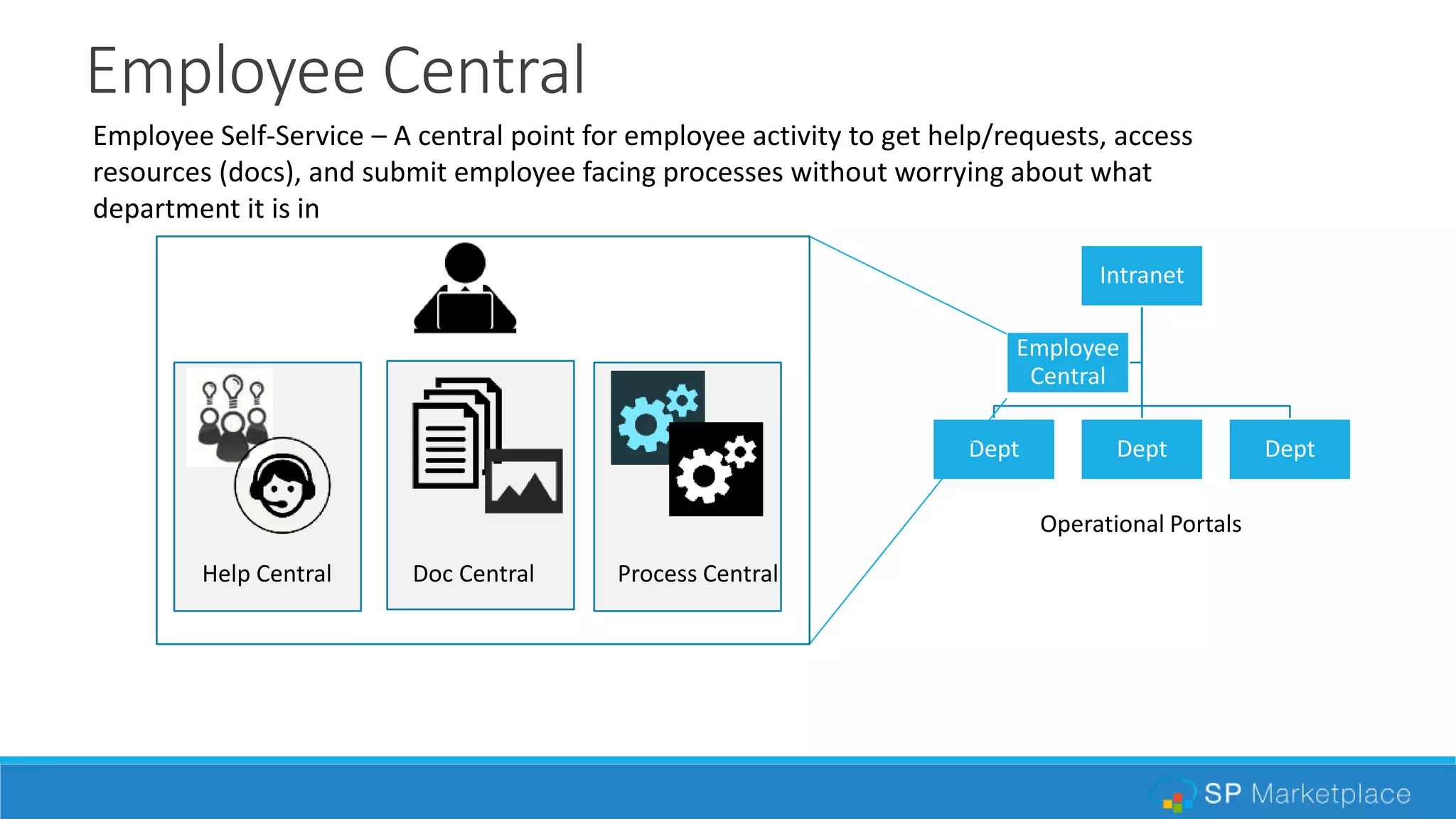
Employee Self-Service – A central point for employee activity to get help/requests, access
resources (docs), and submit employee facing processes without worrying about what
department it is in
Help Central Doc Central Process Central
Department Portals
Intranet
Dept Dept Dept
Employee
Central
Operational Portals
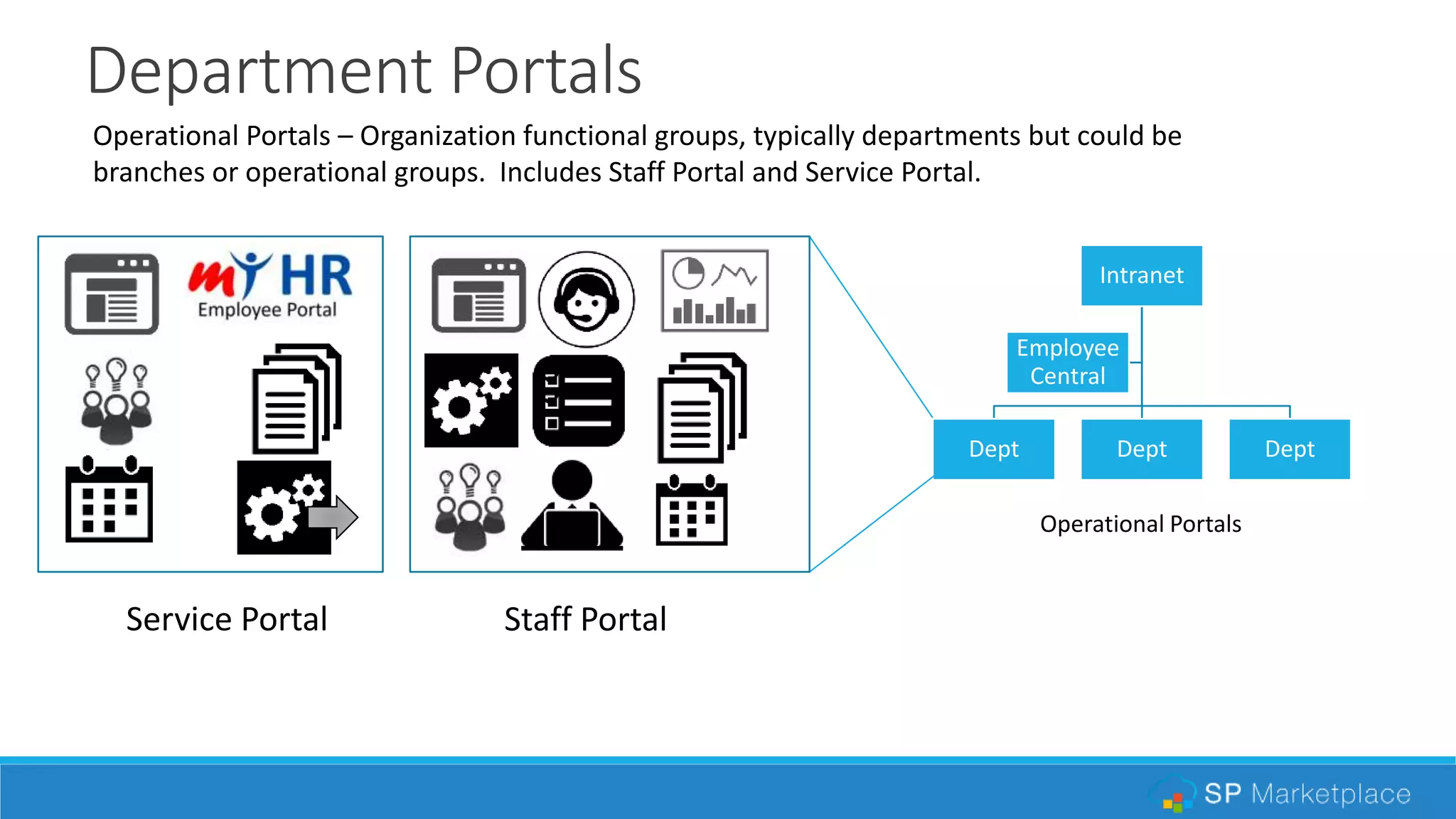
Service Portal Staff Portal
Operational Portals – Organization functional groups, typically departments but could be
branches or operational groups. Includes Staff Portal and Service Portal.
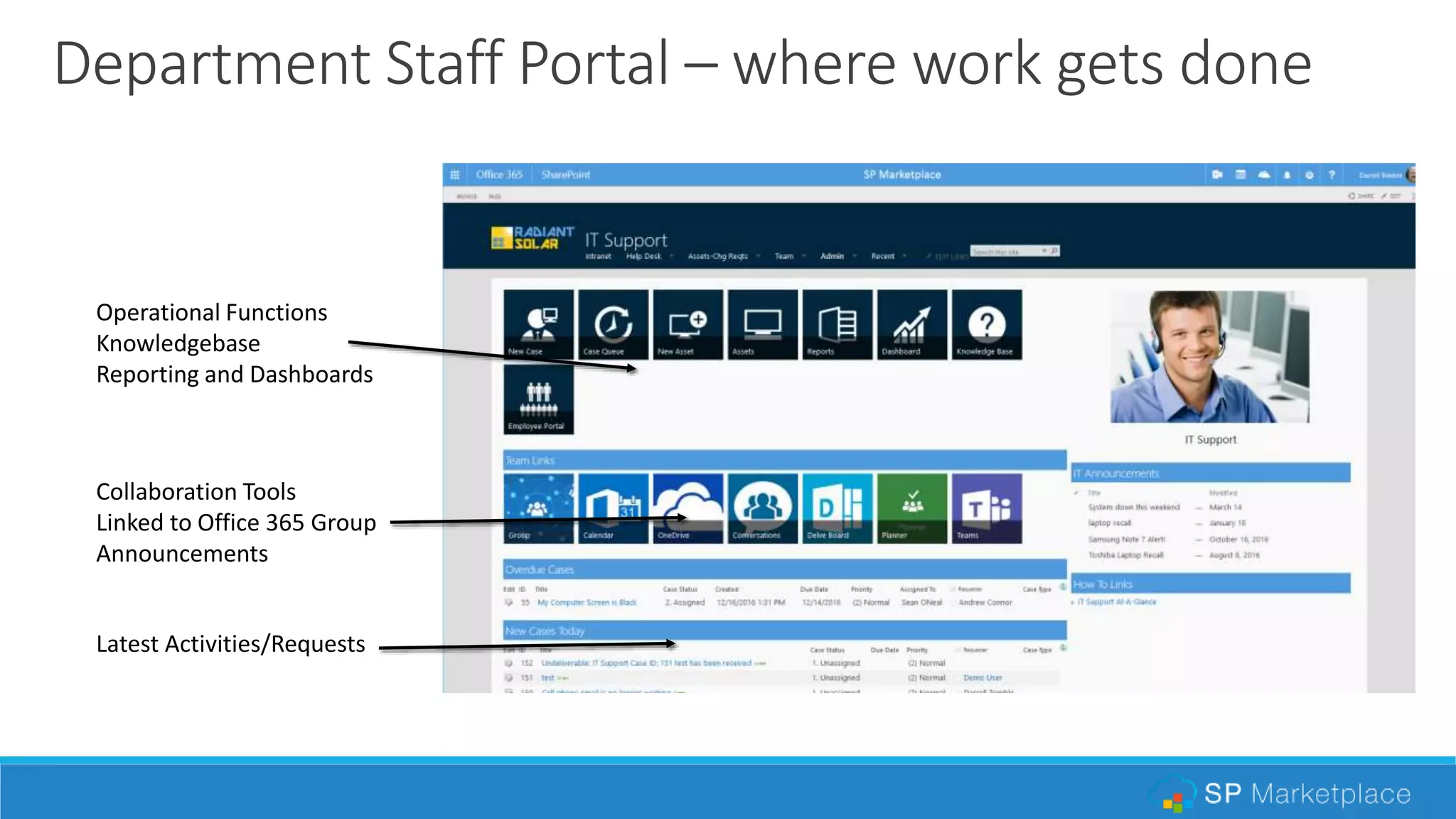
Department Staff Portal – where work gets done
Operational Functions
Knowledgebase
Reporting and Dashboards
Collaboration Tools
Linked to Office 365 Group
Announcements
Latest Activities/Requests
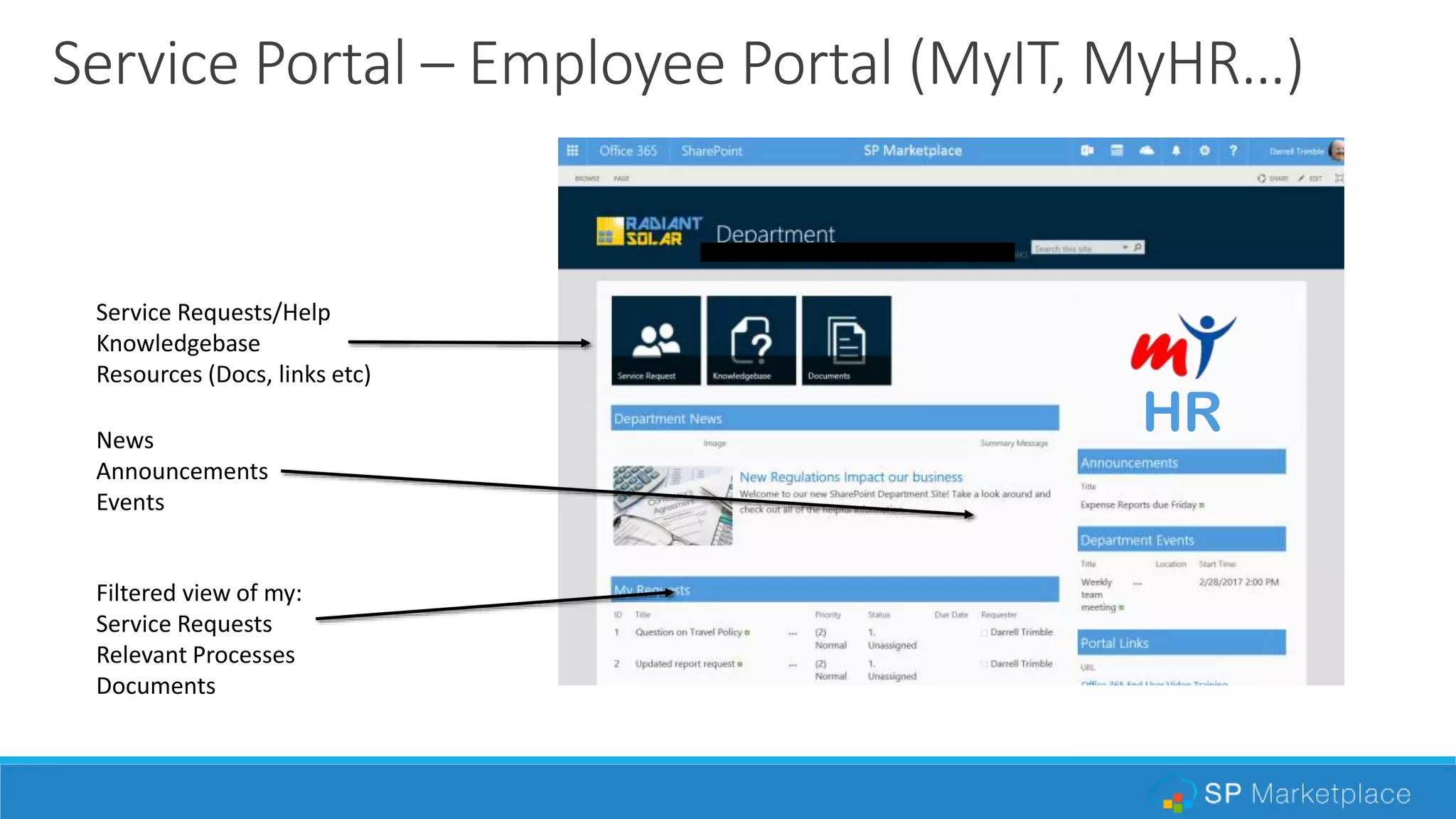
Service Portal – Employee Portal (MyIT, MyHR…)
Service Requests/Help
Knowledgebase
Resources (Docs, links etc)
Filtered view of my:
Service Requests
Relevant Processes
Documents
News
Announcements
Events
HR
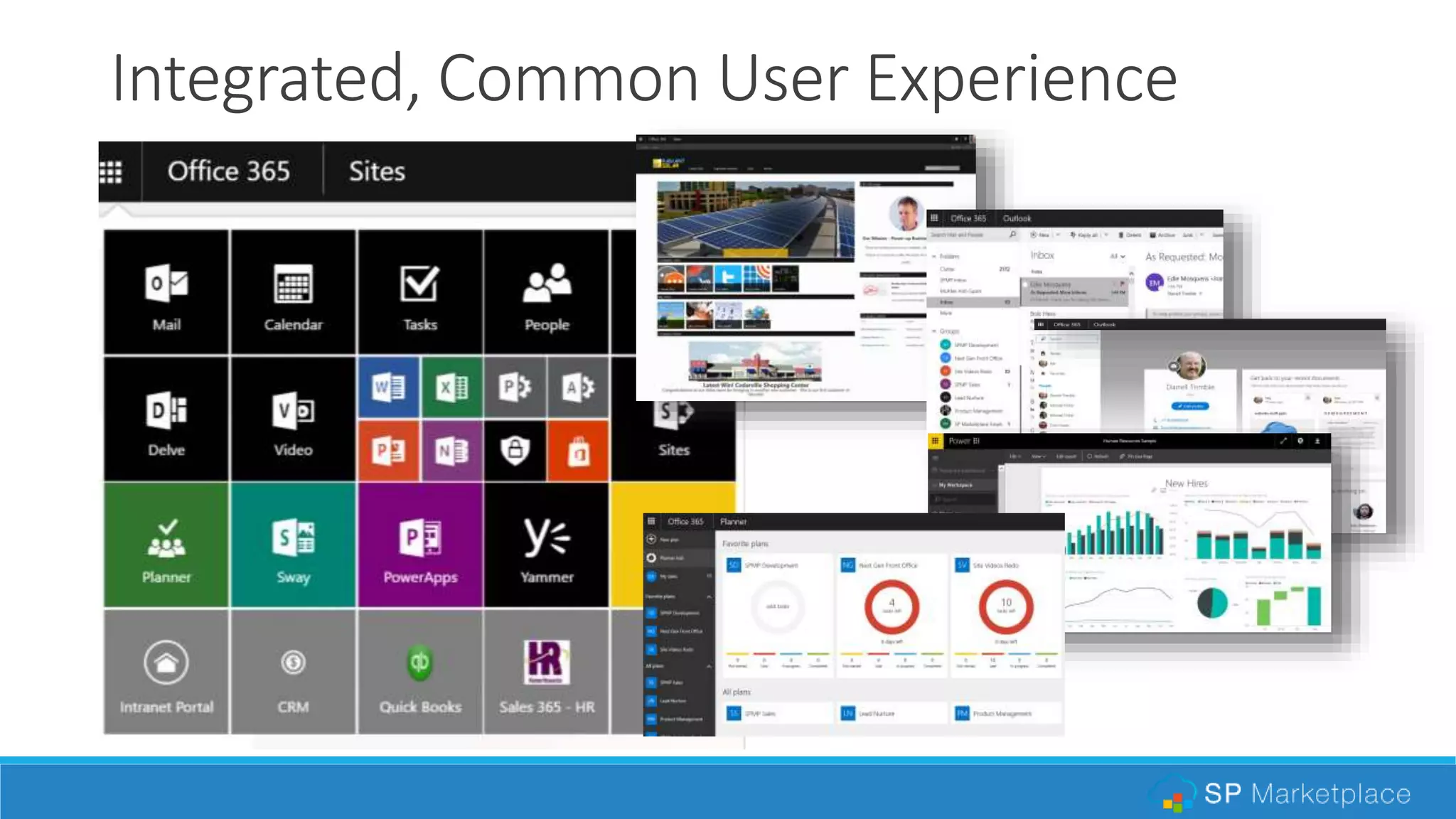
Integrated, Common User Experience
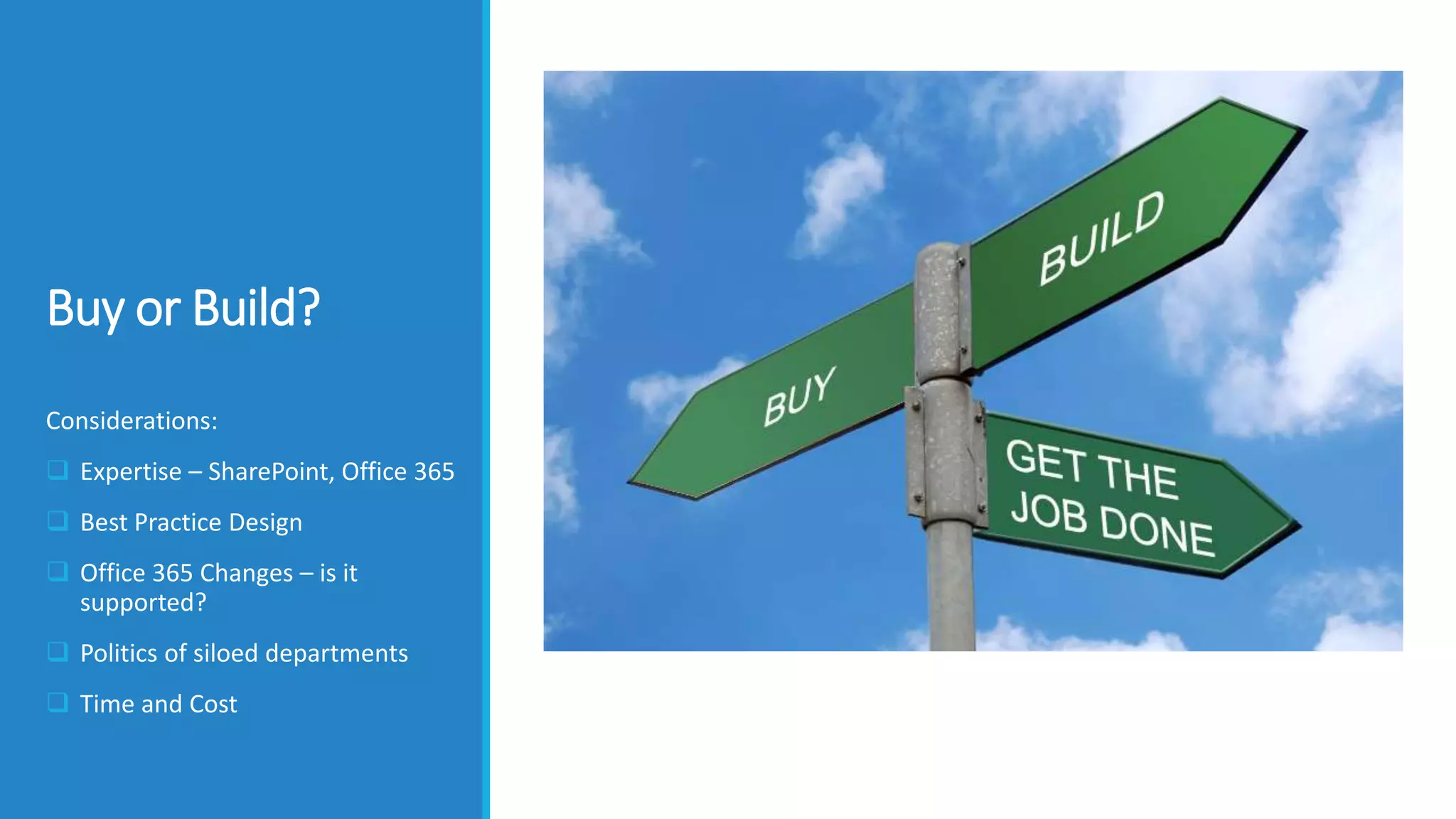
Buy or Build?
Considerations:
 Expertise – SharePoint, Office 365
 Best Practice Design
 Office 365 Changes – is it
supported?
 Politics of siloed departments
 Time and Cost
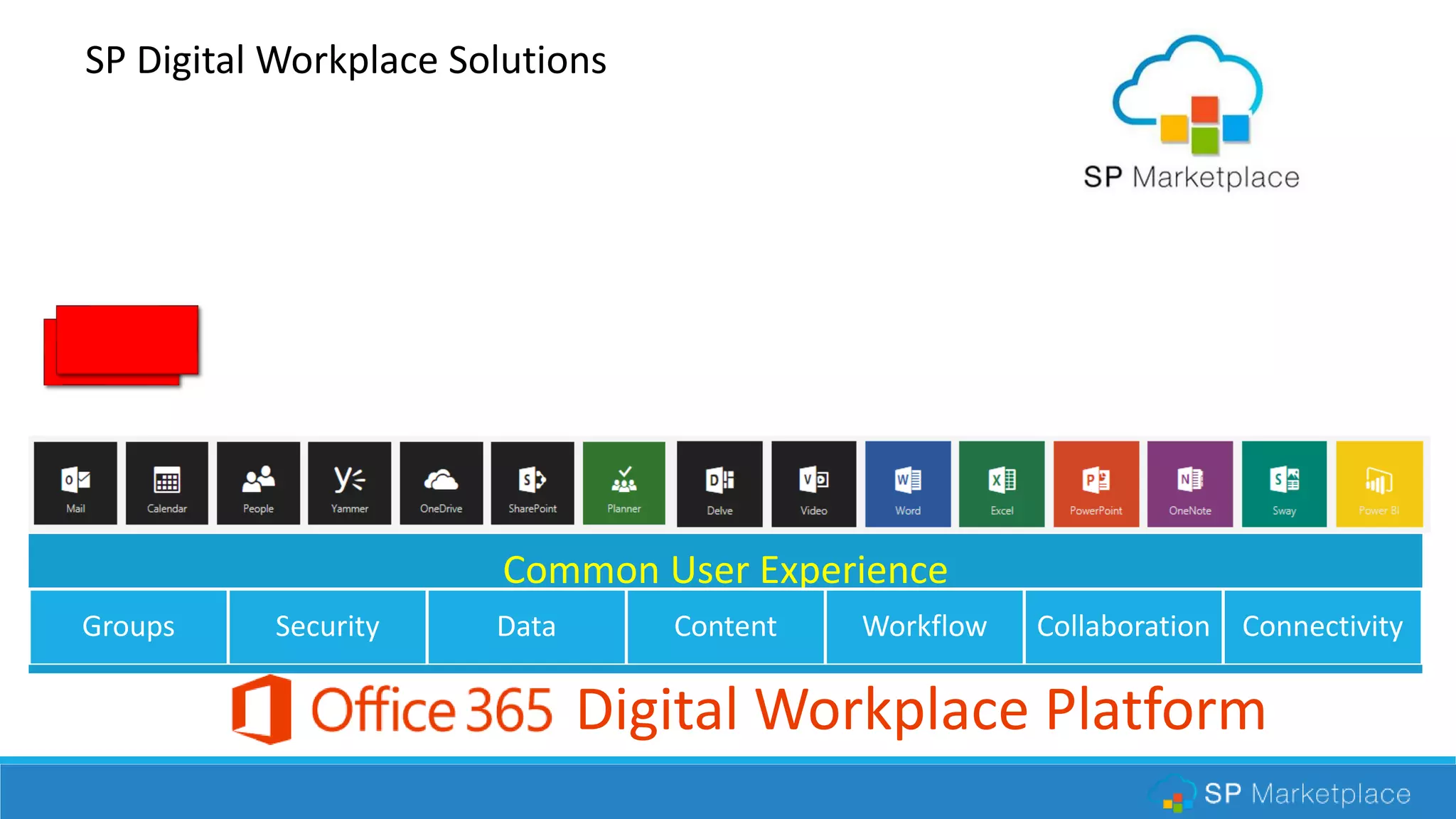
Common User Experience
Groups Security Data Content Workflow Collaboration Connectivity
Digital Workplace Platform
SP Digital Workplace Solutions
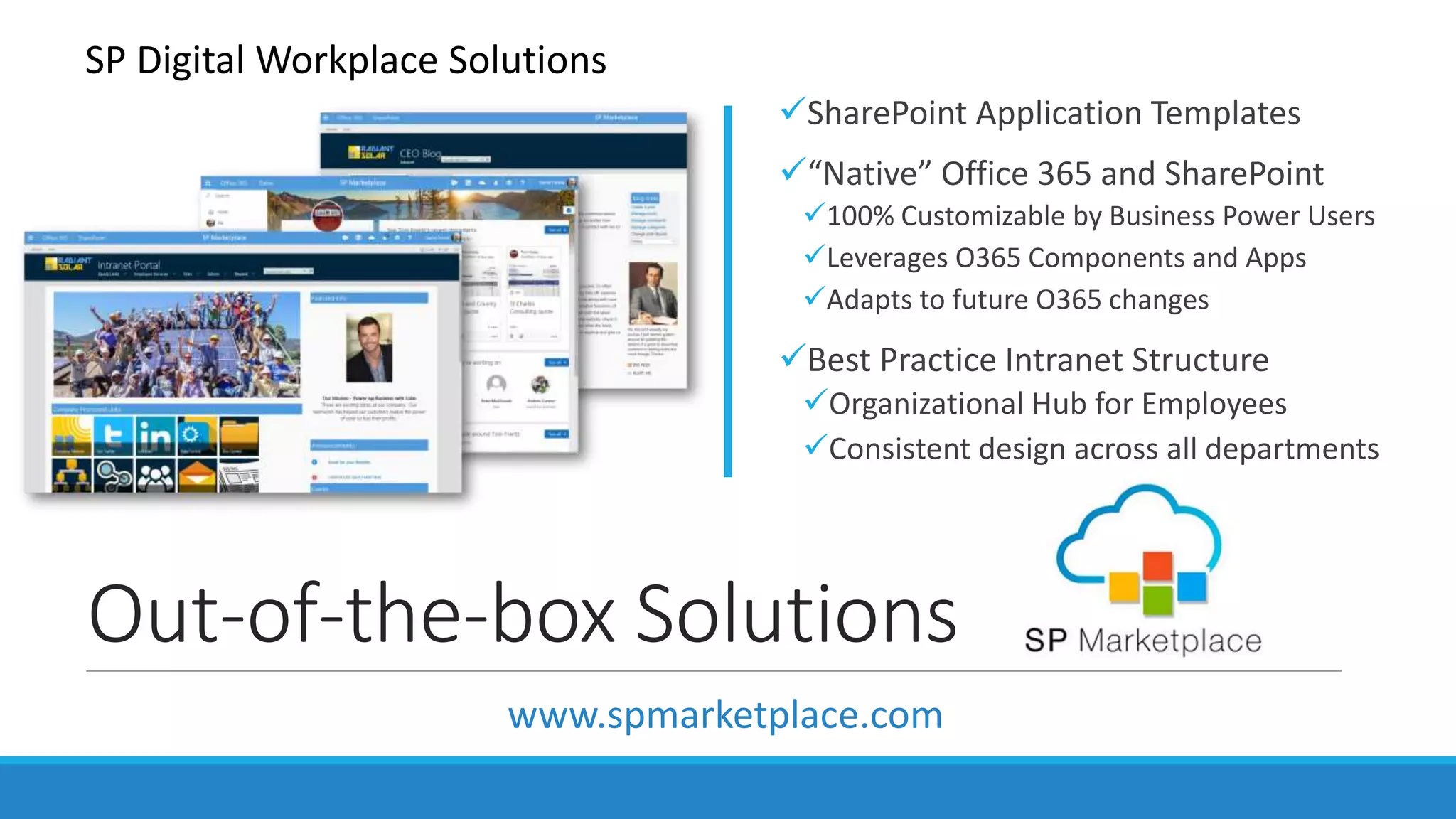
Out-of-the-box Solutions
SharePoint Application Templates
“Native” Office 365 and SharePoint
100% Customizable by Business Power Users
Leverages O365 Components and Apps
Adapts to future O365 changes
Best Practice Intranet Structure
Organizational Hub for Employees
Consistent design across all departments
SP Digital Workplace Solutions
www.spmarketplace.com
Benefits
Incredibly more productive and happy
employees
Bridge Department siloes with a consistent
Operational Portal Structure
Get much higher ROI out of Office 365
investment
Lower complexity and IT costs by consolidating
platforms
Better visibility and measurement across
departments
www.spmarketplace.com
Learn More:
Webinars:
Redefining Productivity
with an Office 365 Digital
Workplace
Getting the most out of
Office 365
Transform Office 365 into
an Organizational hub with
an Intranet

Webinar: Introducing operational portal structure - the core of a digital workplace

  • 1.
    Webinar Series: Introducing an OperationalPortal Structure, the core of a Digital Workplace
  • 2.
    Redefining Workwith Office365 Started in 2012 in Northern California Microsoft ISV Partner, CityNext Partner, Cloud Accelerator Partner Today over 1100 installations worldwide Provide: Out-of-the-box Workplace solutions on Office 365 and SharePoint www.spmarketplace.com Darrell Trimble, CEO
  • 3.
    AGENDA  The challengeof making it easy to do business inside your company  Introduce the concept of a digital workplace  Deploying a Digital Workplace on Office 365  Introduce an Operational Portal Structure in a Digital Workplace  Best Practice Structure  Intranet Home  Employee Self-Service  Department Portals  Build or buy? An out-of-the-box solution
  • 4.
    Chaos in theworkplace Processes Collabortion
  • 5.
    Traditional Organization –Siloed Functions Policies Procedures Processes Service Systems Policies Procedures Processes Service Systems Policies Procedures Processes Service Systems Policies Procedures Processes Service Systems Policies Procedures Processes Service Systems
  • 6.
    Organic IT -Systems from the departments outHR • HRIS • Talent • Time-off • Performance • Policies • Payroll • Help Desk • Docs • Training IT • Help Desk • Assets • Vendors • Network Mgt • Change • Projects • Policies Finance/Admin • Accounting • Billing • Purchasing • Expenses • Budgets • Help Desk • Contracts • Docs • Policies Marketing/Sales/Services • CRM • Quotes • Campaigns • Website • Sales Docs • Mkt Docs • Support Desk • Services Projects Engineering • Projects • Product Mgt • Scheduling • Bugs • Docs • Design
  • 7.
    Unify Work andTechnology
  • 8.
    • Information •Process •People•Technology To Create aDigital Workplace “The digital workplace is a central workspace that unifies in a common user experience all of the information, communication and processes people need to get their work done anywhere, anytime on any device.”
  • 9.
    Groups Security DataContent Workflow Collaboration Connectivity Digital Workplace Platform Operational Portals (SharePoint) Office 365 GroupsProcess Applications (Dynamics 365 or?)
  • 10.
    Operational Portals –where work gets done Operational Portal Structure – A set of portals from which employees work, collaborate and access internal services. Work • Department • Function • Processes/Tasks • Documents • Deliver Services Collaborate • News • Discussions • Events/Meetings • Teams/Groups • Email Services • Requests • Resources • Information • Self-Service
  • 11.
    Core Design Concepts Drive useradoption! Intuitive structure in the context of the organization Design for employee ease of use and access – Employee Central Consistent service portal layout across departments Integrate work and collaboration in Staff portals Enforce the common look and feel across Office 365 and SharePoint Place content where it belongs, no more massive file share type design. Use meta data, tags, search
  • 12.
    Best Practice CustomerService Design Banking Fast Food Retail Consistent Design for Customers
  • 13.
    WWW.COLLAB365.EVENTS Department Intranet Home Department Department HelpCentral Doc Central Process Central OrganizationEmployeeDepartments Communities Divisions or Groups
  • 14.
    WWW.COLLAB365.EVENTS Department Intranet Home Department Department HelpCentral Doc Central Process Central OrganizationEmployeeDepartments Communities Divisions or Groups SP Intranet “Active” Portal Structure
  • 15.
    Intranet Home Intranet Dept DeptDept Employee Central Operational Portals Intranet Home page + – The organization entry point for the Digital Workplace. Central point for news, information, events and personalized navigation to the operational structure. News, Events Collaboration Navigation
  • 16.
    Employee Central Intranet Dept DeptDept Employee Central Operational Portals Employee Self-Service – A central point for employee activity to get help/requests, access resources (docs), and submit employee facing processes without worrying about what department it is in Help Central Doc Central Process Central
  • 17.
    Department Portals Intranet Dept DeptDept Employee Central Operational Portals Service Portal Staff Portal Operational Portals – Organization functional groups, typically departments but could be branches or operational groups. Includes Staff Portal and Service Portal.
  • 18.
    Department Staff Portal– where work gets done Operational Functions Knowledgebase Reporting and Dashboards Collaboration Tools Linked to Office 365 Group Announcements Latest Activities/Requests
  • 19.
    Service Portal –Employee Portal (MyIT, MyHR…) Service Requests/Help Knowledgebase Resources (Docs, links etc) Filtered view of my: Service Requests Relevant Processes Documents News Announcements Events HR
  • 20.
  • 21.
    Buy or Build? Considerations: Expertise – SharePoint, Office 365  Best Practice Design  Office 365 Changes – is it supported?  Politics of siloed departments  Time and Cost
  • 22.
    Common User Experience GroupsSecurity Data Content Workflow Collaboration Connectivity Digital Workplace Platform SP Digital Workplace Solutions
  • 23.
    Out-of-the-box Solutions SharePoint ApplicationTemplates “Native” Office 365 and SharePoint 100% Customizable by Business Power Users Leverages O365 Components and Apps Adapts to future O365 changes Best Practice Intranet Structure Organizational Hub for Employees Consistent design across all departments SP Digital Workplace Solutions www.spmarketplace.com
  • 24.
    Benefits Incredibly more productiveand happy employees Bridge Department siloes with a consistent Operational Portal Structure Get much higher ROI out of Office 365 investment Lower complexity and IT costs by consolidating platforms Better visibility and measurement across departments
  • 25.
    www.spmarketplace.com Learn More: Webinars: Redefining Productivity withan Office 365 Digital Workplace Getting the most out of Office 365 Transform Office 365 into an Organizational hub with an Intranet

Editor's Notes

  • #3 Use: all demos Objective: Establish credibility, leadership in the O365 Business Solutions market. Positioning: subtly position us above newer competition that has just entered the market Transition: let me take a couple of minutes to explain overall what we do before getting into your particular product of interest.
  • #6 Optional for C-level DWP concept
  • #7 Optional for C-level DWP concept
  • #10 Use: All demos Objective: Introduce the product offerings as a unique integrated solution which greatly accelerates productivity, ROI and adoption of O365. Detail: Communicate the depth of our offerings, and how they uniquely work together in an integrated approach. Also that application services takes our templates beyond simple SharePoint template to powerful solutions supported by over 100 enhanced features above standard SharePoint. Also make sure they know that they can start with IT or Internet for example, and add modules as they need them. Competitive jab: It is the only offering that goes beyond a simple Intranet home page, to provide a structure to build upon.
  • #14 Use: Intranet or Suite deals only Objective: Establish a best practices that provide a structure that is in the context of the organization. Detail: After over 700 deployments, we have learned what works and what does not. From this we have established a best practices structure that provides an employee with an intuitive approach that is in the context of the organization. Competitive jab: It is really more than just a fancy Intranet web page, rather it establishes a structure to build your organization hub over time which supports typical Intranet features like news, communication, collaboration and documents. It goes beyond that to drive productivity and ROI by providing a structure for consistent access to internal service processes, help desks, and document management.
  • #15 Use: Intranet or Suite deals only Objective: Establish a best practices that provide a structure that is in the context of the organization. Detail: After over 700 deployments, we have learned what works and what does not. From this we have established a best practices structure that provides an employee with an intuitive approach that is in the context of the organization. Competitive jab: It is really more than just a fancy Intranet web page, rather it establishes a structure to build your organization hub over time which supports typical Intranet features like news, communication, collaboration and documents. It goes beyond that to drive productivity and ROI by providing a structure for consistent access to internal service processes, help desks, and document management.
  • #21 Use: only O365, can also skip for individual module Objective: Reinforce the “native” O365 positioning. That it becomes an extension to the platform, not a replacement. Detail: It is clear Microsoft is quickly transforming its MS Office domination to the cloud, and taking it much further by turning it into an organizational ecosystem for every employee with core functions and a common interface. It is important that third party extensions like and intranet or application, follow Microsoft guideline to naturally plug into this ecosystem. Competitive jab: A number of third party venders did not recognize this and architected their products to hide O365 or SharePoint. This will present major issues going forward. Analogy – it would be like replacing MS Word with another word processor in 2003. With MS Office, how would that have played out today? Not well…..
  • #23 Use: All demos Objective: Introduce the product offerings as a unique integrated solution which greatly accelerates productivity, ROI and adoption of O365. Detail: Communicate the depth of our offerings, and how they uniquely work together in an integrated approach. Also that application services takes our templates beyond simple SharePoint template to powerful solutions supported by over 100 enhanced features above standard SharePoint. Also make sure they know that they can start with IT or Internet for example, and add modules as they need them. Competitive jab: It is the only offering that goes beyond a simple Intranet home page, to provide a structure to build upon.