Web tools for etwinning
projects
Kate Keaveny
Twitter: @kojk30
Email: kojk30@gmail.com
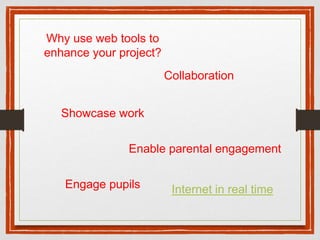
Collaboration
Showcase work
Engage pupils
Enable parental engagement
Why use web tools to
enhance your project?
Internet in real time
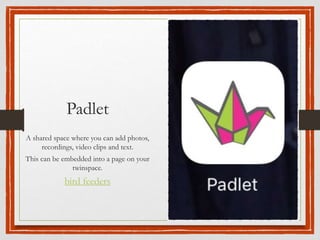
Padlet
A shared space where you can add photos,
recordings, video clips and text.
This can be embedded into a page on your
twinspace.
bird feeders
Google Forms
These can be used to create questions linked to your
project. All children can answer the questions and the
information can be shared. This can be embedded
into your twinspace pupils can then log in and answer
the questions.
Older children can also write their own forms for
others to answer.
The form then produces some charts showing the
answers.
It is a very useful tool to evaluate the end of the
project.
Our favourite food
SWAY
This can be used to make nice presentations.
Sign in using outlook. You can uplaod
already made powerpoints and then embed in
your twinspace.
This can be used as
an interactive
whitebard.
Press the green GO
but and invite others to
join you. It is simple to
add images, web
pages, or documents
to mark up. The
simplistic colour choice
tool, and choice of
shapes to add, means
you can also be
annotating with ease.
Twiddla
Adobe Voice
This can be used to make
photo stories. If you have
an ipad use it on that.
nature sound map
This can be used as a
way of developing
your projects.
Animaps
Use the features
of google maps.
But add extra
dimension.
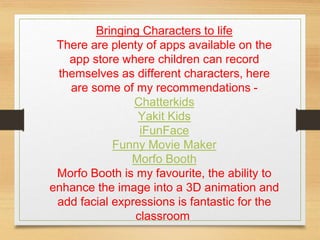
Bringing Characters to life
There are plenty of apps available on the
app store where children can record
themselves as different characters, here
are some of my recommendations -
Chatterkids
Yakit Kids
iFunFace
Funny Movie Maker
Morfo Booth
Morfo Booth is my favourite, the ability to
enhance the image into a 3D animation and
add facial expressions is fantastic for the
classroom.
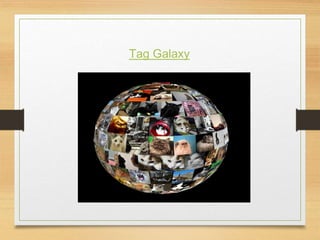
Tag Galaxy
SnapGuide
Let’s you create your
own how to guides.
Use with photos and
text to explain how to
make something.
Project partner can
then follow the
instruction and make
the same thing.
How to make
robins
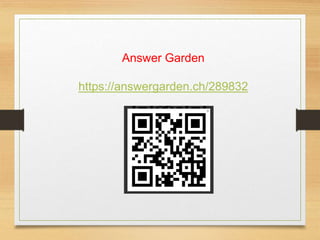
Answer Garden
https://answergarden.ch/289832
Word clouds
app
Word Clouds
Insert words from
answer garden or a
child’s piece of work.
The most frequently
used word will be the
largest.
Great as a quick visual
evaluation tool.

Web tools for projects

  • 1.
    Web tools foretwinning projects Kate Keaveny Twitter: @kojk30 Email: kojk30@gmail.com
  • 2.
    Collaboration Showcase work Engage pupils Enableparental engagement Why use web tools to enhance your project? Internet in real time
  • 3.
    Padlet A shared spacewhere you can add photos, recordings, video clips and text. This can be embedded into a page on your twinspace. bird feeders
  • 4.
    Google Forms These canbe used to create questions linked to your project. All children can answer the questions and the information can be shared. This can be embedded into your twinspace pupils can then log in and answer the questions. Older children can also write their own forms for others to answer. The form then produces some charts showing the answers. It is a very useful tool to evaluate the end of the project. Our favourite food
  • 5.
    SWAY This can beused to make nice presentations. Sign in using outlook. You can uplaod already made powerpoints and then embed in your twinspace.
  • 6.
    This can beused as an interactive whitebard. Press the green GO but and invite others to join you. It is simple to add images, web pages, or documents to mark up. The simplistic colour choice tool, and choice of shapes to add, means you can also be annotating with ease. Twiddla
  • 7.
    Adobe Voice This canbe used to make photo stories. If you have an ipad use it on that.
  • 8.
    nature sound map Thiscan be used as a way of developing your projects. Animaps Use the features of google maps. But add extra dimension.
  • 9.
    Bringing Characters tolife There are plenty of apps available on the app store where children can record themselves as different characters, here are some of my recommendations - Chatterkids Yakit Kids iFunFace Funny Movie Maker Morfo Booth Morfo Booth is my favourite, the ability to enhance the image into a 3D animation and add facial expressions is fantastic for the classroom.
  • 10.
  • 11.
    SnapGuide Let’s you createyour own how to guides. Use with photos and text to explain how to make something. Project partner can then follow the instruction and make the same thing. How to make robins
  • 12.
  • 13.
    Word clouds app Word Clouds Insertwords from answer garden or a child’s piece of work. The most frequently used word will be the largest. Great as a quick visual evaluation tool.