I
       • Forms and Actions

 II
       • Processing Form Data

VIII
       • Request and Response Objects

III
       • Database

IV
       • DB Connectivity

 V
       • Working With DB

VII
       • The Login Servlet
   HTML forms are used to pass data to a server.

   The most important form element is the input element.

   The input element is used to select user information.
    ◦ An input element can vary in many ways, depending on the type attribute. An input
      element can be of type text field, checkbox, password, radio button, submit button,
      and more.

                     Text Field: <input type="text" name="firstname" />

                   Password Field: <input type="password" name="pwd" />


                               A Great Source to Lookup on:
                               http://www.w3schools.com/
                      http://www.w3schools.com/html/html_forms.asp
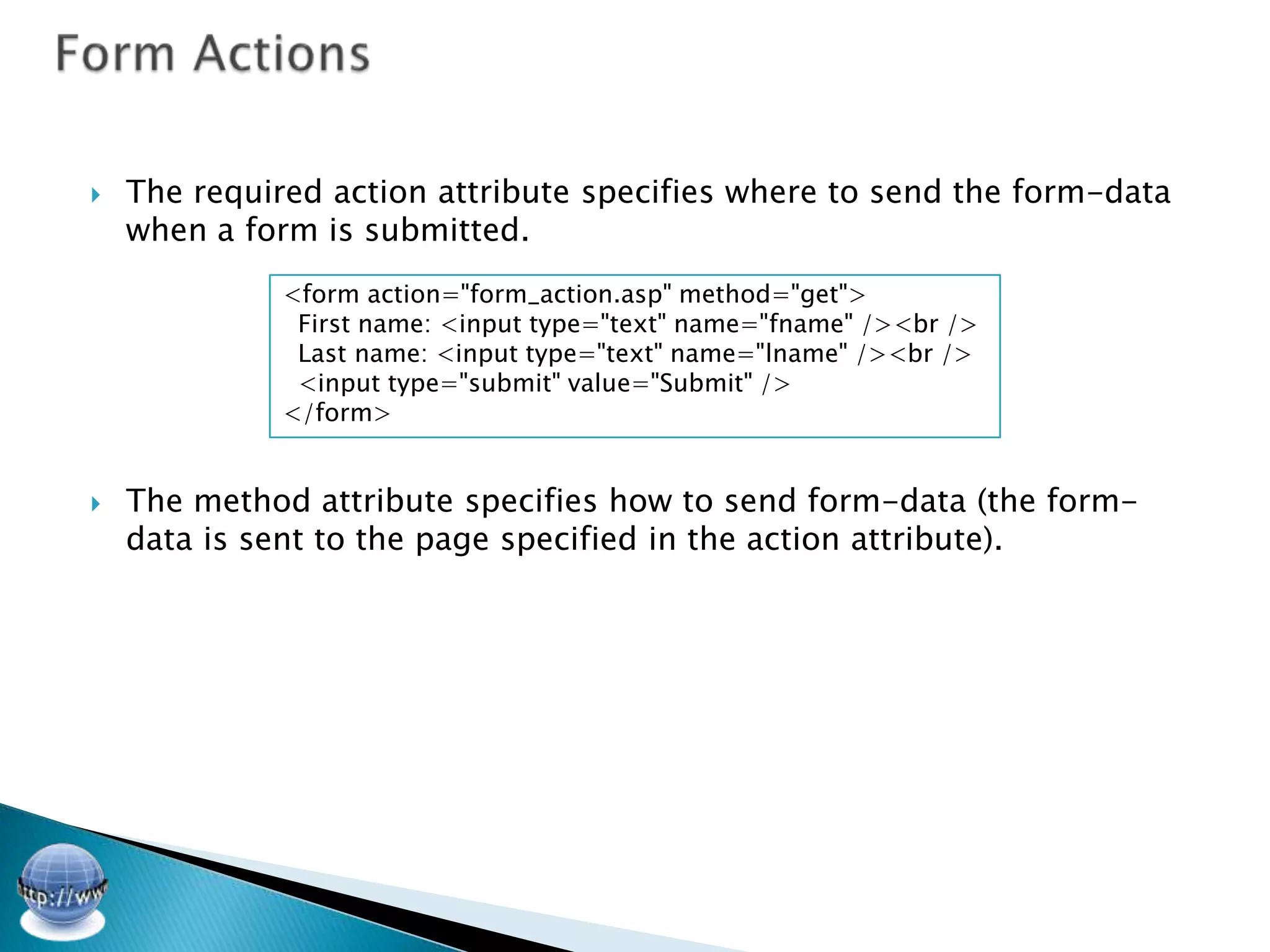
   The required action attribute specifies where to send the form-data
    when a form is submitted.
              <form action="form_action.asp" method="get">
               First name: <input type="text" name="fname" /><br />
               Last name: <input type="text" name="lname" /><br />
               <input type="submit" value="Submit" />
              </form>


   The method attribute specifies how to send form-data (the form-
    data is sent to the page specified in the action attribute).
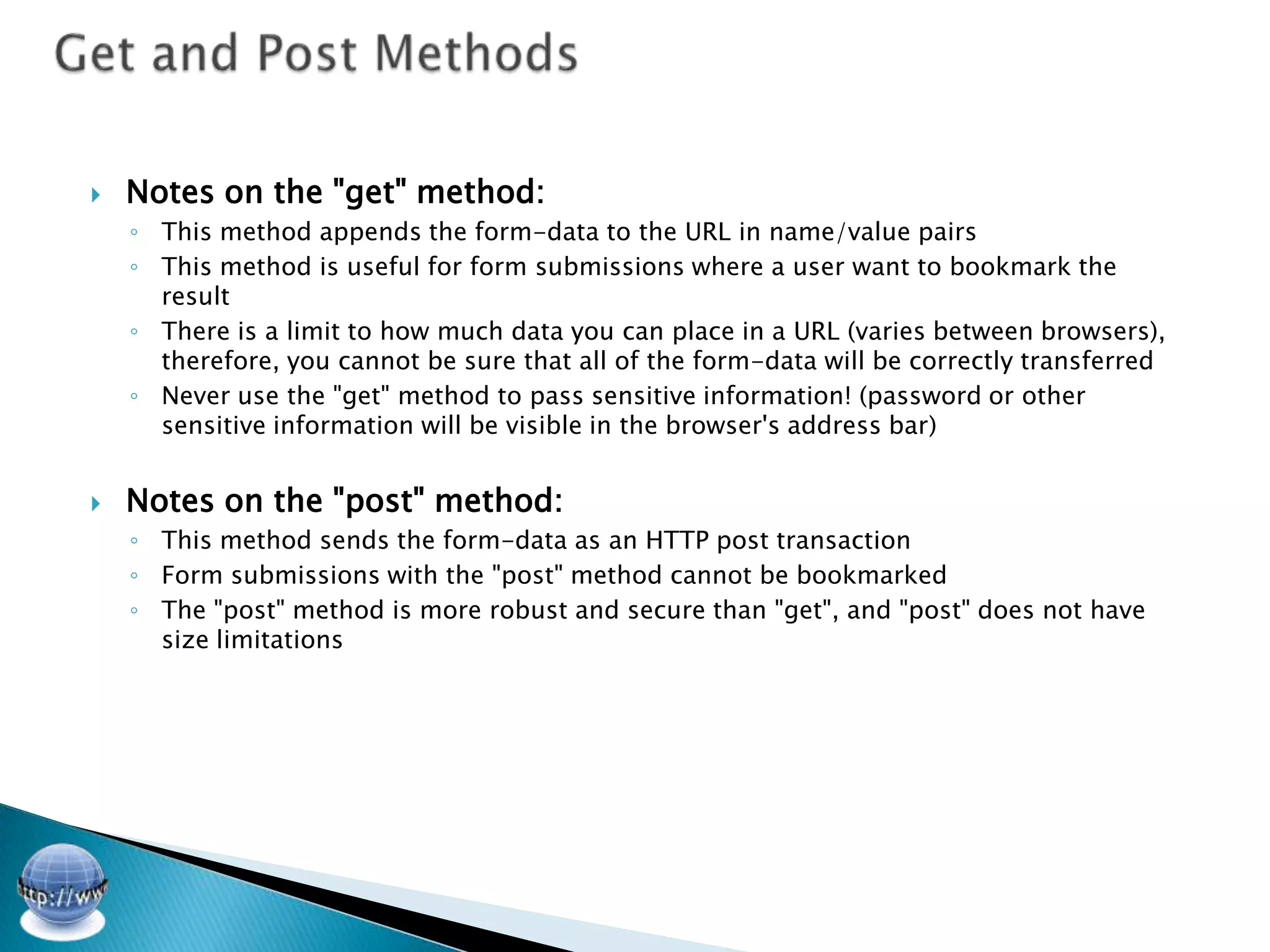
   Notes on the "get" method:
    ◦ This method appends the form-data to the URL in name/value pairs
    ◦ This method is useful for form submissions where a user want to bookmark the
      result
    ◦ There is a limit to how much data you can place in a URL (varies between browsers),
      therefore, you cannot be sure that all of the form-data will be correctly transferred
    ◦ Never use the "get" method to pass sensitive information! (password or other
      sensitive information will be visible in the browser's address bar)


   Notes on the "post" method:
    ◦ This method sends the form-data as an HTTP post transaction
    ◦ Form submissions with the "post" method cannot be bookmarked
    ◦ The "post" method is more robust and secure than "get", and "post" does not have
      size limitations
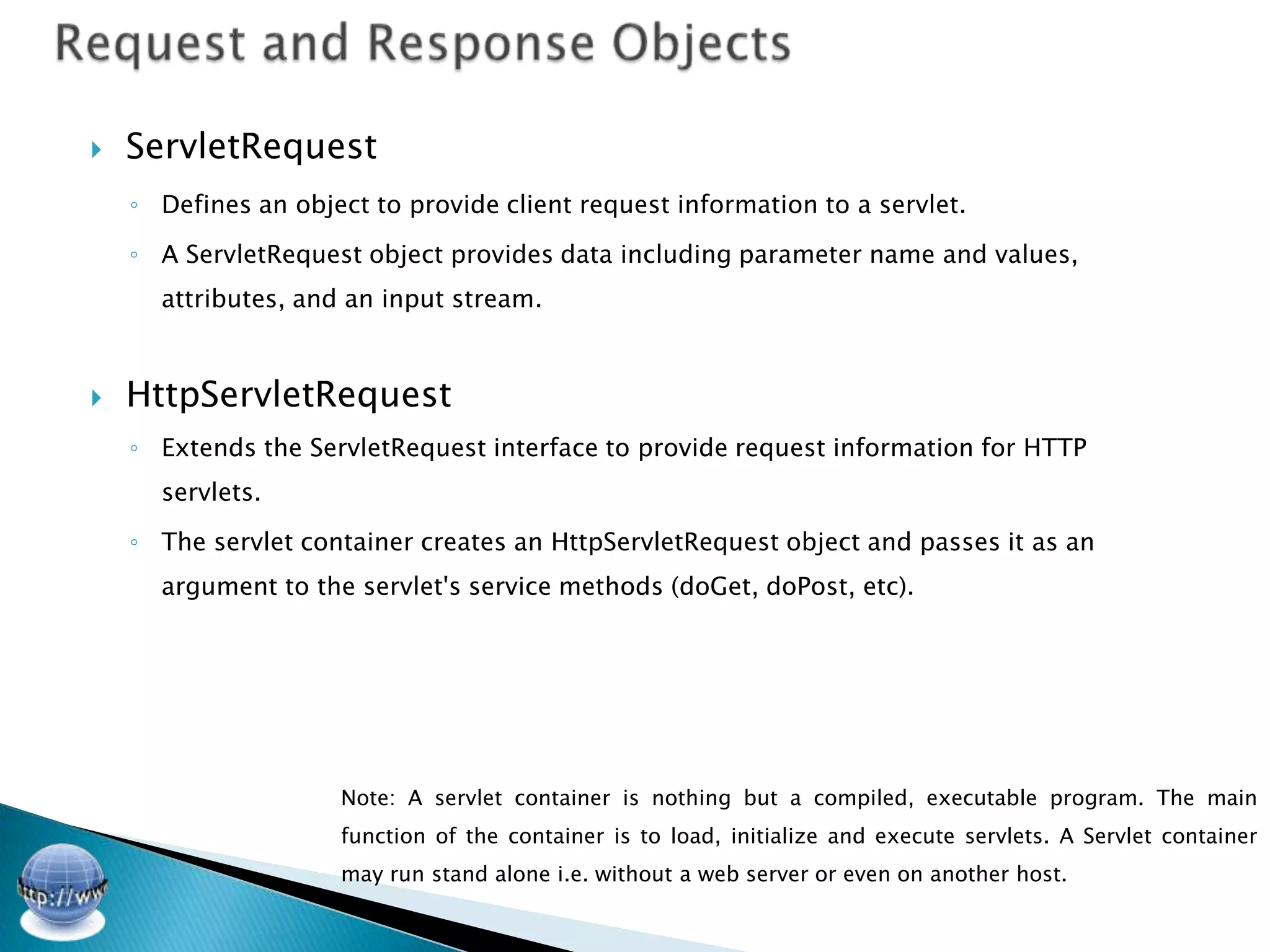
   ServletRequest
    ◦ Defines an object to provide client request information to a servlet.

    ◦ A ServletRequest object provides data including parameter name and values,
      attributes, and an input stream.


   HttpServletRequest
    ◦ Extends the ServletRequest interface to provide request information for HTTP
      servlets.

    ◦ The servlet container creates an HttpServletRequest object and passes it as an
      argument to the servlet's service methods (doGet, doPost, etc).


                     Note: A servlet container is nothing but a compiled, executable program. The main
                     function of the container is to load, initialize and execute servlets. A Servlet container
                     may run stand alone i.e. without a web server or even on another host.
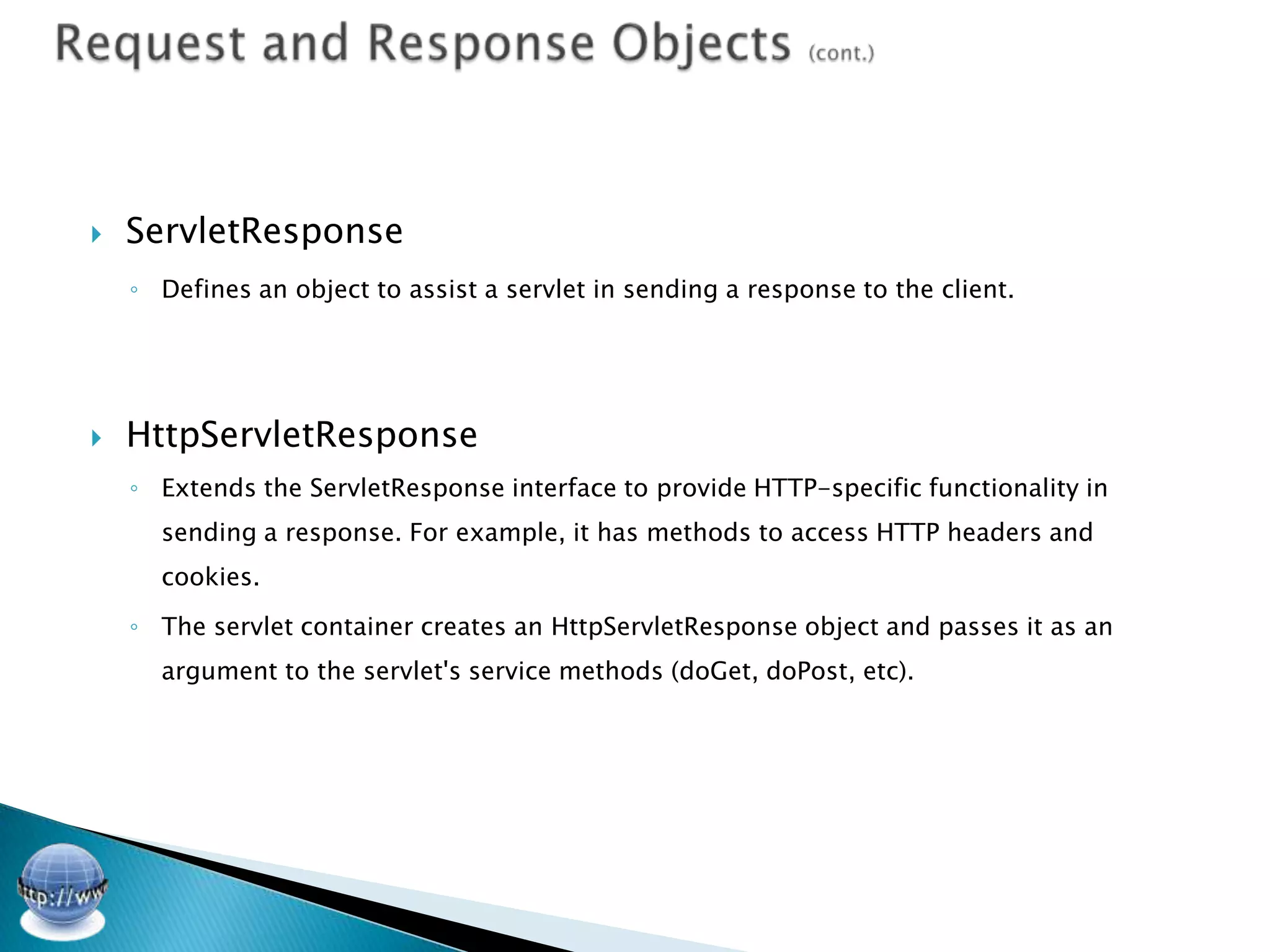
   ServletResponse
    ◦ Defines an object to assist a servlet in sending a response to the client.


   HttpServletResponse
    ◦ Extends the ServletResponse interface to provide HTTP-specific functionality in
      sending a response. For example, it has methods to access HTTP headers and
      cookies.

    ◦ The servlet container creates an HttpServletResponse object and passes it as an
      argument to the servlet's service methods (doGet, doPost, etc).
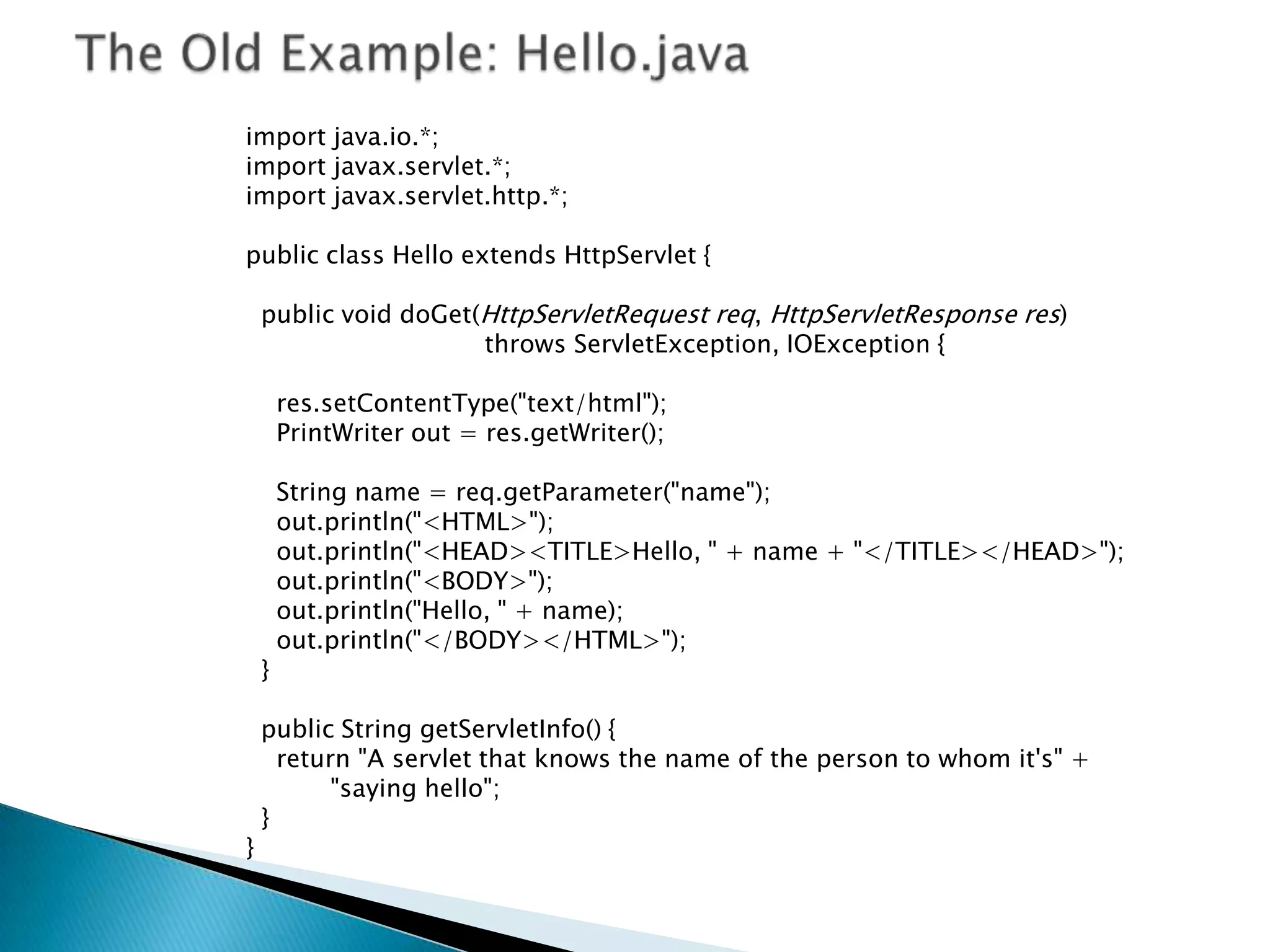
import java.io.*;
import javax.servlet.*;
import javax.servlet.http.*;

public class Hello extends HttpServlet {

    public void doGet(HttpServletRequest req, HttpServletResponse res)
                      throws ServletException, IOException {

        res.setContentType("text/html");
        PrintWriter out = res.getWriter();

        String name = req.getParameter("name");
        out.println("<HTML>");
        out.println("<HEAD><TITLE>Hello, " + name + "</TITLE></HEAD>");
        out.println("<BODY>");
        out.println("Hello, " + name);
        out.println("</BODY></HTML>");
    }

    public String getServletInfo() {
      return "A servlet that knows the name of the person to whom it's" +
           "saying hello";
    }
}
   Often abbreviated DB. A collection of information organized in such
    a way that a computer program can quickly select desired pieces of
    data.

   A relational database is a collection of data items organized as a set
    of formally-described tables from which data can be accessed or
    reassembled in many different ways without having to reorganize
    the database tables.
   MySQL
    ◦ MySQL Community Edition is a freely downloadable version of the world's most
        popular open source database that is supported by an active community of open
        source developers and enthusiasts.
                               http://www.mysql.com/downloads/mysql/


   You will also need a GUI tool for designing the DB
    ◦   MySQL Workbench provides DBAs and developers an integrated tools environment for:

              Database Design & Modeling
              SQL Development (replacing MySQL Query Browser)
              Database Administration (replacing MySQL Administrator)
              The Community (OSS) Edition is available from:
               http://dev.mysql.com/downloads/workbench/
   Use the library provided to establish MySQL DB connectivity:
                       mysql-connector-java-5.1.19-bin.jar


   Initialize the DB using context listener in web.xml

   Use context-param for setting up DB parameters from web.xml

   Use MVC pattern to handle DB requests – e.g. DBManager class (It
    should be singleton)


                      How to use MySQL Java Connector:
                   http://dev.mysql.com/usingmysql/java/
private DatabaseManager(String hostName, String databaseName, String userName, String
password) {
super();
try {
         StringBuilder builder = new StringBuilder(“jdbc:mysql://”);
          builder.append(hostName)
.append("/").append(databaseName).append("?").append(PARAM_USER + "=" +
userName).append("&" + PARAM_PASSWORD + "=" + password);

         Class.forName(“com.mysql.jdbc.Driver”).newInstance();

         conn = DriverManager.getConnection(builder.toString());

         System.out.println("[DatabaseManager] Connection is created.");
 }
catch (SQLException ex) { // handle any errors
         System.out.println("SQLException: " + ex.getMessage());
         System.out.println("SQLState:     " + ex.getSQLState());
         System.out.println("VendorError: " + ex.getErrorCode());
 }
catch (Exception ex) { ex.printStackTrace(); } }
private Connection conn;
private static DatabaseManager instance = null;
private static final boolean[] LOCK_INSTANCE = new boolean[]{};

public static DatabaseManager getInstance(String hostName, String databaseName,
String userName, String password) {

    if (instance != null) { return instance; }

    synchronized (LOCK_INSTANCE) { if (instance != null) { return instance; }

     instance = new DatabaseManager(hostName, databaseName, userName, password);
    return instance;
    }

}
import java.sql.Statement;

public boolean isRegisteredUser(String username, String password) throws SQLException {

Statement stmt = conn.createStatement();

ResultSet rs = stmt.executeQuery("SELECT * " + "from users WHERE username='" + username
+ "' AND password='" + password + "'");

return rs.next();
 /**********************************************************/   }
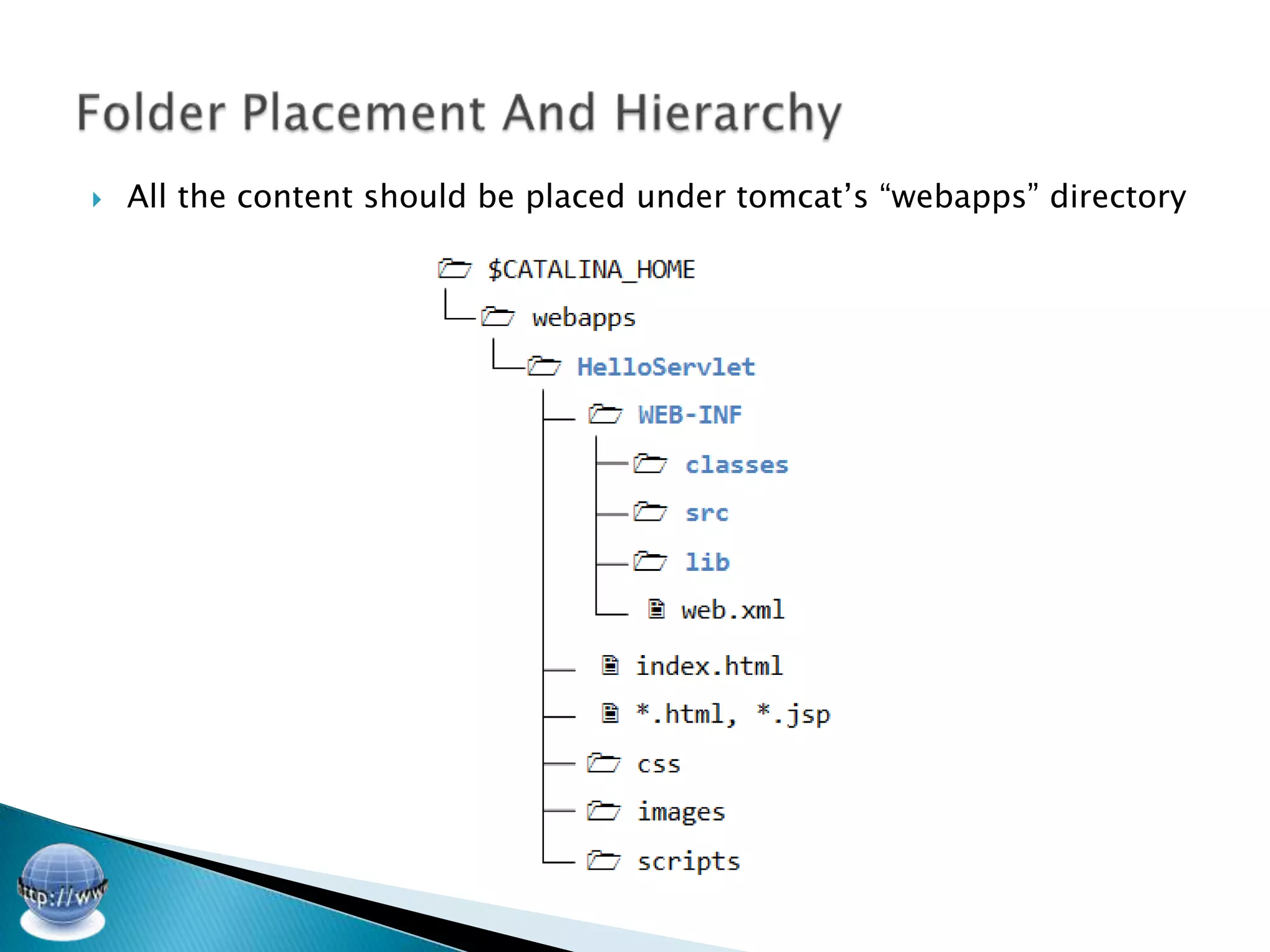
   All the content should be placed under tomcat’s “webapps” directory
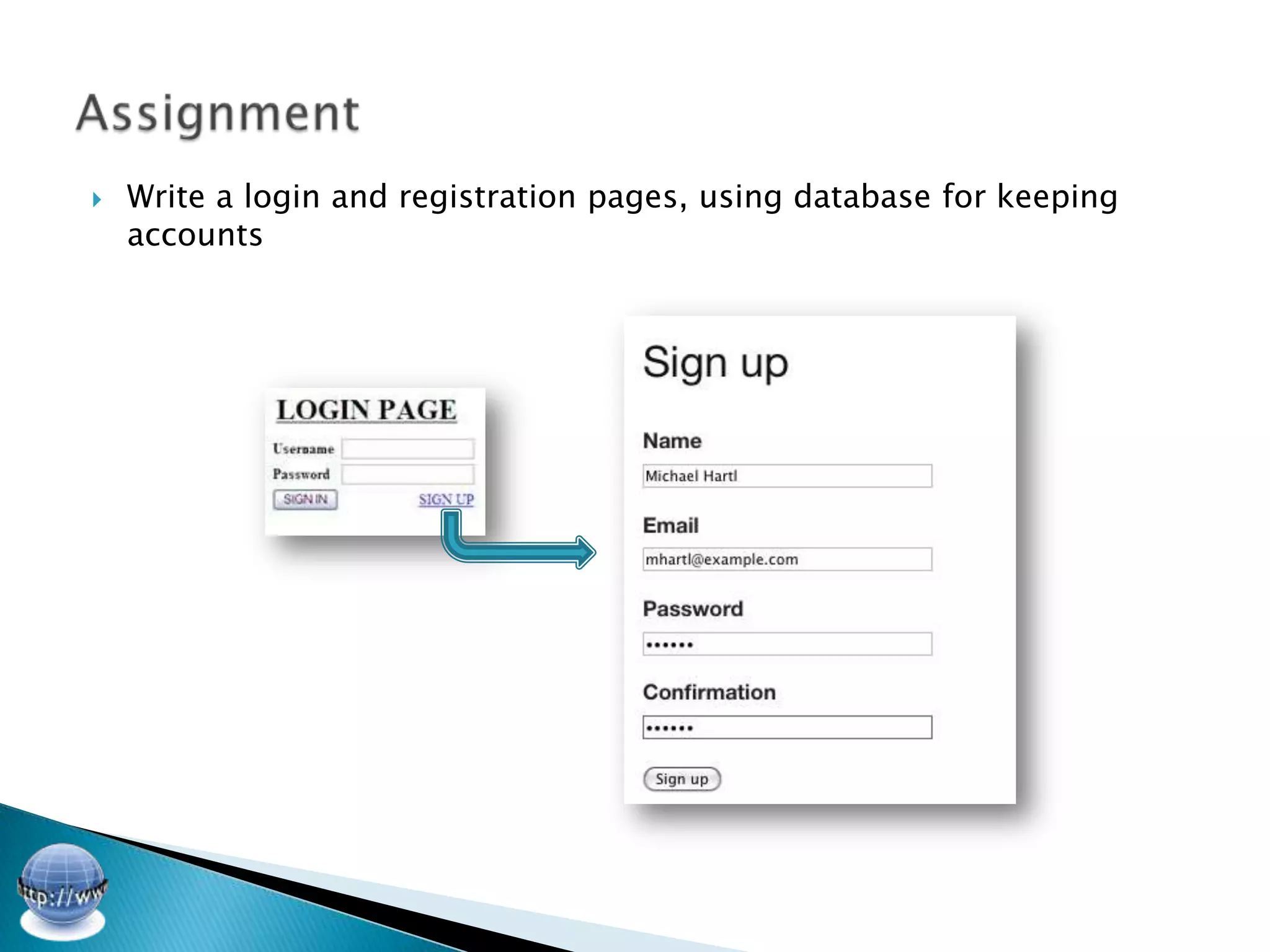
   Write a login and registration pages, using database for keeping
    accounts
AUA – CoE
Apr.21, Spring 2012

Web Technologies - forms and actions

  • 2.
    I • Forms and Actions II • Processing Form Data VIII • Request and Response Objects III • Database IV • DB Connectivity V • Working With DB VII • The Login Servlet
  • 3.
    HTML forms are used to pass data to a server.  The most important form element is the input element.  The input element is used to select user information. ◦ An input element can vary in many ways, depending on the type attribute. An input element can be of type text field, checkbox, password, radio button, submit button, and more. Text Field: <input type="text" name="firstname" /> Password Field: <input type="password" name="pwd" /> A Great Source to Lookup on: http://www.w3schools.com/ http://www.w3schools.com/html/html_forms.asp
  • 4.
    The required action attribute specifies where to send the form-data when a form is submitted. <form action="form_action.asp" method="get"> First name: <input type="text" name="fname" /><br /> Last name: <input type="text" name="lname" /><br /> <input type="submit" value="Submit" /> </form>  The method attribute specifies how to send form-data (the form- data is sent to the page specified in the action attribute).
  • 5.
    Notes on the "get" method: ◦ This method appends the form-data to the URL in name/value pairs ◦ This method is useful for form submissions where a user want to bookmark the result ◦ There is a limit to how much data you can place in a URL (varies between browsers), therefore, you cannot be sure that all of the form-data will be correctly transferred ◦ Never use the "get" method to pass sensitive information! (password or other sensitive information will be visible in the browser's address bar)  Notes on the "post" method: ◦ This method sends the form-data as an HTTP post transaction ◦ Form submissions with the "post" method cannot be bookmarked ◦ The "post" method is more robust and secure than "get", and "post" does not have size limitations
  • 6.
    ServletRequest ◦ Defines an object to provide client request information to a servlet. ◦ A ServletRequest object provides data including parameter name and values, attributes, and an input stream.  HttpServletRequest ◦ Extends the ServletRequest interface to provide request information for HTTP servlets. ◦ The servlet container creates an HttpServletRequest object and passes it as an argument to the servlet's service methods (doGet, doPost, etc). Note: A servlet container is nothing but a compiled, executable program. The main function of the container is to load, initialize and execute servlets. A Servlet container may run stand alone i.e. without a web server or even on another host.
  • 7.
    ServletResponse ◦ Defines an object to assist a servlet in sending a response to the client.  HttpServletResponse ◦ Extends the ServletResponse interface to provide HTTP-specific functionality in sending a response. For example, it has methods to access HTTP headers and cookies. ◦ The servlet container creates an HttpServletResponse object and passes it as an argument to the servlet's service methods (doGet, doPost, etc).
  • 8.
    import java.io.*; import javax.servlet.*; importjavax.servlet.http.*; public class Hello extends HttpServlet { public void doGet(HttpServletRequest req, HttpServletResponse res) throws ServletException, IOException { res.setContentType("text/html"); PrintWriter out = res.getWriter(); String name = req.getParameter("name"); out.println("<HTML>"); out.println("<HEAD><TITLE>Hello, " + name + "</TITLE></HEAD>"); out.println("<BODY>"); out.println("Hello, " + name); out.println("</BODY></HTML>"); } public String getServletInfo() { return "A servlet that knows the name of the person to whom it's" + "saying hello"; } }
  • 9.
    Often abbreviated DB. A collection of information organized in such a way that a computer program can quickly select desired pieces of data.  A relational database is a collection of data items organized as a set of formally-described tables from which data can be accessed or reassembled in many different ways without having to reorganize the database tables.
  • 10.
    MySQL ◦ MySQL Community Edition is a freely downloadable version of the world's most popular open source database that is supported by an active community of open source developers and enthusiasts. http://www.mysql.com/downloads/mysql/  You will also need a GUI tool for designing the DB ◦ MySQL Workbench provides DBAs and developers an integrated tools environment for:  Database Design & Modeling  SQL Development (replacing MySQL Query Browser)  Database Administration (replacing MySQL Administrator)  The Community (OSS) Edition is available from: http://dev.mysql.com/downloads/workbench/
  • 11.
    Use the library provided to establish MySQL DB connectivity: mysql-connector-java-5.1.19-bin.jar  Initialize the DB using context listener in web.xml  Use context-param for setting up DB parameters from web.xml  Use MVC pattern to handle DB requests – e.g. DBManager class (It should be singleton) How to use MySQL Java Connector: http://dev.mysql.com/usingmysql/java/
  • 12.
    private DatabaseManager(String hostName,String databaseName, String userName, String password) { super(); try { StringBuilder builder = new StringBuilder(“jdbc:mysql://”); builder.append(hostName) .append("/").append(databaseName).append("?").append(PARAM_USER + "=" + userName).append("&" + PARAM_PASSWORD + "=" + password); Class.forName(“com.mysql.jdbc.Driver”).newInstance(); conn = DriverManager.getConnection(builder.toString()); System.out.println("[DatabaseManager] Connection is created."); } catch (SQLException ex) { // handle any errors System.out.println("SQLException: " + ex.getMessage()); System.out.println("SQLState: " + ex.getSQLState()); System.out.println("VendorError: " + ex.getErrorCode()); } catch (Exception ex) { ex.printStackTrace(); } }
  • 13.
    private Connection conn; privatestatic DatabaseManager instance = null; private static final boolean[] LOCK_INSTANCE = new boolean[]{}; public static DatabaseManager getInstance(String hostName, String databaseName, String userName, String password) { if (instance != null) { return instance; } synchronized (LOCK_INSTANCE) { if (instance != null) { return instance; } instance = new DatabaseManager(hostName, databaseName, userName, password); return instance; } }
  • 14.
    import java.sql.Statement; public booleanisRegisteredUser(String username, String password) throws SQLException { Statement stmt = conn.createStatement(); ResultSet rs = stmt.executeQuery("SELECT * " + "from users WHERE username='" + username + "' AND password='" + password + "'"); return rs.next(); /**********************************************************/ }
  • 15.
    All the content should be placed under tomcat’s “webapps” directory
  • 16.
    Write a login and registration pages, using database for keeping accounts
  • 17.