ADVANCE JAVA
POWER POINT PRESENTATION
SUBMITTED BY- SACHIN SINGH RAWAL
INDEX
1.Brief Overview of Java
2.Advance java
3.Servlets
4.Session Handling
5.Database Handling
6.JSP
7.Struts
8.MVC
9.Tiles
10Hibernate
JAVA
What is java?
Java is a computer programming language that
is concurrent, class-based, object-oriented.
 It is intended to let application developers "write once, run
anywhere" (WORA).
 Java applications are typically compiled to bytecode (class file)
that can run on any Java virtual machine (JVM) regardless
of computer architecture.
 Java is, as of 2014, one of the most popular programming
languages in use, particularly for client-server web
applications.
 Java is the Internet programming language
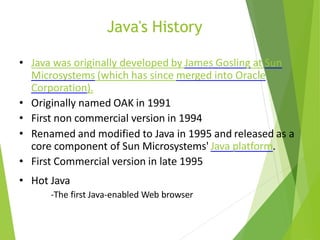
Java's History
• Java was originally developed by James Gosling at Sun
Microsystems (which has since merged into Oracle
Corporation).
• Originally named OAK in 1991
• First non commercial version in 1994
• Renamed and modified to Java in 1995 and released as a
core component of Sun Microsystems' Java platform.
• First Commercial version in late 1995
• Hot Java
-The first Java-enabled Web browser
Java Technology
• What is Java?
Java technology is both a programming
language and a platform.
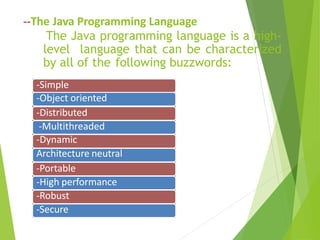
-Simple
-Object oriented
-Distributed
-Multithreaded
-Dynamic
Architecture neutral
-Portable
-High performance
-Robust
-Secure
--The Java Programming Language
The Java programming language is a high-
level language that can be characterized
by all of the following buzzwords:
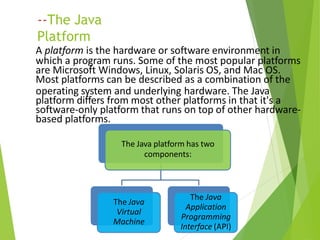
--The Java
Platform
A platform is the hardware or software environment in
which a program runs. Some of the most popular platforms
are Microsoft Windows, Linux, Solaris OS, and Mac OS.
Most platforms can be described as a combination of the
operating system and underlying hardware. The Java
platform differs from most other platforms in that it's a
software-only platform that runs on top of other hardware-
based platforms.
The Java platform has two
components:
The Java
Virtual
Machine
The Java
Application
Programming
Interface (API)
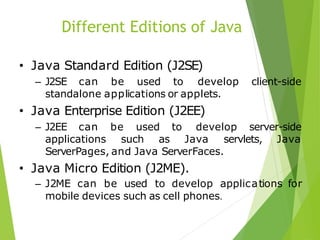
Different Editions of Java
• Java Standard Edition (J2SE)
– J2SE can be used to develop client-side
standalone applications or applets.
• Java Enterprise Edition (J2EE)
– J2EE can be used to develop server-side
applications such as Java servlets, Java
ServerPages, and Java ServerFaces.
• Java Micro Edition (J2ME).
– J2ME can be used to develop applications for
mobile devices such as cell phones.
J2EE
• J2EE is a platform-independent, Java-centric
environment from Sun for developing,
building and deploying Web-based enterprise
applications online.
Why J2EE?
• Simplifies the complexity of a building n-tier
application
• Standardizes an API between components and
application server container
• J2EE Application Server and Containers
provide the framework services
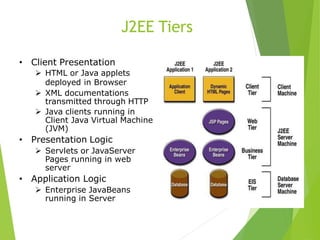
J2EE Tiers
• Client Presentation
 HTML or Java applets
deployed in Browser
 XML documentations
transmitted through HTTP
 Java clients running in
Client Java Virtual Machine
(JVM)
• Presentation Logic
 Servlets or JavaServer
Pages running in web
server
• Application Logic
 Enterprise JavaBeans
running in Server
What are Servlets?
• The Servlet is a server-side programming
language class used for making dynamic web
pages. They reside within a servlet engine.
• Servlets receive and respond to requests from
Web clients, usually across HTTP, the
HyperText Transfer Protocol.
• They provide concurrency ,portability and
Efficiency.
Tasks of a Servlet
• Read the explicit data sent by the clients
(browsers).
• Read the implicit HTTP request data sent by
the clients (browsers).
• Process the data and generate results.
• Send the explicit data (i.e., the document) to
the clients (browsers).
• Send the implicit HTTP response to the clients
(browsers
Servlet life cycle
 All methods are performed by Container
 Initialize using init() method when requested.
 Service() method handles requests/clients.
The requests are forwarded to the appropriate
method (ie. doGet() or doPost())
 Server removes the servlet using destroy()
method
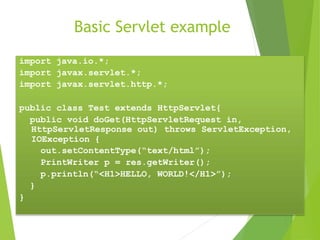
Basic Servlet example
import java.io.*;
import javax.servlet.*;
import javax.servlet.http.*;
public class Test extends HttpServlet{
public void doGet(HttpServletRequest in,
HttpServletResponse out) throws ServletException,
IOException {
out.setContentType(“text/html”);
PrintWriter p = res.getWriter();
p.println(“<H1>HELLO, WORLD!</H1>”);
}
}
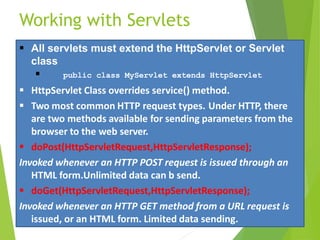
Working with Servlets
 All servlets must extend the HttpServlet or Servlet
class
 public class MyServlet extends HttpServlet
 HttpServlet Class overrides service() method.
 Two most common HTTP request types. Under HTTP, there
are two methods available for sending parameters from the
browser to the web server.
 doPost(HttpServletRequest,HttpServletResponse);
Invoked whenever an HTTP POST request is issued through an
HTML form.Unlimited data can b send.
 doGet(HttpServletRequest,HttpServletResponse);
Invoked whenever an HTTP GET method from a URL request is
issued, or an HTML form. Limited data sending.
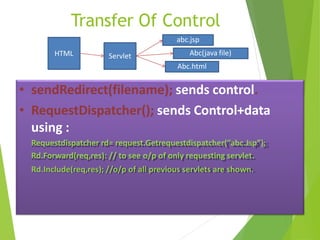
Transfer Of Control
• sendRedirect(filename); sends control.
• RequestDispatcher(); sends Control+data
using :
Requestdispatcher rd= request.Getrequestdispatcher(“abc.Jsp”);
Rd.Forward(req,res): // to see o/p of only requesting servlet.
Rd.Include(req,res); //o/p of all previous servlets are shown.
HTML Servlet
abc.jsp
Abc.html
Abc(java file)
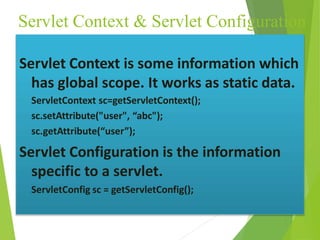
Servlet Context & Servlet Configuration
Servlet Context is some information which
has global scope. It works as static data.
ServletContext sc=getServletContext();
sc.setAttribute("user", “abc");
sc.getAttribute(“user”);
Servlet Configuration is the information
specific to a servlet.
ServletConfig sc = getServletConfig();
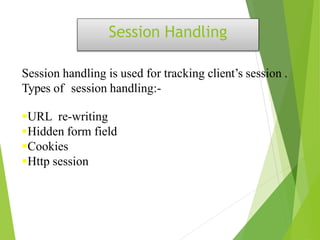
Session Handling
Session handling is used for tracking client’s session .
Types of session handling:-
URL re-writing
Hidden form field
Cookies
Http session
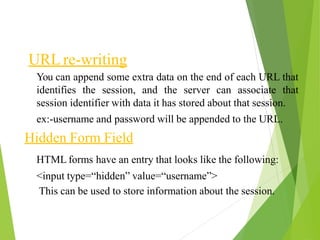
URL re-writing
You can append some extra data on the end of each URL that
identifies the session, and the server can associate that
session identifier with data it has stored about that session.
ex:-username and password will be appended to the URL.
Hidden Form Field
HTML forms have an entry that looks like the following:
<input type=“hidden” value=“username”>
This can be used to store information about the session.
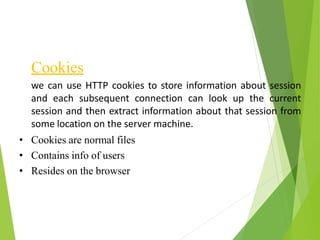
Cookies
we can use HTTP cookies to store information about session
and each subsequent connection can look up the current
session and then extract information about that session from
some location on the server machine.
• Cookies are normal files
• Contains info of users
• Resides on the browser
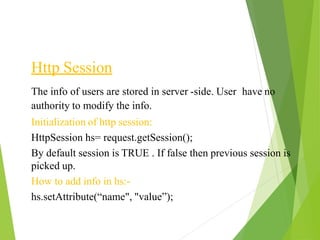
Http Session
The info of users are stored in server -side. User have no
authority to modify the info.
Initialization of http session:
HttpSession hs= request.getSession();
By default session is TRUE . If false then previous session is
picked up.
How to add info in hs:-
hs.setAttribute(“name", "value”);
how to get
info:-
HttpSession hs= request.getSession(false);
hs.getAttribute(“name”);
How to delete info:-
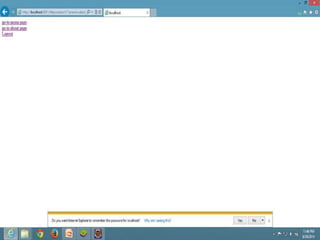
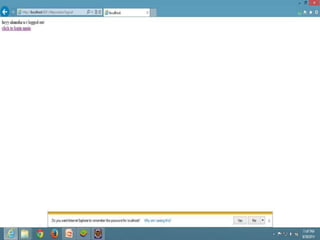
hs.invalidate();
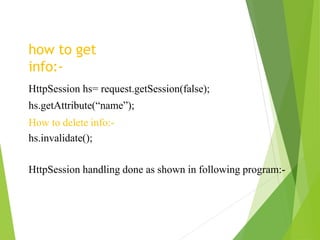
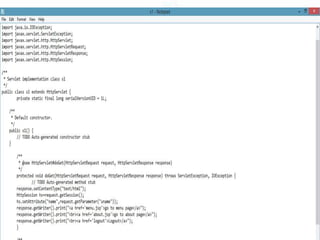
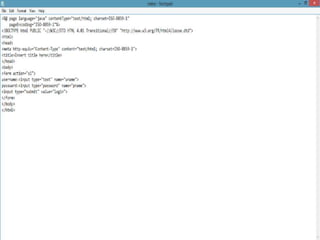
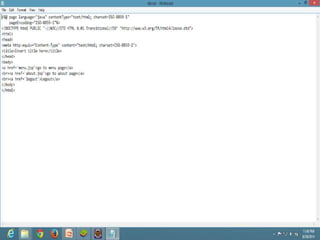
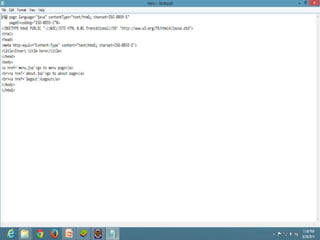
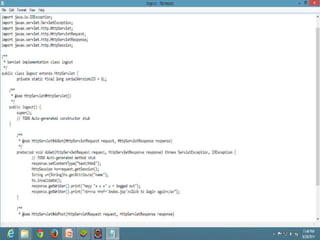
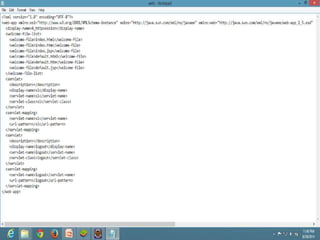
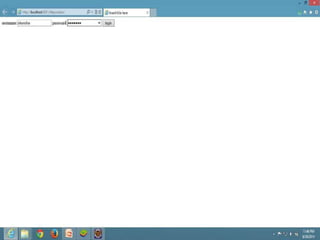
HttpSession handling done as shown in following program:-
Database Handling
Java database connectivity (JDBC) is a standard application
programming interface (API) specification that is implemented
by different database vendors to allow Java programs to access
their database management systems. The JDBC API consists
of a set of interfaces and classes written in the Java
programming language.
Basic steps to use database in Java
• Establish a connection
• Create statements
• Execute SQL statements
• Get results
Loading drivers
Class.forName("oracle.jdbc.driver.OracleDriver");
– Dynamically loads a driver class, for Oracle database.
Making connections
Connection con=
DriverManager.getConnection(“Oracle:jdbc:oracle:thin:@l
ocalhost:1521:xc”,”username”,”password”);
– Establishes connection to database by obtaining
a Connection object .
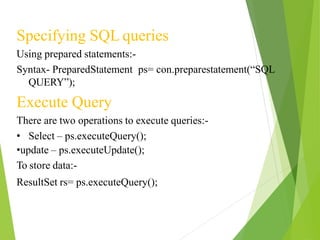
Specifying SQL queries
Using prepared statements:-
Syntax- PreparedStatement ps= con.preparestatement(“SQL
QUERY”);
Execute Query
There are two operations to execute queries:-
• Select – ps.executeQuery();
•update – ps.executeUpdate();
To store data:-
ResultSet rs= ps.executeQuery();
To get the data from rs:-
• Row by row data is fetched.
Syntax
:-
While( rs.next())
{
String s1= rs.getString(“name”);
Date d= rs.getDate(“date”);
}
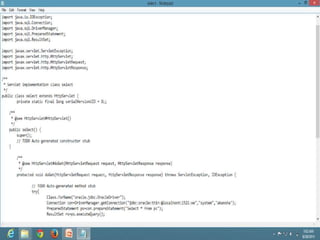
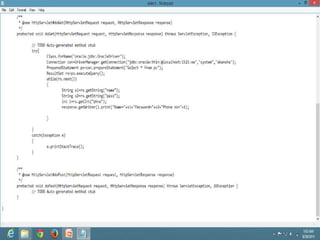
The following program show the working:-
Java Server Pages
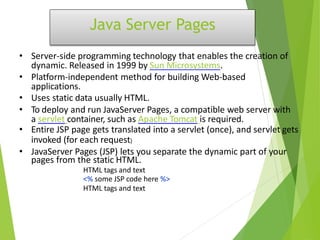
• Server-side programming technology that enables the creation of
dynamic. Released in 1999 by Sun Microsystems.
• Platform-independent method for building Web-based
applications.
• Uses static data usually HTML.
• To deploy and run JavaServer Pages, a compatible web server with
a servlet container, such as Apache Tomcat is required.
• Entire JSP page gets translated into a servlet (once), and servlet gets
invoked (for each request)
• JavaServer Pages (JSP) lets you separate the dynamic part of your
pages from the static HTML.
HTML tags and text
<% some JSP code here %>
HTML tags and text
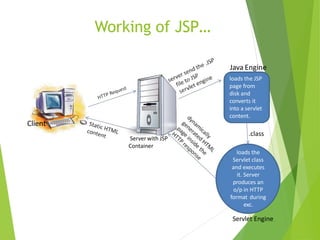
Working of JSP…
Client
Server with JSP
Container
Java Engine
loads the JSP
page from
disk and
converts it
into a servlet
content.
loads the
Servlet class
and executes
it. Server
produces an
o/p in HTTP
format during
exc.
Servlet Engine
.class
Intro to Predefined variables-
(Implicit Objects)
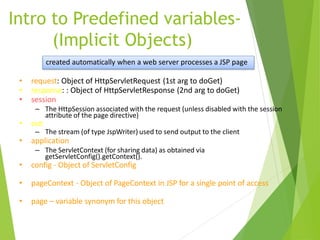
• request: Object of HttpServletRequest (1st arg to doGet)
• response: : Object of HttpServletResponse (2nd arg to doGet)
• session
– The HttpSession associated with the request (unless disabled with the session
attribute of the page directive)
• out
– The stream (of type JspWriter) used to send output to the client
• application
– The ServletContext (for sharing data) as obtained via
getServletConfig().getContext().
• config - Object of ServletConfig
• pageContext - Object of PageContext in JSP for a single point of access
• page – variable synonym for this object
created automatically when a web server processes a JSP page
JSP Directives
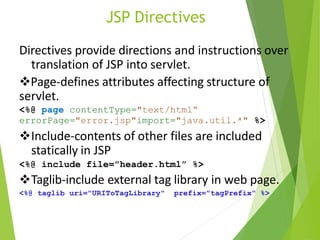
Directives provide directions and instructions over
translation of JSP into servlet.
Page-defines attributes affecting structure of
servlet.
<%@ page contentType="text/html“
errorPage="error.jsp"import="java.util.*" %>
Include-contents of other files are included
statically in JSP
<%@ include file=”header.html” %>
Taglib-include external tag library in web page.
<%@ taglib uri="URIToTagLibrary" prefix="tagPrefix" %>
JSP Elements
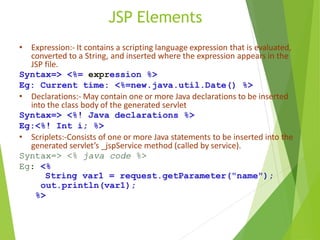
• Expression:- It contains a scripting language expression that is evaluated,
converted to a String, and inserted where the expression appears in the
JSP file.
Syntax=> <%= expression %>
Eg: Current time: <%=new.java.util.Date() %>
• Declarations:- May contain one or more Java declarations to be inserted
into the class body of the generated servlet
Syntax=> <%! Java declarations %>
Eg:<%! Int i; %>
• Scriplets:-Consists of one or more Java statements to be inserted into the
generated servlet’s _jspService method (called by service).
Syntax=> <% java code %>
Eg: <%
String var1 = request.getParameter("name");
out.println(var1);
%>
JSP v/s Servlets
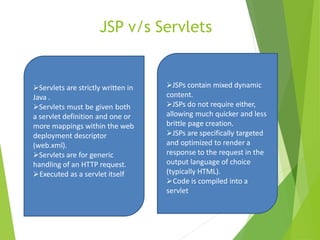
Servlets are strictly written in
Java .
Servlets must be given both
a servlet definition and one or
more mappings within the web
deployment descriptor
(web.xml).
Servlets are for generic
handling of an HTTP request.
Executed as a servlet itself
JSPs contain mixed dynamic
content.
JSPs do not require either,
allowing much quicker and less
brittle page creation.
JSPs are specifically targeted
and optimized to render a
response to the request in the
output language of choice
(typically HTML).
Code is compiled into a
servlet
Apache Struts Technology
A MVC Framework for Java Web
Applications
Agenda
• What is and Why Struts?
• How to install Struts in your WebApp ?
• Struts architecture
–Model
– Controller
– View
What is Struts ?
• Frameworks(Front-Ends) for Developing Java
web based applications
• free open-source
• Current Version: 1.1
• Based on architecture of MVC(Model-View-
Controller) Design Pattern
Why Struts?
• Flexible, extensible and structured front-ends
• Large user community
• Stable Framework
• Open source
• Easy to learn and use
• Feature-rich( like error handling and MVC )
• Works with existing web apps
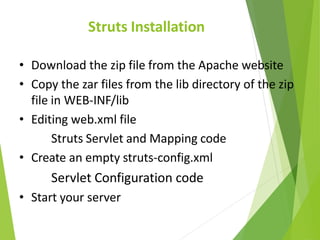
Struts Installation
• Download the zip file from the Apache website
• Copy the zar files from the lib directory of the zip
file in WEB-INF/lib
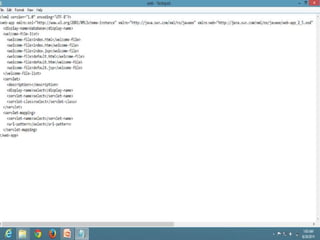
• Editing web.xml file
Struts Servlet and Mapping code
• Create an empty struts-config.xml
Servlet Configuration code
• Start your server
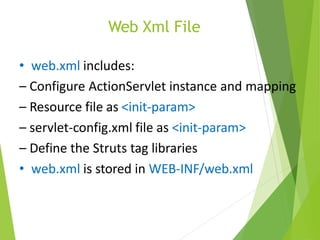
Web Xml File
• web.xml includes:
– Configure ActionServlet instance and mapping
– Resource file as <init-param>
– servlet-config.xml file as <init-param>
– Define the Struts tag libraries
• web.xml is stored in WEB-INF/web.xml
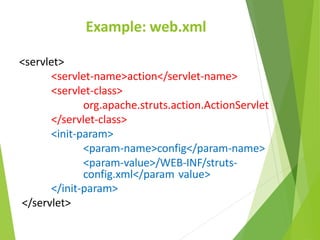
Example: web.xml
<servlet>
<servlet-name>action</servlet-name>
<servlet-class>
org.apache.struts.action.ActionServlet
</servlet-class>
<init-param>
<param-name>config</param-name>
<param-value>/WEB-INF/struts-
config.xml</param value>
</init-param>
</servlet>
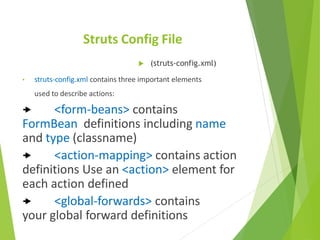
Struts Config File
 (struts-config.xml)
• struts-config.xml contains three important elements
used to describe actions:
 <form-beans> contains
FormBean definitions including name
and type (classname)
 <action-mapping> contains action
definitions Use an <action> element for
each action defined
 <global-forwards> contains
your global forward definitions
Struts Architecture
•Struts is an open-source framework for building more flexible, maintainable
and structured front-ends in Java web applications
•There are two key components in a web application:
–the data and business logic performed on this data
–the presentation of data
• Struts
–helps structuring these components in a Java web app.
–controls the flow of the web application, strictly separating these
components
–unifies the interaction between them
•This separation between presentation, business logic and control is
achieved by implementing the Model-View-Controller (MVC) Design
Pattern
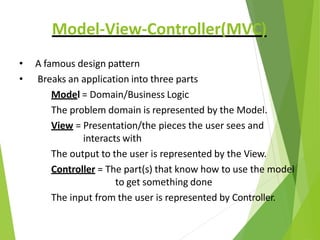
Model-View-Controller(MVC)
• A famous design pattern
• Breaks an application into three parts
Model = Domain/Business Logic
The problem domain is represented by the Model.
View = Presentation/the pieces the user sees and
interacts with
The output to the user is represented by the View.
Controller = The part(s) that know how to use the model
to get something done
The input from the user is represented by Controller.
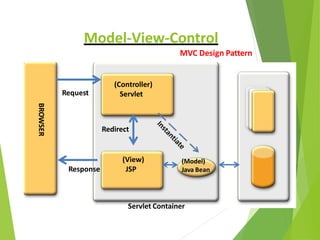
(Controller)
Servlet
BROWSER
Response
(View)
JSP
Request
(Model)
Java Bean
Servlet Container
Redirect
Model-View-Control
MVC Design Pattern
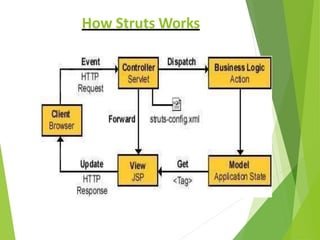
How Struts Works
Hibernate: An Introduction
• It is an object-relational mapping (ORM)
solution for Java
• We make our data persistent by storing it in a
database
• Hibernate takes care of this for us
Object-Relational Mapping
• It is a programming technique for converting
object-type data of an object oriented
programming language into database tables.
• Hibernate is used convert object data in JAVA
to relational database tables.
Why Hibernate and not JDBC?
• JDBC maps Java classes to database tables (and
from Java data types to SQL data types)
• Hibernate automatically generates the SQL
queries.
• Hibernate provides data query and retrieval
facilities and can significantly reduce
development time otherwise spent with manual
data handling in SQL and JDBC.
• Makes an application portable to all SQL
databases.
Hibernate vs. JDBC (an example)
• JDBC tuple insertion –
st.executeUpdate(“INSERT INTO book
VALUES(“Harry Potter”,”J.K.Rowling”));
• Hibernate tuple insertion –
session.save(book1);
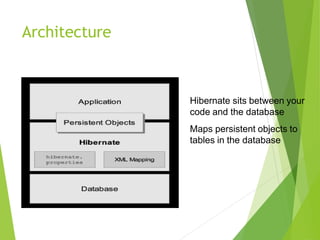
Architecture
Hibernate sits between your
code and the database
Maps persistent objects to
tables in the database
Tiles
• Tiles are like individual visual component,
• And using Tiles Framework, you can develop a
web page by including different tiles or
component.
• Tile layout is a JSP page which defines the
layout or defines the look and feel and where
each tile (for example header, body, footer )
are placed.
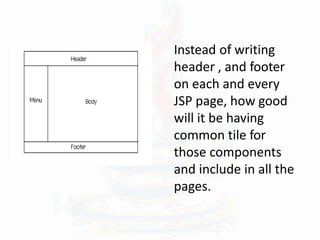
Instead of writing
header , and footer
on each and every
JSP page, how good
will it be having
common tile for
those components
and include in all the
pages.
THANK
YOU

AJppt.pptx

  • 1.
    ADVANCE JAVA POWER POINTPRESENTATION SUBMITTED BY- SACHIN SINGH RAWAL
  • 2.
    INDEX 1.Brief Overview ofJava 2.Advance java 3.Servlets 4.Session Handling 5.Database Handling 6.JSP 7.Struts 8.MVC 9.Tiles 10Hibernate
  • 3.
  • 4.
    What is java? Javais a computer programming language that is concurrent, class-based, object-oriented.  It is intended to let application developers "write once, run anywhere" (WORA).  Java applications are typically compiled to bytecode (class file) that can run on any Java virtual machine (JVM) regardless of computer architecture.  Java is, as of 2014, one of the most popular programming languages in use, particularly for client-server web applications.  Java is the Internet programming language
  • 5.
    Java's History • Javawas originally developed by James Gosling at Sun Microsystems (which has since merged into Oracle Corporation). • Originally named OAK in 1991 • First non commercial version in 1994 • Renamed and modified to Java in 1995 and released as a core component of Sun Microsystems' Java platform. • First Commercial version in late 1995 • Hot Java -The first Java-enabled Web browser
  • 6.
    Java Technology • Whatis Java? Java technology is both a programming language and a platform.
  • 7.
    -Simple -Object oriented -Distributed -Multithreaded -Dynamic Architecture neutral -Portable -Highperformance -Robust -Secure --The Java Programming Language The Java programming language is a high- level language that can be characterized by all of the following buzzwords:
  • 8.
    --The Java Platform A platformis the hardware or software environment in which a program runs. Some of the most popular platforms are Microsoft Windows, Linux, Solaris OS, and Mac OS. Most platforms can be described as a combination of the operating system and underlying hardware. The Java platform differs from most other platforms in that it's a software-only platform that runs on top of other hardware- based platforms. The Java platform has two components: The Java Virtual Machine The Java Application Programming Interface (API)
  • 9.
    Different Editions ofJava • Java Standard Edition (J2SE) – J2SE can be used to develop client-side standalone applications or applets. • Java Enterprise Edition (J2EE) – J2EE can be used to develop server-side applications such as Java servlets, Java ServerPages, and Java ServerFaces. • Java Micro Edition (J2ME). – J2ME can be used to develop applications for mobile devices such as cell phones.
  • 11.
    J2EE • J2EE isa platform-independent, Java-centric environment from Sun for developing, building and deploying Web-based enterprise applications online.
  • 12.
    Why J2EE? • Simplifiesthe complexity of a building n-tier application • Standardizes an API between components and application server container • J2EE Application Server and Containers provide the framework services
  • 13.
    J2EE Tiers • ClientPresentation  HTML or Java applets deployed in Browser  XML documentations transmitted through HTTP  Java clients running in Client Java Virtual Machine (JVM) • Presentation Logic  Servlets or JavaServer Pages running in web server • Application Logic  Enterprise JavaBeans running in Server
  • 15.
    What are Servlets? •The Servlet is a server-side programming language class used for making dynamic web pages. They reside within a servlet engine. • Servlets receive and respond to requests from Web clients, usually across HTTP, the HyperText Transfer Protocol. • They provide concurrency ,portability and Efficiency.
  • 16.
    Tasks of aServlet • Read the explicit data sent by the clients (browsers). • Read the implicit HTTP request data sent by the clients (browsers). • Process the data and generate results. • Send the explicit data (i.e., the document) to the clients (browsers). • Send the implicit HTTP response to the clients (browsers
  • 17.
    Servlet life cycle All methods are performed by Container  Initialize using init() method when requested.  Service() method handles requests/clients. The requests are forwarded to the appropriate method (ie. doGet() or doPost())  Server removes the servlet using destroy() method
  • 18.
    Basic Servlet example importjava.io.*; import javax.servlet.*; import javax.servlet.http.*; public class Test extends HttpServlet{ public void doGet(HttpServletRequest in, HttpServletResponse out) throws ServletException, IOException { out.setContentType(“text/html”); PrintWriter p = res.getWriter(); p.println(“<H1>HELLO, WORLD!</H1>”); } }
  • 19.
    Working with Servlets All servlets must extend the HttpServlet or Servlet class  public class MyServlet extends HttpServlet  HttpServlet Class overrides service() method.  Two most common HTTP request types. Under HTTP, there are two methods available for sending parameters from the browser to the web server.  doPost(HttpServletRequest,HttpServletResponse); Invoked whenever an HTTP POST request is issued through an HTML form.Unlimited data can b send.  doGet(HttpServletRequest,HttpServletResponse); Invoked whenever an HTTP GET method from a URL request is issued, or an HTML form. Limited data sending.
  • 20.
    Transfer Of Control •sendRedirect(filename); sends control. • RequestDispatcher(); sends Control+data using : Requestdispatcher rd= request.Getrequestdispatcher(“abc.Jsp”); Rd.Forward(req,res): // to see o/p of only requesting servlet. Rd.Include(req,res); //o/p of all previous servlets are shown. HTML Servlet abc.jsp Abc.html Abc(java file)
  • 21.
    Servlet Context &Servlet Configuration Servlet Context is some information which has global scope. It works as static data. ServletContext sc=getServletContext(); sc.setAttribute("user", “abc"); sc.getAttribute(“user”); Servlet Configuration is the information specific to a servlet. ServletConfig sc = getServletConfig();
  • 22.
    Session Handling Session handlingis used for tracking client’s session . Types of session handling:- URL re-writing Hidden form field Cookies Http session
  • 23.
    URL re-writing You canappend some extra data on the end of each URL that identifies the session, and the server can associate that session identifier with data it has stored about that session. ex:-username and password will be appended to the URL. Hidden Form Field HTML forms have an entry that looks like the following: <input type=“hidden” value=“username”> This can be used to store information about the session.
  • 24.
    Cookies we can useHTTP cookies to store information about session and each subsequent connection can look up the current session and then extract information about that session from some location on the server machine. • Cookies are normal files • Contains info of users • Resides on the browser
  • 25.
    Http Session The infoof users are stored in server -side. User have no authority to modify the info. Initialization of http session: HttpSession hs= request.getSession(); By default session is TRUE . If false then previous session is picked up. How to add info in hs:- hs.setAttribute(“name", "value”);
  • 26.
    how to get info:- HttpSessionhs= request.getSession(false); hs.getAttribute(“name”); How to delete info:- hs.invalidate(); HttpSession handling done as shown in following program:-
  • 36.
    Database Handling Java databaseconnectivity (JDBC) is a standard application programming interface (API) specification that is implemented by different database vendors to allow Java programs to access their database management systems. The JDBC API consists of a set of interfaces and classes written in the Java programming language. Basic steps to use database in Java • Establish a connection • Create statements • Execute SQL statements • Get results
  • 37.
    Loading drivers Class.forName("oracle.jdbc.driver.OracleDriver"); – Dynamicallyloads a driver class, for Oracle database. Making connections Connection con= DriverManager.getConnection(“Oracle:jdbc:oracle:thin:@l ocalhost:1521:xc”,”username”,”password”); – Establishes connection to database by obtaining a Connection object .
  • 38.
    Specifying SQL queries Usingprepared statements:- Syntax- PreparedStatement ps= con.preparestatement(“SQL QUERY”); Execute Query There are two operations to execute queries:- • Select – ps.executeQuery(); •update – ps.executeUpdate(); To store data:- ResultSet rs= ps.executeQuery();
  • 39.
    To get thedata from rs:- • Row by row data is fetched. Syntax :- While( rs.next()) { String s1= rs.getString(“name”); Date d= rs.getDate(“date”); } The following program show the working:-
  • 43.
    Java Server Pages •Server-side programming technology that enables the creation of dynamic. Released in 1999 by Sun Microsystems. • Platform-independent method for building Web-based applications. • Uses static data usually HTML. • To deploy and run JavaServer Pages, a compatible web server with a servlet container, such as Apache Tomcat is required. • Entire JSP page gets translated into a servlet (once), and servlet gets invoked (for each request) • JavaServer Pages (JSP) lets you separate the dynamic part of your pages from the static HTML. HTML tags and text <% some JSP code here %> HTML tags and text
  • 44.
    Working of JSP… Client Serverwith JSP Container Java Engine loads the JSP page from disk and converts it into a servlet content. loads the Servlet class and executes it. Server produces an o/p in HTTP format during exc. Servlet Engine .class
  • 45.
    Intro to Predefinedvariables- (Implicit Objects) • request: Object of HttpServletRequest (1st arg to doGet) • response: : Object of HttpServletResponse (2nd arg to doGet) • session – The HttpSession associated with the request (unless disabled with the session attribute of the page directive) • out – The stream (of type JspWriter) used to send output to the client • application – The ServletContext (for sharing data) as obtained via getServletConfig().getContext(). • config - Object of ServletConfig • pageContext - Object of PageContext in JSP for a single point of access • page – variable synonym for this object created automatically when a web server processes a JSP page
  • 46.
    JSP Directives Directives providedirections and instructions over translation of JSP into servlet. Page-defines attributes affecting structure of servlet. <%@ page contentType="text/html“ errorPage="error.jsp"import="java.util.*" %> Include-contents of other files are included statically in JSP <%@ include file=”header.html” %> Taglib-include external tag library in web page. <%@ taglib uri="URIToTagLibrary" prefix="tagPrefix" %>
  • 47.
    JSP Elements • Expression:-It contains a scripting language expression that is evaluated, converted to a String, and inserted where the expression appears in the JSP file. Syntax=> <%= expression %> Eg: Current time: <%=new.java.util.Date() %> • Declarations:- May contain one or more Java declarations to be inserted into the class body of the generated servlet Syntax=> <%! Java declarations %> Eg:<%! Int i; %> • Scriplets:-Consists of one or more Java statements to be inserted into the generated servlet’s _jspService method (called by service). Syntax=> <% java code %> Eg: <% String var1 = request.getParameter("name"); out.println(var1); %>
  • 48.
    JSP v/s Servlets Servletsare strictly written in Java . Servlets must be given both a servlet definition and one or more mappings within the web deployment descriptor (web.xml). Servlets are for generic handling of an HTTP request. Executed as a servlet itself JSPs contain mixed dynamic content. JSPs do not require either, allowing much quicker and less brittle page creation. JSPs are specifically targeted and optimized to render a response to the request in the output language of choice (typically HTML). Code is compiled into a servlet
  • 49.
    Apache Struts Technology AMVC Framework for Java Web Applications
  • 50.
    Agenda • What isand Why Struts? • How to install Struts in your WebApp ? • Struts architecture –Model – Controller – View
  • 51.
    What is Struts? • Frameworks(Front-Ends) for Developing Java web based applications • free open-source • Current Version: 1.1 • Based on architecture of MVC(Model-View- Controller) Design Pattern
  • 52.
    Why Struts? • Flexible,extensible and structured front-ends • Large user community • Stable Framework • Open source • Easy to learn and use • Feature-rich( like error handling and MVC ) • Works with existing web apps
  • 53.
    Struts Installation • Downloadthe zip file from the Apache website • Copy the zar files from the lib directory of the zip file in WEB-INF/lib • Editing web.xml file Struts Servlet and Mapping code • Create an empty struts-config.xml Servlet Configuration code • Start your server
  • 54.
    Web Xml File •web.xml includes: – Configure ActionServlet instance and mapping – Resource file as <init-param> – servlet-config.xml file as <init-param> – Define the Struts tag libraries • web.xml is stored in WEB-INF/web.xml
  • 55.
  • 56.
    Struts Config File (struts-config.xml) • struts-config.xml contains three important elements used to describe actions:  <form-beans> contains FormBean definitions including name and type (classname)  <action-mapping> contains action definitions Use an <action> element for each action defined  <global-forwards> contains your global forward definitions
  • 57.
    Struts Architecture •Struts isan open-source framework for building more flexible, maintainable and structured front-ends in Java web applications •There are two key components in a web application: –the data and business logic performed on this data –the presentation of data • Struts –helps structuring these components in a Java web app. –controls the flow of the web application, strictly separating these components –unifies the interaction between them •This separation between presentation, business logic and control is achieved by implementing the Model-View-Controller (MVC) Design Pattern
  • 58.
    Model-View-Controller(MVC) • A famousdesign pattern • Breaks an application into three parts Model = Domain/Business Logic The problem domain is represented by the Model. View = Presentation/the pieces the user sees and interacts with The output to the user is represented by the View. Controller = The part(s) that know how to use the model to get something done The input from the user is represented by Controller.
  • 59.
  • 60.
  • 61.
    Hibernate: An Introduction •It is an object-relational mapping (ORM) solution for Java • We make our data persistent by storing it in a database • Hibernate takes care of this for us
  • 62.
    Object-Relational Mapping • Itis a programming technique for converting object-type data of an object oriented programming language into database tables. • Hibernate is used convert object data in JAVA to relational database tables.
  • 63.
    Why Hibernate andnot JDBC? • JDBC maps Java classes to database tables (and from Java data types to SQL data types) • Hibernate automatically generates the SQL queries. • Hibernate provides data query and retrieval facilities and can significantly reduce development time otherwise spent with manual data handling in SQL and JDBC. • Makes an application portable to all SQL databases.
  • 64.
    Hibernate vs. JDBC(an example) • JDBC tuple insertion – st.executeUpdate(“INSERT INTO book VALUES(“Harry Potter”,”J.K.Rowling”)); • Hibernate tuple insertion – session.save(book1);
  • 65.
    Architecture Hibernate sits betweenyour code and the database Maps persistent objects to tables in the database
  • 66.
    Tiles • Tiles arelike individual visual component, • And using Tiles Framework, you can develop a web page by including different tiles or component. • Tile layout is a JSP page which defines the layout or defines the look and feel and where each tile (for example header, body, footer ) are placed.
  • 67.
    Instead of writing header, and footer on each and every JSP page, how good will it be having common tile for those components and include in all the pages.
  • 68.