Web API 2 With MVC 5
KRUNAL TRIVEDI
Microsoft Certified Trainer
Email : it.ktrivedi@gmail.com
www.iamkrunaltrivedi.com
about.me/TrainerKrunal
Tweet : @TrainerKrunal
Web API 2 Introduces :
• Attribute Routing along with Convention-based routing
• IHttpActionResult
• CORS : Cross Origin Resource Sharing
• Authenticated Web API
IHttpActionResult
• IHttpActionResult interface defines a command that asynchronously
creates an HttpResponseMessage.
• IHttpActionResult interface contains ExecuteAsync() method which
creates an HttpResponseMessage asynchronously.
• A Web API controller action can return any of the following
• Void
• HttpResponseMessage
• IHttpActionResult
• Some other type
IHttpActionResult
• The IHttpActionResult interface introduced in Web API 2.
• It defines HttpResponseMessage factory.
• It contains single method , ExecuteAsync , which asynchronously creates an
HttpResponseMessage instance.
• If a controller action returns an IHttpActionResult , Web API calls the
ExecuteAsync method to create an HttpResponseMessage.
• Then it converts the HttpResponseMessage into an HTTP response message.
CORS : Cross Origin Resource Sharing
• CORS allows JavaScript in the browser to call an API on the different domain.
• Cross-Origin Resource Sharing is a specification that enables truly open access
across domain-boundaries.
• If you serve public content , please consider using CORS to open it up for
universal JavaScript/browser access.
• It calls an API on the different server somewhere different from it’s origin.
• For you , cross domain call is blocked by browser by default and disallowed for
the security risk.
• But , it is extremely useful if we able to do this.
• If other server allows it browser can call to that server.
• CORS defines a way in which the browser and the server can interact to
determine whether or not to allow the cross-origin request.
• The CORS standard works by adding new HTTP headers which allow servers to
serve resources to permitted origin domains.
• Browsers supports this headers and respect the restrictions they establish.
“CORS can be used as a modern alternative to
the JSONP pattern”
• While JSONP supports only the GET request method.
• CORS also supports other types of HTTP requests.
• Using CORS enables a web programmer to use regular XMLHttpRequest, which
supports better error handling than JSONP.
• JSONP can cause Cross-site-scripting issues where the external site is
compromised , CORS allows websites to manually parse responses to ensure
security.
How CORS work
• To initiate a cross-origin request , a browser sends the request with an Origin
HTTP Header.
• The value of this header is the domain that served the page.
• For example , suppose a page from http://www.iamkrunaltrivedi.com attempts to
access a user’s data in http://www.online-city-directory.com
• If the user’s browser implements CORS , the following request header would be
sent to online-city-directory.com
Origin : http://www.iamkrunaltrivedi.com
• If http://www.online-city-directory.com allows the request , it sends an Access-
Control-Allow-Origin (ACAO) header in its response.
• The value of the header indicates what origin sites are allowed.
• For example , a response to the previous request could contain the following :
Access-Control-Allow-Origin : http://www.iamkrunaltrivedi.com
• If the server does not allow the Cross-origin request , the browser will deliver an
error to http://www.iamkrunaltrivedi.com page instead of the
http://www.online-city-directory.com response.
• To allow access from all domains , a server can send the following response
header :
Access-Control-Allow-Origin : *
Demo
Web API2 With MVC 5
Create New ASP.NET Web Application
Select Web API Template with MVC
Right Click on ModelAdd New ClassCustomer.cs
Right Click on Controller  Add Controller
Select Web API 2 Empty Controller
Name it CustomerController
CustomerController
Right Click on SolutionAdd New ProjectASP.NET Web Application
Select Empty Web Application Template
Right Click on WebAPIConsumer ProjectAdd New ItemHTML
PageCustomerPage.html
Go To Quick Launch and Open Manage NuGet Packages
Select jQuery Package and Install
After installation of jQuery we will get Scripts directory along with jQuery files
Create CustomerPage.cshtml page as shown below
Right Click on CustomerPage.html pageView In BrowserClick on Get Customers
buttonYou can see XMLHttpRequest cannot load , No Access-Control-Allow-Origin
header is present on the requested resource.
• Now , to Enable CORS we need following Dlls
• System.Web.Cors.dll
• System.Web.Http.Cors.dll
• Add reference of this dlls….
Again , Go Back to KTWebAPI2Demo project , our source project , Open Package
Manager Console and Search for CORS , install ASP.NET Web API Cors-Origin
OR OPTIONALLY
Open WebApiConfig.cs and write down below code
Now, Set your WebAPIConsumer Project as start up project , Run your applicationClick on buttonyou can
see your getting data.To Check open Developes Tools and check the headers..
Getting a Customer By Id
• To get a customer by ID, send an HTTP GET request to
"/api/customer/id", where id is the CustomerId. Add the following
code to the script block
Modify your CustomerPage.html as shown below
Here , we are adding a label , a textbox and a button .
OnClick of button we are calling FindDetails() function which we will create next.
Create JavaScript function as shown below
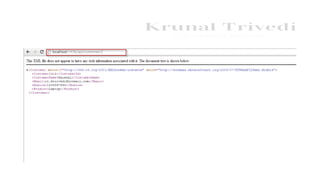
Final , page looks a like
Here , you can see the Final desired output.
Again observe the URL…we are accessing the data of web application hosted on port
1436 from the Web Application hosted on port 1654…Thanks to CORS
Attribute Routing
Open CustomerControllerModify your GetCustomerId function….
Here we are using [Route] attribute to define the custom route.
We also mention that CustomerId parameter must have an integer value.
Open WebApiConfig.cs and make sure you have MapHttpAttributeRoutes method
defined
Here , I have defined constraints…. Integer value must not be less then 2
We can also define below constraints…
IHttpActionResult
• IHttpActionResult is now supported in Web API 2.
• Now , same as your MVC ActionResult ,which has ViewResult ,
RedirectToActionResult ,now in Web API 2 IHttpActionResult return type also
return multiple types like OKResult , NotFoundResult , ConflictResult ,
BadRequestResult etc..
• IHttpActionResult simplifies unit testing process.
• It contains single method , ExecuteAsync , which asynchronously creates an
HttpResponseMessage instance
Web api 2 With MVC 5 With TrainerKrunal

Web api 2 With MVC 5 With TrainerKrunal

  • 1.
    Web API 2With MVC 5 KRUNAL TRIVEDI Microsoft Certified Trainer Email : it.ktrivedi@gmail.com www.iamkrunaltrivedi.com about.me/TrainerKrunal Tweet : @TrainerKrunal
  • 2.
    Web API 2Introduces : • Attribute Routing along with Convention-based routing • IHttpActionResult • CORS : Cross Origin Resource Sharing • Authenticated Web API
  • 3.
    IHttpActionResult • IHttpActionResult interfacedefines a command that asynchronously creates an HttpResponseMessage. • IHttpActionResult interface contains ExecuteAsync() method which creates an HttpResponseMessage asynchronously.
  • 5.
    • A WebAPI controller action can return any of the following • Void • HttpResponseMessage • IHttpActionResult • Some other type
  • 6.
    IHttpActionResult • The IHttpActionResultinterface introduced in Web API 2. • It defines HttpResponseMessage factory. • It contains single method , ExecuteAsync , which asynchronously creates an HttpResponseMessage instance.
  • 8.
    • If acontroller action returns an IHttpActionResult , Web API calls the ExecuteAsync method to create an HttpResponseMessage. • Then it converts the HttpResponseMessage into an HTTP response message.
  • 9.
    CORS : CrossOrigin Resource Sharing • CORS allows JavaScript in the browser to call an API on the different domain. • Cross-Origin Resource Sharing is a specification that enables truly open access across domain-boundaries. • If you serve public content , please consider using CORS to open it up for universal JavaScript/browser access. • It calls an API on the different server somewhere different from it’s origin. • For you , cross domain call is blocked by browser by default and disallowed for the security risk. • But , it is extremely useful if we able to do this. • If other server allows it browser can call to that server.
  • 10.
    • CORS definesa way in which the browser and the server can interact to determine whether or not to allow the cross-origin request. • The CORS standard works by adding new HTTP headers which allow servers to serve resources to permitted origin domains. • Browsers supports this headers and respect the restrictions they establish.
  • 11.
    “CORS can beused as a modern alternative to the JSONP pattern” • While JSONP supports only the GET request method. • CORS also supports other types of HTTP requests. • Using CORS enables a web programmer to use regular XMLHttpRequest, which supports better error handling than JSONP. • JSONP can cause Cross-site-scripting issues where the external site is compromised , CORS allows websites to manually parse responses to ensure security.
  • 12.
    How CORS work •To initiate a cross-origin request , a browser sends the request with an Origin HTTP Header. • The value of this header is the domain that served the page. • For example , suppose a page from http://www.iamkrunaltrivedi.com attempts to access a user’s data in http://www.online-city-directory.com • If the user’s browser implements CORS , the following request header would be sent to online-city-directory.com Origin : http://www.iamkrunaltrivedi.com
  • 13.
    • If http://www.online-city-directory.comallows the request , it sends an Access- Control-Allow-Origin (ACAO) header in its response. • The value of the header indicates what origin sites are allowed. • For example , a response to the previous request could contain the following : Access-Control-Allow-Origin : http://www.iamkrunaltrivedi.com
  • 14.
    • If theserver does not allow the Cross-origin request , the browser will deliver an error to http://www.iamkrunaltrivedi.com page instead of the http://www.online-city-directory.com response. • To allow access from all domains , a server can send the following response header : Access-Control-Allow-Origin : *
  • 15.
  • 16.
    Create New ASP.NETWeb Application
  • 17.
    Select Web APITemplate with MVC
  • 18.
    Right Click onModelAdd New ClassCustomer.cs
  • 20.
    Right Click onController  Add Controller
  • 21.
    Select Web API2 Empty Controller
  • 22.
  • 23.
  • 24.
    Right Click onSolutionAdd New ProjectASP.NET Web Application
  • 25.
    Select Empty WebApplication Template
  • 26.
    Right Click onWebAPIConsumer ProjectAdd New ItemHTML PageCustomerPage.html
  • 27.
    Go To QuickLaunch and Open Manage NuGet Packages
  • 28.
  • 29.
    After installation ofjQuery we will get Scripts directory along with jQuery files
  • 30.
  • 31.
    Right Click onCustomerPage.html pageView In BrowserClick on Get Customers buttonYou can see XMLHttpRequest cannot load , No Access-Control-Allow-Origin header is present on the requested resource.
  • 32.
    • Now ,to Enable CORS we need following Dlls • System.Web.Cors.dll • System.Web.Http.Cors.dll • Add reference of this dlls….
  • 33.
    Again , GoBack to KTWebAPI2Demo project , our source project , Open Package Manager Console and Search for CORS , install ASP.NET Web API Cors-Origin
  • 35.
  • 36.
    Open WebApiConfig.cs andwrite down below code
  • 37.
    Now, Set yourWebAPIConsumer Project as start up project , Run your applicationClick on buttonyou can see your getting data.To Check open Developes Tools and check the headers..
  • 38.
    Getting a CustomerBy Id • To get a customer by ID, send an HTTP GET request to "/api/customer/id", where id is the CustomerId. Add the following code to the script block
  • 39.
    Modify your CustomerPage.htmlas shown below Here , we are adding a label , a textbox and a button . OnClick of button we are calling FindDetails() function which we will create next.
  • 40.
  • 41.
    Final , pagelooks a like
  • 42.
    Here , youcan see the Final desired output. Again observe the URL…we are accessing the data of web application hosted on port 1436 from the Web Application hosted on port 1654…Thanks to CORS
  • 43.
  • 44.
    Open CustomerControllerModify yourGetCustomerId function…. Here we are using [Route] attribute to define the custom route. We also mention that CustomerId parameter must have an integer value.
  • 45.
    Open WebApiConfig.cs andmake sure you have MapHttpAttributeRoutes method defined
  • 48.
    Here , Ihave defined constraints…. Integer value must not be less then 2
  • 50.
    We can alsodefine below constraints…
  • 51.
    IHttpActionResult • IHttpActionResult isnow supported in Web API 2. • Now , same as your MVC ActionResult ,which has ViewResult , RedirectToActionResult ,now in Web API 2 IHttpActionResult return type also return multiple types like OKResult , NotFoundResult , ConflictResult , BadRequestResult etc.. • IHttpActionResult simplifies unit testing process. • It contains single method , ExecuteAsync , which asynchronously creates an HttpResponseMessage instance