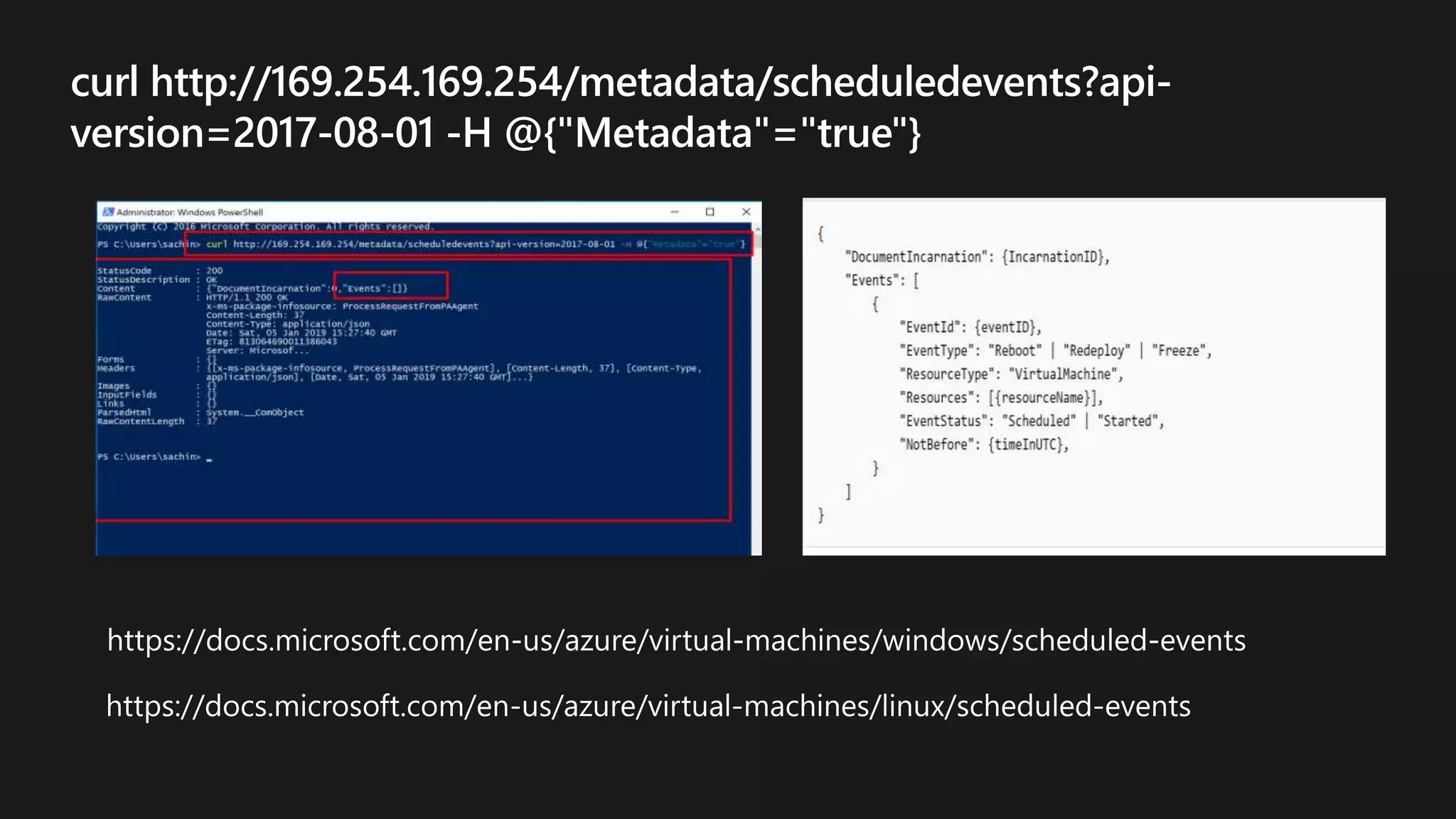



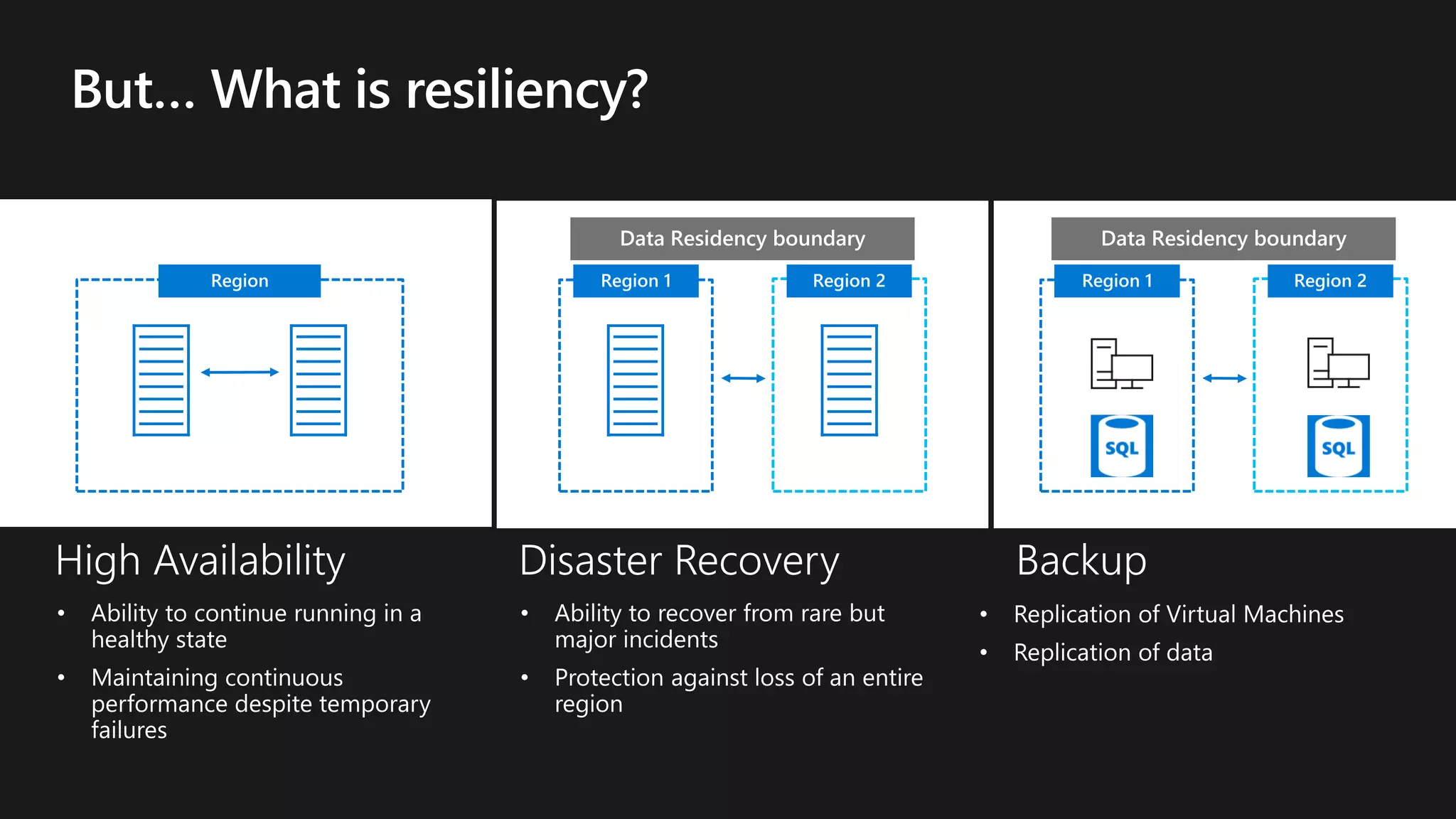
Region Region 2Region 1 Region 2Region 1
© Microsoft Corporation
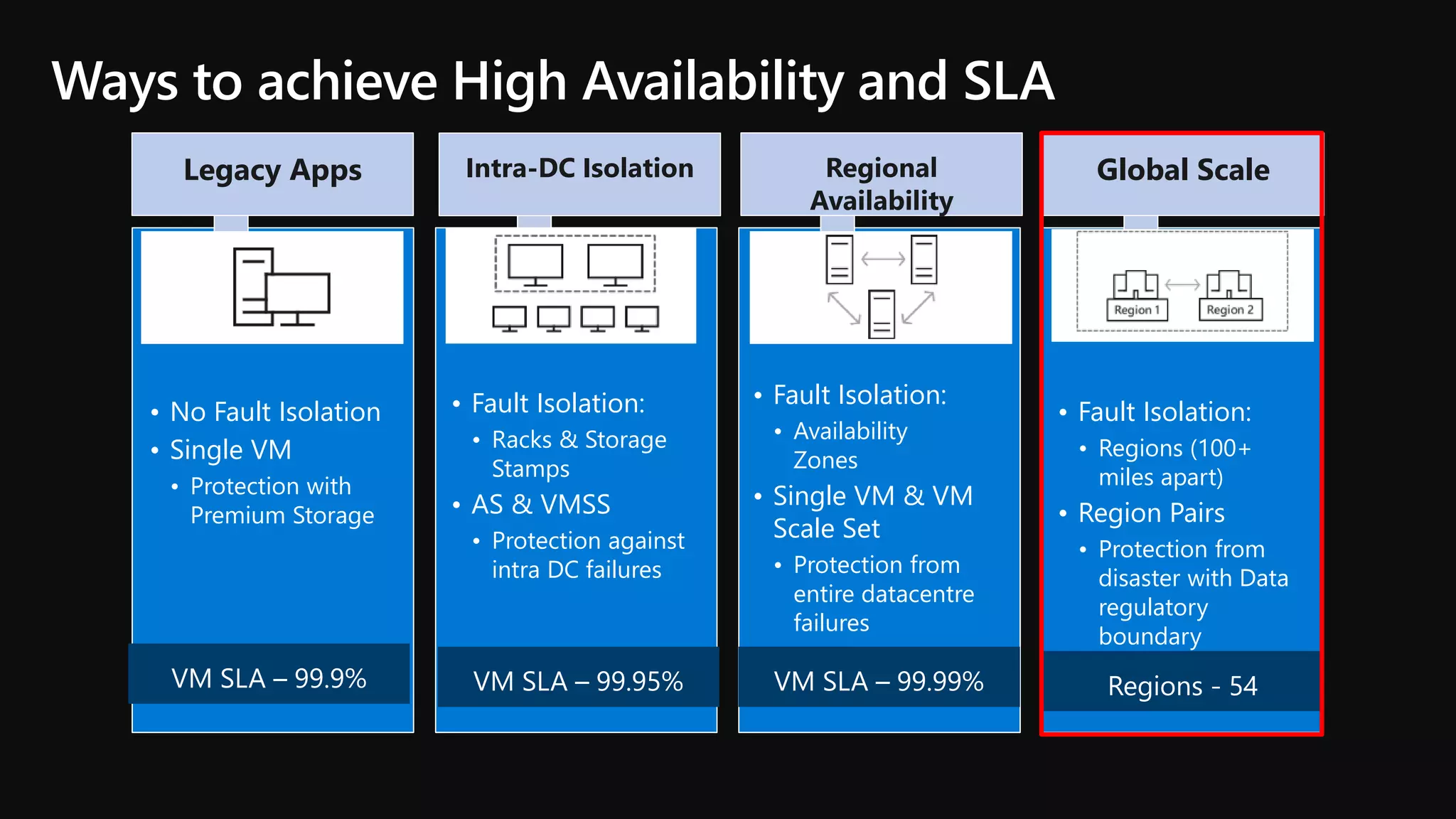
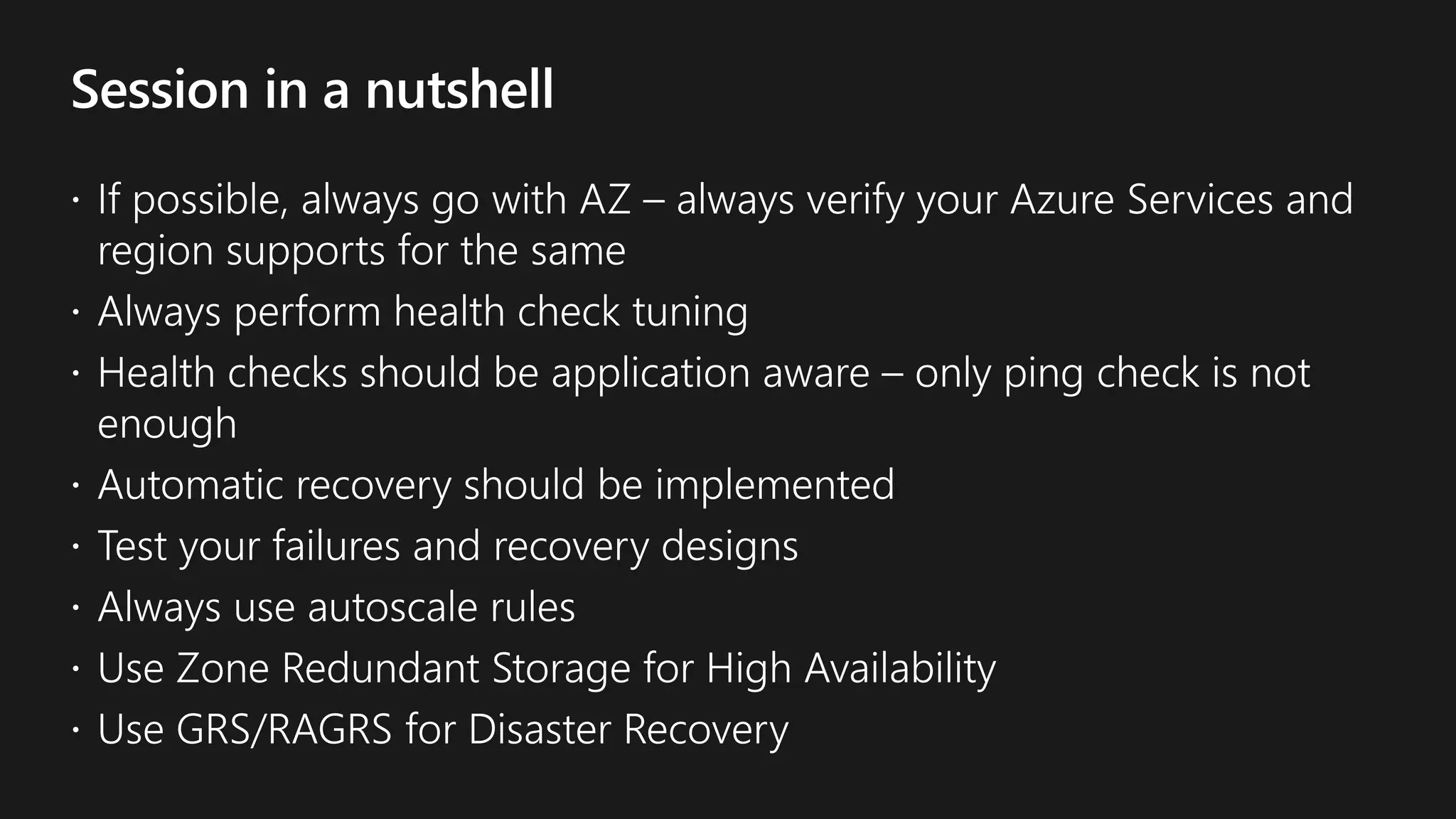
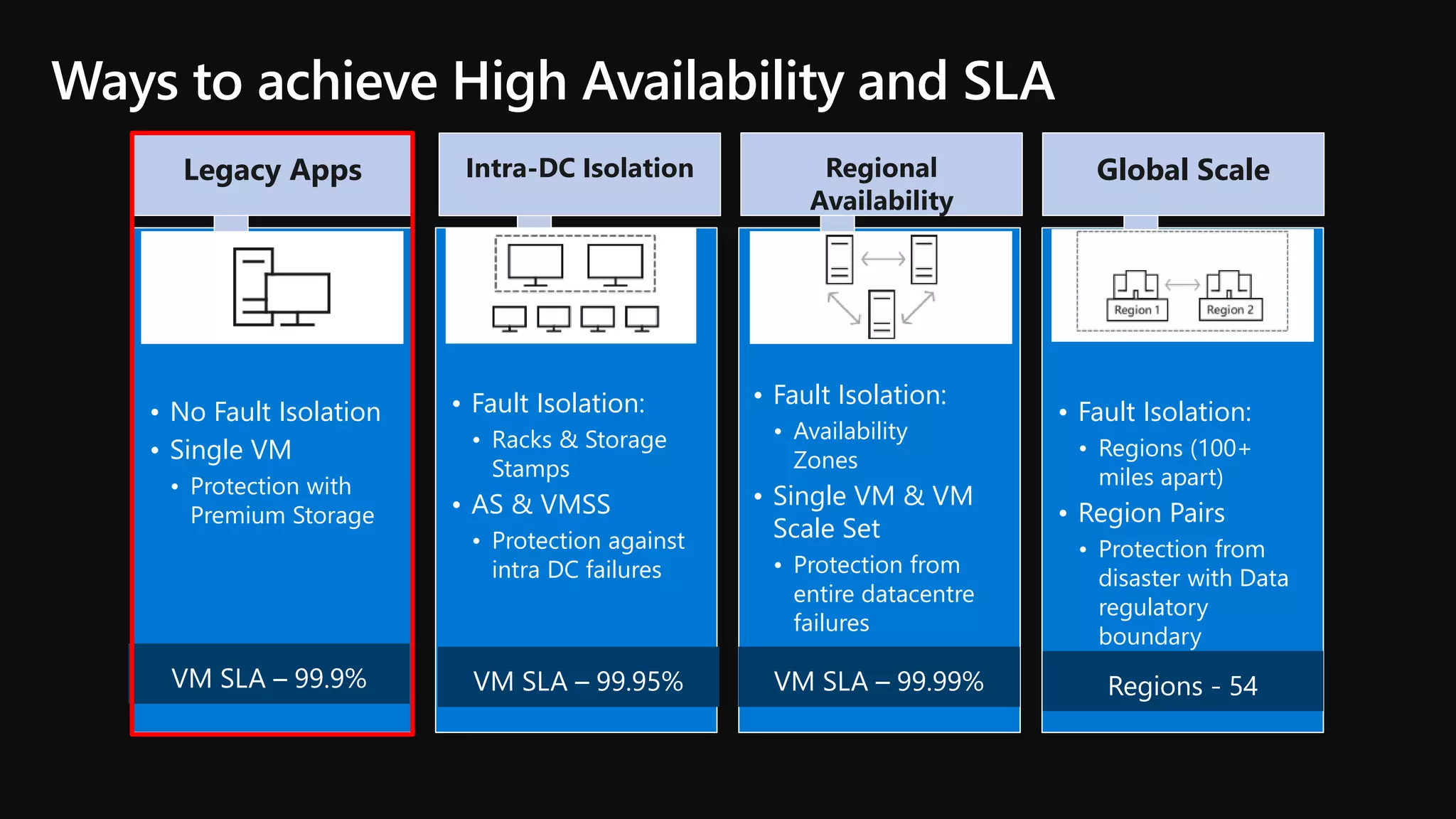
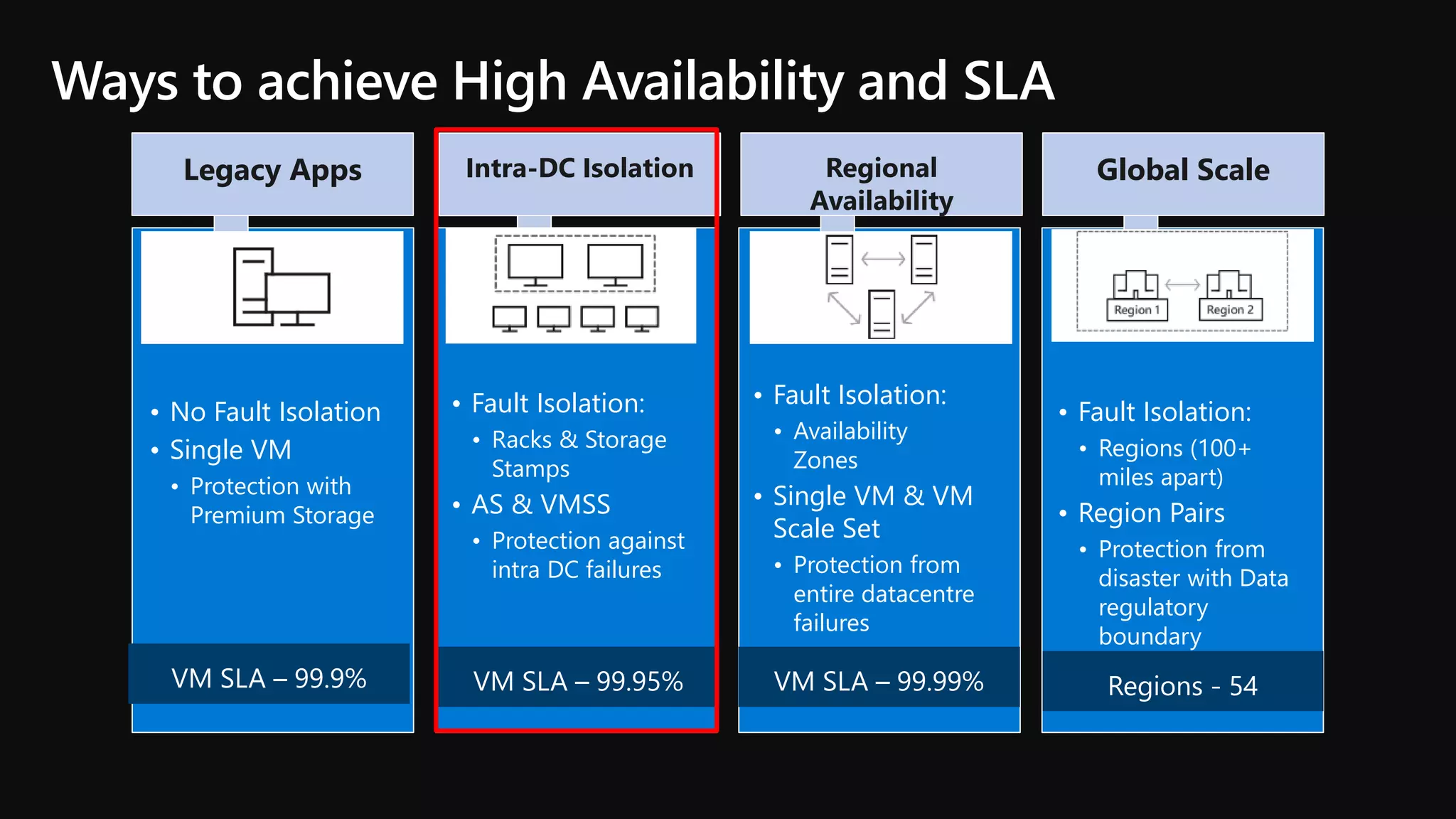
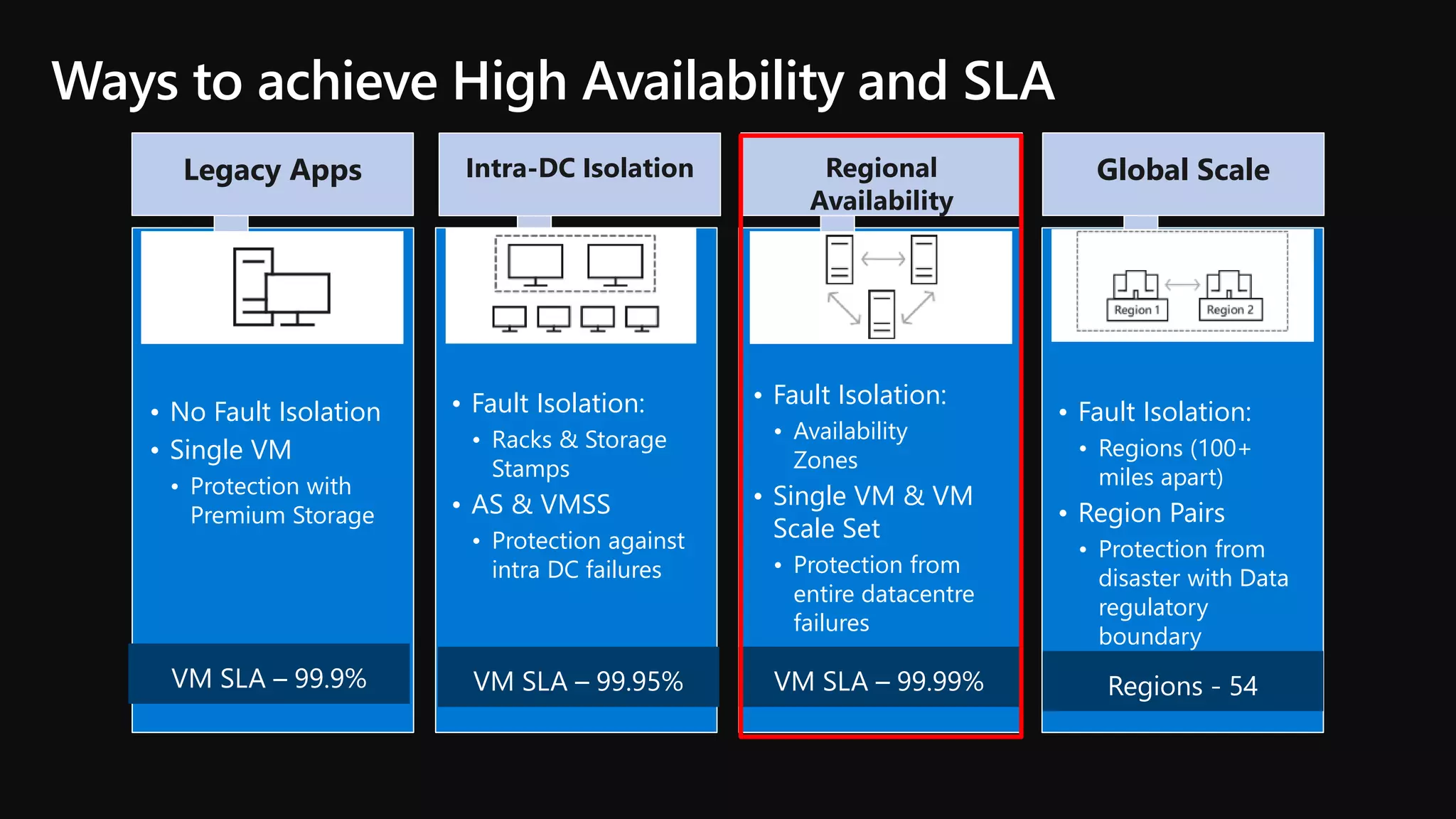
Ways to achieve High Availability and SLA
• No Fault Isolation
• Single VM
• Protection with
Premium Storage
• Fault Isolation:
• Racks & Storage
Stamps
• AS & VMSS
• Protection against
intra DC failures
• Fault Isolation:
• Availability
Zones
• Single VM & VM
Scale Set
• Protection from
entire datacentre
failures
• Fault Isolation:
• Regions (100+
miles apart)
• Region Pairs
• Protection from
disaster with Data
regulatory
boundary
Legacy Apps Intra-DC Isolation Regional
Availability
Global Scale
Recovery
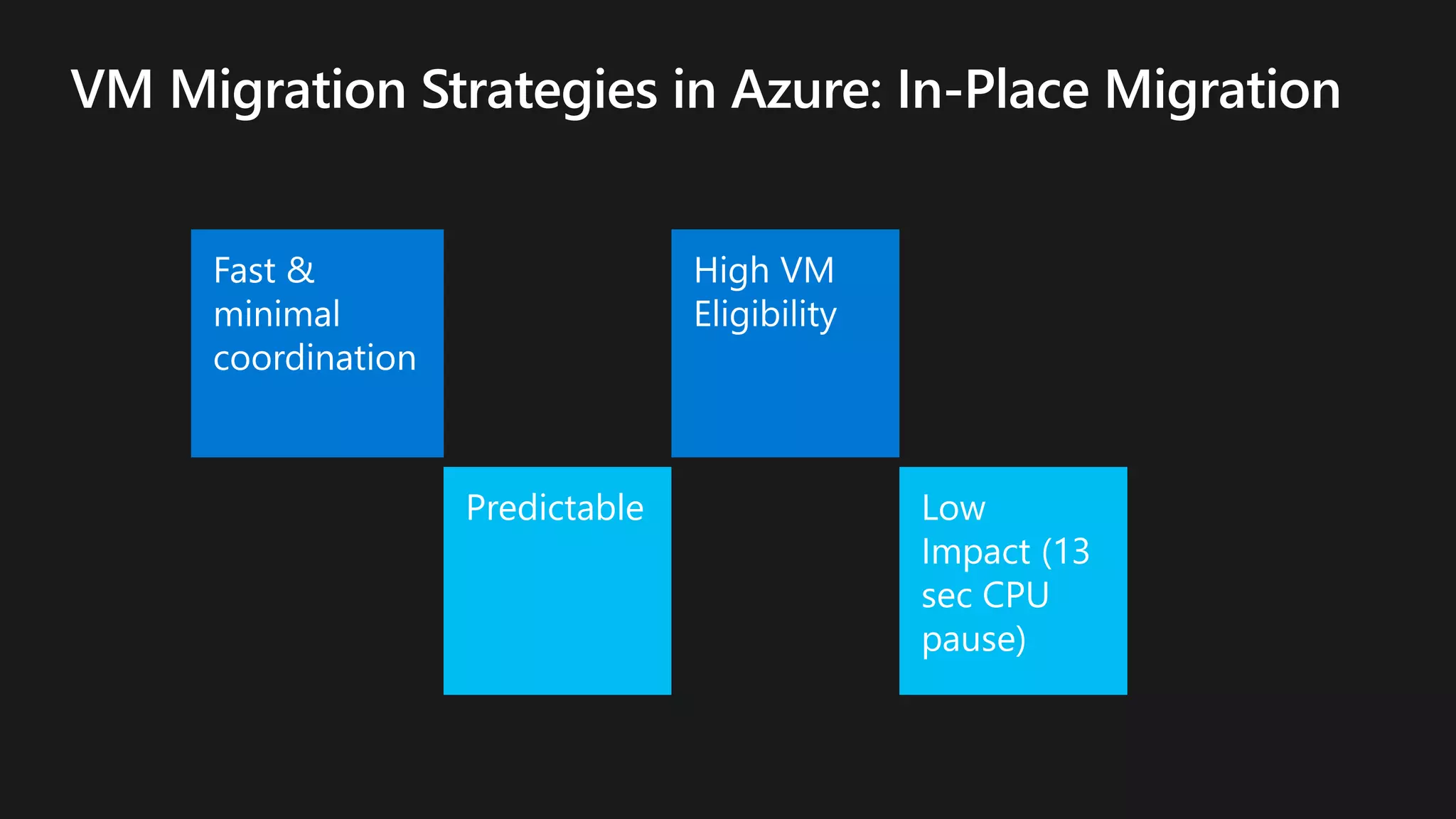
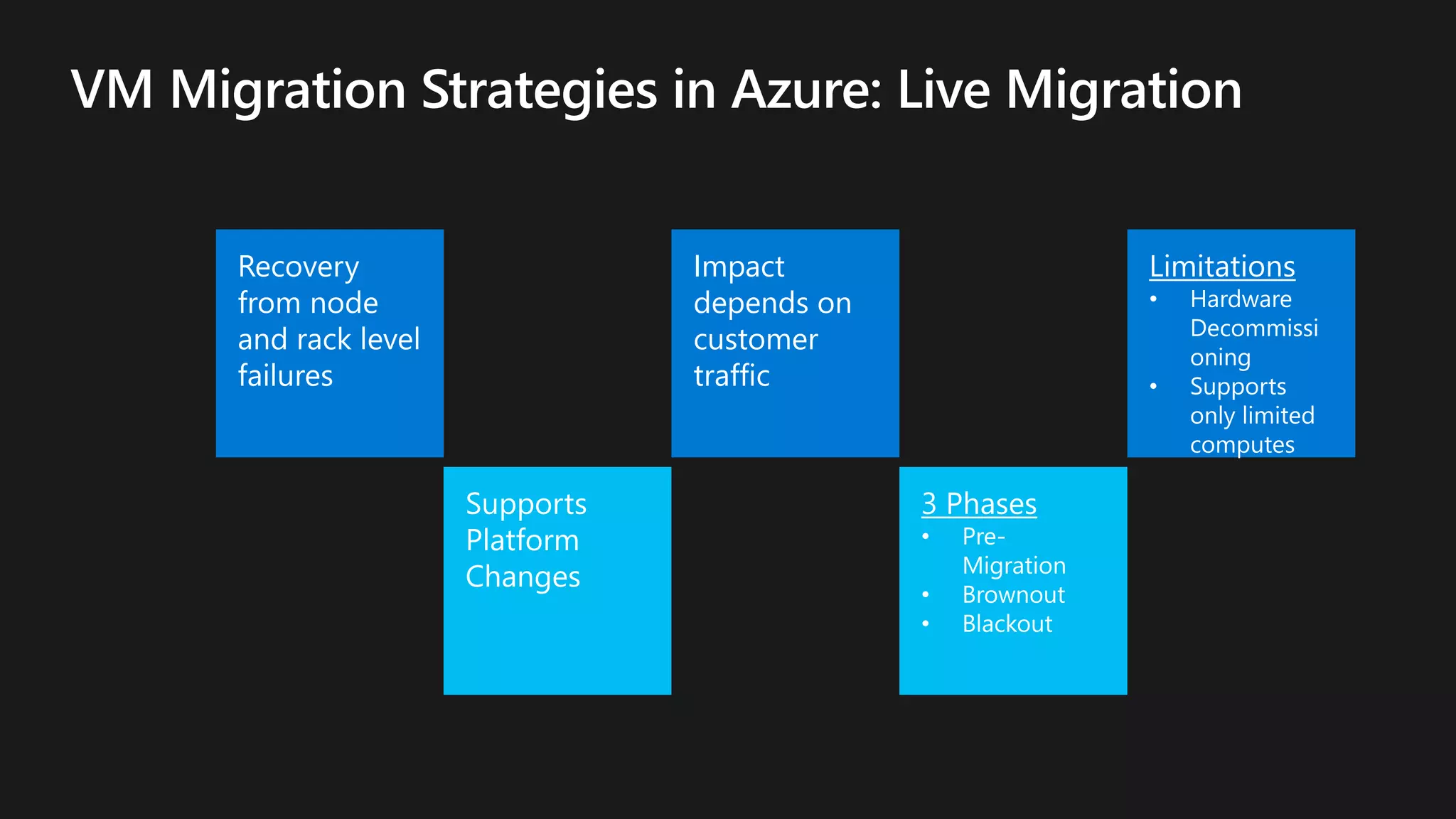
from node
and rack level
failures
Impact
depends on
customer
traffic
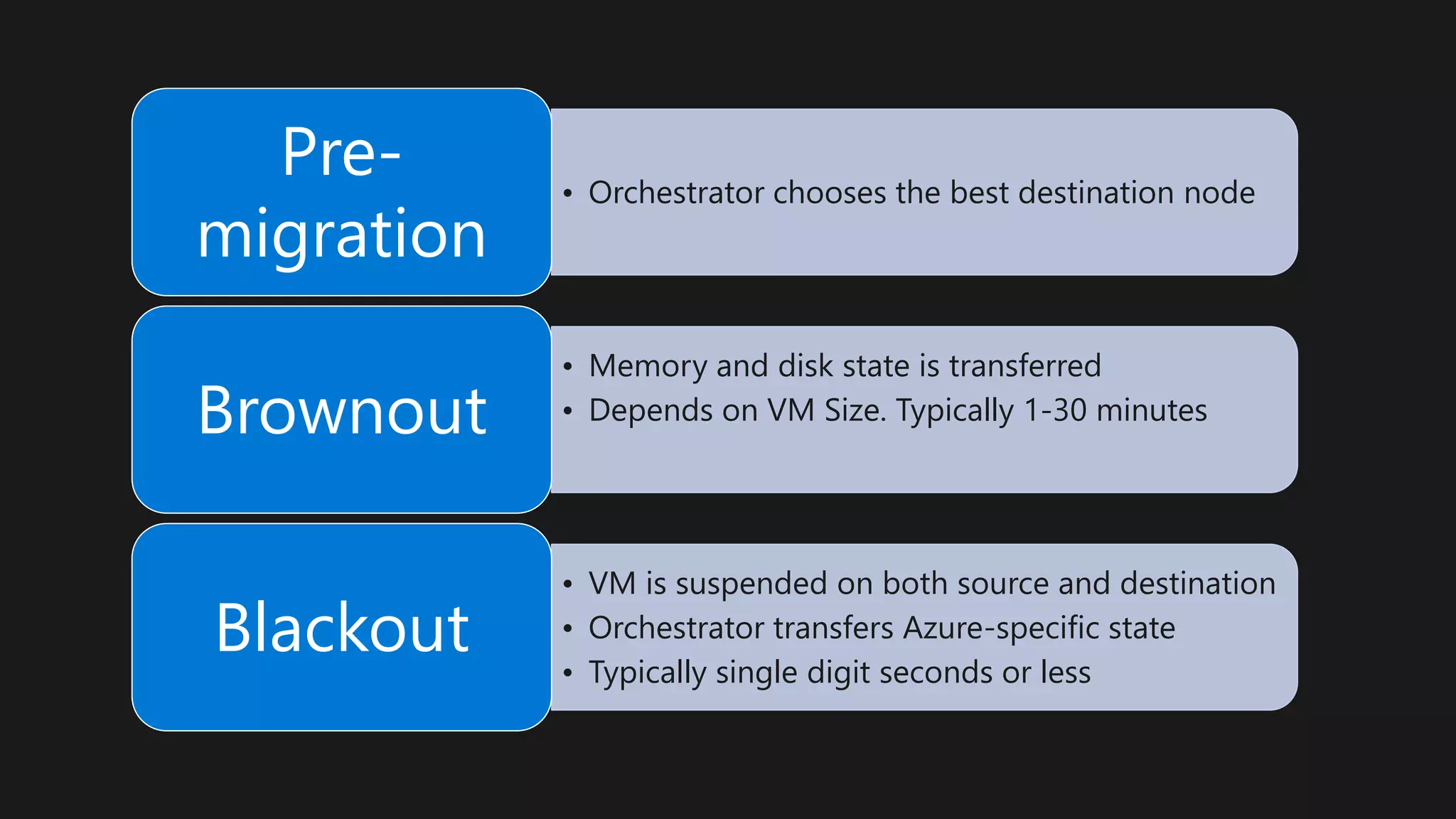
• Orchestrator chooses the best destination node
Pre-
migration
• Memory and disk state is transferred
• Depends on VM Size. Typically 1-30 minutesBrownout
• VM is suspended on both source and destination
• Orchestrator transfers Azure-specific state
• Typically single digit seconds or less
Blackout
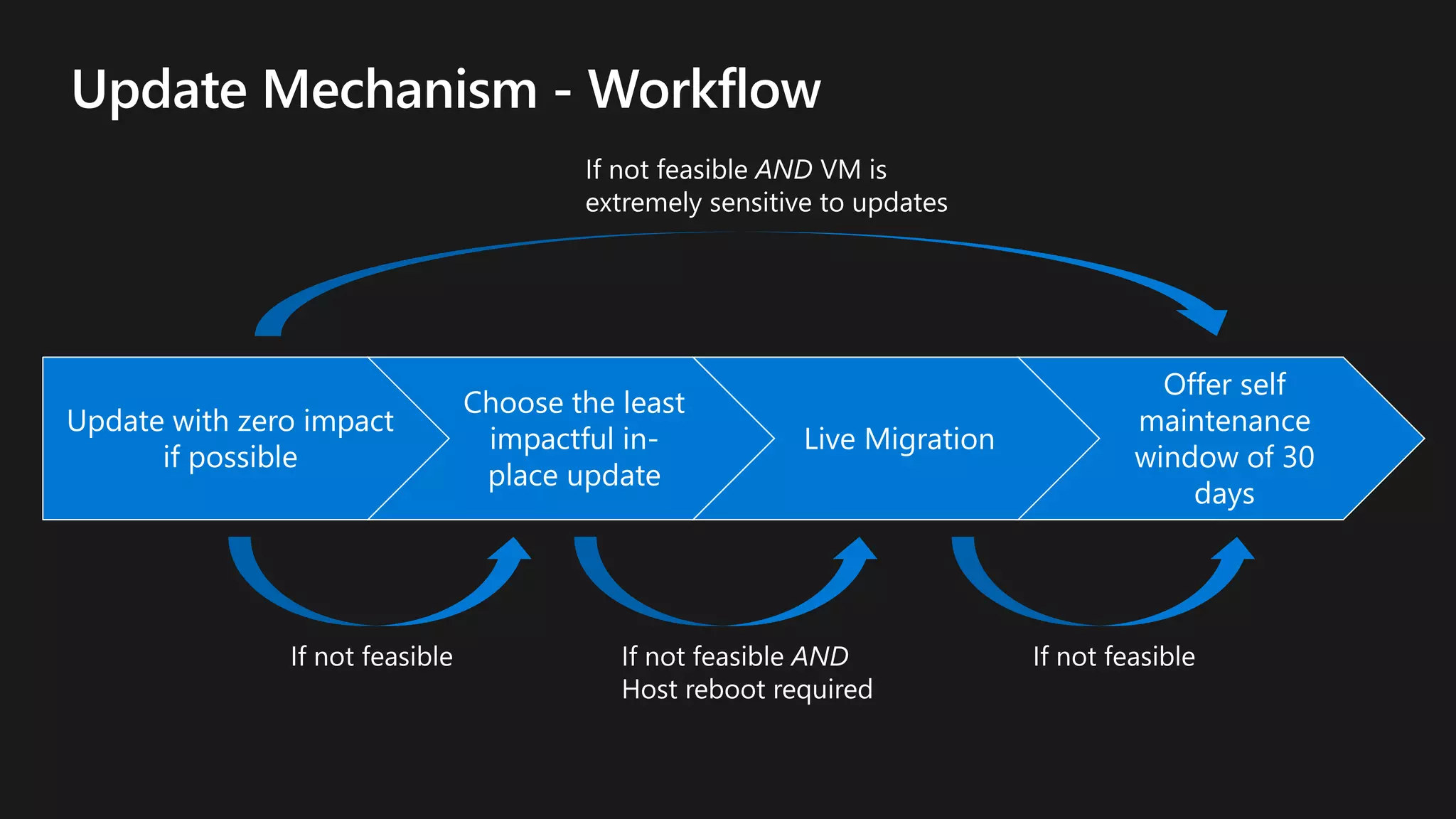
Update with zero impact
if possible
Choose the least
impactful in-
place update
Live Migration
Offer self
maintenance
window of 30
days
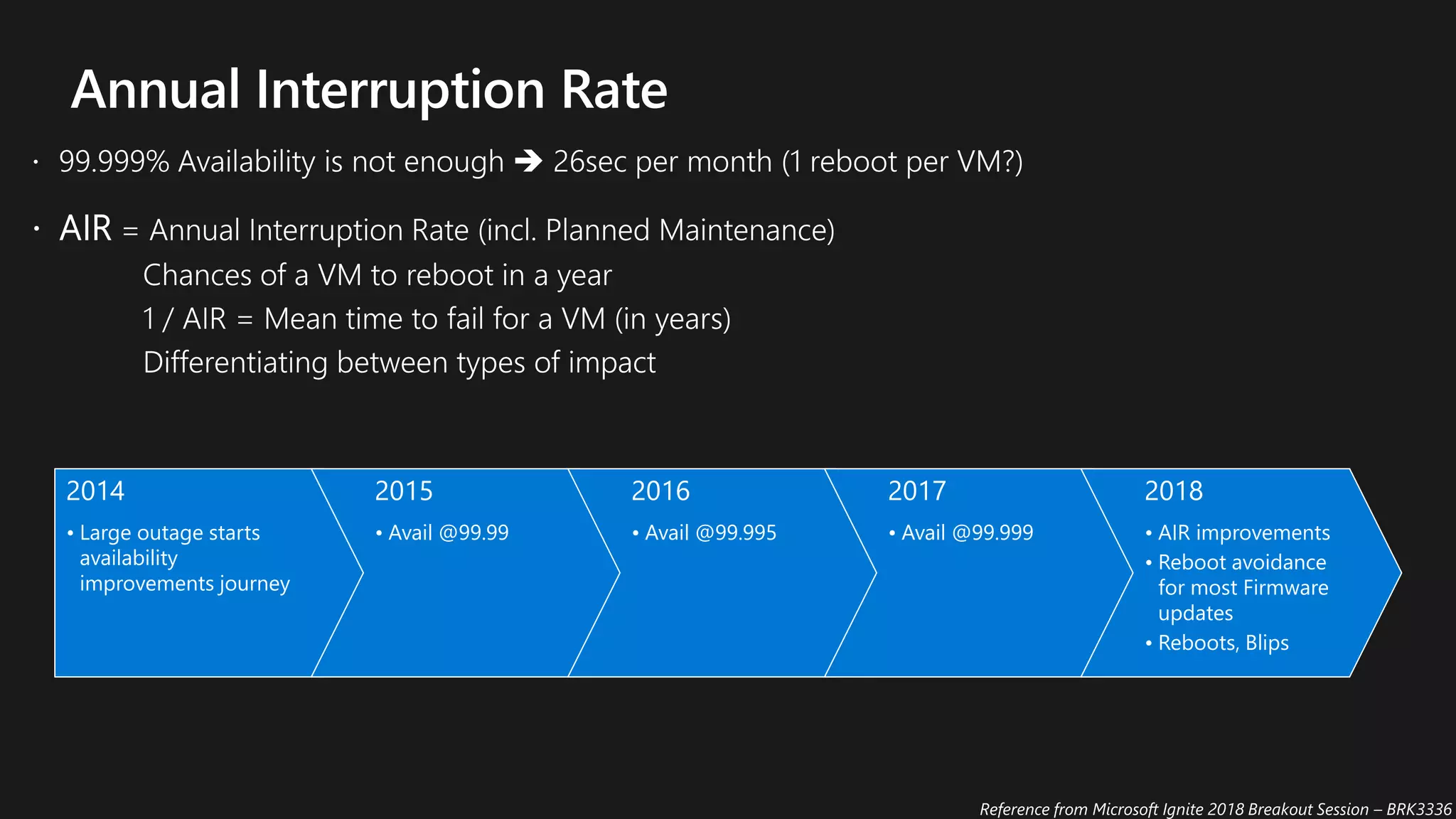
2014
• Large outage starts
availability
improvements journey
2015
• Avail @99.99
2016
• Avail @99.995
2017
• Avail @99.999
2018
• AIR improvements
• Reboot avoidance
for most Firmware
updates
• Reboots, Blips
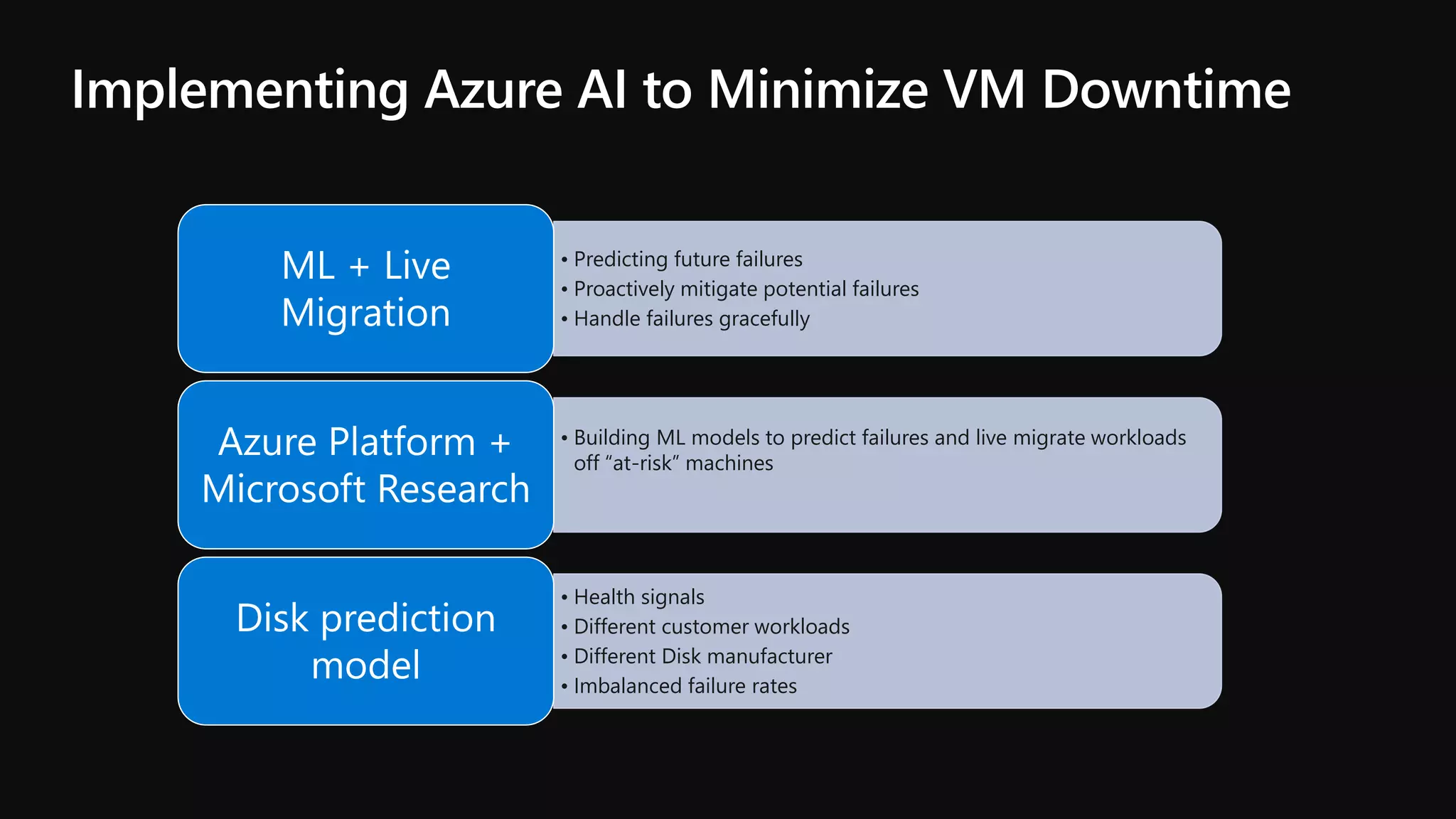
• Predicting future failures
• Proactively mitigate potential failures
• Handle failures gracefully
ML + Live
Migration
• Building ML models to predict failures and live migrate workloads
off “at-risk” machines
Azure Platform +
Microsoft Research
• Health signals
• Different customer workloads
• Different Disk manufacturer
• Imbalanced failure rates
Disk prediction
model
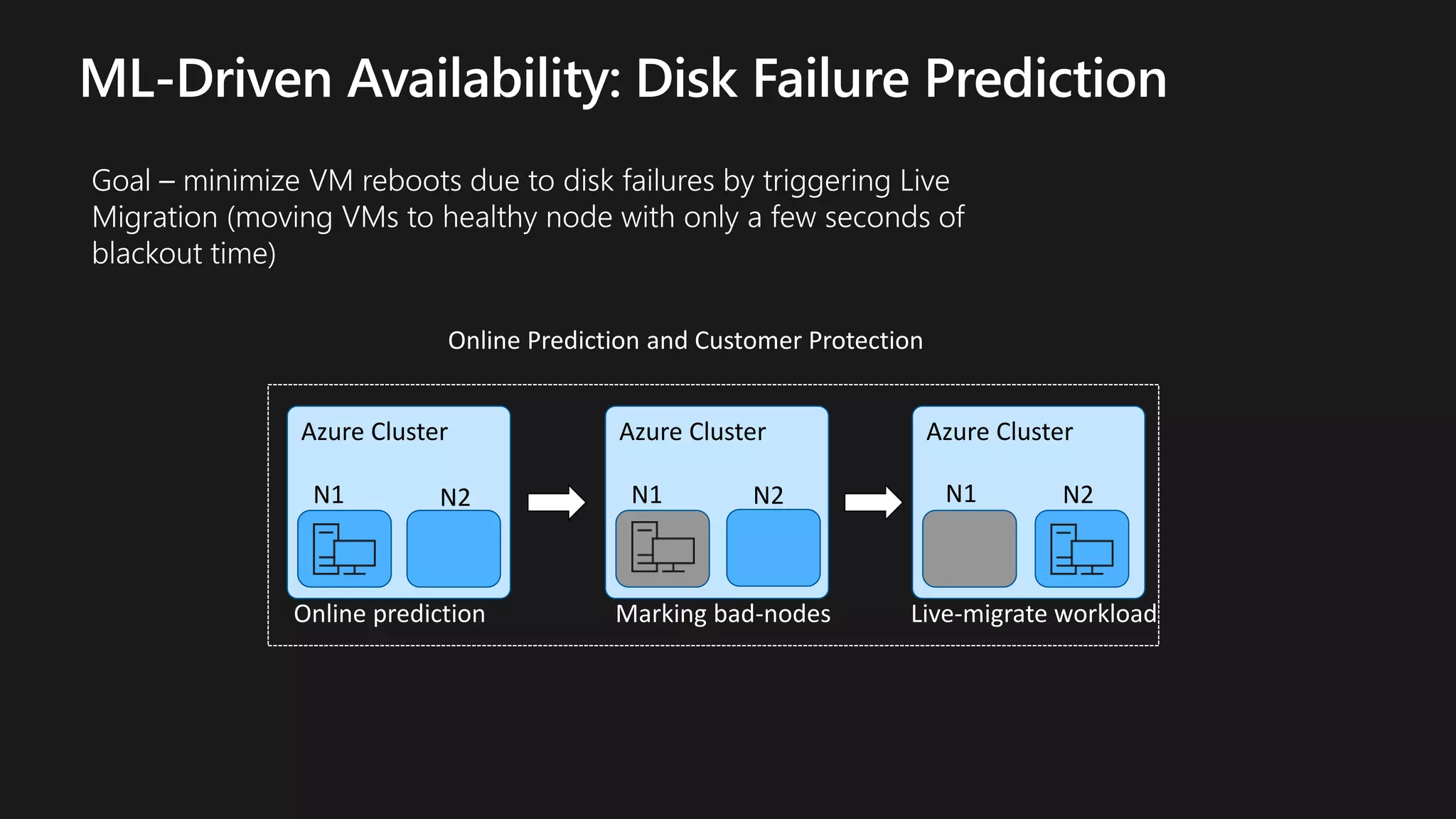
Azure Cluster
N1 N2
Azure Cluster
N1 N2
Azure Cluster
N1 N2
Online Prediction and Customer Protection
Online prediction Marking bad-nodes Live-migrate workload
© Microsoft Corporation
Ways to achieve High Availability and SLA
• No Fault Isolation
• Single VM
• Protection with
Premium Storage
• Fault Isolation:
• Racks & Storage
Stamps
• AS & VMSS
• Protection against
intra DC failures
• Fault Isolation:
• Availability
Zones
• Single VM & VM
Scale Set
• Protection from
entire datacentre
failures
• Fault Isolation:
• Regions (100+
miles apart)
• Region Pairs
• Protection from
disaster with Data
regulatory
boundary
Legacy Apps Intra-DC Isolation Regional
Availability
Global Scale
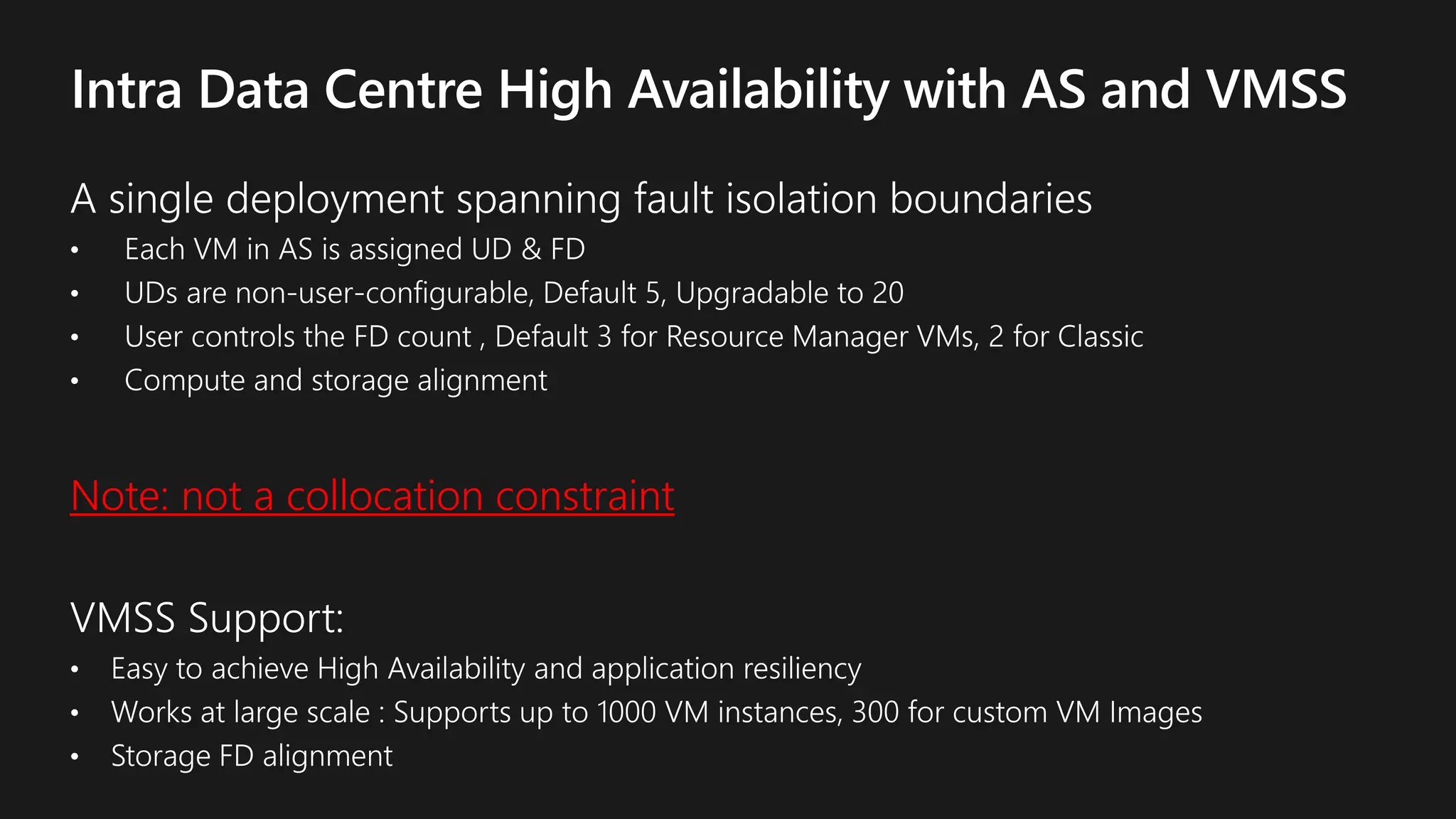
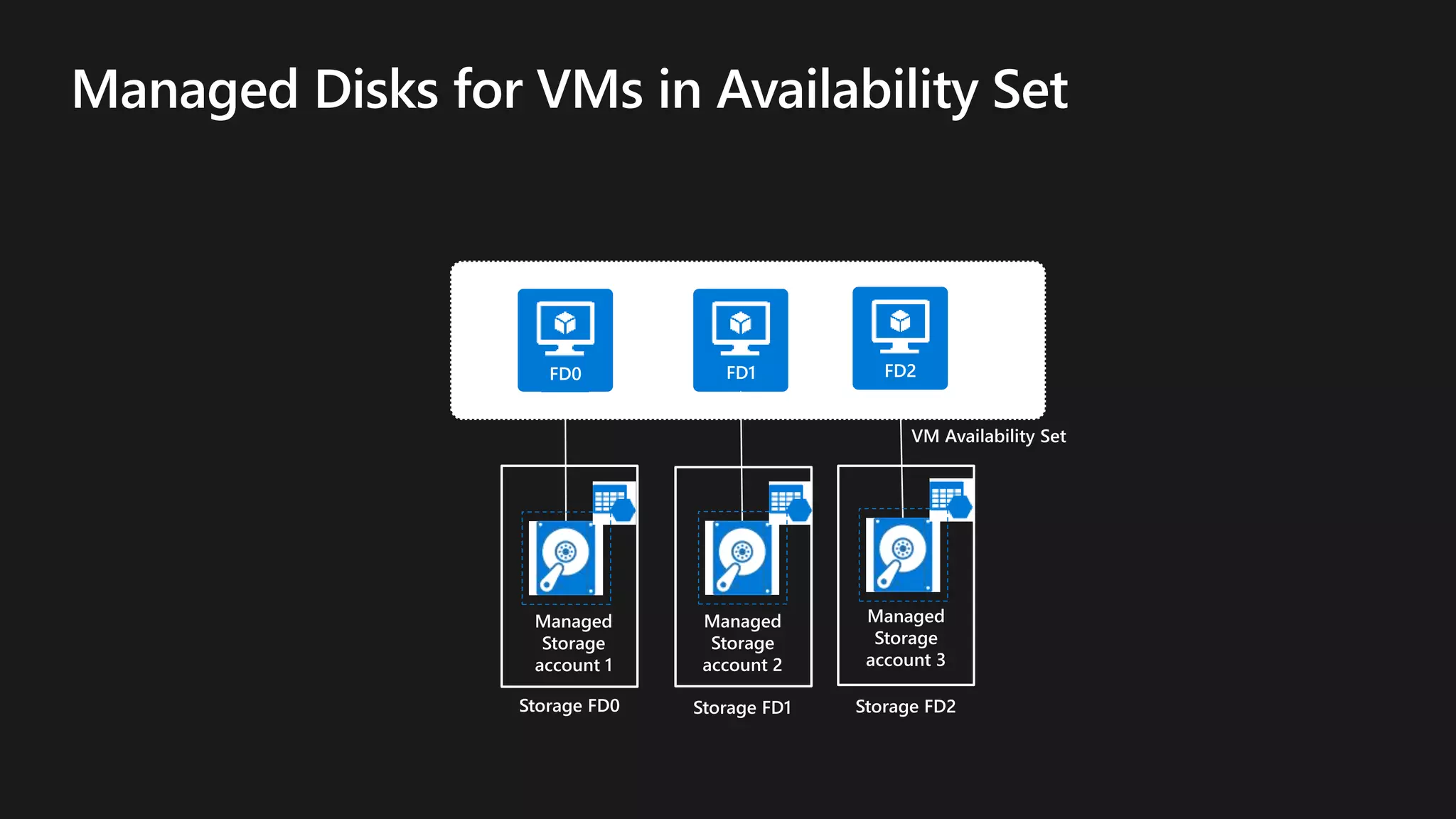
Note: not a collocation constraint
Storage FD0
FD0 FD1
Storage FD1
FD2
Storage FD2
Managed
Storage
account 1
Managed
Storage
account 2
Managed
Storage
account 3
VM Availability Set
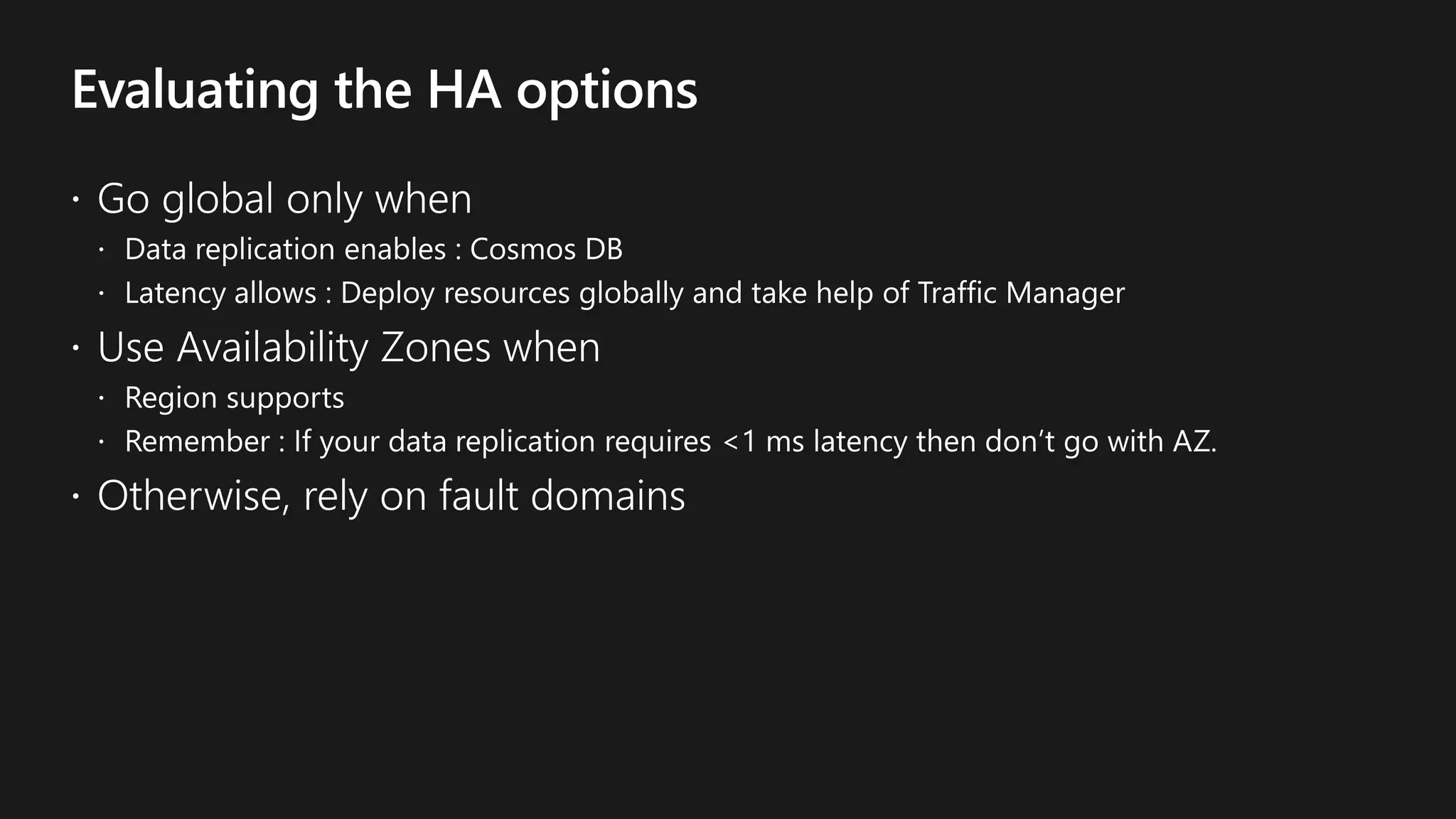
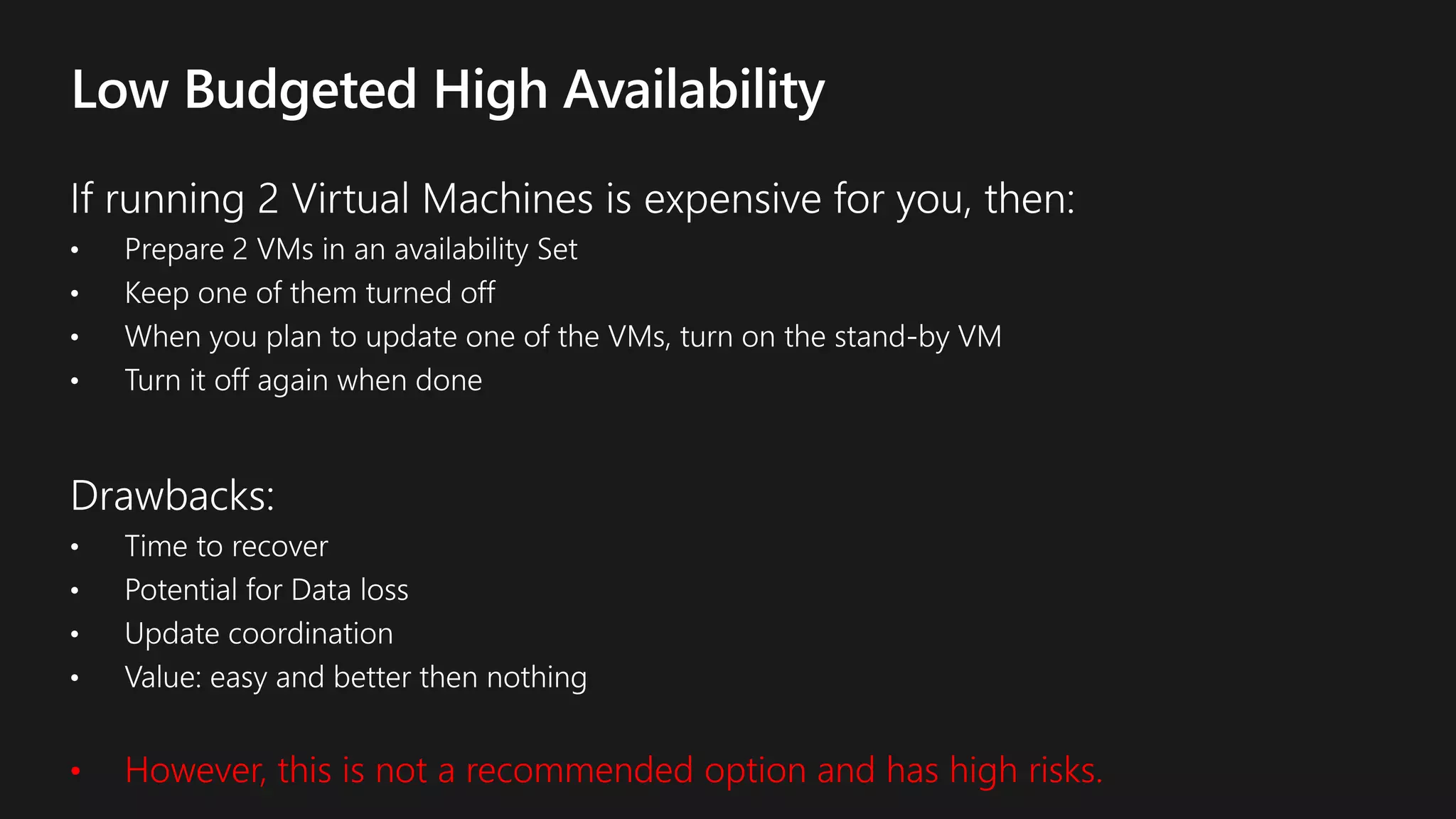
• However, this is not a recommended option and has high risks.
© Microsoft Corporation
Ways to achieve High Availability and SLA
• No Fault Isolation
• Single VM
• Protection with
Premium Storage
• Fault Isolation:
• Racks & Storage
Stamps
• AS & VMSS
• Protection against
intra DC failures
• Fault Isolation:
• Availability
Zones
• Single VM & VM
Scale Set
• Protection from
entire datacentre
failures
• Fault Isolation:
• Regions (100+
miles apart)
• Region Pairs
• Protection from
disaster with Data
regulatory
boundary
Legacy Apps Intra-DC Isolation Regional
Availability
Global Scale
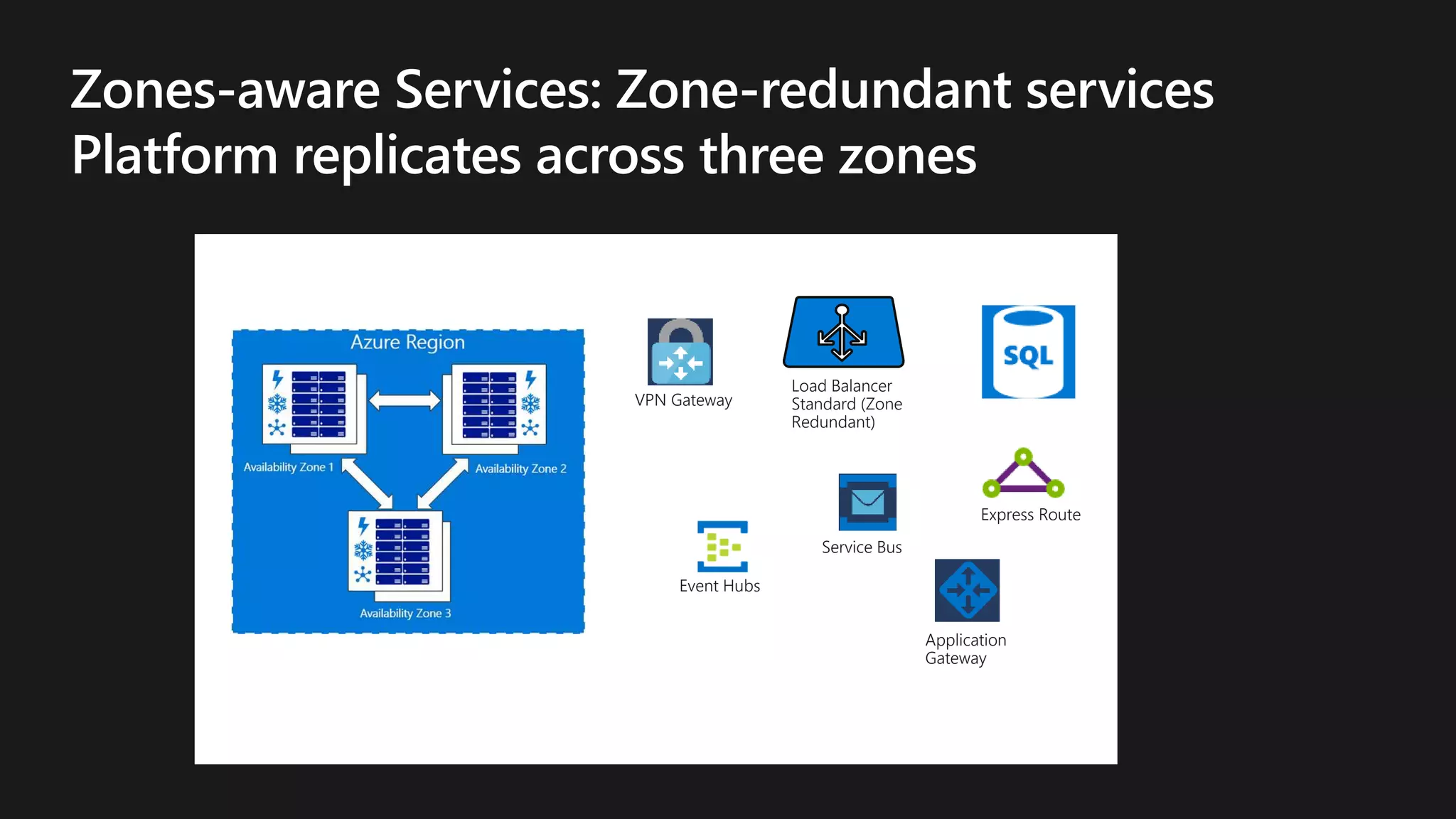
Load Balancer
Standard (Zone
Redundant)
Event Hubs
Application
Gateway
VPN Gateway
Service Bus
Express Route
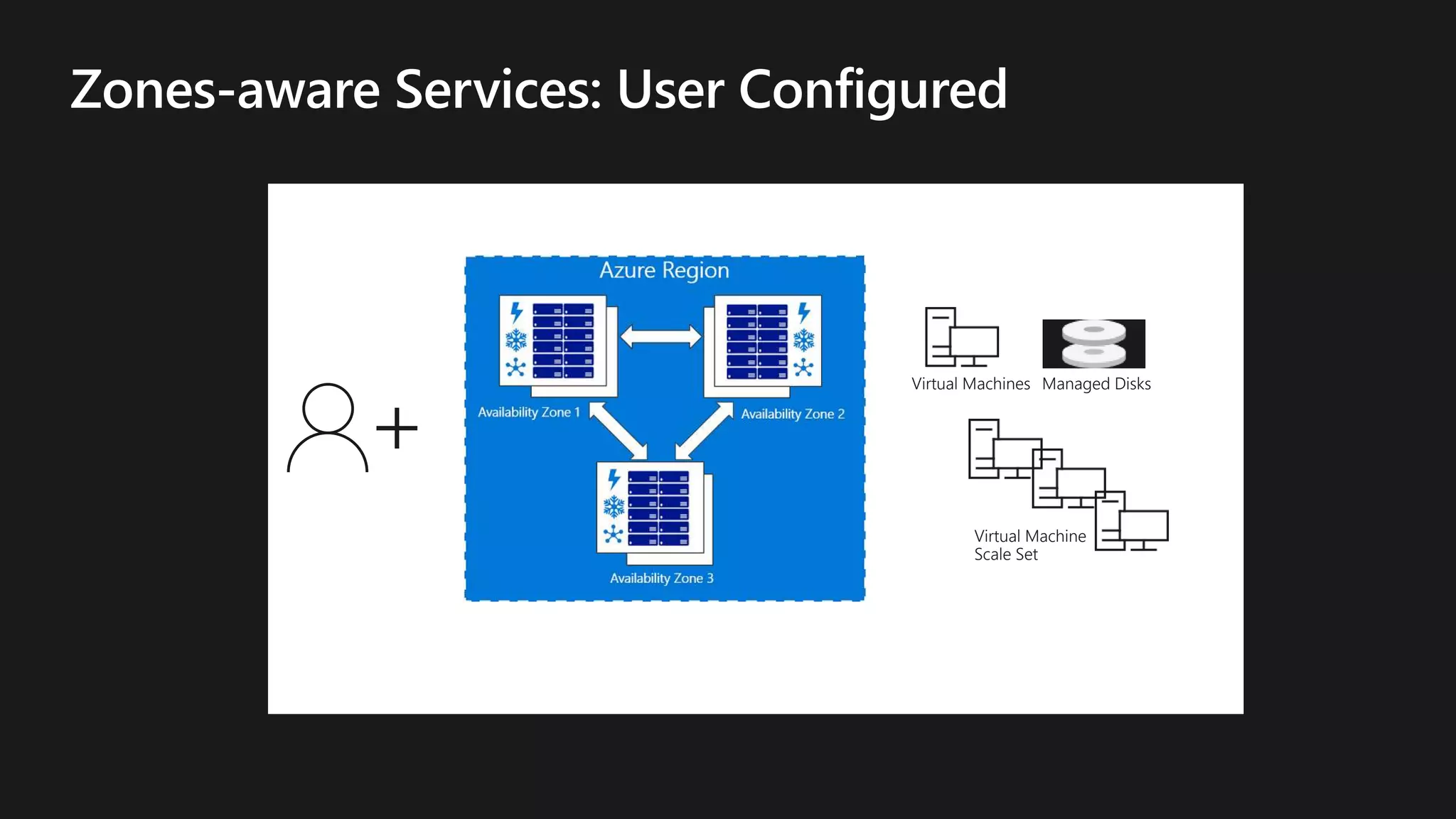
Virtual Machines
Virtual Machine
Scale Set
Managed Disks
Add the Managed Disk Resource:
{
"apiVersion": "2017-03-30",
"type": "Microsoft.Compute/disks",
"name": "myManagedDataDisk",
"location": "[resourceGroup().location]",
"zones": ["1"],
"properties":
{
"creationData":
{
"createOption": "Empty"
},
"accountType
:"[parameters('storageAccountType')]",
"diskSizeGB": 128
}
}
Add the Compute Resource:
{
"apiVersion": "2017-03-30",
"type": "Microsoft.Compute/virtualMachines",
"name": "[variables('vmName')]",
"location": "[resourceGroup().location]",
"zones": ["1"],
"dependsOn": [
...
],
"properties": {
"hardwareProfile": {
"vmSize": "[parameters('vmSize')]"
},
"osProfile": {
...
},
}
}
Add the VIP Resource:
{
"apiVersion": "2017-08-01",
"type":
"Microsoft.Network/publicIPAddresses",
"name":
"[variables('publicIPAddressName')]",
"location":
"[resourceGroup().location]",
"sku": {
"name": "Standard"
},
"properties": {
"publicIPAllocationMethod":
“Dynamic",
"dnsSettings": {
"domainNameLabel":
"[parameters('dnsLabelPrefix')]"
}
}
}
Zone-redundant LB:
{
"apiVersion": "2017-08-01",
{
"type": "Microsoft.Network/loadBalancers",
"name": "[variables('loadBalancerName')]",
"location": "[resourceGroup().location]",
"sku": {
"name": "Standard"
},
}
Zone-redundant VMSS:
{
"apiVersion": "2017-03-30",
"type":
"Microsoft.Compute/virtualMachineScaleSets",
"name": "[parameters('vmssName')]",
"zones" : ["1","2","3"],
"location": "[resourceGroup().location]",
"dependsOn": [
...
],
"sku": {
...
},
"properties": {
...
},
}
Zone-redundant SQLDB:
{
"apiVersion": "2014-04-01 “,
"type":"Microsoft.Sql/servers",
"name": "[variables('sqlServerName')]",
"location":
"[resourceGroup().location]",
“zoneRedundant”: “true”,
"properties": {
...
}
}
}
https://github.com/raj-ganapathy-msft/AzureFI
200 OK
© Microsoft Corporation
Ways to achieve High Availability and SLA
• No Fault Isolation
• Single VM
• Protection with
Premium Storage
• Fault Isolation:
• Racks & Storage
Stamps
• AS & VMSS
• Protection against
intra DC failures
• Fault Isolation:
• Availability
Zones
• Single VM & VM
Scale Set
• Protection from
entire datacentre
failures
• Fault Isolation:
• Regions (100+
miles apart)
• Region Pairs
• Protection from
disaster with Data
regulatory
boundary
Legacy Apps Intra-DC Isolation Regional
Availability
Global Scale
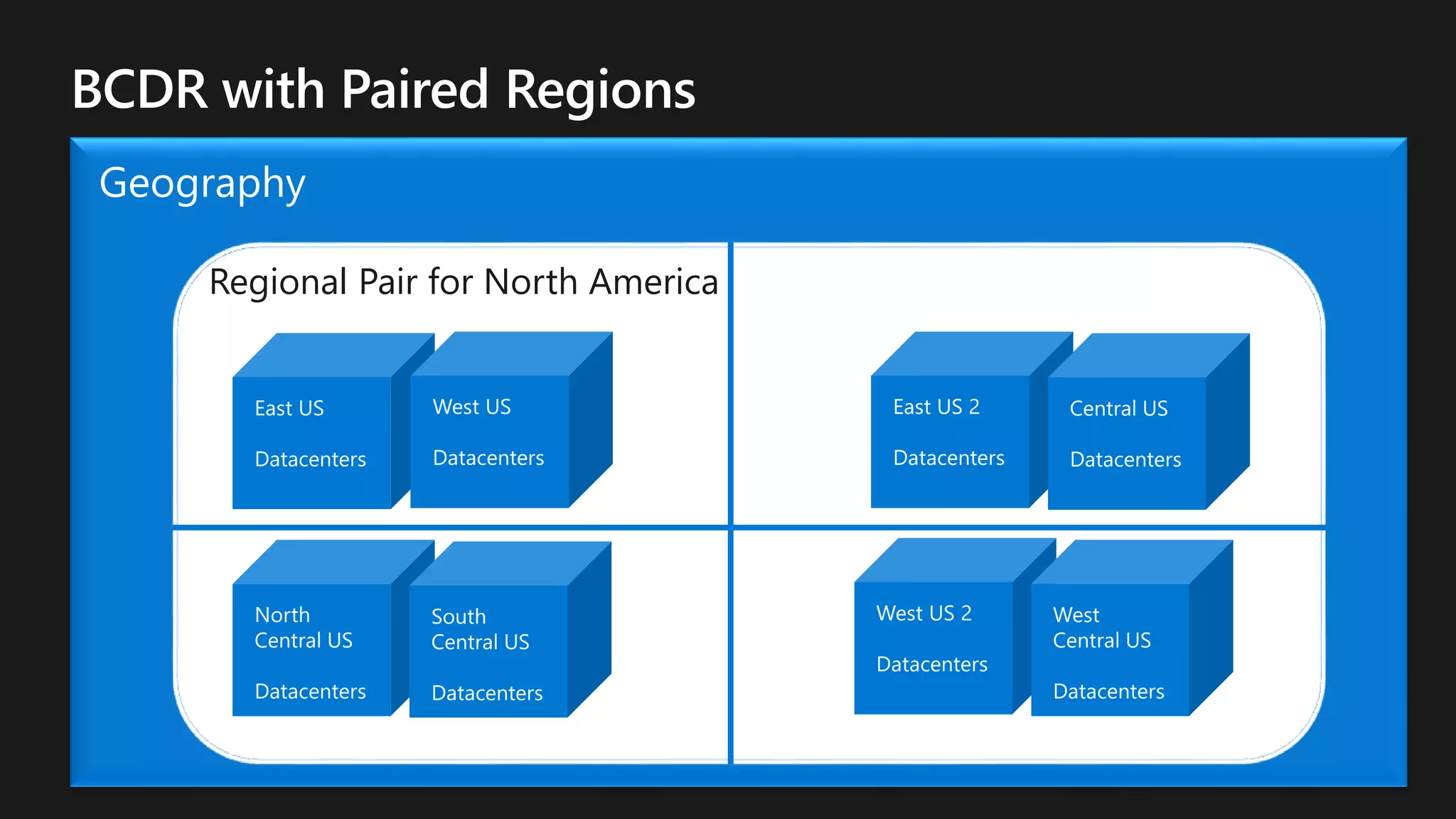
Regional Pair for North America
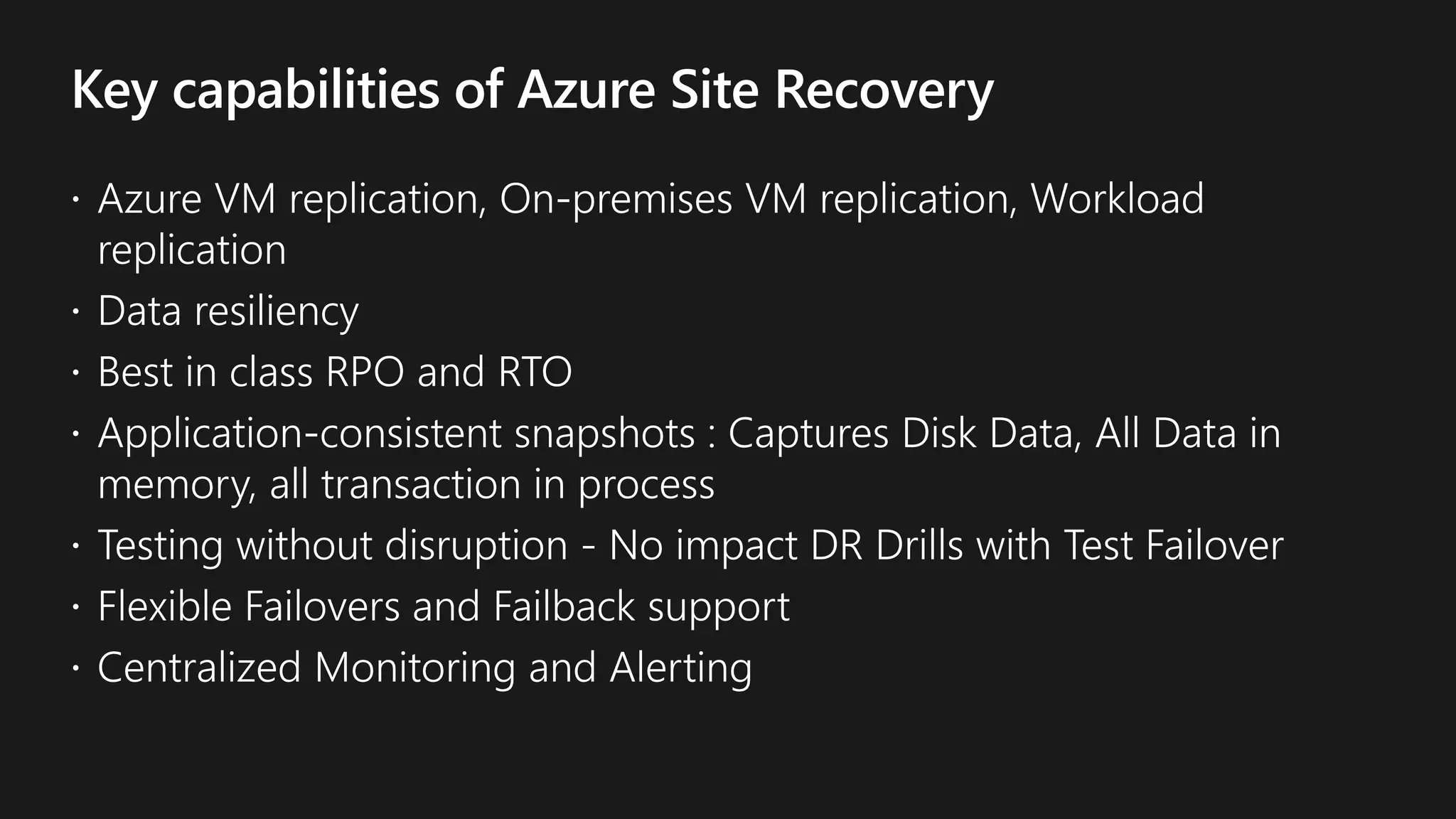
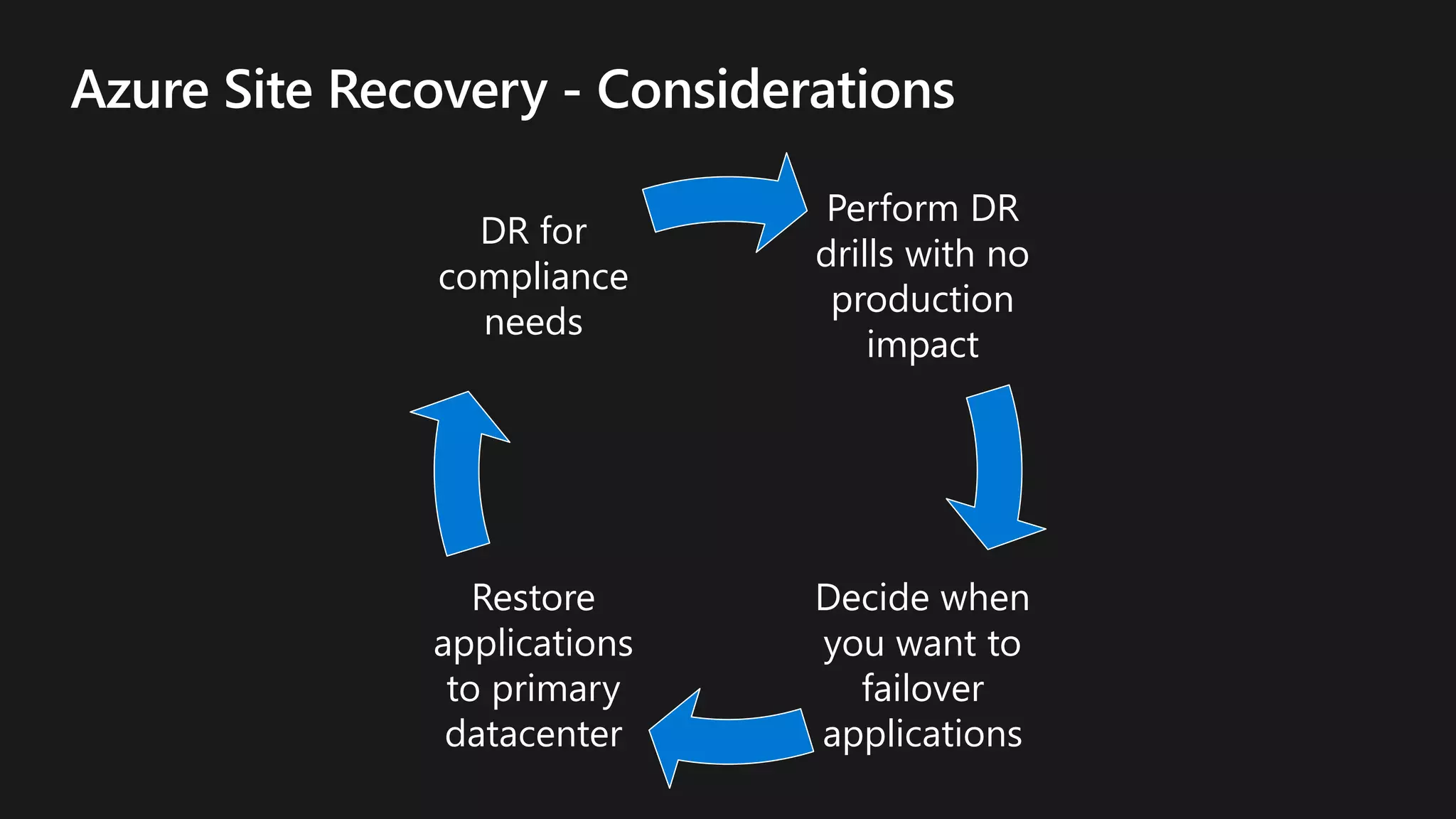
Perform DR
drills with no
production
impact
Decide when
you want to
failover
applications
Restore
applications
to primary
datacenter
DR for
compliance
needs
High Availability in Microsoft Azure

High Availability in Microsoft Azure

  • 4.
  • 6.
    Region Region 2Region1 Region 2Region 1
  • 7.
    © Microsoft Corporation Waysto achieve High Availability and SLA • No Fault Isolation • Single VM • Protection with Premium Storage • Fault Isolation: • Racks & Storage Stamps • AS & VMSS • Protection against intra DC failures • Fault Isolation: • Availability Zones • Single VM & VM Scale Set • Protection from entire datacentre failures • Fault Isolation: • Regions (100+ miles apart) • Region Pairs • Protection from disaster with Data regulatory boundary Legacy Apps Intra-DC Isolation Regional Availability Global Scale
  • 11.
    Recovery from node and racklevel failures Impact depends on customer traffic
  • 12.
    • Orchestrator choosesthe best destination node Pre- migration • Memory and disk state is transferred • Depends on VM Size. Typically 1-30 minutesBrownout • VM is suspended on both source and destination • Orchestrator transfers Azure-specific state • Typically single digit seconds or less Blackout
  • 13.
    Update with zeroimpact if possible Choose the least impactful in- place update Live Migration Offer self maintenance window of 30 days
  • 14.
    2014 • Large outagestarts availability improvements journey 2015 • Avail @99.99 2016 • Avail @99.995 2017 • Avail @99.999 2018 • AIR improvements • Reboot avoidance for most Firmware updates • Reboots, Blips
  • 15.
    • Predicting futurefailures • Proactively mitigate potential failures • Handle failures gracefully ML + Live Migration • Building ML models to predict failures and live migrate workloads off “at-risk” machines Azure Platform + Microsoft Research • Health signals • Different customer workloads • Different Disk manufacturer • Imbalanced failure rates Disk prediction model
  • 16.
    Azure Cluster N1 N2 AzureCluster N1 N2 Azure Cluster N1 N2 Online Prediction and Customer Protection Online prediction Marking bad-nodes Live-migrate workload
  • 20.
    © Microsoft Corporation Waysto achieve High Availability and SLA • No Fault Isolation • Single VM • Protection with Premium Storage • Fault Isolation: • Racks & Storage Stamps • AS & VMSS • Protection against intra DC failures • Fault Isolation: • Availability Zones • Single VM & VM Scale Set • Protection from entire datacentre failures • Fault Isolation: • Regions (100+ miles apart) • Region Pairs • Protection from disaster with Data regulatory boundary Legacy Apps Intra-DC Isolation Regional Availability Global Scale
  • 21.
    Note: not acollocation constraint
  • 22.
    Storage FD0 FD0 FD1 StorageFD1 FD2 Storage FD2 Managed Storage account 1 Managed Storage account 2 Managed Storage account 3 VM Availability Set
  • 23.
    • However, thisis not a recommended option and has high risks.
  • 25.
    © Microsoft Corporation Waysto achieve High Availability and SLA • No Fault Isolation • Single VM • Protection with Premium Storage • Fault Isolation: • Racks & Storage Stamps • AS & VMSS • Protection against intra DC failures • Fault Isolation: • Availability Zones • Single VM & VM Scale Set • Protection from entire datacentre failures • Fault Isolation: • Regions (100+ miles apart) • Region Pairs • Protection from disaster with Data regulatory boundary Legacy Apps Intra-DC Isolation Regional Availability Global Scale
  • 28.
    Load Balancer Standard (Zone Redundant) EventHubs Application Gateway VPN Gateway Service Bus Express Route
  • 29.
  • 30.
    Add the ManagedDisk Resource: { "apiVersion": "2017-03-30", "type": "Microsoft.Compute/disks", "name": "myManagedDataDisk", "location": "[resourceGroup().location]", "zones": ["1"], "properties": { "creationData": { "createOption": "Empty" }, "accountType :"[parameters('storageAccountType')]", "diskSizeGB": 128 } } Add the Compute Resource: { "apiVersion": "2017-03-30", "type": "Microsoft.Compute/virtualMachines", "name": "[variables('vmName')]", "location": "[resourceGroup().location]", "zones": ["1"], "dependsOn": [ ... ], "properties": { "hardwareProfile": { "vmSize": "[parameters('vmSize')]" }, "osProfile": { ... }, } } Add the VIP Resource: { "apiVersion": "2017-08-01", "type": "Microsoft.Network/publicIPAddresses", "name": "[variables('publicIPAddressName')]", "location": "[resourceGroup().location]", "sku": { "name": "Standard" }, "properties": { "publicIPAllocationMethod": “Dynamic", "dnsSettings": { "domainNameLabel": "[parameters('dnsLabelPrefix')]" } } }
  • 31.
    Zone-redundant LB: { "apiVersion": "2017-08-01", { "type":"Microsoft.Network/loadBalancers", "name": "[variables('loadBalancerName')]", "location": "[resourceGroup().location]", "sku": { "name": "Standard" }, } Zone-redundant VMSS: { "apiVersion": "2017-03-30", "type": "Microsoft.Compute/virtualMachineScaleSets", "name": "[parameters('vmssName')]", "zones" : ["1","2","3"], "location": "[resourceGroup().location]", "dependsOn": [ ... ], "sku": { ... }, "properties": { ... }, } Zone-redundant SQLDB: { "apiVersion": "2014-04-01 “, "type":"Microsoft.Sql/servers", "name": "[variables('sqlServerName')]", "location": "[resourceGroup().location]", “zoneRedundant”: “true”, "properties": { ... } } }
  • 34.
  • 35.
  • 36.
    © Microsoft Corporation Waysto achieve High Availability and SLA • No Fault Isolation • Single VM • Protection with Premium Storage • Fault Isolation: • Racks & Storage Stamps • AS & VMSS • Protection against intra DC failures • Fault Isolation: • Availability Zones • Single VM & VM Scale Set • Protection from entire datacentre failures • Fault Isolation: • Regions (100+ miles apart) • Region Pairs • Protection from disaster with Data regulatory boundary Legacy Apps Intra-DC Isolation Regional Availability Global Scale
  • 37.
    Regional Pair forNorth America
  • 40.
    Perform DR drills withno production impact Decide when you want to failover applications Restore applications to primary datacenter DR for compliance needs

Editor's Notes

  • #2 b
  • #6 The goal is how to achieve Business Continuity.
  • #7 Resiliency is the ability of a system to recover from failures and continue to function. It is not about avoiding failures but responding to failures in a way that avoids downtime or data loss. The goal of resiliency is to return the application to a fully functioning state and if we succeeded to achieve resiliency we can achieve high availability. Three important aspects of resiliency are high availability, disaster recovery and Backup. High Availability: HA is the ability of the application to continue running in a healthy state, without significant downtime. By ‘healthy state’, we mean the application is responsive and users can connect to the application and interact with it. Application must maintain acceptable continuous performance despite temporary failures in services, hardware, data-centers or fluctuations in load. Disaster Recovery DR is the ability to recover from rare but major incidents – non – transient, wide-scale failures, such as service disruption that affects an entire region. DR includes data backup and archiving and may include manual intervention, such as restoring a database from backup. Protection against loss of an entire region through asynchronous replication for failover of virtual machines and data using services such as Azure Site Recovery and geo-redundant storage (GRS) Backup Replication of virtual machines and data to one or more regions using Azure Backup. Data residency boundary Two regions that share the same regulatory requirements for data replication and storage for the country or region in which they operate.
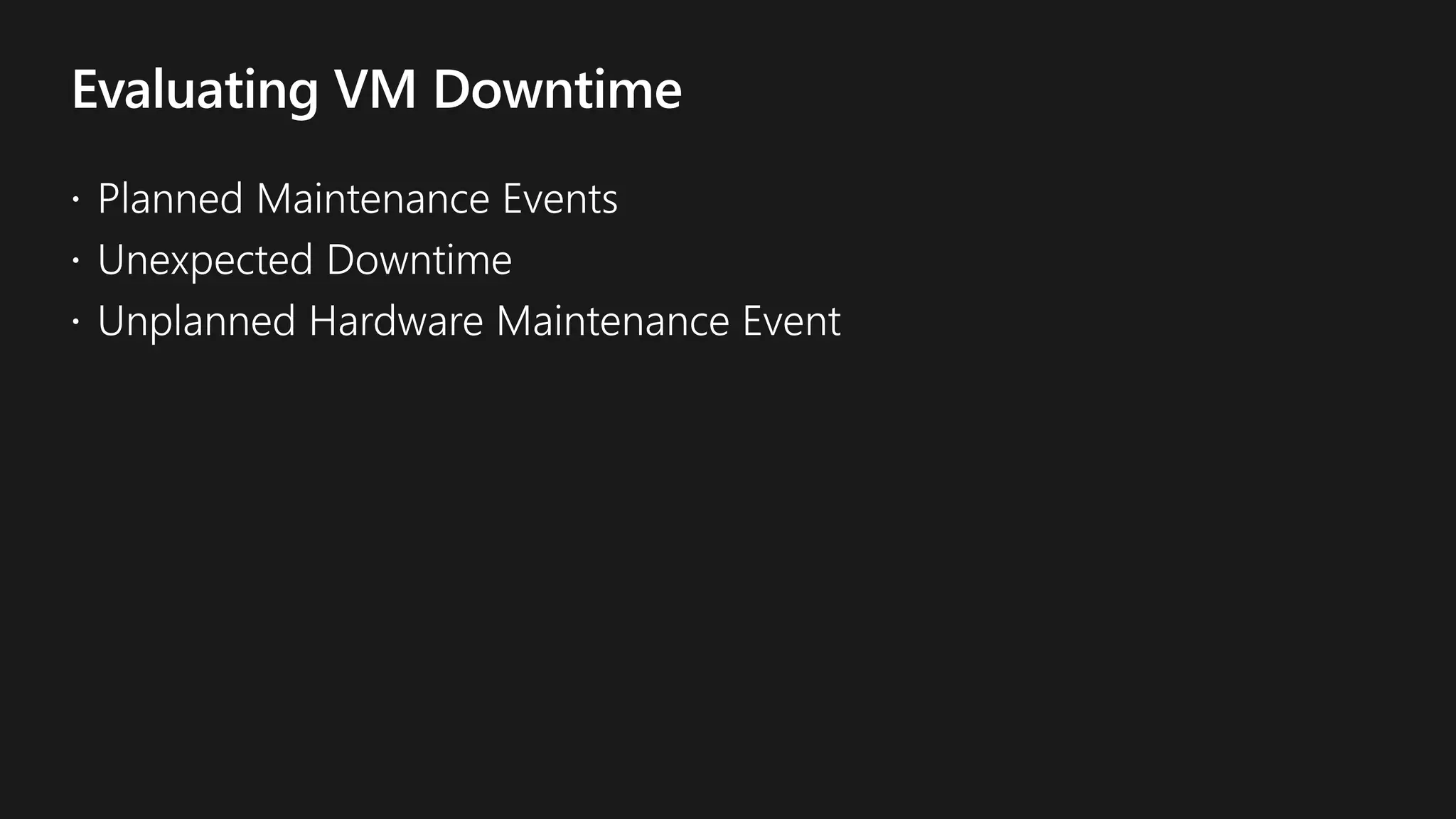
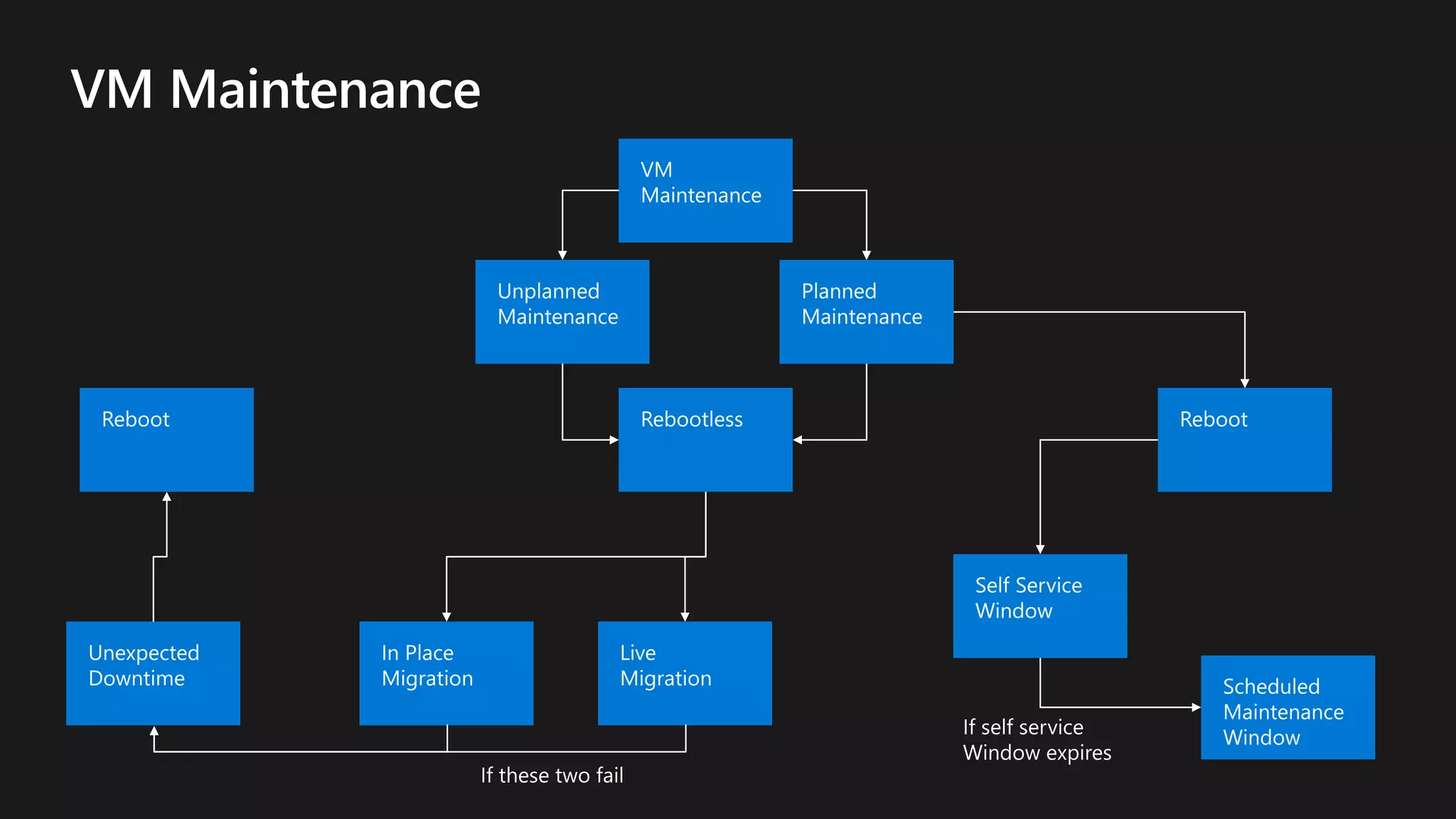
  • #9 Again to achieve High Availability we should evaluate VM Downtime. There are 3 main causes which may take your VM down. Planned Maintenance Event Impact - less Maintenance : Control panel components, a new planned maintenance experience is available Reboot - less Maintenance : Pausing a VM to apply maintenance to underlying hosting environment Maintenance requiring reboots : Platform maintenance (Getting more and more rare) and HW Decommissioning Unexpected / unpredicted Downtime Hardware, software crash or platform failed Automatic service healing for impacted VMs Fault isolation domains : Server, Rack, Data Center, Availability Zones, Regions – Availability Set and Availability Zone will save you from unexpected or unpredicted downtime Unplanned Hardware Maintenance Event Trigger : Azure predicts that the hardware or platform is about to fail Use Live Migration to evict the node (if possible) Otherwise, heal the VM into a new node (reboot) Coming : When Live Migration can't complete (eg. specific HW failure type), Allow customer to trigger healing
  • #11 In-Place Migration Secure & fast: fast end-to-end in-place update; minimal coordination Predictable: not dependent on customer payload Safe: continuous deployment pipeline with health feedback and machine-learned baseline High VM eligibility for different flavors Low impact + diverse: Many flavors to minimize observable impact; impact is unobservable cases. Exceptions can average at 13sec CPU pause (improvements in progress). Live-Migration Allows recovery from failures at the node or rack level Supports platform changes which can’t be done with in-place migration (e.g. hardware component change) Impact depends on customer traffic and patterns, some VMs might be too big to move Supported on all standard VMs (exception: G, M, N* and some H series, work in progress to reduce) Low impact: CPU pause averages at 1.7sec for premium storage, 2.8sec for standard storage.
  • #12 In-Place Migration Secure & fast: fast end-to-end in-place update; minimal coordination Predictable: not dependent on customer payload Safe: continuous deployment pipeline with health feedback and machine-learned baseline High VM eligibility for different flavors Low impact + diverse: Many flavors to minimize observable impact; impact is unobservable cases. Exceptions can average at 13sec CPU pause (improvements in progress). Live-Migration Allows recovery from failures at the node or rack level Supports platform changes which can’t be done with in-place migration (e.g. hardware component change) Impact depends on customer traffic and patterns, some VMs might be too big to move Supported on all standard VMs (exception: G, M, N* and some H series, work in progress to reduce) Low impact: CPU pause averages at 1.7sec for premium storage, 2.8sec for standard storage. Limitations: Hardware decommissioning High performance compute GPU optimized VMs Memory Optimized VMs Storage Optimized VMs, Legacy A Series VMs VMs used by cloud services
  • #15 What is AIR? : Annual Interruption Rate
  • #17 First Microsoft use telemetry at both system and disk levels. System-level events include HOST IO performance counters and system events. Disk-level signals leverage a standard disk telemetry data format. Second, Microsoft treat the problem as ranking problem instead of a classification problem. After ranking the disk failure probabilities, Microsoft use an optimization model to identify the top N disks with the highest likelihood of failing. The following is a real example from October 30,2018 in which our disk failure prediction helped to protect real customer workloads At 1:59:26, Microsoft predicted that a disk had a high probability of failure. This failure could impact the five VMs that were running on the node. AT 2:10:38, Azure platform started to use live migration to migrate these five VMs off the node. The blackout time ranged from 0.1 to 1.6 seconds. The node was than removed from production for detailed diagnostics. At 6:20:34, the mode failed the disk stress test and was sent for repair.  
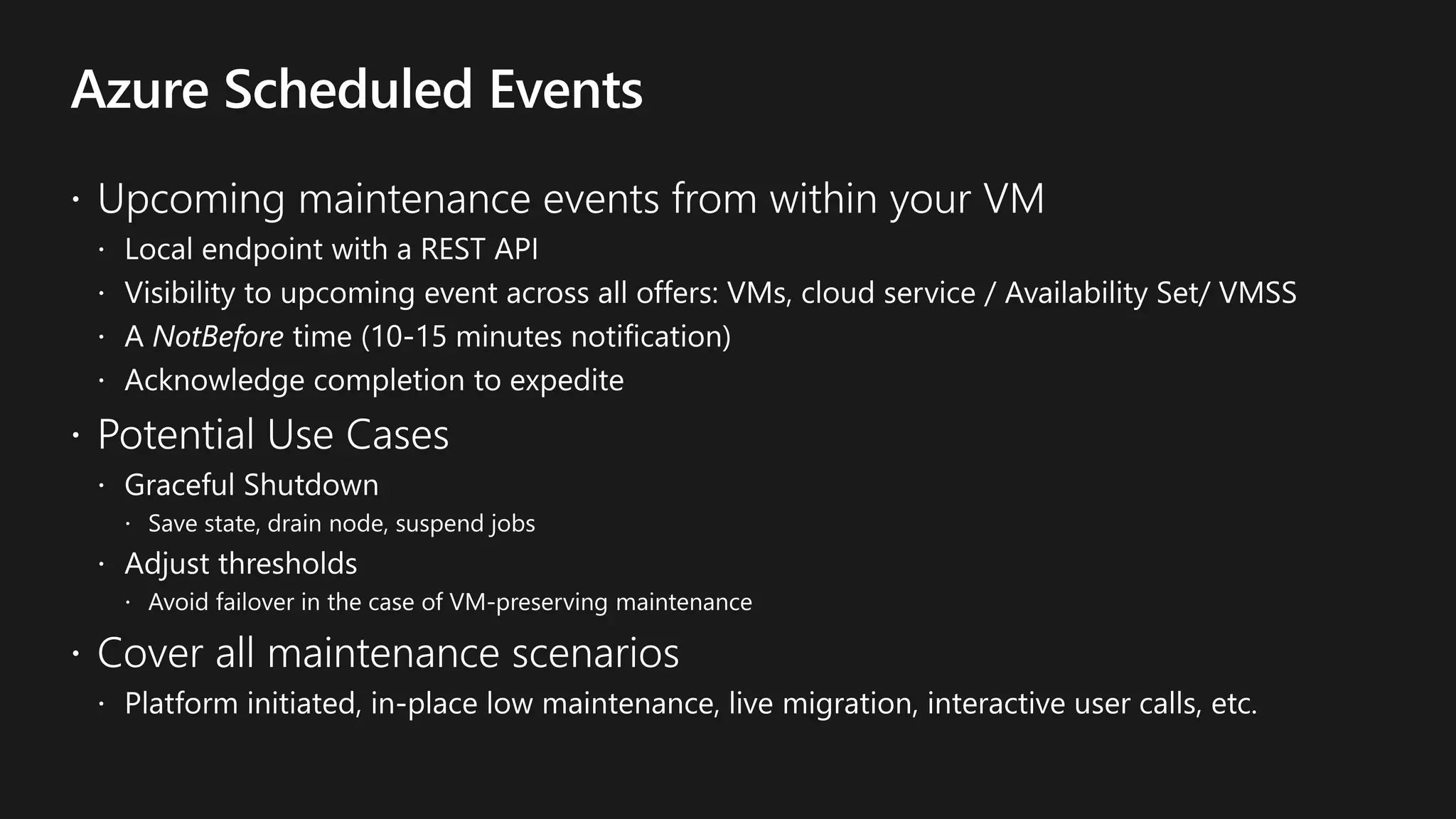
  • #19 You can also react to Azure Scheduled Events from outside the VM… We have some extensions available : https://github.com/zivraf/ScheduledEvents This extension monitors for scheduled events (frequency is set in the .ini file). Once identified, it publishes the event using event grid.
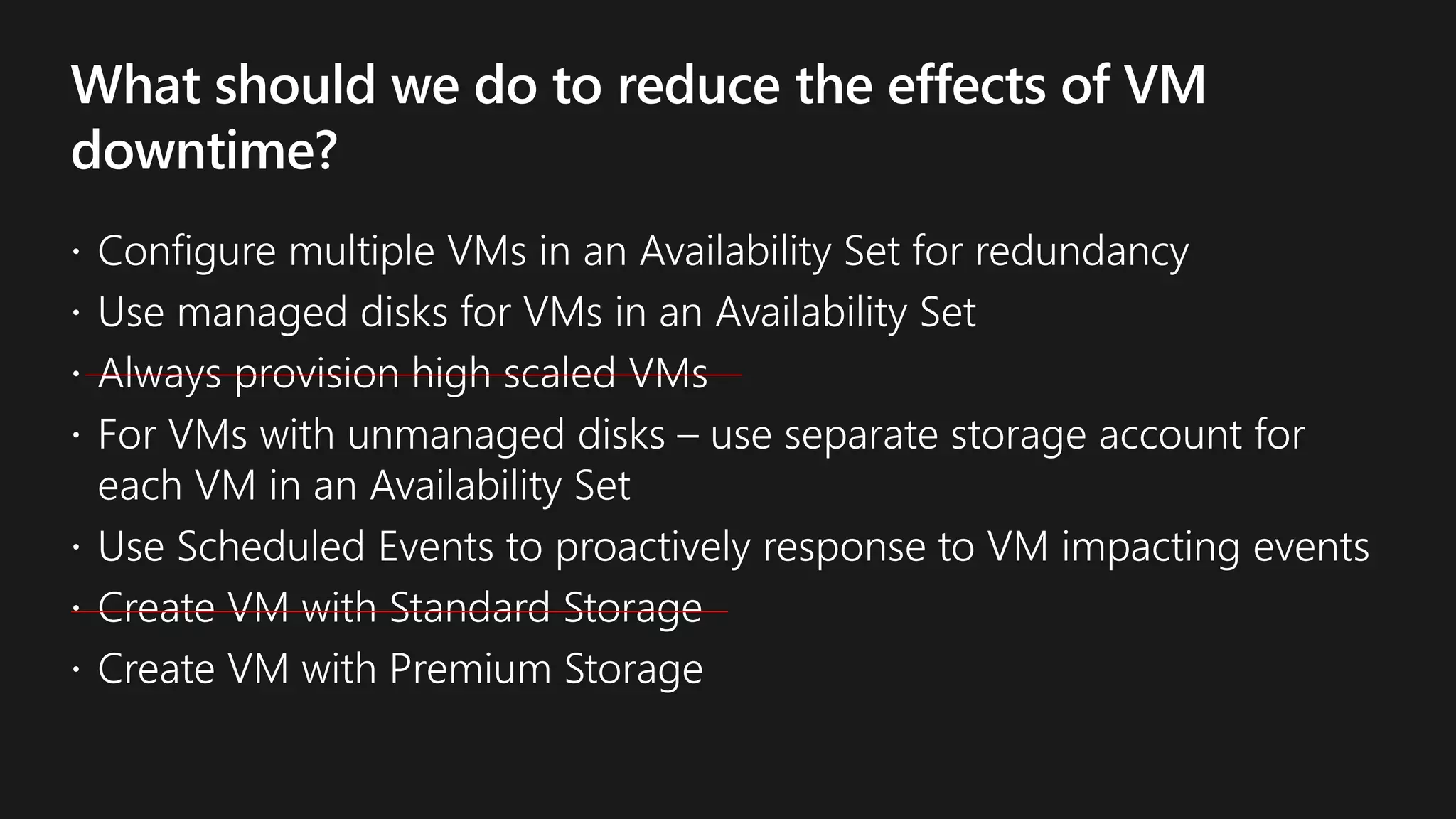
  • #20 Managed disks provide better reliability for Availability Sets by ensuring that the disks of VMs in an Availability Set are sufficiently isolated from each other to avoid single points of failure. It does this by automatically placing the disks in different storage fault domains and aligning them with the VM fault domain. It a storage fault domain fails due to hardware or software failure, only the VM instance with disks on the storage fault domain fails. If you plan to use VMs with unmanaged disks, use separate storage account for each VM in an Availability Set. Do not share Storage accounts with multiple VMs in the same Availability Set. It is acceptable for VMs across different Availability Sets to share storage accounts.
  • #23 It is not good to put two VMs storage disks in the same storage stamp. So if you are using Managed Disks with the VMs in Availability Set, rest assured that the storage disks of the both VMs would be in the different storage stamp in the same data center in the same region. That means compute fault isolation is aligned with the storage fault isolation.
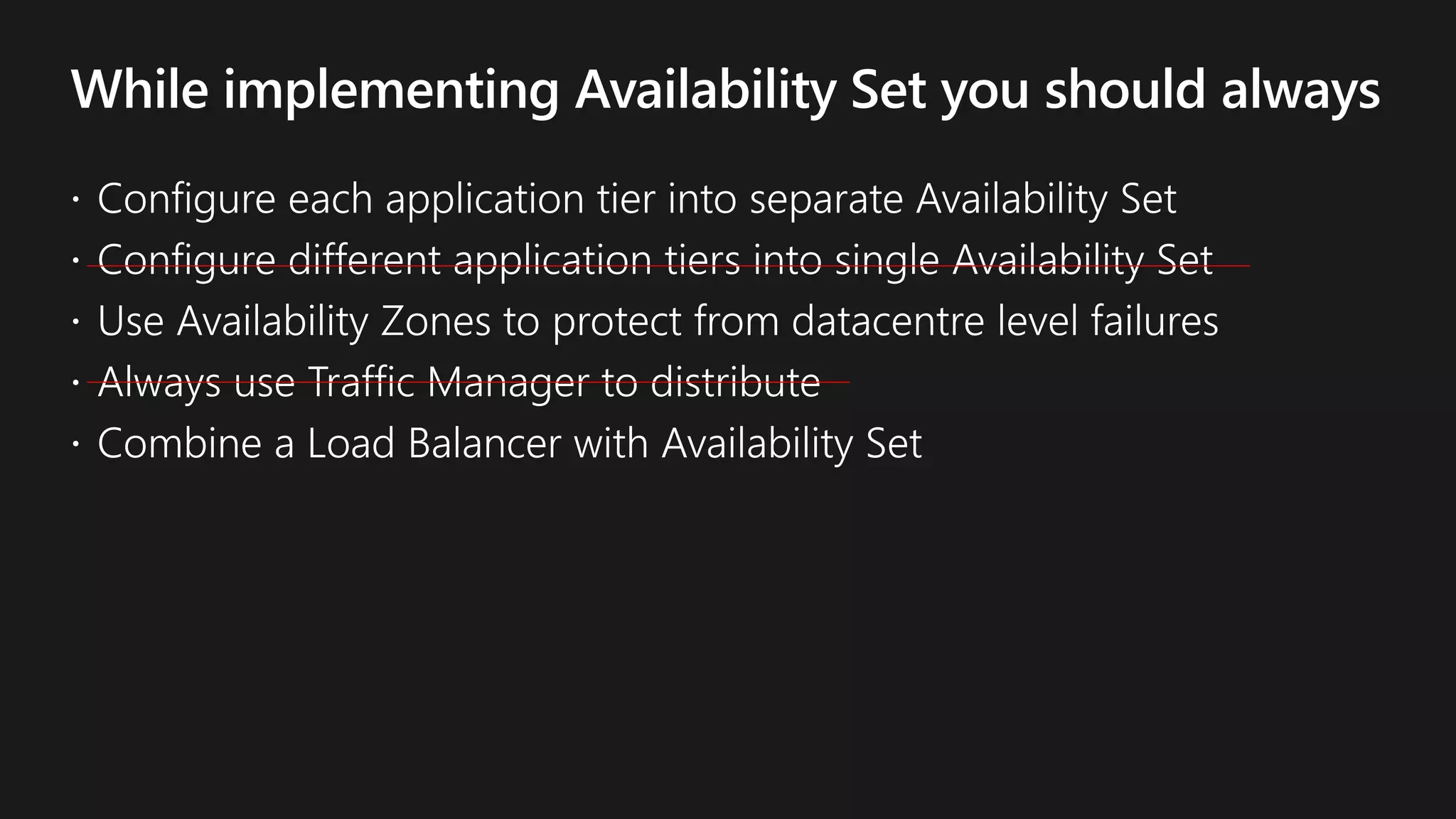
  • #25 Combine the Azure Load Balancer with an Availability Set to get the most application resiliency. The Azure Load Balancer distributes traffic between multiple virtual machines. For our Standard tier virtual machines, the Azure Load Balancer is included. Not all virtual machine tiers include the Azure Load Balancer. If the load balancer is not configured to balance traffic across multiple Virtual Machines, then any planned maintenance event affects the only traffic-serving virtual machines, causing an outage to your application tier. Planning multiple virtual machines of the same tier under the same load balancer and availability set enables traffic to be continuously served by at least one instance.
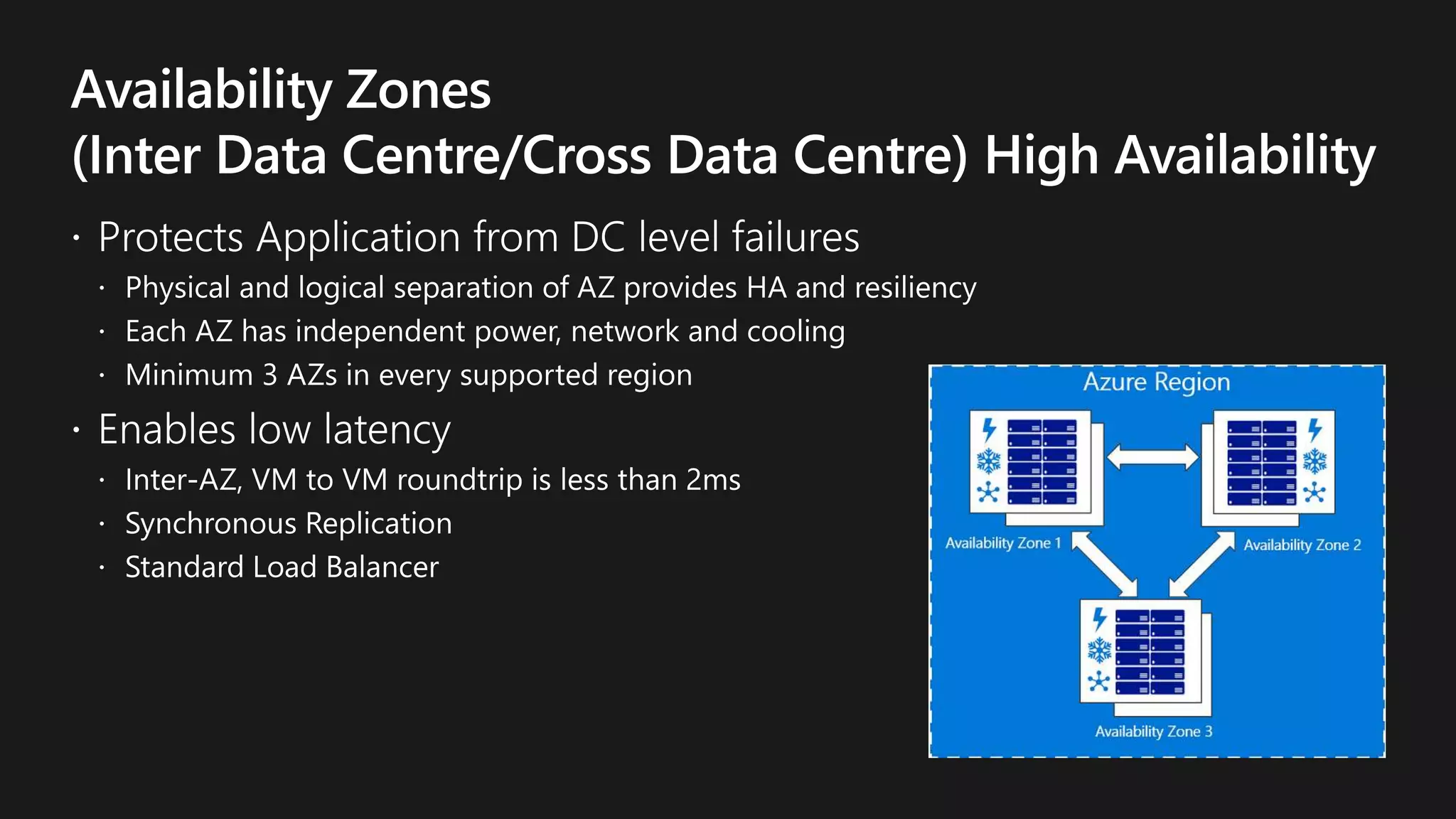
  • #27 Availability Zones, is an alternative to Availability Sets. AZ expand the level of control you have to maintain the availability of the applications and data on your VMs. An Availability Zone is a physically separate zone within an Azure region. There are three Availability Zones per supported Azure region. Each Availability Zone has a distinct power source, network and cooling and is logically separate from the other Availability Zones within the Azure region. By architecting your solutions to use replicated VMs in zones, you can protect your apps and data from the loss of datacetner. If one zone is compromised, then replicated apps and data are instantly available in another zone. The downside is that latency is not very good because here it takes several extra hubs. Out of a datacenter into a regional networking facility and going back to another datacenter. MS has promise that VM-to-VM roundtrip is 2 ms while within a region while deployed inter-zone. If your application cannot sustain downside of 2 ms, you should not go with AZ but this is compared to public statement of 1 ms when you are within a single zone.
  • #38 Azure operates in multiple geographies around the world. An Azure geography is a defined area of the world that contains at least one Azure Region. An Azure region is an area within a geography, containing one or more datacenters. Each Azure region is paired with another region within the same geography, together making a regional pair. Across the region pairs Azure serializes platform updates (planned maintenance), so that only one paired region is updated at a time. In the event of an outage affecting multiple regions, at least one region in each pair will be prioritized for recovery.
  • #40 As an organization you need to adopt a business continuity and disaster recovery strategy that keeps your data safe and Your apps and workloads up and running, when planned and unplanned outages occur. Azure Recovery Services contribute to your BCDR strategy: Site Recovery service: Site Recovery helps ensure business continuity by keeping business apps and workloads running during outages. Site Recovery replicates workloads running on physical and virtual machines (VMs) from a primary site to a secondary location. When an outage occurs at your primary site, you fail over to secondary location, and access apps from there. After the primary location is running again, you can fail back to it. Backup service: The Azure Backup service keeps your data safe and recoverable by backing it up to Azure. Site Recovery can manage replication for: Azure VMs replicating between Azure regions. On-premises VMs, Azure Stack VMs and physical servers. Many clients first reaction is they want RTO and RPO of zero (i.e. NO data loss with no downtime). While this is technically possible, RPOs of zero require synchronous replication.  Synchronous replication by design require multiple writes/updates/deletes in multiple locations before giving an ACK back to the application.  These additional transactions to multiple locations may introduce unacceptable performance, typically due to network distances and associated latency (think speed of light overhead). More traditional IaaS Azure business continuance and disaster recovery solutions like Azure backup and Azure Site Recovery (ASR), as well as many of our Azure Marketplace partner protection solutions, are generally asynchronous by design and therefore provide RPOs > 0. From a design perspective it is nearly impossible to guarantee specific RPOs and RTOs for these type of solutions because many variables are outside of your control, HOWEVER, here are some general guidelines…   RPO of backup solutions are most dependent on the backup policies.  For example, if someone setups up a daily backup policy, then the RPO is closer to a day.   RPO of replication solutions are often most dependent on the distance separating the two sites.  For example, when someone configures ASR to replicate across two regions, then the RPO is more likely to be in the ~seconds to many seconds range. When designing for RTO it is important to understand the variables that are not always in your control.  For example, if someone initiates a restore, the time it takes to be back up and running is dependent on variables like the size of the restore, available network bandwidth, speed of the disk drives/VMs, etc. In a more traditional DR failover scenario whether onprem to cloud or cloud to cloud, it is common to use a service like Azure Site Recovery.  Since the data has already been replicated, the RTO in this case has many dependencies including how long it takes to provision the DR infrastructure on the ‘other side’, speed of the disk drives/VMs, time to run the recovery plan, time to propagate the appropriate DNS changes to point to the ‘other’ side, etc.  Generally in the ~minutes to many minutes range.   In summary, it is difficult to guarantee RPO/RTO targets as there are many dependencies not necessarily in your control but it is still critically important to understand your RPO and RTO targets from a requirements gathering perspective.  Knowing if your requirements are truly RPO and/or RTO of zero, a minute or two, a few hours, daily, etc, can help you design the most appropriate Azure based solution.
  • #41 Using Site Recovery, you can set up and manage replication, failover, and failback from a single location in the Azure portal. You can set up disaster recovery of Azure VMs from a primary region to a secondary region. You can replicate on-premises VMs and physical servers to Azure, or to a secondary on-premises datacenter. Replication to Azure eliminates the cost and complexity of maintaining a secondary datacenter. Replicate any workload running on supported Azure VMs, on-premises Hyper-V and VMware VMs, and Windows/Linux physical servers. Site recovery orchestrates replication without intercepting application data. When you replicate to Azure, data is stored in Azure storage, with the resilience that provides. When failover occurs, Azure VMs are created, based on the replicated data. Keep recovery time objectives (RTO) and recovery point objectives (RPO) within organizational limits. Site Recovery provides continuous replication for Azure VMs and VMware VMs, and replication frequency as low as 30 seconds for Hyper-V. You can reduce RTO further by integrating with Azure Traffic Manager. You can replicate using recovery points with application-consistent snapshots. These snapshots capture disk data, all data in memory, and all transactions in process. You can easily run disaster recovery drills, without affecting ongoing replication. You can run planned failovers for expected outages with zero-data loss, or unplanned failovers with minimal data loss (depending on replication frequency) for unexpected disasters. You can easily fail back to your primary site when it's available again.
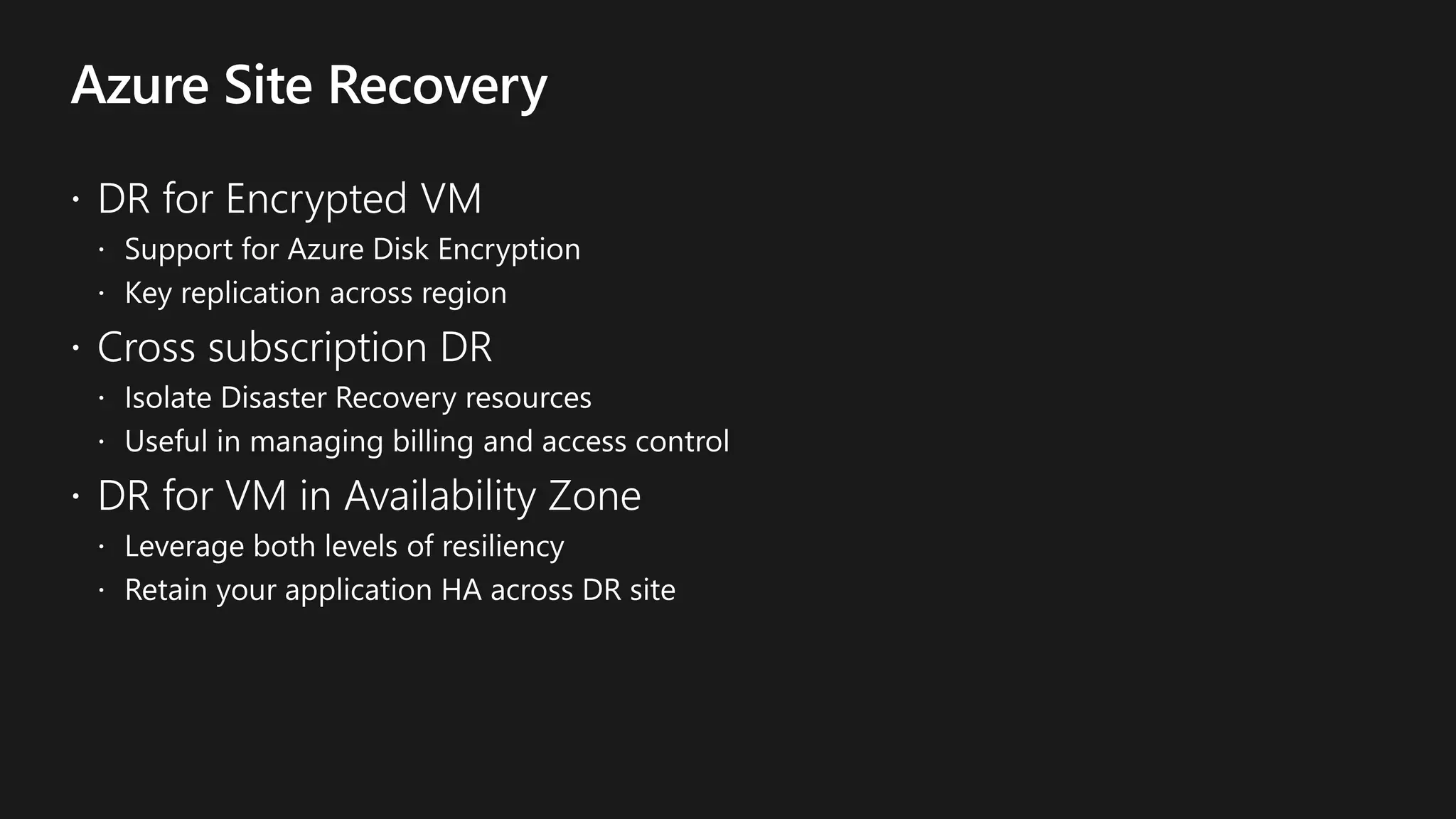
  • #43 LCross Subscription DR Ability to isolate DR resources Help in managing billing and access control DR for Encrypted VM Support for VMs using Azure disk encryption (ADE) Simplified Key replication across regions DR for VM in Availability Zone Leverage both levels of resiliency Retain your application HA across DR site