Dr . Majzoob Kamal Eldein Omer
 Provide finer cache control to both sender and recipient
 A new general Cache-Control directive that must be
obeyed!
 Cache Proxy, Client browser and server are obligated to
obey
Some of the directives in requests:
 Cache-control: no-cache Client forces up-to-date
check with origin server.
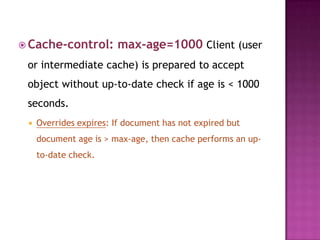
 Cache-control: max-age=1000 Client (user
or intermediate cache) is prepared to accept
object without up-to-date check if age is < 1000
seconds.
 Overrides expires: If document has not expired but
document age is > max-age, then cache performs an up-
to-date check.
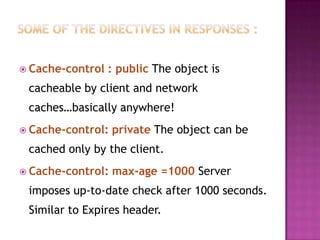
 Cache-control : public The object is
cacheable by client and network
caches…basically anywhere!
 Cache-control: private The object can be
cached only by the client.
 Cache-control: max-age =1000 Server
imposes up-to-date check after 1000 seconds.
Similar to Expires header.
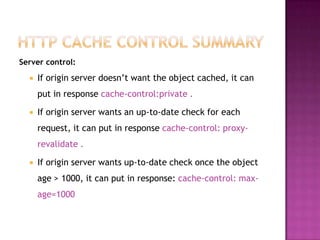
Server control:
 If origin server doesn’t want the object cached, it can
put in response cache-control:private .
 If origin server wants an up-to-date check for each
request, it can put in response cache-control: proxy-
revalidate .
 If origin server wants up-to-date check once the object
age > 1000, it can put in response: cache-control: max-
age=1000
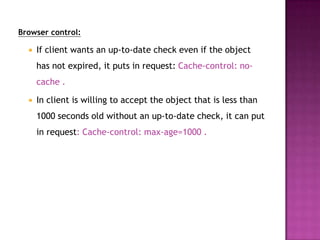
Browser control:
 If client wants an up-to-date check even if the object
has not expired, it puts in request: Cache-control: no-
cache .
 In client is willing to accept the object that is less than
1000 seconds old without an up-to-date check, it can put
in request: Cache-control: max-age=1000 .
 CGI stands for Common Gateway Interface.
 CGI is a standard programming interface to Web
servers that gives us a way to make our sites
dynamic and interactive.
 CGI is not a programming language. It is just a
set of standards (protocols.)
 CGI can be implemented in an interpreted
language such as PERL or in a compiled language
such as C.
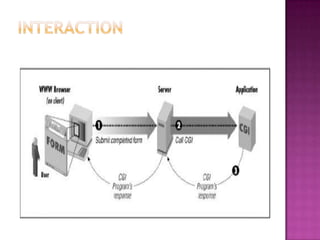
 CGI programs work as follows:
 STEP 1 (On the client side): Get Information from
the user (using HTML forms, SSI, Java Applet,
…,etc).
 STEP 2 (On the server side): Process the data,
connect to DATABASE, search for PATTERNS,
…,etc.
 STEP 3 (On the server side): Send the result of
computation back to the client.
 The steps involved in preparing a CGI
program for work.
1. Contact your Web host to find out where
you should put your CGI programs on the
server. Usually it will be a directory on
the server named “cgi-bin”.
2. Set up the access permission of directory
“cgi-bin”
3- Set up the access permission of the CGI
program
4- Test your CGI program from the server
command line to make sure it works
perfectly before publishing it.
 <form action=“cgi-prog.cgi”
method=“POST”>
. . .
</form>
 Two HTTP methods are available:
 GET
 POST
 The CGI program will be invoked every
time you the button SUBMIT is clicked.
 GET Method the data passed within the
query string of URL : for example:
http://std.edu/info/program?querystring
the data sent after the “?”
POST Method :
The data sent via entity body
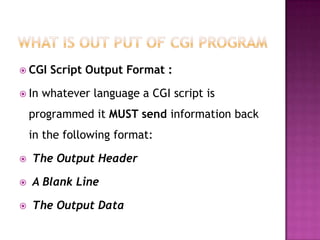
 CGI Script Output Format :
 In whatever language a CGI script is
programmed it MUST send information back
in the following format:
 The Output Header
 A Blank Line
 The Output Data
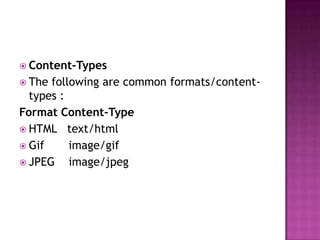
 Content-Types
 The following are common formats/content-
types :
Format Content-Type
 HTML text/html
 Gif image/gif
 JPEG image/jpeg
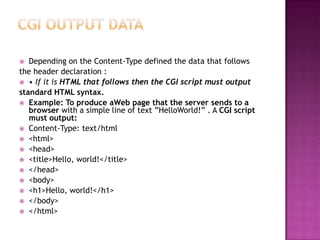
 Depending on the Content-Type defined the data that follows
the header declaration :
 • If it is HTML that follows then the CGI script must output
standard HTML syntax.
 Example: To produce aWeb page that the server sends to a
browser with a simple line of text ”HelloWorld!” . A CGI script
must output:
 Content-Type: text/html
 <html>
 <head>
 <title>Hello, world!</title>
 </head>
 <body>
 <h1>Hello, world!</h1>
 </body>
 </html>
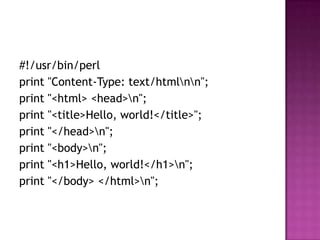
#!/usr/bin/perl
print "Content-Type: text/htmlnn";
print "<html> <head>n";
print "<title>Hello, world!</title>";
print "</head>n";
print "<body>n";
print "<h1>Hello, world!</h1>n";
print "</body> </html>n";

Cache control directive

  • 1.
    Dr . MajzoobKamal Eldein Omer
  • 2.
     Provide finercache control to both sender and recipient  A new general Cache-Control directive that must be obeyed!  Cache Proxy, Client browser and server are obligated to obey Some of the directives in requests:  Cache-control: no-cache Client forces up-to-date check with origin server.
  • 3.
     Cache-control: max-age=1000Client (user or intermediate cache) is prepared to accept object without up-to-date check if age is < 1000 seconds.  Overrides expires: If document has not expired but document age is > max-age, then cache performs an up- to-date check.
  • 4.
     Cache-control :public The object is cacheable by client and network caches…basically anywhere!  Cache-control: private The object can be cached only by the client.  Cache-control: max-age =1000 Server imposes up-to-date check after 1000 seconds. Similar to Expires header.
  • 5.
    Server control:  Iforigin server doesn’t want the object cached, it can put in response cache-control:private .  If origin server wants an up-to-date check for each request, it can put in response cache-control: proxy- revalidate .  If origin server wants up-to-date check once the object age > 1000, it can put in response: cache-control: max- age=1000
  • 6.
    Browser control:  Ifclient wants an up-to-date check even if the object has not expired, it puts in request: Cache-control: no- cache .  In client is willing to accept the object that is less than 1000 seconds old without an up-to-date check, it can put in request: Cache-control: max-age=1000 .
  • 8.
     CGI standsfor Common Gateway Interface.  CGI is a standard programming interface to Web servers that gives us a way to make our sites dynamic and interactive.  CGI is not a programming language. It is just a set of standards (protocols.)  CGI can be implemented in an interpreted language such as PERL or in a compiled language such as C.
  • 9.
     CGI programswork as follows:  STEP 1 (On the client side): Get Information from the user (using HTML forms, SSI, Java Applet, …,etc).  STEP 2 (On the server side): Process the data, connect to DATABASE, search for PATTERNS, …,etc.  STEP 3 (On the server side): Send the result of computation back to the client.
  • 11.
     The stepsinvolved in preparing a CGI program for work. 1. Contact your Web host to find out where you should put your CGI programs on the server. Usually it will be a directory on the server named “cgi-bin”. 2. Set up the access permission of directory “cgi-bin”
  • 12.
    3- Set upthe access permission of the CGI program 4- Test your CGI program from the server command line to make sure it works perfectly before publishing it.
  • 13.
     <form action=“cgi-prog.cgi” method=“POST”> .. . </form>  Two HTTP methods are available:  GET  POST  The CGI program will be invoked every time you the button SUBMIT is clicked.
  • 14.
     GET Methodthe data passed within the query string of URL : for example: http://std.edu/info/program?querystring the data sent after the “?” POST Method : The data sent via entity body
  • 15.
     CGI ScriptOutput Format :  In whatever language a CGI script is programmed it MUST send information back in the following format:  The Output Header  A Blank Line  The Output Data
  • 16.
     Content-Types  Thefollowing are common formats/content- types : Format Content-Type  HTML text/html  Gif image/gif  JPEG image/jpeg
  • 17.
     Depending onthe Content-Type defined the data that follows the header declaration :  • If it is HTML that follows then the CGI script must output standard HTML syntax.  Example: To produce aWeb page that the server sends to a browser with a simple line of text ”HelloWorld!” . A CGI script must output:  Content-Type: text/html  <html>  <head>  <title>Hello, world!</title>  </head>  <body>  <h1>Hello, world!</h1>  </body>  </html>
  • 18.
    #!/usr/bin/perl print "Content-Type: text/htmlnn"; print"<html> <head>n"; print "<title>Hello, world!</title>"; print "</head>n"; print "<body>n"; print "<h1>Hello, world!</h1>n"; print "</body> </html>n";