DATA COLLABORATION
NEW PLATFORM
• Backend REST API built using CakePHP
• Web client consumes the API via a thin Node.js
server and a single-page AngularJS app
• Mobile client consumes the API with a
PhoneGap-wrapped Sencha Touch app
MISCONCEPTION:
"Building a REST API will be easy! All we need to
do is hook up our controllers to a bunch of CRUD
actions, serve them out like they exist in the
database, and figure out a way to communicate in
JSON/XML format!
Alright, is it happy hour yet!?”
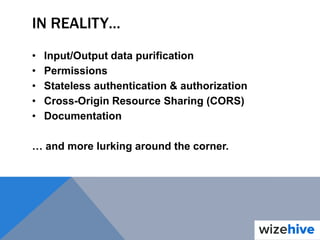
IN REALITY…
• Input/Output data purification
• Permissions
• Stateless authentication & authorization
• Cross-Origin Resource Sharing (CORS)
• Documentation
… and more lurking around the corner.
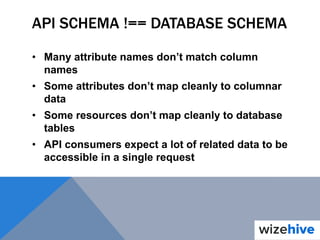
API SCHEMA !== DATABASE SCHEMA
• Many attribute names don’t match column
names
• Some attributes don’t map cleanly to columnar
data
• Some resources don’t map cleanly to database
tables
• API consumers expect a lot of related data to be
accessible in a single request
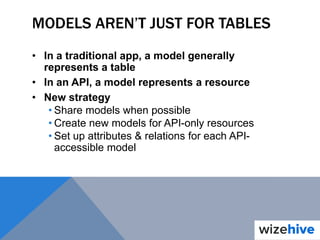
MODELS AREN’T JUST FOR TABLES
• In a traditional app, a model generally
represents a table
• In an API, a model represents a resource
• New strategy
• Share models when possible
• Create new models for API-only resources
• Set up attributes & relations for each API-
accessible model
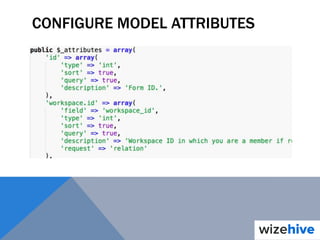
CONFIGURE MODEL ATTRIBUTES
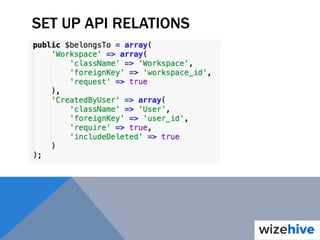
SET UP API RELATIONS
INPUT & OUTPUT PROCESSING
• We now have at least 1 model for every API
resource
• We now have information about the attributes
each API resource outputs
• We now have information about the relations
each API resource relies on by default vs. by
request
• We use this to input & output data
automagically
How…?
INPUT DATA COMPONENT
What does it do?
CONVERT TO COLUMNAR DATA
• API request is submitted using API resource &
attribute names
• When processing this request, convert the
request into column names that can be saved to
tables
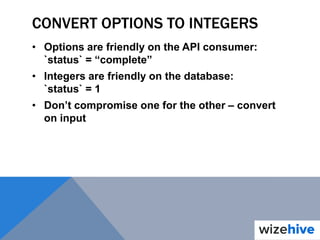
CONVERT OPTIONS TO INTEGERS
• Options are friendly on the API consumer:
`status` = “complete”
• Integers are friendly on the database:
`status` = 1
• Don’t compromise one for the other – convert
on input
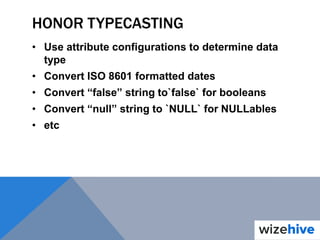
HONOR TYPECASTING
• Use attribute configurations to determine data
type
• Convert ISO 8601 formatted dates
• Convert “false” string to`false` for booleans
• Convert “null” string to `NULL` for NULLables
• etc
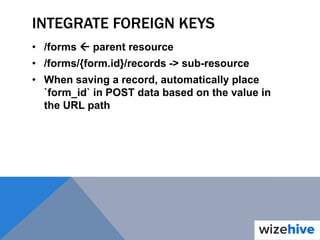
INTEGRATE FOREIGN KEYS
• /forms  parent resource
• /forms/{form.id}/records -> sub-resource
• When saving a record, automatically place
`form_id` in POST data based on the value in
the URL path
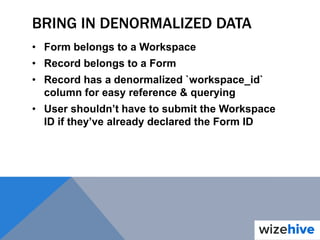
BRING IN DENORMALIZED DATA
• Form belongs to a Workspace
• Record belongs to a Form
• Record has a denormalized `workspace_id`
column for easy reference & querying
• User shouldn’t have to submit the Workspace
ID if they’ve already declared the Form ID
QUERY COMPONENT
What does it do?
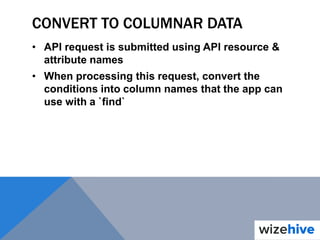
CONVERT TO COLUMNAR DATA
• API request is submitted using API resource &
attribute names
• When processing this request, convert the
conditions into column names that the app can
use with a `find`
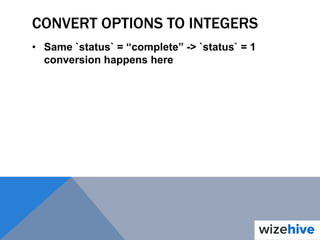
CONVERT OPTIONS TO INTEGERS
• Same `status` = “complete” -> `status` = 1
conversion happens here
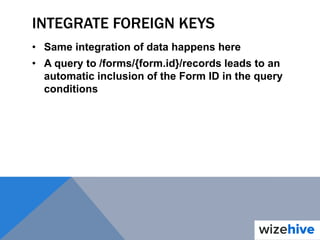
INTEGRATE FOREIGN KEYS
• Same integration of data happens here
• A query to /forms/{form.id}/records leads to an
automatic inclusion of the Form ID in the query
conditions
PERMISSIONS
• ACL is great for “static” permissions
• It’s not so great at handling “variable”
permissions
… What’s the difference? How do we reconcile
this?
STATIC PERMISSIONS
• App-wide “groups” of users (ie. default, admin,
root)
• Allow or block CRUD access to an entire
resource
• Allow or block CRUD access to a resource’s
attribute
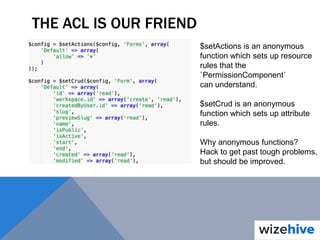
THE ACL IS OUR FRIEND
$setActions is an anonymous
function which sets up resource
rules that the
`PermissionComponent`
can understand.
$setCrud is an anonymous
function which sets up attribute
rules.
Why anonymous functions?
Hack to get past tough problems,
but should be improved.
DYNAMIC PERMISSIONS
• Groups created by a resource (ie. workspace
member, workspace owner, etc)
• Allow or block CRUD access to a resource
based on dynamic group member
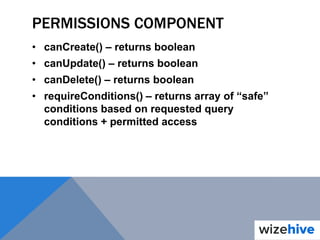
PERMISSIONS COMPONENT
• canCreate() – returns boolean
• canUpdate() – returns boolean
• canDelete() – returns boolean
• requireConditions() – returns array of “safe”
conditions based on requested query
conditions + permitted access
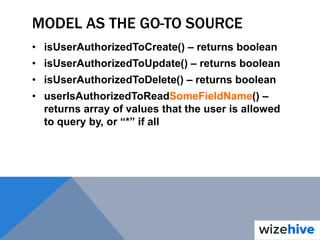
MODEL AS THE GO-TO SOURCE
• isUserAuthorizedToCreate() – returns boolean
• isUserAuthorizedToUpdate() – returns boolean
• isUserAuthorizedToDelete() – returns boolean
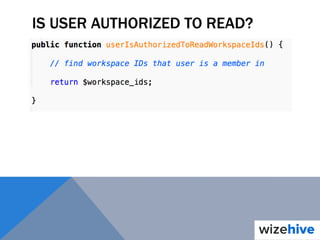
• userIsAuthorizedToReadSomeFieldName() –
returns array of values that the user is allowed
to query by, or “*” if all
IS USER AUTHORIZED TO READ?
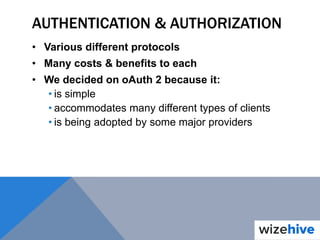
AUTHENTICATION & AUTHORIZATION
• Various different protocols
• Many costs & benefits to each
• We decided on oAuth 2 because it:
• is simple
• accommodates many different types of clients
• is being adopted by some major providers
OAUTH 2: THE SIMPLE VERSION:
• Supports public (2-legged) & private (3-legged)
flows
• Uses an access token for 3-legged flows
WHAT ARE THE CHALLENGES?
• Clients need a way to get & refresh access
tokens
• App needs to authenticate the user with every
request (it is stateless)
OAUTH2 PLUGIN
• There’s a lot to it, but basically…
• The `OAuth2Controller` handles all of the
client’s token getting & refreshing needs via:
• authorize()
• grant()
• token()
• The `OAuth2Authenticate` class is an
authentication adapter which “logs the user in”
on every request
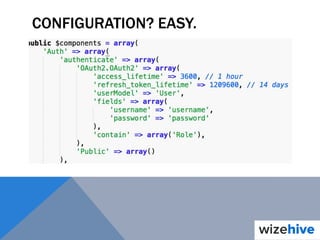
CONFIGURATION? EASY.
CROSS-ORIGIN RESOURCE SHARING
• API calls are often done from frontend apps
• Browser will not less you make “cross-origin”
(cross-domain) requests without extra request
& response headers
• Cake doesn’t have any default options for this
CORS PREFLIGHT DISPATCHER
• Uses Cake 2.x dispatch filters
• If CORS request headers exist, it outputs CORS
response headers
• Automatically stops propagation on OPTIONS
requests
• Complete solution; all CORS logic in one place
DOCUMENTATION
• Should be as DRY as possible
• Should not sacrifice usability
• Interactive is better
• We chose Swagger UI
https://github.com/wordnik/swagger-ui
HOW TO KEEP IT DRY?
• `ApiDocsShell` - uses combination of:
• Routes
• Models
• Attribute configurations
• Permissions
• Validation rules
to automagically build interactive documentation
about resources.
HOW TO KEEP IT USER FRIENDLY?
• Sometimes a resource “dictionary” isn’t enough
• Users need guidance
• Plain English descriptions help
• Pull those in based on convention
• Attribute descriptions
• Files which hold resource- & operation- level
descriptions
WHAT ARE WE MISSING?
• JSON & XML formatting
• Error handling
• Routing
• Versioning
• Caching
• Links
• Rate limiting
• Monetization
• … it never really ends. Pick your battles wisely. Outsource
functions if you can:
http://www.3scale.net/
OPEN SOURCED
github.com/Wizehive/cakephp-api-utils
Connect with me at:
about.me/anthony.putignano

CakeFest 2013 - A-Z REST APIs

  • 2.
  • 3.
    NEW PLATFORM • BackendREST API built using CakePHP • Web client consumes the API via a thin Node.js server and a single-page AngularJS app • Mobile client consumes the API with a PhoneGap-wrapped Sencha Touch app
  • 4.
    MISCONCEPTION: "Building a RESTAPI will be easy! All we need to do is hook up our controllers to a bunch of CRUD actions, serve them out like they exist in the database, and figure out a way to communicate in JSON/XML format! Alright, is it happy hour yet!?”
  • 5.
    IN REALITY… • Input/Outputdata purification • Permissions • Stateless authentication & authorization • Cross-Origin Resource Sharing (CORS) • Documentation … and more lurking around the corner.
  • 6.
    API SCHEMA !==DATABASE SCHEMA • Many attribute names don’t match column names • Some attributes don’t map cleanly to columnar data • Some resources don’t map cleanly to database tables • API consumers expect a lot of related data to be accessible in a single request
  • 7.
    MODELS AREN’T JUSTFOR TABLES • In a traditional app, a model generally represents a table • In an API, a model represents a resource • New strategy • Share models when possible • Create new models for API-only resources • Set up attributes & relations for each API- accessible model
  • 8.
  • 9.
    SET UP APIRELATIONS
  • 10.
    INPUT & OUTPUTPROCESSING • We now have at least 1 model for every API resource • We now have information about the attributes each API resource outputs • We now have information about the relations each API resource relies on by default vs. by request • We use this to input & output data automagically How…?
  • 11.
  • 12.
    CONVERT TO COLUMNARDATA • API request is submitted using API resource & attribute names • When processing this request, convert the request into column names that can be saved to tables
  • 13.
    CONVERT OPTIONS TOINTEGERS • Options are friendly on the API consumer: `status` = “complete” • Integers are friendly on the database: `status` = 1 • Don’t compromise one for the other – convert on input
  • 14.
    HONOR TYPECASTING • Useattribute configurations to determine data type • Convert ISO 8601 formatted dates • Convert “false” string to`false` for booleans • Convert “null” string to `NULL` for NULLables • etc
  • 15.
    INTEGRATE FOREIGN KEYS •/forms  parent resource • /forms/{form.id}/records -> sub-resource • When saving a record, automatically place `form_id` in POST data based on the value in the URL path
  • 16.
    BRING IN DENORMALIZEDDATA • Form belongs to a Workspace • Record belongs to a Form • Record has a denormalized `workspace_id` column for easy reference & querying • User shouldn’t have to submit the Workspace ID if they’ve already declared the Form ID
  • 17.
  • 18.
    CONVERT TO COLUMNARDATA • API request is submitted using API resource & attribute names • When processing this request, convert the conditions into column names that the app can use with a `find`
  • 19.
    CONVERT OPTIONS TOINTEGERS • Same `status` = “complete” -> `status` = 1 conversion happens here
  • 20.
    INTEGRATE FOREIGN KEYS •Same integration of data happens here • A query to /forms/{form.id}/records leads to an automatic inclusion of the Form ID in the query conditions
  • 21.
    PERMISSIONS • ACL isgreat for “static” permissions • It’s not so great at handling “variable” permissions … What’s the difference? How do we reconcile this?
  • 22.
    STATIC PERMISSIONS • App-wide“groups” of users (ie. default, admin, root) • Allow or block CRUD access to an entire resource • Allow or block CRUD access to a resource’s attribute
  • 23.
    THE ACL ISOUR FRIEND $setActions is an anonymous function which sets up resource rules that the `PermissionComponent` can understand. $setCrud is an anonymous function which sets up attribute rules. Why anonymous functions? Hack to get past tough problems, but should be improved.
  • 24.
    DYNAMIC PERMISSIONS • Groupscreated by a resource (ie. workspace member, workspace owner, etc) • Allow or block CRUD access to a resource based on dynamic group member
  • 25.
    PERMISSIONS COMPONENT • canCreate()– returns boolean • canUpdate() – returns boolean • canDelete() – returns boolean • requireConditions() – returns array of “safe” conditions based on requested query conditions + permitted access
  • 26.
    MODEL AS THEGO-TO SOURCE • isUserAuthorizedToCreate() – returns boolean • isUserAuthorizedToUpdate() – returns boolean • isUserAuthorizedToDelete() – returns boolean • userIsAuthorizedToReadSomeFieldName() – returns array of values that the user is allowed to query by, or “*” if all
  • 27.
  • 28.
    AUTHENTICATION & AUTHORIZATION •Various different protocols • Many costs & benefits to each • We decided on oAuth 2 because it: • is simple • accommodates many different types of clients • is being adopted by some major providers
  • 29.
    OAUTH 2: THESIMPLE VERSION: • Supports public (2-legged) & private (3-legged) flows • Uses an access token for 3-legged flows
  • 30.
    WHAT ARE THECHALLENGES? • Clients need a way to get & refresh access tokens • App needs to authenticate the user with every request (it is stateless)
  • 31.
    OAUTH2 PLUGIN • There’sa lot to it, but basically… • The `OAuth2Controller` handles all of the client’s token getting & refreshing needs via: • authorize() • grant() • token() • The `OAuth2Authenticate` class is an authentication adapter which “logs the user in” on every request
  • 32.
  • 33.
    CROSS-ORIGIN RESOURCE SHARING •API calls are often done from frontend apps • Browser will not less you make “cross-origin” (cross-domain) requests without extra request & response headers • Cake doesn’t have any default options for this
  • 34.
    CORS PREFLIGHT DISPATCHER •Uses Cake 2.x dispatch filters • If CORS request headers exist, it outputs CORS response headers • Automatically stops propagation on OPTIONS requests • Complete solution; all CORS logic in one place
  • 35.
    DOCUMENTATION • Should beas DRY as possible • Should not sacrifice usability • Interactive is better • We chose Swagger UI https://github.com/wordnik/swagger-ui
  • 36.
    HOW TO KEEPIT DRY? • `ApiDocsShell` - uses combination of: • Routes • Models • Attribute configurations • Permissions • Validation rules to automagically build interactive documentation about resources.
  • 37.
    HOW TO KEEPIT USER FRIENDLY? • Sometimes a resource “dictionary” isn’t enough • Users need guidance • Plain English descriptions help • Pull those in based on convention • Attribute descriptions • Files which hold resource- & operation- level descriptions
  • 38.
    WHAT ARE WEMISSING? • JSON & XML formatting • Error handling • Routing • Versioning • Caching • Links • Rate limiting • Monetization • … it never really ends. Pick your battles wisely. Outsource functions if you can: http://www.3scale.net/
  • 39.