
Web AccessibilityPrinciplesSean Yo • Guelph Web Makers Meetup 1.0@seanyo• seanyo.ca • syo@uoguelph.ca
Web AnalystAccessibility Advocate
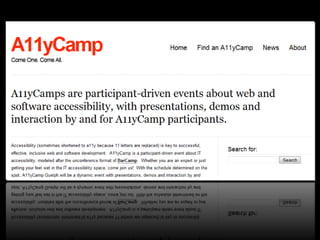
Pop Quiz:What is A11y?
What is Web Accessibility?
Web accessibility refers to the practice of making websites usable by people of all abilities and disabilities. When sites are correctly designed developed and edited all users can have equal access to information and functionality.http://en.wikipedia.org/wiki/Web_accessibility
VisualHearingMotorCognitive
Why Web Accessibility?
Doing the Right Thing
Beneficial Standards
Save Internet Resources
Be Recognized
It’s the Law… Or it Will Be
Ease of Maintenance
More Aging Visitors
Care and Sleep Well
Google Will Love Youhttp://accessites.org/why/http://www.webaim.org/intro/
User Experience
Accessibility Experience
People Have ExperiencesChecklists Don’t
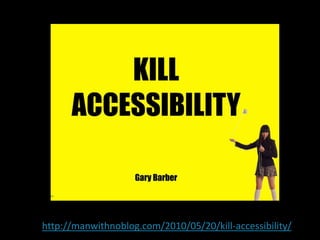
http://manwithnoblog.com/2010/05/20/kill-accessibility/
PrinciplesFoundations of Web Accessibility
The Only One That MattersPeople First
AODA PrinciplesIndependenceDignityIntegrationEquality of opportunity
W3C PrinciplesPerceivableOperableUnderstandableRobust
Plan for Accessibility……From the Beginning
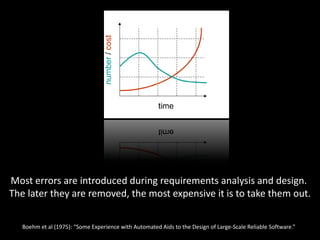
Most errors are introduced during requirements analysis and design.The later they are removed, the most expensive it is to take them out.Boehm et al (1975): “Some Experience with Automated Aids to the Design of Large-Scale Reliable Software.”
Plan for Accessibility……at every step
Accessibility is not an optionIt is completing a website
Avoid Assumptions About Your Visitors
Count on Text Provide Alternatives in Text
Don’t take control of your visitor’s experience
Use Clear Language
Be Usable, Searchable and Navigable
Be Semantic

Web accessibility Principles

Editor's Notes

  • #4 A11y is anabbr for accessibility – a numeronymLike i18n for internationalization We’ll come back to this later…
  • #7 VisualBlindness low vision color-blindnessHearingDeafnessMotorInability to use a mouse slow response time limited fine motor controlCognitiveLearning disabilities distractibility inability to remember or focus on large amounts of information
  • #8  Making a web site accessible is work – but so is following all types of coding best practices like keeping presentation code in CSS, using HTML semantically, and using readable white space in your code There is the simple motivation of pride in craft…but more important the purpose of a web site is to communicate If you ignore accessibility, your website will be less successful When you pay attention to accessibility, in my experience, the whole website is better for everyone Let’s look to the built environment – ramps, powered doors and extra railings are an accessibility features – but they can potentially help anyone in that building
  • #12 Makingaccessibile websites can be challenging – and we’ll all make mistakesChecklists are not a bad thing – they can be a useful toolHowever, if you rely solely on checklists – you will generate false positive reports that a site is accessibleChecklists are about as smart as a spellchecker – try and keep that in mind
  • #13  “considering accessibility as a separate item is the wrong approach. We really need to be considering the ideals of universal design, in which everything is designed for everyone.   Let’s just for a minute forget about accessibility as a separate issue. We need to design and develop for people using AT just like we do for any other usability issue”
  • #17 Perceivable - Information and interface must be presentable to users in ways they can perceive.This means that users must be able to perceive the information being presented (it can't be invisible to all of their senses)Operable - User interface components and navigation must be operable.This means that users must be able to operate the interface (the interface cannot require interaction that a user cannot perform)Understandable - Information and the operation of user interface must be understandable.This means that users must be able to understand the information as well as the operation of the user interface (the content or operation cannot be beyond their understanding)Robust - Content must be robust enough that it can be interpreted reliably by a wide variety of user agents, including assistive technologies.This means that users must be able to access the content as technologies advance (as technologies and user agents evolve, the content should remain accessible)
  • #20  Providing an Accessible Experience requires contintuous and iterative design and testing