
Web 2.0 for Lawyers: Reposition Yourself on the Internet Kate Fitz April 16, 2009
What is Web 2.0?
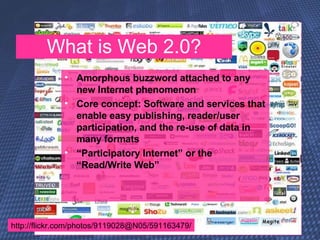
Intro to Web 2.0 http://flickr.com/photos/9119028@N05/591163479/ Amorphous buzzword attached to any new Internet phenomenon Core concept: Software and services that enable easy publishing, reader/user participation, and the re-use of data in many formats “ Participatory Internet” or the “Read/Write Web” What is Web 2.0?
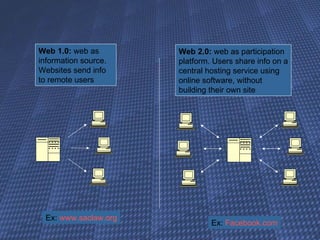
Web 1.0:  web as information source. Websites send info to remote users Web 2.0:  web as participation platform. Users share info on a central hosting service using online software, without building their own site Ex:  www.saclaw.org Ex:  Facebook.com
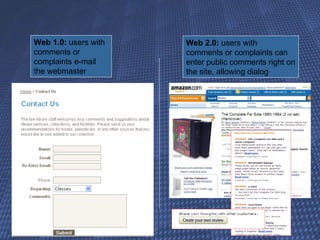
Web 1.0:  users with comments or complaints e-mail the webmaster Web 2.0:  users with comments or complaints can enter public comments right on the site, allowing dialog http://www.flickr.com/photos/amoraleda/3441718543/
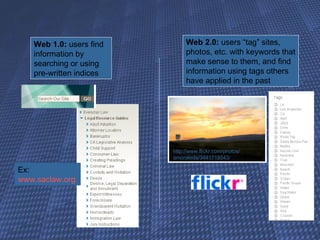
Web 1.0:  users find information by searching or using pre-written indices Web 2.0:  users “tag” sites, photos, etc. with keywords that make sense to them, and find information using tags others have applied in the past Ex:  www.saclaw.org http://www.flickr.com/photos/amoraleda/3441718543/
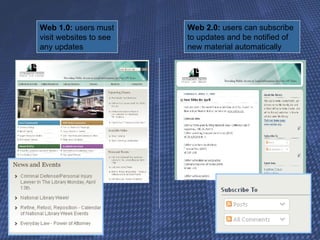
Web 1.0:  users must visit websites to see any updates  Web 2.0:  users can subscribe to updates and be notified of new material automatically
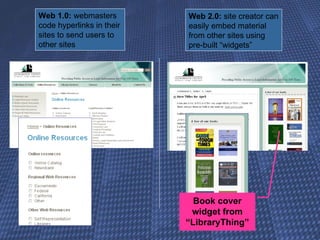
Web 1.0:  webmasters code hyperlinks in their sites to send users to other sites Web 2.0:  site creator can easily embed material from other sites using pre-built “widgets” Book cover widget from “LibraryThing”
Who uses web 2.0?
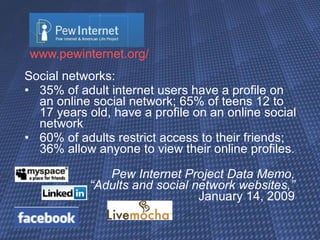
www.pewinternet.org / Social networks:  35% of adult internet users have a profile on an online social network; 65% of teens 12 to 17 years old, have a profile on an online social network 60% of adults restrict access to their friends; 36% allow anyone to view their online profiles.  Pew Internet Project Data Memo,  “Adults and social network websites,”  January 14, 2009
www.pewinternet.org / “Micro-blogging:”  11% of adults use Twitter; ~20% of adults under 35 Pew Internet Project Data Memo,  “Twitter and status updating,”  Feb 2009
www.pewinternet.org / Tagging:  28% of internet users have tagged or categorized content online such as photos, news stories or blog posts  Pew Internet & American Life Project,    January 31, 2007
www.pewinternet.org / Wikis:  36% of online American adults consult Wikipedia It is particularly popular with the well-educated and current college-age students Pew Internet & American Life Project,    April 2007
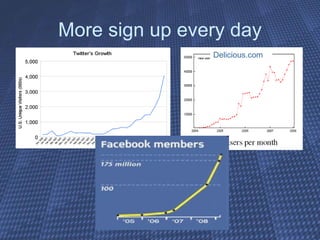
More sign up every day Delicious.com
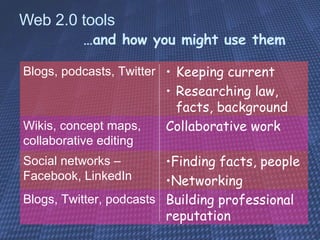
Web 2.0 tools …and how you might use them Building professional reputation Blogs, Twitter, podcasts Finding facts, people Networking Social networks – Facebook, LinkedIn Collaborative work Wikis, concept maps, collaborative editing Keeping current Researching law, facts, background Blogs, podcasts, Twitter
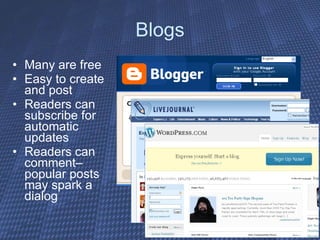
Blogs Many are free  Easy to create and post Readers can subscribe for automatic updates Readers can comment– popular posts may spark a dialog
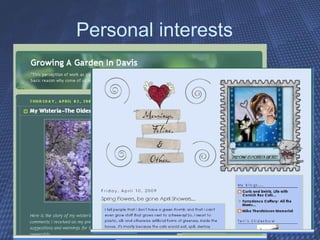
Personal interests
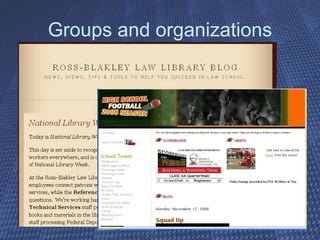
Groups and organizations
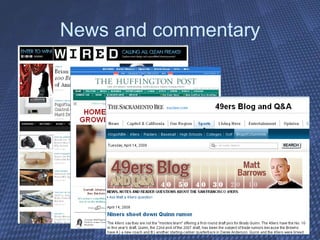
News and commentary
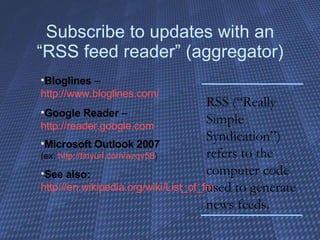
Subscribe to updates with an “RSS feed reader” (aggregator) Bloglines  –  http://www.bloglines.com/ Google Reader  –  http://reader.google.com Microsoft Outlook 2007   (ex:  http://tinyurl.com/azqv58 ) See also:   http://en.wikipedia.org/wiki/List_of_feed_aggregators RSS (“Really Simple Syndication”) refers to the computer code used to generate news feeds.
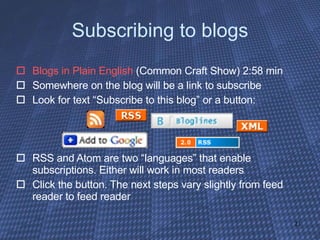
Subscribing to blogs Blogs in Plain English  (Common Craft Show) 2:58 min Somewhere on the blog will be a link to subscribe Look for text “Subscribe to this blog” or a button: RSS and Atom are two “languages” that enable subscriptions. Either will work in most readers Click the button. The next steps vary slightly from feed reader to feed reader
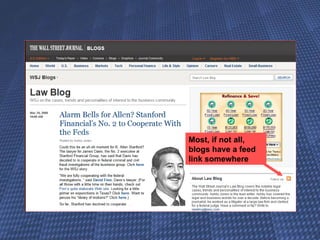
Most, if not all, blogs have a feed link somewhere
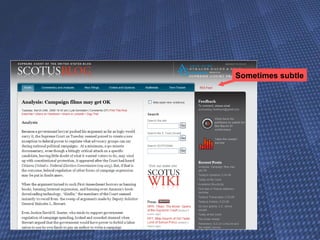
Sometimes subtle
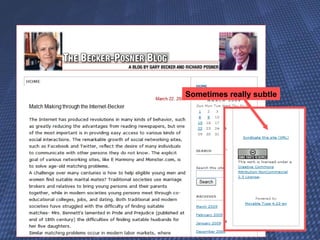
Sometimes really subtle
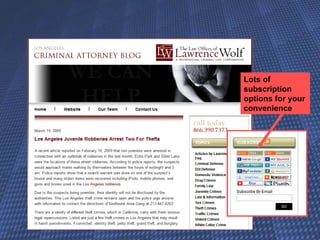
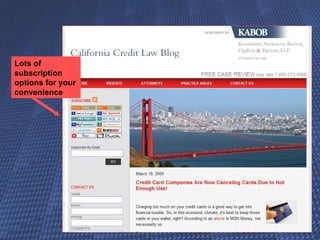
Lots of subscription options for your convenience
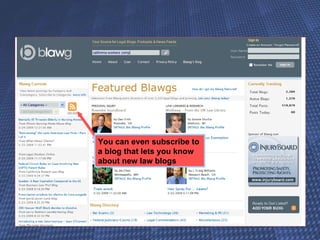
You can even subscribe to a blog that lets you know about new law blogs
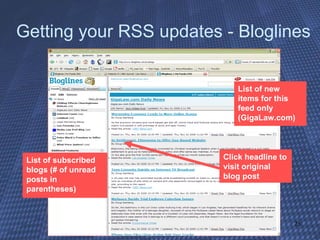
Getting your RSS updates - Bloglines List of new items for this feed only (GigaLaw.com) List of subscribed blogs (# of unread posts in parentheses) Click headline to visit original blog post
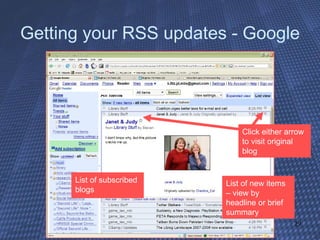
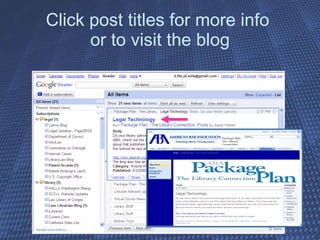
Getting your RSS updates - Google List of new items – view by headline or brief summary List of subscribed blogs Click either arrow to visit original blog
Click post titles for more info  or to visit the blog
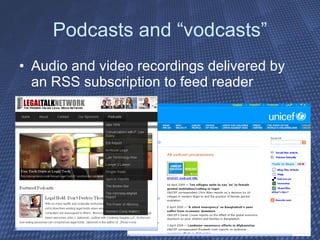
Podcasts and “vodcasts” Audio and video recordings delivered by an RSS subscription to feed reader
Video and photo sharing YouTube (and  Blip.tv  and  Truveo  and  YahooVideo  and…) Flickr.com  (and  Photobucket.com  and  Picasa.google.com  and…) Allow tagging, comments, responses What has your opponent (or your client) posted?
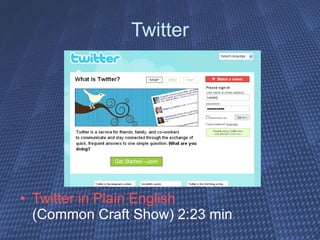
Twitter Twitter in Plain English  (Common Craft Show) 2:23 min
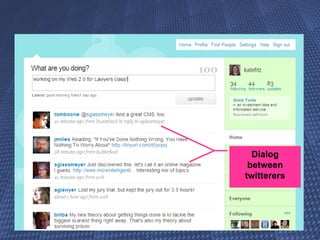
Dialog between twitterers
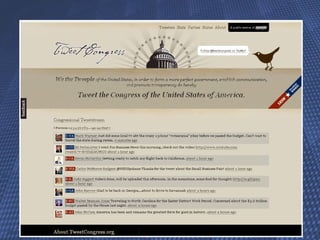
Twitter Sixteen Reasons [for Lawyers] to Tweet on Twitter By Robert J. Ambrogi http:// www.law.com/jsp/legaltechnology / pubArticleLT.jsp?id =1202426490041 US Govt Twitterers:  http:// twitter.pbwiki.com/USGovernment http://newthinking.bearingpoint.com/2008/11/20/ govtwit -directory /
 
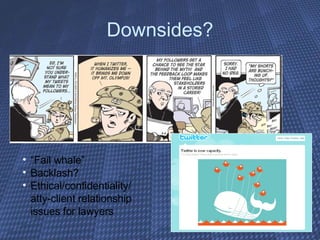
Downsides? “ Fail whale” Backlash? Ethical/confidentiality/ atty-client relationship issues for lawyers
   break  
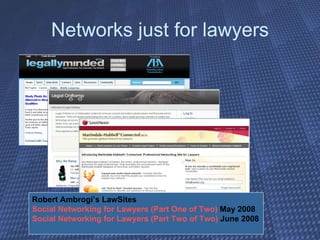
Social Networks Social Networking in Plain English   (Common Craft Store) 1:47 min Examples: MySpace – high school Facebook – college, young adults LinkedIn – professional networking Ning – private networks anyone can create Martindale – new networking site aimed just at lawyers Social Networking: For Lawyers Only? By Robert J. Ambrogi http://tinyurl.com/d362py
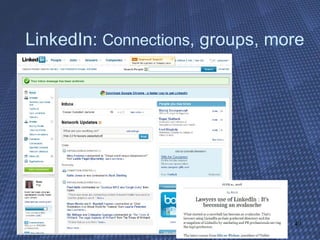
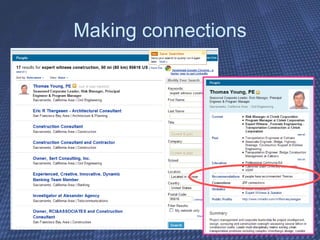
LinkedIn:  Connections , groups, more
Making connections
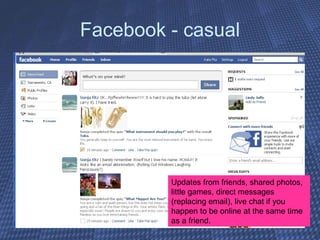
Facebook - casual Updates from friends, shared photos, little games, direct messages (replacing email), live chat if you happen to be online at the same time as a friend.
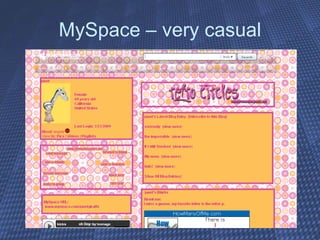
MySpace – very casual
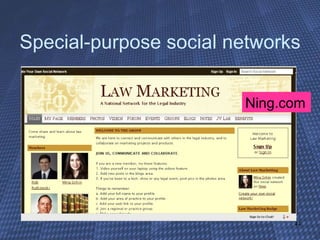
Special-purpose social networks Ning.com
Networks just for lawyers Robert Ambrogi’s LawSites  Social Networking for Lawyers (Part One of Two)  May 2008 Social Networking for Lawyers (Part Two of Two)  June 2008
Other Web 2.0 sites? Retail:  Amazon.com  and  eBay  and… Professional:  Slideshare  and  jdSupra.com  and… Collaborative: wikis and concept mapping and document editing… (more on these later!)
Questions?
Investigation and discovery Information from the social web can play a role in criminal, torts, workers comp, IP and trade secret cases, defamation, family law… “ As social networking websites continue to take the world by storm, there is a plethora of helpful (and hurtful) information for the savvy attorney.” * * http://www.eddupdate.com/2009/03/social-networking-and-its-effects-on-ediscovery.html
Searching blogs General purpose search engines http:// blogsearch.google.com / “The goal of Blog Search is to include every blog that publishes a site feed” http:// technorati.com /search http://www.blogsearchengine.com/
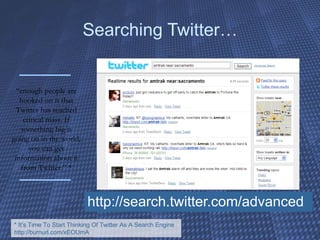
Searching Twitter… http://search.twitter.com/advanced “ enough people are hooked on it that Twitter has reached critical mass. If something big is going on in the world, you can get information about it from Twitter.” * * It’s Time To Start Thinking Of Twitter As A Search Engine http://burnurl.com/xEOUmA
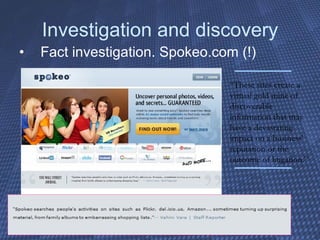
Investigation and discovery Fact investigation. Spokeo.com (!) “ These sites create a virtual gold mine of discoverable information that may have a devastating impact on a business' reputation or the outcome of litigation.”
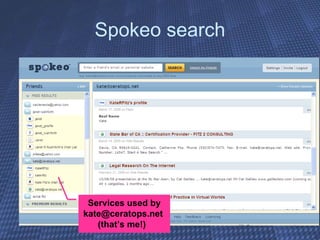
Spokeo search Services used by kate@ceratops.net  (that’s me!)
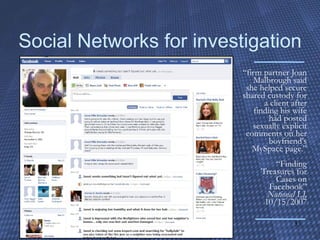
Social Networks for investigation “ firm partner Joan Malbrough said she helped secure shared custody for a client after finding his wife had posted sexually explicit comments on her boyfriend's MySpace page.” “Finding Treasures for Cases on Facebook” National LJ,  10/15/2007
Formal discovery Preservation/litigation hold Locating and requesting Authenticating “… . lawyers may encounter evidentiary issues involving privacy and authenticity that could keep the information out of a courtroom. For example, it is possible that one could create a Facebook profile in another person's name and use that account to send incriminating messages. There also is the issue of whether content that has been modified or removed from a profile during the course of litigation constitutes spoliation of evidence.” Social Networking Sites Look Like Plunder to Attorneys By Ethan J. Wall,  Daily Business Review February 20, 2009 http://www.law.com/jsp/legaltechnology/ pubArticleLT.jsp?id=1202428417060
   break  
Research tools and resources Current awareness and professional development Researching an area of law or background info
Social bookmarks Instead of adding a site to your browser’s “favorites” or “bookmarks,” add it to a personal online archive Advantages:  Access:   from any computer since it’s not stored online instead of in your browser Retrieval:  Search your own archive by tag, keyword or category to re-locate sites of interest Social:  Search others’ archives to discover new sites already chosen as worthy of a bookmark More on this topic later!
Keeping Current Blogs, news, updates on cases, regulations, dockets…. Useful feeds: http://library.kentlaw.edu/dginsberg/pmwiki/pmwiki.php?n=Main.RSS News, commentary, case updates, regulation tracking, dockets…
Law blogs or “blawgs” Written by practitioners or scholars  Regularly updated news, case reports, and commentary on specialized topics Some offer regularly updated audio (“podcasts”) that you can download to your computer or iPod RSS feeds can deliver the news to you
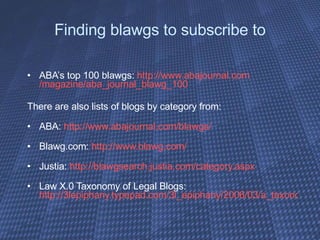
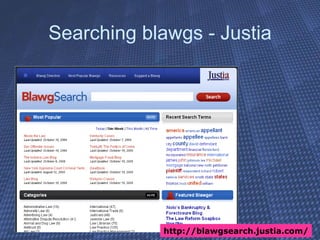
Finding blawgs to subscribe to ABA’s top 100 blawgs:  http:// www.abajournal.com /magazine/aba_journal_blawg_100 There are also lists of blogs by category from:  ABA:  http:// www.abajournal.com/blawgs / Blawg.com:  http:// www.blawg.com / Justia:  http://blawgsearch.justia.com/category.aspx Law X.0 Taxonomy of Legal Blogs:  http://3lepiphany.typepad.com/3l_epiphany/2006/03/a_taxonomy_of_l.html
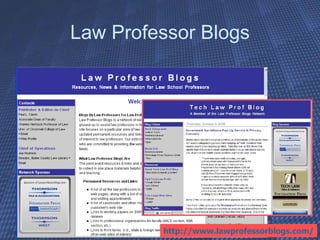
Law Professor Blogs http://www.lawprofessorblogs.com/
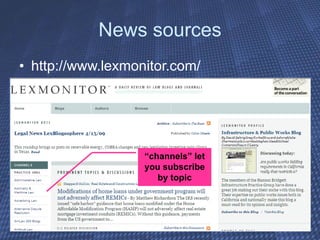
News sources http://www.lexmonitor.com/ “ channels” let you subscribe by topic
Evaluating blogs Consider update frequency – too often may indicate shallow coverage, too infrequently may indicate lack of commitment Check “about this blog” for info on author(s) Do they archive, tag, and/or categorize posts to make it easy to find past info?
RSS – not just for blogs any more! Many websites offer to notify you of updates via RSS Many news outlets offer RSS feeds for breaking news RSS feeds have been created for particular purposes – Cal. Supreme Court, Federal Register, etc. Useful feeds:  http://www.virtualchase.com/topics/law_rss_feeds.shtml
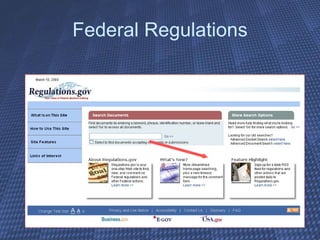
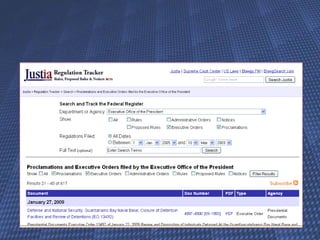
Federal Regulations
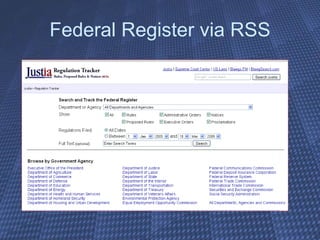
Federal Register via RSS
 
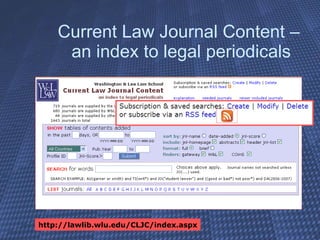
Current Law Journal Content –  an index to legal periodicals http://lawlib.wlu.edu/CLJC/index.aspx
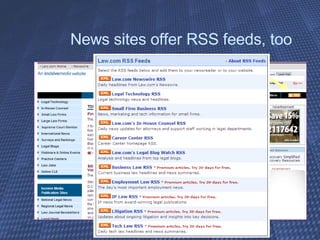
News sites offer RSS feeds, too
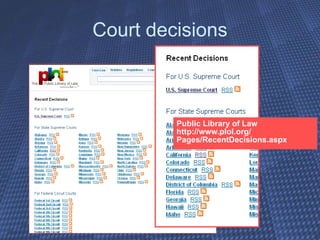
Court decisions Public Library of Law http://www.plol.org/ Pages/RecentDecisions.aspx
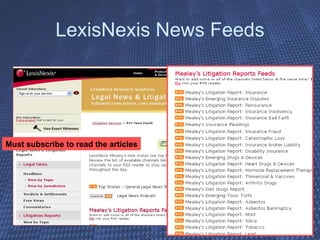
LexisNexis News Feeds Must subscribe to read the articles
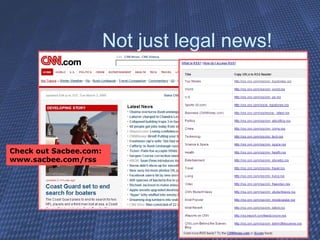
Not just legal news! Check out Sacbee.com: www.sacbee.com/rss /
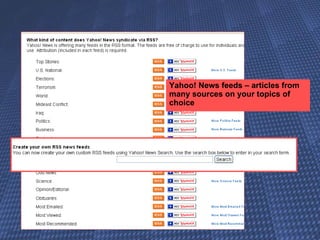
Yahoo! News feeds – articles from many sources on your topics of choice
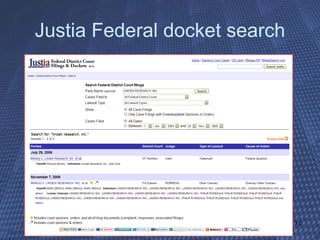
Justia Federal docket search
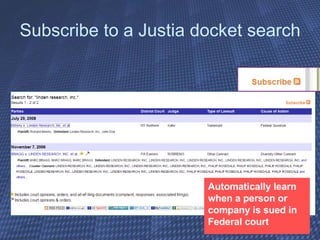
Subscribe to a Justia docket search Automatically learn when a person or company is sued in Federal court
Searching blawgs - Justia http://blawgsearch.justia.com/
Research tools and resources Bookmarking and other research tools  Delicious, diigo, iCyte, citeUlike Scribd, JD Supra – store and research documents
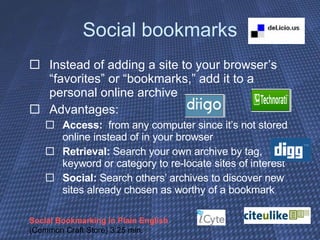
Social bookmarks Instead of adding a site to your browser’s “favorites” or “bookmarks,” add it to a personal online archive Advantages:  Access:   from any computer since it’s not stored online instead of in your browser Retrieval:  Search your own archive by tag, keyword or category to re-locate sites of interest Social:  Search others’ archives to discover new sites already chosen as worthy of a bookmark Social Bookmarking in Plain English  (Common Craft Store) 3:25 min.
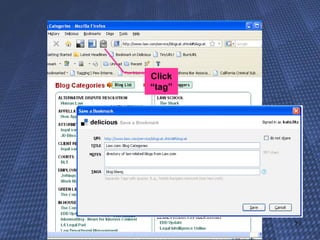
Click “tag”
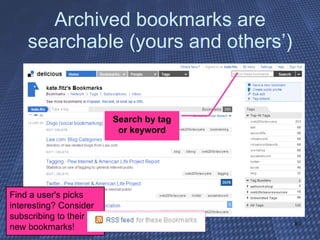
Archived bookmarks are searchable (yours and others’) Find a user's picks interesting? Consider subscribing to their new bookmarks! Search by tag or keyword
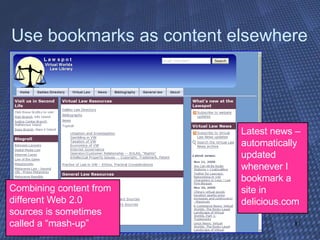
Use bookmarks as content elsewhere Latest news – automatically updated whenever I bookmark a site in delicious.com Combining content from different Web 2.0 sources is sometimes called a “mash-up”
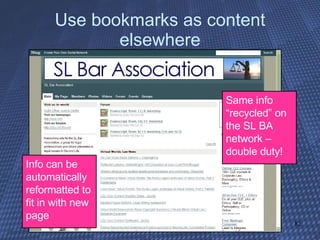
Use bookmarks as content elsewhere Same info “recycled” on the SL BA network – double duty! Info can be automatically reformatted to fit in with new page
Community-contributed resources Free access to research papers, sample documents, more SSRN ( www.ssrn.com ) Legal Scholarship Network ( http:// www.ssrn.com/lsn/index.html ) ( www.ssrn.com/lsn/index.html ) Scribd.com ,  JD  Supra.com   – store and research documents
Wikis and other collaborative tools Wikis: knowledge management tool for groups Collaborative documents Writeboard, Google Docs, Zoho Concept mapping calendaring, etc
Wikis and collaborative projects Wikis in Plain English  (Common Craft Store) 3:52 min. Wikis: not just Wikipedia! (knowledge management tool) Create your own (public or private) and invite editors to collaborate with you. Use for collecting case info among several people; easily-updated procedures manual; project planning; more
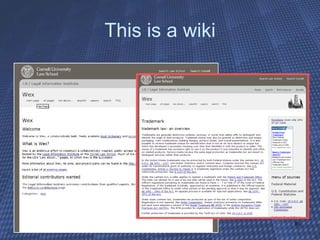
This is a wiki
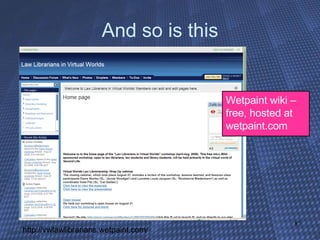
And so is this Wetpaint wiki – free, hosted at wetpaint.com http://vwlawlibrarians.wetpaint.com/
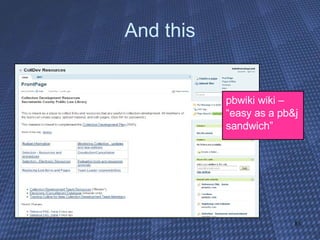
And this pbwiki wiki – “easy as a pb&j sandwich”
Collaborative documents and “cloud computing” Store and share information on the Web instead of in local servers Writeboard, Google Docs, Zoho Concept mapping Calendaring, etc
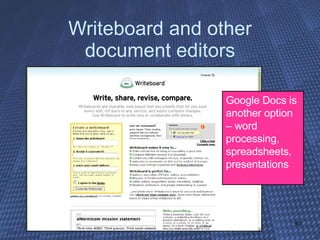
Writeboard and other document editors Google Docs is another option – word processing, spreadsheets, presentations
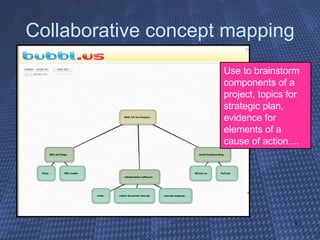
Collaborative concept mapping Use to brainstorm components of a project, topics for strategic plan, evidence for elements of a cause of action....
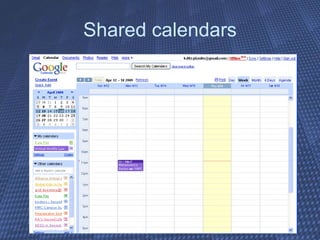
Shared calendars
Collaborative work But protect privilege / work product  you “tweet:” Working late on Jones case. Harmless right? Everyone knows you’re working on Jones case. But if someone can cross-reference that tweet by date to what you’ve been bookmarking on delicious.com, they may be able to deduce a lot about what you’ve been working on. “Hey, she’s bookmarking stuff on statute of limitations – they must be worried that plaintiff has a limitations problem.”
Collaborative work in depth The Lawyer's Guide to Collaboration Tools and Technologies: Smart Ways to Work Together (ABA, 2008) KF320 .A9 K46 Companion page: http://www.lawyersguidetocollaboration.com/ “ The Case for Collaborative Tools,” by Lucie Olejnikova and Jessica de Perio Wittman http://www.aallnet.org/products/ pub_sp0812/pub_sp0812_PLL.pdf
Thank you for attending! Help me improve future versions! Please fill out evaluations Follow me on twitter: katefitz Contact me on LinkedIn: search Kate Fitz,  [email_address] View related resources:  http://delicious.com/kate.fitz Join class wiki: ________________________.wetpaint.com

Web 2.0 for Lawyers, 2009

  • 1.
    Web 2.0 forLawyers: Reposition Yourself on the Internet Kate Fitz April 16, 2009
  • 2.
  • 3.
    Intro to Web2.0 http://flickr.com/photos/9119028@N05/591163479/ Amorphous buzzword attached to any new Internet phenomenon Core concept: Software and services that enable easy publishing, reader/user participation, and the re-use of data in many formats “ Participatory Internet” or the “Read/Write Web” What is Web 2.0?
  • 4.
    Web 1.0: web as information source. Websites send info to remote users Web 2.0: web as participation platform. Users share info on a central hosting service using online software, without building their own site Ex: www.saclaw.org Ex: Facebook.com
  • 5.
    Web 1.0: users with comments or complaints e-mail the webmaster Web 2.0: users with comments or complaints can enter public comments right on the site, allowing dialog http://www.flickr.com/photos/amoraleda/3441718543/
  • 6.
    Web 1.0: users find information by searching or using pre-written indices Web 2.0: users “tag” sites, photos, etc. with keywords that make sense to them, and find information using tags others have applied in the past Ex: www.saclaw.org http://www.flickr.com/photos/amoraleda/3441718543/
  • 7.
    Web 1.0: users must visit websites to see any updates Web 2.0: users can subscribe to updates and be notified of new material automatically
  • 8.
    Web 1.0: webmasters code hyperlinks in their sites to send users to other sites Web 2.0: site creator can easily embed material from other sites using pre-built “widgets” Book cover widget from “LibraryThing”
  • 9.
  • 10.
    www.pewinternet.org / Socialnetworks: 35% of adult internet users have a profile on an online social network; 65% of teens 12 to 17 years old, have a profile on an online social network 60% of adults restrict access to their friends; 36% allow anyone to view their online profiles. Pew Internet Project Data Memo, “Adults and social network websites,” January 14, 2009
  • 11.
    www.pewinternet.org / “Micro-blogging:” 11% of adults use Twitter; ~20% of adults under 35 Pew Internet Project Data Memo, “Twitter and status updating,” Feb 2009
  • 12.
    www.pewinternet.org / Tagging: 28% of internet users have tagged or categorized content online such as photos, news stories or blog posts Pew Internet & American Life Project, January 31, 2007
  • 13.
    www.pewinternet.org / Wikis: 36% of online American adults consult Wikipedia It is particularly popular with the well-educated and current college-age students Pew Internet & American Life Project, April 2007
  • 14.
    More sign upevery day Delicious.com
  • 15.
    Web 2.0 tools…and how you might use them Building professional reputation Blogs, Twitter, podcasts Finding facts, people Networking Social networks – Facebook, LinkedIn Collaborative work Wikis, concept maps, collaborative editing Keeping current Researching law, facts, background Blogs, podcasts, Twitter
  • 16.
    Blogs Many arefree Easy to create and post Readers can subscribe for automatic updates Readers can comment– popular posts may spark a dialog
  • 17.
  • 18.
  • 19.
  • 20.
    Subscribe to updateswith an “RSS feed reader” (aggregator) Bloglines – http://www.bloglines.com/ Google Reader – http://reader.google.com Microsoft Outlook 2007 (ex: http://tinyurl.com/azqv58 ) See also: http://en.wikipedia.org/wiki/List_of_feed_aggregators RSS (“Really Simple Syndication”) refers to the computer code used to generate news feeds.
  • 21.
    Subscribing to blogsBlogs in Plain English (Common Craft Show) 2:58 min Somewhere on the blog will be a link to subscribe Look for text “Subscribe to this blog” or a button: RSS and Atom are two “languages” that enable subscriptions. Either will work in most readers Click the button. The next steps vary slightly from feed reader to feed reader
  • 22.
    Most, if notall, blogs have a feed link somewhere
  • 23.
  • 24.
  • 25.
    Lots of subscriptionoptions for your convenience
  • 26.
    Lots of subscriptionoptions for your convenience
  • 27.
    You can evensubscribe to a blog that lets you know about new law blogs
  • 28.
    Getting your RSSupdates - Bloglines List of new items for this feed only (GigaLaw.com) List of subscribed blogs (# of unread posts in parentheses) Click headline to visit original blog post
  • 29.
    Getting your RSSupdates - Google List of new items – view by headline or brief summary List of subscribed blogs Click either arrow to visit original blog
  • 30.
    Click post titlesfor more info or to visit the blog
  • 31.
    Podcasts and “vodcasts”Audio and video recordings delivered by an RSS subscription to feed reader
  • 32.
    Video and photosharing YouTube (and Blip.tv and Truveo and YahooVideo and…) Flickr.com (and Photobucket.com and Picasa.google.com and…) Allow tagging, comments, responses What has your opponent (or your client) posted?
  • 33.
    Twitter Twitter inPlain English (Common Craft Show) 2:23 min
  • 34.
  • 35.
    Twitter Sixteen Reasons[for Lawyers] to Tweet on Twitter By Robert J. Ambrogi http:// www.law.com/jsp/legaltechnology / pubArticleLT.jsp?id =1202426490041 US Govt Twitterers: http:// twitter.pbwiki.com/USGovernment http://newthinking.bearingpoint.com/2008/11/20/ govtwit -directory /
  • 36.
  • 37.
    Downsides? “ Failwhale” Backlash? Ethical/confidentiality/ atty-client relationship issues for lawyers
  • 38.
    break 
  • 39.
    Social Networks SocialNetworking in Plain English (Common Craft Store) 1:47 min Examples: MySpace – high school Facebook – college, young adults LinkedIn – professional networking Ning – private networks anyone can create Martindale – new networking site aimed just at lawyers Social Networking: For Lawyers Only? By Robert J. Ambrogi http://tinyurl.com/d362py
  • 40.
    LinkedIn: Connections, groups, more
  • 41.
  • 42.
    Facebook - casualUpdates from friends, shared photos, little games, direct messages (replacing email), live chat if you happen to be online at the same time as a friend.
  • 43.
  • 44.
  • 45.
    Networks just forlawyers Robert Ambrogi’s LawSites Social Networking for Lawyers (Part One of Two) May 2008 Social Networking for Lawyers (Part Two of Two) June 2008
  • 46.
    Other Web 2.0sites? Retail: Amazon.com and eBay and… Professional: Slideshare and jdSupra.com and… Collaborative: wikis and concept mapping and document editing… (more on these later!)
  • 47.
  • 48.
    Investigation and discoveryInformation from the social web can play a role in criminal, torts, workers comp, IP and trade secret cases, defamation, family law… “ As social networking websites continue to take the world by storm, there is a plethora of helpful (and hurtful) information for the savvy attorney.” * * http://www.eddupdate.com/2009/03/social-networking-and-its-effects-on-ediscovery.html
  • 49.
    Searching blogs Generalpurpose search engines http:// blogsearch.google.com / “The goal of Blog Search is to include every blog that publishes a site feed” http:// technorati.com /search http://www.blogsearchengine.com/
  • 50.
    Searching Twitter… http://search.twitter.com/advanced“ enough people are hooked on it that Twitter has reached critical mass. If something big is going on in the world, you can get information about it from Twitter.” * * It’s Time To Start Thinking Of Twitter As A Search Engine http://burnurl.com/xEOUmA
  • 51.
    Investigation and discoveryFact investigation. Spokeo.com (!) “ These sites create a virtual gold mine of discoverable information that may have a devastating impact on a business' reputation or the outcome of litigation.”
  • 52.
    Spokeo search Servicesused by kate@ceratops.net (that’s me!)
  • 53.
    Social Networks forinvestigation “ firm partner Joan Malbrough said she helped secure shared custody for a client after finding his wife had posted sexually explicit comments on her boyfriend's MySpace page.” “Finding Treasures for Cases on Facebook” National LJ, 10/15/2007
  • 54.
    Formal discovery Preservation/litigationhold Locating and requesting Authenticating “… . lawyers may encounter evidentiary issues involving privacy and authenticity that could keep the information out of a courtroom. For example, it is possible that one could create a Facebook profile in another person's name and use that account to send incriminating messages. There also is the issue of whether content that has been modified or removed from a profile during the course of litigation constitutes spoliation of evidence.” Social Networking Sites Look Like Plunder to Attorneys By Ethan J. Wall, Daily Business Review February 20, 2009 http://www.law.com/jsp/legaltechnology/ pubArticleLT.jsp?id=1202428417060
  • 55.
    break 
  • 56.
    Research tools andresources Current awareness and professional development Researching an area of law or background info
  • 57.
    Social bookmarks Insteadof adding a site to your browser’s “favorites” or “bookmarks,” add it to a personal online archive Advantages: Access: from any computer since it’s not stored online instead of in your browser Retrieval: Search your own archive by tag, keyword or category to re-locate sites of interest Social: Search others’ archives to discover new sites already chosen as worthy of a bookmark More on this topic later!
  • 58.
    Keeping Current Blogs,news, updates on cases, regulations, dockets…. Useful feeds: http://library.kentlaw.edu/dginsberg/pmwiki/pmwiki.php?n=Main.RSS News, commentary, case updates, regulation tracking, dockets…
  • 59.
    Law blogs or“blawgs” Written by practitioners or scholars Regularly updated news, case reports, and commentary on specialized topics Some offer regularly updated audio (“podcasts”) that you can download to your computer or iPod RSS feeds can deliver the news to you
  • 60.
    Finding blawgs tosubscribe to ABA’s top 100 blawgs: http:// www.abajournal.com /magazine/aba_journal_blawg_100 There are also lists of blogs by category from: ABA: http:// www.abajournal.com/blawgs / Blawg.com: http:// www.blawg.com / Justia: http://blawgsearch.justia.com/category.aspx Law X.0 Taxonomy of Legal Blogs: http://3lepiphany.typepad.com/3l_epiphany/2006/03/a_taxonomy_of_l.html
  • 61.
    Law Professor Blogshttp://www.lawprofessorblogs.com/
  • 62.
    News sources http://www.lexmonitor.com/“ channels” let you subscribe by topic
  • 63.
    Evaluating blogs Considerupdate frequency – too often may indicate shallow coverage, too infrequently may indicate lack of commitment Check “about this blog” for info on author(s) Do they archive, tag, and/or categorize posts to make it easy to find past info?
  • 64.
    RSS – notjust for blogs any more! Many websites offer to notify you of updates via RSS Many news outlets offer RSS feeds for breaking news RSS feeds have been created for particular purposes – Cal. Supreme Court, Federal Register, etc. Useful feeds: http://www.virtualchase.com/topics/law_rss_feeds.shtml
  • 65.
  • 66.
  • 67.
  • 68.
    Current Law JournalContent – an index to legal periodicals http://lawlib.wlu.edu/CLJC/index.aspx
  • 69.
    News sites offerRSS feeds, too
  • 70.
    Court decisions PublicLibrary of Law http://www.plol.org/ Pages/RecentDecisions.aspx
  • 71.
    LexisNexis News FeedsMust subscribe to read the articles
  • 72.
    Not just legalnews! Check out Sacbee.com: www.sacbee.com/rss /
  • 73.
    Yahoo! News feeds– articles from many sources on your topics of choice
  • 74.
  • 75.
    Subscribe to aJustia docket search Automatically learn when a person or company is sued in Federal court
  • 76.
    Searching blawgs -Justia http://blawgsearch.justia.com/
  • 77.
    Research tools andresources Bookmarking and other research tools Delicious, diigo, iCyte, citeUlike Scribd, JD Supra – store and research documents
  • 78.
    Social bookmarks Insteadof adding a site to your browser’s “favorites” or “bookmarks,” add it to a personal online archive Advantages: Access: from any computer since it’s not stored online instead of in your browser Retrieval: Search your own archive by tag, keyword or category to re-locate sites of interest Social: Search others’ archives to discover new sites already chosen as worthy of a bookmark Social Bookmarking in Plain English (Common Craft Store) 3:25 min.
  • 79.
  • 80.
    Archived bookmarks aresearchable (yours and others’) Find a user's picks interesting? Consider subscribing to their new bookmarks! Search by tag or keyword
  • 81.
    Use bookmarks ascontent elsewhere Latest news – automatically updated whenever I bookmark a site in delicious.com Combining content from different Web 2.0 sources is sometimes called a “mash-up”
  • 82.
    Use bookmarks ascontent elsewhere Same info “recycled” on the SL BA network – double duty! Info can be automatically reformatted to fit in with new page
  • 83.
    Community-contributed resources Freeaccess to research papers, sample documents, more SSRN ( www.ssrn.com ) Legal Scholarship Network ( http:// www.ssrn.com/lsn/index.html ) ( www.ssrn.com/lsn/index.html ) Scribd.com , JD Supra.com – store and research documents
  • 84.
    Wikis and othercollaborative tools Wikis: knowledge management tool for groups Collaborative documents Writeboard, Google Docs, Zoho Concept mapping calendaring, etc
  • 85.
    Wikis and collaborativeprojects Wikis in Plain English (Common Craft Store) 3:52 min. Wikis: not just Wikipedia! (knowledge management tool) Create your own (public or private) and invite editors to collaborate with you. Use for collecting case info among several people; easily-updated procedures manual; project planning; more
  • 86.
  • 87.
    And so isthis Wetpaint wiki – free, hosted at wetpaint.com http://vwlawlibrarians.wetpaint.com/
  • 88.
    And this pbwikiwiki – “easy as a pb&j sandwich”
  • 89.
    Collaborative documents and“cloud computing” Store and share information on the Web instead of in local servers Writeboard, Google Docs, Zoho Concept mapping Calendaring, etc
  • 90.
    Writeboard and otherdocument editors Google Docs is another option – word processing, spreadsheets, presentations
  • 91.
    Collaborative concept mappingUse to brainstorm components of a project, topics for strategic plan, evidence for elements of a cause of action....
  • 92.
  • 93.
    Collaborative work Butprotect privilege / work product you “tweet:” Working late on Jones case. Harmless right? Everyone knows you’re working on Jones case. But if someone can cross-reference that tweet by date to what you’ve been bookmarking on delicious.com, they may be able to deduce a lot about what you’ve been working on. “Hey, she’s bookmarking stuff on statute of limitations – they must be worried that plaintiff has a limitations problem.”
  • 94.
    Collaborative work indepth The Lawyer's Guide to Collaboration Tools and Technologies: Smart Ways to Work Together (ABA, 2008) KF320 .A9 K46 Companion page: http://www.lawyersguidetocollaboration.com/ “ The Case for Collaborative Tools,” by Lucie Olejnikova and Jessica de Perio Wittman http://www.aallnet.org/products/ pub_sp0812/pub_sp0812_PLL.pdf
  • 95.
    Thank you forattending! Help me improve future versions! Please fill out evaluations Follow me on twitter: katefitz Contact me on LinkedIn: search Kate Fitz, [email_address] View related resources: http://delicious.com/kate.fitz Join class wiki: ________________________.wetpaint.com