E-CS


Client Server Data Access
 Techniques with Visual
          FoxPro
               Mike Feltman
               F1 Technologies
Who Am I?
•   mfeltman@f1tech.com
•   F1 Technologies Partner
•   Visual FoxExpress Developer
•   Former Fox Software Employee
•   Application Programmer
Our Goals
• Provide you with an overview of each of the
  data access techniques
• Make you aware of the pros and cons of the
  various techniques
• Equip you with the information necessary to
  make an informed choice of data access
  technique.
Agenda
• Overview of Various Data Access Techniques
• Evaluation Categories
  –   Ease of Use
  –   Performance and Scalability
  –   Maintainability
  –   Flexibility
  –   Security Concerns/Issues
• Mixing and Matching Techniques
The Data Access Methods
•   Remote Views
•   Dynamic SQL Pass-Through
•   Stored Procedures
•   CursorAdapter
•   ADO
•   XML
Ease of Use
•   UI and Tool Support
•   Data Binding
•   Normalcy
•   Completeness
•   Plays Well With Others
•   Distribution Difficulties
Remote Views
• UI & Tools Support
   –   View Builder, GenDBC
   –   eView & View Editor
   –   xCase
   –   DBCX
• Data Binding
   – Full Support in Data Environment
• Normalcy
   – Most similar to tables
Remote Views
• Completeness
   –   Full Language Support in VFP
   –   Limited Access to Back-end Features
• Plays Well With Others
   – Very well, Can share connections
• Distribution
   – DBC Distribution
Dynamic SPT – Ease of Use
• UI and Tool Support
  – None Native, Some 3rd Party
• Data Binding
  – Manual or Tricks
• Normalcy
  – Requires More Code to work like a View
    (CursorSetProp())
Dynamic SPT – Ease of Use
• Completeness
  – Access to full back-end
• Plays well with others
  – Very well except for ADO
• Distribution Issues
  – None
Stored Procedures – Ease of Use
• UI and Tool Support
  –   None in VFP
  –   DataClas
  –   Enterprise Manager and QueryAnalyzer
  –   Mike Levy’s Classes from various conferences
Stored Procedures – Ease of Use
• Completeness
  –   Access to everything the back-end has to offer
  –   Great for Multiple and/or Complex Statements
• Distribution Difficulties
  – Must update stored procedures
  – Code Conflict Resolution
CursorAdapter with ODBC – Ease of
              Use
• Similar to Remote Views
• UI and Tool Support
  – CursorAdapter & DE Builder
  – 3rd Party Tools
• Normalcy
  – Just like a Table or View
CursorAdapter with ODBC – Ease of
              Use
• Completeness
  – More code than remote views, less than other
    techniques
• Plays Well With Others
  – Easiest
CursorAdapter with ADO/OLEDB –
          Ease of Use
• Similar to CursorAdapter with ODBC
• Plays Well With Others
  – Cannot share connection with other data access
    strategies
• Distribution Concerns
  – MDAC
Performance and Scalability
• The differences between various techniques are
  generally minor.
• Server, Workstation & LAN/WAN performance and
  scalability must ALL be taken into account
• Size (& Contents) Matters
• Query optimization in SQL Server is much different
  than in VFP. Syntax vs. Content-based optimization.
Performance and Scalability
• Results can vary widely for the same tests.
• Those with much more experience than me with
  large databases (million rows+) all swear Stored
  Procedures produce the best performance.
• Microsoft tends to get very angry at those who
  publish SQL Server benchmarks.
Maintainability
• Code Requirements
  – How much code?
• Maintenance Points
  – How many?
  – Easy to find and work with?
• Tools
  – Are there any?
• Schema Changes
  – What happens when schema changes?
Maintainability - Remote Views
– Code Requirements
  • Little
– Maintenance Points
  • Primarily the views themselves
  • Custom classes
Maintainability - Remote Views
– Tools
  • View Designer, eView, ViewEditor, xCase, GenDBC
– Schema Changes
  • Use xCase
  • Unit test remote views
Maintainability - Dynamic SPT
– Code Requirements
  • One good base class
  • App specific subclasses
– Maintenance Points
  • Custom Class Code
Maintainability - Dynamic SPT
– Tools
  • None
– Schema Changes
  • Maybe do nothing
  • Unit test data access code
Maintainability - Stored
          Procedures
– Code Requirements
  • VFP – One good set of classes
  • 4 or more Procedures for basically every table
– Maintenance Points
  • Custom classes
  • Actual Stored Procedures
Maintainability - Stored
          Procedures
– Tools
  • None for VFP
  • DataClas, 3rd Party
– Schema Changes
  • All Procedures
  • Unit Test all Stored Procedures
Maintainability - CursorAdapters
– Code Requirements
  • One good base class
– Maintenance Points
  • Individual subclasses
– Tools
  • 3rd party, DE and CA Builder
– Schema Changes
  • Modify CA properties
  • Unit test all cursor adapters
Flexibility
• Remote Views
  – Inflexible without other techniques
• Dynamic SPT
  – Highly flexible with custom classes, but overly
    difficult to write
Flexibility
• Stored Procedures
  – Very Flexible
  – Much like Dynamic SQL Pass-Through
• Cursor Adapter
  – Most Flexible – mix & match with all techniques
  – Native class provides appropriate locations for
    customization
Security
• Stored Procedures – Execute Rights on Stored
  Procedures Only
• All Others – Provide direct rights to update
  tables or views
• DSN Based Connection vs. Connection String
  is more important
• Use Application Roles
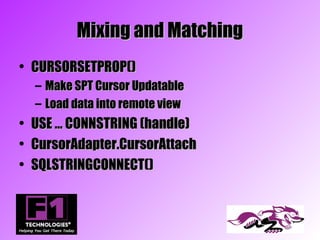
Mixing and Matching
• CURSORSETPROP()
    –   Make SPT Cursor Updatable
    –   Load data into remote view
•   USE … CONNSTRING (handle)
•   CursorAdapter.CursorAttach
•   SQLSTRINGCONNECT()
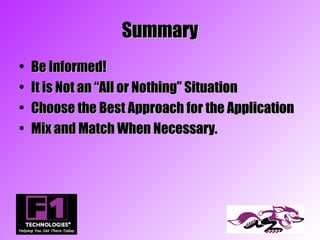
Summary
•   Be Informed!
•   It is Not an “All or Nothing” Situation
•   Choose the Best Approach for the Application
•   Mix and Match When Necessary.
Thank you!

Client server

  • 1.
    E-CS Client Server DataAccess Techniques with Visual FoxPro Mike Feltman F1 Technologies
  • 2.
    Who Am I? • mfeltman@f1tech.com • F1 Technologies Partner • Visual FoxExpress Developer • Former Fox Software Employee • Application Programmer
  • 3.
    Our Goals • Provideyou with an overview of each of the data access techniques • Make you aware of the pros and cons of the various techniques • Equip you with the information necessary to make an informed choice of data access technique.
  • 4.
    Agenda • Overview ofVarious Data Access Techniques • Evaluation Categories – Ease of Use – Performance and Scalability – Maintainability – Flexibility – Security Concerns/Issues • Mixing and Matching Techniques
  • 5.
    The Data AccessMethods • Remote Views • Dynamic SQL Pass-Through • Stored Procedures • CursorAdapter • ADO • XML
  • 6.
    Ease of Use • UI and Tool Support • Data Binding • Normalcy • Completeness • Plays Well With Others • Distribution Difficulties
  • 7.
    Remote Views • UI& Tools Support – View Builder, GenDBC – eView & View Editor – xCase – DBCX • Data Binding – Full Support in Data Environment • Normalcy – Most similar to tables
  • 8.
    Remote Views • Completeness – Full Language Support in VFP – Limited Access to Back-end Features • Plays Well With Others – Very well, Can share connections • Distribution – DBC Distribution
  • 9.
    Dynamic SPT –Ease of Use • UI and Tool Support – None Native, Some 3rd Party • Data Binding – Manual or Tricks • Normalcy – Requires More Code to work like a View (CursorSetProp())
  • 10.
    Dynamic SPT –Ease of Use • Completeness – Access to full back-end • Plays well with others – Very well except for ADO • Distribution Issues – None
  • 11.
    Stored Procedures –Ease of Use • UI and Tool Support – None in VFP – DataClas – Enterprise Manager and QueryAnalyzer – Mike Levy’s Classes from various conferences
  • 12.
    Stored Procedures –Ease of Use • Completeness – Access to everything the back-end has to offer – Great for Multiple and/or Complex Statements • Distribution Difficulties – Must update stored procedures – Code Conflict Resolution
  • 13.
    CursorAdapter with ODBC– Ease of Use • Similar to Remote Views • UI and Tool Support – CursorAdapter & DE Builder – 3rd Party Tools • Normalcy – Just like a Table or View
  • 14.
    CursorAdapter with ODBC– Ease of Use • Completeness – More code than remote views, less than other techniques • Plays Well With Others – Easiest
  • 15.
    CursorAdapter with ADO/OLEDB– Ease of Use • Similar to CursorAdapter with ODBC • Plays Well With Others – Cannot share connection with other data access strategies • Distribution Concerns – MDAC
  • 16.
    Performance and Scalability •The differences between various techniques are generally minor. • Server, Workstation & LAN/WAN performance and scalability must ALL be taken into account • Size (& Contents) Matters • Query optimization in SQL Server is much different than in VFP. Syntax vs. Content-based optimization.
  • 17.
    Performance and Scalability •Results can vary widely for the same tests. • Those with much more experience than me with large databases (million rows+) all swear Stored Procedures produce the best performance. • Microsoft tends to get very angry at those who publish SQL Server benchmarks.
  • 18.
    Maintainability • Code Requirements – How much code? • Maintenance Points – How many? – Easy to find and work with? • Tools – Are there any? • Schema Changes – What happens when schema changes?
  • 19.
    Maintainability - RemoteViews – Code Requirements • Little – Maintenance Points • Primarily the views themselves • Custom classes
  • 20.
    Maintainability - RemoteViews – Tools • View Designer, eView, ViewEditor, xCase, GenDBC – Schema Changes • Use xCase • Unit test remote views
  • 21.
    Maintainability - DynamicSPT – Code Requirements • One good base class • App specific subclasses – Maintenance Points • Custom Class Code
  • 22.
    Maintainability - DynamicSPT – Tools • None – Schema Changes • Maybe do nothing • Unit test data access code
  • 23.
    Maintainability - Stored Procedures – Code Requirements • VFP – One good set of classes • 4 or more Procedures for basically every table – Maintenance Points • Custom classes • Actual Stored Procedures
  • 24.
    Maintainability - Stored Procedures – Tools • None for VFP • DataClas, 3rd Party – Schema Changes • All Procedures • Unit Test all Stored Procedures
  • 25.
    Maintainability - CursorAdapters –Code Requirements • One good base class – Maintenance Points • Individual subclasses – Tools • 3rd party, DE and CA Builder – Schema Changes • Modify CA properties • Unit test all cursor adapters
  • 26.
    Flexibility • Remote Views – Inflexible without other techniques • Dynamic SPT – Highly flexible with custom classes, but overly difficult to write
  • 27.
    Flexibility • Stored Procedures – Very Flexible – Much like Dynamic SQL Pass-Through • Cursor Adapter – Most Flexible – mix & match with all techniques – Native class provides appropriate locations for customization
  • 28.
    Security • Stored Procedures– Execute Rights on Stored Procedures Only • All Others – Provide direct rights to update tables or views • DSN Based Connection vs. Connection String is more important • Use Application Roles
  • 29.
    Mixing and Matching •CURSORSETPROP() – Make SPT Cursor Updatable – Load data into remote view • USE … CONNSTRING (handle) • CursorAdapter.CursorAttach • SQLSTRINGCONNECT()
  • 30.
    Summary • Be Informed! • It is Not an “All or Nothing” Situation • Choose the Best Approach for the Application • Mix and Match When Necessary.
  • 31.