


A PRESENTATION ON
PHP
Project Scope
The supplementary specification applies to online shopping system. This specification defines
the non-functional requirement of the system such as:
Functionality:
Since it stand alone application, one or more user may use it at a time.
Usability:
Desktop interface
Windows 98/2000/XP/7
Reliability:
The system is available during online time only .
Performance:
The performance depends on hardware specification
Objectives
The purpose of this document is to define the requirements of Online shopping system. This
supplementary specification lists the requirements that are not readily captured in the use case
model. Supplementary specification and the use case model capture a complete set of
requirement of the system.
Front End -Notepad++
Back End -Mysql
&
Myphpadmin
Brief History of PHP
PHP (PHP: Hypertext Preprocessor) was created by Rasmus Lerdorf in 1994. It was initially
developed for HTTP usage logging and server-side form generation in Unix.
PHP 2 (1995) transformed the language into a Server-side embedded scripting
language. Added database support, file uploads, variables, arrays, recursive functions,
conditionals, iteration, regular expressions, etc.
PHP 3 (1998) added support for ODBC data sources, multiple platform support, email
protocols (SNMP,IMAP), and new parser written by Zeev Suraski and Andi Gutmans .
PHP 4 (2000) became an independent component of the web server for added
efficiency. The parser was renamed the Zend Engine. Many security features were
added.
PHP 5 (2004) adds Zend Engine II with object oriented programming, robust XML
support using the libxml2 library, SOAP extension for interoperability with Web Services,
SQLite has been bundled with PHP
What is PHP Used For?
 PHP is a general-purpose server-side scripting language originally
designed for web development to produce dynamic web pages
 PHP can interact with MySQL databases
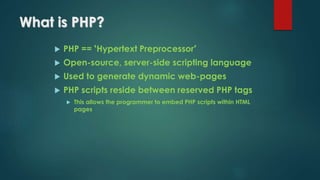
What is PHP?
 PHP == ‘Hypertext Preprocessor’
 Open-source, server-side scripting language
 Used to generate dynamic web-pages
 PHP scripts reside between reserved PHP tags
 This allows the programmer to embed PHP scripts within HTML
pages
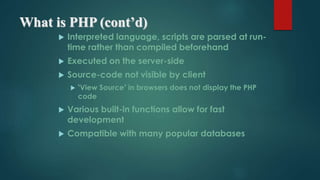
What is PHP (cont’d)
 Interpreted language, scripts are parsed at run-
time rather than compiled beforehand
 Executed on the server-side
 Source-code not visible by client
 ‘View Source’ in browsers does not display the PHP
code
 Various built-in functions allow for fast
development
 Compatible with many popular databases
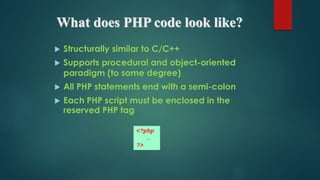
What does PHP code look like?
 Structurally similar to C/C++
 Supports procedural and object-oriented
paradigm (to some degree)
 All PHP statements end with a semi-colon
 Each PHP script must be enclosed in the
reserved PHP tag
<?php
…
?>
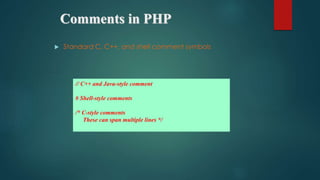
Comments in PHP
 Standard C, C++, and shell comment symbols
// C++ and Java-style comment
# Shell-style comments
/* C-style comments
These can span multiple lines */
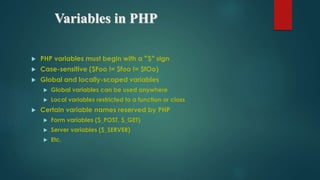
Variables in PHP
 PHP variables must begin with a “$” sign
 Case-sensitive ($Foo != $foo != $fOo)
 Global and locally-scoped variables
 Global variables can be used anywhere
 Local variables restricted to a function or class
 Certain variable names reserved by PHP
 Form variables ($_POST, $_GET)
 Server variables ($_SERVER)
 Etc.
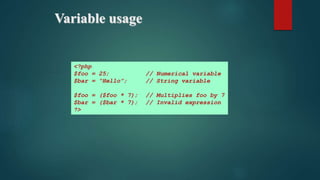
Variable usage
<?php
$foo = 25; // Numerical variable
$bar = “Hello”; // String variable
$foo = ($foo * 7); // Multiplies foo by 7
$bar = ($bar * 7); // Invalid expression
?>
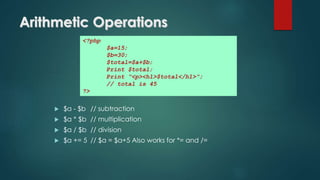
Arithmetic Operations
 $a - $b // subtraction
 $a * $b // multiplication
 $a / $b // division
 $a += 5 // $a = $a+5 Also works for *= and /=
<?php
$a=15;
$b=30;
$total=$a+$b;
Print $total;
Print “<p><h1>$total</h1>”;
// total is 45
?>
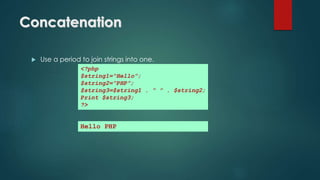
Concatenation
 Use a period to join strings into one.
<?php
$string1=“Hello”;
$string2=“PHP”;
$string3=$string1 . “ ” . $string2;
Print $string3;
?>
Hello PHP
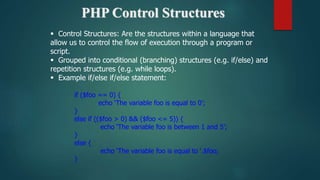
PHP Control Structures
 Control Structures: Are the structures within a language that
allow us to control the flow of execution through a program or
script.
 Grouped into conditional (branching) structures (e.g. if/else) and
repetition structures (e.g. while loops).
 Example if/else if/else statement:
if ($foo == 0) {
echo ‘The variable foo is equal to 0’;
}
else if (($foo > 0) && ($foo <= 5)) {
echo ‘The variable foo is between 1 and 5’;
}
else {
echo ‘The variable foo is equal to ‘.$foo;
}
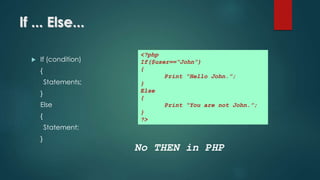
If ... Else...
 If (condition)
{
Statements;
}
Else
{
Statement;
}
<?php
If($user==“John”)
{
Print “Hello John.”;
}
Else
{
Print “You are not John.”;
}
?>
No THEN in PHP
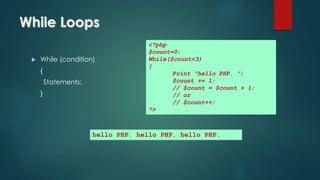
While Loops
 While (condition)
{
Statements;
}
<?php
$count=0;
While($count<3)
{
Print “hello PHP. ”;
$count += 1;
// $count = $count + 1;
// or
// $count++;
?>
hello PHP. hello PHP. hello PHP.
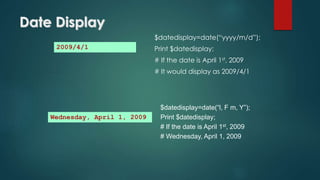
Date Display
$datedisplay=date(“yyyy/m/d”);
Print $datedisplay;
# If the date is April 1st, 2009
# It would display as 2009/4/1
2009/4/1
$datedisplay=date(“l, F m, Y”);
Print $datedisplay;
# If the date is April 1st, 2009
# Wednesday, April 1, 2009
Wednesday, April 1, 2009
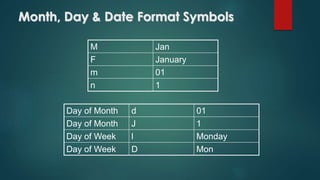
Month, Day & Date Format Symbols
M Jan
F January
m 01
n 1
Day of Month d 01
Day of Month J 1
Day of Week l Monday
Day of Week D Mon
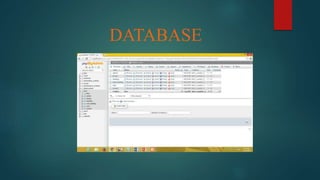
DATABASE
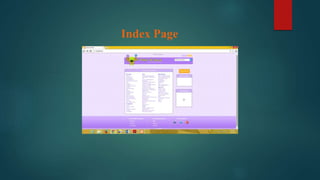
Index Page
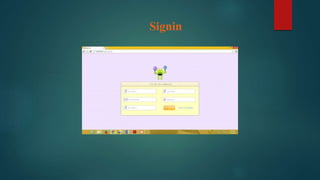
Signin
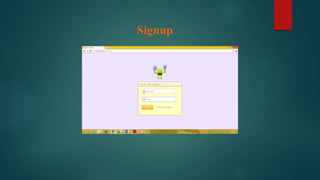
Signup
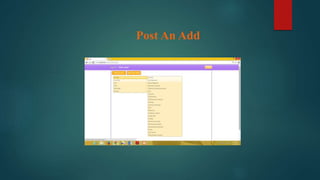
Post An Add
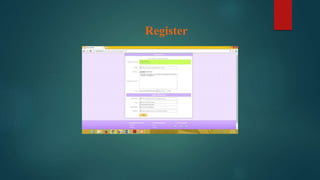
Register
PHP

PHP

  • 1.
  • 2.
    Project Scope The supplementaryspecification applies to online shopping system. This specification defines the non-functional requirement of the system such as: Functionality: Since it stand alone application, one or more user may use it at a time. Usability: Desktop interface Windows 98/2000/XP/7 Reliability: The system is available during online time only . Performance: The performance depends on hardware specification Objectives The purpose of this document is to define the requirements of Online shopping system. This supplementary specification lists the requirements that are not readily captured in the use case model. Supplementary specification and the use case model capture a complete set of requirement of the system.
  • 3.
    Front End -Notepad++ BackEnd -Mysql & Myphpadmin
  • 4.
    Brief History ofPHP PHP (PHP: Hypertext Preprocessor) was created by Rasmus Lerdorf in 1994. It was initially developed for HTTP usage logging and server-side form generation in Unix. PHP 2 (1995) transformed the language into a Server-side embedded scripting language. Added database support, file uploads, variables, arrays, recursive functions, conditionals, iteration, regular expressions, etc. PHP 3 (1998) added support for ODBC data sources, multiple platform support, email protocols (SNMP,IMAP), and new parser written by Zeev Suraski and Andi Gutmans . PHP 4 (2000) became an independent component of the web server for added efficiency. The parser was renamed the Zend Engine. Many security features were added. PHP 5 (2004) adds Zend Engine II with object oriented programming, robust XML support using the libxml2 library, SOAP extension for interoperability with Web Services, SQLite has been bundled with PHP
  • 5.
    What is PHPUsed For?  PHP is a general-purpose server-side scripting language originally designed for web development to produce dynamic web pages  PHP can interact with MySQL databases
  • 6.
    What is PHP? PHP == ‘Hypertext Preprocessor’  Open-source, server-side scripting language  Used to generate dynamic web-pages  PHP scripts reside between reserved PHP tags  This allows the programmer to embed PHP scripts within HTML pages
  • 7.
    What is PHP(cont’d)  Interpreted language, scripts are parsed at run- time rather than compiled beforehand  Executed on the server-side  Source-code not visible by client  ‘View Source’ in browsers does not display the PHP code  Various built-in functions allow for fast development  Compatible with many popular databases
  • 8.
    What does PHPcode look like?  Structurally similar to C/C++  Supports procedural and object-oriented paradigm (to some degree)  All PHP statements end with a semi-colon  Each PHP script must be enclosed in the reserved PHP tag <?php … ?>
  • 9.
    Comments in PHP Standard C, C++, and shell comment symbols // C++ and Java-style comment # Shell-style comments /* C-style comments These can span multiple lines */
  • 10.
    Variables in PHP PHP variables must begin with a “$” sign  Case-sensitive ($Foo != $foo != $fOo)  Global and locally-scoped variables  Global variables can be used anywhere  Local variables restricted to a function or class  Certain variable names reserved by PHP  Form variables ($_POST, $_GET)  Server variables ($_SERVER)  Etc.
  • 11.
    Variable usage <?php $foo =25; // Numerical variable $bar = “Hello”; // String variable $foo = ($foo * 7); // Multiplies foo by 7 $bar = ($bar * 7); // Invalid expression ?>
  • 12.
    Arithmetic Operations  $a- $b // subtraction  $a * $b // multiplication  $a / $b // division  $a += 5 // $a = $a+5 Also works for *= and /= <?php $a=15; $b=30; $total=$a+$b; Print $total; Print “<p><h1>$total</h1>”; // total is 45 ?>
  • 13.
    Concatenation  Use aperiod to join strings into one. <?php $string1=“Hello”; $string2=“PHP”; $string3=$string1 . “ ” . $string2; Print $string3; ?> Hello PHP
  • 14.
    PHP Control Structures Control Structures: Are the structures within a language that allow us to control the flow of execution through a program or script.  Grouped into conditional (branching) structures (e.g. if/else) and repetition structures (e.g. while loops).  Example if/else if/else statement: if ($foo == 0) { echo ‘The variable foo is equal to 0’; } else if (($foo > 0) && ($foo <= 5)) { echo ‘The variable foo is between 1 and 5’; } else { echo ‘The variable foo is equal to ‘.$foo; }
  • 15.
    If ... Else... If (condition) { Statements; } Else { Statement; } <?php If($user==“John”) { Print “Hello John.”; } Else { Print “You are not John.”; } ?> No THEN in PHP
  • 16.
    While Loops  While(condition) { Statements; } <?php $count=0; While($count<3) { Print “hello PHP. ”; $count += 1; // $count = $count + 1; // or // $count++; ?> hello PHP. hello PHP. hello PHP.
  • 17.
    Date Display $datedisplay=date(“yyyy/m/d”); Print $datedisplay; #If the date is April 1st, 2009 # It would display as 2009/4/1 2009/4/1 $datedisplay=date(“l, F m, Y”); Print $datedisplay; # If the date is April 1st, 2009 # Wednesday, April 1, 2009 Wednesday, April 1, 2009
  • 18.
    Month, Day &Date Format Symbols M Jan F January m 01 n 1 Day of Month d 01 Day of Month J 1 Day of Week l Monday Day of Week D Mon
  • 19.
  • 20.
  • 21.
  • 22.
  • 23.
  • 24.