Presented By
Jamie Smith
The Beginner’s Guide to Writing in
WordPress
Your Presenter
Jamie’s Notebook
Jamiesnotebook.com
@JamiesNotebook
jamie@jamiesnotebook.co
m
Jamie
Smith
• Good writing should go relatively unnoticed.
• Bad writing stands out and diminishes the
company’s/writer’s credibility.
• A few people will read a good bit of the content.
• Google frequently changes its algorithms to make
sure legitimate content ranks higher in its search
results.
• Even if your SEO is great, many people won’t
come back if the writing is bad.
Good writing always matters
Writing for the web includes a multitude of
considerations that just aren’t a factor in
print:
• Considerations of SEO
• Effective layout and styles for the online
environment
• People’s online reading habits
How is online writing different?
SEO is important for getting your content
found. So why talk about it in a writing class?
A part of SEO is in how you write including
the format and words you choose.
Search Engine Optimization (SEO)
Writing for spiders and people
 Traditional writing is for one audience: the reader.
 Online writing is for two audiences: the reader and
the web spiders. By web spiders, I mean search
engines like Google. This is where SEO becomes
vital because it’s the spider food.
 Without good spider food, the human readers will
never find your content.
What is SEO? How do I get it?
 SEO is more than just a subject of spam email
you receive.
 SEO increases the search engine’s ability to find
your site and its content compared to all the other
“stuff” out there.
 Certain techniques both in your writing and
behind the scenes will improve your SEO, thus
meaning the chance for more people to see your
site.
Keywords
Tips Keywords are the
words people
might use to find
something on your
topic.
 Keywords can be
singular or
phrases (long-tail
keywords)
 Keywords should
be used
frequently, but
artfully. Don’t just
repeat it a bunch
of times.
 Make a list of potential keywords
before writing.
 Think of terms and words your target
audience would most likely use when
searching for what you offer.
 During editing, add keywords where
they make sense.
 Use keywords in the main copy, in the
headlines, subheads and in the SEO
plug-in (we’ll get to that in a minute).
Links
Tips: Hyperlinks provide
additional
information for your
reader on the topic.
 Hyperlinks enhance
credibility.
 Hyperlinks increase
SEO.
 Link to the website of an organization or
company if you mention it.
 Link to your own blog posts or website
pages if you refer to a topic you’ve already
written about.
 Use the hyperlink tool (looks like a
sideways 8) instead of listing the actual link.
 Don’t feel the need to link to every single
thing. It is irritating to the reader’s eyes and
will tell the search engines that you’re trying
too hard.
 If you put links too close together Google
will probably read that as not “mobile ready”
and knock you down in the rankings.
Behind the scenes
Plugins and formatting help!
Tips:
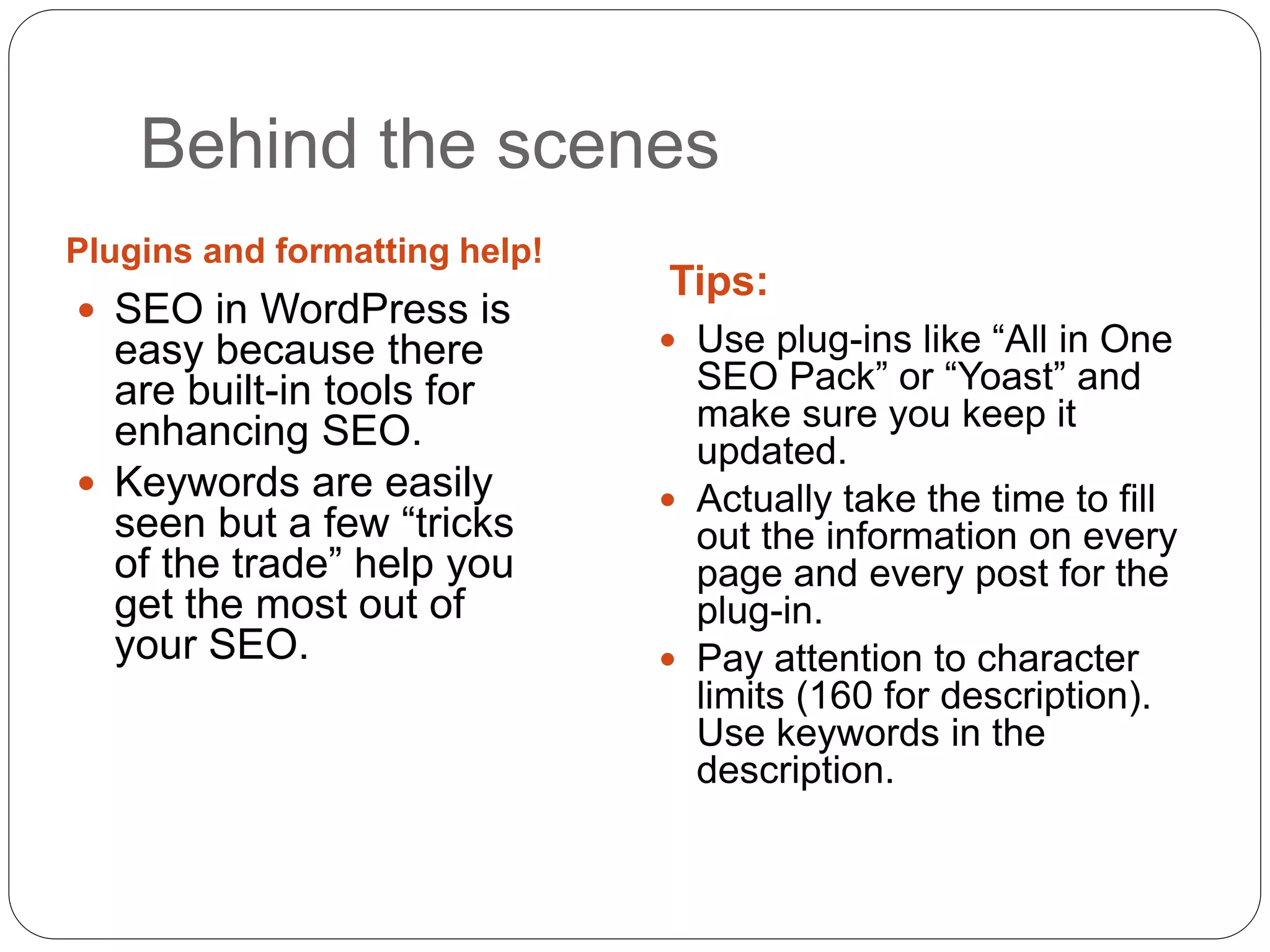
 SEO in WordPress is
easy because there
are built-in tools for
enhancing SEO.
 Keywords are easily
seen but a few “tricks
of the trade” help you
get the most out of
your SEO.
 Use plug-ins like “All in One
SEO Pack” or “Yoast” and
make sure you keep it
updated.
 Actually take the time to fill
out the information on every
page and every post for the
plug-in.
 Pay attention to character
limits (160 for description).
Use keywords in the
description.
Layout and design of your writing affects
SEO but it more deeply affects the reader.
Layout, design and formatting
A few formatting tricks to help
readers/spiders
Format helps spiders and
readers
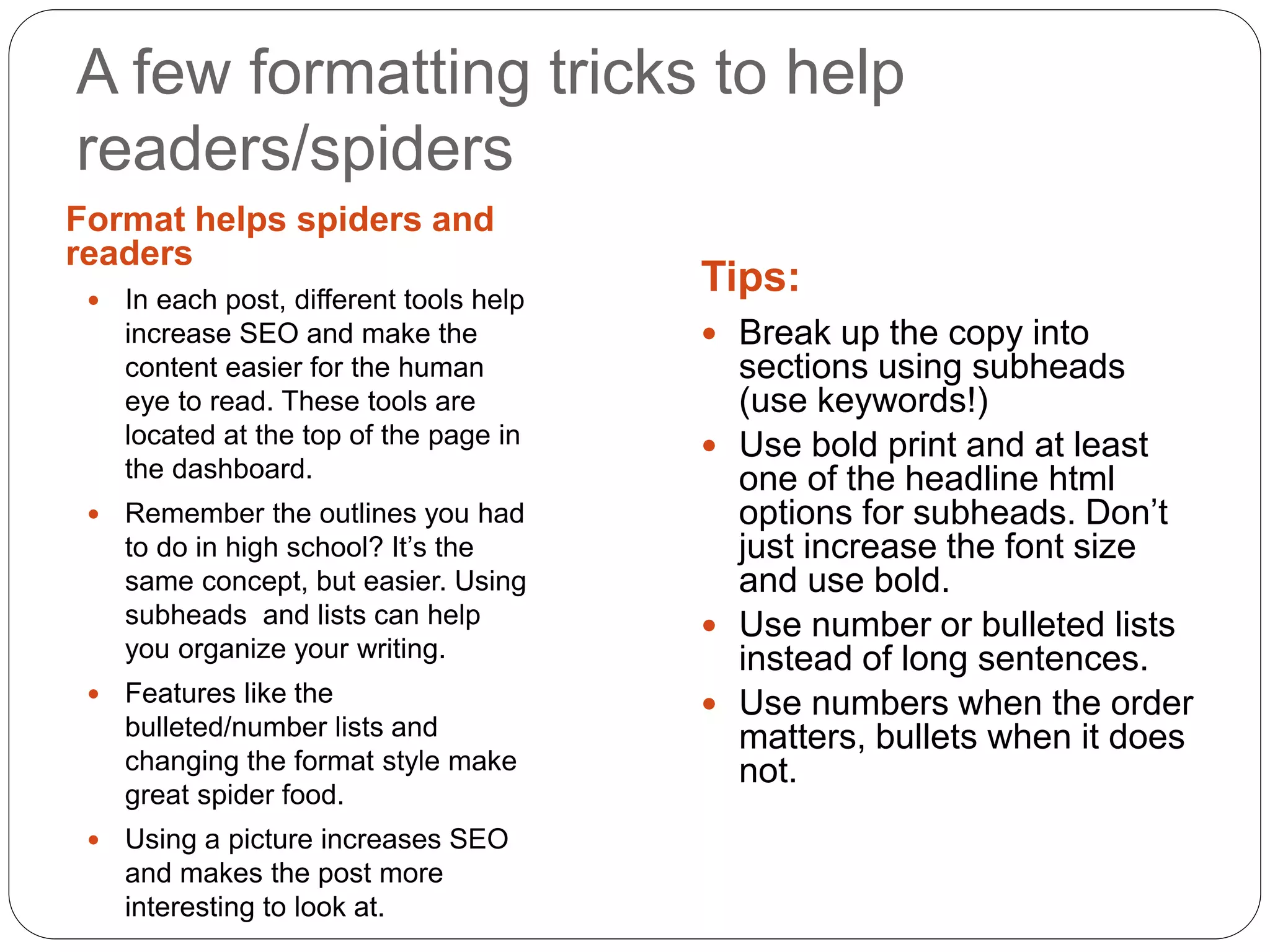
Tips: In each post, different tools help
increase SEO and make the
content easier for the human
eye to read. These tools are
located at the top of the page in
the dashboard.
 Remember the outlines you had
to do in high school? It’s the
same concept, but easier. Using
subheads and lists can help
you organize your writing.
 Features like the
bulleted/number lists and
changing the format style make
great spider food.
 Using a picture increases SEO
and makes the post more
interesting to look at.
 Break up the copy into
sections using subheads
(use keywords!)
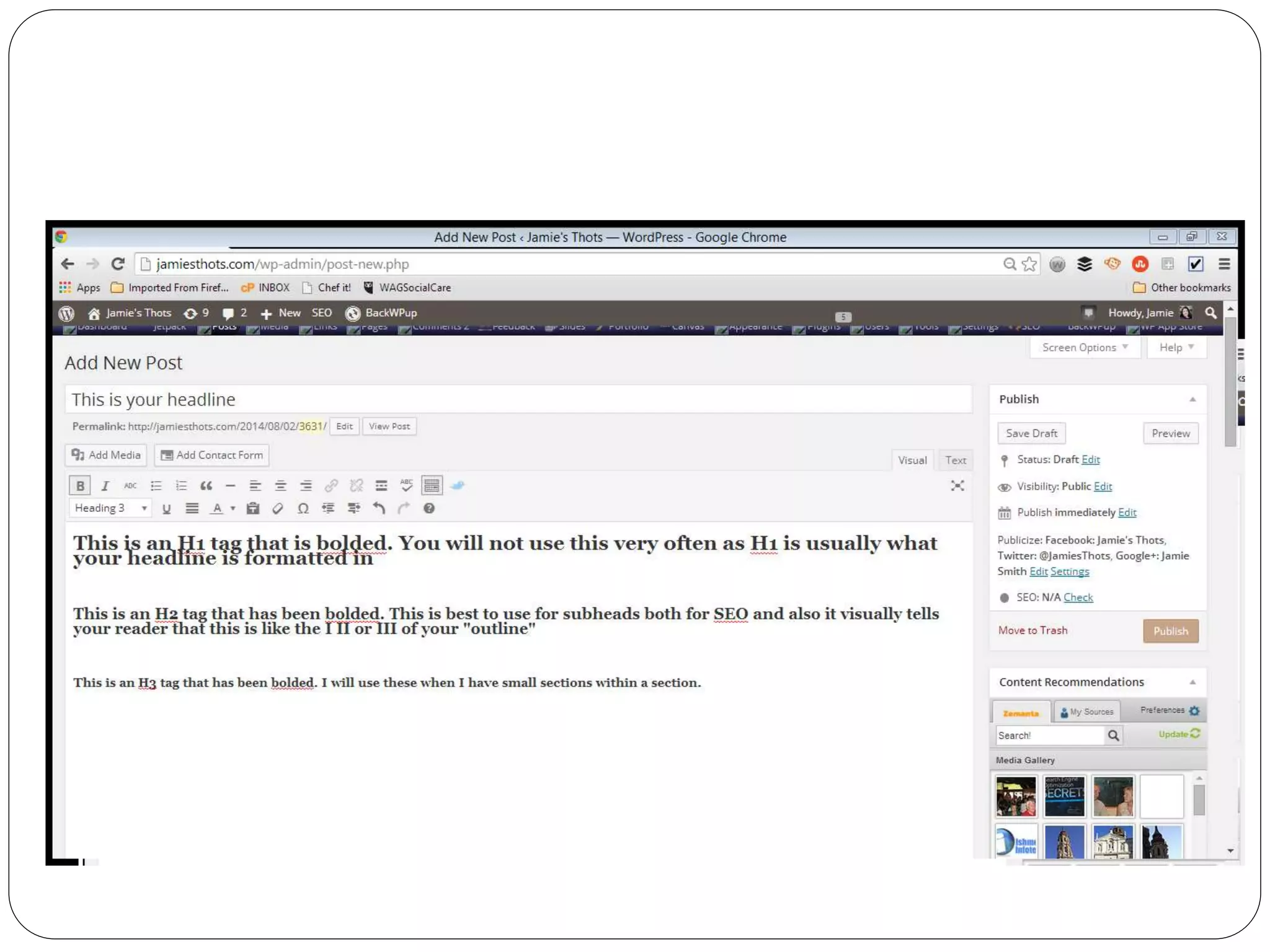
 Use bold print and at least
one of the headline html
options for subheads. Don’t
just increase the font size
and use bold.
 Use number or bulleted lists
instead of long sentences.
 Use numbers when the order
matters, bullets when it does
not.
A few more technical “stuffs”
 Categories vs tags-categories are a way of
dividing all of your content and tags describe the
specific post. (Example: in a catalog you have
“housewares” and then you can choose items by
color or brand, etc.)
 Never “shout” online by using ALL CAPS. Use
italics and/or bold instead.
 Readers read from left to right and their attention
span fades the farther to the right they go. So
generally set your copy (words) to the left instead
of the right or center. An exception would be
poetry.
We read online content much differently
than print. Here are tips for a successful
post.
Online reading habits
Online readers have short attention
spans
 When we read online, we really just skim. This
means you need to make it easier to skim the
content and have the readers still absorb the
information.
Writing the blog post
 Key components of a blog post:
 350 – 700 words
 Attention-getting, key-worded title
 Open paragraph has to go immediately to the point
 Relevant image(s)
 Main body – make it easy to skim using
subheadings, bullet points, etc.
 Close with a discussion question/call to action
Better writing is easier to read
 Use strong, active sentences
 Cut out “there are” and “it is.”
 Avoid using “crutch” words such as “OK,” “So,” and
“anyways.” We see this in social media and it’s not
necessary, especially in a blog post or webpage.
 Make sure the subject of the sentence is a noun
doing the action indicated in the verb. (This forces
the writer to find interesting verbs!)
For example:
Okay: There are many ways to get to the store.
Better: Many routes to the store exist.
 Cut out wordiness, which is sometimes hard to
spot.
For example:
Okay: The website content writers are
accustomed to writing for search engines and
robots.
Better: Content developers often write for
search engines.
 Get rid of the passive voice
 Passive voice construction pushes the subject to
the end of the sentence.
 Active voice keeps the subject at the beginning of
the sentence.
For example:
Passive: The website was monitored by the tech
company.
Active: The tech company monitored the website.
 Ditch the qualifiers! Be assertive!
 Consider the difference between these three
statements:
 We believe that customer service is our most important
value.
 Customer service is our most important value.
 Our company values customer service.
You don’t have to qualify that it’s your opinion. It’s
your blog or your company’s website. It’s obviously
your opinion. Own it!
 Punctuate effectively
 Do not use semi-colons (this one hurts)
 Journalism rule of commas applies online: do not use a
comma before the last item in a series
 For example: I like trees, butterflies and flowers.
 Exclamation points – perhaps the most overused
punctuation mark online. Very few occasions actually call for
an exclamation point
 Contractions: not acceptable in formal writing; acceptable for
less formal, especially in a personal blog or writing that
sounds personal. Whether or not you use contractions is
part of establishing your online voice.
 Avoid falacies of logic or inappropriate “if then”
type statements
Example: If you are hungry, there’s food in the kitchen.
Better: There’s food in the kitchen for anyone who wants to
eat.
The first implies that if a person isn’t hungry that the food magically
doesn’t exist.
Example: Are you going to the concert? Because I’m going.
Better: I’m going to the concert, are you?
The first implies that the answer to the question has something to
do with whether or not the second part is true. If the two are
correlated, then it should be: “I’ll go to the concert if you’re going.”
A few more miscellaneous ideas to
remember when writing online in
WordPress.
A few more things to consider
What is an editorial calendar?
 An editorial calendar is a schedule of who writes
each post, the post topic, the blog category, the
resources needed, images needed (and where
they’re coming from), deadlines involved, and
publish date. Examples are available online or
you can create your own. I like using Google
Calendar or the project management system
Trello.
What are editorial guidelines?
 An editorial style guide is a list of “rules” that are
followed when writing to provide consistency. This
is especially important when more than one
person is writing for the site. Examples of what to
consider are how to refer to people in regards to
titles, how to refer to a location or program on first
reference, or how to list dates and times of
events. Most guidelines start with a major guide
such as the AP style guide or Chicago style then
the guideline outlines the deviations from that
major style.
Stay out of trouble
Avoid plagiarism (even copying and
pasting your own work). This includes
only using images with permission
Represent yourself or your company
professionally
Avoid vague or false claims
Resources
Reputable sources for finding ideas, help and other
resources:
 Hubspot.com
 Mashable.com
 Grammarist.com
 Socialmediaexaminer.com
 blog.CollectiveBias.com
 MichaelHyatt.com
 Zemanta.com (has an extension you can use to get free pics)
 Commons.Wikimedia.org (free pics)
The WordPress forums also provide great information and help.

#WCKC The Beginner's Guide to Writing in WordPress

  • 1.
    Presented By Jamie Smith TheBeginner’s Guide to Writing in WordPress
  • 2.
  • 3.
    • Good writingshould go relatively unnoticed. • Bad writing stands out and diminishes the company’s/writer’s credibility. • A few people will read a good bit of the content. • Google frequently changes its algorithms to make sure legitimate content ranks higher in its search results. • Even if your SEO is great, many people won’t come back if the writing is bad. Good writing always matters
  • 4.
    Writing for theweb includes a multitude of considerations that just aren’t a factor in print: • Considerations of SEO • Effective layout and styles for the online environment • People’s online reading habits How is online writing different?
  • 5.
    SEO is importantfor getting your content found. So why talk about it in a writing class? A part of SEO is in how you write including the format and words you choose. Search Engine Optimization (SEO)
  • 6.
    Writing for spidersand people  Traditional writing is for one audience: the reader.  Online writing is for two audiences: the reader and the web spiders. By web spiders, I mean search engines like Google. This is where SEO becomes vital because it’s the spider food.  Without good spider food, the human readers will never find your content.
  • 7.
    What is SEO?How do I get it?  SEO is more than just a subject of spam email you receive.  SEO increases the search engine’s ability to find your site and its content compared to all the other “stuff” out there.  Certain techniques both in your writing and behind the scenes will improve your SEO, thus meaning the chance for more people to see your site.
  • 8.
    Keywords Tips Keywords arethe words people might use to find something on your topic.  Keywords can be singular or phrases (long-tail keywords)  Keywords should be used frequently, but artfully. Don’t just repeat it a bunch of times.  Make a list of potential keywords before writing.  Think of terms and words your target audience would most likely use when searching for what you offer.  During editing, add keywords where they make sense.  Use keywords in the main copy, in the headlines, subheads and in the SEO plug-in (we’ll get to that in a minute).
  • 9.
    Links Tips: Hyperlinks provide additional informationfor your reader on the topic.  Hyperlinks enhance credibility.  Hyperlinks increase SEO.  Link to the website of an organization or company if you mention it.  Link to your own blog posts or website pages if you refer to a topic you’ve already written about.  Use the hyperlink tool (looks like a sideways 8) instead of listing the actual link.  Don’t feel the need to link to every single thing. It is irritating to the reader’s eyes and will tell the search engines that you’re trying too hard.  If you put links too close together Google will probably read that as not “mobile ready” and knock you down in the rankings.
  • 10.
    Behind the scenes Pluginsand formatting help! Tips:  SEO in WordPress is easy because there are built-in tools for enhancing SEO.  Keywords are easily seen but a few “tricks of the trade” help you get the most out of your SEO.  Use plug-ins like “All in One SEO Pack” or “Yoast” and make sure you keep it updated.  Actually take the time to fill out the information on every page and every post for the plug-in.  Pay attention to character limits (160 for description). Use keywords in the description.
  • 11.
    Layout and designof your writing affects SEO but it more deeply affects the reader. Layout, design and formatting
  • 12.
    A few formattingtricks to help readers/spiders Format helps spiders and readers Tips: In each post, different tools help increase SEO and make the content easier for the human eye to read. These tools are located at the top of the page in the dashboard.  Remember the outlines you had to do in high school? It’s the same concept, but easier. Using subheads and lists can help you organize your writing.  Features like the bulleted/number lists and changing the format style make great spider food.  Using a picture increases SEO and makes the post more interesting to look at.  Break up the copy into sections using subheads (use keywords!)  Use bold print and at least one of the headline html options for subheads. Don’t just increase the font size and use bold.  Use number or bulleted lists instead of long sentences.  Use numbers when the order matters, bullets when it does not.
  • 14.
    A few moretechnical “stuffs”  Categories vs tags-categories are a way of dividing all of your content and tags describe the specific post. (Example: in a catalog you have “housewares” and then you can choose items by color or brand, etc.)  Never “shout” online by using ALL CAPS. Use italics and/or bold instead.  Readers read from left to right and their attention span fades the farther to the right they go. So generally set your copy (words) to the left instead of the right or center. An exception would be poetry.
  • 15.
    We read onlinecontent much differently than print. Here are tips for a successful post. Online reading habits
  • 16.
    Online readers haveshort attention spans  When we read online, we really just skim. This means you need to make it easier to skim the content and have the readers still absorb the information.
  • 17.
    Writing the blogpost  Key components of a blog post:  350 – 700 words  Attention-getting, key-worded title  Open paragraph has to go immediately to the point  Relevant image(s)  Main body – make it easy to skim using subheadings, bullet points, etc.  Close with a discussion question/call to action
  • 18.
    Better writing iseasier to read  Use strong, active sentences  Cut out “there are” and “it is.”  Avoid using “crutch” words such as “OK,” “So,” and “anyways.” We see this in social media and it’s not necessary, especially in a blog post or webpage.  Make sure the subject of the sentence is a noun doing the action indicated in the verb. (This forces the writer to find interesting verbs!) For example: Okay: There are many ways to get to the store. Better: Many routes to the store exist.
  • 19.
     Cut outwordiness, which is sometimes hard to spot. For example: Okay: The website content writers are accustomed to writing for search engines and robots. Better: Content developers often write for search engines.
  • 20.
     Get ridof the passive voice  Passive voice construction pushes the subject to the end of the sentence.  Active voice keeps the subject at the beginning of the sentence. For example: Passive: The website was monitored by the tech company. Active: The tech company monitored the website.
  • 21.
     Ditch thequalifiers! Be assertive!  Consider the difference between these three statements:  We believe that customer service is our most important value.  Customer service is our most important value.  Our company values customer service. You don’t have to qualify that it’s your opinion. It’s your blog or your company’s website. It’s obviously your opinion. Own it!
  • 22.
     Punctuate effectively Do not use semi-colons (this one hurts)  Journalism rule of commas applies online: do not use a comma before the last item in a series  For example: I like trees, butterflies and flowers.  Exclamation points – perhaps the most overused punctuation mark online. Very few occasions actually call for an exclamation point  Contractions: not acceptable in formal writing; acceptable for less formal, especially in a personal blog or writing that sounds personal. Whether or not you use contractions is part of establishing your online voice.
  • 23.
     Avoid falaciesof logic or inappropriate “if then” type statements Example: If you are hungry, there’s food in the kitchen. Better: There’s food in the kitchen for anyone who wants to eat. The first implies that if a person isn’t hungry that the food magically doesn’t exist. Example: Are you going to the concert? Because I’m going. Better: I’m going to the concert, are you? The first implies that the answer to the question has something to do with whether or not the second part is true. If the two are correlated, then it should be: “I’ll go to the concert if you’re going.”
  • 24.
    A few moremiscellaneous ideas to remember when writing online in WordPress. A few more things to consider
  • 25.
    What is aneditorial calendar?  An editorial calendar is a schedule of who writes each post, the post topic, the blog category, the resources needed, images needed (and where they’re coming from), deadlines involved, and publish date. Examples are available online or you can create your own. I like using Google Calendar or the project management system Trello.
  • 26.
    What are editorialguidelines?  An editorial style guide is a list of “rules” that are followed when writing to provide consistency. This is especially important when more than one person is writing for the site. Examples of what to consider are how to refer to people in regards to titles, how to refer to a location or program on first reference, or how to list dates and times of events. Most guidelines start with a major guide such as the AP style guide or Chicago style then the guideline outlines the deviations from that major style.
  • 27.
    Stay out oftrouble Avoid plagiarism (even copying and pasting your own work). This includes only using images with permission Represent yourself or your company professionally Avoid vague or false claims
  • 28.
    Resources Reputable sources forfinding ideas, help and other resources:  Hubspot.com  Mashable.com  Grammarist.com  Socialmediaexaminer.com  blog.CollectiveBias.com  MichaelHyatt.com  Zemanta.com (has an extension you can use to get free pics)  Commons.Wikimedia.org (free pics) The WordPress forums also provide great information and help.

Editor's Notes

  • #8 I used to think SEO was silly, just a thing people liked to talk about to sound geeky and smart. I thought if people liked what I wrote about, they would read it. If they don’t like it, they won’t. Well, I’ve been converted. Now I realize that they can’t get the chance to realize they like it if they can’t find it in the first place. I need to do what I can to help make that happen.