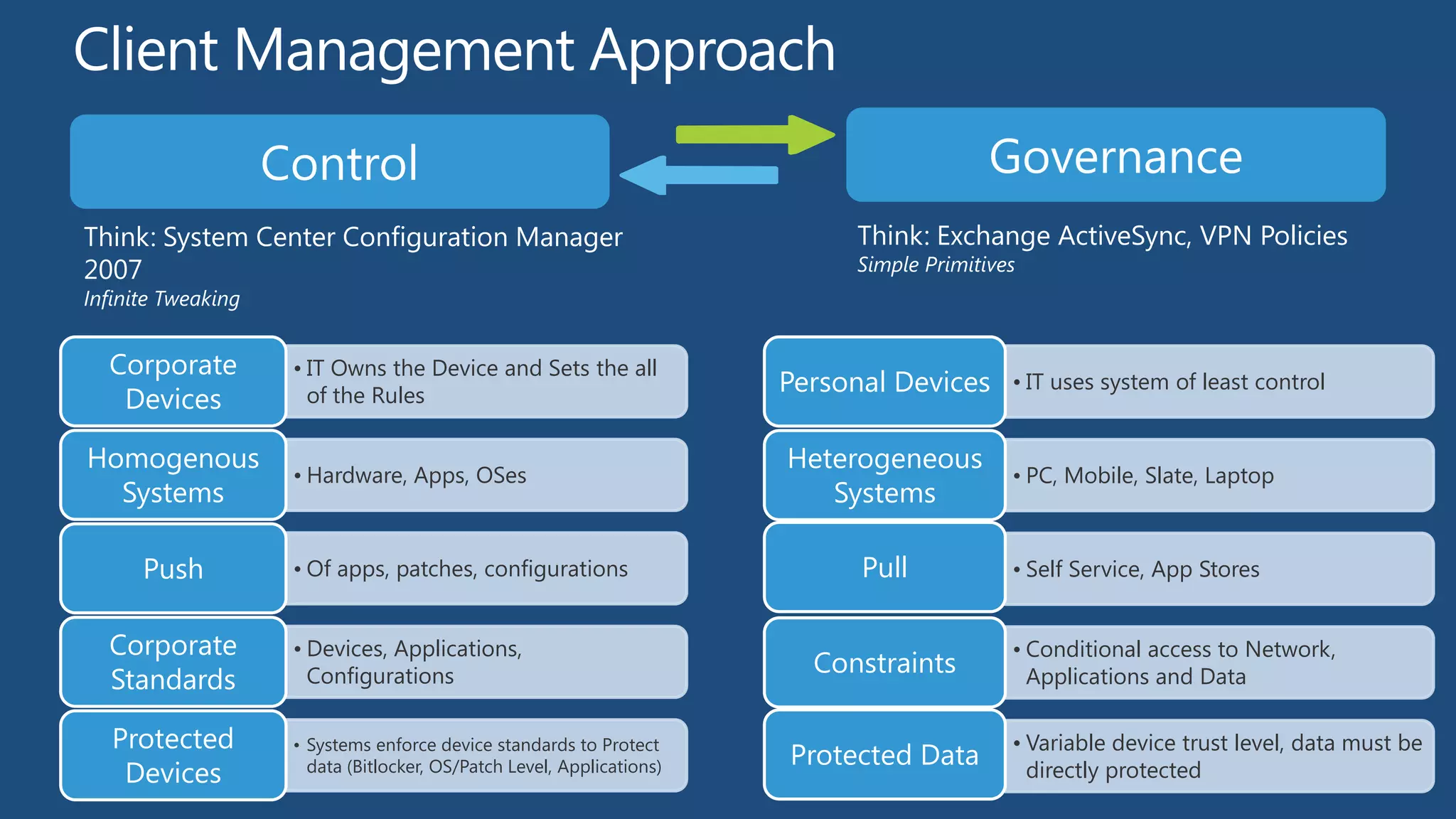
Think: System Center Configuration Manager                                  Think: Exchange ActiveSync, VPN Policies
2007                                                                        Simple Primitives
Infinite Tweaking


  Corporate         • IT Owns the Device and Sets the all
                                                                       Personal Devices     • IT uses system of least control
   Devices            of the Rules

Homogenous                                                             Heterogeneous
                    • Hardware, Apps, OSes                                                  • PC, Mobile, Slate, Laptop
  Systems                                                                 Systems

      Push          • Of apps, patches, configurations                       Pull           • Self Service, App Stores


  Corporate         • Devices, Applications,                                                • Conditional access to Network,
                                                                         Constraints
  Standards           Configurations                                                          Applications and Data

   Protected        • Systems enforce device standards to Protect                           • Variable device trust level, data must be
                                                                       Protected Data
    Devices           data (Bitlocker, OS/Patch Level, Applications)                          directly protected
Devices & Experiences                          Enterprise-Grade
Users Love
      Want                                     Solutions


No Compromise           New Possibilities in   Enhanced End-to-   Management and
Business Tablet         Mobile Productivity    End Security       Virtualization
IT Controlled          Personally Controlled
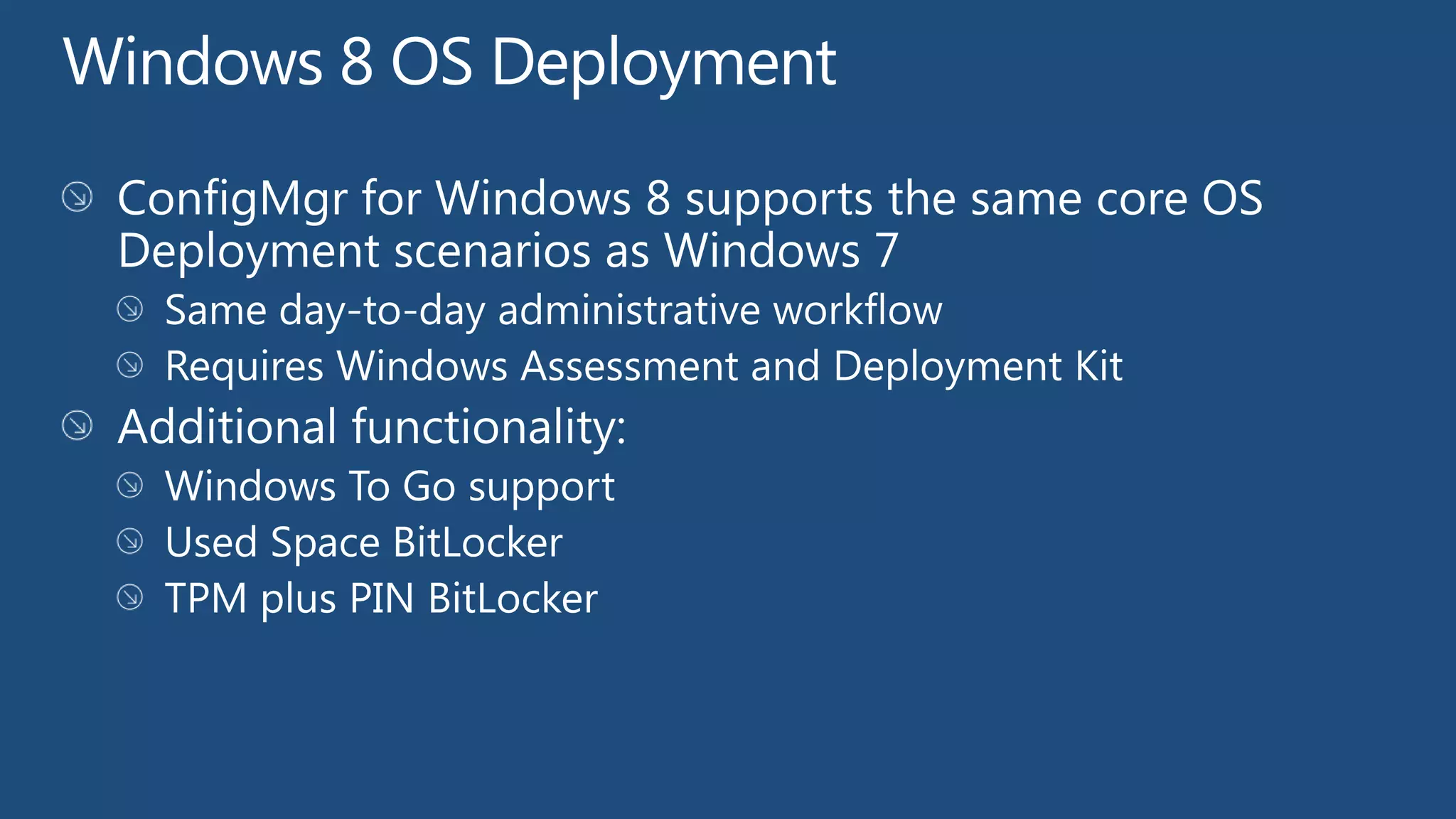
                          Windows 8 OS Deployment

                          Metered Connections

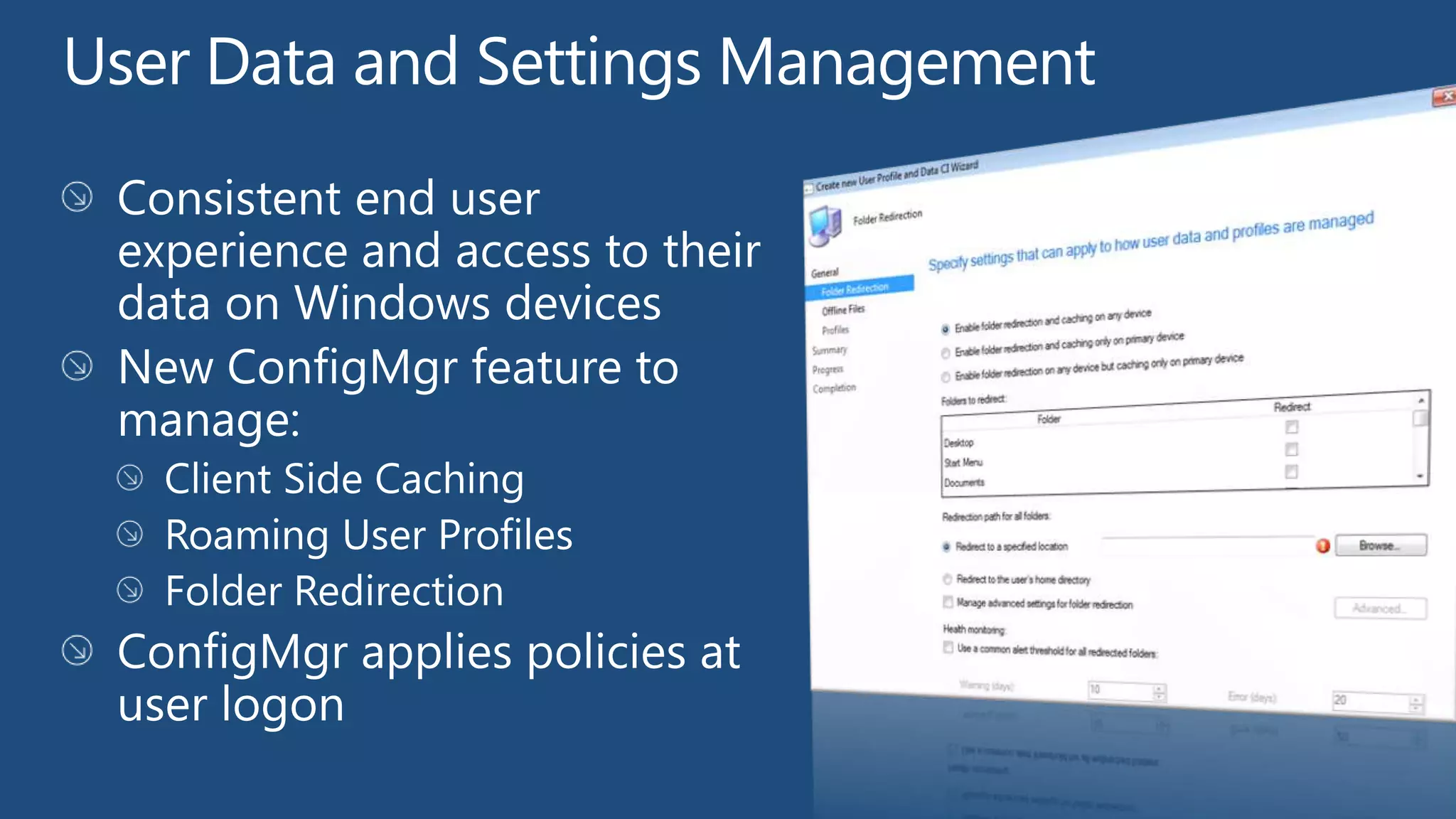
                          User Data and Settings Management

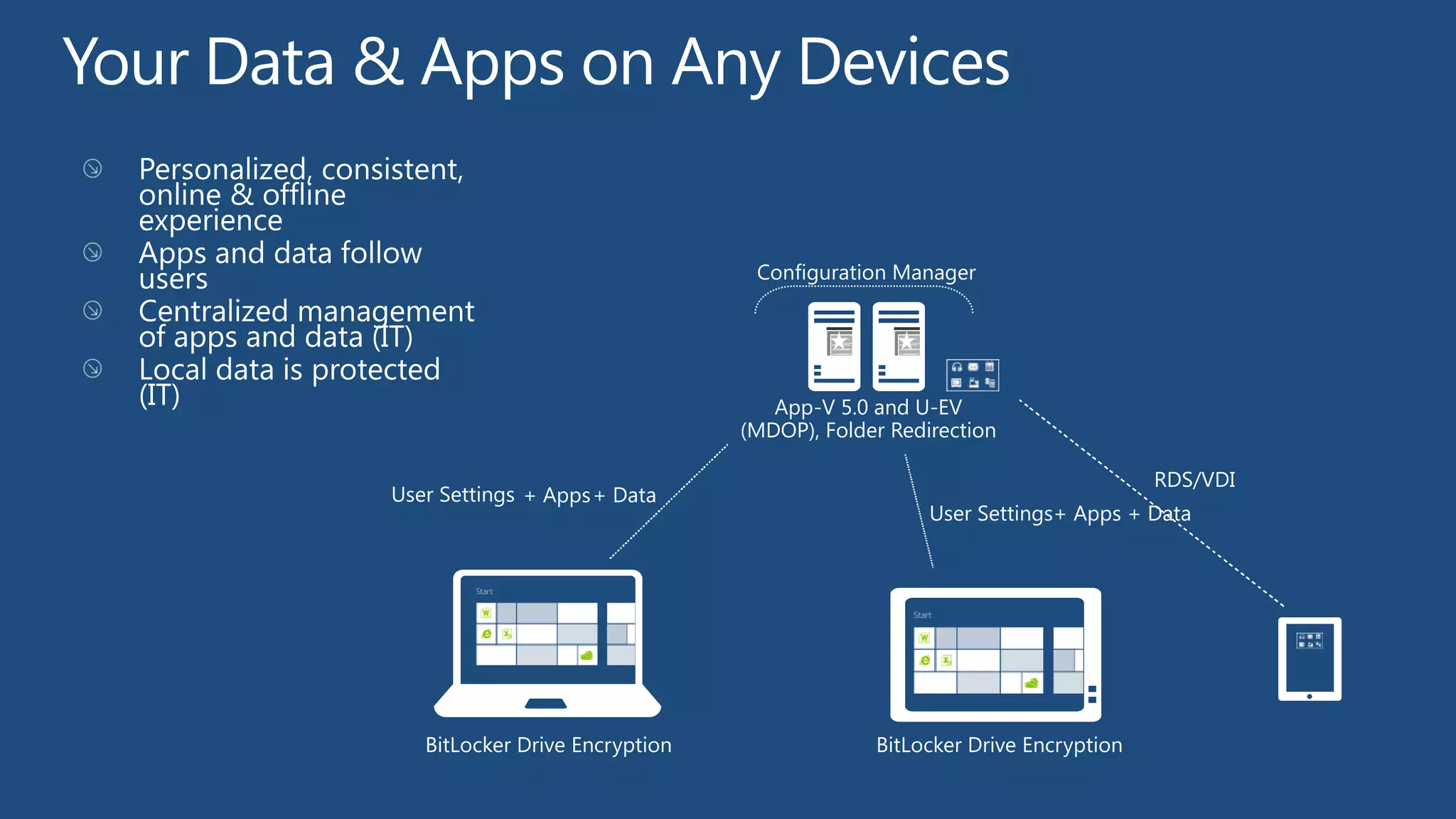
                          Anywhere Apps and Data
 Meet IT standards by        Empower users while
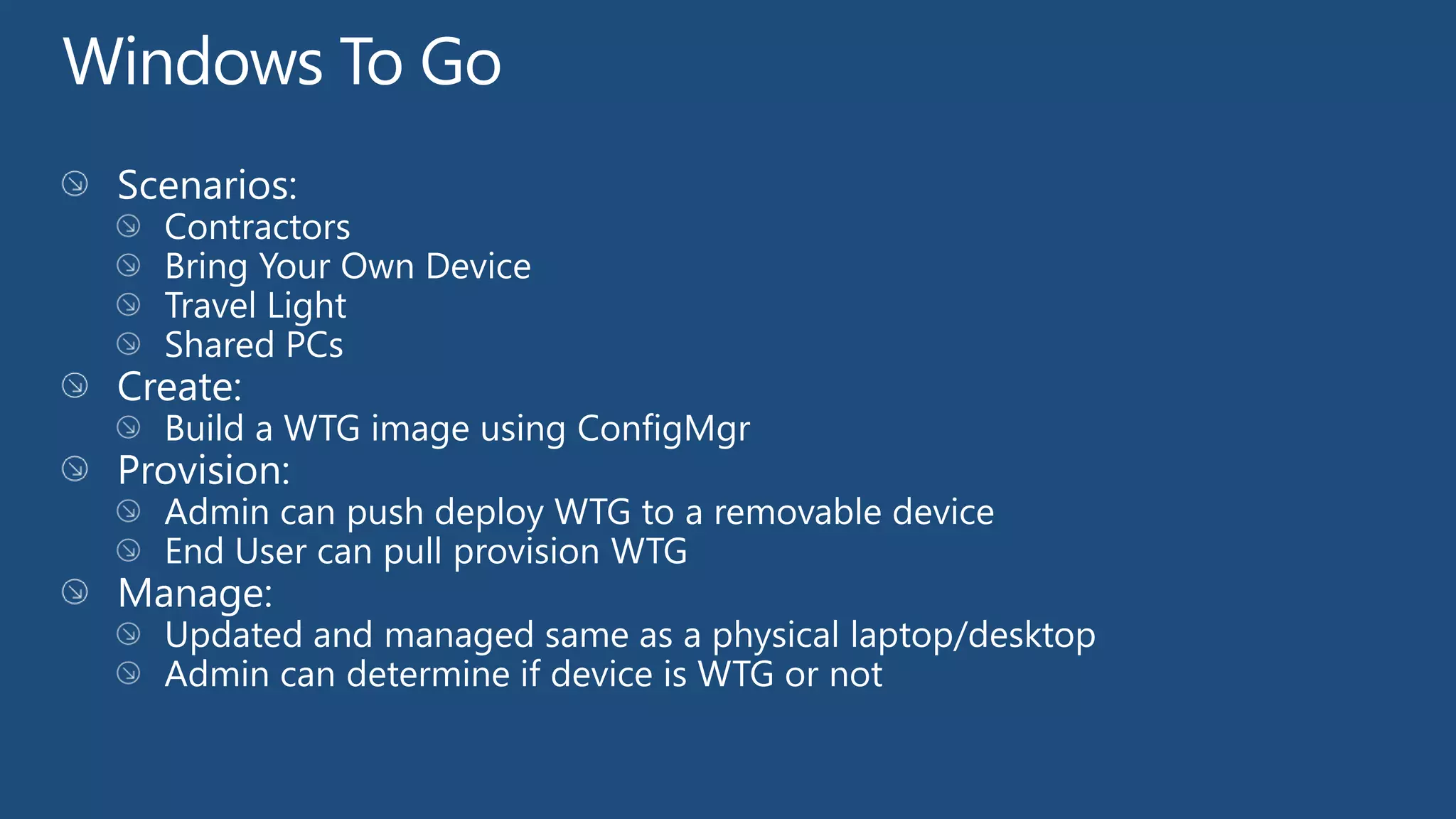
controlling devices and   Windows To Go constraints
                          ensuring key IT
     applications
Support existing management features
 •   Software Updates Management         •   Settings Management
 •   Software Distribution               •   Remote Control
 •   Inventory                           •   OS Deployment
 •   Asset Intelligence                  •   And more!


Support new Windows 8 functionality
 •   Windows To Go
 •   Metered Connection support
 •   User Data and Settings Management
 •   BitLocker Enhancements
 •   Windows 8 Apps
 •   Deep Link Apps
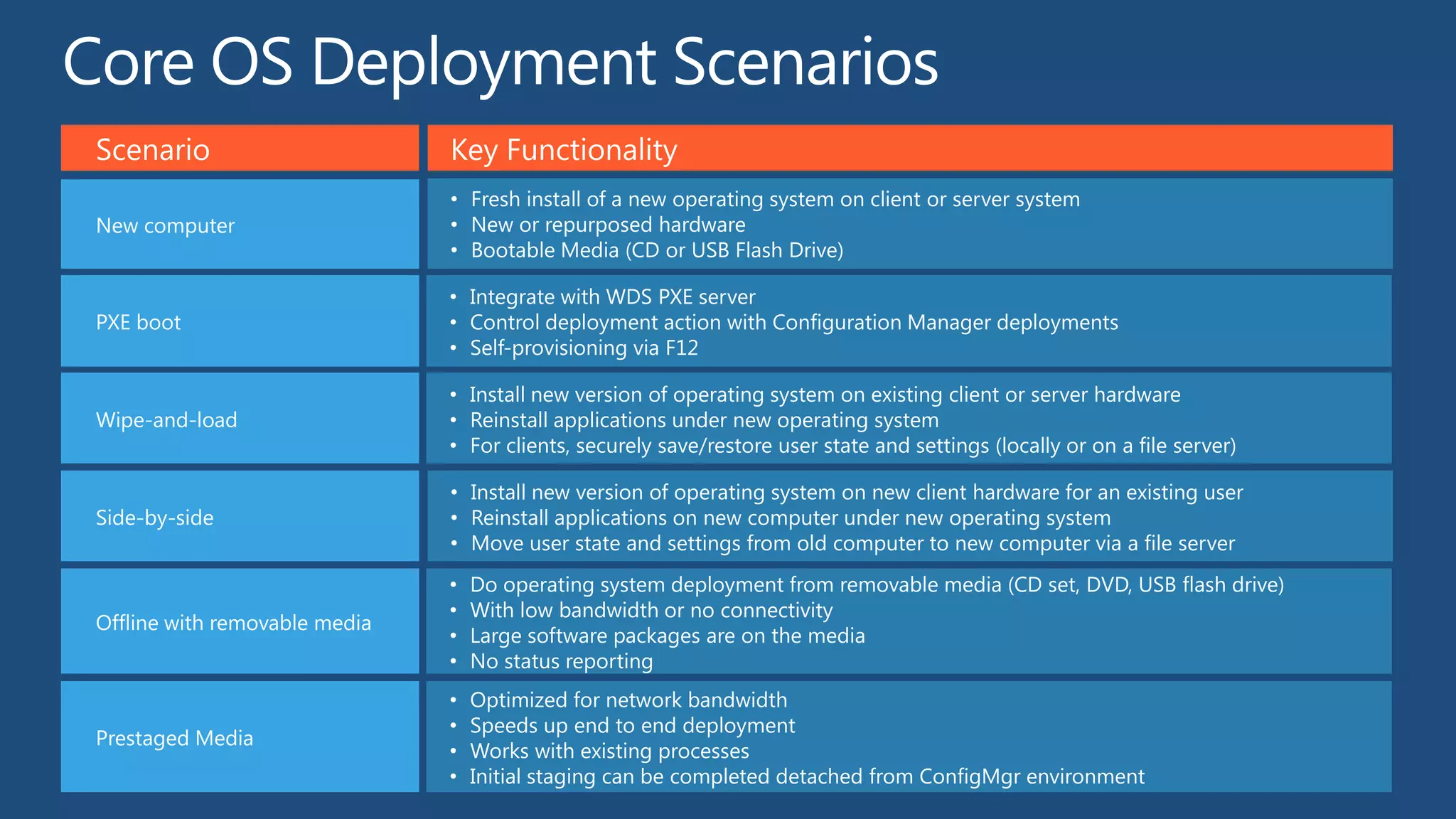
Scenario                       Key Functionality
                               • Fresh install of a new operating system on client or server system
New computer                   • New or repurposed hardware
                               • Bootable Media (CD or USB Flash Drive)

                               • Integrate with WDS PXE server
PXE boot                       • Control deployment action with Configuration Manager deployments
                               • Self-provisioning via F12

                               • Install new version of operating system on existing client or server hardware
Wipe-and-load                  • Reinstall applications under new operating system
                               • For clients, securely save/restore user state and settings (locally or on a file server)

                               • Install new version of operating system on new client hardware for an existing user
Side-by-side                   • Reinstall applications on new computer under new operating system
                               • Move user state and settings from old computer to new computer via a file server
                               •   Do operating system deployment from removable media (CD set, DVD, USB flash drive)
                               •   With low bandwidth or no connectivity
Offline with removable media
                               •   Large software packages are on the media
                               •   No status reporting
                               •   Optimized for network bandwidth
                               •   Speeds up end to end deployment
Prestaged Media
                               •   Works with existing processes
                               •   Initial staging can be completed detached from ConfigMgr environment
Configuration Manager


                                   App-V 5.0 and U-EV
                                (MDOP), Folder Redirection

                                                                          RDS/VDI
User Settings + Apps + Data
                                                   User Settings+ Apps + Data


   BitLocker Drive Encryption                BitLocker Drive Encryption
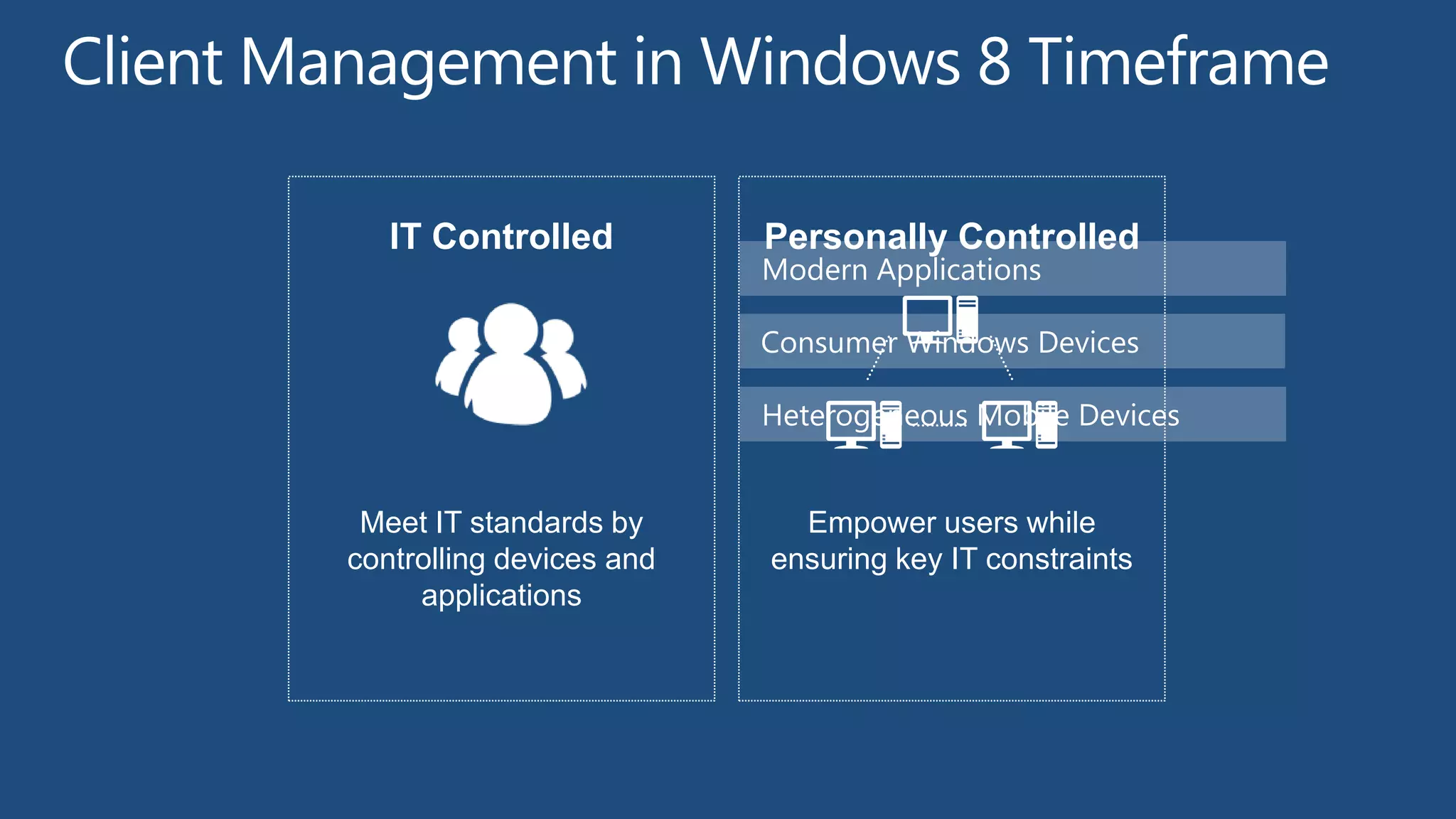
IT Controlled          Personally Controlled
                          Modern Applications

                          Consumer Windows Devices

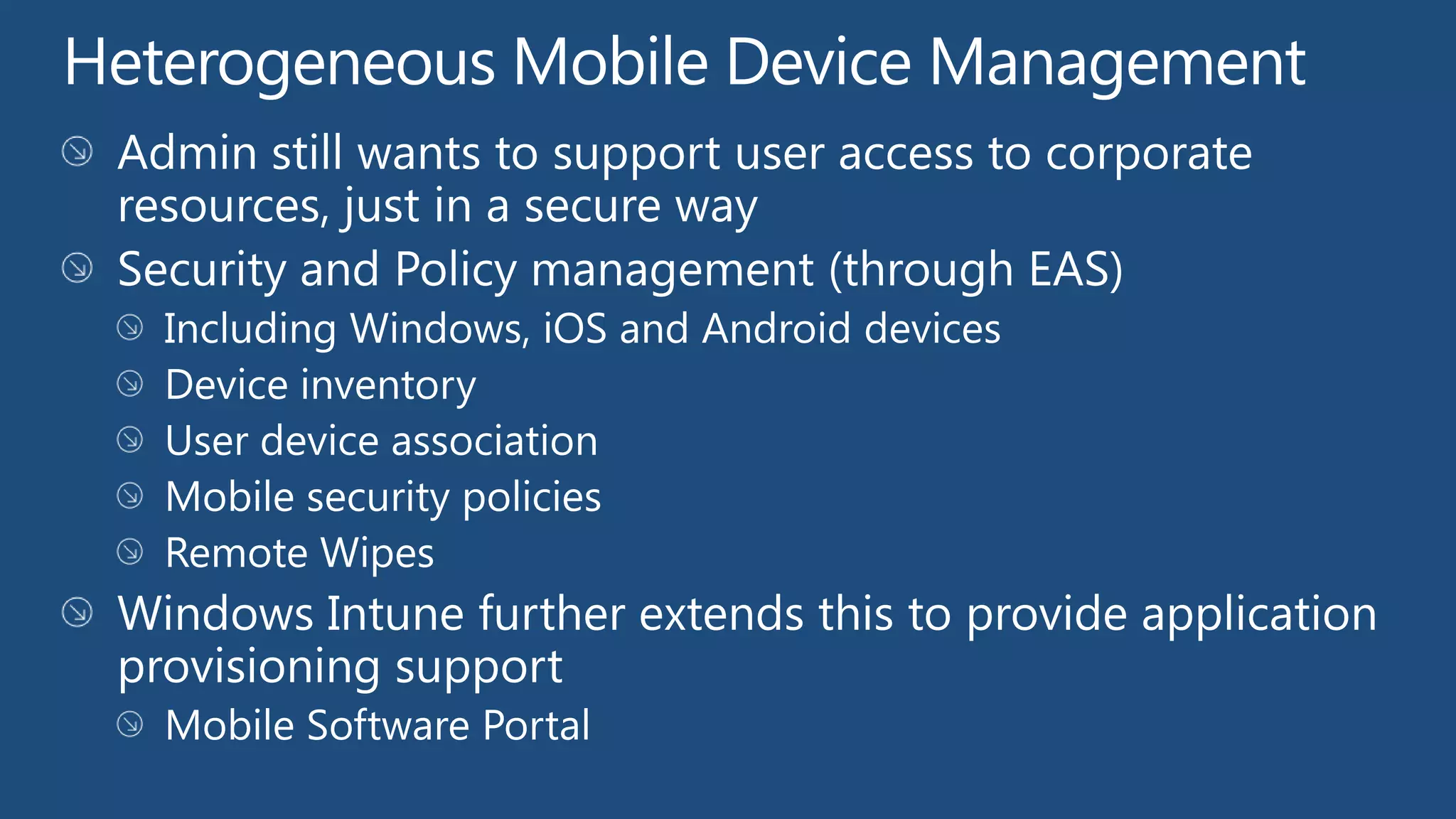
                          Heterogeneous Mobile Devices


 Meet IT standards by       Empower users while
controlling devices and   ensuring key IT constraints
     applications
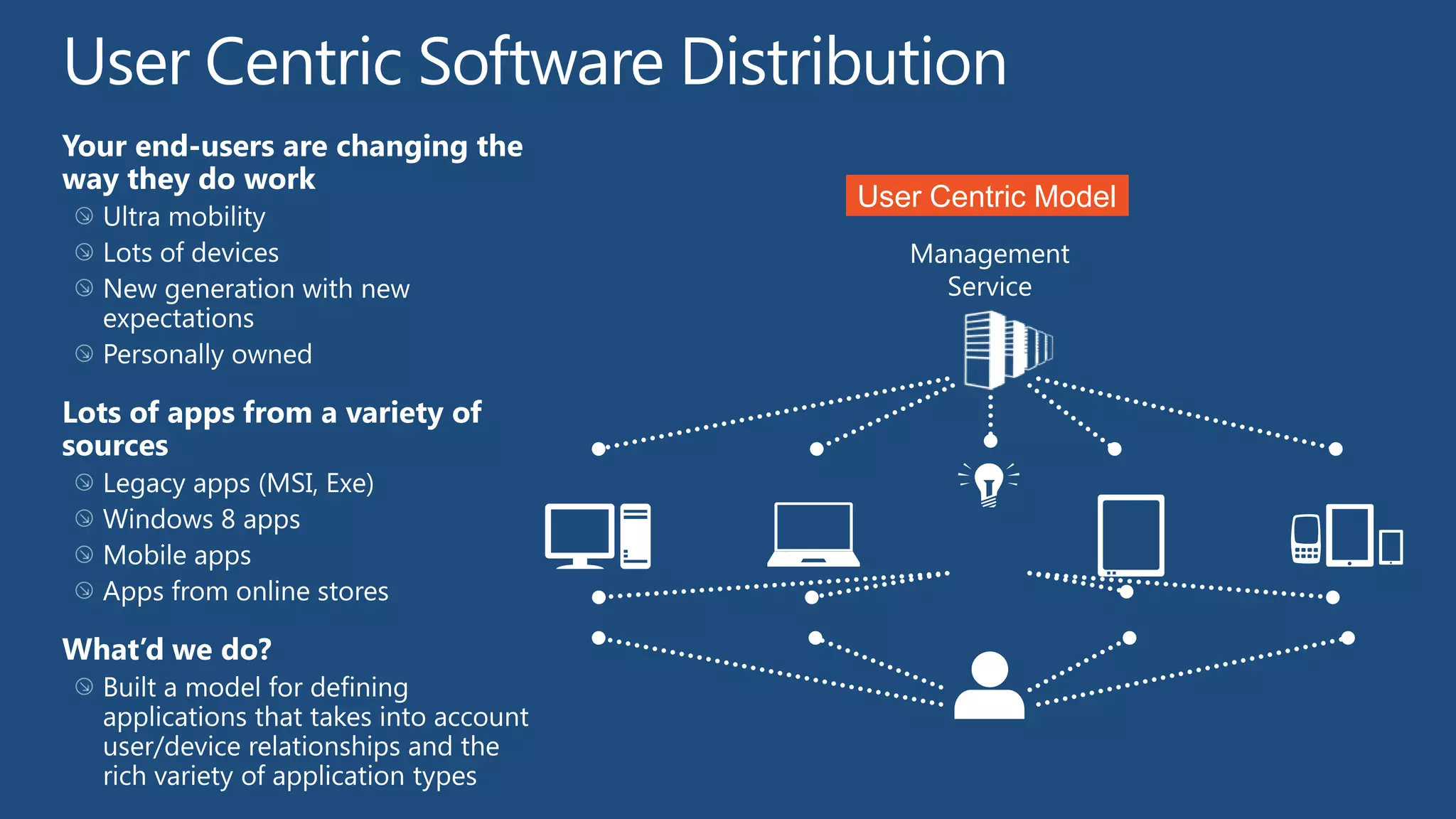
User Centric Model
Traditional Model
   Management
     Service
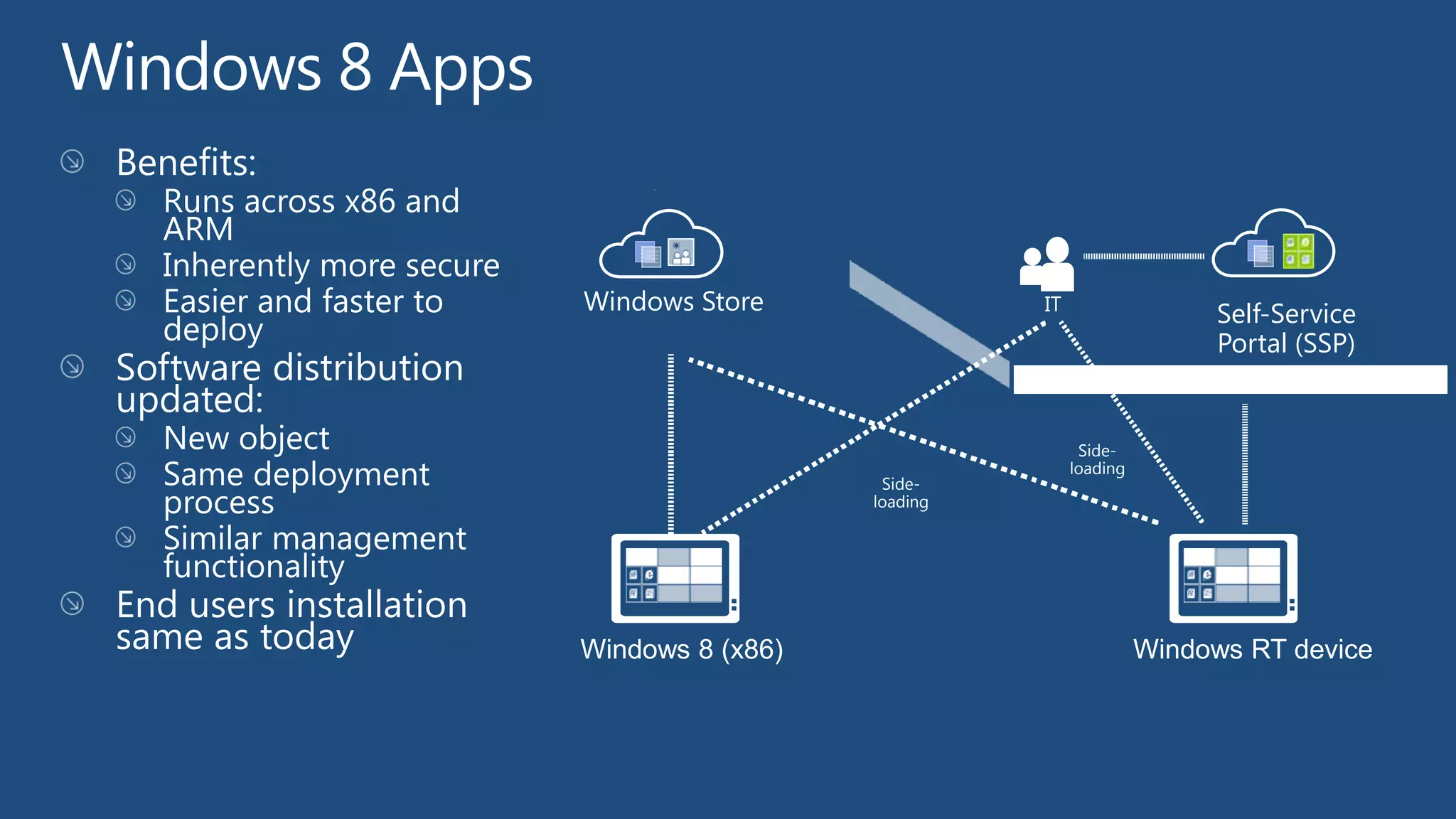
Windows Store               IT
                                                 Self-Service
                                                 Portal (SSP)
                                               FIREWALL


                                  Side-
                                 loading
                   Side-
                  loading


Windows 8 (x86)                            Windows RT device
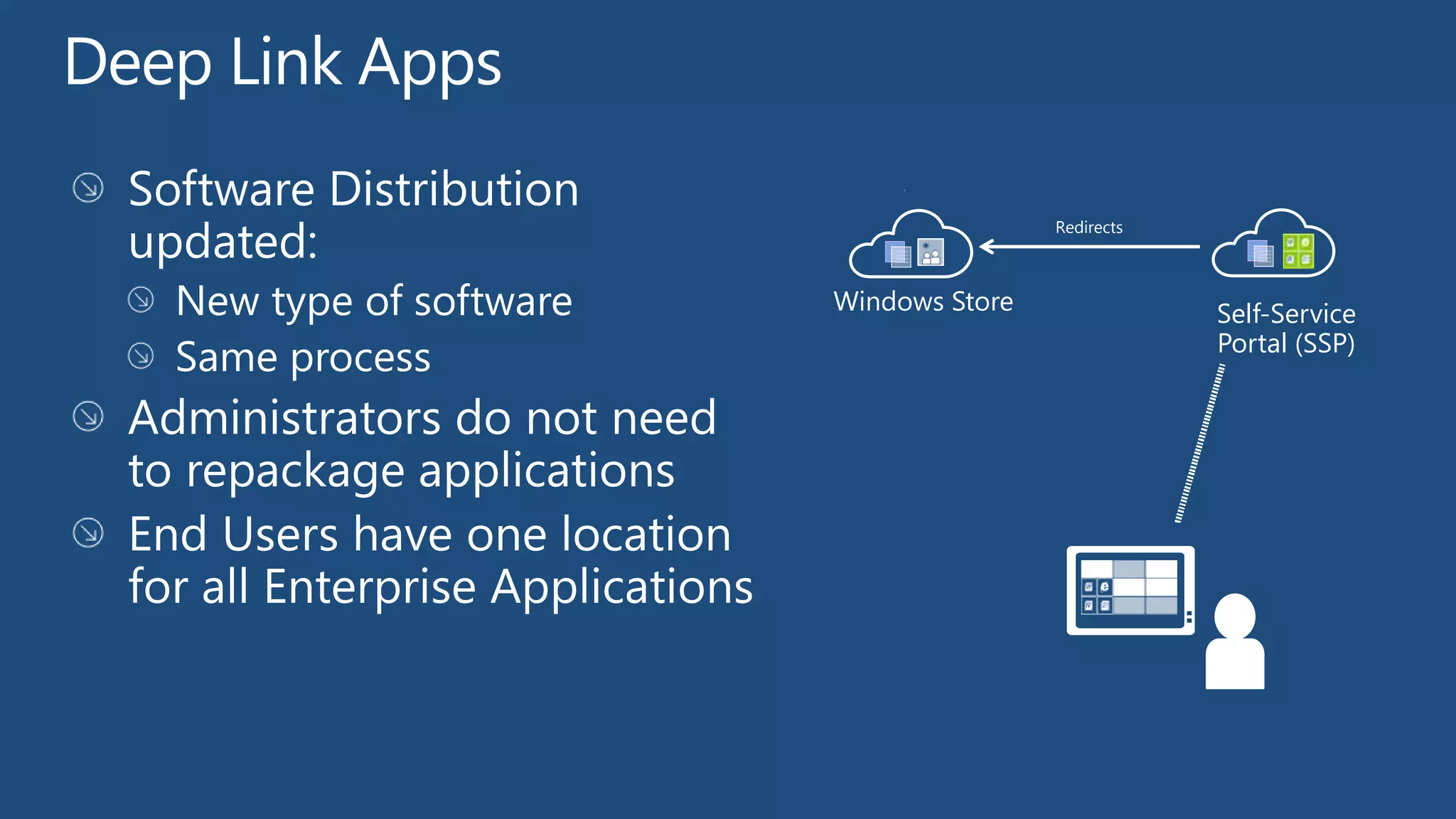
Redirects


Windows Store               Self-Service
                            Portal (SSP)
Windows RT Client Management
 Primarily Personally Controlled
   Bring Your Own Device
   Also support for specialized use cases (e.g. Airline, Retail)
 Focused on self service with constraints
   Software
   Configuration
 Different in how they are used and behave
   Always on always connected
   More prevalent use of metered connections (e.g. 3/4G)
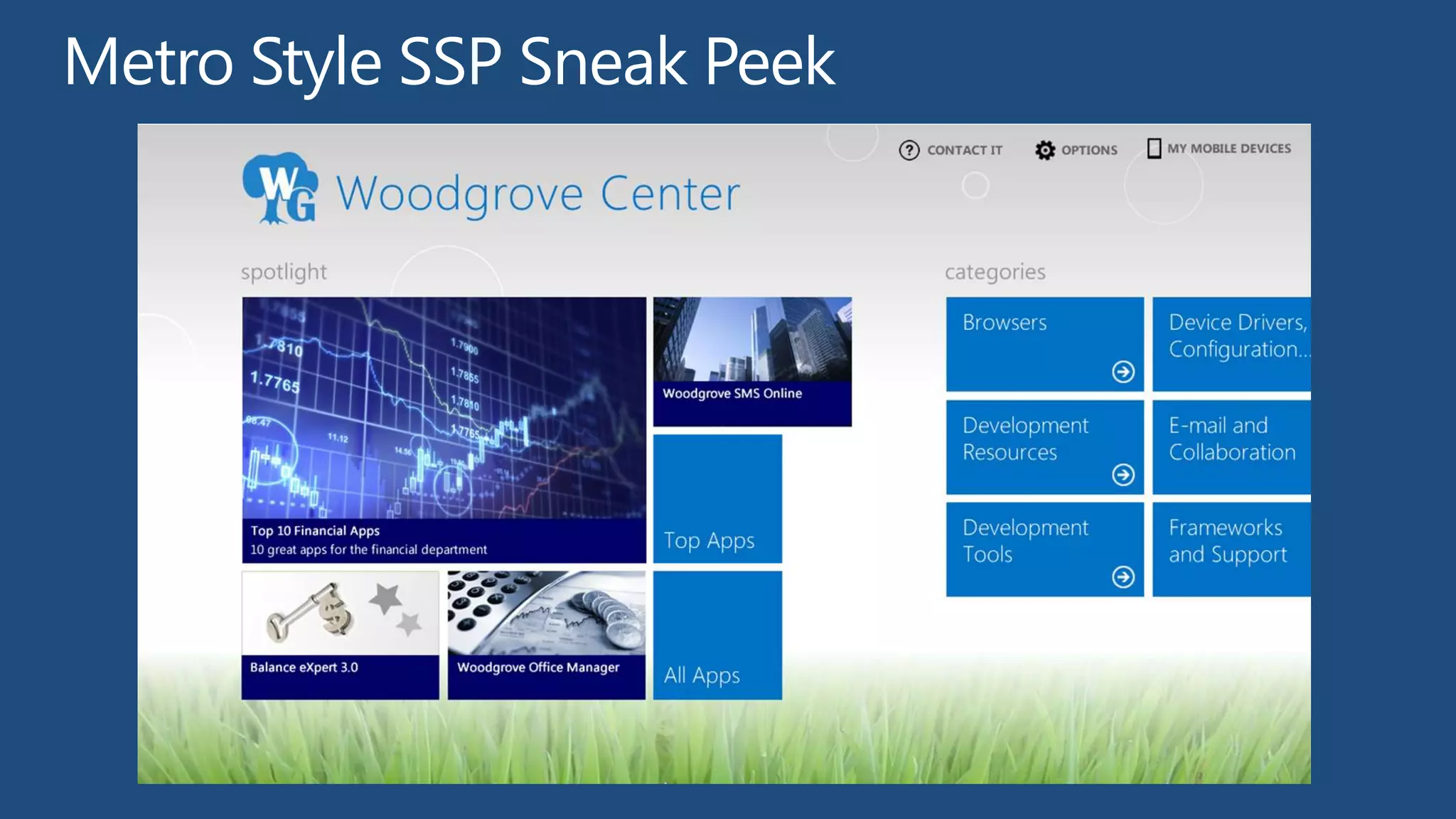
Metro Style SSP Sneak Peek
Resources for Developers
http://msdn.microsoft.com/en-us/windows/apps


http://www.microsoft.com/en-us/windows/enterprise/products-and-technologies/windows-8/default.aspx


Microsoft Desktop Optimization Pack:
www.microsoft.com/MDOP

Microsoft Desktop Virtualization:
www.microsoft.com/dv
Springboard Series: www.microsoft.com/springboard
Explore Plan Deliver Operate Support
http://northamerica.msteched.com   www.microsoft.com/learning


  http://microsoft.com/technet     http://microsoft.com/msdn
W8 client management

W8 client management

  • 4.
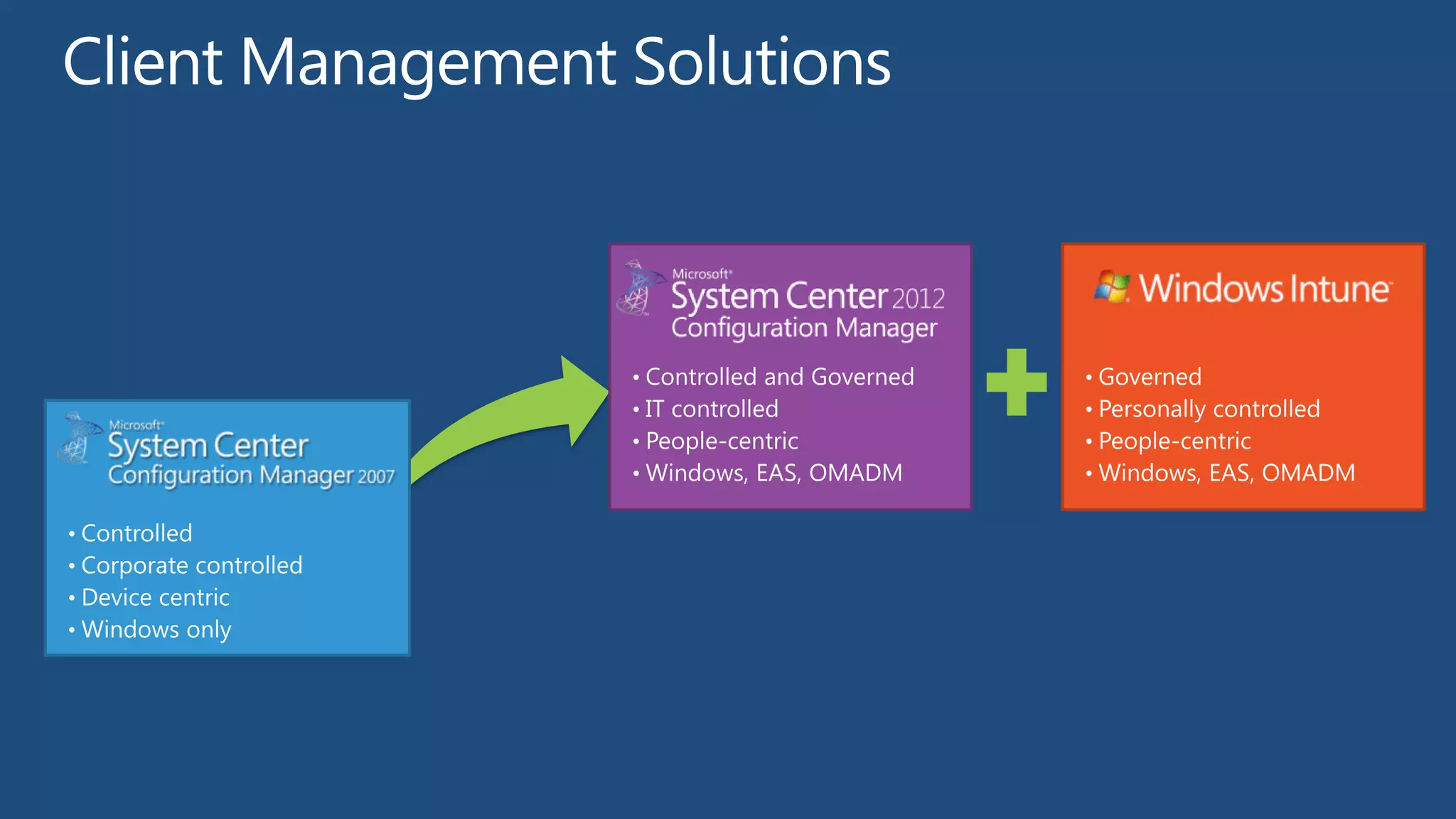
    Think: System CenterConfiguration Manager Think: Exchange ActiveSync, VPN Policies 2007 Simple Primitives Infinite Tweaking Corporate • IT Owns the Device and Sets the all Personal Devices • IT uses system of least control Devices of the Rules Homogenous Heterogeneous • Hardware, Apps, OSes • PC, Mobile, Slate, Laptop Systems Systems Push • Of apps, patches, configurations Pull • Self Service, App Stores Corporate • Devices, Applications, • Conditional access to Network, Constraints Standards Configurations Applications and Data Protected • Systems enforce device standards to Protect • Variable device trust level, data must be Protected Data Devices data (Bitlocker, OS/Patch Level, Applications) directly protected
  • 6.
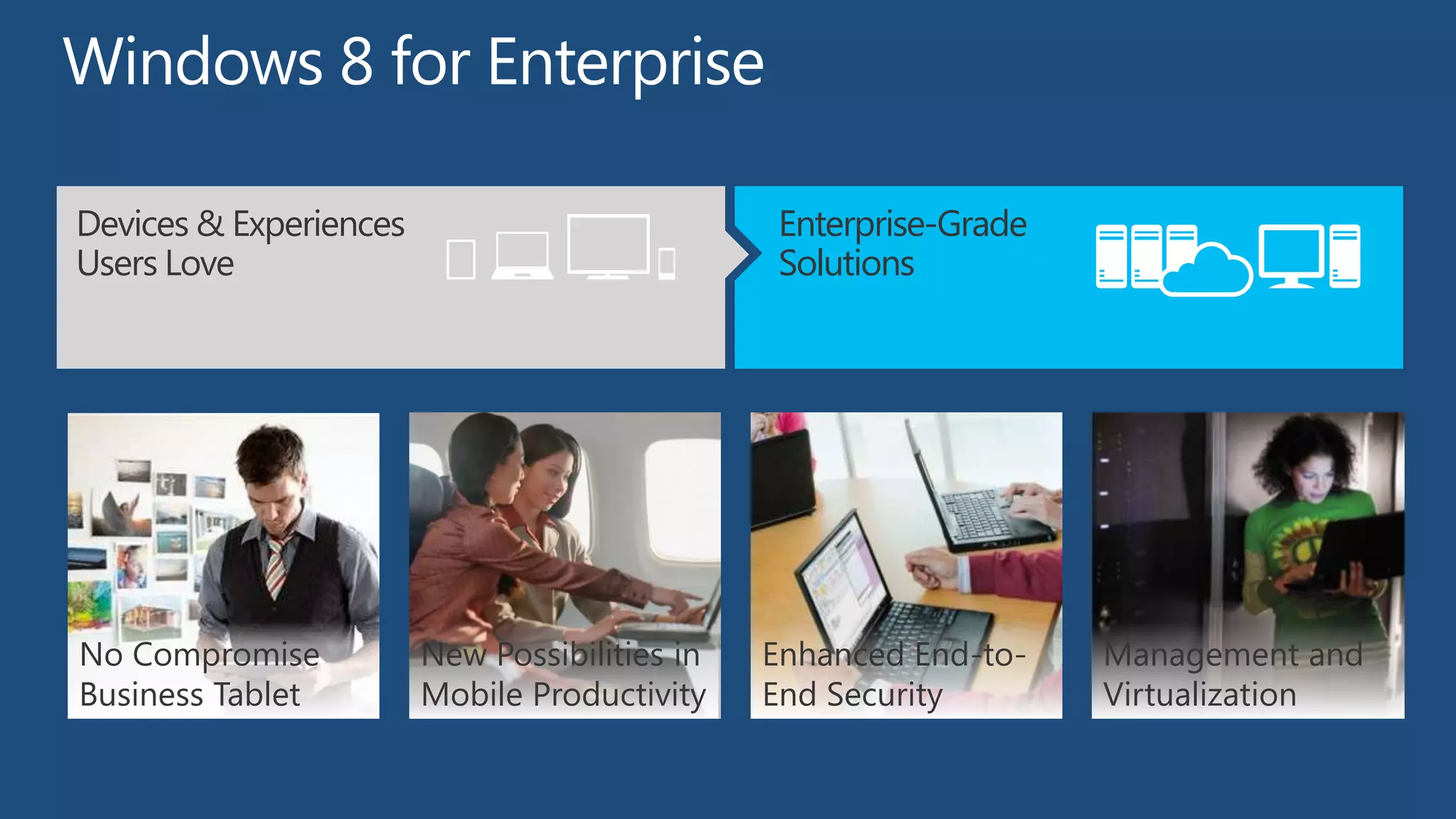
    Devices & Experiences Enterprise-Grade Users Love Want Solutions No Compromise New Possibilities in Enhanced End-to- Management and Business Tablet Mobile Productivity End Security Virtualization
  • 7.
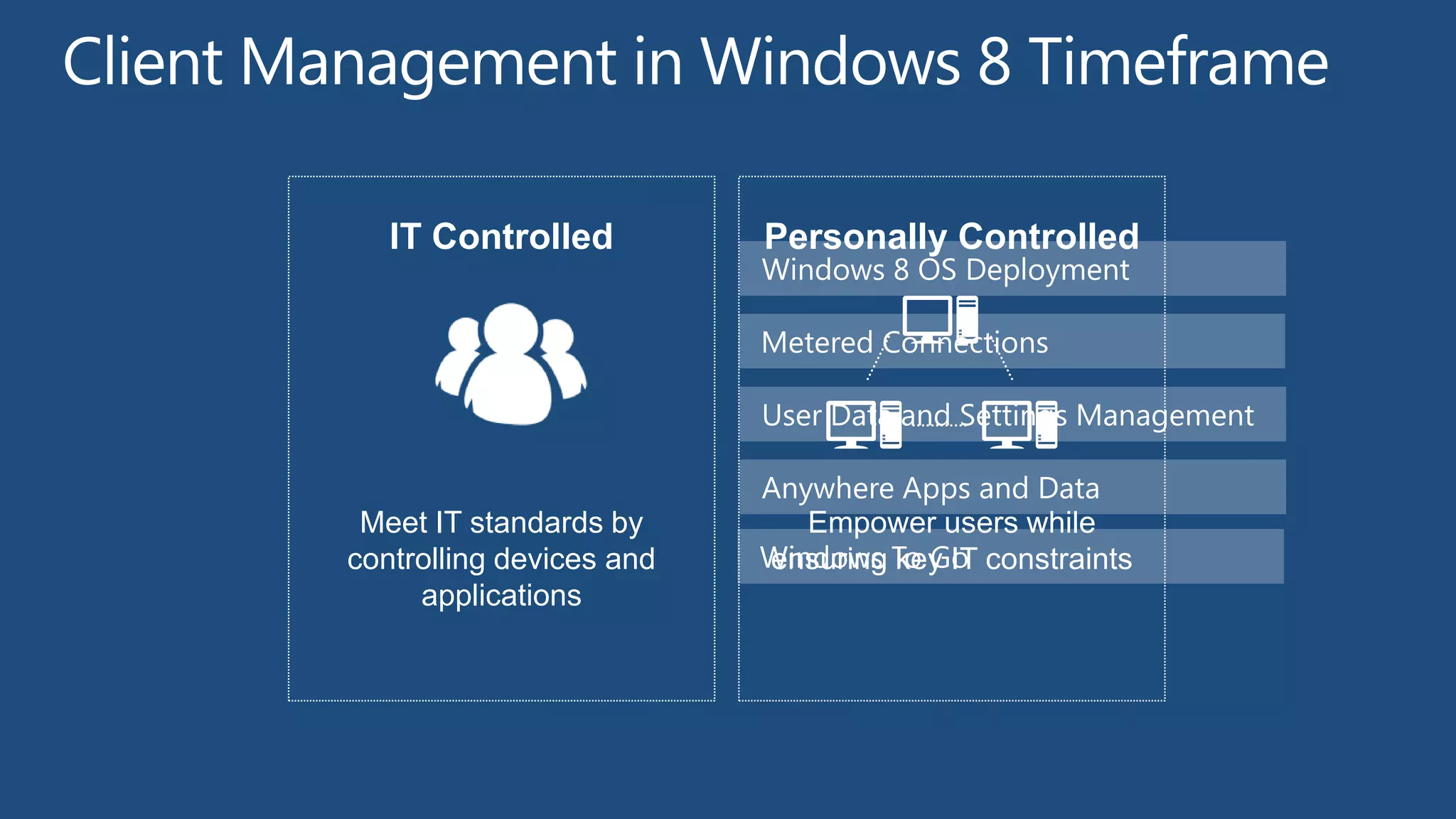
    IT Controlled Personally Controlled Windows 8 OS Deployment Metered Connections User Data and Settings Management Anywhere Apps and Data Meet IT standards by Empower users while controlling devices and Windows To Go constraints ensuring key IT applications
  • 8.
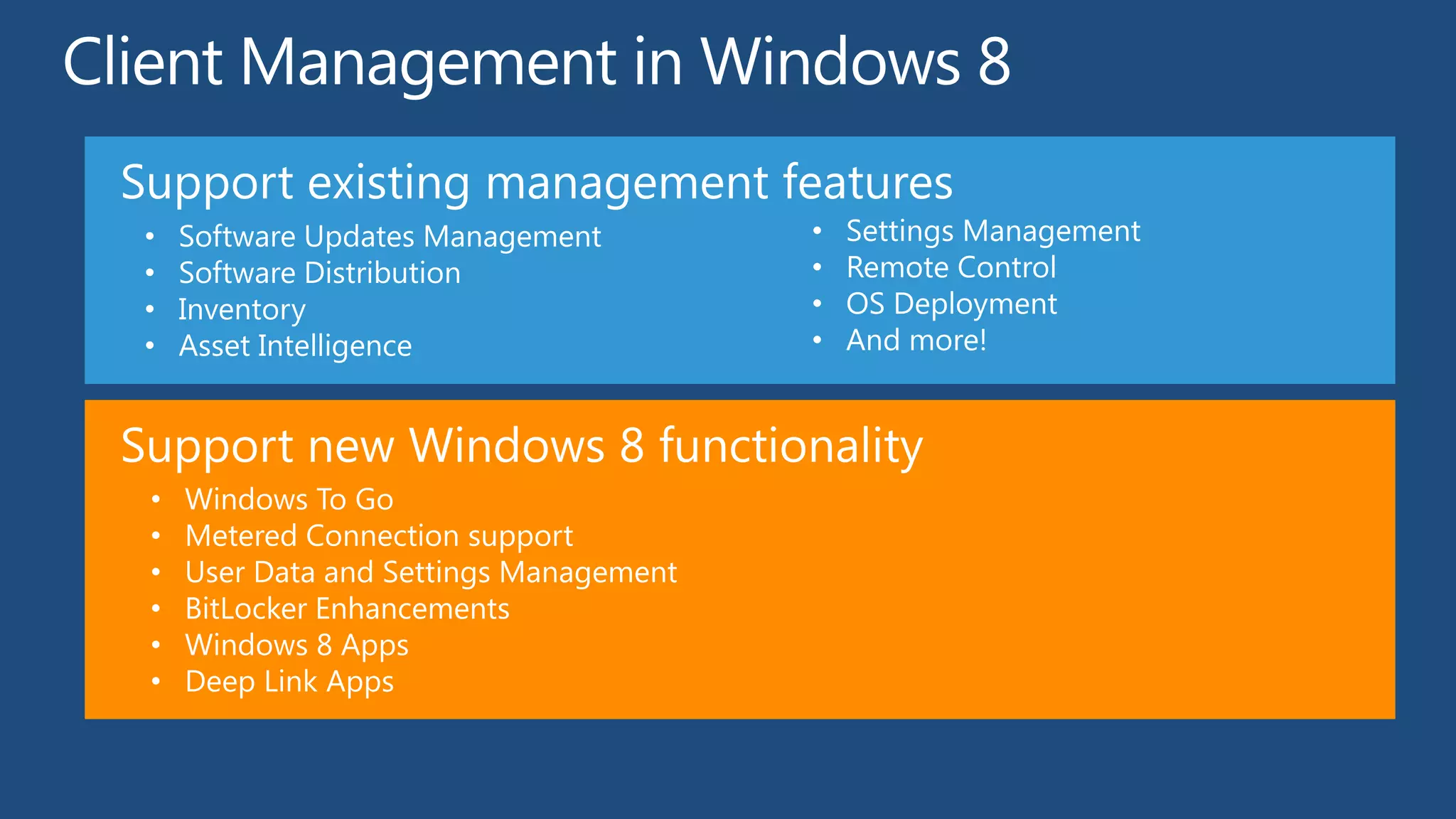
    Support existing managementfeatures • Software Updates Management • Settings Management • Software Distribution • Remote Control • Inventory • OS Deployment • Asset Intelligence • And more! Support new Windows 8 functionality • Windows To Go • Metered Connection support • User Data and Settings Management • BitLocker Enhancements • Windows 8 Apps • Deep Link Apps
  • 10.
    Scenario Key Functionality • Fresh install of a new operating system on client or server system New computer • New or repurposed hardware • Bootable Media (CD or USB Flash Drive) • Integrate with WDS PXE server PXE boot • Control deployment action with Configuration Manager deployments • Self-provisioning via F12 • Install new version of operating system on existing client or server hardware Wipe-and-load • Reinstall applications under new operating system • For clients, securely save/restore user state and settings (locally or on a file server) • Install new version of operating system on new client hardware for an existing user Side-by-side • Reinstall applications on new computer under new operating system • Move user state and settings from old computer to new computer via a file server • Do operating system deployment from removable media (CD set, DVD, USB flash drive) • With low bandwidth or no connectivity Offline with removable media • Large software packages are on the media • No status reporting • Optimized for network bandwidth • Speeds up end to end deployment Prestaged Media • Works with existing processes • Initial staging can be completed detached from ConfigMgr environment
  • 15.
    Configuration Manager App-V 5.0 and U-EV (MDOP), Folder Redirection RDS/VDI User Settings + Apps + Data User Settings+ Apps + Data BitLocker Drive Encryption BitLocker Drive Encryption
  • 17.
    IT Controlled Personally Controlled Modern Applications Consumer Windows Devices Heterogeneous Mobile Devices Meet IT standards by Empower users while controlling devices and ensuring key IT constraints applications
  • 18.
    User Centric Model TraditionalModel Management Service
  • 19.
    Windows Store IT Self-Service Portal (SSP) FIREWALL Side- loading Side- loading Windows 8 (x86) Windows RT device
  • 20.
    Redirects Windows Store Self-Service Portal (SSP)
  • 21.
    Windows RT ClientManagement Primarily Personally Controlled Bring Your Own Device Also support for specialized use cases (e.g. Airline, Retail) Focused on self service with constraints Software Configuration Different in how they are used and behave Always on always connected More prevalent use of metered connections (e.g. 3/4G)
  • 24.
    Metro Style SSPSneak Peek
  • 27.
  • 28.
  • 30.
    http://northamerica.msteched.com www.microsoft.com/learning http://microsoft.com/technet http://microsoft.com/msdn