© 2014 VMware Inc. All rights reserved.
VSAN Design
MRSCAPS Perpective
Nelson Fonseca (VCAP5-DCD | VCAP5-DCA)
Date
Agenda
• MRSCAPS Design Framework Overview
• MRSCAPS Applied to VMware Virtual SAN
• Q&A Session
CONFIDENTIAL 2
MRSCAPS Design Framework
• MRSCAPS is nothing more than a simple Design Framework that can
be applied to any IT System
– M: Manageability
– R: Recoverability
– S: Security
– C: Cost
– A: Availability
– P: Performance
– S: Scalability
Overview
3CONFIDENTIAL
Vmware Virtual SAN
Manageability
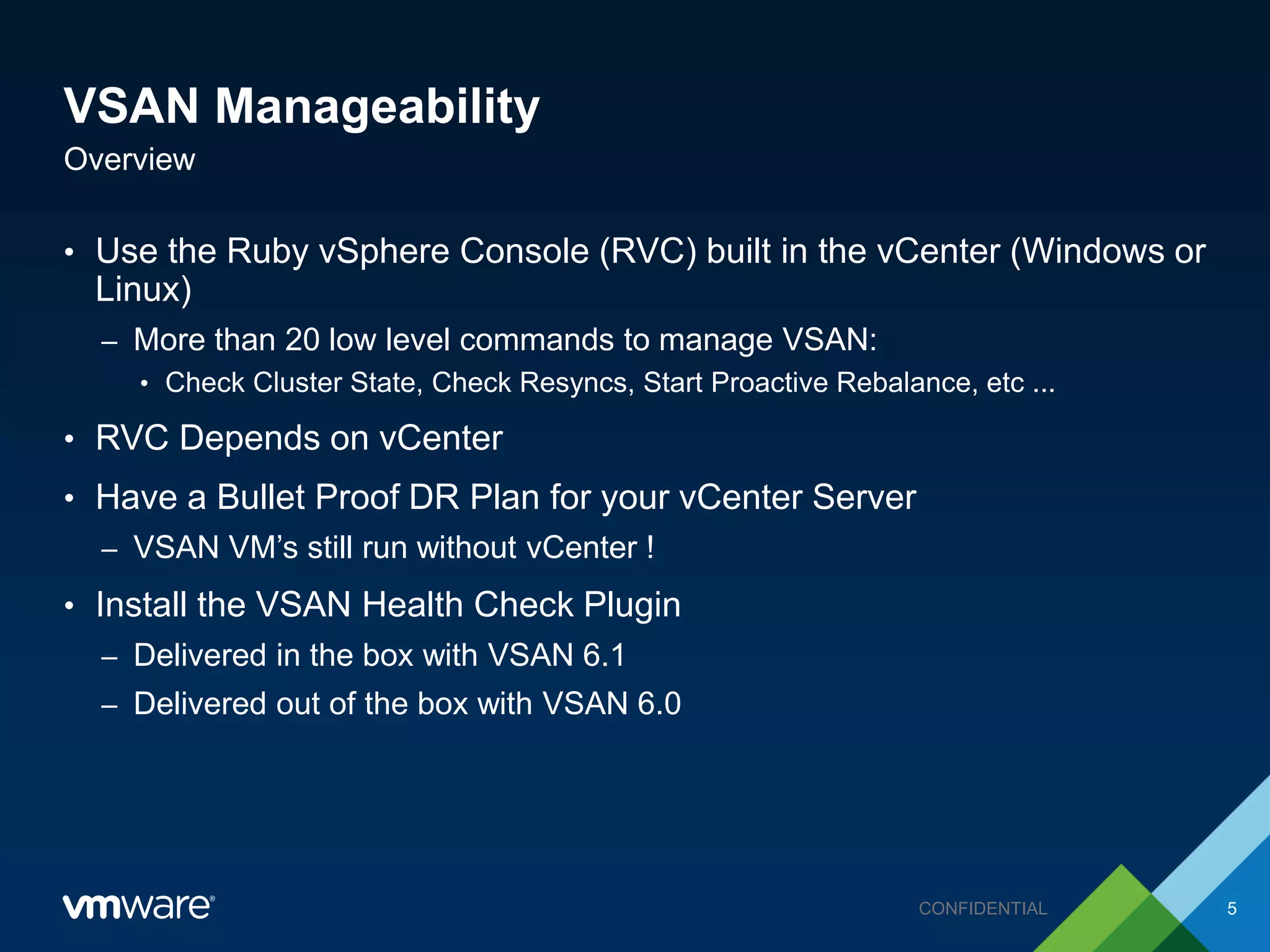
VSAN Manageability
• Use the Ruby vSphere Console (RVC) built in the vCenter (Windows or
Linux)
– More than 20 low level commands to manage VSAN:
• Check Cluster State, Check Resyncs, Start Proactive Rebalance, etc ...
• RVC Depends on vCenter
• Have a Bullet Proof DR Plan for your vCenter Server
– VSAN VM’s still run without vCenter !
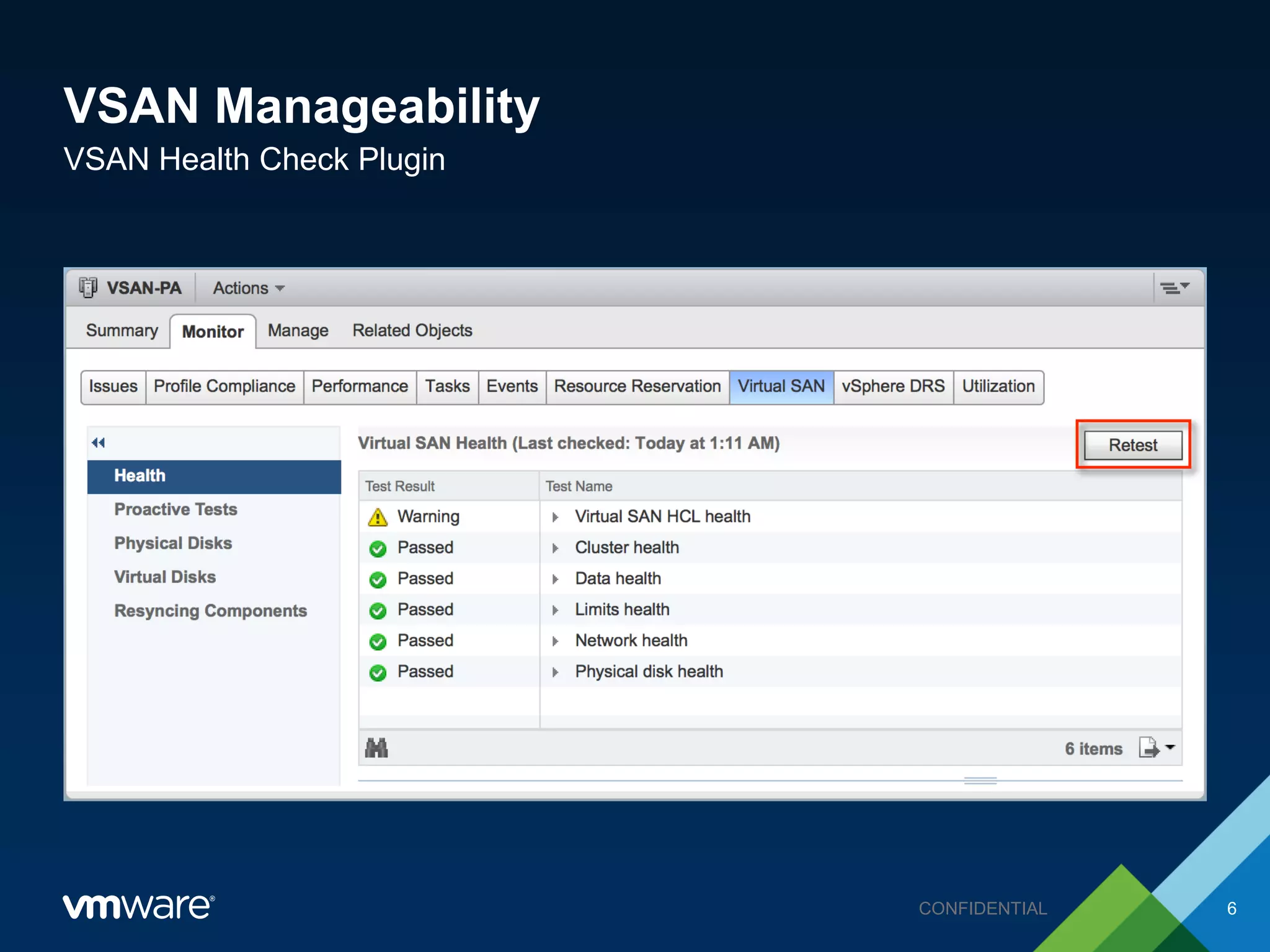
• Install the VSAN Health Check Plugin
– Delivered in the box with VSAN 6.1
– Delivered out of the box with VSAN 6.0
Overview
5CONFIDENTIAL
VSAN Manageability
VSAN Health Check Plugin
6CONFIDENTIAL
VSAN Manageability
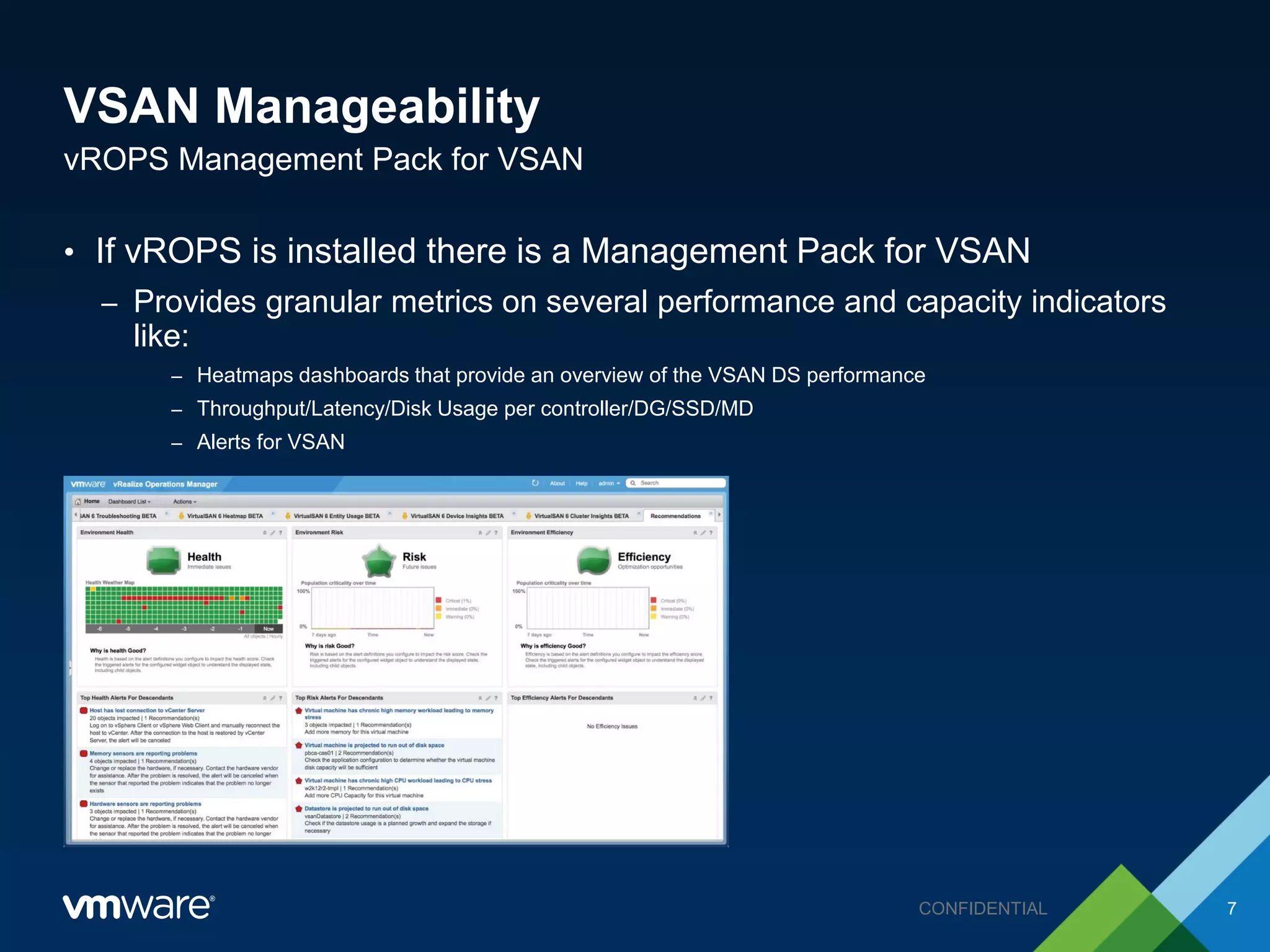
• If vROPS is installed there is a Management Pack for VSAN
– Provides granular metrics on several performance and capacity indicators
like:
– Heatmaps dashboards that provide an overview of the VSAN DS performance
– Throughput/Latency/Disk Usage per controller/DG/SSD/MD
– Alerts for VSAN
vROPS Management Pack for VSAN
7CONFIDENTIAL
Vmware Virtual SAN
Recoverability
VSAN Recoverability
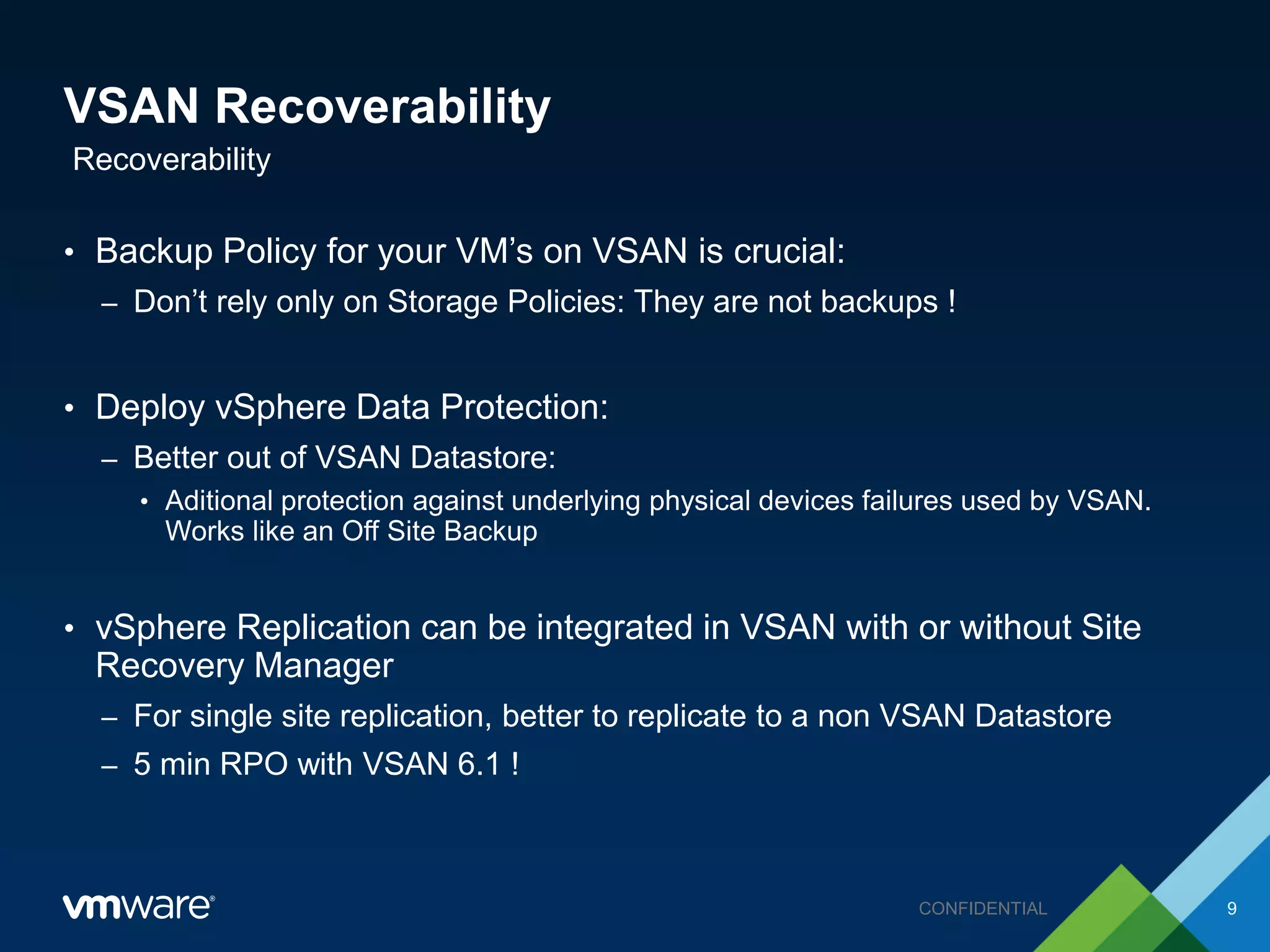
• Backup Policy for your VM’s on VSAN is crucial:
– Don’t rely only on Storage Policies: They are not backups !
• Deploy vSphere Data Protection:
– Better out of VSAN Datastore:
• Aditional protection against underlying physical devices failures used by VSAN.
Works like an Off Site Backup
• vSphere Replication can be integrated in VSAN with or without Site
Recovery Manager
– For single site replication, better to replicate to a non VSAN Datastore
– 5 min RPO with VSAN 6.1 !
Recoverability
9CONFIDENTIAL
Vmware Virtual SAN
Security
VSAN Security
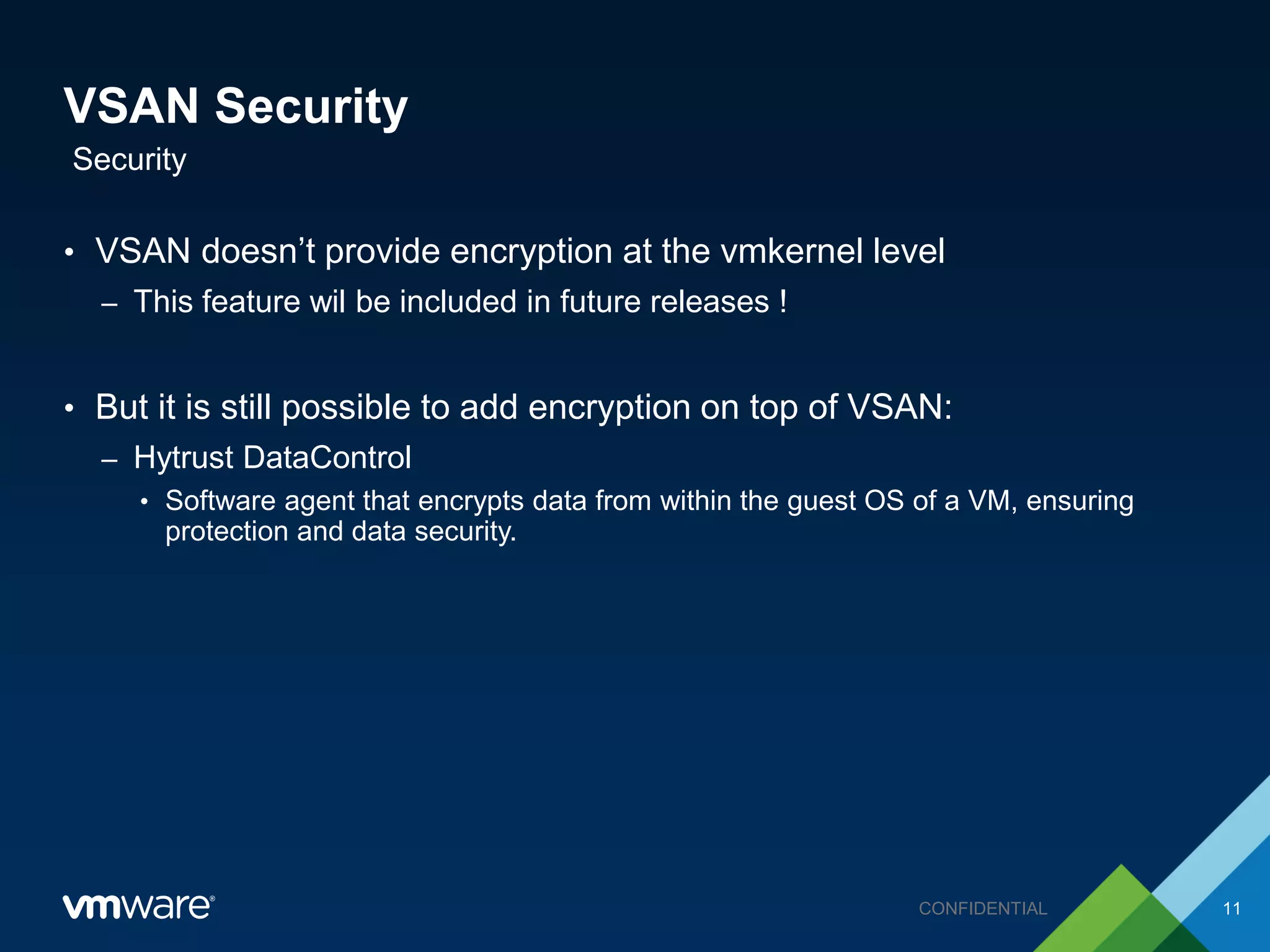
• VSAN doesn’t provide encryption at the vmkernel level
– This feature wil be included in future releases !
• But it is still possible to add encryption on top of VSAN:
– Hytrust DataControl
• Software agent that encrypts data from within the guest OS of a VM, ensuring
protection and data security.
Security
11CONFIDENTIAL
Vmware Virtual SAN
Cost
VSAN Cost
• Choose wisely your licensing model.
• In VSAN 6.1 there are now 3 licenses available.
– VSAN Standard
– VSAN Advanced (Stretched Cluster + All Flash)
– ROBO (25 VMs per site)
• How to get a VSAN Cluster:
– VSAN Ready Nodes (Partners)
– EVO:Rail (Hyperconverged Solution)
– Build your own VSAN Cluster (VSAN DIY)
Cost
13CONFIDENTIAL
Vmware Virtual SAN
Availability
VSAN Availability
• VM availability is leveraged by VSAN Storage Policies:
– FTT (Failures to Tolerate) ranges from 0 to 3
– FTT protects your VM’s against Network, Disks or Host failures
– Business Critical VM’s  Higher FTT
• HA also increases VM’s Availability in VSAN
– Carefully plan HA Failover Capacity as usual
– Max VM’s per host in VSAN 5.5 is 100 and 200 in VSAN 6
• 4 node VSAN cluster recommended over a 3 node:
– 3 node cluster doesn’t “re-protects” your VMs against host failures.
Availability
15CONFIDENTIAL
VSAN Availability
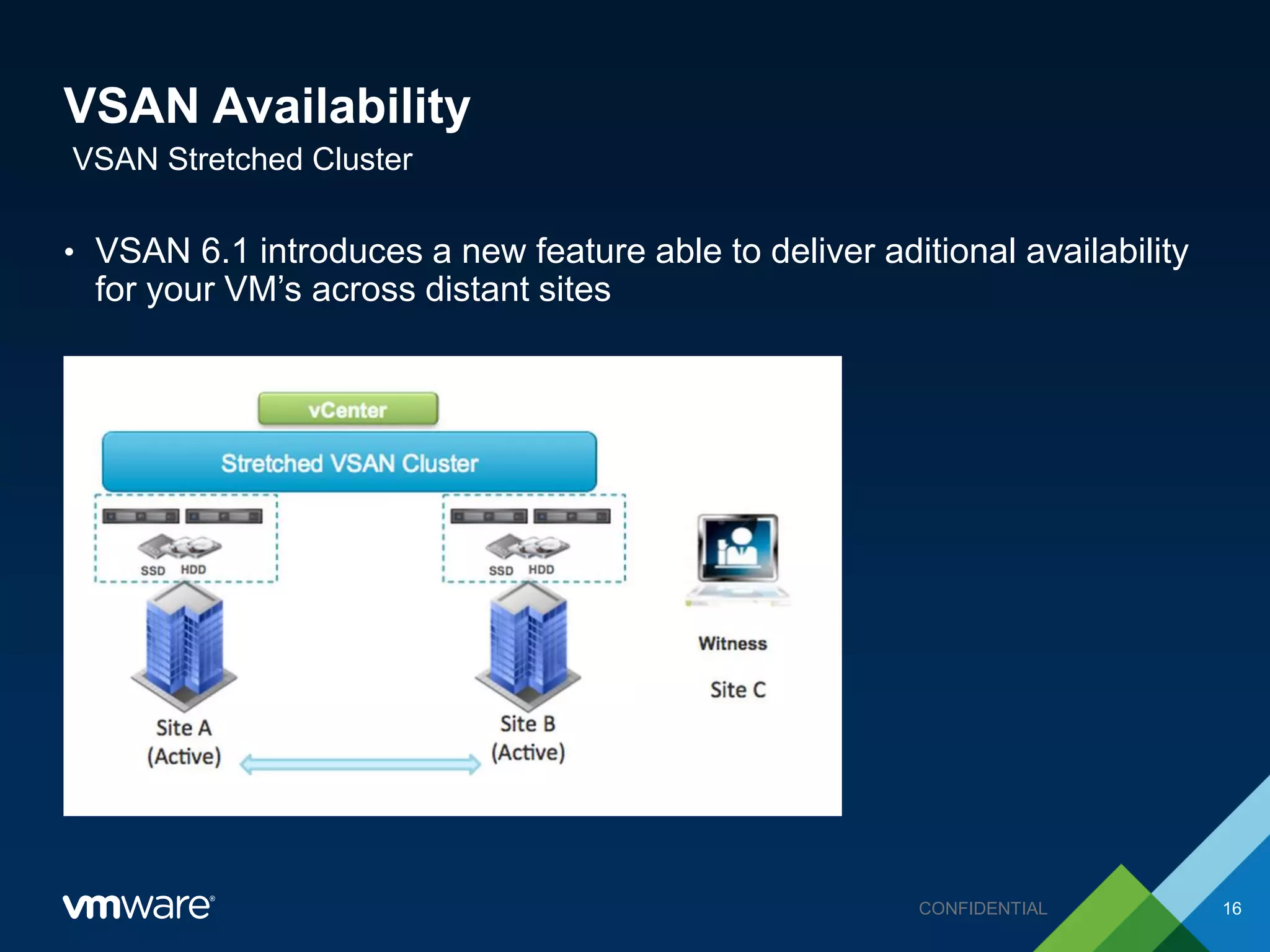
• VSAN 6.1 introduces a new feature able to deliver aditional availability
for your VM’s across distant sites
VSAN Stretched Cluster
16CONFIDENTIAL
Vmware Virtual SAN
Performance
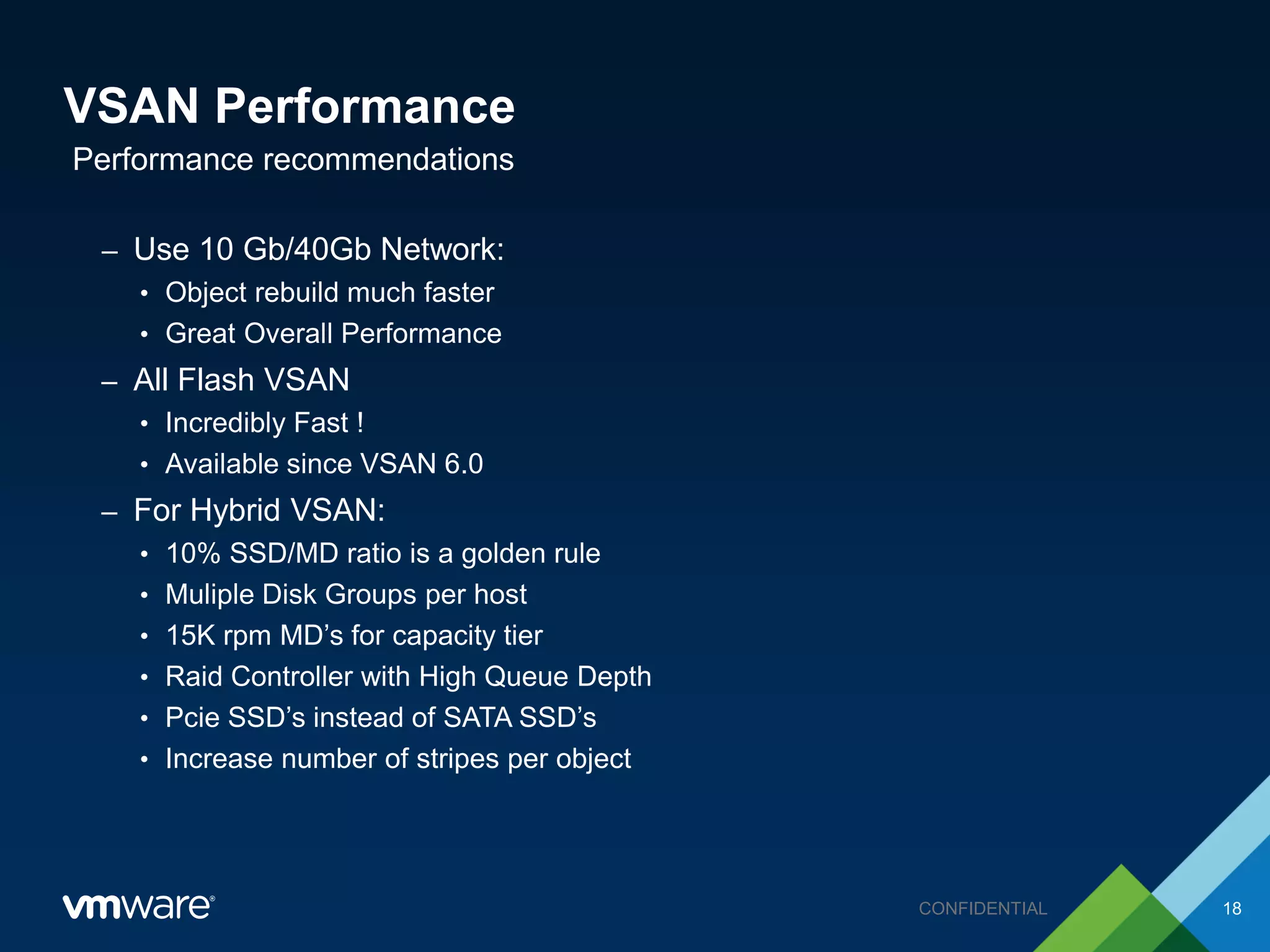
VSAN Performance
– Use 10 Gb/40Gb Network:
• Object rebuild much faster
• Great Overall Performance
– All Flash VSAN
• Incredibly Fast !
• Available since VSAN 6.0
– For Hybrid VSAN:
• 10% SSD/MD ratio is a golden rule
• Muliple Disk Groups per host
• 15K rpm MD’s for capacity tier
• Raid Controller with High Queue Depth
• Pcie SSD’s instead of SATA SSD’s
• Increase number of stripes per object
Performance recommendations
18CONFIDENTIAL
Vmware Virtual SAN
Scalability
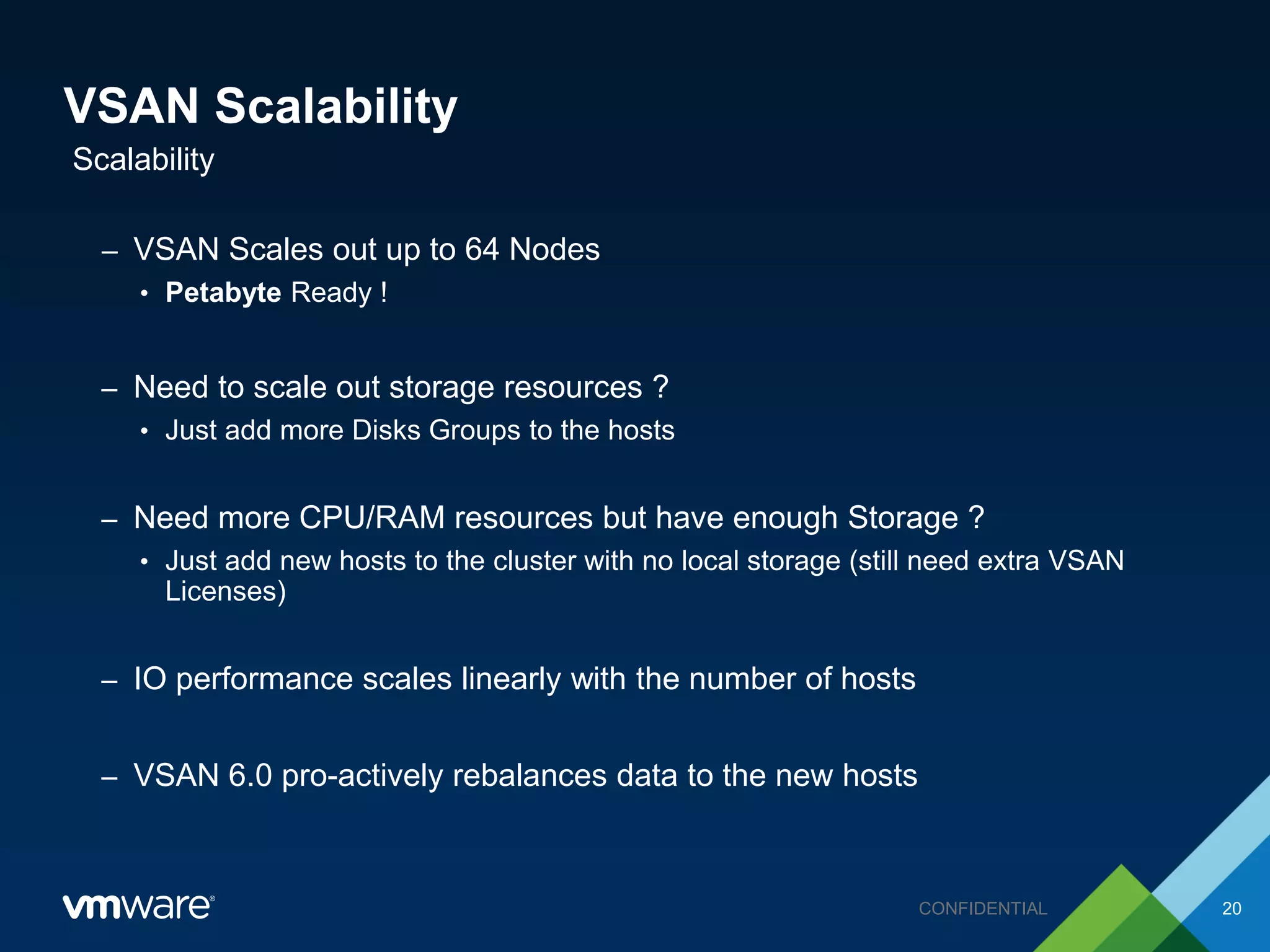
VSAN Scalability
– VSAN Scales out up to 64 Nodes
• Petabyte Ready !
– Need to scale out storage resources ?
• Just add more Disks Groups to the hosts
– Need more CPU/RAM resources but have enough Storage ?
• Just add new hosts to the cluster with no local storage (still need extra VSAN
Licenses)
– IO performance scales linearly with the number of hosts
– VSAN 6.0 pro-actively rebalances data to the new hosts
Scalability
20CONFIDENTIAL
Thank You !
Q & A Session

VSAN-VMWorld2015-Rev08

  • 1.
    © 2014 VMwareInc. All rights reserved. VSAN Design MRSCAPS Perpective Nelson Fonseca (VCAP5-DCD | VCAP5-DCA) Date
  • 2.
    Agenda • MRSCAPS DesignFramework Overview • MRSCAPS Applied to VMware Virtual SAN • Q&A Session CONFIDENTIAL 2
  • 3.
    MRSCAPS Design Framework •MRSCAPS is nothing more than a simple Design Framework that can be applied to any IT System – M: Manageability – R: Recoverability – S: Security – C: Cost – A: Availability – P: Performance – S: Scalability Overview 3CONFIDENTIAL
  • 4.
  • 5.
    VSAN Manageability • Usethe Ruby vSphere Console (RVC) built in the vCenter (Windows or Linux) – More than 20 low level commands to manage VSAN: • Check Cluster State, Check Resyncs, Start Proactive Rebalance, etc ... • RVC Depends on vCenter • Have a Bullet Proof DR Plan for your vCenter Server – VSAN VM’s still run without vCenter ! • Install the VSAN Health Check Plugin – Delivered in the box with VSAN 6.1 – Delivered out of the box with VSAN 6.0 Overview 5CONFIDENTIAL
  • 6.
    VSAN Manageability VSAN HealthCheck Plugin 6CONFIDENTIAL
  • 7.
    VSAN Manageability • IfvROPS is installed there is a Management Pack for VSAN – Provides granular metrics on several performance and capacity indicators like: – Heatmaps dashboards that provide an overview of the VSAN DS performance – Throughput/Latency/Disk Usage per controller/DG/SSD/MD – Alerts for VSAN vROPS Management Pack for VSAN 7CONFIDENTIAL
  • 8.
  • 9.
    VSAN Recoverability • BackupPolicy for your VM’s on VSAN is crucial: – Don’t rely only on Storage Policies: They are not backups ! • Deploy vSphere Data Protection: – Better out of VSAN Datastore: • Aditional protection against underlying physical devices failures used by VSAN. Works like an Off Site Backup • vSphere Replication can be integrated in VSAN with or without Site Recovery Manager – For single site replication, better to replicate to a non VSAN Datastore – 5 min RPO with VSAN 6.1 ! Recoverability 9CONFIDENTIAL
  • 10.
  • 11.
    VSAN Security • VSANdoesn’t provide encryption at the vmkernel level – This feature wil be included in future releases ! • But it is still possible to add encryption on top of VSAN: – Hytrust DataControl • Software agent that encrypts data from within the guest OS of a VM, ensuring protection and data security. Security 11CONFIDENTIAL
  • 12.
  • 13.
    VSAN Cost • Choosewisely your licensing model. • In VSAN 6.1 there are now 3 licenses available. – VSAN Standard – VSAN Advanced (Stretched Cluster + All Flash) – ROBO (25 VMs per site) • How to get a VSAN Cluster: – VSAN Ready Nodes (Partners) – EVO:Rail (Hyperconverged Solution) – Build your own VSAN Cluster (VSAN DIY) Cost 13CONFIDENTIAL
  • 14.
  • 15.
    VSAN Availability • VMavailability is leveraged by VSAN Storage Policies: – FTT (Failures to Tolerate) ranges from 0 to 3 – FTT protects your VM’s against Network, Disks or Host failures – Business Critical VM’s  Higher FTT • HA also increases VM’s Availability in VSAN – Carefully plan HA Failover Capacity as usual – Max VM’s per host in VSAN 5.5 is 100 and 200 in VSAN 6 • 4 node VSAN cluster recommended over a 3 node: – 3 node cluster doesn’t “re-protects” your VMs against host failures. Availability 15CONFIDENTIAL
  • 16.
    VSAN Availability • VSAN6.1 introduces a new feature able to deliver aditional availability for your VM’s across distant sites VSAN Stretched Cluster 16CONFIDENTIAL
  • 17.
  • 18.
    VSAN Performance – Use10 Gb/40Gb Network: • Object rebuild much faster • Great Overall Performance – All Flash VSAN • Incredibly Fast ! • Available since VSAN 6.0 – For Hybrid VSAN: • 10% SSD/MD ratio is a golden rule • Muliple Disk Groups per host • 15K rpm MD’s for capacity tier • Raid Controller with High Queue Depth • Pcie SSD’s instead of SATA SSD’s • Increase number of stripes per object Performance recommendations 18CONFIDENTIAL
  • 19.
  • 20.
    VSAN Scalability – VSANScales out up to 64 Nodes • Petabyte Ready ! – Need to scale out storage resources ? • Just add more Disks Groups to the hosts – Need more CPU/RAM resources but have enough Storage ? • Just add new hosts to the cluster with no local storage (still need extra VSAN Licenses) – IO performance scales linearly with the number of hosts – VSAN 6.0 pro-actively rebalances data to the new hosts Scalability 20CONFIDENTIAL
  • 21.
    Thank You ! Q& A Session