


Voxeo CXP Analyzer and Hotspot Analytics
ACCELERATING ROI
WITH CUSTOMER
EXPERIENCE ANALYTICS
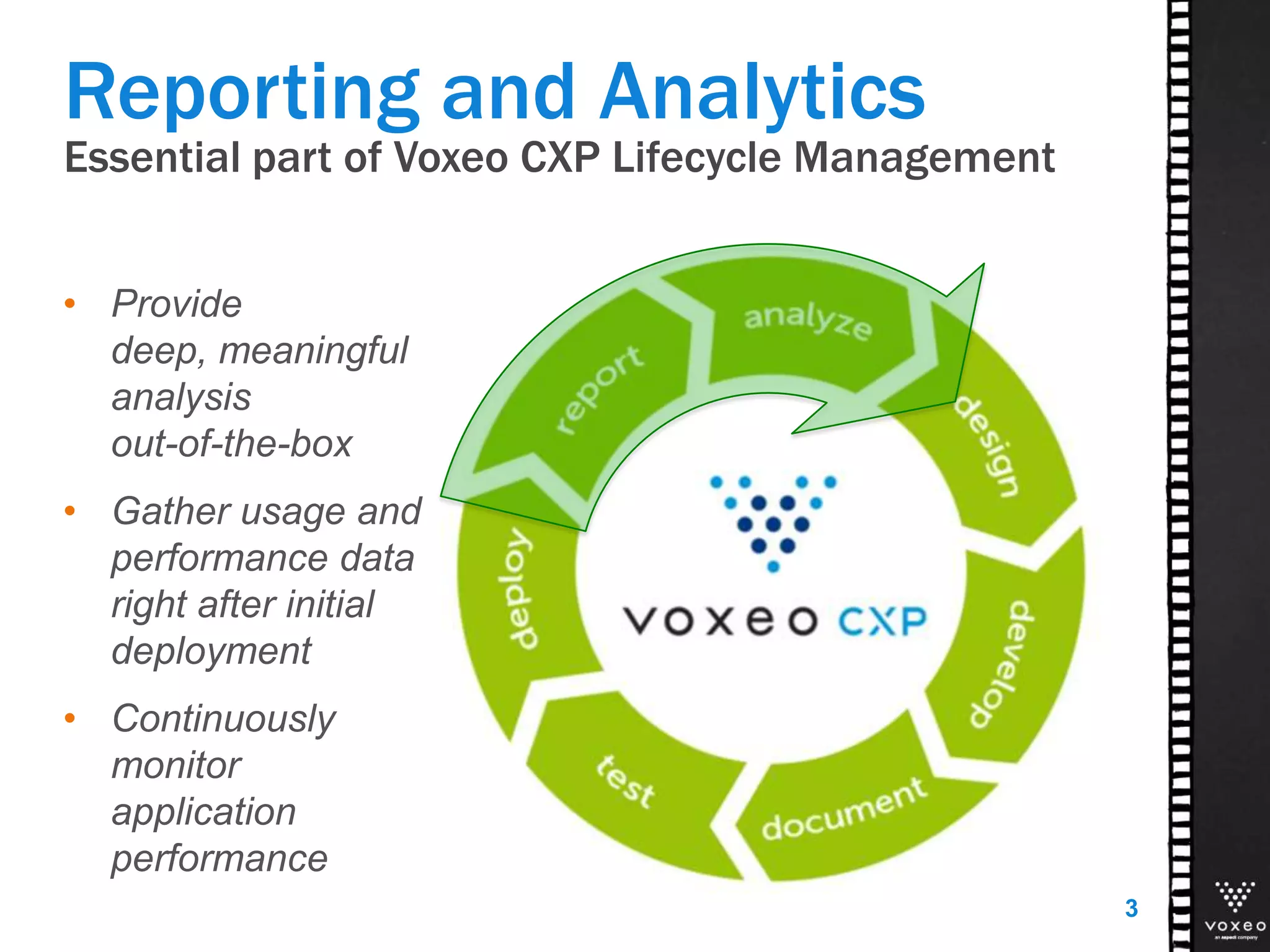
Essential part of Voxeo CXP Lifecycle Management
• Provide
deep, meaningful
analysis
out-of-the-box
• Gather usage and
performance data
right after initial
deployment
• Continuously
monitor
application
performance
3
Reporting and Analytics
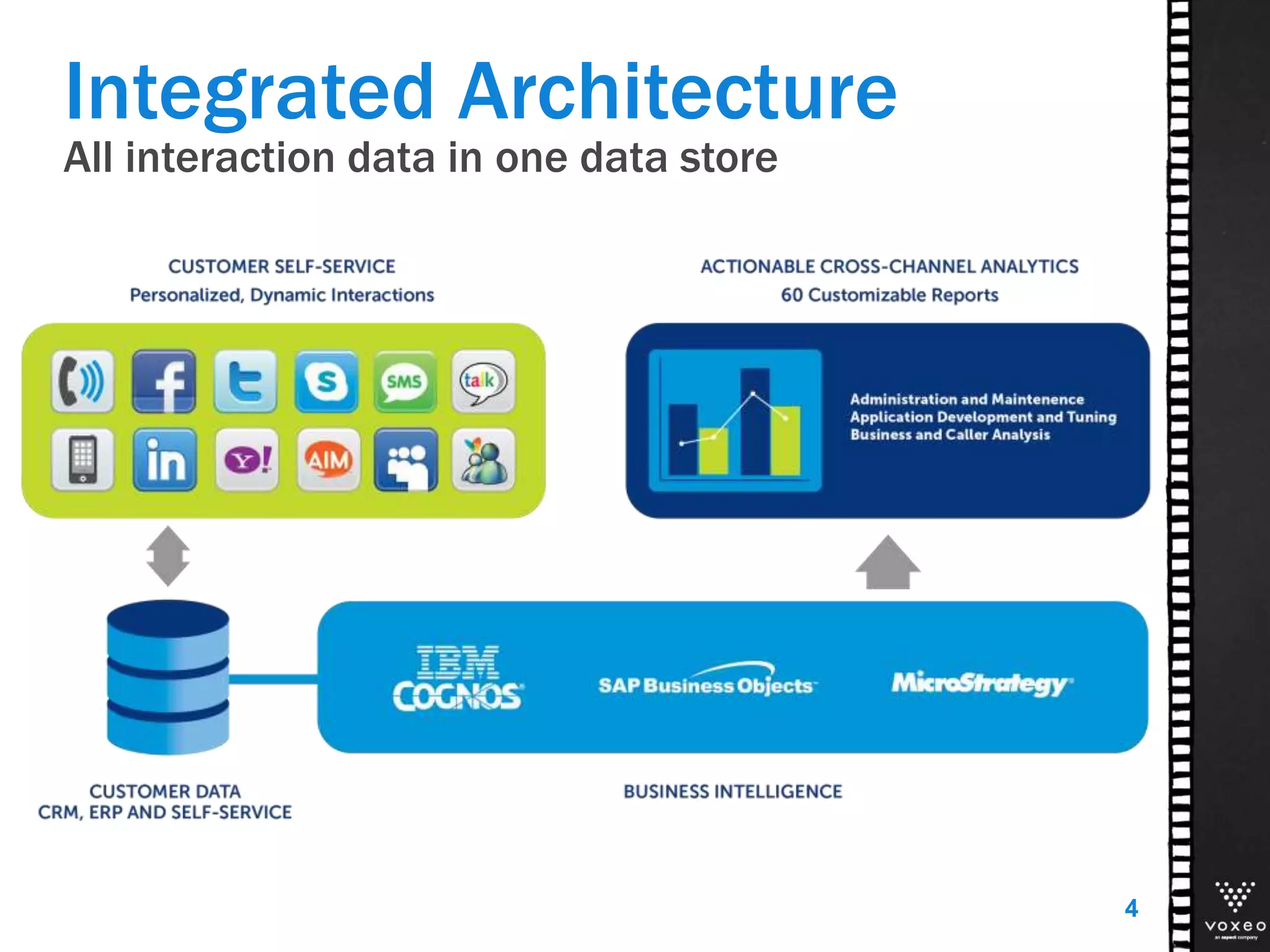
Integrated Architecture
All interaction data in one data store
4
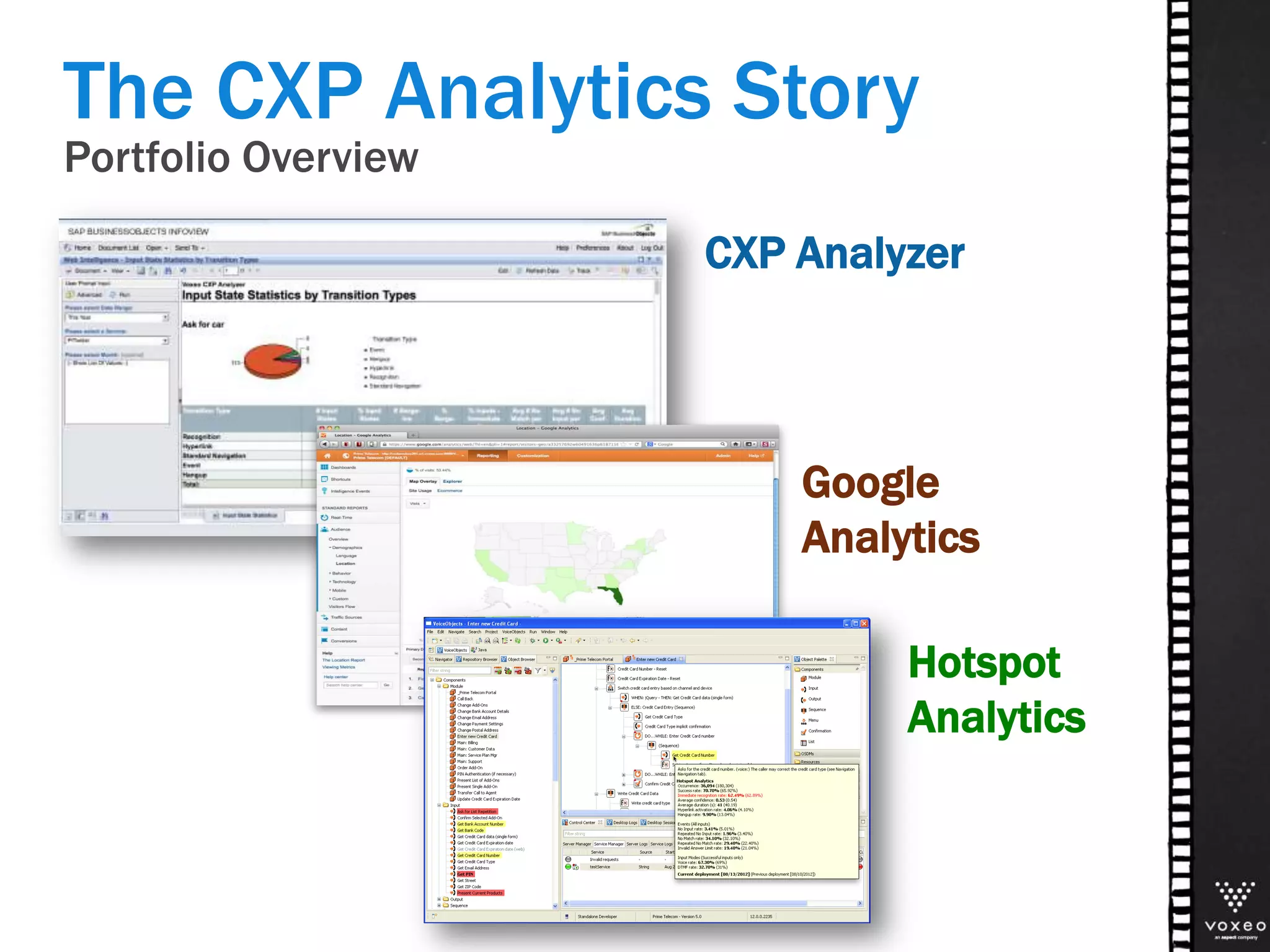
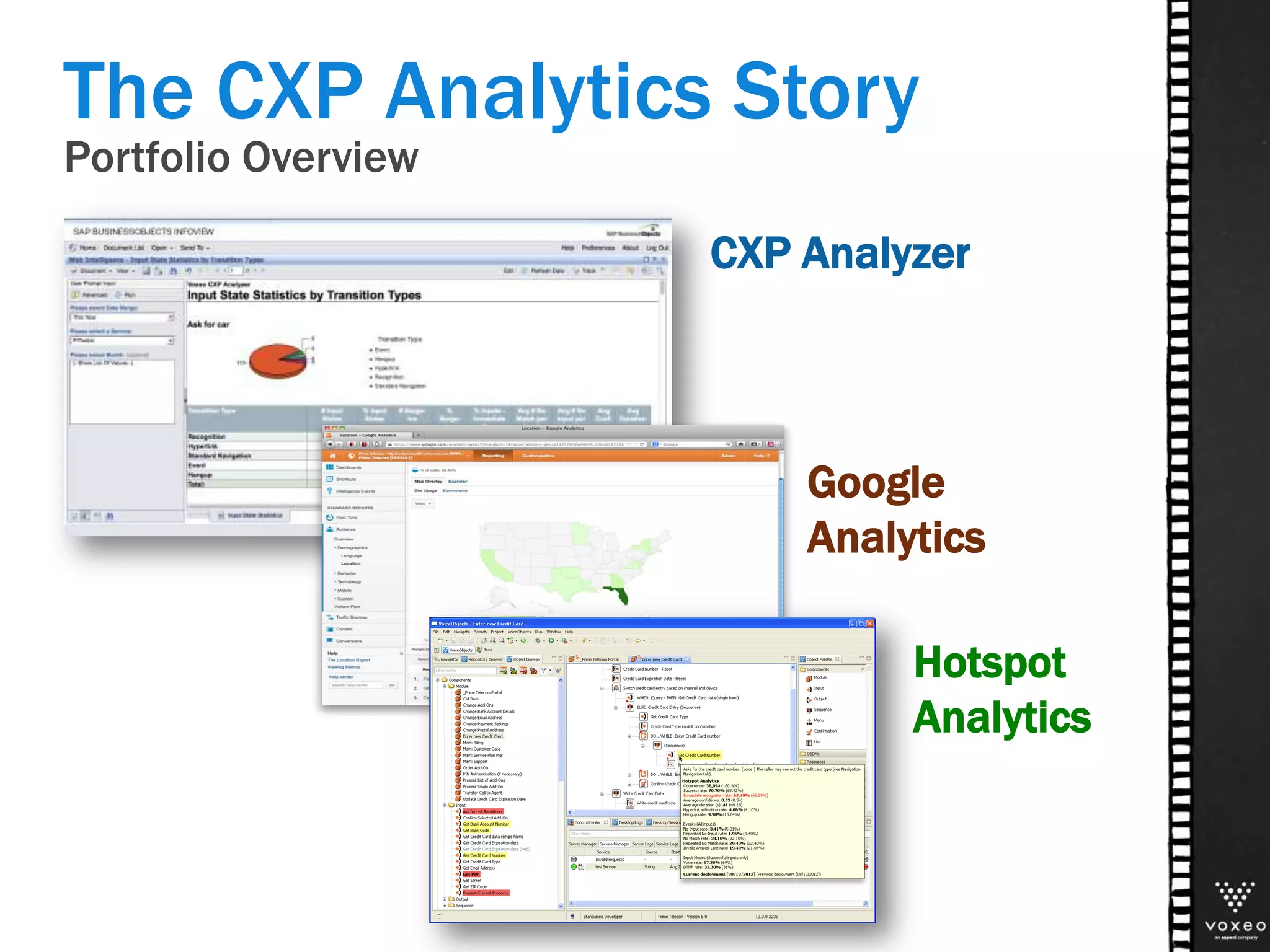
The CXP Analytics Story
Portfolio Overview
CXP Analyzer
Google
Analytics
Hotspot
Analytics
Portfolio Overview
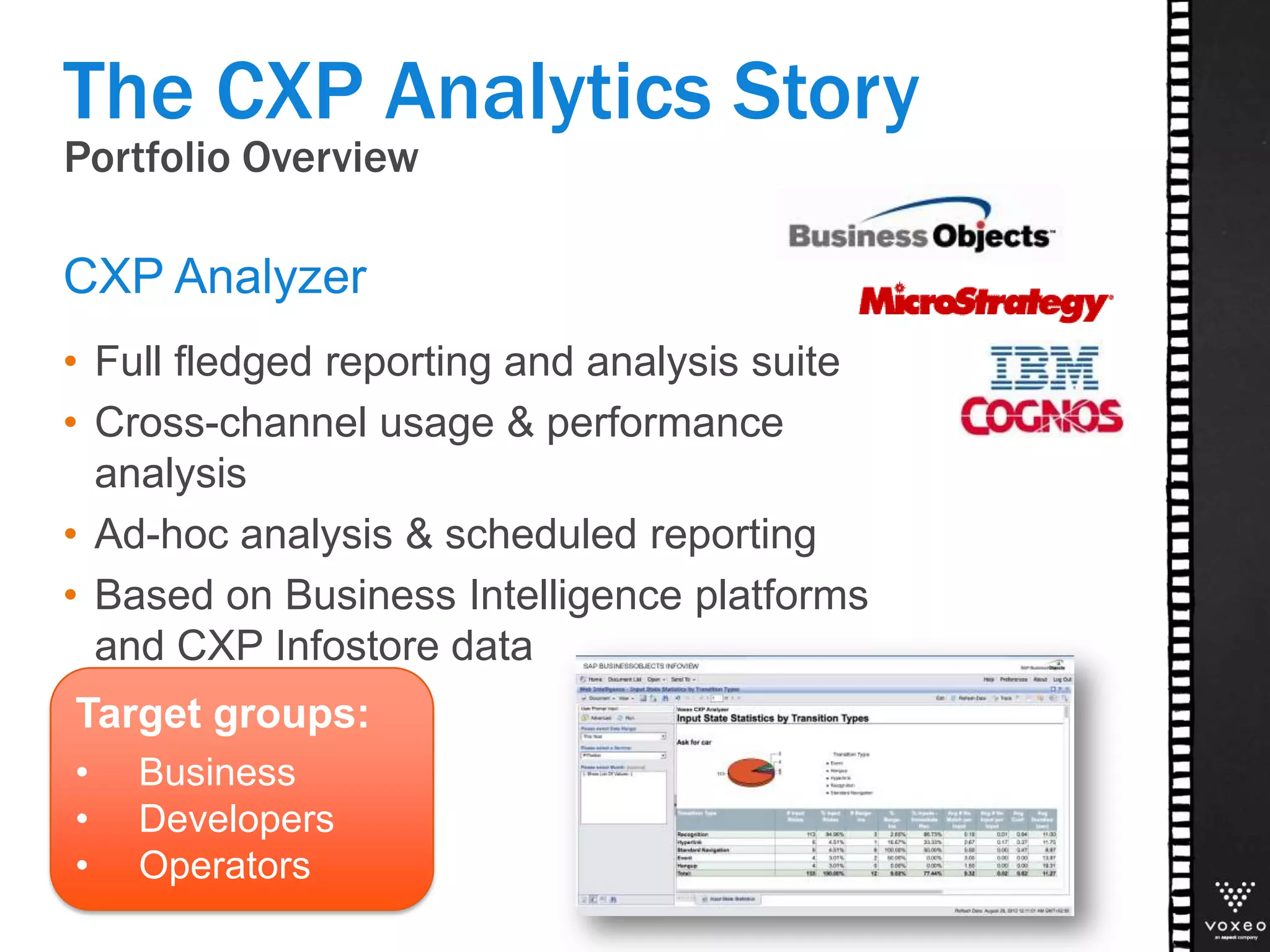
• Full fledged reporting and analysis suite
• Cross-channel usage & performance
analysis
• Ad-hoc analysis & scheduled reporting
• Based on Business Intelligence platforms
and CXP Infostore data
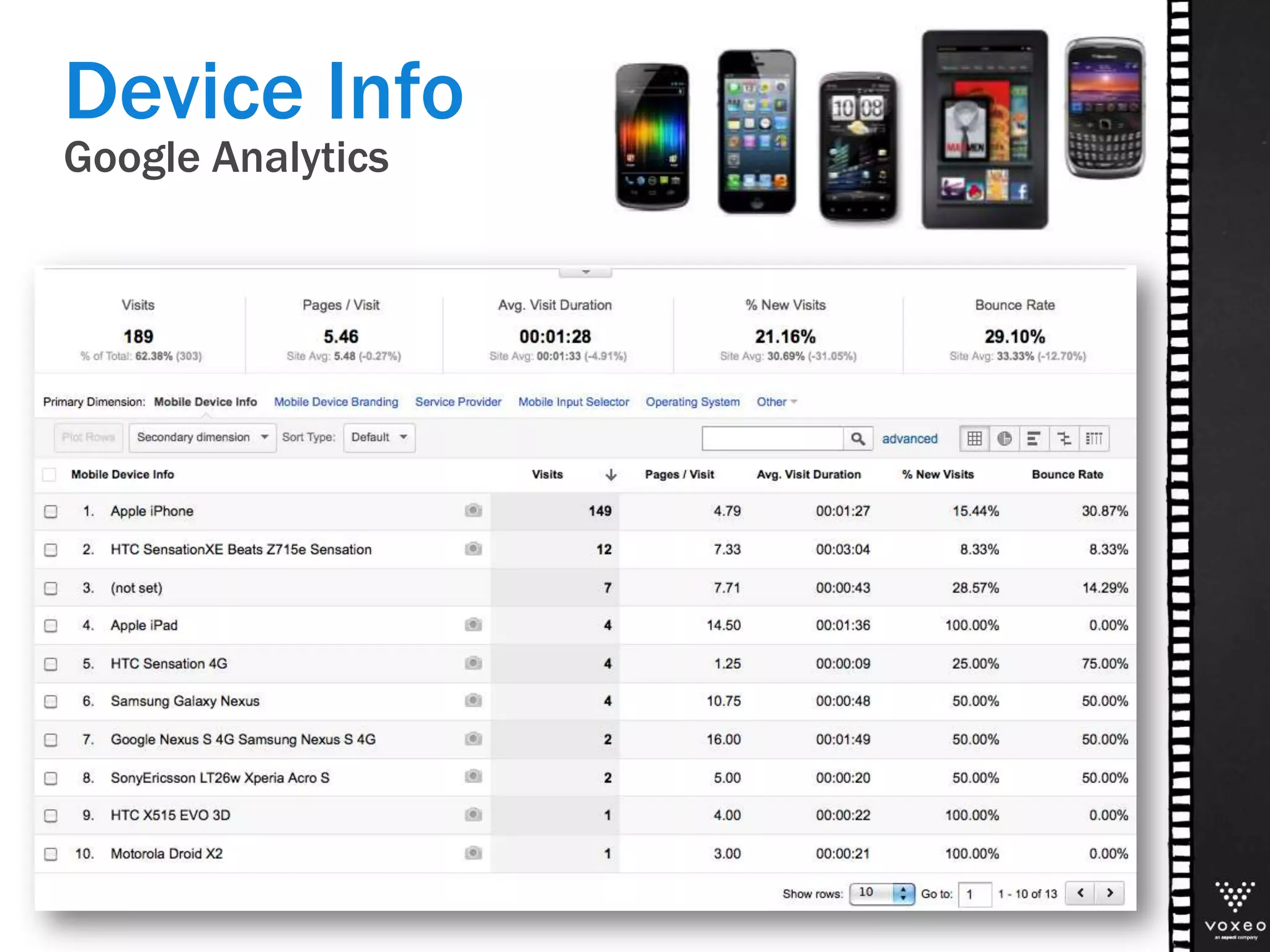
CXP Analyzer
The CXP Analytics Story
Target groups:
• Business
• Developers
• Operators
Portfolio Overview
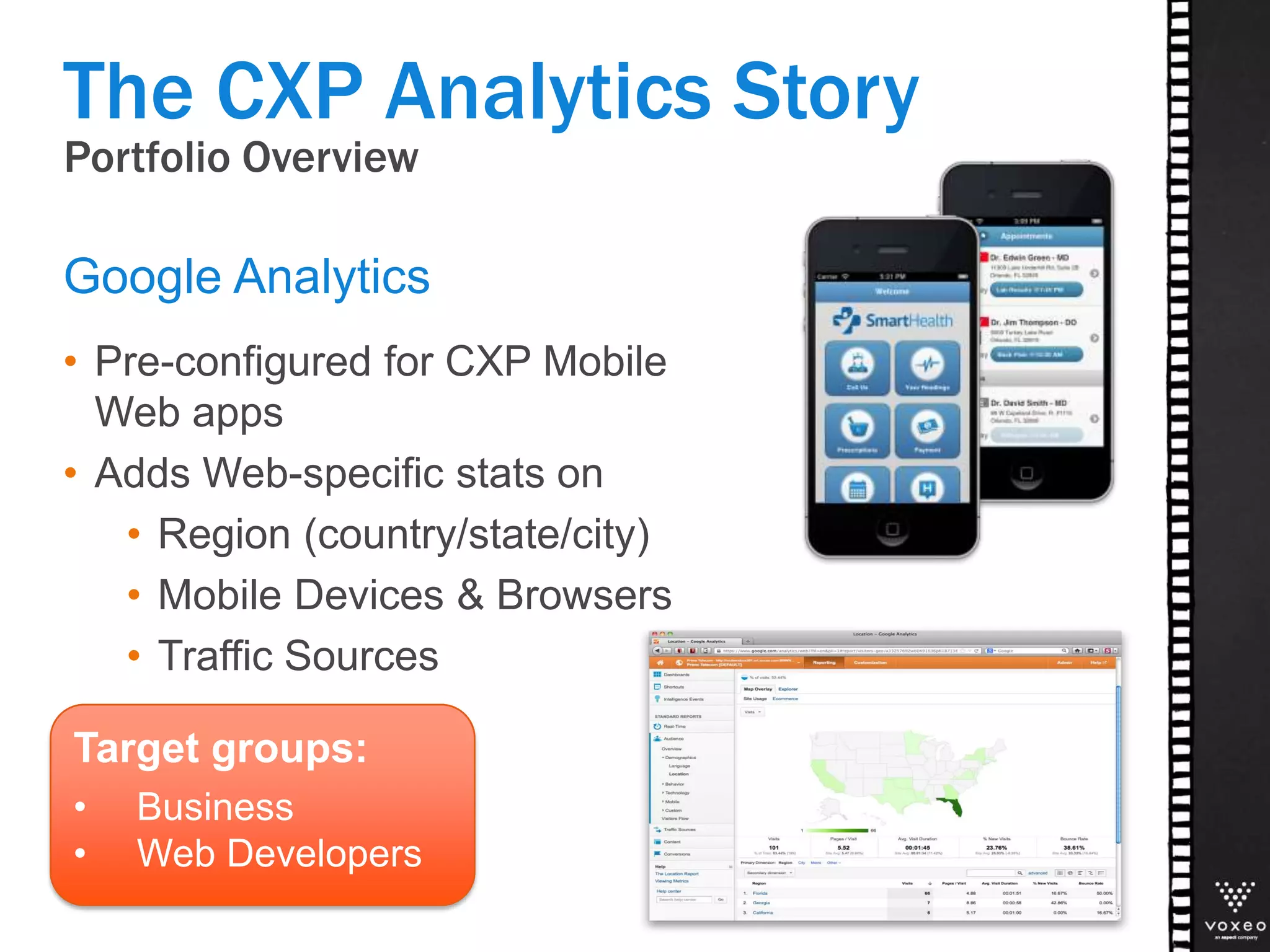
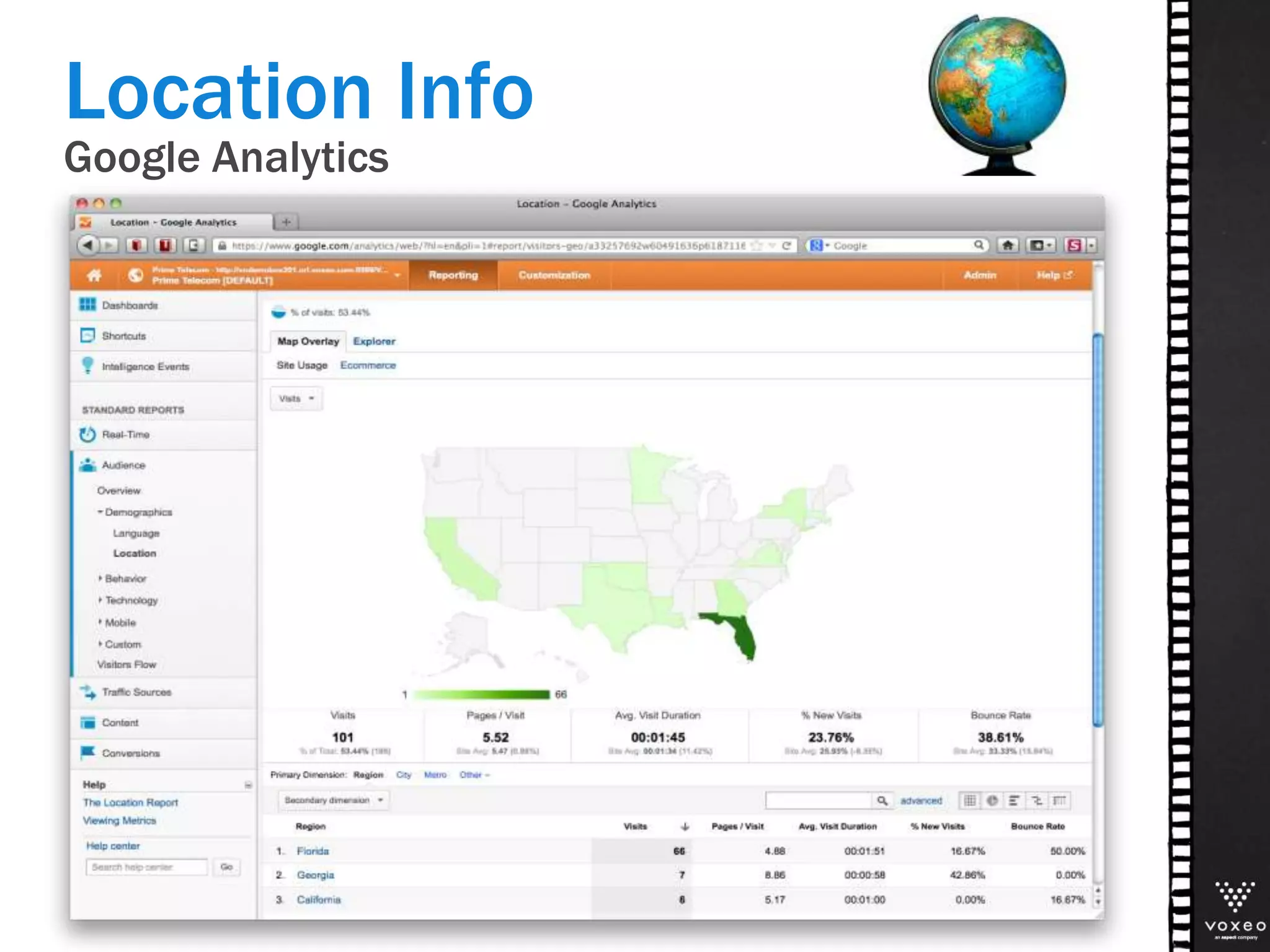
• Pre-configured for CXP Mobile
Web apps
• Adds Web-specific stats on
• Region (country/state/city)
• Mobile Devices & Browsers
• Traffic Sources
Google Analytics
The CXP Analytics Story
Target groups:
• Business
• Web Developers
Portfolio Overview
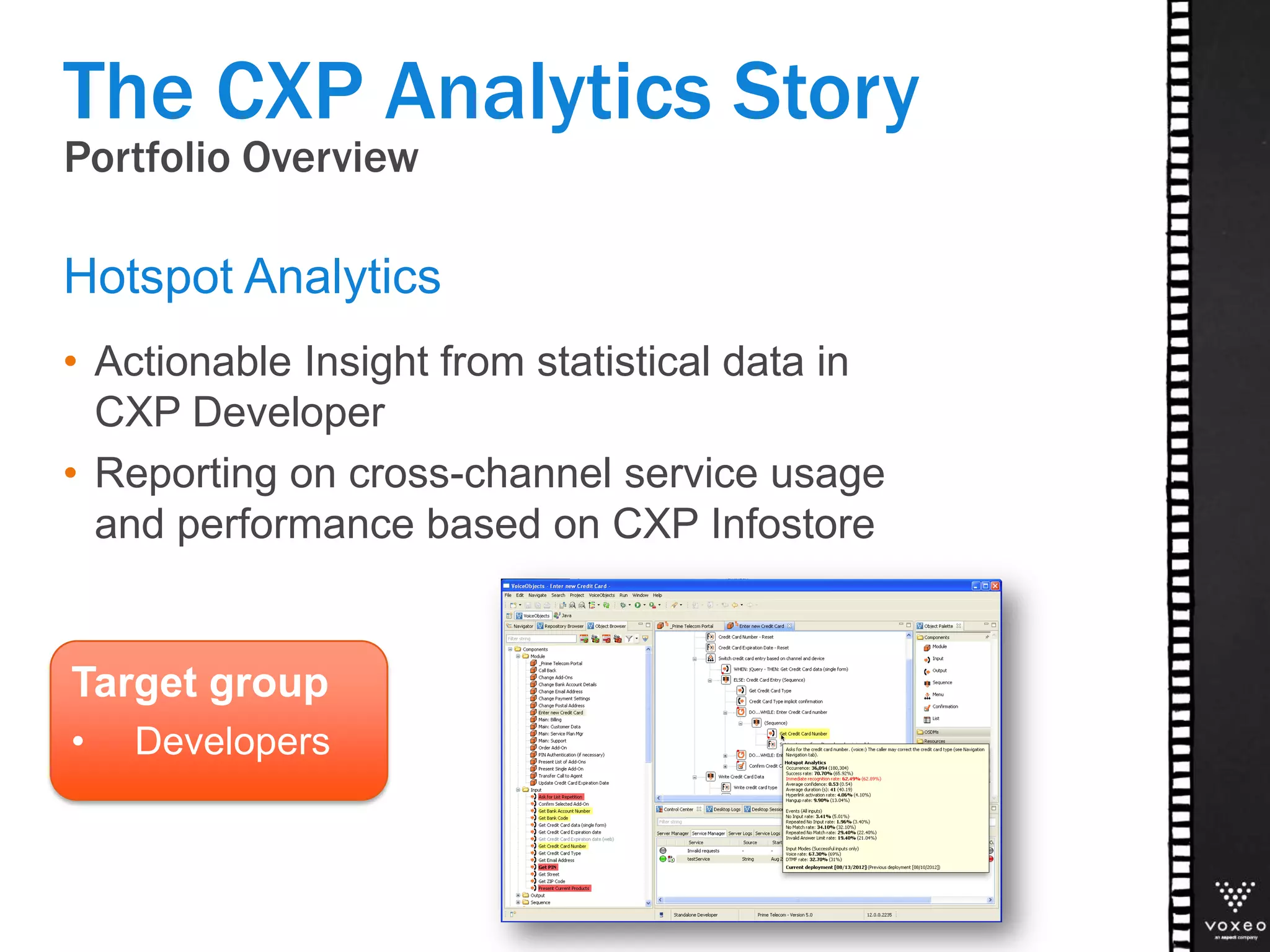
• Actionable Insight from statistical data in
CXP Developer
• Reporting on cross-channel service usage
and performance based on CXP Infostore
Hotspot Analytics
The CXP Analytics Story
Target group
• Developers
What’s New?
CXP ANALYZER 13
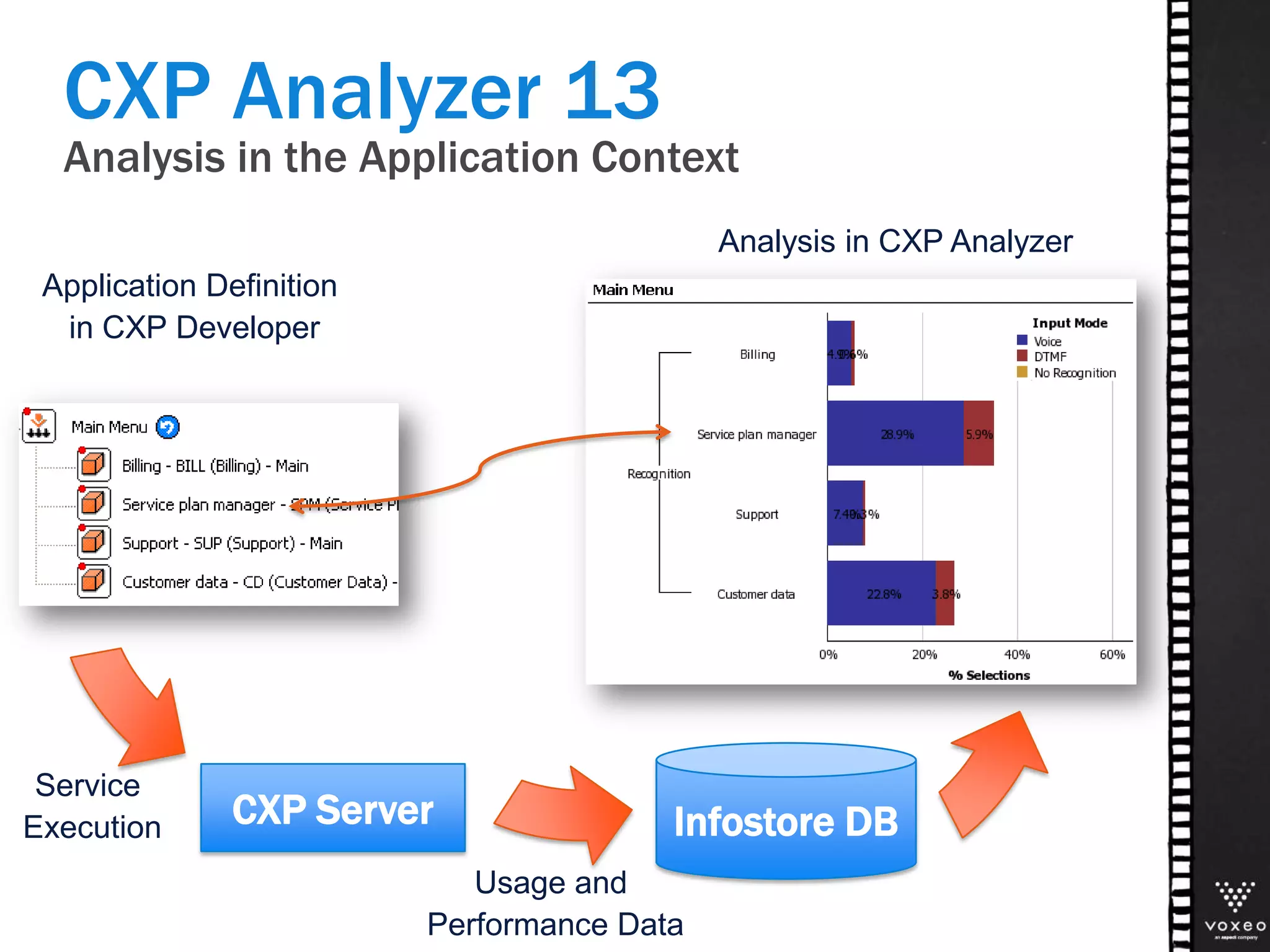
Application Definition
in CXP Developer
CXP Analyzer 13
Analysis in the Application Context
CXP Server
Service
Execution
Analysis in CXP Analyzer
Infostore DB
Usage and
Performance Data
System
Usage &
Performance
Server Statistics
• Call concurrency
• Call duration
• Technical metrics
• License Usage
Session Details
• Call time & duration
• ASR Statistics
• Call termination
Application
& Grammar
Tuning
ASR Performance
Speech recognition
performance analysis
Event counters
Barge-in detection
Utterance
Statistics
Grammar coverage,
Word count stats,
DTMF Fallback
Utterance
Recordings
Access to utterance
recordings in
application context
Customer
Behavior
Intelligence
Dominant Path
Analysis
Interactive caller
navigation pattern
analysis
Personalization
Statistics
Service performance
by customer segment
Business Tasks
Transaction completion
rates with detailed
failure analysis
Statistical data
sampling
Backend Stats
• Execution Count
and Duration
• Errors and Timeouts
CXP Server Data Capture
System
Usage &
Performance
Server Statistics
• Call concurrency
• Call duration
• Technical metrics
• License Usage
Session Details
• Call time & duration
• ASR Statistics
• Call termination
Application
& Grammar
Tuning
ASR Performance
Speech recognition
performance analysis
Event counters
Barge-in detection
Utterance
Statistics
Grammar coverage,
Word count stats,
DTMF Fallback
Utterance
Recordings
Access to utterance
recordings in
application context
Customer
Behavior
Intelligence
Dominant Path
Analysis
Interactive caller
navigation pattern
analysis
Personalization
Statistics
Service performance
by customer segment
Business Tasks
Transaction completion
rates with detailed
failure analysis
Backend Stats
• Execution Count
and Duration
• Errors and Timeouts
Business
Task Metrics, User Segmentation,
Navigation and Usage Patterns
Application Developers
Application + Grammar Tuning
Operators and Administrators
Capacity Planning
Troubleshooting
CXP Server Data Capture
New Features
• Easier report creation for
Business Users
• Robust Drilling capabilities
• Relative Date Prompts
(for scheduled reports and
dashboards)
CXP Analyzer 13
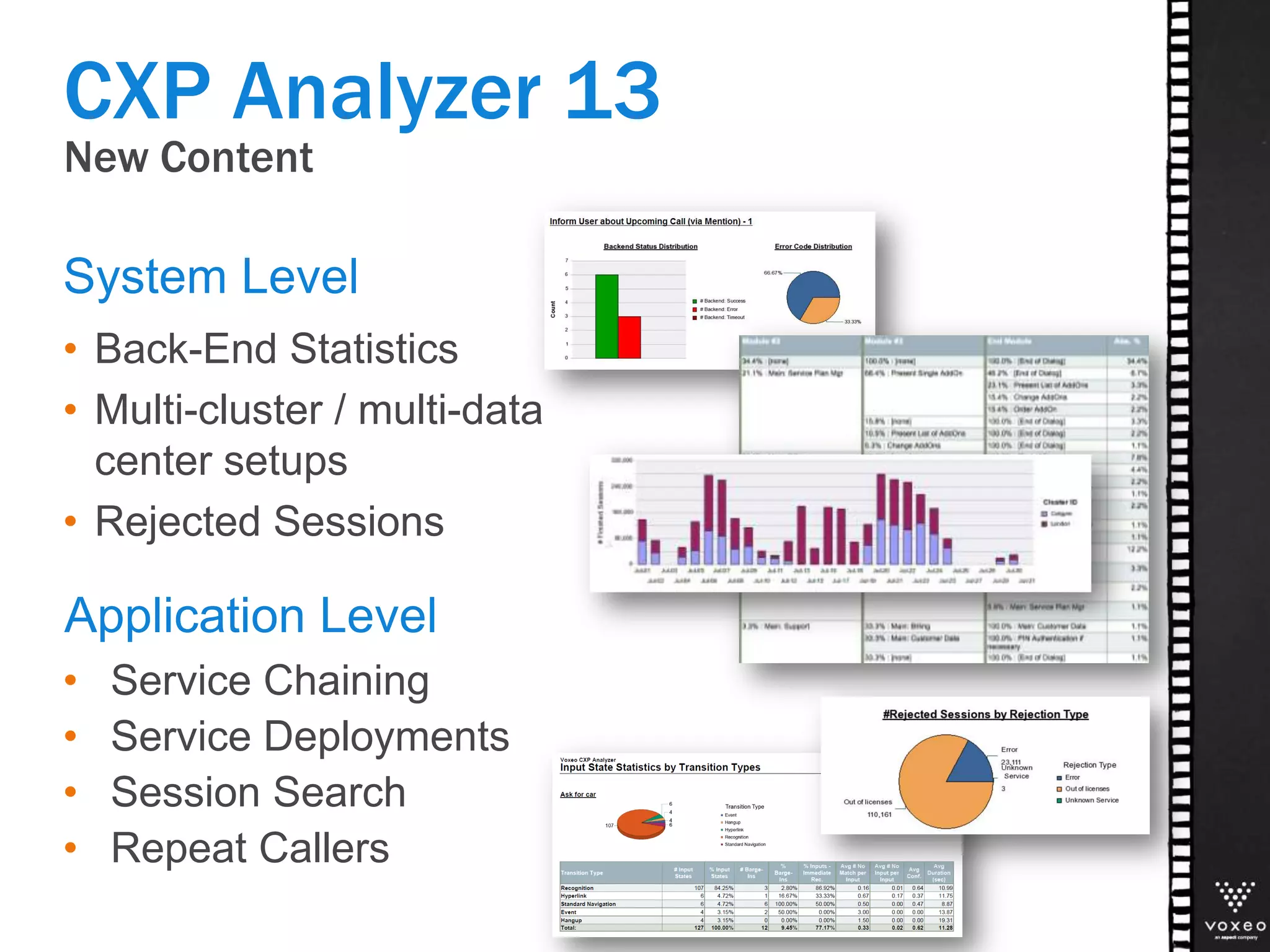
New Content
• Back-End Statistics
• Multi-cluster / multi-data
center setups
• Rejected Sessions
System Level
CXP Analyzer 13
Application Level
• Service Chaining
• Service Deployments
• Session Search
• Repeat Callers
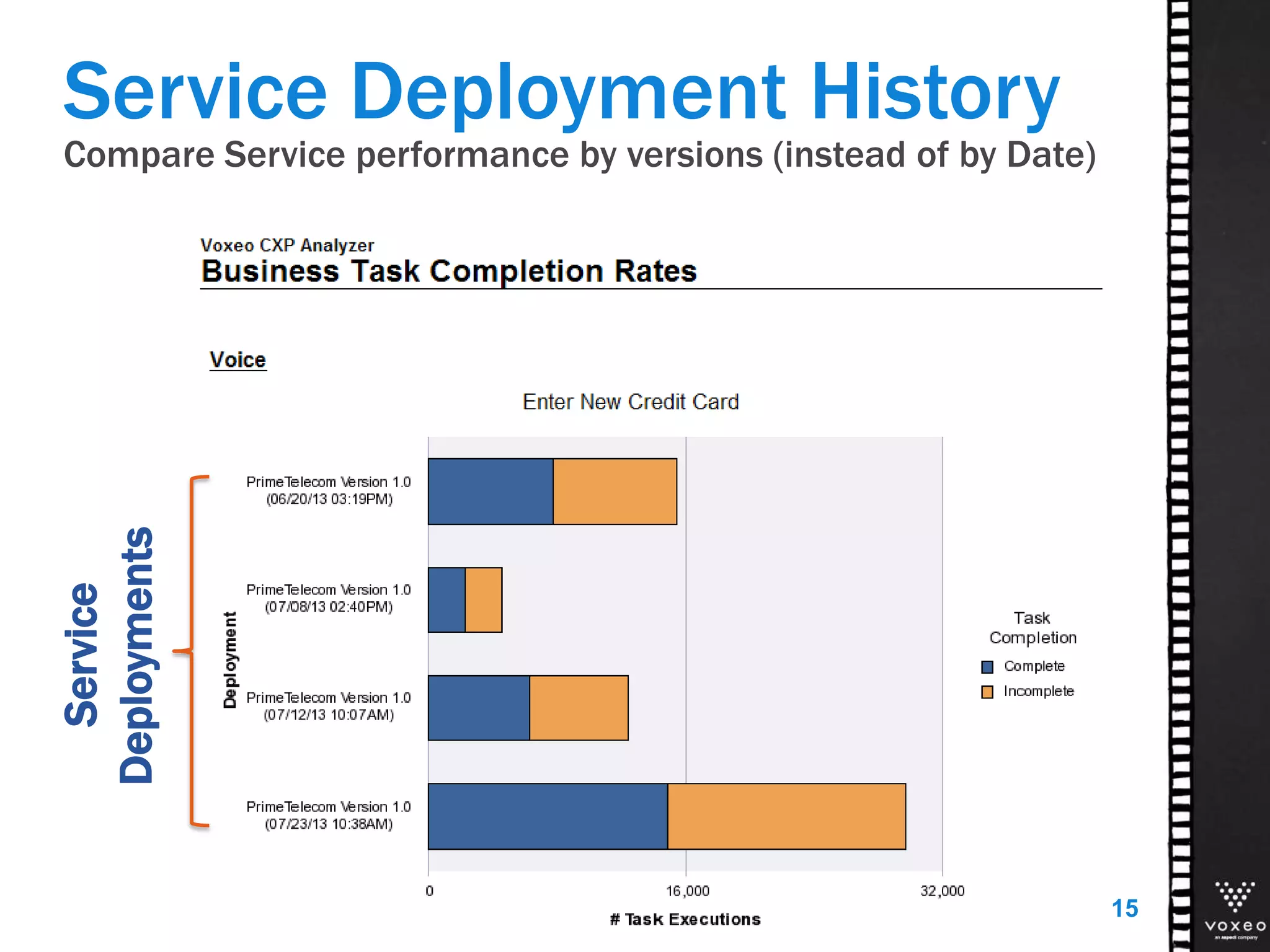
Compare Service performance by versions (instead of by Date)
15
Service
Deployments
Service Deployment History
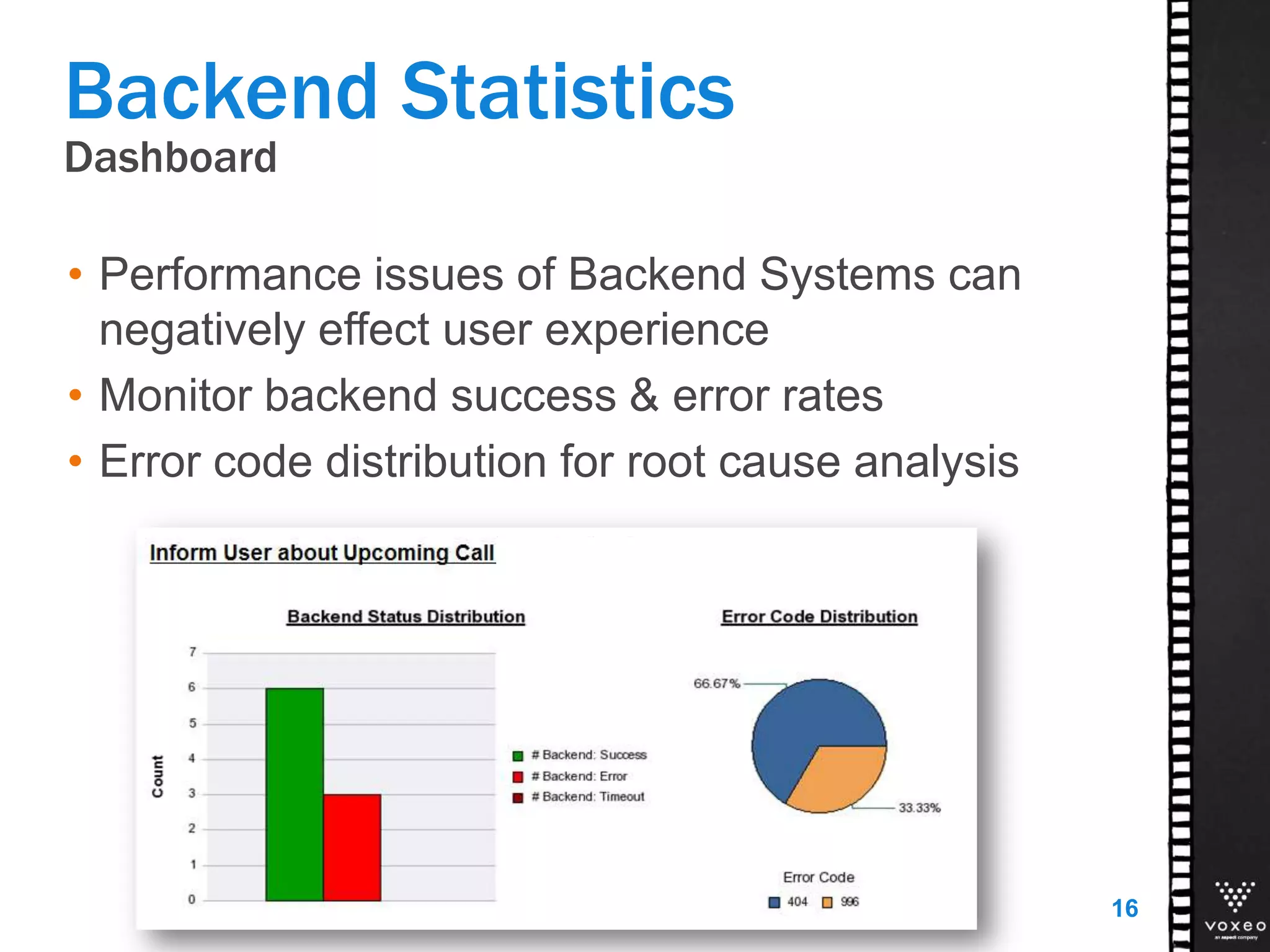
Dashboard
Backend Statistics
• Performance issues of Backend Systems can
negatively effect user experience
• Monitor backend success & error rates
• Error code distribution for root cause analysis
16
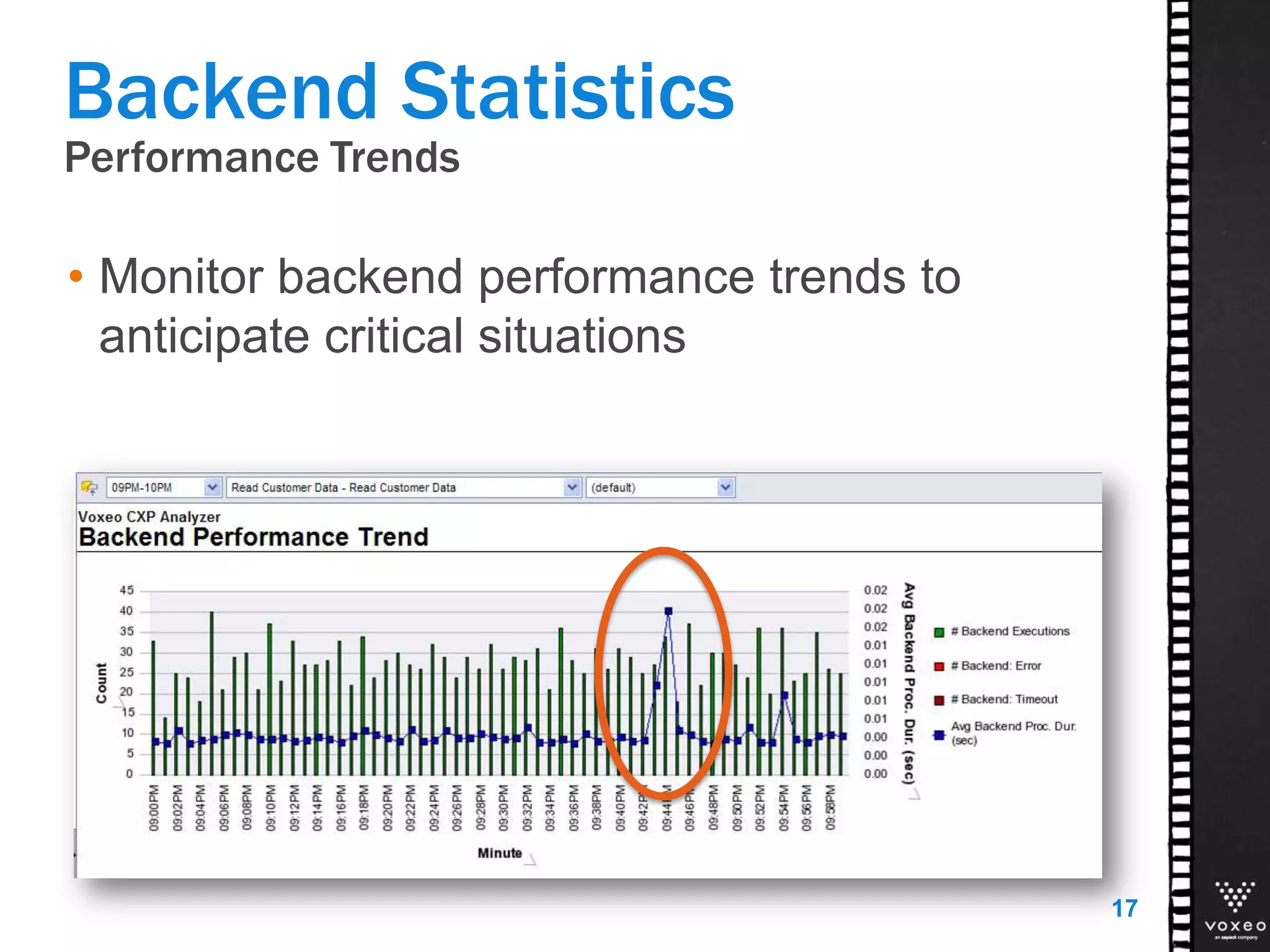
Performance Trends
Backend Statistics
• Monitor backend performance trends to
anticipate critical situations
17
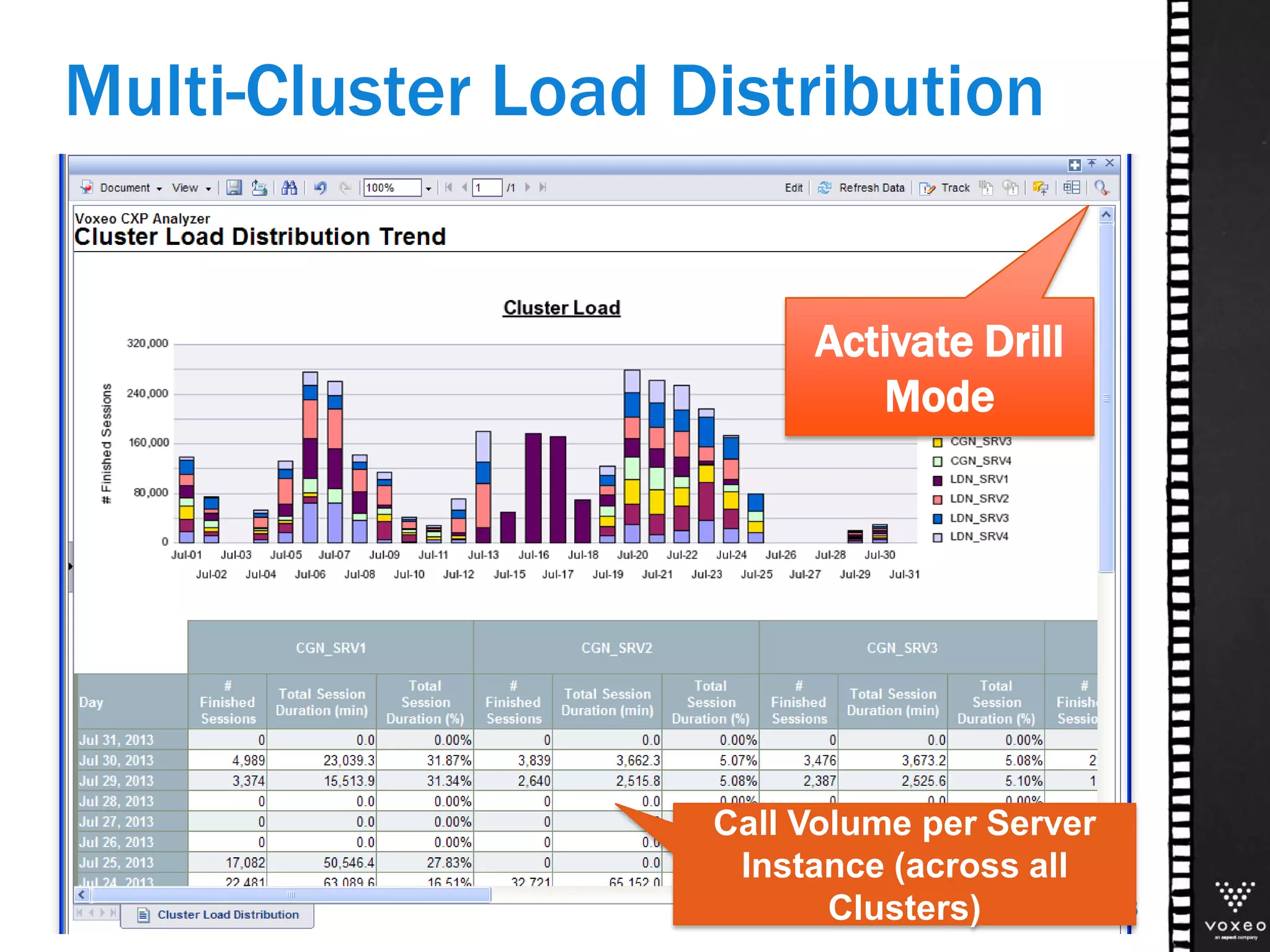
Multi-Cluster Load Distribution
18
Activate Drill
Mode
Call Volume per Server
Instance (across all
Clusters)
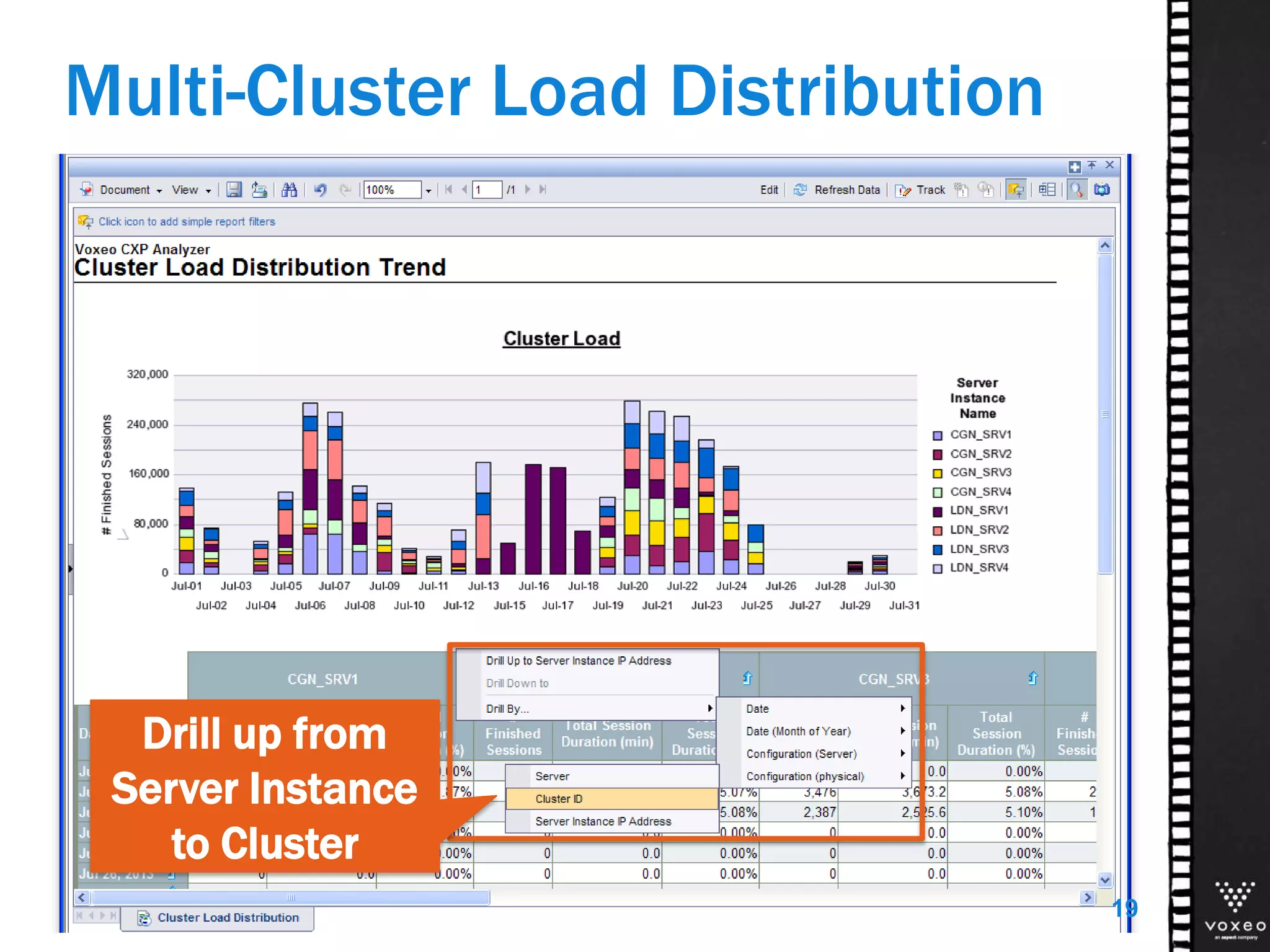
Multi-Cluster Load Distribution
19
Drill up from
Server Instance
to Cluster
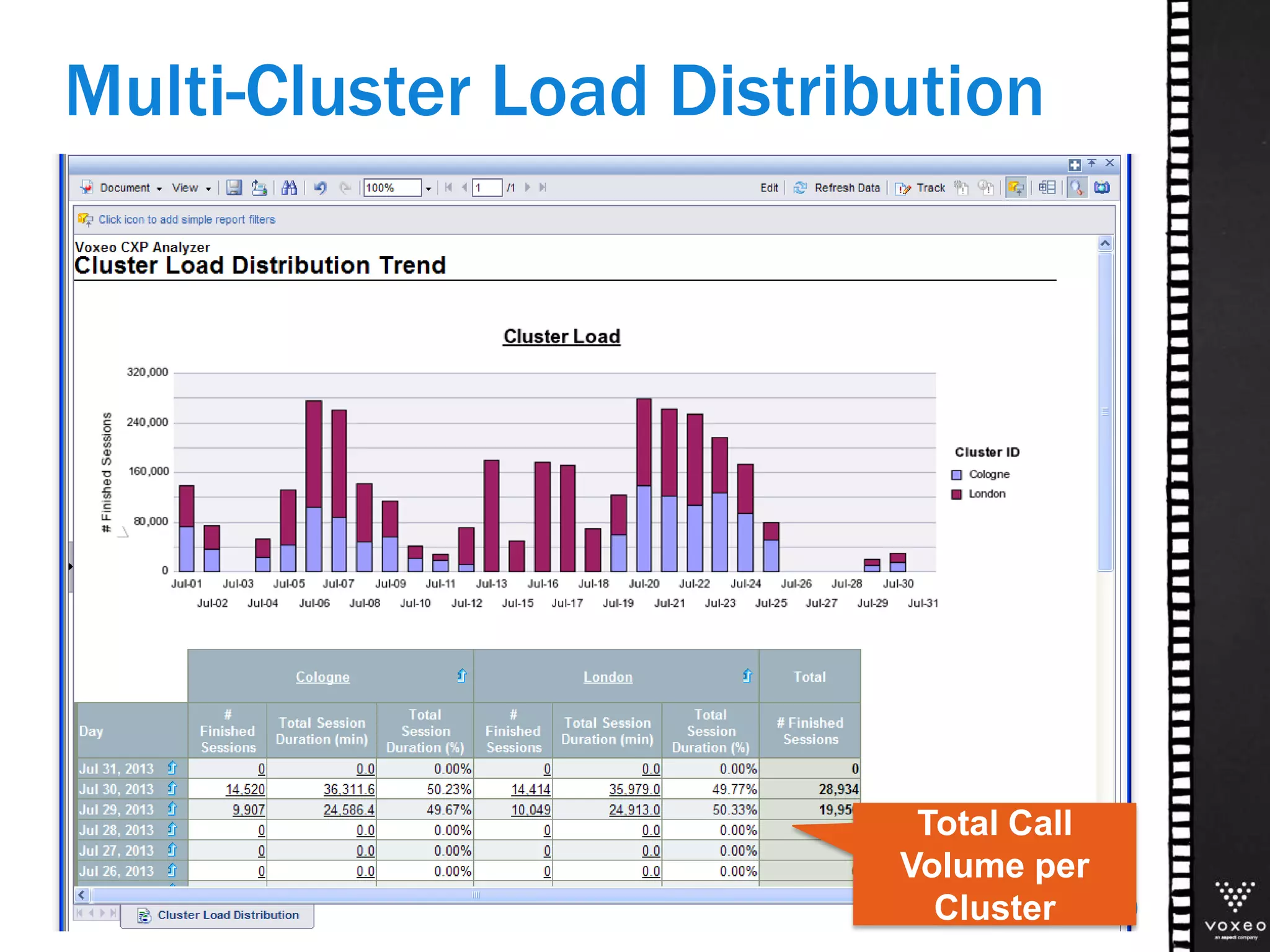
Multi-Cluster Load Distribution
20
Total Call
Volume per
Cluster
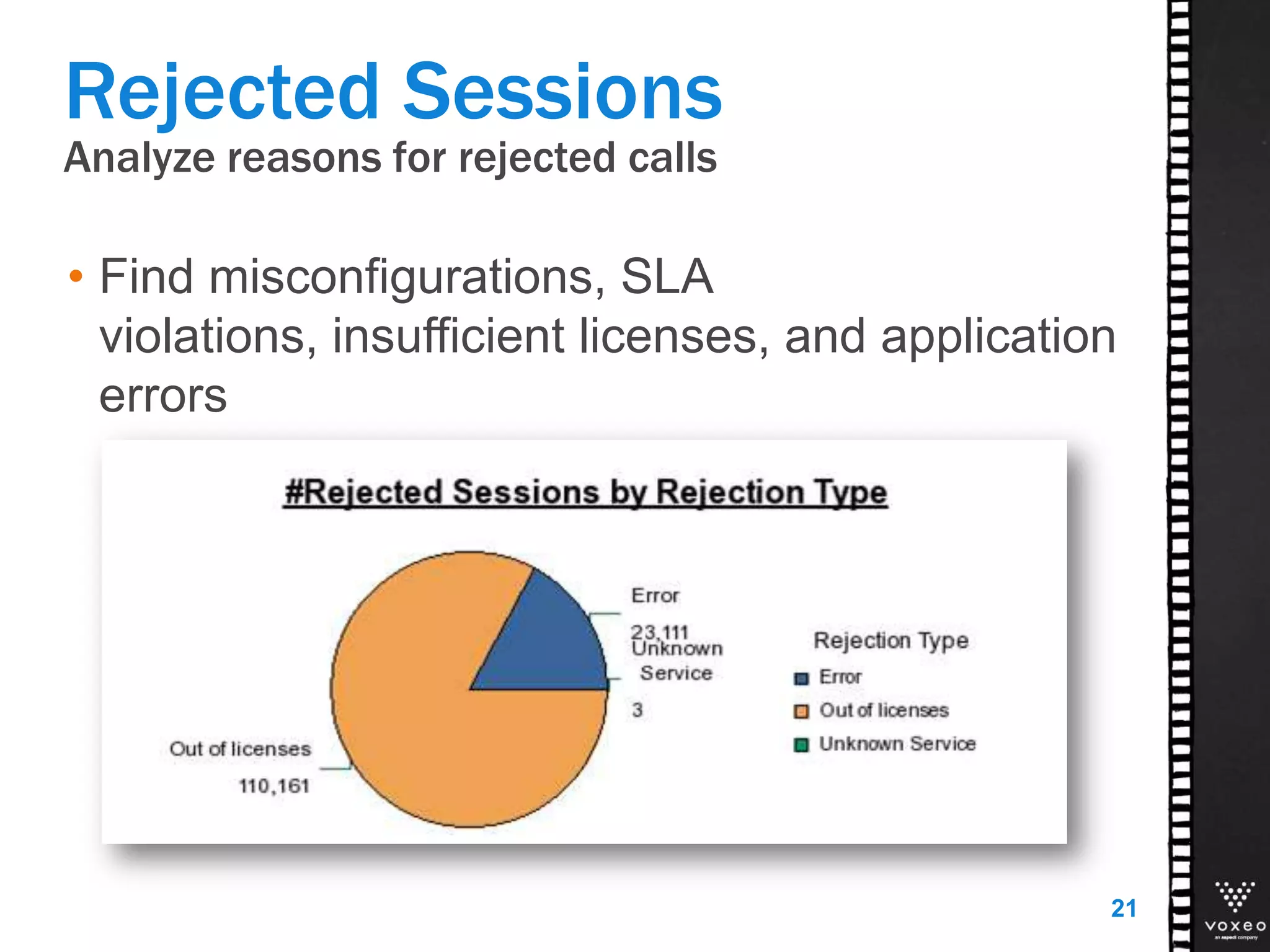
Analyze reasons for rejected calls
Rejected Sessions
• Find misconfigurations, SLA
violations, insufficient licenses, and application
errors
21
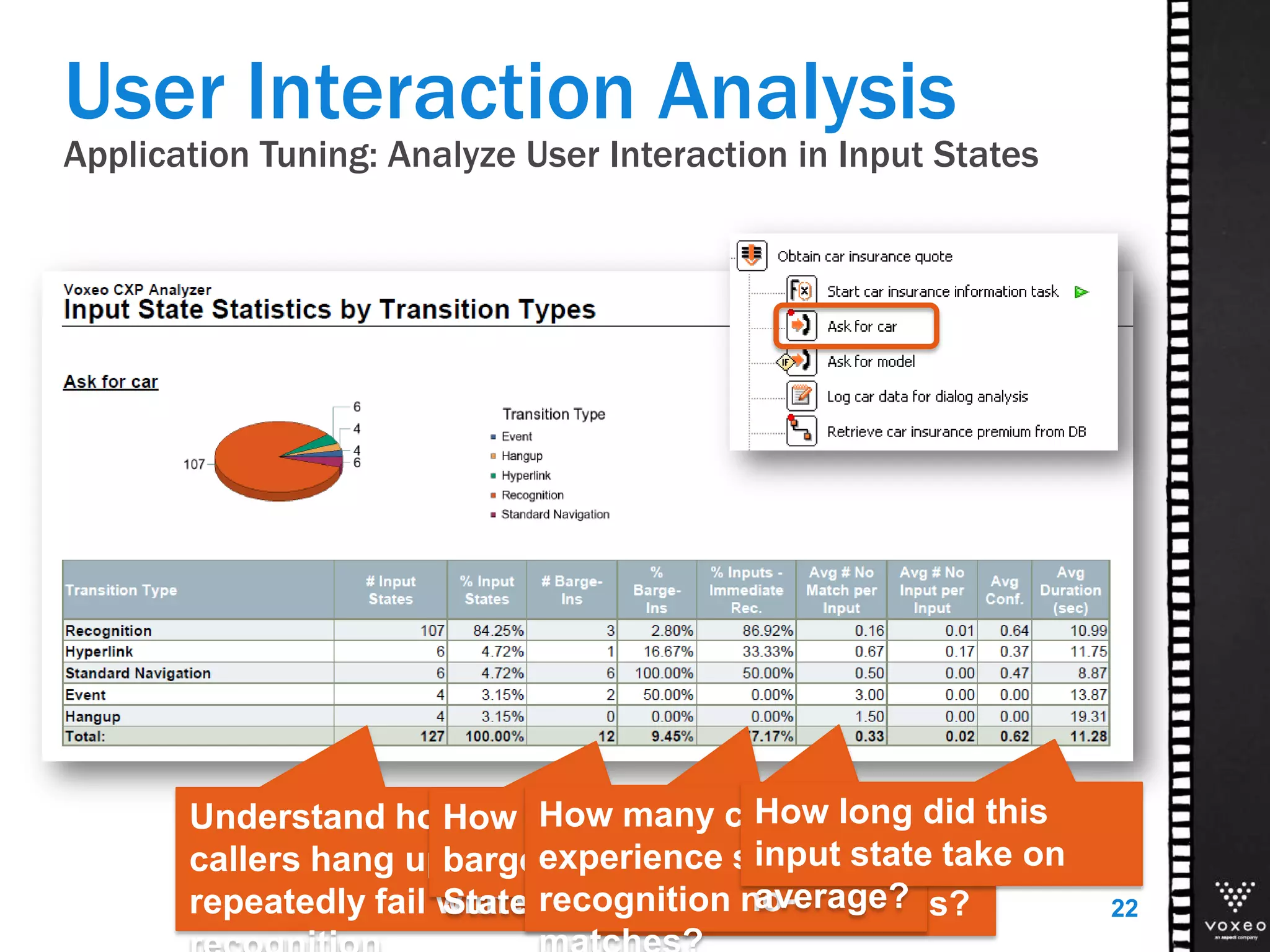
Application Tuning: Analyze User Interaction in Input States
User Interaction Analysis
22
Understand how often
callers hang up, zero out, or
repeatedly fail with speech
How often do callers
barge-in in this Input
State?
How many callers
have immediate
recognition success?
How many callers
experience speech
recognition no-
How long did this
input state take on
average?
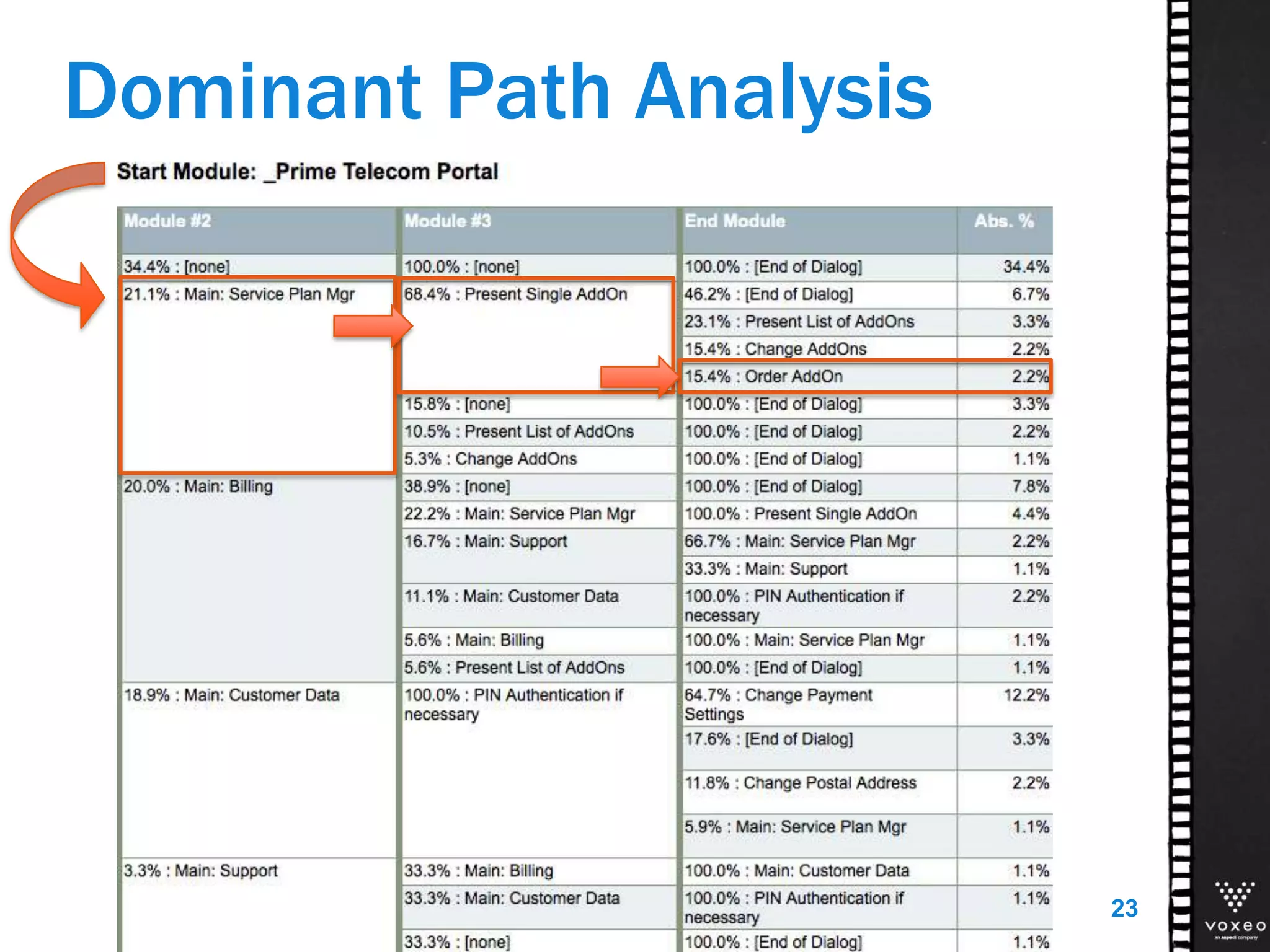
Dominant Path Analysis
23
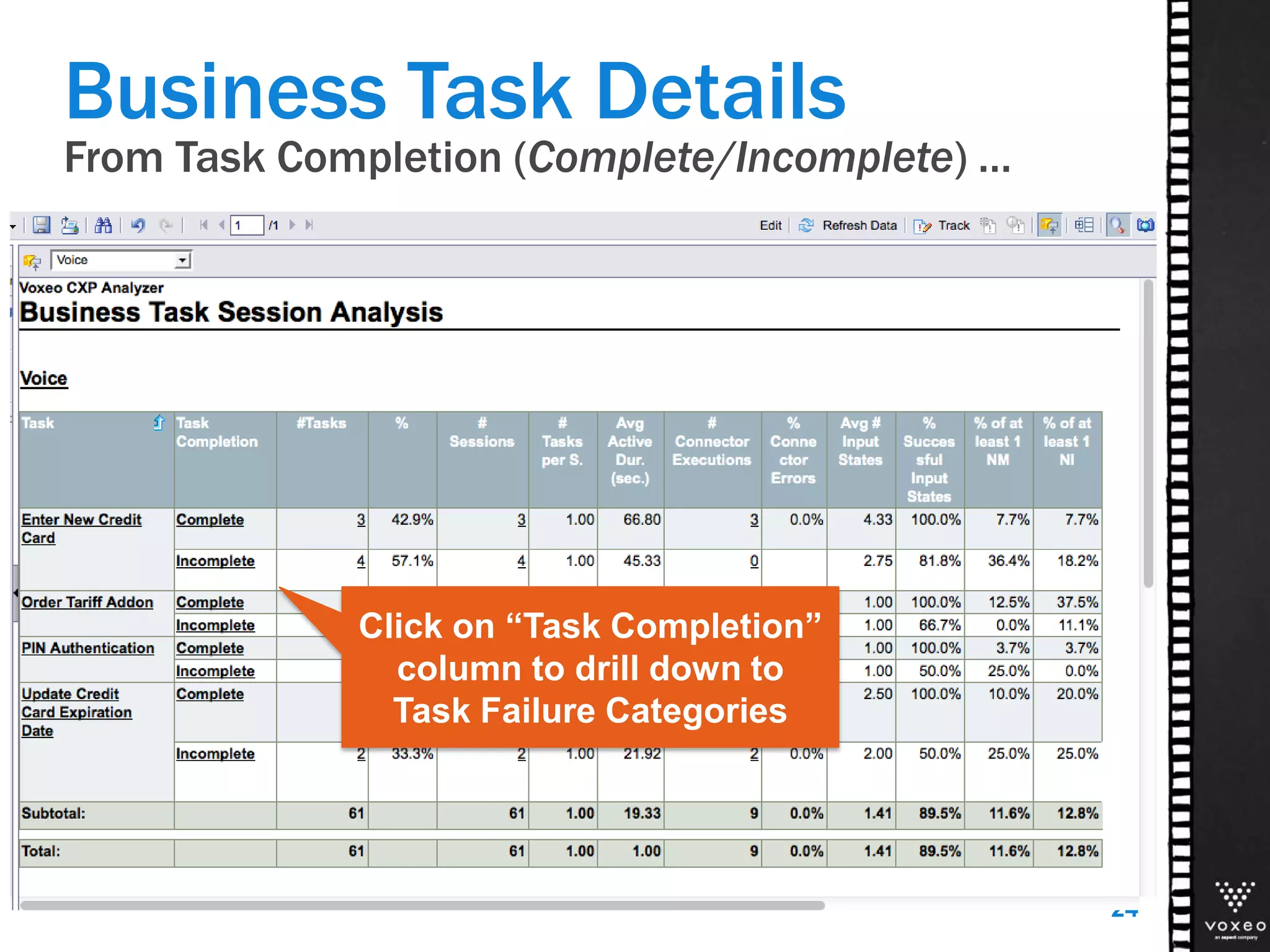
Business Task Details
From Task Completion (Complete/Incomplete) …
24
Click on “Task Completion”
column to drill down to
Task Failure Categories
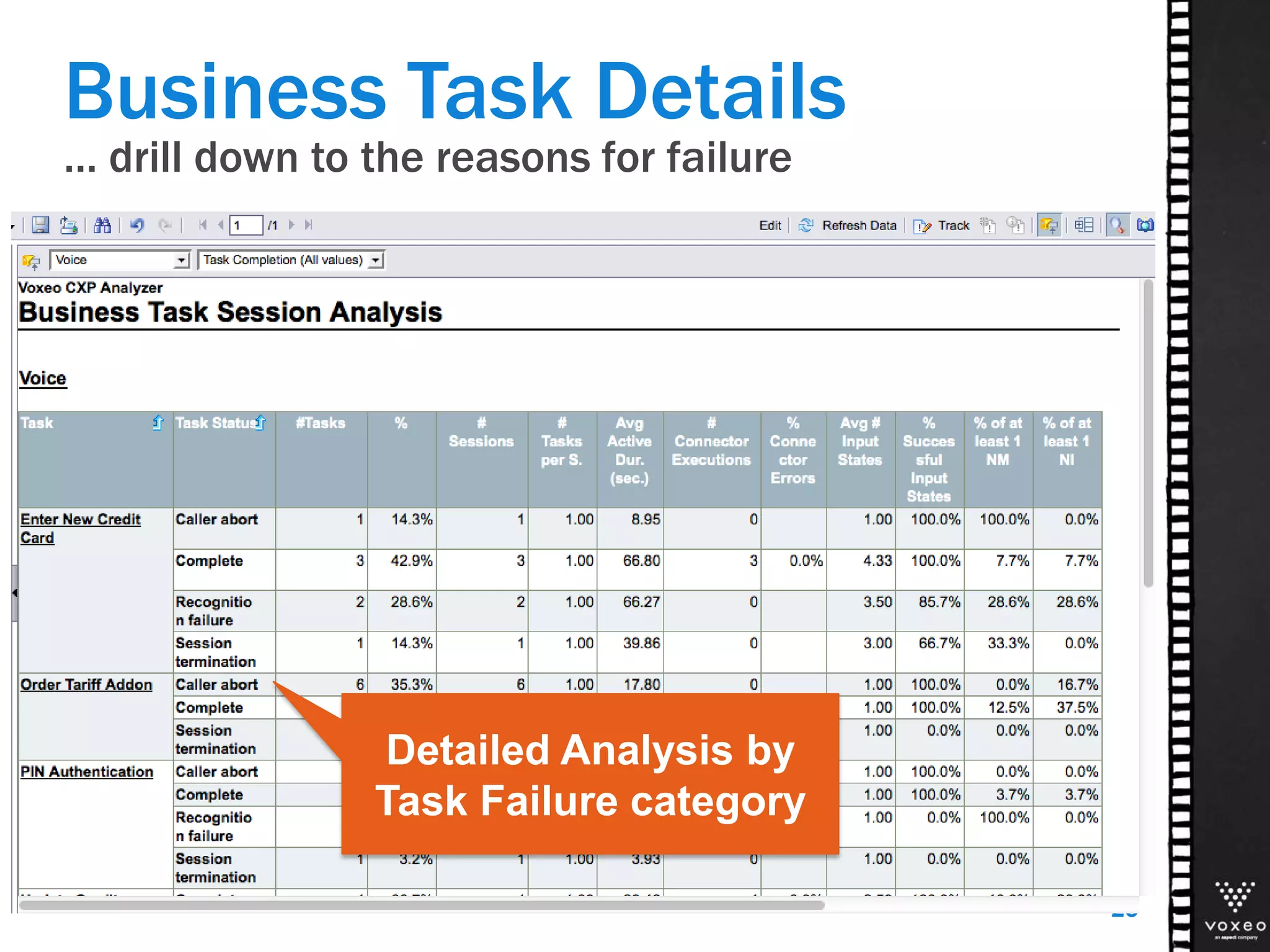
Business Task Details
… drill down to the reasons for failure
25
Detailed Analysis by
Task Failure category
Analyze Session Details
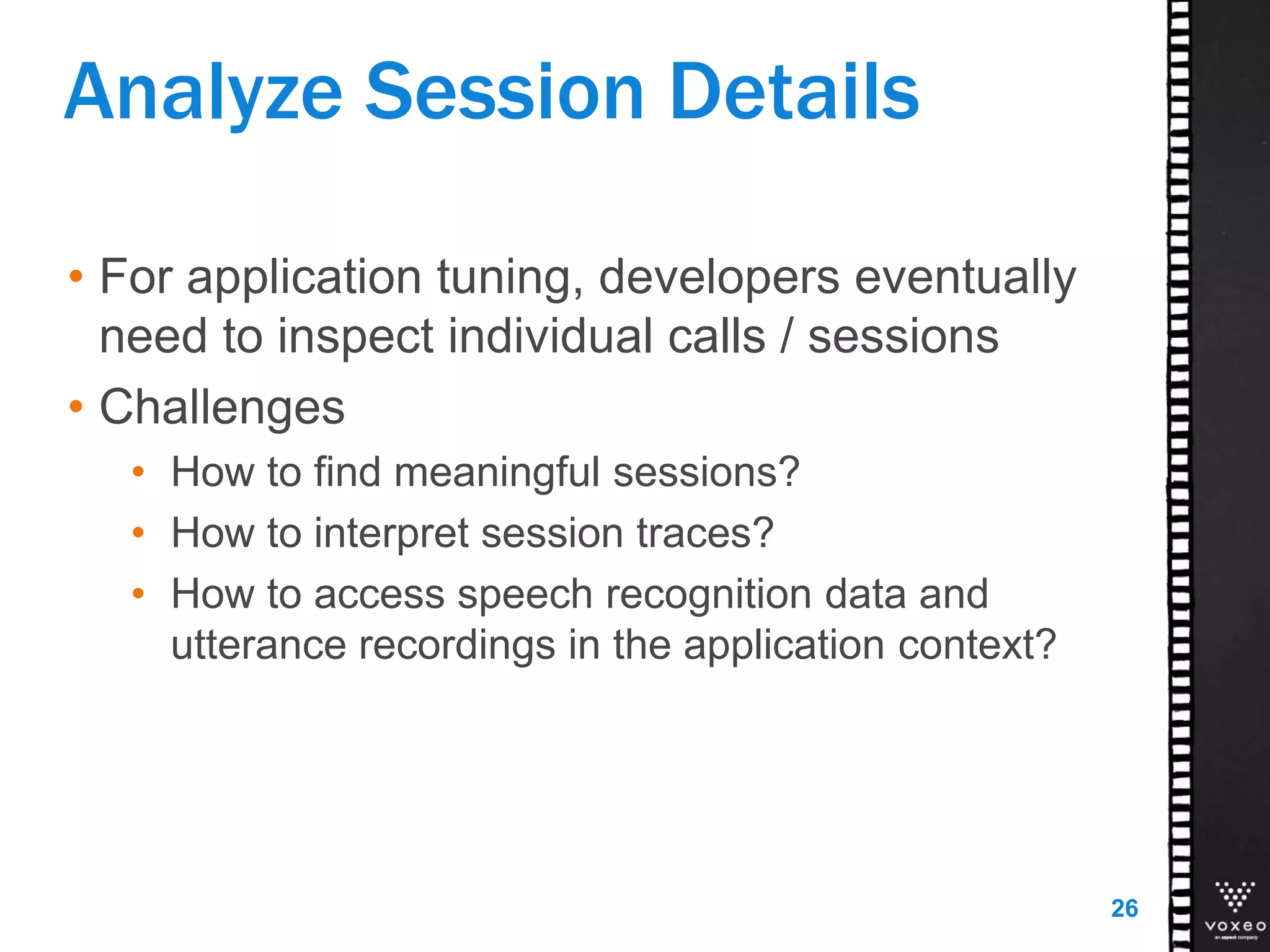
• For application tuning, developers eventually
need to inspect individual calls / sessions
• Challenges
• How to find meaningful sessions?
• How to interpret session traces?
• How to access speech recognition data and
utterance recordings in the application context?
26
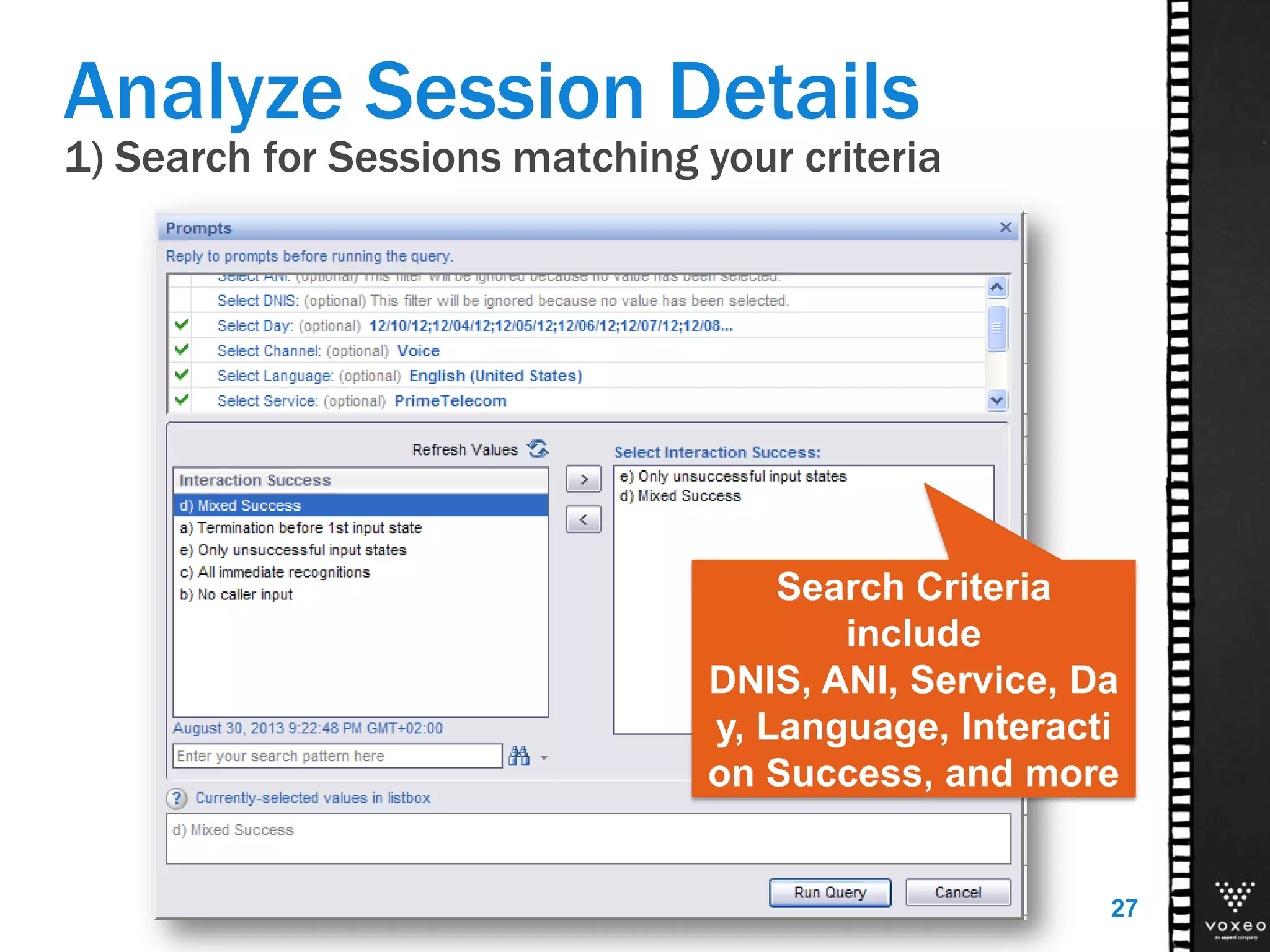
1) Search for Sessions matching your criteria
Analyze Session Details
27
Search Criteria
include
DNIS, ANI, Service, Da
y, Language, Interacti
on Success, and more
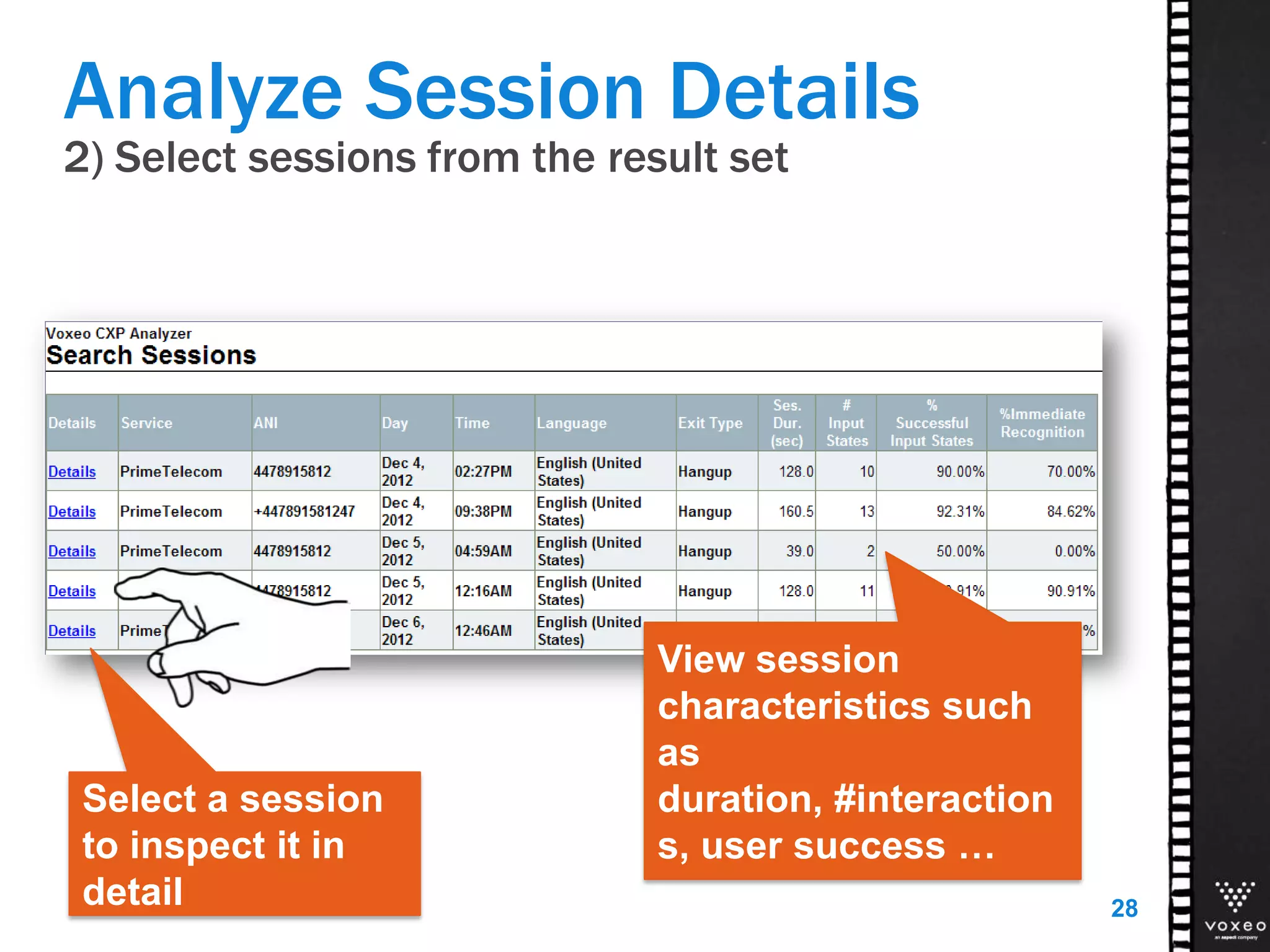
2) Select sessions from the result set
Analyze Session Details
28
View session
characteristics such
as
duration, #interaction
s, user success …
Select a session
to inspect it in
detail
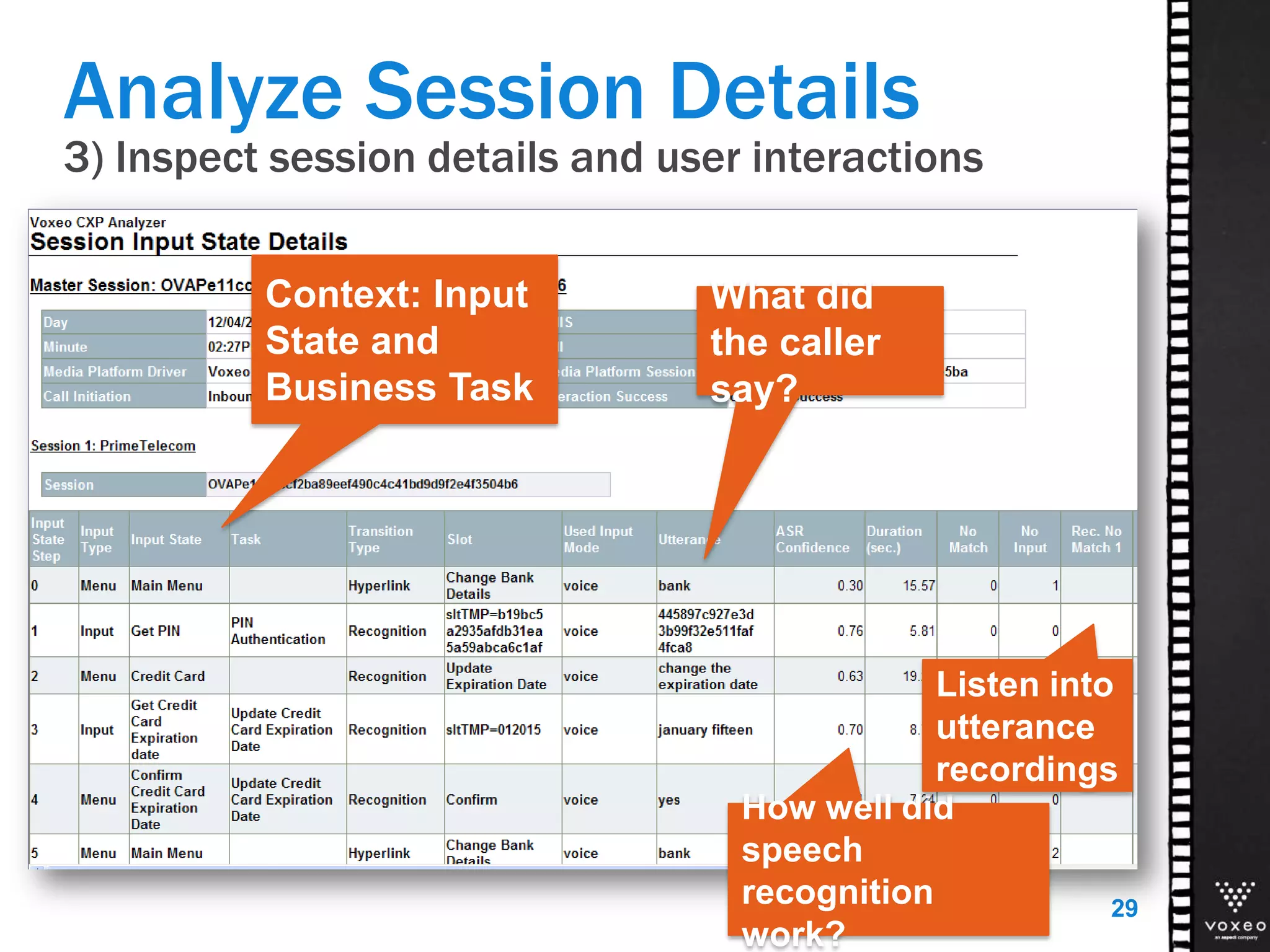
3) Inspect session details and user interactions
Analyze Session Details
29
Context: Input
State and
Business Task
What did
the caller
say?
How well did
speech
recognition
work?
Listen into
utterance
recordings
Availability
CXP Analyzer 13
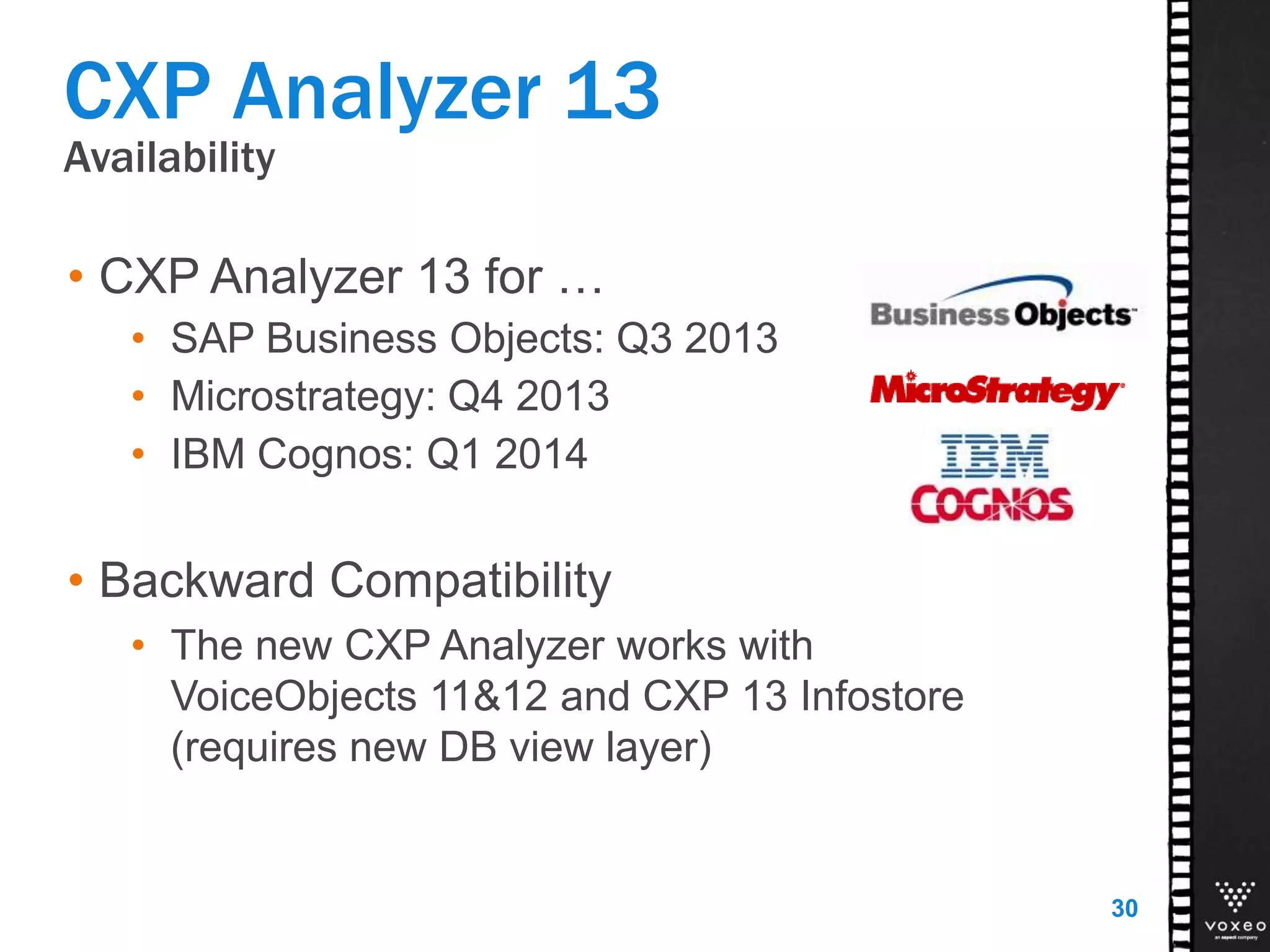
• CXP Analyzer 13 for …
• SAP Business Objects: Q3 2013
• Microstrategy: Q4 2013
• IBM Cognos: Q1 2014
• Backward Compatibility
• The new CXP Analyzer works with
VoiceObjects 11&12 and CXP 13 Infostore
(requires new DB view layer)
30
Actionable Insight for Developers
HOTSPOT ANALYTICS
Actionable Insight for Developers
Problem:
• Developers often don’t have access to the BI platform.
• Or, they don’t see reporting as part of their job.
Solution:
• Provide Actionable
Analytics right within
their development
environment!
Hotspot Analytics
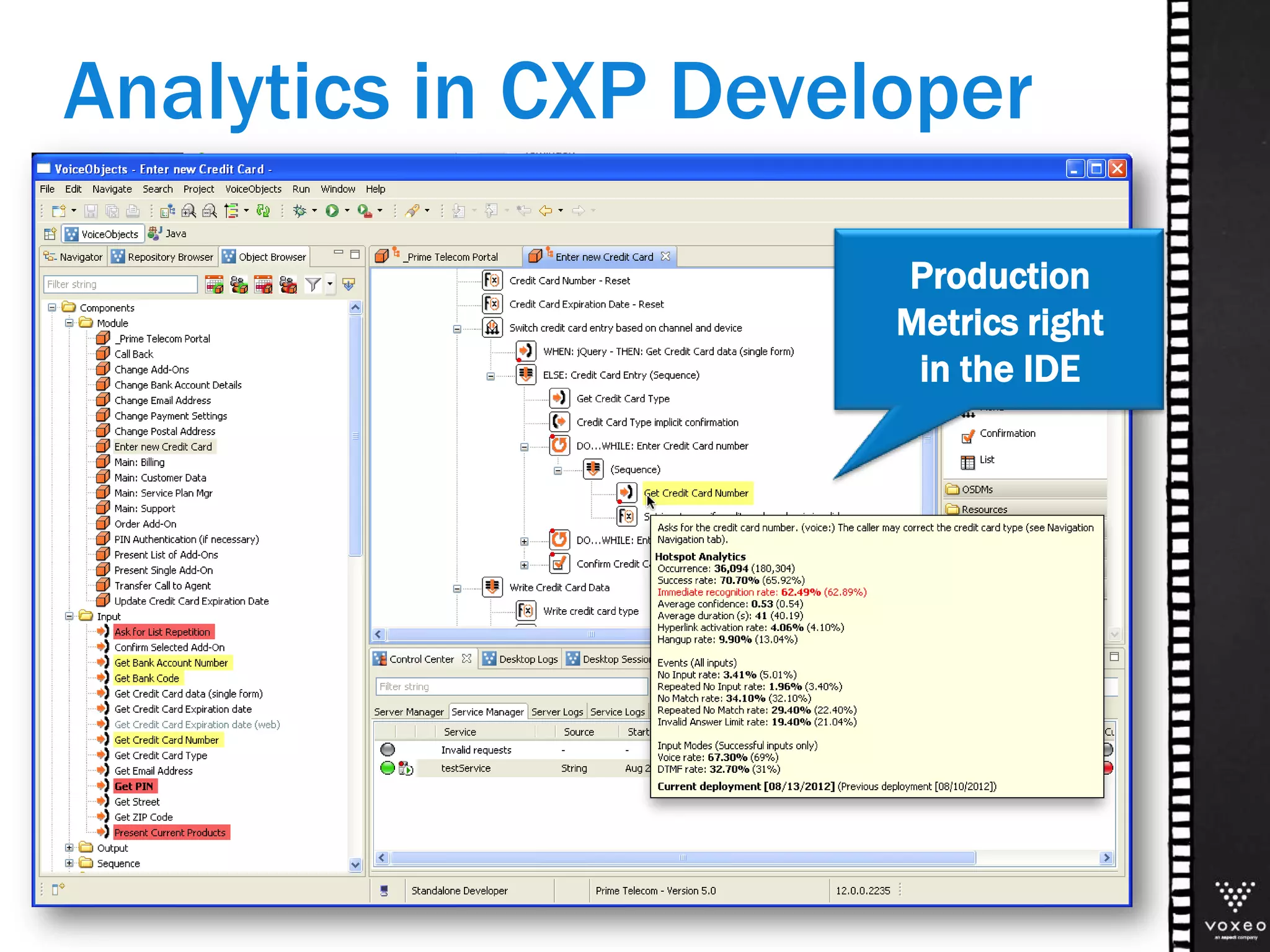
Production
Metrics right
in the IDE
Analytics in CXP Developer
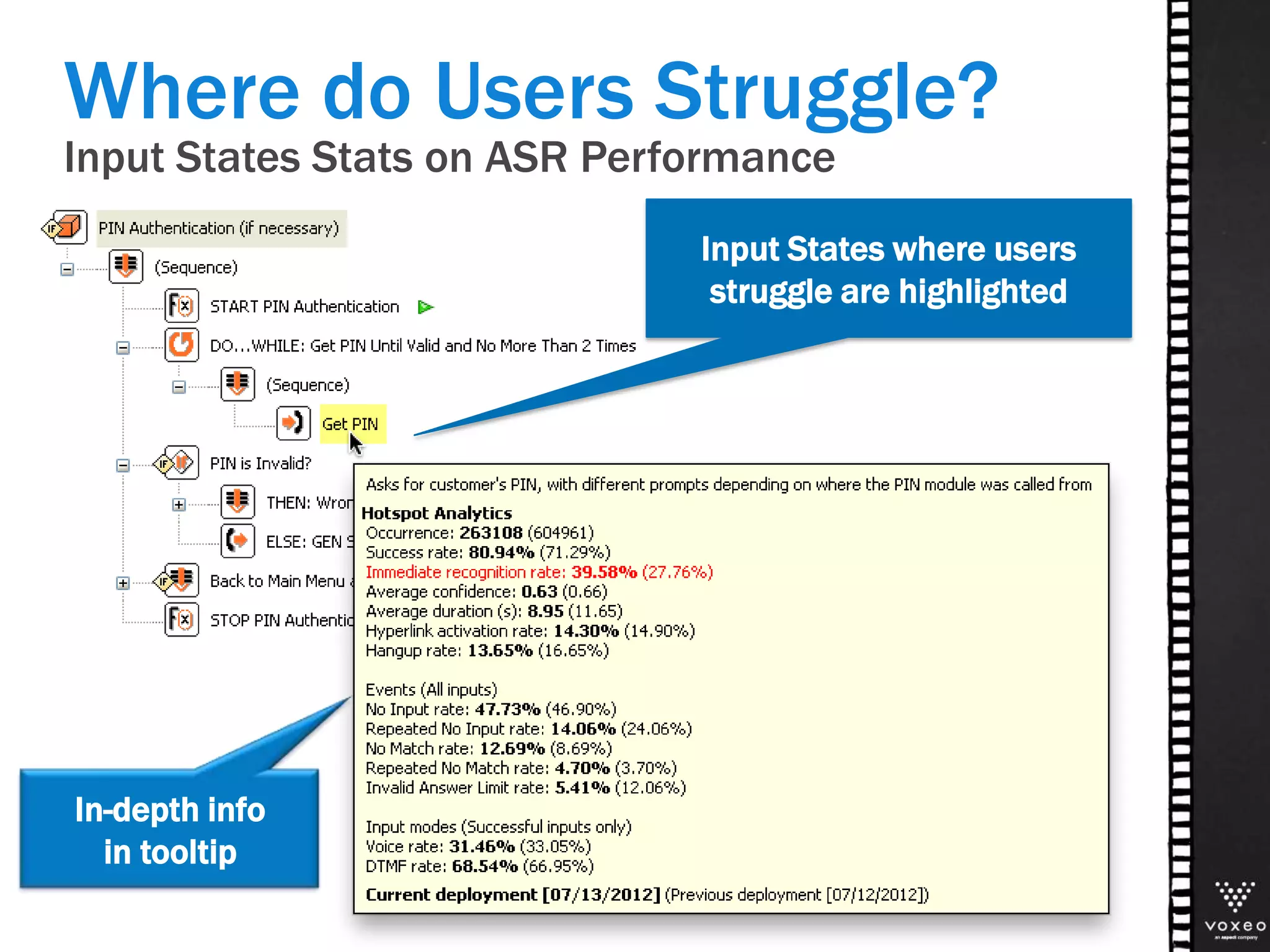
Where do Users Struggle?
Input States Stats on ASR Performance
In-depth info
in tooltip
Input States where users
struggle are highlighted
Digging deeper in the Web Channel
GOOGLE ANALYTICS
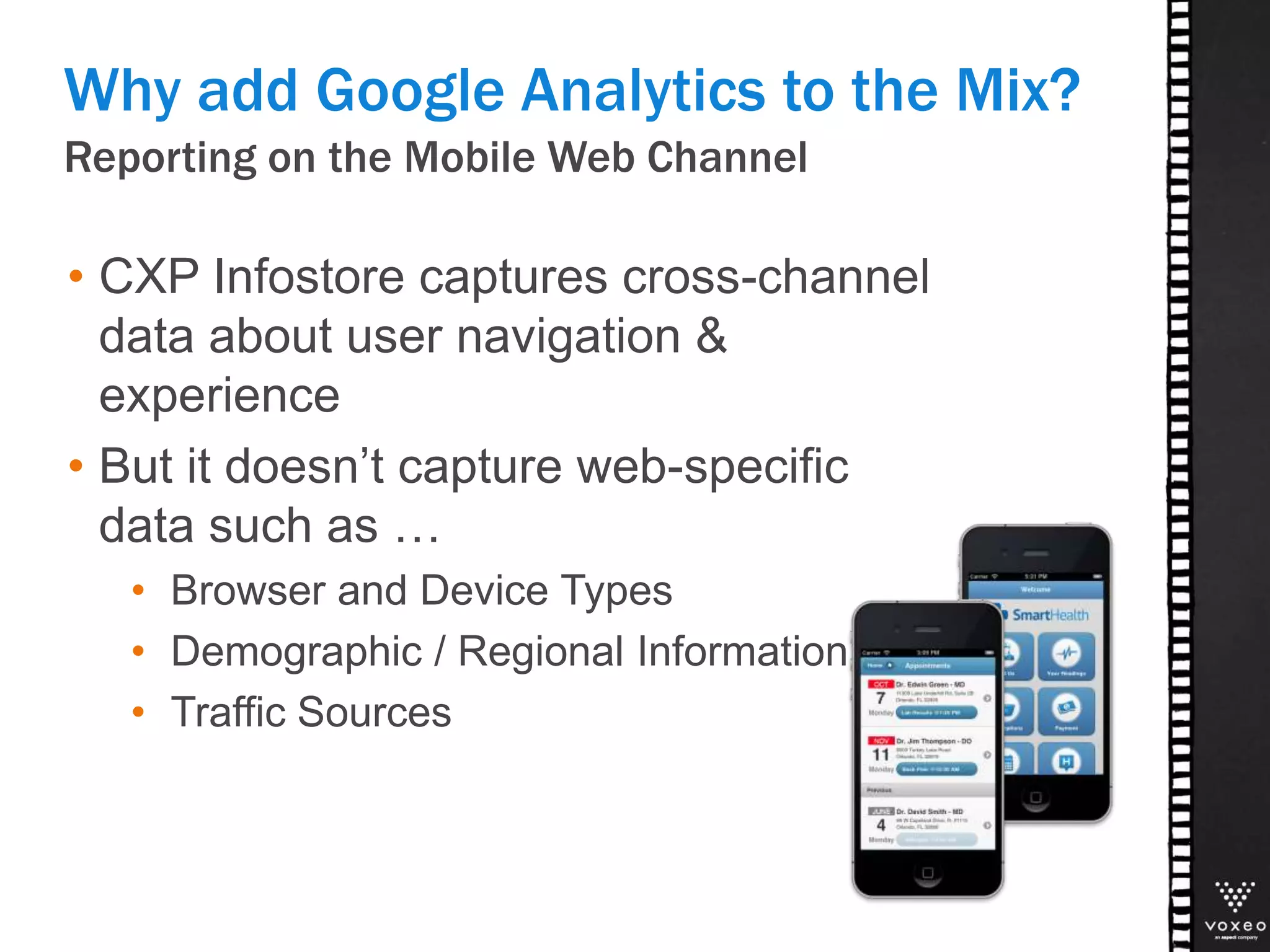
Reporting on the Mobile Web Channel
Why add Google Analytics to the Mix?
• CXP Infostore captures cross-channel
data about user navigation &
experience
• But it doesn’t capture web-specific
data such as …
• Browser and Device Types
• Demographic / Regional Information
• Traffic Sources
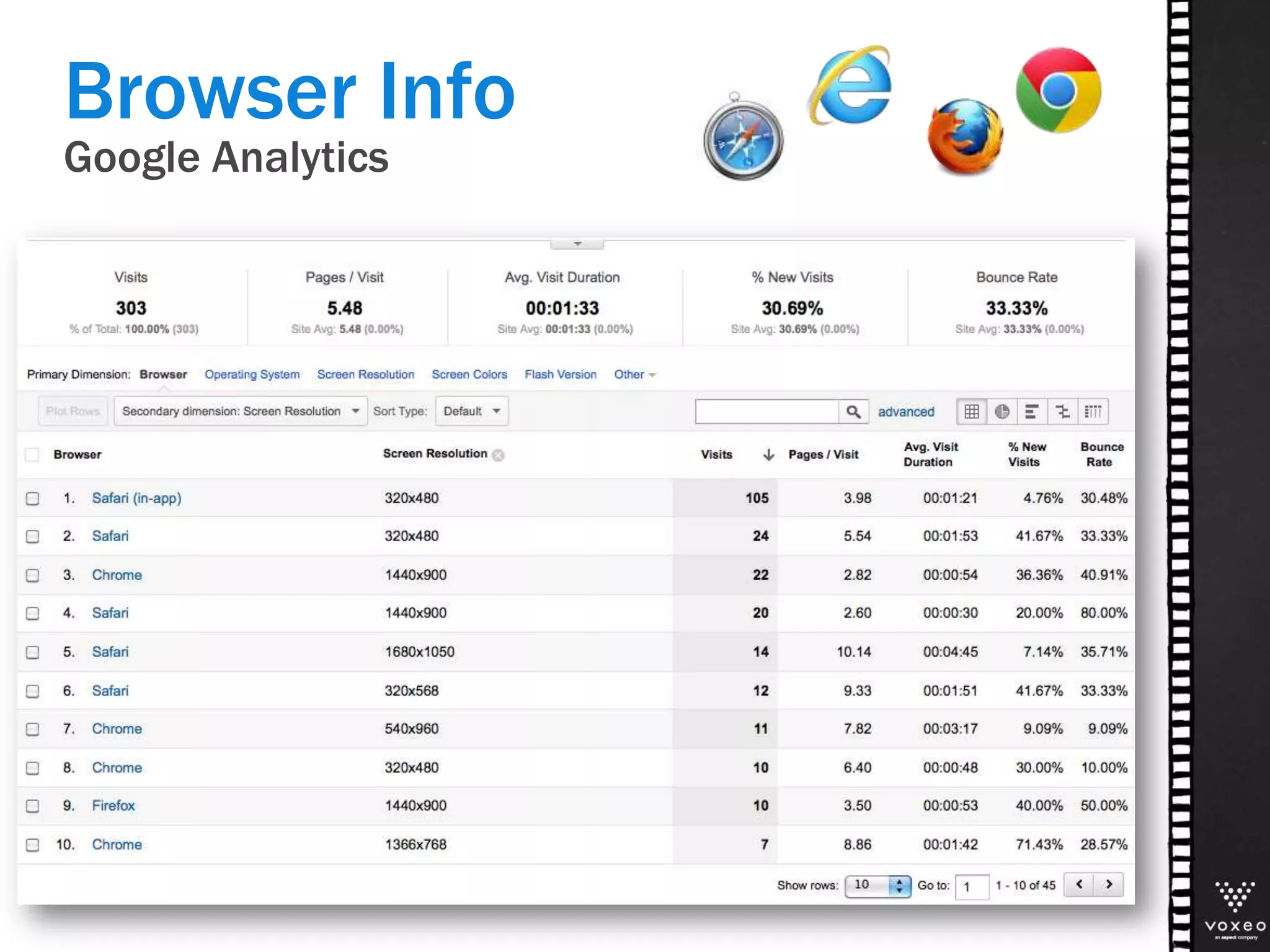
Browser Info
Google Analytics
Google Analytics
Device Info
Location Info
Google Analytics
WRAPPING UP
The CXP Analytics Story
Portfolio Overview
CXP Analyzer
Google
Analytics
Hotspot
Analytics
Andreas Volmer
avolmer@voxeo.com
THANK YOU!
42

Voxeo Summit Day 1 - Customer experience analytics

  • 2.
    Voxeo CXP Analyzerand Hotspot Analytics ACCELERATING ROI WITH CUSTOMER EXPERIENCE ANALYTICS
  • 3.
    Essential part ofVoxeo CXP Lifecycle Management • Provide deep, meaningful analysis out-of-the-box • Gather usage and performance data right after initial deployment • Continuously monitor application performance 3 Reporting and Analytics
  • 4.
  • 5.
    The CXP AnalyticsStory Portfolio Overview CXP Analyzer Google Analytics Hotspot Analytics
  • 6.
    Portfolio Overview • Fullfledged reporting and analysis suite • Cross-channel usage & performance analysis • Ad-hoc analysis & scheduled reporting • Based on Business Intelligence platforms and CXP Infostore data CXP Analyzer The CXP Analytics Story Target groups: • Business • Developers • Operators
  • 7.
    Portfolio Overview • Pre-configuredfor CXP Mobile Web apps • Adds Web-specific stats on • Region (country/state/city) • Mobile Devices & Browsers • Traffic Sources Google Analytics The CXP Analytics Story Target groups: • Business • Web Developers
  • 8.
    Portfolio Overview • ActionableInsight from statistical data in CXP Developer • Reporting on cross-channel service usage and performance based on CXP Infostore Hotspot Analytics The CXP Analytics Story Target group • Developers
  • 9.
  • 10.
    Application Definition in CXPDeveloper CXP Analyzer 13 Analysis in the Application Context CXP Server Service Execution Analysis in CXP Analyzer Infostore DB Usage and Performance Data
  • 11.
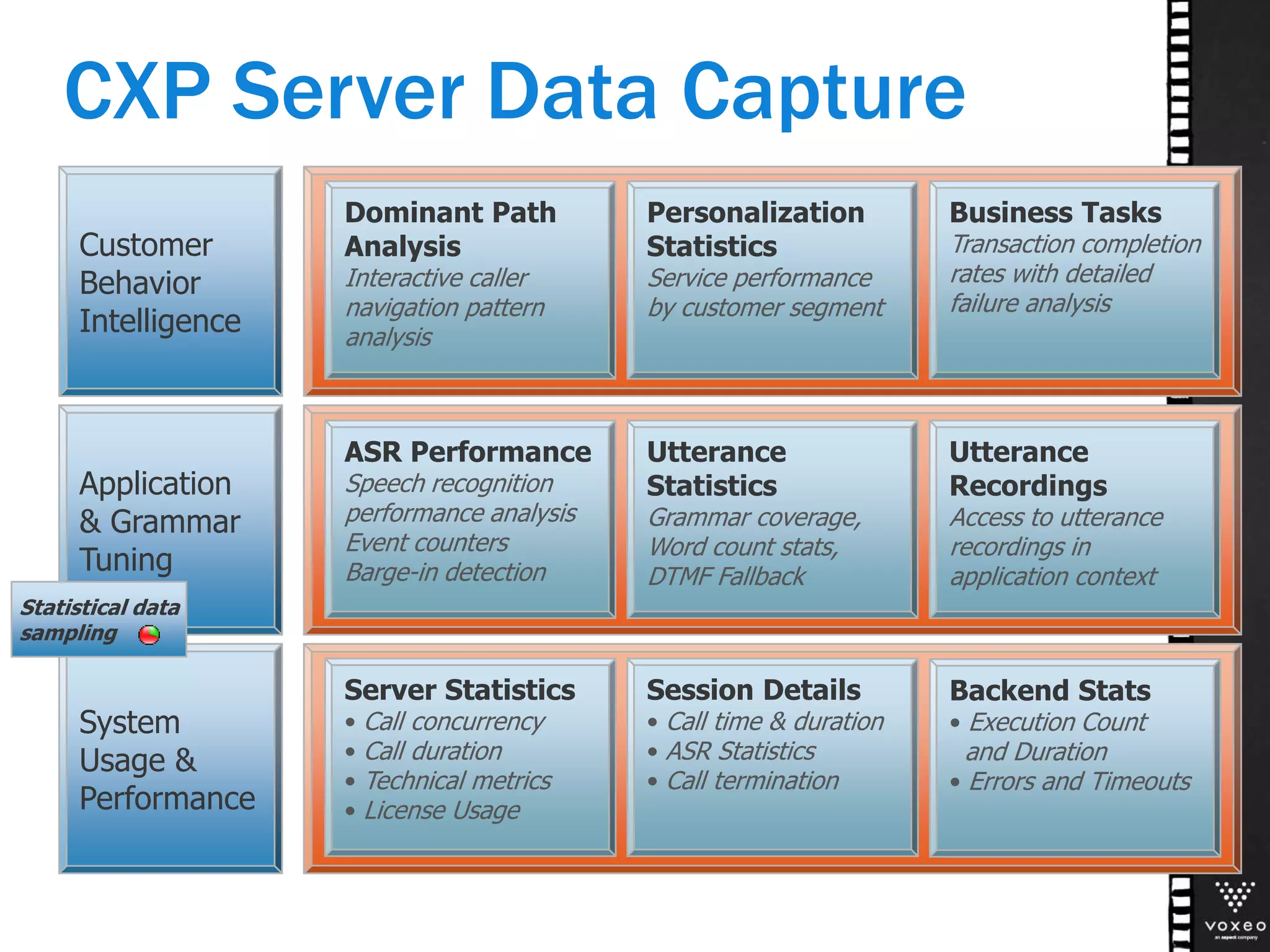
    System Usage & Performance Server Statistics •Call concurrency • Call duration • Technical metrics • License Usage Session Details • Call time & duration • ASR Statistics • Call termination Application & Grammar Tuning ASR Performance Speech recognition performance analysis Event counters Barge-in detection Utterance Statistics Grammar coverage, Word count stats, DTMF Fallback Utterance Recordings Access to utterance recordings in application context Customer Behavior Intelligence Dominant Path Analysis Interactive caller navigation pattern analysis Personalization Statistics Service performance by customer segment Business Tasks Transaction completion rates with detailed failure analysis Statistical data sampling Backend Stats • Execution Count and Duration • Errors and Timeouts CXP Server Data Capture
  • 12.
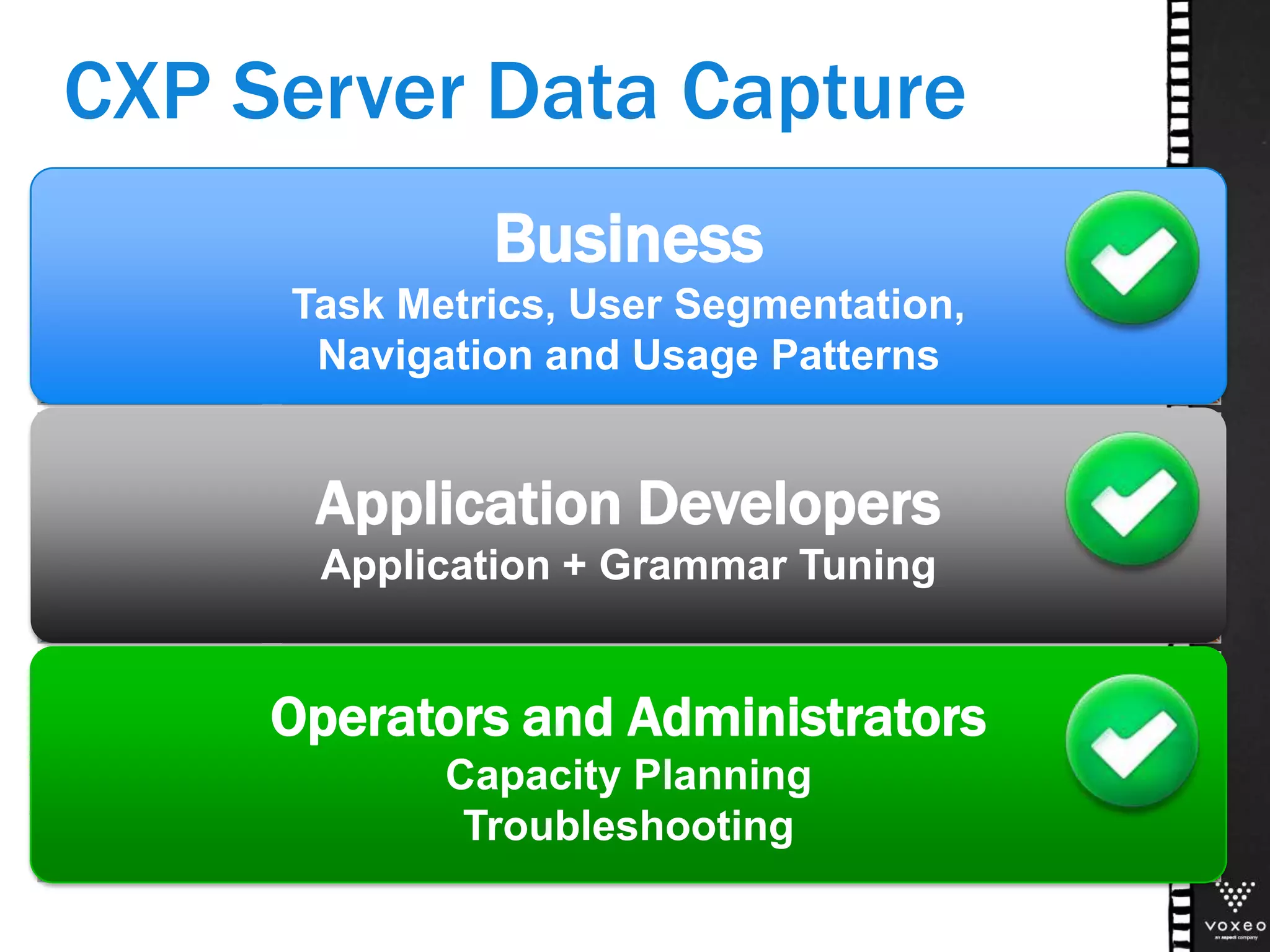
    System Usage & Performance Server Statistics •Call concurrency • Call duration • Technical metrics • License Usage Session Details • Call time & duration • ASR Statistics • Call termination Application & Grammar Tuning ASR Performance Speech recognition performance analysis Event counters Barge-in detection Utterance Statistics Grammar coverage, Word count stats, DTMF Fallback Utterance Recordings Access to utterance recordings in application context Customer Behavior Intelligence Dominant Path Analysis Interactive caller navigation pattern analysis Personalization Statistics Service performance by customer segment Business Tasks Transaction completion rates with detailed failure analysis Backend Stats • Execution Count and Duration • Errors and Timeouts Business Task Metrics, User Segmentation, Navigation and Usage Patterns Application Developers Application + Grammar Tuning Operators and Administrators Capacity Planning Troubleshooting CXP Server Data Capture
  • 13.
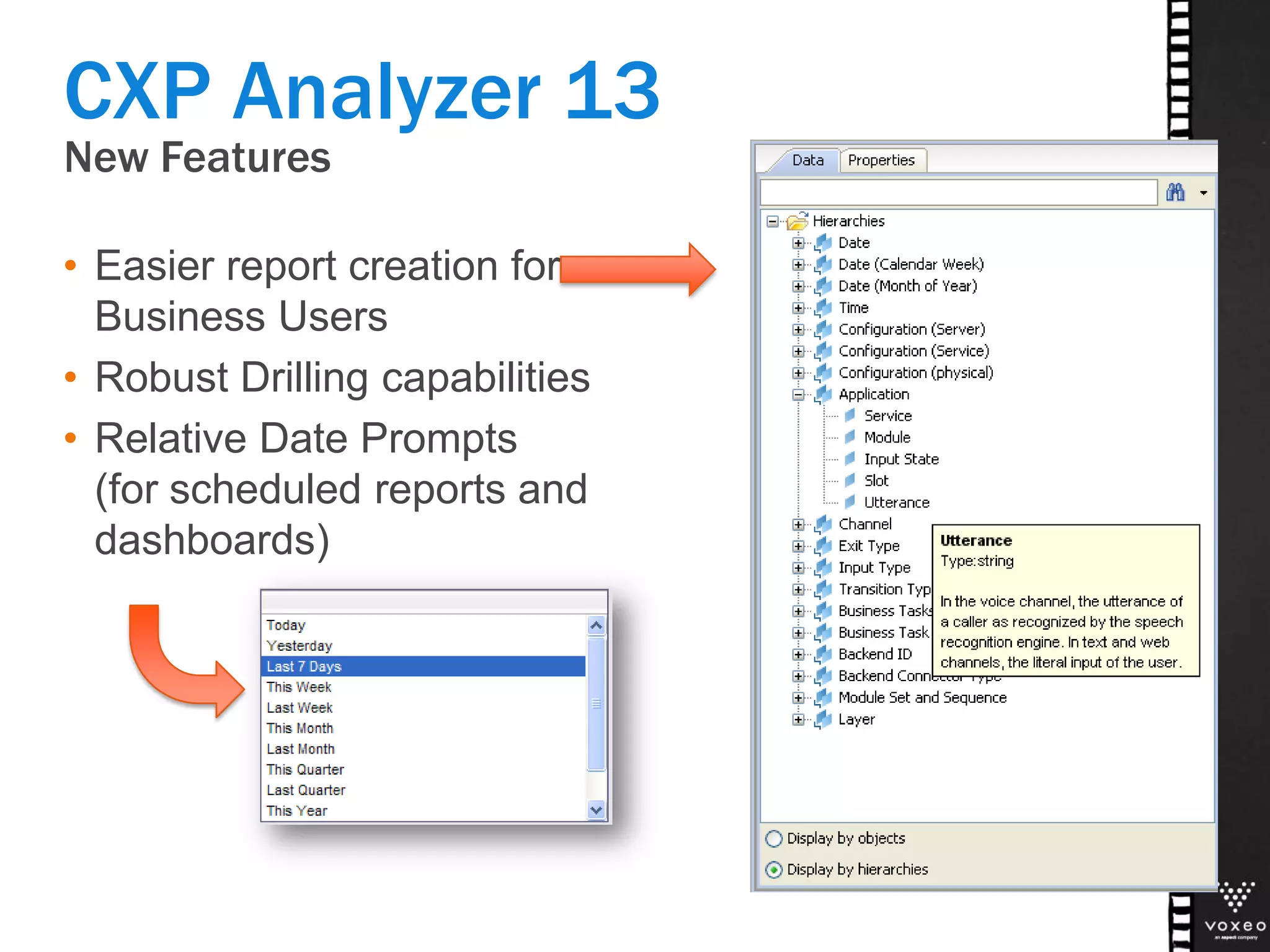
    New Features • Easierreport creation for Business Users • Robust Drilling capabilities • Relative Date Prompts (for scheduled reports and dashboards) CXP Analyzer 13
  • 14.
    New Content • Back-EndStatistics • Multi-cluster / multi-data center setups • Rejected Sessions System Level CXP Analyzer 13 Application Level • Service Chaining • Service Deployments • Session Search • Repeat Callers
  • 15.
    Compare Service performanceby versions (instead of by Date) 15 Service Deployments Service Deployment History
  • 16.
    Dashboard Backend Statistics • Performanceissues of Backend Systems can negatively effect user experience • Monitor backend success & error rates • Error code distribution for root cause analysis 16
  • 17.
    Performance Trends Backend Statistics •Monitor backend performance trends to anticipate critical situations 17
  • 18.
    Multi-Cluster Load Distribution 18 ActivateDrill Mode Call Volume per Server Instance (across all Clusters)
  • 19.
    Multi-Cluster Load Distribution 19 Drillup from Server Instance to Cluster
  • 20.
  • 21.
    Analyze reasons forrejected calls Rejected Sessions • Find misconfigurations, SLA violations, insufficient licenses, and application errors 21
  • 22.
    Application Tuning: AnalyzeUser Interaction in Input States User Interaction Analysis 22 Understand how often callers hang up, zero out, or repeatedly fail with speech How often do callers barge-in in this Input State? How many callers have immediate recognition success? How many callers experience speech recognition no- How long did this input state take on average?
  • 23.
  • 24.
    Business Task Details FromTask Completion (Complete/Incomplete) … 24 Click on “Task Completion” column to drill down to Task Failure Categories
  • 25.
    Business Task Details …drill down to the reasons for failure 25 Detailed Analysis by Task Failure category
  • 26.
    Analyze Session Details •For application tuning, developers eventually need to inspect individual calls / sessions • Challenges • How to find meaningful sessions? • How to interpret session traces? • How to access speech recognition data and utterance recordings in the application context? 26
  • 27.
    1) Search forSessions matching your criteria Analyze Session Details 27 Search Criteria include DNIS, ANI, Service, Da y, Language, Interacti on Success, and more
  • 28.
    2) Select sessionsfrom the result set Analyze Session Details 28 View session characteristics such as duration, #interaction s, user success … Select a session to inspect it in detail
  • 29.
    3) Inspect sessiondetails and user interactions Analyze Session Details 29 Context: Input State and Business Task What did the caller say? How well did speech recognition work? Listen into utterance recordings
  • 30.
    Availability CXP Analyzer 13 •CXP Analyzer 13 for … • SAP Business Objects: Q3 2013 • Microstrategy: Q4 2013 • IBM Cognos: Q1 2014 • Backward Compatibility • The new CXP Analyzer works with VoiceObjects 11&12 and CXP 13 Infostore (requires new DB view layer) 30
  • 31.
    Actionable Insight forDevelopers HOTSPOT ANALYTICS
  • 32.
    Actionable Insight forDevelopers Problem: • Developers often don’t have access to the BI platform. • Or, they don’t see reporting as part of their job. Solution: • Provide Actionable Analytics right within their development environment! Hotspot Analytics
  • 33.
    Production Metrics right in theIDE Analytics in CXP Developer
  • 34.
    Where do UsersStruggle? Input States Stats on ASR Performance In-depth info in tooltip Input States where users struggle are highlighted
  • 35.
    Digging deeper inthe Web Channel GOOGLE ANALYTICS
  • 36.
    Reporting on theMobile Web Channel Why add Google Analytics to the Mix? • CXP Infostore captures cross-channel data about user navigation & experience • But it doesn’t capture web-specific data such as … • Browser and Device Types • Demographic / Regional Information • Traffic Sources
  • 37.
  • 38.
  • 39.
  • 40.
  • 41.
    The CXP AnalyticsStory Portfolio Overview CXP Analyzer Google Analytics Hotspot Analytics
  • 42.

Editor's Notes

  • #4 The Voxeo solution enables complete application lifecycle management from design to testing to documentation and reporting.Customers have reported savings of 50% in development and 80% in ongoing maintenance costs.